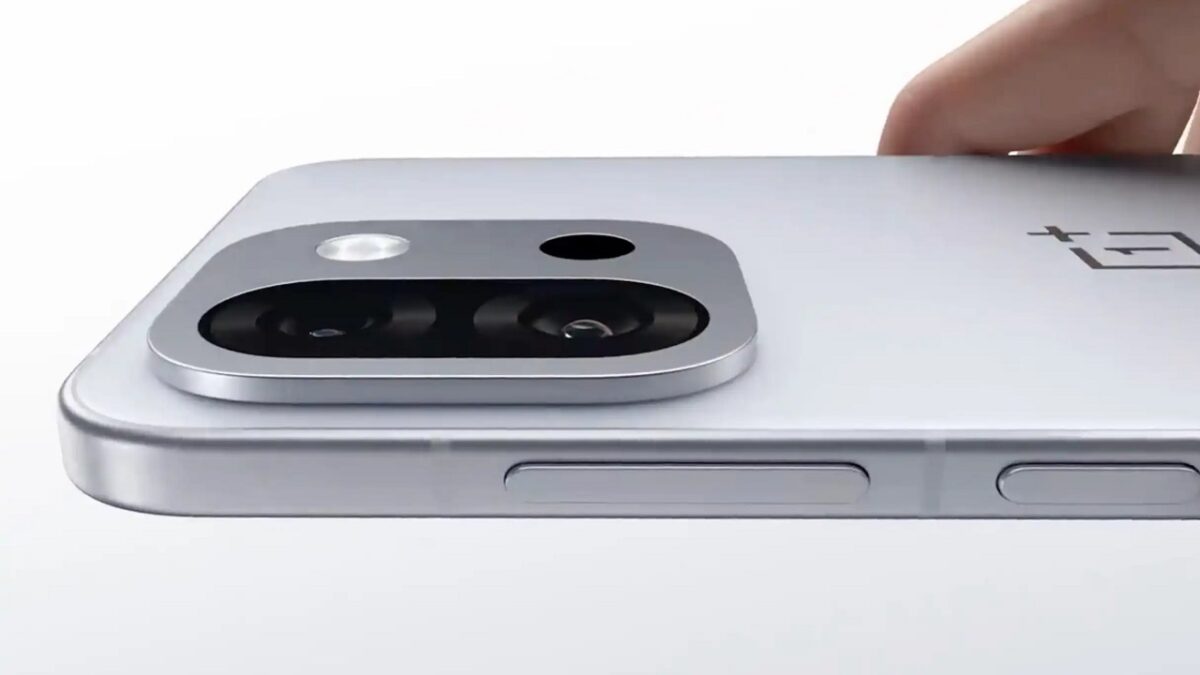
OnePlus 13T Set to Launch with Impressive 6,260mAh Battery on April 24

OnePlus is set to launch its highly anticipated OnePlus 13T on April 24, and ahead of the reveal, the company has been teasing key specifications that are sure to excite fans of the brand.

Among the standout features is a substantial 6,260mAh battery, an upgrade from the previous models that housed a 6,000mAh capacity. This boost signals OnePlus’s commitment to enhancing battery performance, which is critical in today’s smartphone market.

In addition to the impressive battery size, OnePlus has incorporated bypass charging technology into the 13T. This feature allows the device to draw power directly from a power source—such as a power bank—rather than relying on its internal battery.

OnePlus Teases Innovative Bypass Charging for Its Upcoming 13T Model

Such a design choice not only facilitates quicker charging but also helps to prolong the overall lifespan of the battery, addressing a common concern among smartphone users.

Notably, the OnePlus 13T will weigh a mere 185g, making it lighter than its predecessors, the OnePlus 13 and 13R, both of which weigh 200g. This reduction in weight, despite the increased battery capacity, reflects OnePlus’s innovative engineering efforts.

Reports suggest that the new device may feature a Snapdragon 8 Elite chip, alongside a vibrant 6.32-inch display. The phone is also expected to boast an IP65 rating for water and dust resistance. In terms of photography, dual rear cameras are anticipated, including a primary 50-megapixel lens and a telephoto lens capable of offering 2x optical and 4x lossless zoom.

OnePlus has also teased a fresh color palette for the device, including shades of gray, pink, and black. With murmurs of potentially additional features set to be unveiled during the launch event, tech enthusiasts are eagerly waiting for April 24 to see what surprises OnePlus has in store for its fans.

Midrange Smartphones Embrace AI: Budget Models Get Premium Features

The midrange smartphone market is undergoing a significant transformation as manufacturers increasingly integrate artificial intelligence (AI) capabilities typically reserved for premium models.

For consumers looking for budget-friendly options, this shift means access to advanced features that enhance usability and functionality.

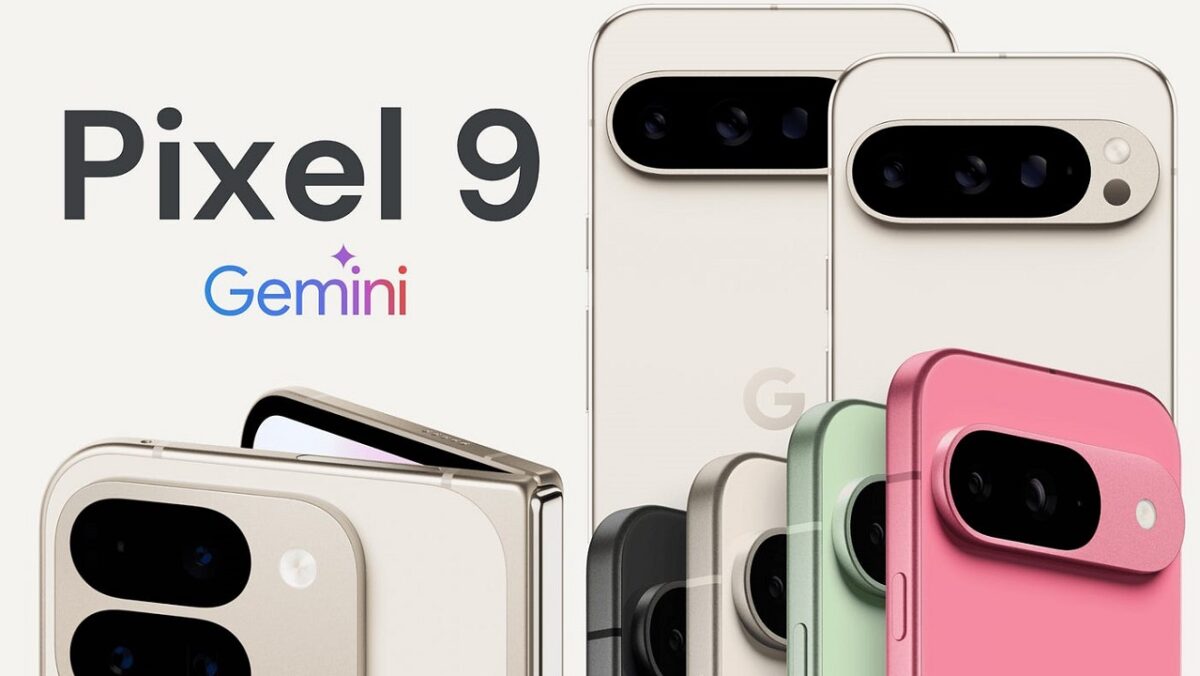
Google’s Pixel 8a, powered by the Tensor G3 chip, exemplifies this trend, offering a suite of AI features like the Best Take for photo editing and the Audio Magic Eraser, which eliminates distracting background noise from videos.

Apple has also joined the AI parade with the introduction of the iPhone 16e

With the ability to receive regular updates that bolster its AI capabilities, the Pixel 8a positions itself as a leading contender among affordable smartphones.

Apple has also joined the AI parade with the introduction of the iPhone 16e, priced at $599. This device incorporates the A18 chip, allowing users to access sophisticated writing and image editing tools akin to more expensive models. Features such as context-sensitive prompts for editing and an improved Siri experience signal Apple’s commitment to making its AI offerings more accessible.

Samsung’s latest Galaxy A series, particularly the Galaxy A56, showcases significant advancements such as enhanced photo editing and search functionalities powered by AI. Earlier models in the A series had offered limited features, but the new updates reflect a competitive push to catch up with the offerings from Google and Apple.

Meanwhile, the Nothing Phone 3a integrates AI in a more niche application with its Essential Space app, which organizes information but lacks the robust AI features seen in other devices. OnePlus has also dipped its toes into AI with the OnePlus 13R, although its offerings are the least comprehensive among the midrange phones reviewed.

As AI capabilities continue to evolve and trickle down from premium devices, consumers can expect a richer landscape of features even within the midrange segment. With rumors suggesting that upcoming models like the Pixel 9a could introduce even more advanced AI functionality, the future looks promising for budget-conscious tech enthusiasts.

Affordable and Thoughtful: TCL’s NXTPaper Displays Challenge OLED Technology

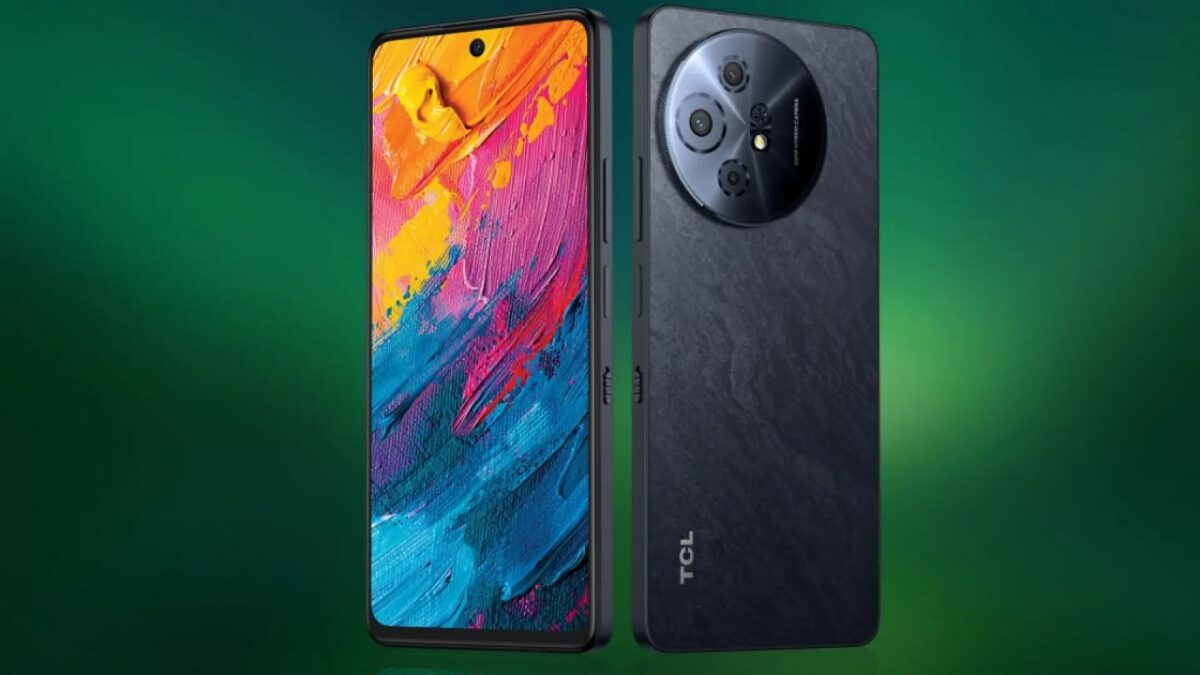
TCL has officially launched NXTPaper 4.0, its latest iteration of eye-friendly display technology that promises to enhance viewing experiences for users.

The new version will arrive alongside the TCL 60 XE NXTPaper 5G in North America later this year, priced starting at $199. A variation, the TCL 60 SE NXTPaper 5G, will make its debut in Europe and the U.K. with a starting price of £180.

This upgraded display technology boasts improved visualization features, allowing users to seamlessly switch between three distinct ink-paper modes. These modes can be accessed using a physical switch, enabling users to toggle between vibrant color displays and e-reader-style monochrome views quickly.

TCL claims it can contribute to a significant 50% increase in battery life when using the highest “Max Ink” mode

This flexibility seeks to cater to an audience that often spends extensive periods in front of screens, addressing concerns about eye strain and visual fatigue.

One of the core advancements in NXTPaper 4.0 is its refined ability to filter blue light and diminish glare from ambient light sources, which is crucial for prolonged usage.

This enhancement isn’t just about comfort; TCL claims it can contribute to a significant 50% increase in battery life when using the highest “Max Ink” mode. Users can enjoy the benefits of color visibility without sacrificing ocular wellness.

Moreover, the anti-glare features have been notably improved, reducing reflection and minimizing fingerprint smudges, which have historically plagued smartphone screens.

At events like MWC 2025, attendees noted that the display’s performance held up well against glare, making it an appealing option for users in bright environments.

As smartphone technology evolves, TCL’s continued investment in NXTPaper is notable for both its affordability and thoughtful innovation. While NXTPaper may not deliver the vibrant colors associated with standard OLED displays, the trade-off in battery efficiency and eye comfort is a compelling reason for many consumers to consider these devices.

Keep your messages private for free with Signal

Concerned about data privacy? Signal is the messaging app you’ve been looking for.

Hesitant to share your personal information over messaging or texting? You’re not paranoid – you’re probably right to be cautious. Privacy is a thing of the past. One of the best tools to keep your conversations private is a free little app called Signal.

7

What is Signal?

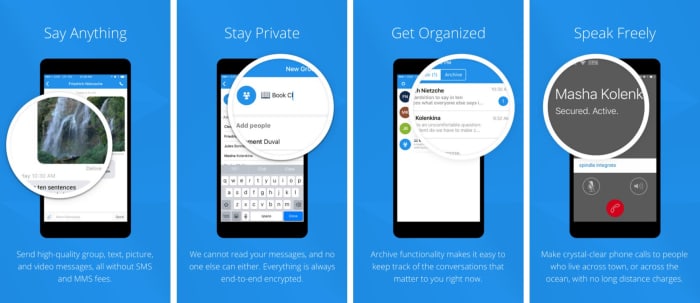
Signal is designed specifically for mobile devices and allows for free, worldwide, encrypted calls for your smartphone. It does so by using ZRTP for secure voice communication.

Signal helps you dodge those pesky SMS fees while communicating, and lets you share media and files as normal, and chat with groups in real-time. It requires no password, uses your existing phone number, and never accesses any of your conversations or stores any of your personal data.

Signal app functions privacy

“Long before we knew that it would be called Signal, we knew what we wanted it to be,” said the company on their blog page. “Instead of teaching the rest of the world cryptography, we wanted to see if we could develop cryptography that worked for the rest of the world. We started Signal with the idea that private communication could be simple.”

As far as simplicity goes, using the app couldn’t be any easier: Installation is free, and the download time is quick. Once it’s done, you’re in the clear. The app’s Contact Discovery immediately displays which of your contacts are reachable with Signal, so you can carry on your conversations in private.

Why you need it

“As more and more of our lives happen online, data protection and privacy are critical,” explains the company’s Executive Chairman Brian Acton. “This isn’t just important for select people in select countries. It’s important for people from all walks of life in every part of the world. Everyone deserves to be protected. We created the Signal Foundation in response to this global need. Our plan is to pioneer a new model of technology nonprofit focused on privacy and data protection for everyone, everywhere.”

True to their word, the company has kept Signal free and open source. It’s the only app of its kind, and even goes as far as sending optional push notifications to conserve your battery life and still stay responsive.

“The best way to continue to ensure the universal availability of high-security and low-cost communications services like Signal is to do so through a foundation structure that is free of the inherent limitations of a for-profit company,” says Acton. “We’ve built a service used by millions, and software used by billions.”

The latest versions of Signal are available on Android, iOS, and Desktop. It also has an integrated link preview function and browser extensions for the Desktop client. Get it free today and let us know how it helps you manage your conversations. Stick with Softonic for more tips and tricks to keep your data private and secure!

What to deactivate when you get a new phone

Make your new phone work even better!

New phone

If you just got a new smartphone, the first thing you should do is disable many default options. Yes, you read that correctly.

So many of a phone’s default settings are things you simply do not need. They can negatively affect your phone, so why not just give them the ax? Below, we listed the biggest offenders and why they deserve to get the boot.

Automatic brightness

Screen brightness is one of the top things that drain your battery. Our recommendation is that you deactivate the automatic brightness. If you do, you will get the battery to last longer with each charge.

Background applications

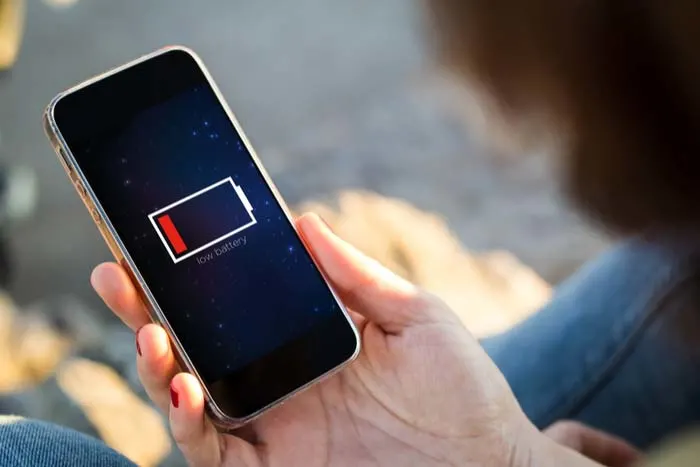
Low battery

When the operating system starts for the first time, your phone comes loaded with applications that you will never use. Many of them work in the background, so we have a very basic recommendation: turn them off as soon as you can.

These things can drain your battery and slow down your phone. Do yourself a favor, and say goodbye to them.

Key vibration

One of the worst default programs is when you press a key, it vibrates or emits a sound. Sending a long text can sound like a bunch of mice tap-dancing. Although adorable, we don’t need to hear it every time we text our significant other what to get at the grocery store. This is not only annoying, but it consumes more battery than you can imagine.

You can remove it in the “Keyboard” menu in “Settings.” Most phones usually name it, “Sound when pressing key” or “Vibrate when pressing.” Either way, you’ll know your enemy when you see it.

Vibration in general

Phone vibrates

You can eliminate vibration altogether. Every time you enter an application or click somewhere, the phone vibrates like a GameCube controller during a heated round of Smash. This drains your battery and is just plain annoying.

The option to deactivate it is usually found under “Settings” > “Sound.” From here, you can find the option to stop it from vibrating in all of these unnecessary circumstances.

Notifications from secondary apps

You may need to know when you got an email or when you got a text message. However, why are you letting games and other secondary apps send you notifications? These notifications consume both data and battery.

Unless you really want dozens upon dozens of pointless notifications, delete this in the “Notifications” menu of your phone.

Keep your phone user-friendly

With these changes, your phone should run faster and you’ll get more battery use with less data drain. Enjoy your new phone!

Which apps are secretly recording your phone screen?

Big name apps are secretly recording your phone screen, but should you be worried?
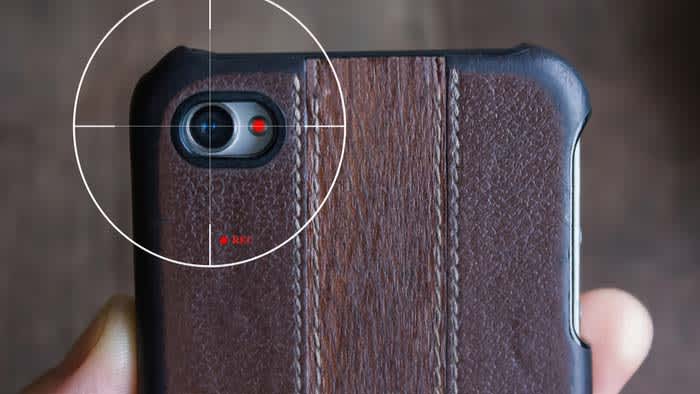
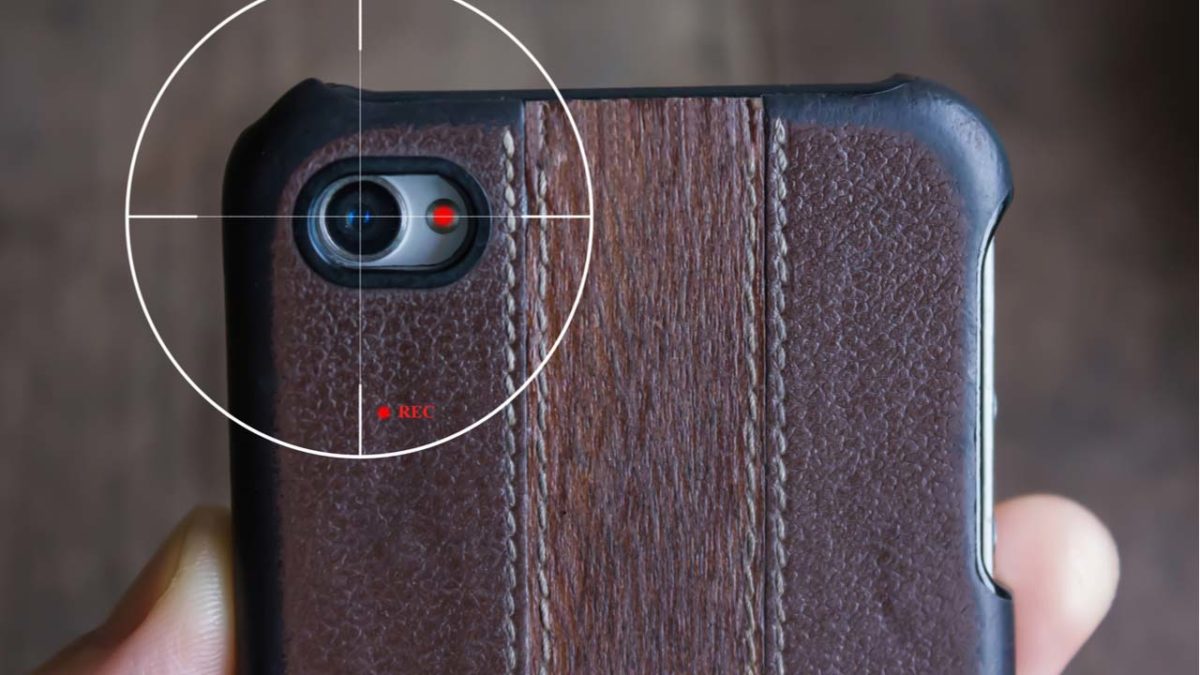
Phone recording

A recent TechCrunch investigation revealed several mobile apps were recording in-app activity. To make matters worse, they were doing it without users’ knowledge.

Major companies such as Abercrombie and Fitch, Air Canada, and Expedia were found to be working with a third-party analytics firm. The firm secretly records users’ swipes, taps, and shopping activity to learn more about “customer habits.”

This revelation is just one of many stories revealing just how pervasive data collection has become.

According to the report, none of the apps they looked at told users that they were recording their screens. They also didn’t specify that they were sending data back to Glassbox Analytics, their third-party insights provider.

Wait, it’s not just a case of people failing to read the privacy policies?

Terms and Conditions

Apps are required to disclose any tracking or data harvesting methods in their terms of service agreements. However, Glassbox’s offering provided a workaround of sorts to its customers.

Glassbox Analytics provides an API that allows them to collect information about their customers. The API masks sensitive information like credit card or passport numbers. Glassbox says that they just provide the technology; they’re not there to enforce disclosure on behalf of their customers.

According to Glassbox CEO Yaron Morgenstern, the tool is primarily used to spot issues within the app like bugs.

According to a follow-up story from The Atlantic, those insights are then used to deliver a better customer journey. This means that marketers make changes that allow them to gently nudge customers toward the desired action.

These apps — which include financial institutions like Bank of America and Wells Fargo — are taking consent out of the equation.

Following this revelation, Apple announced a plan to crack down on the apps secretly recording your screen. App Store guidelines explicitly state that any logging, tracking, or recording, must be included in the terms of service. If a company fails to inform the consumer, then they violate Apple’s regulations and will be pulled from the App Store.

No guarantee that sensitive info is protected

Not every company involved with this process successfully secured customer data. The App Analyst took a closer look at AirCanada’s attempt to mask user data — and, let’s just say, they did not do a great job.

The airline experienced a data breach back in August 2018. What’s important to note here is that the company was not masking their data. Instead, they were screenshotting users’ passwords.
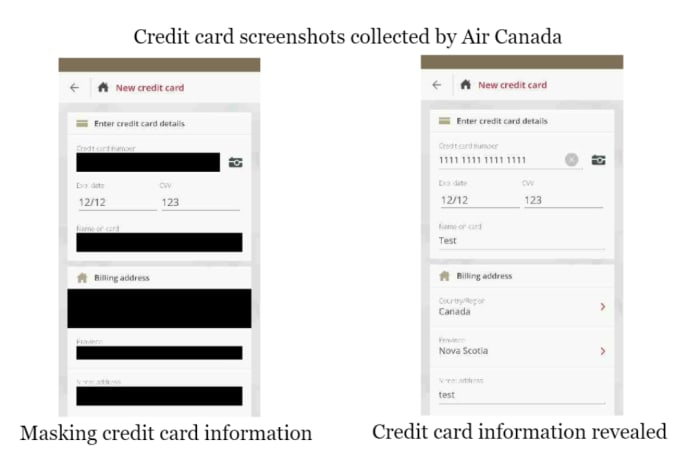
AirCanada mishandling consumer data

So while Glassbox might not support this kind of violation, whether their clients can mishandle data is outside of their control.

Should we be worried?

As Morgenstern says, the technology isn’t meant to record your activity; rather it tracks your habits as you move through the site.

So, if you’re casually shopping around on Hollister’s native app, the company can see that you’ve put some items in your bag but didn’t complete the checkout. Or, they might see that you went straight for the clearance section, which might prompt them to alert you next time there’s a sale.

This is basically what all websites do these days. They track activity so they can ID problems and present recommendations you actually want. Except, just about every website gives you that little cookies pop-up, letting you know it’s “designed to give you a better experience.”

Apple says customers should be aware of how companies collect data. This way they can choose whether they want to proceed with the download. It’s a consent issue.

Obviously, all brands collect data in one way or another, Apple included. The only real news is the lack of transparency. In no way is this surprising.

The fact that such a workaround exists means that there’s the possibility other branded apps are pulling a similar one over on their audience.

Meet Samsung’s new foldable Galaxy phone

Would you spend nearly $2,000 on a foldable phone?

samsung galaxy fold

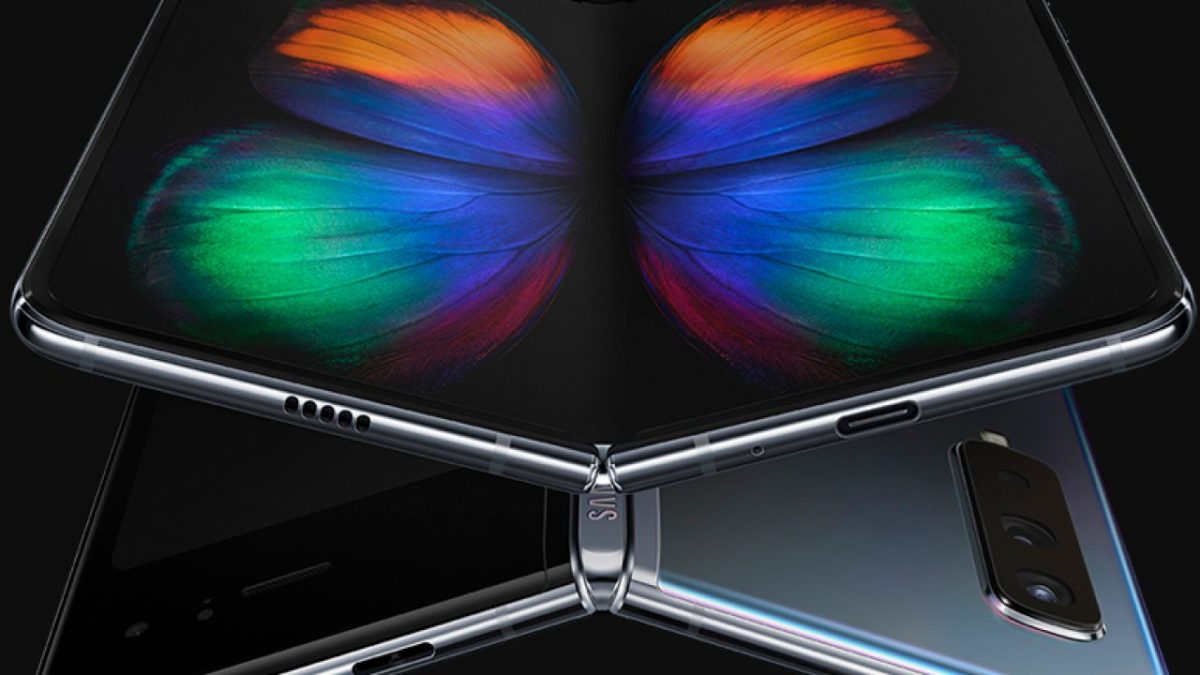
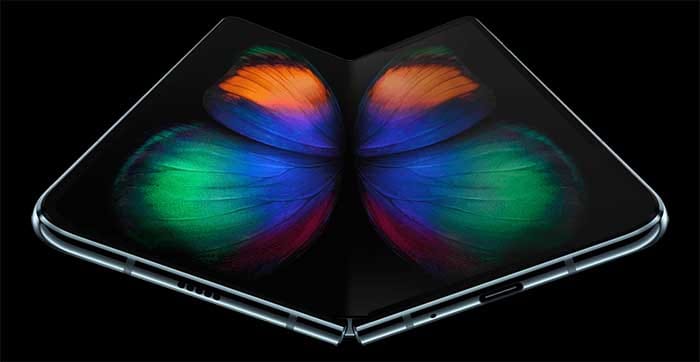
Samsung has recently released a four-minute video showing off the basic functionality and design of its new Galaxy Fold device. The complete lack of voiceover or text gives the video a slightly eerie vibe, but it does a good job of showing off the phone’s basic design and tactile nuances. The mostly silent film can be seen below.

The video demonstrates the phone’s inward folding design, as opposed to the Huawei Mate X’s outward folding design. While folded in “phone mode,” the outside of the device has a 4.6inch HD+ display. The phone unfolds into “tablet mode,” featuring the device’s signature 7.3-inch Infinity Flex Display.

The Infinity Flex Display’s resolution is 2048×1536, which is much larger than 1080p. Apps that were running while folded will seamlessly transition to the unfolded screen, expanding to reveal additional content and information. This technology is called App Continuity, and it was added by Google to the Android platform with the Galaxy Fold being the first device to make use of it.

Smartphone photographers rejoice, as the Galaxy Fold features a whopping six cameras: a selfie camera while folded, three rear cameras that are usable while folded or unfolded, and two front cameras to use while unfolded. As shown in the video, the cameras can be easily switched between by tapping a button, changing the zoom of the image. Hopefully, you’ll be able to put all of these cameras to better use than the video’s Patrick Bateman-like star shooting his sterile apartment.

The Galaxy Fold will be priced at $1,980, making it one of the most expensive smartphones in the world. Samsung is well aware that this price comes as shocking to many potential customers. To help ease their fears, Samsung considers the Galaxy Fold as a superpremium device and is treating its launch as such, including by limiting its supply. Elaborating on this in an interview with The Verge, Samsung UK’s Director of Product, Services, and Commercial Strategy Kate Beaumont said, “This is a super premium device, and we want to make sure it has a concierge-like service and experience, so it’s not going to be on display in all stores. You’re not going to see it on the stands, we want to make sure it’s a very personal experience. There will be quite intensive aftercare that goes with it as well.”

What exactly is meant by the “concierge and aftercare service” remains to be seen, but Samsung’s troubleshooting and tech support for such a premium device need to be spotless.

The Galaxy Fold will come with a free set of Galaxy Buds in premium packaging. If Samsung intends to stick with this price point, it’s smart of them to consider the Fold a superpremium product, complete with limited supply. At its release, the Galaxy Fold will likely be considered the absolute best, most advanced smartphone money can buy. The Galaxy Fold faces competition from the Huawei Mate X, another device that features a foldable design (though the Mate X’s outward folding and all-screen design are notably different from the Fold). The Mate X is even more expensive at $2,600. Huawei will be hard pressed to overcome Samsung’s highly recognizable Galaxy brand, as consumers are likelier to buy a never-before-seen foldable smartphone from a brand they already trust.

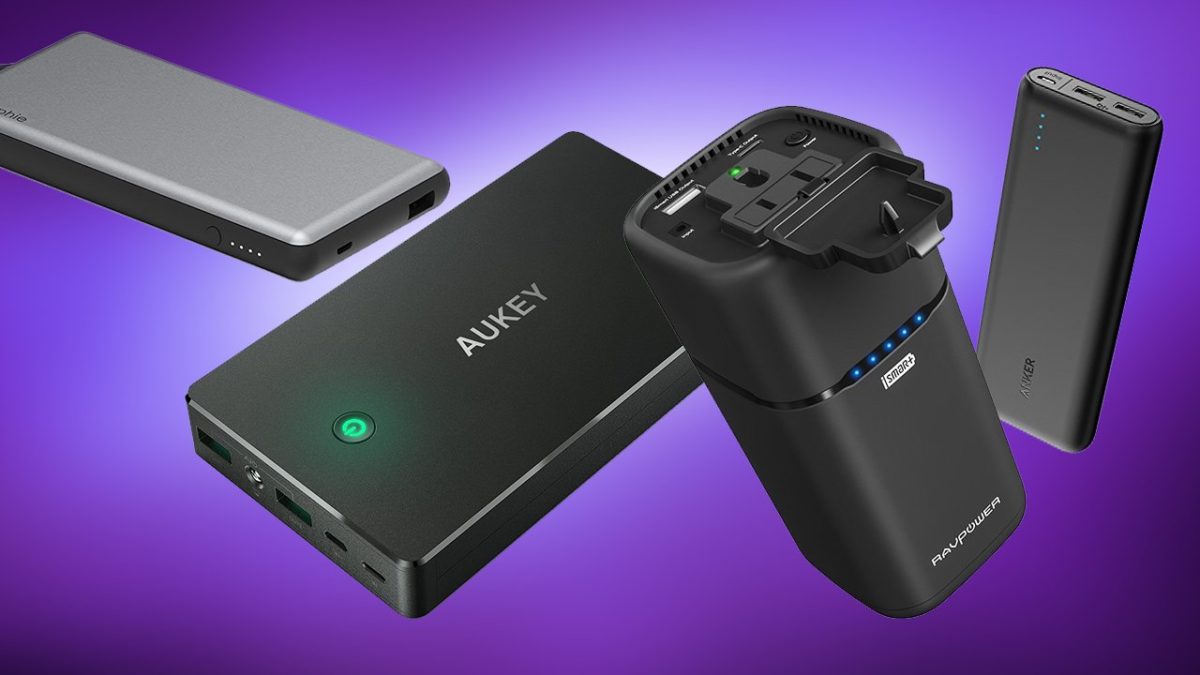
Top 5 portable chargers

If you’re going to be away from electricity for a while, these great portable chargers will keep your devices topped off.

It’s 2019 and we all live on our smartphones. While battery life has improved tremendously from model to model, nothing lasts forever, and that can be a real problem for people who forget to charge their phones or are away from home for an extended period (which can be an unintended circumstance this time of year when weather is dicey). Seeing a battery level under 20% can be especially scary if you’re relying on your smartphone for GPS or for emergency phone calls.

A portable charger can be a literal lifesaver, but there are tons of models to sift through before you find the one that’s right for you. Lucky for you we’ve done the research so you don’t have to! Check out this list of our top five portable chargers.

5 best portable phone chargers

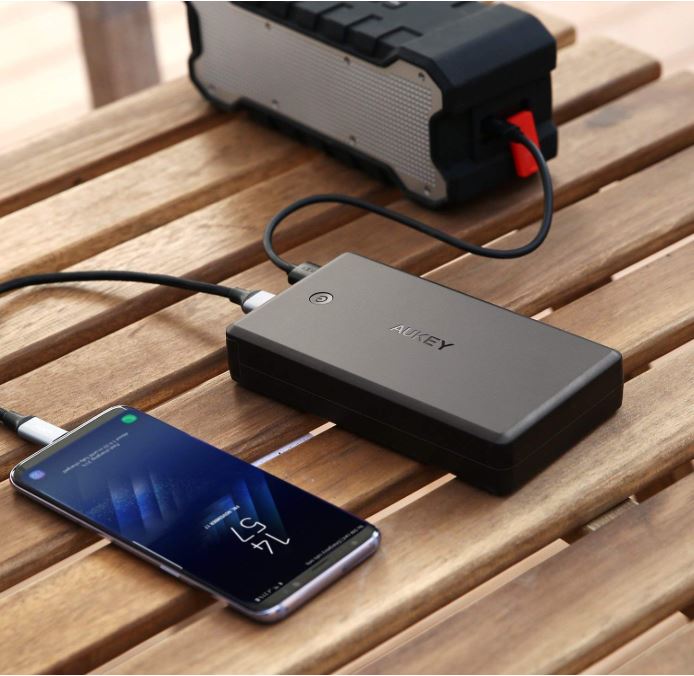
5. AUKEY Power Bank 26500mAh

Aukey portable charger charging an iPhone
AUKEY supports lots of different devices, but it is pretty heavy.

This AUKEY Power Bank is a terrific model that’s compatible with a variety of devices, including Nintendo Switch, Android phones, iPhone XS (and XS Max), iPhone 8, and pretty much anything you can fit with a standard USB cable – which conveniently comes in the package. This device is four times faster than your conventional charger, but the increased battery size does make it a little heavy. is a little more expensive as a result. It’s also one of the more costly options on our list.

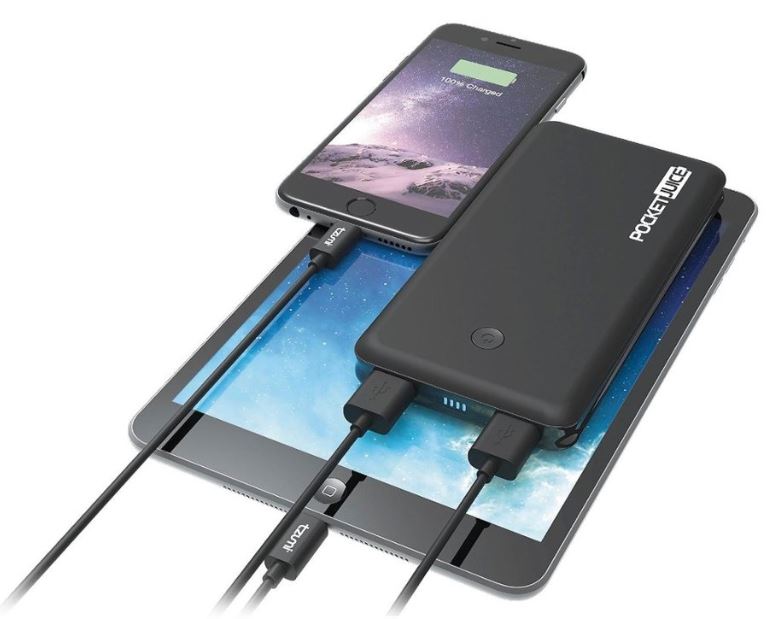
4. Tzumi – PocketJuice Endurance 8000

PocketJuice charger charging iPad and iPhone
The multiple ports on the PocketJuice allow for charging two devices at once.

Selling for a third of the price of the AUKEY Power Bank, the Tzumi is also a much lighter option, making it ideal to put in your pocket or toss in your purse before leaving the house. Like the AUKEY, the Tzumi is compatible with practically every USB-powered device, meaning your smartphone can stay connected and ready to work while you’re traveling or on the go. The 8000 mAh lithium-polymer battery pack will even see you through up to around four separate charges for your phone! Its two ports allow for two devices to be charged simultaneously, and the QuikChip technology regulates power discharge in order to keep your device from overcharging or overheating. Built with convenience and safety in mind, the Tzumi is high quality at a low price.

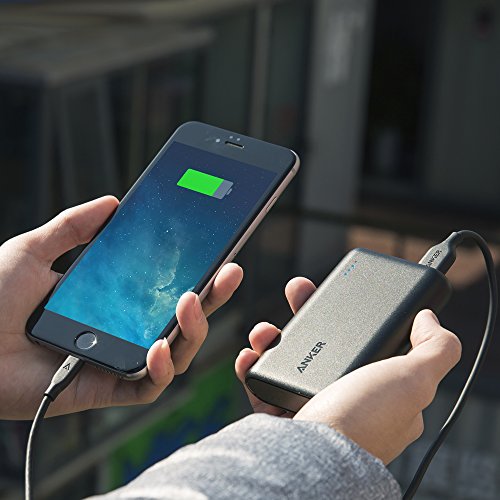
3. Anker PowerCore 10000 Portable Charger

Charging an iPhone with an Anker 10000 portable charger.
The Anker 10000 is about the size of a credit card.

One of the smallest and lightest models on the market, Anker delivers their usual great quality with this more portable device. Featuring a compact design, the Anker PowerCore 10000 is perfect for mobility and its 10,000mAh capacity is enough to charge your smartphone several times over – enough to power two whole phones with battery still to spare. Additionally, the PowerCore 10000 is integrated with a MultiProtect safety system to boost its security and reliability even further. The system boasts a combination of eleven safety features that work together to provide the ultimate protection for your devices and your charger. If you like the Anker brand (which we do) and want a less expensive model that provides peak power and accessibility on the fly, this is an excellent model.

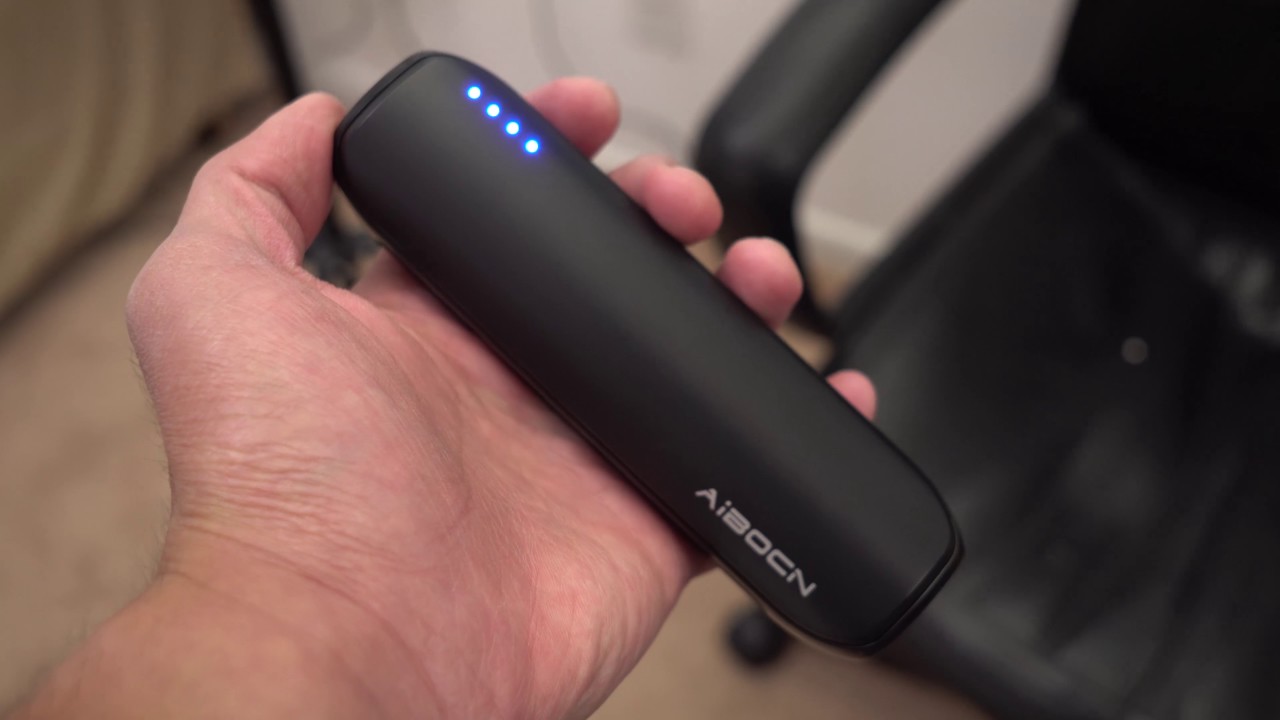
2. Aibocn 8000mAh Portable Charger

The aibocn portable charger is compact and ready on the go.
The Aibocn offers high-speed charging, portability, and user safety.

If you’re looking for ease of use, flexibility, and fast charging all at the lowest cost possible, the Aibocn is your number one choice. For under $20, the Aibocn 8000mAh gets the job done efficiently and consistently. The Venus power bank supports over three times faster charge speeds (for iPhone) than the normal 1.0A input backup charger, and supports Apple, Google, and Samsung products. Like the Tzumi (but cheaper), the Aibocn will also automatically shut down if a short-circuit or overload output occurs during charging.

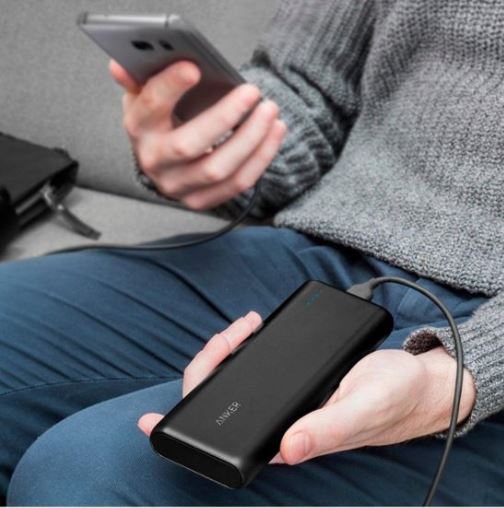
1. Anker PowerCore 20,000

Anker PowerCore 20000 charging smartphone
The Anker PowerCore 20000 is the king of quality, and our number one pick.

It should come as no surprise that Anker holds the highest place on our list, and the PowerCore 20,000 just might be the best they’ve got. To start off, the 20,100mAh battery inside is huge, meaning this will cap out your phone’s battery multiple times before needing a recharge. The charger totally refueled a Galaxy S8 in just 95 minutes, and did the same for an iPhone 8 Plus in 98 minutes. Not only that, but the battery was large enough to do so up to seven times, and the dual-port functionality allows for two devices to be charged at once. While it’s one of the more expensive models, you’re definitely getting the most bang for your buck with the Anker PowerCore 20,000.

So which charger is the best?

While the Anker is our personal favorite, it really comes down to what you’re looking for in your product. Do you favor heavy and pricey but worth its weight in quality? Or maybe something cheap and lightweight that you can use on the fly should you forget to charge your phone the night before. Let us know which charger is your favorite (or if it’s one we didn’t include in our list) and stay tuned for more gear, gadgetry, and great deals!

This article contains affiliate links, which means Softonic may receive some compensation if you choose to make a purchase.