
What is Youtube TV, channels and how to use it

Is YouTube TV the best way to cut the cord? Let’s take a closer look.

YouTube TV has been around for a couple of years now, but as of January 23, the service is now available nationwide.

The service expanded into 95 new markets, meaning there are bound to be a whole lot of beginners looking into the site’s potential as a cable replacement. While there are some limits when it comes to channels and compatible devices, YouTube’s streaming service proves to be a strong competitor to Hulu Live, Sling TV, and other cable TV replacements.

Here’s a look at what you need to know about what YouTube is and how to use it.

What is YouTube TV?

YouTube TV is a $40/month service in the same vein as Hulu Live, DirecTV Now, and PlayStation Vue. It’s compatible with all of the usual streaming devices: Xbox One, iOS, Android, Apple TV, Chromecast, and Roku and provides a mix of live TV, free movies, and a few premium upgrades.

Additionally, YouTube TV comes with a cloud-based DVR, which lets you record all your shows with no storage limits. Recordings do have a 9-month shelf life, so you don’t get to keep them forever.

For a quick explainer, take a look at YouTube’s video explanation:

Is YouTube TV different than YouTube Premium?

Yes, YouTube TV is live TV and on-demand viewing, similar to what you’d get from a cable provider. YouTube Premium is a paid version of YouTube, with some additional features. YouTube Premium includes music streaming, YouTube Originals, and ad-free streaming.

What channels are offered on YouTube TV?

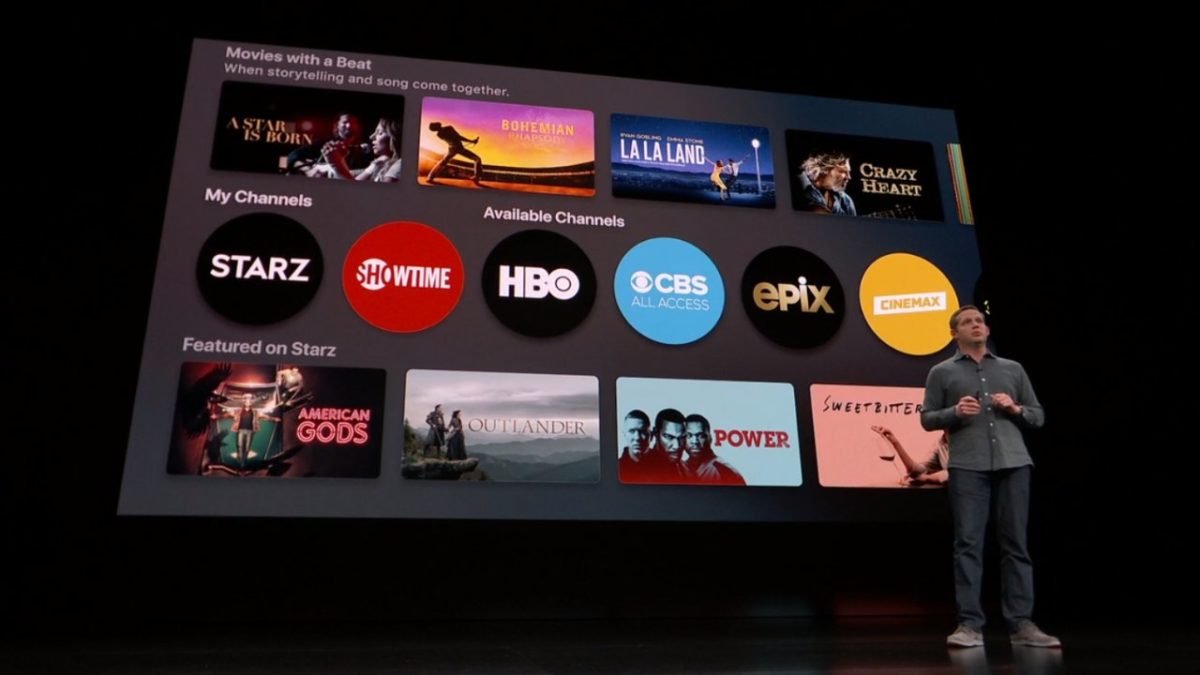
YouTube TV comes with a range of familiar channels like NBC, CBS, Fox, and ABC. Cable channels like FX, ESPN, AMC, Disney, and more are also available, as well as YouTube Originals and local TV stations.

Add-on channels like AMC Premiere, Showtime, and Starz are an additional few bucks a month, though we should note that YouTube doesn’t offer HBO or NFL RedZone, which might keep some people away.

Still, this is one of the more straightforward alternatives to “regular” TV. The benefit of using YouTube’s option over traditional cable is, your subscription is portable — log into your account as you would any other app and start watching. Oh, and it’s a lot cheaper.

What does Youtube TV cost? Price and Plans

A subscription to YouTube TV costs just $64.99 a month. There are no hidden additional fees like equipment rentals or installation fees. For an additional monthly payment, you can add on sports and premium networks, including Fox Soccer Plus, STARZ ($9/mo), SHOWTIME ($7/mo), British TV channel Acorn ($6/mo.), AMC Premiere ($5/mo.), Curiosity Stream ($3/mo.), and Sundance ($7/mo.) and more.

The 4K Plus add-on offers better video quality, the ability to watch recordings offline, and unlimited streams at home. Sports fans can add on FOX Soccer Plus ($15/mo.) and NBA League Pass ($40/mo.)

How to get started with YouTube TV?

You can sign up either on the YouTube TV website or the YouTube TV app. YouTube TV must be available in your current location to sign up. The good news is, roughly 98% of the U.S. has access, so unless you live in a super-remote area, you should be good.

Can you get YouTube TV on Firestick?

Compared to other streaming apps like Sling TV, YouTube TV doesn’t work on every device you can think of. Unfortunately, because YouTube is owned by Google, you won’t be able to stream through the Firestick or the Fire TV Cube.

It’s also worth pointing out that YouTube TV won’t be the best choice for PlayStation owners, either. Sony offers live TV through the PlayStation Vue service and has opted to make that service the only streaming option for PS4 users.

How many people can use the account?

Another perk of being a YouTube TV customer is you’ll get six accounts per household, each with their own log-in credential and personalized cloud DVR. So, for 40 bucks, it’s a pretty good deal.

How does YouTube TV compare to Sling or Hulu Live?

Where YouTube TV really shines is the cloud DVR. There were some kinks with the last iteration of the DVR, as it gave preference to on-demand versions of shows rather than those you recorded, thus making it impossible to skip commercials. As of October 2018, YouTube changed it up, announcing that users would now have full control over the DVR feature.

Another highlight is the fact that YouTube TV allows you to give six family members their own account. The downside is, where other streaming services come with upgrades, YouTube does not — so if you want to add more accounts, you can’t.

It mostly comes down to the channel lineup and how it fills in the blanks with your existing subscriptions. Pricing is comparable, but the main advantage of YouTube TV is access to YouTube Originals like Jordan Peele’s “Weird City.”

DirecTV Now, Vue, and Sling TV all offer various channel packages, while YouTube TV does not. Still, for only $40, you get quite a few channels, plus a handful of add-ons if you want to pay a bit more.

In the end, if you’re on the fence, take advantage of the free seven-day trial to give it a try.

5 Netflix alternatives for streaming movies

Tired of Netflix, Amazon, and Hulu? Try these alternatives to expand your entertainment options.

We’re all well aware of the big names in video streaming: Netflix, Hulu, Amazon. But Netflix is upping its prices. And traditional cable feels like a scam — add in a few additional services and you’re racking up a pretty big entertainment bill before you know it. If you’re looking to watch movies online, there are all kinds of options available to you.

Below, we’ve compiled five solid options for expanding your media library without expanding your budget.

5 great Netflix alternatives for streaming movies

1. TeaTV

TeaTv app

One of the best free movie apps for Firestick, TeaTV operates on the BitTorrent protocol and is a solid alternative to apps like Terrarium TV.

Since the original Terrarium is gone, TeaTV presents a solid alternative for fans of the bygone app.

TeaTV is a movie streaming app that offers users access to thousands of movies and TV episodes at up to 1080p quality. The app is available for Android and may be installed on a jailbroken Firestick for big screen viewing.

Keep in mind, however, TeaTV lives in some murky legal territory. You may want to use a VPN to protect your security and identity when streaming on TeaTV or similar apps.

2. Pluto TV

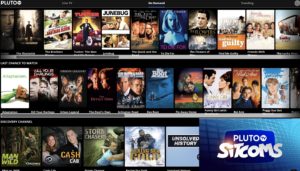
PlutoTV menu

Pluto TV is a live TV-streaming service, similar to apps like Playstation Vue, Vizio’s WatchFree, and Rabbit TV. The app, designed for the cord-cutting crowd is available on just about any device: Android, iOS, web, Firestick, Apple TV, Roku, the list goes on.

Pluto TV’s content lineup consists of a blend of live TV channels, on-demand movies, and weirdly, reruns of “sick day” faves like “Maury” and “Jerry Springer.”

As far as movies go, however, there are some gems in there. Indie flicks like “Adaptation” and cult favorites like “Cube” are nestled among “Hell’s Kitchen” repeats and “Dog the Bounty Hunter.”

So, yes, while Pluto TV is a bit all over the place, it’s worth a look because A: it’s free. And B: it’s a straightforward download: 100 percent legal, no need for a VPN or roundabout pirating process.

3. SnagFilms

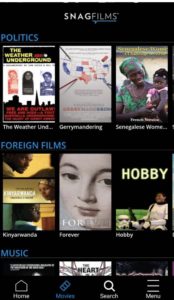
snag films free documentaries

Snagfilms is one of the best movie streaming apps around if you’re interested in documentaries and foreign films. The free app is completely legal and provides the option to download movies for offline viewing or stream directly.

You might be a bit disappointed if you’re hoping to watch new content like the latest TV episodes or newly released movies. That said, the app has the cult classics, festival faves, and climate change documentaries on lock. Worth checking out if you need a break from the Netflix algorithm.

4. Flipps HD

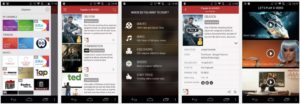
Flipps movies

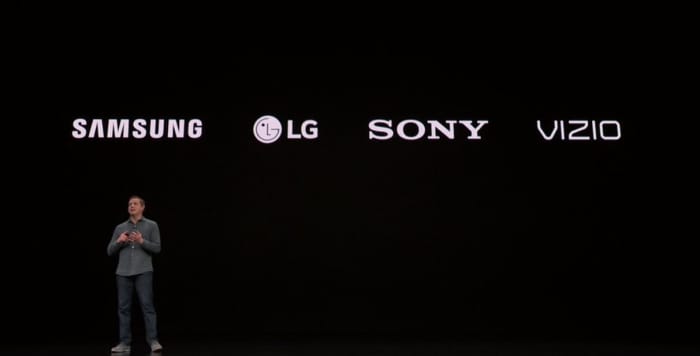
Flipps HD is a free movie streaming app for Android, Apple TV, Chromecast, and smart TVs like Samsung, LG, and Sony. Like Pluto TV, Flipps comes with access to 100+ channels, a long list of movies, music videos, and YouTube.

What’s cool about Flipps is, the app turns your phone into a remote control. You’ll make your selection on the phone, then tap to stream the content to your connected TV.

5. Kodi

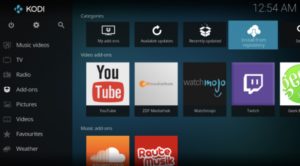
Kodi interface

Kodi, formerly known as XBMC is a streaming platform for all types of content — from illegal cam versions of new releases to TV episodes, music and more. What it is, is an open-sourced media platform that allows users to upload their own media collections — BluRay, DVD, and downloaded files from personal hard drives.

Kodi offers a lot of the same features found in Terrarium TV, provided you download the right plug-ins. Kodi plugins range from the perfectly legal — use it to watch videos on YouTube and Vivo — to the illegal — torrent services and unpaid access to paywall content.

If you do choose to use Kodi for torrenting, you’ll want to invest in a VPN. Check our VPN articles if you’re not sure where to start the hunt.

Wait, what about sites like 123Movies?

123Movies reportedly shut down last year. But, these illegal sites always have a way of bouncing back, and they’re definitely out there. There’s also GoStream and several others. Unfortunately, these apps do present some risks. Aside from the potential legal risks, these apps and sites are hotbeds for malware. Unless you have some crazy virus protection in place, steer clear.

In the end, you can cobble together a diverse range of viewing options by exploring the wide array of free streaming services. Tread carefully with Kodi or TeaTV, though and invest in a VPN before catching up on those blockbusters.