It’s Saturday night and you want to kick back and relax with some streaming video. But how do you know what to watch? Sometimes, Netflix’s algorithm gets you. Sometimes, it spits out a bunch of stuff you want no part of. That’s where the Dinggo app comes in.
Add the app to your phone, select the streaming services you have, choose the genres that feel right, and Dinggo will start suggesting movies and shows. Swipe left if you don’t like a suggestion, swipe right if something sounds interesting. Tap the down arrow to get more detailed information on a streaming option. Right now, Dinggo serves up recommendations for Netflix, Hulu, and Amazon Prime Video only.
When we tried it, the suggestions were awfully broad. After all, Prime Video has 4,457 titles, Netflix offers 2,040, and Hulu has 1,137. But you can really narrow down your selections. Dinggo offers a surprising variety of niche categories, like LGBTQ Action and Adventure, International Late Night Comedies, Mockumentaries, and Faith and Spirituality.
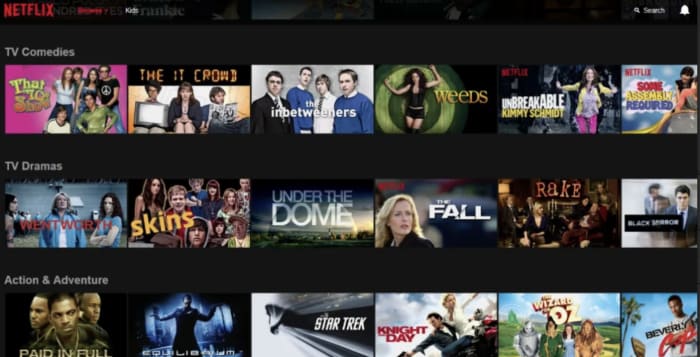
Did you know you can access all of Netflix’s niche categories directly? Here’s how to do that.
If you don’t want to download Dinggo, you can find a similar streaming suggestion option through the intro survey at JustWatch.com. Happy streaming!
Get ready to shell out for another streaming video service.
Add one more player to the streaming wars. Next spring, WarnerMedia is jumping into the fray with HBO Max.
When the service launches, it will have 10,000 hours of content.
All 236 episodes of “Friends”
All episodes of “The Fresh Prince of Bel-Air”
All episodes of “Pretty Little Liars”
HBO Max will also be the exclusive streaming service for any Warner Bros.-produced shows that air on The CW. That includes the upcoming “Batwoman” series.
You’ll also find originals from Warner Bros., New Line, DC Entertainment, CNN, TNT, TBS, truTV, The CW, Turner Classic Movies, Cartoon Network, Adult Swim, Crunchyroll, Rooster Teeth, and Looney Tunes.
The platform will also include four new young adult films from producer Greg Berlanti. Reese Witherspoon will produce at least two films for HBO Max.
HBO Max is entering an increasingly savage streaming ecosystem that includes current heavy hitters like Netflix, Hulu, and Amazon Prime Video, but upcoming competition from Disney+, Quibi, and NBC’s still-unnamed platform.
Having a hard time requesting a song while driving? Or maybe you want to preview a song without playing the whole thing? What about when you can’t find a particular song? Spotify is an awesome for listening to (and for teaching) music, and while it doesn’t take a music degree to create a new playlist or put your library on shuffle, there are some handy tricks to the app that are a little more under the radar. Check out these 11 tips that will add utility and ease to the software:
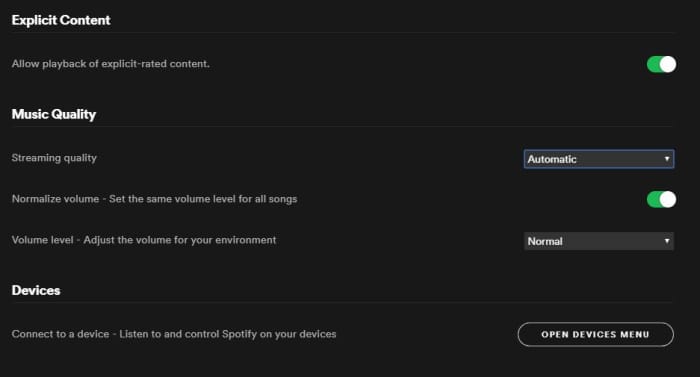
On both desktop and mobile you’ve got the option to either stream or download music on Spotify. By default, this process strikes a balance between fidelity and data, but through the Settings menu you can actually tweak which gets priority.
To do so (on Desktop) open the Settings menu from the drop-down under your profile picture. Scroll down until you see Music Quality. Use the ‘streaming quality’ drop-down to manually select either normal, high, or very high quality for your streaming.
You can use this function via mobile, too; just open Settings from Your Library and find it under Music Quality. On iOS specifically, you can find it under the Streaming Quality menu.
2. Keep tabs with Last.fm
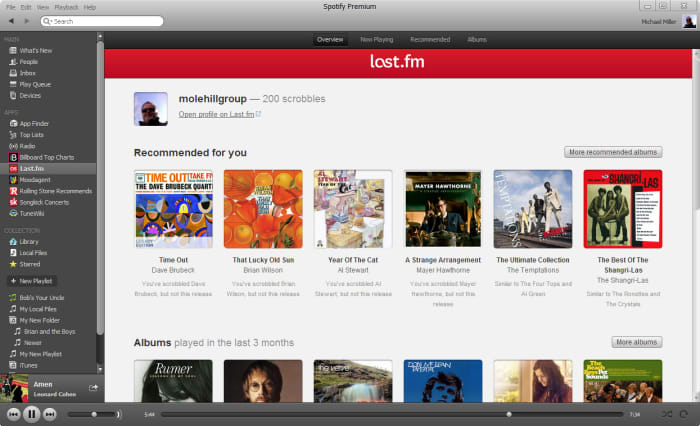
Spotify is integrated with Last.fm, a service that lets you track and discover new music. If you make an account with Last.fm (which you can do right here) it can connect directly to Spotify and you’ll be able to browse through the records it keeps of all the tracks you’ve been listening to on any of your devices. It’s even free!
3. Sing along with the lyrics
How does the second verse to “Tiny Dancer” go? Whether it’s because you’re trying to sing the song on the fly, or simply because not knowing what the singer is saying has always bothered you, it helps to have the lyric sheet handy.
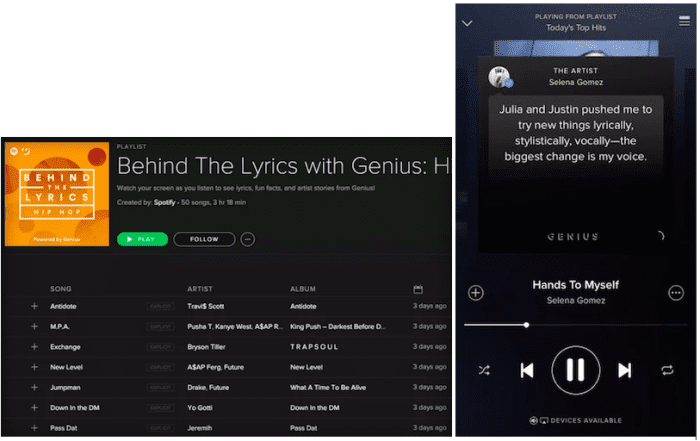
Spotify might have the lyrics up for you already – all you have to do is tap on the album picture while the track is playing. Spotify is partnered with Genius and certain songs have the lyrics integrated right in. Alternatively, you can switch this feature to “Behind the Lyrics” mode which tells information about the song alongside its lyrics.
4. Set up the queue
One of our favorite features for Spotify is that you can set multiple tracks in a queue, and they’ll play one after another. Doing so is very easy; on mobile all you need to do is select the song and press the ellipsis. From here you can do all sorts of things (view the album, check out the artist, add it to a playlist, or go to the radio), one of which is “add to queue.”
Once the current song is finished playing, it’ll start the next one in your queue, and then afterwards it’ll go right back into whatever playlist you were in before. It’s especially useful when you’re in something like a “classic rock” playlist but are hankering to hear one specific jazz tune before resuming.
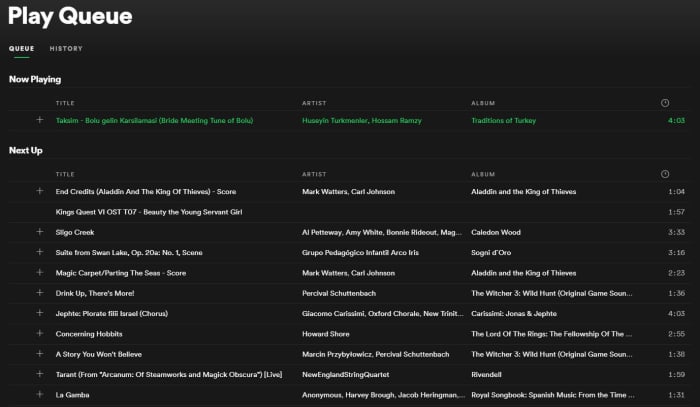
You can also view the default queue of songs as well as your song history at any time by pressing the “queue” button on the bottom right (on desktop) or by looking through the queue menu on mobile.
5. Preview a track
If you’re a fan of instrumental music, you might not recognize a song by its title (since there are no lyrics to go by). Or maybe you just can’t remember how a song starts.
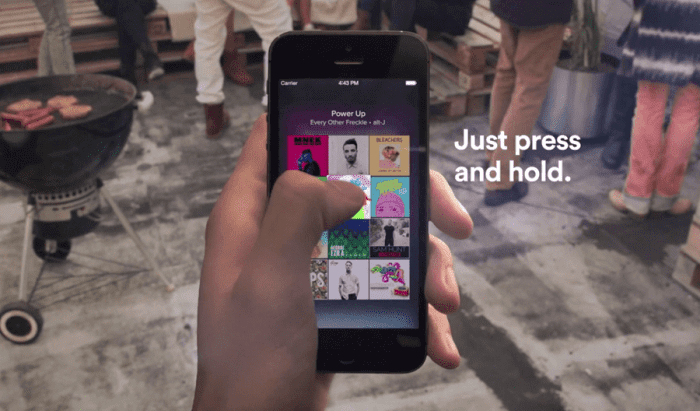
A neat trick on mobile is to press and hold the song title for a quick preview. That way you can navigate away from the page, check out other music, or show your friend a quick sample without committing to the whole track.
6. Follow artists
It’s always exciting to find a new artist you like, and Spotify makes it very easy to look up more tunes, more information, or even upcoming concerts from artists in its huge roster.
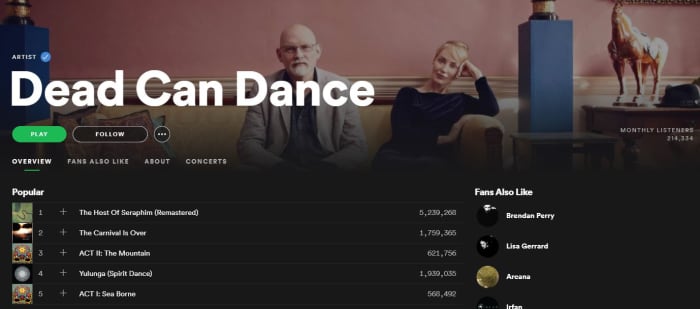
Next time you’re listening to a song on Spotify, click on the artist’s name (or find it via pressing the ellipsis on mobile) and it’ll take you right to their page. Here you’ll see their most popular tracks, albums they’ve put out, and even recommendations for other similar artists.
How to see your favorite musician live with Spotify
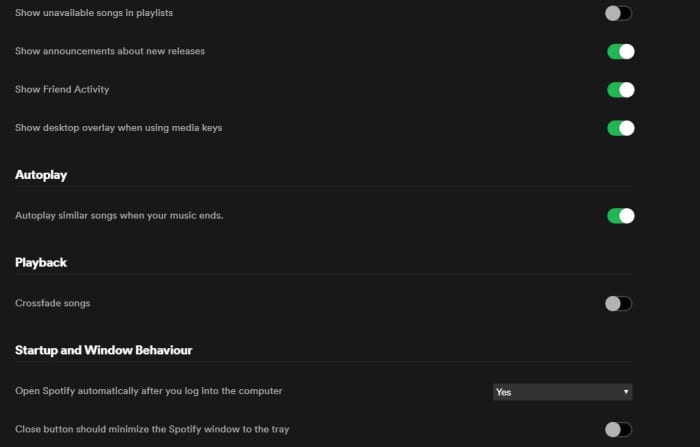
If you want your Spotify experience to sound extra fancy, you can set it to seamlessly blend from song to song using crossfades between tracks.
To engage this just go back into your Settings menu and look for “Playback.” Enabling the crossfade feature is the only option here; just toggle it on.
If you’re on desktop you might find this option under “Advanced Settings” instead. Just scroll down and you’ll see a button for it.
8. Request tracks via voice command
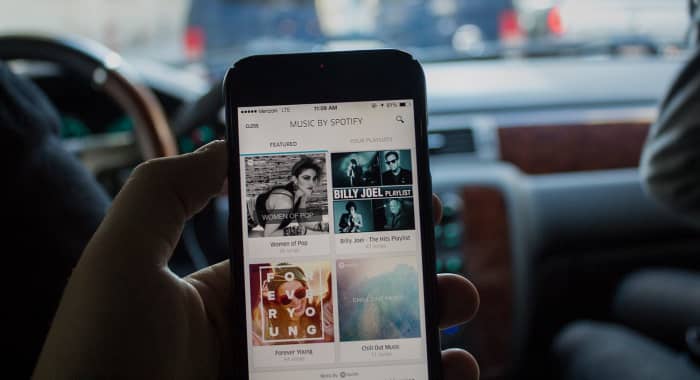
Texting and driving is a terrible idea, and that’s why it’s illegal. If you use Spotify on mobile, there’s a good chance you listen to it while driving, too. Sometimes, there’s a song we really want to hear and it’s tempting to scramble during a red light to try and put it in queue – but there’s actually a much safer, more convenient way.
Spotify can recognize voice commands, so just hit the mic button on your smartphone and tell it the song you want to hear. Tap it and it’ll start to play immediately. It’s faster and nearly hands-free!
9. Make a collaborative playlist
Planning a road trip with friends? Maybe trying to organize a list of songs for your band to cover? Maybe your friend’s getting married and you and the other bridesmaids are in charge of making a playlist.
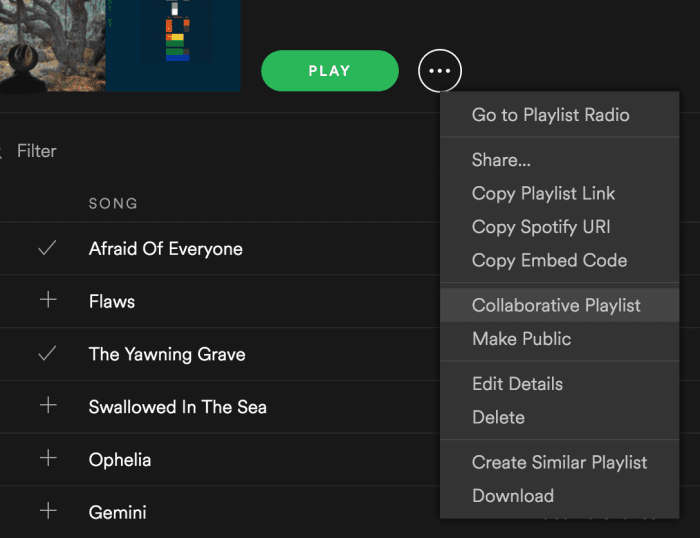
Start making a new playlist and then right-click on it. In the drop-down you’ll see an option to “make it collaborative.” Select this and then select any friends with whom you’d like to share the monumental task of picking the most appropriate music.
Good luck with that.
10. Recover deleted playlists
There’s definitely a moment of panic when you think you’ve accidentally deleted an entire playlist. Fear not; there’s a way to fix it.
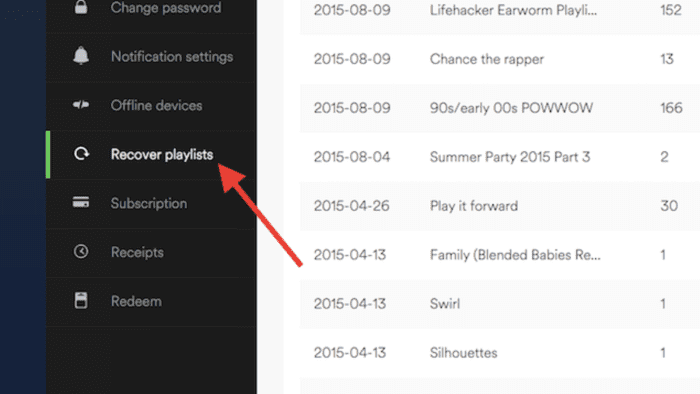
Go to Spotify’s website right here, log in to your profile, and there’s a Recover Playlist option right there. You’re welcome!
11. Add music that isn’t on Spotify
Spotify’s got thousands of tracks out there, but there’s still the odd outlier that you can’t find in their massive library. If you’re willing to take a few minutes, there’s a way you can add your own local MP3s to your playlist.
All you have to do is access your Local Files via the Settings menu, add a source (giving Spotify the path through your File Explorer), and then sync it up with whatever playlist you like. Check out our full walkthrough of the process for details!
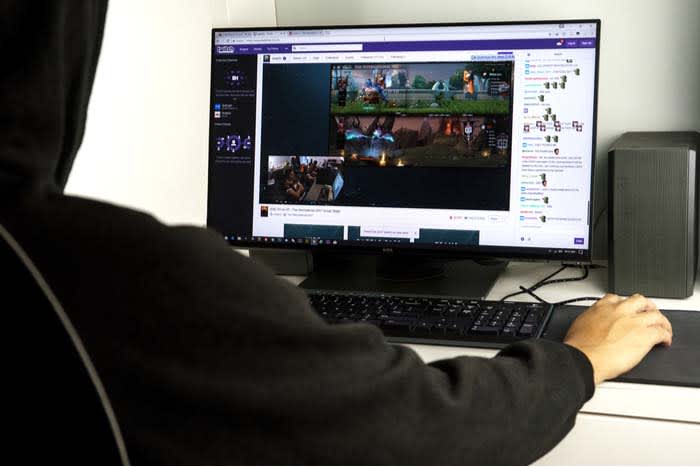
There are a number of methods on Twitch for monetization.
Direct Donations
Donations are a streamer’s best friend! Money goes straight from the giver to the streamer, avoiding Twitch entirely. It’s an easy and meaningful “thank you” from users who love a channel.
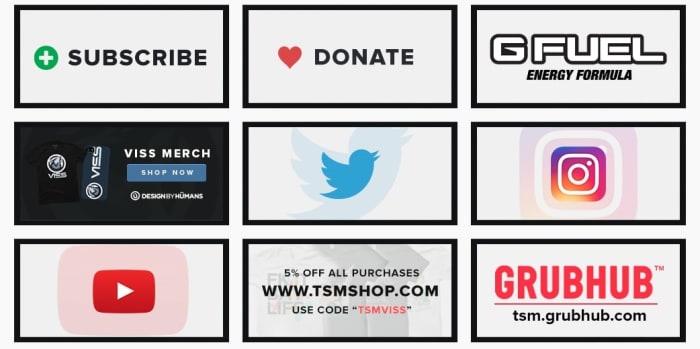
Understandably, since Twitch earns nothing, they require streamers to set up donation links for themselves. Take, for example, the Apex Legends streamer Viss. On their channel, you can find a number of links directly below the stream, as seen below:
Very clean and clear link menu, it has our approval!
All streamers that set up donations will have something like this button on their site. You may have to search, but it’ll be there!
If you are a streamer looking to set up direct donations on your site, you have the option to give your donors a choice of emoji that plays over the stream. We suggest using this to let the donors know they’re appreciated!
Twitch Affiliates and Partners
Before we go on, we need to discuss two terms: affiliates and partners. Essentially, these are two levels of Twitch streamer that each unlock new aspects of monetization.
To become an affiliate, you must reach 50 followers and meet a few criteria for monthly streaming (ex: 500 minutes on 7 unique days, etc.). Once that’s accomplished, you can apply to be an affiliate.
And why would you? Because subscriptions and bit donations start right here, along with the ability to earn from the advertisements played on your channel.
Partners are a step above affiliates, and the requirements for partnership are set down in the aptly named Path to Partner. Basically, have 75 viewers on average, and a meet a much higher number of average streams. Twitch describes the ideal Partner as someone who they can partner with to exemplify a good streamer to others on the site.
This final tier has many more benefits: promotions on the Twitch website, channel-specific benefits to subscribers, potentially paid appearances at conventions, and more. We’ll talk about a few of these further down.
Subscriptions
Twitch subscriptions can be confusing for anyone traveling from YouTube, where “subscribe” simply means to follow a channel.
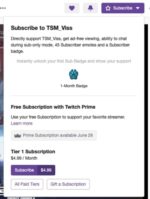
Here, subscriptions work more like a regular streaming service (think Hulu or Netflix). Users pay monthly fees for the ability to watch without ads, and half the subscription cost goes to the streamer.
With a subscription, viewers can also attain user badges and special emoji to enter in the live chat. Also, they may be invited to subscriber-only chatrooms.
Once again, these features become available at the affiliate level. Meanwhile, partners can begin to create their own badges and emoji for greater personalization.
Bits!
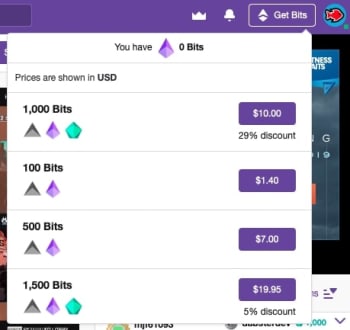
Bits are another form of “direct donation.” However, these are officially created by Twitch themselves and are only available to affiliates and above.
They work something like in-game currency: you buy bits, which are then used to purchase emotes that play over a streamer’s video. When this happens, you have a chance of being personally thanked by the recipient!
Once again, to create unique bit emotes and “cheermotes,” you must gain the level of Partner.
Outside of Twitch (Somewhat…)
There are many monetization options that aren’t connected to Twitch. These can actually be some of the best sources of income, but won’t be available to smaller streamers for quite a while.
Sponsors
Many streamers use their channel to set up personal connections to products. Sometimes this takes the form of advertisements on their channel, which admittedly will be run through Twitch. Oftentimes, streamers can be paid for simply putting something in a video.
Think product placement in your favorite movies!
Take the above photo of Ninja for example. In most of his streams, the camera has been set so viewers are able to see his monitor, refrigerator, keyboard, and gaming computer. We guarantee each and every one of those things are created by sponsors who pay Ninja to subtly represent their product.
Appearances
While Twitch Partners may receive offers to show up for Twitch events to represent the company, there are many different businesses that will pay to have streaming legends appear for their product.
At E3 2019, the creators of Philips Hue, a company that uses light shows to enhance gaming experiences, invited Apex, a member of the FaZe Fortnite clan, to join their booth for media interviews.
So, is Twitch Prime Related?
With all this talk of Twitch, users familiar with the website may be questioning: does Prime affect monetization?
The answer is: kinda.
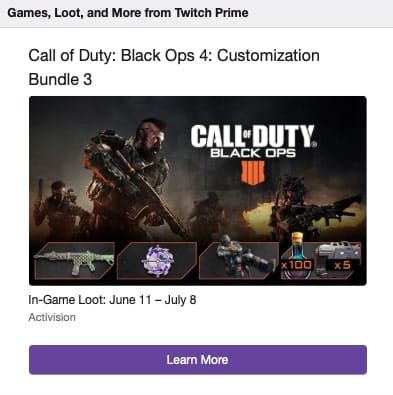
In addition to video game specific benefits like free loot boxes, every Twitch Prime member gets one free monthly subscription, which at this time would normally cost $5.
So, remember how we said Twitch streamers get about half of the subscription cost? In this situation, they still get paid half the month’s subscription, even though the actual viewer didn’t put money down.
Conclusion
Between direct donations, the affiliate and partner programs, subscriptions, bits, sponsors, appearances, and Twitch Prime, monetization can seem a bit daunting at first, when combined with everything else this streaming platform offers. We hope this guide gives you a better idea of how everything works.
Steven Spielberg and Guillermo del Toro are in. Are you?
Next year, a premium video service called Quibi will be available for your mobile devices. Hollywood is betting big money that this will be a hit. But will you be willing to pay? Here’s what we know…
What’s different about Quibi video?
Quibi is sort of like if Netflix and Vine had a baby. A subscription will get you access to short videos that are exclusive to the Quibi platform.
7,000 episodes produced in the first year
Episodes no longer than 10 minutes
Paid subscription
Lower tier subscription means you’ll see one non-skippable pre-roll ad between 6-15 seconds
The videos will only be available on your mobile device, though you will be able to cast episodes from your phone to your TVs.
Quibi has exclusive rights to those videos for seven years. After two years, the creators can shop film-length versions of their stories to other platforms.
What will Quibi cost?
You’ll have to pay $5 a month if you’re willing to sit through ads. You can pay $8 per month to get rid of the ads entirely.
Quibi’s talent
This is where Quibi really hopes to make a dent. Some big-name creators will be producing video that can only be accessed on the Quibi platform.
Steven Spielberg
Guillermo del Toro
Antoine Fuqua
Sam Raimi
Steven Soderbergh
Anna Kendrick
Doug Liman
Laurence Fishburne
Tyra Banks
Chrissy Teigen
Don Cheadle
Idris Elba
Stephen Curry’s Unanimous Media
The most intriguing project that’s been floated is Spielberg’s horror series called “After Dark.” Quibi will only allow you to watch the show after the sun has gone down in your area. Spooky! Cool! Slightly annoying!
Fuqua and Fishburne are working on a project called “#Freerayshawn” that will be two and a half hours long with a $15 million budget. Remember, that will be broken into at least 15 episodes. It tells the story of an Iraq War vet who gets set up by the police and barricades himself in his house with his girlfriend and child. As police surround the building, a social media movement erupts in Rayshawn’s defense.
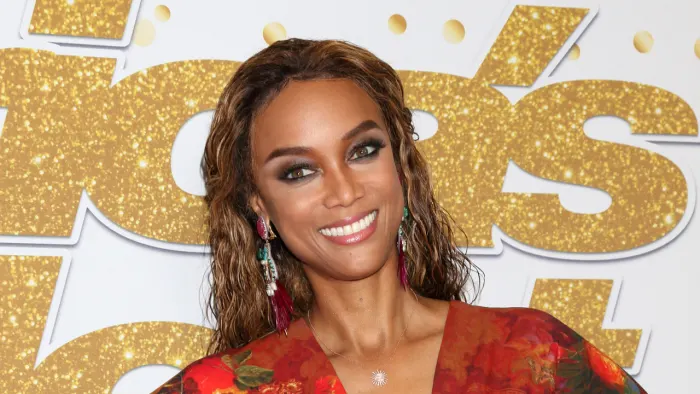
Tyra Banks will star and executive produce a documentary series titled “Beauty.” It’s supposed to examine and challenge the concept of traditional physical beauty.
Don Cheadle and Emily Mortimer will star in the sci-fi drama “Don’t Look Deeper.” The series is set “15 minutes into the future” and focuses on a high school senior who starts to think she’s not human.
Quibi will also feature a remake of MTV’s “Punk’d.” Neat.
Quibi’s leadership
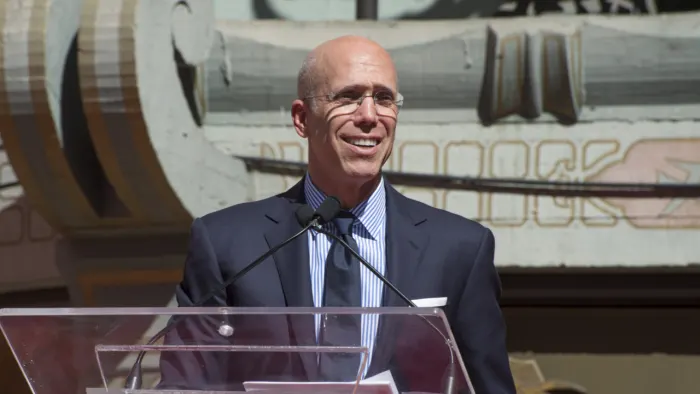
Quibi’s talent extends beyond the filmmakers. You’ll know Quibi’s founder Jeffrey Katzenberg as the former chairman of Walt Disney studios during its late 80s/early 90s renaissance. Katzenberg was also the “K” in “Dreamworks SKG.”
Quibi’s CEO is Meg Whitman, one of the most accomplished executives in technology. Her eye-popping resume includes leadership of Hewlett Packard and eBay. Forbes called her the 20th most powerful woman in the world in 2014.
Katzenberg and Whitman have already assembled $1 billion in funding. All the major movie studios are invested. They’ve already sold two-thirds of their first-year ad inventory.
When will Quibi come out?
Quibi is set to launch April 6, 2020.
Will Quibi succeed?
That is literally the $1 billion question. We know that mobile video consumption is on the rise, so maybe a premium product makes sense there. But there’s a huge difference between watching a goofy YouTube video on your phone and investing in a multi-part series with plotlines and character arcs.
The kind of content Quibi is offering almost demands a large screen. Yes, you can cast to the screen from your phone, but that is a giant pain. Will you use your phone while casting? What happens if you get a text in the middle of an episode? We know that 88% of Americans use a second device while watching TV. Scrolling through social media while watching a boring show has become a national pastime. But what if the Quibi show gets boring? Do you whip out a second device to entertain yourself?
The other issue is the sheer volume of competition. Alongside traditional network streaming options, there’s Netflix, Hulu, Prime Video, YouTube, and a dozen smaller players, all of which will work on mobile devices and TVs. We’re also anticipating launches of Apple TV+ and Disney+ this year. Gamers also spend a lot of time playing and watching Twitch. Sure, Quibi could get a foothold with people looking for a quick break between those other services, but being stuck on a mobile device reduces the likelihood anyone’s going to binge these stories.
Also, paying $5/month to be forced to watch ads is unlikely to work with today’s audiences. People are willing to accept ads for free content, and they don’t mind paying for really good ad-free content, but that middle ground leaves everyone unhappy. Expect Quibi to pivot to a totally free version with more ads if the model doesn’t catch on quickly.
We are producing more video than ever, but we’re also headed for an absolute bloodbath where a handful of providers destroy the smaller players. Quibi has an interesting lineup, but time will tell whether users think it’s worth their money.
IHeartRadio provides all the things we love about radio into a unique experience!
If you frequently listen to the radio on your way to work, you have probably heard the station’s DJ mention iHeartRadio. When you hear that name, you probably think, “Oh, it’s just an app that plays the radio. I don’t need that.”
iHeartRadio is so much more than just an app that plays the radio. You can listen to podcasts, create playlists, save your favorite stations, and more.
The app has a smorgasbord of features that give you a customized listening experience. There is a free version and paid versions, with different options for different listening experiences as well as tools for enhancing your journey on the app. Let’s take a look!
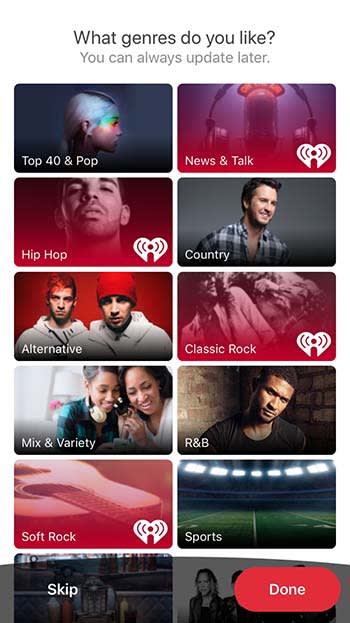
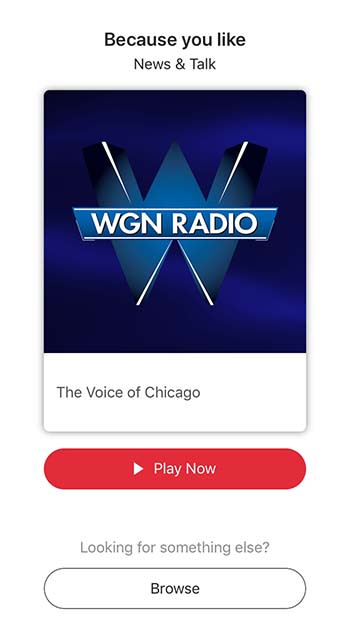
When you first download iHeartRadio, the app will ask you what you like. You will be shown a list of music genres as well as other things to listen to like podcasts and news.
Once you choose what you like, it’s time to pick your plan.
Free vs. paid listening
If the occasional advertisement doesn’t bother you, then there is really no reason to really go beyond the free option. That said, there are a few things that you might miss. For example, there is a limited number of times that you can skip past songs. You also can’t download and listen offline or create custom playlists. If that doesn’t matter to you, the free version is a great option.
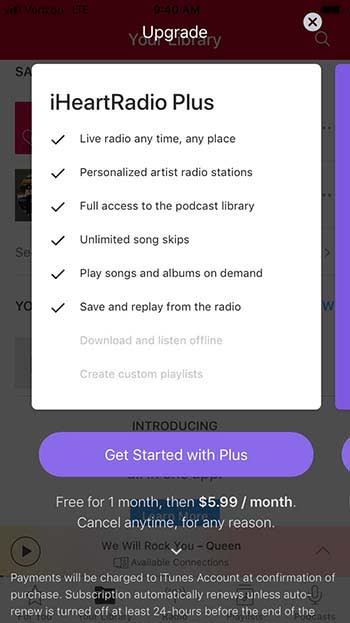
IHeartRadio Plus costs $5.99 per month, but you can try it out with their one-month free trial. This version lets you skip as many songs as you want, play songs and albums on demand (like Spotify), and save and replay songs you hear on the radio.
For $12.99 a month, you can get iHeartRadio All Access. It’s got everything from the previous two tiers, plus the ability to download for offline listening and the ability to create custom playlists.
Yes, you can listen to live radio
Yeah, yeah, yeah. iHeartRadio does have an option to listen to live radio. And it’s a bit more convenient then you might have anticipated.
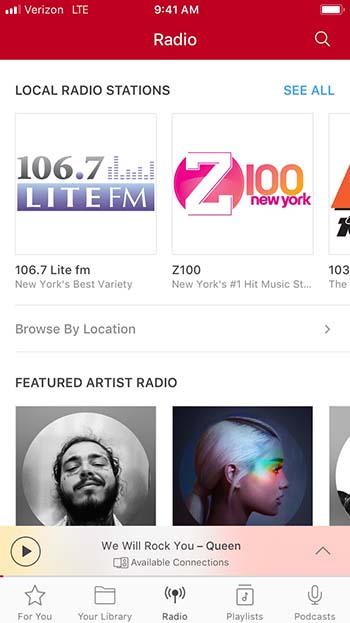
Sure, you can listen to some of the same radio stations you listen to in your car ride to work. However, iHeartRadio has stations that solely revolve around specific artists. This is similar to something that you might find on XM radio, but that costs money; iHeartRadio is free. Are you in the mood to listen to Post Malone? IHeartRadio has an entire station dedicated to him!
Suggestions based on your interests
When you’re on Facebook, you’ll get friend suggestions for people you might not even know. When you’re on iHeartRadio, you get suggestions for artists and stations you will probably know and like!
You’ll get a bunch of suggestions right when you download the app, so you can start listening right away.
Create a library of your favorite music and podcasts
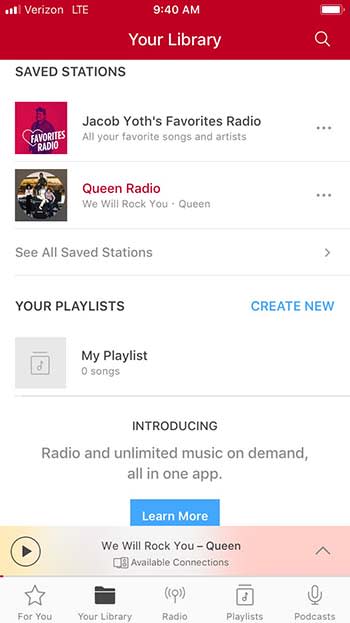
If you find a station that you like, you can save it in the Your Library tab. The app will also create a special station filled with songs and artists that you love listening to.
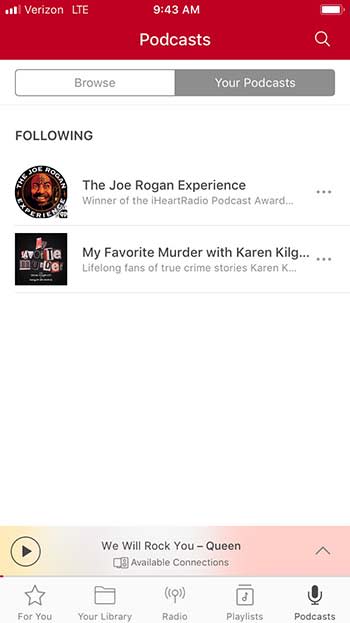
You can also follow podcasts and save them under the Podcasts tab.
Share with your friends!
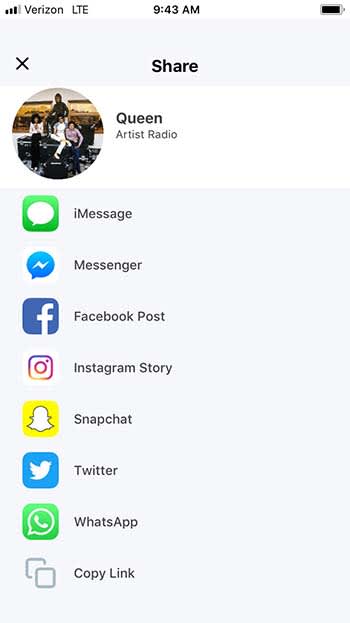
Have you ever been driving and you started listening to a song that is perfectly defining your morning? You’d love to share that song on social media, but you just can’t search for it on YouTube while you’re driving. Luckily, iHeartRadio gives you the ability to share songs, artists, podcasts, and more right from the app.
To make things even better, iHeartRadio gives you a ton of sharing options. Sure, you can just copy the link, but you can also share directly through Facebook, Twitter, Snapchat, Messenger, Instagram, and even WhatsApp.
Don’t forget the lyrics
It’s a small little feature, but it’s fun and worth mentioning. While listening to a song, you can click on the Lyrics tab to get a transcript of the song’s lyrics.
This is fun if you want to sing along with the music, or if you want to prove to your friend that Jimi Hendrix isn’t saying “Excuse me while I kiss this guy.”
Wrapping up
IHeartRadio shares a lot of the same features as Pandora, but it also has so much more. It’s truly a one-stop shop for all of your listening needs, and for the low price of free, it’s definitely worth your time.
Opera GX is the world’s first gaming browser released by Opera. Try it out for free and enhance your gaming experience.
Opera has always been a cool browser – a turbo mode to speed up page loads, and a free integrated VPN for shielding your activity. The list goes on. It’s great at what it does, there’s no doubt about it, but today it pulled a rabbit out of its hat with Opera GX – the world’s first gaming browser.
Much like the Opera browser is made with user customization in mind, GX is designed for the meticulous gamer. “Opera GX is built for people who love games, and spend a lot of time building their setups,” said Krystian Kolondra, EVP at Opera browsers. “We want to give them a browser to perfectly match their beautiful machines.”
It’s true – every PC gamer worth his salt is proud to run a rig capable of flashy graphics, smooth FPS, and generous RAM. Serious enthusiasts will even opt for multiple GPU integration, water-powered cooling, or glowing keyboards that make you feel like you’re in “The Matrix.” Decking out your hardware is par for the course, but if Opera GX offers new levels of customization through a gaming browser, that’s exciting indeed. “I have a strong feeling this browser will resonate with the gaming world,” said Kolondra. Check out how it aims to do so:
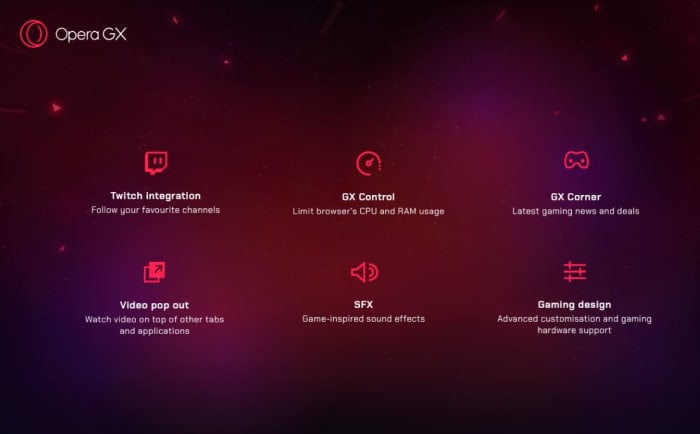
Twitch integration: Follow your favorite channels
GX Control: Limit browser’s CPU and RAM usage
GX Corner: Latest gaming news and deals
Video pop out: Watch video on top of other tabs and applications
SFX: Game-inspired sound effects
Gaming design: Advanced customization and gaming hardware support
Control your gaming experience
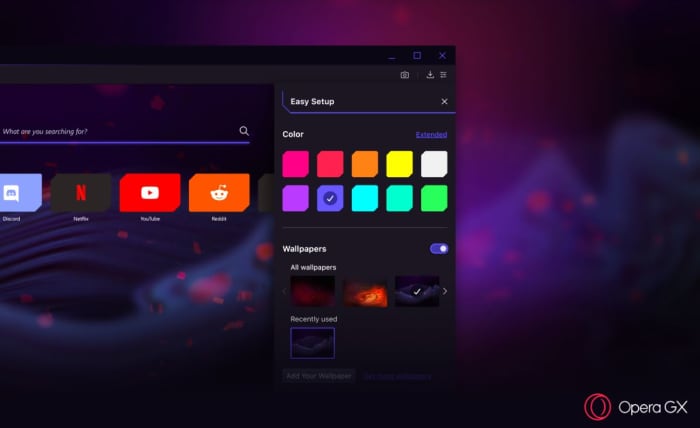
“From the startup sounds to the look of the browser’s speed dial, Opera GX was designed to feel at home on any gaming setup,” said Opera GX product director, Maciej Kocembra. Right upon booting it up, GX is visually stunning with crimson streaks, an elegant UI, and dark shadows. As you’d expect, the color palette can be changed to 10 different suggested colors (and 16 million other possibilities courtesy of the extended color picker). GX is about far more than just looking cool, though (we have to admit we do love the aesthetic)! GX is also about being able to comfortably keep a browser up and running while you’re deep in the game, something that until now has always come with the risk of FPS drops and lag.
Choose a variety of different color schemes and wallpapers
“Running a game might require a lot of effort from your machine. Even more so if you are streaming while you play,” said Kocembra. “Before Opera GX, gamers often shut down their browsers in order to not slow down their gaming experience.” Memory-hungry browsers (like Chrome) are notoriously bloated, sapping a lot of power to function at high speeds. “We came up with the GX Control feature to make people’s games run more smoothly,” said Kocembra, “without requiring them to compromise on what they do on the Web.”
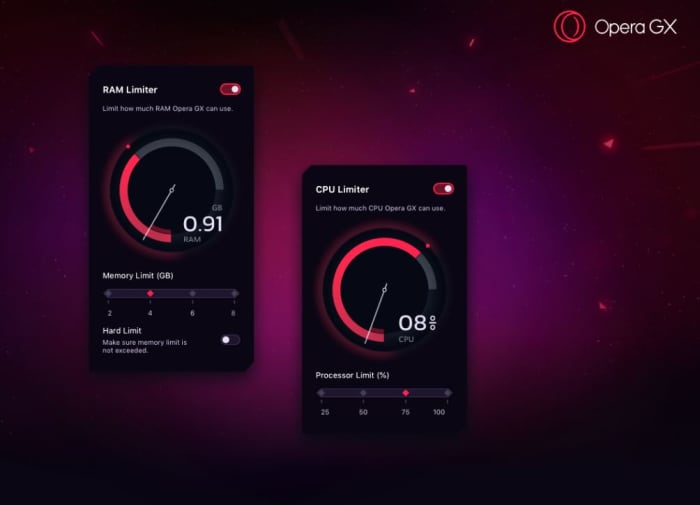
The main hub for this is the new GX Control panel, which allows users to choose how much of their computer’s CPU or RAM they want to dedicate to their browser vs their game. There’s a pair of dials (one for RAM, one for CPU) that you can toggle to decide what percentage of your computer’s resources you want to use for each. Trying to play while keeping a strategy guide open? Crank down the dials. Trying to improve your streaming quality? Dial them back up! Opera GX adjusts to stay within whatever constraints you set.
Adjust how much RAM and CPU you want the browser to use.
Smooth streaming
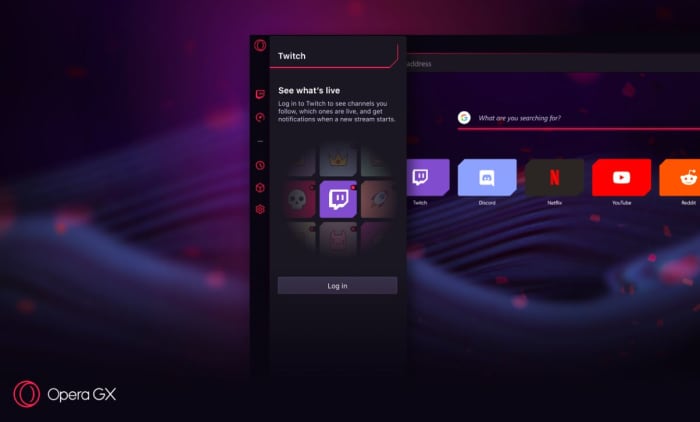
Twitch streaming isn’t the future anymore; it’s the present, especially for younger gamers. Streaming is a lucrative business too, which could make GX a preferred tool for the rising number of professional streamers. Twitch is integrated right into Opera GX, and the browser even lets users log right into their accounts directly from the sidebar. It also notifies you whenever a streamer you follow is going live. It’ll let you keep tabs in real time, and comes with shortcuts to sites like necessary sites like Discord, YouTube, and Reddit.
Seamlessly keep tabs on Twitch, Discord, Reddit, YouTube, and even Netflix.
For gamers and non-gamers
There are over 65 million Opera users, and not all of them are gamers. Like we said before, there’s a lot more draw to Opera than just playing Fortnite. As such, GX includes all the features that brought the browser under the spotlight in the first place: Integration with WhatsApp, Facebook, and Telegram right in the sidebar for easy access. Fans of Opera will also be happy to know that GX retains the popular Video Pop Out function, which will be more handy now than ever since you’ll want to fine-tune and manage your browsing while you’re in-game. You’ll also get the same powerful built-in ad blocker and VPN to keep your browsing session safe, distraction-free, and fast.
There are 1.2 billion PC gamers, and from the sound of it Opera GX is a promising choice for anyone looking for more control and convenience over their experience. Download it here while it’s in Level 1 early access to provide the Opera team with feedback and wish lists. Will you be giving it a try? Let us know in the comments below if this sounds like a browser you’ll be switching to!
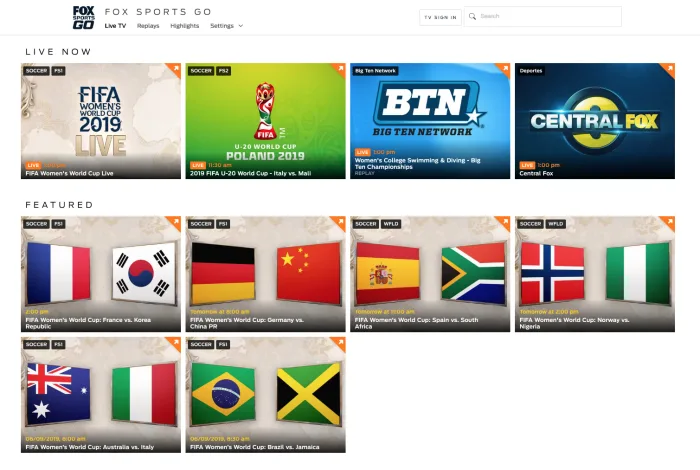
The Women’s World Cup is here! Here’s how you can watch it!
If you’re like us, you cannot wait to watch the FIFA Women’s World Cup. However, if you live in the U.S. where soccer is nowhere near as popular as it is in countries where they call it football, you may be struggling to figure out where to watch it.
You might be lucky and have a sports bar nearby that will be streaming every game. However, you might also live in a place where a baseball game would take precedence over a soccer game.
Luckily, we’ve got you covered with services that are here to help.
How to watch the 2019 Women’s World Cup online
fuboTV
If you’re looking to just watch the end of the Women’s World Cup and nothing else, you can do so for free with fuboTV.
Depending on your plan, fuboTV offers between 99 and 167 channels as well as access to more than 100 events streamed in 4K.
The service offers a one-week free trial, so you can watch it, and then ditch the service. If you don’t, you’ll be stuck paying the monthly subscription fee, which starts at about $55 per month.
If you’d like, you can really take advantage of the free trial period and add premium channels such as Showtime, which you can also watch unto your trial is over.
To subscribe, either download the app or visit their website. You will need to create an account by entering your email address. You also need to enter your credit card information after choosing a plan. However, you will not be charged unless you watch beyond your free trial.
Unfortunately, you can’t watch the Women’s World Cup with just a normal Hulu subscription. If you could, this would be a pretty short article. However, you can still watch it through Hulu, you’ll just need to shell out a few more bucks.
For about $45 per month, you can sign up for Hulu + Live TV and watch the Women’s World Cup to your heart’s content. You can also get a one-week free trial, just like with fuboTV.
Before you start your free trial, you should check to make sure that one of the channels showing the Women’s World Cup (FOX, FS1, or FS2) are available in your zip code. You can check on the Hulu website. Finally, you need to make sure that your device supports Hulu before you go with this option.
Also, like with fuboTV, you need to create an account with an email address as well as enter credit card information. Again, you won’t be charged until you exceed your free trial.
If you already have Hulu, upgrading your current package probably sounds better than buying a separate service altogether just to watch the Women’s World Cup.
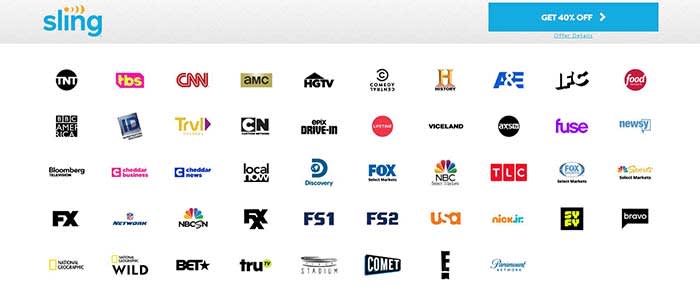
If you don’t want to miss a single game, then Sling TV might be your best option. Currently, the service has a deal for you to get your first month for 40% off.
Sure, it does stink that there isn’t a free trial. However, since those free trials were only for a week, you wouldn’t have been able to watch every game for free anyway as the Women’s World Cup is about a month long.
When you purchase your subscription, make sure that you choose a plan that includes Sling Blue. Sling Blue is the only package that has FOX, FS1, or FS2 (it actually has all three). With the discount, Sling Blue on its own costs $15, making it the cheapest option thus far.
Vue has always been one of our favorite ways to stream live TV. You can build a package that includes 85 channels. You can have up to 10 different DVR profiles. You can watch on your smart TV, computer, phone, or tablet. And there’s a free 5-day trial. After the trial ends, you can still watch all the games on their most basic package for $44.99/month. If you have an Apple TV or a PS4, you can watch multiple channels at the same time.
If you don’t feel like paying to watch the games, you can see all the highlights on the FOX Sports Twitter account. No, you won’t be able to watch the entire game, but you can see every goal after it happens. If you want to watch the games live and in their entirety, then this isn’t for you.
Some of the games will be broadcast on your local FOX affiliate, so if you have an antenna, you can get those games for free.
Wrapping up
For all practical purposes, Sling TV seems like the best choice. It’s the cheapest option you have for watching every game during the Women’s World Cup. No matter what option you choose, we hope you enjoy watching the 2019 FIFA Women’s World Cup!
Best cord-cutting stacks: choosing your streaming service lineup
Unless you’re a fan of another HBO show like “Barry” or “Curb Your Enthusiasm,” there might not be much of a reason to continue paying for your subscription.
If we’re being honest, that new Watchmen series doesn’t look all that great either. Basically, if you’re looking for a reason to keep your subscription, you might be hard-pressed to find one.
If you’re already paying for subscriptions like Netflix or Hulu, HBO might be a bill you don’t want to pay anymore. If you don’t know how to cancel your subscription, we’ve got you covered.
How to cancel your HBO subscription
For both methods of cancellation, there are no cancellation fees. HBO recommends that you cancel your subscription at least 24 hours before it renews so it has time to process.
Canceling on phone or tablet
1. Open the HBO NOW app on your phone or tablet and sign in
2. In the upper-right corner, choose Settings > Billing Information.
3. Switch the auto-renew toggle to Auto-Renew Off.
4. Confirm the change. This will cancel your subscription.
5. Take note of the date that your subscription expires. You can continue streaming until your subscription expires.
Should I cancel HBO?
If you have Amazon Prime Video, you can get a free one-week trial of HBO. If you’re unfamiliar with the service, you can use that time to determine whether or not you think HBO is the streaming service for you. You can also use that time to watch “Game of Thrones” if you haven’t already.
If you are familiar with HBO, you probably know whether or not you want to keep it. Along with the new Watchmen series, “Curb Your Enthusiasm” will be returning for its tenth season. If you haven’t seen that show, it’s prettay good.
The departure of “Game of Thrones” has left many of us with a sour taste in our mouths. If you don’t want that taste to linger that much longer, it might be time to stare down HBO and say “Dracarys.”
Netflix and Hulu have changed the game when it comes to how we consume media. They’ve been normalizing subscription services and getting us to break up with cable.
As more enter the mix, consumers are piecing together their content from an increasingly fragmented space. Accessing the hottest new shows can come with a hefty price tag.
As cord-cutting costs continue to rise, cable companies will hopefully start stepping in with consolidated bundles.
In the meantime, how do you choose which streaming services to buy?
Too many options
Customers want options, yes. But, it’s frustrating when content just vanishes all of a sudden or is canceled without warning.
That Deloitte report found that the average consumer has three streaming services. For the platforms themselves, the secret to success has been original content.
Netflix led the way, pumping out hits like “Stranger Things” and “Orange is the New Black.” However, now Hulu’s got its own set of hits like “The Handmaid’s Tale.” Also, HBO attracts viewers with programming like “Game of Thrones.”
Those three options alone could easily round out the average consumer’s streaming stack. These easily have enough content to keep you glued to your couch for the long-term.
As far as choosing the right mix of subscriptions, that depends on what you like to watch. Take stock of which platforms have the best mix of “comfort programming” and original content.
For example, Hulu now hosts shows like “Malcolm in the Middle and “30 Rock,” while Netflix has re-watchable faves like “The Office” and “Friends.”Hulu has the edge when it comes to licensed programming. They also have “Bob’s Burgers,” “The Simpsons,” and “Seinfeld.”
Netflix offers the most content overall. They have a constant stream of new comedy specials from heavy-hitters like Tom Segura to legit features like the Oscar-winning “Roma.”
If you’re committed to HBO, you can subscribe to the standalone service, of course. But because of its origins inside the traditional cable package, it’s sometimes included as an add-on with other services.
It’s worth noting that HBO programming isn’t always a win year-round. We’re enjoying the final season of “Game of Thrones,” and “Barry” is back as well. But there’s always a lull after the spring programming block comes to a close.
And then, there’s Amazon, which well, comes with your Prime subscription. They also have great original content such as the movies “The Big Sick” and “Last Flag Flying.”
New Movies — HBO shows a rotating lineup of recent releases, though it’s kind of a mixed bag. Amazon Prime and iTunes always have the latest hits. However, you can expect to pay-per-view if you’d like to catch the latest Oscar noms and blockbusters.
Family Content — PBS and YouTube Kids provide a solid line-up of kid-friendly content. And, Netflix, Hulu, and Amazon come with a mix of cartoons and movies the whole family can enjoy.
Sports — Sports content is harder to come by than movies and TV shows. ESPN+ and NFL GamePass are among the more affordable options, but they leave out big games like the Super Bowl and other championship events. You’ll usually be able to get the title games with an antenna, however. Fubo’s live channel lineup might be the best option unless you’d rather stick with your local cable provider.
News and politics — Like many cord-cutters, you could lean on the radio and a handful of news sites to keep you informed of the latest updates. However, some people still prefer watching the news the old-fashioned way. PlutoTV offers some news channels through the free app, as does YouTubeTV and cable entrants like DirecTV Now.
Later this year, more entrants are expected to enter the fold, for an even more fragmented streaming landscape. Disney’s version will host animated classics and Marvel’s content library, making it a potential win for families.
While Disney also owns Hulu, the company plans to keep the subscriptions separate for now — so you’ll still have to pay for multiple accounts.
Interestingly, the WarnerMedia service isn’t AT&T’s first attempt at a streaming service. DirecTV Now is the telecom giant’s existing offering. It is a competitor to platforms like YouTube TV, Sling, and PlayStation Vue that aims to bring a cable-like line-up to the live stream.
AT&T’s Time Warner purchase represents a shift. The WarnerMedia streaming service won’t be released for a while. A beta test is planned later this year, but the streaming platform could bundle some of the standalone options.
Again, we’ll have to see how big cable shakes up the landscape or whether Hulu and Disney join forces.
At the end of the day, maybe we should all just give up and head over to Goodwill to stock up on used DVDs.







 Bits are another form of “direct donation.” However, these are officially created by Twitch themselves and are only available to affiliates and above.
 Many streamers use their channel to set up personal connections to products. Sometimes this takes the form of advertisements on their channel, which admittedly will be run through Twitch. Oftentimes, streamers can be paid for simply putting something in a video.



 If you frequently listen to the radio on your way to work, you have probably heard the station’s DJ mention iHeartRadio. When you hear that name, you probably think, “Oh, it’s just an app that plays the radio. I don’t need that.”
 Once you choose what you like, it’s time to pick your plan.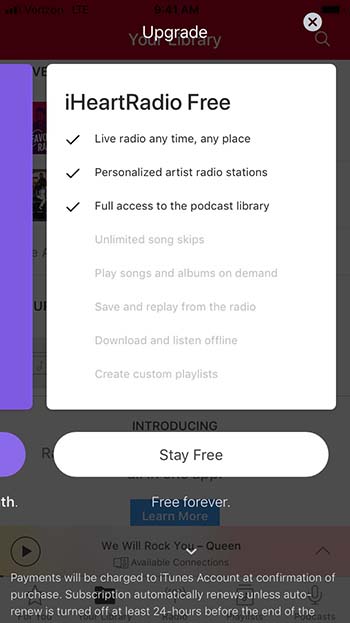
 IHeartRadio Plus costs $5.99 per month, but you can try it out with their one-month free trial. This version lets you skip as many songs as you want, play songs and albums on demand (like Spotify), and save and replay songs you hear on the radio.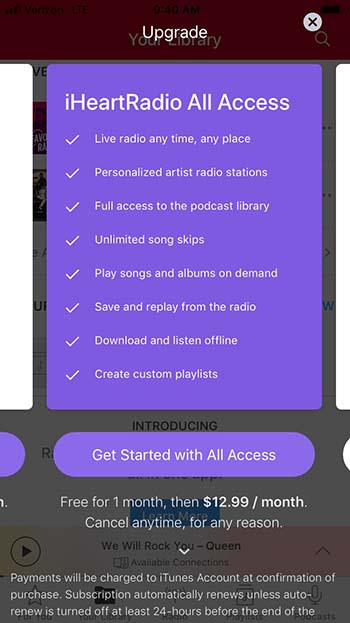
 This is fun if you want to sing along with the music, or if you want to prove to your friend that Jimi Hendrix isn’t saying “Excuse me while I kiss this guy.”



 If you’re like us, you cannot wait to watch the



 If you don’t want to miss a single game, then Sling TV