How to write in different fonts on social media

Want to impress your friends on social media with mad font skills? Here’s how!

Facebook font

Did you know that you can write on Facebook, Twitter or YouTube using different fonts? All it takes is a simple trick!

When you write on Facebook and Twitter, there is only the default font. The text always looks really boring.

However, writing in another font is possible. To make things better, you don’t need to be a computer whiz to figure it out! Just look at what you can get!

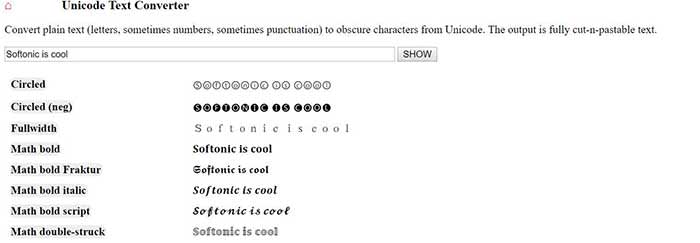
Text converter

Do you want to use these fonts too? Then follow the steps:

How to write in different fonts on social media

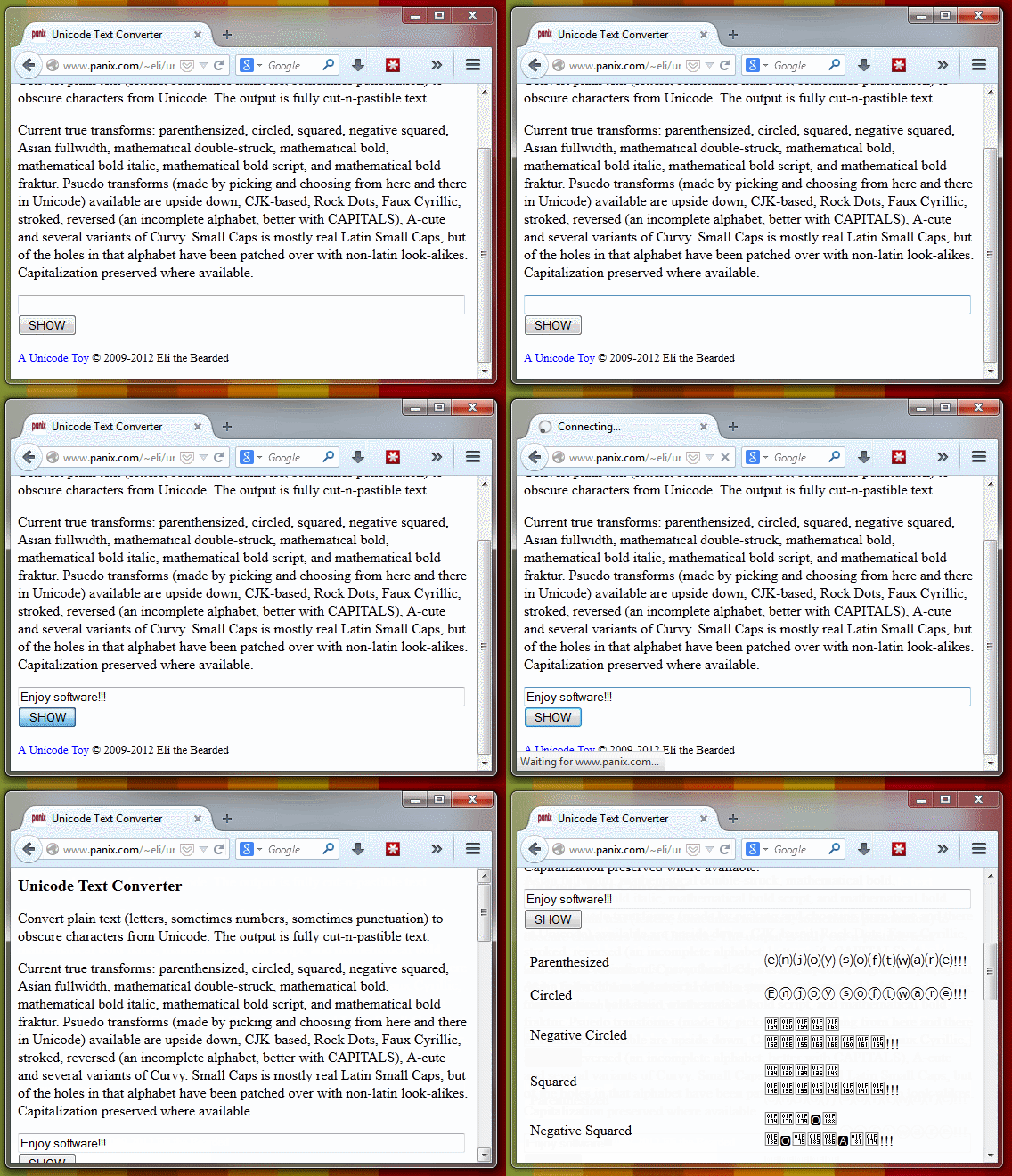
1. Go to Unicode Text Converter

Yeah, we’re sure there might be other methods for changing the font, but why not just go with the easiest?

2. Write the text you want to convert

When you’re ready, take the text you want to post on social media, and throw it into the provided space. When you’re done, hit “Show,” and the text will be shown in the newly available fonts.

Text converter

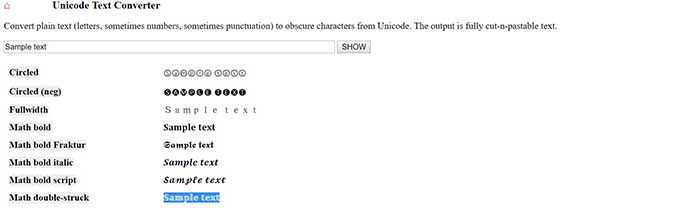
3. Copy the transformed text

Unicode sample text

Once you find your favorite font, copy it.

4. Paste the text and publish

New font in Facebook

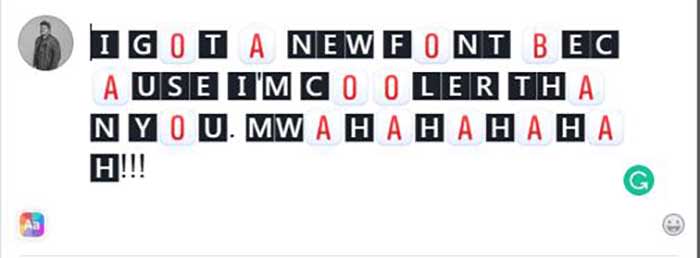
Now you just have to go to Facebook, Twitter or any other web page and paste the text. One click on the publish button and … magic!


You can also use BabelPad

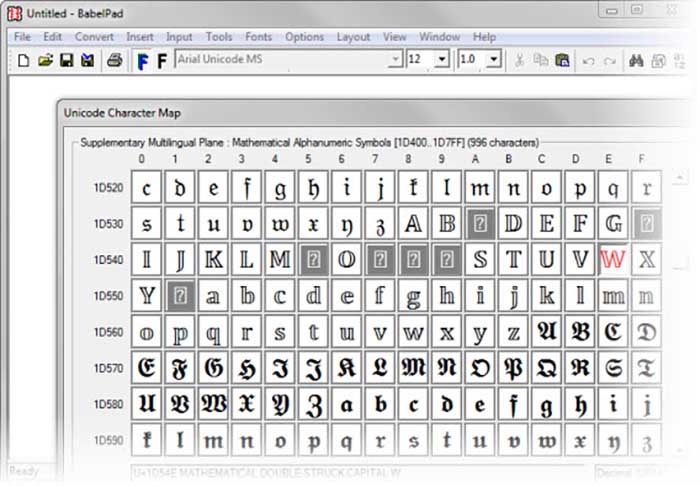
BabelPad is a free alternative to Windows Notepad that has support for the characters you just saw. These characters are not available from the Character Map; that’s why BabelPad can be very useful.

BabelPad Download now ►
7

To access special characters, go to Input> Unicode and then go to Tools> Unicode Character Map. Your list of choices is massive.

BabelPad
With BabelPad you can access hidden Unicode blocks

It is much easier to use the online converter, but it might not last forever. To be fair, Facebook and Twitter might wise up and stop users from using the site. BabelPad will always be there to help you express yourself with different fonts and symbols.

New Twitter feature has more Retweet options

Retweet other users with GIF, photos, and video!

Twitter retweet

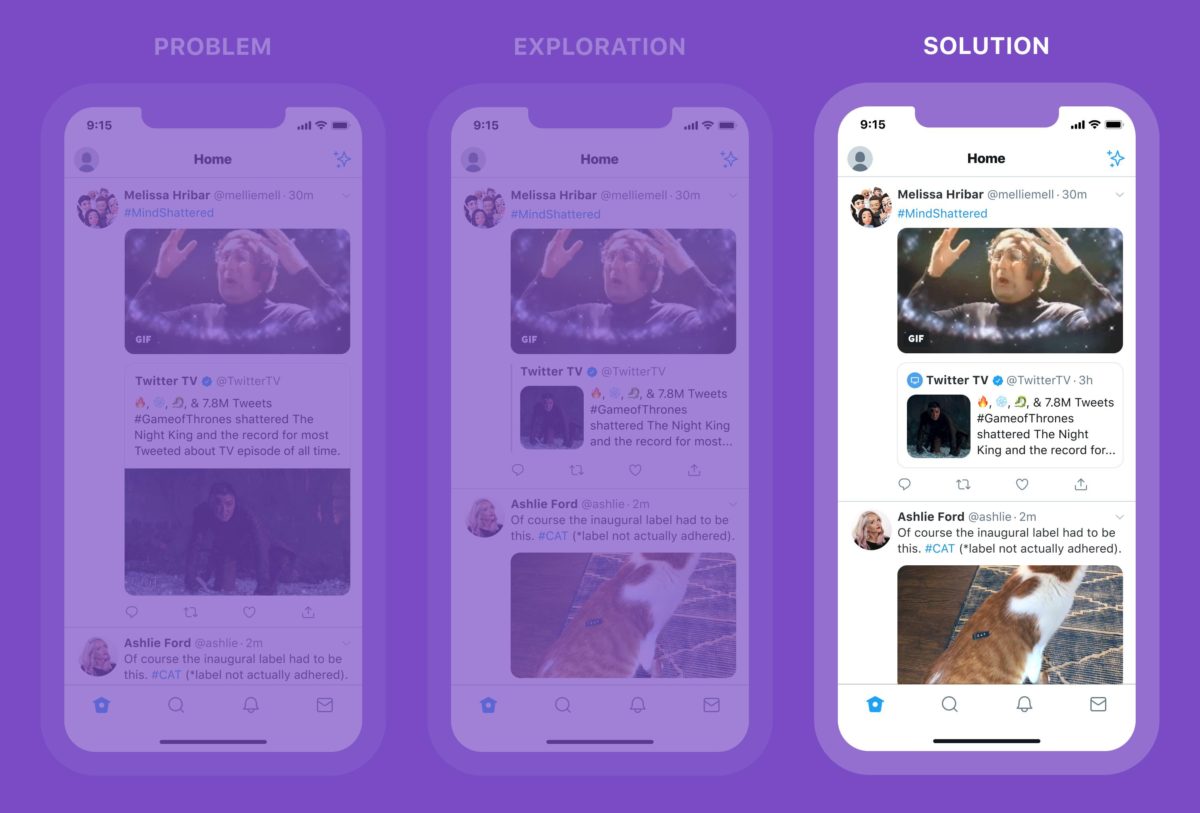
Twitter has announced that users can now Retweet with GIFs, photos, and videos.

Basically, users can now Retweet with a visual that allows them to express more emotion toward what they are retweeting.

This feature has been highly requested by users for a while.

According to Twitter, the new feature will include the following:

  • Clearer visual hierarchy with a condensed inner Tweet
  • Including an avatar in the inner Tweet to give more context helping you quickly see who’s talking
  • Simple box container for easier interacting

Twitter also announced plans for more retweeting options. Though the message was cryptic, we look forward to seeing the update:

“Another update is coming soon to make Retweets with media more interactive and easier to read … we’re also exploring more ways to help people express themselves,” according to Twitter.

How do I break my social media addiction?

Do you find yourself reaching for your phone to check apps like Facebook? We can help break your addiction.
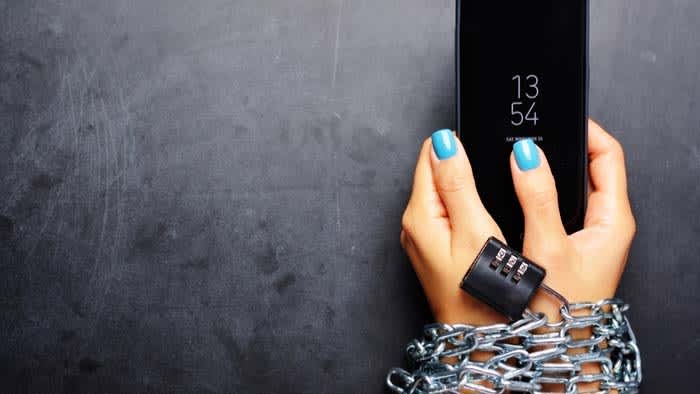
Smartphone addict

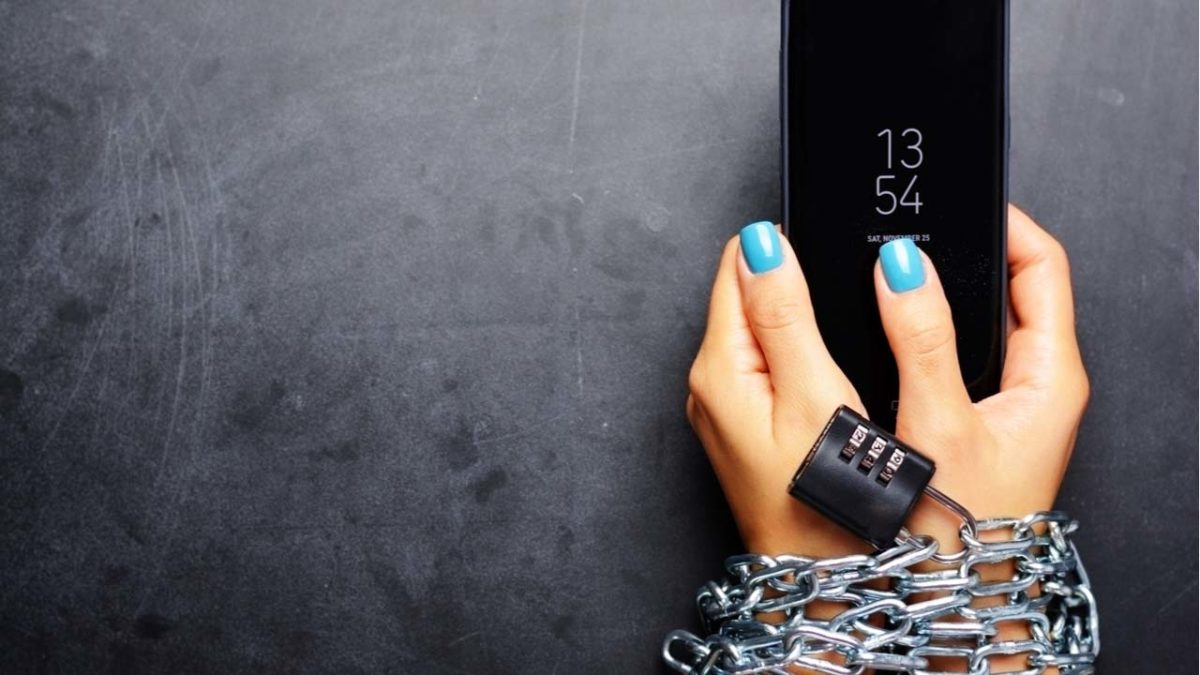
Social media connects us to new people and ideas — for better or worse. It’s also a massive time suck that can wipe out a whole day and get in the way of accomplishing goals.

The word “addiction” brings to mind drugs and alcohol. It might seem too strong a word to apply to something like social media, right?

Well, not exactly. Though social media addiction has yet to secure an official spot in the DSM, it’s already become quite prevalent in the U.S. and Europe. It is affecting up to 8.2% of the general population.

How often are you on track, knocking tasks off your to-do list when a friend request or Instagram comment derails your progress? One second you’re typing up an email, and the next, you’re deep into some acquaintance’s 2016 vacation pics.

All of us are susceptible to succumbing to these distractions, but there are some things you can do to fight full-blown social media addiction.

Here are some tips you can use to regain control:

Learn why you’re addicted to social media

Facebook addict

What is it you hope to gain from opening social media? Uncovering the “why” behind your bad habit does require some introspection.

You might not have a good reason for your endless scrolling. If that’s the case, take a closer look at your motive. Do you hit the ‘gram when you’re stressed or overwhelmed? Or, is it when you’re trying to put off a project you don’t want to start?

Perhaps, you’re seeking connections with the outside world or accessing new information.

In any case, we tend to lean on social media to fill a void. Psychology Today describes this endless scroll as this “wanting activity.” Meaning, we tend to keep looking at our feeds because we’re anticipating some reward.

It’s also a lot easier to veg out in front of your feed than picking up a book or phoning a friend. This just adds to the temptation.

Reset

Going on a hike

One way to fight social media addiction is by taking a day off. Consider taking a day each week where you avoid using the phone or your computer.

This gives you some space to schedule some in-person social time. Do some analog reading, or you know, go outside.

That said, a full day of no socializing might add to your anxiety for a lot of people. If that’s you, aim for a couple of hours at a time.

Set ‘micro-boundaries’

Micro-boundaries is a concept developed by University College London researchers. It refers to a handful of ways to set distance between you and your bad social media habits.

The researchers say there are four types of micro-boundaries.

  • Digital: Separating accounts or using apps that block out certain websites
  • Physical: Choosing to leave a device at home or keeping it in a drawer at work
  • Social: Turning your phone on airplane mode or do-not-disturb during social situations
  • Temporal: Turning alerts off or setting the phone to do-not-disturb for specific hours

The UCL paper does acknowledge that you may need to let others know about these digital boundaries. If you’re a quick responder, then you might need to give people a heads-up.

Focus on what you can add to your life

Woman meditatingLike going on a diet, prohibiting the use of social media isn’t sustainable for the long-term. Instead, you should try setting achievable goals. Habit formation depends on training the brain to get that reward satisfaction from a healthier source.

Plan a cell phone-free dinner once a week, get into hiking, biking, or exploring your neighborhood.

Disable your alerts

Alerts play into our brain’s reward center, providing a rush of dopamine when we hear those familiar sounds.

According to Harvard researchers, Instagram likes, and text messages activate the same release of dopamine you’d receive from completing a “successful social interaction.” The article also notes that dopamine paths are often dysfunctional in people will any type of addiction, be it substance abuse, gambling, or Facebook.

The thing about disabling notifications is, you still have access to everything you want from your phone/computer. However, it provides a level of separation between you and your apps.

Wrapping up

Women socializing

Most of the notifications you receive don’t contain critical time-sensitive information. But for a lot of people, opting out of push notifications can present interpersonal challenges. Your mom or your partner might get annoyed when you don’t respond ASAP.

This study, aptly named The Do Not Disturb Challenge had interesting results. They found that while participants felt more productive after turning off their notifications, they also felt anxious about not being as responsive as expected.

So, again, success may depend on convincing your colleagues and text-happy friends to take a more moderate approach to social media.

Twitter reduces daily follow limit to fight spam

The policy change hopes to cut down on Twitter spammers.

Twitter feed

Twitter has reduced the daily amount of accounts you can follow per day from 1,000 to 400. The company is not trying to hinder your ability to follow every K-pop band; they are trying to prevent spammers. 

You might have noticed one of your favorite celebrities or meme accounts beginning to follow you. In a flurry of excitement, you immediately follow them back. However, after some time has passed, your new follower unfollowed you.

Basically, what happened was the account followed as many others as it could, so that users would instinctively follow them back. After amassing an army of followers, the accounts will then unfollow you.

Twitter Head of site integrity Yoel Roth gave the reasoning as to why the company settled on 400 follows.

“In short, we found that 400 is a reasonable limit that allows people to follow the accounts they’re interested in each day while stopping the most spam,” Roth said.

“(A total of) 99.87% of Twitter users are totally unaffected by this lower rate limit. Most people don’t need or want to follow that many accounts. But some legitimate accounts, like businesses providing customer service by DM, actually do need it, and we want to avoid burdening them,” Roth continued.

Twitter announced last year that the company was doing more to combat spam. In May of 2018, the company had targeted and challenged about 10 million accounts suspected of spamming users.

The company also began the following practices to reduce spam:

  • Reducing the visibility of suspicious accounts in Tweet and account metrics
  • Improving the sign-up process
  • Auditing existing accounts for signs of automated sign-up
  • Expansion of malicious behavior detection systems

If you are looking to better protect your own security on Twitter, you can now sign in using a security key.

At the end of the day, none of us NEEDS to follow 1,000 accounts. Many of us probably don’t even have 400 counts already. If Twitter can reduce the amount of spam that currently clutters our feed, we don’t care what it costs.

Twitter dark modes get even darker

Twitter rolls out new even-darker mode features and themes on iOS.

These are dark times indeed. There is a lot going on in the world to warrant such an ominous moniker, but we’re not going to get into them now. These are dark times because dark modes are on the march and it looks like no app is safe from their dark touch. We’ve seen dark modes arrive on Facebook Messenger, and we know that one is coming to WhatsApp. They’re everywhere, and the world is a little darker place for it.

Twitter has a new black dark mode

Things aren’t dark enough for Twitter users, though. Again, we’re not talking about the type of darkness you need to download a web extension to block out, but almost. In response to popular demand, and maybe to get one over on all the other apps that have been adding dark modes lately, Twitter is rolling out an even darker mode.

Twitter rolls out new dark mode features and themes on iOS

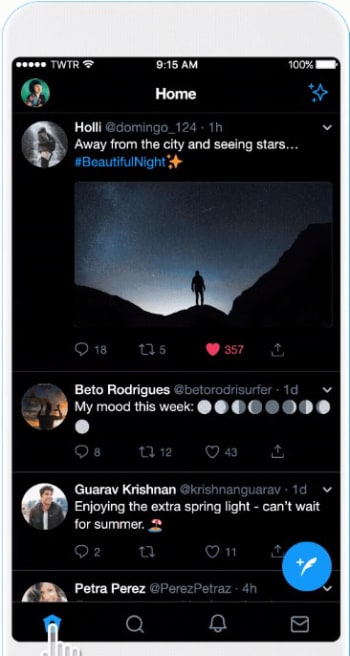
According to Twitter, iOS users now have access to a “Dim” dark mode and a “Lights Out” theme. The Dim dark mode uses the dark blue and grey color scale that anybody who has ever used Twitter’s dark mode will already know. The new Lights Out dark mode makes everything jet black. Funnily enough, until now Twitter had always referred to its dark mode as “Night mode” but this has now officially changed, for iPhone users at least.

How to activate Twitter’s new dark modes on iOS

If you’re an iPhone user and you want to activate the new dark modes, all you need to do is follow these simple instructions. To activate dark mode on Twitter for iOS you need to:

  1. Open the sidebar menu and tap Settings and privacy.
  2. Then hit Display and Sound at the top of the General Settings menu.
  3. Switch on Dark mode by hitting the toggle button found beneath Media previews.
  4. Once you hit the toggle button the two new options will open beneath it. Select Dim if you want Twitter’s traditional dark blue dark mode or Lights out if you want the new jet-black dark mode.
Twitter's new black dark mode
Twitter’s new black dark mode.

Another cool new feature, which Twitter has added is the automatic dark mode. If you activate this feature, Twitter will automatically switch to dark mode at certain hours, like when you’re in bed.

This feature should now be live to all Twitter users who have the app on their iPhone. If you can’t see it on your version of the app you should try closing Twitter completely and then reopening it, as that has worked for a number of users according to a report by 9to5Mac.

Unfortunately, there is still no word about when this feature might land on Twitter for Android. As soon as we hear more on this, we’ll let you know.

Twitter news: We’re slowly moving toward an “Edit Tweet” button

Twitter is working on a way to “clarify” past tweets and give them new meaning

Even though Twitter has recently upped its maximum character count from 140 to 280, it is still a quick and lean social machine. Thanks to their short length, tweets can come and go at breakneck speed. The flip side of promoting a fast-flowing platform for streams of consciousness as well as factual news reporting is that people often get things wrong. You’ll commonly see tweets with spelling mistakes or bad grammar and you’ll even see tweets that just don’t make sense.

At the heart of all this apparent madness is the lack of an “Edit Tweet” button. People have been calling for such a button since what seems like the beginning of time, but Twitter has always remained steadfast in its refusal to add one. Recently, Twitter CEO, Jack Dorsey, said that the reason there was no edit button is because Twitter didn’t want to facilitate fake news by giving people the ability to change the tweets that first broke the story. He did, however, recognize that the issue needed addressing and it looks like he might finally be coming good on that promise. Sort of.

Twitter is working on a way to “clarify” past tweets and give them new meaning

Twitter CEO Jack Dorsey
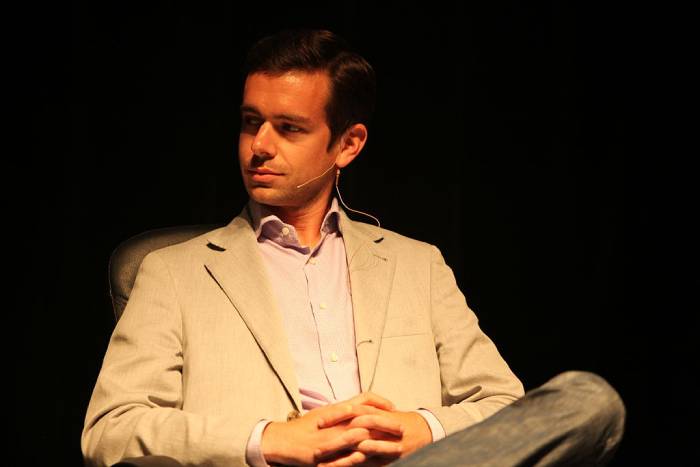
Twitter CEO, Jack Dorsey

Speaking at a Goldman Sachs event in San Francisco on February 14, Dorsey again spoke about the ability to change old tweets, but what he said is not quite what everybody has been waiting for. When addressing the recent cultural scandals that have arisen from past tweets, like James Gunn being dropped by Disney for things he tweeted years ago, Dorsey said that Twitter was working on a way to allow people to clarify something they’ve said in the past. In this way, they could add more words to their old tweets to show that they’ve grown beyond the original comment.

This sounds suspiciously like a quote retweet, but Dorsey did go further to show how the feature would work differently. The Twitter CEO said, “How do we enable people to quickly go back… and to add some context and some color on what they might have tweeted or what they might have meant. By doing so you might imagine that the original tweet then would not have the sort of engagement around it. Like you wouldn’t be able to retweet the original tweet, for instance. You would just show the clarification, you would be able to retweet the clarification, so it always carries around with it that context.” He also went on to say that Twitter isn’t working on the feature specifically, but that those are the sorts of questions the social network is asking itself.

If we were to see a feature like the one Dorsey has described, it would give users the chance to take old tweets and turn them into something else, while the original tweet remained intact. The original text would still be visible but there’d be other text explaining what is going on in it. This would work just as well for clarifying spelling mistakes and bad grammar as it would for clarifying jokes you made back when you were in college.

As we’ve pointed out, there is still no news on whether this feature will make its way onto Twitter, but as soon as we hear more news, we’ll let you know.

Twitter update will make it easier to see who is behind the threads you’re reading

Twitter tests a new Profile Preview feature for mobile.

twitter

Twitter is an amazing tool for keeping yourself updated on all the latest news and developments around the world. If you follow the right people, they’ll keep you updated with short tweets and longer threads of tweets about the issues they specialize in. Your feed isn’t just made up of tweets and threads by the people you follow, though. When scrolling through your Twitter feed, you’ll also see tweets from people you don’t know, with a small “Liked by…” or “Retweeted by…” at the top of the tweet.

Your Twitter feed will show tweets that have been liked or retweeted by anybody you follow. If you add comments and replies, your comments can be fed back to your network as well. Because of the ease of tweets and threads crossing networks, you may not know anything about who has written the tweet or thread you’re currently reading. Twitter is now moving to change this.

Twitter tests a new Profile Preview feature for mobile

The new feature is designed to address the situation outlined above, particularly relating to long threads of tweets. Should you be reading through an interesting thread and see a comment that catches your eye, the new profile preview feature will allow you to see who made that comment much more easily.

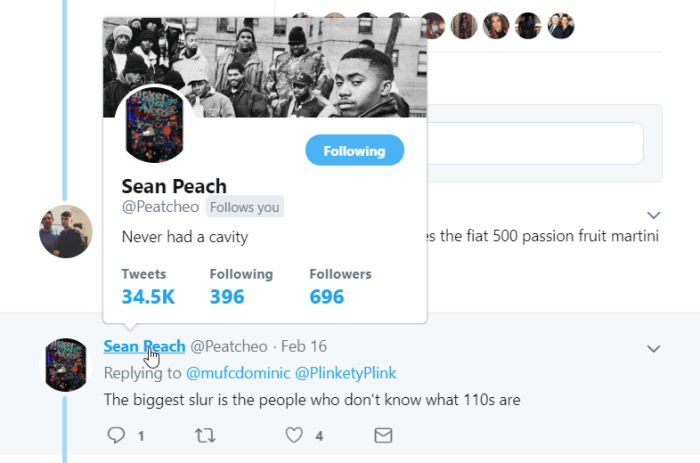
The feature allows you to simply tap on the Twitter user’s @ handle to see a floating preview of their Twitter information. This will include their full bio, follower count, and the date they joined Twitter. Furthermore, the feature will also work on your main feed as well as in comment threads. This means if you see that somebody you follow has retweeted, liked, or commented on a tweet about Nike 110s, you’ll then be able to easily find out that that person has “never had a cavity.”

Profile Preview on Desktop
Twitter has had a Profile Preview feature on desktop for some time now.

According to Twitter, the new Profile Preview Feature is being tested first on iOS devices. This means it is likely that the feature will get a roll-out to iPhone users first once the testing phase is over.

This might not be a massive change by Twitter, but it will allow users to stay focused on what they’re reading. At the moment, if you want to see who has said something in a comment thread, you have to click on their @ handle and go to their Twitter homepage. This creates a break in the thread and then there is no guarantee you’ll be returned to the comment you were just reading. As the saying goes, small changes can make big differences.

Big big changes coming to Twitter

Twitter is getting an even darker mode and a brand-new web layout

twitter

Over the last month or so Twitter has been rolling out one of its most requested features. The chronological timeline arrived for iOS users just before Christmas and Android users have recently received the new feature, too. It looks like Twitter is pushing ahead with even more changes. Some of which are quite significant.

Twitter is getting an even darker mode and a brand-new web layout

In a recent Twitter exchange, Jack Dorsey, CEO of the micro-blogging site, recently agreed to fix Twitter’s dark mode. If you didn’t know it was broken, the pledge relates to Twitter’s dark blue background whenever dark mode is activated. Responding to an article by The Wall Street Journal calling for more apps to implement dark modes, Dorsey responded to a tweet by a Twitter user requesting a black dark mode.

Dorsey’s response of, “Will fix” has since been followed up by one of Twitter’s designers to say that Twitter’s design team is already working on the issue. To see what a big difference this will make to your phone’s battery life check out this report we wrote on dark modes and battery life back in November.

The other big news coming from Twitter HQ is the follow up to an announcement Twitter made back in September. The word then was that Twitter was testing a few mobile features for the desktop version of its site. In particular, the Explore tab and bookmarks would be coming to the desktop version of the site, via a redesign.

This redesign is now rolling out and it is bringing with it a few more features than we were promised back in September. Twitter’s traditional three-column design is being stripped down to two. When the update arrives, the Trends for you section will be combined with the Who to follow section on the right-hand column.

Other new features include a new emoji button, keyboard shortcuts to help you get around the website easier, an improved search function, and a much better trending section. All-in-all this represents quite the update to the desktop version of Twitter with the site getting a new, fresh look and some tasty new features to go with it.

For now, these new features are only available to a small number of users who have been given the opportunity to opt-in. If you haven’t been given the chance to try them out yet, don’t worry, you’ll get one soon. There is no official word about when the new redesign will be available for all users, but we can expect that we won’t have wait too long.


Twitter for Android finally gets the feature everybody wants

Twitter for Android finally has a chronological timeline button.

twitter

Twitter truly is an enigma. It has opened up a direct line to journalists, allowing users to get their news quicker and direct from the source. It has also, however, enabled peddlers of fake news to bring their lies to a wider, global audience. Accordingly, both dictatorships and democracies are rocking thanks to the Twitter effect. Twitter is a controversial beast.

Like with many of the new big tech goliaths, however, one of the most controversial Twitter issues is an internal matter rather than an external effect. The infernal Twitter algorithm has caused plenty of angst among its user base and one matter in particular reigns supreme as the most annoying. Twitter’s timeline serves up tweets the network thinks you might find are important or that you’ve missed rather than the Tweets people have just posted. Why? Why? WHY!?!

Fortunately, this has finally changed.

Twitter for Android now has a chronological timeline button

You can now have the most recent tweets from the people you follow show first on your Twitter timeline. Infuriatingly for Android users, the iOS version of the app has had a chronological timeline button since before Christmas. The feature dropped over there on December 18, but we’re very happy to tell you that now Android users have the button, too. This means that, unless you’re a part of the rare breed that still uses a Windows phone, you’ll now have access to the Chronological timeline button.

This move sets Twitter apart from other social networks, which force users to see the posts they think they’ll like the most. This has been possible for a while on Twitter but, until now, users had to delve into the often-confusing Twitter Settings menus to make it happen. Now it is easier than ever to see Tweets as they’re being posted.

latest tweets

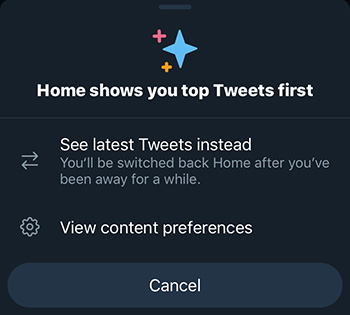
Now all Android and iPhone users have to do to have the latest Tweets show first on their timeline is click on the star button found in the top-right corner of the app. If you can’t see the button when you open the app, simply scroll up towards the top of the feed and the button will appear. Tapping it will give you the option to See latest Tweets instead and hitting that option will change your timeline to chronological view. You might find once you’ve selected it, that you’re a couple of days down your timeline but hitting the Home button will take you to the top of your feed.

This feature still isn’t available on desktop, but according to the Tweets sent out announcing the new feature, there is no reason to believe the change won’t be across all of Twitter rather than simply on the mobile apps.

Best apps to enjoy the Super Bowl

Make your Sunday Super with these apps to celebrate football’s greatest day.

Tom Brady Super Bowl

There’s nothing more American than Super Bowl Sunday, and parties on this day can be a wild ride. Besides the game, the commercials, and the endless piles of food, you can use your phone to take the game to the next level. Here are some great apps to make sure you have the best Super Bowl Sunday ever.

6 best apps to make your Super Bowl party awesome

6. Air Horn

No need to go out and buy your own air horns this year. You can simply download an app for it. This is the best way to show your excitement when something big happens, and it’s perfect for any Super Bowl party.

Loudest Air Horn Free Download
7

5. Grubhub

Whether you’re throwing a Super Bowl party, or simply enjoying the game on your own, you’re gonna want something to eat. Grubhub is the perfect way to get some food without ever needing to leave the house, so you don’t have to take your eyes off the game. You’ll be able to get delivery from thousands of restaurants all over the country, for any type of food you could imagine.

Grubhub Food Delivery/Takeout Free Download
7

Alternatively, you could check out our article on food delivery apps to find out the best one for your area.

4. Twitter

Twitter is the ultimate social media for tracking the community conversations of the big game. Just find your team’s hashtag, and you’ll see all the jokes and memes as they go live. It’s the best way to really feel the comradery of cheering on your favorite team. Instead of complaining about the game or mocking the commercials with a room full of friends, you get to do it with the whole planet!

Twitter Free Download
8

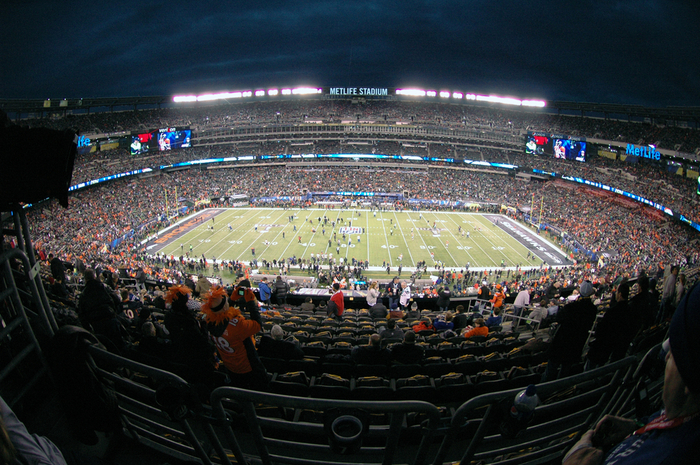
nfl stadium

3. NFL Mobile

The NFL app has everything. From game statistics to highlight reels, you can stay on top of every aspect of this year’s football season through this app. This makes it especially useful for anyone who hasn’t been staying up to date on the league this season. You can find out how each player has been doing to help you make all your Super Bowl predictions. It’s also a great companion app for Fantasy Football players. You can even use this app to watch the game itself if you’d like.

NFL Mobile Free Download
7

2. Super Bowl LIII Fan Mobile Pass

The Fan Mobile Pass app is ideal for anyone flying down to see the Super Bowl, or anyone who wants to get some insight on some of the unique and special events surrounding the game. Through the app, you can win prizes, play community games, and stay updated on all additional Super Bowl events.

Super Bowl LIII Fan Mobile Pass Free Download
7

1. Blazin’ Rewards

Everyone knows the traditional food for Super Bowl parties are wings, and there’s no better place to find them than Buffalo Wild Wings. Their app not only makes ordering their wings incredibly easy, but it also automatically sets you up with deals and coupons. You’ll also be able to build up rewards for future parties. You won’t be disappointed by the wing supply that BWW can give you.

If you don’t have cable and are trying to figure out where you’re going to watch the Super Bowl this year, then you’ll definitely want to check out our Softonic Solutions page, where we list off the best websites for watching the big game. Whether you’re a Patriots fan or Rams fan, we hope you have an exciting and safe Super Bowl Sunday.