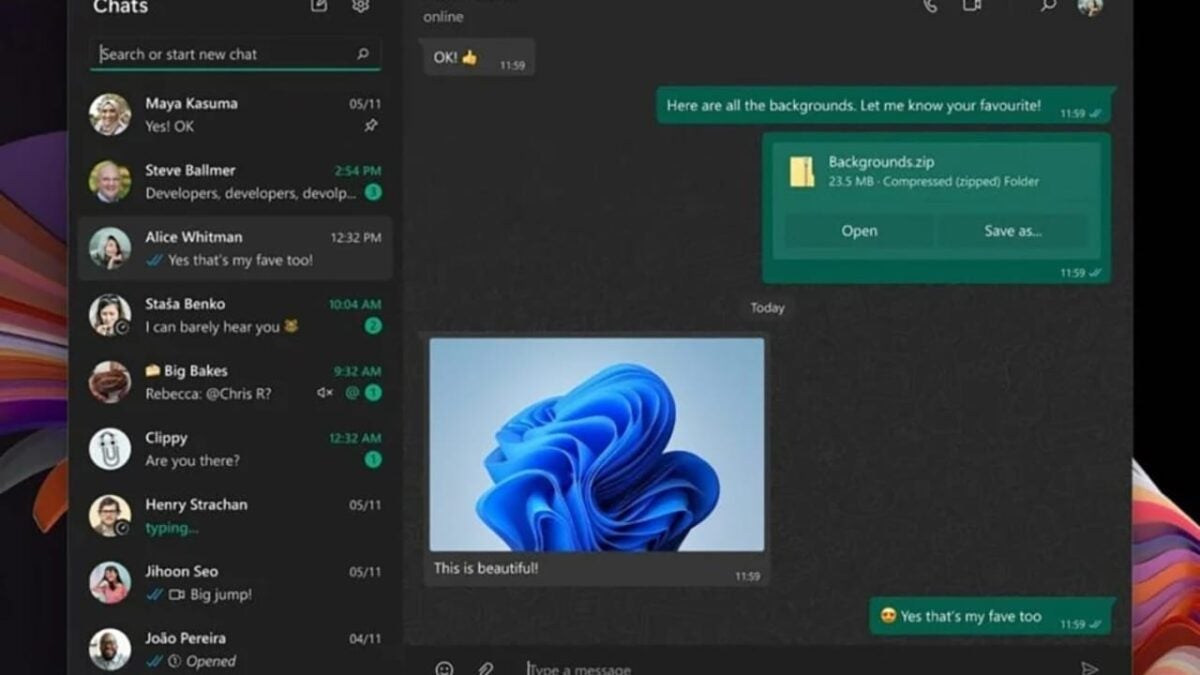
Share Your Screen on WhatsApp: New Feature Now Available on Windows 11

The use of WhatsApp is so common in our daily lives that mentioning the number of users is almost absurd. However, we shouldn’t forget about the updates that Meta keeps introducing, including those that affect the PC application, specifically for users with Windows 11.

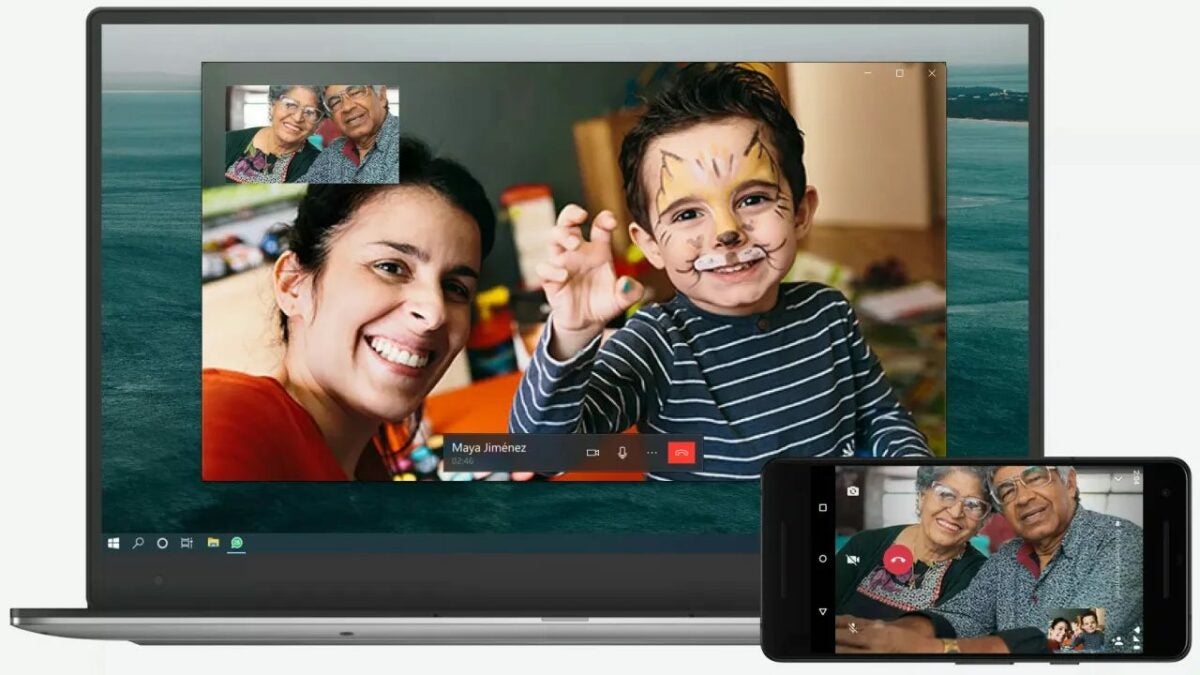
The WhatsApp app for Windows 11 is on the verge of receiving several exciting updates, and the feature highlighted in this news is the ability to share screens during video calls with our contacts. While this is not the only addition, it is certainly the most eye-catching one for the messaging platform in its desktop version.

WhatsApp DOWNLOAD

The WhatsApp app for Windows 11 will receive the option to share screen in video calls
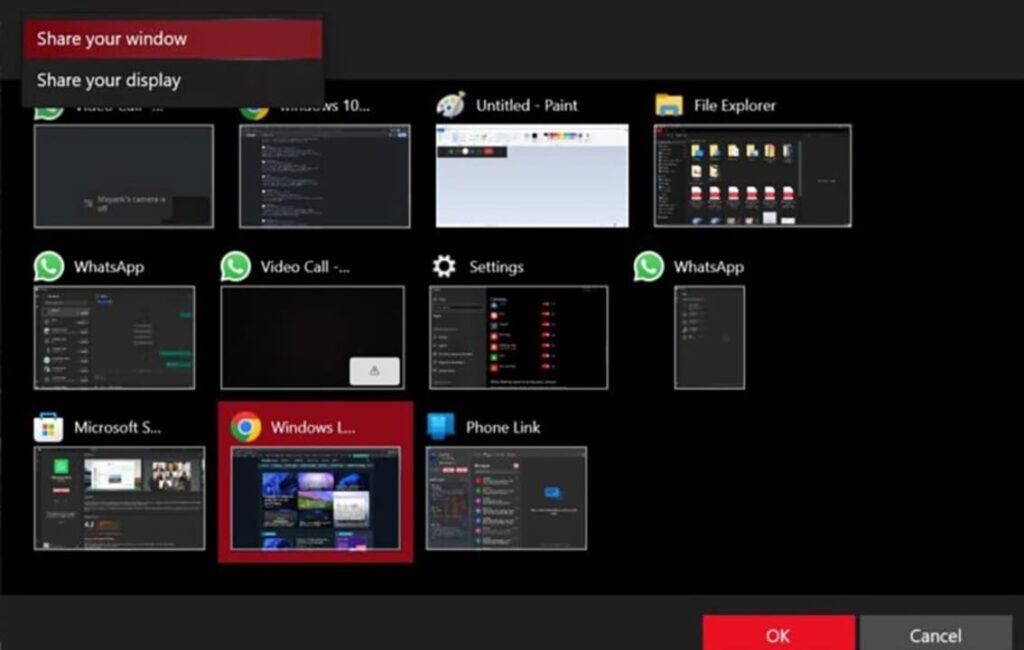
Activating this feature will be very simple, as all we have to do is click on “Share Screen” while in the middle of a video call. Once we’ve taken that simple step, we can choose what we want to show the person or people we are having the call with. In other words, we can display our open windows, the taskbar, applications, the desktop, and more.

As mentioned, this function is not yet available to everyone who has the app on their Windows 11 computer, but it can be enjoyed by WhatsApp Beta users. This version of the Meta application is ideal for those who want to try out all the upcoming features that will be introduced to the platform before they are released to everyone.

WhatsApp DOWNLOAD

Furthermore, this is not the only upcoming feature in WhatsApp, as users of its beta version for Windows 11 will be able to try out a function that allows uploading videos with a much higher resolution than usual. Additionally, it doesn’t stop there. Suggestions for stickers will also be added, giving us the option to add a more animated touch to our conversations, and with more context as well.

It is also expected that the desktop app will add a series of filters in the coming weeks, giving us the option to have our conversations much more organized and differentiated.

WhatsApp Catches Up: Introduces Feature That Was Previously Exclusive to Its Competitor

WhatsApp has announced a new function that drinks a lot from one of the most popular functions of its competition: Telegram.

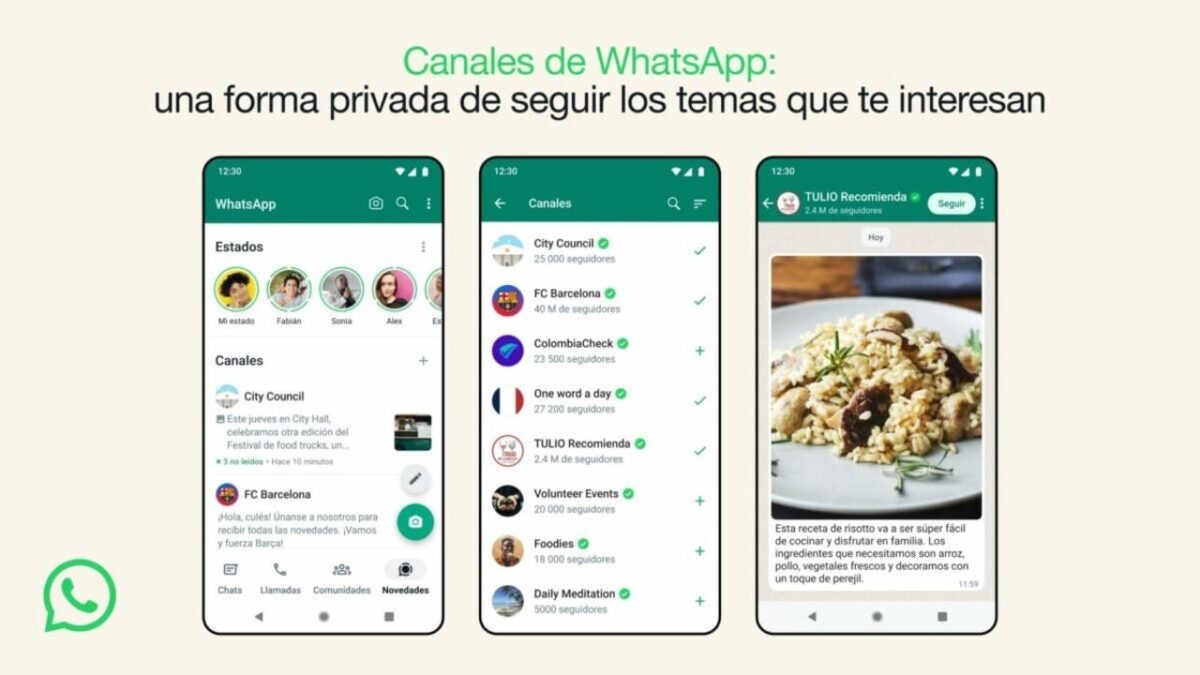
If you like Telegram but use WhatsApp “because all my acquaintances use WhatsApp,” this will interest you. WhatsApp has announced this week the arrival of a new feature known as “Channels.” As you can guess from its name, this feature is the messaging app’s response to its rival, Telegram, whose channels enjoy enormous popularity.

WhatsApp DOWNLOAD

WhatsApp launches its latest feature: “Channels,” a unidirectional broadcasting tool for administrators to send text, photos, videos, stickers, and polls. In other words, it’s similar to groups where only administrators can post. With Channels, users can follow updates from various brands and content creators, akin to Twitter (although without the ability to reply, initially). They can also use Channels to stay informed about product offers, for example.

Privacy is one of the key aspects highlighted by WhatsApp in its announcement. According to the company, both the phone numbers and profile pictures of Channel administrators will be hidden, just like the phone numbers of users who choose to follow a channel.

WhatsApp also aims to incorporate payment services and other monetization features in the future, allowing content creators and brands to benefit from the app. Users can join channels by searching for them on WhatsApp or through an invitation link, and these channels will appear in a new tab called “Updates.”

This is an imitation of a popular Telegram feature that could be well-received on WhatsApp, as many WhatsApp users also use Telegram solely for following channels. WhatsApp has also recently announced two features that Telegram has been offering for a long time: the ability to edit messages and the option to communicate with other users using usernames (without revealing phone numbers).

WhatsApp DOWNLOAD

Currently, channels are only available in Colombia and Singapore, but WhatsApp plans to make them available to users worldwide in the coming months, according to the company.

Some of the links added in the article are part of affiliate campaigns and may represent benefits for Softonic.

Twitter Takes Inspiration from WhatsApp: Introduces a Popular Feature

The social network is updated to give us new functions, with one of them that seems to be strongly inspired by other social networks such as WhatsApp or Telegram

After Elon Musk‘s numerous attempts to “revitalize” Twitter (or rather sink it, depending on who you ask), the platform continues on its course. The social media platform is updating to provide us with new features, one of which seems to be heavily inspired by other social networks like WhatsApp or Telegram: voice messages.

Twitter DOWNLOAD

The social media platform has globally launched a new feature that we predict will be widely used by everyone. Finally, we have voice notes available through direct messages, a feature that was extensively discussed back in 2021.

Fortunately, that’s not the only update we have. The platform has also expanded the time limit for videos, now allowing them to last up to two hours. It’s important to remember that prior to this update, Twitter only allowed the uploading of short videos, with a maximum duration of 60 seconds. And for now, it will remain the same for those who don’t subscribe: only Twitter Blue subscribers will be able to upload longer videos.

How do I use voice messages on Twitter?

If you’re feeling a bit lost and unsure how to use the new voice messages, here’s a step-by-step guide:

  • Open any conversation on Twitter.
  • Tap on the audio icon located to the right of the message box, as shown in the image.
  • Start recording your message. Once you’re done, you can either send the voice note directly or delete it if you’re not satisfied. Please note that currently, this feature is only available through the Twitter mobile application, so you won’t be able to record voice messages using the web version.
Twitter DOWNLOAD

Some of the links added in the article are part of affiliate campaigns and may represent benefits for Softonic.

You can block annoying WhatsApp contacts much easier

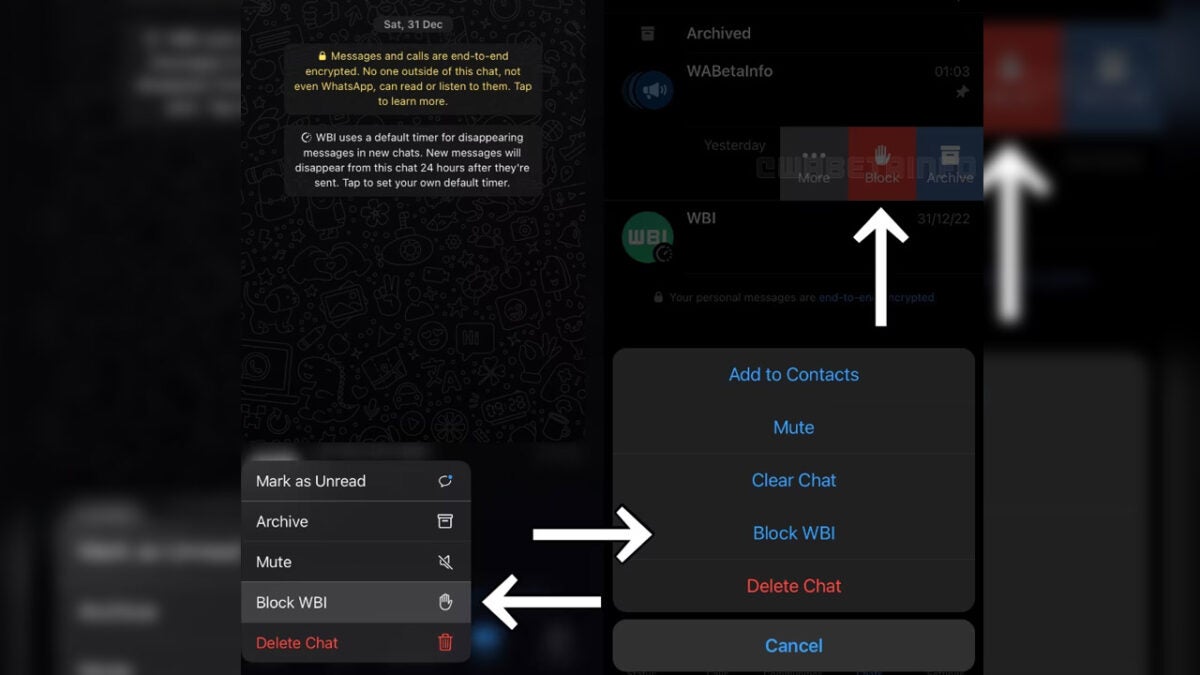
According to WhatsApp news source WABetaInfo, WhatsApp is introducing new shortcuts that allow users to block other users. The feature is currently being tested by select beta testers and will soon be available to some iOS beta testers. WABetaInfo released the screenshot above in order to give users insight into what the shortcuts are expected to look like. 

WhatsApp DOWNLOAd
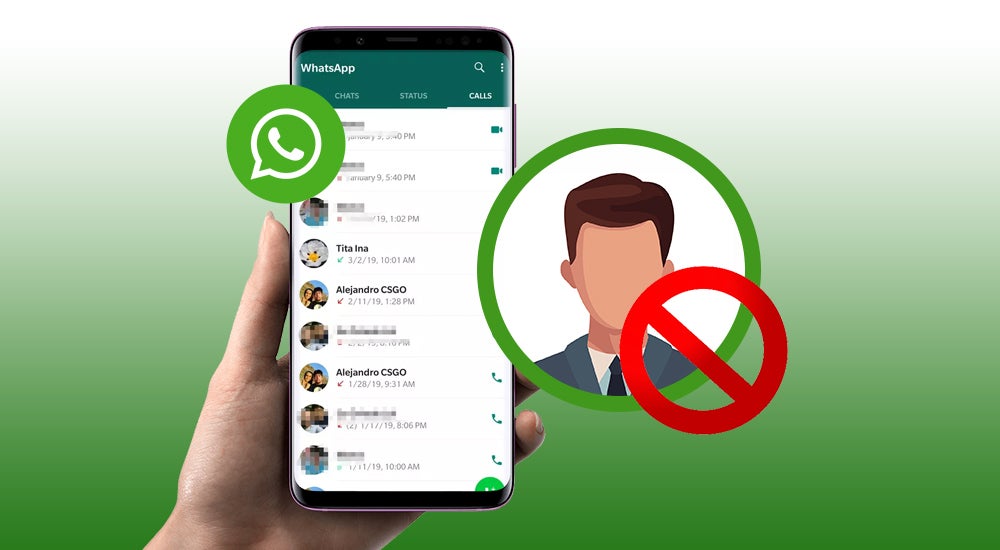
WhatsApp is making it easier to block annoying contacts

Upon the feature’s release, users will have access to three new shortcuts that make it easier to block contacts. The first shortcut (an arrow pointing to the left) is found in the context menu under the chat preview, but it is not visible for group chats. The second shortcut (an arrow pointing to the right) is located in the chat options, and the third shortcut (an arrow pointing upwards) appears when a message is received from an unknown contact with whom the user has never chatted before.

Regardless of the shortcut used, WhatsApp will prompt the user to report the number as well. To do this, the user will have to forward the last five messages from that number to WhatsApp’s content moderation team. If, based on the report, the team finds that there has been a violation, it may ban the account.

As has previously been the case, the feature is currently only available for beta testing on iOS devices. In order to gain access to the new feature, you’ll need to get the latest WhatsApp beta version from the TestFlight app. We expect the feature to be made available for beta testing on Android in the near future. 

Once it’s released, you’ll simply need to join the WhatsApp beta program and download the latest update for the app from your chosen mobile app repository. Alternatively, you could download the WhatsApp Beta APK from our website. It’s free and 100% safe.

WhatsApp Plan To Allow You To Send Photos Uncompressed

If you’re the one friend or family member that sends out tons of images on various groups, you now have good news. You no longer have to worry about compressing images and sending out smaller files. As per the latest feature, WhatsApp will allow users to send top-quality images without the user having to suppress them. This new option allows users to send images of the best possible quality, without compromising on data.

WhatsApp DOWNLOAd

Currently, WhatsApp allows users to pick the picture quality. However, it does not permit users to send files in the original resolutions. Even if you select ‘best quality’ when sending out images, WhatsApp will still compress them so that data transfer will happen faster and storage space is saved.

WhatsApp

What Is Included in the New WhatsApp Update?

WhatsApp’s new version is currently being tested and is therefore not available for testing. New information from WABetaInfo has revealed that the new version will include a photo quality option within settings. This will be under the drawing tool header. 

This will be different from a previous update that automatically adjusted configurations. It is also not clear if the new feature will apply to uncompressed videos as well. Till the new feature is released, users can send out videos and images without WhatsApp auto-compressing them. All they need to do is change the file extension to .doc and send it as a document rather than a media file.

When Is the Update Being Released?

Although no timeline is provided, the new version could be close to release. Watch this space for more information as this new feature continues going through the testing phase.

Everything we know about the new WhatsApp image and video interface

Meta is developing a variety of new features for its instant chat messenger WhatsApp. One of the improvements being worked on is enhancing the way users take photos and videos within the chat messenger. However, this feature is still under development and not yet available to users.

WhatsApp DOWNLOAD

Currently, a tap on the circle captures a photo and a ‘tap and hold’ starts recording a video. However, many users are confused when using this feature for the first time. To address this, Meta is developing two different modes for capturing photos and videos within the app to make it more intuitive for users.

In Photo mode, you will be able to capture a photo by simply tapping on the circle, as before. From here, you’ll be able to send photos directly to your contacts. In Video mode, you will be able to start recording a video by simply tapping the circle, eliminating the need to use ‘tap and hold’ to record footage. You will have the flexibility to switch between these two modes at your convenience. 

Whatsapp update

The WhatsApp news update service WABetainfo has discovered that WhatsApp is currently developing Camera and Video modes for its Android and iOS apps. However, these features are still in the development stage and are not yet available for use.

It is unclear when Meta will officially announce these improvements, but it is possible that WhatsApp beta users will have access to them before the general public. Since testing of these new modes first began on the Android app, it is likely that they will be released first on Android before being rolled out to iOS.

WhatsApp blocked? You may now use a proxy bypass!

WhatsApp is a popular messaging service by Meta, parent company of Facebook. The service is designed to work everywhere, provided that an Internet connection is available on the device.

WhatsApp may be blocked in some regions or environments. Devices connected to a company network may have certain restrictions, and the use of messaging apps like Whatsapp may be one of them.

Similarly, WhatsApp may be blocked temporarily or permanently in certain regions or countries. Governments may block Internet communication temporarily, for example, during election days or demonstrations.

A visit to one of those regions or permanent residency there makes it difficult to use the service. Up until now, use of VPNs could help bypass the block. Now, WhatsApp users have another option at their disposal: proxy servers.

WhatsApp Proxy Server support

WhatsApp announced support for proxy servers this week. Users of the messaging app may use proxies to bypass blocks.

Announcing the news, the company says:

We’re mindful that just as we’ve celebrated the start to 2023 through private texts or calls, there are many people who continue to be denied the ability to reach their loved ones because of internet shutdowns. To help, today we’re launching proxy support for WhatsApp users all over the world. What this means is we’re putting the power into people’s hands to maintain access to WhatsApp if their connection is blocked or disrupted.

Choosing a proxy enables you to connect to WhatsApp through servers set up by volunteers and organizations around the world dedicated to helping people communicate freely.

A proxy server acts as an intermediary server between the user’s device and the target destination. In the case of WhatsApp, traffic is tunneled through the proxy server to communicate with WhatsApp. The bypass works on the condition that the proxy server is not blocked as well.

User messages and data is protected with the same level of privacy and security as direct WhatsApp connections, according to the announcement. The maintainer of the proxy server sees the IP address of the user’s device, however.

It is essential, therefor, that a trusted proxy provider is selected.

Setting up a proxy in WhatsApp

WhatsApp itself does not maintain any proxies. The company recommends that users search on the Internet to find proxy servers by “trusted sources” to use.

Setting up a proxy on Android

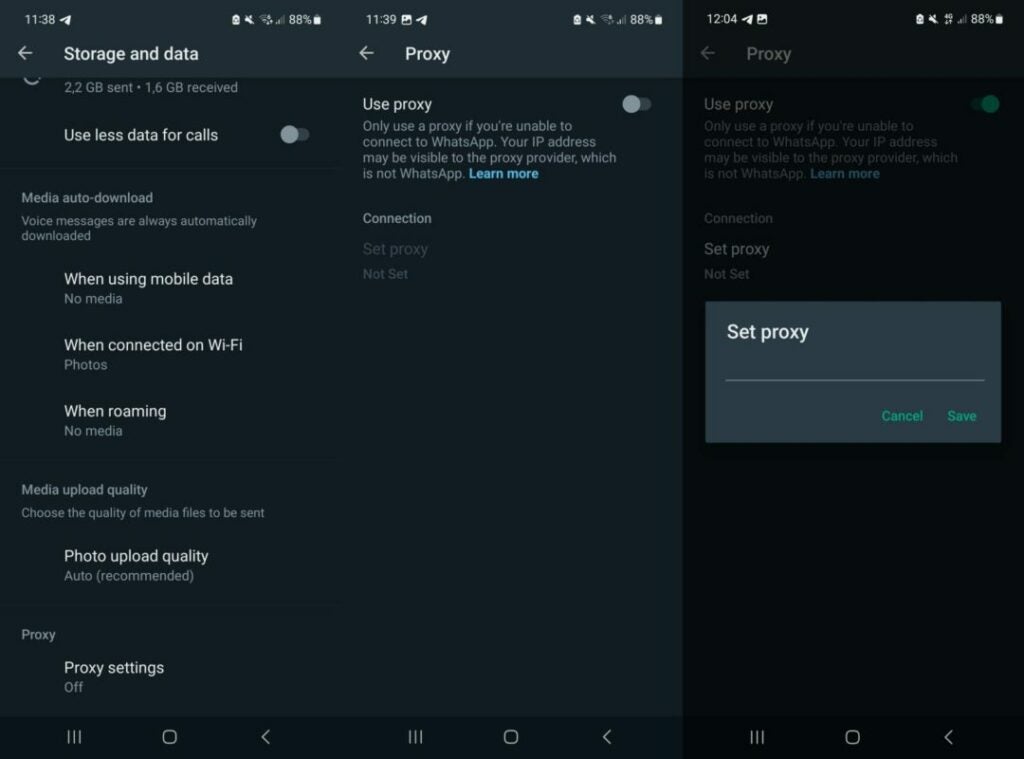
  1. Select the three-dots on the main page and then Settings.
  2. Go to Storage and Data > Proxy.
  3. Select Proxy settings.
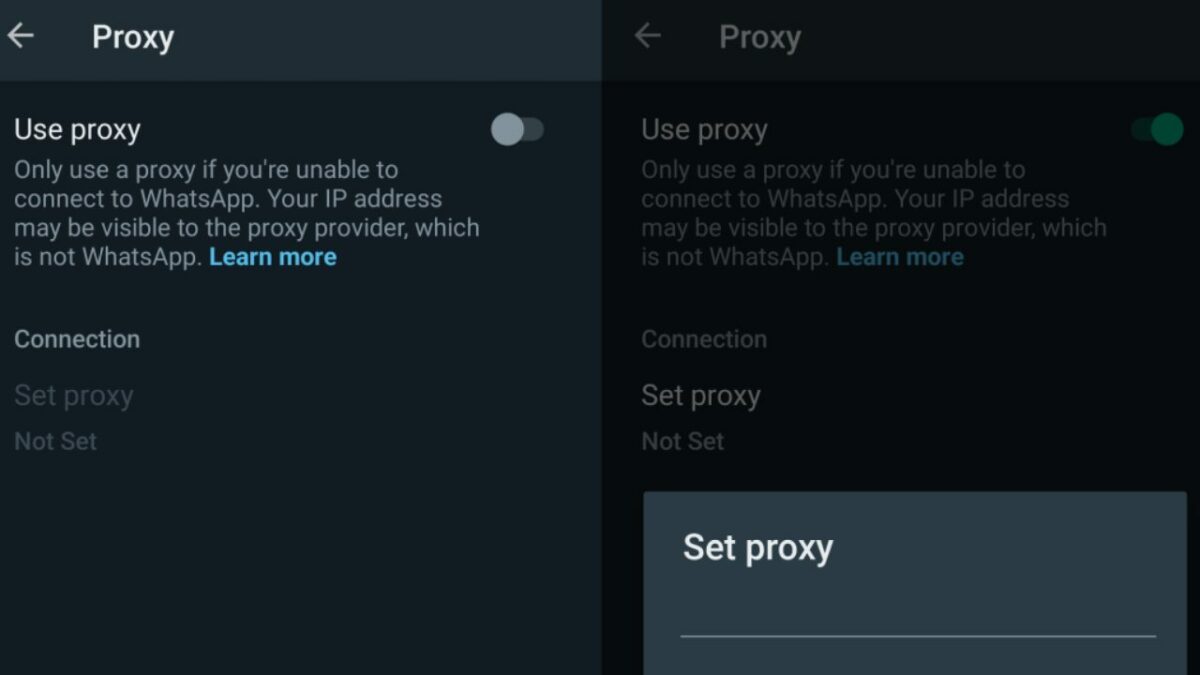
  4. Tap the use proxy preference to set it to ON
  5. Tap on Set Proxy.
  6. Enter the proxy address and tap save to connect.

WhatsApp displays a checkmark if the connect is successful.

Setting up a proxy on iOS

  1. Open the WhatsApp Settings.
  2. Go to Storage and Data > Proxy.
  3. Tap Use Proxy.
  4. Type the proxy address and tap save to connect.

WhatsApp displays a checkmark if the connect is successful.

Verdict

Support for proxy servers adds another access option to WhatsApp. While it may be unnecessary for most users of the server, it may be the only option for some.

Finding a trusted proxy provider can be challenging, on the other hand.

WhatsApp explains how to set up a proxy on GitHub. The instructions are technical, and they require access to a server or computer to run the proxy on.

“WhatsApp” with WhatsApp this Year?!

Is it just old news, or should we still be worried about this? Rumour has it that WhatsApp won’t work on millions of devices worldwide as their supported lifespan will end. Users with older devices could end up losing the messaging app which so many of us rely on to stay connected to family and friends. 

WhatsApp is a Facebook-owned app that has shared this information on its support page, which will be the case for older devices. According to the company, any device that runs on a Windows operating system will no longer be supported after December 31.

About Andriod-supported devices for WhatsApp

WhatsApp provides Android devices support that meets these requirements:

  • Running OS 4.1 and newer operating systems.
  • Your device can receive calls or SMS for the verification process.

To stay up to date with the latest technological advances, WhatsApp stops supporting older operating systems routinely so that their resources can support the latest ones. However, they do remind or notify users whose operating system is outdated before they stop supporting your operating system.

Should you be concerned that your Android version is next in line, you can find more information on their WhatsApp support page which they update regularly.

“WhatsApp” with WhatsApp this Year

How do they decide what to support?

Software and devices continuously change, so WhatsApp reviews operating systems regularly to decide which they support and what necessary updates need to be made. 

Deciding which operating systems to stop supporting yearly, they tend to look at which software and devices are outdated and have the fewest users. Many of these old devices might not be able to support the latest security updates or don’t have the functionality to run WhatsApp.

What will happen if your operating system isn’t supported anymore?

As mentioned, they will notify you before they stop supporting an operating system, and WhatsApp will remind you a few times to upgrade. And you will be able to stay updated on their support page regularly.

WhatsApp is adding 21 new emoji reactions natively

The instant messaging platform, WhatsApp, is actively working on adding more emojis to the ‘Reactions’ feature unveiled in May. The reaction feature has grown immensely popular, spurring WhatsApp developers to add more emojis to the feature. However, what exactly does that mean?

WhatsApp is working on adding 21 new emojis and overhauling eight existing ones, according to a recent report from WABetaInfo. Those using WhatsApp beta on Android may have already noticed new emojis in the reactions feature. However, since these are still in development, they aren’t available for all beta users. As such, if you run WhatsApp Beta and haven’t noticed the new emojis, don’t worry; they’ll be there with the next update.

The overhauled emojis have already been completed and are available to all beta users. Despite being overhauled, there isn’t much visual difference between the original emojis and the eight overhauled ones. In fact, only two show a notable difference – the Pleading Face and the Face Holding Back Tears.

Whatsapp emojis
Various emoji faces flat icons big set for web design. Cartoon yellow emotion circles icons smiling, laughing and crying isolated vector illustrations. Feeling expression and communication concept

WhatsApp revealed in May, after the release of reactions, that they’re working on adding more emojis and skin tones to the feature, and we’re now starting to see those efforts. The reaction feature was released alongside the Communities feature, which has also seen a few updates since its release. 

Reactions aren’t an entirely new feature. Some apps like Skype, Telegram, Slack and iMessage have used this feature successfully for a long while. Even Instagram, which is another Meta-owned platform like WhatsApp, has this feature. In this situation, it seems like the instant messaging app is playing catch up. However, with more than two billion global active users, the app hasn’t suffered much by being late to the game in this regard.

These aren’t the only new features and improvements made by the developers. The update to add more emojis to reactions comes after quite a few other features on the platform. Some of these new features include a new WhatsApp Notes feature, the ability to mute group chats in the WhatsApp desktop version and many others. 
We look forward to seeing the new emojis once they’re released to the public. For now, they’re in active development and visible to selected WhatsApp beta users.

Important update coming to WhatsApp Group Chats

In the last few months, we’ve seen several new feature updates for WhatsApp. The developers have worked hard to improve various features and add new functionality to the app. The most recent of these new features will enable users on the WhatsApp Desktop to mute group chats.

In October, WhatsApp received an update allowing users to add polls and surveys to group chats. While this update went somewhat unnoticed at first, since its release, it has grown in popularity, especially in larger group chats. More users are using the feature to add polls to their chats and get input from other group members quickly.

October also saw an update for WhatsApp that significantly increased the size of participants in group chats. This comes after the update that allowed up to 512 participants in a group. This was doubled yet again, meaning that groups can now consist of a maximum of 1’024 participants

We also saw the introduction of a feature to increase user privacy. This latest feature allows users to set who can see their status. Previously, you could hide your ‘last seen’ notice, but not much else. This feature can be found in your privacy settings and allows users to set who can see their last seen and online statuses, about information, and your profile picture. 

In November, WhatsApp finally released the Communities features, which combine the increased privacy features and larger group sizes. These types of groups will also allow admins to wield much more power. This feature allows certain communities to add related groups under a single community umbrella. For example, in your suburban community, you could have different groups related to security, lost pets, neighbors’ support, and more.

New Mute Feature Coming to WhatsApp

Another feature that’s been receiving consistent improvements is the reaction feature. This one enables users to react to a message with a simple emoji without having to type a new message. This one has become increasingly popular since its release, and the new improvements will make it much easier to use and look back on. 

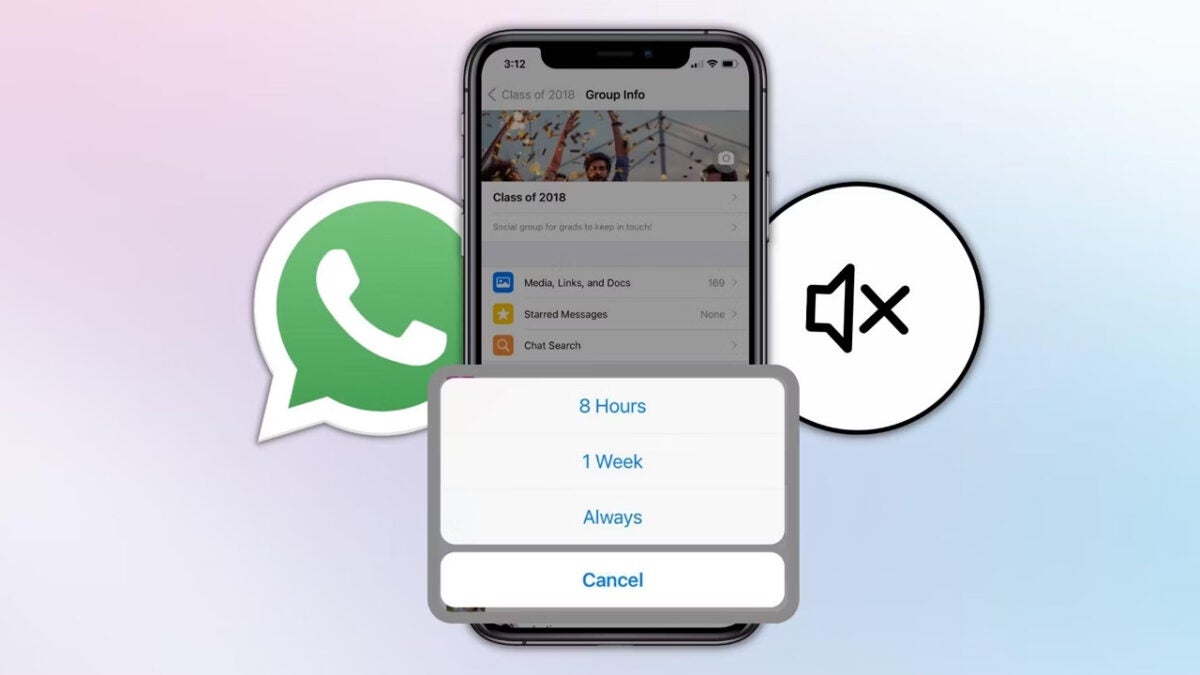
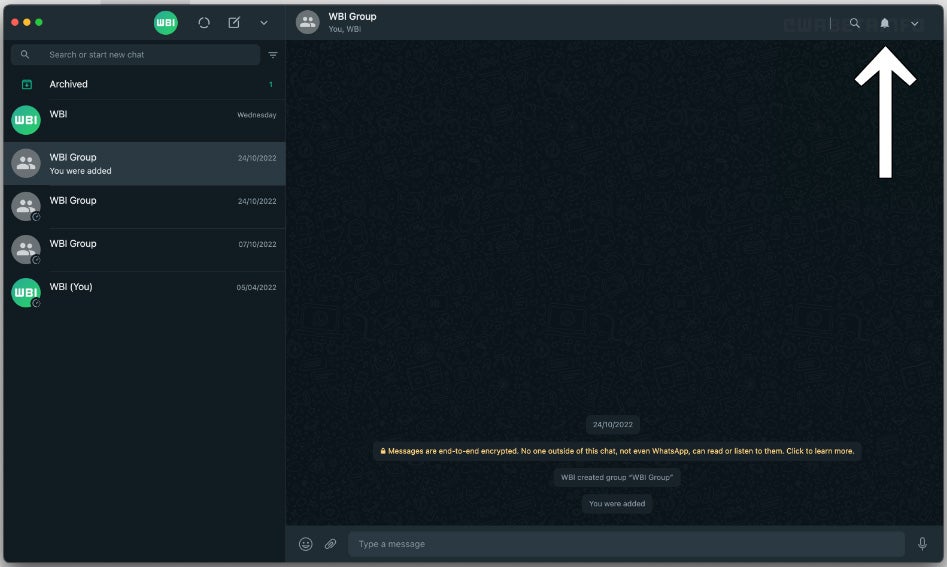
The Windows Desktop version is also receiving a complete overhaul and many exciting new features to make it even more useful. The latest feature being worked on for the desktop version is the ability to mute groups and communities. Although this might seem like a straightforward feature, it is a critical one. This will help users avoid distractions and temptations from group chats while at work, driving, or when they need a break. 

The chat mute feature for WhatsApp desktop is still in development at the moment, and we should see it released for beta testing soon. However, at the moment, there’s no indication of when it will be released to the public.