What updates can we expect for WhatsApp?

A new WhatsApp update has been added to the Google Play Beta program. The guys over at WABetaInfo have put together a little breakdown of what we can expect once the features being tested in the beta version get a wider rollout. There is still no Sticker availability but it looks like WhatsApp are working on a Double Sticker function for future updates. Other cool functions added via the new update include a Location Sticker, a Dismiss as Admin feature, and Priority Messages. Let’s take a look.

WhatsApp Messenger Download WhatsApp
8

Location Stickers allow you to add a signpost to your favorite places to your WhatsApp messages. There are two different styles of Location Stickers, which you can check out below.

Image Via: WABetaInfo

Dismiss as Admin is aimed at WhatsApp group messages. The new feature gives group admins the power to demote other admins without having to remove them from the group. Until now, kicking other admins out of the group entirely was the only way to remove their admin privileges. To dismiss an admin, hold your finger on their name in the group chat menu. The option should then pop up in the drop-down menu.

Image via: Gadgets 360

High Priority gives you more control over the push notifications. If you enable High Priority, then your incoming WhatsApp notifications will be pinned to the top of your notification center. This feature will only be available on phones with Android version 5.0 or higher. To enable High Priority, open Settings and then tap Notifications. High Priority should be at the top of the screen if you have the latest beta version of WhatsApp installed on your phone.

Are you a member of WhatsApp’s beta testing program? If you’d like to try out the latest WhatsApp features before everybody else gets their hands on them, you should give it a try. We’ll be posting a guide to accessing beta versions of apps, games, and programs soon, so remember to keep checking in with us.

Google Maps to start using landmarks when it is giving you directions

It’s the little things that make the big differences. Think about much better breakfast is in bed rather than at the kitchen table, or the difference 5 minutes of sunshine can make to your day. Google understands this perfectly and has started testing a new feature for Google Maps that will make a big difference.

Google Maps Download Google Maps
7

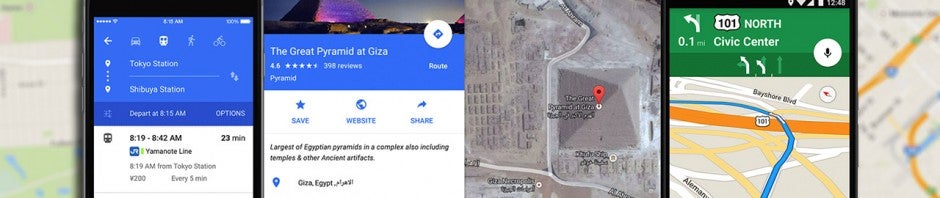
Whenever your GPS is telling you where to go, you’ll normally hear instructions like, “In 500 feet, turn right,” or “Turn right onto … street.” Instructions like these are accurate, but they’re cold and they make it abundantly clear that it is a computer is talking to you. For Google Maps users, these unemotional prompts may soon become a thing of the past. According to some Twitter users, Google is testing out a new landmark-based direction feature.

Turn left after Burger King

Think about it. Whenever a person is giving you directions, they’ll normally mention a landmark that you’ll see and tell you to either turn before or after it. Google is testing out a way to incorporate this human behavior into Google Maps. Obviously, that’s a major challenge. If Maps is supposed to sound human, it’ll have to refer to the landmarks that matter to the driver and they could be different all over the world.

According to Google, landmark-based directions is just one of several ways the company is trying to improve Google Maps’ guidance systems. No word yet on when this update or the other features the search giant is currently testing will roll out to all app users.

Is your phone making money for somebody else? The rise of the mobile crypto-miners

Everybody is talking about crypto-coins. Bitcoin and Ethereum have seen their values reach such astronomical highs that people have made and lost life-changing fortunes in the blink of an eye. Cryptocurrency has caught everybody’s attention, including hackers and cyber-criminals.

The torrent site Pirate Bay was the first site to run code that would secretly use the computers of all who logged on the site to mine crypto-coins for the Pirate Bay developers. Since then, this type of malicious code has been found on lots of websites, and unfortunate users visiting these sites have seen their PC performance fall through the floor as it focuses on crypto-mining rather than running the applications and programs the user wants it to run.

Moving to mobile

Although mobiles might not be as powerful crypto-mining tools as desktop pcs, a quantity not quality approach still makes them useful tools for cybercriminals.

Unfortunately, according to Kaspersky Labs, crypto-miners have now made the jump to mobile, mostly Android, so the phone in your pocket is now vulnerable to being hijacked. Mobile devices are a lot less efficient at crypto-mining than desktop PCs, but there are a few factors that make them attractive to hackers looking to cash in.

Kaspersky Anti-Virus Download Kaspersky
8

Kaspersky reported that there are a number of simple frameworks available that make creating a mobile app that can mine cryptocurrency on mobiles relatively easy. These apps can then be distributed in a number of ways. It’s quite common for users to share apps directly via apk files, bypassing the official app stores and the security systems they have in place. Even those security systems have gaps in them, however, that malicious apps can sneak through. Kaspersky noted that the various forms of infected apps were downloaded over 150,000 times from the Google Play Store itself before Google removed them.

Things to look out for

All this means that your cell phone is now a target for criminals who are looking to cash in on cryptocurrency boom. This means you’ll have to be vigilant and keep your eye out for a number of signs that things aren’t right.

1. Primitive counterfeit apps

Kaspersky reported that some primitive versions of famous apps like Instagram and Netflix are being passed around by cybercriminals and various forms of crypto mining software are being added to them. These apps are then shared via download link. To avoid these types of apps only download apps from official app catalogs like Softonic or the Google Play Store.

2. Increased battery use

Mining crypto coins is an intensive operation, so if your phone has been infected with crypto-mining software, you’ll notice your battery dying a lot faster than usual.

3. Your phone heating up

Again, this is due to how hard your device will have to work to mine crypto coins. If your phone is working overtime computing all of the calculations required to add a new coin to the blockchain, it’ll start to become noticeably hotter. Kaspersky even reported instances where its test phones were incinerated by the heat generated by the crypto mining process. On a side note to this, however, it seems that some cybercriminals are aware of this and are including malware that monitors the device battery and temperature in an attempt to mine cryptocurrency safely. This doesn’t mean it won’t still become hotter.

Kaspersky Anti-Virus Download Kaspersky
8

What to do

If you detect any malicious apps, it is important that you remove them immediately. Kaspersky reported that a number of the apps will show scary messages about losing your data, but the important thing is to remove them completely from your mobile device. It can’t be stressed enough, however, that prevention is the key defense tactic here. Only download apps from official sources and even then keep an eye on things like the spelling of the app name and the developer’s name who is publishing it. Another thing to keep an eye on is the permissions the app asks for when you download it. For more tips on mobile security check out our 5 tips to prevent security issues with your phone.
How to activate the “panic button” on Android in case of emergency

You’re browsing casually with your smartphone, and suddenly ad pages start to appear (all of them suspicious, let’s be real). One, two, three… and so on until your cell phone basically stops responding. Did you know there’s a way to stop this process, so it doesn’t freak you out again? At Softonic, we want to help you the next time this happens, so we’re going to show you how to enable the “panic button” on Android in case of emergency.

What it’s for

Before showing you how to use it, we think it’s important to explain what it’s for. As we’ve mentioned before, the “panic button” is an option that Google developers introduced in the Android Nougat for when your cell phone isn’t responding as you’d like.

This can happen for several reasons: ad pages open in the browser as we’ve noted; an app has gotten control of the device without permission; some program isn’t working correctly and got stuck, etc.

The idea of the “panic button” is, as the name suggests, so we don’t start to panic. With it, we won’t freak out when we see our Smartphone isn’t working right.

How to enable it

As we’ve pointed out, this feature is only available on Android Nougat, and more specifically from the 7.1 version onwards. So, the first requirement to be able to use this “button” is, of course, to have this version of Android or above.

If you fulfill that requirement, enabling the “panic button” is so easy it’s scary. In fact, you’ve probably done it at some point: you just have to click repeatedly on the back button (more than four times in three seconds, which seems like a lot but isn’t really).

After clicking, Android will take you to the start screen. In fact, all the processes running will stop automatically, and you can uninstall that app with malware, close the problematic browser or see what’s going wrong.

Now that you know how to enable this “panic button,” we urge you to use it every time you think there’s an emergency on your device. Of course, remember that when you use it, it will cut off the processes you’ve got open at the time (no exceptions).

App snitches on sexting kids  

Source: Getty

Keeping kids away from texting explicit content and photos to each other isn’t just a parental prerogative – it’s also a great business opportunity.

That’s what SafeToNet’s founder figured after being appalled by some of the content kids were viewing and exchanging – and intrigued by the business opportunity that represents.

Put his new app on your child’s phone and it will block any incoming photos it deems too saucy and disable the device’s camera.

It will also lock the phone if Junior’s texts are a bit too risqué for its algorithm. And if the little tyke tries it again, the app will tip you off.

SafeToNet should be available in April for a monthly subscription fee. Let’s see just how quickly the kids can get around its restrictions.

Android Go makes your old mobile so much better

Source: Android Authority

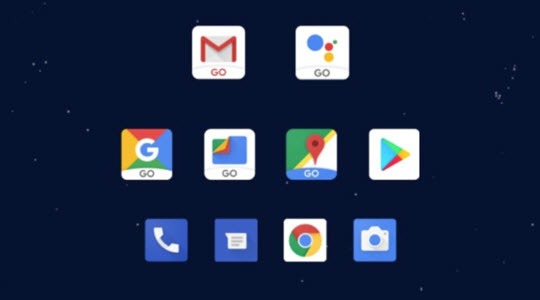
The rollout of Google’s line of Go apps, designed to run on older mobile devices, continues at a pace. As well as, Android Oreo (Go Edition), which makes Android run better on phones with less than 1GB Ram, and takes up less space than the full version of the OS, Google has rolled out some Go versions of its apps. These include YouTube Go, Gmail Go, Maps Go, Assistant Go, and Files Go, which will even recommend apps that you don’t need anymore.

It isn’t just Google either. Facebook has released lite versions of its Facebook and Messenger apps, and now Microsoft is getting involved too. Microsoft owned Skype is now optimized for use on slower and older mobiles, and even on mobiles running much older versions of Android, all the way back to Android 4.03.

With such innovation designed to squeeze performance out of older devices, more and more people will have reliable access to internet services and might be time to start thinking about what to do with all those old devices you have lying around the house.

Facebook ignores experts’ warning and rolls out Android app for six-year-olds

Source: Getty Images

Okay, so the headline’s a little misleading – Messenger Kids is for children six and above. And Facebook has only ignored the advice of the experts it hasn’t paid off.

So that’s fine, then.

But most of the experts who haven’t received funding from Zuckerberg’s Panopticon think that the new app will lead to a more miserable childhood for many, and have told Facebook so in no uncertain terms.

The girls and boys of Menlo Park are keen to get kids hooked on their brand, as you currently need to be 13 to join Fakebook. Also, the platform is increasingly being rejected by younger people, and Messenger Kids is no doubt a ploy to help reverse that trend.

Super Mario marches on

Credit: Nintendo

He may be in his thirties, but the bushy be-’stached Italian plumber shows no sign of slowing up or settling down. In fact, he and brother Luigi are more in demand than ever.

The new games keep coming, and moving onto new platforms, with Mario Kart Tour is scheduled to hit smartphones in just over a year.

Meanwhile, the great news for younger fans is that legendary game designer Shigeru Miyamoto is co-producing a Super Mario Bros. movie with the same team that brought Despicable Me and Minions to the big screen.

The film doesn’t have a set release date yet, but we do know that it’s being produced by Universal – which should mean a theme-park tie in, too.

Hold the phone! You can now use WhatsApp with a landline

The launch of WhatsApp Business has given the messaging service a completely new dimension. WA Business gives companies and customers an official and secure way to communicate with each other and in the coming months and years; we’ll see all sorts of entrepreneurs using this new facility to sell us their wares. WA Business also brings with it an interesting new function; it allows you to hook up your WhatsApp account using a landline number instead of your mobile number.

Although WhatsApp Business is designed for use by businesses, anybody can download the app. You will still need a mobile phone to run the app but you’ll be able to register your landline number instead of the number associated with your SIM card.

WhatsApp Business Download WhatsApp Business Now
7

Once you’ve downloaded WhatsApp Business all you have to do is tell the app that you won’t be registering your mobile number but rather your landline. Normally WhatsApp sends an SMS to verify your number but for landlines, you’ll have to select the Call Me option.

After you receive the call and verify your number, you’ll be able to use WhatsApp Business with your landline number the same you use WhatsApp with your mobile number.

Follow me on Twitter: @PatrickDevaney_

WhatsApp Messenger Download WhatsApp
8

A Secret WhatsApp Web Trick That’s Perfect for Gossips

Are you a bit of a gossip? Do you love knowing anything and everything that is going on in all your friend’s lives? Well, if you are, you might be interested in this little trick for WhatsApp Web. This trick, which only works on the browser version of WhatsApp, allows you to discover exactly when a message has been read. It could be particularly useful for group messages.

There are two ways you can check the time that each contact has read a message.

The first involves double-clicking the two blue ticks of the message in question. This will open a window where you can see who has read the message and at what time.

The second consists of pressing the button that appears above the date the message was sent and clicking message information. This will show the same window from before.

So there you have two quick and simple ways to find out who has read your message and when, and you don’t even have to get your phone out of your pocket to use them.