Apples recently released MacBook Pros can be bought with Intel’s Core i9 processor. Though this processor is powerful, this option is expensive, with the lowest spec model including it costing $2,800.
Apple had advertised that these new MacBook Pros could reach speeds of 2.9 GHz. However, the cooling system included within the MacBooks can’t keep up with the new processor, causing the laptops to overheat and their processors to slow down significantly. Apple fans have gotten creative in order to hit the advertised speeds, with Dave Lee aka YouTuber Dave2D going as far as to put his MacBook in his freezer.
The 2018 MacBook Pro with an i9 processor was only able to beat the clock speed of the 2017 MacBook Pro with an i7 after Dave put it in the freezer. When the new MacBook Pro gets too hot, it automatically throttles its clock speed. While this prevents the laptop from getting dangerously hot, it also prevents the device from maintaining even its base clock speed. This has understandably upset many Apple users, as their $2,800 device cannot perform at advertised or even baseline speeds.
Apple relies on their devices being as streamlined and simple to use as possible. The Apple audience does not expect to have to use under-the-hood or 3rd party solutions in order to get more performance out of their device, especially for a device with such a premium price tag. Apple’s MacBook Pro line had been criticized by laptop enthusiasts for a few years because their processors have been a generation behind. It’s disappointing that when Apple finally decides to move to the next generation of processors they’re completely crippled by heating issues.
Watch Apple’s new machine that can take apart 200 iPhones an hour
Dungeons & Dragons has persisted for decades, so it’s no surprise to see it adapted to play over the internet. Maybe you have friends online that you want to play with, or you’re trying to get into Dungeons & Dragons for the first time. Regardless, there are a few ways to do this, and it can be a little confusing as to which is the best. Here is a list of the best ways to play:
Roll20
Roll20 is probably the cheapest and simplest option available. It’s free to use and really easy to adjust to. While it doesn’t have a player’s guide built into it, you can use D&D Beyond to create and organize your characters, and then transfer them to Roll20. The site also features support for Google Hangouts, but you can use any voice communication software such as Discord or Skype. You can pay to get pre-built campaigns, and better maps if you’re comfortable with Roll20.
If you’ve ever played with Tabletop Simulator, then you’re sure to understand what it would be like to play Dungeons and Dragons with it. Tabletop Simulator gives you an actual table, and lets you recreate how it feels to play Dungeons and Dragons. You have to find the write D&D mod you want to use, but most of them are well made, and even some have complete pre-built campaigns. Regardless, you will feel like you are at home playing Dungeons & Dragons traditionally, rather than online.
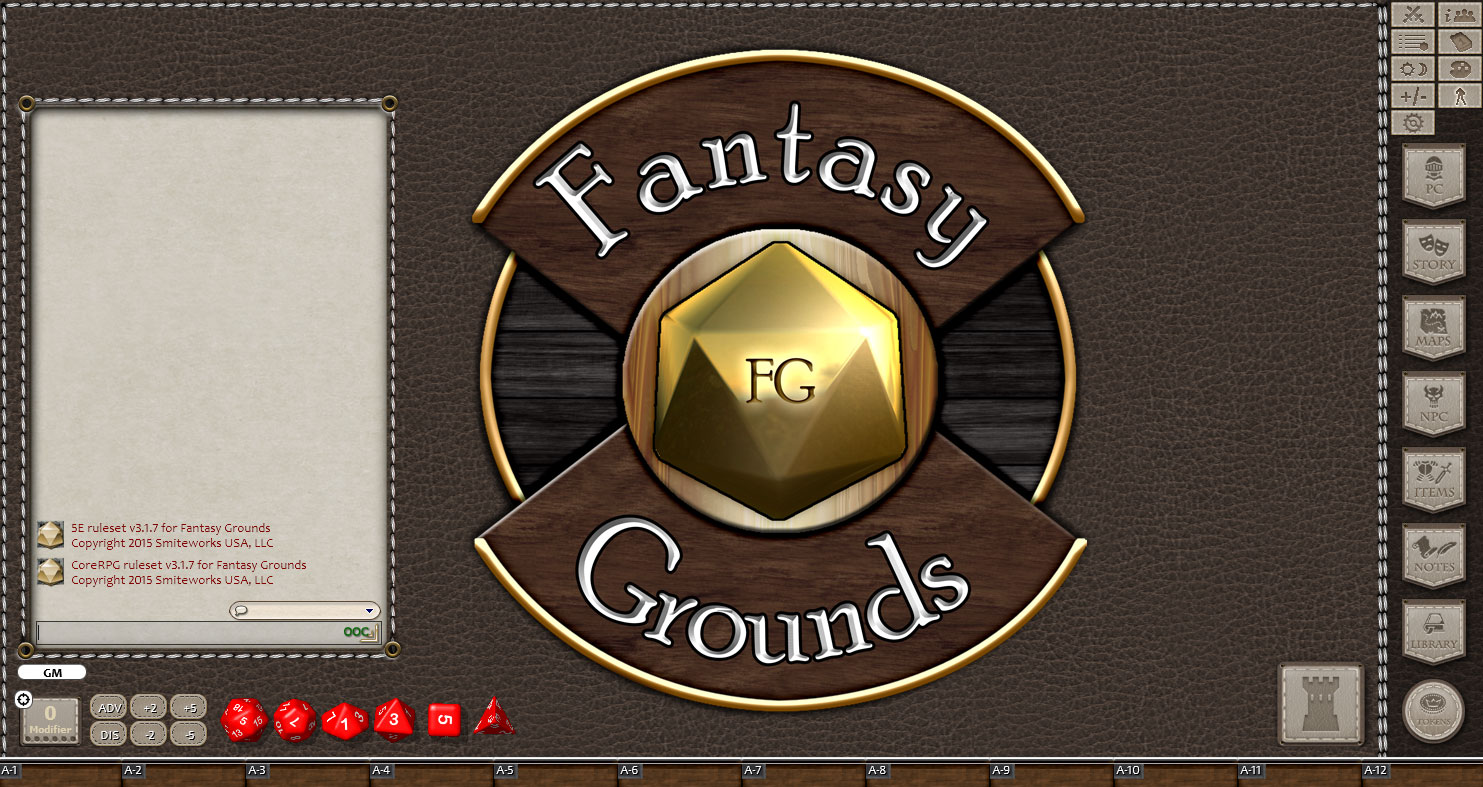
By far the most expensive choice on this list, Fantasy Grounds can be a versatile and immersive tool. It may take a bit of time to adjust to the program, but Fantasy Grounds has so many built-in features that you’re able to customize adventures however you want. It’s also worth checking out if you are into more tabletop games than just Dungeons and Dragons, as Fantasy Grounds has official support for a variety of tabletop games.
Some people have even made their own systems with the program, so you’re able to run practically any tabletop game out there. You can even create your own with it. Note that, like Tabletop Simulator, everyone involved has to own a variant of Fantasy Grounds. Thankfully there is a free demo, and different options for paying.
Overall, each of these is a great option, and it’s ultimately up to you to decide which one is the best for you. Roll20 is the easiest and fastest to get into, since it’s free and intuitive. Tabletop Simulator allows for a more classic Dungeons & Dragons experience, while Fantasy Grounds may be the most immersive option. Regardless of which choice you make, be sure to have a DM and/or player’s handbook available to you, and good luck with your adventures!
If you’re someone who plays games for the story, you’ve no doubt heard of Telltale Games. Telltale puts the story front and center and gives the player the power to shape that story in any way they see fit. Usually taking place over a season of multiple episodes, players are given the power to make significant choices that can affect how the rest of the game plays out. Each game becomes uniquely your own depending on how you play. Though the choices you make in their games can be difficult, deciding which games to play doesn’t have to be. Here’s a list of their five best titles.
5. Minecraft: Story Mode
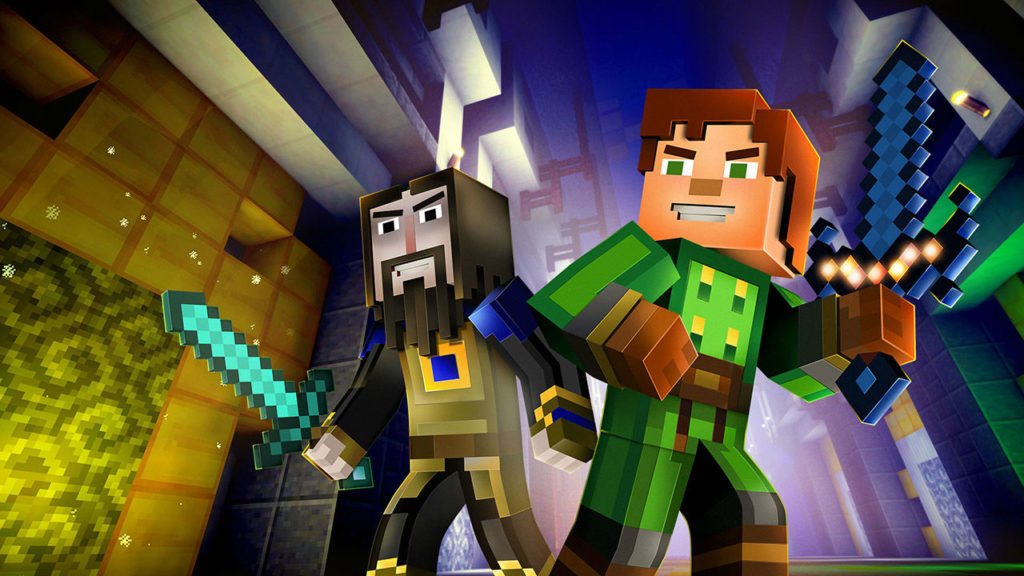
Ever found yourself wishing that Minecraft had a little bit more to offer? If so, Minecraft: Story Mode is the game for you. You take on the role of Jesse, a newbie Minecraft player. Jesse and a group of friends take on an epic quest to find a group of five adventurers who, once upon a time, saved the world. Their journey takes them to the far corners of the Minecraft world, from a mysterious mansion to floating sky cities to the Nether and more. Celebrity guest appearances, including a few by certain well-known Minecraft YouTubers, make this game into every Minecraft player’s dream.
Come on, admit it: every “Game of Thrones” fan has wondered at some point or another whether they could survive the cutthroat world of Westeros. Telltale’s Game of Thrones lets you put yourself to the test. Whether it be fighting your way through legions of House Bolton bannermen or navigating the political intrigue of King’s Landing, this game makes players feel like they’re part of the show. Players take control of the Forresters, bannermen to House Stark who are caught up in the political treachery of Westeros and must fight to survive. Though these characters don’t appear in the show, fans need not worry. Plenty of other favorites, such as the Mother of Dragons herself, make appearances as well.
Game of Thrones - A Telltale Games SeriesDOWNLOAD NOW
3. Batman
“I’m Batman.” These are two words that everybody’s wanted to utter at some point in their lives. Telltale’s Batman lets every armchair caped crusader live out their superhero fantasy. All the familiar Batman characters are back, but with unique interpretations that make this title stand out. Will you play Batman as a benevolent hero, or will you indulge his more ruthless streak? Also of note is the Crowd Play feature introduced in this game. This allows an audience to vote on the choices made in the game using their phone or computer, so grab some friends and get playing. The end result can lead to some interesting scenarios, both onscreen and off!
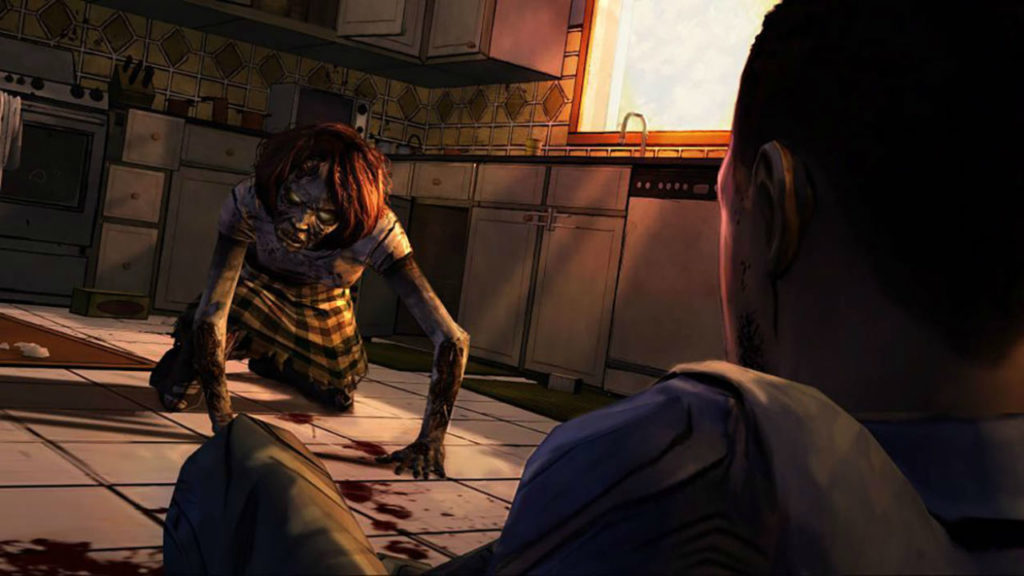
Telltale’s The Walking Dead is one of their most acclaimed titles, and for good reason. The story and characters in this entry are particularly strong. Players control Lee Everett, an ex-college professor and escaped convict, in the opening days of the zombie apocalypse. He soon finds himself having to care for Clementine, a young girl with a story of her own. The grim decisions that the TV series is known for return in this game full-force, except this time, you’re the one calling the shots. How far will you go to survive and protect the ones you care for?
Tales from the Borderlands could easily be called Borderlands 3, and is a must-play for any fans of the series. Tales from the Borderlands takes place soon after the events of Borderlands 2. Players take control of Rhys, an ambitious employee of the Hyperion Corporation, and Fiona, a ragtag con artist from Pandora. The two soon find their paths intertwining in ways that they never expected as they pursue another one of the infamous Vaults and try to find the true purpose of the Atlas Corporation’s mysterious Gortys Project. The series brings back the humorous, sarcastic writing that Borderlands is known for while also bringing in some unexpectedly poignant, emotional moments and decisions that linger long after the game is finished. Beloved characters from the main series also return, including a fan-favorite handsome antagonist in a particularly show-stealing performance.
Whether it be fast-paced fights or nail-biting decisions, Telltale Games offer something for everyone to enjoy. Check out the games on this list and start making the story your own.
YouTube is testing a new Explore tab to help you find more videos you’ll enjoy
YouTube loves it when you watch videos. Without video creators, however, there wouldn’t be any videos for you to watch. This means that YouTube loves its video creators and wants to help them succeed. A recent blog post from YouTube CEO Susan Wojcicki laid down this pledge recently, and the video sharing platform has started to put those words into action. YouTube is currently testing an Explore tab on iOS to help put video creators in touch with new users.
The new Explore tab will include new videos and channels based on previously watched videos. YouTube felt that the new tab was needed as the current recommended videos were coming up short and creators weren’t happy. Fresh content from new creators wouldn’t make it onto user’s recommended videos, meaning it was always the more established creators who were having their content promoted. If you watched a video, you’d often just be recommended other videos from the same creator.
The new Explore tab wants to go further. According to YouTube product manager Tom Leung in a recent YouTube video:
“Explore is designed to help you be exposed to different kinds of topics, videos or channels that you might not otherwise encounter, but they’re still personalized.”
So if you watch a video about an action camera, you might then be recommended videos about snowboarding, scuba diving, or drones. There’ll also be a Trending section so that users discover which videos are trending across YouTube at any given moment.
For now, the explore tab is only a test that will go out to 1% of YouTube users on iOS. It represents a step in the direction for the video hosting platform, which has seen a lot of problems over the last year regarding inappropriate videos being recommended to kids. If YouTube can crack this and put users in touch with better content, it could be well on the way to keeping creators happy while also regaining trust with its user base. Only time will tell.
Facebook could have another Cambridge Analytica type scandal on its hands
Facebook could have another Cambridge Analytica-type scandal on its hands
Yep, Facebook has just suspended another analytics firm, in a similar fashion to the way it eventually suspended Cambridge Analytica. Boston-based Crimson Hexagon, which has a link to a Russian nonprofit organization that has ties to the Kremlin, can no longer access Facebook and Instagram data. Crimson Hexagon already boasts a collection of an eye-watering 1 trillion public social media posts. The suspension appears to be temporary.
Facebook has been forced to suspend another data analyst firm while it investigates what the firm does with user’s data
Facebook has been quick to say that, as yet, there is no reason to believe that Crimson Hexagon has done anything illegally. The suspension follows questions surrounding the firm’s connections to national governments in the US, Turkey, and Russia. There is a worry that the vast amounts of data Crimson Hexagon is collecting could be used for surveillance.
Facebook has decided to look into the use of data further, saying:
“We don’t allow developers to build surveillance tools using information from Facebook or Instagram. We take these allegations seriously, and we have suspended these apps while we investigate.”
Twitter recently blocked Crimson Hexagon due to concerns about what it does with user data. The Boston-based firm has responded, however, by saying that government contracts only form a tiny portion of their overall business and that if a government used the data for surveillance, it would be breaching Crimson Hexagon’s terms. Chief Technical Officer Chris Bingham said:
“Crimson Hexagon only allows government customers to use the platform for specific approved use cases, and under no circumstances is surveillance a permitted use case… The most common use cases are large scale public opinion research and measuring the success of their communication efforts. Each potential government customer must contractually commit, in writing, to the use cases that they will be utilizing the platform for in their agreements … No one using Crimson Hexagon would be able to learn anything about an individual that isn’t already contained in publicly-available data.”
Although the social media data Crimson Hexagon collects is public, government surveillance links provide a PR nightmare for Facebook. Zuckerberg’s social network is still reeling from the Cambridge Analytica scandal. With other social networks like Twitter leading by example, and high-profile reports into Crimson Hexagon coming out in The Wall Street Journal Facebook had little choice but to act. So far, this is just a temporary suspension, so we’ll have to wait and see what happens next with this one.
Google Maps on desktop now offers real-time notifications when it is time to leave for your appointments.
Google is good at connecting dots. The dots Google connects are all of the snippets of information about your life that build up across Google products. The big G can take info including your daily schedule from Google calendar, appointments from Gmail, and whatever else it can get its hands on. Google also likes to use environmental information like weather and traffic and connect that up with your private data so it can give you better recommendations and notifications.
Google Maps on desktop can now tell you when you need to leave to arrive at your appointments on time
Last week, we saw an update to Google Assistant, which puts all these connected dots together in a more visual manner. Now we’re seeing an update to Google Maps on desktop that allows Maps to update you on where you’re supposed to be and how you’re supposed to get there. Google maps will now send you notifications to tell you when you need to leave to make your appointments.
The new update to Google Maps allows it to check your location against events in your calendar. If the events have a location included then maps will look at traffic information, calculate how long it will take you to arrive and then send you a notification when it is time to leave. This notification will also include a link to directions. The notification will then remain active until you disable it.
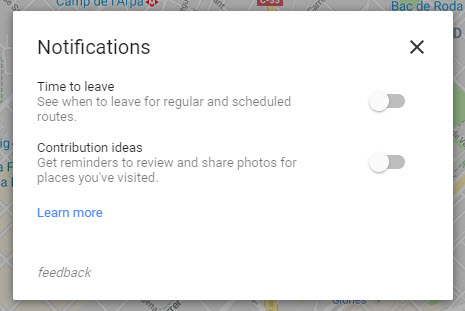
To activate the new Time to leave notifications for Google Maps on desktop you need to click on the settings icon in the top left-hand side of the Google Maps page. From there go to Notifications and toggle Time to leave to On. You may also have to make some changes to your Web & App Activity and Location History settings to use the new feature. If you do, Google will take you to them once you turn on Time to leave.
Facebook is reportedly developing its own custom chips, as they have begun aggressively hiring prospective employees familiar with developing chipsets.
In developing their own chips, Facebook follows in the footsteps of fellow tech giants such as Google, Apple, and Amazon. Apple particularly has been trying to break off from using third-party chips in order to reduce costs and create more specialized hardware. Google has also been developing its own custom chips, which they call tensor processing units or T.P.U.’s.
Facebook’s first big foray into the hardware market was late last year when they released the Oculus series of VR headsets. These units used third-party chips developed by Qualcomm called Snapdragon. It remains to be seen if Facebook’s upcoming custom chips will be used in hardware like Oculus, or in-house to sort through the troves of user data they possess.
Ready to browse the web in VR? Chrome supports the Oculus Rift
The development of specialized chips at Facebook could be a game changer for them in terms of artificial intelligence, which could be used to help Facebook automatically detect the fake or malicious content that plagued its service and put them in the headlines over the past year. The amount of data generated and gathered by Facebook is immeasurable, which makes manual curation impossible. Using advanced AI that utilizes custom, in-house based chips, Facebook could scan its content for fake accounts, fake news, and extreme or disturbing content.
Every great shooter lives and dies by its maps, and every amazing shooter has THAT map. Over the years these maps have caused countless amounts of eyestrain and trash talk due to their inventive and fun designs. Seasoned veterans of these maps often know their layout better than they know their own neighborhoods, and for good reason: navigating these maps is a lot more fun.
5. Goldeneye 007 – Facility
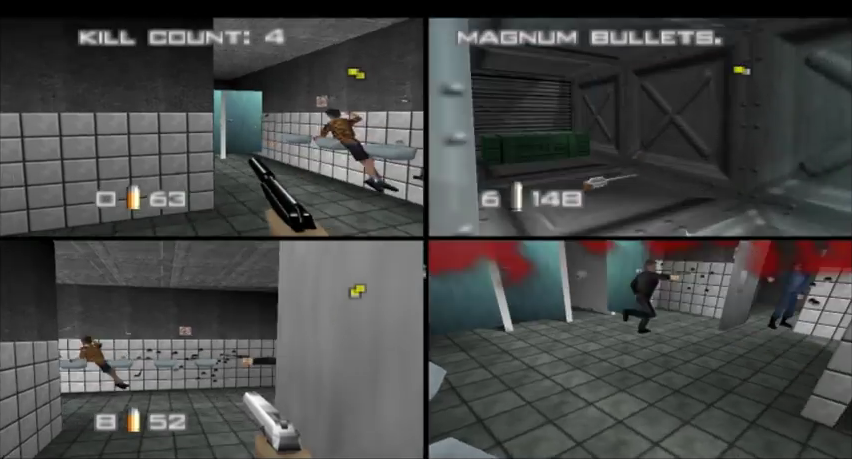
This Nintendo 64 classic is the OG of couch multiplayer shooters. Goldeneye 007 changed the gaming landscape with its variety of weapons, modes, and maps, with none being more iconic than Facility. Players had to master its many levels, scrambling via stairs or air vents to get the Golden Gun. Despite being a huge map, the hallways were thin and the rooms were small, leading to tense close quarters combat. The cramped hallways were also infamous for being constantly littered with proximity mines, leading to instant death for any player unfortunate to pass by. Finally catching up to the player who blew you up and taking him down with slappers is a cathartic feeling unmatched by any modern game.
4. Call of Duty – Nuketown
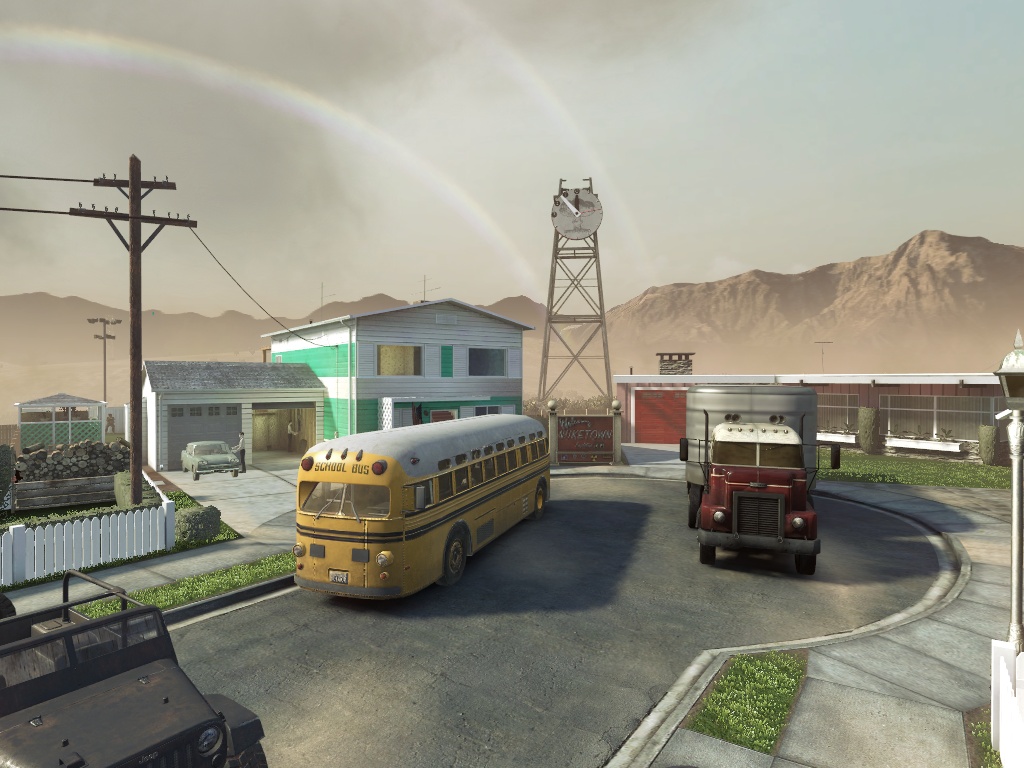
One of the most iconic maps of the Call of Duty series, Nuketown packs a lot of chaos into a tiny map. Nuketown features a stereotypical 1950’s model neighborhood, complete with bright pastel colors and creepy mannequins, that gets destroyed by a nuclear blast at the end of the round. The layout of the map is simple, with two houses opposite each other, backyards behind them, and vehicles in the middle. This simple premise strips the COD experience down to its basics, favoring map knowledge and skill. Nuketown is so popular that it has appeared in every Black Ops game to date, including as a terrifying zombie map.
3. Halo – Blood Gulch
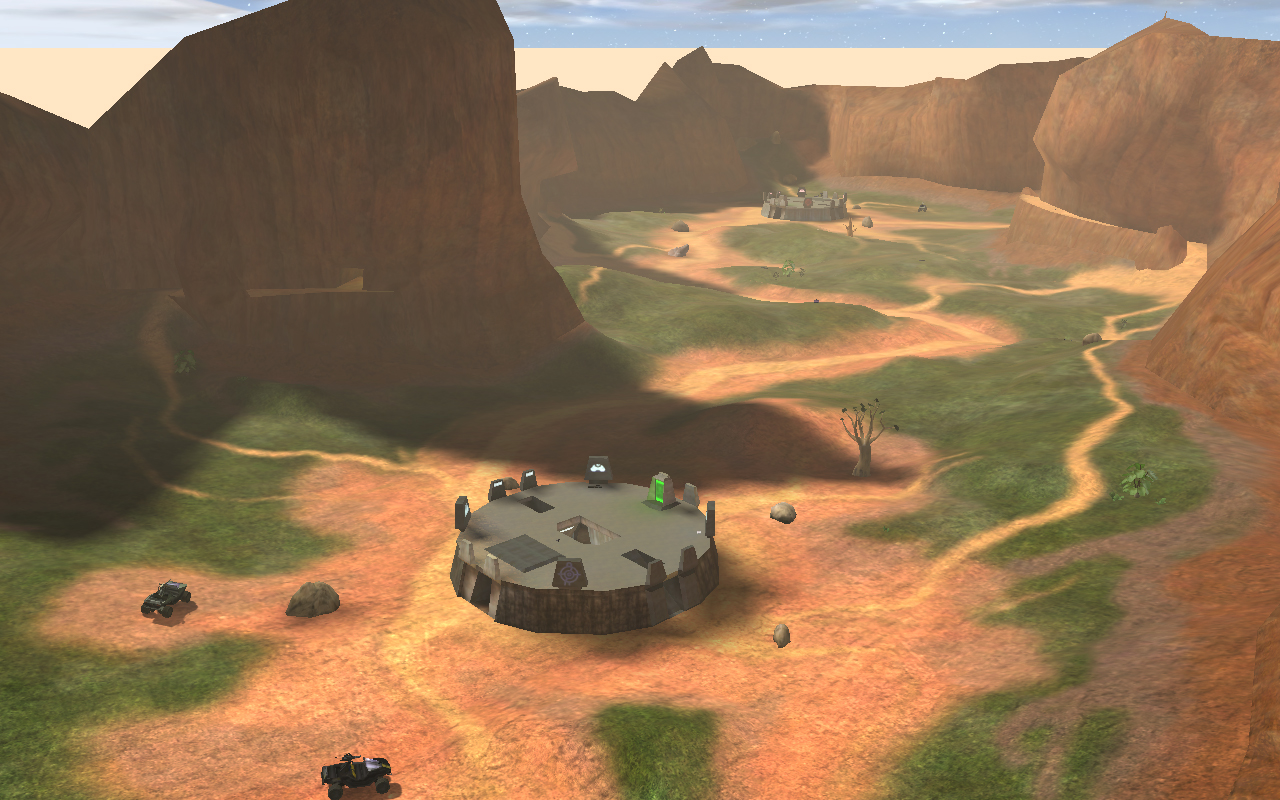
The Halo series has had no shortage of amazing maps, but Bungie arguably created their best one in the original game with Blood Gulch. The premise of the map was team deathmatch at its finest: two teams, one red and one blue, each started in a base. From there, they would use vehicles like the fast and powerful Warthog or the brutal semi-invincible Scorpion to assault the base of the enemy team, blowing them away and taking their flag. The simple team vs team dynamic of the map was the catalyst for countless LAN parties. It even spawned one of the most popular and long-lasting machinima series ever in Red vs Blue.
2. Modern Warfare 2 – Rust
There is perhaps no better saying that exemplifies the Xbox Live generation than “1v1 me rust”. Younger players may not realize that at the time of its release, Call of Duty: Modern Warfare 2 was everywhere, achieving a level of ubiquity that almost matches Fortnite today. The game was a perfect mess of imbalanced weapons and perks, and was a breeding ground for salty players screaming into their headsets. When emotions came to a head and pride was on the line, every player knew that the only map where beef could be settled was a 1v1 on Rust. Often played with snipers only, 1v1’s on Rust were a tense affair. The tiny map didn’t leave many places to hide, and any player that was able to scramble to the top of the structure in the middle found themselves at an immediate advantage. So many scores were settled here back in the day, and hopefully, the rumored Modern Warfare 2 remaster actually sees the light of day so that newer players can experience the intensity of putting your whole gaming career at stake in a single match.
1. Counter-Strike – Dust2
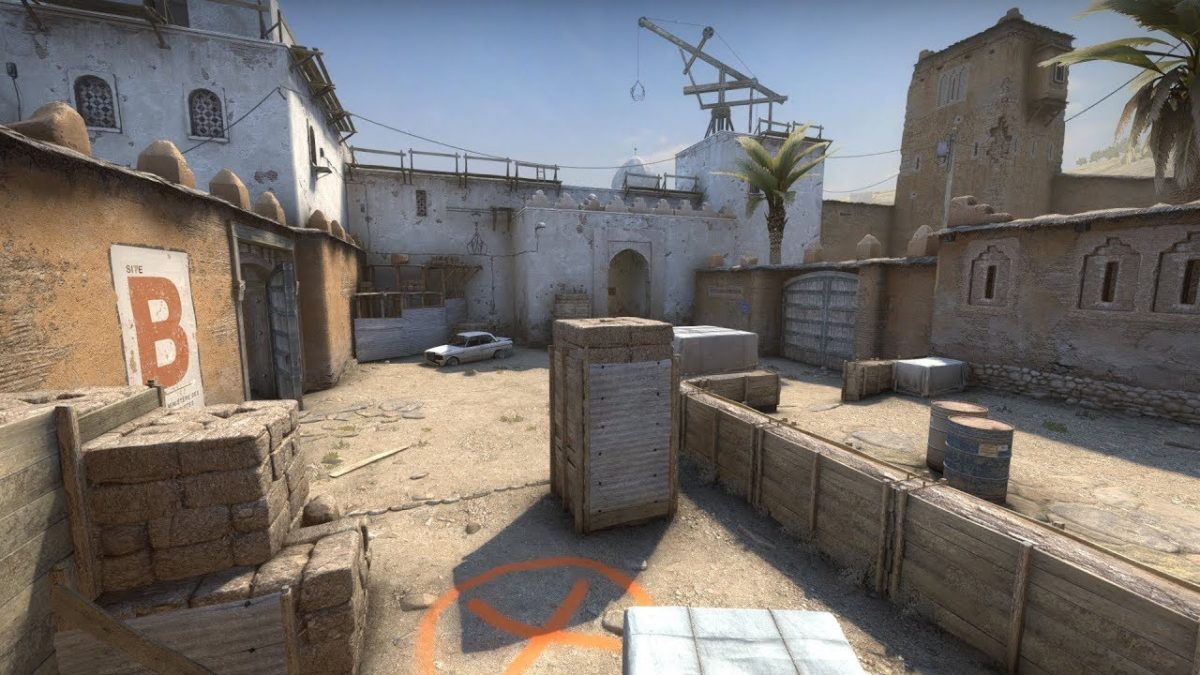
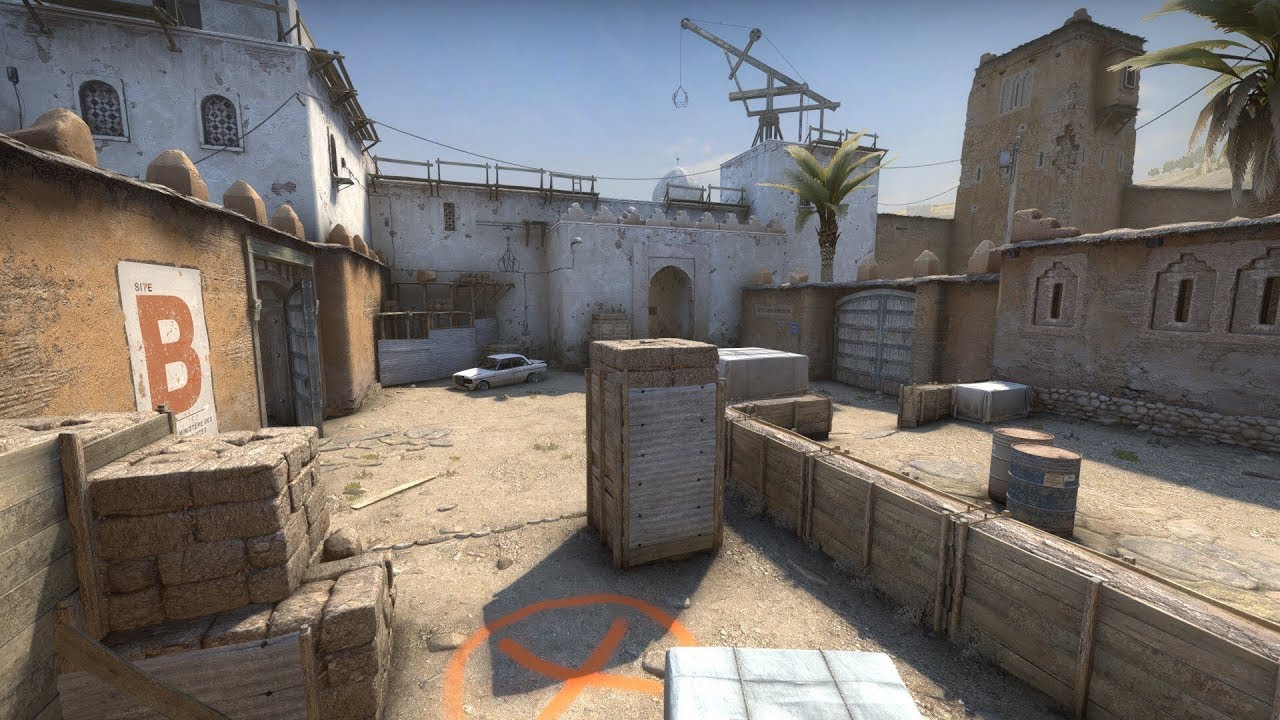
What else could it be? Counter-Strike’s dust2 is not only a masterful example of map design, but it’s one of the most well-designed levels in video game history. As the round starts, both terrorists and counter-terrorists must make a decision on which bombsite to rush. Do they split up their team between A and B? Gamble on one site and send the whole team? Cover is minimal except at the most important sites, and there are no out-of-place nooks or camping spots that feel like they’re unfair. The middle lanes of the map are high-risk, high-reward areas that lead to the best defensive spots but require a fight to push through. Feeling perfectly balanced for both teams, the map can be played thousands of times without feeling old, due to its combination of straightforwardness and mind games.
In a hurry to write down a melody playing in your head? Are you looking to transcribe a rock song for your band to cover? Or maybe you want to hammer out a melody on your MIDI keyboard and have it appear on-screen next to you?
If the answer to any of these is “yes,” then MuseScore was created for you. Not only that – it’s totally free. You can grab it here right now:
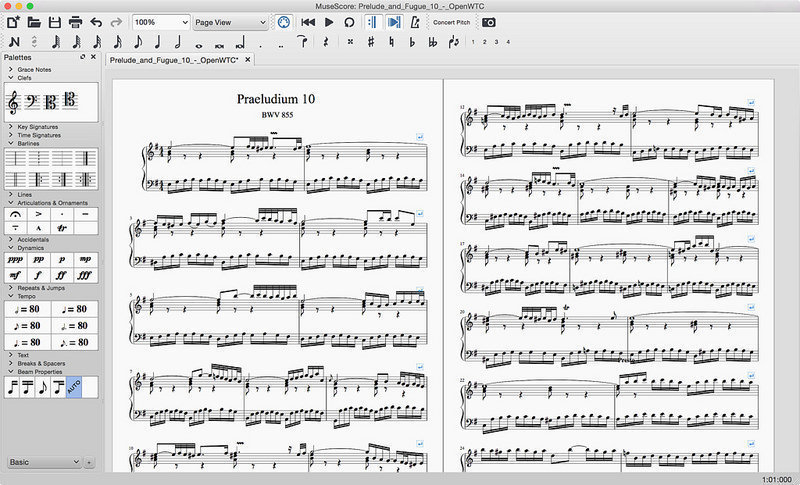
Long answer: MuseScore 2 is a score writer for Windows, Mac, and Linux – just like Finale or Sibelius – the latter of which can cost upwards of $600. Musescore 2 has practically all the bells and whistles of its more famous brothers: It transposes for you; notates for you; beams, splits, and orders measures; balances lines and complex rhythms; and even includes notation for articulations and accents. To the untrained eye, it’s tough to tell which of these two pictures is from the free program:
The only limitation here is how quickly you’ll actually be able to perform these maneuvers. The learning curve for MuseScore is steep compared to learning Sibelius, and is certainly less elegant than Finale. After our first 45 minutes, though, we found the answers to most of our questions had been right in front of our face the whole time.
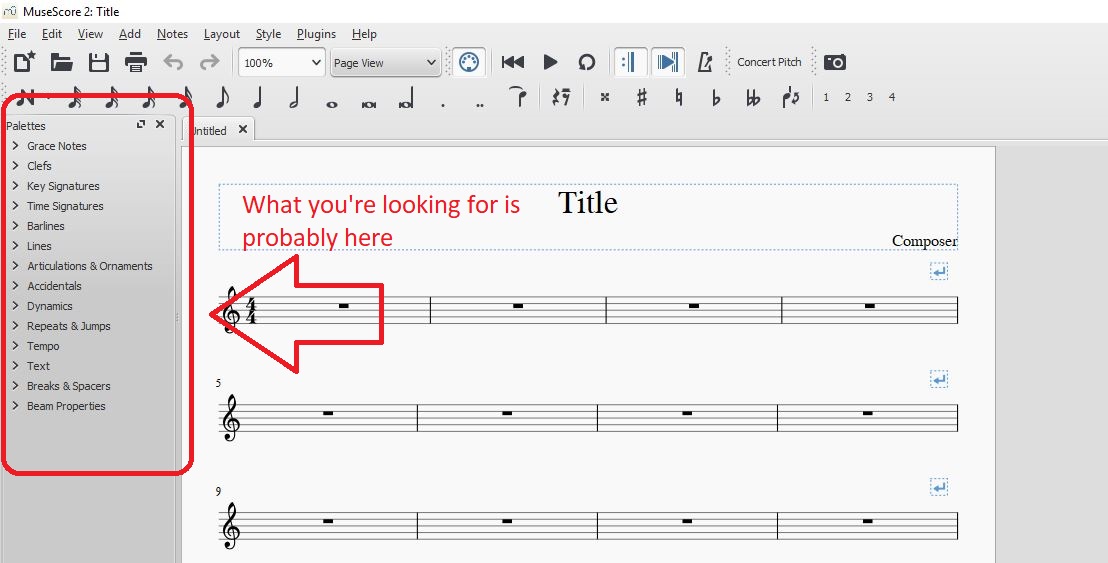
Anything that we didn’t find immediately in the main toolbar was buried under one of the tabs in the ‘palettes’ window on the left:
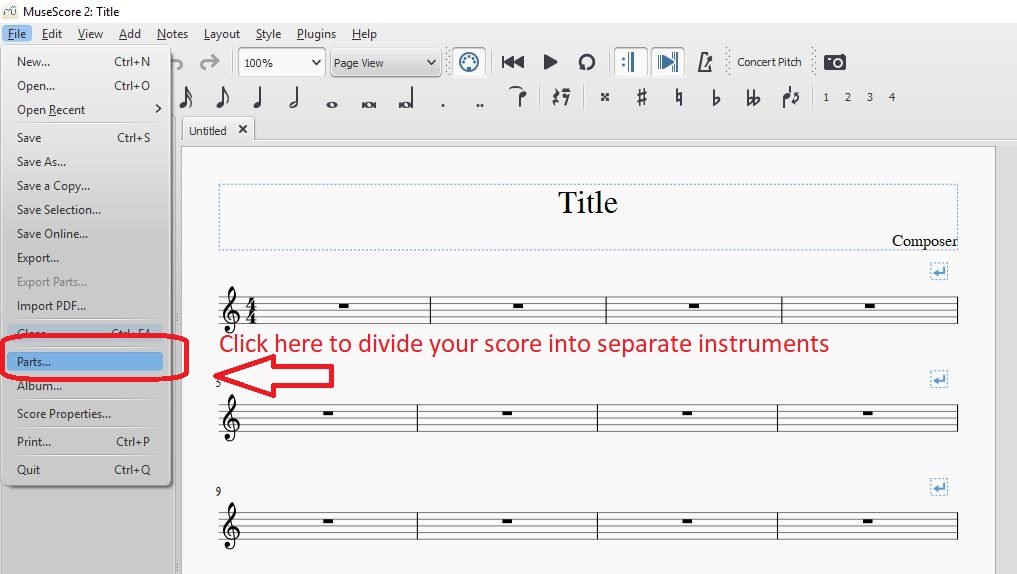
Playback options are as simple as hitting ‘play’ up top, and we were excited to find that upon completing our score, dividing it into separate instruments was as simple as clicking on ‘parts’ in the File drop-down on the top left:
What can I do with this program?
MuseScore 2 boasts a surprising variety of utilities, and really covers all the bases you can think when writing, arranging, or transcribing music. Its features include:
Add chords and lyrics to anything you write
Play a MIDI keyboard in real time and see it dictated on screen in MuseScore 2
Add, copy, repeat, or move large selections with the clipboard
Upload your audio to MuseScore.com so others can listen to your work
Reorder score tabs and add/remove brackets for accidentals
Choose to add rhythms first, pitches later (useful if you’re transcribing in a hurry)
If you want to check out MuseScore 2 in action, it’s all here in this video:
Lastly, since MuseScore2 is free, it means that musicians around the globe are already using it to transcribe and transpose music. As such, there’s a hefty catalog of free sheet music that’s been uploaded by the MuseScore community.
Definitely check this out because someone else may have already finished what you’re about to start on. Anything from this catalog can be downloaded as a .pdf, too, so you don’t even need MuseScore to access them!
https://musescore.com/hub/video_games?page=7
Give it a whirl. We’re anxious to see what you can add to MuseScore2‘s growing library!
Do you remember filling your pockets until they were heavy with quarters so you could spend an afternoon at the arcade? Probably not. Since the introduction of PC gaming, consoles, Steam, and mobile gaming there’s not much reason to go to an arcade and feed four more quarters into Frogger or Pinball. Getting schooled by Noob Saibot in the early Mortal Kombat or dying over and over again in Battletoads are rites of gaming’s ancient past…
M.A.M.E. stands for Multiple Arcade Machine Emulator, and it does exactly that. Free to download on PC and instantly available via command prompt, MAME is a massive compendium of over 7,000 arcade games from 1948 to 2017.
https://www.youtube.com/watch?v=luva0m9OKpQ
Are they all free??
Yes.
Are they all readily available??
Kind of.
While the emulator itself is free, the ROMs required for the majority of the games to run are sadly not. Disclaimer: We do not condone or encourage the purchasing of any ROMs that you do not own the rights to. Sharing them is also illegal. If you’d like to see the fine print on this, you can check out thesearticles on the subject.
So what does MAME offer that IS legal?
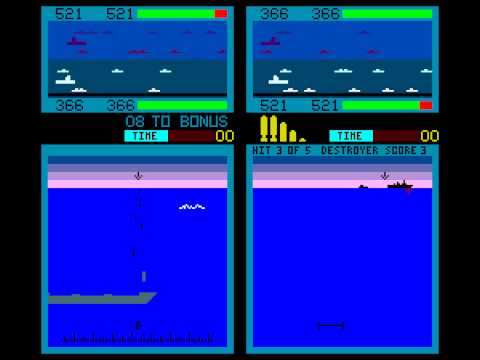
Well, you’ll have access to an awesome emulator and a handful of cool retro games like Super Tank, The Adventures of Robby Roto, Fire One and Hard Hat!
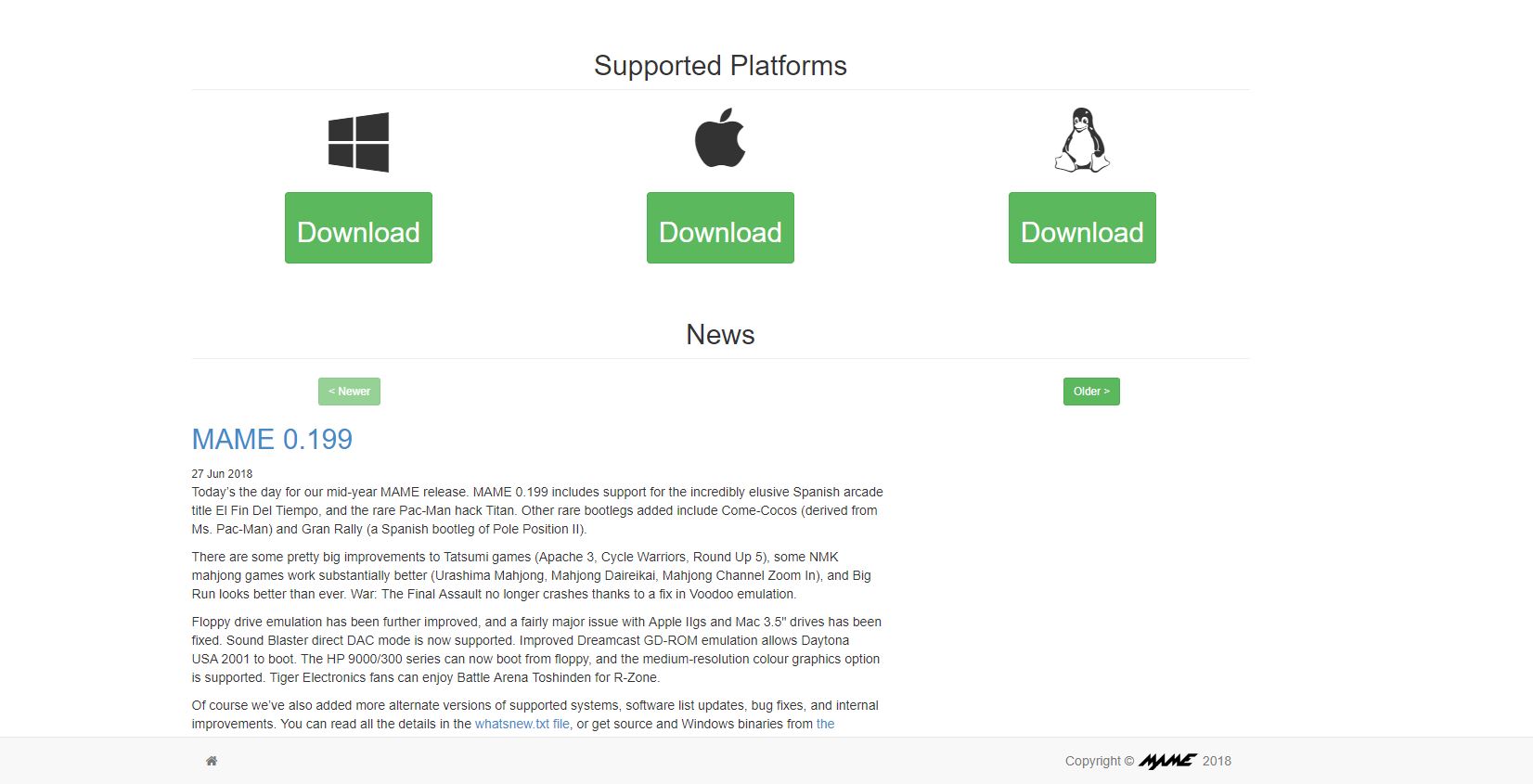
Click the above link. Once you’re, click the system you’re using. MAME is supported on the platforms pictured:
2. Choose 32-bit or 64-bit
Clicking your platform will bring you to the next page. Here you’ll need to click either the 32-bit or the 64-bit option for download.
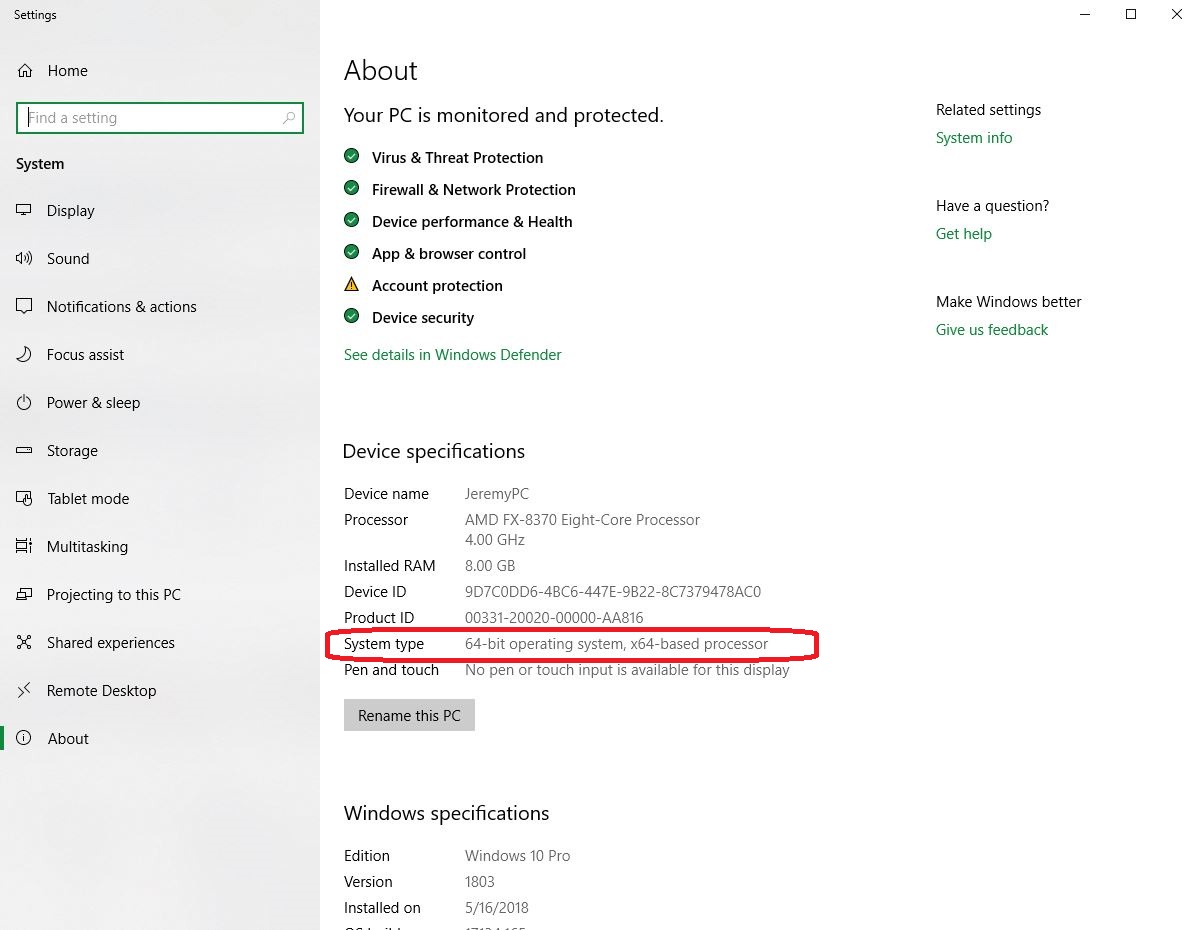
If you’re unsure which your computer is using, on PC you can click the Windows button and type “about.” Click ‘About Your PC’ at the top of the list, and it’ll take you to this page. It will list your specs there.
3. Choose where you want your folder
By default MAME downloads to your ‘downloads’ folder, but we recommend putting it in your C: drive for ease of use.
4. Download the required ROMs
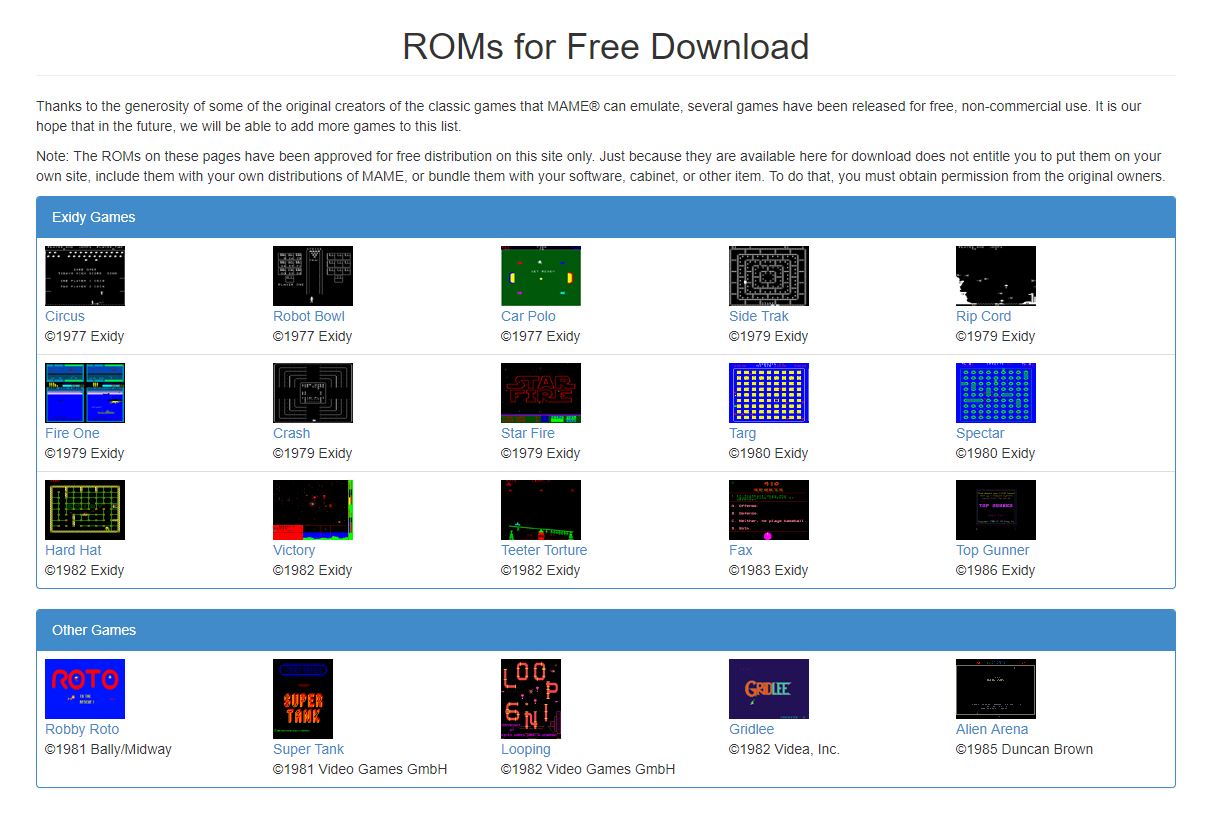
Now you’ll need some ROMs to ensure that the games work. At the top of the mamedev page click on the ‘downloads’ tab. On the dropdown click ‘ROMs.’ It’ll take you to this page:
http://mamedev.org/roms/
5. Transfer your downloaded ROMs
All the ROMs on this page are free, so if you want the easiest compatibility with the various games in MAME, we recommend you get all of them. Once you’ve downloaded them (they’re free), transfer them without unzipping them to your C:\mame\roms folder, or wherever you decided to put MAME. Now you have all the required ROMS to play the free games.
6. Open MAME
Now there are two ways to open MAME and start playing. In your MAME folder, you’ll see a mame64.exe or a mame32.exe. Double-clicking on this will open up the MAME library. Alternatively, you can bring up the command prompt (hit the windows key, then type ‘cmd’) and then type ‘cd\’ followed by ‘cd mame.’ Hit tab until you see the mame64.exe or mame32.exe, then hit enter.
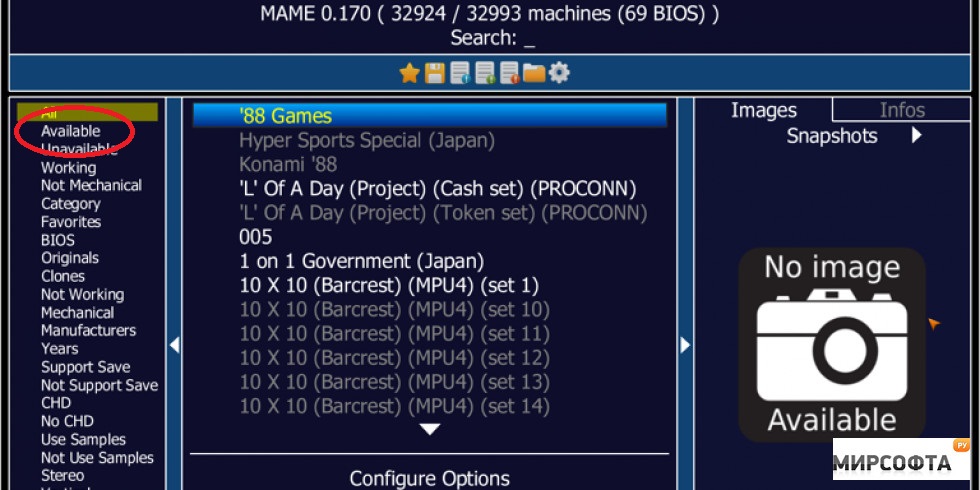
MAME’s catalog of games can be daunting at first (there are so many games)! The easiest way to find ones you can play immediately is to click the ‘available’ tab on the left of the library. From here, just scroll until you find one you like and double click to play it! You can also engage and toggle things like a gamepad if you right-click on the chosen game instead.
Playing the game
Once you’re in the game you’ll still need “quarters” to play. Press ‘5’ to “insert a quarter.”
Hooray! Infinite money!
When you’re ready, press either 1 or 2 (for two player) to start. From here, you can use the arrow keys or gamepad to move, and press ‘control’ as your primary action button. Any further controls are mapped to either alt or space bar. You can also press ‘p’ at any time to pause your game, or ‘t’ to tilt, though why you’d want to tilt the game is beyond us. Don’t ragequit, bruh.
Considering it’s massive library of playable games, downloading MAME for free is a no-brainer. Depending on your gaming background it’s a stroll down memory lane. Or maybe you’re trying to see if you’ve got what it takes to stack up to the real deal old school gamers. Download MAME now and find out!