Complete guide to iHeartRadio

IHeartRadio provides all the things we love about radio into a unique experience!

iheartradioIf you frequently listen to the radio on your way to work, you have probably heard the station’s DJ mention iHeartRadio. When you hear that name, you probably think, “Oh, it’s just an app that plays the radio. I don’t need that.”

iHeartRadio is so much more than just an app that plays the radio. You can listen to podcasts, create playlists, save your favorite stations, and more. 

The app has a smorgasbord of features that give you a customized listening experience. There is a free version and paid versions, with different options for different listening experiences as well as tools for enhancing your journey on the app. Let’s take a look!

iHeartRadio Download now ►
7

Complete guide to iHeartRadio

Learning what you like

When you first download iHeartRadio, the app will ask you what you like. You will be shown a list of music genres as well as other things to listen to like podcasts and news.
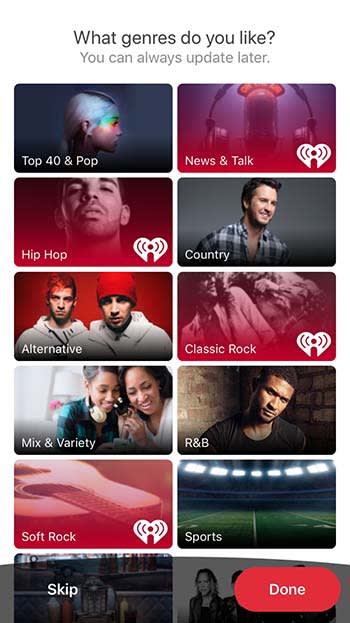
iHeartRadioOnce you choose what you like, it’s time to pick your plan.

Free vs. paid listening
iHeartRadio

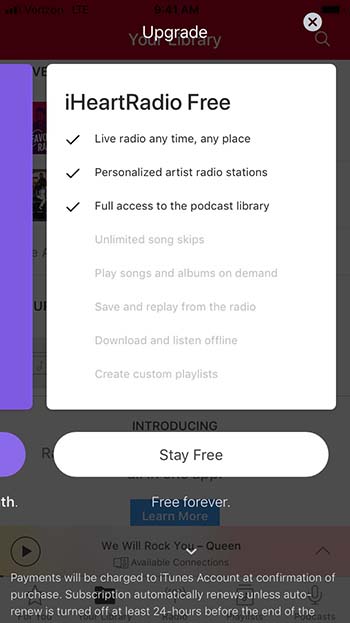
If the occasional advertisement doesn’t bother you, then there is really no reason to really go beyond the free option. That said, there are a few things that you might miss. For example, there is a limited number of times that you can skip past songs. You also can’t download and listen offline or create custom playlists. If that doesn’t matter to you, the free version is a great option.
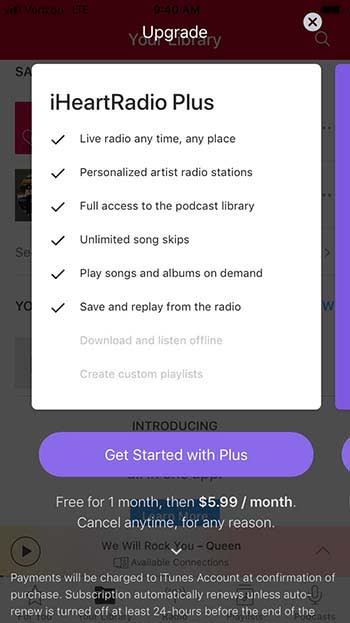
iHeartRadioIHeartRadio Plus costs $5.99 per month, but you can try it out with their one-month free trial. This version lets you skip as many songs as you want, play songs and albums on demand (like Spotify), and save and replay songs you hear on the radio.

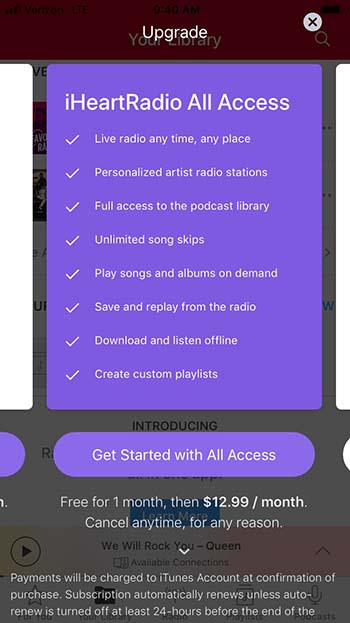
For $12.99 a month, you can get iHeartRadio All Access. It’s got everything from the previous two tiers, plus the ability to download for offline listening and the ability to create custom playlists.
iHeartRadio

Yes, you can listen to live radio

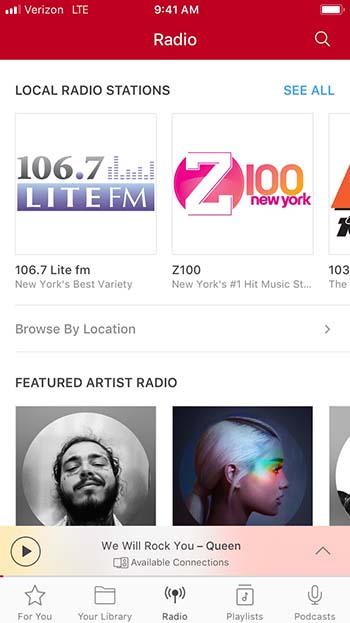
Yeah, yeah, yeah. iHeartRadio does have an option to listen to live radio. And it’s a bit more convenient then you might have anticipated.
iHeartRadio

Sure, you can listen to some of the same radio stations you listen to in your car ride to work. However, iHeartRadio has stations that solely revolve around specific artists. This is similar to something that you might find on XM radio, but that costs money; iHeartRadio is free. Are you in the mood to listen to Post Malone? IHeartRadio has an entire station dedicated to him!

Suggestions based on your interests

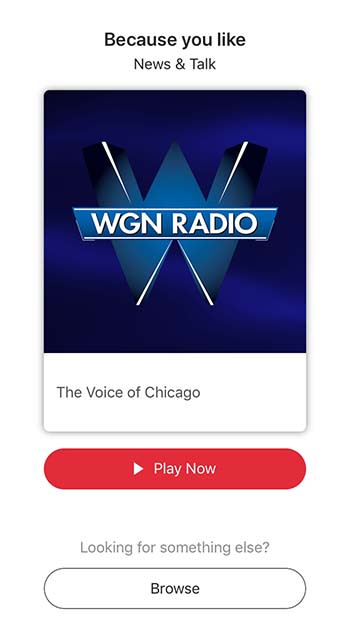
When you’re on Facebook, you’ll get friend suggestions for people you might not even know. When you’re on iHeartRadio, you get suggestions for artists and stations you will probably know and like!
iHeartRadio

You’ll get a bunch of suggestions right when you download the app, so you can start listening right away.

Create a library of your favorite music and podcasts

If you find a station that you like, you can save it in the Your Library tab. The app will also create a special station filled with songs and artists that you love listening to.
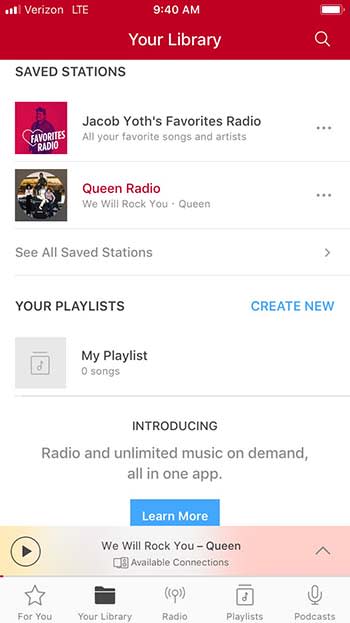
iHeartRadio Library

You can also follow podcasts and save them under the Podcasts tab.
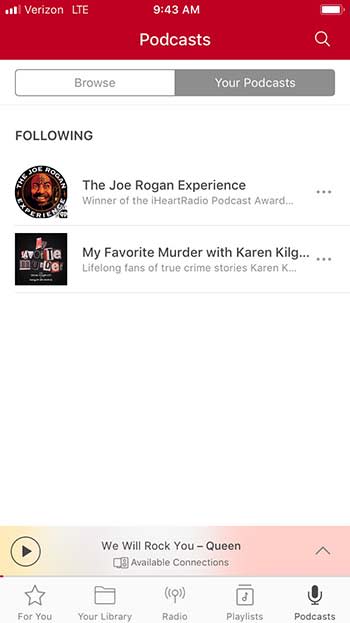
iHeartRadio

Share with your friends!

Have you ever been driving and you started listening to a song that is perfectly defining your morning? You’d love to share that song on social media, but you just can’t search for it on YouTube while you’re driving. Luckily, iHeartRadio gives you the ability to share songs, artists, podcasts, and more right from the app.
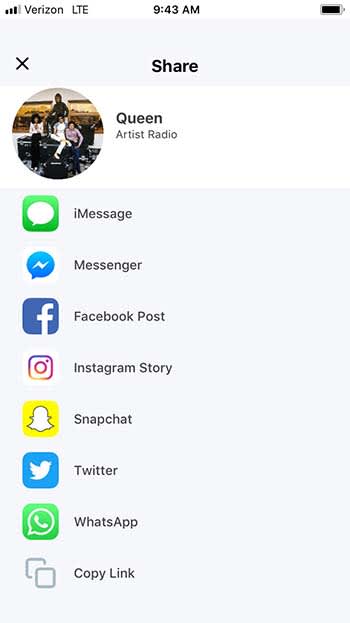
IHEARTRADIO

To make things even better, iHeartRadio gives you a ton of sharing options. Sure, you can just copy the link, but you can also share directly through Facebook, Twitter, Snapchat, Messenger, Instagram, and even WhatsApp.

Don’t forget the lyrics

It’s a small little feature, but it’s fun and worth mentioning. While listening to a song, you can click on the Lyrics tab to get a transcript of the song’s lyrics.
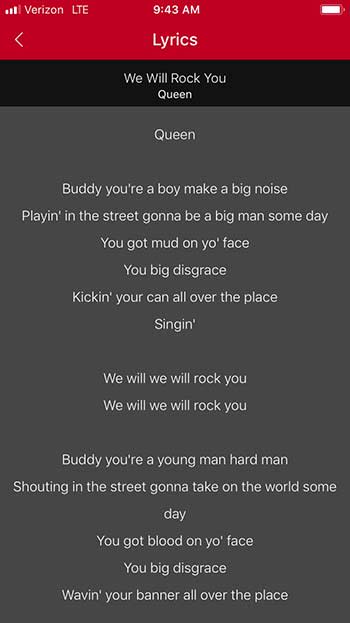
iHeartRadioThis is fun if you want to sing along with the music, or if you want to prove to your friend that Jimi Hendrix isn’t saying “Excuse me while I kiss this guy.”

Wrapping up

IHeartRadio shares a lot of the same features as Pandora, but it also has so much more. It’s truly a one-stop shop for all of your listening needs, and for the low price of free, it’s definitely worth your time.

How to learn to play guitar online for free

Want to be a rock god? Follow these tips to help get you there!

Learning to play guitar

We’ve all fantasized about being a rock star with droves of fans who worship us. There seems to only be one thing that stands in our way: actually learning how to play the guitar.

Between work, school, and our social lives, it is hard to find time to take lessons, let alone the money. However, if you are serious about learning to play the guitar, these helpful tips and tricks can potentially make you go from a novice to a master.

Who knows, if you get good enough maybe Dave Grohl will call you out onstage to play “Monkey Wrench!”

I mean it probably won’t happen, but you never know!

Starting off

Buy your guitar wisely

Even if you are serious about learning how to play the guitar, we highly advise buying an expensive first guitar. You can avoid the $5,000 Gibson and settle for the $85 starter package you can buy on Amazon. Most places that sell guitars offer a guitar, amp, picks, case, strap and a tuner for less than $100, so shop smart!

You do this for the same reason you don’t get a teen a Lamborghini for their first car: wear and tear. You simply don’t know how to properly care for your new axe yet, so it’s best to start off as cheap as possible so you’re not making an expensive mistake. Also, if you give up halfway, that $5,000 guitar is suddenly a very expensive conversation piece.

What you need to buy

If you’re just starting off, there’s a bunch of things you will need to get going. However, don’t get suckered into buying a bunch of junk that will just take up space, or stuff that’s overpriced.

What you need:

  • Picks: If you’re spending more than 50 cents per pick, you’re being ripped off. Also, just because a pick looks cool doesn’t mean you should buy it. Think about it: your pick is sandwiched between your fingers and is hidden behind your palm when you’re playing. Who is even gonna see it?
  • A strap: If you want to ever perform for people, you are going to do it while standing up. If you try to play standing up without a strap, you are going to drop your guitar and potentially ruin it. Get yourself a simple strap that doesn’t look too complicated. Remember, if you can’t figure out how to put the strap on then you can’t keep your guitar safe. This should cost about $5 for your basic strap, but no more expensive than $20 if you want something a bit more stylish.
  • Amp/chords: You should buy a package that includes an amp with your guitar. However, if you want something that’s a bit nicer, you can get a decent amp that won’t break the bank. For your first amp, don’t spend more than $100. Also, make sure whatever you buy comes with an amp chord and overdrive settings. Overdrive is basically a distorted tone you hear in some songs. Later on, you can buy pedals that will give your guitar more unique sounds, but don’t worry about those in the beginning stage.
  • Strings: The first thing you should do when you get your new guitar is to buy new strings. Often, guitar manufacturers will slap cheap strings on mass-produced guitars that will break almost immediately. Also, if you bought your guitar off the showroom floor at a guitar store, there’s a good chance that many other people played on those strings. Strings shouldn’t cost more than $10-$15 and should be replaced every few months or as needed.
  • A capo: A capo holds down an entire fret for you. Basically, if a song is basically a series of the same barre chord, or if you need to play the whole song an octave higher, a capo really comes in handy. Again, you should only pay about $10 for this one.
  • A case: First off, always buy your guitar case from the same place you bought your guitar. If you don’t then you will have no idea whether or not your guitar will fit inside. You can always try to wing it and buy a one-size-fits-all case, but you may end up buying something overly baggy that won’t protect your guitar.  Get yourself a canvas case with a strap so you can easily throw it on your back. Expect to pay around $20.
  • A stand: You can’t just let your guitar lean up against the wall; that’s how they fall and snap their necks. Dish out the extra $10 and buy a stand to keep it safe. 
  • A tuner: Even the most experienced musicians have trouble tuning by ear, so don’t think you can do it right out of the gate. Instead, you need to get yourself a tuner. However, here you have the option of getting one for free! Download our free guitar tuner app below!
Free Guitar Tuner Download Free ►
7

Have an idea of what you want to play

Finally, you need to ask yourself what kind of music you want to play. This can help you decide what kind of guitar you should eventually buy, what kind of pedals, what kind of amp, and also what songs you should learn to play.

You don’t need to buy yourself a “My First Guitar” songbook. There are plenty of hit songs that you can learn online for free that are easy to learn.

Ask yourself, would you rather jam out to “Stairway to Heaven” or “The Grumpy Snail?”

How to learn to play guitar online for free

Tutorial videos

Online guitar lessons

Sure, there are online lessons you can pay to view, but there are also a ton of free options on YouTube.

From learning to play chords, learning how to change strings, to learning how to play a few easy songs, there’s a lot of resources.

8

Videos you should watch

Just to get you started, the following videos are ones you should watch when first learning how to play guitar.

Your first chords

This video does a good job of teaching you a few starting chords before you start to learn full songs. Once you master these few chords, you are then ready to start moving on to some more intermediate ones.

Learn to play House of the Rising Sun

Weirdly enough, “House of the Rising Sun” by The Animals is an extremely popular first guitar song. It’s a very easy-to-play song with basic chords, so you don’t have to worry about anything too intermediate. Master this song and you’ll soon be the envy of the block.

Play with songs playlists

If you ever want to play in a band, you need to learn how to keep up with others. Luckily, there’s a YouTube playlist that has songs with a wide range of difficulty and with guitar chords scrolling across the screen! Now, you can play along with the studio recording of your favorite songs! As an added bonus, this will make you feel like a real star as you play along with legends like Neil Young and Lionel Richie!

Learning tabs

Guitar tabs

If you want to learn a specific song, Ultimate Guitar has more than one million songs tabbed out for you. There are premium options that cost money, but many songs do have user-submitted tabs that can be viewed for free. Ultimate Guitar also has an app, but it does cost money.

Ultimate Guitar Tab & Chords Download now ►
7

If you don’t want to sift through the premium and non-premium options, Guitar Tab Universe is completely free. The catalog of songs is not as extensive as Ultimate Guitar’s, but it is still extensive.

Wrapping up

Chances are you’re not going to be the next Jimi Hendrix. However, learning to play the guitar is very rewarding and can lead to you making strong friendships. Who knows, maybe you will end up forming a band and playing on stage! Regardless of where this journey takes you, these tips can help get you where you need to be.

Apple kills iTunes

Apple will remove iTunes later this year and will replace it with new apps for music, TV, and podcasts.

iTunes

Apple will be announced the end of iTunes at today’s WWDC. At nearly 20 years old, iTunes has remained a necessary service for many users.

What am I going to do?

ITunes babies

After being the go-to Music app for years, iTunes has been divided into a new app trinity: Apple Music, Apple Podcast, and Apple TV.

If you used iTunes to sync your music to your iPhone, do not worry. You can still sync your music to your iPhone through Apple Music.

In case you want to find a podcast but you don’t remember the name of it, Apple Podcast has a feature that allows you to find podcasts based its content.

Apple TV has 4K HDR playback support, and also features your channel subscriptions similar to Prime Video.

Apple Music is expected to have a feature that allows users to buy digital songs. However, Apple is rumored to stop having users download mp3s altogether in favor of a music subscription product.

Wrapping up

iTunes was a landmark product for Apple for years. It helped drive the sales for nearly half a billion iPods. The departure of iTunes signifies the end of an era, and that Apple is ready to jump into the next generation of music.

Discover free sheet music with Musescore

Looking for sheet music? This site has you covered… for free!

MouseMuseLearning an instrument is a difficult but rewarding experience, and we believe finding great, inspiring sheet music for your journey should be as easy as possible!


While there are admittedly great ways to purchase sheet music or anthologies of classical scores, we’d like to recommend one great location to find high-quality music assembled and rated by users like you!

Join the community and…

Discover free sheet music with Musescore

Why MuseScore?

Muse

There are many other websites with free sheet music, so why this one?

There are numerous answers to that. For now, here’s a quick list:

First, MuseScore has an intuitive interface and well-designed website that makes creating an account, searching for music, and practicing your songs easier, thanks to many powerful tools.

Second, the website has almost every song imaginable: classical songs, modern TV and video game soundtracks, 80s rock tunes, the works. If you can think of it, someone else probably wanted to play it already and developed sheet music on this site. Search around, give it a try!

Finally, we love the community. They review music so you can choose the best version of your score, whether it’s “Megalovania” from “Undertale” or “One Summer’s Day” from “Spirited Away.” Even better, they’re generally supportive; the most negative comments we’ve seen are constructive posts recommending alterations to improve a score.

At this time, nothing else can match Musescore! Let’s dive in.

Introduction

HomeWelcome to MuseScore! Right now, we’re looking at the “Browse” page, which we firmly believe is the real main page. Here, you can most easily begin searching for your next project.

However, quickly look over the other important links. “Community” holds hundreds of discussion on musical topics. “Upload” allows you to enter your own script works, which is likely why it’s located next to the Notification and Profile buttons. Keep those in mind!

(We recommend creating a profile. It allows you to save as many favorite tracks as you want for later.)

Exploring for Music

You can easily “search” for music on MuseScore, but the “explore” describes the process far better: voyage into a sea of new possibilities!

1. The search bar

SearchKnow the name of your song? Type it in and search. MuseScore will pull up the top result, reviewed and approved by many other musicians, along with even more relevant options.
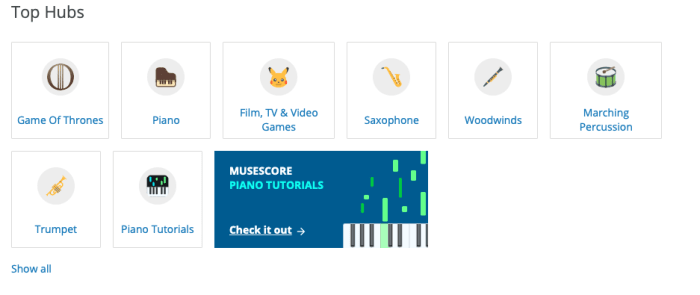
2. Top Hubs

HubsFeeling a bit adventurous? Great! The Top Hubs show the most popular locations for music searches. As you can see, “Game of Thrones” currently tops the charts, likely because of G.O.T. Season 8.
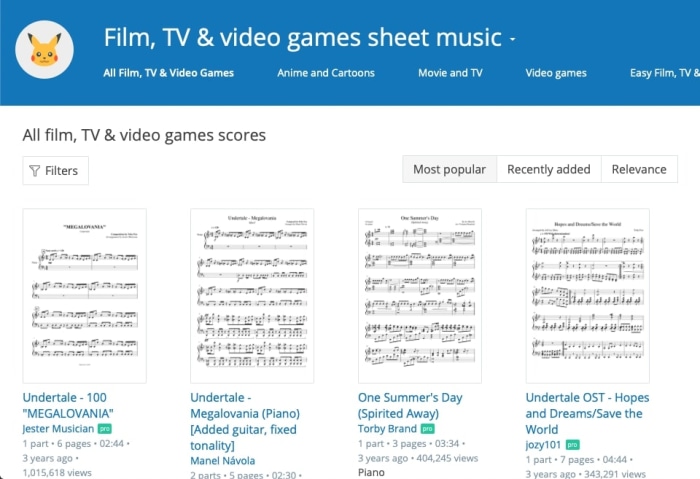
Frankly, we love this feature. Music, like many other types of art, has dull moments of indecision over where to begin next, the same feeling one gets when holding a pencil over a blank sheet of paper. Here, those feeling can be destroyed with a few refreshing minutes perusing the highest rated tracks in Piano, Trumpet, Film, TV & Video Games, or more!

Know what makes this even better?

Within every hub, there are even more options to narrow down the search! Check out the most popular, or recently added files. Among the “Film, TV & Video Game” section, you can see there are hub-specific filters for Anime and Cartoons, Movie and TV, or Video Games.
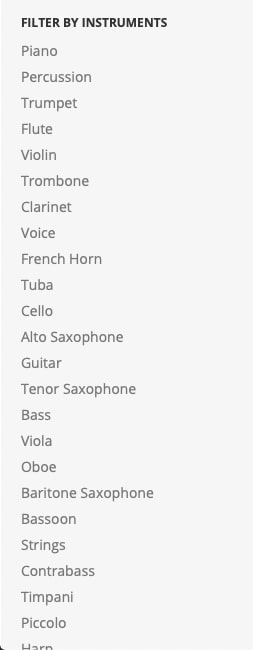
KEY NOTE: every hub will have a section for Easy sheet music. Newbies rejoice! You can find starter-level pieces lickety-split.

3. From the top

If you don’t have a preference for any of the main hubs, fear not! There are other ways of finding great music…

At the main “Browse” page, you can filter through the entire MuseScore library with a number of tools. For example, there’s an option to choose your instrument:

ListLook at that list! So many options. So many instruments.
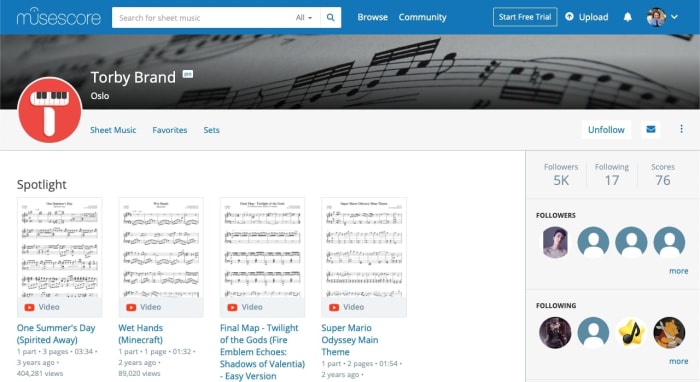
The full list of filter options goes: sort by (upload date, comment count, view count), instruments, number of instruments, artist, and even license type (available to modify commercially, use commercially, share, and use personally). These are powerful tools!

If you’re feeling unsure or simply want to see the full range of options, MuseScore has plenty of choices.

4. Search by user

TorbyFinally, you may be surprised by how many dedicated MuseScore users have dedicated themselves to bringing great sheet music to others. In the photo above, we used Torby Brand as an example. Brand created excellent scores for some of our favorite games and shows, from “Attack on Titan” to “How to Train Your Dragon.”
While this may not be the go-to method of searching for first-timers, you may begin to notice familiar names while searching for new music. Thanks to these hardworking individuals, we have even more great options! You may want to follow their page and leave a nice comment.

The Music

Music

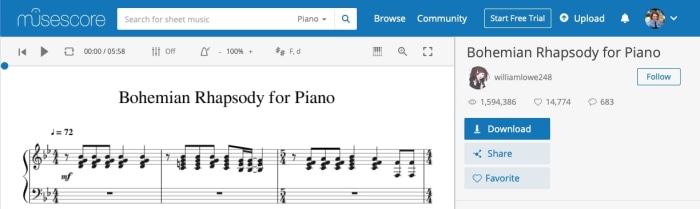
Finally! You’ve found the perfect song. Let’s say it’s “Bohemian Rhapsody for Piano,” currently the most popular piano song on MuseScore.

At the top left, you have the playback options: listen to the song’s audio (digitally created from the score), loop a particular section, bring a metronome into the mix, choose your key, and more! Honestly, we just like to listen to the track sometimes, but this window has great potential for studying as well.

In the right bar, check out the important information. Download sheet music for printing, share it on social media, add it to your favorites, check the community stats, and find the user that uploaded the track. Also, while it isn’t shown here, the right bar scrolls down to a comments section, where you can leave your support and suggestions:

Conclusion

Wherever you’re at on your journey, we promise MuseScore has something for you. How are we so sure? Because MuseScore has all the things!

We hope you find what you’re looking for here. Enjoy!

Spotify testing Instagram-like stories feature

Spotify’s new Storyline feature allows artists to share both insight and their creative process.

Spotify feature

Spotify is testing a new feature similar to Instagram’s “Stories” feature, according to an article from TechCrunch.

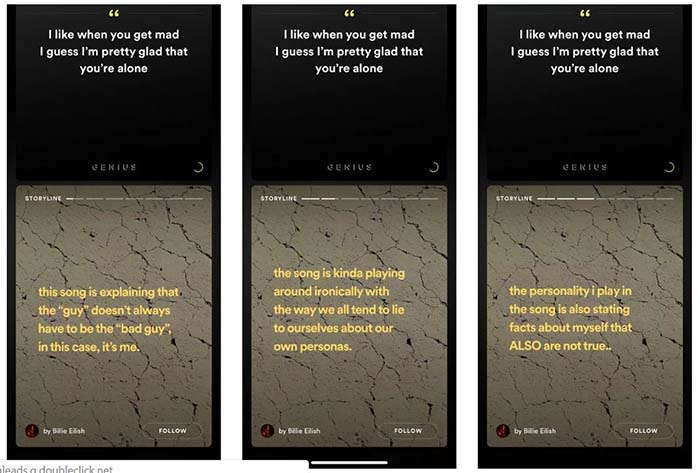
The new feature, called “Storyline,” will allow artists to share their insights into the creative process of their music.

Spotify Storyline
Source: Thomas Ricker / The Verge

For example, if T-Pain releases a new album, he can go into the deeper meaning behind his songs in Storyline. Users could sift from segment to segment in Storyline to the parts they want to see. Each part of the Storyline would be static text and video.

8

“We are always testing new ways to create better experiences for more users,” a spokesperson said in a statement to TechCrunch. The spokesperson confirmed that Storyline is being tested.

Spotify does already have a feature that shows the lyrics of a song, and some of the insight behind them. 

However, the feature was known to be incorrect at times. In one case, Hayley Williams from Paramore tweeted at Spotify to correct “outdated facts” in one of her band’s songs.

Right now, there is no set release date. Also, none of the testers are in the U.S. However, the new feature would give Spotify original content, which users have noted is lacking on the app. Reddit users have spotted the feature on songs from the Jonas Brothers and Billie Elish. 

How to submit your podcast to Stitcher

Stitcher can be the tool that takes your podcast to the next level.

Making a podcast

So, you’ve created a podcast poised to become the next big thing in true crime, pop-culture, or something new altogether.

Now, you’re thinking distribution, expansion, and the ability to monetize.

Your next move is to submit your podcast to a few platforms. Think Apple, Google Play, Spotify, and of course, Stitcher.

Stitcher Download now ►
9

Below, we’ll look at what it takes to get your podcast on to the popular platform. Although, standing out in a sea of aspiring podcasters may well be another story for another time.

How to get your podcast on Stitcher

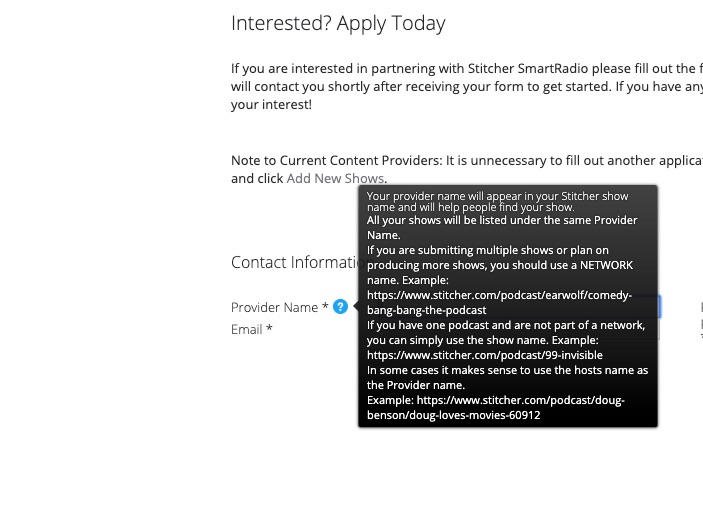
Getting your podcast on Stitcher is relatively easy. All you’ll need to do is head over to the official website, and create a content provider profile.

apply to be a stitcher content creator

Once you’ve created a login, click the “Add Shows” tab in the top navigation.

Add your RSS feed, show details, and hit submit.

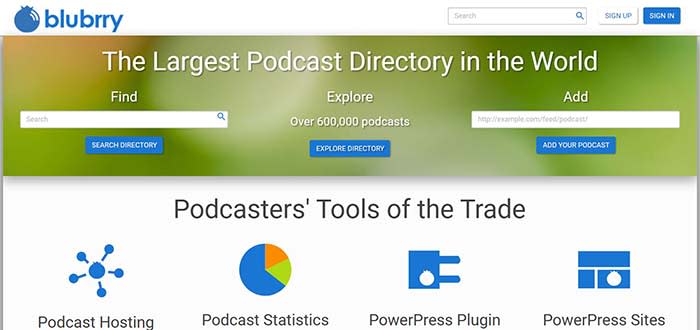
That said, there’s more to it than adding your RSS link. To find your RSS link, you’ll need to go to your podcast hosting platform — BluBrry, Spreaker, Libsyn, etc. From there, you can get the link.

Adding your link will provide Stitcher with your podcast’s metadata, but you can customize further once you’ve connected your episodes.

BluBrry

You can add a description that lets your audience know what each episode is about. This is better than lumping everything together under one umbrella description.

You’ll need to make sure you have a unique podcast title — hopefully, you’ve done this before you hit the record button the first time. However, we’d advise double checking that no one else is already using the name of your show.

You’ll also need to make sure your podcast artwork is 1,400 x 1,400 pixels, and in either PNG or JPG file format. Also, audio files must be in MP3 or M4a format.

Once all of those components are in place, you’ll just kick back and wait for approval.

Free MP4 MP3 Converter Download now ►
7

We should also mention that adding your show doesn’t mean you have a blanket approval for all future episodes. Stitcher manually approves each episode and can take up to a week to approve each show.

Keep that in mind if you’re posting on a regular schedule, as fans will expect shows to drop at a specific time each week.

What’s the deal with Stitcher approval times?

Stitcher

Good question. The Stitcher website isn’t especially forthcoming about who gets approved, and why, at least not at first glance.

According to a user on Reddit’s r/podcasting, Stitcher takes about an hour to approve content creator applications.

In that same thread, a few users mention that Apple Podcasts can take up to two weeks to grant their approval. Other platforms like Spotify and Google Play take a few hours.

8

Now, this is all anecdotal. It’s worth pointing out that approval times might vary based on factors such as listenership or whether you’ve submitted the requested information correctly.

After the initial approval, the platform may take a few days to approve each episode. So, you might want to front-load your content in order to make sure you can schedule regular drops.

Can you make money on Stitcher?

Make money on a podcast

Yes, but Stitcher won’t pay you outright. The whole purpose of Stitcher is to help you extend your reach to more listeners. However, you’ll need to establish partnerships with advertisers on your own.

According to the platform’s Content Provider page, podcasters who can grow a larger audience may be eligible to participate in the platform’s revenue sharing program.

But, if you’re just starting out, your best bet is to work on growing your audience on your own.

Promoting a podcast can turn into a full-time effort, just like any form of marketing.

Again, Stitcher isn’t the only place where you can submit your podcast. For best results, you should submit your podcast to Apple, Spotify, Google. From there, promote your podcast like crazy on social media.

Apple Music: pros and cons

Is Apple Music worth the price, or should you give it a hard pass

Apple MusicAfter reaching 40 million downloads for Android users, Apple Music is not slowing down. The app serves up a library of 50 million songs, along with music videos and news.

We have a plethora of music-streaming apps to choose from, each with varying prices and features. So is Apple Music worth your hard-earned dollar? We collected the main pros and cons of Apple Music so you can decide whether or not it deserves a home on your device.

Pros and cons of Apple Music

Pro: It has a 90-day free trial

Apple Music Free Trial

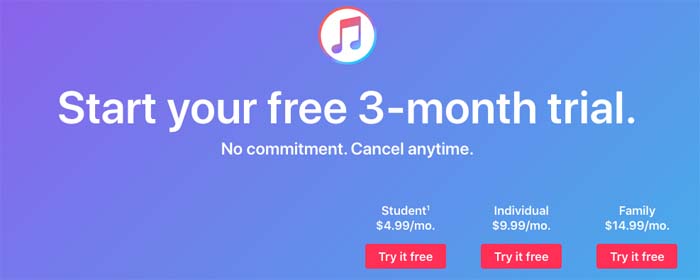
Surpassing Spotify Premium by a full month, Apple Music offers users a free three-month trial to first-time users. You get to use the app in its entirety during your free trial, so you can be sure you are getting the full experience.

Apple Music Download Now ►
7

Con: The white screen of death

Apple Music on phone

With most new apps, there tend to be a few hiccups that come to light soon after launch. Since Apple Music has been around since 2015, it’s odd that issues still remain. Users often find themselves staring at a stale, white screen as the app stops working. To make matters worse, troubleshooting hasn’t been fixing the issue. The app is in desperate need of an update to fix these issues, or, at least, to improve the troubleshooting.

Pro: It is reasonably priced, and has a student plan

Apple Music payment plans

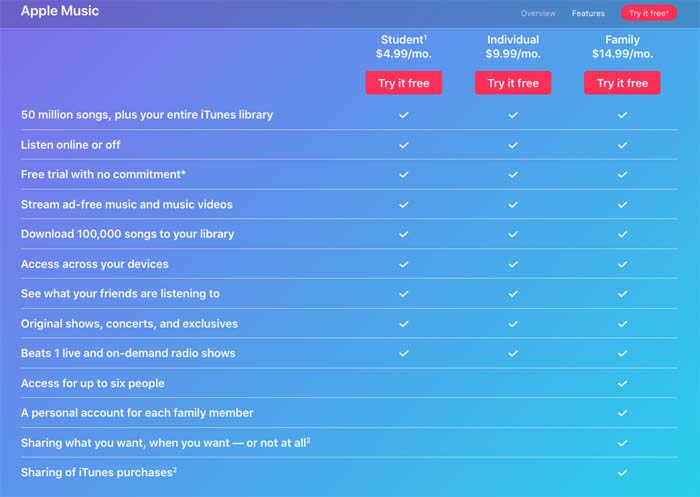
Most music-streaming services hover around the $9.99 to $12.99 per month price range. Apple Music charges $9.99 per month for its ad-free services, and also offers a student plan, which costs only $4.99 per month.

Con: You can’t listen to podcasts

Podcast symbol on phone

Whether you are listening to “My Favorite Murder” during your morning commute or tuning into “Stuff You Should Know” while at the gym, podcasts have become part of our daily routines. Unfortunately, Apple Music has not gotten that memo as we are not able to stream our favorite podcasts through the app. We can listen to podcasts via iTunes, but the fact that this service isn’t streamlined into a single app like Spotify is a bit absurd.

8

Pro: You can avoid burning data

Burning data

If you stream music daily as many of us do, you can burn through about half a gig in a day pretty easily. As this adds up over time along with everything else you do with your phone or smart device, the ability to listen to music offline is necessary. Apple Music offers a feature where you can download music while online for no additional cost, and then listen to tracks while offline. You can also create playlists with your downloaded tracks while offline.

Downloading tracks takes a matter of seconds, so you can easily spend a few minutes downloading songs, and then spend the rest of the day listening to music while offline.

Con: Hazardous updates

Phone frustration

Snapchat is a prime example of how one bad update can make many of your users uninstall the app. Apple Music has done this numerous times with updates that removed beloved features such as the “play later” feature, and updates that consequently made the app more laggy, or just not work altogether.

8

MySpace loses over 50 million songs

Remember MySpace? It just deleted a massive part of internet history.

MySpace

MySpace released a statement saying that all songs, photos, and videos uploaded more than three years ago have been lost, amounting to 12 years of lost content and over 50 million deleted songs from 14 million artists. The loss was the result of a failed “server migration project.” In one of the most understated responses in corporate history, MySpace has said that they “apologize for any inconvenience.”

In the early-2000s, MySpace was the world’s biggest social media network. Founded in 2003, the site exploded in popularity, beating Google as the internet’s most visited site in 2006.

Though the site is obviously nowhere near that in popularity today, the platform played an instrumental role in popularizing modern online music distribution. Through MySpace, artists and their fans could interact with each other directly, without having to go through any corporate middlemen. In the age of Twitter, this may seem mundane, but back then the idea of sharing a platform with your favorite artist was novel and exciting. Artists self-promoted their own image and music in what was seen as a large scale extension of the underground, DIY scene. With social media like MySpace, the playing field between major label artists and underground acts was leveled, something that remains true today with platforms like Soundcloud, YouTube, and Bandcamp.

Several popular artists of the early 2000s including Arctic Monkeys, Hollywood Undead, Owl City, and Sean Kingston first gained popularity through MySpace. As the 2000s raged on, MySpace was dethroned by the massive launch of Facebook, a service originally available only to college students. After losing the mainstream social media battle to Zuckerberg, MySpace rebranded in 2011 to focus on its strength: music. The website was purchased by none other than Justin Timberlake and would go on to change hands over the next few years.

MySpace’s data loss is a loss for modern music history. The website offered a fascinating look into the beginnings of today’s online musical landscape. It’s baffling that a website that has done little more than exist for the past 10 years can completely destroy their legacy in just one move. For this, Tom, we will never forgive you. It’s finally time to unfriend.

6 best sites to find royalty-free audio

Need some free music for your project? Here it is!

Music

Receiving a copyright claim can be terrifying, especially for small independent creators who have worked hard on a project, only to have it taken away from them due to using audio they didn’t own. It can be incredibly confusing to figure out what music you can actually use for your projects, since it may seem like all songs are available to you if you paid for them. While you may be able to listen to any song without copyright repercussion, you’ll have to double check the royalties of a song if you want to use it in a YouTube video or a work project. Thankfully, there are dozens of sites that provide royalty-free audio that anyone can use without ever fearing a copyright claim against them. While some royalty-free music does come with a stipulation (the creator of the song you’re using may require you to credit them somewhere in your work), you won’t have to pay a dime to anyone. Here are some great sites to check out in order to find music and audio clips that are royalty-free.

Best places to find free music, sounds, and other audio

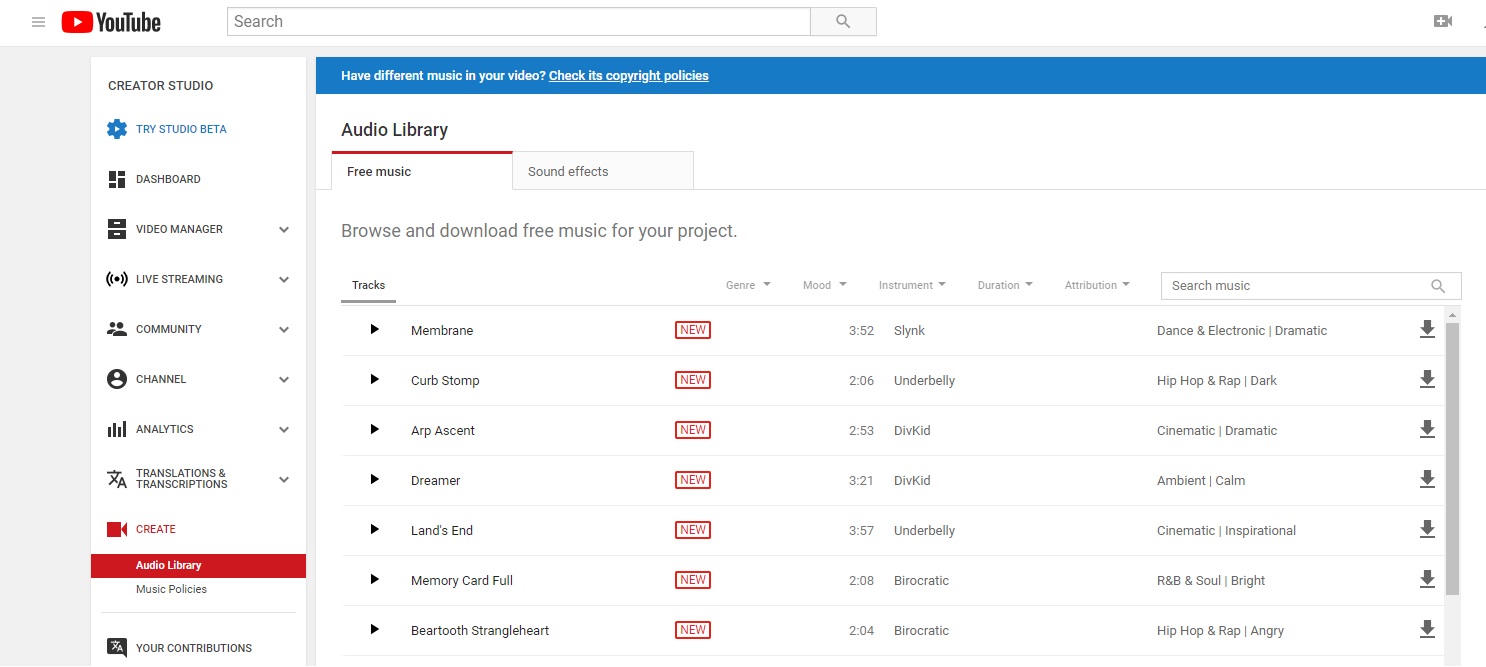
YouTube Audio Library

YouTube Audio Library

YouTube has really gotten serious about removing videos that feature copyright audio in them over the past few years. As a way to discourage the use of copyrighted music, they’ve created their own catalog of royalty-free audio clips and music. While some require attribution, they are all completely free, and you can easily see which ones require you to credit the artist. You’ll also be happy to know that all of these clips can be downloaded for offline use in addition to their original purpose for being used in YouTube content.

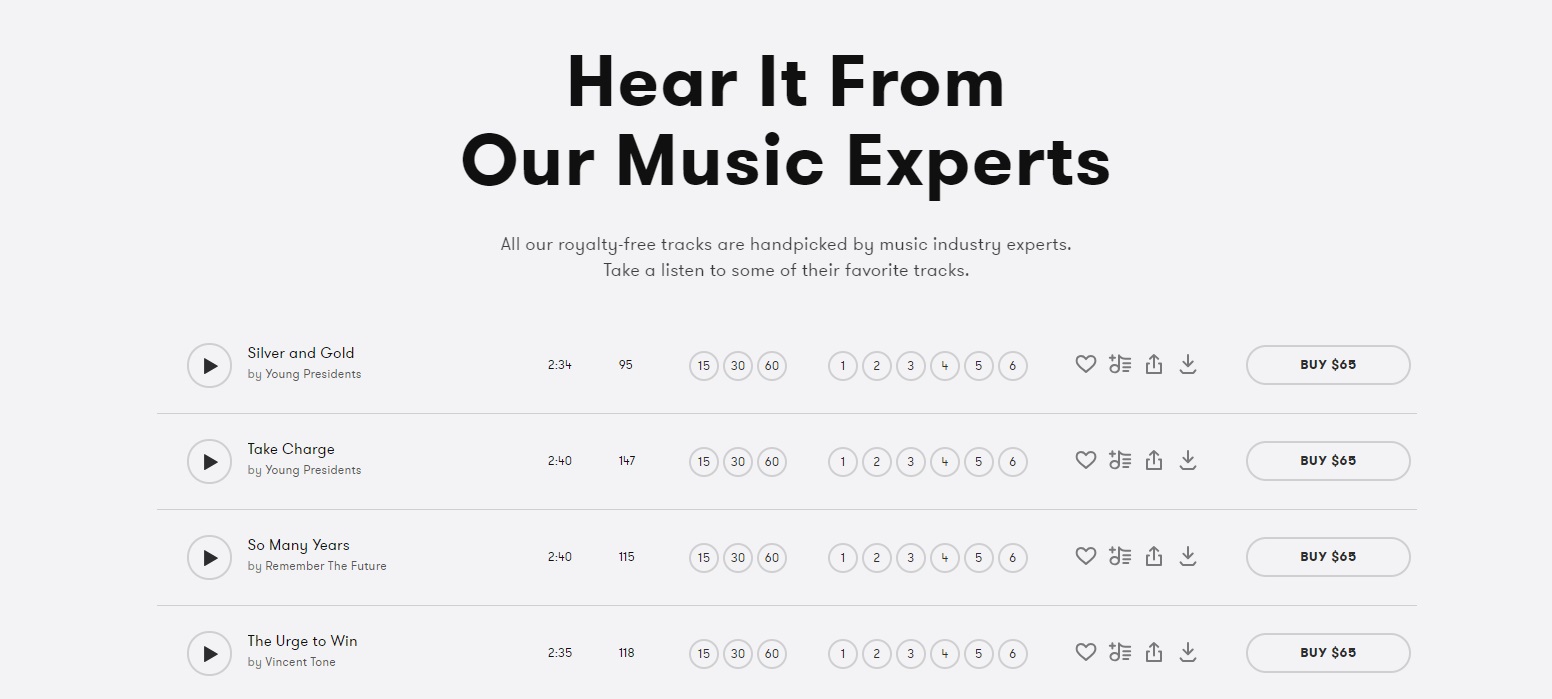
PremiumBeat

PremiumBeat

PremiumBeat is a subsidiary to one of the largest stock images sites on the web (Shutterstock), so it’s no surprise that it’s one of the most popular sites for finding stock audio. Some of their prices are a little high, but their selection of royalty-free music is probably the largest you’ll ever find. They also have curated most of the music themselves, so you can find the highest quality music easily through their editor’s pick playlist.

They also have an interesting YouTube channel dedicated to helping you find the right audio for your video projects. It can be very helpful when getting started with using audio clips.

Epidemic Sound

Epidemic Sound

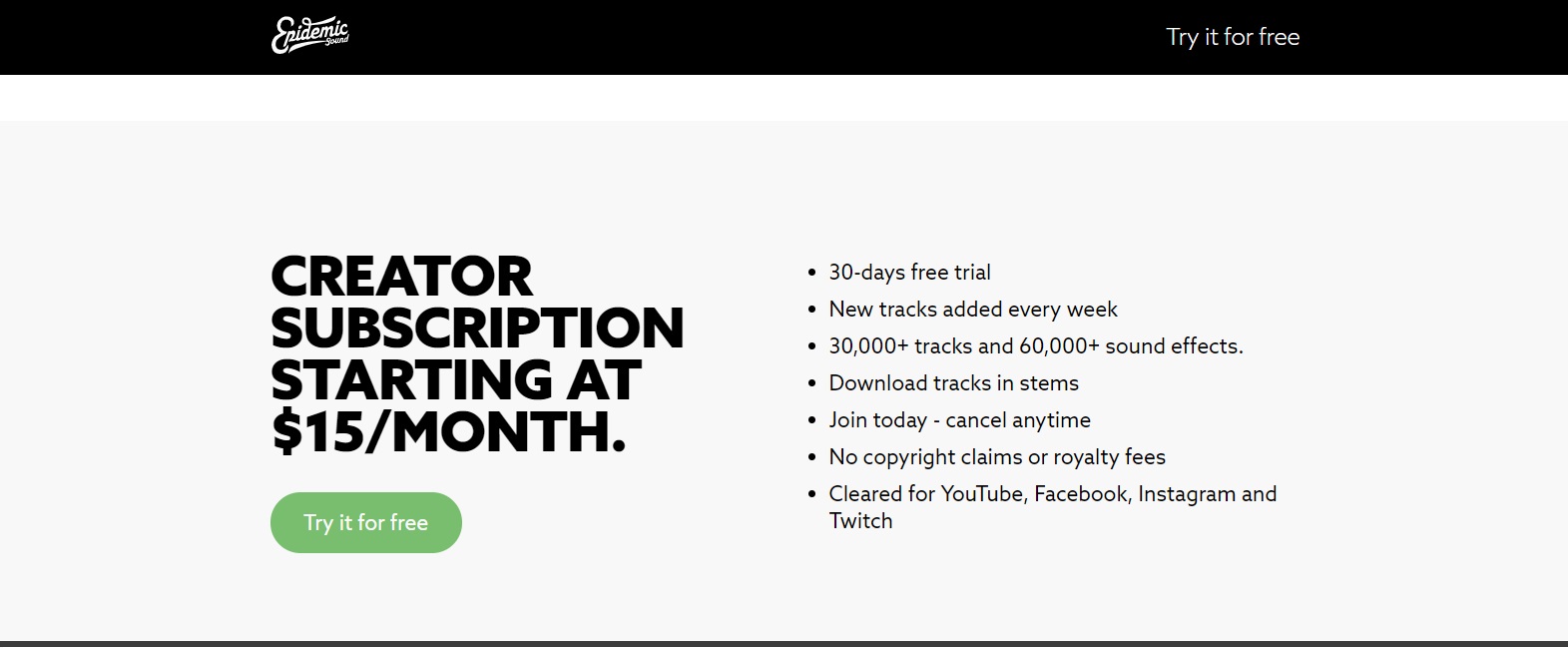
While many sites, like Amazon, require you to purchase the rights to their music individually, Epidemic Sound gives you their music on a subscription basis. This means you have access to all music in their library, so long as your subscription is active. Even if your subscription is canceled, you’re only barred from making future content with their music. You’re still able to keep any content you’ve already posted online, so you don’t have to worry if you end up not wanting to continue with the service. This is the ideal site for content creators, such as YouTubers and Instagram influencers, since it gives you such an expansive library, instead of just individual songs.

Purple Planet

Purple Planet

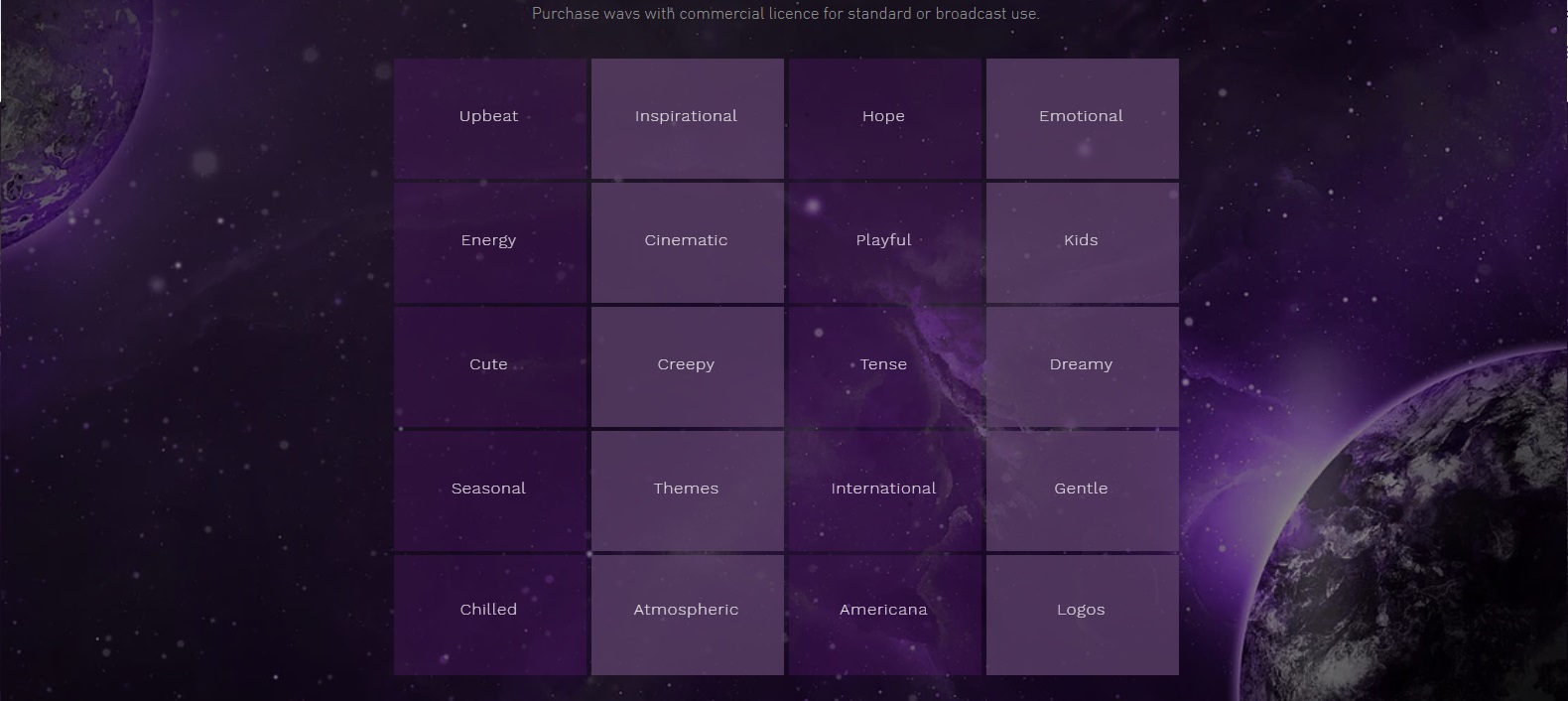
Purple Planet is all about discovering the right sound to fit your project. Instead of sorting their music by genre, they sort by mood and emotion. Some examples are “gentle”, “playful”, and “creepy”. They provide royalty-free music for a price, and also their own, Purple Planet, free music for you to try. Most of their music is specifically created to be placed into YouTube videos. This means that you don’t have to worry about whether the audio will match your content as long as it fits the mood you’re going for.

Filmstro

Filmstro

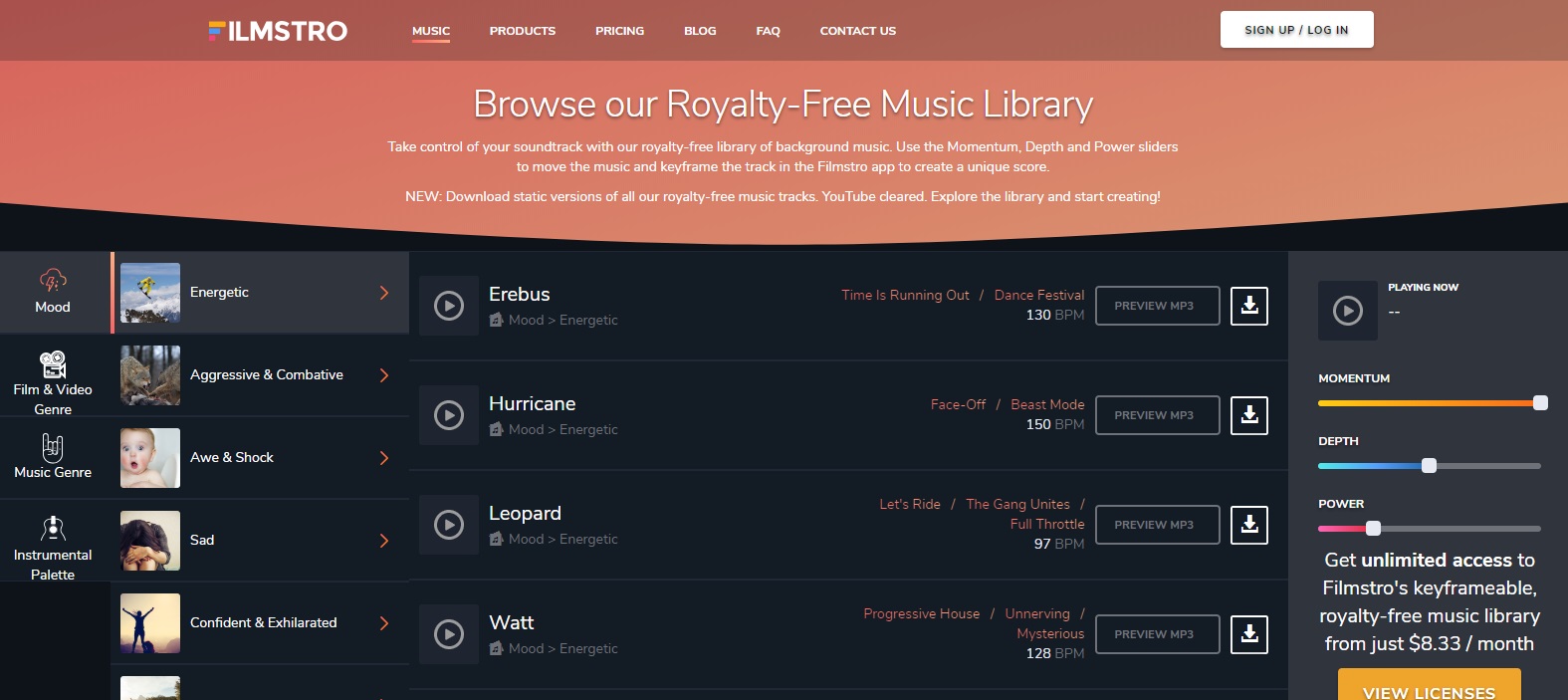
This site may require you to understand music theory a little bit in order to fully utilize it, but if you understand concepts like “depth” and “power” then you’ll be able to create incredible videos using music that fits your exact concepts. Like Purple Planet, Filmstro lets you search by more “feeling-based” genres than actual genre titles. This lets you look for something that fits the exact mood of the videos you’re trying to create.

Storyblocks Audio

Storyblocks

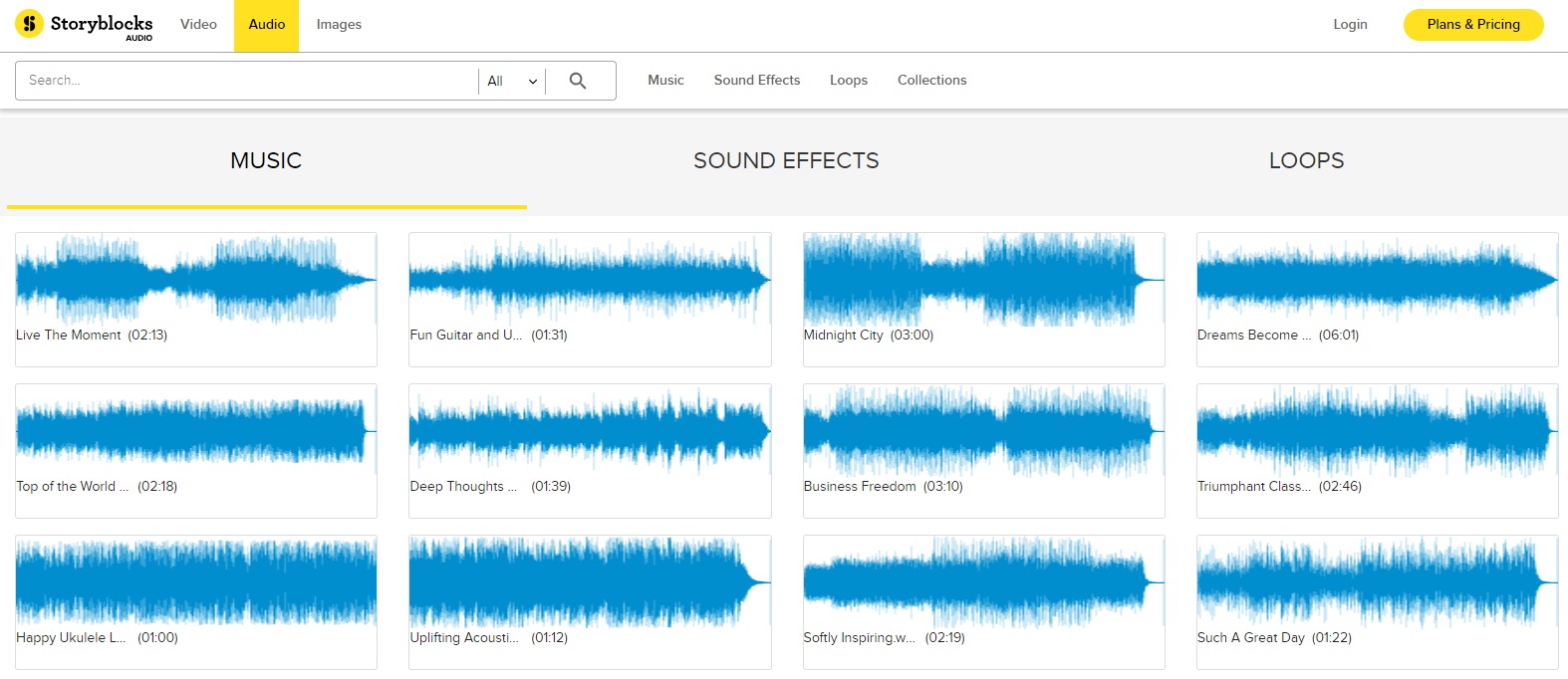
It may be strange to think about, but it’s sometimes harder to find simple audio clips over the plethora of royalty-free music there is. However, these clips do exist, and can be found at an impressively cheap subscription over at Storyblocks Audio. They also have royalty-free music, but their expansive collection of audio clips is the main benefit of using it.

We’ve also detailed some more intricate details about Storyblocks Video, if you’re looking for stock videos as well as audio.

Depending on what you need the audio for, it may be worth looking into a few of these options for putting a video together. However, for the most part, you’ll only ever have to go through one or two of these sites to get everything you need. So find the one that works best for you!

Top 10 video game soundtracks

A great soundtrack takes a video game to the next level. Listen to the 10 best we’ve ever heard.

Oftentimes, in the midst of blasting zombies or exploring uncharted islands, video game background music goes unnoticed. Every now and then, though, a soundtrack sticks with players long after the credits roll. A good soundtrack can make already good games unforgettable, and can be some of the most iconic parts of a gaming experience. Though this list could be much longer, we’ve managed to narrow it down to our 10 favorite game soundtracks.

Top 10 video game soundtracks

10. Jet Set Radio

jet set radio soundtrack
Image courtesy Sega

Jet Set Radio boasts a soundtrack every bit as unique as its iconic visual style. It’s also equally colorful, combining everything from hip-hop to jazz to pop and beyond. The music itself is central to the game, with the main characters running tagging missions for Professor K, leader of the game’s titular underground radio station. Most of the tracks are fast-paced beats that provide a for the game’s energetic skating and graffiti tagging missions. You can check out some of the tracks here:

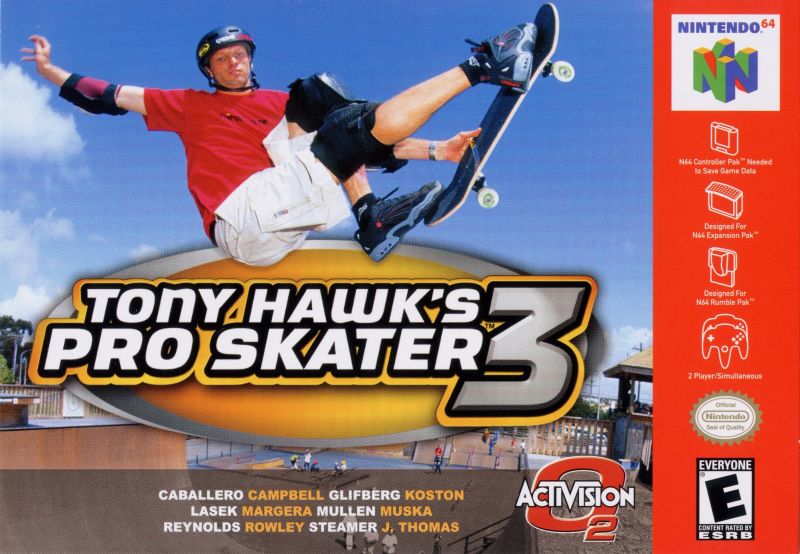
9. Tony Hawk’s Pro Skater 3

tony hawk pro skater 3 soundtrack
Image courtesy Activision

The soundtrack to Tony Hawk’s Pro Skater 3 is a love letter to the grungy ’90s kid in all of us. Where else would you find AFI, Motorhead, and the Red Hot Chili Peppers all on the same disc? It’s the perfect backdrop for grinding rails or just for reminiscing on the simpler times when the only handheld console you needed was a Game Boy Advance and your favorite drink was Capri-Sun. Feast your ears here:

8. Ape Escape

ape escape soundtrack
Image courtesy Sony Computer Entertainment

The Ape Escape soundtrack is the brainchild of Japanese composer Soichi Terada. Terada got his start spinning and remixing tracks in local nightclubs before starting to write video game soundtracks, and that influence definitely shows through in Ape Escape. Currently, Terada’s become known for his house tracks, having recently finished a tour of North America and Europe. Enjoy these atmospheric DnB tracks and just try not to bop along to the beats:

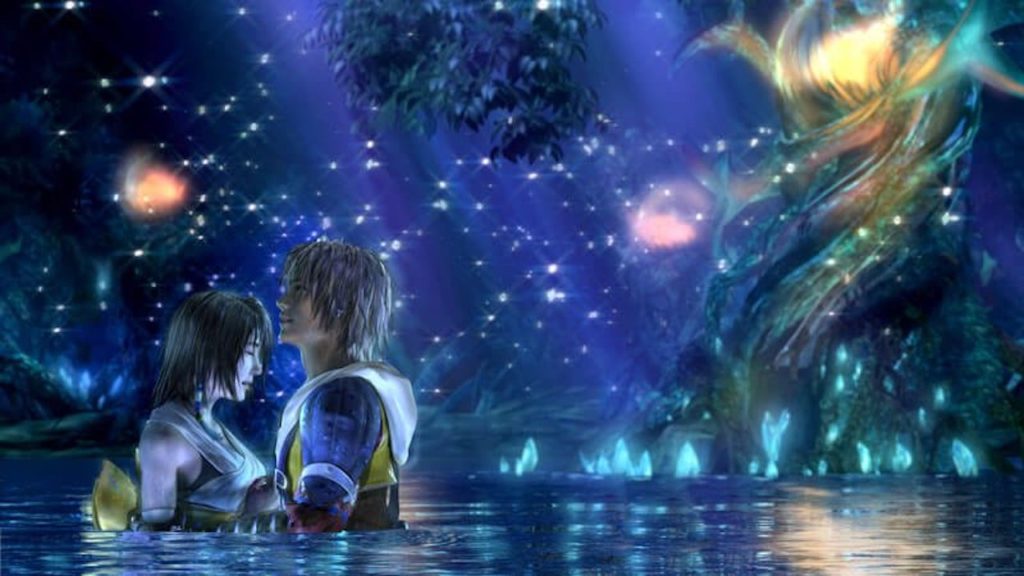
7. Final Fantasy X

final fantasy x hd soundtrack
Image courtesy Square Enix

The composers of Final Fantasy X have gone on record saying that they were influenced by pop stars like Elton John and Paul McCartney. We’re not sure that influence shows, but regardless, the Final Fantasy X soundtrack is a beautiful and emotional masterpiece of sound. In particular, several poignant piano pieces anchor this soundtrack and make an indelible mark on anybody who listens to it. Have a listen here to experience this nostalgic soundtrack for yourself:

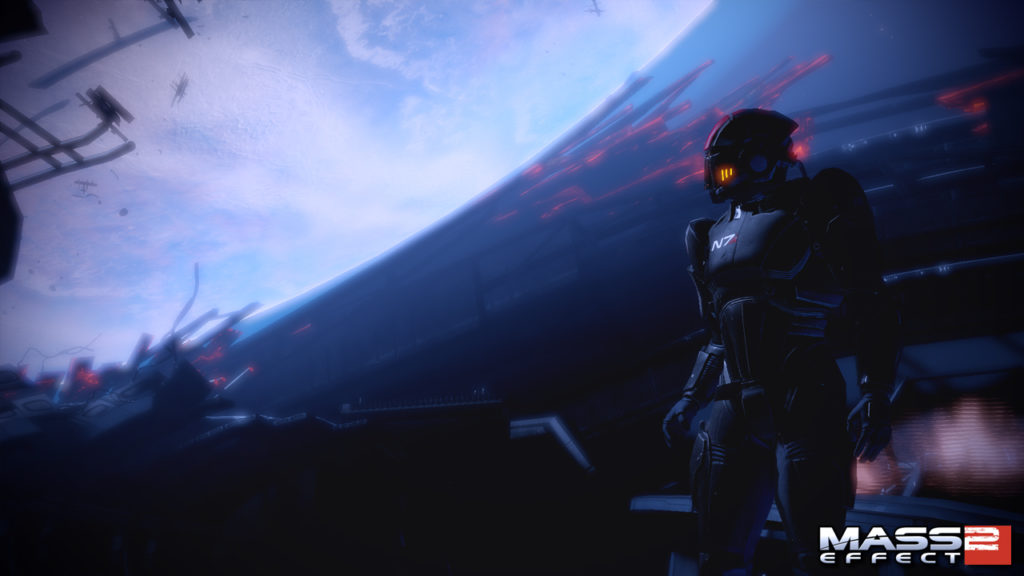
6. Mass Effect 2

mass effect 2 soundtrack
Image courtesy Bioware

Mass Effect is an epic sci-fi series with a soundtrack to match. The tracks were composed by a team just as skilled and unique as the one you can assemble in-game, and their different styles show in tracks that range from pulsing electronic beats to bombastic orchestral scores and mellow atmospheric pieces. The “Uncharted Worlds” theme is maybe one of the game’s best tracks, and like most of the soundtrack, goes far in establishing a sense of wonder and exploration. Listen to the soundtrack here:

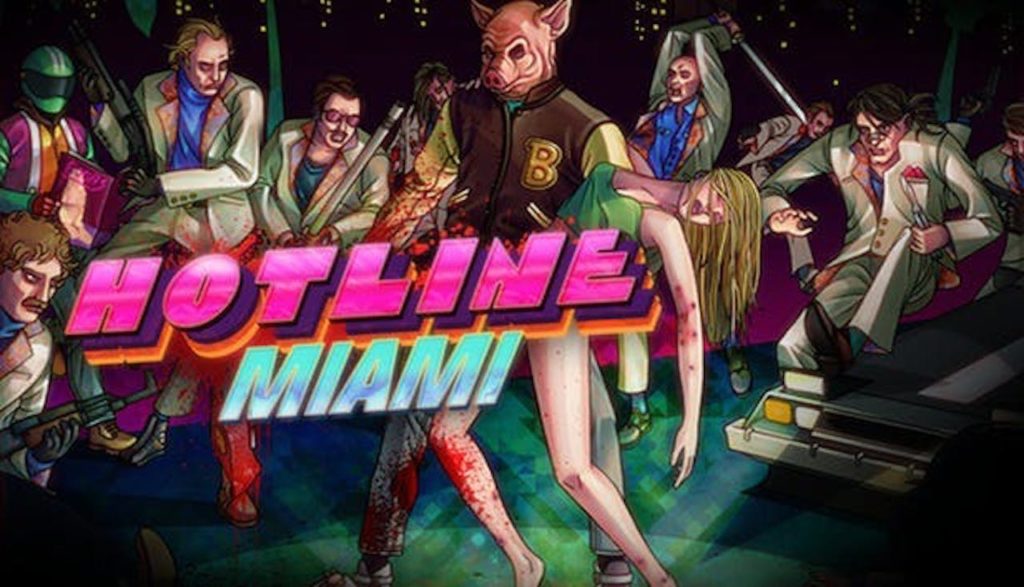
5. Hotline Miami

hotline miami soundtrack
Image courtesy Devolver

If you could see soundtracks, Hotline Miami would be lit in neon. And what better way is there to engage in brutal fast-paced violence than with retrowave bass blaring in the background? Hotline Miami’s soundtrack is a modernized take on the synth-drenched music of the 80s with a dark, industrial edge. The soundtrack to the sequel is just as good, featuring tracks by the like of Perturbator and Carpenter Brut. Take a listen:

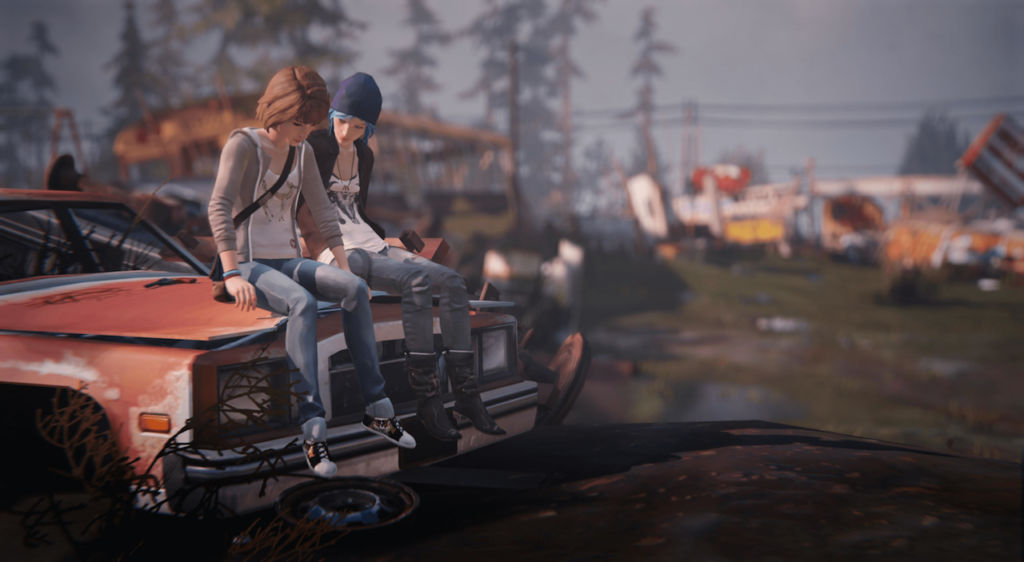
4. Life is Strange

life is strange soundtrack max chloe
Image courtesy Square Enix

The Life is Strange soundtrack reads like a setlist to the best Indie show ever. José González, Daughter, alt-J, and Foals are all present and accounted for, weaving a soundscape that puts you perfectly in the mindset of a high-school girl trying to track down a murderer in the forests of the Pacific Northwest. Also of note is the instrumental soundtrack by Jonathan Morali, a series of melancholic and sometimes whimsical pieces that make for a perfectly relaxing backdrop for any activity. Check it out:

3. Shadow of the Colossus

shadow of the colossus soundtrack
Image courtesy Sony Interactive

The swooping orchestral score for Shadow of the Colossus is just as grand in scope as the game’s towering bosses. The tracks that accompany the boss fights, in particular, are incredible, epic pieces of music that leave you itching for a fight after listening to them.  The tone then shifts drastically to more relaxing, meandering pieces that set the mood for exploring the majestic game world, and emotional pieces that weave into the story of the game. You can listen to the soundtrack here:

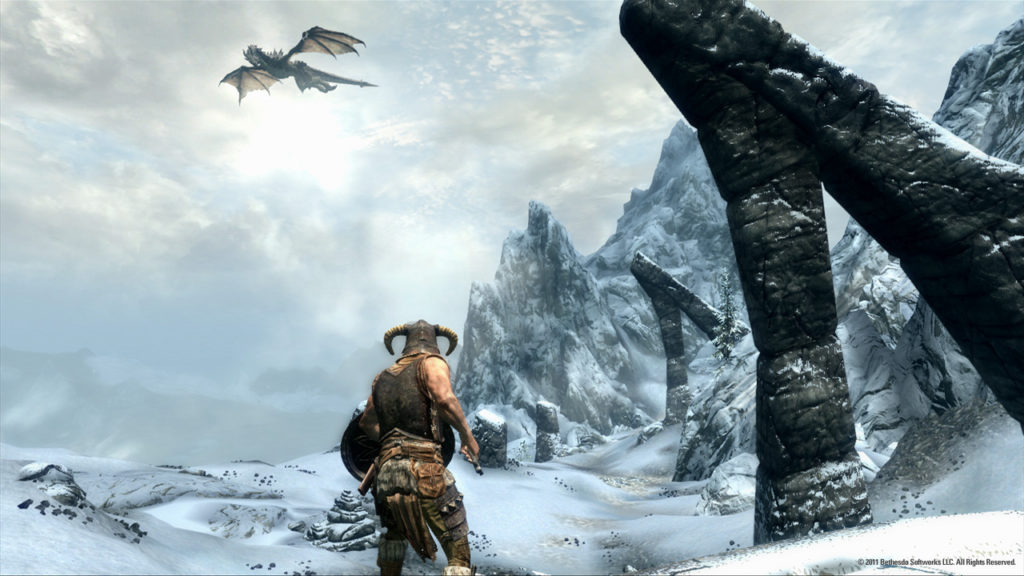
2. The Elder Scrolls V: Skyrim

skyrim nord dragon soundtrack
Image courtesy Bethesda

There’s not much about the Skyrim soundtrack that isn’t perfect. Jeremy Soule somehow manages to weave an entire world using just an orchestra; taking cues from other high fantasy soundtracks like “Lord of the Rings.” It’s completely and utterly immersive, taking you from windswept mountain peaks to deep green forests to the dark caves filled with Draugr. Truly, you can’t help but feel like you’re about to strap on your armor and sword and go on an adventure. Experience it here:

Elder Scrolls V: Skyrim Special Edition download now ►
9

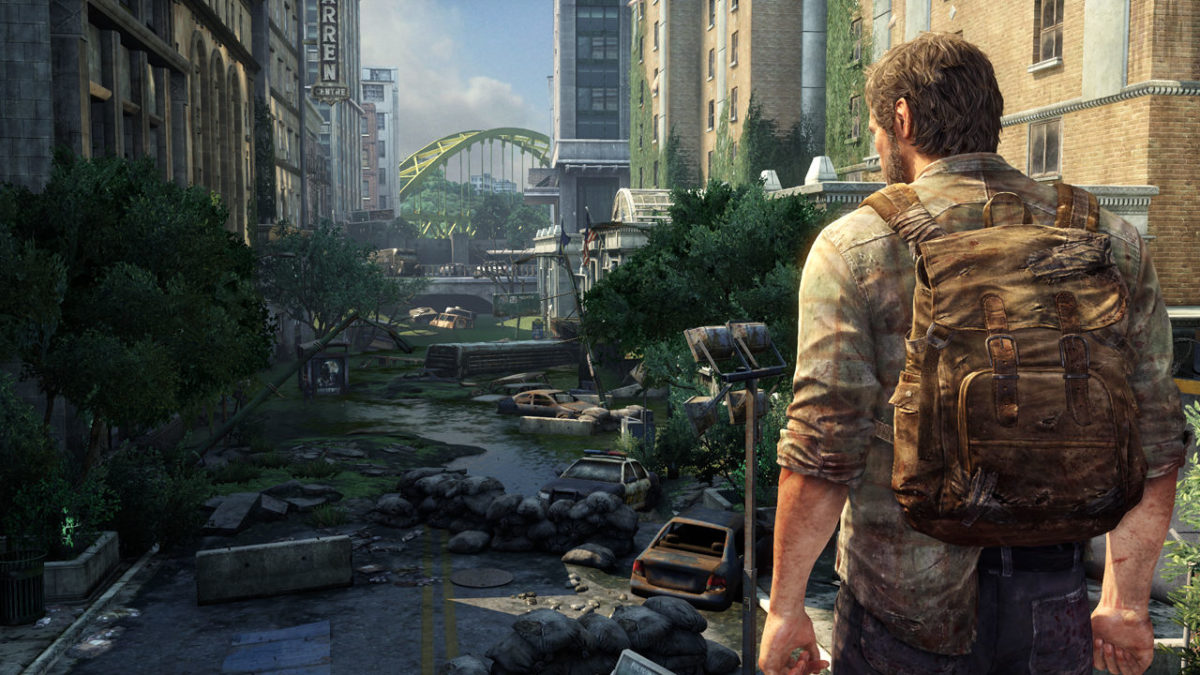
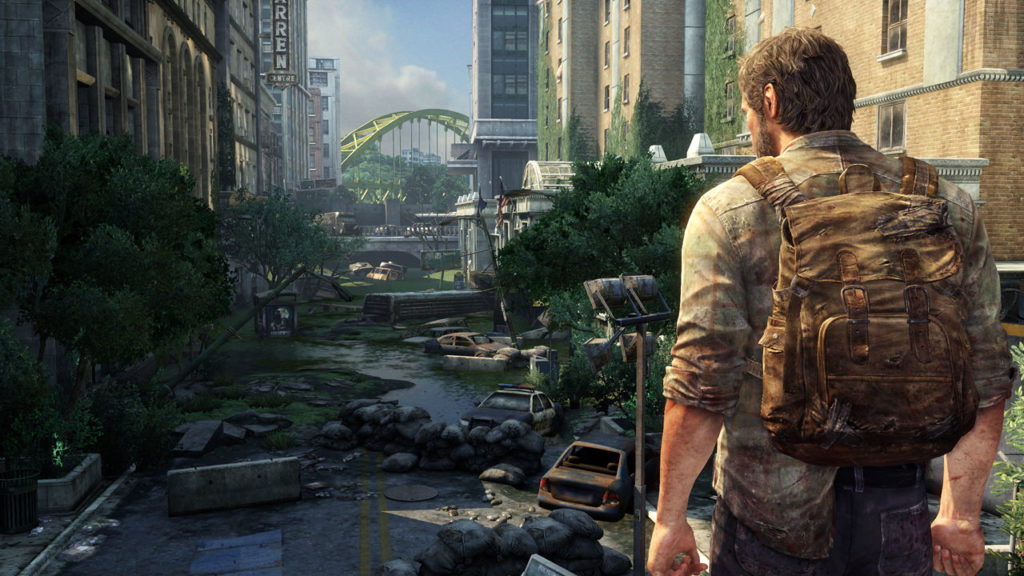
1. The Last of Us

the last of us joel soundtrack
Image courtesy Naughty Dog

Much of the soundtrack to The Last of Us sounds like loneliness. There’s really no other way to describe how the post-apocalypse sounds. Composer Gustavo Santaolalla employs a unique variety of instruments and original sounds to create a very particular melancholy, yet beautiful sound. Eagle-eared gamers may also know Santaolalla from his work on the Red Dead Redemption soundtracks, which are also masterpieces in their own rights. The sounds and memorable themes Santaolalla creates for Last of Us will linger long after the final notes play. You can listen to it here: