New year new computer? You need these essential apps going into 2020

These are all the essential apps you need to download and install on your new Windows PC.

Must have software for Windows 10

New years are perfect for new beginnings. The new year also comes just after Christmas too. Both these facts mean many of us are going to be starting 2020 with a brand-new Windows PC. Whether a Christmas gift, a January sale bargain, or an attempt to start afresh at the beginning of the new decade doesn’t matter. New computers are exciting for their possibilities, but out the box, they’re kind of grey. They come with basic software only and, as such, can’t actually do that much.

That’s where we come in with today’s guide. Today we’re going to walk you through all the must-have free software for your new Windows PC. If you’re a Mac OS or iOS iphone user come back later and Android smartphone users can check out their essential apps here. Everybody else, however, let’s get started.

Essential programs for a new computer

Your web browser of choice
Fortunately, the Windows 10 operating system comes with an excellent default web browser. Microsoft Edge is miles ahead of the old Internet Explorer, and offers some excellent unique features too like being a PDF reader, and giving you a very good Reader mode that cuts out all the clutter on the web pages you visit and turns the text into something more resembling a page out of a book. Very cool.

7

With web browsers though, it is very much horses for courses with everybody having their own preference. Google Chrome is the most popular by far offering fast load speeds and ton of available plugins, although it is also a RAM hog that can slow your new PC down to a crawl, if you have too many tabs open at any one time. Mozilla Firefox is big for privacy enthusiasts, offering you complete control over your own data. Opera is built with the same code as Chrome but has added different features, which means you can pick and choose the features your web browser has while maintaining the core offering you get from Chrome. Incidentally, Microsoft Edge is also based on the Chrome code now, which is something you might want to consider.
Security

malwarebytes

As soon as you’re connecting to the internet, you need to start thinking about your cyber-security. Windows Defender, which ships with Windows 10 is a decent antivirus program that is user-friendly and does a pretty good job of keeping Windows users safe. You might want to think about backing it up, however, with a powerful secondary antivirus software that can run as a specialized scanner. The free version of Malwarebytes is a great option for this as it is able to search out malware more effectively than Windows Defender. You can then leave Windows Defender to actively protect you in real-time and periodically scan your hard drive using Malwarebytes to make sure nothing has slipped through the cracks.

Malwarebytes Download now ►
8

Once you’ve got your system locked down tight, the only real threat to your cyber-security is you. Secure passwords are both a nightmare to come up with and a nightmare to remember. You need a unique password for each online account you have so it is basically impossible to remember them all. This is why you need a password manager to help you securely lock down all your accounts. Last Pass is the best free option as it will automatically generate secure passwords, store them using strong encryption, and then fill them in for you whenever you log into an account. Last Pass is great too because it’ll sync across three devices.

8

Productivity

LIbreOffice header

PCs are important tools for work as well as being fun for games. What’s great these days is that you can get your hands-on excellent productivity programs for free. Libre Office gives you a completely free alternative to the Microsoft Office suite including free alternative programs for Microsoft Word, Microsoft Excel, Microsoft Access, and more. There is no good reason for you not to download Libre Office on your new PC right now.

LibreOffice Download LibreOffice
7

Bonus appGoogle Drive also gives you access to Google’s free productivity programs including Google Docs and Google Sheets. Importantly, however, Google Drive gives you free access to 15GB of Cloud storage space, which you can then use to sync all of your media files and documents cross-platform to your multiple device or to share them with others.

7

Design

The other productivity aspect you may need your PC to take care of is design. Fortunately, however, there are some excellent free options here too. If you’re a professional graphic designer or a student looking to break into the industry you should download and install GIMP onto your new PC. GIMP is an open-source program that offers complex and advanced design tools and features that rival those found on Adobe Photoshop. If you’re more of an amateur looking for a simpler setup that will still allow you to get quite a lot done, you should download Paint.NET.

8
Paint.NET Download now
8

Bonus app – Screenshots are becoming more and more important in today’s increasingly connected social world. Whether you’re looking to include something you’re looking at in your design work or simply show a friend something funny you’ve seen, Greenshot is an excellent free tool for capturing what’s on your screen at any given moment.

Greenshot Download now
9

Media – Videos, Movies, and TV shows

There are lots of options here for programs to watch movies and TV shows on. The way we listen to music has changed, however, so we’ll come to that in a moment. With video, there are lots of different file types and codecs that you need your media program to be able to read. If a program can’t read all of them, you need to download another one. Fortunately, the indomitable VLC Media Player is all you’ll ever need in this respect. When you have it on your Windows PC, there’ll be no video you can’t watch.

VLC media player download free ►
8

Your music streaming app of choice


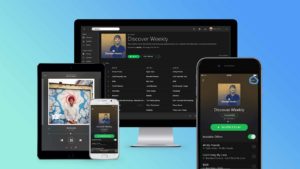
In years gone by, this section would have included the likes of Winamp. Now though, most of us listen to music through our streaming subscriptions. Sure, we have subscriptions for movies and TV shows, but the music subscription services are mostly complete meaning there literally all we could ever need. The top apps are Spotify, Deezer, Apple Music, and Google Play Music. Whichever you use, download it now.

8
Deezer Download now
7
Apple Music Download Now ►
7
Google Play Music Download now
8
Wrapping up

If you’ve got this far and you’ve downloaded all the apps we’ve said, your new PC is now a powerful beast that is ready to go. Of course, there are more programs you can download and install like Skype, Dropbox, Steam, CCleaner, and One Drive; but we’ve just started you out here with the essentials.
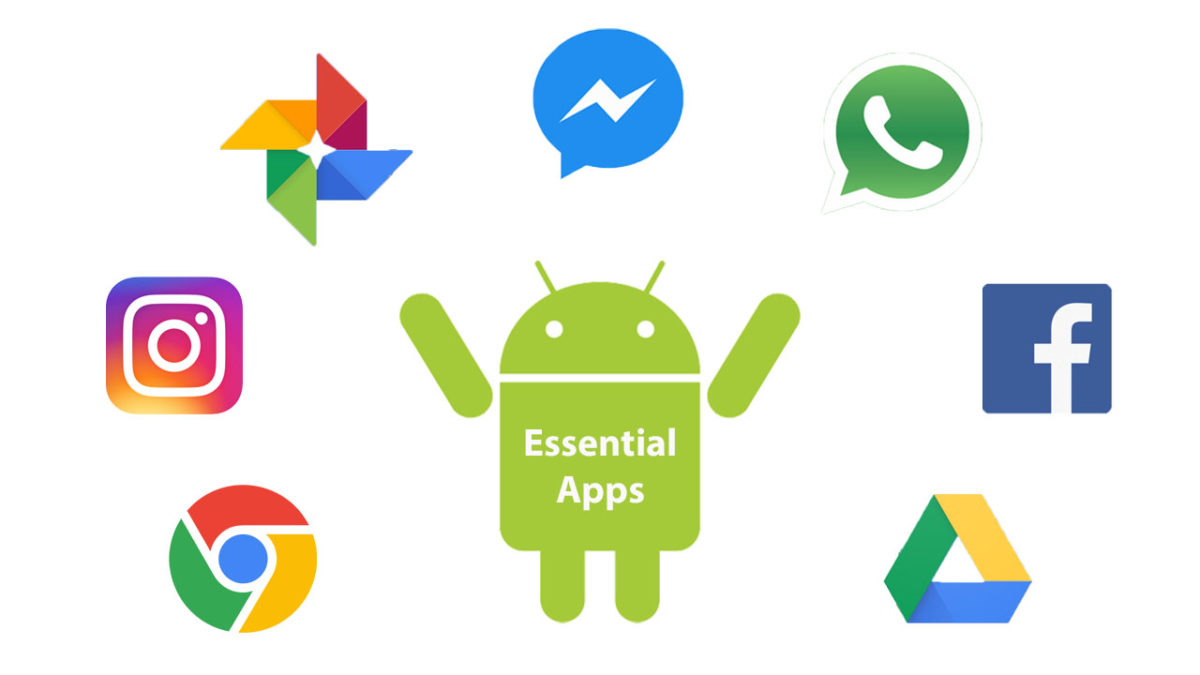
New year new mobile? You need these essential Android apps going into 2020

These are all the essential apps you need to download on your new Android phone.

Essential android apps

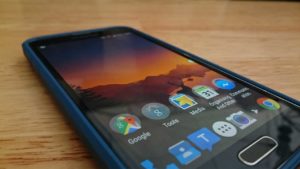
Everybody loves getting a new phone. Smartphones are fun and exciting because more and more they’re becoming powerful beasts with processing power that rivals that found on laptops and huge amounts of RAM that make even the most resource reliant apps work smoothly. When you get a new phone though, it is like a blank slate. Sure, an Android phone can do almost anything but when you take it out of the box, it is limited to whatever basic apps that came with it.

This is why today we’re going to walk you through all the best apps you need to install on your Android device. Check out our list of essential Android apps.

Android must-have apps

Core Features and Social Media

There are a lot of essential apps these days that could be described as offering your new Android phone its core features. Google apps like Gmail and Google Chrome will likely come pre-loaded on your phone offering you an industry-leading email client and web browser. Even Google Maps provides a core mobile function these days. Other core apps, however, include messaging apps, which could be WhatsApp and Facebook Messenger,or Telegram for more private users. Another core feature could be video calls offered by Skype.

WhatsApp Messenger Download Now ►
8

Finally, what is an Android smartphone in today’s modern world without a plethora of social media apps, each offering exclusive access to their own hip networks? You know your new phone needs apps like Facebook, Instagram, Snapchat, Twitter, and Tik Tok.

8
Instagram Download Now ►
7
8
9

LinkedIn

You could say that LinkedIn is just another social network, but you could also say that helping you find and stay in work elevates it above the triviality that we often attach to the other forms of social media. LinkedIn isn’t for fun, which sets it apart from other social networks. Either way, you really should have LinkedIn installed on your Android smartphone.

7

Google Drive

Syncing across multiple devices is important for pretty much every type of file. More than ever these days we start a job on one device and finish it on another. This is made possible by storing our files and folders on the cloud and then accessing them from wherever. The best service you can get for this on your Android phone is Google Drive. As well as the cloud storage, Google Drive also comes with a suite of apps you can download onto your Android phone. These include Google Docs for word processing, Google Sheets for making spreadsheets, Google Keep for note-taking and lists, and Google Photos for storing and viewing every photo you’ve ever taken across all of your devices.

7

MiXplorer

A key app that is often overlooked by Android users is a competent file manager app. A good file manager will allow you to organize your device files and give you greater control of and access to key folders like Downloads and Photos. As Android allows for much greater customization than Apple’s iOS for iPhone, a file explorer allows you greater control and also greater security when playing around with your phone’s OS. We used to love ES File Explorer Pro, but that is no longer available on the Google Play Store. Now, however, we love the MiXplorer file manager, which does everything we’ve already mentioned and also gives Android users another key feature that is missing from their phones; a Recycle Bin for recovering lost files.

MiXplorer Silver File Manager Download now
10

LastPass

We can’t recommend LastPass enough. These days you need a password manager if you’re going to secure all of your online accounts properly and LastPass gives you the best password manager you can get for free. LastPass’s free version will sync your passwords across three devices meaning it’ll secure logins on your desktop/laptop/Mac, mobile, and one other device. This is very important because most free password managers only work on one device, which means you’ll need to switch the passwords between devices manually and this is much less secure.

8

Snapseed

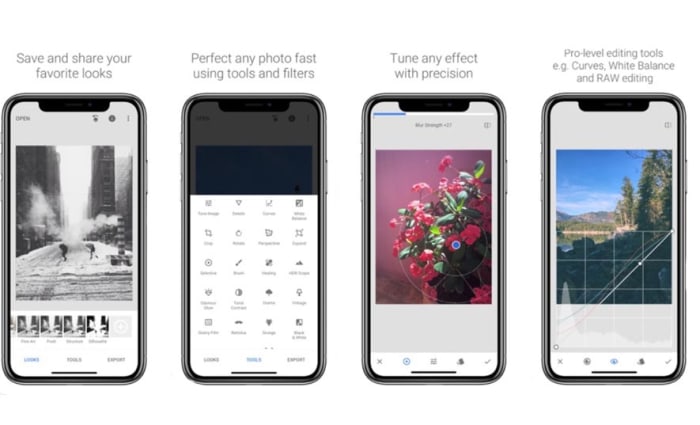
We mentioned Google Photos earlier, which itself comes with rudimentary photo editing capabilities. Snapseed, which is also by Google offers much more, however, and is completely free to download. As well as basic cropping and rotating, Snapseed will also give you the chance to make advanced edits and put all sorts of cool filters and adjustments onto your photos. If you’re serious about your social media presence or just want your photos to look as good as they should, download Snapseed now.

9

Google Podcasts

Podcasts have become an essential part of modern life. They basically allow you to choose all of your favorite radio shows that you can then listen to whenever you want. Android users used to have to download third-party podcast apps like Acast and Castro and, of course, they still can although their free but not really free status can be annoying. Google, however, has now brought out its own podcast app imaginatively called Google Podcasts, which is free and has almost every podcast series you could ever search for.

Google Podcasts Download now
9

Netflix

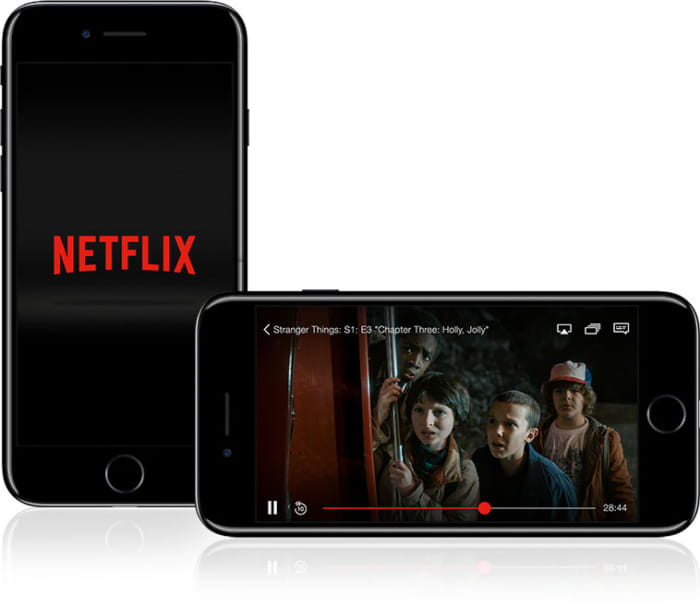
OK, this one is subjective. Not everybody has a Netflix subscription, but enough people do for us to include it on our list. Downloading the Netflix app will enable you to download movies and shows that you can then watch later when away from your Wi-Fi connection. This means you get your fix without hitting your network mobile data allowance.

8

Spotify

Spotify feature

Again, this is another subjective one. Not everybody has Spotify; you could just as easily have DeezerApple Music, or Google Play Music. Which one you have doesn’t matter as although there are differences between them, they’re not so big. Download whichever app you’re subscribed to and instantly your phone is better than any iPod or MP3 player you’ve ever owned.

8
Deezer Download now
7
Apple Music Download Now ►
7
Google Play Music Download now
8
Wrapping up

With all the best Android apps we’ve outlined today your mobile device is ready to go. You could download these apps and no others, and your phone would still be a powerful machine capable of everything modern life demands of it and you. Obviously from here, there are plenty of other apps you can download too if you’re a big shopper get the Amazon app for example and there are a whole host of alternative apps to the Google options we’ve outlined. These include the Microsoft Android apps including OneDrive and other apps like Evernote and Dropbox. We just wanted to give you and your new phone a solid foundation to build on.

How to recover deleted files from your Android

This is how to recover lost and deleted files on your Android phone and to protect yourself against future losses.

Android data recovery

We’ve all been there; we’ve all done it. Accidentally deleted some files that we weren’t supposed to delete. Apart from staring blankly at where they used to be, what can we actually do about this common mishap? On your Windows PC it isn’t that big of a deal, you simply go to the Recycle Bin and Restore the files you deleted. Then they’ll magically reappear back where they were before you deleted them. Android data recovery isn’t that simple, however, because there is no Recycle Bin type feature that stores your lost data.

Don’t worry though, all is not lost. You can recover deleted files on your Android smartphone and we’re going to show you how to do it. There are a few ways to restore deleted files and then there are a few steps you can take that will protect your files in the future. Let’s look then, at how to recover deleted files on Android.

How to recover deleted files from Android

When you delete a file on your Android mobile phone it isn’t completely erased from your device. Instead the actual file remains on the phone’s internal memory and what happens is the marker for the file is removed from your device. Android phones do this because it is quite difficult to actually remove files from a hard drive; if you wanted to do it yourself, you’d need to use a file shredding app. When you delete a file then, it is the marker that goes making the space the file was taking up “free” again, with the actual file only being overwritten, if new files are installed. This is good news for anybody who has deleted a file by accident. If this is you, you must remember that you shouldn’t install any new files or apps before you attempt to recover your “deleted” file as the new installs might overwrite the old data.

How to recover deleted Android files using a PC

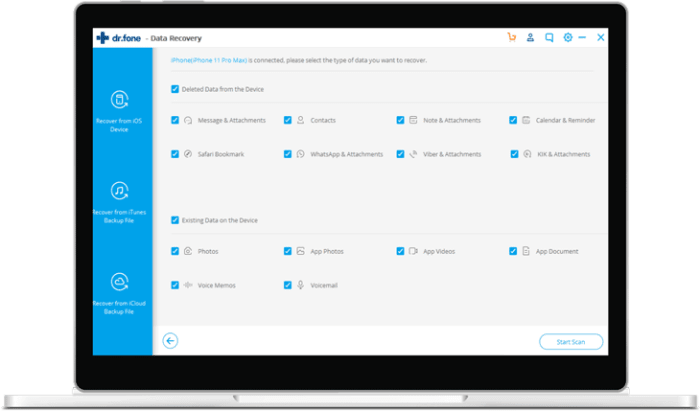
dr.fone Android recovery

What this all means is that you can recover deleted files, it just means that you’re going to have to delve into your Android phone’s internal storage to do so. To get your deleted data means using specialized recovery software and most of these programs require you to connect your Android phone to your PC with a USB cable.

The most successful Windows PC program recovery tool for Android lost files is dr.fone – Data Recovery (Android). There’s also an iPhone version. The program is compatible with over 6,000 different Android devices and can recover photos, videos, deleted contacts, text messages, and call logs, among other things. You can download dr.fone using the link below. It is a premium tool, but it does offer a free trial. Click the link and then follow the on-screen instructions to try and get your files back.

dr.fone Recovery for Android Download now
6

How to recover deleted Android files using an Android app

DiskDigger

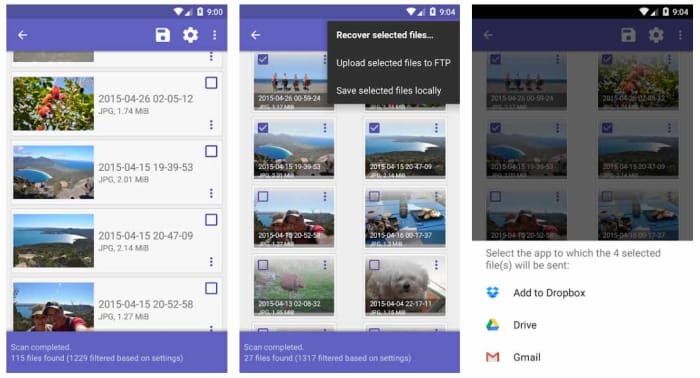
DiskDigger and DiskDigger Pro are two Android recovery apps that can help you recover your accidentally deleted files from your Android smartphone. DiskDigger is great for photo recovery and can perform a limited scan for deleted photos and then recover JPG and PNG files that are still stored in your device’s cache or as thumbnails. The undelete app is simple to use although there is a more advanced scan that can recover more photos from your Android internal memory and memory card if your Android device has been rooted.

DiskDigger Undelete Download now
8

DiskDigger Pro is a premium Android data recovery tool that can recover more file types from your Android phone’s internal memory. These file types include images, videos, documents, music, and more and they can be recovered from the internal memory or an SD Card. Unfortunately, however, DiskDigger Pro only works with rooted devices so if you haven’t rooted your Android device, you’re going to have used another method like dr.fone.

DiskDigger Pro Download now
8

Recover files on Android: Prevention and backups

As you’ve seen from the solutions, we’ve outlined above including connecting your Android phone to a Windows PC and rooting your device, important file recovery on Android is a bit of a pain. Fortunately, however, there are certain apps you can download and steps that you can take that will keep you ahead of the game.

Download a file manager app like MiXplorer

Often file explorer apps for Android have their own Recycle Bin features, which means you can easily recover any files you accidentally delete. One of the best of these is the ES File Explorer Pro app, but this is no longer available on the Google Play Store due to some shady behavior from its developer. Another great option though is MiXplorer, which enables you to set an Undo feature that sets up a “recycle/trash” feature.

MiXplorer Silver File Manager Download now
10

Google Photos

Let’s face it, most of the files you have on your phone are photos and videos you’ve snapped yourself using your phone’s camera. The good news here is that if you use Google Photos, these will automatically be backed up to the cloud. This is a great feature because it allows you to free up space on your Android phone by deleting all the photos and videos that have already been backed up. You’ll then still be able to view them whenever you have an active internet connection. You need to use Google Photos as your default photo app.

The other great feature about Google Photos is that it has a Bin feature. Although your Google Photos automatically backs up your photos and videos, it doesn’t automatically protect them from accidental deletion because deleting a photo on your phone will also delete it from your Photos account. They will just go to the bin though, so if you have lost photos or videos accidentally, head to the Bin on Google Photos and recover them. Easy peasy.

Google Photos Download Google Photos
7

Use WhatsApp

WhatsApp has signed a deal with Google that allows you to backup all your WhatsApp messages using Google Drive for free. This deal has no limits meaning that should you lose any of your messages, you’ll always have backups.

WhatsApp Messenger Download Now ►
8

Best apps to clean and optimize your Android

These are all the best Android apps for cleaning and optimizing your smartphone and tablet

Android optimizer apps

Google’s Android operating system is great for many reasons. Now in its tenth version, it is chock full of advanced mobile features, works flawlessly, and is even optimized to work well on lower-powered low to mid-range devices. Furthermore, it is free, and when you combine all of the above you see just why the number of global Android users dwarfs the number of users walking around with Apple iOS-powered iPhone’s in their pocket.

The thing is though, sometimes our Android phones need a bit of a tune-up. We use our phones all the time, which means things can slow down, the internal storage can get clogged up, and apps stop working as well as they should do. If this has happened to your phone, don’t worry. You don’t need to start thinking about buying a new phone just yet. We’re here to show you the best Google Play cleaning apps that will help you clean and optimize your Android smartphone

Best Android cleaner apps


CCleaner

CCleaner for Android

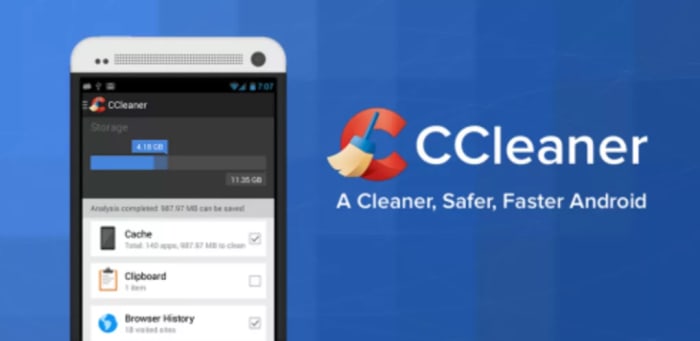
CCleaner by Piriform is famous for being one of the best PC maintenance programs available today. This Android version of the highly acclaimed software also has a lot to offer too. The app can clear your device’s cache files, your browser history, and other temporary files including those found in your download folder. There is also an app manager feature, and tools for staying on top of your device’s CPU and RAM usage, internal storage levels, and temperature. A handy battery saver feature will also boost your phone’s battery life. Although it might not have a massive effect on your device’s performance, CCleaner also allows you to delete your call and SMS histories quickly and simply.

CCleaner Download Now
8

Virus Cleaner 2019

Virus Cleaner

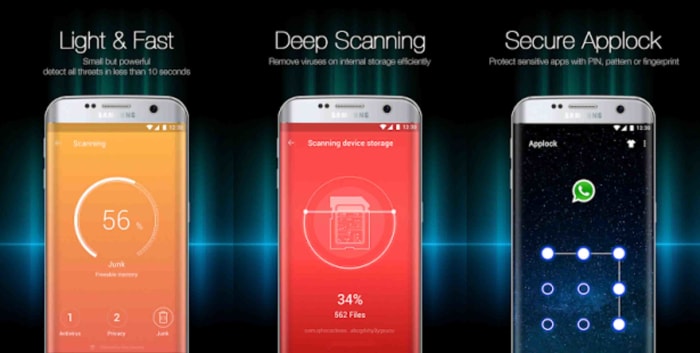
Hi Security Lab’s Virus Cleaner 2019 – Antivirus, Cleaner, & Booster is a very popular and very efficient file cleaner Android app that will help you keep on top of your device’s performance and security. Powered by McAfee, this Android app offers plenty of optimization features including File Scan, Deep Scan, and an added Scheduled Virus Scan, which will automate your security procedures. Virus Cleaner also comes with an App Lock feature and a Notification Cleaner. The app does offer in-app-purchases but with so many core features available for free it is easy to see why this app has been downloaded over 100,000,000 times with over 1.6 million Android users giving it a positive review.

Virus Cleaner 2019 Download now
8

Norton Clean

Norton Clean

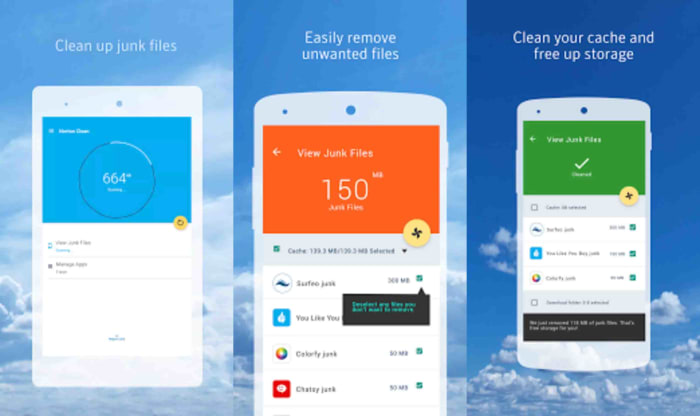
Norton is famous for its antivirus software that protects everything from Android smartphones to Apple Macs and iPads. Norton Clean, however, is a specialized app that deals exclusively with cleaning and optimizing your Android phone. The app will clean your device’s system cache, get rid of old APK files, and will get rid of your phone’s general junk too. It also comes with an app manager that will help you clear out those unused apps that are bogging your Android system down. This app is simple but effective.

Norton Clean Download now
7

All-in-One Toolbox

All-in-One toolbox

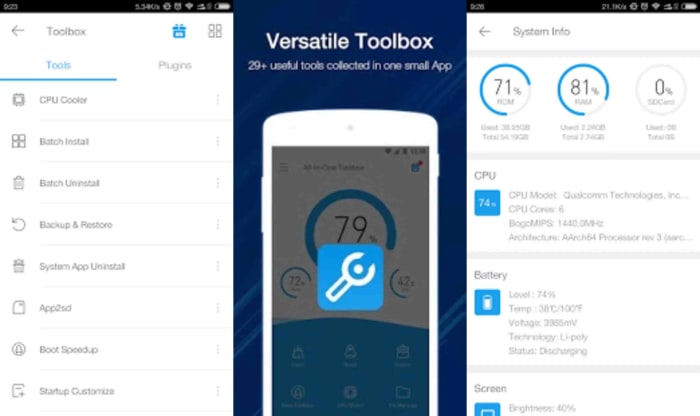
If you’re looking for an app that does more than just the basics then the All-in-One Toolbox from AIO Software could be what you’re after. As well as offering a one-click booster feature that will clean your cache, analyze your apps, and free up system memory; it comes with many other great features that will help you optimize your Android device’s performance. AIO also gives you a file manager, an app manager, a task killer, and a CPU cooler tool that will help you manage the apps you have running in the background. The only real problem with this app is that with so much going on it could have been designed a little better. It isn’t the easiest app to use but by offering so many ways to optimize your phone’s performance, it is definitely one to consider.

All-in-One Toolbox Download now
8

Clean Master

Clean Master for Android

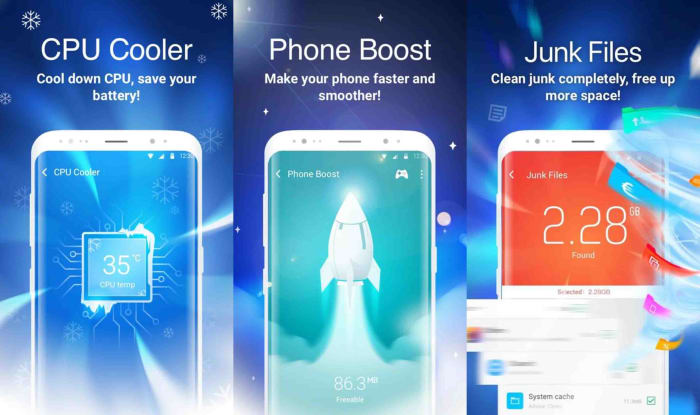
Cheetah Mobile’s Clean Master Android app is another excellent phone cleaner app for anybody looking to make their Android phone work a little better. The Junk Files tool makes it very easy for you to optimize your Android device by cleaning out the app cache, getting rid of temp files, and deleting duplicate files. Clean Master also comes with a powerful Phone Boost feature, which will have your phone running more quickly and smoothly with a single tap. An additional feature to consider is Clean Master’s app manager that not only allows you to monitor app performance but also enables you to move apps to your SD card and back up APK files.

Clean Master Download now
8

DFNDR Antivirus and Cleaner

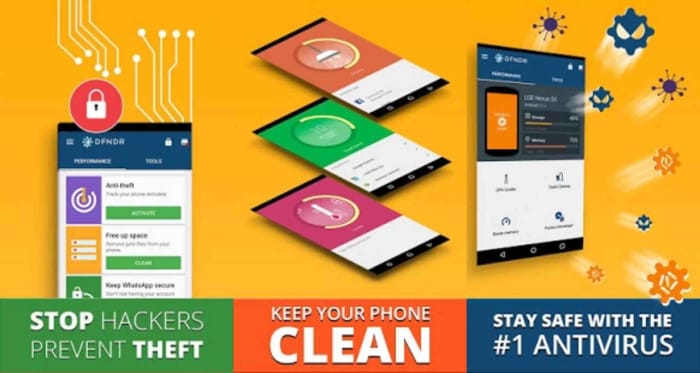
Android DFNDROur final app for cleaning and optimizing your Android smartphone is DFNDR by PSafe. DFNDR is another incredibly popular antivirus app that has seen well over 100,000,000 installs on Android devices with millions of positive reviews to go with them. DFNDR will keep you safe from viruses, malware, adware, and spyware threats and will also work to protect your private and personal data. This extensive app also offers a robust junk cleaner and other optimizer features that will enable all Android users to clean and optimize their device performance and get them working as effectively and efficiently as possible.

DFNDR Download now
10

How to Know If My Phone Is Hacked and What to Do

Let’s have a look at some of the things you should look out for to make sure your phone hasn’t been hacked.

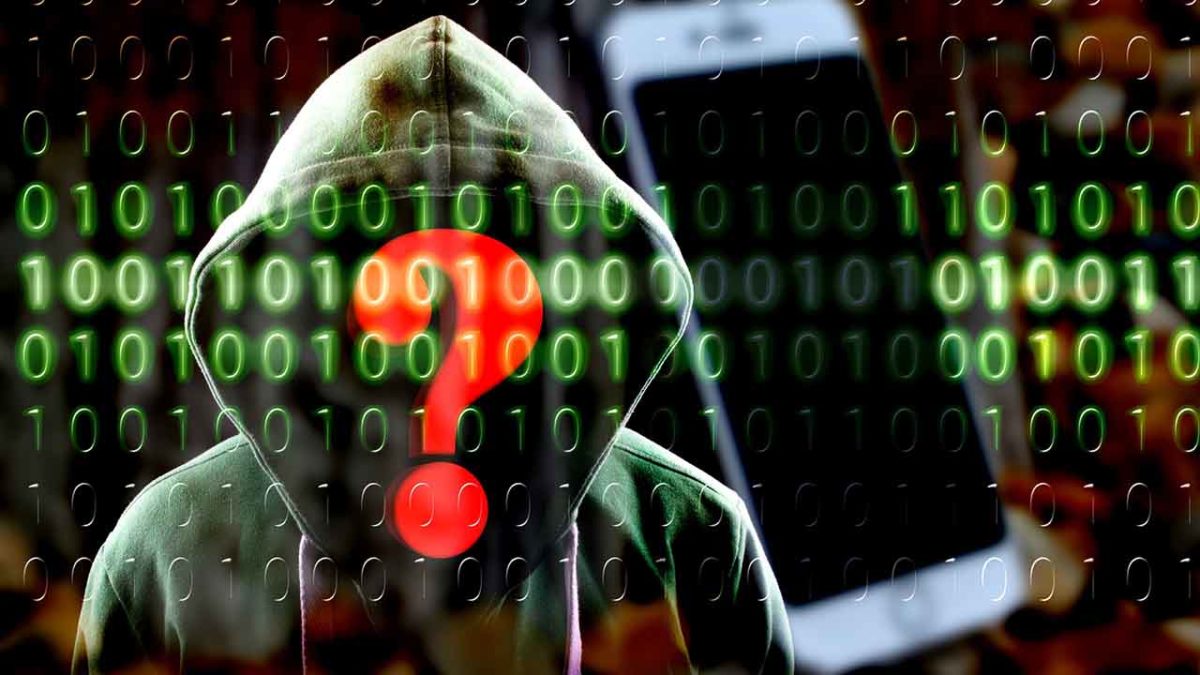
Have you ever wondered how to know if your phone is hacked? We are all aware of the many cyber threats surrounding us when we use the internet on our PCs. Think of all the measures we take to protect our computers from hackers, antivirus programs, VPNs, proxies, and more. But when it comes to our mobile devices, we aren’t always as careful.

With so much of our lives contained in our smartphones, these devices have become a crucial part of our daily lives. Think about that one time you forgot your phone at home, how utterly lost you felt without it. We store almost everything on our phones these days, important documents, bank details, health care, IDs, and more. If someone were to hack our phones, they’d have access to all of this information.

A lot of the time, you might not even know that you’re being hacked. This type of attack is much more subtle than a robbery. Once the hacker gets into your devices, they can easily access your apps, files and even use your data without you even knowing. This is why it is critical to know the signs of a hacked phone to protect yourself.

Can iPhone Get Hacked? or Is it Just a Matter of Android?

Although iPhones are usually better protected than Android devices, they can still be hacked. Unfortunately, as technology advances, so do hackers. Using a device that seems safe is no longer a surefire way to protect yourself from hackers. If they want to, hackers will find a way through the protective measures, which is why it is essential to stay one step ahead and not assume your safety just because of your device type.

Is my phone hacked? 8 ways to find out

There are quite a few things to look out for that could indicate your phone has been hacked. On their own, these could be simple issues that should be looked at individually. If you’re experiencing a few of them, however, then you should think about dealing with them as a whole.

1. Your device is a lot hotter than usual

phone is too hot

If your mobile phone has been hacked, there will be lots of unauthorized programs running in the background behind your operating system. These could be things like adware, spyware, trojans, etc. all designed to make money for the hacker in different ways. These will be putting extra pressure on your device’s processor and memory. This will, in turn, cause the processor to heat up much more than normal. If your device is hotter than usual, try to find out why. If you can’t get to the bottom of it, something fishy might be going on.

2. Your battery doesn’t last as long as it should

The same that goes for extra heat will also go for extra power. Even if you’re not feeling the heat, you might still notice that your battery is running down much quicker than it used to. Again, this could be because of unknown programs always running in the background.

3. You seem to be using more data than you usually do

This follows on from the other two. Most malicious programs running in the background will connect to the internet to do whatever it is they’ve been programmed to do. This could something like be transferring your data to a third-party server or showing you ads that wouldn’t normally be there. If you’re not connected to Wi-Fi, this will use mobile data. Check your data usage.

4. Your call message records include calls you didn’t make and messages you didn’t send

If the malware infecting your phone has permission to make calls or send messages then this could end up costing you big. Some hackers will program the malware to call their own premium rate phone lines that can cost many dollars a minute to call. The same goes for SMS messages too. If you notice outgoing phone numbers you don’t know or phone calls you don’t remember, check with your network provider immediately.

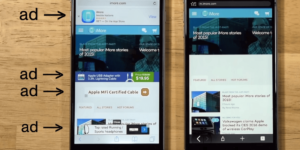
5. You’re seeing a lot more pop-up ads than you’re used to

As we’ve just mentioned, one way for hackers to make money is through raising ad-based revenue. They do this by forcing their victims to view more ads than they normally would. If you’re noticing more ads than usual, your phone may have been infected with adware and most likely has been hacked.

6. Your phone has new apps that you didn’t install

Always pay attention to the apps you have on your phone. For one of many reasons, hackers could try to install false apps. If something is there and you don’t remember how it got there, it may have been installed remotely by a malicious third party.

7. Your phone isn’t working as well as it should

As we’ve already mentioned, hackers will try to install their secret programs onto your device. These will try to do a number of things but will run in the background without you knowing about it. It stands to reason then that if your phone is running all sorts of extra little programs and protocols in the background, it won’t be able to perform its normal functions as efficiently.

8. Unusual Background Noises

Another telltale sign that your phone may be hacked is if you hear odd background noise. This can either be while you’re listening to the audio or even while making calls. If you hear strange background noises, you should immediately investigate further as it could mean that your phone has been hacked and someone is listening in on your conversations. 

What to Do If Your Phone Has Been Hacked

If you’ve noticed any of the above signs and you suspect that your phone has been hacked, don’t panic. There are things you can do to get rid of the hacker and keep them from coming back.

Check Your Phone Bill

First, you should check your phone bill for any calls you didn’t make. Make sure to check for any unknown number dialed and the length of the calls. Make notes of anything unfamiliar to you. Also, don’t forget to check your messages as well. You should carefully check all your messages for any traces of messages sent to numbers you don’t know or containing texts you haven’t sent. Once you’ve gathered all this data, contact your service provider and discuss the matter with them. You may even get the chance to claim back your losses.

Change All Account Passwords

If you notice any unfamiliar activity on your device, immediately log out of all accounts and change the password. It is best to use a strong, randomly generated password consisting of letters, characters, and numbers when doing this. It is a good idea not to make up a password yourself if you suspect that you’ve been hacked. This is because the hacker potentially already knows you and might be able to guess the new passwords.

Uninstall Any Malicious/Suspicious Apps

Go through all of your apps and delete any ones that are unfamiliar or that you don’t use often. This may take some time, but it is a crucial step as the hacker might be using malicious apps to gather your data, or worse.

Install an Antivirus App

Make sure to install a good antivirus app. As soon as you’ve installed the antivirus, make sure to run a full scan and remove any threats picked up by the app. Also, if your app has ‘Real-Time Protection, ’ we recommend enabling it. This feature will assist in keeping you safe by flagging suspicious websites, links and phishing attacks in the future.

Worse Case Scenario – Restore Phone to Factory Settings

If you’ve done all the above steps and it still seems like your phone has been hacked, you might have to resort to a factory reset. This will return your phone to how it was when you first took it out of the box. Any apps that you’ve installed will be removed. Any messages, emails, and photos will also be removed. This is why the factory reset is the last option on our list. Make sure to backup anything you want to keep before restoring your phone to factory settings.

Know the Signs of a Hacked Phone

In this day and age, we have to stay one step ahead of hackers. With more and more of our lives taking place online and through our mobile devices, we cannot afford to have our data breached. One way to stay safe is to know the warning signs and act immediately if you suspect anything.

Best free antivirus for mobile 2020

The best mobile antivirus apps

Android is more popular than Windows. It might be hard to believe it, but Android is used more than any other operating system in the world. Now Windows is famous for many things but one of its more infamous claims to fame is how susceptible users are to viruses and malware, just ask an Apple Mac user. This is because the more people use an operating system, the more hackers and cybercriminals will target it. So, with that being the case, you already know that there are plenty of malicious actors out there targeting your Android smartphone.

Today, to help you stay safe when you’re on your phone, we’re going to look at some of the best antivirus apps available on the Google Play Store that you can download and install on your Android device. Even better, all the Android apps we’re talking about today are free.

Best free antivirus for Android phone

AVG Antivirus Free

AVG for Android

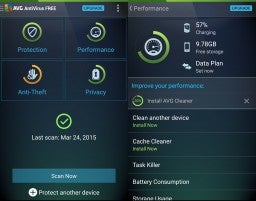
AVG is another strong mobile device version of a fully featured desktop antivirus program. It comes with a call blocker, regular scanner, cache cleaner for getting rid of your junk, and a power saving feature that can make your phone’s battery life last much longer. Another cool feature you’ll get with AVG is a RAM booster, which will hunt out programs that are hogging up your system’s RAM while not actually doing anything. This is excellent, if you’re phone is running slower than usual and your scans have turned nothing up.

AVG Free Download now
8

Sophos Free Antivirus and Security

Sophos is an excellent mobile antivirus app that regularly scores highly with independent testing labs. The app offers an ad-free experience, which is rare for free apps and also has robust anti-malware procedures. Other tools that come with this feature-packed app include an app locker, loss, and anti-theft features, web filtering, malicious site blocking, and call protection and spam blocking. This app is massive and free.

Sophos Download now
8

Bitdefender Antivirus Free

Bitdefender mobile security is a lightweight Android antivirus app, which makes it ideal for anybody using an older phone or a more mid-range model. Bitdefender spares your system resources by not running real-time protection all the time in the background. You’ll have to schedule your scans manually, although all new apps will be scanned when they’re downloaded. It isn’t hard to get it all set up though, so we can recommend Bitdefender for all users.

Bitdefender 2018 Download now
7

Avira Antivirus Security

AVIRA Android hero

The Avira mobile app has some neat features that set it apart from the rest. Apps are rated with a privacy scale, so it is very easy for you to know how they use your data and your phone’s sensors. The free version doesn’t come with malicious site blocking, however, you’ll have to pay for that, but you will get a comprehensive scanner that can not only scan the contents of your phone’s hard drive but also any SD cards you’re using too.

Avira Free Antivirus Download Avira ►
8

Avast Mobile Security

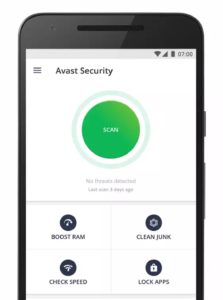
Avast is one of the best names out there when it comes to Antivirus software so you know you’ll get comprehensive protection from its mobile app. Features include monitoring how long you’re spending on each app, a disc cleaning feature that’ll get rid of all your junk files, and a strong scanner that works with a simple tap. Another cool feature is the Avast photo vault, which will give you a secure place to store private photos.

Avast Free Antivirus Download now ►
8

360 Security

Another cool free antivirus app worth your consideration is 360 Security. With this app, you’ll get all the usual features we’ve been through with other apps including an antivirus scanner, anti-theft protection, junk cleaner, and more. You’ll also get a rather handy CPU cooler tool, which will come in very handy whenever you feel your phone heating up, which more phones seem to do much more often these days.

360 Security - Antivirus Download now
8

Kaspersky Internet Security

The free Kaspersky mobile security app gives you access to a strong malware protection tool that’ll sniff out almost all types of malware that get onto your Android phone. It also has a robust blocker for malicious sites and will flag up dodgy links it doesn’t think you should click. Kaspersky runs in the background checking for apps, however, so it could be a little heavy on your phone’s processor and RAM.

Kaspersky Anti-Virus Download Kaspersky
8

Norton Security and Antivirus

Norton for Android

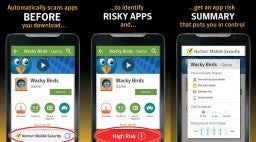
Norton is another big name in antivirus protection and the giant is proud to offer a mobile app that gives a 100% detection rate with its antivirus and anti-malware scanner. All viruses and malware are then safely removed from your mobile. Other cool features include a find my phone type feature, dodgy website blocker, spam filters and call blocking, and a rather cool feature that will use your phone’s selfie camera to snap a picture of anybody trying to access your phone when you’re not there.

Norton Download now
8

DFNDR

DFNDR, like 360 Security, is another mobile antivirus and internet security app that doesn’t have the big-name recognition of the likes of Avast and AVG, but that still packs quite a punch and offers a feature-rich mobile security suite. It comes loaded with anti-hacking, anti-spyware, and anti-phishing features on top of the regular scanning features you’ll find elsewhere. Other cool features include an AppLock, which will secure your private apps behind a passcode or fingerprint, and an assist feature that will keep you updated on how best to use the app and its features. The only downside of DFNDR is that it’ll show you ads, which can be very annoying.

DFNDR Download now
10

Wrapping up

There you have ten of the best free mobile antivirus apps you can download for your Android smartphone. They all offer strong protection against viruses and malware and many come with feature rich toolsets to back up their core functions. When picking the right one for you consider the features you’ll need specifically and also think about whether you’re happy to view ads. Unfortunately, you may have to pay, if you have a specific feature in mind and can’t stand ads. If you’re not so rigid, however, you’ll definitely find what you’re looking for free in this list.

5 Myths and truths about the dark web

This is all you need to know about the dark web and some myths you shouldn’t believe.

Myths about the dark web

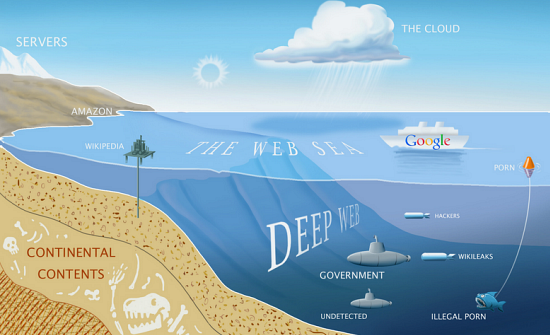
The dark web. As if the name doesn’t say it all already! Imagine an iceberg floating in the ocean. We can see about 10% of the iceberg above the water with 90% hidden below the surface. What we see is the popular image of icebergs that everybody is familiar with but hidden out of sight lies something more, something that is there but that not many people know too much about. This is kind of what the dark web is like when you think about the world wide web instead of icebergs. What we see and what everybody thinks of as the internet is just a small part of the overall web. The dark web is the vast part of the internet that most people don’t see.

What exactly is it though? Well, that is what we’re here for today. As most people don’t know too much about the dark web, rumor and myth can take hold. We’re here today to give you a clearer idea of what the dark web actually is and bust a few common web myths that are swirling around the internet.

What is the dark web?

deepweb

The dark web is the internet that you can’t find through search engines like Google or by clicking on links. The dark web goes beyond things like the BitCoin cryptocurrency and darknet markets like The Silk Road and, in fact, contains around 550 billion documents, which is a lot more than the 1 billion documents that the regular web has. It is very very big. Basically, it is everything that is online but isn’t easy to find. This is fact but it leads into our first common myth about the dark web.

Myth #1 You need special equipment to access the dark web

There is a commonly held misconception that only hackers and people with specialized computer abilities can access the dark web. This isn’t true. You don’t need special server banks or super-powered routers to access the dark web. Not at all. Instead, all you need to access the dark web is a web browser called Tor.

The Tor Project offers a free web browser that allows you to access the dark web. You can’t access the dark web without it, and it works by anonymizing and hiding your browsing activity. Tor, just like 95% of all the content you’ll find on the internet, is free to access.

Myth #2 The dark web is the same thing as the deep web

Both the dark web and the deep web are commonly referred to like each other. In fact, there are technical differences between the two.

The difference between them is how you collect information. The deep web refers to content that is usually locked up behind passwords and held in restricted forums. You can’t access these sites via search engines, but you don’t necessarily need Tor to access them. The Dark Web is all the information that can only be gathered by users who’ve anonymized their traffic using a web browser like the Tor Network.

Myth #3 It is illegal to access the dark web

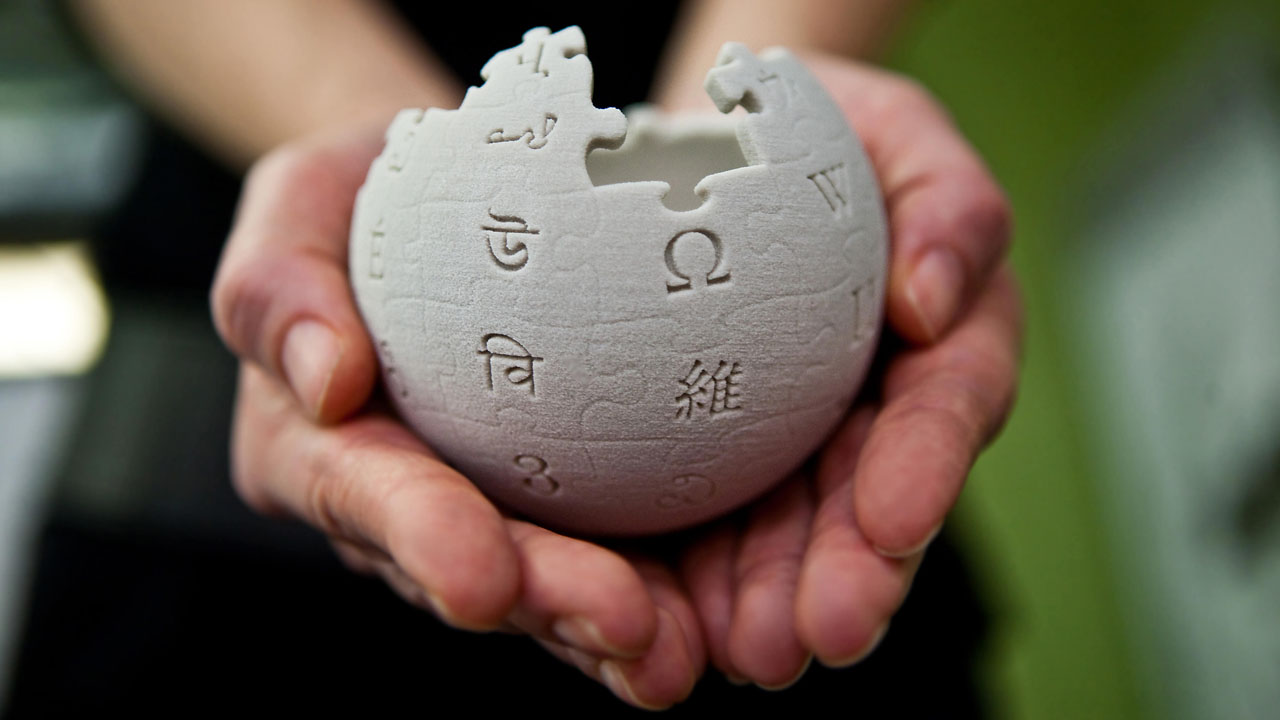
This is just completely untrue. To the extent that even social media sites like Facebook have a presence on the dark web. In fact, it wasn’t long ago that Wikipedia set up a dark web page called the Hidden Wiki so that people in parts of the world living under government censorship could access the world’s biggest encyclopedia. It is in exactly these parts of the world, however, where it becomes a bit of a grey area.

In countries that like to keep tabs on their citizens and limit what they can see on the internet, the governments usually have laws against encrypting your data. As you need to use Tor browser to access the internet, which anonymizes and encrypts your data, it could be illegal to use Tor browser and therefore accessing the dark web would be illegal, even if there is no explicit law against it.

The other thing you need to consider is that due to its anonymous nature the dark web is filled with illicit information that could be illegal to access.

Myth #4 Only criminals use the dark web

Whereas anonymity does attract a certain kind of cybercriminal and deviant, there are plenty of other people who use the dark web. Sure you can hire a hitman, buy illegal drugs, download child pornography, and do other disgusting illegal activities but there are plenty of normal activities people do on the dark web. Things like socializing, sharing images and movies, and generally using and surfing the web in a similar way to how they browse the regular web.

Like we’ve already mentioned the dark web offers a way for people living under restrictive governments to access controlled information. The dark web also gives journalists and whistleblowers a safe way to communicate without fear of recrimination. They should still be careful, however, because of the final myth we’re going to bust.

Myth #5 You’re completely anonymous when you’re browsing the dark web

If you’re a journalist, whistleblower, or anti-government activist you’re going to have to take some further anonymity precautions than the baseline offered by the Tor browser. Although Tor was built to keep you anonymous and is needed before you can access the dark web it cannot guarantee your privacy on its own. A study concluded that Tor is not “…completely verifiable on the Dark Web.” This shouldn’t come as a complete surprise, however, when you consider just how seriously some governments take their efforts to oppress their people.

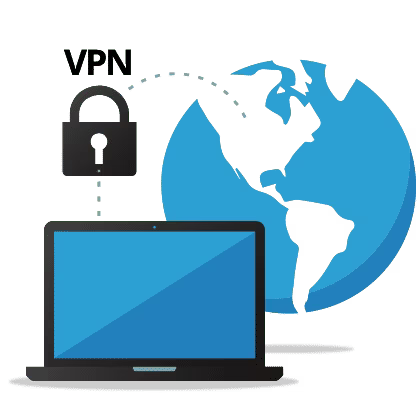
The good news, however, is that when combined with another privacy-protecting tool, Tor and the dark web can go a long way to keeping you safe. Using a strong VPN program when accessing the dark web, using Tor, will further enhance your privacy by masking your IP address and encrypting your data even further before communicating with your internet service provider. VPNs can even go so far as to hide the country you’re accessing the dark web from. If you’re busting out government secrets in China, a strong VPN can make it look like your connecting to the internet from the US.

Best password generators 2020

These are all the best password manager programs and online password generators.

The best password generators

Passwords are bit of a nightmare. Weak passwords are useless and we need to make our passwords as complex as possible so that brute force attack won’t break through them by having a computer simply go through all the possible combinations. Furthermore, we need to change them regularly. As we all now have more online accounts than we’ve ever had before the result of having to regularly change complex passwords is one big mess. Let’s face it, we either have lots of accounts with the same password, which is a security nightmare as one data breach will unlock all your accounts or we’re constantly hitting the “I forgot my password button” and resetting.

The other option for avoiding the randomness is writing down all of our passwords so that we don’t forget them, and can keep track of all the changes we make. This, however, is very impractical and also very insecure. You don’t want to carry around a book full of passwords with you everywhere you go and you don’t want people seeing a password you’ve written down.

This is where password managers come in handy. They provide a secure place where you can store all your passwords behind a single master password that you can safely carry with you everywhere you go on your Android mobile phone or iPhone. Furthermore, password managers can instantly generate passwords for you so that you won’t have to spend hours and hours thinking of something that is 8-16 characters long and has lower case and upper-case letters, at least one number etc.

Let’s look at five of the best password managers and password generators available today.

The best random password generators

LastPass

LastPass

LastPass is an excellent password manager that also has a fantastic free version too. For free, LastPass will securely store all of your passwords and let you access them across three of your devices. This means you’ll be able to securely log into your accounts from your PC, mobile, and tablet without having to pay for the premium version.

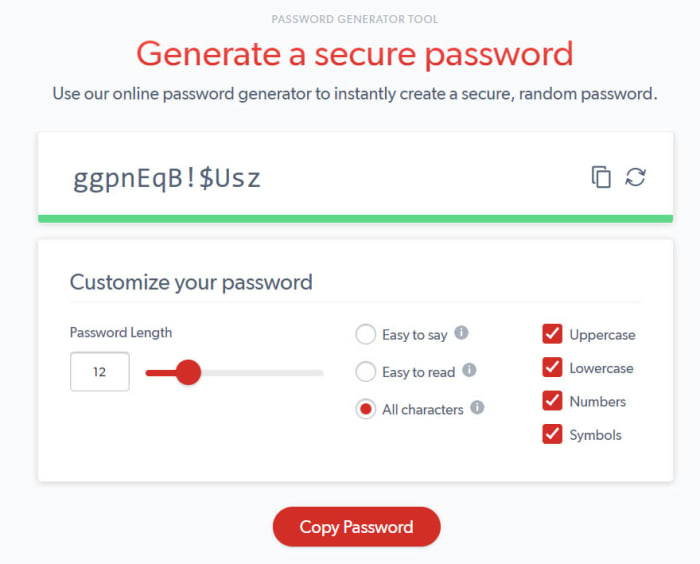
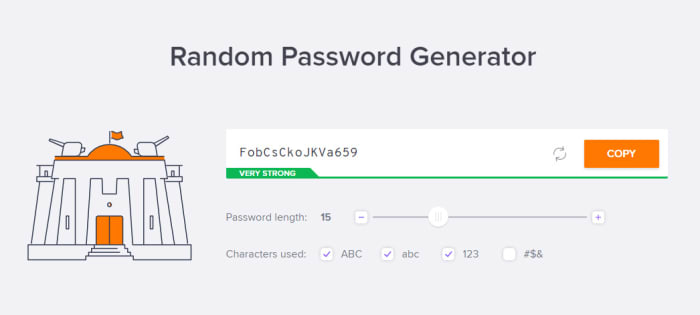
LastPass also offers a great password generator that will automatically come up with secure passwords whenever you sign up to a new account and then prompt you and fill it in every time you try to log in. If, however, you don’t want to install LastPass, you can use the web version the of LastPass password generator every time you need to create a password. It offers a number of customization options including Uppercase and Lowercase Letters, Numbers, and Special Characters. You’ll also be able to set password length and choose whether to have a password that is Easy to say or Easy to read. Once you have your password you can simply hit the copy button and then paste it where you decide to keep it.

8

Avast

Avast password generator

Avast is, of course, famous for its antivirus software and we recently recommended Avast Free Antivirus as the best free antivirus program available today as it offers many features that you’d normally have to pay for. One such feature is the Avast password manager.

Although the free version of Avast’s password manager isn’t as good as the free version of LastPass it does still have a great password manager. Just like with LastPass, Avast also offers a web version of its password generator. It offers all the usual customization options for your password generation and couldn’t be easier to use.

Avast Free Antivirus Download now ►
8

NordPass

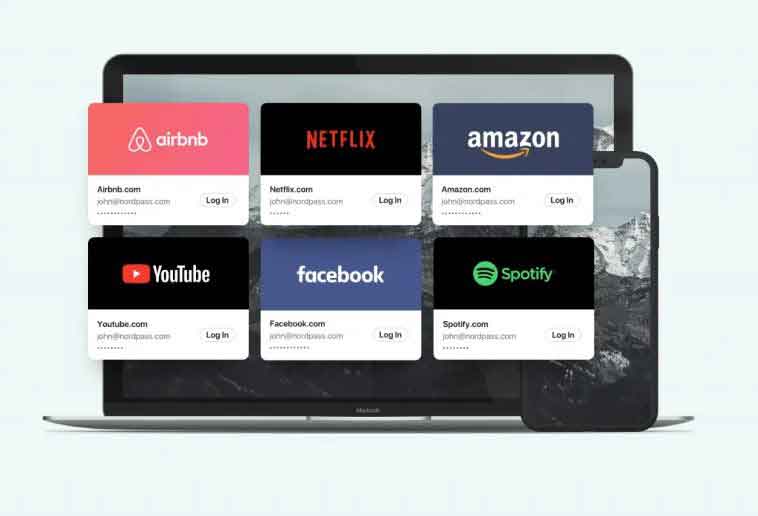
Behind NordPass we found the same cybersecurity experts of the complete and successful NordVPN. The big main feature? The XChaCha20 encryption algorithm. It supports two different lengths of keys, with the 256-bit one being the strongest. As a result, it’s one of the safest encryption algorithms. And the best part? You, as an user, don’t need to worry about this settings: NordPass does it for you.

In addition to the XChaCha20 encryption, we have all the advantages that we already expect on a pass manager: two-step authentication, personalized configuration, protection of our bank data, apps for all types of platforms … Oh, and with a completely free option. There’s also a Premium version, which allows to be used up to six simultaneous devices.

NordPass Download now ►
8

Dashlane

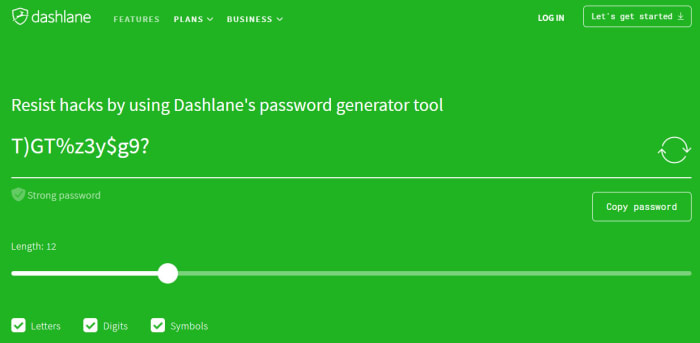
Dashlane password generator

Dashlane, like LastPass, is a specialized password manager. It offers extensive features that enable you to coordinate your secure passwords across multiple devices. It is widely regarded as one of the best password managers in the business. Unlike with LastPass, however, you can’t use Dashlane on more than one device for free. You’ll have to pay for multi-device.

The good thing about Dashlane though, is that its excellent password generator is available for free online. You can easily set the different parameters your good password needs and then Dashlane will make it very clear whether the parameters you’ve entered create a strong password or a weak one. If the generated password is strong the green will shine bright green. If it isn’t, your screen will shine fiery red.

Dashlane Download now
8

1Password

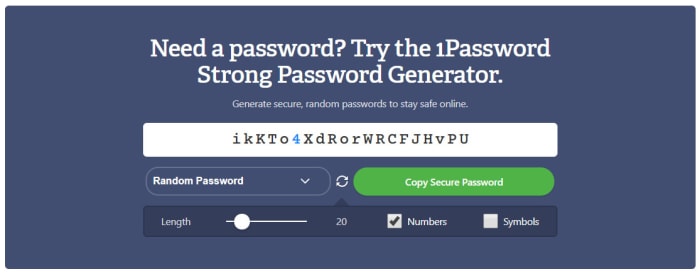
1Password password generator

With a name like 1Password we’re pretty sure that you already know this is another specialized password managing program. With 1Password you’ll get all the automated password features you get with Dashlane and LastPass, rigorous encryption protecting your stored passwords, and a strong password generator that makes it very easy to create new online accounts securely.

The 1Password password generator is also available online and offers a rather useful feature that sets it apart from the other password generators in this list. As well as giving you control over password length, and numbers and symbols, 1Password also offers users a free PIN generator too. With Windows 10 and other similar programs offering offline PIN login alternatives these days a random PIN generator is very useful as it’ll stop you from falling back on to a random date.

1Password Download 1Password
6

Norton Lifelock

Norton is another famous Antivirus security suite that has recently developed a password manager and password generation feature. This is because having safe and secure passwords is a very important part of your online security toolkit.

The online version of Norton Lifelock is similar to that offered by Dashlane. You select all of the criteria you need your password to have and the tool with then show you whether the resulting password is bad, weak, or strong by showing a red, orange, or green background. As well as this, Norton gives you all the regular password customization options including Numbers, Mixed Case letters, Punctuation marks, and symbols.

Norton Download now
8

Wrapping up

We can’t stress enough just how important it is that you have unique and strong passwords on all of your online accounts. We know, however, that it can be hard coming up with new passwords when you have to change them all the time. Each of the password generators we’ve mentioned will create strong and unique passwords for all of your online accounts. The 1Password PIN generator is also very useful.

All in all, though, we think you’d be much more secure if you installed one of the full password manager programs we’ve featured today. In that respect, we recommend LastPass, which will give you your passwords across multiple devices for free.

8

Best free antivirus 2020 (Desktop)

These are all the best antivirus programs you can download for free

The best antivirus for free on Windows

If you think about all the things you do on your PC and online these days, you quickly see why it is more important than ever to have a strong and reliable antivirus program protecting your interests. Think about it, these days we buy more things online than ever using our credit cards, we click on links every day, we receive hundreds of emails every week, and now we’re even furnishing our homes with smart devices connected to the internet.

Yes, all of these technological advances make life that little bit easier, but they also offer new ways in for hackers and cyber criminals, which only add to all the classic threats we face like trojans and adware. We could click on a dodgy link, open a phishing email, give our credit card details to a fake store’s website, and we’re not even going to get into what hackers could do with that new smart lock you’ve just installed or that always listening smart speaker that sits in your den. Even our Wi-Fi networks are vulnerable to exploitation.

Fortunately, there are plenty of excellent free antivirus programs available these days, that are even better than Windows Defender, and we’re going to run through the best of them now. Hold tight for our list of the best free antivirus software for Microsoft Windows 10.

Free antivirus for Windows 10

Avast Free Antivirus

Avast Free

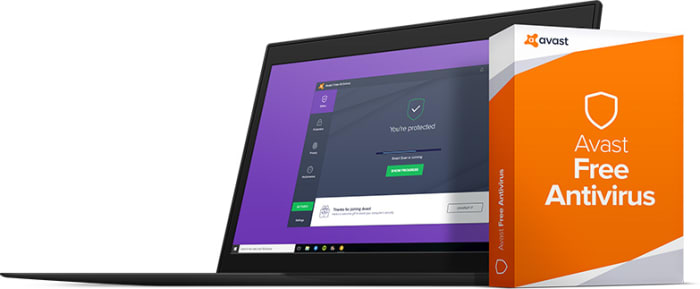
All five of the free antivirus programs we’re featuring today offer strong protection. If we had to pick out one, however, Avast might get our best antivirus recommendation. As well as offering antivirus and malware protection features that regularly score highly with independent testing labs, Avast also offers a wide range of extra features that you’d normally have to pay for.

The best of these extra features is the Password Manager. This will create new and extremely secure passwords for all of your online accounts, store them securely, and then automatically fill them in whenever you’re trying to access your accounts. The only limit to this feature, however, is that it can’t be used across multiple devices, which means you won’t be able to log into your accounts via your mobile if you use Avast on your PC. Avast free still remains an excellent choice though, for anybody looking for a strong level of antivirus protection but who don’t want to pay out a lot of cash for it.

Kaspersky Security Cloud Free

cover

Kaspersky has long been respected as one of the strongest antivirus programs on the market and has always scored well across most of the independent antivirus testing labs like AV-Test and AV-Comparatives. Fortunately, Kaspersky began offering a free version of its antivirus total security and malware protection software back in 2017. The cloud-based offering has plenty in its locker too.

You can install it on your PC, but Kaspersky Free also offers support for iOS iPhone and Android users too. Key features include full malware protection, spyware defense, and almost flawless real-time protection from phishing scams. The software will flag dodgy links and block malicious URLs. For a free program, Kaspersky Antivirus offers robust security features and even has some you’d have to pay for elsewhere. Definitely worth a look.

Kaspersky Anti-Virus Download Kaspersky
8

Sophos Home Free

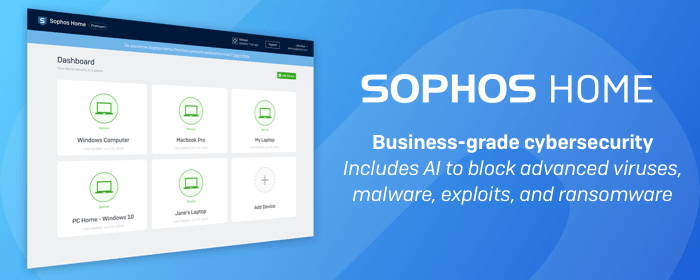
Sophos has long specialized in protecting business computer networks containing hundreds, if not, thousands of computers. Protecting business interests means the Sophos team has long had to ensure the tightest of security measures in its programs. Thankfully, the move into home security software hasn’t resulted in any lower levels of security. The latest version of Sophos Home Premium makes it easy to coordinate security across multiple devices but the free offering has just been boosted with new AI algorithms.

The idea behind Sophos’ AI antivirus features is a neural network that learns from the threats being dealt with on all machines running the program. This means Sophos can preempt malicious behavior rather than having to check dodgy files and programs against known threats.

Other great features that come with Sophos Home Free include strong anti-phishing protection, anti-malware features, and the ability to protect and remotely control security features across three devices, just like the network administrator would do in an office.

Sophos Download now
8


AVG Antivirus Free

AVG Free

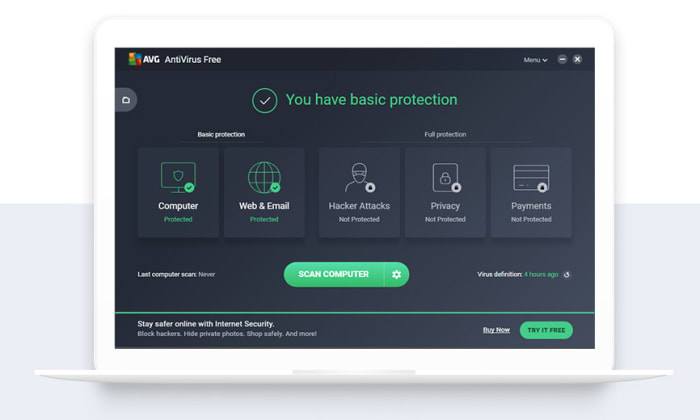
AVG Antivirus is another established and very well-respected antivirus software suite. Furthermore, AVG offers a free version of its antivirus technology that comes packed with plenty of features like malware and antivirus scanner, and robust phishing protection including blocking dodgy URLs and rating websites for you so you know which ones are safe and which ones are not.

AVG offers a wide range of free features for internet security-conscious web users. Recently, however, it has lost a couple of prime features including web browser protection and scan speeds have slowed significantly also. Protection-wise, you can still count on AVG to keep you as safe as any of the other free antivirus offerings we’ve included in our list.

AVG Free Download now
8

Bitdefender Antivirus Free Edition

Bitdefender

The final antivirus program we’re bringing you today is BitDefender, which brings you a robust offering for free that is really simple to install. There is no need to answer all sorts of questions or hand over lots of details to get your hands on the free version of BitDefender, which is something that sets it apart.

The free version of BitDefender offers the same level of antivirus and malware protection that you get with the paid antivirus version. The difference is that you’ll miss out on some of the premium features like a password manager, ransomware protection, or multi-device support. This means if you’re all your after is a strong scanner and always-on protection, you’ll be happy with what BitDefender Free Edition gives you. If you’re looking for advanced features, however, you’d be better looking at one of the other programs we’ve listed.

Bitdefender 2018 Download now
7

Wrapping up

Today we’ve shown you five antivirus programs that will keep you safe online for free. In truth, it is hard to pick between them as each offers strong enough protection to make it onto our list. We wouldn’t recommend any programs that didn’t offer robust security features. If we had to pick one antivirus solution, however, it’d likely be Avast that tops our list. For free you’ll also get a number of premium features with Avast, that you won’t get with the other programs.

The best Black Friday deals

These are all the best software deals you’ll find this Black Friday.

When Black Friday comes around, we’re inundated with limited-time special offers for all sorts of products like headphones, wearable tech, charging cases, video games, SSD hard drives, smart home devices, and iPads. With so many deals from the likes of Amazon, Walmart, Best Buy, Newegg, and Samsung, however, it can be hard to know where to start. Well, at Softonic, we’re specialists in software so you can trust us to bring you the best Black Friday sale software deals. Let’s get into it then, these are the best Black Friday deals for software and online subscriptions.

Disclosure: Softonic may receive a referral fee if you click or buy any of the products featured here.
The best Black Friday software deals 2019

ExpressVPN

Virtual Private Networks (VPNS) allow you to mask the IP address of your Microsoft PC, Macbook, iPhone, or Android phone and encrypt all of your internet data. They have become essential for anybody who wants to surf the web safely. Add to that the fact that VPNs open up global content that would normally be locked due to your geographic location and you quickly realize that you need a powerful VPN on your machine.

The problem with VPNs, however, is that many of them are not that reliable. This is simply not the case with ExpressVPN though, which is widely regarded as the best VPN in the business. An ExpressVPN subscription will give you reliable access to over 3,000 servers round the world allowing you to protect your data and simulate your location in over 160 locations spread across 94 countries. If that sounds like something you want, act now to get three months free subscription to ExpressVPN.

Express VPN Save $$$ Now
10

Adobe Creative Cloud

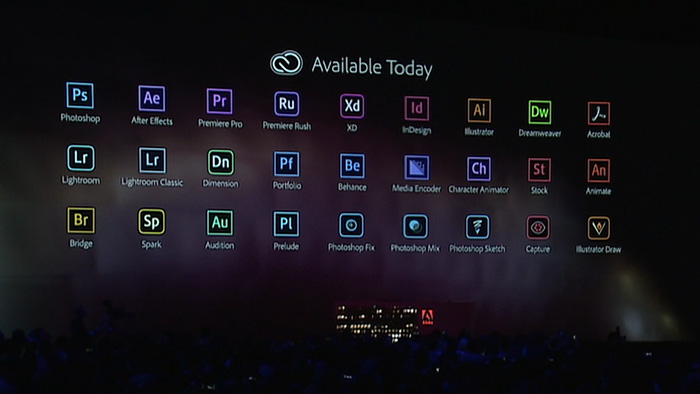
If you’ve never heard of Photoshop, then you must have been living in a cave or something. Photoshop and all the other programs in the Adobe Creative Cloud design suite are the best in their class. No matter your design job, the Adobe Creative Cloud will give you the best tools available to get it done.

Now’s your chance to get yourself a full subscription to the Adobe Creative Cloud package with massive savings of 40% off the normal price for all and 80% for students. Take advantage of early Black Friday savings that could end up saving you hundreds of dollars every year.

iObit

iObit Black Friday deal

Keeping yourself safe online is a tough job these days. Online threats and more advanced types of malware hit the internet all the time. As well as online threats, as software gets more and more complicated we can experience inexplicable slowdowns on our PCs. This is why it is more important than ever to have a robust cybersecurity suite protecting you every time you’re online and to keep your PC working as well as it should.

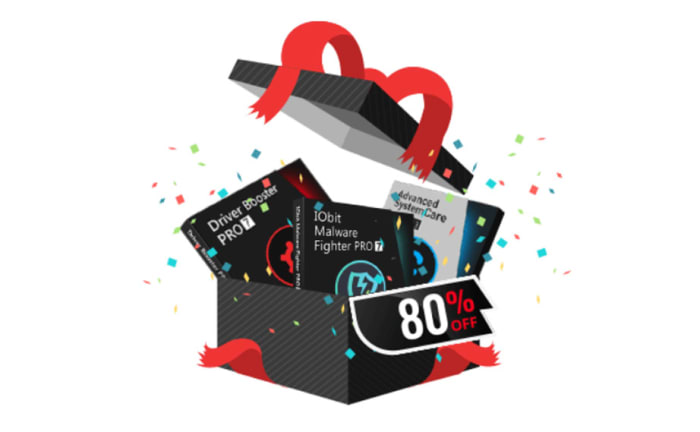
With that being the case, you do not want to miss out on the eye watering  discounts that iOBit is offering on its line of PC optimization and protection software. You can save up to 80% on complete packages of iObit cyber security software. iObit is also giving away $60 worth of software for free with every purchase made. Check out these deals now and save yourself some money.

iObit Special Offer Save Save Save
10

MacPaw CleanMyMac

CleanMyMac black Friday deal

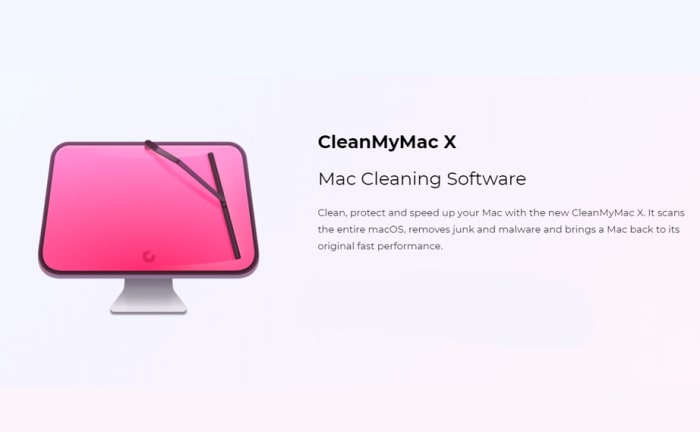
MacPaw’s CleanMyMac optimization suite offers the industry standard that all other Mac cleanup programs try to match. CleanMyMac makes it a quick and simple process to clear up space on your Mac and get your Apple Mac back to its best. With MacPaw’s amazing Black Friday deals, you can save 30% on a CleanMyMac subscription. You need to act fast, however, as MacPaw discounts are rare, and it won’t be Black Friday forever.

CleanMyMac Clean for less
10

CCleaner

CCleaner Professional is a veritable institution in PC optimization. It has been around for years and is well-known for offering a quick, safe, and reliable disk cleaning service. Regularly regarded as the most efficient tool for identifying gigabytes of erroneous files and delivering noticeable boosts to your PC’s performance every time you use it. If your PC needs a boost, act now and save 50% on a CCleaner subscription.

CCleaner Click to Save
10

Sony Vegas

If you’re a video editor you need a feature packed video-editing suite offering full video production capabilities, audio editing, special effects, and more. Sony Vegas has all of these and more. If you’re an Instagram or YouTube video blogger then you should think seriously about this Sony Vegas Black Friday deal. Act now and you could save yourself hundreds of dollars and massively upgrade your video-making capabilities.

Sony Vegas Save $$$
10

Norton Antivirus

Norton Antivirus

Our final Black Friday deal comes from Norton Antivirus, which is offering savings of up to $60. Protect yourself from threats including ransomware, malware, spyware, and more.  Norton will also protect your identity from potential hacks and  potential online scams and phishing attempts. Act now to save a massive $40 and protect your PC or Mac for an amazingly low $19.99. Protect up to 5 devices with the full Norton package and save a massive $60. Don’t wait to stay safe and save money.

Norton Antivirus Protect and Save
10