VPN Proxy Master: Safe, Powerful and Free

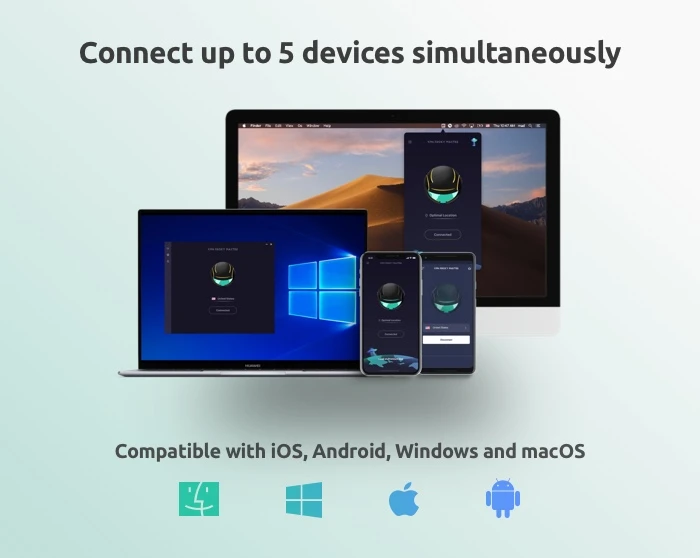
Download VPN Proxy Master for free for mobile and upgrade to premium to connect up to 5 devices. Surf the net, stream, and download files safely and anonymously.

You’ve likely heard about VPNs – virtual private networks that let you tunnel into remote locations to access the internet while protecting your real identity and location. You may even use a VPN on your computer already. But have you thought about protecting your mobile devices as well? If not, VPN Proxy Master can get the job done for you easily, effectively and at no cost.

 What it is

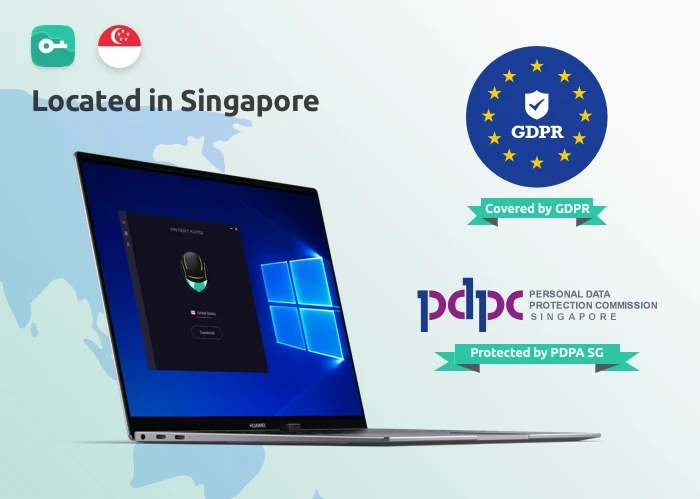
VPN Proxy Master is a VPN service provided by Lemon Clove Pte. Limited in Singapore. As such, all activity that routs through their servers are protected by the EU’s General Data Protection Regulation and Singapore’s own Personal Data Protection Act – both pieces of legislation meant to safeguard the privacy of individuals surfing the internet.

VPN Proxy MasterWhile that should give you some confidence about VPN Proxy Master, you might be more interested in how the software actually works. And we have one answer to that question: simply.

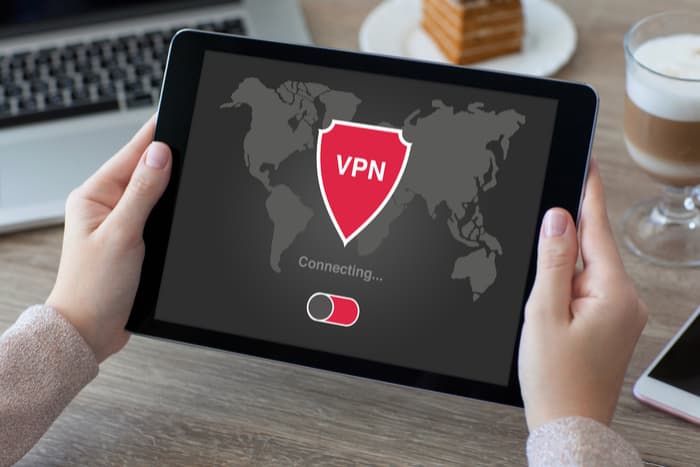
After opening the app on your Android or iOS device, you’re presented with an attractive screen showing a spinning globe. You simply press the “Connect” button and the software will automatically connect you to a VPN server somewhere in the world. To cancel the VPN link, pressing the “Disconnect” button does the trick. 

 Under the hood

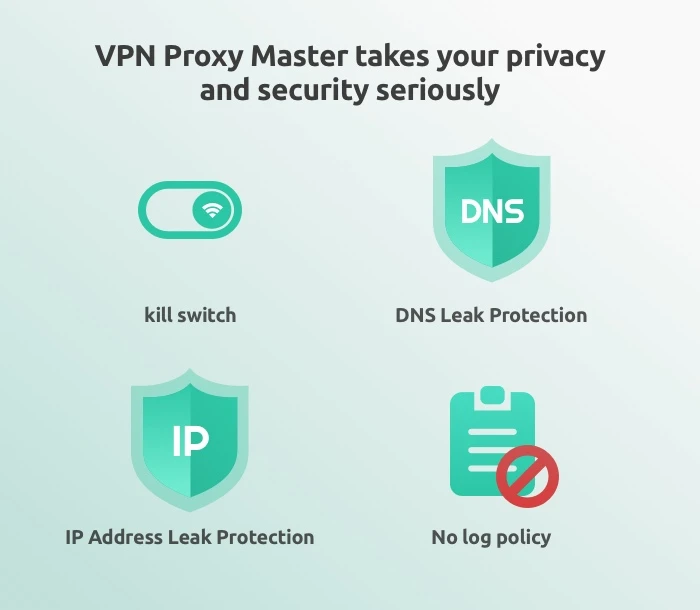
For a free piece of software, VPN Proxy Master delivers quite impressive features. You get: military-grade encryption on all your online activity; DNS leak protection; IP address leak protection; a no-log service; access to servers around the world; and industry best connection protocols that make both your connection to the service and your surfing speeds truly zoom

VPN Proxy MasterWhile most of these features are common in many VPN services, VPN Proxy Master also allows unlimited video streaming from online entertainment providers – including Netflix and Disney+. This is a feature not all VPN services provide, but you’ll have to upgrade to the Premium version to get it (see below). Fortunately, thanks to a Grand Launch Promotion Sale, VPN Proxy Master’s Premium service is now the cheapest of all the major VPN providers

Options

VPN Proxy Master

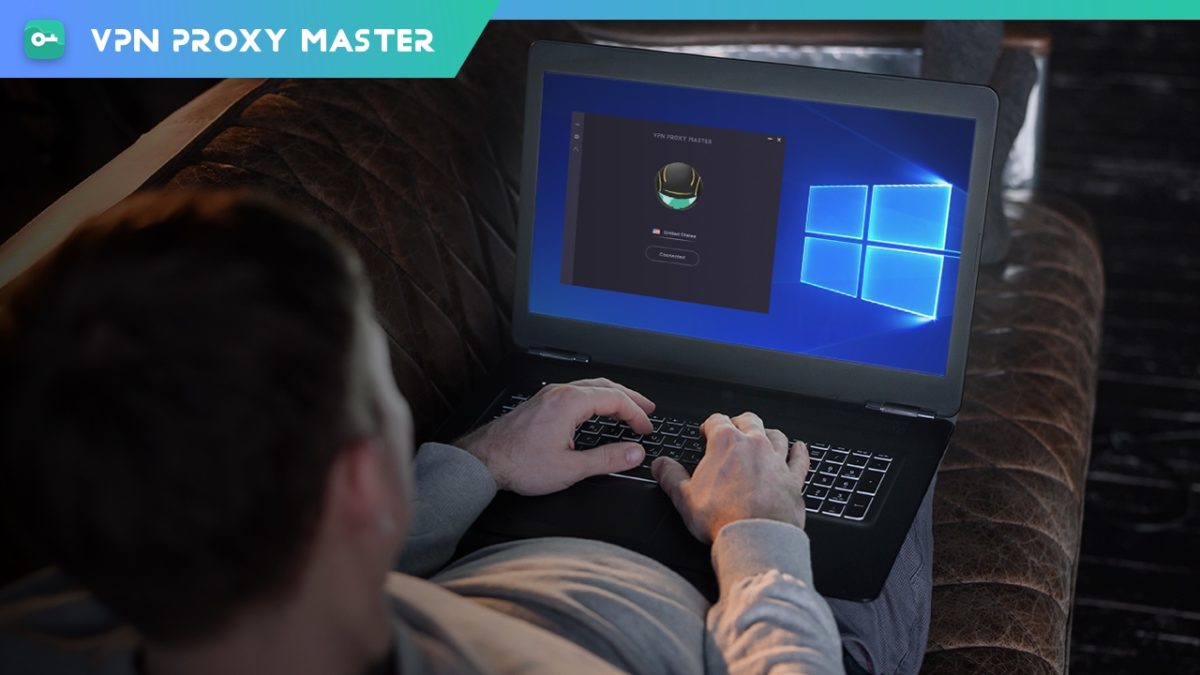
While VPN Proxy Master shines in covering both iOS and Android devices, the service can also be downloaded to both Mac and PC desktops

Additionally, we certainly recommend that you download one of the free versions of the software to give it a try. But be advised that the mobile apps will be chock full of advertisements that seem to appear after almost every tap you make. All the free versions of all the software also have caps on the amount of data you can protect each day (500 MB) and doesn’t allow you to choose your own servers. 

If you like the software, then you can upgrade to the Premium version, which provides unlimited VPN protection; access to 6000 servers in more than 40 locations, special servers for accessing Netflix and Disney+; an internet kill switch that terminates your online connections if the VPN drops for any reason; the ability to connect up to five devices at once; 24/7 online support; surfing speeds that are four times faster than the free version; and a WiFi auto-protect feature that protects you while using public WiFi.

Note: The ability to connect five devices at once is only available with: VPN Proxy Master iOS, VPN Proxy Master macOS, VPN Proxy Master Windows, and VPN Proxy Master Pro Android.

The Premium version of the software is currently available with a 7-day trial for just $0.99 with no contract required, neither commitment: you can cancel anytime.

VPN Proxy Master
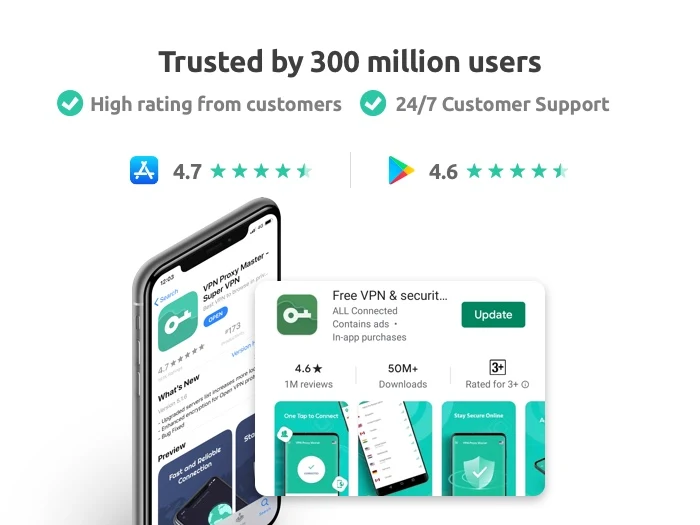
VPN Proxy Master is trusted by 300 million users and has a 4.7/5 Apple App Store rating and 4.6/5 Google Play Store rating, so we’re pretty sure you’ll be satisfied with your download no matter which version you choose.


Softonic Special Deal: Get 1 month of Ghostery Premium FREE

There’s been something of a gap in the software security world. It’s easy to find VPN (virtual private network) providers that help mask your location as you surf, but don’t necessarily stop you from being tracked when you’re not tunnelled into a remote location. And there are privacy apps that shield you from trackers, but don’t provide a VPN option. 

Stepping into this gap is Ghostery Midnight, an enhanced offering from long-respected tracker-blocking company, Ghostery – and they’re now offering a special trial discount to Softonic readers. To redeem, simply create your account here using your credit card and code GHOSTYTONIC, and you’ll get one month of Ghostery’s Premium tier free which unlocks all the advanced features and VPN in Midnight. The regular price is $14 per month, but you can cancel during this trial period at any time. 

How Midnight works

Like Ghostery’s free browser plug-ins and light version of its software, Midnight is fast and easy to install and super simple to navigate. Once loaded on your computer, it automatically gets to work blocking ads and trackers not only in any browser you launch, but also on any app on your computer that connects to the internet.

This is a key difference between Ghostery’s free version and Premium version of Midnight. When you go free, you’ll only have basic browser protection, typically by installing the plug-in on each browser you use. But Midnight offers you device-level security in a very user-friendly way. Load it, run it, and relax – it will do all its work efficiently in the background.

Its quiet operation is a welcome relief from other ad-blockers that continuously pop-up with notifications telling you how many trackers it’s blocked. Ghostery provides this information as well, but only when you want to dive in and see it through the main dashboard. 

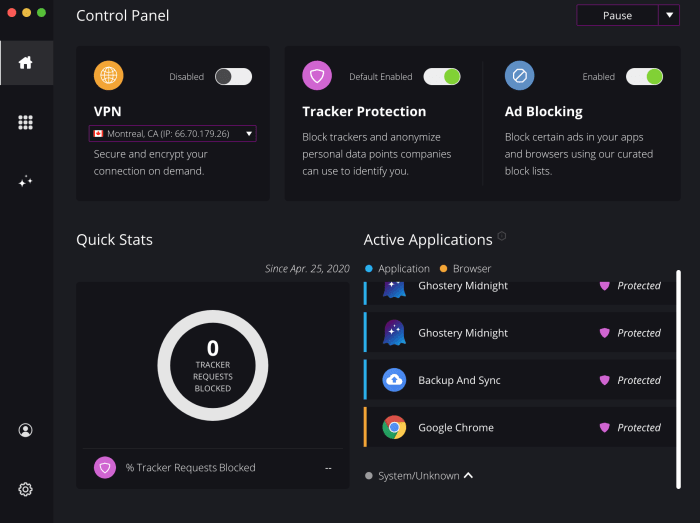
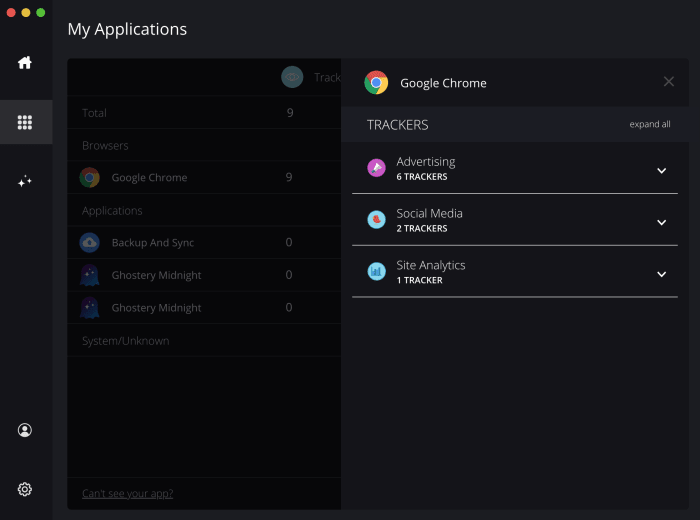
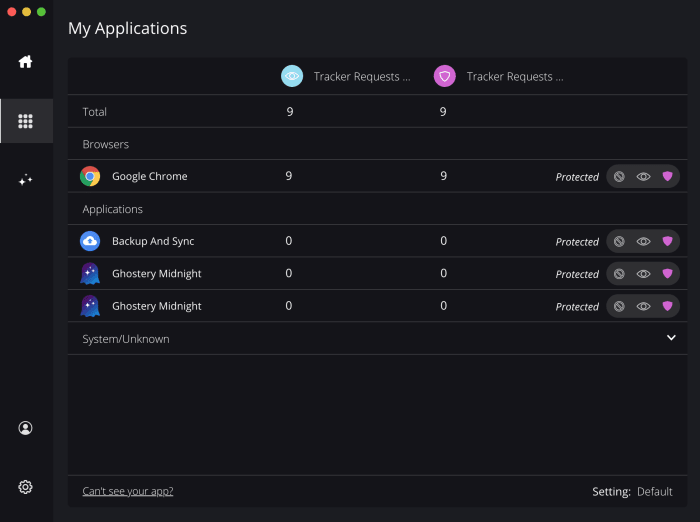
Ghostery MidnightFrom that same dashboard, you can toggle overall tracker and ad-blocking protections, as well as select any running apps you’d like to exclude from Midnight’s protection. Clicking on individual apps also provides you with the stats on how much and what specifically was blocked such as advertising, social media trackers and site statistics trackers

Ghostery MidnightGhostery Midnight

A handy “pause” switch lets you suspend Ghostery Midnight for 30 minutes, one hour or 24 hours. This is helpful if you’re having trouble following a link through which you’ll be tracked, but one that you want to access nonetheless. 

Added bonus

As we mentioned, what makes Ghostery Midnight truly impressive is its easy built-in VPN service. As the third toggle switch on your dashboard, it’s as easy as one click to turn the service on and off. Once toggled on, a drop-down window lets you choose between servers in six locations: Montreal, Singapore, Frankfurt, London, and Los Angeles and Atlanta in the US. While this isn’t nearly as many servers as offered by the top VPN providers, the benefit here is that you have all your privacy options in one place. And truthfully, most users can be perfectly happy using just a handful of VPN servers.

The deal

As a Softonic reader, you can access one full-featured month of Ghostery Midnight free when you use the link below to sign up, along with code: GHOSTYTONIC. You’ll need to create an account with a credit card, but you can cancel at any time. After your trial period, the monthly subscription would cost $14 per month. 


FastestVPN: A lifetime of top-notch VPN access for $20

Get your hands on a lifetime deal with your online security and privacy. FastestVPN now for 20$ forever.

When it comes to the world of virtual private networks (VPNs), one thing has been true up till now. Cheap or free VPNs provided only basic services, while more robust VPNs cost a whole lot of money. FastestVPN is disrupting this model by offering a full-featured VPN package that you can now get for a limited time at the truly mind-blowing price of $20 for a lifetime of use.

Here’s what you need to know.

What is a VPN?

VPNs are servers located in different locations around the world. When you use a VPN, you first connect to one of these remote servers before accessing the internet. You might be, for example, physically located in Germany, but you can “tunnel” into a server in Japan and do all of your surfing from there. All transmissions from that server are generally encrypted, so you get to explore the internet completely anonymously.

Easy-to-use interface

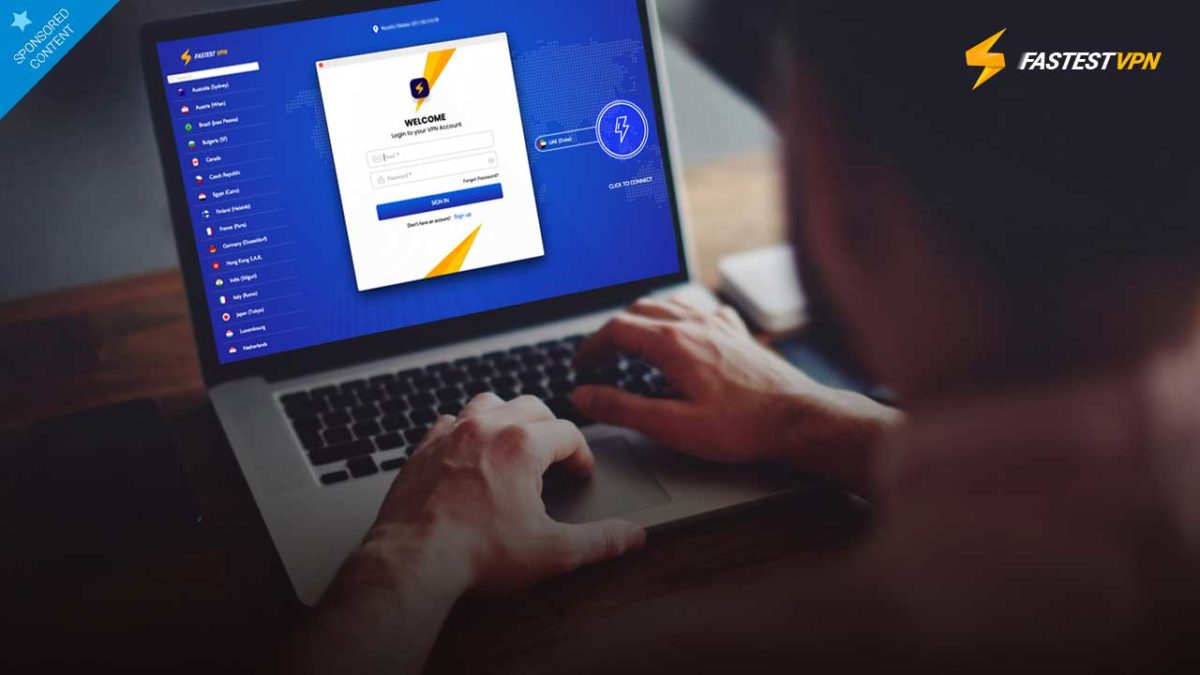
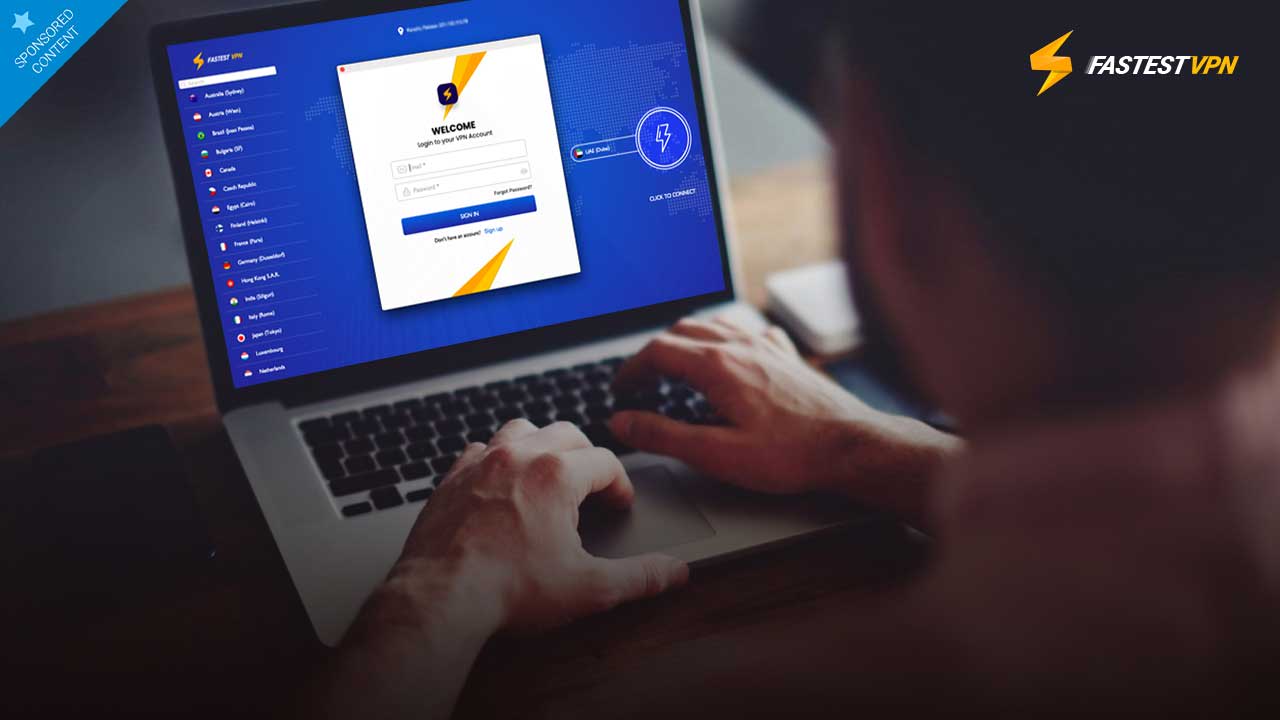
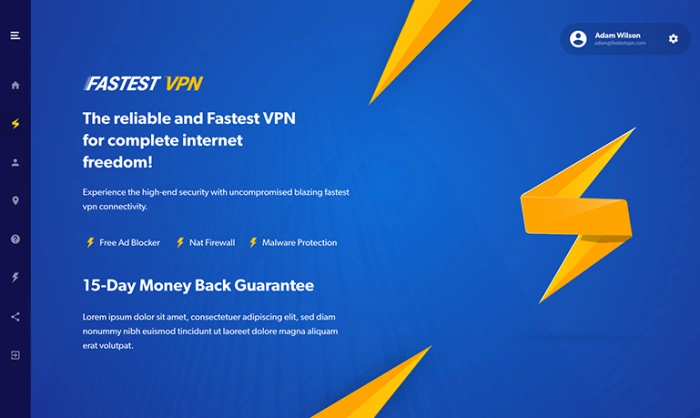
Most users want their VPN provider to work quickly, easily and as unobtrusively as possible. FastestVPN delivers on all fronts. The service is super simple to set up. After you create your login credentials and download the app, you simply click on the country of your choice then hit the “click to connect” button and you’re good to go within seconds. Alternatively, you can click on the “Smart Connect” button and the service will tunnel you into the best location for speedy surfing.

What’s more, FasterVPN has just completed a complete revamp of their apps from the ground up – making the interfaces clean and responsive, and baking in a host of new features.

FastestVPN

Speed and worldwide connections

FasterVPN offers servers in over 31 countries, router-level protection, and device compatibility across Mac, iOS, Windows, Android, Android Box, Smart TV, Firestick, making its capabilities truly unbeatable.

Plus as its name implies, FastestVPN offers speeds that compete at the very top of the VPN spectrum, letting you surf with virtually no lag, no matter where you connect.

FastestVPN also allows full access to streaming services like Netflix, Amazon Prime, Disney+ and Hulu – something that many providers can’t offer – along with the option to connect 10 different devices at one time, a benefit that’s often unseen even in offerings from giant VPN companies. This basically means you can surf, stream, torrent, and use your apps wherever you are, whenever you want with no noticeable disruptions or data caps.

FastestVPN

Security

When you’re accessing the internet from someone else’s server, you want to make sure that it encrypts all your data both when connecting to it, and when accessing the web. FastestVPN gets the job done with 256-Bit AES encryption, just about the highest level of encryption offered anywhere, so your data stays secure at all times.

Plus, FastestVPN doesn’t keep a log of your activity, so even if they were asked to provide user data to an investigative entity like a government, there’s no way for them to link you to your browsing activity.

Typically, when you think of affordable VPN companies, you think of sacrifices. But there simply aren’t any with FastestVPN.

You get malware blocking, ad blocking, firewall protection, servers that are optimized for P2P sharing and streaming, and unlimited bandwidth and server switching. Plus, the software comes with a built-in kill switch so that your internet activity is halted if the VPN server goes down – something that’s pretty unlikely because the company reports an uptime of 99.9 percent.

Get the deal

And yes, all of this really does come for a one-time payment of $20 thanks to this special limited-time offer. A deal this good really doesn’t come along very often. We’re super impressed!

Win an Avast Premium Antivirus license and a multi-device VPN!!

Download and install Avast Free Antivirus on your PC to get a chance to win an Avast Premium Security single-device license and an Avast SecureLine VPN multi-device subscription for 1 year.

We’re very happy to bring you a chance to win a premium subscription to Avast’s award-winning antirust suite. Avast is known for offering industry-leading support and protection against viruses, malware, and all modern threats such as ransomware, spyware, phishing attacks, and even password breaches and hacks.

Incredibly, Avast offers a free version of its antivirus suite that is designed for ease of use. With a single click, Avast Free users can set machine-learning virus protection algorithms to work, scanning for known threats, analyzing system and application behavior for suspicious activity, and keeping you safe from spyware. It has never been easier to protect your PC for free.

Download Avast Free Antivirus now

If you’ve downloaded Avast Free Antivirus, your device is now protected. You can go one further, however, and enter our contest to win an Avast Premium Security single-device subscription for a whole year, plus a 1-year multi-device Avast SecureLine VPN for those who want to enjoy the Internet without intrusive eyes. This means that our contest first winner will be able to protect themselves and up to five of their friends and family for the next twelve months. Do you fancy being a hero? It could be as simple as entering our contest.

Some features that come with the Avast Premium Security suite include ransomware protection, a robust web shield that blocks dangerous downloads and websites, a webcam blocker to prevent hackers breaching your webcam and spying on you in your own home, and an advanced firewall to keep cybercriminals off your computer.

Back to the competition!

To get a chance to win an Avast Premium Security single-device license and an Avast SecureLine VPN multi-device subscription for 1 year:

1. Install Avast Free Antivirus
2. Tag the friend/s to recommend Avast Free Antivirus to!!

Download Avast Free Antivirus here in case you haven’t done it already. The contest ends on February 1st. Winners will be announced on February 3rd. The first winner will receive an Avast Premium Security single-device license for 1 year (real price on the website $69.99) and the Avast SecureLine VPN for up to 5 devices for 1 year (real price on the website $89.99). The second and third winners will receive an Avast Premium Security single-device license for 1 year each.

For Terms and Conditions: Softonic terms and conditions

Best Chrome VPN extensions

Check out the best free and premium VPN extensions for Google Chrome

Chrome VPN extensions

More and more, VPNs are becoming essential pieces of kit for the modern internet user. Virtual Private Networks encrypt your web traffic and then route it through secure servers dotted all around the world. In this way they can keep all your most private details secret and also give you the ability to mask your geographic location. VPNs keep you safe when surfing the web via public Wi-Fi and can keep you in touch with what is going on at home, even when you’re abroad. VPNs can even help you access restricted parts of the internet when you’re in oppressive countries that censor the web.

You don’t need to install a full VPN program, however, to protect your web usage. You can get decent VPN coverage with a simple browser extension. If you’re using the Google Chrome browser to surf the internet, you can download and install a Chrome VPN that will protect everything you do on your web browser. These are the best VPN extensions for Chrome.

Chrome VPN extensions

NordVPN Chrome extension

NordVPN multi device

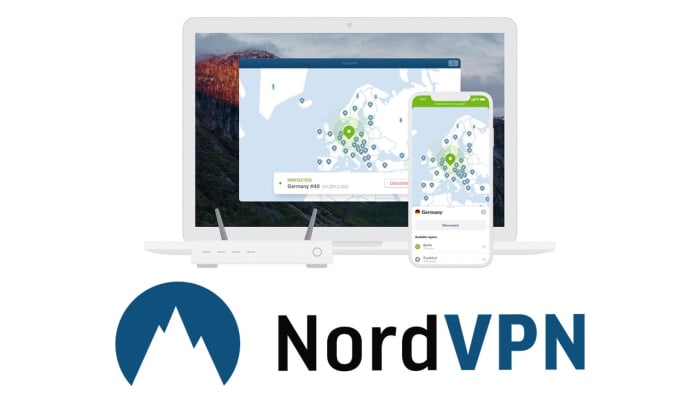
NordVPN is based out of Panama and offers users very strong privacy-protecting credentials. Nord doesn’t log user behavior meaning no personal information is kept from the sites you visit when you’re securely surfing the web via a NordVPN server. Furthermore, NordVPN has almost 5,000 VPN server locations all over the world, meaning you can easily mask your IP address to access content that is limited to the US, UK and Ireland, Australia and more with fast speeds. All this comes at a premium, however, with NordVPN having a number of different payment options with the cheapest requiring a three-year subscription paying for upfront.

NordVPN Download Now
8

Hola VPN extension for Chrome

Hola VPN Chrome extension

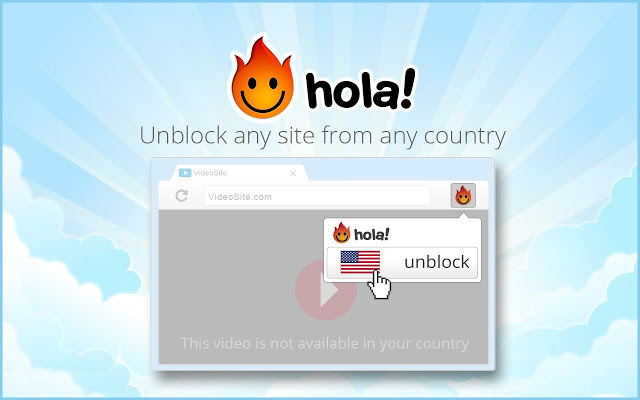
The Hola VPN extension for Chrome is an effective and free Chrome VPN to help anonymize your internet usage. The Hola VPN service is used primarily to unblock geo-restricted content without having to pay for an option like NordVPN. Being free, however, means that Hola logs some of your data and then sells it to third parties. Also, Hola isn’t as reliable as NordVPN so there is a good chance that that movie you wanted to watch on the US Netflix or that TV show on BBC iPlayer might still be out of reach if you’re using this extension.

Hola Unlimited Free VPN Download now
7

ExpressVPN Chrome extension

ExpressVPN Chrome extension

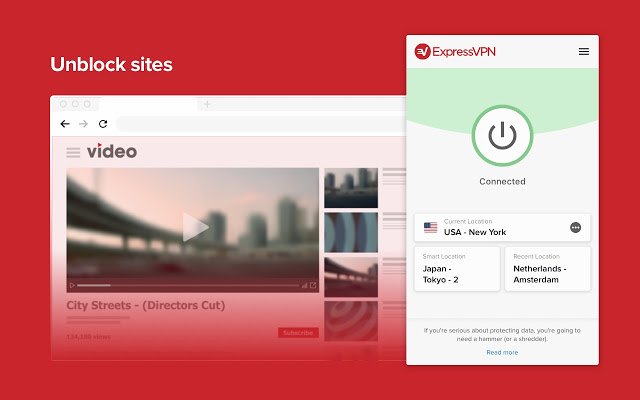
ExpressVPN is another premium option like NordVPN. Again though, the premium option offers solid reliability just like the Nord offering does. In fact, ExpressVPN is regularly voted as the best VPN available today, which makes this one of the best VPN extensions available on the Chrome Web Store. The ExpressVPN Chrome extension is built with simplicity in mind too. One click is all that is needed to start browsing the internet safely and securely through one of over 3,000 servers in 160 locations spread across 94 countries around the world.

ExpressVPN Download now
8

Browsec VPN Chrome extension

Browsec VPN extension

The Browsec VPN Chrome plugin is also available on Android. It offers free and unlimited secure browsing, which means there won’t be a data cap when using the VPN like there often is on free VPN proxy programs. The extension is easy to use and offers fast browsing speeds. This could be why Browsec has accumulated over 8,000,000 users with almost 25,000 of them leaving positive reviews on the Chrome store. It isn’t the most private VPN, however, with its Russian HQ creating several privacy-related issues should the Russian government decides to request information. Browsec also logs user data too.

Browsec VPN Download now
9

CyberGhost VPN Chrome extension

CyberGhost VPN Chrome extension

CyberGhost is another free VPN Chrome extension that offers free one-click access to its secure servers. It does, however, have a paid version too. Like with the other free VPN extensions on this list, CyberGhost doesn’t offer reliable connections as you’d get with NordVPN or ExpressVPN. It also falls short on privacy matters too. Also, the free version could see you having to queue for servers, which are only available in 15 countries. It does offer fast speeds when you do connect, but you can also expect to see plenty of ads for CyberGhost premium and you’ll disconnect every three hours meaning you’ll have to manually reconnect.

CyberGhost Download now
7

PureVPN Chrome extension

PureVPN Chrome extension

PureVPN will offer you reliable connections via its secure servers, which is why we’ve included it in our list. Another good point attached to PureVPN is that the service comes with Live Chat customer support service that should help you deal with any problems you come up against. If you’re in the least bit bothered about privacy, however, it might not be the best VPN plugin for you. There have been quite a few reported data leaks from the PureVPN servers. Another con to consider is that although PureVPN connections may be reliable, they won’t be as fast as the speeds you’ll find on some of the other extensions in our list.

PureVPN Download now
7

DotVPN

DotVPN Chrome extension

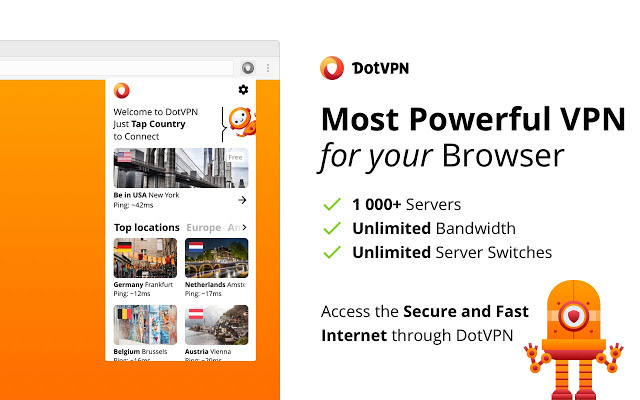
DotVPN offers unlimited bandwidth through over 1,00 servers located in different countries around the world. It offers robust encryption to protect what you’re doing online from prying eyes and is available across a variety of platforms including Windows and Mac, Firefox, Android, and iOS devices like iPhone and iPad. DotVPN offers limited service for free users, which still has unlimited data usage but unfortunately doesn’t support video or audio streaming. If, for example, you want to access Netflix using DotVPN, you’re going to have to pay for a premium subscription, which costs $4.99 a month or $2.99 a month, if you pay for a full year’s subscription at once.

DotVPN Download now
9
Wrapping up

We’ve walked you through some of the best VPN extensions available for Google Chrome. Some offer free services while others ask for a paid subscription. It obviously depends on what you want to use your VPN for, but in our experience, we recommend the paid VPN extensions like NordVPN and ExpressVPN. Whereas free VPNs can work sometimes, they’re not as reliable as the two options we’ve just mentioned and can prove to be quite frustrating. If you add to that the privacy issues that are attached to all the free VPNs we’ve mentioned, we believe the case is there to pay for a strong, reliable, and secure VPN.

Facebook and Google know when you’re watching porn (even if you’re in incognito mode)

Thousands of porn sites are sending your info to Facebook and Google!

Man watching porn

It looks like the prying eyes of the internet are on us even at our most private, intimate moments.

A recent study from Microsoft, Carnegie Mellon, and the University of Pennsylvania determined that about 93% of porn sites leak user data to a third-party. 

Google and Facebook both had trackers on thousands of porn sites. Oracle also had trackers on thousands of porn sites. Even if you are watching porn in incognito mode, there is a chance that both Google and Facebook have followed you there.

Why do Google and Facebook want to know if I’m watching porn?

Google and Facebook might be acting like peeping Toms, but they aren’t using the info for what you think.

Tracking tools can be used to gather information about users. However, spokespeople for both Google and Facebook said that information from adult websites are not used to create marketing profiles.

“We don’t allow Google Ads on websites with adult content and we prohibit personalized advertising and advertising profiles based on a user’s sexual interests or related activities online. Additionally, tags for our ad services are never allowed to transmit personally identifiable information to Google,” a Google spokesperson told Business Insider.

Online privacy

If you see a link on a site to share that content on Facebook, there is often a Facebook tracker on that site. Basically, even though you probably can’t imagine sharing a porn video with your friends and family, Facebook may be tracking the site in case you do.

It’s hard to determine just what Google and Facebook are doing with this information, but it could be an accident.

It could be unintentional

As weird as it sounds, web trackers are not uncommon in the slightest. Even companies like the New York Times use web trackers to use and share data about its readers. 

Both Google and Facebook don’t allow pornographic content on their platforms. Even if you watch 18 hours of porn every single day, Facebook and Google won’t show you a single ad for pornography. Basically, there’s a real chance that although Google and Facebook are tracking you on a porn site, they aren’t necessarily doing anything with the data. 

We can’t tell if that makes it more creepy or less creepy.

What can I do?

First off, sign out of Google and Facebook before you start watching anything racy.

 Next, be careful about which sites you choose to visit, regardless of the content. All porn sites look like, well, porn sites, so it can be hard to find one that isn’t trying to give you a virus.  Also, make sure to run an antivirus program just to be safe:

Malwarebytes Download now ►
8

Finally, there are apps you can download that can stop web trackers in, well, their tracks. You can surf the internet safely with a VPN. Again, just make sure you aren’t signed into Google or Facebook.

7

You can also download DoNotTrackMe. It’s a simple little app that blocks web trackers from tracking you as you surf the web. However, although it will block most web trackers, it has been known to have a few slip through the cracks. Using a VPN is the better option, but if you don’t want to use that, this is a good option as well.

DoNotTrackMe Download now ►
7

And you should definitely ditch Chrome as fast as you can. Google is stockpiling huge amounts of data as you browse. Choose Brave or Firefox for a more private experience online.

Finally, make sure you’re not using Google to search for anything improper. A search engine like DuckDuckGo keeps your information private, while Google sucks it up into their giant database about you.

Wrapping up

Now that we know that Google and Facebook have trackers on porn sites, the question remains: “How will they respond?” If the trackers are removed, it means that it was an accident. However, if they stay put, it means that the data is probably being used for something, and we deserve to know what!

The Best 5 (Free) VPNs You Should Use in 2019

Which free VPNs are the best answer for your privacy needs? Let’s find out!

Our team is always looking for things we think our readers will value. If we make a content partnership like the one featured in this article, then we may receive compensation for publishing.

In January 2019, it was reported that as much as 1,769,185,063 records were leaked across multiple data breaches globally. Wouldn’t it be nice to know that you’re protected? Luckily, a VPN can help!

A VPN provides an encrypted connection between your computer and your Internet Service Provider (ISP) by serving as a proxy. The VPN service can also make it difficult for hackers to intercept your internet activity and steal your data.

In addition, a VPN can help you access geo-restricted content as well as blocked websites. For instance, the kind of content that you’ll find on Netflix when you access it from the U.S. is different from the content that you’ll find when accessed from some places in Asia or Africa.

You should check with Netflix’s terms of use before you try this though.

However, many people often have a hard time knowing which one to choose out of the many free VPN services available. In this review, we will provide insights on top 5 free VPNs we think you should try in 2019 in the order of their value propositions.

The Best 5 (Free) VPNs You Should Use in 2019

1. UrbanVPN

Urban VPN

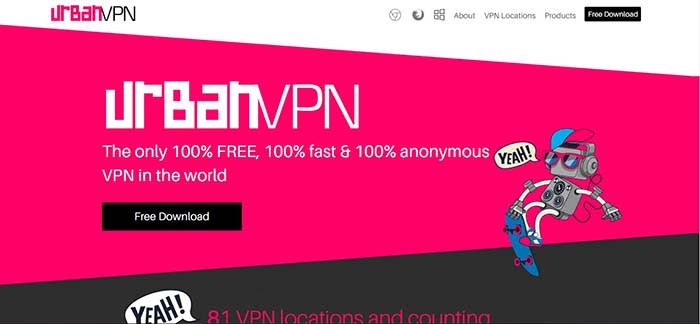
Urban VPN brands itself as the only 100% free, 100% fast, and 100% anonymous VPN service in the world. Founded by Urban Cyber Security in 2018, the Urban VPN team is made up of more than 30 experts with backgrounds that run across cybersecurity, ethical hacking, and network systems.

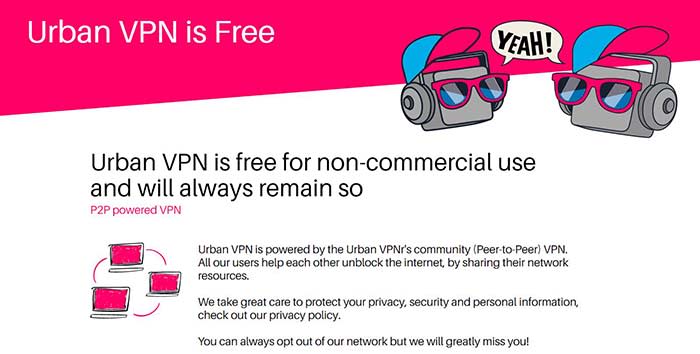
Many people tend to be skeptical about free VPN services because you may never know what you are unwittingly losing in exchange for the free service. Urban VPN, however, can provide a sustainably free VPN service by setting up its service as a P2P powered VPN in which all users help to unblock the internet by sharing their network resources.

Urban VPN

Despite being a P2P VPN server, Urban VPN protects its users’ identity and data with encryption and DNS/IPv6 leak protection technology. The best part is that Urban VPN doesn’t have a cap on accessible data bandwidth, unlike some other VPNs that can only allow you to browse the web without support for streaming or torrenting.

Many VPN services tend to sacrifice speed on the altar of anonymous encryption. However, Urban VPN is optimized to deliver a fast connection through a large network of fast VPN servers in 81 locations. It is also compatible with Windows, Mac, iOS, and Android operating systems.

Cons: The fact that Urban VPN is based in the U.S. suggests that it might keep user logs. However, the company is upfront about the data logging in its privacy policy.

2. Windscribe

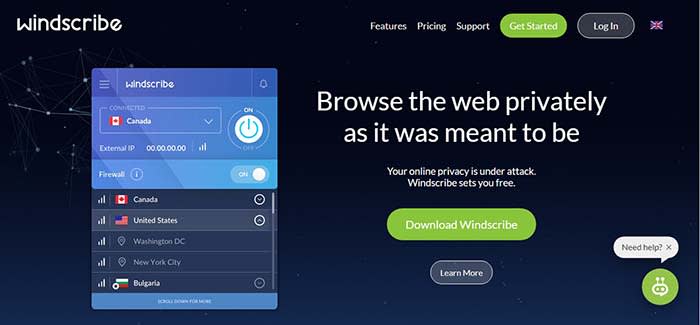
Windscribe offers both free and premium VPN services but its free service seems to be the most generous among other competitors with freemium models. Windscribe provides users with a free VPN service that covers 10 GB of data every month and users can get an extra five GB if they tweet about the service. In addition, to the VPN service, Windscribe also has an inbuilt ad and malware blocker called R.O.B.E.R.T for blocking trackers, malware, clickbait, and specific content types.

Windscribe

Windscribe’s VPN service is available on Windows, MacOS, Linux iOS, and Android. It also has browser extensions for use on Chrome, Opera, and Firefox. We also love the fact that you can set up Windshield on your router and some other devices such as Amazon FireTV and Kodi. Windscribe can also be used on whatever software or devices that can run OpenVPN or IKEv2 protocols

Cons: The 10 GB data cap doesn’t provide much room to stream content. Users of the free version are restricted to only 10 servers out of 50 servers. The VPN also stores some user information while in use.

3. Hide.me

Hide.me offers a decent free VPN service that is not particularly impressive or dismissible. Hide.me also has a freemium model – free users get strong encryption, zero-user logs, and ad-free browsing. Hide.me has a strong 256-bit AES encryption and it goes beyond encrypting your internet traffic data to also providing encryption on your personal files, passwords, and financial information. It features an in-built kill switch that ends your session if you suddenly lose the VPN connection. This way your computer doesn’t automatically reconnect to the internet without the VPN.

Hide.METhe service is available on virtually all operating systems including Linux, Windows. MacOS, iOS, and Android. Hide.me can be used in-browser with Chrome, Firefox, and on hardware such as Amazon FireTV and routers. It is strong enough to support five simultaneous connections, however, the usage is capped at two GB of data per month.

Cons: The biggest con is the low cap on data use. It will serve the purpose for light browsing, but you won’t be able to do much on YouTube. Furthermore, there’s obviously no Netflix for you. In addition, free users can only access five servers and only one of those servers is in Europe.

4. Proton VPN

ProtonVPN

ProtonVPN provides free and paid users a strong encryption service that will obscure your browsing activity and protect your personal data. ProtonVPN has a proven policy of not keeping user logs and it is compliant with Swiss privacy laws. It also offers unlimited browsing, but it doesn’t support streaming or torrenting.

One key differentiating factor with ProtonVPN is the quality of its customer service. ProtonVPN has a team committed to customer support. ProtonVPN is founded by the team that delivered ProtonMail, the world’s largest encrypted email network.

Cons: Free users can only access server networks in three countries. It doesn’t have a data cap but it seems to suffer from slow connection speeds that can be frustrating. The lack of streaming and torrenting support also makes it unusable to access entertainment content.

5. TunnelBear

Tunnelbear

TunnelBear offers a VPN service with a user-friendly UI/UX and it delivers decent connection speeds to servers in about 22 countries. It delivers a reliable encryption service with AES 256-bit encryption that works on macOS, Windows, iOS, Android, Chrome, and Firefox. Tunnelbear doesn’t keep user data logs and it is committed to independent audits as proof that your data and identity will always be kept private.

TunnelBear has been operational since 2011 after being founded by Ryan Dochuk and Daniel Kaldor. The fact that it is still alive suggests that the team is doing something right.

Tunnel also offers an incredible VPN footprint with more than 350 VPN servers spread out in 22 countries. However, it only provides free users with 500 MB of data per month and it seems that the free plan is designed to be a teaser that encourages you to sign up for one of its Pro plans.

Cons: There’s not much anyone can do with 500 MB of data every month. In addition, TunnelBear doesn’t support streaming and services such as Netflix are also unavailable.

Conclusion

VPNs have become an important element of the modern internet experience because of the security and privacy that they provide. A Gallup study conducted in November 2018 revealed that Americans are more worried about cybercrimes than violent crimes. For instance, 71% of Americans polled were worried that their personal or financial information might be hacked and 67% of the people polled were worried about identity theft. In contrast, only 24% of respondents were worried about being a victim of terrorist attacks.

Safe VPN

In this review, we have established that you can put security and privacy fears to rest by using a free VPN Service.

In our opinion, Urban VPN clearly stands heads and shoulder above the other free VPN services profiled in this review. The fact that it doesn’t have a Pro version eliminates the need to place restrictions on the quality of the free service. Hence it is not surprising that urban VPN doesn’t have bandwidth data caps.

In addition, it doesn’t slow down your network or ruin your browsing experience with ads. Instead, it has an extensive spread with 81 server locations across North America, South America, Asia, Middle East, Europe, Africa, and Oceania.

3 reasons to use a VPN besides downloading movies

If you are going to navigate the internet in 2019, you have to have a VPN.

VPN functionVPNs, or virtual private networks, are most often referred to in the context of illegal streaming or dark web stuff.

However, a VPN is actually an essential tool, especially if you use Wi-Fi in a lot of public places.

If you are looking for some VPN options, we have a few options for you:

8
Browsec VPN - Free and Unlimited VPN Download Free ►
9
Betternet Free VPN Download Free ►
8

There are a lot of misconceptions about what a VPN is and why you might use one. Below, we’ll look at three reasons why you really should be using one, whether or not you’re torrenting up a storm.

3 reasons you should be using a VPN

1. Increase security wherever you are

One of the biggest advantages of using a VPN is it increases our online safety. It’s annoying that we have to think about this all the time. But remember, we live in an era where data breaches happen almost as often Facebook gets involved in another scandal.

Brands and ISPs can access our digital whereabouts if we’re not careful. To make matters worse, hackers are getting savvier by the day.

A VPN connects your PC to a private server, which could be located anywhere. Your web traffic passes through the server, rather than your computer. The websites you visit will think you’re visiting from the server’s location.

That little trick makes it difficult for anyone to get a clear sense of your browsing history.

If you’re using public Wi-Fi at the library or a coffee shop, VPNs protect you from hackers trying to steal your credentials.

2. Create some space between you and your service provider

Guy in data centerAs you’ve probably heard by now, the FCC has rolled back some of the net neutrality rules that were in place during the Obama era.

The new rules allow internet service providers (ISPs) to essentially police themselves. So long as ISPs are transparent about their terms of service they can more or less do what they want. One of those things is discriminating based on content. If you’re using a P2P site, your ISP might slow your network connection.

With a VPN, your ISP can’t easily see what content you’re looking at —  allowing information to flow freely, regardless of content.

VPNs and piracy are a match made in heaven. The VPN, of course, offers a safeguard from those Comcast or AT&T letters scolding you for downloading one too many new releases.

3. Bypass geographic restrictions

Geo-blockingIf you travel to other countries, a VPN is a must. It protects you against threats lurking on public Wi-Fi networks, and it also allows you to get around internet access laws that vary by country.

For example: if you were to travel to China, you should be able to access your favorite sites from your country without any issue.

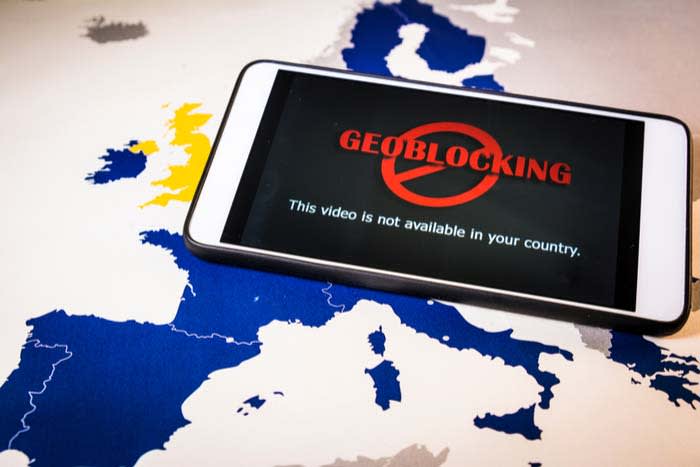
Alternatively, a VPN can open up a whole world of content possibilities by overriding geo-blocking efforts.

You’ll get some more mileage by using your VPN to watch Canadian Netflix or current BBC releases we can’t easily stream elsewhere.

The legality of bypassing geo-blocking efforts isn’t exactly clear. Laws vary by country. Companies like Netflix claim that bypassing geo-restricted content violates their terms of service.

The reason streaming companies care about this issue is that there are some copyright and licensing concerns. The concerns are typically associated with where certain shows and movies are allowed to air.

What VPNs DON’T do

VPNs provide an excellent service to internet users across the globe, but they don’t do everything.

For one, VPNs don’t offer 100% anonymity. They’ll protect you against your run-of-the-mill hacker. However, if someone is out to get you like a malicious attack or a government investigation, it won’t help much.

If you live in a country with strict censorship laws, a VPN might help you log onto some sites like Facebook or Twitter. Unfortunately, accessing the full-breadth of the open web might not be possible.

In this case, users should look toward a service like Tor that allows for private web browsing.

Tor Browser Download Free
10

Conclusion

People are increasingly concerned about their digital footprint and how it might be used against them in the future.

Adding a VPN to your technology stack can give you a layer of protection, along with some unique conveniences.

While VPNs can’t protect you from every internet boogeyman, they do put some space between you and your browsing history. Think of a VPN as one piece of your larger cybersecurity strategy. Just remember that it’s not the complete package.

These are the most important digital privacy tools in 2019

Follow our recommendations to stay safe while online!

The average person isn’t overthinking their digital footprint.

They might think, “Hey, I’m not doing anything embarrassing or illegal, why should anyone care what I’m doing?”

Still, if you’ve looked at the news at all in the last year, you know that things have never looked worse for our data. Not to sound like those alarmist dark web commercials, but keeping your data within your control has never been more critical.

While you may have nothing to hide, advertisers are after your data, phishing attacks remain rampant, and sensitive information is there for the taking.

Here, we’ve compiled a list of things you should add to your digital toolbox, you know, just in case.

Most important digital privacy tools
internet security

Spyware Removal Tools

Spyware is a type of malware that hides inside your systems and collects information about you without your knowledge. It could enter the system by way of a seemingly legit download, an email attachment, or a malicious link. The danger is, spyware monitors your keystrokes to learn your passwords — which, of course, puts you at risk for identity theft.

Some recommendations:

Bitdefender

A user-friendly antivirus program, Bitdefender doesn’t ask you a ton of questions at the point of install. Instead, it works to eliminate any security risks quickly.

Bitdefender 2018 Download now ►
7

Malwarebytes Anti-Malware

One of the most effective malware removes on the market, Malwarebytes detects ransomware, adware, and works well with your existing antivirus program. The tool targets and removes security threats and performs deep scans that remove unwanted programs that mess with your system.

Malwarebytes Download now ►
8

Emsisoft Emergency Kit

This app is a portable app that allows you to use the program on your own devices, as well as anytime someone you know needs help fighting off a virus. Keep the app stored in the cloud or USB drive for easy access. Like other malware removal options, Emsisoft keeps a database of current threats, so it requires an internet connection to keep things up to date.

Emsisoft Emergency Kit download free ►
8

VPNs

vpn

Internet service providers often record information like connection times, metadata, and more. Without a VPN, ISPs have access to every website you visit. And, in the U.S., the UK, and Australia, governments require internet companies to keep track of this information.

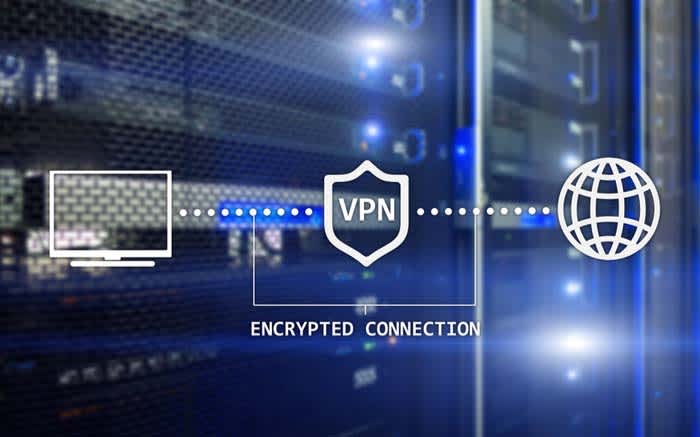
VPNs, or virtual private networks, are used to route all internet traffic through a secure server. This process hides your browsing history and allows you to access blocked or banned online content.

While there are some free VPNs out there, most fail to conceal your online activity completely, or worse; they could be scams.

You don’t have to spend a lot; in fact, NordVPN ($2.99 per month) ExpressVPN ($6.99 per month), and VPNArea.com ($4.92) all provide comprehensive privacy for just a few bucks.

Adblocking and Tracking Prevention

Good adblockers are essential in this era of autoplay ads and tracking. From a security standpoint, adblocking is crucial, because advertisers are recording your online activity so they can show you targeted ads.

The best ad blocking stack depends on your needs — you might look for an option built into a private browser or VPN, or seek out a tool designed to work across all your devices.

As you can imagine, there are countless options. uBlock Origin is a popular choice; it’s a general blocker that filters ads and prevents tracking. More advanced users might prefer something like uMatrix, a tool that blocks Javascript from running. AdGuard is a paid option that works with Windows, Mac, iOS, and Android.

The benefit of AdGuard over simply using a browser extension is, it brings more blocking capabilities to the table. See, browser extensions do a decent job keeping ads from getting out of control, but they don’t fully prevent companies from accessing your data.

Password manager
password

Chances are, you’re using the same weak, easy to remember password you’ve been using for years. Most people stick to the same few passwords — and tend to share them with family members or whoever asks them for access to Netflix.

The problem is, if someone gets their hands on one credential, they can log into bank accounts, credit cards, and social profiles.

LastPass, 1Password, and Dashlane all make it easy to create and save unique, complex passwords that don’t require you to remember a long list of special characters, numbers, and a mix of cases.
Apple users with the latest OS, Mojave have access to a free password manager, too. So, there’s no excuse.

Consider changing your browser

Browsers are the portal to the rest of the web. Unfortunately, as you surf the web, you leave a digital imprint on every site you visit. Chrome, for example, automatically logs you into the browser when you log into a Google site.

Users do have the option to switch back to basic mode (which doesn’t access your password. Still, you need to choose this option. Otherwise, Chrome will keep logging you in automatically.

All activity in the Chrome browser links to your Google account, which keeps tracking scripts on the sites you visit.

If this concerns you, consider switching to a browser that offers more privacy features. A few options:

Brave

Brave’s whole selling point is that they don’t treat you like a product. The platform automatically blocks ads and trackers, allowing you to navigate the web with your privacy intact. Brave is one of the best options for privacy — it’s built on the open-sourced Chromium project and promises load times up to 8x faster than Safari and Chrome.

Tor Browser

Tor Browser doesn’t have the flashiest website, but don’t let the poor user interface prevent you from giving this a chance. Tor comes equipped with privacy add-ons, encryption, and an advanced proxy. You also don’t need to install anything on your computer. Instead, it comes as a pre-configured web browser you can run off of a USB drive.

Firefox

Perhaps the most mainstream of our three recommendations, Firefox has upped their privacy game in recent years. Their private browsing settings automatically erase online information like cookies, passwords, and browsing history, so that every time you exit the browser, you don’t leave anything behind.

It’s important to note that the default configurations don’t come with the privacy settings enabled. However, several add-ons make Firefox a reliable private browsing option. Features like tracking protection, HTTPS Everywhere, uBlock Origin, NoScript, Stop Fingerprinting and Windscribe come together for a more secure experience.

Mozilla Firefox Download free ►
7

A better trash bin

You might move unwanted files and photos into the trash bin and call it a day, but unfortunately, that doesn’t mean it’s actually been destroyed. The data still exists and could potentially be recovered.

In most cases, the recycling bin is fine — so long as the information you’re getting rid of doesn’t contain identifying details. Sensitive information, on the other hand, should be treated as such.

CCleaner and CleanMyMac are free services that allow you to securely erase files — which matters if you loan your computer to someone, take your device to the shop or return a laptop to your employer. What’s more, should your device get stolen, identity thieves know to head for the hard drive when for valuable data.

CCleaner Download Now ►
8
CleanMyMac download now ►
7

Encrypted hard drive

Speaking of hard drives, an encrypted version is essential. While you might spend a good deal of time using cloud-based tools, your information could be exposed when you download — think tax forms, financial information, trade secrets, and so on.

Hard drive encryption works like this: data is encrypted through a cryptographic algorithm. This renders all data unreadable unless it’s unlocked with a secret key. We don’t recommend using an encrypted hard drive to store items that do not include sensitive information, because again, data is unreadable without the secret key.

As such, you’ll need to make sure you keep this passcode in a safe, secure place — if you lose it, it could be gone forever.