Windows 10: How to find and set screensavers

Make your screen more attractive with these simple steps.

For anyone who owned or used a computer 5-10 years ago, you probably remember screensavers zipping across the screen after leaving your PC idle for a while: Colorful pipes zig-zag back and forth, bubbles lazily drifting across your desktop, or the Windows logo bouncing from border to border. Those of us who remember that last one are all too familiar with this struggle:

Screensavers used to be a means of protecting CRT monitors from burn-in after being stuck on the same image for too long. Modern LCD displays are not susceptible to this risk, and also boast higher-quality images anyway, rendering screensavers a thing of the past. However, if you’re still rocking an old CRT or plasma display – or just like the aesthetic of the screensaver – it’s still entirely possible to access it on Windows 10. Here’s how to set it in 6 super easy steps.

If you already know how to set it, but just want some cool new screensavers to install, we’ll get to that at the bottom.
How to enable screensaver

1. Open Settings.

Go to your Settings menu either by pressing the Windows Key and scrolling or typing “settings” or simply press Win+I.

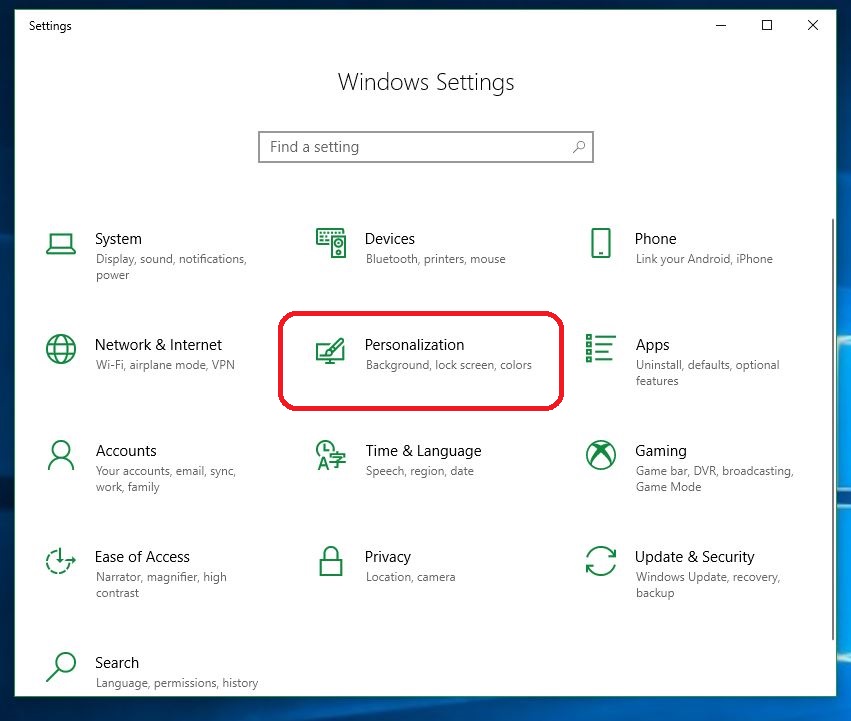
2. Click on Personalization.

Front and center on the Settings page you’ll see ‘Personalization.’ Click on that to open the next menu.
Windows 10 Settings

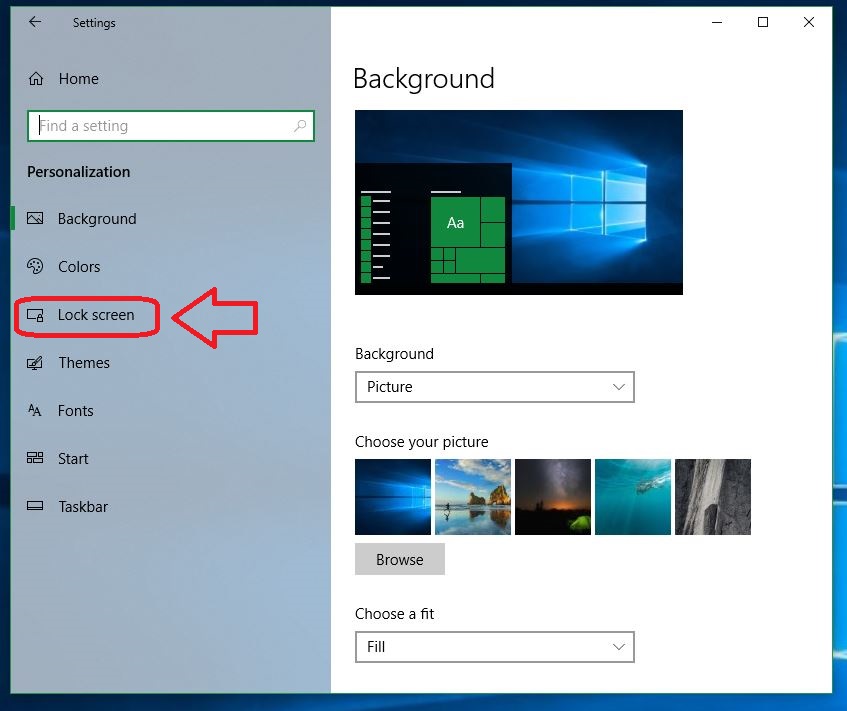
3. Click on Lock screen.

The Personalization menu has a few neat features you can play with, including new background pictures, adjustable contrast settings, fonts and sound effects. On the left rail you’ll see a ‘Lock Screen‘ option. Click that.
Windows 10 Personalization

4. Open screen saver settings

Scroll down to the option in green “Screen saver settings.” Click the link and it’ll take you right to the screensaver.
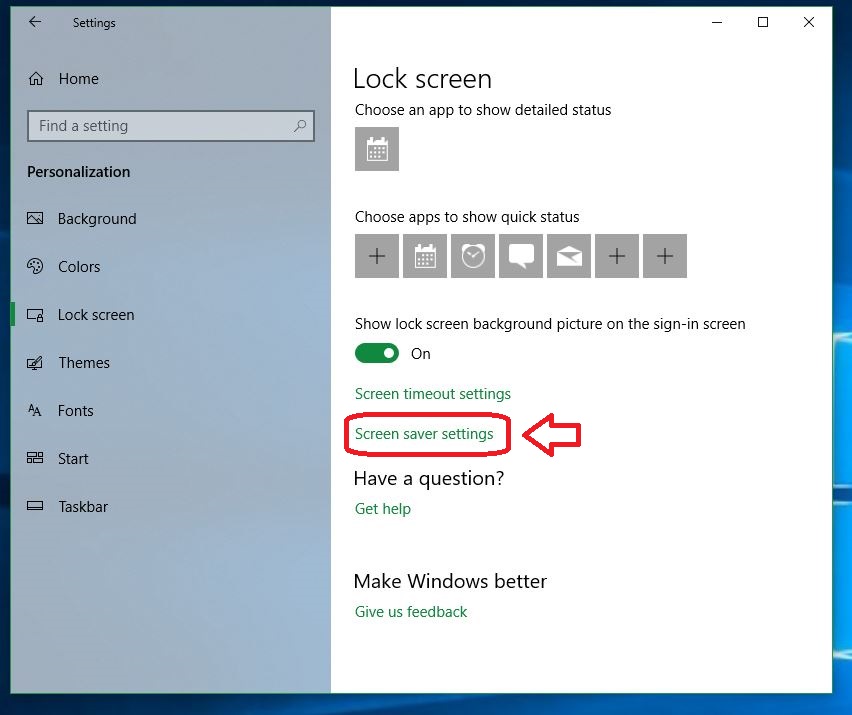
Windows 10 Lock Screen settings

5. Select the screen saver you want to use.

Here’s where the important stuff starts. The monitor image up top shows a preview of your current screensaver. By default it’s set to ‘none,’ but that’s no fun. Click the drop-down and you’ll be able to switch between a variety of choices: Bubbles, colored waves, a spinning “Windows 10,” Photos, and Ribbons.
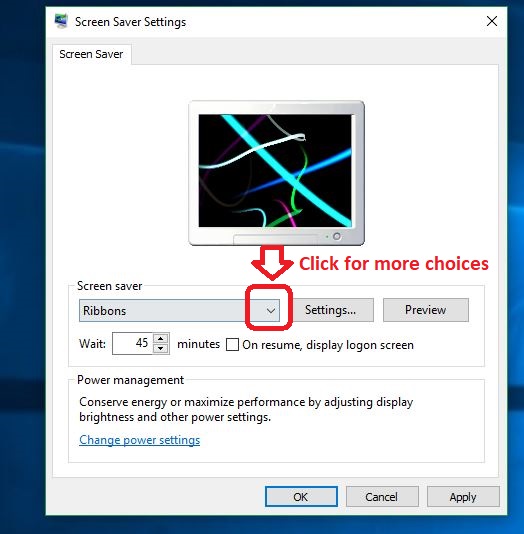
Windows 10 screensaver settings

Pick the one you like and test it out by hitting the ‘Preview’ button to the right. If you chose ‘Photos’ you’ll also get some extra options from the ‘Settings’ button, which allows you to set and toggle shuffle as well as the folder the images are being pulled from.
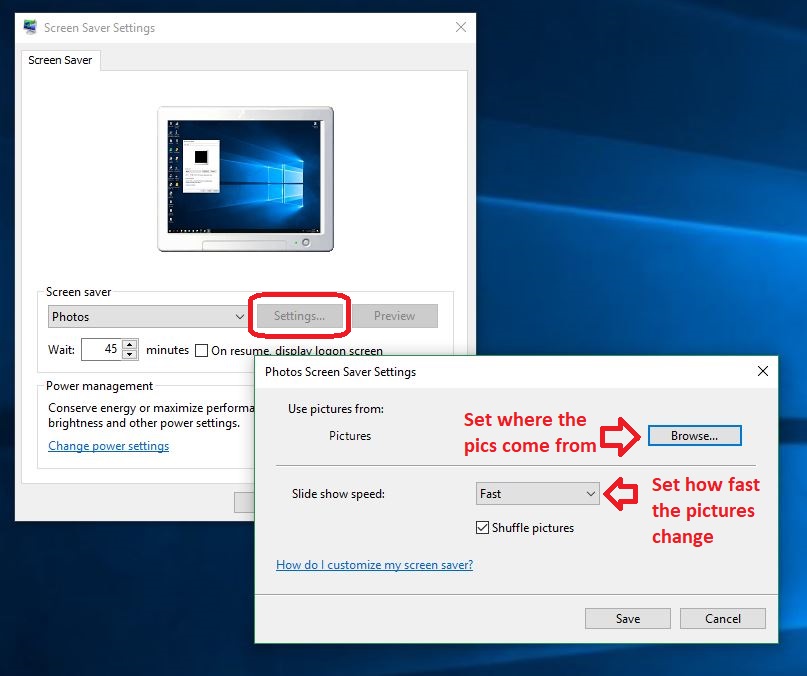
Windows 10 screensaver photo settings

Lastly, be sure to set the wait time before your screensaver kicks in. To do this simply arrow up or down the minutes in the window under the drop-down. This will determine how frequently your screensaver triggers.

6. Apply your choice

Hit ‘Apply’ on the bottom right of the window and you’re done!

One more detail to note is that your current power settings play a part in this too. Running your computer at high power will trigger your screensaver quicker than keeping it on low power. Click OK to close out and enjoy your newly activated screensaver! To quickly adjust it in the future just hit Win key and start typing “change screensaver.” The top option that comes up will take you right back to the screensaver settings menu.

How to find more screensavers

Windows 10 gives you a handful of screensaver options from the start, but there’s a world of other options out there. Finding them is as easy as a Google search. They’ve got everything from a crackling fireplace to the nostalgic 3D pipes to fish swimming across the screen (your cat will love this one).

Windows 10 fish tank screensaver
Finally a goldfish you won’t have to flush.

There’s even an adorable pug who’ll sit there and lick your screen. Browse until you find the one that’s right for you, or scroll through this gallery of top-rated photos to add to your photo reel.

Clownfish Aquarium Live Wallpaper Free Download
7

And there you have it! Set up your screensaver and liven up your Windows 10 with a little personality and character.
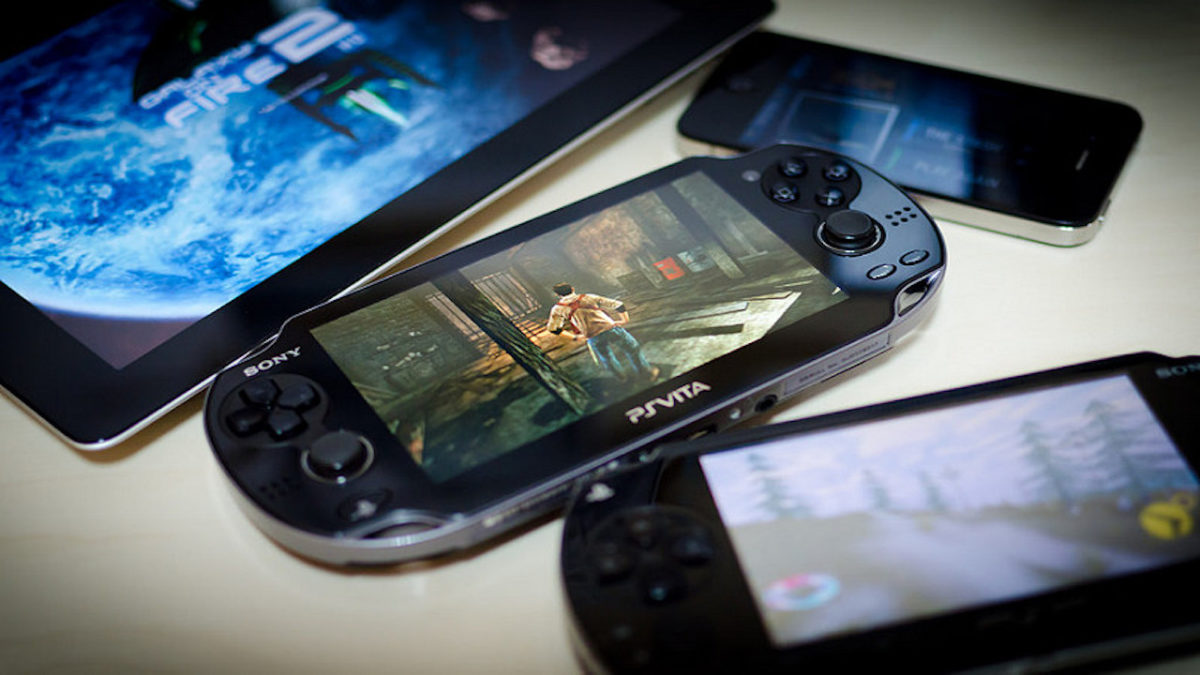
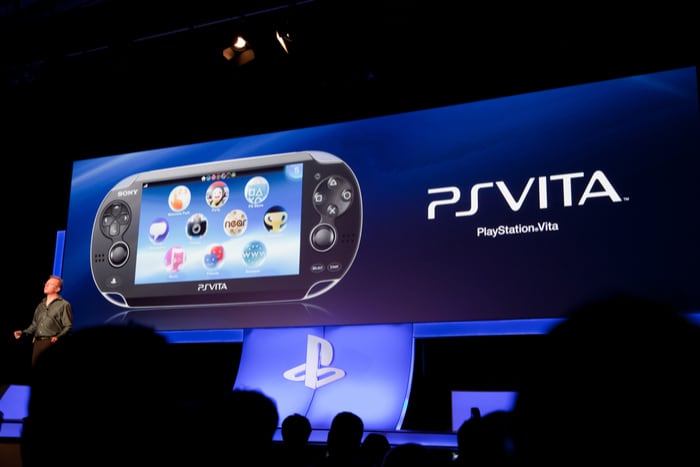
Sony kills PS Vita in preparation for PS5

Another mobile gaming device bites the dust.

Sony Vita

Sony’s presence in the handheld console market is about to come to an end. In an official announcement released via Sony Japan, the company has revealed that they will officially be ceasing production of the PS Vita in Japanese markets, with production expected to cease completely in all markets by April 2019. This comes on the heels of a previous announcement that Sony will be phasing out support for the Vita over the course of the next fiscal year. With no plans to launch a successor device, this move signals that Sony will be leaving the handheld console market for good.

The Vita’s end began with the announcement that Sony would no longer be releasing free games for the console via PlayStation Plus. The most recent announcement reveals that there will be no new shipments of the device going forward. New PS Vita titles will continue to be released over the course of the coming year, albeit on a much more limited scale.

Following much success and critical praise during its initial rollout, the PS Vita was eventually overshadowed by other, more successful handhelds. In particular, the Nintendo Switch has dominated the handheld market since its release, drawing gamers away from competitors such as the Vita. Sony’s exit from the handheld market precipitates a shift in focus to their other products, in particular, the PlayStation and PlayStation VR systems.

Image courtesy Sony

The announcement that Sony has officially begun phasing out the Vita comes hand in hand with speculation that development of the PlayStation 5 has begun in earnest. Most sources point to the PS5 being paired with PlayStation VR support as a standard feature, and VR will be much more integrated into Sony’s next generation of consoles.

Speculation has also pointed towards backward compatibility being included with the PS5. This speculation is based on a Japanese patent filed by Sony Interactive Entertainment under the name of Mark Cerny, a lead PlayStation developer. When translated to English, the patent is titled “Simulation of legacy bus operation for backward compatibility.” Though no specific reference is made to the PS5, it seems exceedingly likely when taken together with other patents filed by Sony over the past year. At this point, it is almost certain that backward compatibility will be standard on the PS5. Whether this will only include PS4 games or will extend further to older systems like the PS3 or PS2 remains to be seen.



Sony has yet to make any official announcements with regard to the PS5’s release date or price point. That said, industry insiders seem certain that the console will be released at some point in 2020.

How to play Red Dead Redemption 2 with Guide and Online Tips

Here’s everything you need to dominate Red Dead Redemption II.

Red Dead Redemption 2 is an incredible ride through the Old West, filled with wildlife, outlaws, and shady characters. Softonic is here with some tips, tricks, guides, and maps to help you dominate the game!

Be sure to bookmark this Red Dead Redemption 2 guide as we will continue to update it with more articles.

How to play Red Dead Redemption 2 Online – RDR2 tips and tricks for beginners

If you’re a beginner, you’ll need to learn how to play Red Dead Redemption 2 online. We have several tricks in store for you that will make you one of the fiercest gamers in the wild west.

General Game Tips

It’s always essential to know the basics, as it will assist you to progress further into the game. We have some RDR2 hunting guides, while you’ll also see some tips on locations and weapons.

Red Dead Redemption 2

Quest Guides

When it comes to the main and side missions, there are many that can be challenging to new players. We made sure to include some tips for Red Dead Redemption that revolves around some of these quests.

Red Dead Redemption 2

Red Dead Online Weapons Guide

If you want to master the game quickly, you’ll need to learn how to play Red Dead Redemption 2 with all the available weapons. Fortunately, we have a few guides that will help you along the way.

red dead 2 arthur rifle

News

To end our segment on how to play Red Dead Redemption 2, we want to share some gaming news we found along the way. It’s always intriguing to see what’s happening with RDR2, and maybe one of these articles will pique your interest.

Get your guns blazing into the sunset

As you can see, we’ve put a lot of time and energy into showing you how to play Red Dead Redemption 2. We hope these articles have helped you learn how to master hunting, weapons, and fishing. We wish you the best of luck with this exciting game!

Complete guide to self-improvement

Get smarter, healthier, more productive, and more in shape with our complete guide to self-improvement.

Ever wonder what the difference is between the people who reach their goals and those who merely dream? Those who hit their targets prepared themselves to do so. Here at Softonic, we’re focused on bringing you the best advice and digital tools to achieve any goal. Take a look at the stories we’ve assembled and consider how they can help you start building your tomorrow today!

Improve your mind

learning

Reaching your potential

Mental health

self esteem

Learning

learning

Staying balanced

meditation

Improve your body

exercise

Exercise

Food

vegetables

As we continue publishing articles to make your life better, we’ll add them to this page, so be sure to bookmark it and check back whenever you need a boost.

Which Minecraft edition is best for you?

PC, Pocket, or console? Which Minecraft is best for you?

minecraft

Minecraft is one of those games that is timelessly appreciated by all ages. It has stayed incredibly popular since its creation, and has evolved into a large and diverse community.

As the game has grown, it has branched into a few different versions. Players are primarily familiar with the PC edition, as it was the only one for a long time. However, the console and pocket editions are surprisingly different compared to the PC version of the game. Deciding between these three can be a difficult choice if you’re trying to consolidate which platform you’d prefer to play games on. Here are the main differences between each one.

Which edition of Minecraft is best for you?

PC edition

The original edition of Minecraft, it often is the first to receive new content. The graphics are more advanced on the PC edition, and there are hundreds of third-party mods that can be used on your servers. Along with these mods, you can get third-party addons for UI changes to really customize your gameplay. The multiplayer is diverse, and you can play with any community members who share their servers and realms online. It also has the easiest controls of any edition.

Minecraft Download
7

On the downside, the PC edition is obviously not portable. It also isn’t very friendly to new players. The other editions feature some easily accessed tutorial information, and often allow the player to start with a map. There is also very little support in terms of parental control without using some type of third-party application.

Pocket edition

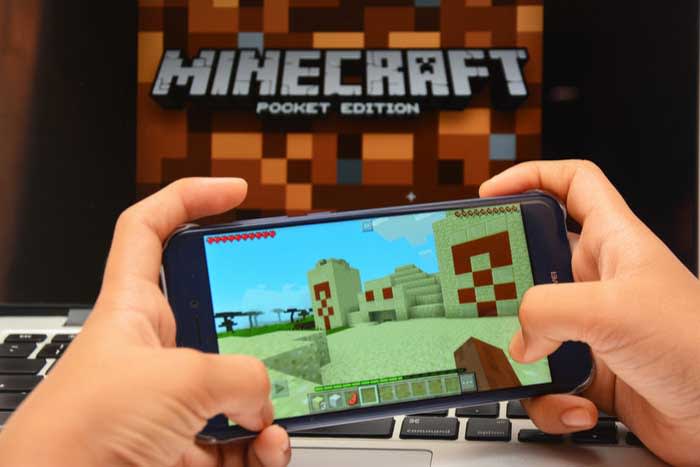
As the most popular versions of Minecraft, it’s clear that the Pocket edition has some appeal to it. Primarily, people play this version for the obvious convenience of having it on the go. Other than the Nintendo Switch, there are no other editions of Minecraft that are quite this portable. It does provide add-on and mod support, although not quite to the extent of the PC version. There are easy parental control settings, and the multiplayer is just as extensive as the PC edition.

Minecraft - Pocket Edition Download
9

There are, unfortunately, quite a few factors working against the Pocket edition. Third party mods are discouraged by the program, so you can only reasonably use the ones provided by Minecraft. The controls are probably the worst of any edition, and they can be incredibly difficult to adjust to.

Console edition

minecraft

All of the major console retailers (Xbox, PlayStation, and Nintendo) have Minecraft adaptations for their main consoles. They also continue to put Minecraft on each console that has come out since its creation (such as the PS3, PS4, Xbox 360, Xbox One, Wii U, and Nintendo Switch). Unfortunately, the console edition is the most limited in terms of functionality. The main benefit of each console is the ability to have local co-op capabilities. While there are some local co-op options for PC and Pocket editions of the game, the console version is much easier to access. In fact, the console version is a pretty great option for new players, since every aspect of the game is easily explained, the controls are intuitive, and it’s easy to play with offline friends.

The local co-op features are really the only thing the console editions have over the other two. All worlds on console editions of the game are finite, unlike the other editions, and there is pretty much no mod support for any version. The Switch is the only portable console you can use, and the multiplayer on it is far more limited compared to the other editions (though thankfully the Xbox One and PlayStation 4 have some decent multiplayer options). There is just far less customizability and options when it comes to the console edition, and the only real major benefit is how easy it is to use.

Bottom line

Of course, the right edition to use all comes down to preference. We suggest using the PC version if you want to use third-party mods, and want the newest features right away.

The Pocket edition is great for young gamers, who parents wish to monitor their gameplay, and gamers who want to play on the go and don’t mind the touchscreen controls.

Finally, console versions are ideal for local co-op, and those who prefer using a controller. No matter which version you choose, Minecraft is an excellent game and we’re sure you’ll enjoy playing it on any platform.

Top 10 video game soundtracks

A great soundtrack takes a video game to the next level. Listen to the 10 best we’ve ever heard.

Oftentimes, in the midst of blasting zombies or exploring uncharted islands, video game background music goes unnoticed. Every now and then, though, a soundtrack sticks with players long after the credits roll. A good soundtrack can make already good games unforgettable, and can be some of the most iconic parts of a gaming experience. Though this list could be much longer, we’ve managed to narrow it down to our 10 favorite game soundtracks.

Top 10 video game soundtracks

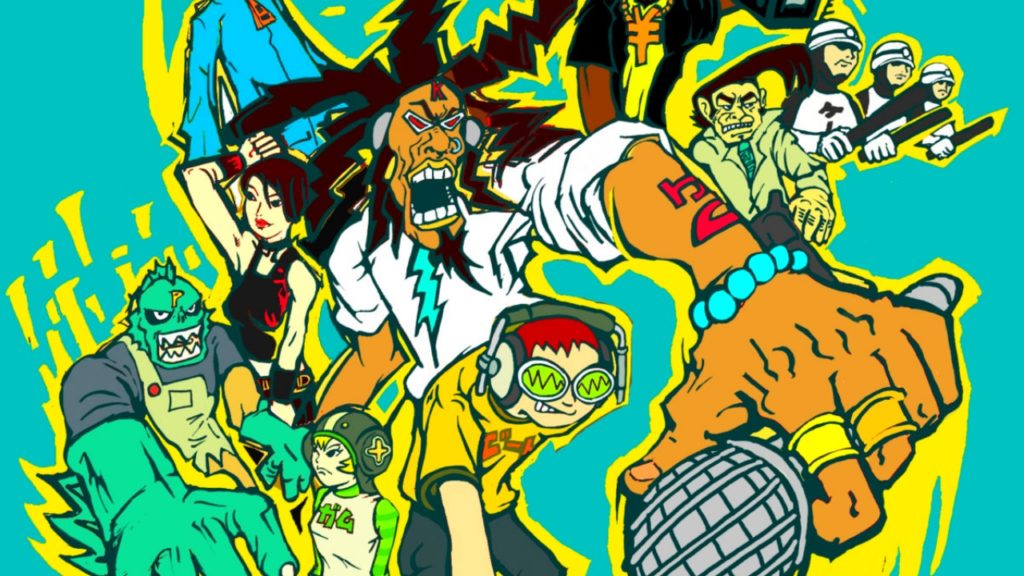
10. Jet Set Radio

jet set radio soundtrack
Image courtesy Sega

Jet Set Radio boasts a soundtrack every bit as unique as its iconic visual style. It’s also equally colorful, combining everything from hip-hop to jazz to pop and beyond. The music itself is central to the game, with the main characters running tagging missions for Professor K, leader of the game’s titular underground radio station. Most of the tracks are fast-paced beats that provide a for the game’s energetic skating and graffiti tagging missions. You can check out some of the tracks here:

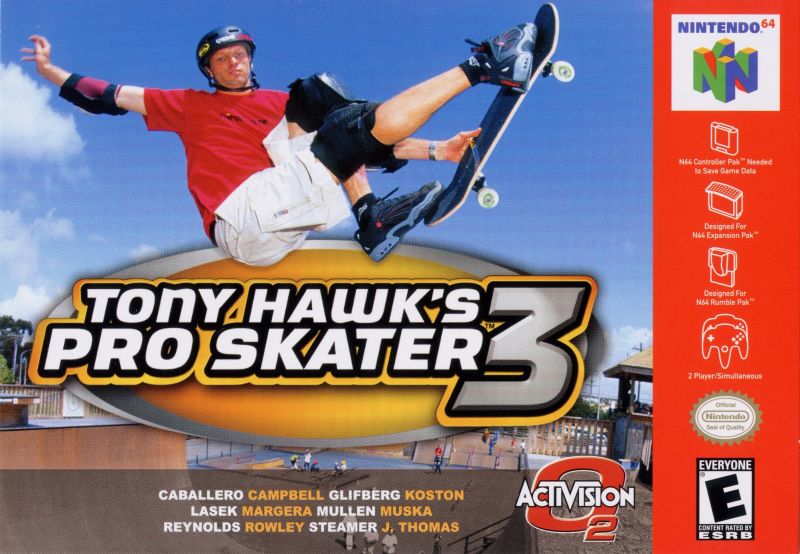
9. Tony Hawk’s Pro Skater 3

tony hawk pro skater 3 soundtrack
Image courtesy Activision

The soundtrack to Tony Hawk’s Pro Skater 3 is a love letter to the grungy ’90s kid in all of us. Where else would you find AFI, Motorhead, and the Red Hot Chili Peppers all on the same disc? It’s the perfect backdrop for grinding rails or just for reminiscing on the simpler times when the only handheld console you needed was a Game Boy Advance and your favorite drink was Capri-Sun. Feast your ears here:

8. Ape Escape

ape escape soundtrack
Image courtesy Sony Computer Entertainment

The Ape Escape soundtrack is the brainchild of Japanese composer Soichi Terada. Terada got his start spinning and remixing tracks in local nightclubs before starting to write video game soundtracks, and that influence definitely shows through in Ape Escape. Currently, Terada’s become known for his house tracks, having recently finished a tour of North America and Europe. Enjoy these atmospheric DnB tracks and just try not to bop along to the beats:

7. Final Fantasy X

final fantasy x hd soundtrack
Image courtesy Square Enix

The composers of Final Fantasy X have gone on record saying that they were influenced by pop stars like Elton John and Paul McCartney. We’re not sure that influence shows, but regardless, the Final Fantasy X soundtrack is a beautiful and emotional masterpiece of sound. In particular, several poignant piano pieces anchor this soundtrack and make an indelible mark on anybody who listens to it. Have a listen here to experience this nostalgic soundtrack for yourself:

6. Mass Effect 2

mass effect 2 soundtrack
Image courtesy Bioware

Mass Effect is an epic sci-fi series with a soundtrack to match. The tracks were composed by a team just as skilled and unique as the one you can assemble in-game, and their different styles show in tracks that range from pulsing electronic beats to bombastic orchestral scores and mellow atmospheric pieces. The “Uncharted Worlds” theme is maybe one of the game’s best tracks, and like most of the soundtrack, goes far in establishing a sense of wonder and exploration. Listen to the soundtrack here:

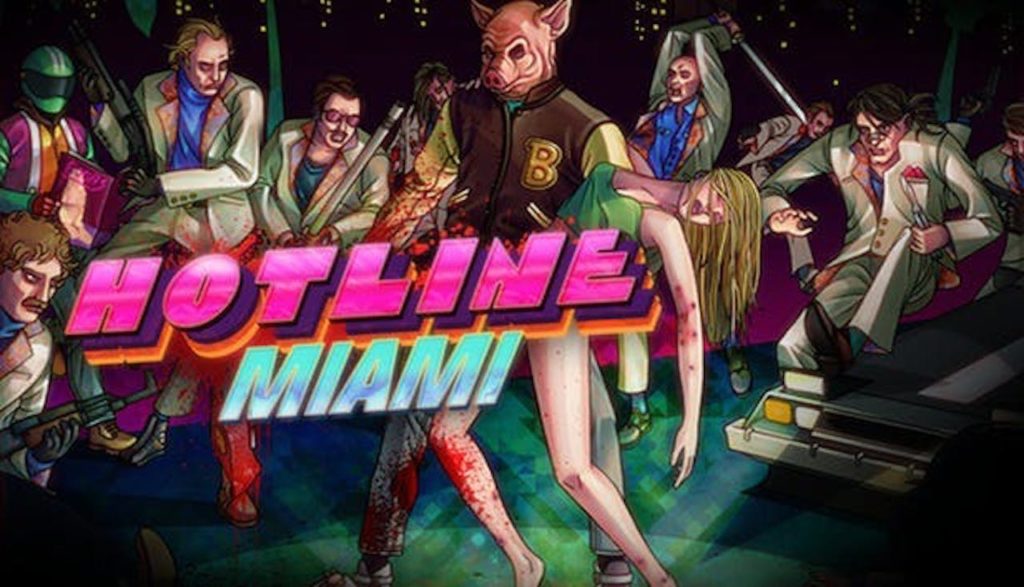
5. Hotline Miami

hotline miami soundtrack
Image courtesy Devolver

If you could see soundtracks, Hotline Miami would be lit in neon. And what better way is there to engage in brutal fast-paced violence than with retrowave bass blaring in the background? Hotline Miami’s soundtrack is a modernized take on the synth-drenched music of the 80s with a dark, industrial edge. The soundtrack to the sequel is just as good, featuring tracks by the like of Perturbator and Carpenter Brut. Take a listen:

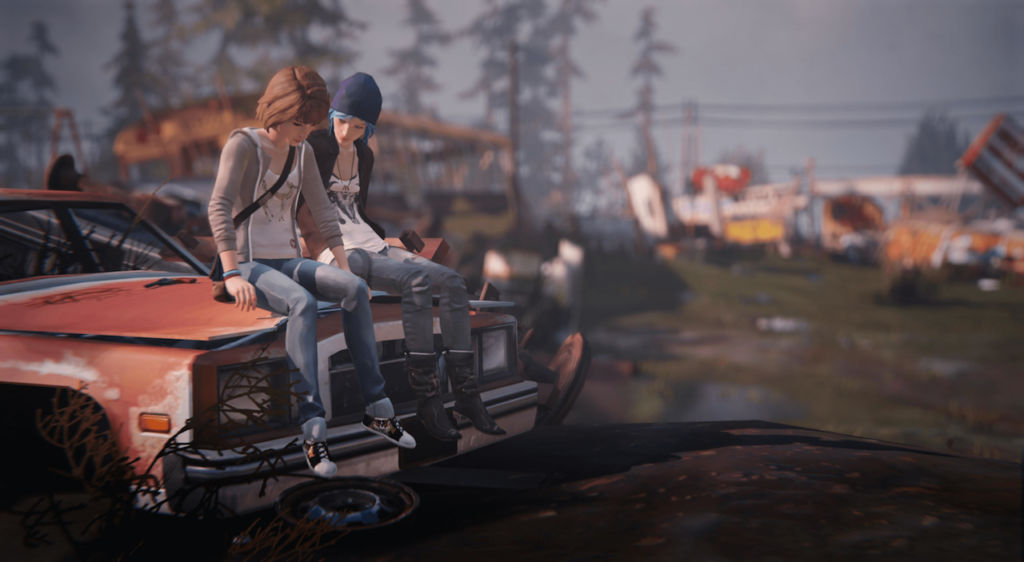
4. Life is Strange

life is strange soundtrack max chloe
Image courtesy Square Enix

The Life is Strange soundtrack reads like a setlist to the best Indie show ever. José González, Daughter, alt-J, and Foals are all present and accounted for, weaving a soundscape that puts you perfectly in the mindset of a high-school girl trying to track down a murderer in the forests of the Pacific Northwest. Also of note is the instrumental soundtrack by Jonathan Morali, a series of melancholic and sometimes whimsical pieces that make for a perfectly relaxing backdrop for any activity. Check it out:

3. Shadow of the Colossus

shadow of the colossus soundtrack
Image courtesy Sony Interactive

The swooping orchestral score for Shadow of the Colossus is just as grand in scope as the game’s towering bosses. The tracks that accompany the boss fights, in particular, are incredible, epic pieces of music that leave you itching for a fight after listening to them.  The tone then shifts drastically to more relaxing, meandering pieces that set the mood for exploring the majestic game world, and emotional pieces that weave into the story of the game. You can listen to the soundtrack here:

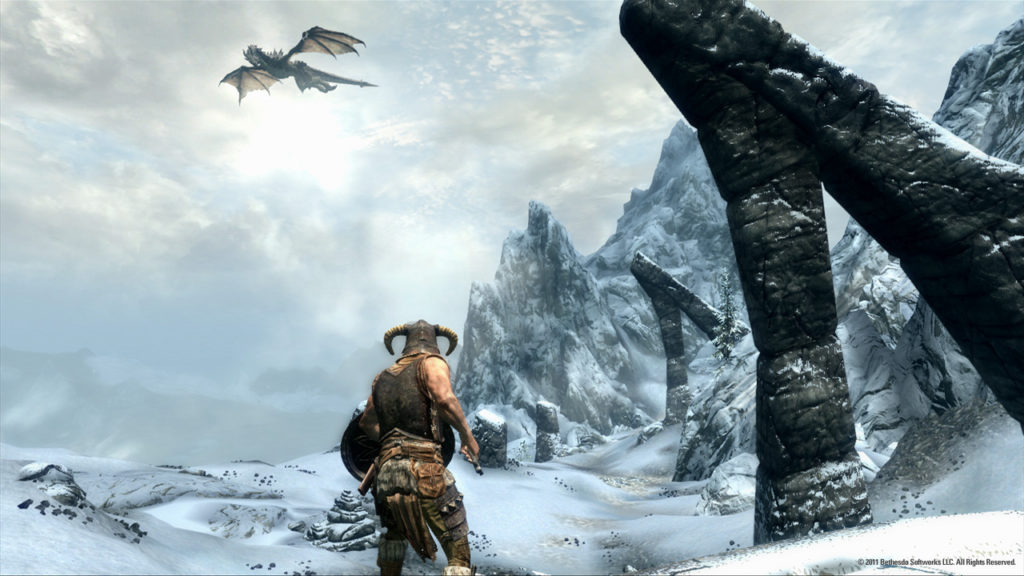
2. The Elder Scrolls V: Skyrim

skyrim nord dragon soundtrack
Image courtesy Bethesda

There’s not much about the Skyrim soundtrack that isn’t perfect. Jeremy Soule somehow manages to weave an entire world using just an orchestra; taking cues from other high fantasy soundtracks like “Lord of the Rings.” It’s completely and utterly immersive, taking you from windswept mountain peaks to deep green forests to the dark caves filled with Draugr. Truly, you can’t help but feel like you’re about to strap on your armor and sword and go on an adventure. Experience it here:

Elder Scrolls V: Skyrim Special Edition download now ►
9

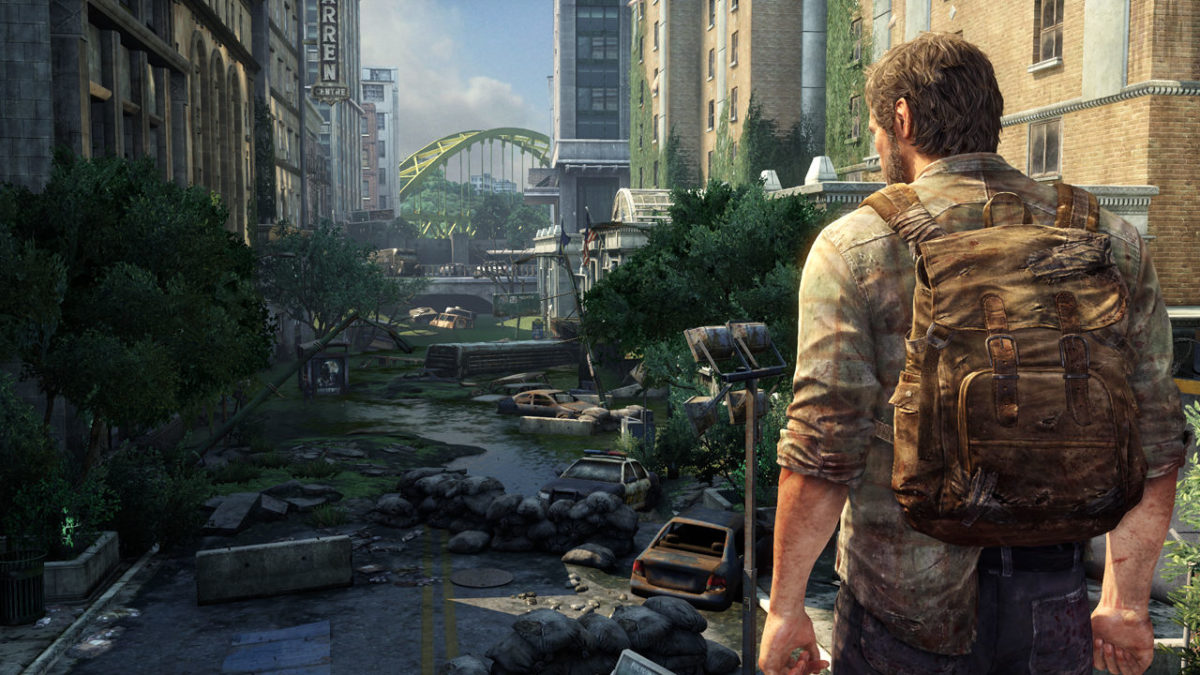
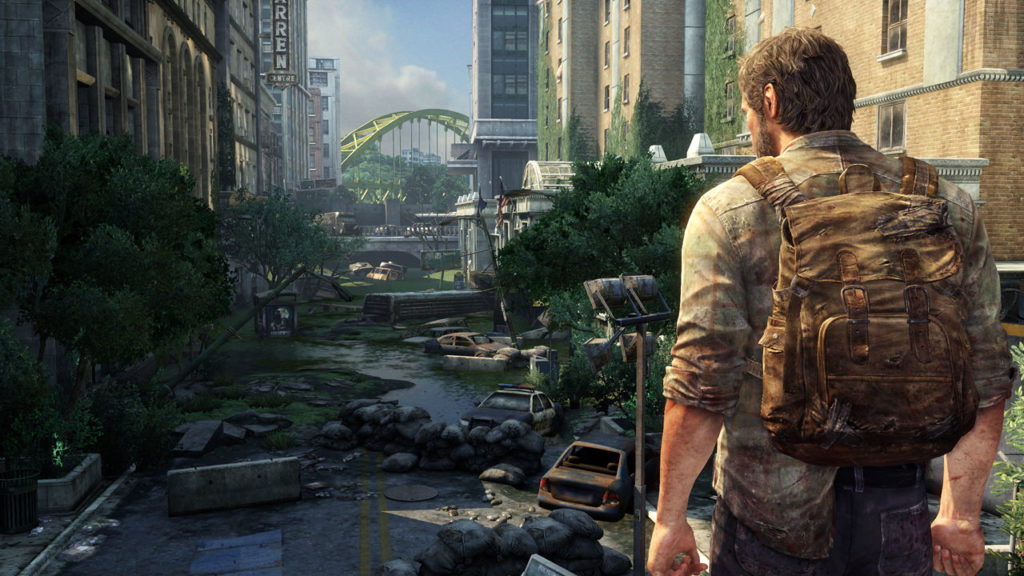
1. The Last of Us

the last of us joel soundtrack
Image courtesy Naughty Dog

Much of the soundtrack to The Last of Us sounds like loneliness. There’s really no other way to describe how the post-apocalypse sounds. Composer Gustavo Santaolalla employs a unique variety of instruments and original sounds to create a very particular melancholy, yet beautiful sound. Eagle-eared gamers may also know Santaolalla from his work on the Red Dead Redemption soundtracks, which are also masterpieces in their own rights. The sounds and memorable themes Santaolalla creates for Last of Us will linger long after the final notes play. You can listen to it here:

Spotify says it wants to become the Netflix of music

What’s next for Spotify as they look to dominate all audio entertainment?

A few weeks back, Spotify announced they were angling to become the Netflix of music. Isn’t that the same as what they currently offer? You pay for a monthly subscription and consume music that eventually builds an algorithm perfected by past choices.

But — what this means is something else. Something both Netflix and the long list of internet retailers and blockchain startups already do — wipe out the middle man.

In other words, Spotify needs to make its own content if it wants to level up its profit potential.

As is, record labels take about 75% of Spotify’s revenue. So, they’re making moves toward original content.

Spotify acquires Gimlet and Anchor

gimlet bought by spotify

As we mentioned, Spotify needs to get in on the content game to make money. So the plan is to take over podcasting. The streaming company announced this month that they had acquired Gimlet Media and Anchor.

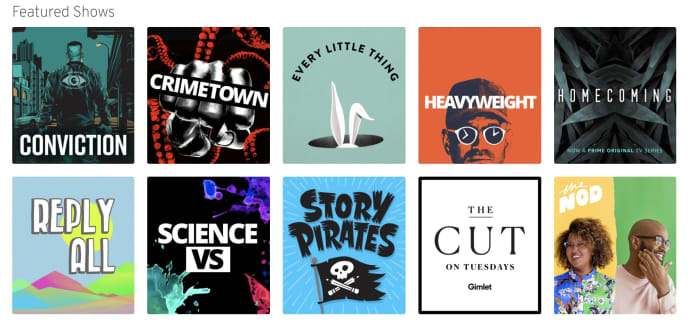
For those who don’t know, Gimlet is a podcasting network known for shows like Reply All and Heavyweight, while Anchor is a tool that helps podcasters produce and distribute podcasts.

These acquisitions signal a move toward a podcasting version of something called vertical integration. What this means is, one company buys two or more parts of the supply chain — an example is a store like Target that owns the manufacturing of its store brands, controls the distribution process, then sells those products in its stores.

Then, in the case of Target’s generic brand, passes the savings on to the customer.

Podcasting only? Not exactly

Interestingly this vertical approach seems to apply only to podcasting. With podcasting, the medium is only starting to pick up mainstream steam. Though some podcasts are hugely popular, many still have a DIY vibe.

Spotify has plans to spend up to $500m on podcast-centered acquisitions. Anchor and Gimlet are the tips of the iceberg.

TechCrunch raises an interesting point about Spotify’s focus on casts — the app simply added podcasts into the fold, alongside the music. The company hasn’t tried to force users to separate apps for podcasts and music like Apple. Rather, they’ve opted to keep things together inside the one app.

Second, Spotify is one of the few podcast platforms with a decent discovery feature, which has long been a pain point for the slow-growing industry.

That said, the discovery feature could be improved. As is stands, Spotify’s podcast section does make a few recommendations, but the content doesn’t always match up with listening preferences.

What about music?

According to Billboard, Spotify has started licensing some songs from artists directly. But it seems that right now, the streaming service is trying to stay away from competing with record labels.

While they don’t seem to be publicizing this much, Spotify does offer artists more money to work with them directly — so they technically are competing with record labels.

Spotify doesn’t ask for exclusive rights from those artists who work directly with the streaming service. Those artists can also sell their music to Apple and Google, or whoever else.

It’s also important to note that Spotify isn’t trying to become a label. But they are paving the way for artists who want to own their content and make deals with distributors, rather than working with a label who owns that music.

7

How will this affect content creators?

Ultimately, the actual payout remains to be seen. Spotify isn’t exactly known for offering musicians massive paydays.

Still, podcasting is a different industry. Creators often rely on crowd-funding and DIY marketing methods to get off the ground. Those who make money do so by selling ads, doing live shows, and selling merchandise.

No one really knows how this whole thing will shake out. There’s no question that a massive corporation entering this anything-goes, low-stakes industry might change what makes podcasting so special.

5 Netflix alternatives for streaming movies

Tired of Netflix, Amazon, and Hulu? Try these alternatives to expand your entertainment options.

We’re all well aware of the big names in video streaming: Netflix, Hulu, Amazon. But Netflix is upping its prices. And traditional cable feels like a scam — add in a few additional services and you’re racking up a pretty big entertainment bill before you know it. If you’re looking to watch movies online, there are all kinds of options available to you.

Below, we’ve compiled five solid options for expanding your media library without expanding your budget.

5 great Netflix alternatives for streaming movies

1. TeaTV

TeaTv app

One of the best free movie apps for Firestick, TeaTV operates on the BitTorrent protocol and is a solid alternative to apps like Terrarium TV.

Since the original Terrarium is gone, TeaTV presents a solid alternative for fans of the bygone app.

TeaTV is a movie streaming app that offers users access to thousands of movies and TV episodes at up to 1080p quality. The app is available for Android and may be installed on a jailbroken Firestick for big screen viewing.

Keep in mind, however, TeaTV lives in some murky legal territory. You may want to use a VPN to protect your security and identity when streaming on TeaTV or similar apps.

2. Pluto TV

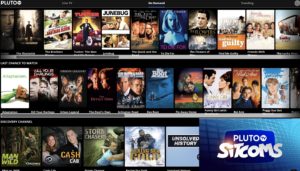
PlutoTV menu

Pluto TV is a live TV-streaming service, similar to apps like Playstation Vue, Vizio’s WatchFree, and Rabbit TV. The app, designed for the cord-cutting crowd is available on just about any device: Android, iOS, web, Firestick, Apple TV, Roku, the list goes on.

Pluto TV’s content lineup consists of a blend of live TV channels, on-demand movies, and weirdly, reruns of “sick day” faves like “Maury” and “Jerry Springer.”

As far as movies go, however, there are some gems in there. Indie flicks like “Adaptation” and cult favorites like “Cube” are nestled among “Hell’s Kitchen” repeats and “Dog the Bounty Hunter.”

So, yes, while Pluto TV is a bit all over the place, it’s worth a look because A: it’s free. And B: it’s a straightforward download: 100 percent legal, no need for a VPN or roundabout pirating process.

3. SnagFilms

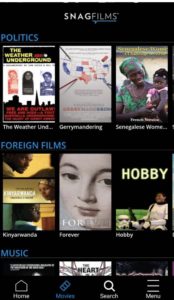
snag films free documentaries

Snagfilms is one of the best movie streaming apps around if you’re interested in documentaries and foreign films. The free app is completely legal and provides the option to download movies for offline viewing or stream directly.

You might be a bit disappointed if you’re hoping to watch new content like the latest TV episodes or newly released movies. That said, the app has the cult classics, festival faves, and climate change documentaries on lock. Worth checking out if you need a break from the Netflix algorithm.

4. Flipps HD

Flipps movies

Flipps HD is a free movie streaming app for Android, Apple TV, Chromecast, and smart TVs like Samsung, LG, and Sony. Like Pluto TV, Flipps comes with access to 100+ channels, a long list of movies, music videos, and YouTube.

What’s cool about Flipps is, the app turns your phone into a remote control. You’ll make your selection on the phone, then tap to stream the content to your connected TV.

5. Kodi

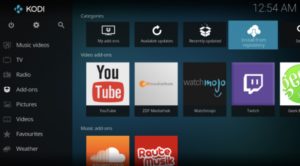
Kodi interface

Kodi, formerly known as XBMC is a streaming platform for all types of content — from illegal cam versions of new releases to TV episodes, music and more. What it is, is an open-sourced media platform that allows users to upload their own media collections — BluRay, DVD, and downloaded files from personal hard drives.

Kodi offers a lot of the same features found in Terrarium TV, provided you download the right plug-ins. Kodi plugins range from the perfectly legal — use it to watch videos on YouTube and Vivo — to the illegal — torrent services and unpaid access to paywall content.

If you do choose to use Kodi for torrenting, you’ll want to invest in a VPN. Check our VPN articles if you’re not sure where to start the hunt.

Wait, what about sites like 123Movies?

123Movies reportedly shut down last year. But, these illegal sites always have a way of bouncing back, and they’re definitely out there. There’s also GoStream and several others. Unfortunately, these apps do present some risks. Aside from the potential legal risks, these apps and sites are hotbeds for malware. Unless you have some crazy virus protection in place, steer clear.

In the end, you can cobble together a diverse range of viewing options by exploring the wide array of free streaming services. Tread carefully with Kodi or TeaTV, though and invest in a VPN before catching up on those blockbusters.

News site paywalls: Are you missing out if you don’t pay?

If you can’t afford to pay for news, are you missing out?

With the well-documented rise of podcasting and a whole internet full of information, it doesn’t seem like we’re wanting for more content.

But as people have given up on their local papers and established publications increasingly gate their content, the idea of paying for digital subscriptions has left us wondering: do more paywalls reduce access to reliable news?

Internet users are accustomed to accessing content for free, so paywalls have kind of always had an uphill battle to fight. In theory, they don’t seem completely unreasonable.

Unfortunately, there’s no “right” to reliable, balanced news. And, according to the Brookings Institution putting the news online hasn’t really helped media channels make more money.

online news

Paywalls aren’t new

The paywall has been around since 1997. Pioneered by the Wall Street Journal, the initial experiment with the revenue stream was fairly successful. However, most general news outlets had concerns that paywalls would reduce readership and, thereby, digital ad revenue.

The American Press Institute found that 53% of people pay for news. The report found that people are more likely to pay for digitally native sources than for the digital version of a newspaper.

Maybe there’s an idea that if you’re going to pay for something, you want high-quality content — interesting reads like long-form pieces from the New Yorker or Wired.

Local news brings politics and breaking stories, but also high school football scores.

There are also resources like PBS and NPR, those who rely on donations to pay for quality reporting.

Higher quality niche publications charge a lot

Recently we came across an episode of the Atlantic debate podcast, Crazy/Genius entitled, “Are We Killing Local News?” The two sides looked at the viability of paywall content, and whether it could save the journalism industry.

The pro paywall guest, a former Denver Post managing editor, started a new publication that charges about $500 a year for in-depth tech sector coverage.

The idea is, they can afford to pay reporters to spend a lot of time doing investigative work and can provide news that not every free publication will be able to push out there. So those people who need to stay in-the-know can pay for a quality publication that could potentially give them a leg up in the space.

That model is a lot like professional associations which provide members with access to studies and content that not everyone can read.

There’s also Politico Pro, which has been around since 2011. It charges their subscribers a yearly fee in the mid-four-figures for in-depth coverage of topics like healthcare and energy. A subscription to the New York Times isn’t especially prohibitive — they have a number of deals— the newspaper is a dollar a week for a limited time.

But, say you pay for NYT, the Washington Post, maybe Wired, too. Add in your local paper, and your media budget for the year starts to climb.

Which begs the question, how many people lose out on quality information because they can’t or won’t pay for multiple publications?

If local news adopts this model, that means that some communities won’t hear about the things that affect them on a daily basis.

Many people may be okay with paying for content, but it definitely leaves out a wide swath of the population — and eventually, could limit access to voter information that allows lower income folks to make their voices heard.

reading news

Is it fair that we have to pay for quality knowledge?

It depends on how you frame this question.

Good content is worth paying for — those who create it are putting in a lot of work that has value.

Plus, the Media Insight Project said that four-fifths of respondents in a recent poll said they were happy with their subscriptions.

Most subscriptions are about $10 per month, a little cheaper than a Spotify account or Netflix, so it’s not this huge investment.

The issue that arises though is that lower-income people might lose access to good information.

Yes, it’s fair to gate access to certain things — especially if you view media as entertainment in the same vein as things like Audible, Hulu, Netflix, or Spotify.

But we will need to do something about the potential widening knowledge gap, as well as the rise in fake news.

As people rely more on social media for breaking news, readers lose out on accurate reporting, local issues, and scientific breakthroughs. Those who can afford industry subscriptions can access information not everyone can access.

Still, there are public radio stations like PBS and NPR that offer free news to all — maybe that’s a lifeline we should do more to nurture. Although those outlets are often targets of budget-slashing politicians, PBS costs just $1.35 per citizen per year.