Best apps to download audio and video from YouTube

If you want to download videos from YouTube or other video hosting websites, you should check out these great apps.

YouTube is an incredibly large video library. There are literally billions of videos you can watch on the YouTube app. You always, however, need an internet connection to watch them. YouTube allows you to stream videos but doesn’t allow you to download videos.

Well, that is not entirely true. YouTube does now give you the chance to download videos to your device so that you can watch them later, in a similar fashion to how you can download movies and shows on Netflix. Like Netflix, however, YouTube Premium costs money. If you want an official YouTube downloader, you need to pay for YouTube Premium.

Unofficially, there are many apps and programs out there that can help you download videos from YouTube. Google might not be too happy with you doing so, due to its ad-based revenue stream. If, however, you’re not going to share the videos once you’ve downloaded them, you shouldn’t fall foul of the law should you decide to use such tools to download YouTube Videos. Let’s look then at some of the best YouTube video downloader apps.

Best apps for YouTube video download (Android devices, iPhones, and Windows)

Videoder Video Downloader
Videoder app

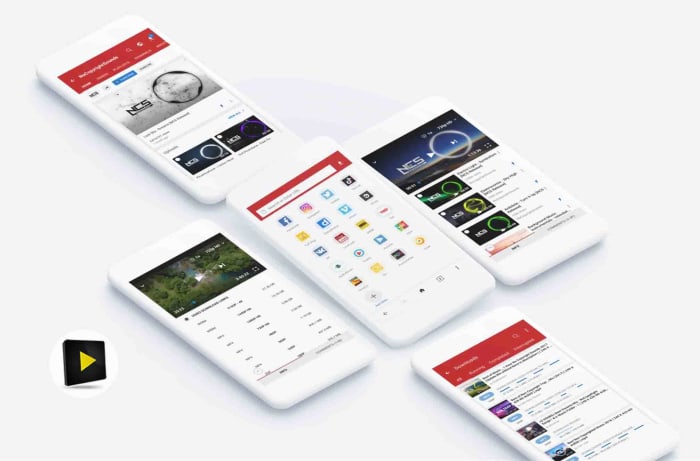
The Videoder Video Downloader App is by far the best app for YouTube download for Android, according to Softonic users. It has been downloaded over 2 million times and has an impressive 9 out of 10 rating.

That popularity comes from Videoder being a free, reliable, and easy to use video downloading tool. Videoder makes downloading your online videos as simple as possible by showing a video search bar that allows to search for the videos you’re after rather than simply copying and pasting the url. This is great, if you don’t already know the YouTube video you’re looking for.

The app also gives you the chance to select the video’s resolution and download file format. This makes it great should you be trying to download YouTube videos to watch on another device like an iPod or a Mac. Videoder also offers great download speeds.

Videoder Video Downloader Download now
9

Vidmate

Vidmate

If Videoder is the best YouTube downloader app according to Softonic users, then Vidmate is certainly the most popular video downloader. With over 19 million downloads to its name and an average user rating of 8 out of 10, Vidmate is clearly helping people download YouTube videos easily and effectively, all over the world.

It gives you control over video quality and is great for downloading videos in SD, HD, 2K, and even 4K formats. As well as YouTube, Vidmate also makes it very easy to download videos from other sites like Dailymotion, Facebook, Instagram, TikTok, Vimeo, and Tumblr.

On top of its video downloading abilities, Vidmate also offers a video player, huge video libraries and playlists, and even access to live TV channels, which it can help you  watch for free.

VidMate Download now
8

TubeMate

tubemate header

TubeMate is a classic YouTube downloading app for Android that has been around since Android version 2.3. The app works a bit like a web browser, so it is very simple to use. All you do is open the app and then browse away as normal or paste the url of the video you’re looking to download into the address bar. Whenever the app detects a video on the page it’ll display a download button, which will list the various options like video resolution etc. when clicked.

TubeMate works with other video sites, not just YouTube, and comes with its own media player for watching the videos you’ve downloaded. The flip of using TubeMate, is that it might struggle with today’s videos that have much higher resolutions.

TubeMate Download now
7

Snaptube

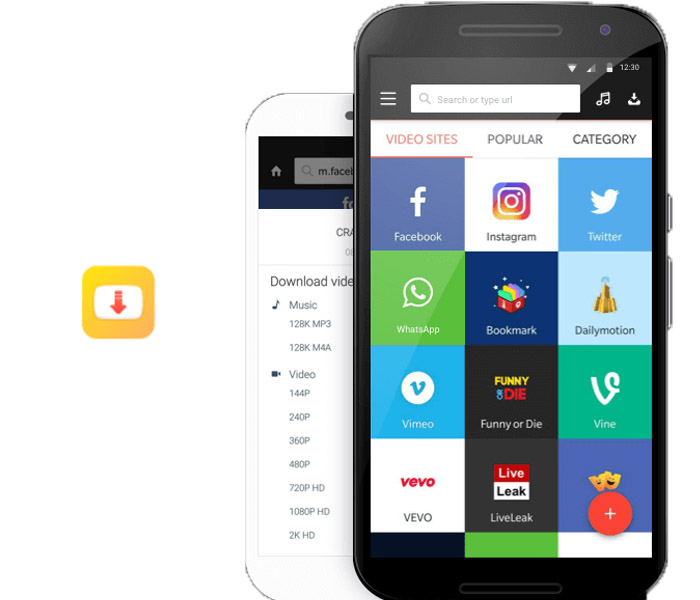
Snaptube

Snaptube is a great Android app that offers a simple way to download videos from YouTube. As well as offering extensive videos libraries for you to search through, Snaptube also offers YouTube batch downloads for your favorite videos. The new tool allows you to set up multiple YouTube video downloads at once. To use it though, you’ll have to first download the add-on YouTube Bulk Downloader.

Snaptube Download now
8

All Video Downloader

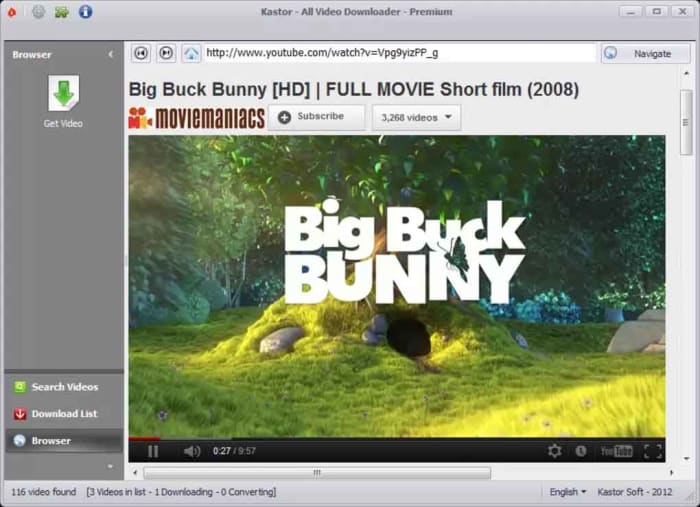
All Video Downloader

The All Video downloader app offers a competent option for downloading YouTube videos on Android. It allows you to both search for videos to download, and simply copy and paste their URL into the address bar. It also works as a video converter and offers many different video formats like AVI, WMV, MPEG etc., which can then be viewed on a plethora of different devices including the iPhone, iPad, and Android phones and tablets.

All Video downloader also gives you control over the size of your downloaded videos and will work on many different video hosting websites. It is limited, however, to only two video downloads at a time.

All Video Downloader Download now
6

Ummy Video Downloader

Ummy video downloader

The Ummy Video Downloader for Windows offers a great way to download video and audio from YouTube. It is very simple and easy to use and has a respectable 8 out of 10 rating from Softonic users. Ummy is designed to give you access to YouTube videos offline, which could come in handy, if you think you’ll be without internet connection for a prolonged period.

The app has a simple user interface and works by allowing you to copy and paste the url of the video files you’re after into a search field. You then have the option to specify the video and audio output format with choices including MP4, MP3 files, MKV, FLV, MOV, and AVI. If you’re downloading a video, you’ll also be able to specify the output resolution before hitting download.

Ummy Video Downloader Download Now
8
Wrapping up

As you can see there are lot of great free apps available online for downloading videos from YouTube. We’ve shown you six of the best apps available for downloading YouTube videos for smartphones like Android and the Apple iPhone, and even on a Windows PC too. What’s even better is that many of these apps also enable downloading videos from other video hosting sites too. That means many of the apps we’ve highlighted offer comprehensive video downloading solutions beyond just being able to save YouTube videos alone. As always, we’ll point out, however, that downloading videos from YouTube breaches the app’s terms of service and if you share any of the videos you download, you could also be guilty of trademark violation.

Best apps for finding new things to do

Whether you’re new in town or visiting a city for the first time, bored at home or looking for something a little different, finding things to do IRL isn’t always easy.

After all, there’s no guarantee that whatever you decide on doesn’t end up being totally lame.

Here, we’ve rounded up a handful of apps that will help you find something to do–whether it’s a concert, a sports game, or whatever else captures your interest.

Meetup

meetup local events

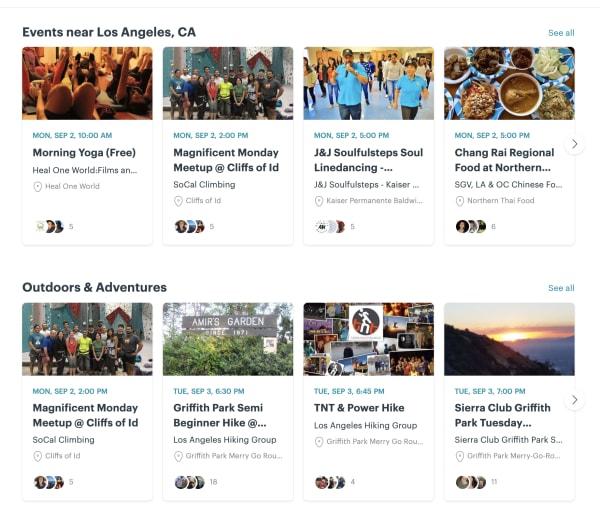
Okay, duh, we get it. Meetup is the most obvious choice, here, but it’s a good, low-stakes way to broaden your horizons. Activities will vary based on where you live, but at least in Los Angeles, you can use the app to find networking groups, people to hike with, book clubs, and so on.

There are groups for gamers—board and video—as well as people who like concerts, sports, or whatever else you’re into. The best part? You can join events someone else has already planned.

Meetup Download Free
9

Nearify

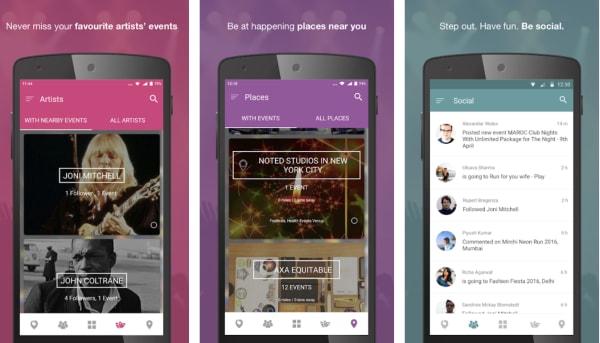
nearify event app

Nearify is an app for iOS, Android, and the web, that lets you know about all events happening near you—be it a concert, a music festival, a play, or a movie screening.

The app standout in this category due to a few unique features. There’s built-in AI that tracks your preferences over time and makes recommendations based on the bands you like, your favorite activities, and more. You can follow favorite artists and buy event tickets through the app, and it even helps you find stuff to do while traveling.

Eventbrite

find events eventbrite app

Eventbrite may be best known as an app for event planners, that helps its users plan and promote their events.

But, they also provide a mobile app that anyone can use, regardless of professional planning status. The free mobile mobile app is a discovery engine that helps users find events in their communities. Inside you’ll find different categories like Editor’s Picks, Popular Events, and more.

Use it to discover popular events around you, see what your friends are doing, get recommendations, register for events, as well as pay for events and keep track of tickets.

Eventbrite Download Free
7

Facebook Local

Facebook Local App

Chances are, you’ve been using Facebook forever, but there’s a good chance that you’ve missed a useful feature that’s been around the entire time.

Facebook Local is an event-finding app that, as you might guess, helps users find new things to do.

The app allows you to search for events, places, and nearby by activities–including things like concerts and local happenings, as well as events your friends posted.

The Local app is broken up into three sections. There’s a home screen that allows you to search for a restaurant or coffee shop and keeps track of event suggestions in your area.

There’s also a section that’s kind of like Yelp in that, users can search for places that are “open now” or you can browse by category. And then, you’ll have a calendar app which features all of the events you’ve RSVP’d to, along with other calendars that you connect to your account. The idea is, you’ll have all of your social activities stored in one place.

Check out events in the main app or website, or download the standalone Facebook Local app.

Facebook Local Download Free
9

Gravy Events

gravy event finder app

Gravy Events is another app built to help you find fun things to do near you. The app uses location data to find matches, all of which are available within walking distance unless you change the settings.

The app is available for free on both Android and iOS and is similar to other entries on this list, like Nearify and Facebook Local.

There’s a built-in calendar, the ability to search based on interests, and access to local recommendations. It also recommends related events and covers everything from museum exhibits to meetups for connecting with new people.

Sporty

sporty local sports activity app

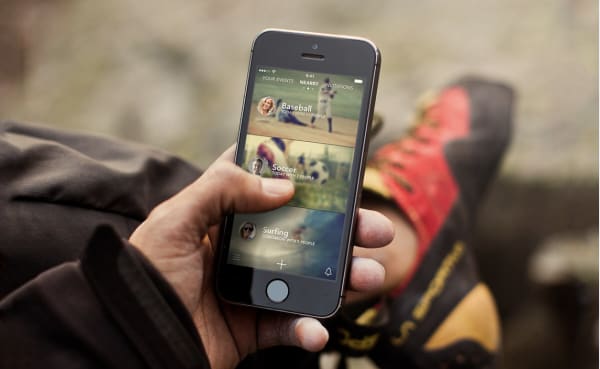
For people looking for others to move around with, Sporty makes it easy to discover ongoing sports activities happening nearby.

The idea is, you can find people up for a game of tennis or catching a few waves. You might signup for a pick-up soccer game, an amateur baseball league, or whatever your activity of choice.

Don’t expect to be able to let friends use your Disney+ account like you do with Netflix

Disney is joining up with Charter to try and target users who might be using friends and family passwords

Netflix is such a big company and makes so much money that it is hard to think that a lot of people actually use the account details of their friends and family and so don’t pay for their subscription. There’s no need start shifting in your chair, a lot of people do it and in fact, Netflix actually builds account sharing into its subscription plans. You can pick a Netflix account based on how many screens can view Netflix at any one time meaning you could be watching Stranger Things in your house while your nerdy brother watches Daredevil in his.

Now Netflix might be the largest streaming service but there is some serious competition on the horizon in the form of Disney+. Disney owns a lot of shows and movies including the likes of The Simpsons, the Marvel Universe, Star Wars, and yep, Disney owns all those Disney movies too.

We’ve put together a full preview of Disney + here, but at $6.99 it is fair to say that a lot of people will be tempted by a Disney+ subscription. It has come to light, however, that account sharing won’t be as easy on Disney+ as it is on Netflix.

Disney is joining up with Charter to try and target users who might be using friends and family passwords

Disney password sharing
Disney wants to stamp out password sharing

We told you last week about the new Disney +, Hulu, and ESPN + bundle that will cost $13 a month. Disney obviously thinks that the price is fair on a per person business as the Hollywood juggernaut is teaming up with the US cable giant Charter to try and protect individual subscriptions. This will make it much harder to share passwords among family and friends.

The plan, according to a joint press release, involves cracking down on what both companies call piracy mitigation. The press release notes, “The two companies will work together to implement business rules and techniques to address such issues as unauthorized access and password sharing.” Yep, they called it out specifically.
The only silver lining that this ominous storm cloud has is that the press release doesn’t really go into much detail about how Disney and Charter plan on cracking down on password sharers. Wired has hypothesized how it could happen though, with one possibility being that Charter could, “could monitor usage of its broadband network to help Disney fight account sharing. For example, Disney could track the IP addresses of users signing into its services, and Charter could match those IP addresses to those of its broadband customers.” This is a complicated way to do things, and a VPN could sidestep it, but the serious nature of the joint press release indicates all options are on the table.

If you’re a password sharer on Netflix then and you were thinking you might do the same on Disney+, don’t expect it to be so easy. Two media giants have effectively just declared war on you.

The 8 best addons for World of Warcraft

Are you looking to get the most out of your WOW experience? Check out these addons!

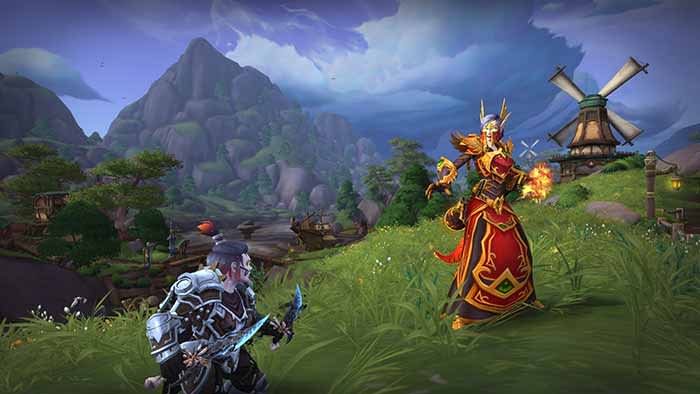
World of Warcraft

World of Warcraft has been around for a really long time now. While the gameplay, graphics, and story have enhanced over time, the UI has not changed nearly as much. Some things that may seem like they should be obvious menu items are only accessible via addons. Addons in World of Warcraft are essentially mods that give you additional menu options and visuals. Some are small, and mostly used for organizing items or menus, while others will give you more options in combat! Below are some of the best addons for both old and new players. The majority of these can be downloaded through Curse.

World of Warcraft Download now ►
7

Bagnon

One of the best addons for organization. The basic function of Bagnon is to put all your bags into the same window. That already helps with finding items more effectively. In addition, it has functions to help to organize your bank. It also makes item searches and identifying item quality easier.
Bartender4

Another popular add-on for organization. Instead of being used to help with bag functionality, Bartender4 can be used to reorganize your action bars. This is really helpful since the original locations of the action bars are large and fixed. This lets you customize them in a way that helps you the best.
Recount

If you’re ever wondering how well you are doing in an instance or during a fight, Recount is the way to check. It gives you information on how much damage, and healing you and your party are doing at a given time.

Healbot

A stable for any healer. While not every healer uses this, those that do swear by it. It allows you to set spell combinations so that every ability you use is at its optimal effect. Healers have a large range of buffs and healing abilities, and Healbot lets you use the best ones you need when you need to. It’s a great organizing tool for any healer.

Deadly Boss Mods

If you frequently run instances, then Deadly Boss Mods is one of the best addons you can possibly have. In fact, it’s the most downloaded addon for WoW on Curse. Essentially, it alerts you on everything you need to know about a dungeon while you’re in one so that you can keep yourself alive. It’s pretty customizable, and it interacts with other people who have the addon as well, so going in with a party can really help utilize this addon’s full potential.

WeakAuras 2

WeakAuras 2 can be pretty complex and daunting for some players, but it’s another great organizational tool. It reorganizes buffs and status screens in a customizable way, so you can view them how you want to. It is a bit difficult and confusing to start these customizations, but thankfully there are templates that already exist for most of the basic customization options.

Auctioneer

Checking the auction frequently is a great way to make money in WoW. Auctioneer helps players get a better understanding of what items should be selling for. This helps a lot with organizing your thoughts on what you should be selling and the price you should be doing it at. It also helps with general auction organization.
ElvUI

There are addons for ElvUI on Curse, but unlike the other addons on this list, ElvUI itself can have to be downloaded separately. Despite this, it is probably the most useful in terms of UI customization. ElvUI is a complete UI overhaul that allows you to fix many of the basic customization issues that the original WoW UI has. The big drawback to ElvUI is that it is a bit of a time investment when you first download it. It takes a while to get used to, and you’ll have to take the time out to fully customize your UI. This can feel vastly different from other addons that are mostly set immediately once you’ve installed them. If you’re willing to put in that time though, this can be a really effective tool in organizing your menus and having a better visual experience playing WoW. With this addon, you won’t need some of the other ones, such as Bagnon, which ElvUI already has built-in.


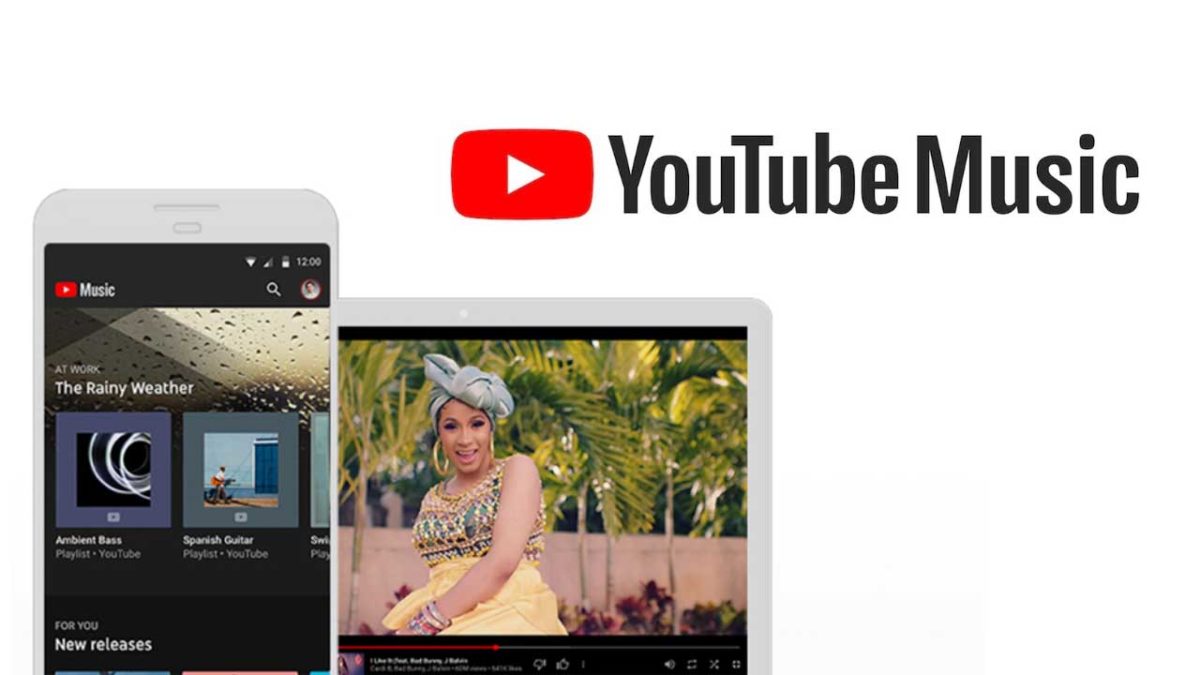
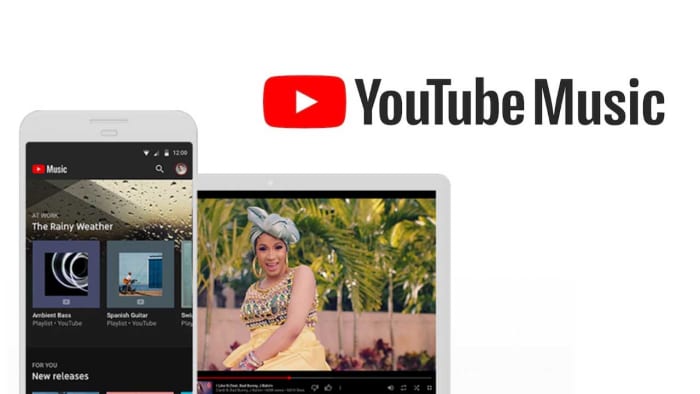
Could this cool new YouTube Music feature tempt you away from Spotify?

YouTube Music listeners can now switch between audio and music videos instantaneously.

Spotify is the king of all music services. Sure, there are other options like Deezer, but whenever somebody sends you a song, playlist, or album nine times out of ten, it’ll be a Spotify link that they send. The other streaming services are good, some are even popular, but none have enjoyed the levels of success that Spotify has.

One such streaming service that is playing for second is YouTube Music. Now, clearly, YouTube has a few aces up its sleeve when it comes to music thanks to the seemingly limitless selection of music videos it houses on its main site. In a bid to try and capitalize on this advantage and possibly close the gap on Spotify a little, YouTube Music has added a very cool new feature indeed.

YouTube Music listeners can now switch between audio and music videos instantaneously

YouTube Music header

YouTube Music Download Free ►
8

YouTube Music Premium and YouTube Premium users now have access to an interesting new feature. Now whenever they’re listening to a track on the Android or iOS versions of the YouTube Music app, they might notice a new button for some of the songs in the YouTube library. According to the YouTube blog post announcing this new feature, clicking this button will allow users to, “make a seamless transition between a song and its music video for uninterrupted listening and watching… with a simple tap, they can instantly start watching the music video or flip back to the audio at the same point in the track.”

Via: YouTube Google Blog

Although this feature won’t work for every song, the post goes on to say that if the song has a video, YouTube Music will offer the new switching button. This is made possible by the fact that the YouTube Music team has, “perfectly time-matched over 5 million official music videos to their respective audio tracks.” Five million is such a big number, it’ll likely be more difficult to find a track that doesn’t have the new feature than to find one that does.

If you’re reading this and instinctively becoming worried about your data allowance, YouTube has you covered. You can opt out of the new data heavy feature by going to the YouTube Music settings menu and turning the “Don’t play music videos” option on.

As you’d expect with a quirky and exclusive feature like this, it is only available to premium users meaning you won’t be able to try it out unless you sign up for a paid version of YouTube Music. At the moment, this will cost you $9.99 a month although there is a discounted rate for students.

If you’re dying to check out this new feature, however, but don’t want to pay, YouTube is also offering a one month free trial of all YouTube Music Premium features, which you can sign up for here.

Netflix tries making devices vibrate during shows

The Netflix Project Rumble Pak offers haptic responses in line with what you’re watching on the screen.

Netflix, like all good tech companies likes to encourage its employees to let their creative sides run wild every now and then. The online streaming company runs regular hackdays to give workers the chance to try and come up with ideas that could make it onto the app or simply grab people’s attention with their quirky ingenuity.

Netflix hackday
Image via: Netflix Tech Blog

At the latest Netflix hackathon there were a few impressive ideas but one in particular has piqued our interests. It is our favorite not least because we think it is brilliant, but also because it is the idea most likely to find its way into our everyday Netflix viewing experience.

8

The Netflix Project Rumble Pak offers haptic responses in line with what you’re watching on the screen

If you’ve ever played on a PlayStation or an Xbox, you’ll know what haptic feedback is. Most phones even have it for certain functions and for quite a few generations now the iPhone has used haptic feedback to simulate the feeling you get when you press a button. Haptic feedback is exactly that, simulated movement that aids immersion. It works for phone buttons, it works for video games, and there is no good reason why it couldn’t work for movies and TV shows.

This is the type of thinking that was behind Hans van de Bruggen and Ed Barker’s entry into Netflix’s most recent hackathon, The Project Rumble Pak. The Netflix Tech Blog has this to say about the pair’s ingenious innovation, “The Project Rumble Pak hack day project explores how haptics can enhance the content you’re watching. With every explosion, sword clank, and laser blast, you get force feedback to amp up the excitement.” It seems to work too, as the video below shows.

The Rumble Pak uses Immersion Corporation technology to synchronize Netflix content with the haptic feedback responses offered by modern smartphones. The result is cool vibrations in line with the action on the screen. Would you like to see this feature coming to Netflix on your smartphone?

The other entry from the recent hackathon that we think deserves some credit is Get Out! although this isn’t a feature that we’ll see on Netflix. If you’ve ever been stuck outside the meeting room you’ve booked because the meeting before you has overrun, you’ll appreciate this. Basically, Get Out! allows you to hijack the meeting room’s sound system and play music similar to that they play at the Oscars whenever somebody’s speech is going on too long. The Oscars nod is the only real connection to Netflix this feature has but we still love it.

Will these two cool innovations from Netflix employees make it to the full version of the app? If we hear anything more about it, we’ll let you know straight away.

Pokémon GO meets Stranger Things in new game from Netflix

Netflix and Next Games team up to bring location-based RPG to iOS and Android.

Stranger Things AR game Netflix

The cultural phenomenon that was “Game of Thrones” came crashing down around us recently as its eighth and final season bombed hard. We needn’t have worried, as HBO quickly followed it up with “Chernobyl,” which has already established itself as one of the preeminent cultural achievements of recent times.

You can always count on HBO, but it isn’t like we haven’t had truly entertaining masterpieces coming from elsewhere recently. Netflix has recently been spoiling us with great movies and TV shows. The first season of “Stranger Things” was heralded as a genuine masterpiece. On our phones, we’ve recently been bowled over by AR games that spill into the real world with Pokémon GO bringing cities around the world to a grinding halt just three summers ago.

We’ve certainly been spoiled, it has to be said, but it looks as though things are about to get even better as we have a truly epic combination on the horizon. In 2020 we’ll see a new “Stranger Things” video game land on our mobiles that will play like Pokémon GO.

Netflix and Next Games team up to bring location-based RPG to iOS and Android

Next Games is a game developer based in Finland, famous for games for “The Walking Dead.” In their Walking Dead game, Next overlays the zombie apocalypse onto the real world using your smartphone camera. Players can also call in help from famous characters from the show and even team up with real-world friends in the battle against the dead.

Next Games has now announced it is working with Netflix on something similar for “Stranger Things.” Next Games CEO, Teemu Huuhtanen, had this to say in a recent press release, “We are huge fans of Stranger Things and thrilled to work together with Netflix to bring our shared vision of Stranger Things into life in a mobile game format. Our core focus will be to deliver on Stranger Things’ rich and intense themes like friendship and supernatural adventure, and translate these into snack-sized entertainment on your mobile device.” He also pointed towards a global release that should come to all Netflix users around the world.

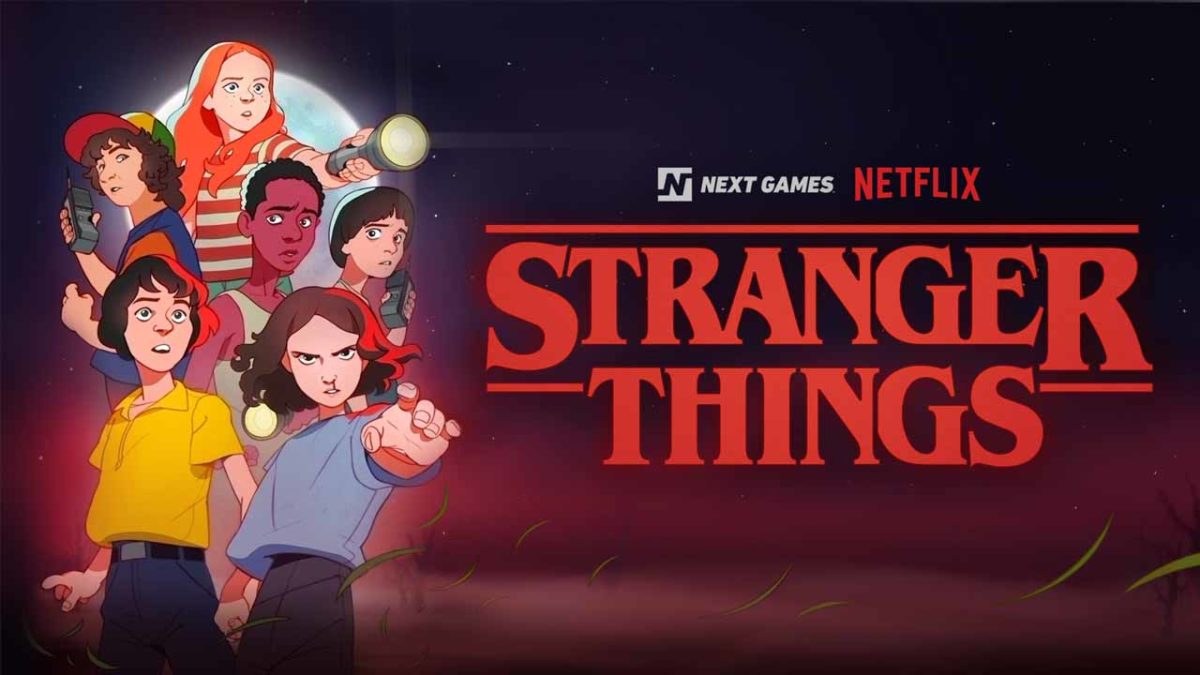
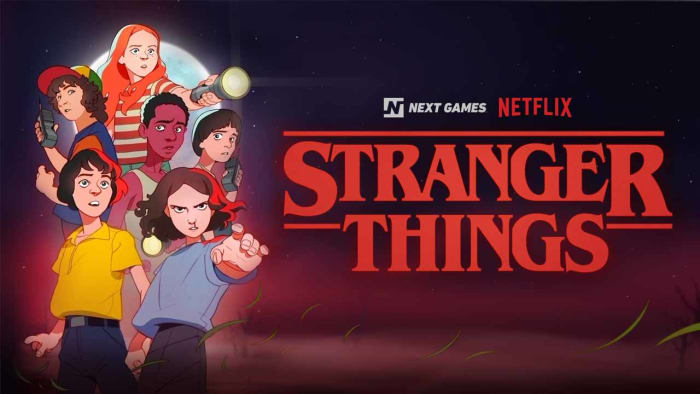
There is no trailer for the game yet, but there are a few snippets of information out there about how the game will look, feel, and play. We’re told that the Stranger Things universe will be presented in the style of an 80s Saturday morning cartoon show, like in the image shown at the top of the page. Also, we know that Next Games will use Google Maps integration and GPS data to allow players to explore The Upside Down realm that is hidden all around them.

That’s all the news we have on the game so far, but that is enough to have us hooked already,  but as soon as we hear more news, we’ll let you know.

Spotify testing ability to let friends control the Now Playing list

New Spotify “Social Listening” feature allows friends to control the Now Playing playlist together.

Spotify app on a phone

Our music collections have come a long way recently. We’ve come all the way from vinyl records and 8-tracks to constant access to almost limitless collections of music from around the world. We can now hear a song on the radio, internet, or wherever else we discover new tracks and then listen to them whenever and wherever we want via online streaming platforms like Spotify, Apple Music, and Deezer.

It’s not just us though, is it? We’re not the only ones listening to the music we love. No, we’ve all got at least one of those friends who always has a tune they want you to hear. Music is a very personal thing, but it is also very much a social experience you share with your friends and family. In recognition of music’s social side, Spotify is working on a great new feature that will put everybody in charge of the party.

New Spotify ‘Social Listening’ feature allows friends to control the Now Playing playlist together

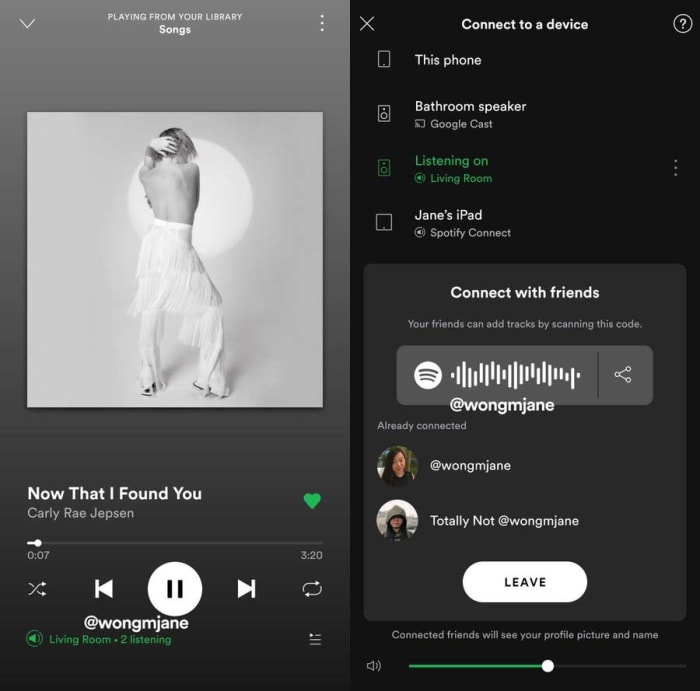
Thanks to top tech tipster Jane Manchun Wong, we’re able to bring you news of a new exclusive Spotify feature the streaming service is currently testing on its employees. On a recent dive into the code of Spotify’s Android app, Manchun Wong has found a new feature that gives friends real-time control over the Now Playing playlist. This is similar to the collaborative playlist feature, but all additions will play out as they happen, rather than being stored in a playlist for later use.

For now, the feature is only available for Spotify employees, but we can give you a little rundown on what it’ll look like and how it’ll work once it lands on your version of the app.

When the feature is live, you’ll be able to find a “Connect with friends” option when you go to the connected devices screen. Selecting this option will reveal a QR code or a link. Your friends and family can then scan the QR code or you can send them the link to join both your Spotify apps. Once done, the Now Listening playlist will be linked and anybody who is connected will be able to add or remove songs to the list.

Spotify social features
Image via: @wongmjane

There are two major caveats, however, to this leaked Spotify feature. The first is that there is no official word on when the feature will receive a general roll-out. As this is an internal test, the feature might not ever make it to the general public. The second is that, as Manchun Wong isn’t an employee of Spotify, she wasn’t able to test the feature after she discovered it. This means we don’t know how smoothly it works or if the music streaming service still has a few bugs to iron out of the code.

For anybody, who has ever been to a party and been stuck for what song to put on next, however, this feature will be good news. Let’s hope we hear more from Spotify soon.

Byte, the upcoming Vine reboot, starts beta testing

Byte has sent out 100 beta invites and people are already sharing videos across the new platform.

The internet lost something truly entertaining and fun when Vine stopped publishing user-generated six-second videos back in 2016. Vine’s short video loops took the internet by storm when it first started up in 2012 and the app rose to prominence quickly until Twitter bought it and then, ultimately, pulled the plug.

It was good news for every internet user who has a funny bone when one of the Vine co-founders announced in November that he was working on a reboot. Dom Hoffman said he was working on a new Vine app called Byte, that would launch in Spring 2019. Best of all, the app would have nothing to do with Twitter. Today, it seems Hoffman is making good on that promise.

Byte has sent out 100 beta invites and people are already sharing videos across the new platform

byte is now beta testing

Byte will allow users to make their own short videos that can be uploaded to the platform. The videos will be vertical only and can be looped. Overnight, the first 100 beta users set about doing just that and there is already a stream of videos on the app. According to a Tweet put out by Hoffman, that shows the Byte feed, posts will appear in reverse chronological order with videos scrolling up to the top of the screen.

So far, it looks like the Byte team is happy with the content that the beta community has been uploading. The content seems random and off-the-cuff, and fits with the type of content that was regularly being posted on Vine, helping the app carve a space for itself on the modern internet.

The current state of the Byte beta is still pretty basic, however. The app only allows for direct camera recordings and there is no upload feature. Also, although the feed does allow users to post videos and have other users comment on them and like them, at the moment, there is no facility for users to follow their favorite accounts.

Speaking to TechCrunch, Hoffman has said that getting the content right is the top priority for Byte. This means that he is determined to create an attractive space for content creators that works well for them. As the beta test continues, the team will add and remove new features to the basic set described above, and see how the community responds to them.

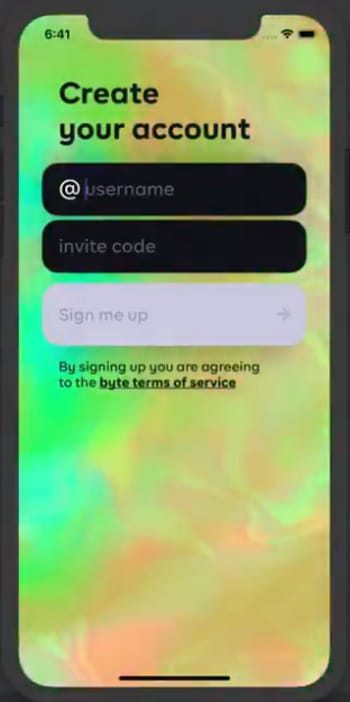
Byte sign up screen

Hoffman has also promised to expand to the testing pool, too, so more testers will be receiving invites soon. If you’re one of the lucky ones, you’ll find yourself at the new Byte sign up screen, which Hoffman recently shared on Twitter.

It is good to see a new and updated version of Vine coming back to the internet. As with everything these days, however, the world moves quickly and there is no guarantee that emulating a once successful app will guarantee success. With TikTok, a notable successor to Vine, having over 500 million active monthly users, this beta testing stage is more important than ever. We’ll be watching this one intently.

Cheap mobile-only Netflix subscriptions? Don’t hold your breath

Netflix has decided against rolling out cheaper subscription models in South Korea.

Netflix big screen remote

We’ve been following the extensive testing Netflix has been running on new subscription models for quite some time now. In November, the streaming giant launched a mobile-only model in Malaysia, which has since spread to other regions around Asia. As well as offering a reduced-price plan for mobile viewers, the tests have also seen cheaper standard SD plans offered to users and single device plans, too.

Earlier this month, we learned that Netflix is also testing a weekly subscription model in India. The new Indian model offers a weekly subscription for as little 95 cents for a week’s access to the full Netflix catalog with the Ultra HD package, Netflix’s most expensive subscription, coming in at around $2.90 a week. Sadly, however, for our readers in the U.S., UK, Canada, and Australia, it looks like these new cheaper subscription models won’t be available to them any time soon.

Netflix has decided against rolling out cheaper subscription models in South Korea

Speaking in the Business section of the Korea Herald, Netflix has said that it has finished testing the mobile-only subscription model in South Korea. A spokesperson said, “The tests have concluded… These tests we conduct may not get rolled out as member plans. Netflix will continue its efforts to provide the best entertainment experience for its members.” This means that the tests are over, and Netflix won’t be extending the mobile-only subscription plans, that are cheaper than the current more established plans, any further.

As was the case with all the other pricing tests we’ve previously reported on, there were various price points in Korea beginning with the 6,500 won price plan. Costing the equivalent of around $5.70, this monthly plan gave users access to the full Netflix catalog on a single mobile device. This works out at around 3,000 won ($2.58) a month cheaper than Netflix’s standard cheapest plan.

Netflix on mobile
It doesn’t look like we’ll be seeing a cheaper mobile only Netflix subscription model any time soon.

Out of all the Asian countries where Netflix has been testing these new subscription models, South Korea has the most advanced economy. It is bad news for Netflix viewers in countries like the U.S. and the UK then that Netflix has concluded that there is no need for them to offer a cut-price subscription to South Koreans. It is a pretty safe bet that if Netflix doesn’t think it needs to do it there, it won’t think it’ll need to do it in countries with more advanced economies either.

In fact, the truth is likely to be much worse for Netflix viewers in the West. As we discussed when we reported on a recent note from a Netflix shareholder’s meeting, Netflix growth is continuing despite recent price hikes in markets like the U.S., Canada, the UK, and Brazil. This means, if anything, we can only expect to see Netflix prices increase further in the future.