Two months ago HCA Healthcare called stress the “health epidemic of the 21st century” and frankly we’re not surprised. Last year 6,700 Americans nationwide between the ages of 18 and 64 were surveyed about how stressful their lives were, and health experts were genuinely surprised at the resulting harm brought about by chronic stress and the general apathy towards doing anything to curb it.
Whether you’re a college student up to your eyeballs in exams, a millennial managing multiple jobs, a homeowner struggling to balance kids on one hand and a checkbook on the other, or a company manager trying to corral employees, it’s the same old cyclical issue: Your hectic life makes you stressed, and when you approach life from a stressed mental state everything gets harder.
We’re not going to preach life advice to you; no two people are the same, and what works to simplify and organize one person might have little effect on someone else. So instead we’ll point you towards one handy app that’s worked wonders:
At its core, Insight Timer is a free meditation app, but it also helps novices (which most of us are) learn how to meditate to the best effect. The app features guided meditations and talks led by the world’s mindfulness experts, teachers, neuroscientists, and psychologists from Harvard, Oxford, and Stanford who will coach you in achieving inner peace. Not only that, they’ll teach you how to achieve it at home, at work, or on the go.
Use Insight Timer to take five minutes at work to center your thoughts and get back in the ring.
Insight Timer also has thousands of discussion groups, forums, and community features, as well as stats and milestones to help you track your progress and manage how often you take the time to use the app, and helping you to build a simple daily health habit.
Insight Timer is free and can be downloaded right here.
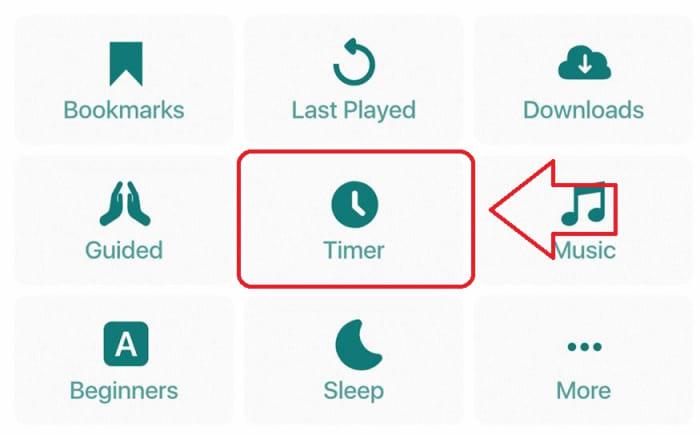
2. Select Timer
The “Timer” function is right on the app’s home page. When you’re ready to zen out, click right on it.
3. (Optional) Choose your settings
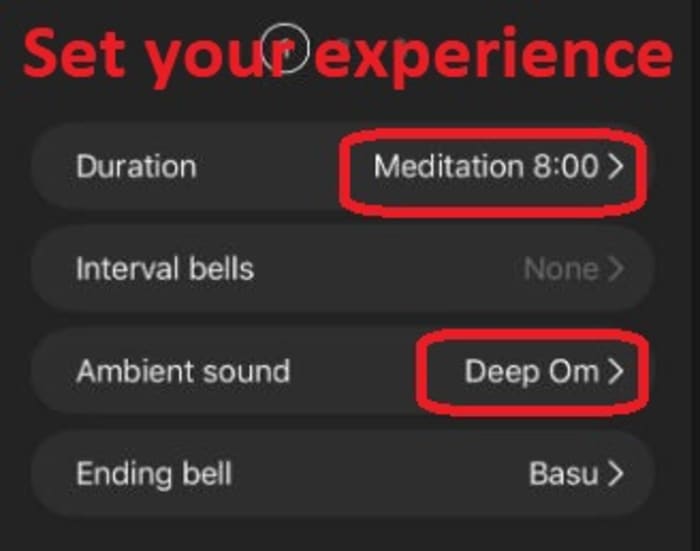
Under “Timer” you’re given a few simple customization options for duration and sound effects. We found that even five or 10 minutes was sufficient to clear our head and get us back in the zone. You can also choose from a variety of cool background tracks and bell sounds to play. Check out their catalog!
4. Press “start”
Your chosen bell will ring, and your chosen background SFX will start up immediately. We recommend cranking the volume up so it really feels like you’re awash in the atmosphere. Close your eyes, get comfortable, and let the app work its magic.
How will Insight Timer help me?
Insight Timer doesn’t remove all the problems and everyday stresses of your life. Weave it into your daily life and it goes one step better: The app centers and strengthens you to face these problems with renewed energy and patience. If you let it do its job, Insight Timer is proven to reduce anxiety, calm the mind, manage stress, and even help battle insomnia (try putting it on for a few minutes while you’re trying to fall asleep)!
Is waking up early really a virtue worth celebrating?
If any irksome, nagging responsibilities creep into your mind, acknowledge them, mentally partition them, and have the willpower not to tend to them until your timer rings. Insight Timer is like taking a deep breath before diving back into the ocean of stress.
Let us know in the comments below whether you’ll be giving Insight Timer a try. We hope it helps you experience the same rejuvenation that we found. Inhale deeply and feel the renewal!
The lion’s share of the glasses market is controlled by one company, Luxottica. They’re responsible for branded frames by everyone from Chanel to Versace to Ray-Ban. Oh, and they run the Sunglass Hut, Sears Optical, Lens Crafters, and more.
Luckily, there are plenty of online options that offer style, convenience, and best of all—aren’t $800.
Here are some of our top picks for going the direct-to-customer route for your next pair of frames and finally leaving Big Glasses behind.
8 excellent places to buy eyeglasses online
Before you buy
If you plan on ordering online, we recommend getting your eyes checked first. After that, ask your eye doctor for an updated copy of your prescription.
Some sites will ask you to submit a photo of your prescription while others just ask that you type it in manually. In any case, if you’re going to get new glasses, start fresh.
The second thing you’ll need to know is your pupillary distance or PD. Your PD represents, in millimeters, the distance between the center of your two pupils.
Oh, and if your doctor is shady about all this, there’s something called the Eyeglasses Rule (who knew?!). It states that your doctor must provide you with a prescription at the end of an exam.
Basically, the rule prevents your eye doctor from holding your prescription hostage and making you buy glasses from them.
Once you’ve got your prescription and PD in hand, you’re good to start shopping around.
Oh, and before you start freaking out about what happens if you make the wrong choice, most companies let you return frames and lenses that aren’t quite right.
1. Zenni Optical
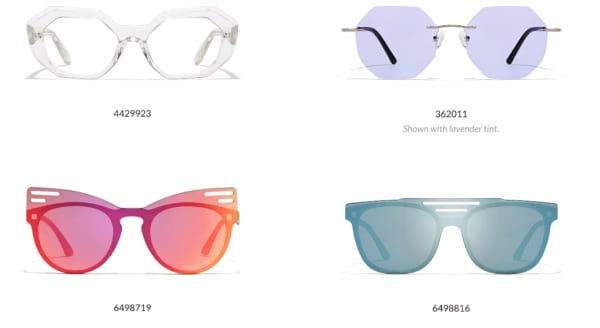
Zenni Optical has a ton of frames, starting at $6.95 a pair. They’ve got everything from prescription lavender sunglasses to a lot of looks that you could also find on the rack at your local supermarket.
That said, they have regular glasses, “cool” glasses, and nondescript glasses, too. We like the price as well as the variety, but if you shop Zenni, be prepared to sort through hundreds of frames before finding “the one.”
Consider it an experience akin to shopping on eBay or hunting for gems at the local Goodwill or TJ Maxx.
2. Warby Parker
Warby Parker is the most recognizable name in the online glasses game. The online store has a decent-sized selection of modern, stylish frames, and glasses start at around $95 a pair.
Glasses come in narrow, medium, or wide fit, which is a specification you won’t necessarily find on every website. It can be difficult to gauge the fit by looking at the website.
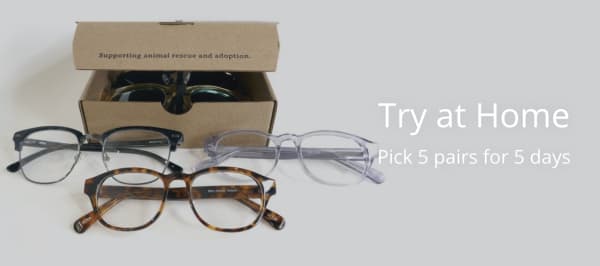
The site allows you to try on five pairs at home, free of charge. All you need to do is pick out your top choices and they’ll mail you a set of prescription-less frames with a pre-paid shipping label for easy returns. From there, you can purchase the pair you liked best.
3. Eye Buy Direct
Eye Buy Direct hits a sweet spot. They offer a ton of BOGOs and discounts. Even when they’re not running some kind of promo, the most expensive pairs are only about $70.
Most frames are comparable in quality to Warby Parker, but cost a lot less and provide more options.
Unlike Zenni, most of the Eye Buy Direct frames are either fashion-forward or sort of neutral. — They’re perfect for the person who, say, accidentally throws their glasses away or leaves them in an Uber.
What we like about Eye Buy Direct is that there are tons of options, they’re cheap, and the quality is pretty decent for the price. That said, the brand doesn’t provide any warranties, nor do they offer a home try-on option.
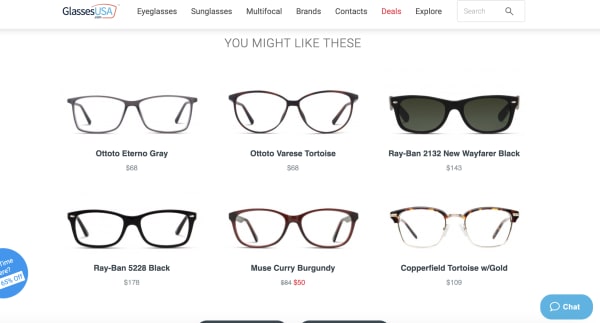
Glasses USA has been around for a while, at least a decade or so as far as we know. They’re not known for being cool or sustainable, but they’ve come a long way in recent years.
The site features name brands like RayBan, Versace, and Hilary Duff (who knew she had a glasses brand?) as well as a wide selection of unbranded frames in a variety of styles and sizes.
Unlike some of the other sites like Warby Parker or David Kind, this site feels more like a Lenscrafters. Like Zenni, there are some gems if you dig through the site.
5. Lookmatic
Lookmatic is another D2C glasses company that has been around for a while. It was formerly known as Spex Club.
In any case, the price point and selection is pretty much in line with what you’d find at Warby Parker. The only real difference between the two brands is WP has way more options than Lookmatic, which doesn’t offer a ton of variety.
Still, if you’re a fan of acetate frames, this is a good bet. Glasses start around $100 and you can take advantage of at-home try-on if you’re so inclined.
6. David Kind
If Eye Buy Direct is the fast-fashion of eyewear, David Kind is something of an Everlane. It’s a millennial-friendly online store that caters to buyers that care about sustainability and quality.
David Kind falls on the more expensive side of the online spectrum. There aren’t any $6.95 frames here, but they guarantee a perfect fit and are still cheaper than what you’d find at a specialty glasses shop.
Glasses start at $350 and there’s a real emphasis on quality that you don’t necessarily see on some of these other sites.
If you’re used to paying for Ray-Bans from your local optometrist, the sticker shock won’t hurt so much. Plus, glasses come with a 10-year warranty and they’ll even file a claim with your insurance company for reimbursement.
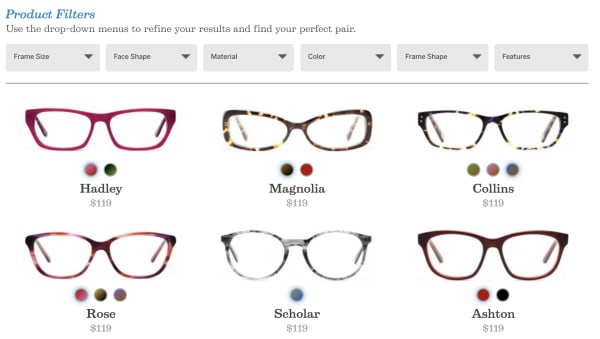
We have to admit, we don’t love the look of the Felix & Iris website, but the glasses are priced fairly and they’ve got a decent selection of frames. While style is subjective, Felix & Iris doesn’t feel quite as hip as its competitors, regardless of price point. Warby Parker, Eye Buy Direct, and David Kind all have them beat in that regard.
Still, it might be worth looking through the site. Frames start at $119 and you may be able to get them reimbursed through your insurance company.
The brand will send you four pairs for at-home try on and it has a 30-day return policy. That said, the warranty isn’t great; it only covers factory defects for up to a year.
8. Fetch Eyewear
Fetch Eyewear is new on our radar, but the Portland-based glasses brand brings stylish frames at a reasonable price. Glasses start at $145 a pair, and the company gives all profits to local pet rescue, the Pixie Project.
Fetch also has the offer to “pick five” frames to try at home and the glasses come with a lifetime warranty.
Wrapping Up
In all, any of these online shops are a solid choice for the glasses-wearer looking for cool glasses at a reasonable price. The best part is, a reasonable price could be $300, $6.95, or somewhere in between.
Ready to hit the trail? Add these great apps to your phone first!
Although gyms are nice, nothing beats the fresh air and adventure of going on a hike.
We may not go hiking too often because we say it’s difficult to find trails. The more reasonable explanation could be general laziness. But you know what makes it easier to be a lazy hiker?
Not knowing how to find trails!
Luckily, there are apps to help you find the best trails so you can get back out and enjoy nature!
AllTrails sounds like Odin’s title “AllFather,” likely because it’s a god amongst hiking apps. (Boom, Avengers reference in a hiking app article. Nowhere is safe from the MCU!)
But seriously, this app has the best aspects of a professionally developed system. It looks good, it’s easy to use, and it compiles a large number of tools without feeling cluttered or unintuitive.
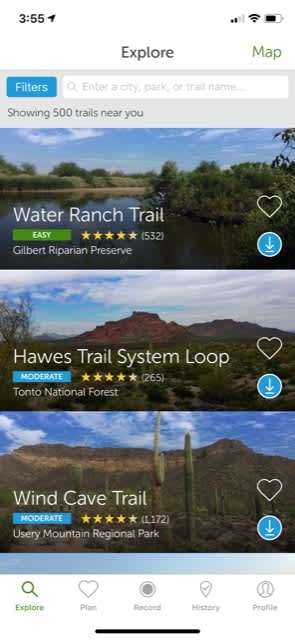
When you open the app, sign-in isn’t required immediately. AllTrails lives up to its ratings by taking you first to the hikes, based off either your current location or whatever search parameters are entered.
You can check out the ratings, discover the location, and, if you’re logged in, “favorite” a trail for later visits.
Along the bottom of the app, you can see more menu locations:
Plan: Once AllTrails helps you discover a new place to visit nature, they immediately give you help in setting up a trip, and a route along the trail. They list a number of aspects, the length, and whether it’s a loop, along with more information that may be useful.
Record: This function will come up time and time again! Not only are recordings a great way to track your progress and see where you’ve been, but they’re also excellent tools for professional and hobbyist “trail runners.” Those are people that compete to set record times for a given hike, for you newbies.
History and Profile: Here, you can watch your old recordings, track your stats, check out your past reviews, look at followers, and change settings. It’s pretty much what you’d expect.
Gaia GPS also helps users find trails, with a few extra things that set it apart from other apps.
First off, staying true to their Global Positioning System roots, Gaia immediately shows exactly where you are on a world map. It shows your current elevation, speed, direction, and more.
So, if you were looking for trails to hike nearby, head to the center menu button, “Discover.” Here, you can find all the information you’re looking for and save the best hikes.
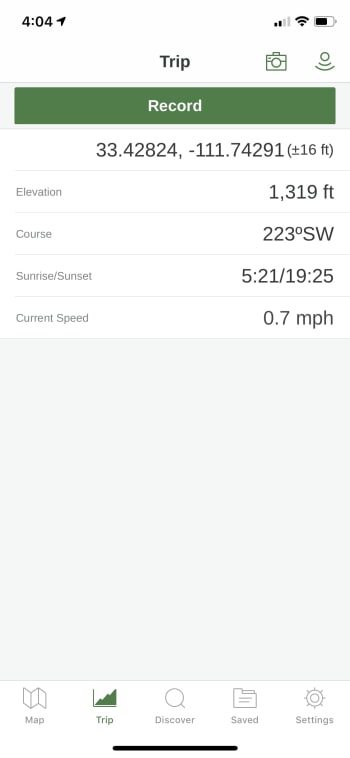
Finally, we’ll also mention the “Trip” function, which allows you to record your journey. This feature also gives you the ability to check elevation, speed, the time of sunrise and sunset, and more.
Pretty cool, right? We didn’t even realize Mesa, Arizona’s elevation was around 1,319 ft. You learn something new every day!
While AllTrails and Gaia GPS focus on bringing you the best trails, Strava represents the first of our “health and wellness” hiking apps. They specifically focus on ensuring a healthy workout and provide an environment for relationships with other hikers.
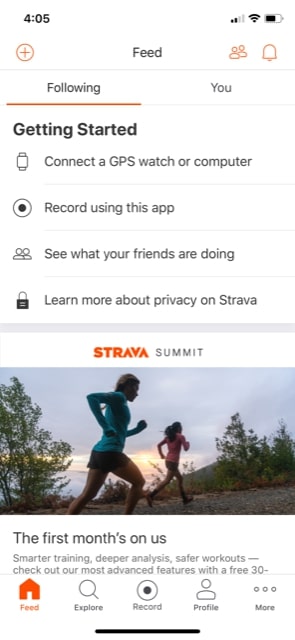
So, what does this app have that’s noteworthy? First and most importantly, the main page is a “Feed,” which will reveal information from your friends and followers, along with your own updates. At this time, we don’t have any connections, so ours looked a little bare:
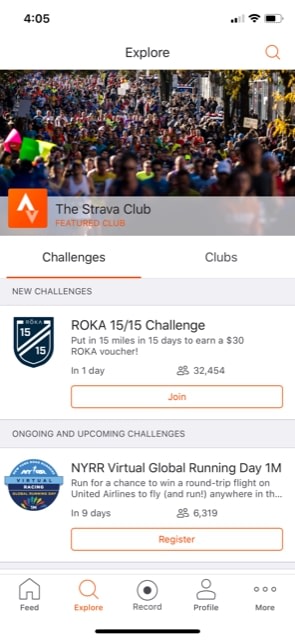
The “Explore” menu on their page has a huge list of challenges! If you’re interested in competing or simply want to join a fun competition, go here and see what’s new.
Finally, we feel the need to mention that Strava has impressive health-tracking tools, but many of them require the “Training Pack,” part of their subscription. Keep that in mind.
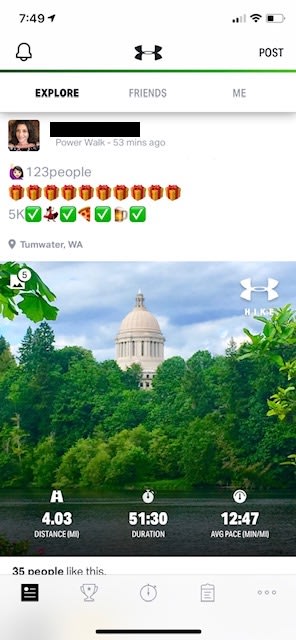
This app has the plainest and simple user-interface. Like Strava, it begins with a feed page. However, you aren’t limited to friends or your own posts, which means you can enjoy voyages anyone has taken!
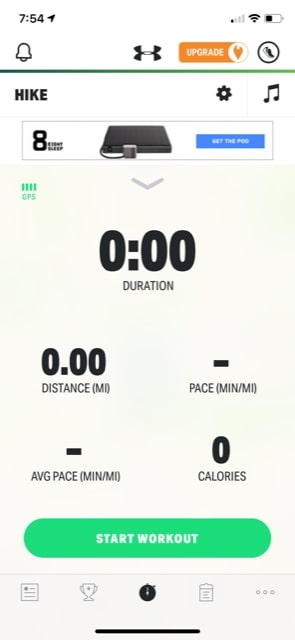
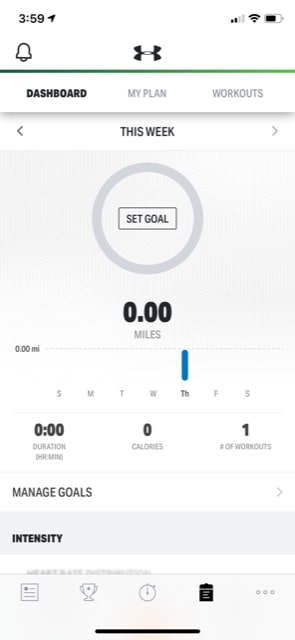
Aside from the social aspect, MMH’s main focus lies in their tracking app. In the beginning, you’ll see something like the picture below. There are pretty intrusive ads, but those can be removed with a subscription.
Once you’ve recorded your first adventure, you can head over to the tracking page. Once again, we appreciate that Map My Hike allows you a bit more freedom here; there are good metrics available without a subscription.
Ah, good old zero-mile workouts.
We would recommend Map My Hike in conjunction with one of the better trail discovery apps. However, there is a way to find hikes. Visit the “Settings” menu, and scroll down to “Routes.” Here, you can find user-created paths that may or may not follow an actual trail!
Still, these are definitely more like routes than trails. Does this make Map My Hike more of a path app than a trail app? Maybe. But if it does, we don’t mind too much. If you live in the city and don’t have time to get out in nature, there may be some excellent urban trails found here!
We hope you enjoyed reading about these apps. Whether you’re outside more than inside or are currently one of our fellow couch potatoes looking to leave the house more often, these apps create a welcome sense of adventure along with the spirit of ease and sensibility.
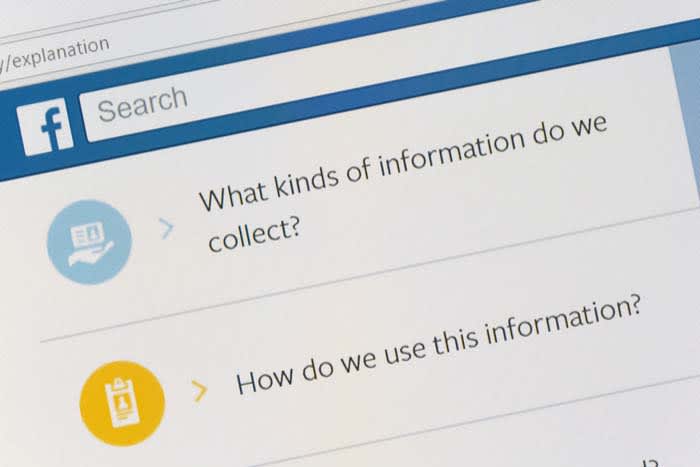
Facebook scandal proves that no data is too private for them.
As you may have heard, Facebook was recently found to be collecting sensitive user information from a handful of third-party apps.
We shouldn’t be surprised that Facebook is deep in our business. However, the revelation that apps like Period Tracker: Flo Health are sending user data to Facebook is just plain creepy. It might be time to switch to a different period tracking app.
Even though Facebook’s many sins keep coming to light, we still don’t know how our data is being used for profit.
Which apps were caught feeding data to Facebook?
The Wall Street Journal reported that several third-party apps were sharing data with Facebook to better target consumers. WSJ tracked 70 of the most popular iPhone apps, 11 of those shared sensitive, user-submitted data with Facebook.
According to the Journal, Facebook’s software collects data moments after the user enters information. There are no signs that the app discloses this in any noticeable way.
From there, that data is sent to Facebook’s ad-targeting tools. Those same developers can create ads targeting existing users and reach new ones. In several cases, data was transmitted to Facebook, whether or not the user logged into Facebook to verify their account. This also happened even if the user did not have a profile at all.
While the data is supposedly anonymous, these app developers are using Facebook to match data to real profiles. This is compromising the layer of anonymity built into something like a menstrual app. That’s software where users share health information, pregnancy status, and lifestyle choices.
Facebook says that it advises app developers against sharing data that could be considered sensitive. They do say that they actively delete data if they believe it is illegal.
It turns out those period trackers are pretty invasive
Period tracking apps are among the most popular apps in the App Store. There are over 200 to choose from, but people don’t realize these apps collect a lot of personal information.
Many of these apps collect information that extends beyond whether you’re menstruating or not. Apps function as a health diary of sorts. They’ll ask whether you had sex, drank alcohol, or took any drugs.
They also ask about stool consistency and vaginal discharge. You know, things that most women feel totally cool with letting Zuckerberg and company know.
Does this impact privacy or is our anonymity at risk?
When you download an app, you agree to their terms and services. Which, of course, most of us don’t read.
As we’re beginning to find out, the things we do online don’t just fall into the ether. Every OkCupid question we fill out, Facebook like, and digital store we browse adds to a growing digital footprint.
In this latest revelation, there are some potentially harmful consequences.
Apps that are leaking your information
One of the offending apps, Instant Heart Rate: HR Monitor by Azumio, is the most-downloaded heart rate app in the iOS store. It sent user heart rate stats right after performing a reading.
Flo Ovulation Tracker lets Facebook know when the user tells the app that they hope to get pregnant or reports that they are on their period.
Realtor.com was found to have sent Facebook prices and locations of homes viewed by their users, as well as those listings they marked as favorites. As we already know, Facebook has been under fire for how they advertise homes.
Heart rate, pregnancy, and other health stats becoming public knowledge is a scary idea.
While discrimination based on health isn’t legal, that doesn’t mean it doesn’t happen. It just means an employer, real estate company, or insurance company might look for a reason not to work with you.
If you’re curious what Facebook knows, you can always download your information. There, you’ll learn more about every ad interaction, deleted friend request, and Farmville stat from your past.
Facebook’s business model depends on a system of collecting data. We didn’t think much about this in the past.
As it stands, Facebook is in negotiations with the U.S. Federal Trade Commission over the privacy violations associated with the Cambridge Analytica scandal.
The FTC could slap the social media platform with a massive fine, but as Politico points out, the possibility of restructuring is also on the table. The article also mentions that the organization could demand that Facebook reveal how they use data to generate profits.
Still, we’ll have to wait and see.
On Flo’s end, the company says they’re revising their privacy policies to prevent this from happening again.
This incident and the countless others should serve as yet another reminder that any data you share with an app might not be private.
Get smarter, healthier, more productive, and more in shape with our complete guide to self-improvement.
Ever wonder what the difference is between the people who reach their goals and those who merely dream? Those who hit their targets prepared themselves to do so. Here at Softonic, we’re focused on bringing you the best advice and digital tools to achieve any goal. Take a look at the stories we’ve assembled and consider how they can help you start building your tomorrow today!
As we continue publishing articles to make your life better, we’ll add them to this page, so be sure to bookmark it and check back whenever you need a boost.
Need some help in the kitchen? Check out these great apps.
One of the hardest things about adulting is meal planning. The practice requires a daily, weekly struggle to find food options for individual tastes!
Yet, while planning the scheduling and shopping may seem crazy, your efforts will pay dividends: homemade meals are usually tastier, cheaper, and healthier than restaurant fare or instant meals. The downside comes from time spent wondering what to eat!
If you’re looking for better, tastier food and wish to take a bite out of the time spent planning, try these apps! They might just be your golden ticket.
Best meal planning apps
The Options
We have two top apps for your consideration: Mealime and Yummly. These apps stand out because they specifically help users find good recipes, plan a week’s worth of cooking, and compile an entire shopping list for the purpose.
We’ll go through both, explain what they do, and discuss their differences!
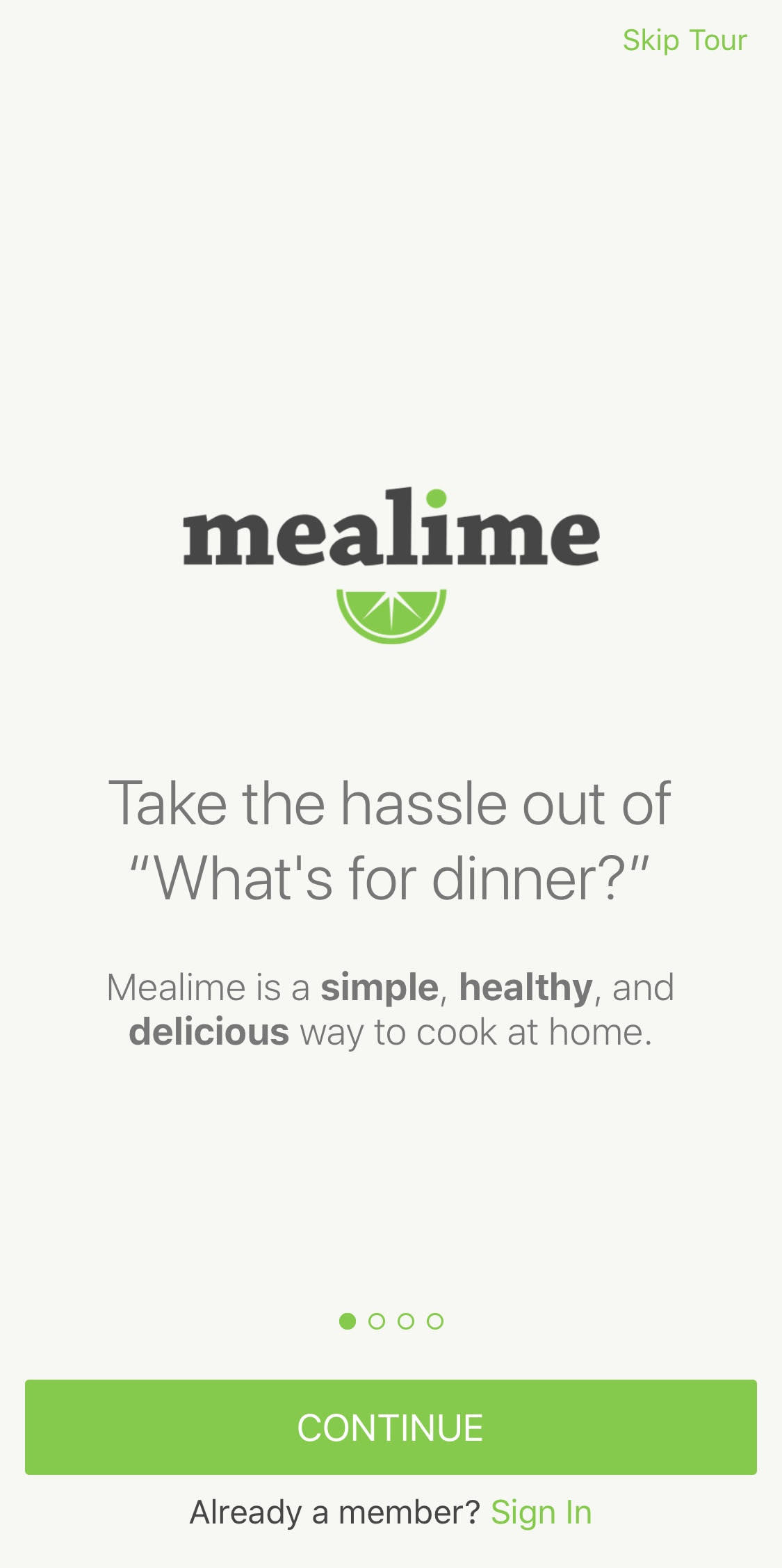
Mealime capitalizes on the minimalist theme, with a user interface reminiscent of a well-kept kitchen. Opening the app may remind you of organized cutlery, shining sinks, and impeccably lined spices.
Open the first page of the app and you’re greeted with the Mealime slogan: “Take the Hassle out of ‘What’s for Dinner?'”
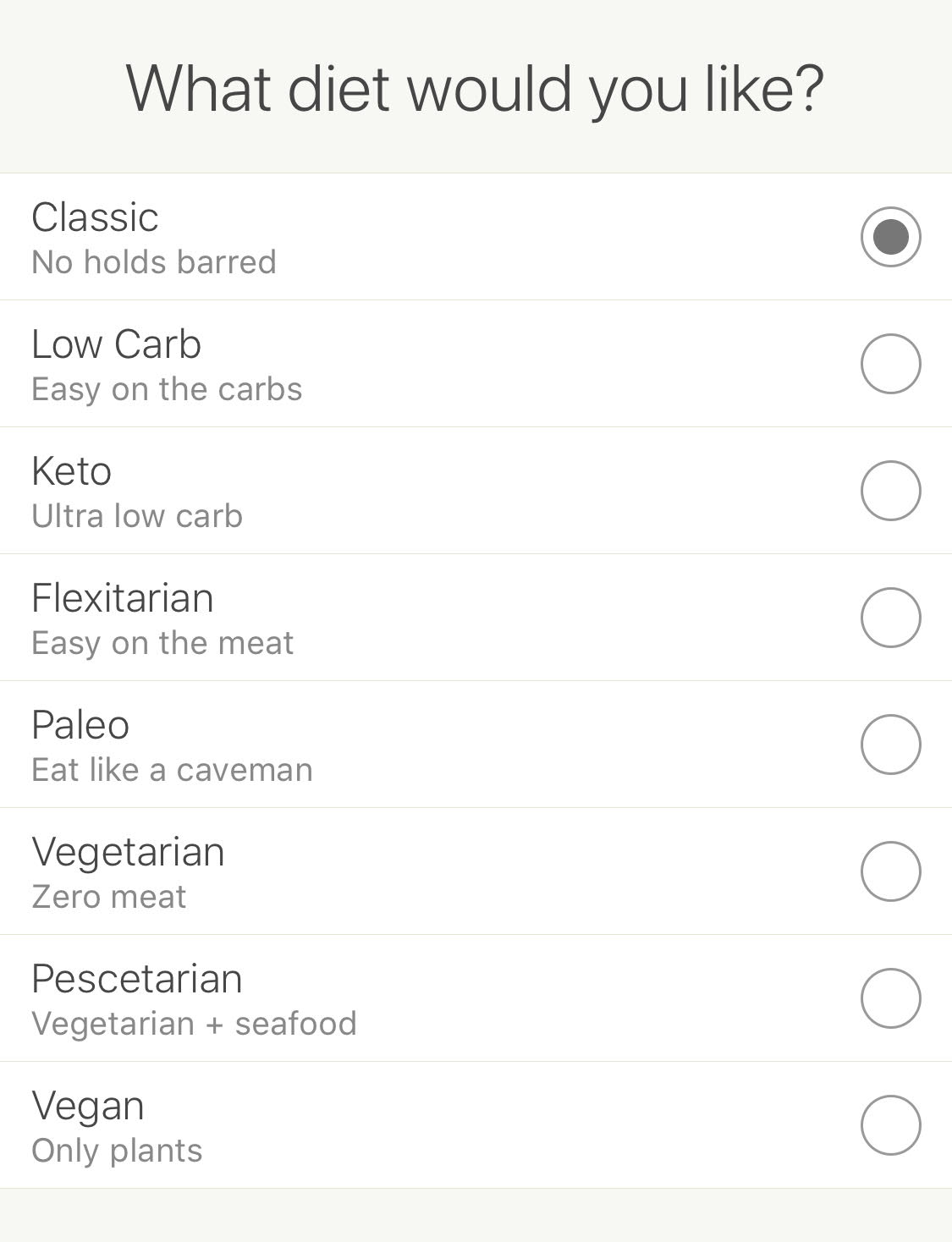
Many meal planning apps follow a similar pattern. After signing in, you’ll be directed through a series of windows that gauge your preferences, dietary needs, and desired weight loss/gain. Mealime’s system begins with a roster of classic diets:
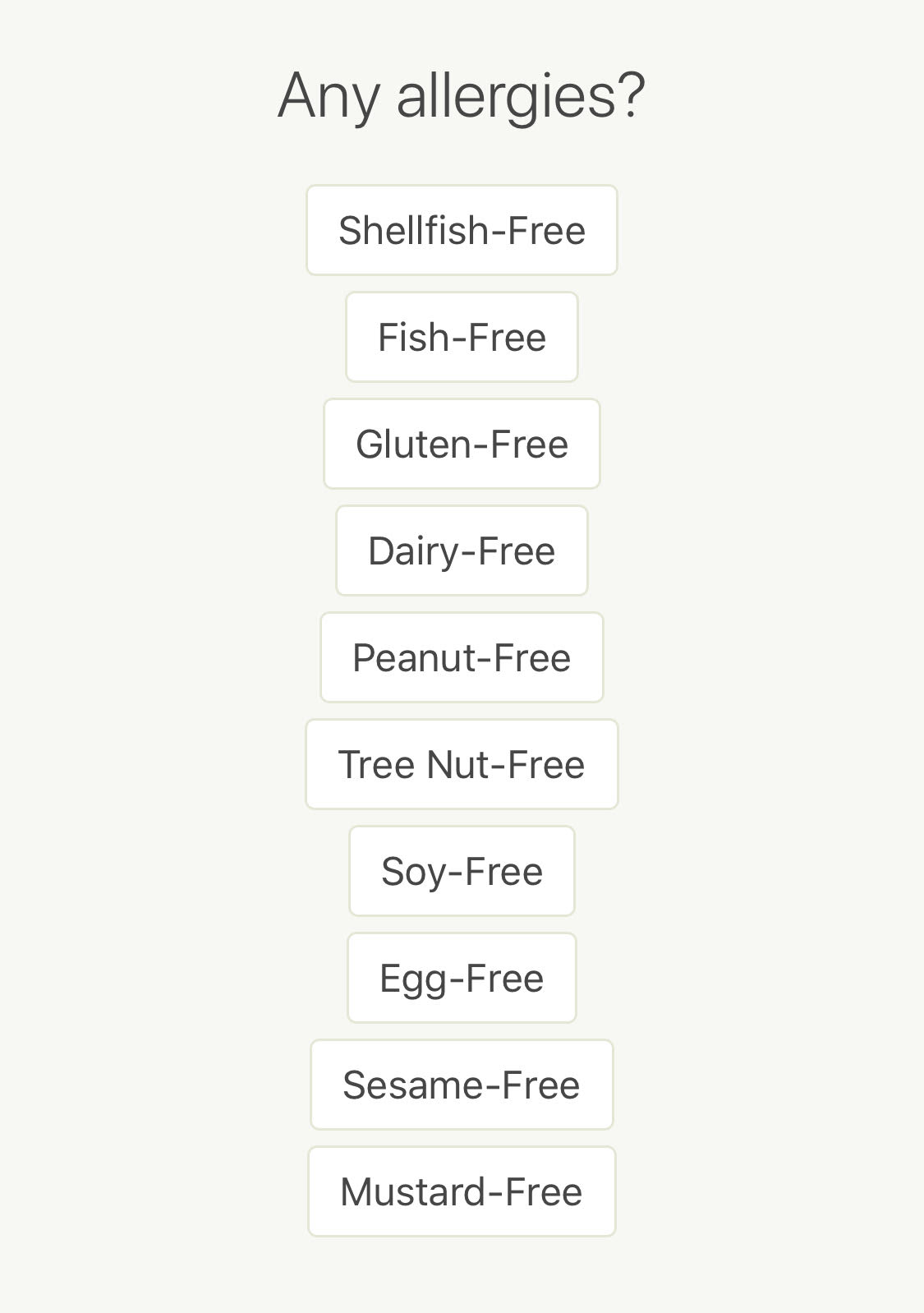
Next, they follow with the classic allergies screen. Remember to ask friends, family, and housemates about their allergies if you’re cooking for a group!
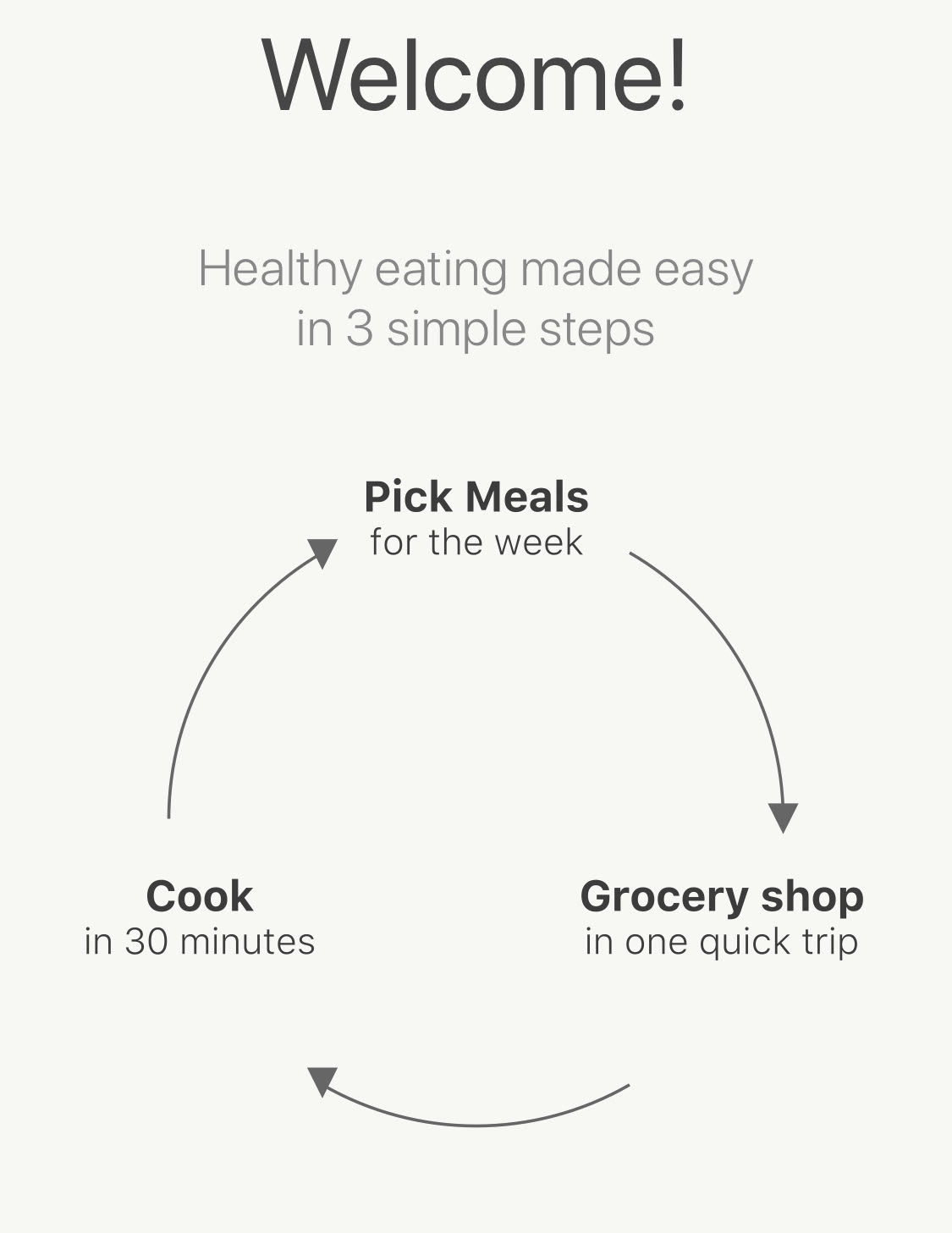
After a few more options, the Welcome screen appears, with a diagram that explains the Mealime cycle: choose food each week, use the conveniently created grocery list to shop, and create meals within 30 minutes, one of Mealime’s signature promises.
Looks simple…but how does it work, really?
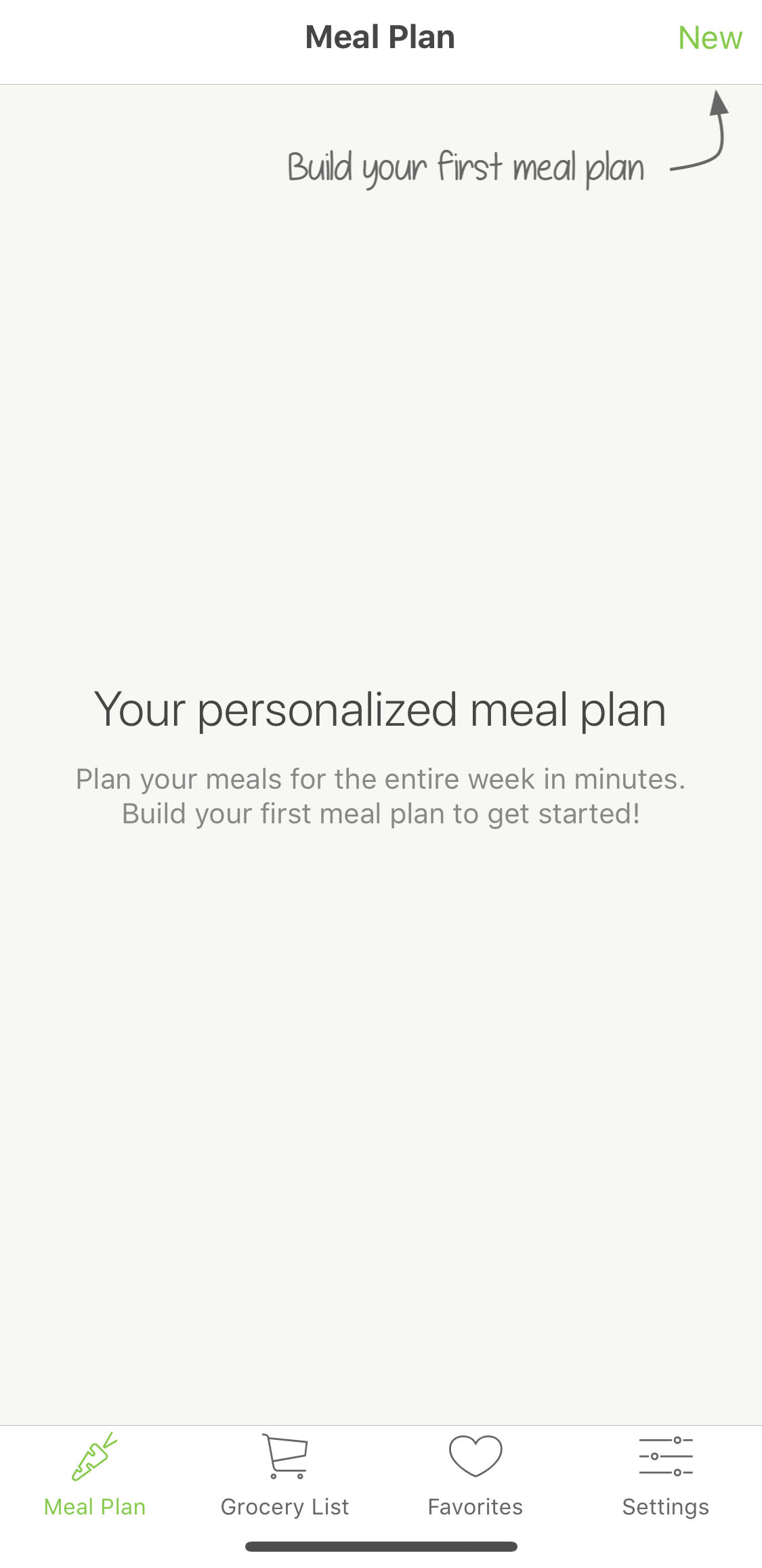
When you open your Meal Plan, the screen will be empty at first. Click “New” to start!
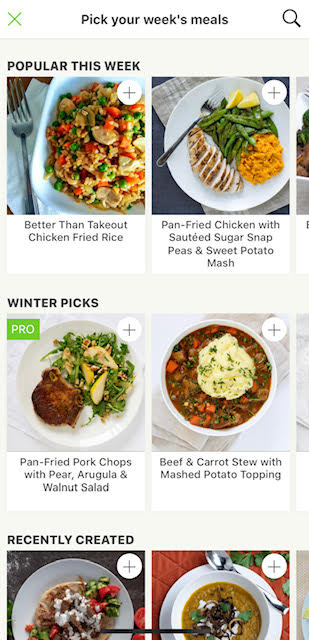
Opening the meal selector looks something like the picture below. Hit “+” to add whatever looks good to your list!
Pretty homogenous, IMHO.
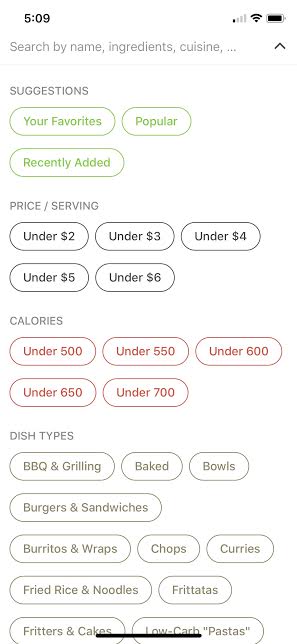
If you’re looking for something specific and can’t find it, the search menu has options to filter by favorites, price range, calories, and more, including a normal keyword search.
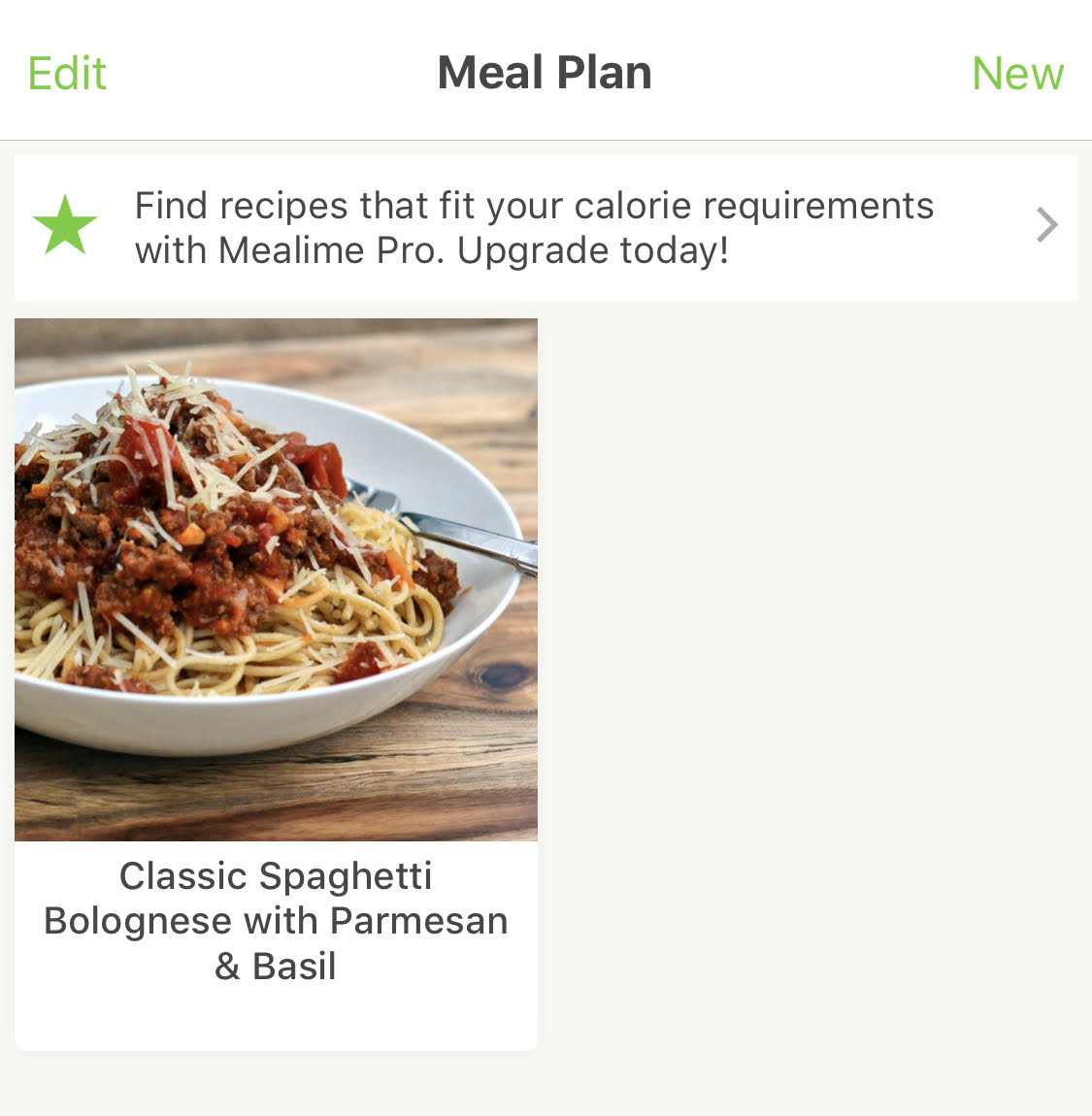
At this point, add all the meals you want to try for the week! For example, if you chose to eat Classic Spaghetti all week, it’ll look like so:
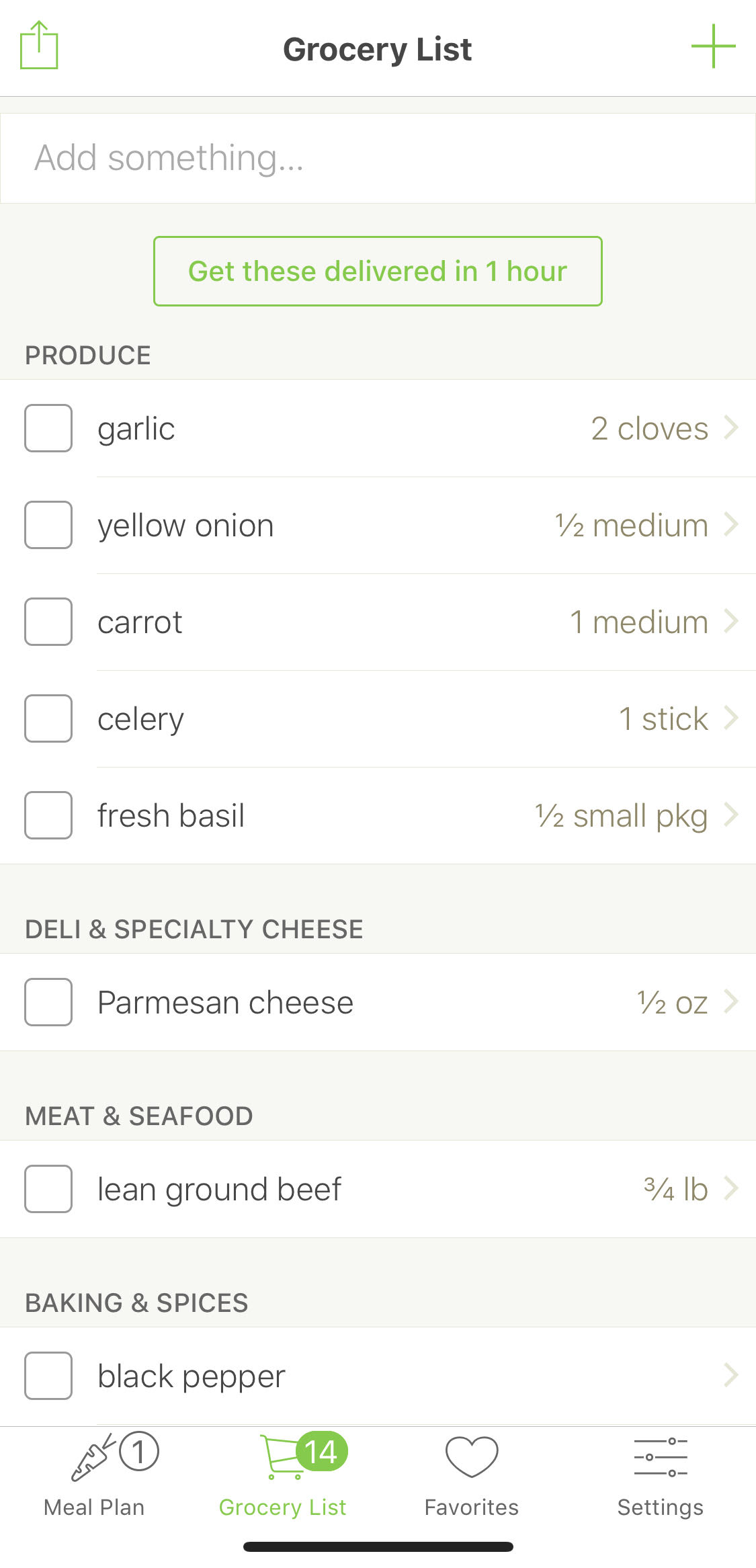
With that step complete, the app automatically fills up your Grocery List. You’re ready to start shopping!
(Remember, as a general rule, don’t run off to the store the moment your list comes together. First, check the fridge and the pantry, checking off anything that’s already there and will be around when you plan to cook.)
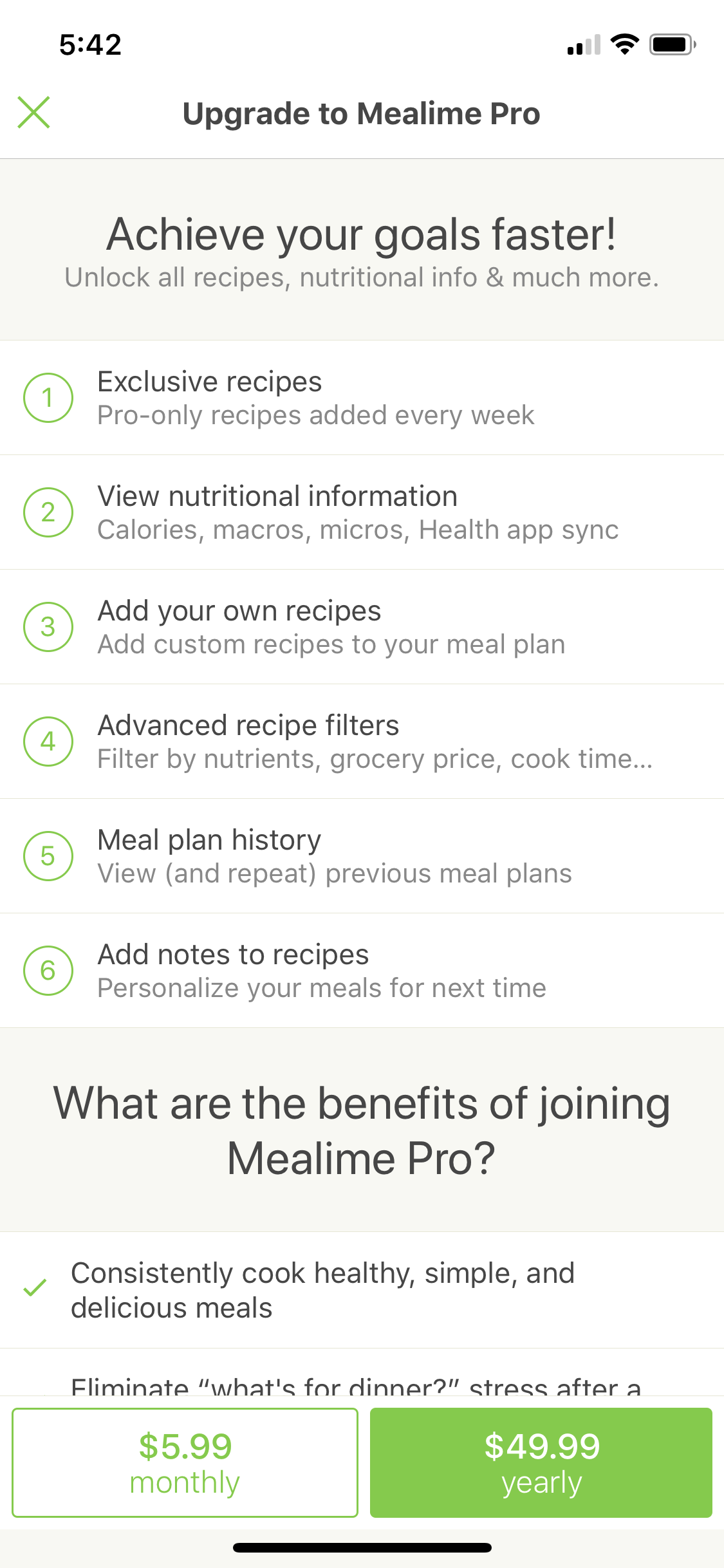
By now, you’ve encountered the Meal Plan and Grocery List menus. We’ll skip over Favorites and head right to settings for one last topic… Mealime Premium.
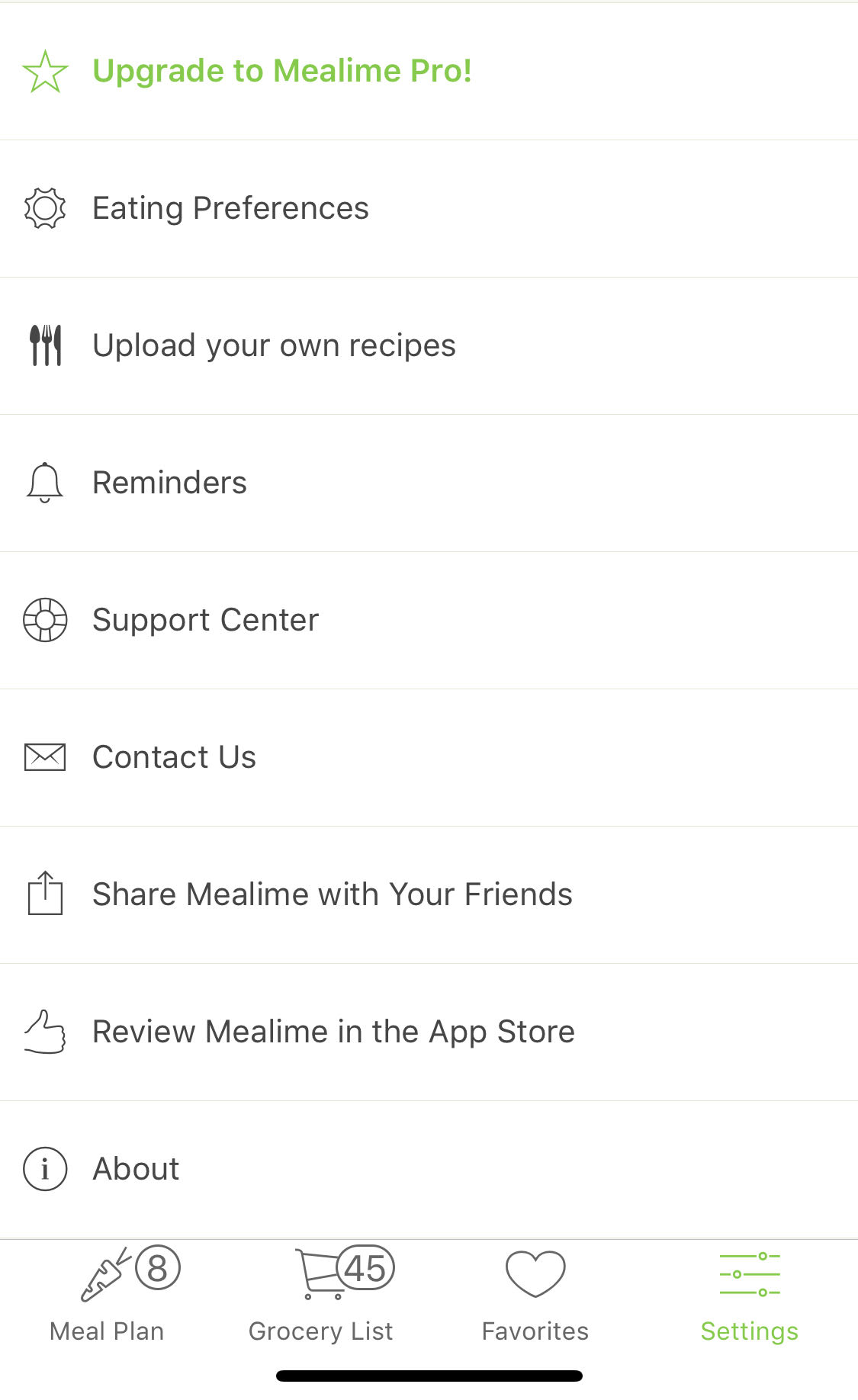
In the settings section, you can change the eating preferences you set earlier. Most options here are available to all users but some – such as “Upload your own recipes” – can only be used by Pro members.
Upgrading to Pro provides a few more benefits, the most pressing of which is the Exclusive Recipes only available with a premium account. The price of $6 a week or $60 a year won’t break the bank, but we recommend checking whether you prefer this app to others before committing.
Welcome to Yummly! Whereas Mealime appears minimalistic, Yummly has all the rich color one would expect from a well-used kitchen: the rich grain of a cutting board, a line of earthy nut jars, or the inside of a freshly cut steak.
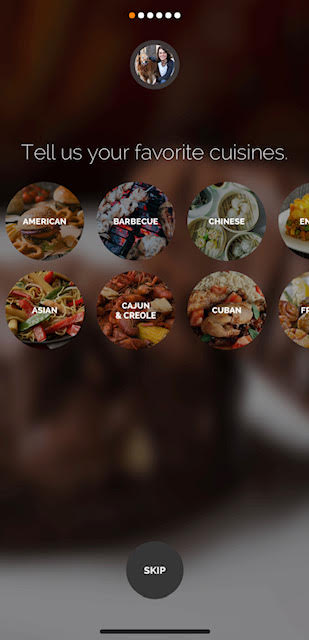
From the start, Yummly shows its colors: rather than focusing on just healthy, quick options, it provides suggestions for a much larger range of tastes!
Yeah, that picture is me and m’dog.
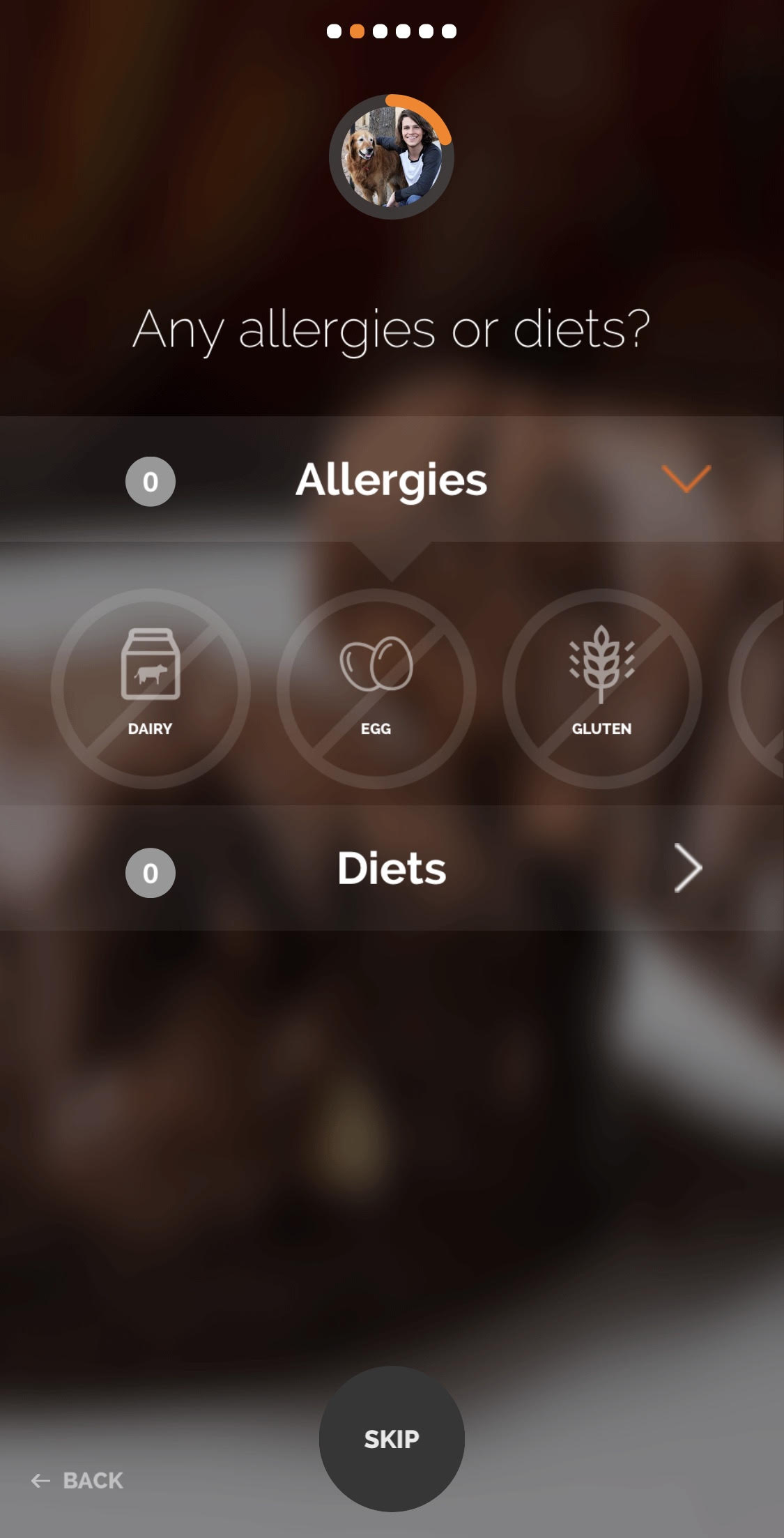
Ah, the allergies screen.
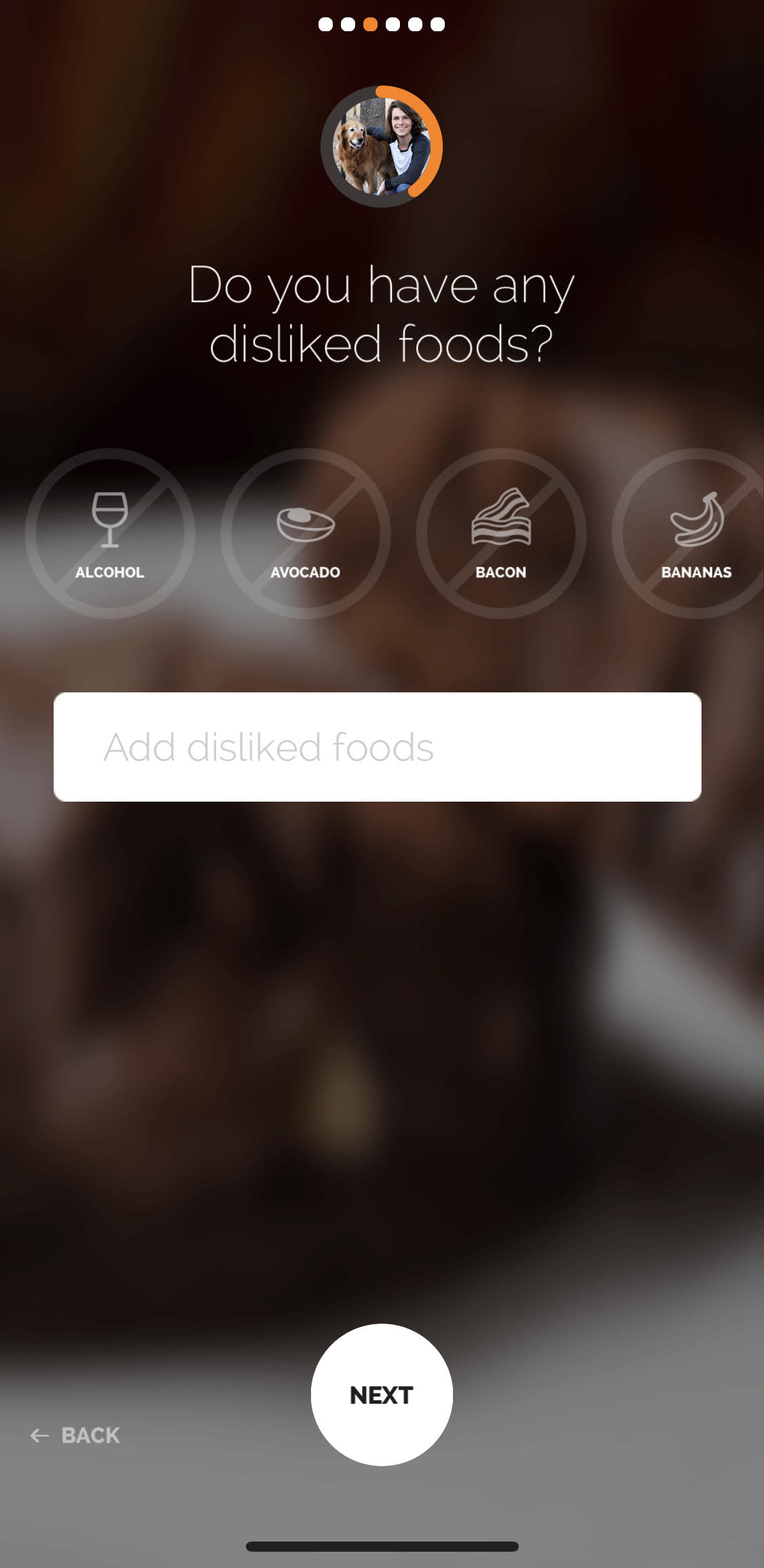
Another important option: the disliked foods. If you’re opposed to avocados (Did we just hear a collective gasp from California?), now’s the time to let them know.
Even better, Yummly lets you choose your cooking skill preference! It can be changed later, so don’t feel bad about choosing “beginner” if you’re new to the kitchen.
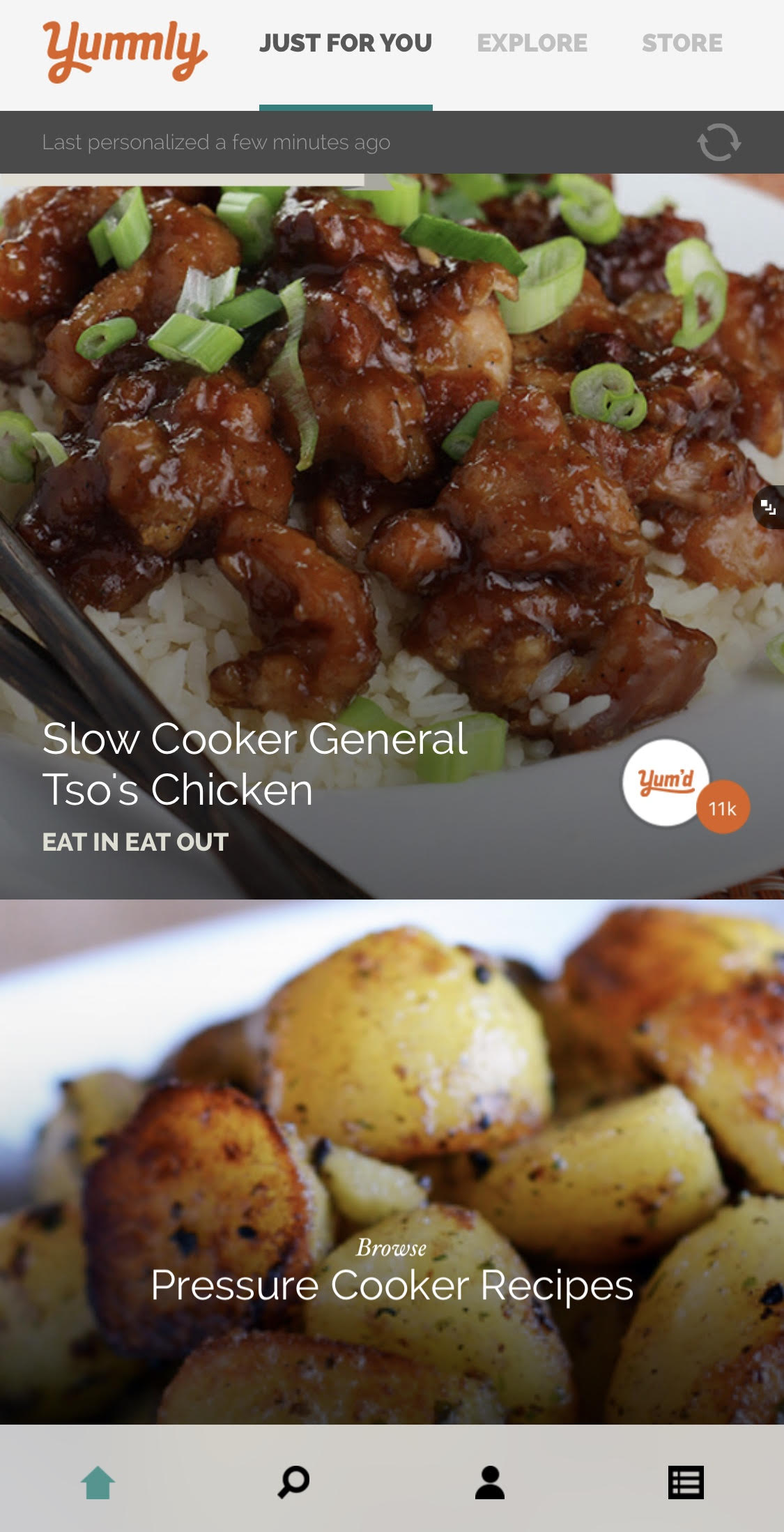
Based on your choices above, Yummly now brings you to a personally generated option screen, which holds a range of meals. Unlike Mealime each page scrolls up and down like a social media feed. Oooh. Aaah.
To select a food that looks good, hit the “Yum’d” icon. That meal appears on a list for later use! However, they do not immediately show up in the grocery list…
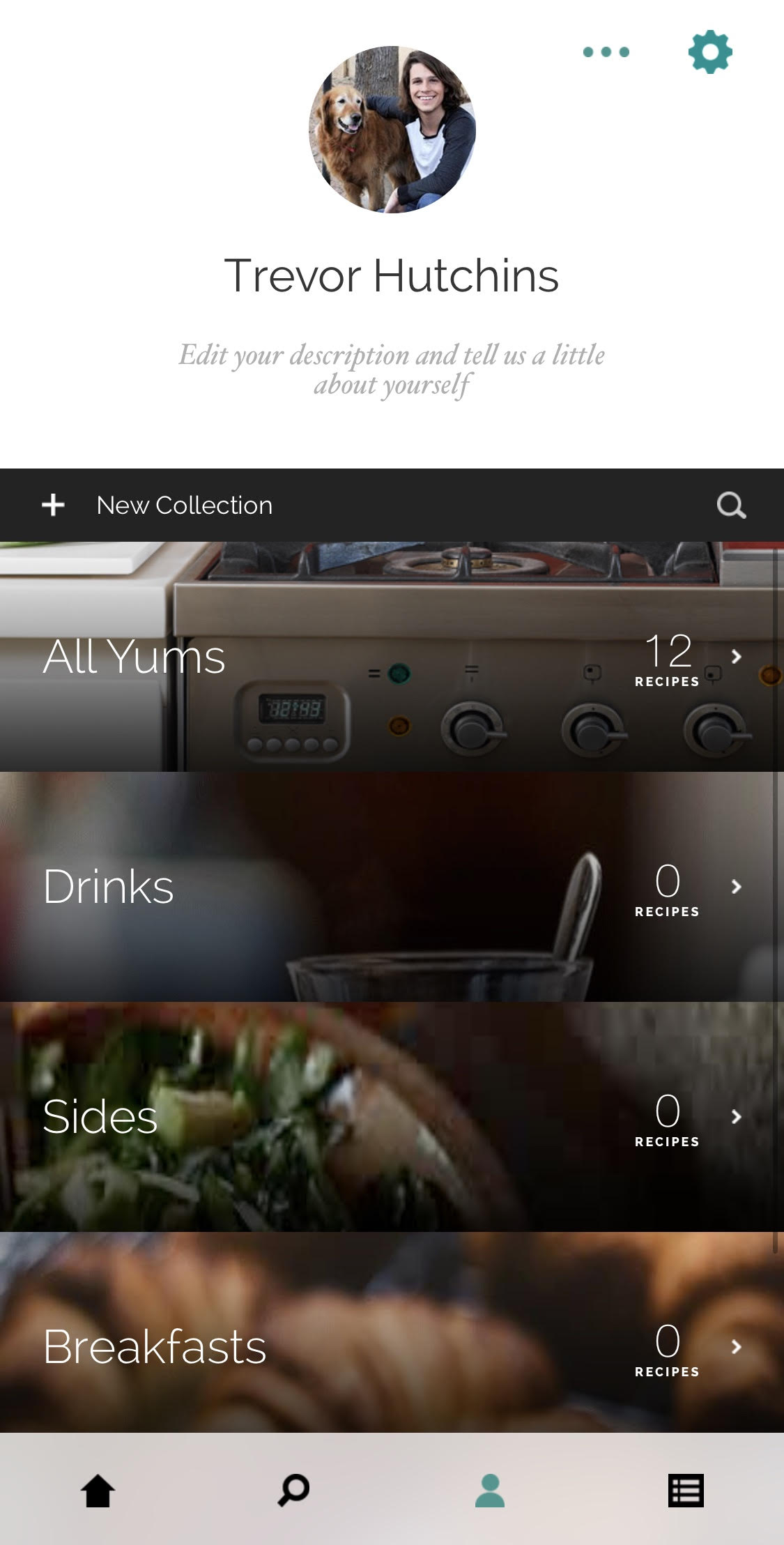
Head to the profile section. Here, you can see all your “Yums”.
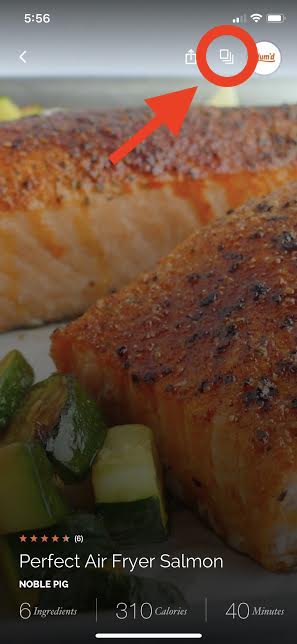
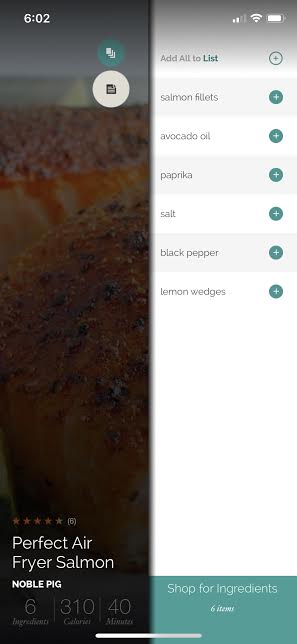
To begin adding ingredients to the grocery list, select an individual Yum and hit the menu button. For example, if you’re going to make “Perfect Air Fryer Salmon”…
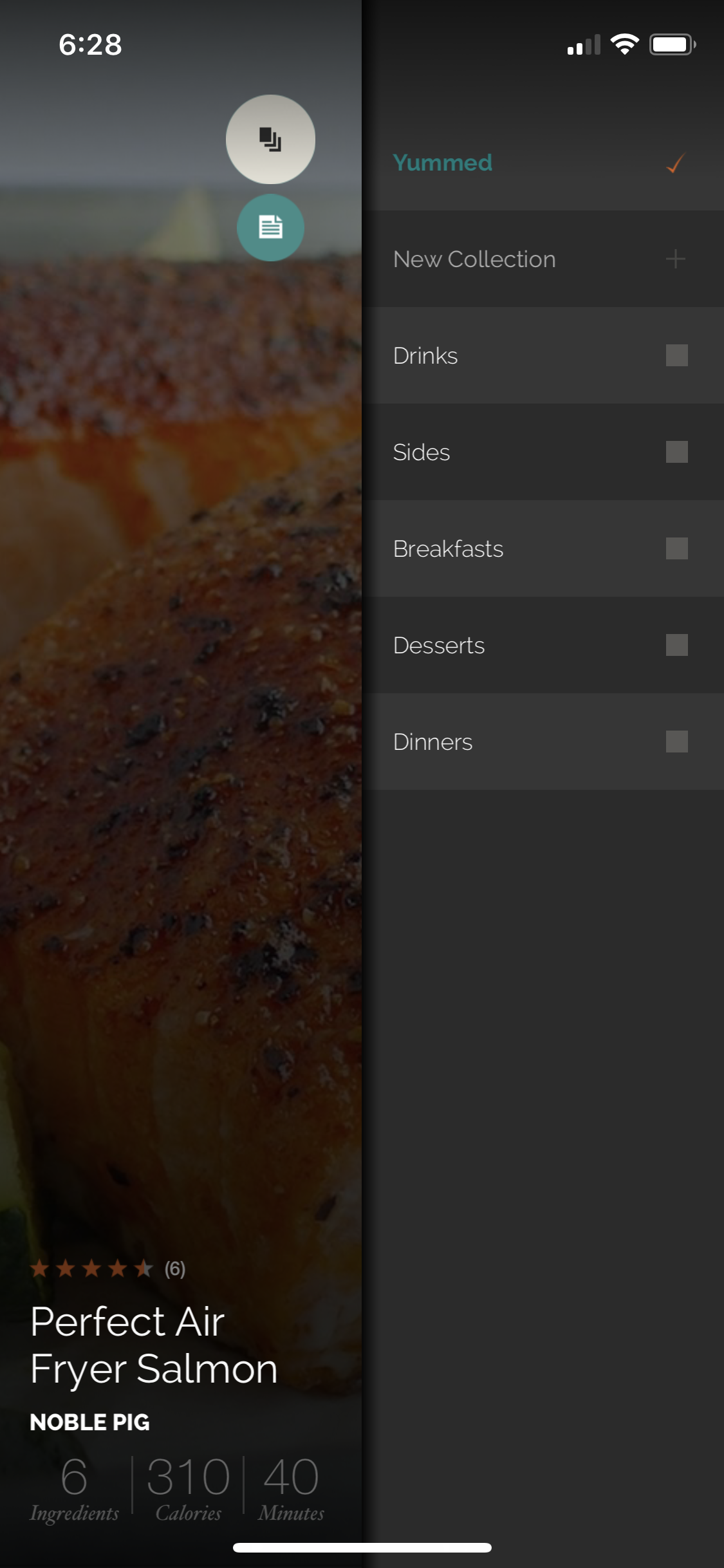
Yummly now brings up the options: here, you can set the Yum as a Drink, Side, or more. We’re not to the groceries yet…
Hit the Grocery List, which will appears under the menu button, but only after the menu button has been selected:
There the groceries are! Once you’re sure an item isn’t already available at home, add it individually. Or, if everything’s missing, select “Add All” and call it a day.
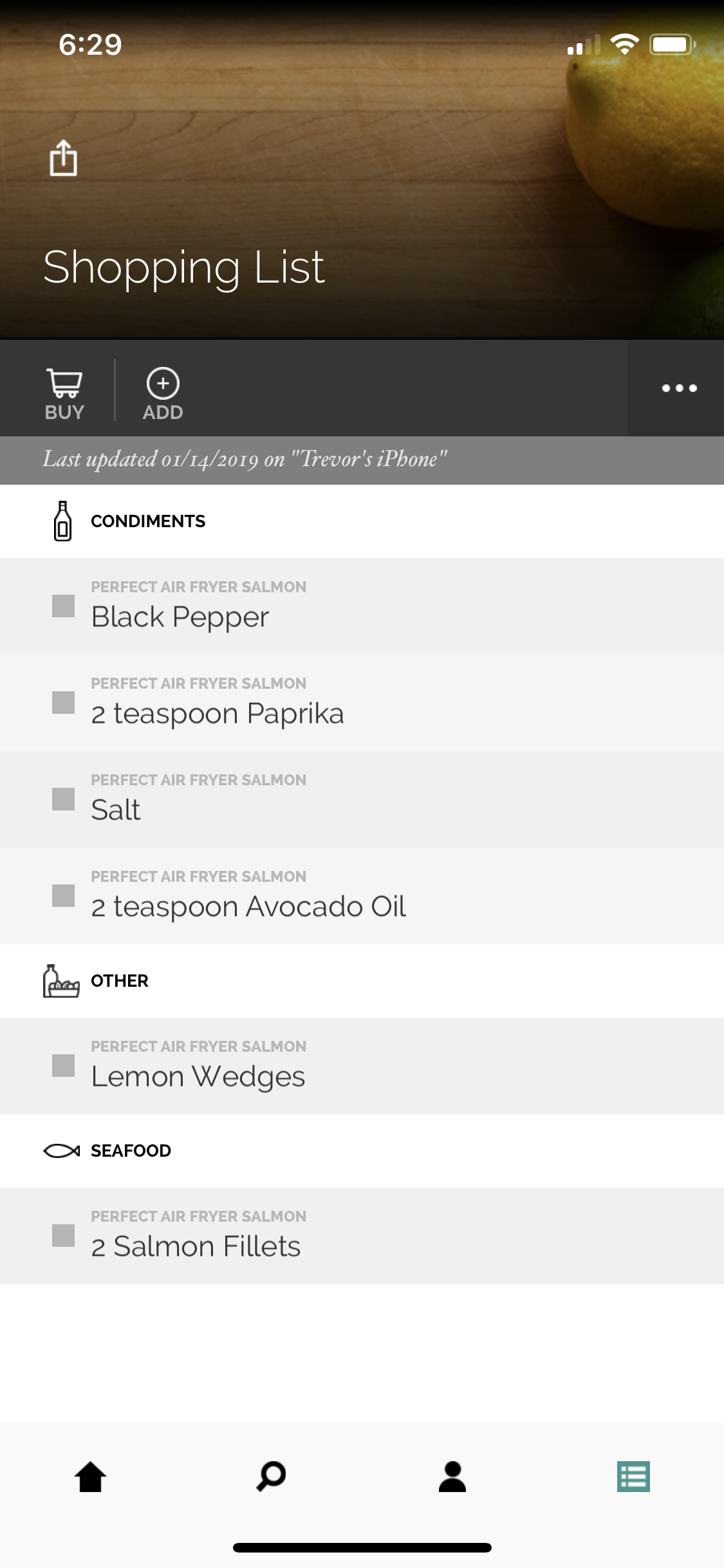
Now, you’re ready to shop! The grocery list even organizes everything by type, so you can get all your condiment shopping done at once:
So, which one works best? The answer (of course) is: whichever works best for you. In fact, there are a few we left out, but we’ll mention those later. In the meantime, here’s our quick rundown of the important differences.
Mealime will likely work better for those looking to maintain a more healthy lifestyle. It looks simple and refreshing. Their setup options help create a personalized list of quick, healthy meals that are tailor-made for user diets. Their use of favorites makes meal planning easy and simple, but their Pro accounts limit what foods can be chosen, along with other choices.
Yummly aims to help anyone who enjoys food connect with more recipes that fit their taste, whether that means a lean meal or the tastiest homemade burger around town. The interface looks richer, but navigation (and especially grocer shopping) will take longer to figure out. Still, their food photography is hard to beat! Warning: if you choose this app, you may find yourself drawn to new things by the beautiful pictures.
Since we only had time to review two top-tier meal planning apps, there are many more out there which could better help specific users. If you were looking for something similar, but not quite like Mealime or Yummly, you may be seeking one of these awesome apps:
1. Plan to Eat: like Mealime and Yummly, Plan to Eat provides meal choices, recipes, and grocery shopping support.
2. Atkins Carb Counter/Tracker: the Atkins Carb Counter helps track the number of carbs consumed. If you’re looking to hold yourself accountable, the website and app can help you stay on top of things.
4. Lifesum: another excellent app with “diet plans, nutrition advice & healthy recipes.” Huge bonus in our opinion: the user interface looks great! (Yeah, that’ll always be a big thing with us)
5. Weight Watchers: a clear and present classic. Weigh Watchers reigns supreme among dieting apps, especially on the Apple app store where it has a five-star rating with 497k reviews. Dang!
We hope this helps you put together better meals at home, throughout the week. Remember: there’s no need to start making breakfast, lunch, and dinner every day. Even professionals may find that kind of schedule exhausting! Some meals just need to be quick.
With that in mind, we recommend planning ahead for just a few meals. For the best results, place them at meaningful times in your schedule: if Wednesday holds four college classes at midday, perhaps set a celebratory dinner that night. Or, to cap off the work week, have something nice on Friday night, or Sunday night before Monday sets in.
The possibilities, and meals, are in your hands. Enjoy them!
Is this the future of dental hygiene or a goofy-looking fad?
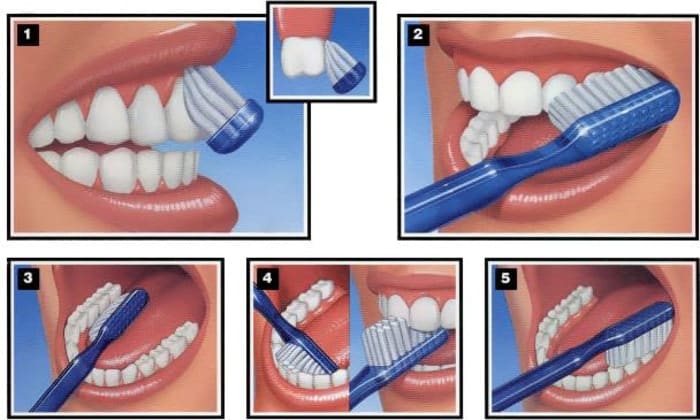
Buying that new smartphone or game console is one thing, but did we really expect to see an upgrade to the toothbrush in our lifetime? Did we even want it? While a new electronic toothbrush likely won’t appear at the top of many Christmas lists, let’s face facts: Everybody brushes their teeth, and we’ve been doing it the same way every day since 1938. Cars and computers have certainly come a long way since then; it’s time some of our more ubiquitous products get a much-needed face-lift.
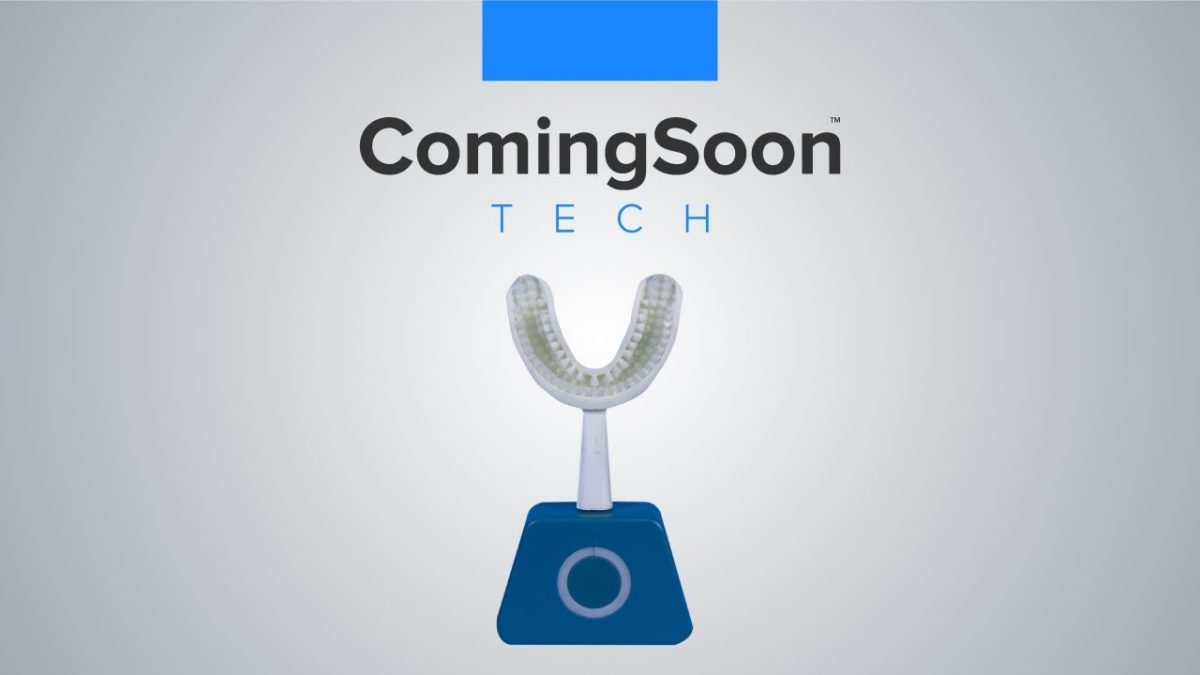
Introducing the new Y-Brush from the French manufacturer FasTeesH:
Why use Y-Brush?
The human mouth houses 32 teeth and has 3 different angles, totaling 96 overall places that require cleaning twice a day. Dentists recommend brushing for 2 minutes minimum per session, which means you’re supposed to brush each tooth for about 4 seconds. Does that happen?
Dentists use a mirror for a reason. You’re probably missing a lot of surface area.
The Y-Brush removes an impressive 15% more plaque than a traditional toothbrush and sports rounded hair tips for less aggressive strokes against the gums and teeth, taking care not to aggravate while brushing. But that’s not all – the Y-Brush knocks brushing time down to 10 seconds.
How does the Y-Brush work?
We’ve been brushing our teeth ‘the normal way’ for so long that a device as odd-looking as the Y-Brush probably looks like some bizarre prop from a sci-fi show.
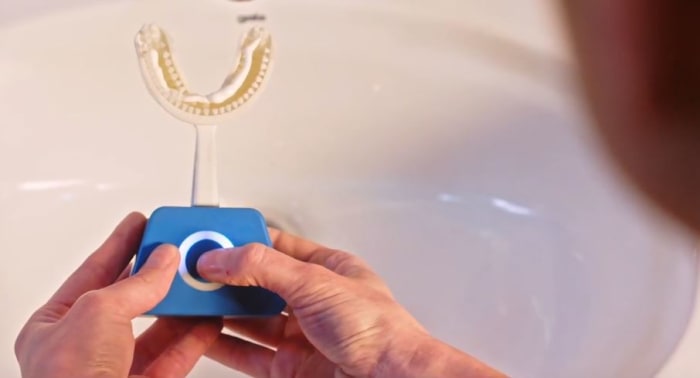
The Y-Brush looks like a mouth guard, and you put it in the same way
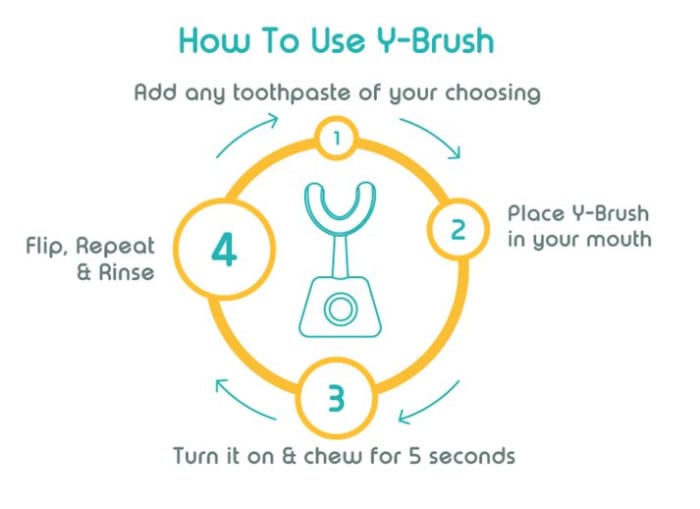
The process is simple, however: Just put in your toothpaste and bite down on the Y-Brush. Turn it on and make slow chewing motions with your mouth. After five seconds, flip the Y-Brush and repeat with your other jaw, and five seconds later you’re done.
It feels like you’re not spending enough time brushing, but in reality, you’re brushing 400% more. The Y-Brush tackles each tooth for five seconds since the device brushes all the teeth of one jaw simultaneously – four times longer than a manual or even an electric toothbrush during a standard two-minute brushing session.
The reason it’s so efficient is that the bristles are pointed up at a perfect 45-degree angle – the angle recommended by the ADA when you use a standard toothbrush. The motor on the front of the brush tray vibrates to clean your teeth much more reliably (and carefully) than your arm. There are even three different (but equally effective) settings you can choose between if you find the higher ones uncomfortable.
Adjust vibration strength by pressing here.
The brush of the future?
What makes the Y-Brush so promising is that it walks the line between efficiency and convenience. Yes, we care about our dental health, but we care more about our own convenience and ease of living. Since the Y-Brush doesn’t even require any unique toothpaste (you can fill it with any you like!), it’s an improvement in practically every way.
Cleaning the Y-Brush is as simple as rinsing it – just like with your old toothbrush.
You can plug the device in when you use it (like you would with an electronic toothbrush) or you can even charge it wirelessly via induction. The Y-Brush comes with a charging station so you can bring it with you on the go and use it in a more portable capacity. Since it’s so easy and fast to use, the product is especially good for kids or people with disabilities.
FasTeesH has been developing the Y-Brush and testing it with professional dentists for three years, and the general consensus is very positive: The device eliminates bacteria responsible for gingivitis, periodontitis, and gum disease, and does it all with efficiency and speed. Unfortunately, the product is on the expensive side, costing around $125. To be fair, however, that’s about as much as a premium electric toothbrush – and the Y-Brush is the better alternative. Plus it comes with the handle, brush, charging station, and a storage pod and toothpaste applicator, so you’ll be taken care of from the start.
The Y-Brush comes with 4 different purchase plans, and 4 different mouth sizes.
The Y-Brush isn’t available yet, but you can pre-order one right here. Deliveries are expected to happen in April 2019.
Are you going to get one, or is this just an expensive fad? Let us know your thoughts in the comments below, and don’t forget to floss!
Given up on your New Year’s resolutions? Here are 5 apps to get you back on track.
Whether you’re a January 1st resolution maker or you simply want to identify some patterns about yourself — an app might be a tool that can help you understand your habits and learn to leverage them for success.
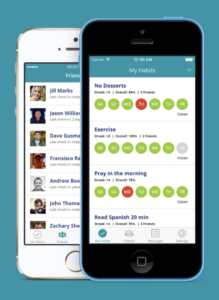
Here is a look at the top apps for making—and keeping—the habits that make you a better person.
5 best apps to create good habits
Habitica
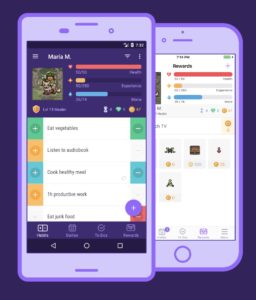
Habitica shines in the sense that it aims to make habit creation a game. The app takes something of an RPG video gaming approach — which makes it feel like you’re leveling yourself up with every task you complete. If you fall short of expectations, your avatar loses health.
While this won’t help you become a more powerful mage or stealthy assassin, the idea is pretty neat. Available for Android and iOS.
Strangely enough, HabitBull is based on Jerry Seinfeld’s method for building new habits. If you’re a Seinfeld fan, maybe you’ve heard of this, but the general idea is, you complete a task every day and you form a streak — Seinfeld marks each day off of the calendar. After performing a task day after day, you’ll start to get attached to that streak and will work hard not to break it.
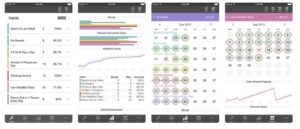
Not only does HabitBull keep tabs on your streaks, but it also comes with several data recording features, aimed at giving you the most detailed information possible about how you’re progressing.
Integrations add an extra layer of functionality to the mix — the app connects with Google Fit, Apple Health, and your calendar. It also creates graphs and offers access to a ton of data. We could see this app being a bit overwhelming for someone who just wants to remember to exercise more often. Available for Android and iOS.
Habitshare operates on the social pressure/group motivation philosophy. If not breaking the chain or treating yourself like a game character doesn’t motivate you — the social networking aspect employed in this app might make a difference.
We could see this app being especially appealing to those who like to keep things organized. The interface is clean, easy to read, and it allows you to schedule reminders. The social aspect isn’t mandatory, so if you prefer to keep all or some of your activity private, no problem. That said, the main selling point here is the motivation and accountability that sharing with friends can offer. Available for Android and iOS.
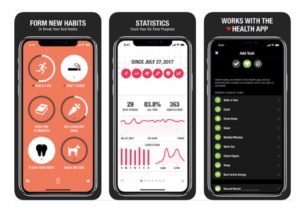
Streaks and its signature bright orange interface are a joy to interact with. How it works is, users can choose up to 12 habits to track. Each time you complete one of these tasks, a streak is extended — and, if you break the chain, your streak resets to zero days.
The app integrates with the iOS Health app, which allows Streaks to automatically track goals like walking X amount of steps, going for a run, and so on. Additionally, the app lets you track habits that you don’t do every day — set it up so you can remember to go to the gym four times a week or pay your water bill. Available for iOS.
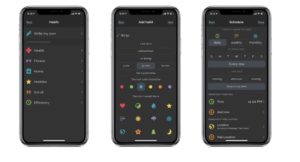
Productive is a robust blend of reporting features, reminders, and usability. It’s similar to Streaks and Habitbull, in that your calendar keeps track of your habit streaks. What we like most about Productive is, the app is delightful to look at.
The app syncs up with the Apple Watch and Siri Shortcuts but isn’t compatible with other devices or applications. That lack of integrations may be a mark against Productive for some prospective users, but it’s still got a good mix of general features. Plus, the Siri shortcuts are pretty cool—you can set up trigger phrases for marking habit tasks off your to-do list.
One thing that would make the app all the more useful is if it connected with your Mac, just like your Notes, Tasks, and Calendar. Available for iOS.
The above apps are all highly rated, well-designed choices, but sticking to new habits requires commitment, motivation, and finding a system that works for you.
Some people are motivated by social pressure, while others like to track their improvement over time. Chances are, the app won’t make you a better person, but it might be just the thing you need to get going on that new gym habit — or even just remembering to drink water.
Is it better to be an early bird or a night owl? Here’s what science says.
We’ve long lived in a world that places a lot of value on the early bird.
Blame it on the Protestant work ethics or Prussian philosophy, but there’s this deep-seated perception that waking up early sets the tone for success — and late risers are lazy underachievers.
There are a million blog posts and TED talks that highlight the power of getting up early. Michelle Obama, Oprah, and a whole host of TED Talkers, entrepreneurs, and athletes are early risers, and there’s no shortage of content pointing toward the link between early call times and success.
Need proof? A while back, the Huffington Post compiled a list of notable early birds from Dwayne “The Rock” Johnson’s 4 a.m. gym time to Tim Cook’s 3:45 am (that’s night still, right?) email routine.
Should you wake up early?
Here’s what science has to say about catching the worm
Roughly 25 percent of people tend toward waking up very early.
Most people fall into a middle ground — it’s no big deal to wake up for a traditional job, but the idea of hitting the gym before the sun comes up sounds like a real pain.
A study published by Harvard Business Review found that of the 367 participants they surveyed, those who stayed up late reported higher levels of distraction and lower levels of productivity.
Morning people do enjoy more career opportunities, but that may be a product of society, tradition, and the fact that business hours are a fixed schedule that suits this group better than the night owls.
On the flip side, night owls reportedly have their own set of desirable traits. They’re more creative, have higher IQs, and often, as healthy and prosperous as early birds. This study from 1998 looked into the famous Benjamin Franklin quote, “Early to bed, early to rise makes a man healthy, wealthy, and wise.”
The aim was to see if Franklin’s claim had any truth to it, yet the findings found that late risers did not have a higher rate of health problems or have lower incomes than their go-get-em peers.
What are the stereotypes?
Morning people are seen as more conscientious and proactive. They’re stable, consistent, and agreeable. Night owls are seen as partiers, they’re lazy, and they lack self-control.
While studies have shown that late risers tend toward novelty-seeking behaviors and may be more impulsive and avoidant, there’s no evidence that this group works fewer hours or is less motivated.
Chris Bailey, of The Productivity Project, tried to change his chronotype to see if there was any truth to the link between success and morningness.
If you don’t remember, a few years back, Bailey spent a year experimenting with a range of strategies aimed at boosting productivity. The chronotype experiment involved changing from a night owl schedule to a strict 5:30 am wake-up call and 9:30 pm bedtime. Bailey reported that he’d find himself getting ready for bed just as he was starting to feel productive.
In short, getting a hard start on the day sounds like a great idea, until it starts to eat into your productivity. Tiredness isn’t exactly good for setting the tone for your best ideas.
The future is here: New device lets you control your dreams
Many of the successful people who wake up early mention the main reason they keep this routine is, the extra few hours of quiet before everyone else — be it kids or coworkers — are up and at ’em.
But most of these benefits only exist because of traditional working hours.
Increasingly, people are finding that there’s a need to cater to all types of people. Like Wulff and Bailey, Camilla Kring, founder of the B Society, sees the value in chronotype diversity. Her organization questions why school and work need to start at a certain time – -and advocates for more support for late risers.
If we were left to our own devices, waking and working according to natural biology, night owls might report the same advantages their early rising peers experience, just at a later hour.
Work according to your energy levels
Shifting your chronotype is possible.
We’ve all experienced this to some degree when we’ve had to get used to waking up for work or school. However, studies have found that when you change your schedule, you don’t necessarily get the traits that come with the other chronotypes.
Late risers who become used to waking up early don’t feel any happier or suddenly become more traditional or conscientious. Instead, they might just feel tired more often and lament the struggles of trying to change their natural habits.
Some studies have found that these traits associated with morningness or eveningness boil down to other biological factors.
The main takeaway here is, work according to your energy levels. Some people work best in the evening, while others benefit from working out at 4 a.m. and getting to work before everyone else.
Start making a note of when you’re most productive and structure your day around energy highs and lows.
While morning people have an advantage when it comes to the traditional 9-5 grind, remote work and flexible schedules are increasingly becoming the norm. Maybe, society will soon get hip to the idea that time shouldn’t matter quite so much.
















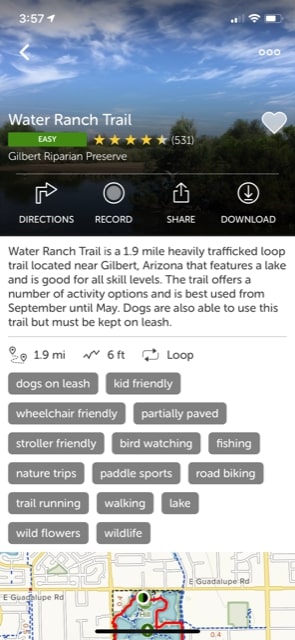
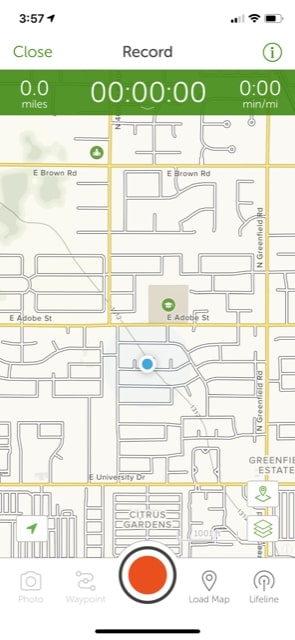

 So, if you were looking for trails to hike nearby, head to the center menu button, “Discover.” Here, you can find all the information you’re looking for and save the best hikes.
 Finally, we’ll also mention the “Trip” function, which allows you to record your journey. This feature also gives you the ability to check elevation, speed, the time of sunrise and sunset, and more.




 Aside from the social aspect, MMH’s main focus lies in their tracking app. In the beginning, you’ll see something like the picture below. There are pretty intrusive ads, but those can be removed with a subscription.
 Once you’ve recorded your first adventure, you can head over to the tracking page. Once again, we appreciate that Map My Hike allows you a bit more freedom here; there are good metrics available without a subscription.
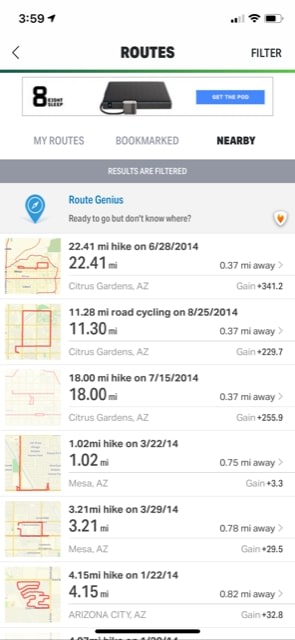 Still, these are definitely more like routes than trails. Does this make Map My Hike more of a path app than a trail app? Maybe. But if it does, we don’t mind too much. If you live in the city and don’t have time to get out in nature, there may be some excellent urban trails found here!