Fortnite: to buy v-bucks, or not to buy v-bucks?

V-bucks are Fortnite’s in-game currency, but can be purchased for real-world money…. which means microtransactions. Now, “microtransactions” shouldn’t have to be a dirty word. In fact, we think some of the perks of buying V-bucks are well worth the cost, especially considering the game is already free-to-play! Still, these small fees are notorious for growing into large costs over time, so the question remains: what can be done to maximize Fortnite’s benefits without racking up a huge bill? We’ve done the math and figured out a few ideas. (Hint: they revolve around working towards a Battle Pass and then earning enough V-bucks for the next!)
Fortnite: Battle Royale Download Fortnite: Battle Royale
10

First, we’ll deal with two topics for housekeeping purposes: How to Get V-Bucks, and What They Buy.

How to Get V-Bucks

There are a few ways to get V-bucks.

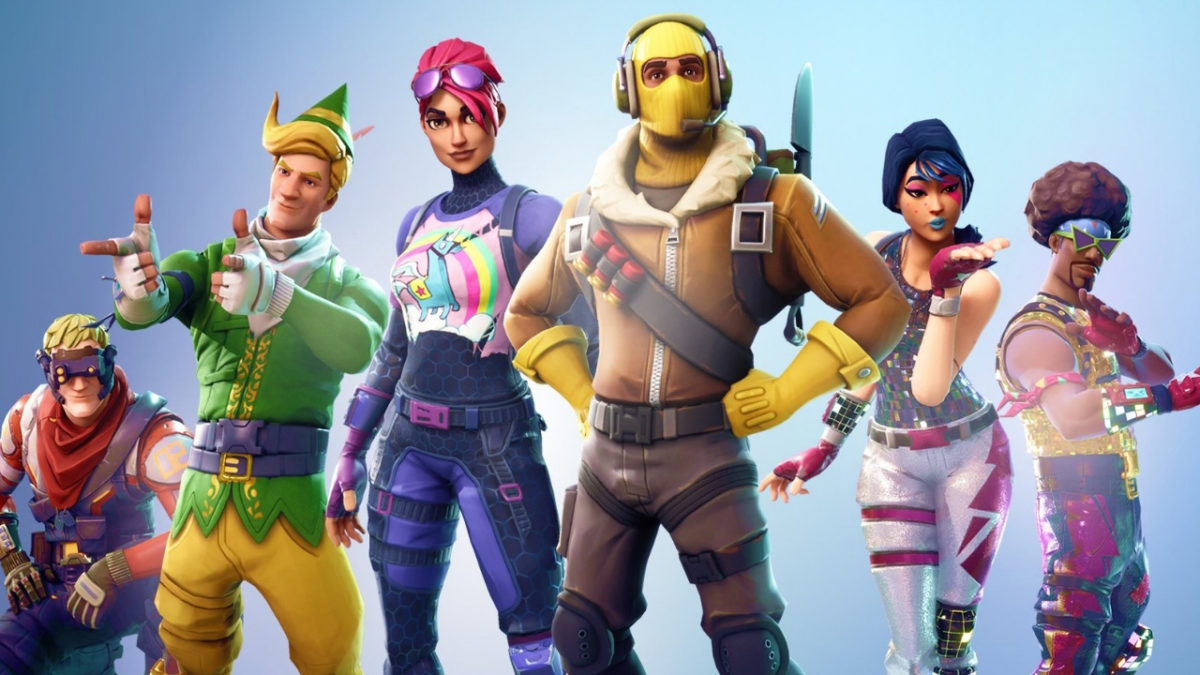
  1. Buy them. As we’ve mentioned, V-bucks can be purchased starting at $10 for 1,000. Greater quantities are available, and the more you buy the better deal you’ll receive. Fortnite also offers a “Starter Pack”, which comes with a nice combat skin (this changes your player’s appearance), a new backpack, and 650 V-Bucks. We’ll mention this Starter Pack again later.
  2. Gain Battle Tiers. Each day, Fortnite offers players a number of challenges, things like “deal damage with shotguns”. Finishing a challenge helps you level up tiers, which will occasionally award you 100 V-bucks. If you get the Battle Pass, you’ll have access to far more challenges and rewards for gaining tiers.

Warning: There are some scams bouncing around YouTube that suggest if you go to a certain website and download two apps, you’ll get free V-bucks. Epic Games tells Softonic that the two methods listed above are the only legitimate ways to get V-bucks. If you’re seeing someone saying otherwise, they’ve got something malicious up their sleeve.

Next part!

What They Buy

When you get V-bucks you have a choice: buy cosmetics or a Battle Pass. We recommend the Battle Pass.

To grab those cosmetics, go to the “Item Shop” in Fortnite’s main menu and you’ll be met with a number of choices: skins, backpacks, harvesting tools, contrails, dances, and emotes.

Instead of purchasing everything you see with V-Bucks, consider getting a Battle Pass. For only 950 V-bucks, a Battle Pass gives you far more challenges over a 10-week period called a “Season”. Not only do the actual challenges themselves become more interesting, but every tier earned gives you a reward

Specifically, you’ll get a 100 V-buck prize every 7 tiers. With 100 tiers each season, this means at least 1,000 V-bucks… enough to pay for a Battle Pass next season. This is our main goal: buying one Battle Pass allows you to earn all those exciting new cosmetics and enough V-Bucks to keep going with a new battle pass!

Now that the stage is set, let’s get to the suggestions:

The Low Road: Spend Nothing

It’s possible, if very difficult, to earn the 950 V-bucks required for a Battle Pass simply by completing daily challenges. This takes great dedication, but once you achieve the Battle Pass, you’ll have paid nothing and can start reaping the benefits of your hard work.

This approach works great for those who are patient and understand that Fortnite’s perks are purely for looks (hence: cosmetics). You’ll still have the default skin and dance to keep you going.

The Golden Road: A Middle Path

Instead of waiting to earn 950 V-bucks, either buy 1,000 V-Bucks for the Battle Pass or acquire a 650 V-Buck Starter Pack and earn 400 more.

Either way, you’ve only spent around $10 and can maintain your Battle Pass status each following season as long as you earn enough V-bucks the previous season.

Bonus note: with Season 5 coming out, you can start soon!

The Highway: Get Everything

Of course, there are those who still want more than the Battle Pass can offer; admittedly, Fortnite includes a number of items that aren’t available through the Battle Pass.

If this is the case, and you wish to buy something else, we advise thinking carefully about your Item Shop purchases. Do you truly need a new skin or harvesting tool over the ones you have? How much have you already spent? How much are you willing to spend in the future? These choices are yours to make, but we encourage mindfulness. That way, suddenly realizing you spent hundreds of Real-Bucks won’t mar the awesome Fortnite experience!
 

This is the best build setting to use in Fortnite

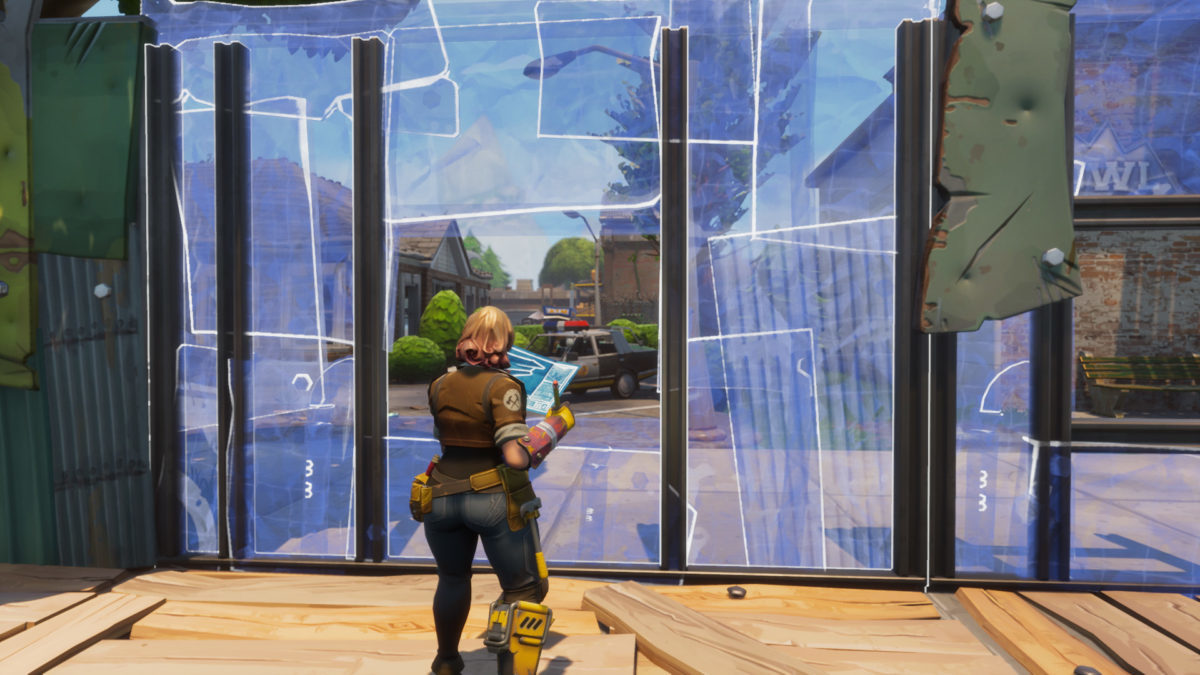
Unfortunately, anyone who has tried playing Fortnite on a console (or watched Ninja) has realized a sad truth: the game can be easier to play on a computer because of faster, more reliable building rates. But don’t worry, there is hope! With the help of a certain build setting you can be as fast or faster than the consoles.

It’s called Builder Pro.

Now, of course, we have to admit: everyone’s play style is different and what works for one person may not be perfect for the next. Therefore, even if one build mode is great for most people, it may not be right for you.

But you should choose Builder Pro.

So, to be fair to the other styles, we’ll give them a good description and run through their pros and cons. Feel free to read through each and see which appeals to you most.

Or just skip down to Builder Pro and see why it’s the best.

A Few Terms

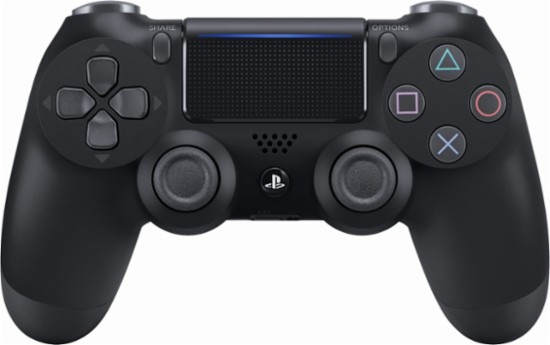
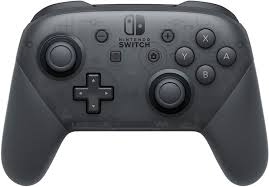
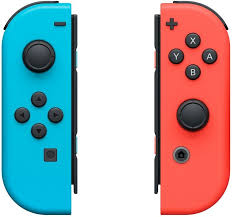
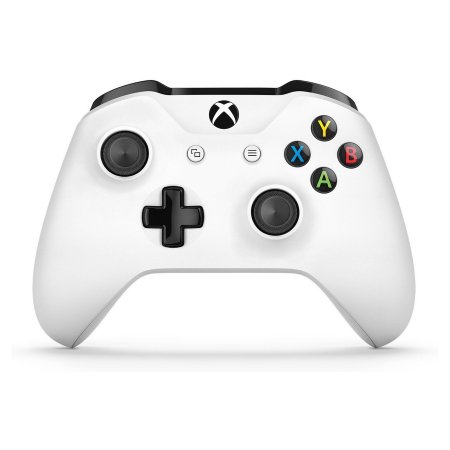
Since console controllers aren’t always the same, here are the terms you may like to keep in mind.

  1. Right and left triggers.
  2. Right and left bumpers: the buttons above the triggers.
  3. Right and left thumbsticks.
  4. T-Pad: generally by the left thumbstick. They are below for the Switch and Xbox controllers, above on the Playstation.
  5. Right buttons: the four buttons by the right thumbstick. They are above for almost all controllers.
  6. Left and right menu buttons: special buttons, generally in the upper middle of the controller, often used to open menus and maps.

Here are some controllers for your reference:

Old School

The Old School build setting allows you to change which building piece (wall, floor, roof, or stair) you are using with the upper right button and confirm the build with the right trigger.

Seems easy? The only issue is, your piece setting remains in the same place when you switch between building and combat. Also, you can only cycle through piece types in one direction. Best of luck building quickly in the heat of combat!

This setting is great for anyone who likes a challenge.

Quick Builder

A better idea than Old School, Quick Builder allows you to file between build pieces with the right and left bumpers and then confirm with the right trigger. However, like the Combat Pro below, this means that whenever you return to building mode you’ll still be on the last piece type and need to mentally remember how to get to another piece.

You may argue that this build setting gets easier over time, and that may be true. However, it’s still often slower and more unreliable than others.

Combat Pro

Highly similar to the Quick Builder, build pieces are cycled through with the right and left bumpers. However, the Combat Pro setting adds a few other benefits like quick-switching between building and combat, or selecting build material with the left trigger (in case you desperately need a metal wall to defend yourself from trigger-happy enemies).

Builder Pro

Builder Pro reigns supreme. This setting mimics the way computer players work: while building, the triggers and bumpers are connected individually to a piece type – wall, floor, roof, or stair. Building becomes as simple as tapping the proper button once to select your piece, and clicking again to confirm.

What does this mean, really? Once you memorize the keys, which are organized for ease of use, you’ll rarely build the wrong thing, even under fire. Also, having a quick mode-change button means you can jump from shooting to building to harvesting in a jiffy. With a bit of practice, your combat ability will improve by leaps and bounds.

One More Thing

Remember, although building helps, other strategies can further increase your chances of winning Fortnite!


These 4 Spotify Premium features can make you happier

When we upgraded to Spotify Premium, it was pretty much because we wanted ad-free playlists with unlimited skips. We had no idea of the many other features that Spotify boasted until we gave it a thorough look. We already knew it had every artist under the sun, but that’s surprisingly just the tip of the iceberg.

Spotify Download
7

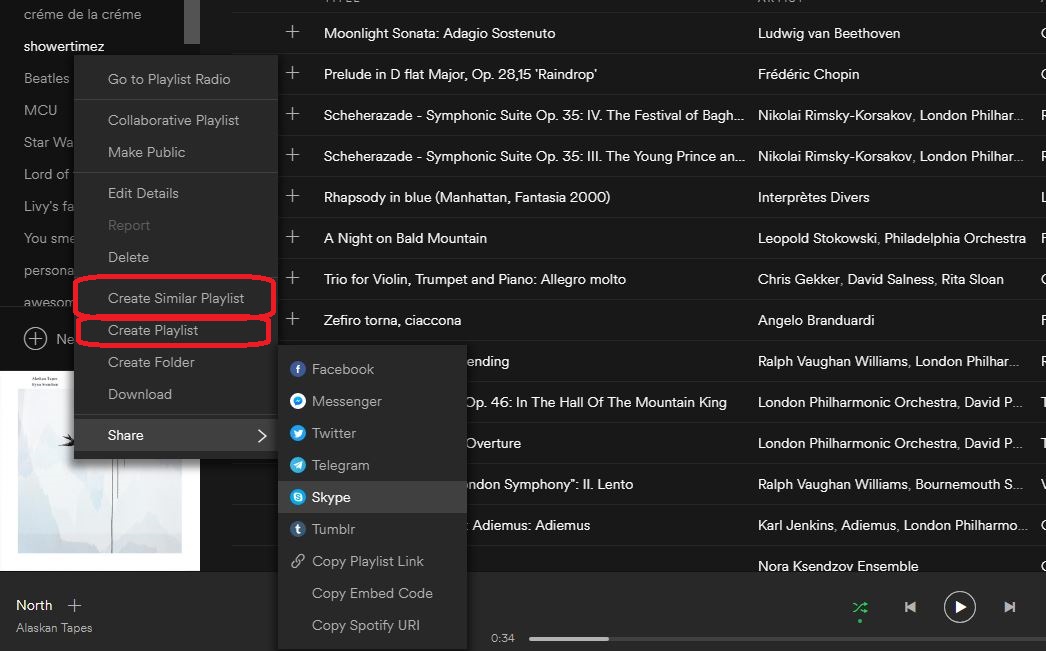
One of the more charming features is Spotify’s knack for arranging and suggesting tracks to add to our playlists. Making a playlist with Spotify Premium is easy: Just right-clicking on the playlists menu brings up a drop-down with that option along with half a dozen others.

Create a Similar Playlist

‘Create a similar playlist’ immediately makes a list about 75 percent the size of the original. The new playlist will have songs from the copied list shuffled in with a ton of other songs similar to the genre and artists from the first. This is a great way to introduce some new flavor to a playlist while still keeping true to the tone of the initial one.

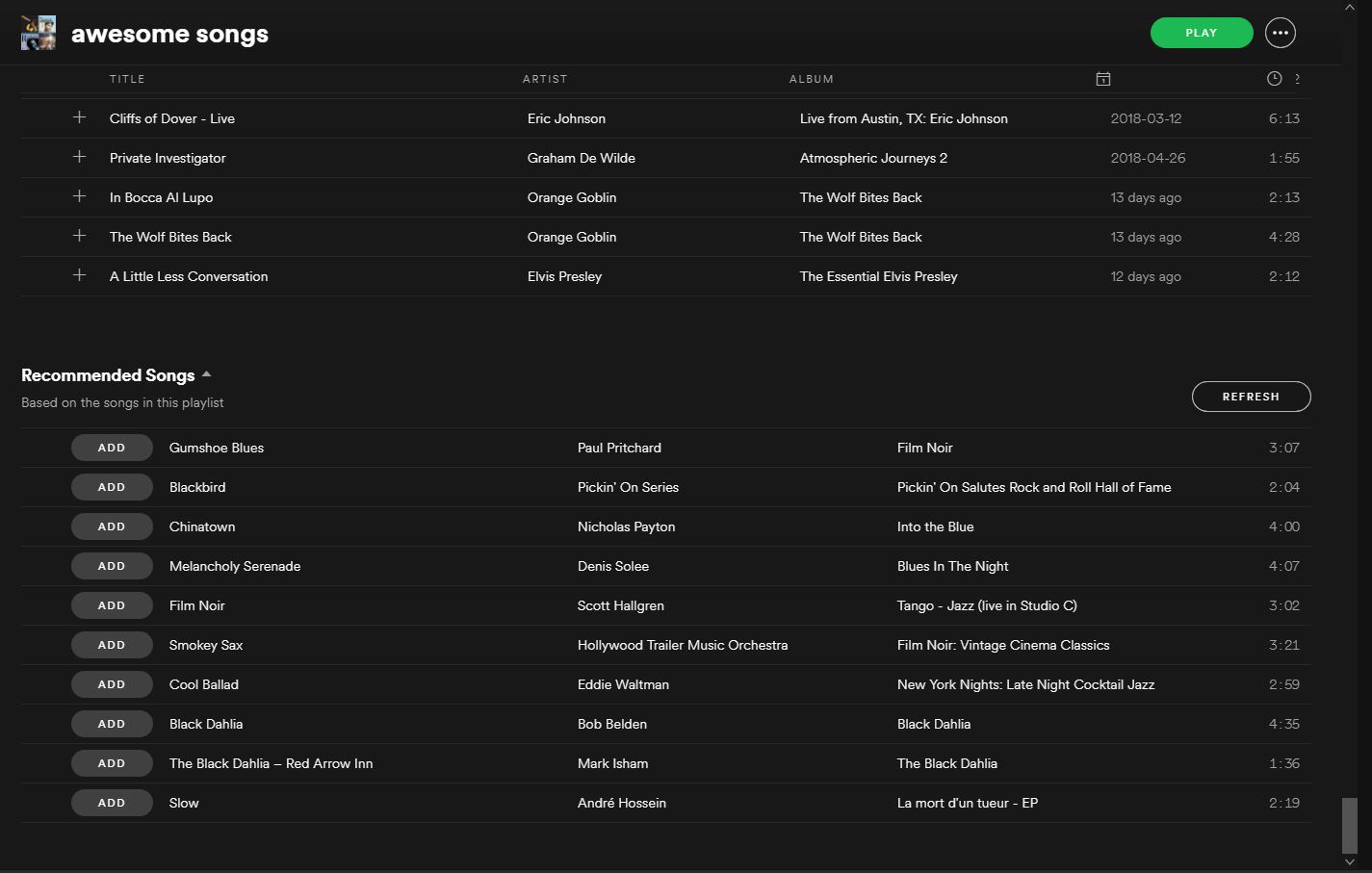
Not happy with the new songs Spotify added? Scroll to the bottom of any one of your playlists and you’ll see a refreshable list of 10 different songs that fit the style and vibe of whatever list you made. Just click ‘add’ and any recommended song can immediately join the playlist. Refresh again for more, rinse, repeat.

Discover Weekly

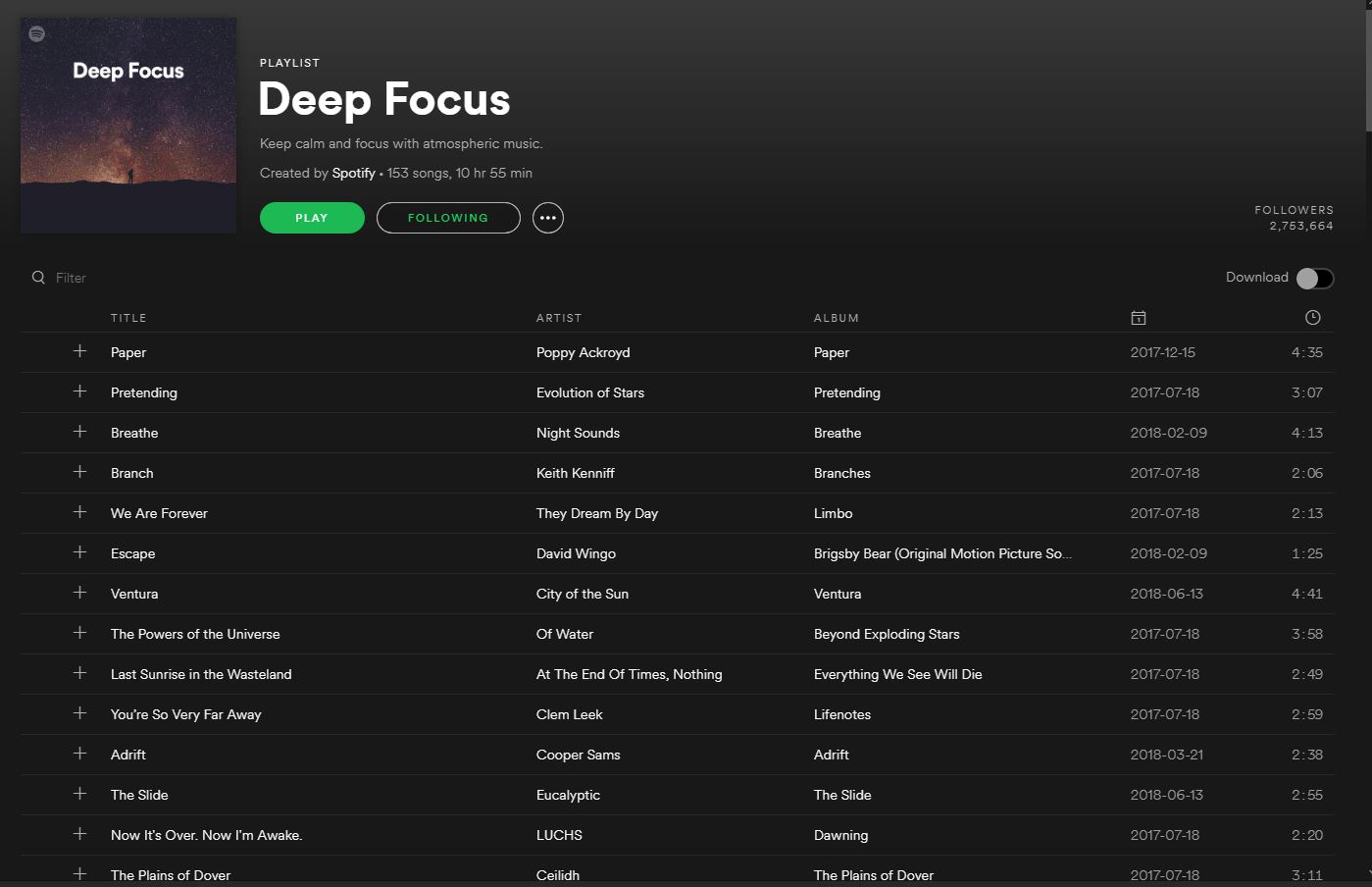
Probably our favorite feature, Discover Weekly does just what the name implies: Every Monday Spotify pulls together 30 new tracks based on the music in your other playlists. That means every week you get a new list and it will have music as consistent (or as varied) as your own collection.

This will introduce you to deep cuts, remasters, and covers of songs you know and love, and also similar artists and tracks that you may have forgotten about. In all likelihood, you will find some that you never even knew you liked.

Your Daily Mix

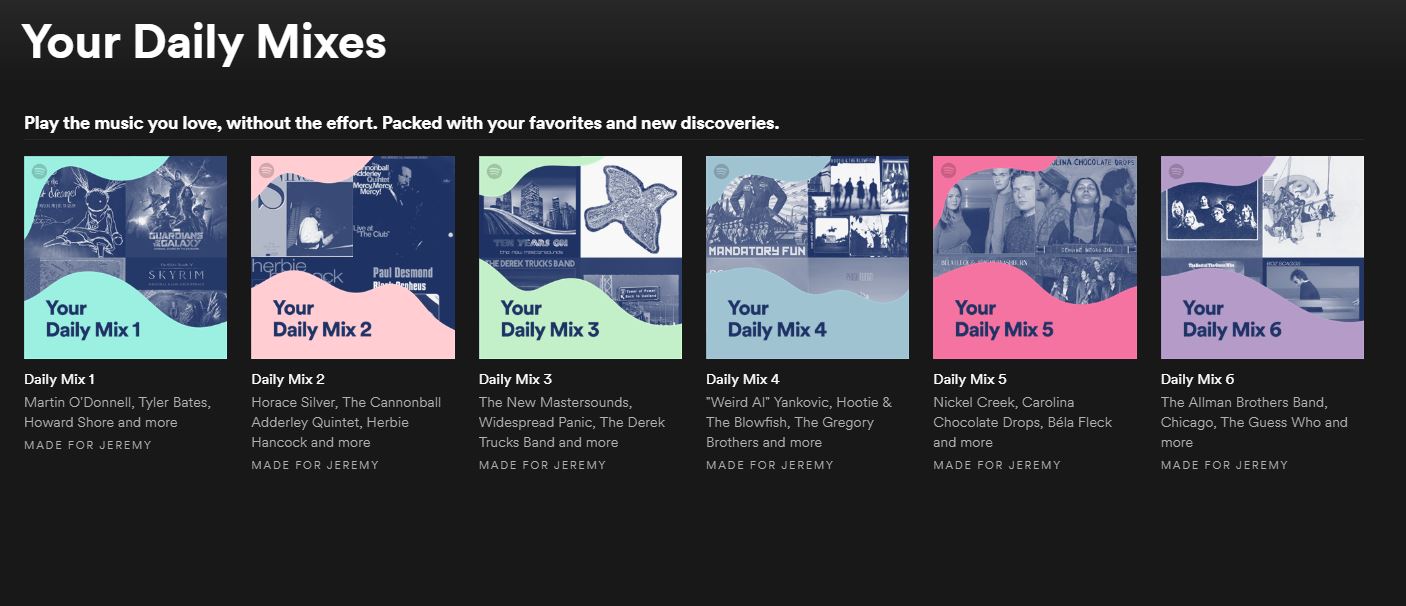
This feature is another awesome example of how Spotify Premium can make playlists of music similar to other tracks you’ve chosen. Besides updating every day as opposed to every week, the way this differs from ‘Discover Weekly’ is that ‘Your Daily Mix’ divides into six different categories, each one an “endless mix.”

What this means is that as you go down the list it will pull tracks of a similar genre, some of which you’ll know, and some of which will be new discoveries. If your taste in music is especially eclectic, these mixes might be your favorite element of Spotify Premium since these mixes can be drastically different from each other.

Genres and Moods

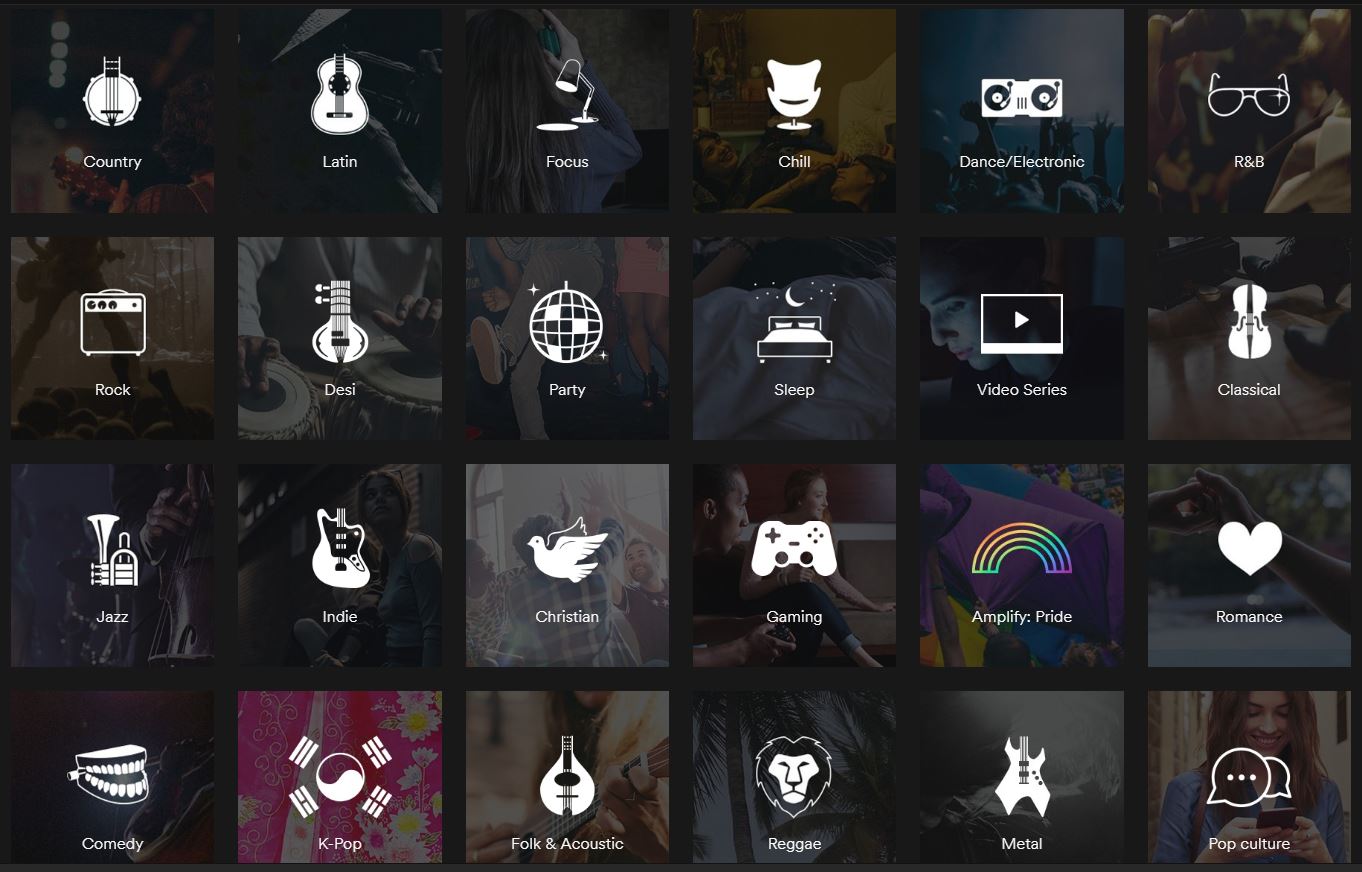
Lastly, clicking ‘Browse’ on the left and scrolling down will take you to a bunch of various ‘genres and moods’, each opening up to a half a dozen subcategories, all of which are playlists comprised of over a hundred songs.

Regardless of what you’re doing or how you’re feeling, Spotify has you covered. With fast, intuitive software to build your own playlists and clever algorithms to constantly find you new tracks, there’s finally a place for all your music, present and future.


Watch: Fortnite rap battle features some of the game’s biggest stars

What happens when some of Fortnite’s biggest stars get together for a rap battle? You have to see this to believe it.

Fortnite: Battle Royale is a freight train. More than 125 million people play it around the world. And when something gets that popular, it’s inevitable that musical tributes will follow.

This rap battle features some of the game’s biggest stars, including Ninja, CDNThe3rd, Dakotaz, and H2O Delirious. Can these all-stars spit rhymes as well as they drop bodies? Take a listen and vote for your favorite performance below!

(function(d,s,id){var js,fjs=d.getElementsByTagName(s)[0];if(d.getElementById(id))return;js=d.createElement(s);js.id=id;js.src=’https://embed.playbuzz.com/sdk.js’;fjs.parentNode.insertBefore(js,fjs);}(document,’script’,’playbuzz-sdk’));


Which villain team from the Pokémon games was the best?

We all love battling the villain teams from Pokémon (generally). We all feel a sense of something being at stake, be it your own Pokémon or the entire region. Which team is the best?

We all love battling the villain teams from Pokémon (generally). We all feel a sense of something being at stake, be it your own Pokémon or the entire region. Please note that only the main series Pokémon game villains will be posted here, if your favorite villain team is from a spin-off, leave it in the comments so we can see!

Warning: There is an extreme Pokémon Sun/Moon spoiler and Ultra Sun/Ultra Moon spoiler, so go check out those games BEFORE voting if you want the storyline to be a mystery.

Pokémon GO Download Free
7

Time to vote

(function(d,s,id){var js,fjs=d.getElementsByTagName(s)[0];if(d.getElementById(id))return;js=d.createElement(s);js.id=id;js.src=’https://embed.playbuzz.com/sdk.js’;fjs.parentNode.insertBefore(js,fjs);}(document,’script’,’playbuzz-sdk’));


Tips and tricks for writing a novel in Google Docs

You’re ready to become the next George RR Martin and write your first novel. Where to begin? Follow these steps and let Google Docs take you to the published land!

Google Documents offers the impressive power of other word processing applications, free to anyone with Wi-Fi and an internet-capable device. With a small amount of technical prowess, you can avoid a number of issues common to writing online.

Before the Beginning

If you’re planning on developing a lengthy document in Google documents, we recommend using the “New” button to create an entire folder for your project.

Folders can be made at any stage of the writing process, but starting right off the bat provides a good platform to organize any number of documents and spreadsheets to facilitate planning, character creation, and more.

The Beginning

As long as you send a clean manuscript to agents and editors, you can format however you like during the writing stage. We’ve found a few things that make life easier.

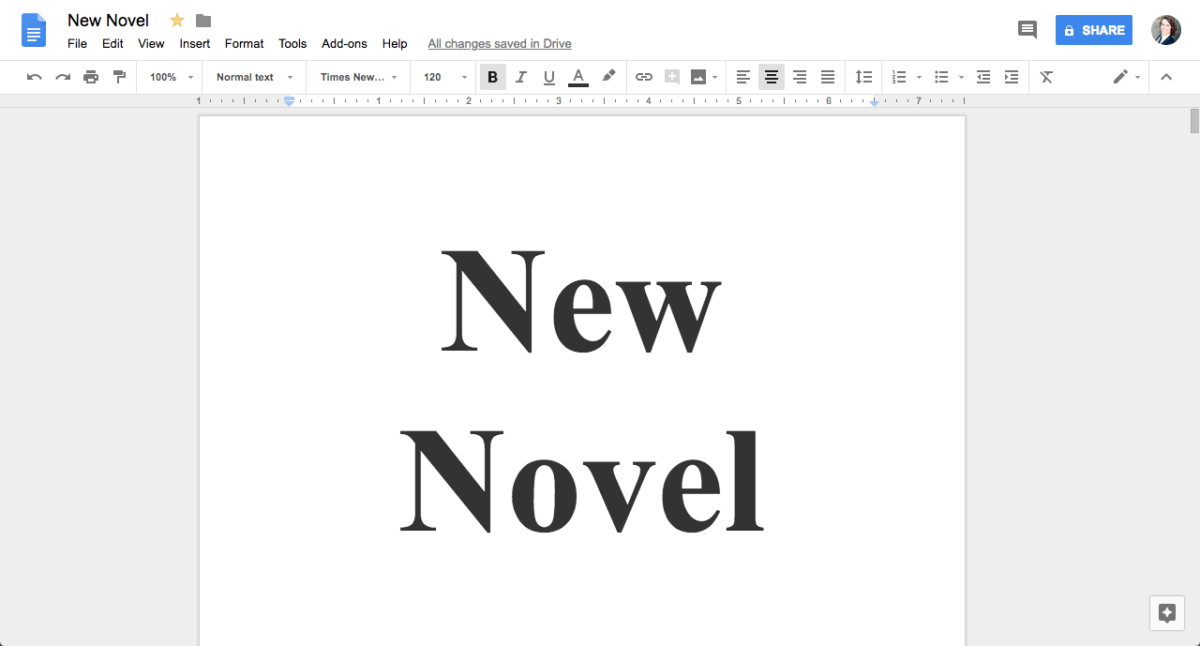
  1. At the top left, name the document well. You want to be able to find it later and differentiate the file from others in the folder.
  2. Create a title page. This isn’t absolutely necessary, but it looks professional. Also seeing the title over your name can be a useful motivator.
  3. Create a Table of Contents with chapter links, which allows you to instantly go to a word or phrase. First, select the line you wish to link, click “Insert” in the options bar, and hit “Bookmark.” It will create a blue banner:

Click the blue banner and hit “link.” Your web browser’s search bar will show you the URL: copy it. Then, head back to your Table of Contents and hit any of the “Create Link,” which look like this:

Insert the URL you copied and the link will be created! Following the link will take you right back to your chapter from anywhere.

The Middle

As time goes on, a few more issues can arise.

Large documents often load slowly in Google documents, depending on Wi-Fi speeds. In our experience, a 25,000-word file began exhibiting serious lag. If (or when) this happens, create a new document within the same folder and go through the beginning steps again: name it appropriately, create a title page, and develop the table of contents.

Additionally, consider placing images above each chapter. Many young writers come from a culture swathed in pixel-rich graphics, which means a two-color document can become long and tedious by comparison. Use Google Images, Deviant Art, or even Pinterest to find pictures that inspire you and make navigation far easier.

Pinterest Download Free
8

REMEMBER: if the artwork is not yours, you shouldn’t use it for commercial purpose, only personal inspiration. Remove the files from the document before sending out the manuscript and allow your hard work to speak for itself.

The End

After several sleepless nights and months staring at your cursor, the novel is finished! But it needs to be prepared and packaged. Start by placing the separate pieces of your document in one file, and apply basic manuscript formatting (contact information on the lower right side of the cover page, 1-inch margins, 12-pt size, readable font, new chapters begin partway down the page, etc.).

Many literary agents ask for a specific document type: usually PDF, Word Document, and occasionally hard copy. All of these options are found in the “File” tab. To convert to PDF or a Word Document, choose the “Download As” menu and then make your selection. To create a hard copy, printing is at the bottom of the page.

Congratulations on finishing your novel, we wish you the best!


The power of peace: Somebody built a Mario Kart track inside Fortnite!

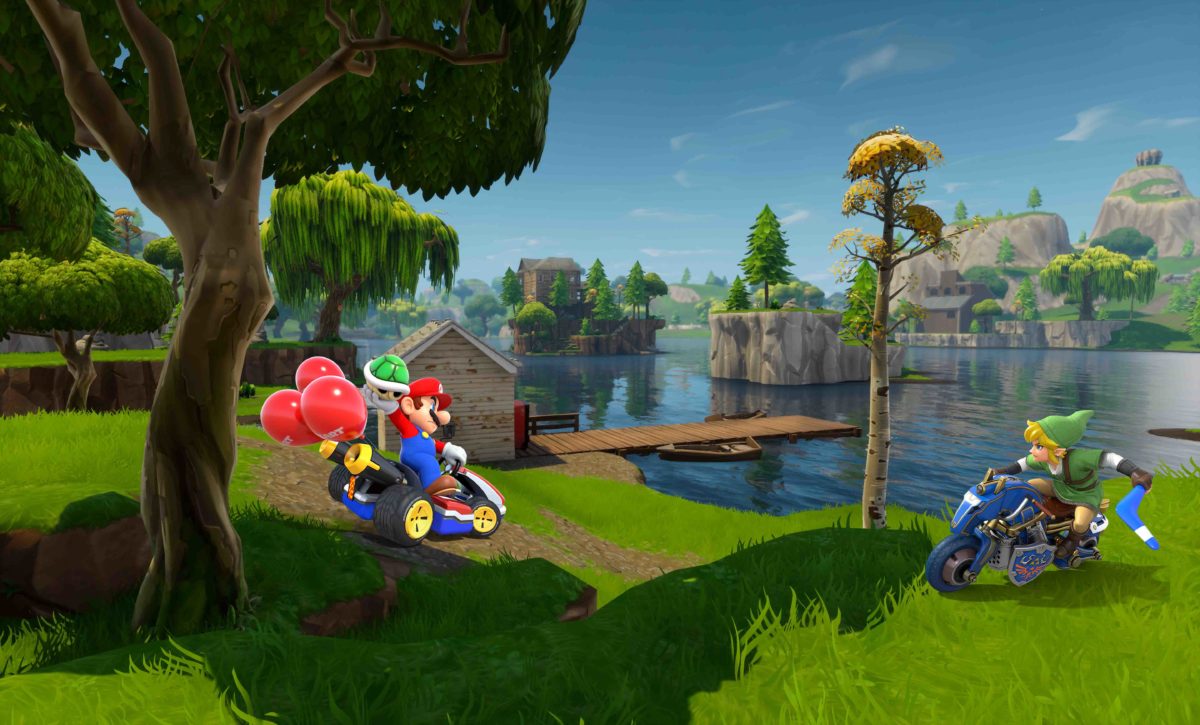
A guy on Reddit built an epic Mario Kart track inside Fortnite, with his pals, in less than an hour and then raced around it in shopping trolleys.

Fortnite’s new Playground LTM (Limited Time Mode) hasn’t been around for long. First released a few days ago, it offers up to four players a low-pressure environment that isn’t filled with people trying to kill them. Friendly fire options are active, but players will automatically respawn unless the storm kills them so players have the freedom to pretty much do as they wish.

Fortnite: Battle Royale Download Fortnite: Battle Royale
10

Playground matches last an hour, but the storm doesn’t start closing in until after 55 minutes have passed. This gives players quite a bit of time to goof around but still turns the heat up if they want to build anything complicated.

We made Mario Kart in Fortnite from FortNiteBR

Now ordinary people might see this as a chance to explore the map, or maybe build a fort or something silly. Not Reddit user JoshB_C and his friends though. Mere hours after Fortnite had a stable version of Playground LTM online, they posted a video on Reddit showcasing their very own Mario Kart track inside Fortnite. Yep, they built an epic Mario Kart track inside Fortnite, in less than an hour, and then raced around it in shopping trolleys.

This is just the beginning people. Playground LTM hasn’t been around for long at all, and already we’re seeing impressive results. We’re in for a treat over the next few weeks as we get to see what crazy things people can do with an hour in Fortnite when nobody is shooting at them.

The time has come to make love, not war!


What does that crack in the sky mean for Fortnite Season 5?

Fortnite players were treated to a spectacular series of events this past Saturday when the sky over the Battle Royale map literally split in half.

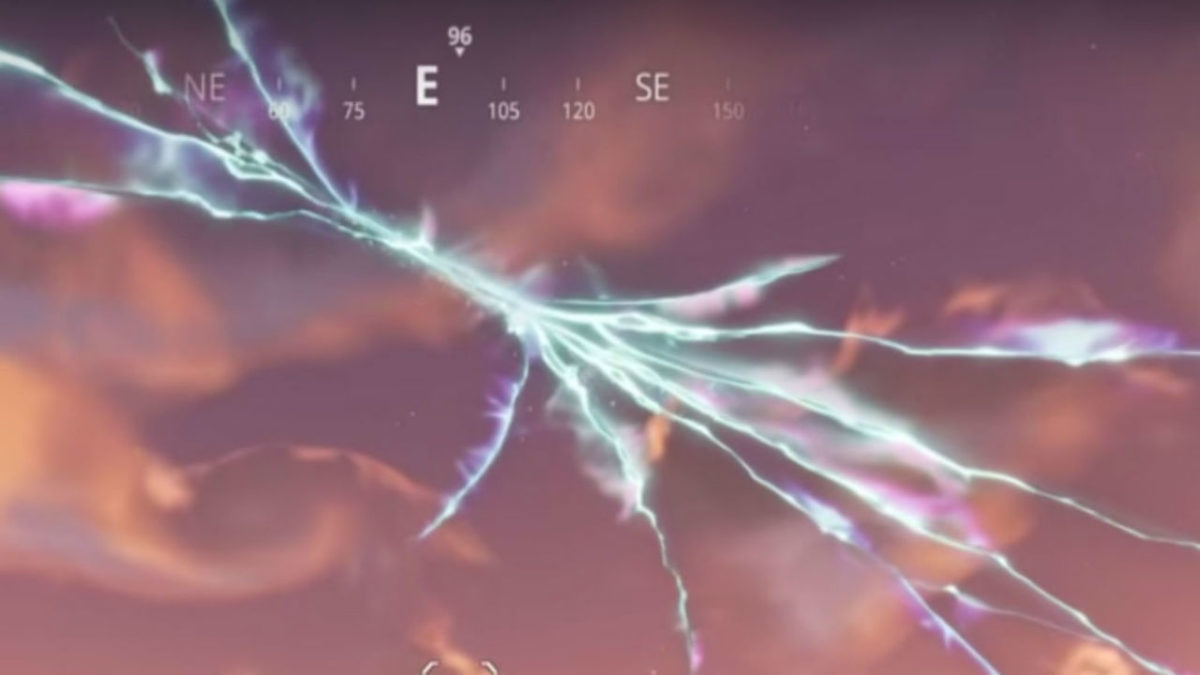
At 1:30 PM ET, a missile launched from the silo near Snobby Shores before seemingly disappearing into a portal, splitting in half, and exploding in awe-inspiring fashion. The detonation left a massive, glowing rift spider-webbing across the sky above the Battle Royale map.

The event was a sight to behold, but unfortunately, if you weren’t in the game at 1:30 ET on Saturday, you’re out of luck. The launch was Fortnite’s first real-time event, meaning that it only happens once.

So, what exactly did you miss if you weren’t in-game for the launch? Though the above video gives a pretty good view of what happened, things start to get a little muddled after the first few seconds. At first, the rocket slowly climbs skyward, then a secondary booster ignites, propelling the rocket off on an angle at a much faster speed. The missile then seems to enter orbit. For a few seconds, a mysterious voice echoes across the map. It seems to be setting a series of coordinates.

Then, all at once, the warhead begins its descent, with a series of laser guidance systems sending it straight for Tilted Towers. Just when it seems like the city is about to be obliterated, a blue glowing portal opens and the rocket simply disappears. Seconds later, another portal opens on the other side of the map. The missile ricochets back and forth between these rifts before finally detonating midair with an epic, ear-shattering boom, leaving the final giant rift that continues to loom over the map.

Fortnite: Battle Royale Download Fortnite: Battle Royale
10

So… what the heck happened? And what does it mean for Season 5? It seems likely that the missile launch silo was part of Season 4’s superheroes and supervillains theme. If true, we can conclude that the supervillains were going to use the missile to destroy the city of Tilted Towers as part of their evil plan. However, at the last minute, it seems that someone – or something – intervened, causing the missile the ricochet off course.

Whether the rift was opened  by the missile’s detonation or by some other force remains to be seen. However, it seems likely that whatever the cause, these portals will be playing a key role in Season 5. A few perceptive Reddit users have also caught onto the fact that the portal seems to be getting larger. Smaller rifts have also been appearing and disappearing all across the map, such as this one at Lonely Lodge.

This all begs the question: what is on the other side of these mysterious rifts? We know from what happened to the rocket that these portals seem to lead to some kind of alternate dimension, but what if the rifts are actually portals through time? A few Fortnite data miners have discovered some interesting new assets in the game files:

All of these props seem to point to some kind of Wild West setting. New film noir-style Detective skins have also recently been added to the game.  Perhaps this is another hint that these portals have some kind of time-traveling abilities.

With almost a week to go until Season 5, we won’t have long to wait before we find out what exactly these mysterious portals have in store.


The 3 Best Weapons in Fortnite

If you ever hope to achieve that elusive Victory Royale in Fortnite, simply running and hiding isn’t going to cut it. Sooner or later, when that storm wall closes in, you’re going to end up fighting someone. When that happens, you want to make sure you have the right tools for the job, and that means grabbing some guns. However, inventory space is limited, and the arsenal of weapons in Fortnite can make choosing what weapons to keep and what to leave behind seem daunting. Fret not; we’ve put together a list of the top three best weapons to have on hand so you can be confident when the bullets start flying.

Fortnite: Battle Royale Download Fortnite: Battle Royale
10

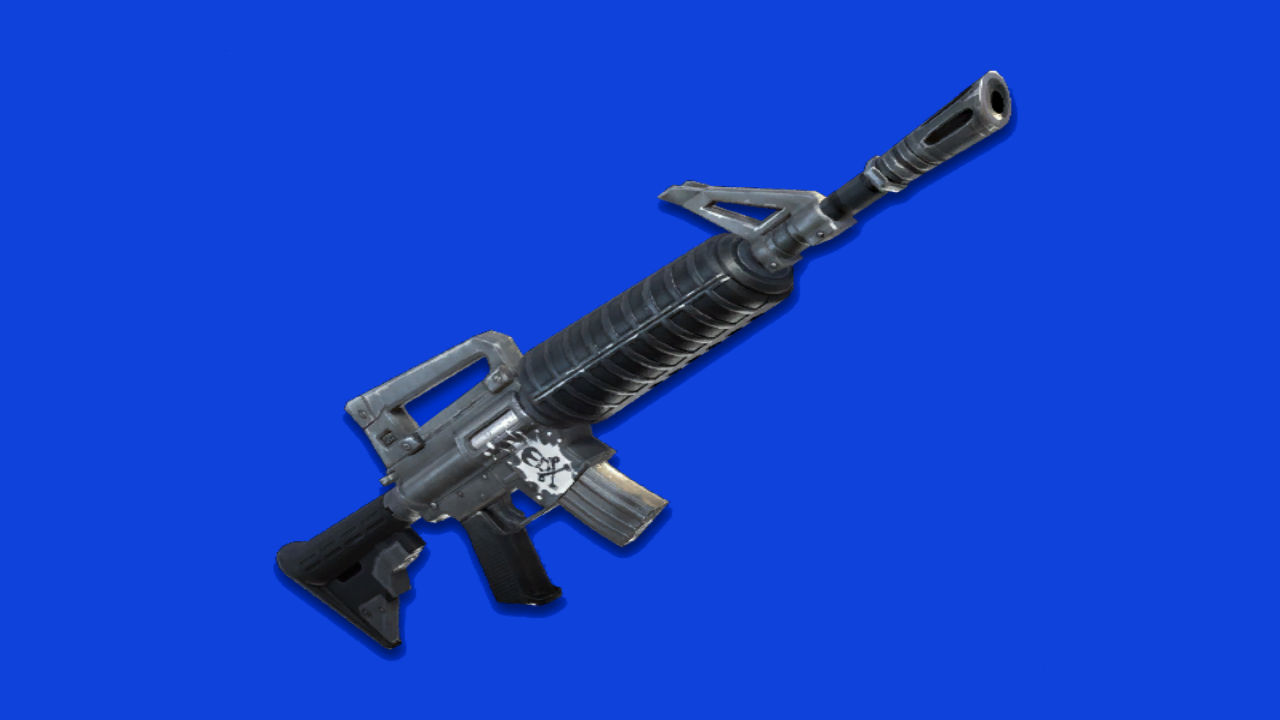
1. Assault Rifle

Yes, that’s right. Not the SCAR, the normal, average Assault Rifle. So, why the humble assault rifle and not the venerable SCAR? The SCAR is good, yes, but also hard to find. Unless you’re doing some serious chest hunting or happen to stumble upon one on the body of a dead enemy, you’re far more likely to come across the Assault Rifle. Mastering this classic will put you at a clear advantage over those who bank on the SCAR’s superior stats to win. The Assault Rifle combines fully automatic fire with solid damage and accuracy. In a tight spot, you can hold down the trigger and loose a spray of bullets at your enemies, or take advantage of the gun’s accuracy to pick off enemies at range. The Assault Rifle is a solid all-around choice to keep on hand for a variety of combat scenarios, and should be a cornerstone of every player’s arsenal.

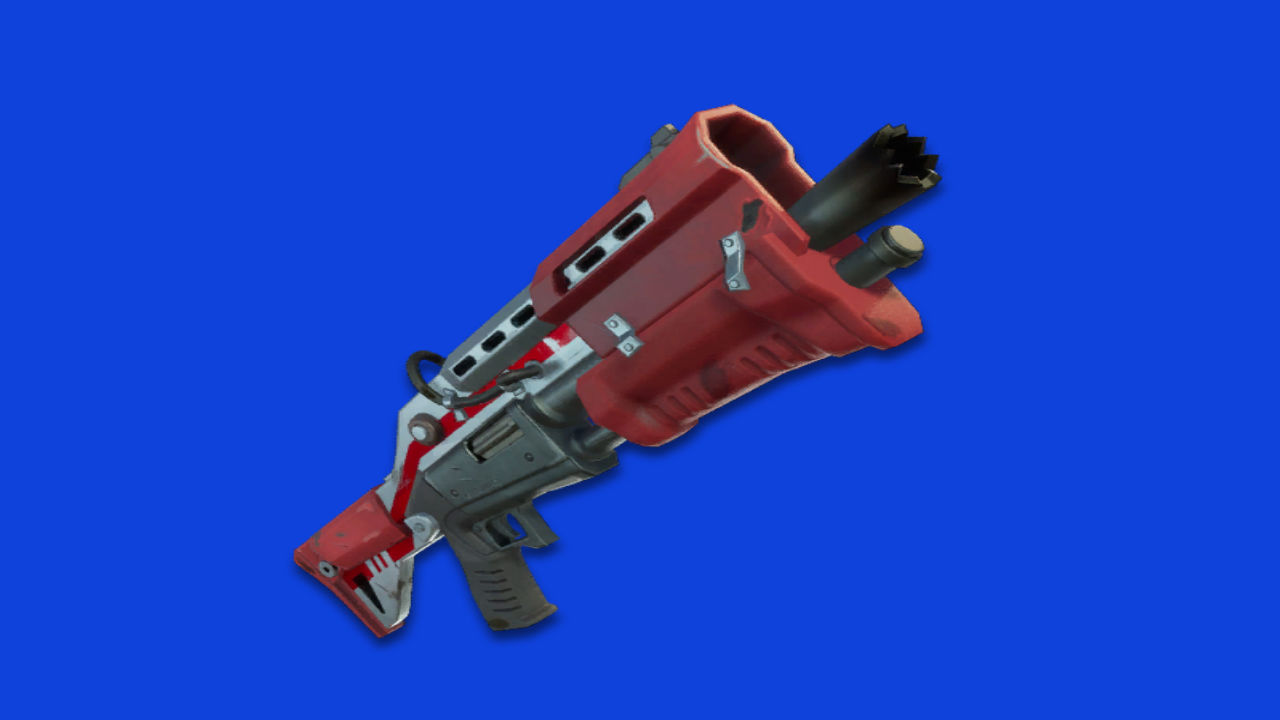
2. Tactical Shotgun

When things get up close and personal, nothing beats a shotgun, and when it comes to shotguns, the Tactical Shotgun reigns supreme. The debate surrounding Fortnite’s shotguns is contentious. The Pump Shotgun certainly has its own strengths, such as high damage and a longer range. However, when you have a split second to react after you turn the corner and run smack into an enemy, the Tactical Shotgun has a clear advantage. Range may be a good thing in some situations, but most scenarios which call for breaking out a shotgun will be in close quarters. The Tactical Shotgun’s high rate of fire allows for quick follow-up shots that will give you an edge in cramped spaces. A rapid fire barrage from the Tactical Shotgun at close range will cut through shields and drop an opponent in seconds.

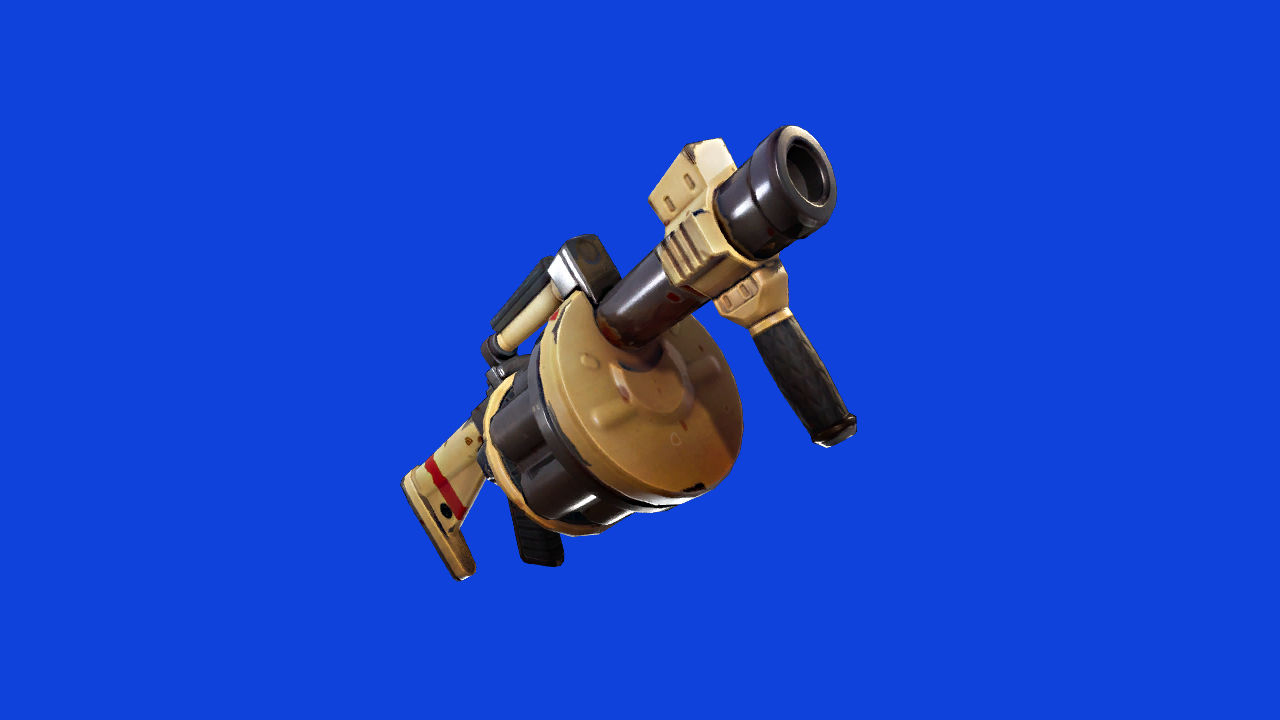
3. Grenade Launcher

Though it does come with something of a learning curve, the Grenade Launcher offers clear advantages for those who can master this explosive addition to their arsenal. Rather than detonating on contact, grenades fired from this weapon will bounce off surfaces before detonating. Though this may seem like a drawback, a skilled player can use this feature to their advantage. Bouncing a grenade into an opponent’s fort can be the perfect way to deal with those pesky, dug-in players. Unlike its rival, the Rocket Launcher, the Grenade Launcher also offers a six-round magazine. Rather than having to worry about one carefully placed shot, you can inundate your enemy with grenades and watch the fireworks. Players that take the time to master this weapon’s quirks will find themselves with an indispensable addition to their arsenal.

Between gathering supplies, keeping an eye out for enemies, and staying ahead of the storm, the battlefield of Fortnite can be a chaotic place. Mastering the weapons on this list means you’ll have one less thing to worry about, and will make achieving your next Victory Royale that much easier.


The new “Google WhatsApp” is already available on PC

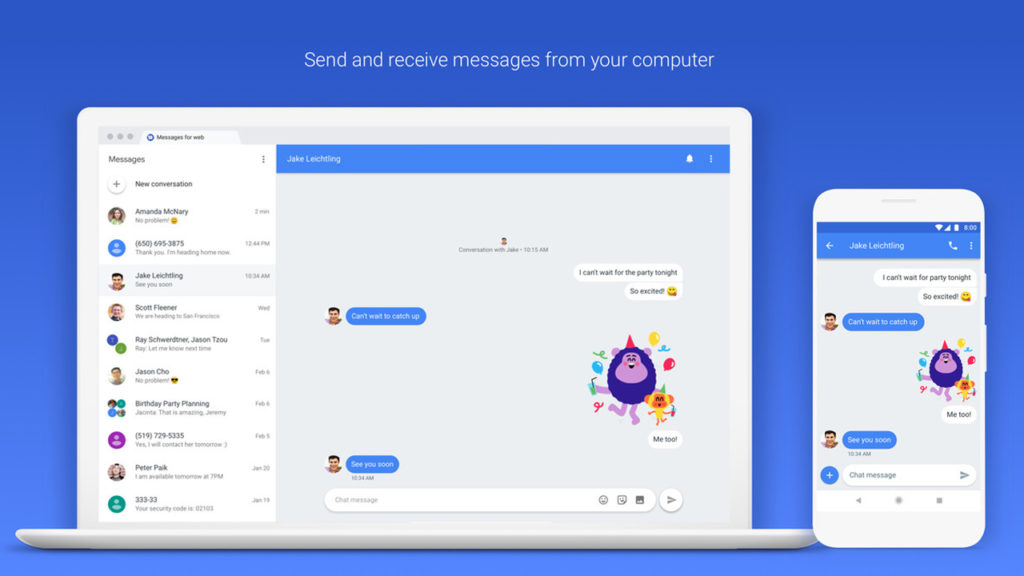
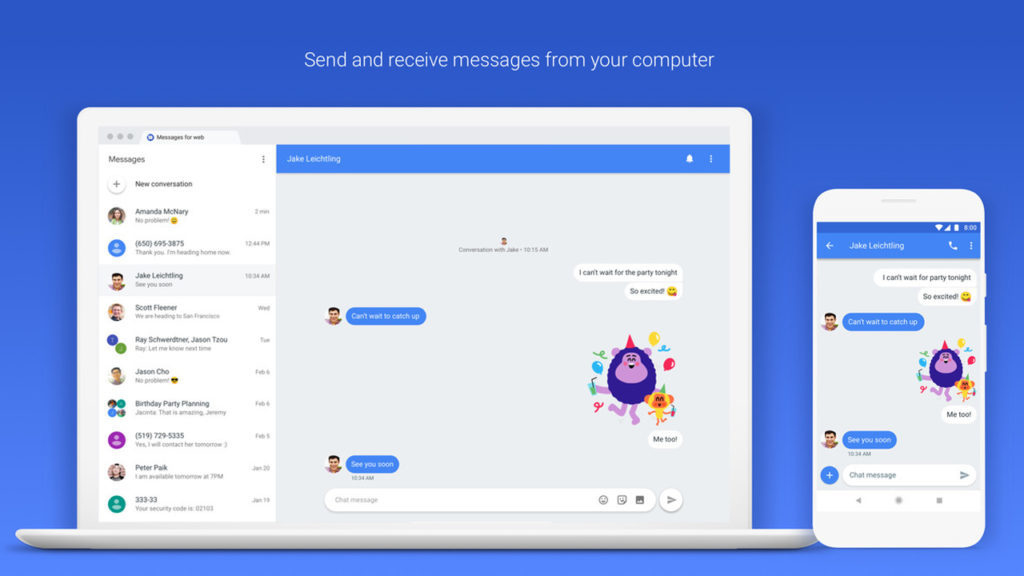
So last year Google announced that it was giving the humble SMS app an upgrade. Not just any upgrade though, SMS was going to get the full-on messaging upgrade it needed to take on WhatsApp. Well now, Google’s messaging app is now available to download on PC.

8

The PC version of Google messages works a lot like WhatsApp Web but is a reflection of the SMS app found on Android phones. It can send texts and photos to all of your contacts. As well as this, however, it’ll even allow users to send messages to email addresses using their phone number.

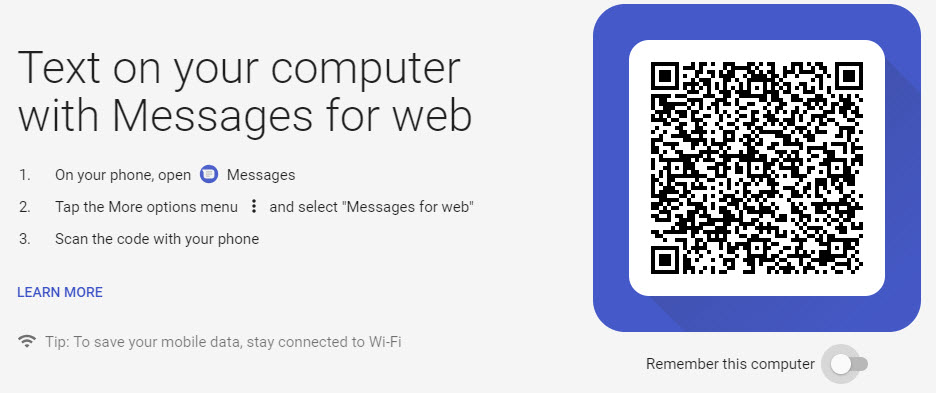
To use Messages on PC all you have to do is:

1. Check that you have the latest version of the Messages app installed on your smartphone. If you don’t click here to download it.

2. Once you have the app installed, open it, tap the three dots in the upper right corner, and then Messages for Web.

3. On your desktop, using any browser, go to messages.android.com.

4. Scan your QR code with your smartphone’s camera and you’re good to go.

Messages on PC does still have some shortcomings that you need to consider. You can send images, emojis, and stickers; but you can’t send GIFs like you can with the mobile app. It does, however, have a Dark Mode, which is exclusive to the web version.

It is worth remembering, however, that this app does send SMS, so you’ll have to be wary of your data plan if you don’t want to incur a lot of unwanted charges.

What do you think of this move from Google? Do you think you might give it a try and turn away from WhatsApp? Let us know in the comments below.