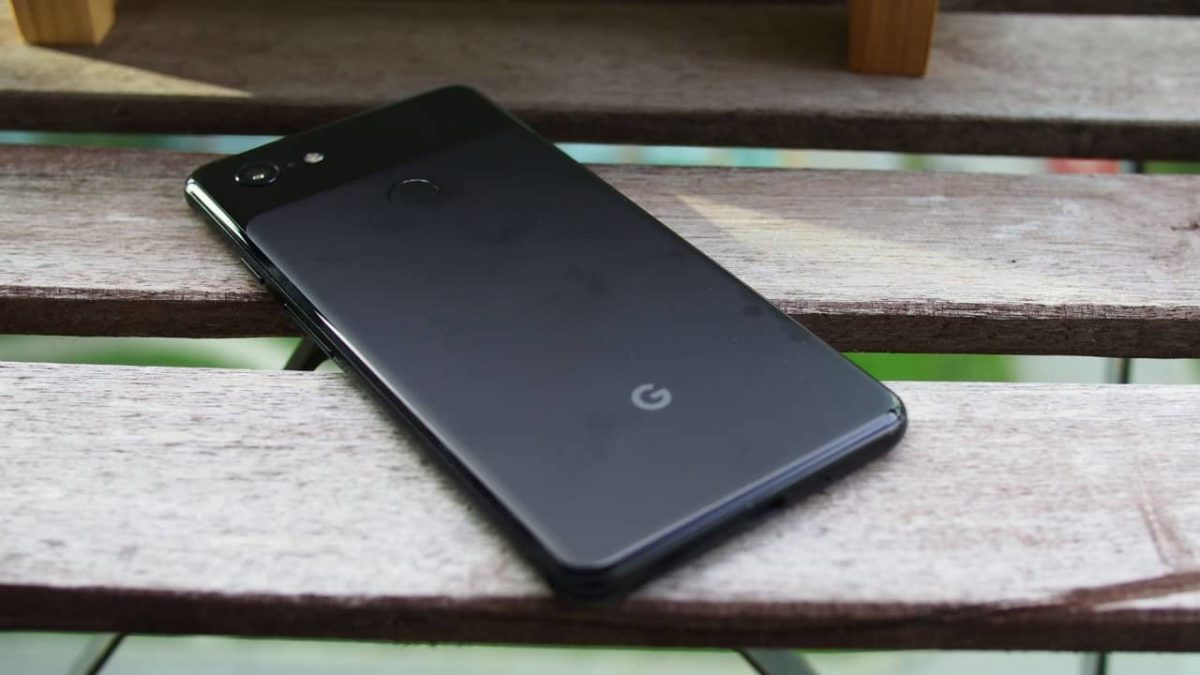
Why the Pixel 3 is the best smartphone on the market

Should you shell out for the Pixel 3? Yes! Here’s why.

After the leaks, unboxing videos, and the generally unremarkable unveiling event it’s no surprise that the reception for the Google Pixel 3 was less than resounding. Aside from not presenting us with anything we didn’t already know about from the abundant leaks, the phone doesn’t appear to offer much in the way of competition with other smartphones on the market.

There’s no pen stylus, it doesn’t have three lenses on the back, and the Snapdragon 845 that powers both the Pixel 3 and the XL can’t consistently match up to Apple’s A11. There don’t seem to be any features on this phone really making it stand out or crush the competition. In many ways, it’s overly similar to the Pixel 2, which is why the leaks before its release were so disheartening.

So why would this phone possibly be worth your time?

Why you should choose Pixel 3
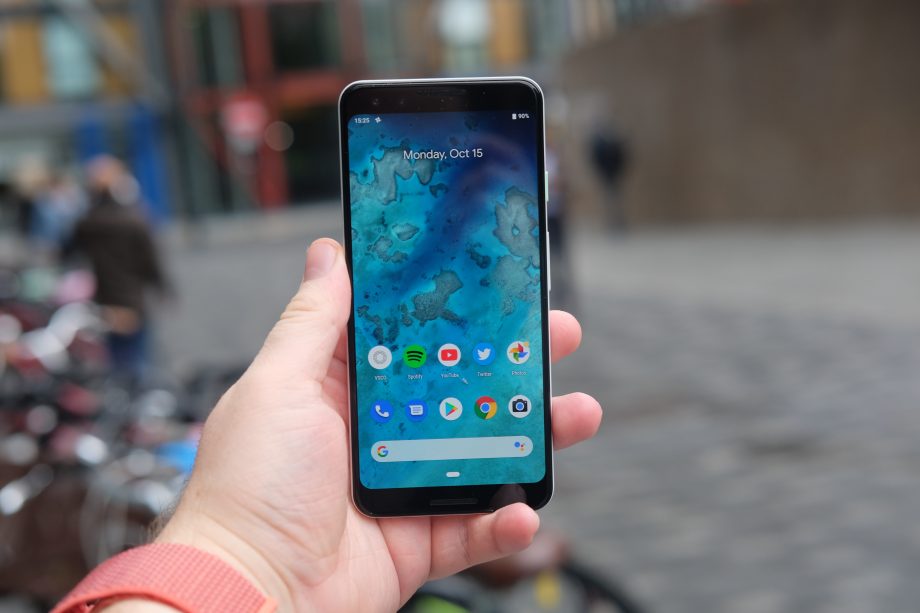
The Pixel 3 is ready to trade blows with the smartphone competition of 2018

Right away you’ve got a good screen with OLED and HDR (despite the infamous notch up top) that makes for a crisp display and a high resolution. The Pixel 3’s battery life is quite good, too; after a day of using it heavily we found we still had around 30% battery life remaining.

Android 9.0 utilizes new gesture-based interactions that are reminiscent of the iPhone X, and the rear-mounted fingerprint sensor is now on the back of the phone. Both the Pixel 3 and the 3 XL have dual front-facing stereo speakers, which Google says are 40% louder than the Pixel 2.

Kind of like how Apple’s design stays true to its roots, Google’s Pixel 3 is also in keeping with the recognizable glass visor. This time, though, the back is glass instead of metal (which looks really cool against the frosted texture) and on the front, there’s an extended aspect ratio display.

Cameras

A smartphone has to have a great camera, or at least a good one. With social media platforms like Snapchat or Instagram focusing so heavily on high-quality photos and vidoes, it’s a necessity. The Pixel 3 doesn’t incorporate the same cutting-edge camera hardware that Apple uses, and shockingly still opts for a less powerful single-lens camera system.
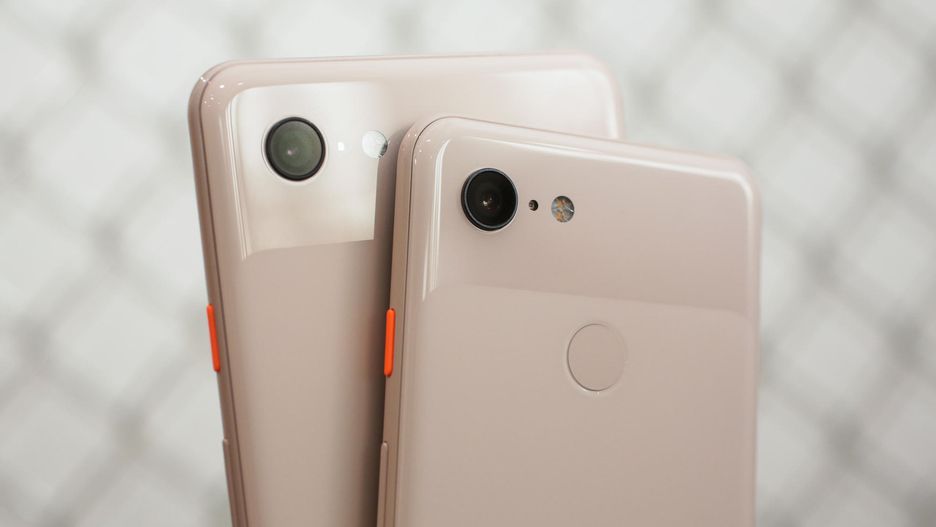
The single-lens camera is surprisingly powerful, thanks to Google's superior software

On the surface, this may seem like a detriment when compared to, say, the iPhone XS, but you need to look at the results. The Pixel 3 has an astonishingly detailed portrait mode that it can capture with its single-lens rear camera. Check the picture quality comparison between the two phones for yourself:
There’s also the new Top Shot feature which takes a dozen or so photos whenever you take a selfie. This allows you to pick your favorite shot from the set; useful if you accidentally blinked or the lighting changed. Not groundbreaking, but a nice addition!

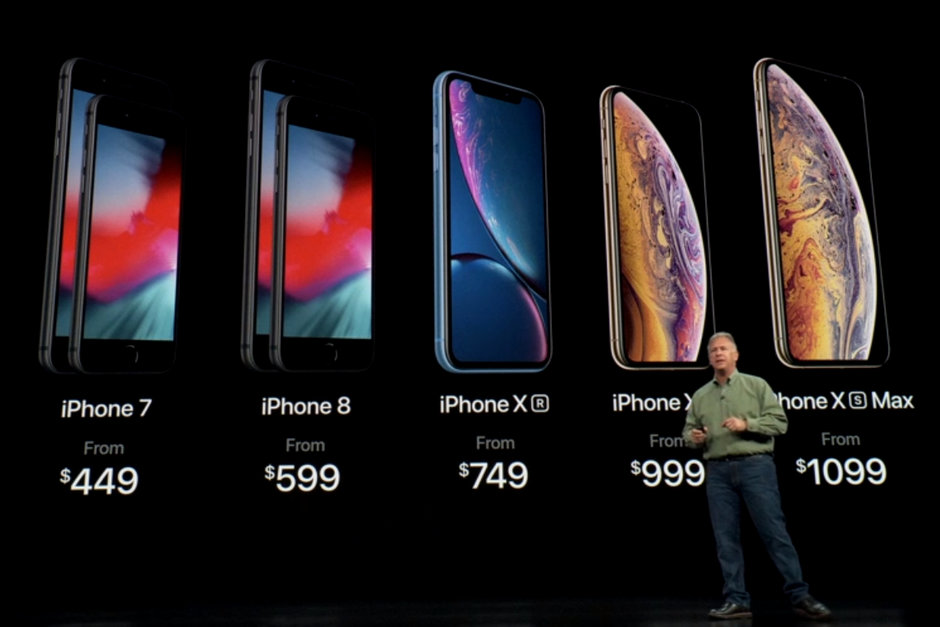
As it stands, Google is able to do with a single lens what Apple had to add completely new hardware to accomplish. On top of that, Apple spiked the price and had to remove hardware to do it:

The inclusion of new hardware in Apple products has been a point of frustration as early as the iPhone 7. Removing features like the aux jack might not seem overly bad on the surface, but it feels like Apple is pushing things off the shelf to make room for others – and oftentimes these aren’t features we asked for or needed.

So does the Pixel 3 have an aux jack?

No. No i,t does not.

However, at least Google had the decency to include a USB-C to 3.5mm adapter in the box, though. Buy a Pixel 3 and you’ll receive a fast-charger USB cable in the box as well as a portable charging brick:
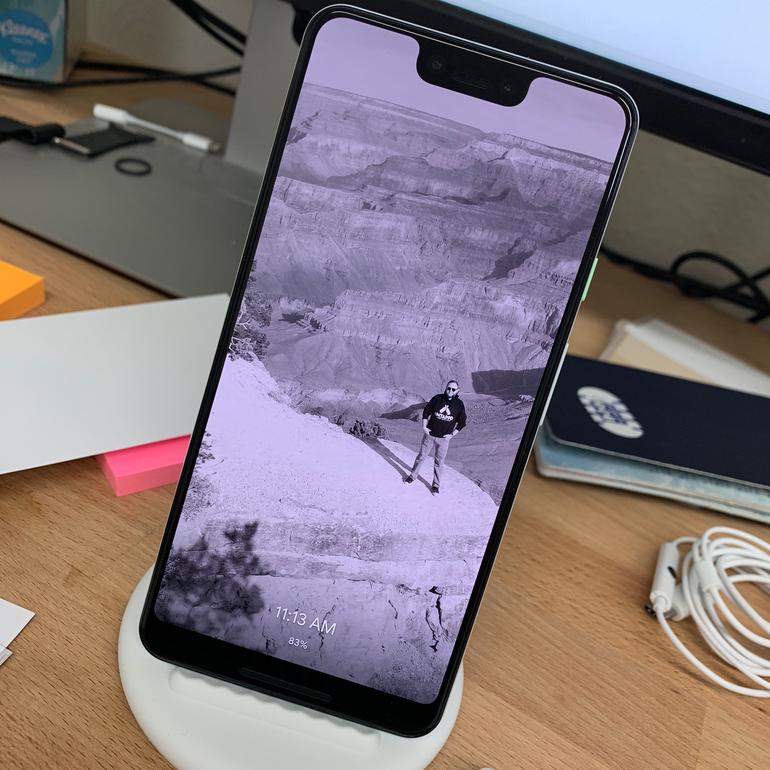
Pixel 3 comes with a portable wireless charger. You seeing this, Apple?

You can do so wirelessly now, too, which is pretty neat.

Regardless of whether you need it, you can’t argue that you’re getting a lot more gadgetry for the money than if you buy that XS. You’ve got to pay Apple an extra $9 for the privilege of restoring a functionality that you enjoyed several models ago.

The Pixel 3 has 4 GB of RAM and the snapdragon 845 is the latest chip from Google. Is it a couple seconds slower than Apple? Sure, but we have to say that unless there was a side-by-side comparison we wouldn’t have noticed. Snapdragon 845 is incredibly responsive and smooth, and makes for a phone that’s intuitive and quick. It’s one of those things you won’t necessarily think to buy a phone for, but the fact that it’s response time isn’t a problem is something you’d immediately notice were it not the case.

Not buying it?
Want a piece?

With Pixel it’s less about the hardware and more about the software, and that’s where the phone really excels. Some of the changes took a little getting used to – particularly the home button swipe and varying gestures – but once you surpass that learning curve (probably a day, maybe two) you’ll start operating the phone as if you’ve always owned one; it’s smart, the gestures are logical, navigation is intuitive and altogether faster than the Pixel 2.
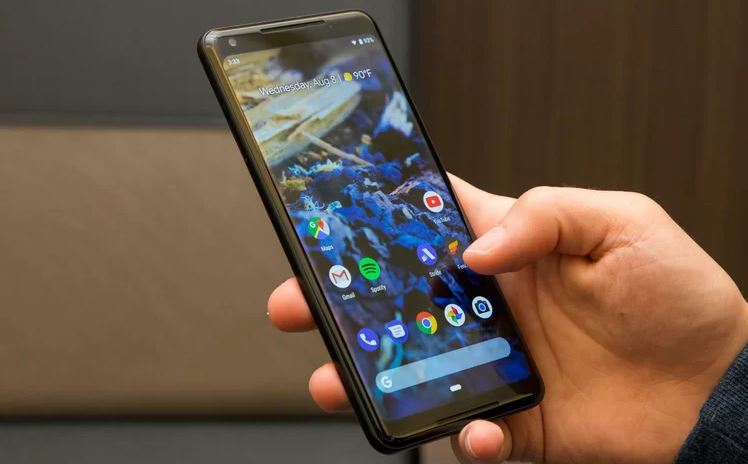
Android 9.0 is the fastest OS to date for the company. Pixel 3 rocks it.

We’ve reached the point where our smartphones can do so many things that adding new elements to the mix almost feels superfluous. It’s arguably better to not have a phone that’s chock full of unused features, like Samsung or LG are infamous for doing. With the Pixel 3, there’s no bloatware, it’s really smooth, and it doesn’t have an abrasive number of bells and whistles that a smartphone doesn’t need.

The Pixel 3 does everything you’d expect a smartphone to do, and it does those things really well; it’s like a perfect steak or a good sushi restaurant: You don’t need to add excessive, desultory items to something that’s already good; you just need to make slight improvements to the formula to improve the aspects people already expect.
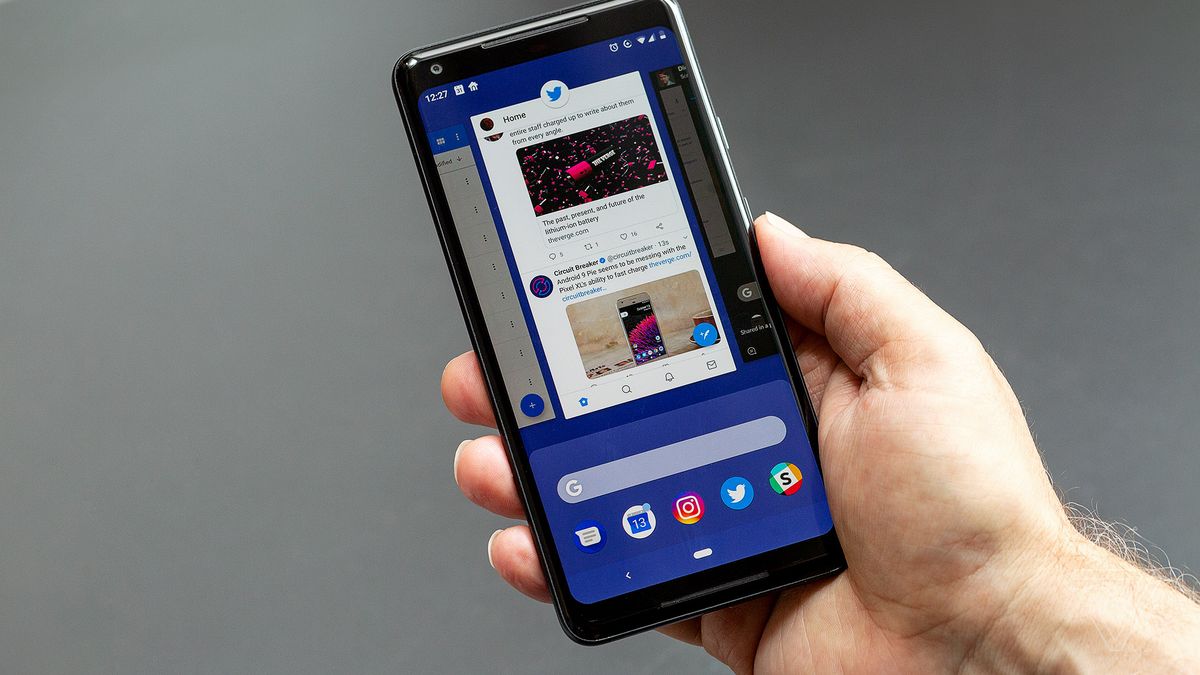
Is Pixel 3 the phone for you?

The Pixel 3 starts at $799, while the larger Pixel 3 XL sells for $899. (The iPhone XS by comparison is $999 while the XS Max is $1099.)

For further comparisons between the phones, you can check right here. Let us know in the comments below whether you think this is the smartphone for you!
eBay launches new program to sell your old smartphone instantly

ebay

eBay is still one of the best resources we have to sell things, both new and old, for a fraction of the market price. Even with competitors like OfferUp and Letgo being successful, they’re on smaller scales. eBay is the OG for discounts and funky stuff that you can’t really find anywhere else.

instant selling screenshot

Yesterday, eBay made a post in its blog that the old dog was learning new tricks by launching a new program: Instant Selling for smartphones.

The program could bring in a huge amount of traffic to a website that’s still holding its own after 23 years of business. Instant Selling allows you to sell old smartphones and get paid for them almost immediately. The seller doesn’t have to set a price to create a listing, eBay does all of that for you. In a few minutes, you’ll enter the model of your phone and if it is eligible, you can trade it in for what eBay says is an offer that could be nearly 40% higher than most phone retailers.

The proof is in the pudding, and eBay has the facts to back it up:

“A recent study commissioned by eBay found that while a majority of Americans (61%) have never sold or traded a smartphone that they no longer use, 2 in 5 (40%) have two or more unused smartphones currently in their home. That could equal potentially hundreds of dollars left on the table which could be applied toward a new device upgrade or anything else on your wish list by shopping on eBay.”

Simple! To sell your phone, head over to eBay’s special website.  Enter a few identifying factors like the model and condition and if it’s eligible to be sold, just upload a picture, and it’s listed instantly. The only thing left for you to do is print out a shipping label, and eBay creates that for you as well. Probably the easiest thing you’ll do all day.

For those thinking that this is just too good to be true, payment does come in the form of an eBay voucher – not cash. With that said, in this age where instant gratification is the name of the game, eBay’s come up with something really useful and we’re looking forward to see how it takes off.

Fortnite reveals ‘Fortnitemares’ Halloween event

What spooky new options will be available in with Fortnitemares?

Fortnitemares

Fortnite Season 6 has already introduced a healthy dose of spooks and scares to the world of Fortnite, but it appears that things are about to get a fair bit spookier. After a series of teasers released over the course of several days, Epic Games has finally revealed a new limited time Halloween event dubbed Fortnitemares. Not much has been revealed about the exact nature of this new event, but we do know that it will be running from October 24 through November 26th. The event also comes with the ominous tagline “Darkness has risen.” Read on for everything we know so far about the event.

Fortnite: Battle Royale Play Now
10

Cryptic Poems

fortnite fortnitemares cube
Image courtesy Epic Games

The event teasers began with a series of mysterious poems tweeted by Epic Games. The poem in full reads as follows:

“Costumes and dancing, Partner up, be wise. They could be friendly, Or a ghoul in disguise.”

“Tombstones quake, Keep your finger steady. The circle will close, Better be ready.”

“Take the shot, If you have enough to last. The wind calls out, ‘Fill your chambers, fast.'”

Though a bit enigmatic, the poems seem to hint at several aspects of the new mode. “Partner up, be wise” seems to reference some kind of new squad mode, likely an LTM in the of the High Stakes event. “The circle will close” seems to point to the mysterious portals and glyphs that have been opening up in the blighted areas around the map. As of now, the cube’s floating island is hovering above Leaky Lake, where a portal seems to be opening in the sky. It’s almost certain that the portal will open to mark the start of the event. What comes through, however, remains to be seen.

New Cosmetics

fortnite fortnitemares cowboy
Image courtesy Epic Games

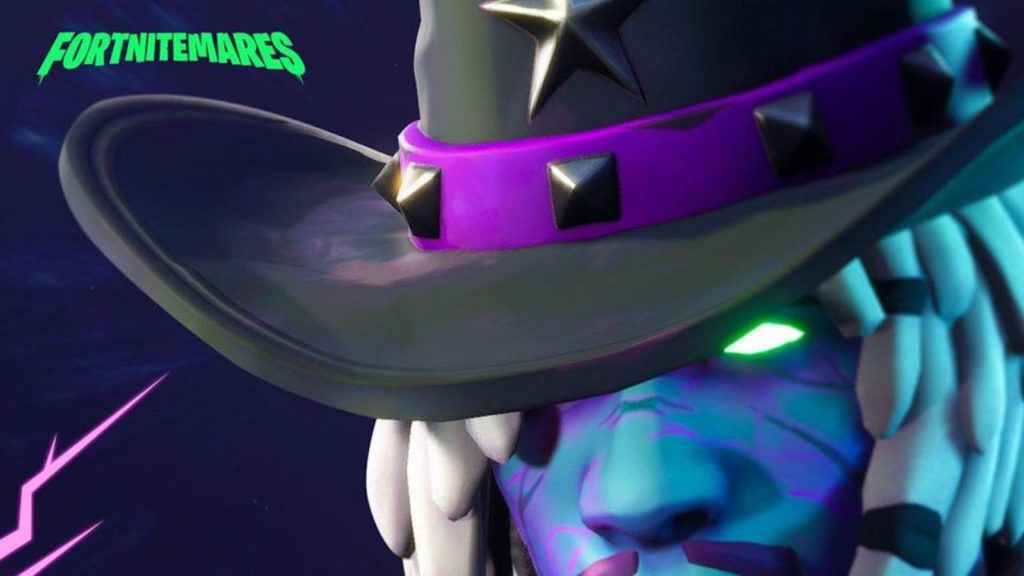
Epic has confirmed that a new series of spooky challenges will be released as part of Fortnitemares, with new Halloween themed cosmetic rewards for those who complete them. The above image was tweeted as part of the poem teasers. It isn’t much to go on, but when coupled with the other images this new skin seems to be an undead cowboy of some sort. He’s very likely going to be a counterpart to Calamity, the other spectral Wild West skin included in Season 6’s Battle Pass.

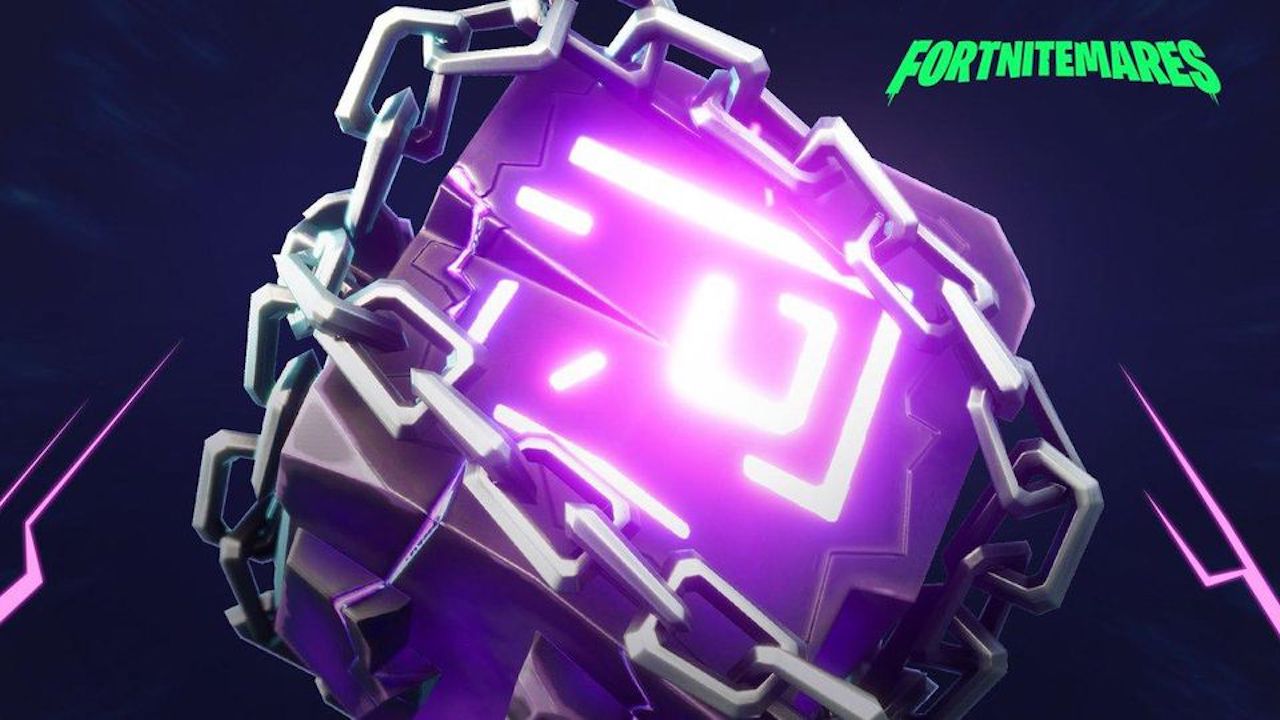
The developers also tweeted another teaser image including a cube wrapped in chains, which can be seen below. It’s been speculated that this cube is likely a back bling item, or perhaps even the head of a new harvesting tool. Either way, all the elements included in the teaser image seem to be part of this new skin. Whether or not there will be other skins included as part of the event is uncertain but it seems likely, given the steady stream of Halloween content being released for Season 6.

New Weapons

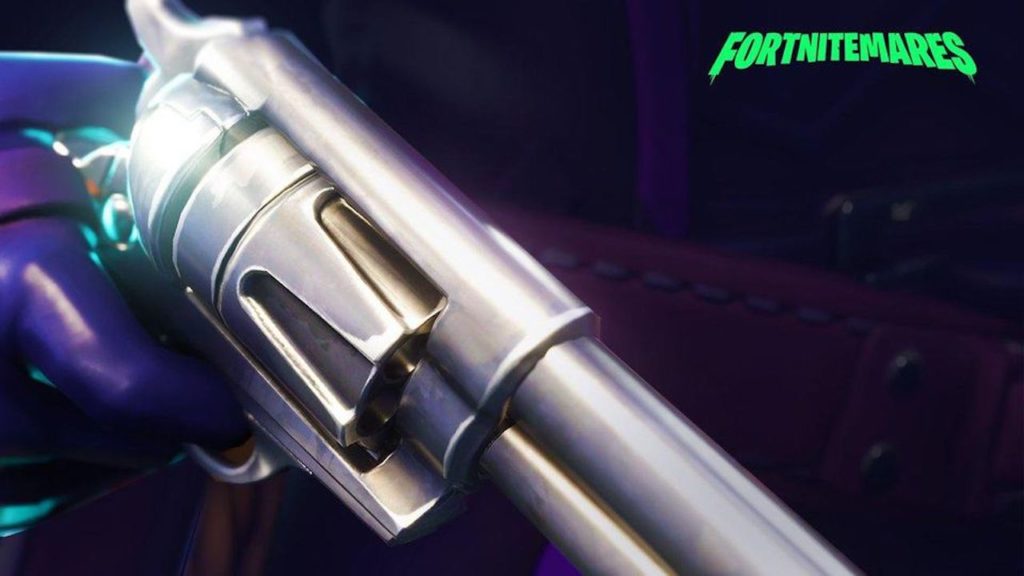
fortnite fortnitemares revolver
Image courtesy Epic Games

It also appears that a few new guns will be appearing in game to coincide with the event. As seen in the above teaser image, it looks like a new revolver will be making its way into the Battle Royale arena. This would replace the original Revolver, which was removed from main Battle Royale modes at the start of Season 6. It’s likely that this revamp will include improvements on the original Revolver’s shortcomings, such as its slow firing speed and reload times.

Also confirmed to make a return is the Pumpkin Rocket Launcher. It’s a ghoulish modification on the game’s base Rocket Launcher, with a Jack-o-Lantern in place of the standard rocket warhead. Veteran players will remember this weapon from Fortnite’s previous Halloween event in October 2017. Whether its rockets are still rideable remains to be seen.

Overall, this event looks so expansive that it almost seems like a season within a season. We’re waiting with bated breath to see what Fortnitemares has in store.

YouTube makes it easier to subscribe to channels you love

You can now subscribe to a YouTube channel from a video embedded on another site

youtube

YouTube on desktop recently received an extremely useful new feature. Users can now watch videos while browsing the site for other videos and channels. And if that wasn’t enough, the site just rolled out another great feature.

YouTube Download Free
8

You can now subscribe to a YouTube channel from a video embedded on another site

YouTube is overhauling its embedded video player with new features. The embedded video player is the widget you see on other sites, allowing you to play YouTube videos. This used to be a very basic feature, simply showing a screenshot from the video, the play button, and some other basic information like the title. This new update now adds some other useful info and buttons.

Whenever you find an embedded video on a web page, like the one shown above, you’ll find the channel’s logo in the top right next to the video title. If you move your mouse cursor over the logo, it’ll open up to reveal the name of the channel and the number of subscribers it has. Crucially, hovering over the channel logo will also open up a subscribe button. This means if you find a YouTube video you love embedded on another web page, you’ll be able to subscribe to it right there with a single click.

This small update should offer a real boost to YouTube content creators as it makes it easier for them to connect with potential subscribers. Whereas having their videos embedded on other sites has always been a great way for them to collect video views, until now, embedded videos have shown very little information about who created them. Now, thanks to this latest update, users can not only learn who made the embedded video but also subscribe to their channel without having to leave the web page they’re currently on.

This new feature has been rolling out around the world for at least a couple of weeks now. As well as the channel information and subscribe button the new YouTube embedded video widget offers a couple of other useful features. On the top left of the video player users will find a Share button and a Watch Later button. The Share button will open up the standard YouTube sharing console and the Watch Later button will add the video to the watch later list of whatever Google account the user is logged in on.

Switching smartphones? Here’s what you need to know

Ready to trade up for a new phone? Here’s how to move all your stuff to the new one.

phones

Your smartphone holds all kinds of information you don’t want to lose. That’s part of the reason that upgrading to a new phone can be intimidating. What if all of your important data disappears? Don’t worry. Getting your new phone ready to go may not be as difficult as you thought.

If you already use Google or Apple for your contacts list, your calendar, and your email, you are halfway there. Here’s a step-by-step guide.

Switching smartphones? Here’s what you need to know

1. Look to your system’s backup settings

iTunes

Open your iTunes account and connect your iPhone to your computer. Or, go to your new phone’s settings page, click on your Apple ID name, and choose iCloud. Select the items you want to keep under “APPS USING ICLOUD.”

If you choose to transmit personal data, such as passwords, select “Encrypt iPhone backup” to keep your info secure. Either way, your selected apps are safe and sound and are ready for transfer.

Android

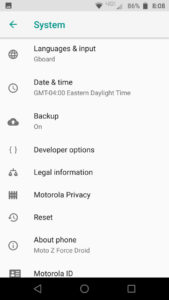
From Android, go to Settings and then System, and then pop into Backup. Is the setting enabled? If not, click it and make the change.

Scroll through the list of items available to back up. What content do you want to move over onto your new phone? Check the boxes and press the button to back up your data.
2. Restore from your backup

Auto backups are a great start, but you aren’t quite finished yet. Grab your new phone and sign in.

When you first turn on your new phone, you will need to set it up. You’ll be asked for details such as your country and your Wi-Fi network. As you make your way through the process, a prompt will appear asking if you would like to restore your data from a backup. Yes, you do.

Select the most recent backup (if given the option). Like magic, your phone will suddenly look a bit more familiar. Your contacts, email, and calendar will be ready to roll.

3. Check your favorite apps

What’s a smartphone without apps? Some of your apps may have made the transfer. Hooray! Visit your must-have apps to see if they have been included too. Is anything missing?

If you have favorite games, productivity apps, or anything else you don’t want to lose, click on the app on your old phone. Is your information saved in the cloud? Dig in and see how and where the developer saves your information.

A successful smartphone switch

Before you wipe your old phone clean, go through your pages of programs and apps. Did you save everything you need? If you are missing anything, click on the app, and see how the app stores your information.

Once you’ve installed your apps and restored your information, you may want to take a look at ways to keep your phone secure. After that, it’s time to enjoy your new phone.

Snapchat reaches historic technological milestone by creating selfie filters for cats

Uh, thanks, Snapchat.

snapchat

Nearly 50 years ago, the greatest technological innovation ever seen was the moon landing.

When the Apollo 11’s lunar module landed on the moon and Neil Armstrong spoke his famous words, everyone watching knew that their lives were about to change forever. For centuries, humanity gazed at the moon, sitting brightly among the stars, humbled by its foreboding size and unending glow. At last, in 1969 humanity had conquered the moon and seemingly achieved technological control over the universe. For a long time, I wondered what my generation’s “moon landing” would be. Something that challenges the limits of human potential and achieves the impossible. While scrolling through Twitter on October 12, 2018, I finally received my answer.

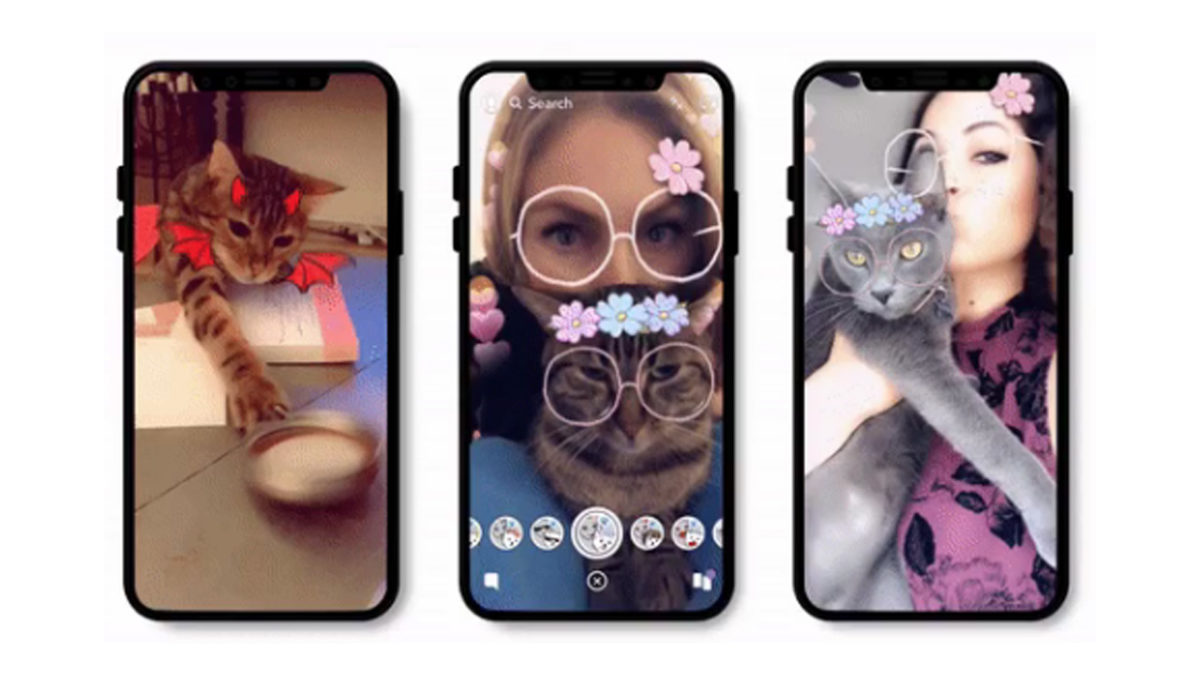
I sat, jaw agape. Was it possible? Had Snapchat truly done it? For years, cats being left in the dust while their human friends enjoyed the thrills and silliness of Snapchat filters had been the cause of countless suffering. Animal rights groups worldwide chanted the same question: If humans are so worthy of Snapchat filters, why aren’t cats? What unspeakable crime have cats committed that they aren’t able to enjoy a flower crown like the rest of us? Thankfully, cats and their human allies can now rest easy that their efforts weren’t in vain.

With this new technological revelation, everything changes: politics, religion, questions on what it means to be human. No conversation will be the same after humanity was able to put bread on a cat.

It’s truly inspiring what humanity can accomplish when everyone works together towards some unobtainable, world-changing goal. For years, cat selfies seemed so far away that no one dared to even try. Snapchat should be proud, because they now have truly left their mark on the world for centuries to come. Edison had the lightbulb, the Wright brothers had the plane, Bell had the phone, and now, as we witness it today Snapchat has the cat selfie.

Netflix ads: helpful interruption or worst thing ever?

Netflix is testing promos for other Netflix shows that will show up in between TV show episodes

yes, netflix is testing ads

As Netflix continues to conquer the globe, we’ve become blissful binge-watching zombies. That short countdown at the end of each episode doesn’t give us enough time to spring into action and hit stop before the next episode. But who cares? We’re getting the most out of our subscription! Soon, that could all change.

Netflix Download Now
8

Netflix is testing promos for other Netflix shows that will show up in between TV show episodes

Yep, it looks like your monthly subscription isn’t enough for Netflix anymore. The company is testing ads on its platform, but it isn’t all bad. In fact, if you believe the guys in Netflix’s marketing department these ads might actually be good for you.

Netflix is testing for other Netflix shows in the breaks between episodes. According to the bigwigs behind it all, Netflix will be running all sorts of algorithmic magic to ensure that the promos you’ll get will be for shows it thinks you will actually like. (All of this is based on your viewing history.)

The money men say this helps Netflix save money by not having to advertise so much on other networks. It appears Netflix is now big enough to be able to advertise to itself in order to make money.

There are a few other things to consider about Netflix’s ads, too. First off, each ad (or” promo” as Netflix wants us to call them), will only be 30 seconds long. We’re not talking an intrusive ad break here, just a short break from your constant consumption. Also, if Netflix ads get a wider roll-out to all users in their current form, you’ll be able to skip them. Not skip after however many seconds like on some YouTube ads, skippable as soon as they start.

This all means that technically they’re not real ads, they’re optional. In fact, they sound like nothing more than a multimedia version of the “Your Netflix” list that shows on the top of the screen every time you log in, or the recommendations you see after you finish a movie or complete a TV season you’ve watched from start to finish.

At the end of the day, whether these Netflix ads will make you angry or not is up to you. You’ll have the power to skip them if you wish so you’ll only be able to get angry about having to bother to hit skip. The other way of looking at it is that it might give you more of a chance to snap yourself out of the trance-like stupor “Stranger Things”, “Maniac”, or whatever it is you watch on Netflix always manages to ease you into. Having to hit skip might just be what you need to hit stop and then head out into the real world. We’ll just have to wait and see.

YouTube’s latest update could be its best yet

You can now watch a YouTube video on desktop and search for other videos at the same time

youtube

YouTube has been around since forever. It is the most popular video hosting platform by far, but that doesn’t mean it is the best. For a long time, YouTube has been missing a number of features that users have been crying out for. Now, one long-awaited feature is finally coming to YouTube.

YouTube Download Free
8

You can now watch a YouTube video on desktop and search for other videos at the same time

If watching YouTube videos while browsing the rest of the site sounds familiar, it is because it is. The feature has been available on the mobile versions of YouTube for quite some time now. Rather strangely, however, it has taken until now for the common-sense feature to reach YouTube on desktop. The new desktop feature is slightly different to the mobile version.

On a mobile phone, all you have to do to search while watching a video is select the video you want to play and then hit “back.” This will shrink the video down and show it playing in the bottom right of the screen while you get on with searching YouTube for more videos of cats being stupid. The desktop feature is a little more complicated to activate, though.

How to watch a YouTube video while searching for more videos

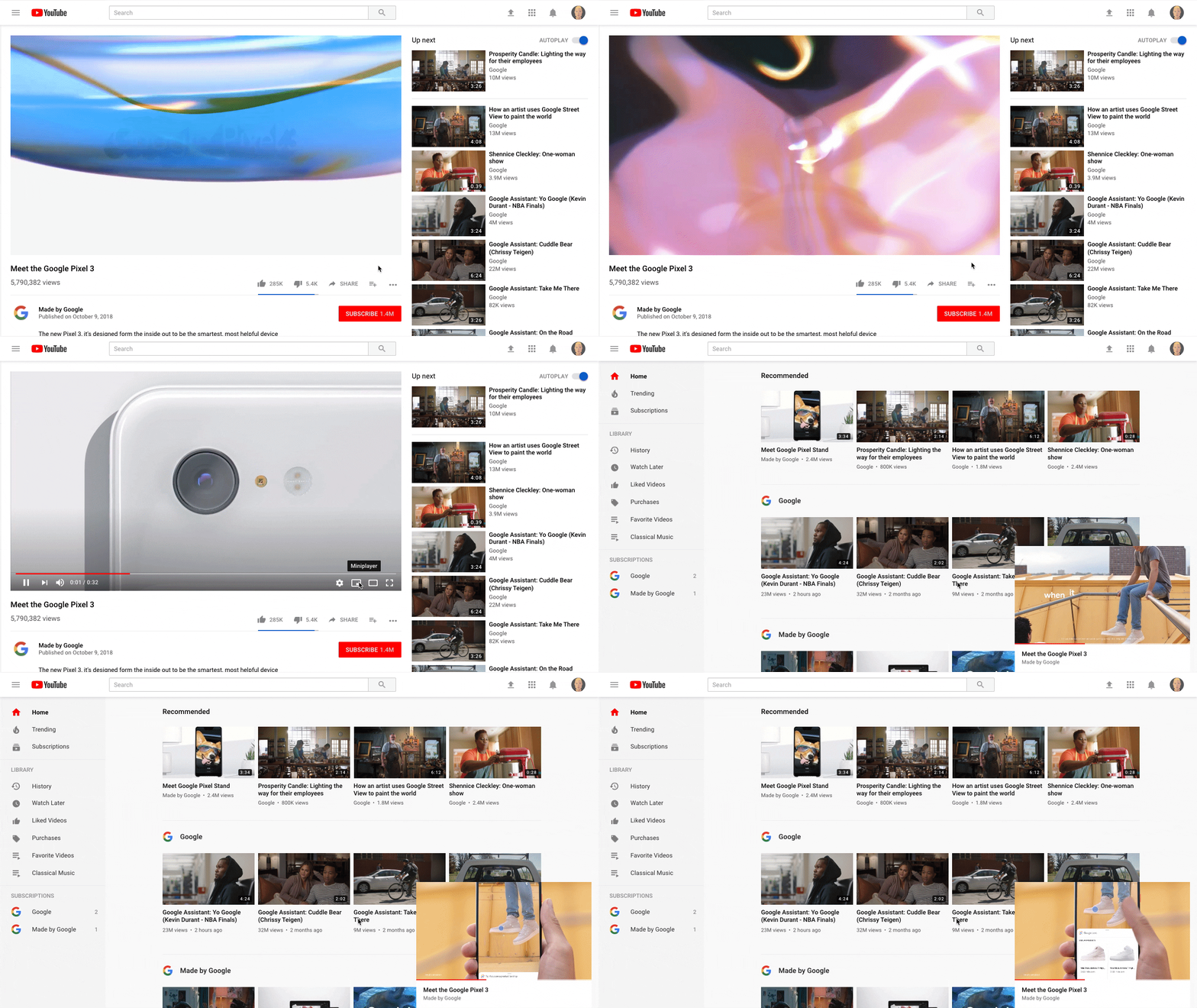
  1. Select the video you want to watch on YouTube and hit play.
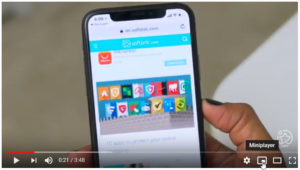
  2. While the video is playing move the mouse over and look for the new Miniplayer icon next to the Settings cog.  YouTube Desktop update video miniplayer
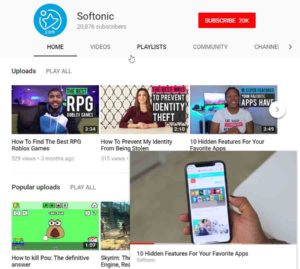
  3. Click the icon to shrink the active YouTube video into the bottom right of the screen.
  4. Continue using the YouTube desktop site as normal while your video plays.

This is the YouTube miniplayerThis is a simple enough update for YouTube, but it is one that users have been crying out for for a long time. Being able to watch videos while searching for new ones makes the whole YouTube experience much more user-friendly. It just leaves the question, why did it take so long for YouTube to add such a helpful feature?
Oh, by the way, if like us you want to be able to listen to music on YouTube while you’re using your phone for something else there is good news and bad news. The good news is that Google has added this very feature to YouTube. The bad news is that it is a part of YouTube’s new Premium service. If you want it, you’ll have to pay a monthly subscription.

Check out Google Keep’s new design

Google Keep is now Keep Notes and looks a lot like other Google apps thanks to its latest update

Google Keep Material Design Update
Image via Flickr

Google has some pretty big products that shape our lives as we use them every day. There is, of course, the search engine that embodies the internet as a whole, but other huge products include Google Chrome, Gmail, and Google Maps. With so many massive Google products making the rounds, it is easy to forget about some of Google’s smaller products. Google Keep is one such product. And it’s better than ever after a massive overhaul.

Google Keep Download Free ►
8

Google Keep is now Keep Notes and looks a lot like other Google apps, thanks to its latest update

Google Keep has been one of the best note-taking apps available on Android. It has been a while, however, since it last got a lick of paint. This is finally about to change, thanks to update version 5.0.411.09, which will bring Keep in line with Google’s Material Design philosophy.

This change aligns Keep with a wide range of other Google apps that have already been subject to the Material Design UI update, including Google Photos, Google Drive, and Google Calendar.

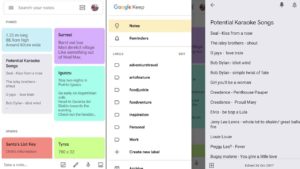
This is what Google Keep Notes new interface looks like
The new Keep Notes interface. Doesn’t everybody have a list of potential karaoke songs on their phone?

The update makes Keep look cleaner and more modern. Cards now have rounded corners and stand out much more against a white backdrop, as opposed to the old grey background with squared corners on cards. The search bar is now whiter than it was before, but still acts the same as it always has. Users still have control over the color scheme of their own version of Google Keep, so if white isn’t your thing, you can change it up. The other big change is the name. Keep is now called Keep Notes.

Apart from the new design and name change, the latest Keep Notes update doesn’t bring any new features. The update is merely cosmetic to bring Keep Notes in line with Google’s singular design philosophy for all its products.

The update has already begun rolling out to all Keep Notes users, but it is being done in stages. You’ll know if you’ve received the update as the name of the app on your phone will have changed from Keep to Keep Notes. If you haven’t already received it, don’t worry, it is on its way.

What do you think about Google’s new Material Design philosophy? Do you think it adds a new modern flair to Google’s apps or do you have a problem with a layout for serious apps that could be described as a little cartoony? Let us know in the comments below.


Helm, the private email server from your home

This gadget provides the best email security we’ve seen so far.

Helm

As technology and the web become more advanced, the main concern we all have is privacy. We use the internet for everything now, and we have access to it across a ton of devices: our phones, computer, televisions, game consoles, and even the security systems for our homes. On those devices we have pictures, videos, login information and passwords for the most personal and crucial accounts for things like banking and health. Nearly every service we sign up for, whether it’s for entertainment or business, requires us to do so using our email address and some of those services allow third parties to access that information.

Even though a website has that little padlock symbol in the address bar and a company tells us that our passwords are encrypted, is our data really safe? Big companies like Facebook and Google have both admitted to privacy breaches this year, and many people closing down their accounts.

Helm is looking to put users’ minds at ease.

helm screenshot

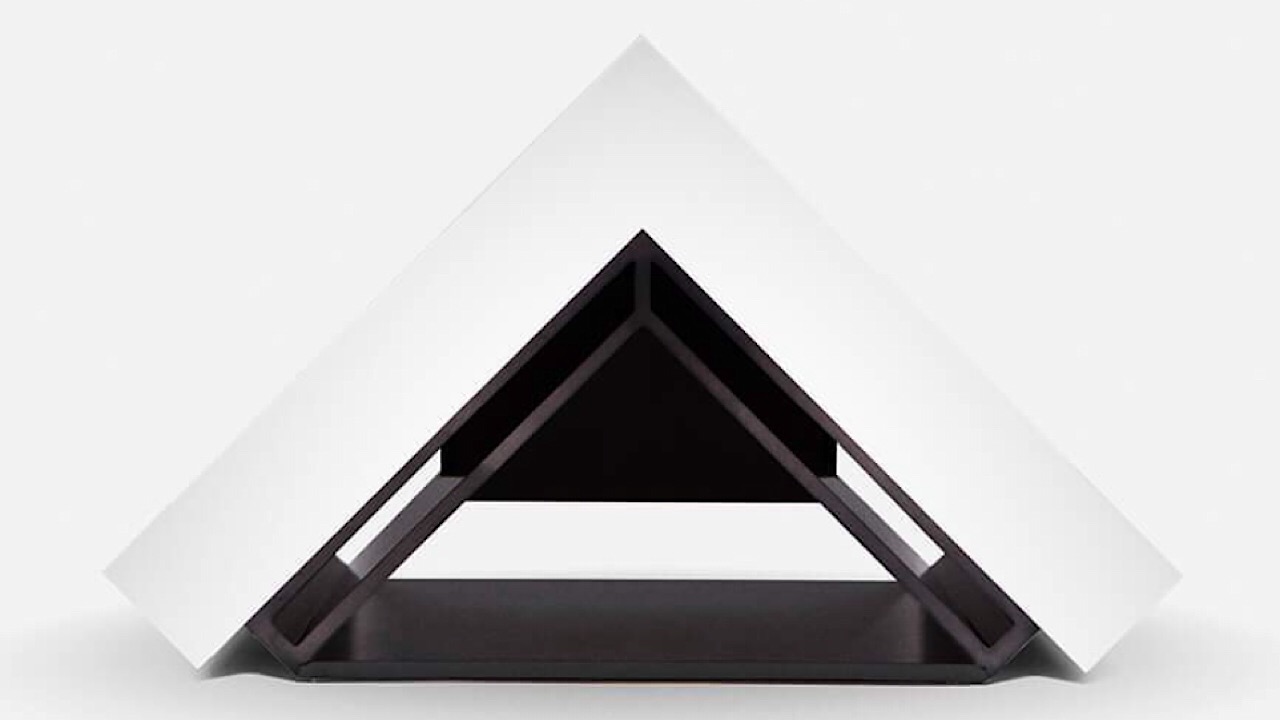
Helm is a personal email server that you can have with you at all times. It’s small enough to be portable but only you and the people you trust have access to it.

In a letter from the founders, they detail exactly why Helm was created:

“We the people have a right to live on our own terms. To know where our data is stored and to have control over it at all times. To protect our families from unwanted intrusion. To be secure on our phones and computers wherever we are….to keep all our information under one roof, where it’s safest – with us.”

Once you start your Helm subscription, you’re able to register for your own domain and then everything you’d like to add is up to you and totally private:

  • Email, calendar and contacts
  • Custom domain registration with DNS records management
  • Unlimited email accounts and aliases
  • Feature and security updates

Helm is constantly updating its services and soon you can have file sharing and sync, password management, and family chat and messaging.

If you’re ready to jump in, a one time fee for the hardware itself will run you $499 and a yearly subscription is $99, but Helm will waive the first year’s subscription fee. Knowing that you’re the only person who will see everything in your Helm device could really be worth the cost.