Modders are using AI to upgrade retro games

See how AI is making old games look better than ever.

HD remasters are a staple of the modern gaming world. Whether it be full rebuilds like Resident Evil 2, or simple graphical upgrades like the forthcoming Jak and Daxter collection, the best games of yesteryear are still keeping up in the modern era. Unfortunately, not all retro games can get remasters. That said, fans don’t need to despair. Artificial intelligence is making it easier than ever for modders to give retro games impressive graphical upgrades that rival any modern remaster.

Modders are using AI to upgrade retro games
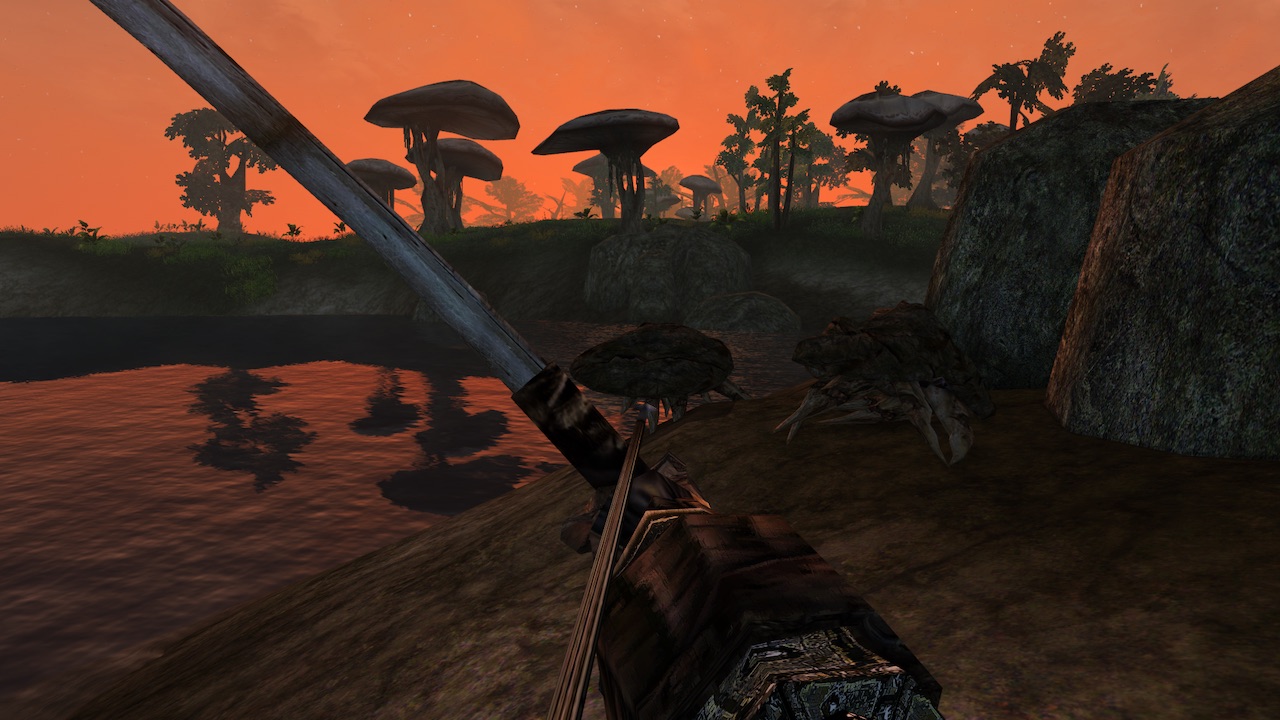
elder scrolls 3 morrowind remaster
Image courtesy Daniel Trolie

AI “machine learning” recently took center stage as a major part of Google’s ambitious Stadia project. Essentially, AI systems use given data sets to “learn” and apply patterns to other sets of data. Google showcased this machine learning tool by showing its ability to use source images to apply an art style or palette to an entire game.

This machine learning ability is what’s enabling modders to create these impressive graphical upgrades. In this case, the process is called AI upscaling. When an AI system is fed a low-res image of a graphical asset, it will automatically upgrade the asset by adding pixels to create a stunning new version.
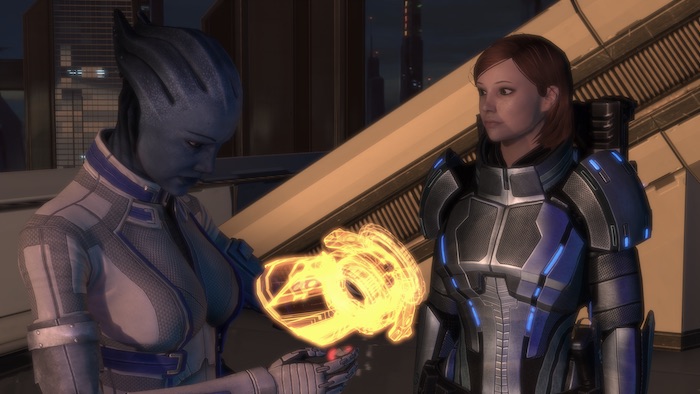
mass effect 2 liara hd upgrade
Image courtesy A Lot of Textures Mod

These AI networks work by literally learning. By feeding networks both low and high-res images as examples, the AI will begin to train and start to tell the differences between the two image types. After identifying a low-res image, it will start the process to upscale and add additional pixels to create a high-res version. Some companies, such as Topaz Labs, offer pre-trained AI networks for use by the modding communities.

It’s a surprisingly quick process, but doesn’t always churn out results that are worthy of a final product. Modders still have to put in quite a bit of work to polish and tweak the resulting visuals. The r/GameUpscale subreddit is a community devoted to sharing the best techniques, tips, and tricks to get the most out of the AI upscaling process. Even after an AI upscale, most assets will still take several hours to polish. In the case of an AI upscale mod for the classic Doom, over 200 hours of work were reportedly required on top of the results created by the AI upscaling process. Compared to starting an HD upgrade from scratch, this is still amazingly fast.
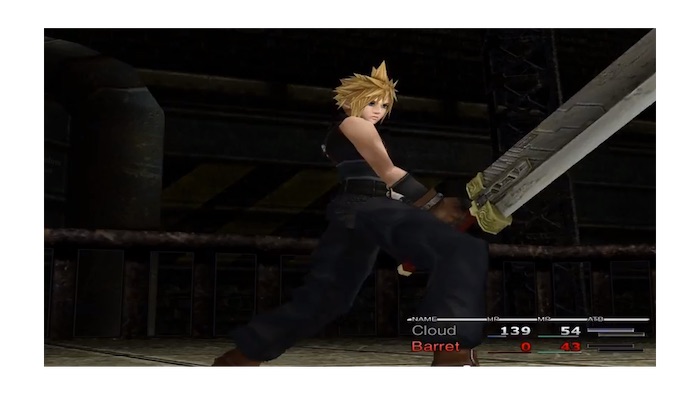
final fantasy viii hd upgrade
Image courtesy Stefan Rumen

The results are nothing short of astonishing. Over the past six months, the AI upscaling community has been churning out mods at a rapid pace. Gamers can find graphical upgrades for classic titles like Mass Effect 2, Half-Life 2, Elder Scrolls III: Morrowind, and Final Fantasy VII. The full potential of these tools has yet to be realized, but it could mean great things for more nostalgic fans. In the case of older games created by now-defunct studios or games where rights are tied up in the legal system, fans can now receive HD remasters that might not have been possible otherwise.
How well do you know the MCU? Take this quiz

Think you’re a Marvel movie expert? Prove it with this quiz.

Avengers

The Marvel Cinematic Universe has given us over a decade’s worth of content, and let’s be honest – it’s a little hard to keep track of everything, especially if it’s been a while since you’ve seen some of the earlier films. How did that Hulk vs Hulkbuster fight end up? Whatever happened to Justin Hammer? Where did Falcon go to lay low after the events of “Captain America: Civil War?”

There are many Marvel fans, but far fewer experts. Are you one of them? Test your knowledge with our quiz:

(function(d,s,id){var js,fjs=d.getElementsByTagName(s)[0];if(d.getElementById(id))return;js=d.createElement(s);js.id=id;js.src=’https://embed.playbuzz.com/sdk.js’;fjs.parentNode.insertBefore(js,fjs);}(document,’script’,’playbuzz-sdk’));

How do you stack up among your heroes? Would Tony Stark dub thee an Avenger? Or are you a lot of talk and not a lot of results? Don’t worry if you don’t get a perfect score the first time; it’s not too late to change the future. We’re not going to give away any spoilers for “Avengers: Endgame,” but we will send you in prepared!

PC Security: Microsoft changes its mind on certain password protocols

Microsoft now believes password expiration and renewal policies are useless.

a password combination lock

Your password is one of the most important tools you have in your digital security toolbox. Without a strong and secret password, our online accounts, memberships, and subscriptions could end up wide open to cyber-criminals and hackers. As more and more of our lives move online this becomes increasingly more important.

A good password should be long, complex, and not include any recognizable data from your life. For a long time, however, there has been another recognized security requirement that we’ve been forced to adhere to when it comes to our passwords; expiration and renewal. At regular intervals, we’re reminded that our current password will expire soon, and we need to choose a new one.

Without too much thinking, it is easy to see why this might seem like the most secure course of action. If you keep mixing it up, your account will stay secure even if your password falls into the wrong hands. When you add expiration and renewal to password length, complexity, and independence from any past passwords, however, it proves to be a regular annoyance to everyday users. Having to come up with a unique password that contains a lot of different characters of all types every six months is more difficult than it sounds. It often leads to the wrong password being entered time and again in the first few weeks following the renewal or, even worse, passwords being written down.

The good news is that this regular pain may soon be about to change thanks to a new security blog post from Microsoft. The better news is that Microsoft deciding to remove expiration and renewal from all its password security protocols won’t compromise your digital security.

Microsoft now believes password expiration and renewal policies are useless

According to the Microsoft blog, recent scientific research has been shedding new light onto password policies and, in particular, expiration and renewal. There is little value in constantly forcing users to change their passwords as, “When humans are forced to change their passwords, too often they’ll make a small and predictable alteration to their existing passwords, and/or forget their new passwords.”

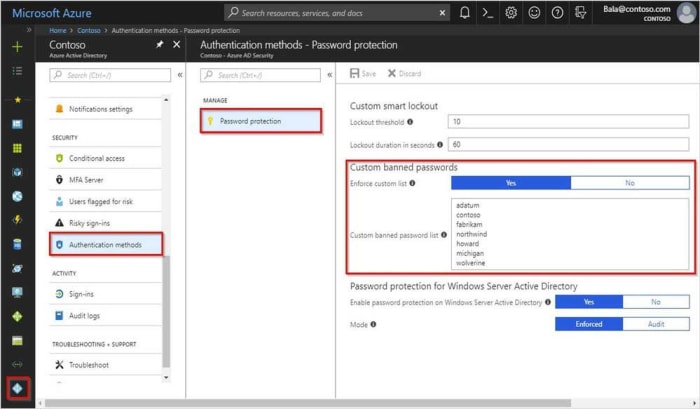
Azure password protection
Image via: Microsoft – Microsoft now believes security protocols like banned password lists are much more secure than expiration and renewal

Microsoft goes even further in its dissection of expiration protocols because when you look at the practice in greater detail, it really does begin to fall apart. “If a password is never stolen, there’s no need to expire it. And if you have evidence that a password has been stolen, you would presumably act immediately rather than wait for expiration to fix the problem.” Simply put, why change a password if it hasn’t been breached, and if it has, why would you wait until the expiration period is up to change it, and not just do it immediately?

So, Microsoft has laid out its new ideas on password expiration. The blog post goes further, however, and states that the software giant has removed the practice from its security baseline for Windows 10 v1903 and Windows Server v1903. This means, in practice, the change won’t affect too many people, but it gives network administrators the ability to remove password expiration from their office systems. If you have to update your expired passwords in work, you might already be on your last ever password.

Take this quiz to find the best Apex Legend for you

Find the best Apex Legends character to play with.

Apex Legends

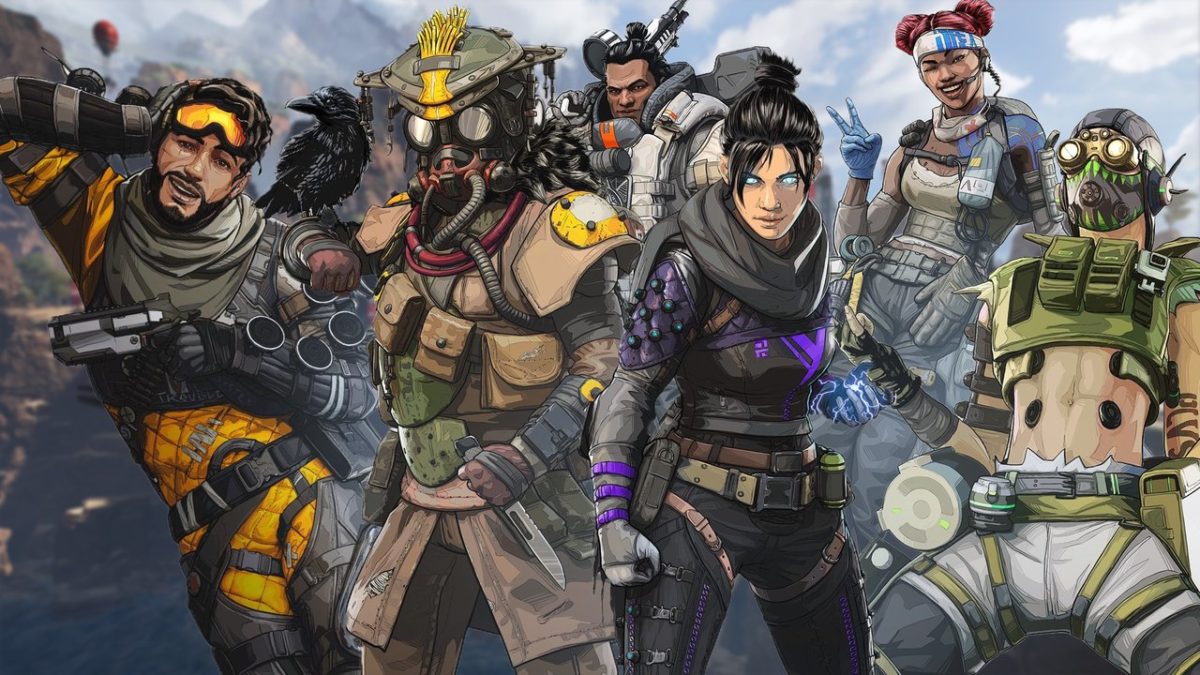
As with most good games, there really is no “best character,” so we’ll go ahead and say that right off the bat. Rather, there’s a specific character for a specific play style. Do you favor teamwork? Misdirection? Speed? While a steady aim and fast reflexes are still invaluable to a good player, one of key elements that separates Apex Legends from other Battle Royale shooters is its focus on class-based gameplay. So who should you pick? The towering tank Gibraltar? The speedy psycho Octane? Or maybe the master manipulator Mirage? Check out this quiz to find who you match up with:

(function(d,s,id){var js,fjs=d.getElementsByTagName(s)[0];if(d.getElementById(id))return;js=d.createElement(s);js.id=id;js.src=’https://embed.playbuzz.com/sdk.js’;fjs.parentNode.insertBefore(js,fjs);}(document,’script’,’playbuzz-sdk’));

Are you guaranteed to win so long as you play this character? No. There are a lot of factors to consider – what point in the match it is, where you drop at the start of the game, how good your team is, what you end up carrying – the list goes on. But at least now you’ll know which character you should be playing, and that’s a solid start! For a more complete look at your character, check out our complete guide below:

Chrome’s new dark mode has landed on Windows 10

This is Google’s most comprehensive dark mode for Chrome.

Google has been working on a dark mode for the Chrome browser for quite some time. The feature dropped for Apple fanboys last month when Google pushed it out to macOS and the feature is now being rolled out to Windows 10 users as a part of the Chrome 74 update. There is, however, a catch. Google is enabling the new dark mode for Windows, but it isn’t switching it on for all Chrome users just yet.

If that sounds confusing, don’t worry. Basically, what Google has done is to tie in the new Chrome dark mode to system-wide preferences and then not released it to all users. This means if you want to activate dark mode on Google Chrome, you’ll have to activate a dark mode in Windows 10. When you do this, Chrome will move to match it.

This is Google’s most comprehensive dark mode for Chrome

Dark Google Chrome

There has always been some sort of dark mode available to Chrome via theme support. Now, the official Google Chrome dark mode includes full implementation across the whole app including the context menus, tabs, and omnibox. When in dark mode, Google Chrome looks very similar to how it looks when you’re surfing in incognito mode.

If you have already updated to Chrome 74 then this might already be available on your Windows PC, as long as you have your system set to dark mode. To do this you need to right-click on the Windows taskbar and then hit Colors. From there you need to scroll down to Choose your default app mode and select Dark instead of Light.

dark mode setting for windows and google chrome
Image via: Google

Unfortunately, the feature has only been rolled out to a select group of Chrome 74 users, with a Chrome community manager laying it out on the Chrome support forums. “I can confirm that we are rolling out this feature to a small number of Chrome M74 users now, and that it will become more widely available in the near future.” If you don’t have access to this change yet, don’t worry, it is coming.

7
Chrome is a young, fast browser that can browse any web page. It supports all major technologies and standards such as HTML5 and Flash.

How to enable Google Chrome’s dark mode right now

There is another option, however, if you don’t want to wait for Google to push the feature to your version of Chrome. A couple of weeks ago we published a guide on how to activate the Google Chrome dark mode right away. All you need to do to activate Google Chrome’s dark mode is:

Step 1

Before opening Google Chrome, you need to right-click on the Chrome icon on your desktop and click Properties.

Step 2

Find the text box labeled Target. Then copy this line of text –enable-features=WebUIDarkMode –force-dark-mode and paste it into the Target field at the end of the text already in the field. This should be after it says Chrome.exe”.

Step 3

Click Apply and then OK.

After you’ve followed the above steps, you’ll be able to open Google Chrome in dark mode independently of the system-wide settings we mentioned earlier.

You need to look out for this new WhatsApp scam

WhatsApp hackers are trying to trick users into clicking fake links that will lock their accounts.

WhatsApp is quite a secure app and its end-to-end encryption is renowned for protecting user privacy. The latest security features can only go so far, though. There is one element that will always remain vulnerable even if an app is up to date with all the latest security features and protocols. That rogue element, so to speak, is us. The human factor can help hackers break through even the most secure defenses an app could possibly have.

It is the human factor that sits at the heart of the latest WhatsApp scam to do the rounds. You need to look out for this one or you could fall victim, too.

WhatsApp hackers are trying to trick users into clicking fake links that will lock and steal their accounts

WhatsApp windows wallpaper

This latest WhatsApp warning is coming out of the Middle East where the Telecommunications Authority of the UAE has published a warning against this new type of scam. Unfortunate victims have seen their WhatsApp accounts completely hijacked with hackers then able to read their messages and, even scarier, send messages on their behalf.

WhatsApp Messenger Download Now ►
8

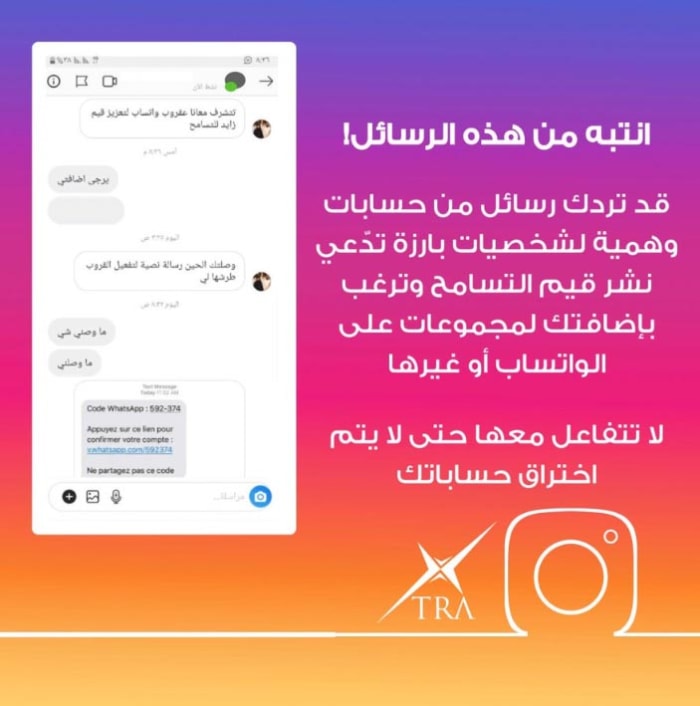
The scam works by sending a link to users who’ve recently installed WhatsApp on a new phone. What normally happens when this happens is WhatsApp sends a verification code to the user in order to prove their identity. In this case, however, the scammers are sending the code, along with a link, to users as a text message and asking them to click the link to prove their identity. The problems arise for users when they click the link.

Clicking a link on WhatsApp
If you click the fake link, you could lose your WhatsApp account

Whenever a user clicks the link, they confirm to WhatsApp that it is them, but they do it via the hacker. This then authorizes the hacker to control the user’s WhatsApp account and freezes them out.

The warning from the UAE says, “Mobile users should not share the verification code that is sent to them by SMS, otherwise, their account will be compromised. Many WhatsApp accounts were hacked this way, and subscribers lost all their details.” The scam has already claimed a lot of victims who no longer have control of their WhatsApp accounts. Worryingly, there are also reports that the scam has since been translated from Arabic into English and French, which means it could be coming to the U.S. and Europe.

beware this new whatsapp scam
Image via: Twitter – The scam has since been translated from Arabic to English

You always need to be extremely careful when opening attachments and clicking links that you’ve received in messages, particularly when the message comes from somebody you don’t know. Phishing scams, which try to trick you into handing over sensitive information, are on the rise globally. They’ve become increasingly sophisticated in recent times meaning it is much harder to spot scam attempts.

Fortunately, we’ve prepared an infographic containing 10 key steps you should take, if you’re suspicious about a message you’ve received. You can check out our guide for avoiding phishing scams by clicking here.

Cheap mobile-only Netflix subscriptions? Don’t hold your breath

Netflix has decided against rolling out cheaper subscription models in South Korea.

Netflix big screen remote

We’ve been following the extensive testing Netflix has been running on new subscription models for quite some time now. In November, the streaming giant launched a mobile-only model in Malaysia, which has since spread to other regions around Asia. As well as offering a reduced-price plan for mobile viewers, the tests have also seen cheaper standard SD plans offered to users and single device plans, too.

Earlier this month, we learned that Netflix is also testing a weekly subscription model in India. The new Indian model offers a weekly subscription for as little 95 cents for a week’s access to the full Netflix catalog with the Ultra HD package, Netflix’s most expensive subscription, coming in at around $2.90 a week. Sadly, however, for our readers in the U.S., UK, Canada, and Australia, it looks like these new cheaper subscription models won’t be available to them any time soon.

Netflix has decided against rolling out cheaper subscription models in South Korea

Speaking in the Business section of the Korea Herald, Netflix has said that it has finished testing the mobile-only subscription model in South Korea. A spokesperson said, “The tests have concluded… These tests we conduct may not get rolled out as member plans. Netflix will continue its efforts to provide the best entertainment experience for its members.” This means that the tests are over, and Netflix won’t be extending the mobile-only subscription plans, that are cheaper than the current more established plans, any further.

As was the case with all the other pricing tests we’ve previously reported on, there were various price points in Korea beginning with the 6,500 won price plan. Costing the equivalent of around $5.70, this monthly plan gave users access to the full Netflix catalog on a single mobile device. This works out at around 3,000 won ($2.58) a month cheaper than Netflix’s standard cheapest plan.

Netflix on mobile
It doesn’t look like we’ll be seeing a cheaper mobile only Netflix subscription model any time soon.

Out of all the Asian countries where Netflix has been testing these new subscription models, South Korea has the most advanced economy. It is bad news for Netflix viewers in countries like the U.S. and the UK then that Netflix has concluded that there is no need for them to offer a cut-price subscription to South Koreans. It is a pretty safe bet that if Netflix doesn’t think it needs to do it there, it won’t think it’ll need to do it in countries with more advanced economies either.

In fact, the truth is likely to be much worse for Netflix viewers in the West. As we discussed when we reported on a recent note from a Netflix shareholder’s meeting, Netflix growth is continuing despite recent price hikes in markets like the U.S., Canada, the UK, and Brazil. This means, if anything, we can only expect to see Netflix prices increase further in the future.

Which Avengers: Endgame hero are you?

Take our quiz to see which hero you’d be!

Avengers: Endgame

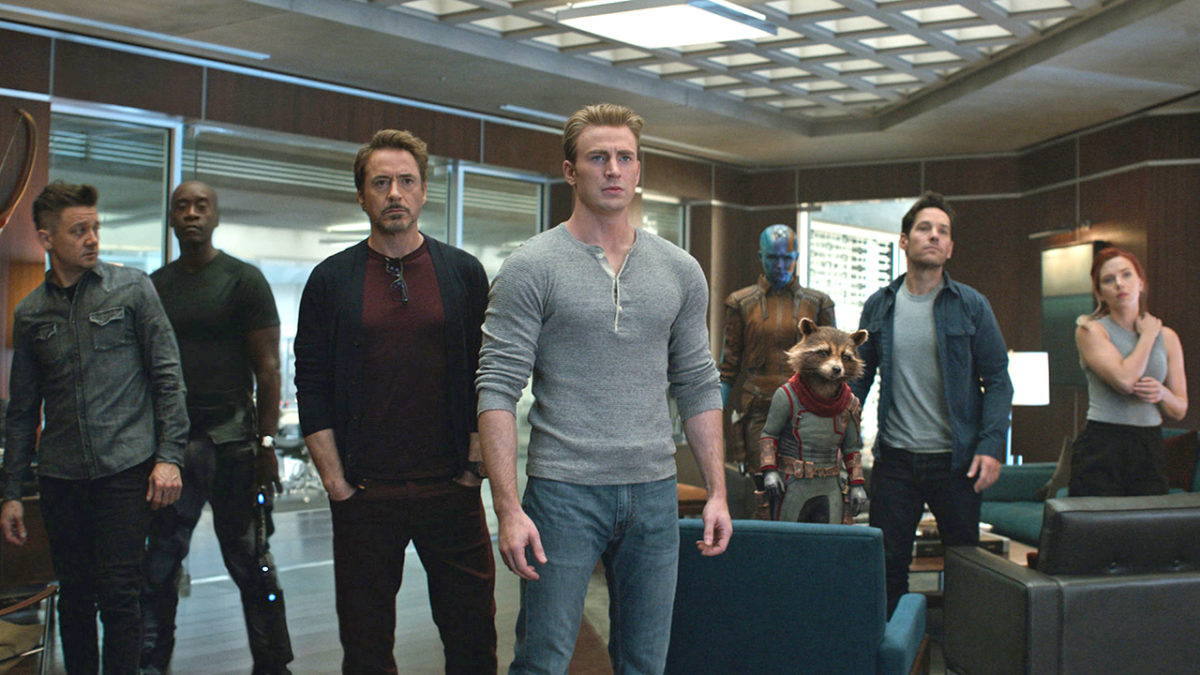
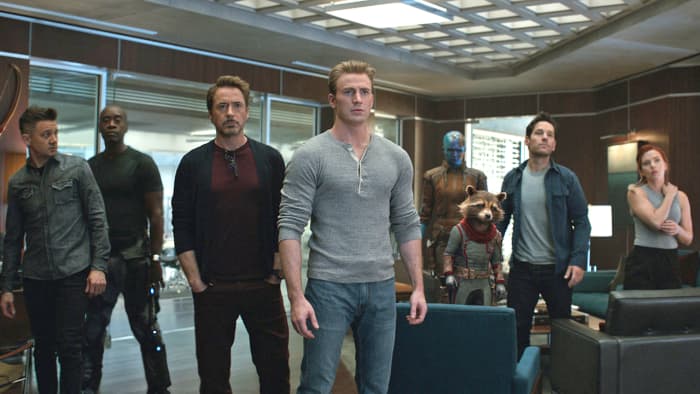
Thanos “snapped” a lot of our heroes at the end of “Avengers: Infinity War.” Now that we’re in the Endgame, there are a handful of survivors left to carry the torch and take the fight to the Mad Titan. While the whole gang is set on a singular goal, the crew’s pretty diverse in terms of personalities, backgrounds, and powers. Heck, there’s a talking raccoon with a rocket launcher. Of all the heroes on screen, though, which one are you most similar to? Are you a war-hardened military veteran? Or maybe a super spy? Or are you a genius billionaire playboy philanthropist? Take our quiz and find out!

(function(d,s,id){var js,fjs=d.getElementsByTagName(s)[0];if(d.getElementById(id))return;js=d.createElement(s);js.id=id;js.src=’https://embed.playbuzz.com/sdk.js’;fjs.parentNode.insertBefore(js,fjs);}(document,’script’,’playbuzz-sdk’));

Happy with your result? If not, you can always grab your Time Stone and take it again to undo the damage. Or you could refresh the page. Up to you. Let us know in the comments below which Avenger you got, and we’ll see you in the theaters!

Top 7 Stan Lee Cameos

Marvel announces that Avengers: Endgame will be Stan Lee’s last cameo. Check out our favorites here!

Stan Lee cameoExcelsior!

Stan Lee was more than just the father of all things Marvel comics; he was an icon in the industry.

Throughout his time with Marvel, Lee appeared in television shows, video games, and, of course, movies. Audience members sit in anticipation throughout a movie waiting to see when Lee will grace the screen. His cameos have ranged from hilarious to heartwarming. 

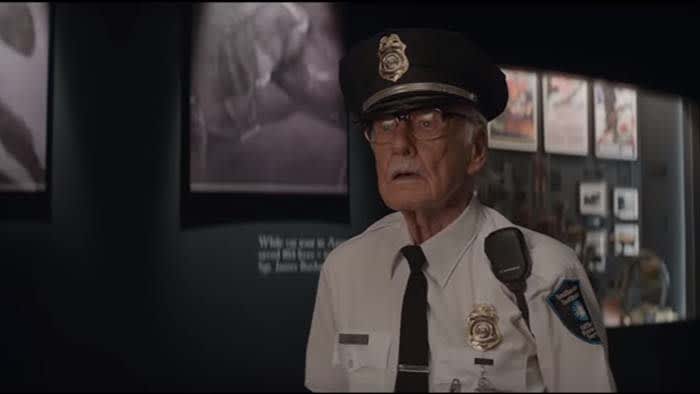
Due to his death last November, Marvel has announced that his final cameo will be in “Avengers: Endgame.”

Below, we compiled our favorite Stan Lee cameos from movies throughout the ages. We will not be including appearances in film or on television. With that said, his cameo appearance in Insomniac’s Spider-Man,  and his hilarious role on an episode of “The Simpsons,” will not be included.

7 best Stan Lee movie cameo scenes

7. Deadpool

Deadpool Stan Lee cameoWhen “Deadpool” first came out, the R-rating had us wondering if and how Marvel would use Stan Lee. He always gave off a wholesome, grandfatherly vibe, and Deadpool’s crude nature might tarnish that image. Marvel decided to veer into the skid by making Lee the announcer at a strip club. Guess what. It was hilarious!
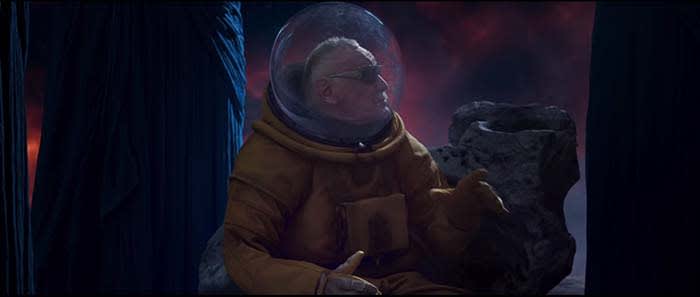
6. Guardians of the Galaxy Vol. 2

Guardians 2 Stan LeeBy the time “Guardians of the Galaxy Vol. 2” came out in 2017, Lee had already appeared in more than a dozen titles in the Marvel Cinematic Universe. Around this time, a theory had been buzzing around the internet that Lee’s character in the movies was actually one of the Watchers. The Watchers are extra-terrestrial beings who, well, watch the universe. 

Marvel decided to have some fun with fans, and show Lee talking to a group of Watchers while explaining to them all the different characters he has been throughout the MCU. Whether or not this was a joke or a hint at things to come, we were just glad that Marvel was listening to us.

5. Iron Man

Stan Lee Iron Man

“You look great, Hef.”

About a year prior to Lee’s passing, Playboy founder Hugh Hefner passed away. The two had been friends throughout the years. The two also worked together and created a series and a brief comic strip for Playboy.

It was only fitting for Lee to impersonate his friend in 2008’s “Iron Man.” As Tony Stark walks into a party filled with celebrities, he stops to greet “Hef” who is standing outside with some lovely models.

4. The Amazing Spider-Man

Stan Lee Amazing SpidermanSometimes Stan Lee can say nothing and have an absolutely hilarious cameo. 

In “The Amazing Spider-Man,” Lee finds himself listening to music at a high school library… for some reason. Unbeknownst to him, Spidey and Lizard are fighting in the background. As the two clash back and forth, Lee narrowly avoids getting hit by a desk as he quietly jams out to classical music.

3. Mallrats

Stan Lee Mallrats“I think you outta get him some help. He seems to be hung up on superhero sex organs.”
If you ran into Stan Lee on the street, what questions would you want to ask him? Hopefully, your choices would be less perverted than Brodie’s in “Mallrats.” 

In the scene, Brodie finds himself down on his luck. His girlfriend does not understand his obsession with comics and video games, and he doesn’t know which means more to him. Almost like a guardian angel, Stan Lee descends from the heavens to give him life advice.

Sadly, Stan Lee is no longer around to give you advice for your love life, but you can read this story to learn how he created his characters:

2.  Teen Titans Go! To the Movies

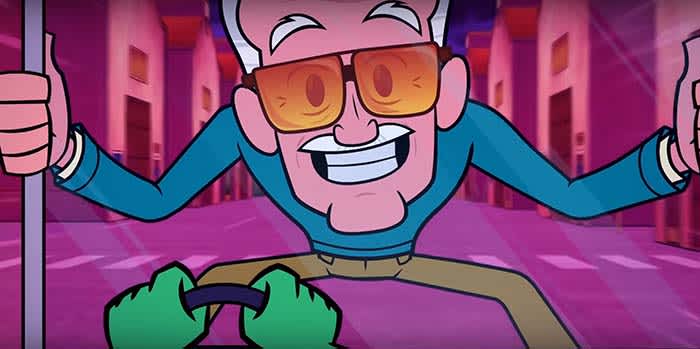
Stan Lee Teen Titans“This is a DC movie? Oh geez, I gotta get out of here.”

Stan Lee’s eccentric, charismatic personality never got its justice on film. However, when Stan Lee was animated in “Teen Titans Go! To the Movies,” we got to see all of his personality out in the open.

As he jokes while breaking the fourth wall, someone on set tells him that he is doing a cameo in a DC movie. Realizing his mistake, Lee bolts out of there.

1. Spider-Man 3

Stan Lee Spider-Man

In the first two Spider-Man films from Sam Raimi, the people of New York City have mixed feelings about the web-slinger. Despite the fact that he has saved the city over and over again, he still has his critics (not just J. Jonah Jameson).

Finally, in “Spider-Man 3” Spidey has the love and appreciation of the entire city. After saving Gwen Stacy, Peter Parker walks through the city and sees a news report saying that Spider-Man will receive the key to the city. 

As Parker reads the news, a string of emotions comes across his face as he processes the news. Before he can say anything, Stan Lee walks up to him to offer his two cents. 

“You know, I guess one person can make a difference.”

The words have dual-meaning as they represent what Spidey has done for the city, and what Lee has done for Marvel comics and the comic book industry in general. 

Although “Spider-Man 3” might not be the best Spider-Man movie by a longshot, it does have our favorite moment from our favorite comic book legend. 

Did you agree with our choices? You can see every Stan Lee cameo from every Marvel movie below:

Make sure you tell us your favorite cameos in the comments below!

Leaked Instagram update shows hidden “like” count

A new leak shows that Instagram may hide how many likes a post generated from the poster’s audience

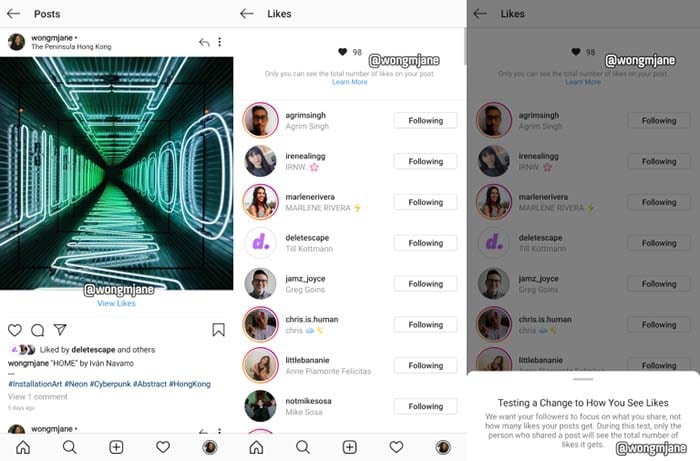
Instagram prototypeIn a leak discovered by reverse engineer Jane Manchun Wong, Instagram might be bidding adieu to the like-counter.

The prototype shows that audience members who view posts won’t be able to see how many likes a post gained.

“We want your followers to focus on what you share, not how many likes your posts get,” Instagram writes in an in-app message. “During this test, only the person who shares a post will see the total number of likes it gets.

Instagram Download Now ►
7

In an interview with Techcrunch, an Instagram spokesperson confirmed that the leak is a prototype from Instagram

“We’re not testing this at the moment, but exploring ways to reduce pressure on Instagram is something we’re always thinking about,” the spokesperson said.

Whether removing the like count from audiences’ eyes will “reduce pressure” remains to be seen. Not having to worry about your post being judged by its amount of likes, but for its content sounds good in theory. We’re up for anything that helps our mental health. If Instagram can prove that hiding like totals helps us feel better, we can only hope that Facebook and Twitter follow suit.