10 tips to become a better gamer

Games are hard. That’s the not-so-secret reason a YouTube channel like LetsPlay has 3 million subscribers, or why Fortnite tournament champions can bring home millions of dollars. Sure some games are easier than others, but you can usually tell the difference between a novice and a veteran gamer no matter what title they boot up or what controller is in their hands.
Fortnite: Battle Royale Download Free ►
10

Even if you can win every Fortnite match, dominate the Mortal Kombat leaderboards, or build Minecraft castles in the sky, you still might not be the greatest when it comes to beating Riddler in Arkham Knight, winning races in Forza, or leading a nation in Civilization 6. Gaming has grown into a huge umbrella, and it covers a lot of ground. No matter what game you pick up, though, there are some universal tips that will always start you off on the right foot. Here’s our list:

1. Save often, use different slots

Mostly gone are the days of classic Sierra-style point-and-click adventure games like Quest for Glory or Gabriel Knight. You know, games that punish the crap out of you for forgetting to save your progress. Most games use auto-saves or checkpoints nowadays, but take it from a guy who grew up with the classics: If there’s an option to manual save, do it often. It can save you hours of having to replay the same territory.
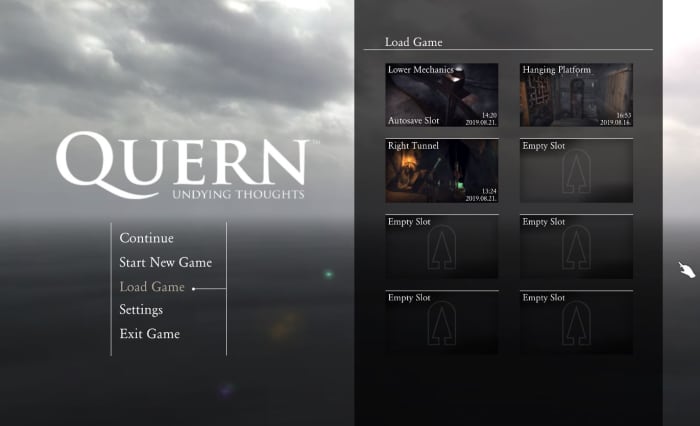
Quern Undying Thoughts save game menu
Use multiple save slots to set up a safety net

Saving in different slots is also smart. You may make a decision that you regret, like overspending your resources, killing a character, entering a place before you were ready, choosing a poor team for the job – the list goes on. We recommend having at least three saves that you go between. That way you have a safety net in case you royally screw something up.

2. Everything is rock, paper, scissors

Rock, paper, scissors is the most basic game of all time (besides maybe Pong) and yet it permeates everything. Hilariously enough, it’s usually even praised for making games complex. The idea is that for everything there is a counter. We can’t stress how important it is to take that into consideration no matter what game you’re playing. It’s the foundation for RTS titles like Total War or Battle for Middle Earth (spearmen –> horses –> archers –> swordsmen –> spearmen), but rock-paper-scissors can apply to practically any genre.

Look at fighting games (who’s the best match for Braniac in Injustice 2?), RPGs (when should you use ice spells instead of fire in Skyrim?), and even shooters (when will an SMG beat a shotgun?). If you find that your usual tactic, your favorite character, or your best weapon isn’t getting the job done like you expected, it’s time to consider a new tactic.

3. Read the manual

We know what you’re thinking. ‘I don’t need to read a manual! That’s for wimps!’ Well then it’s time for a personal story: One of the first games I ever played was Jedi Knight: Dark Forces II. In the sixth level (ugh, I still remember every detail of this game) there’s a room with a bridge that has to be manually extended in order to progress through the room. The catch is that the extension controls are quite far from the bridge itself, and the bridge doesn’t stay extended long. Bottom line: You have to run across the bridge really quickly before it pulls back in again. It went something like this:

I was stuck at this part of the game for seven months because I kept trying to walk across it as fast as possible. Because I didn’t know there was a ‘run’ button. Call me dumb, but since this was one of my first games I didn’t know that was standard practice. If I’d read the manual I would have known this right off the bat and saved myself months of frustration. It pays to know the tools in your toolkit. Read the manual. Don’t be like me.

4. Hotkeys are your friends

If you’re a console player this tip isn’t quite as important, but for all you PC players looking to up your game this is huge. Any level where you’re on the clock (and we’re not just talking about racing games like Need for Speed. If you’re playing a shooter you need to react quickly.) you need to be able to do a lot of things in a short amount of time. Hotkeys might take some extra memorization, but trust us; it’s worth it. You’ll be able to do so much more, so much faster.
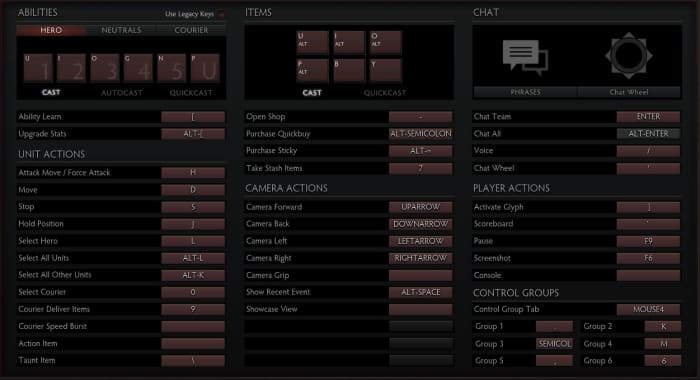
DOTA 2 hotkey menu
With a bit of practice and the right hotkeys set, you can operate as fast as you can think.

Some games let you set the hotkeys yourself, which means your experience will play as intuitively as you choose. You can even look at a new console game like Marvel Ultimate Alliance 3. If you’re having trouble adjusting to the gameplay (like we did) you can change the control scheme right in the Options menu. You can also re-assign powers to different buttons if you don’t think it makes sense where they are. If the controls don’t make sense to you, look to see if you can change them.

5. Re-position, reacquire

If it feels like you’re running into a brick wall, it might be because you are. How could the game designers be so cruel? Why would they make a level unwinnable?? Odds are, that isn’t the case; you’re just not approaching it the right way. Attacking from a different angle can make all the difference. A melee brawl with a tough opponent might spell death, but a sniper shot to the back of the head? Can’t argue with that! Sometimes it’s like Sam Fisher instructs, you’ve got to “re-position and reacquire:”

This doesn’t just go for single-player games either. If another player in an FPS game seems untouchable, try and undermine him. Go at him with strategies he doesn’t expect. Use equipment that your teammates discarded. Get around the obstacles, flank him, and hit him where he least expects you. Be patient and, to quote Napoleon Bonaparte, “never interrupt your enemy when he is making a mistake.”

6. Everything is min/max

Remember when we said that everything is rock, paper, scissors? That only works if your rock is heavy, your scissors are sharp, and your paper is … uh, it’s not a perfect metaphor. The point is that when you’re trying for an specific build, strategy, or angle in a game you need to push it to its fullest extent. There’s an important balance you need to consider: Do you want to create a loadout or character that’s a jack of all trades? Or would you rather make a specialist who’s unmatched in one category, but vulnerable in another (a la rock, paper, scissors)?
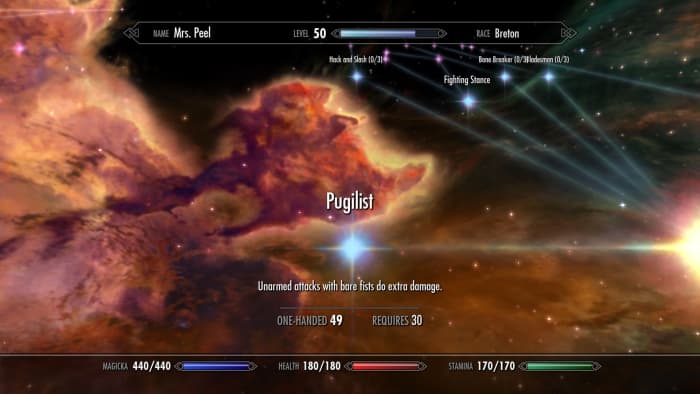
Elder Scrolls V: Skyrim Pugilist perk unarmed
Don’t even TRY an unarmed Skyrim playthrough without investing in this perk.

While it may be tempting to raise the HP of a weak character, or beef up someone who’s not doing much damage, remember that teamwork makes the dream work: Operating as a cohesive unit of properly min/maxed characters ensures that no matter what you go up against, you have a solution for it. In RTS games that means moving units with stacked bonuses. In shooter games that means teammates are covering all the angles in a firefight. In an RPG that means leveling up the right skills and traits.

7. DODGE!

A good player can roll with the hits, but a pro player doesn’t get hit to begin with. In the words of Piccolo, the most valuable skill you can learn is to dodge. This applies to literally every game: When you’re under fire there’s a spot where you’re safe and there’s (usually many) spots where you are decidedly not safe. Dodging in video games is an art, but it’s also a test of patience. Defensive playing can keep you alive long enough to get that coveted weapon in Halo, elude that persistent zombie horde in World War Z or outlast that infuriating Dark Souls boss.
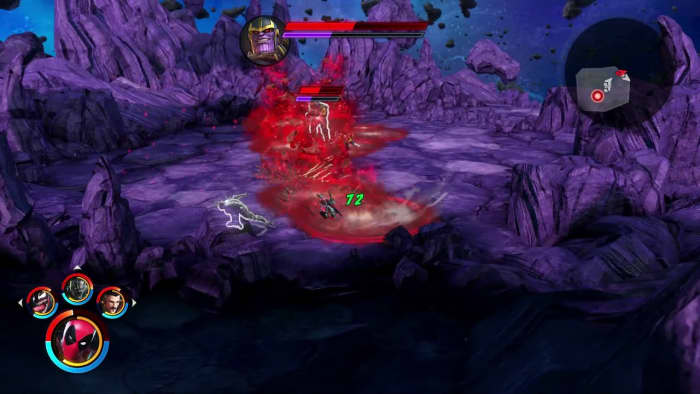
Marvel Ultimate Alliance 3 Thanos fight
It’s usually clear where to stand and where NOT to stand.

This tip also extends to using cover properly in a game like Mass Effect or Dragon’s Dogma. Silly as it may seem, trees, pillars, and rocks are usually indestructible, so dipping behind them will shield you from mightier aoe attacks and buy you valuable time to heal or plan your next move.

8. Retread old ground, but remember your current objective

Going back to explore old territory might sound boring if you’re itchy to move along in a game’s plot, but it’s often worth doing. Sometimes a place you’re stuck actually is unsolvable unless you go back to investigate earlier ground with a little more scrutiny. This is especially true in puzzle games like The Room or Myst where being observant is half the battle. Maybe there’s a subtle clue you overlooked. In RPGs like Dragon Age backtracking is a good way to save characters who would otherwise have died or complete easier quests, and in shooter games it’s a great way to hone your skills in a controlled environment.
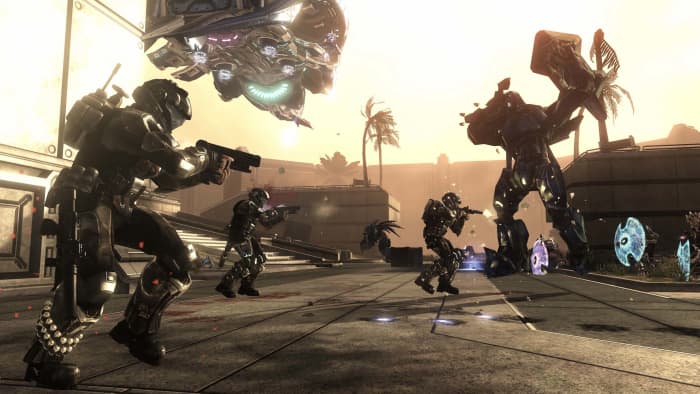
Halo 3: ODST firefight
Having trouble winning online Halo matches? Practice in Firefight.

On the flip side of the coin, if you’re stuck at a difficult juncture in a game don’t just endlessly replay easier points. It may not be fun to hammer away on a tough boss in Street Fighter 2 for hours, or sit there stumped trying to beat a difficult stealth section of a game like Shadow Tactics, but we promise – you’ll beat it eventually. You just have to keep grinding away. Never give up, never surrender!

9. Tinker

If a game has a place to tweak your equipment and tools, it’s always worth doing. Whether its smithing your weapons and armor in an RPG like Kingdoms of Amalur or Witcher 3, managing your ISO-8 in Ultimate Alliance 3, upgrading your Mother Base in Metal Gear Solid V: The Phantom Pain or memorizing those multi-hit juggle combos in Injustice, practice makes perfect and every little bit counts.

If you’re really trying to fine-tune your experience, the same goes for the often-ignored Options menu. Small tweaks here can have a huge impact on your gameplay, like raising your joystick sensitivity. In Call of Duty that will open a ton of doors. Even something as small as changing the reticle color in Apex Legends could make an unexpected difference in your performance. Trial and error might lead to an adjustment you didn’t know you needed.

10. The Internet already did it

Last but probably most obvious: It’s 2019 and “if it exists, it’s on the Internet.” That goes for strategy guides, tips and tricks (like this article!), video walkthroughs, Twitch streaming, and even Facebook groups or companion apps for certain games. If you’re struggling with a point in a game, we swear you’re not the first. Look to the gigantic network of players and you’ll undoubtedly find someone who’s gotten past where you’re stuck.

Hopefully these tips will help you up your gaming skill in whatever franchise you’re currently enjoying, and that you’ll tackle the next milestone with a bigger bag of tricks.

Let us know in the comments below if there are any universal gaming strategies that you’ve used, and stick with Softonic for more gaming tips and tricks!

Top 6 Google Drive features you didn’t know about

Many Google Docs users know how useful it can be as an autosave browser-based text editor. However, few people know that Google Drive actually offers many other features that are unique among text editing software. Whether you’re already a frequent Google Docs user, or just looking for alternatives to Microsoft Word, you will absolutely be able to benefit from some of these unique features:

Google Drive Free Download
7

Voice typing

Some people can only work out their thoughts by speaking them, instead of actually writing. These people often make recordings of what they want to say. Well Google Docs takes it a step further; allowing you to simply speak to write. It can really cut down on the time you spend on a document, and it’s great for anyone who has a visual impairment, but plans to write through speech programs.

Commenting on unconverted .doc files

One problem people have with using Google Drive as a converter, is that it often does not properly convert formatting. If you  This isn’t necessarily Google’s fault, as they don’t have access to the formatting that other files have, such as Microsoft Office. However, Google Drive allows you to make comments on .doc files without any conversion. This can let you keep the formatting of the Microsoft document, but still allow you to make notes on it for later use.

Publishing files as public pages                

Many people know that you can use Google Drive programs to work on documents with a group of people at the same time. However, not everyone fully understands the benefit of the publish features. Published Google Drive files can be publicly viewed (if published this way) allowing for an easy way to create public documents. This can be used for personal and business use alike.

Smartphone document scanning

With the Google Drive app, you can scan documents to be immediately saved as PDFs to whatever folder you want. You can use this for anything from receipts to billing statements. This can be a great alternative place to keep all the important documents you have.

Auto-translation

Everyone knows that Google Translate isn’t 100% accurate all the time. However, it can help you get a better understanding for what a foreign sentence might be saying, without needing to find an actual translator. Google has also done a lot within the last few years to make their translation software more accurate. Google Docs and other Drive software come pre-prepared with this same translation feature. It can be really helpful when working on a document with a group of foreign language speakers.

Laser pointer mouse in Google Slides

While this is an easy trick to do in Google Slides, it is very uncommon in powerpoint programs. All you have to do is click the “pointer” button while on a published Slides document, and you get to have a unique pointer. This can not only be useful for professional presentation, but it can also be fun to change things up from the regular mouse button. 

Of course, these are only a few of the numerous features that Google Drive has to offer, and Google continues to update each of its programs with new features all the time.

Test Minecraft Beta features on Xbox

World

Ever want to know what’s on the cutting edge of Minecraft technology? Want to experience the upcoming updates before they happen on Xbox?

If so, you should join Minecraft Beta testing!

By doing this, you’ll be a few updates ahead of everyone else. Mind you, it does require sending information to the creators so they can improve the system and there are a few compatability drawbacks (and the occasional bug). We’ll address these soon enough!

If you’re ready to dive in, let’s talk about how to…

Test Minecraft Beta features on Xbox

Step 1: Have Minecraft

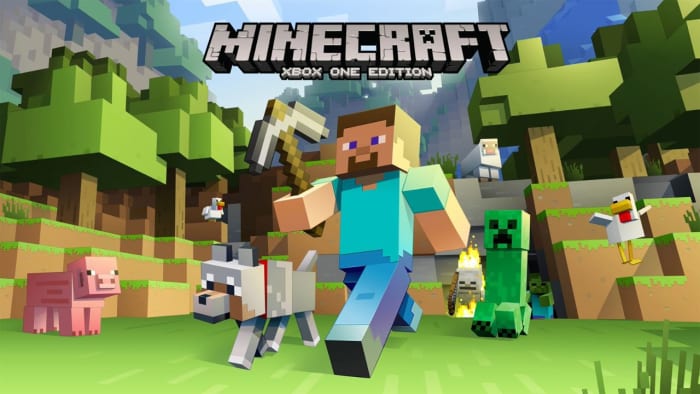
Minecraft Xbox One

Yeah, as you might imagine, this is one of the larger requirements for getting Minecraft Beta. The vanilla version will cost about $20 unless you’re lucky enough to drop by during a sale (best of luck).

Now: we did hear from a friend that you could get Minecraft for free by joining the Minecraft Insider Hub, but we haven’t been able to prove that. When we were younger, people also told us there was a secret way to get Paper Mario in Super Smash Bros Melee, but sometimes these things are just hearsay…

Which is really sad.

Paper Mario

Step 2: The Minecraft Insider Hub

MIH

Now comes the hard part, which also happens to be pretty easy.

Mosey over to the Xbox store and download the Microsoft Insider Hub, a tool for testing new features and sending feedback to the developers when you wish. If you’re like us, however, you’ll just use it as a place to activate Minecraft’s Beta features…

Step 3: Activating Beta

Within the Insider Hub, go to the “Insider Content” menu, one of five options that’ll likely be under “Rate Content” and above “Report Problem”.

Not much to it!

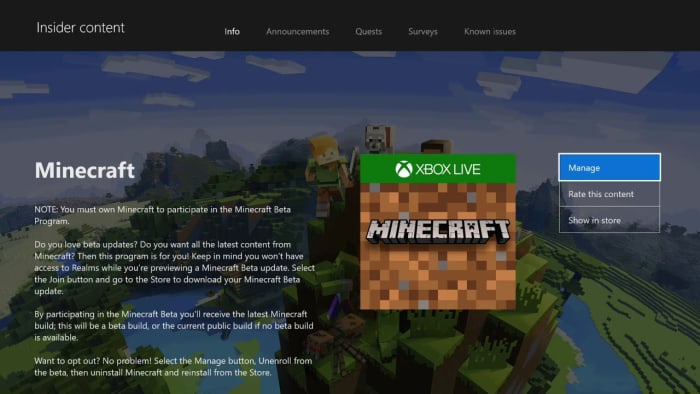
The games available for testing here rotate out, but Minecraft will almost always be available among the approximately three options. Once you do that, you’ll see a screen appearing something like this:

Minecraft

You’ll see something slightly different. Rather than “Manage”, along with these other options, your screen will say “Join” only. Hit that button and your copy of Minecraft copy will automatically update to include the experimental features!
The Drawbacks

There are two we know of.

First, you have to send information to the Insider Hub, which many people aren’t overly fond of. However, since that’s a matter of personal preference, we’ll allow you to decide if you’re good with this modest tradeoff.

Second, compatibility issues will arise, which generally means:

If you created Minecraft worlds without the Beta testing activated, you will no longer be able to play those worlds and vice versa: when you deactivate Beta, worlds created during that time will also be unavailable. Additionally, users of the Beta features and vanilla Minecraft aren’t able to join each other’s worlds, which totally stinks.

When you experience these problems, you have two options: do nothing and say “goodbye” to those worlds/friends, or change back to normal Minecraft!

And how does that work?

Step 1: Deactivate Minecraft Beta in the Insider Hub

Once again, head back into the Insider Hub and find Minecraft. When you pull up the screen, you’ll want to choose the “Manage” option and opt out of the Beta program. Easy as that!

Except, you have one more step to ensure compatibility, since leaving the program doesn’t actually change your digital game copy:

Step 2: Delete and Re-download Minecraft

If you purchased Minecraft online, we recommend finding the game in your library, deleting it, and re-downloading from the store. Some other tutorials recommend a full reset, but we found that to be unnecessary.

After you’ve re-downloaded, the game will work fine and you’ll be able to re-join all players in vanilla Minecraft and visit your old worlds!

Even better news? Once you’ve got the process down, these steps should only take a couple of minutes. Although downloading Minecraft over again might sound bothersome, the full game measures up to less than half a gigabyte, so re-downloads are refreshingly fast!

Minecraft Download now ►
7

Conclusion

We hope this guide helps you jump into the world of upcoming features with ease, and transition back if you need to join friends and explore your old files in the currently released update. Have a great time mining!

Which Watchmen character are you? (Quiz)

“Watchmen” came out 10 years ago, and it’s about the furthest thing from the popcorn-munching superhero movies of today. In fact, some might say it isn’t a superhero movie at all. While the main characters of the film definitely look like superheroes – masks, capes, and flying vehicles included – the point of the characters was not to inspire readers with tales of heroism and glamour.

A big part of Watchmen is looking at the characters and weighing in on their flaws. “We tried to set up four or five radically opposing ways of seeing the world,” said writer Alan Moore. “Let the readers figure it out for themselves; let them make a moral decision for once in their miserable lives!”

Nobody’s perfect! So which hero from Watchmen do you think you’re most like? Take our quiz and find out:

(function(d,s,id){var js,fjs=d.getElementsByTagName(s)[0];if(d.getElementById(id))return;js=d.createElement(s);js.id=id;js.src=’https://embed.playbuzz.com/sdk.js’;fjs.parentNode.insertBefore(js,fjs);}(document,’script’,’playbuzz-sdk’));

Happy with your result? I mean … probably not. Most of these heroes aren’t exactly role models. But hey, recognizing your flaws is the first step towards overcoming them, right? Or … maybe stick with our Avengers quizzes in the meantime.

Google turns to Microsoft to help solve Chrome’s battery drain problem

Microsoft engineers flagged a fix for Chrome’s battery drain problem and it took Google less than a week to implement it

Chrome is the most popular web browser in the world by an absolute mile, but it isn’t without its problems. Open up more than a few Chrome tabs and you’ll soon find your PC slowing down to a crawl as Chrome hogs up all of your device’s RAM. Another big problem, Chrome users face is battery drain. When you’re using Google Chrome, your device is burning through battery life much faster than it usually would.

Chrome’s popularity, however, might have inadvertently served up a solution to this battery draining problem. Microsoft recently turned its Edge browser into a Chromium powered browser meaning all Edge developers and engineers are now working on the same open-source code that Google used to build Google Chrome. While doing so it looks like they might have discovered a fix to Chrome’s battery power woes.

Microsoft engineers flagged a fix for Chrome’s battery drain problem and it took Google less than a week to implement it

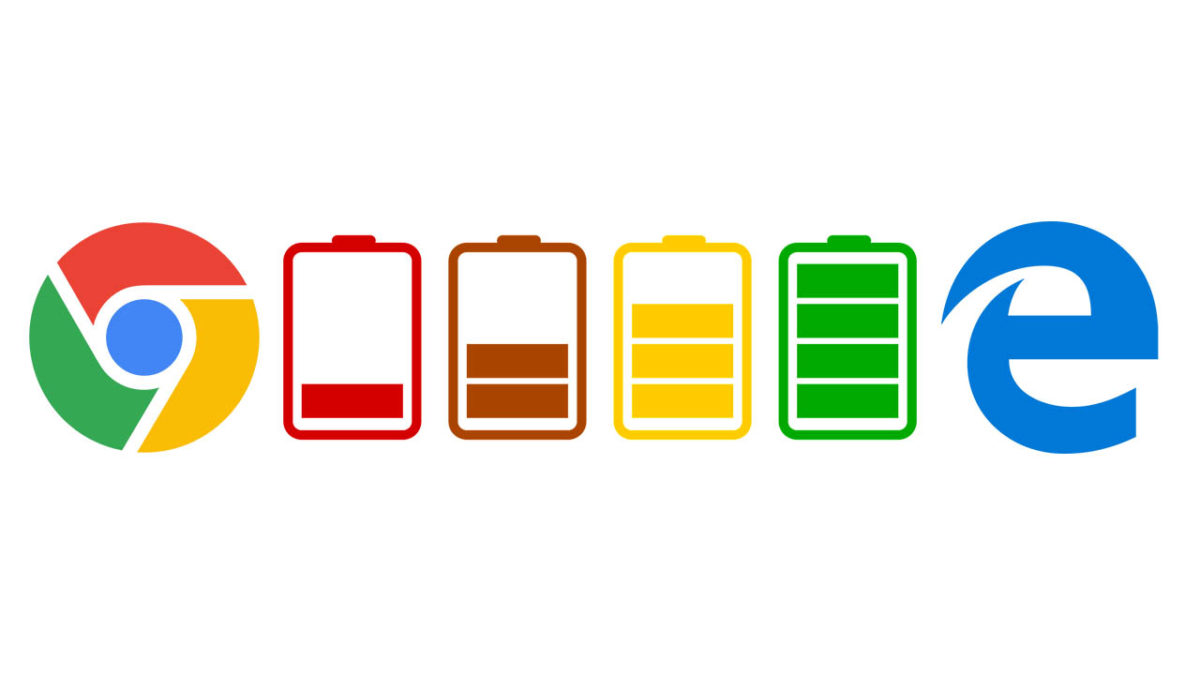
Chrome battery bad Edge battery goof

Those of you with good memories will remember the time we reported on the Microsoft Edge engineer who had to boot up Google Chrome in the middle of a presentation. The engineer was able to display the page he was looking for and continued on with his presentation but, nonetheless, the episode proved rather embarrassing for Microsoft to say the least. It now looks like Microsoft has finally had a chance to turn the tables as just a few months after they’ve moved Edge over to the Chromium ecosystem, the Microsoft team is having an effect on the Google Chrome browser itself.

The Microsoft engineers identified the problem behind the battery drain as being the excessive caching of data that Chromium browsers exhibit when handling media. According to a Chromium commit on the issue, “Keeping the disk active during this process increases power consumption in general and can also prevent certain lower-power modes from being engaged in the operating system. Since media consumption is a high-usage scenario, this extra power usage has a negative impact on battery life.” Caching data means the disk is active and is therefore a power-hungry thing to do. Any activity that does it is going to negatively affect your battery life.

The fix that Microsoft suggested involves the prevention of some data caching, which can effect the speed you can access certain types of media, but also detects when a power source is connected so that caching can continue as normal when battery usage isn’t an issue.

chrome experimental web browser canary
Google quickly added the Microsoft fix to its Chrome developer build

From when the Microsoft engineers first created the “caching” flag that enables the fix it took Chrome engineers less than a week to implement it themselves into the Google Chrome Canary build. This means there is a good chance it’ll soon make it into the regular version of Google Chrome, and we’ll all be able to save a bit of battery power the next time we boot up the Google web browser. Thanks Microsoft, we promise to try Edge again soon.

Mongolian metal exists and it sounds like this

Meet The HU: The Mongolian metal band that’s taking the internet by storm!

Mongolian metal

It doesn’t get much more metal than craving the days when your civilization conquered most of the eastern hemisphere. That attitude is the heart, soul, and blood of The HU, a band from Mongolia that’s donning the leather jackets and motorcycles of your typical heavy metal band. However, they’re pushing the boundaries with a fresh cultural edge.

The HU’s sound is distinctive, incorporating their native instruments (like a guitar called a Tovshuur or a jaw harp called a Tumur Khuur), distinctive guttural throat singing, and their harsh language into the music. Their lyrics are pretty brutal too:

“Ten of us will strike you as thunder. Hundred of us will shatter your hearts. Thousand of us will destroy and obliterate. Ten thousand of us will hand you the wrath of heaven.”

The first couple music videos the band put out went absolutely viral. Together the videos got more than 37 million views, and the number is only climbing. The HU is scheduled to tour later this year in Canada and the United States, and shows are coming to the following places:

More venues are listed on their website.

The HU music video
Never thought we’d see a Keshik horseman leading a pack of motorcycles.

The HU taps into a proud ancestry and ancient violence to rekindle a culture steeped in warfare and bloodshed. They put that fire into their music, and it comes through with the passion and anger that gives metal its bite. As one YouTuber commented, “I was listening to this while riding my bike. Now my bike is a horse.” We’re happy to see the band finding success, and are eager to hear what they churn out next!

10 best anime on Hulu

From space cowboys to superheroes in training, these anime are some of the best out there!

Spike Spiegel

Not sure what anime to binge next? Many may not know it, but Hulu has a surprisingly solid library of both new and classic anime, as well as some lesser-known hidden gems. Grab a snack and get comfy. Here’s a list of the best anime you can start streaming on Hulu right now.

The 10 best anime on Hulu

Hulu Plus Download Free ►
7

10. “Noragami”

noragami
Image courtesy Bones

Imagine if you were a god. Sounds perfect, right? Well, in the world of “Noragami,” being a god isn’t all it’s cracked up to be. Not all gods are created equal, and Yato dreams of one day becoming as famous as the rest of his all-powerful brethren. In his quest to attain greatness he stumbles across a half-phantom girl named Yato, and a meek teenage boy named Yukine… who also happens to be a living weapon. “Noragami” is a quirky series with a lot of heart, and its original take on Japanese mythology stands out from the crowd.

9. “Assassination Classroom”

assassination classroom
Image courtesy Viz Media

The world only has one year until it’s totally destroyed. The entity behind the apocalypse? A schoolteacher. Well, not exactly a schoolteacher: a strange and tremendously powerful otherworldly being that looks like a weird yellow smiley face with octopus arms. He’s not all bad, though: he gives humanity a chance to avert its grim fate by offering to teach them how to kill him. In addition to teaching his junior high classroom normal subjects like algebra and history, this neon yellow horseman of the apocalypse also schools the kids in the ways of assassination. “Assassination Classroom” has a dark sense of humor and offers a delightfully bizarre ride from start to finish.

8. “Trigun”

trigun
Image courtesy Madhouse

“Trigun” is a quirky cyberpunk western that was a major hit when it first arrived stateside in the early 2000s. Our hero is Vash the Stampede, a gunslinger with an astronomical bounty on his head. Pursued by hordes of bounty hunters and an (arguably undeserved) bad reputation, Vash is also shadowed by Meryl and Milly, a pair of insurance agents that try to minimize the damage left in Vash’s wake. In addition to being an accomplished gunfighter, Vash also has a mean case of amnesia, and. as the series progresses, he slowly begins to discover details about his mysterious past.

7. “Black Lagoon”

black lagoon
Image courtesy Madhouse

Mild-mannered businessman Rokuro Okajima goes for the company trip of a lifetime when his ship is hijacked by a group of modern-day, gun-toting pirates. Hung out to dry by corporate management, Rock reluctantly turns to a life of crime himself, joining up with the colorful crew that kidnapped him. Rock joins stone-faced captain Dutch and sharp-tongued Revy and delves into the seedy underworld of the island of Roanapur. Rock and the crew encounter warring gangs, ex-Spetsnaz assassins, mercenaries, and other rogues as the mild-mannered businessman gets in touch with his bad self. Think “Breaking Bad” but with a fair bit more action.

6. Mobile Suit Gundam Wing

mobile suit gundam wing
Image courtesy Sunrise

Giant fighting robots? You bet. “Mobile Suit Gundam” is regarded by many as a pioneer in the mecha anime subgenre. First arriving on the scene way back in the ’70s, Gundam has been around in various incarnations since then. Despite the many iterations of the series and its spin-offs, the central plot remains constant: in the future, groups of humans split off from Earth, heading into orbit to form colonies of their own. Eventually, these colonies declare their independence, and a war ensues. Instead of tanks, warriors fight with massive Gundam mech suits. “Mobile Suit Gundam” Wing isn’t the only Gundam series available on Hulu either: several other Gundam spin-offs are available as well.

5. “My Hero Academia”

my hero academia
Image courtesy Bones

In our world, superheroes are the exception, not the rule. Whether it be the X-Men, Spider-Man, or Batman, heroes have to keep their identities secret, and are sometimes feared and reviled by the general populace. “My Hero Academia” turns that trope on its head. In the world of “My Hero Academia,” heroes are the norm, and most people have powers of some kind or another. Everyone, that is, except for Izuku Midorya. One of the minority without powers, Izuku dreams of becoming a hero too, and enrolls in a high school for heroes in training. Izuku and his powerful new friends have to take on supervillains, protect the innocent, and make sure that their homework is turned in on time.

4. “Sailor Moon”

sailor moon
Image courtesy Touei Animation

Middle school student Usagi Tsukino has a lot on her plate. Aside from the usual boy troubles and school stress, she’s also a magical guardian known as Sailor Moon. She’s tasked by a talking cat, Luna, with protecting the world from the monstrous forces of darkness and tracking down the missing Moon Princesses. She does it all without breaking a sweat (or her nails) and is never without a sarcastic remark in the meantime. “Sailor Moon” is a classic anime series that can be surprisingly relatable, and is a must-watch for all ages.

3. “Tokyo Ghoul”

tokyo ghoul
Image courtesy Pierrot

They’re not quite vampires, they’re not quite zombies, but they still thirst for blood… and lots of it. Ghouls are the new problem plaguing mankind, and they look and act totally normal by day. They could be your boss, your brother, your neighbor… but by night, they prowl the streets looking for their next innocent victim to devour. After a near-death experience leaves college student Ken Kaneki an unwilling ghoul, he’s forced into a dark and bloody world that he wants no part of. Fortunately, he manages to find another group of peaceful ghouls, but they’re hunted by the ruthless CCG task force. It soon becomes clear to Kaneki that things aren’t as black and white as he thought: ghouls aren’t all bad, and the CCG can be just as disturbing and inhuman as the monsters they claim to protect the public from.

2. “Psycho-Pass”

psycho pass
Image courtesy Production I.G.

“Psycho-Pass” is a must-watch for any cyberpunk fans. If you liked “Blade Runner,” “I, Robot” or “Detroit: Become Human,” “Psycho-Pass” is the series for you. In the future, crime is nearly nonexistent thanks to a new system of omnipresent supercomputers that can detect unstable individuals and wipe them out before crime ever occurs. Akane Tsunemori is a rookie officer that finds herself paired with the elite Enforcer unit, a squad of dangerous latent criminals that hunt down those deemed to be a threat to society. Things start to unravel when it becomes apparent that a dangerous killer is somehow fooling the system, and Tsunemori and her new friends in the Enforcer unit race to stop the threat.

1. “Cowboy Bebop”

cowboy bebop
Image courtesy Sunrise

Sci-fi meets film noir meets westerns in “Cowboy Bebop.” Bounty hunter Spike Spiegel and his crew make a living tracking down all manner of dangerous rogues across the solar system. The team has to contend with their own shadowy pasts just as much as they do the criminals they’re hunting, and the series effortlessly shifts tones between sarcastic humor and some pretty deep existential musings. “Cowboy Bebop” is a shining example of the best of anime, from the animation, to the voice acting, to the characters, and the soundtrack. It’s widely regarded to be one of the greatest anime series of all time. See you, space cowboy.

Wrapping up

Did we miss anything? Not to worry; Hulu has plenty more anime to devour, no matter what your tastes are. We’ll also be updating this article as Hulu expands its already hefty anime library, so be sure to check back with Softonic to see what’s new.

Your Bluetooth devices could be a handy backdoor for hackers

New Bluetooth bug can target Bluetooth devices from versions between 1.0 to 5.1

A disturbing new Bluetooth vulnerability has been discovered by researchers. It could see our wireless devices leaving us vulnerable to cyber-attack. The problem relates to Bluetooth’s authentication protocols and could see a potential attacker taking up a position between two Bluetooth  devices and eavesdropping on all information shared across the connection.

The vulnerability, which is known as KNOB (Key Negotiation of Bluetooth) is so serious that the Bluetooth SIG Group has been forced to public a security warning detailing the new bug.

New Bluetooth bug can target Bluetooth devices from versions 1.0 to 5.1

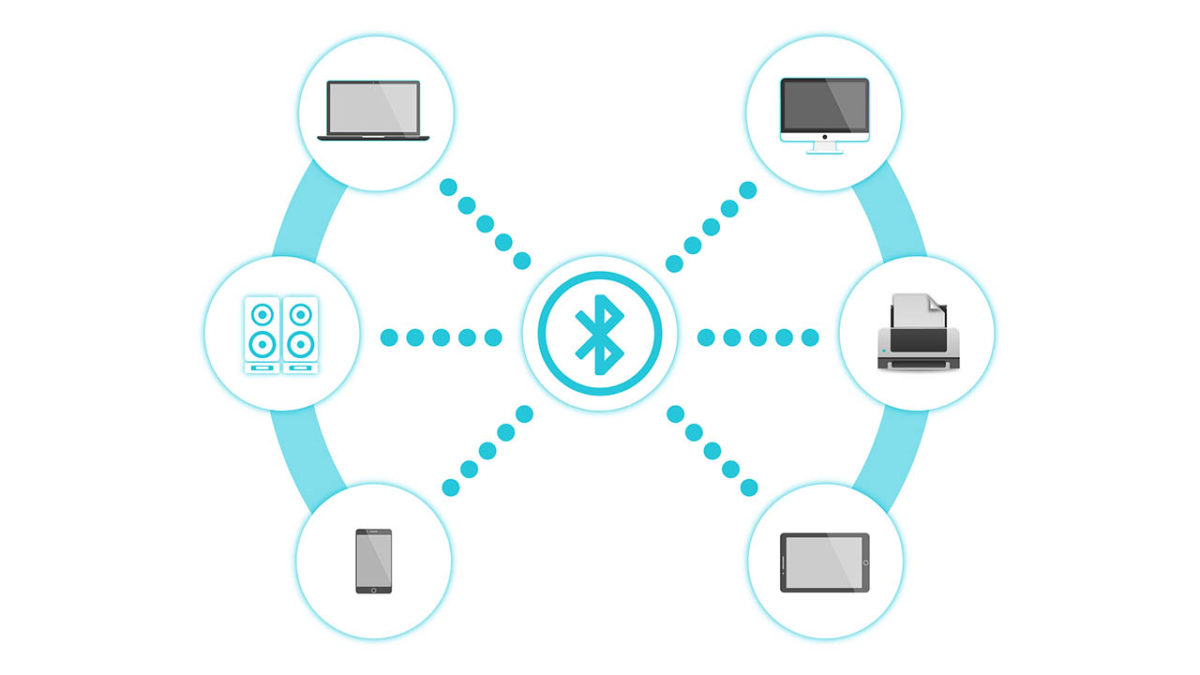
Bluetooth devices

A team of researchers from Oxford University, the Singapore University of Technology and Design, and CISPA Helmholtz Center for Information Security is responsible for the discovery. Known as a KNOB attack, the vulnerability degrades the level of security that Bluetooth connections have to such a level that a Brute Force attack, where a hacker simply cycles through all possible encryption passwords until they stumble upon the correct one, becomes possible.

Once the attacker comes to the correct encryption key, they then have ultimate access to all data being shared across the connection and could even add their own data to the connection. To give an example of what this could mean, I’m writing this report out on a keyboard and thinking about the last time I used my online banking!

Bluetooth Security notice
The Bluetooth SIG Group had to release a security notice warning about the vulnerability

The other scary thing to note about a KNOB attack is that victims don’t even know they’ve been compromised. It isn’t the easiest exploit, however, which means there is hope. The post explaining the vulnerability says, “For an attack to be successful, an attacking device would need to be within wireless range of two vulnerable Bluetooth devices that were establishing a BR/EDR connection. If one of the devices did not have the vulnerability, then the attack would not be successful.”

Fortunately, there are Bluetooth devices out there that aren’t vulnerable to this attack and the attack will only work if the attacker is in close proximity to two vulnerable devices at the same time. This means that the level of effort required to pull this off means it is likely to be businesses that will be targeted rather than individuals. Don’t worry, nobody is going to be hacking into your headphones and telling everybody that you listen Justin Bieber, and not Led Zeppelin like you’ve been telling everybody.

bluetooth logo

The other good news is that the Bluetooth SIG Group that describes itself as, “a global community of over 34,000 companies serving to unify, harmonize and drive innovation in the vast range of connected devices all around us” has already upgraded the minimum security specification that goes out to Bluetooth manufacturers to seven bytes. This means that even if the KNOB attack can degrade the security credentials of a Bluetooth connection, it won’t be able to do so to the extent that a brute force attack will be possible.

AAAANNNNDDDD Breath. Phew, it took a lot to get through all of that without making a single knob joke. Best knob jokes in the comments please.

Best DnD dice makers

So, you decided to start playing DnD, huh? Or maybe you’re starting a new game after a long wait? Maybe you lost the d20 and want an entirely new set this time around? Or perhaps you just want a new, high quality set of dice to make your friends’ mouths water the next time your dungeon master calls to the troops to order? Whatever the case…

Shopping for dice is great!

Dice are one of the few real-life items absolutely necessary for a game of DnD, and aside from being the backbone of random chance that gives shape and excitement the outcome of your decisions, they’re often freakin’ cool looking! Veterans likely know the feeling: you get attached to your dice sets like a proud parent of a successfully well-adjusted child.

So, if you’re ready to begin the pre-DnD journey of dice shopping, let’s talk about the…

Best DnD dice makers!

Par-tay Dice (The Cheapest)

Sometimes, you don’t want any specific set of dice, you want 9,000 options for $20, so both the cost and the dice can be shared amongst your whole party. Want a specific color? Take it. Want to draw a set of options as colorful as your salty, dragonborn bard? Go for it.

Our first set is an all-time fan favorite from Smartdealspro (an appropriate name). You get five dice sets for just $10, which means just two bucks per set. If you have five people willing to split the cost…

On the other hand, maybe you’re looking for more dice for more players! If so, QMAY has a “Big Bag-O Dice” (why is that not a product?), which provides four times the dice for about 1.5x the cost!

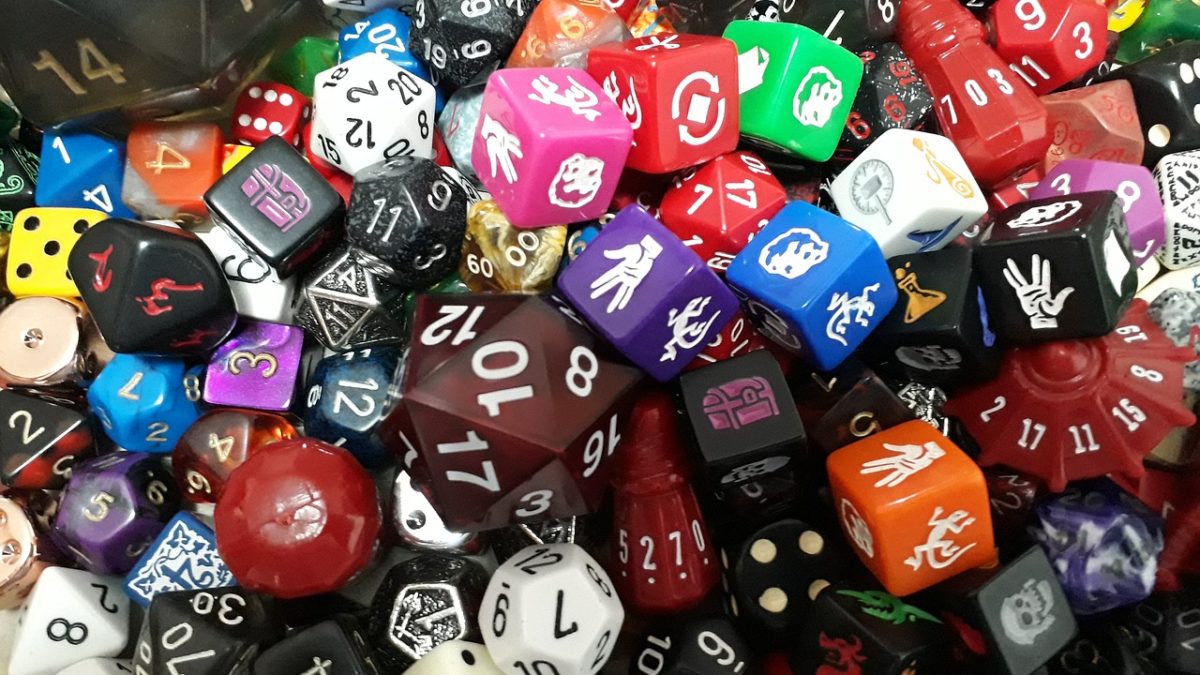
We have to admit…that’s a TON of dice.

Low Cost and Mid Range

If you’re like us, walking into your first game of DnD, it’s possible everyone around the table already has their own set of dice. If so, no problem! You can find a lot of excellent choices for a decent price.

Our eventual choice came from eBoot, a tried-and-tested company that has a large number of choices in the Amazon system. Just be careful, the costs are different for each set: our favorite silver blue version goes for $4.99, but the transparent glitter dice are over $10.

While you’re there, you may also want to check out Chessex, another company known for making a solid range of low-cost sets.

Heavy Metal

Let’s be honest: the five to fifteen dollar range has great plastic dice, from the see-through to opaque to glow-in-the-dark, but if you’re reaching the $20 range, you’re probably getting a set of awesome, metal dice!

Why metal? For starters, they last longer, look cooler, and feel amazing when held in your hand. Not only that, but you could probably throw them in a slingshot and put a hole through the drywall, which we’re not recommending but it’s totally a plus.

Haxtec has a great number of dice that generally fall into categories based on the trimming: gold, silver, or rainbow. If you check through their options slider, however, there are even a few options like ancient bronze.

Alongside Haxtec, Hestya has an enormous range of metal dice. They tend to be slightly more expensive, but there’s a greater range of classic options along with a few interesting designs. Check through their offers!

The Others – Craaaazy Stuff

Finally, if you search the web, there are a great range of interesting dice from different makers. While some of these are highly specific, many of them come with unusual cases or boxes for easier rolling.

To start, enjoy these metal dice from TecUnite, which just look awesome with their blend of gray and turqoise.

The aptly named Darksilver Forge makes impressive dice with tech font on a great design.

If you’re looking for interesting writing, perhaps try Q WORKSHOP’s Cthulu Horror set? They also have a large numer of interesting and specific designs that can be found from their Amazon page.

Finally, check out this set from UDIXI, another popular manufacturer!

Conlusion

Are none of these sets to your specific liking? No problem! We hope they’re  a useful tool, a springboard, for discovering the dice set that’s perfect for you. If anything, we hope you enjoy looking at the many designs. Best of luck with the quest, and enjoy your game of DnD!

Will this Google proposal make the internet more secure?

Why does it matter how long SSL certificates last and websites have a HTTPS classification?

A webpage on a laptop

HTTPS is the go-to security standard for websites. It has become so ubiquitous that most major web browsers, including Google Chrome and Mozilla Firefox, label a website as “not secure”, if it isn’t HTTPS. For a website to receive a HTTPS classification it needs to have been granted an SSL security certificate by members of the CA/B Forum. This is a group made up of certificate authorities and web browser developers that have been authorized to hand them out.

At the moment, when a website receives an SSL certificate it lasts for 825 days. This means the website will be HTTPS and not labeled as not secure for 825 days. It seems that Google thinks this is far too long because at a recent meeting of the CA/B Forum in Greece, the web giant proposed that certificates only be valid for 397 days. This would cut their duration from around two years and three months to just over one year and one month.

Why does it matter how long SSL certificates last?

There are two distinct camps to note in discussions on SSL certificates and HTTPS classification. The first camp is the browser makers, of which Google is the most prominent of all. Most browser developers expressed support for Google’s proposal for SSL certificates having shorter durations. In fact, they’ve all been pushing for shorter length certificates for years. It was only last year when they tried to cut the amount of time an SSL certificate was valid from three years to one before eventually compromising on just over two.

The people they compromised with, the other distinct camp in all of this, is the CAs or certificate authorities as they’re known. To them shorter durations means more certificates, which translates into more cost for the industry. The CAs have seen the duration of SSL certificate validation cut from eight years to five, then again to three, before only last year being cut again to just over two years.

What difference does it all make?

If this all sounds like a bit of a soap opera, you’d be right. There are a number of security related issues related to the proposed change from Google. These include SSL certificates being given out in error and even the revocation process not being effective. When malware filled sites or pages displaying phishing scams are discovered to have an SSL certificate and HTTPS classification, it can’t be guaranteed that revoking that certificate will effectively reclassify the site as just HTTP and consequently not secure. Shorter certificates mean this problem would take care itself more quickly.

There is something else to it though, and that is about who is in control of HTTPS. There is a train of thought being laid out by internet security experts Hashed Out, that says it is all a power play from the browser makers. They simply want to exert dominance over the CA/B forum and show them who is boss.

If the above is true then, it would seem to indicate that whether or not this proposed change form Google will make the internet more secure or not is an entirely subjective matter. It could be more effective to fix the bad certificate revocation process rather than shortening the length of time SSL certificates remain valid.

The one thing we do know, however, is that there wasn’t a vote on the proposed change that Google would like to see come into play in March next year. This means we’ll all be on the edge of our seats until the CA/B Forum next gets together and thrashes something out.