
These apps are leaving malware all over your Android

These apps were downloaded hundreds of millions of times. Learn what they do, and how to avoid them.

Android

Google recently released its annual Android security report, which covered 2018’s biggest malware trends.

The report found that there are a lot of scammy apps in the Play Store, with the amount of downloaded malware up 100% since the year before.

However, Google downplayed the findings, stating that the bulk of the PHAs (potentially harmful apps) available for download were click-fraud apps.

Yet, it’s hard to ignore the sheer volume of reports about the platform and the security risks lurking inside seemingly harmless apps. The malware program Trickbot was recently found in a large number of devices around tax season.

For Android, we found the worst offenders and the sheer number of downloads these malicious apps had:

Android malware list

The Android malware list just keeps getting longer, proving that Google’s filters need some work.

Here are the latest developments in Play Store malware news:

Aggressive adware

Avast’s cybersecurity team recently found roughly 50 apps in the Play store pretending to be “lifestyle” apps, but install malware on user devices in an effort to get as many clicks as possible.
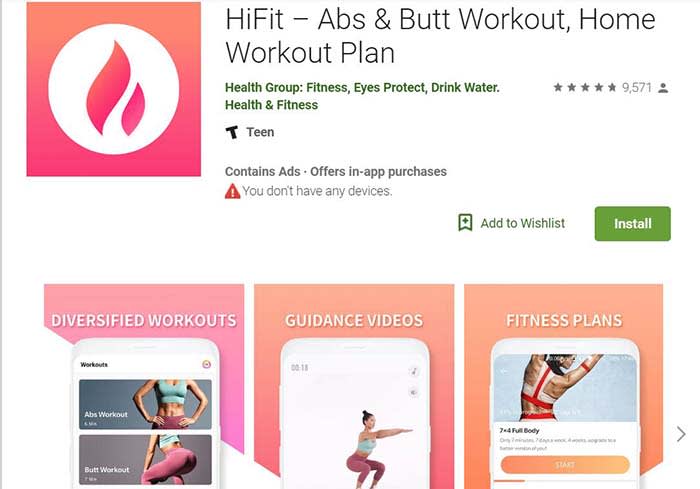
HiFit app
One of the apps in question

According to the report, the SDK is easy to spot in the code. However, checking the code for signs of adware is not necessarily something most people know how to do.

If you’d like to see what adware looks like in action, here’s a short clip:

Check Point

Check Point researchers found a code called Simbad in just over 200 Android apps in the Google Play store. They found it had been downloaded a total of 150 million times.

Simbad is an adware code hidden inside a software development kit or SDK. It is designed to install adware on your phone without your knowledge, then displays ads.
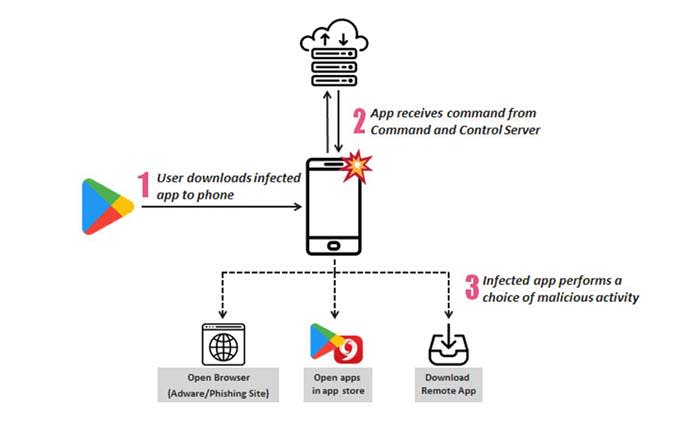
Check Point infographic
Infographic courtesy of Check Point

The Check Point investigation found that apps containing the code made it look like the user was clicking on ads repeatedly. The fraudulent clicks are an effort to generate ad revenue, and the activity takes place without the user’s knowledge.

According to Bullguard’s security blog, these are the top 10 downloads from this batch:

  • Snow Heavy Excavator Simulator – 10 million downloads
  • Hoverboard Racing – 5 million downloads
  • Real Tractor Farming Simulator – 5 million downloads
  • Ambulance Rescue Driving – 5 million downloads
  • Heavy Mountain Bus Simulator 2018 – 5 million downloads
  • Fire Truck Emergency Driver – 5 million downloads
  • Farming Tractor Real Harvest Simulator – 5 million downloads
  • Car Parking Challenge – 5 million download
  • Speed Boat Jet Ski Racing – 5 million downloads
  • Water Surfing Car Stunt – 5 million downloads

You can read the full list here. It might be a good idea to check it out if you have a thing for games that let you drive anything from tractors to emergency services vehicles.

Exodus

It was recently discovered that hackers hid government spyware in plain sight inside Android apps on the Play Store.

While the malicious decoy apps appear to be hidden in the Italian version of the store, this discovery shows that Google’s filters aren’t as airtight as they say.
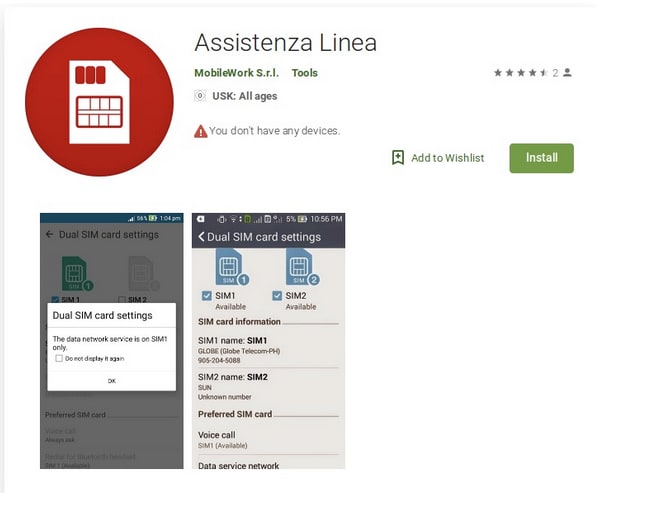
Exodus in the Play Store

The government spyware, known as Exodus, could extract passwords, chat logs, contacts, and recordings from rooted phones. It also collects basic details about a phone.

It’s worth pointing out that Google patched a Linux exploit called DirtyCOW back in 2016 to block access.

This means any new or recently-updated phone is immune to the attack, provided you stick with the phone’s built-in security settings. It’s when you start messing around with the customization options that you get into trouble.

Gutstuff

Gutstuff is a trojan targeting crypto investing apps. It is aiming for “mass infections and maximum profits.” How’s that for a corporate mission statement?

How Gutstuff works is through a good old-fashioned phishing attack by way of “web fakes.” Hackers set up apps that look like regular applications such as BitPay, Coinbase, and Bitcoin Wallet, as well as traditional banking institutions like Bank of America and Wells Fargo.

Infected users attempting to use one of the applications will be redirected to a fake page. From there, they’ll enter sensitive details so that hackers can steal from their accounts.

Signs that your Android has malware

Phone malware

Look, while Google says that most malware isn’t malicious, it can slow you down.

According to Norton Antivirus, malware is often programmed to perform repetitive tasks that use up your phone’s resources.

If you’ve been racing a lot of tractors or using third-party lifestyle apps, you might notice the following signs:

  • Your phone is slower than usual
  • The battery drains faster than normal
  • You’re seeing more pop-up ads
  • You’re going over data limits
  • You’ve noticed apps on your phone that you don’t remember downloading

If you notice malware on your phone, turn your phone on safe mode and uninstall the apps in question. If you’re unsure whether your phone is protected, it might be worthwhile to look into a paid antivirus program from a reputable company. After all, many anti-virus apps are adware themselves.

Malwarebytes Download now ►
8

Do I need antivirus for Android?

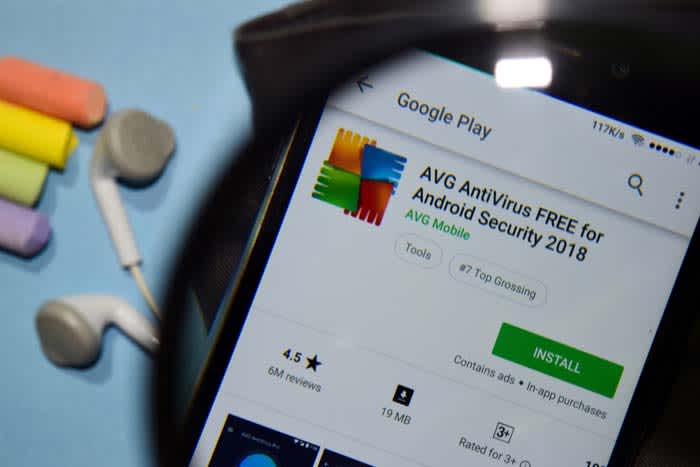
AVG android

No, but you do need to be careful.

A report from AV-Comparatives found that most Android antivirus apps don’t do anything but take up space. The reason they can get away with this is most malware isn’t a full-on attack. They instead trigger the little stuff like apps that generate pop-ups or collect information about your personal habits.

AVG AntiVirus Free Download now ►
8

Given that most malware apps are a racket, you’ll need to get smart about your security settings and what you choose to download.

Most items in the Google Play Store are vetted by Google’s review system. Most of what slips through the cracks are data harvesting apps or some kind of advertising scam, as we’ve mentioned above.

If you want to avoid these apps, keep your wits about you. If something sounds too good to be true or possibly malicious, it probably is.


Boost productivity with the best apps for time-tracking

Find the best app to help you manage your time and boost your productivity.

lady on the clock

There are a lot of factors in the mix when it comes to your productivity. There are external factors — the emails, notifications, and whether your colleagues are being especially chatty today. Also, there are things like whether your pants are comfortable or whether there’s a fresh cup of coffee to keep you company.

Sometimes you have trouble focusing or want to manage your output. Experts, bloggers, and productivity hackers alike recommend implementing some kind of schedule for “getting things done.”

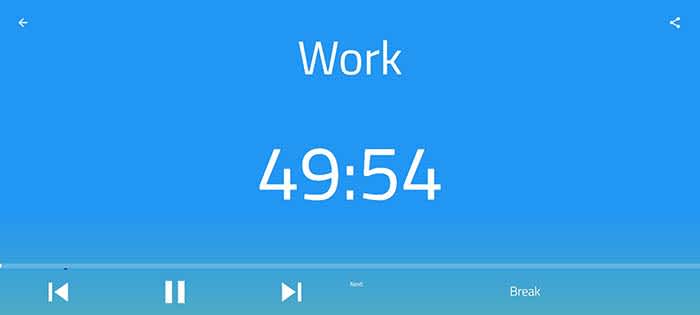
The most popular approach is the Pomodoro Technique, which breaks your time into a series of 25-minute chunks. But, we were curious, are there other approaches to blocking off time?

Over and over, the app 30/30 came up — but it turns out, it’s been discontinued.

What is 30/30?

Time management

The 30/30 app was an iPhone app made by Binary Hammer. Weirdly, it still comes up a lot when you search for the best time-tracking apps, despite being discontinued a few years back. There is an app on the Play Store with a similar name, but it does not have the same functions.

The underlying concept was, you’d assign yourself a set of to-dos to work on in 30-second increments. The idea was that you can plan out your entire day, and can customize intervals ahead of time.

This means you’re not resetting a timer over and over, which is the basic premise behind the Pomodoro technique.

How is 30/30 different than the Pomodoro technique?

Well, classic Pomodoro is done with a simple egg timer.

Today, there are several options out there like TomatoOne which lets you customize your intervals. However, most don’t allow you to plan out your day and sort of “flow” through different tasks.

Some people like the simplicity and use the popular method to stay on task, not so much track their progress.

If that’s you, TomatoOne is a basic app you can download for your desktop or smartphone.

Tomato One Download Free ►
8

What are the best apps to track your time?

PomoDone

PomoDone

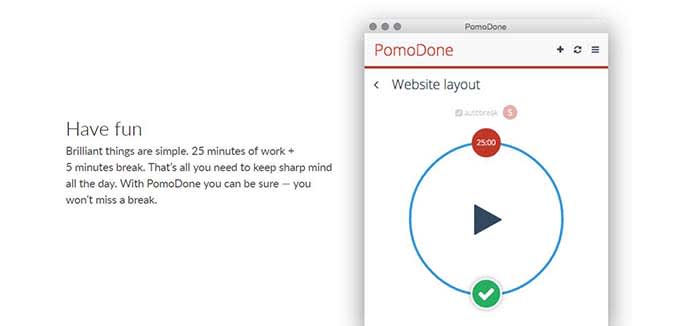
PomoDone is a productivity app built for Todoist users. The idea is that you can connect the two accounts and track the time spent on your to-do items.

What’s cool about PomoDone is that it allows you to drag your to-dos into the app and assign them by category. You can categorize your errands, emails, or work projects.

What’s more, you can also break out of the Pomodoro 25-minute cycle and assign time limits based on what you’ll need for each task.

PomoDone Download now ►
7

Focus Booster

FocusBooster

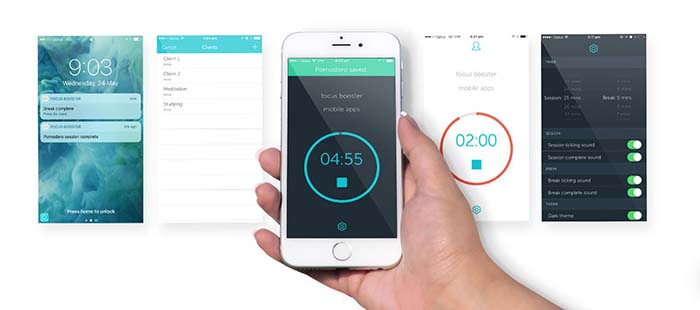
PomoDone and the Pomodoro technique can work for anyone with a to-do list and the willingness to track their output. However, Focus Booster is built for freelancers.

It comes with the standard timer app fare but allows you to break up your time-tracking by client or project. You can adjust the length of your sessions and turn your data into timesheets.

Focus Booster Download free ►
9

Focus List

FocusList

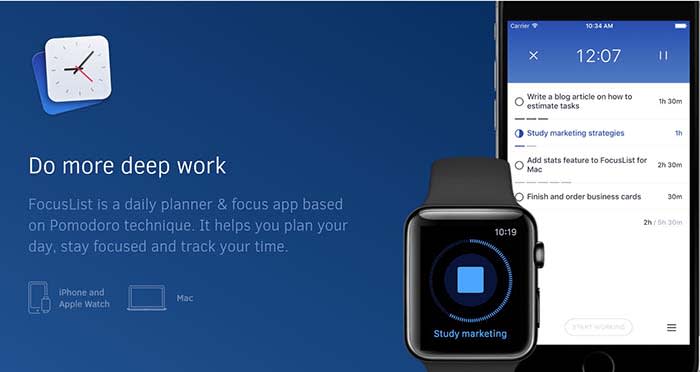
Focus List is another solid option for helping you plan your day, track your time, and review your progress. This app is something of a natural successor to 30/30, as you’ll “time box” your day. After using the app, you’ll start to understand how long it takes you to get things done.

FocusList Download Free ►
7

60-60-30 by Timerro

Timerro

The 60-60-30 technique is simple. You spend 60 minutes on one activity, then work for another 60 minutes followed by a 30-minute break.

Like Pomodoro, the hard part is getting used to staying on one task for an entire 60-minute block.

You’re supposed to take a 10-minute break between the two-hour-long chunks, which does make things slightly easier.

What we liked about 60-60-30 is that it allows time for more sustained blocks of focus than the 25 minutes Pomodoro blocks. Whether that’s invigorating or exhausting depends on how your brain is wired.

7

TL/DR: find a workflow that works for you

Stress relief

Working on a timer-system does come with some key benefits.

Short breaks can help you refill your creativity reserves and stay more productive throughout the day.

As you get used to working in a series of sprints, blocking out distractions will become second nature.

Over the long term, you’ll start to get better at managing your time. For instance, you’ll start to get a sense of how many sessions it takes to write an article, put together a report, or get through your inbox.

An article from Quartz article highlights an important point. Time-tracking is valuable, but you need to experiment with different intervals until you find what works for you.

Behavioral neuroscience professor from McGill University Daniel Levitin told Quartz that there’s no one workflow that suits every “neural style.”

For example, some people are able to focus for hours on end. Others depend on short bursts and are followed by short breaks to sustain energy throughout the day.

Levitin acknowledges that it’s a trial-and-error process, and it might take a while to find your ideal workflow.

Even Mr. Pomodoro himself, Francisco Cirillo, says it takes between seven and 20 days to master the system.

Find what works for you. The best method for your friend or coworker may not be what works best for you. Try a few different options, and stick with what fits you and your lifestyle.

Should you add a cashless payment app to your child’s phone?

Adults use cashless apps all the time, but are we ready to let kids use them?

Family credit card

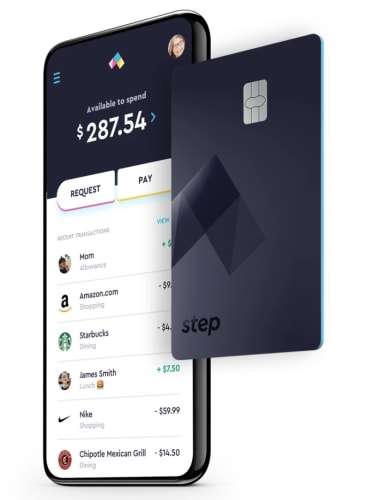
In January, TechCrunch posted an article on Step, the cashless app targeting kids and their parents. The app is the latest in a long line of cashless apps that aim to usher the youngest generations into an increasingly cashless society.

Step’s founders say that today’s teens are still largely burdened by cash transactions. They say that their goal is to be a teen’s first bank account and spending card.

The benefit of this solution is that Step doesn’t charge overdraft fees. Also, parents can put in controls against unauthorized spending.

Step is competing against a handful of apps targeting teens. All of them aim to teach financial responsibility and give kids access to digital payments.

Here, we’ll look at whether cashless apps for kids are a logical solution for allowance and summer job earnings. However, there still may be value in doing things the analog way.

Step - Mobile Banking built for Teens Download now ►
7

Are cashless accounts a good teaching tool?

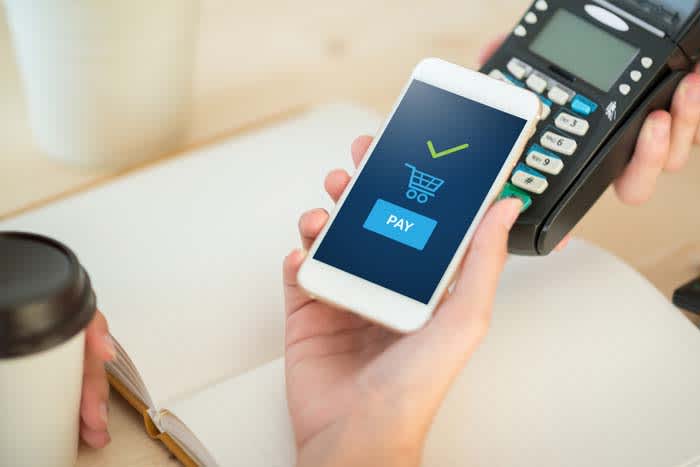
Paying by phone

Cashless apps for kids and teens are becoming popular enough that the New York Times ran a piece highlighting the trend.

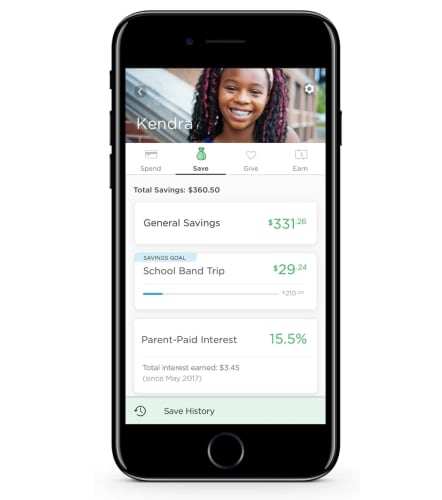
Parents themselves aren’t dealing in physical cash for the most part. Who wants to mess around with cash and coins, anyway? The parents profiled in the NYT said that using apps made it easy to transfer money to kids — for allowance or unexpected emergencies. Additionally, apps can present savings in a visual way, whereas with cash, it can feel like an abstract concept.

greenlight app cashless

Phys.org interviewed parents about their reasons for using cashless apps to send cash to kids. One parent said that they turned to the app Gohenry, another competitor, to help them “understand the value of money.”

However, a Prudential survey found that the opposite was true. The findings showed that contactless payments didn’t help kids develop the mental math skills associated with handling cash.

On the other hand, financial apps may be a good tool for teaching kids how they’ll likely use their own cash when they grow up. Our concept of money has changed dramatically in the past decade or so. It’s to the point that one wonders whether we’ll see physical cash at all in the coming decades.

In other parts of the world, there’s been a greater push toward a cashless society. For example, in France, it is now illegal to pay for anything over €1,000 in cash. Singapore and India are moving toward cashless societies, too. There’s also China’s mass adoption of tools like WePay and AliPay.

7

Are cashless accounts safe for kids?

The whole point of apps targeting kids and teens is that they are supposed to help them navigate the financial landscape. At the same time, they’re meant to allow parents to set limits.

step available spending

Greenlight and Current, are teen-centered debit cards that parents to set chores, transfer money, and keep a watchful eye on their kids’ spending habits.

Parents also have the ability to block certain types of transactions or limit the amount of money their teen can pull out of an ATM. Basically, parents could block teens from buying airfare or bus tickets without their permission.

Assuming the parents are involved, kids are protected from things like overspending or unauthorized charges. Still, one parent from the NYT article mentioned that their child racked up a number of unexpected autopayments by signing up for free trial subscriptions. This is a lesson we’ve all learned at one point or another.

However, with the rise in digital transactions, parents also need to teach kids how to protect their accounts.

Greenlight Download now ►
7

We can’t ignore that even kids have digital payment needs

Kid with money

According to a survey from TD Bank, 68% of parent participants said that their kids were just as comfortable or more handling digital transactions than cash. However, 80% of respondents said they did have some concerns about their children navigating a digital payment landscape.

Ultimately, these apps appear to present more advantages than negatives. Concerns like bad credit, impulse purchases, and poor savings habits are completely valid. However, establishing financial savvy comes down to educating kids about these things they’ll soon be dealing with in the “real world.”

There’s also the idea that it’s getting harder to ignore that kids do need access to digital payments. Sticking to cash alone is as unrealistic as trying to prevent them from using YouTube or Instagram.

Your guide to Instagram automation

What is Instagram automation, and should I use it?

Instagram

Once you’re up to your eyeballs in scheduling, responding, and #engaging obligations, Instagram isn’t quite as fun as it used to be.

If you care about engagement, you A: need to post regularly. And B: need to post at the right times.

It’s no wonder that there are countless tools on the market for automating everything from following other users to scheduling posts. There are even tools for commenting on your behalf.

But when does automation veer into the danger zone? It’s hard to say. Here, we’ll look at some of the platforms available ranging from the legit to the not-so-much.

Instagram Download Now ►
7

What is Instagram automation?

There are countless Instagram automation tools that claim to save you time, energy, and make you more popular in the process. But, they all offer a slightly different feature lineup. Some are paid, others, like Bot4Gram, are free.

The simplest way to define Instagram automation apps is that these are tools that take care of your in-app busy work for you. There’s a varying range OF price points, features, and customization settings. It’s a matter of “you get what you pay for” in a lot of cases.

For example, the now-defunct Instagress was designed to comment on your behalf. A HootSuite blogger shared their experience with the tool. The blogger mentions that you’d choose a set of comments that a bot could use to “engage” with other users.

Postable is another option, and it is still around. However, it is still in beta. This tool allows users to pre-schedule posts, connect your account to DropBox, Google Drive, and other cloud-based storage tools, and automate engagement. Postable does manage follows and unfollows, as well as giveaways, but they don’t comment for you or dig into the DMs.

Postable costs a few bucks per month, but they aren’t a bad option if you need a helping hand.

Instagram schedulers are NOT the same as automation bots

Instagram photo

There are Instagram scheduling apps like Buffer and Sprout Social that “automate” when posts go out, so you can set it and forget it, then review the analytics down the road.

Then you have Later, an Instagram scheduler with additional features. There’s Plann, too. This is the app that helps you arrange and preschedule posts, though you’re the architect in control here.

It’s important to understand that there’s a big difference between apps that automate scheduling posts and apps that have a bot component.

Most marketing blogs have arrived at a common consensus. Brands should not automate IG comments or DMs.

It’s also worth pointing out that any user who is caught trying to cheat the system is in violation of Instagram’s terms of service so you might get booted from the app.

Automating likes vs. automating comments and DMs

Instagram automation works by outsourcing specific tasks to bots. So, you might automate comments, likes, and following and unfollowing accounts.

Automating likes is basically the equivalent of paying Instagram for a sponsored ad. It’s an opportunity to be seen by hundreds of people who otherwise wouldn’t find you.

Marketers are getting wise to the idea that people are gaming the system. Bots can search for users in your niche and follow them, as well as follow people who have followed you.

You can also automatically unfollow people who haven’t engaged with your site in a while — you know, the ones dragging down your engagement rates.

Can you automate Instagram without it being scammy?

Instagram user

Okay, it’s honestly hard to tell. Services like Postable and Social Captain are paid services. They offer as much functionality as the type of tools that an SEO pro might use to look up keywords. They also offer what a PR expert might use to identify influencers and publications to partner with.

Features like automated follows and unfollows are unlikely to cause too many problems down the line, but they do violate Instagram’s ToS.

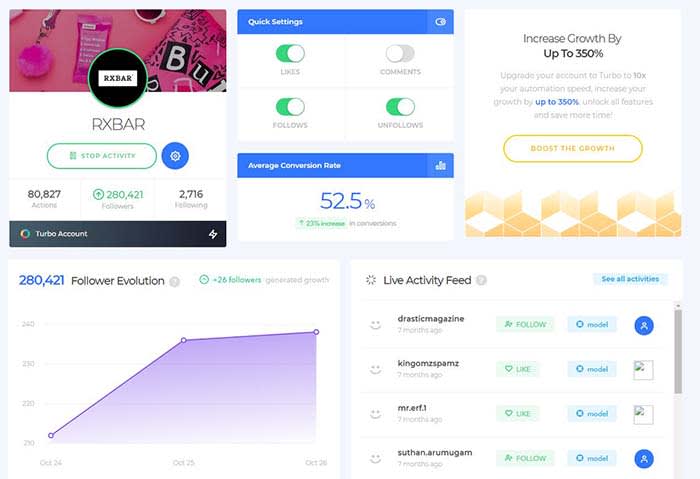
Social Captain, for example, offers a set of automation settings you can set and forget:

RX Bar social captain

However, automation is one of those things that, in moderation, delivers some benefits like growth and convenience. Also, Instagram is none the wiser.

That said, if you’re not careful about follow limits or you’re using shady automation features like DM-ing strangers with a bot, Instagram might issue a temporary ban.

Wrapping up

Sure, this type of automation isn’t the same thing as buying another user account or buying followers and likes. However, Instagram still considers it cheating.

Without a strategic approach to automation, you could do more harm than good. Long story short, keep bots out of your comments and DMs — at least until they know how to behave.

Best cord-cutting stacks: choosing your streaming service lineup

Most of us have left cable companies in the dust, but which streaming service is right for me?

A recent Deloitte report found that 47% of consumers say there are way too many streaming options.

Netflix and Hulu have changed the game when it comes to how we consume media. They’ve been normalizing subscription services and getting us to break up with cable.

As more enter the mix, consumers are piecing together their content from an increasingly fragmented space. Accessing the hottest new shows can come with a hefty price tag.

As cord-cutting costs continue to rise, cable companies will hopefully start stepping in with consolidated bundles.

In the meantime, how do you choose which streaming services to buy?

Too many options

Stranger Things 2

Customers want options, yes. But, it’s frustrating when content just vanishes all of a sudden or is canceled without warning.

That Deloitte report found that the average consumer has three streaming services. For the platforms themselves, the secret to success has been original content.

Netflix led the way, pumping out hits like “Stranger Things” and “Orange is the New Black.” However, now Hulu’s got its own set of hits like “The Handmaid’s Tale.” Also, HBO attracts viewers with programming like “Game of Thrones.”

Those three options alone could easily round out the average consumer’s streaming stack. These easily have enough content to keep you glued to your couch for the long-term.

8
Hulu Plus Download Free ►
7

What’s the best content mix in 2019?

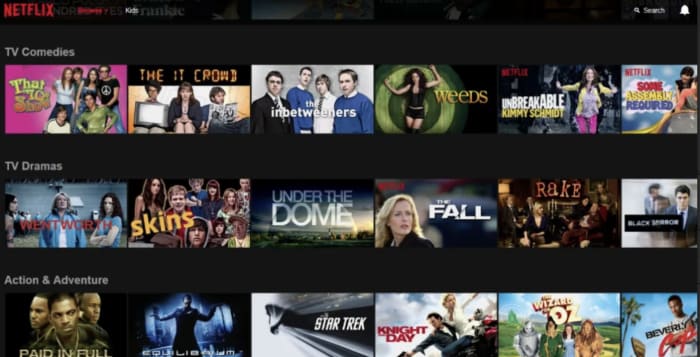
content on netflix

As far as choosing the right mix of subscriptions, that depends on what you like to watch. Take stock of which platforms have the best mix of “comfort programming” and original content.
For example, Hulu now hosts shows like “Malcolm in the Middle and “30 Rock,” while Netflix has re-watchable faves like “The Office” and “Friends.” Hulu has the edge when it comes to licensed programming. They also have “Bob’s Burgers,” “The Simpsons,” and “Seinfeld.”
Netflix offers the most content overall. They have a constant stream of new comedy specials from heavy-hitters like Tom Segura to legit features like the Oscar-winning “Roma.”
If you’re committed to HBO, you can subscribe to the standalone service, of course. But because of its origins inside the traditional cable package, it’s sometimes included as an add-on with other services.
Jon Snow
It’s worth noting that HBO programming isn’t always a win year-round. We’re enjoying the final season of “Game of Thrones,” and “Barry” is back as well. But there’s always a lull after the spring programming block comes to a close.
And then, there’s Amazon, which well, comes with your Prime subscription. They also have great original content such as the movies “The Big Sick” and “Last Flag Flying.”
A few other areas to consider:
  • New Movies — HBO shows a rotating lineup of recent releases, though it’s kind of a mixed bag. Amazon Prime and iTunes always have the latest hits. However, you can expect to pay-per-view if you’d like to catch the latest Oscar noms and blockbusters.
  • Family Content — PBS and YouTube Kids provide a solid line-up of kid-friendly content. And, Netflix, Hulu, and Amazon come with a mix of cartoons and movies the whole family can enjoy.
  • Sports — Sports content is harder to come by than movies and TV shows. ESPN+ and NFL GamePass are among the more affordable options, but they leave out big games like the Super Bowl and other championship events. You’ll usually be able to get the title games with an antenna, however. Fubo’s live channel lineup might be the best option unless you’d rather stick with your local cable provider.
  • News and politics — Like many cord-cutters, you could lean on the radio and a handful of news sites to keep you informed of the latest updates. However, some people still prefer watching the news the old-fashioned way. PlutoTV offers some news channels through the free app, as does YouTubeTV and cable entrants like DirecTV Now.
Pluto TV Download Free
8

Subscription saturation is about to get worse

Later this year, more entrants are expected to enter the fold, for an even more fragmented streaming landscape. Disney’s version will host animated classics and Marvel’s content library, making it a potential win for families.
While Disney also owns Hulu, the company plans to keep the subscriptions separate for now — so you’ll still have to pay for multiple accounts.

We’ve also got Apple TV+ on the horizon and AT&T’s WarnerMedia service.

Interestingly, the WarnerMedia service isn’t AT&T’s first attempt at a streaming service. DirecTV Now is the telecom giant’s existing offering. It is a competitor to platforms like YouTube TVSling, and PlayStation Vue that aims to bring a cable-like line-up to the live stream.

Sling TV Download now ►
7

AT&T’s Time Warner purchase represents a shift. The WarnerMedia streaming service won’t be released for a while. A beta test is planned later this year, but the streaming platform could bundle some of the standalone options.

Again, we’ll have to see how big cable shakes up the landscape or whether Hulu and Disney join forces.

At the end of the day, maybe we should all just give up and head over to Goodwill to stock up on used DVDs.

7 underrated Instagram apps you need to know about

These apps can make your Instagram posts sizzle and pop off the screen.

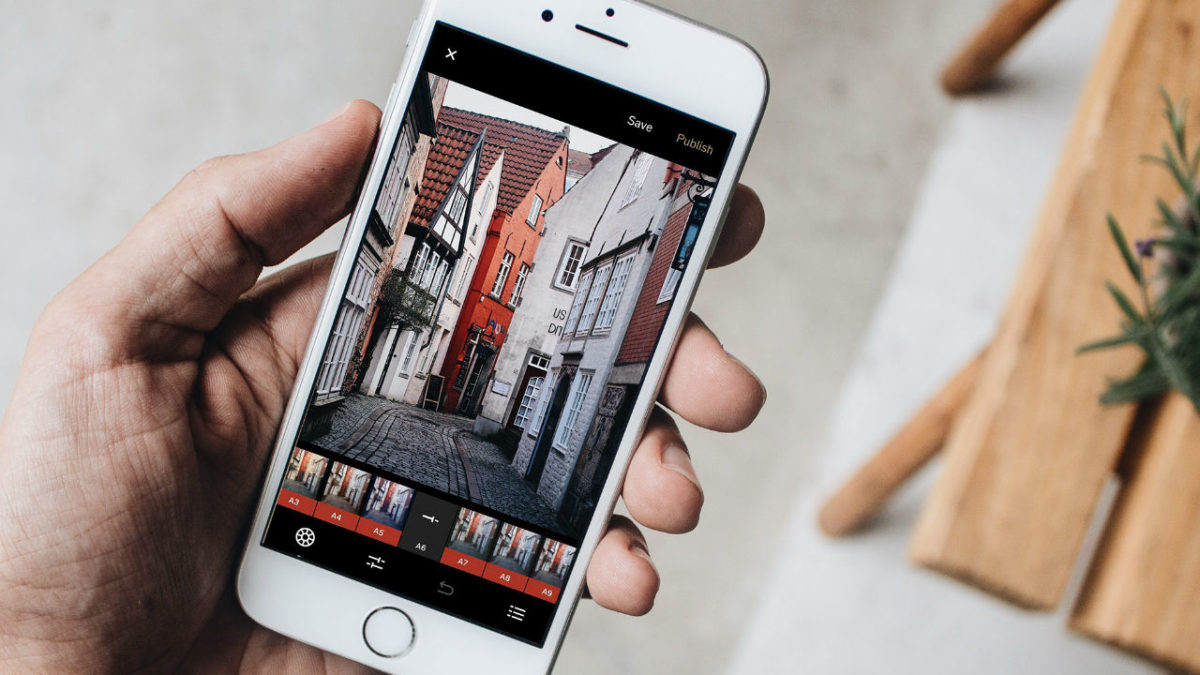
Instagram enhancer

Facetune and VSCO are great and all, but today’s Instagram feed needs something a little more out of the box. You need more if you’re hoping to stand out in a sea of pitch-perfect pics and color-coordinated feeds.

Scroll through your profile for a few seconds and you’ll likely see a repeating stream of photos that feel eerily familiar.

Break the mold by downloading some new apps. From the artistic to the just plain rad — here are some under-the-radar app recommendations perfect for livening up your tired old feed:

7 underrated Instagram apps you need to know about

1. Enlight

Enlight Photo editor

Enlight is a $4 iOS app made by the fine people who brought us Facetune. The app does way more than dress up your photos with stickers and overlays or just apply filters. Enlight exists to help you make capital-A Art. The app brings painting, sketch, and mixer effects to your smartphone — plus the usual presets and adjustment tools.

9

2. Pic Stitch

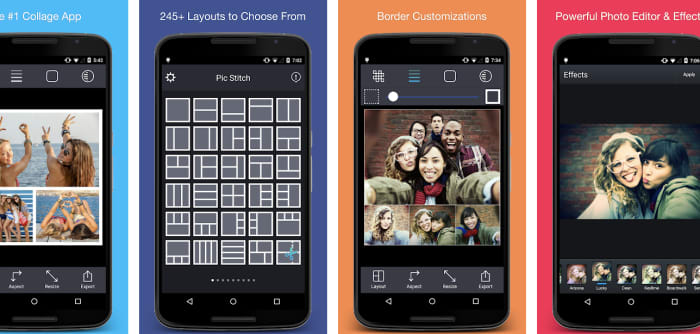
Pic Stitch collage maker

Pic Stitch is a layout app that comes with more than 200 layouts and a built-in photo editor. The idea is these collage layouts give you space to carefully consider how each photo fits into your feed. Gone are the days of amateurishly posting a bunch of pics from the same outing. Instead, Pic Stitch is an opportunity to organize your images in a way that’s both calculated and cohesive.

Pic Stitch Download Free ►
9

3. Artgram

artgram instagram editor

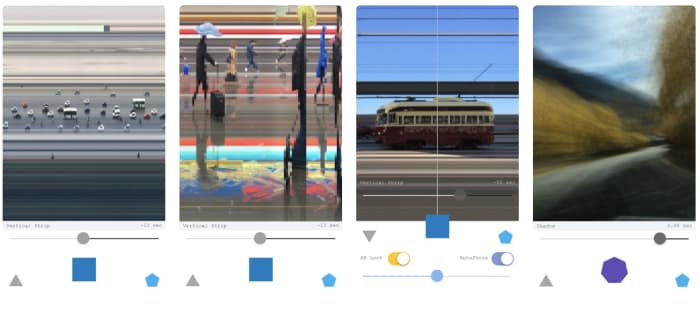
Artgram is a weird, experimental lo-fi app. It also makes some really cool-looking photos. Something of an art project, Artgram is a free download — available in the App Store alongside your usual sticker packs and face-editing tools. The app allows you to create these fragmented shots — streaked with lines or abstracted in some way or another.

7

4. Prisma

Prisma Instagram app

This one has been around for a few years — being named App of the Year by Google and Apple in 2016. However, it’s still a bit underrated in our opinion.

Prisma is a photo-editing tool that works to turn your photographs into paintings. Well, it sort of does that. The app comes with 300+ filters inspired by art movements and artists transforming your photos through a powerful AI.

Art-inspired filters kinda sound like the domain of Mac Photo Booth selfies. However, there’s a lot more to Prisma than turning yourself into a comic book drawing. Sharpen, crop, edit, and fine-tune your creations for photos that are less gimmick and more creative expression. Postmodernism at its finest, right?

5. Kapwing

Kapwing app for Instagram Stories

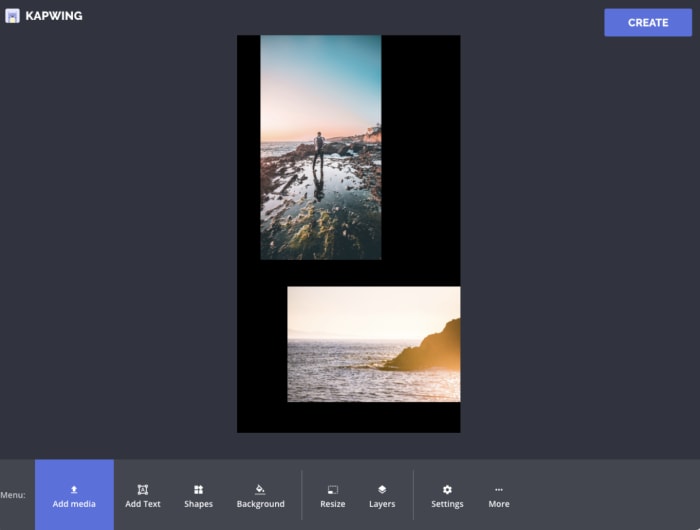
Kapwing is a hand-curated selection of templates you can use to level up your Instagram Stories. The app is only available on iPhone and even then, it doesn’t feature the editing tools. Those tools are only available on the website. The templates are super simple — you’re not going to find complex story editing tools that you might find in tools like Over or Canva.

The idea is to give Stories users a framework for combining multiple images together within a single story. So, you might use this to create a slide-show style story, put together collages, or make memes.

7

6. Leetags

Leetag hashtag finder Instagram

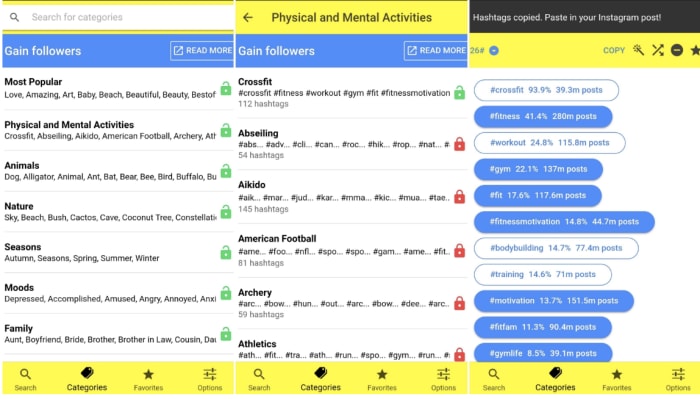
Leetags is an Instagram app that helps you find hashtags, an important component of growing your following. Finding hashtags can be a tedious, overwhelming process if you don’t exactly know what you’re doing. Sort through hashtags by searching various themes: animals, nature, food, drinks, and so on.

Users might feel that the categories are fairly broad. And, that’s certainly true. However, when you’re searching for inspiration, this approach can help you generate ideas. That’s much easier than heading over to Google Trends with no idea what to post.

7

7. Unfold

Unfold Instagram

Unfold is another app that makes it easy to create Instagram Stories built to engage. The selection of templates is top-notch, drawing inspiration from classic film, minimal photography, and more.

Add in text and export videos in hi-res. Unfold doesn’t come with a million features. However, you’ll have exactly what you need to create a beautiful collection of stories with an understated, artistic flair.

Become Insta-famous

These apps can help turn the ordinary into the extraordinary. Sometimes the tools in the Instagram app just don’t have the tools you need to fully express your creativity. Hopefully, these apps gave you the resources you need to turn your posts into showstoppers.

Instagram Download Now ►
7

How Facebook’s news feed works

Here’s why you see what you see in your feed.

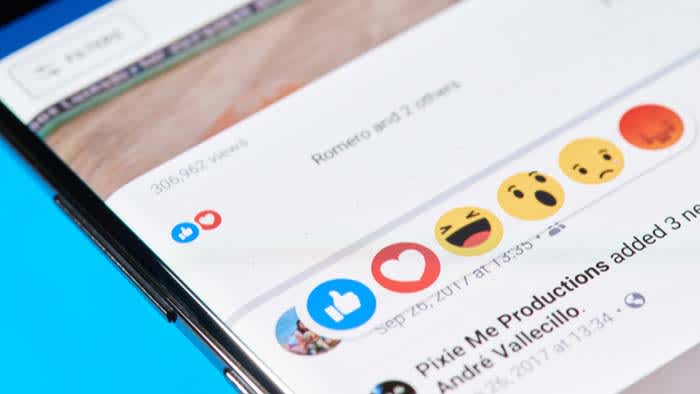
Facebook news

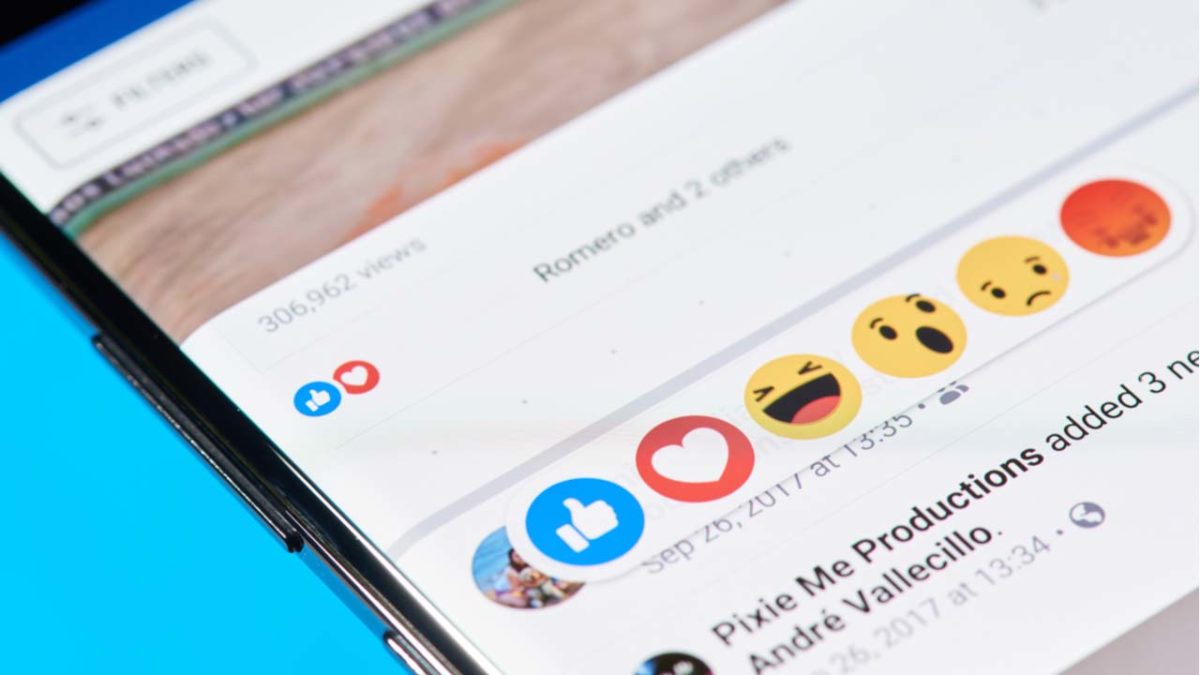
According to Pew Research, a majority share of adult Facebook users in the U.S. have no idea how the platform’s algorithm works — much less how the news feed operates.

Sure, the average person isn’t expected to know the ins and outs of machine learning concepts. That can be excused.

However, it’s a good idea to understand why we see certain things — and how to customize our content for a better experience.

Facebook news feed changes

Remember last year when an idealistic Mark Zuckerberg announced that his vision for Facebook was to shift the platform toward more meaningful interactions?

If you’ve had an account for the past several years, chances are your feed was clogged up with updates from people you don’t really know or care about.

Since that announcement, which was all about friends and family, Facebook has started placing more value on engagement. This means you’re supposed to see the things you care about first.

According to Facebook, the platform evaluates the posts in your feed based on three main signals.

First, they’ll look at who posted it. From there, it prioritizes posts based on how often you interact with that friend, business, or public figure’s content.

The second component is content type. Do you read more articles, “like” more photos, or prefer to watch a muted video? If the algorithm detects a preference for one type of content, they’ll prioritize posts that best match the format you typically engage with.

Interactions are the final ingredient that comes into play. The algorithm is designed to present content that other people enjoyed, assuming you’ll like it, too. So, if a lot of your friends like a particular video, it may show higher in your feed.

7

Engagement isn’t exactly indicative of quality

According to the social media platform Hootsuite, the latest version of the algorithm prioritizes active interactions (like shares and comments) over passive ones.

A quick look at 2019’s top posts so far reveals a preference for click bait, regardless of whether the posts are factual or not.

top shares on facebook

Facebook’s goal is to eliminate “engagement baiting” to encourage “authentic” exchanges on the platform. The problem is, people still share garbage content with their network and those posts still get shared.

Can you control your Facebook feed?

When Facebook first came on the scene, you’d see everything in the order it was posted. However, when more people joined, the social networking site began curating everyone’s feeds. It allowed them to present content with more engagement. Basically, it netted them more ad dollars.

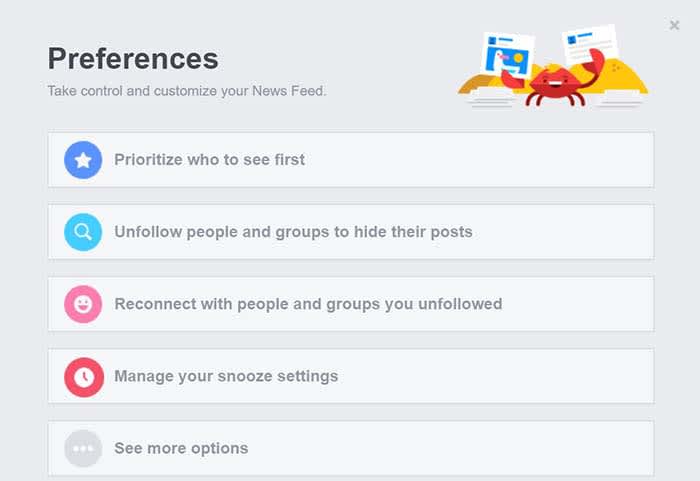
Facebook does let you make some changes to what your news feed shows first. There’s a brief walkthrough right there on the site, too.

All you’ll need to is click the down arrow on the top right corner of your Facebook page. From there, select “News Feed Preferences”, and you can choose which posts come up first.

Facebook news feed

This little trick is ideal for “unfollowing” posts from problematic family members you can’t get away with unfriending. Sorry racist Aunt Sheila, you gotta go.

FB is trying to be transparent about what you see in the feed

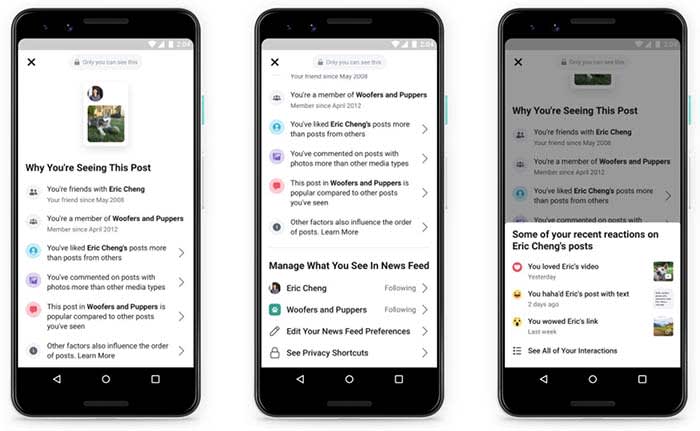
They’ve also just recently introduced a new feature called “Why am I seeing this post?” It’s designed to help people understand why they’re seeing a specific update and give you more control over your feed’s contents.

Facebook screenshots

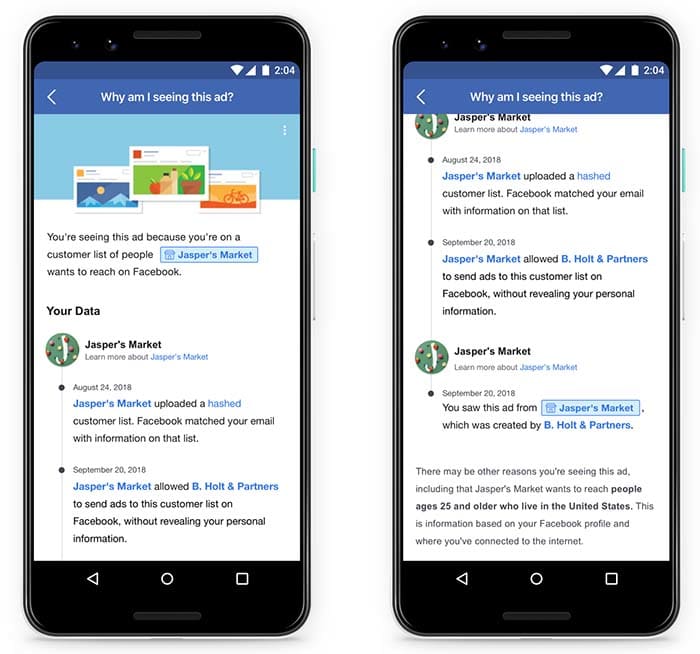
The feature’s commercial sibling, “why am I seeing this ad” also recently got a facelift of its own. Since February 28, Facebook has allowed users to see which brands uploaded their data.

Why am I seeing this ad

According to TechCrunch, Facebook was going to require advertisers to pledge that they had someone’s phone number or email address for ad targeting.

While that tool came out last June, Facebook did not implement any verification process. Instead, they opted to take businesses at their word.

Wrapping up

It’s unlikely that either of these new changes will stop the platform’s data misuse. That’s a staple of the business model, after all.

However, these changes do help those who can manage to inform themselves about the platform’s latest exploits gain a bit more control.

A look at Amazon’s influencer program

Amazon’s Influencer Program hasn’t made much of a splash yet, but the potential for growth is there.

Amazon influencers

Back in 2017, Amazon quietly debuted its Influencer Program as an experiment of sorts. Big influencers like Jillian Michaels and Mark Cuban were invited to promote curated product collections.

Over the past few months, it came out that Amazon is amping up the program. This includes opening access to the more “engagement-friendly” micro-influencer set. The program also offers big commissions to influencers.

As customers grow increasingly wary of big brands, micro-influencers have been huge for brands. They have proven to be a cost-effective way to establish trust with consumers. So naturally, Amazon wants a piece of the action.

Here’s a look at the program and how it works:

What is Amazon’s Influencer Program?

Influencer

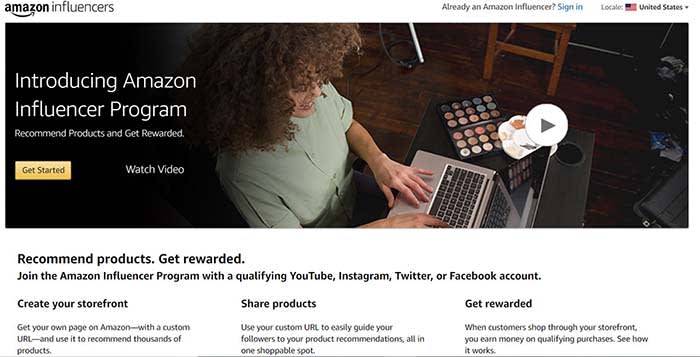
Amazon’s Influencer Program is a platform designed for digital content creators from YouTube and Instagram. It also includes less “influence-y” socials like Twitter and Facebook. Influencers receive a commission on Amazon items purchased by their followers.

If you’re thinking, oh, wow, that sounds an awful lot like their Associate Program, you’re definitely not wrong. Amazon says that this program is “an extension” of the Associate Program.

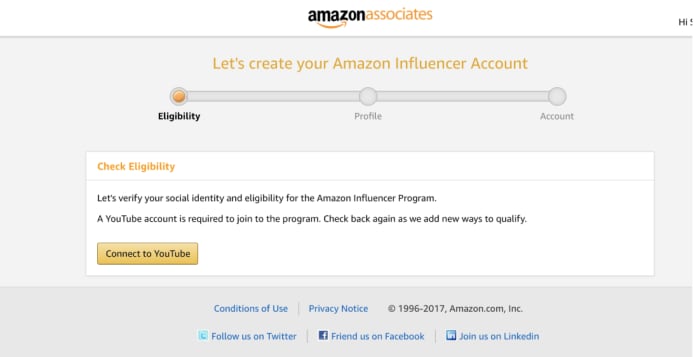
To qualify, you’ll need to submit your social media accounts and Amazon will look closely at your number of followers. They will also look at other engagement metrics before extending an invitation.

Still, the only real difference between the two programs is that influencers get to create custom shops and their own vanity URL.

Here is a look at Mark Cuban’s shop, which is basically a compilation of nut butters, his books, and energy bars.

Mark Cuban influencer page


Associates, by contrast, don’t get their own shops on Amazon. Instead, they’d feature their recommendations as trackable links on social channels or a personal blog.

How much do Amazon influencers make?

Like Amazon Associates, Amazon’s influencers earn based on how many sales are made through their custom storefront.

The commission structure is similar to the Associate Program as well. Amazon’s private label clothing will net influencers 10% of the sale, while video games will yield only one percent per referral.

What makes Amazon’s program different than other arrangements is the payout is coupled with the value influencers give back to the brand.

For example, every time someone purchases a belt hanger (that’s a thing???) from WhatsUpMoms’ shop, they earn a percentage of that sale.

Amazon influencer vanity URL

By contrast, if you want an Instagram model to promote the latest FitTea-type product or Fashion Nova outfit, you’d pay a fixed fee. The fee is based on the influencer’s past performance. It’s more like paying a blogger for a project vs. affiliate commissions.

What’s also interesting is that this commission-based payout is something just about any brand can leverage. It also might be an effective way to work with micro-influencers. Now, advertisers can spend less time and money on reaching out to individual influencers and invite them to apply to their program.

That said, Amazon has a massive catalog. Facebook and Instagram can’t offer that same direct line to making a purchase, nor can most other retailers.

So, how do I become an Amazon influencer?

Amazon has been reaching out to micro-influencers, inviting them to join.

Potential influencers can apply to the program. However, they’ll need to prove that they’ve got the numbers and the engagement deserving of their very own vanity URL.

Amazon associate influencer program

In order to qualify as an official Influencer, you’ll need to submit your social media accounts.  Amazon will look closely at the number of followers, as well as other engagement metrics before opening access.

What we think is kind of cool about the program, as well as Amazon’s Affiliate Program is you can sell through multiple platforms. The custom URL makes it easier to promote a link where it might not be possible.

Influencers can easily add items to their shop as easily as they could create an Amazon wishlist or a registry. They can choose to promote an individual item or direct followers to check out their recommendations.

Could Amazon shake up the influencer model?

Make-up influencer

Amazon’s Influencer Program hasn’t made many waves in the two years it’s been around.

However, change could be on the horizon. The affiliate structure payout only rewards those sellers who actually make a sale. This presents a potential solution for brands who pay upfront without an easy way to measure their return on investment.

On the influencer side, Amazon offers some creative freedom in exchange for adopting the new payout model. Amazon just asks that you stick to the ad disclosure rules and that’s about it.

6 best Apple Pencil apps for 2019

Ditch the pen and paper and bring your art to the 21st century with these apps.

The Apple Pencil has transformed the world of digital art. Purists might argue that nothing can replace the feeling of putting a new set of pens to paper. However, the Apple Pencil gets pretty close to replicating the joy of analog art.

If you’re looking to buy an Apple Pencil, you can order one on Amazon here. 

There’s also the added benefit that using the stylus with the right apps means you can take your drawings to a whole new level.

Below, we’ve compiled a roundup of the best Apple Pencil apps, and we’ve included something for everyone. Whether you’re a seasoned pro designer or coloring is more your speed, there’s an app for you.

Autodesk Sketchbook

Autodesk Sketchbook is a sketch app that brings your standard fare to the table. Pencils, ink, and nearly 200 brushes are at your fingertips. For art nerds, you’ll have access to the full library of Copic Colors. If you’re like us, you’ve maybe spent too much money collecting them all before the Apple Pencil was an option.

Autodesk is sold as a business tool. The brand is more about software solutions with solid UX to organizations than it is creating software built for “fun.” Yet, Autodesk Sketchbook is fun.

You can snap a pic of your analog art from your tablet or phone and make changes from there. This is a good choice for those who aren’t quite sold on going full-on digital yet. Or, you can sketch out your ideas on the app’s endless sketchpad.

The website claims that the app feels just like drawing on paper, but it takes things a bit further. The app adds in features for product designers, industrial designers, and automotive designers among other skilled pros.

Autodesk Sketchbook Download Free ►
10

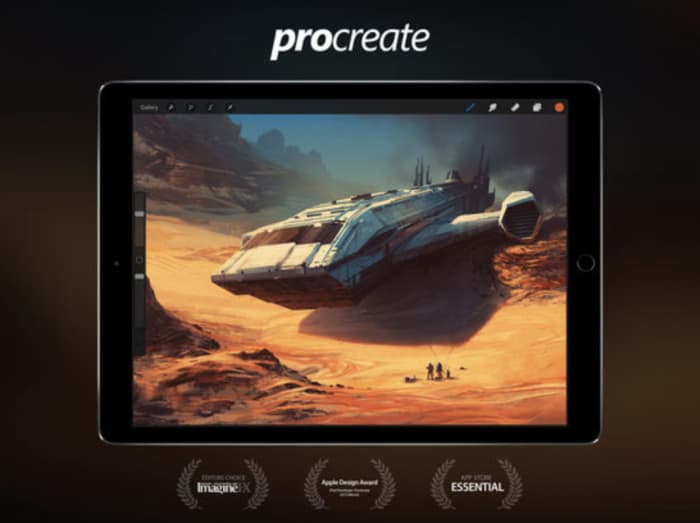
Procreate

procreate for iPad

Procreate strikes a balance between professional-grade graphics and a relatively low learning curve. The focus is less on packing in the most tools,  but more on a thoughtful interface that doesn’t get in the way of genius.

This app brings together a lot of the tools you’d find in Photoshop and Illustrator. It’s similar to the Adobe Suite in that it’s built to handle layers and it comes with brush and tool presets.

It’s also just $9.99, which is equivalent to a month of using Photoshop and Lightroom through the Adobe Creative Cloud. Procreate is an Apple Design winner for good reason. There’s no drag, and you can undo and redo up to 250 levels. You can also record your drawings as HD videos if you’re into showing off your process.

Procreate Download Free ►
9

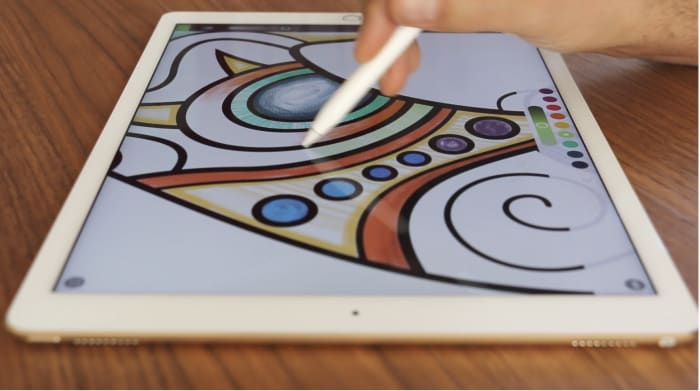
Pigment

Pigment coloring app

Adult coloring hit it big a few years ago. It’s known to combat anxiety, reduce stress, and it’s undeniably fun. Pigment takes the coloring book and brings it to the iPad, bringing all the tools you need to your screen.

Sure, maybe you didn’t come up with the lines on your own, but there’s something relaxing about kicking back with a coloring book. With the Apple Pencil, you’ll get a more authentic coloring experience than you might with a smartphone app and no stylus.

Pigment offers 4,000+ pages to color your way through and you can choose to color one section at a time or take a more traditional approach.

8

Paper

paper ipad apple pencil app

Paper isn’t exactly new — in fact, it was one of the first apps available when the iPad Pro came on the scene. Still, the whole aesthetic experience is something special.

Paper presents a personal space for writing notes, creating doodles and drawings, and journaling. Taking things digital means you’ll get some technological assists like auto-corrections. This will crisp up your rough lines. You can also input templates— storyboard, templates, and grids, for some added precision.

Tayasui Sketches

Tayasui sketch app

Use your Apple Pencil to draw, paint, and edit with a variety of tools from oil pastels to pen brushes, patterns, and smudge. Tayasui Sketches is one of the most comprehensive sketching apps for iPads and mobile devices. It’s not as complex as something like Procreate, yet the tools are sophisticated enough for skilled digital artists.

Tayasui Sketches Download Free ►
9

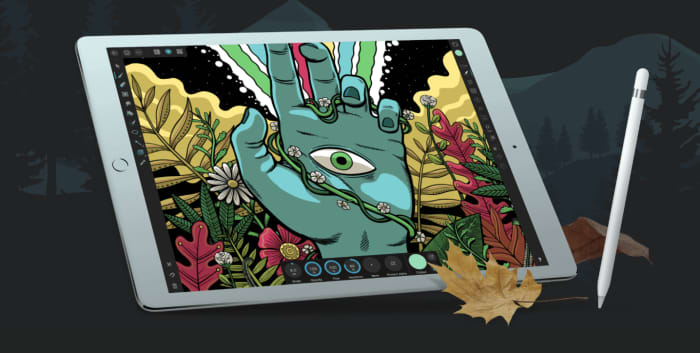
Affinity Designer

affinity design app

Affinity Designer is of the best professional drawing apps for Apple Pencil and iPad. It is a feature-rich design tool that allows you to create freehand vector drawings with tons of detail.

Affinity Designer is built for the iPad, so it’s sensitive to Apple Pencil pressure and allows you to pinch and pull your way around the screen. It includes a range of touch gestures that replace keyboard commands like shift or alt.

Work in layers, zoom in on specific sections, and gain complete control over your colors. Additionally, you can use Affinity for custom typography, and import your own fonts for fine-tuning or start from scratch.

Don’t let the app intimidate you. Regardless of your skill level, Affinity gives you a professional toolset for under $20.

Affinity Designer Download now ►
9

Drawing a conclusion

If you’ve always wanted to learn how to draw, we have a few solutions for your needs. 

There is an app to help you with any and all art need that comes your way. Whether you consider yourself a beginner or a master, these apps can help put the picture on the canvas in your head to the screen in your hands.

Facebook Messenger’s coolest hidden features

Learn how to use Facebook Messenger like a pro.

Look, Facebook Messenger is great for sending messages to your friends, but if that’s all you’re using it for, you’re seriously missing out.

Over the past few years, Messenger’s lineup of features has beefed up a ton. It’s an all-in-one platform these days, teeming with games, chatbots, productivity features, and more.

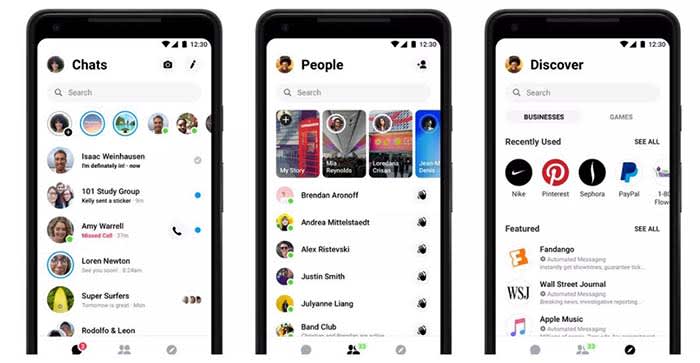
At the beginning of the year, Facebook rolled out its buzzed-about redesign:

Facebook redesign

It gave the once overcrowded app a clean, fresh-looking interface. Now, some of the coolest features are hidden behind a four-dot icon.

Whether you’re new to Messenger or haven’t ventured beyond the dots, here are some features and tricks to know:

1. Use Messenger without an account

Facebook Messenger can work without Facebook? Well, yeah.

Hey, we get it, Facebook isn’t everyone’s thing. Many of us grapple with breaking up with FB, and a few actually go through with it.

Still, if all your friends are group messaging on Facebook without you, you don’t need to reactivate to join the thread.

Instead, download the app. When you get to the log-in screen, say you don’t have an account. From there, you can register your account with a phone number and use it to sign in.

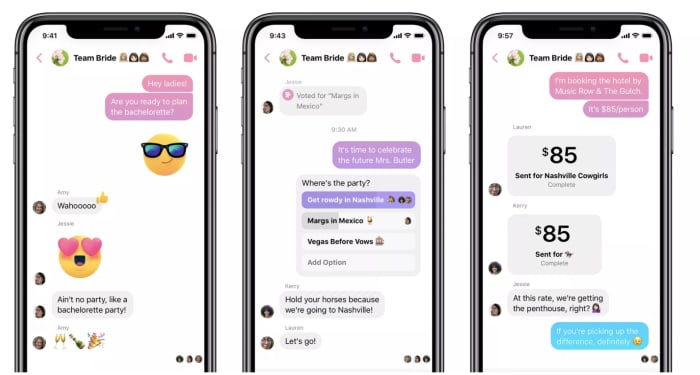
2. Send money to your pals

fb messenger send payments

There’s no shortage of mobile payment apps, so this whole cashless revolution thing is old news at this point. However, hitting up your friends for money or paying them back for last night’s drinks no longer means you have to leave Facebook.

Add your debit card or PayPal account to Messenger by tapping your photo at the top of the app, then selecting “payments.” There, you can link the account of your choosing, along with a PIN or fingerprint for a layer of security.

To send or request money, all you do is choose the dollar sign next to the text field, fill in the amount, then add your payment information.

3. Add extensions to your chat

Facebook Messenger extensions are third-party apps that connect to your account. This way, you can access apps through your open chat window. You can also share articles, playlists, and more with your contacts.

Here, you’ll find games, apps like Spotify, OpenTable, Kayak, or The Wall Street Journal.

Want to make your friends a mixtape? Log into Spotify and share your picks through Messenger.

You’ll need to link your accounts (i.e. log into Spotify using your Facebook credentials).

8

4. Create Stories

Yep, just like Snapchat, Instagram, and now, even LinkedIn, Facebook lets you tell your story through videos and filters.

The app has a feature called My Day, which allows you to add videos and photos to your “day feed.” You can share moments with your friends. Like Instagram and Snapchat, FB’s version expires after 24 hours.

Instagram Download Now ►
7
8

5. Encrypted conversations

If you’re wary of how social media channels are stealing all of our data, you’re not alone.

But you don’t have to switch to Signal or WhatsApp to chat off the grid. Instead, Messenger allows you to encrypt from right inside the app. Messenger actually uses Signal protocol here to ensure that only you and the other person can see the message. Not even FB can read your messages.

To turn on Secret Conversations, all you need to do is, tap the little “I” at the top of the screen and select “go to Secret Conversation.”

There is a caveat — no group chats allowed. Secret Conversations are limited to one-on-one convos only.

WhatsApp Messenger Download Now ►
8

6. Send files

Sending files is something you can do with all sorts of platforms these days, but the beauty of messenger lies in its multifunctionality. The chat app supports multiple types of files, so you can easily send friends photos, PDFs, or Word Docs without clicking around multiple tabs. Sure, FB’s file sharing feature isn’t groundbreaking, but sometimes these little timesavers are a real gift.

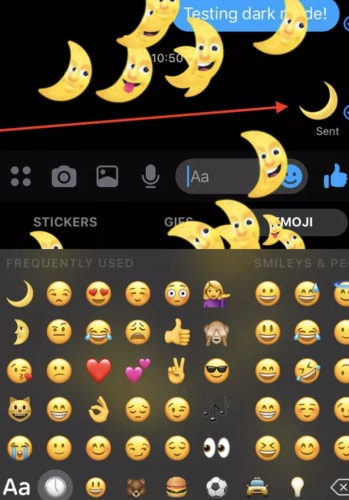
7. Dark Mode

crescent moon dark mode

Dark mode was one of the most requested features for Messenger, and now our nighttime dreams have become a reality. Some users believe that dark mode reduces the eye strain that comes from looking at a bright white screen for hours on end. Others just think the inverted color scheme looks cool. Google says that activating dark mode preserves battery life on Android phones.

Here’s a step-by-step guide to activate dark mode on Messenger.

In summary

Messenger’s hidden tips and tricks can help you make the most of the messaging service. Although some of us have our issues with the big FB, Messenger’s free service keeps us coming back.