
6 best news apps

Looking for a new news app? Here are some options!

News

We know you already know this, but it might be time to start looking outside of Facebook for the latest headlines.

All too often, we lean on the algorithm to take care of the discovery process on our behalf.

Because it’s challenging to keep track of every news source, app, and website out there, we’ve rounded up some of our favorites.  These can help you catch up on the news from your smartphone.

Best news apps

1. Apple News/Apple News +

Apple News

Yes, it comes default with your iPhone, the latest happenings, be it climate change research or the most recent antics from some Kardashian.

Apple News is free, but the company recently rolled out the new + service. Now, if you’re using the free version, it seems like a lot of what used to be available is now part of the upgrade.

That said, if you use the app, $9.99/month gives you access to content that’s typically gated, like The Wall Street Journal or the Los Angeles Times.

For $9.99, Apple News+ isn’t a bad deal — though there are some kinks that they need to work out when it comes to creating a seamless, cohesive experience. For instance, some magazine articles are PDFs versions of the original.

We’re sure that Apple will keep improving the app, in the meantime, the “Netflix for magazines” is a pretty good deal.

Apple News + Download free ►
9

2. Pocket

Pocket

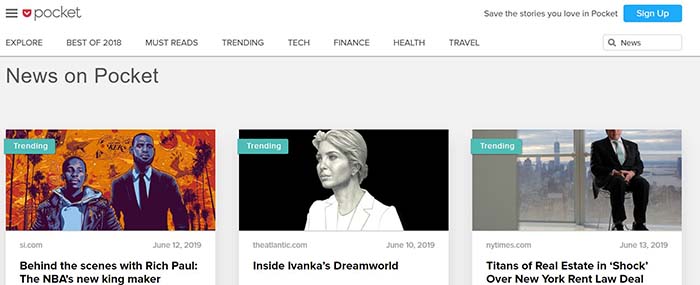
Pocket is a great app for those who like scrolling through a long list of articles and saving the ones that pique their interest for a later reading sesh.

Pocket is a distraction-free reading experience, kind of like reading a book on the Kindle. All articles are hand-picked by you, downloaded and stored to your phone. So, when you do sit down to read, you’re not bombarded with recommendations or notifications. (That said, you can see recommendations based on what you save and like if you choose.)

The app works on your phone and desktop and presents a minimal, calming interface that design lovers will appreciate. Pocket is free, with the option to upgrade. The premium account is still a pretty good deal at $44 for an annual subscription.

What makes this a different experience than some of the other platforms like Apple or Google News is that your reading list is a saved, searchable archive. You can use this to keep track of reference articles, save recipes you find online, or whatever else you’d like to file away for later use.

Best of all, Pocket works offline. Save up dozens of stories, then enjoy them all on an airplane if you like.

3. Inkl
inkl

Inkl’s whole goal is to help you break the habit of clicking on junky articles and bringing high-quality content straight to your smartphone.

You can create filters based on preferences or location, but the platform prides itself on their algorithm that scans for quality over engagement. Basically, Inkl is an antidote to what’s been going on with YouTube and Facebook as of late.


Like Apple News +, you’ll pay $10 a month to use the tool, but that takes care of the paywall problem. Again, it’s actually a good deal if you’re subscribed to a few websites already.

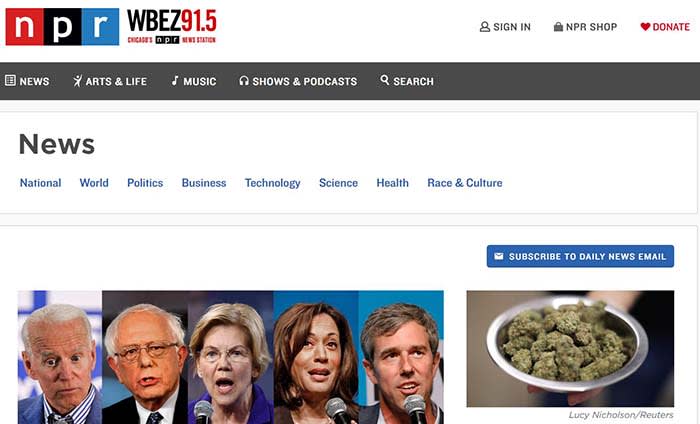
4. NPR News
NPR

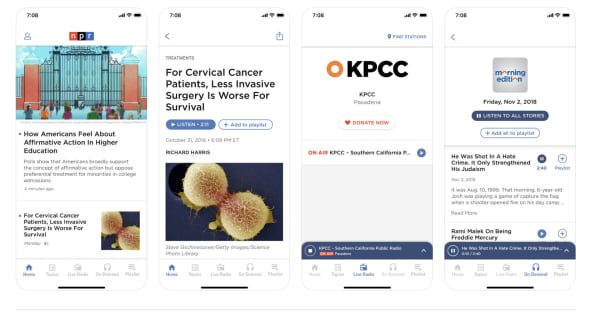
If you’re more interested in receiving your news through the airwaves, then the NPR News Radio app is a nice pick for quality news. Plus, you get access to the network’s podcasts and local stations across the country.

You can follow your favorite stations and programs, and stream them on-demand, listen to live radio, and yes, you can also read stories. NPR is always a good resource for trustworthy news, but it’s also an excellent destination for entertainment, music, and arts/culture.

7

5. Lumi News

Lumi News promises to deliver a personalized news feed based on your interests through the power of data science. How it works is, users will connect their social accounts, select topics, and publications they already like. As you interact with the platform, it will deliver more relevant content based on past habits.

Recommendations come in the form of top news sources, as well as indie blogs, audio, and video content they think you might like.

The only downside with something like this is if you click on too many BuzzFeed listicles and celebrity gossip headlines, Lumi might think those are your preferences.

What’s extra nice is that Lumi News also allows you to save stories to your phone to read them offline. So, load up when you’re connected to Wi-Fi to prevent yourself from running low on data every month, or stock up on reading materials before a flight.

Lumi News Download now ►
8

6. AP News

AP news

The Associated Press is pretty much the gold standard for actual fair and balanced news across the globe. Many news outlets share their stories and follow the AP Style when writing stories.

Unlike the options we just mentioned, AP News is not an aggregate platform. All stories come from the Associated Press’s global network of journalists, allowing readers to keep up on local news, as well as what’s happening around the world.

Users can follow topics, specific AP-affiliated newsrooms, and listen to radio news, watch videos, and scroll through galleries. AP News is similar to NPR’s app, in that the news comes from one source, but there’s a ton of content, regional networks and a long list of topics at your disposal.

Associated Press Download free ►
8

Wrapping up

When choosing whatever news you like, always look for a bias to determine whether what you are hearing is truly “fair and balanced.” Hopefully, at least one of these apps gave you the option you need to stay informed.

5 best online fax services

Ditch the big, expensive fax machine and try out one of these online services.

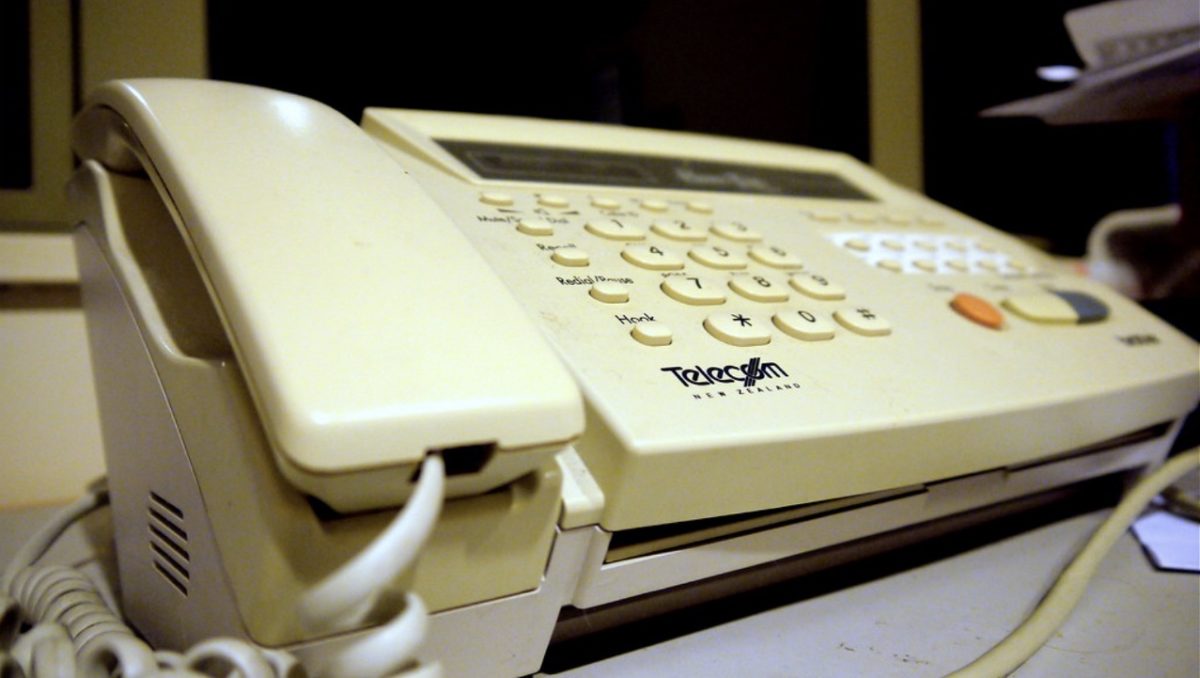
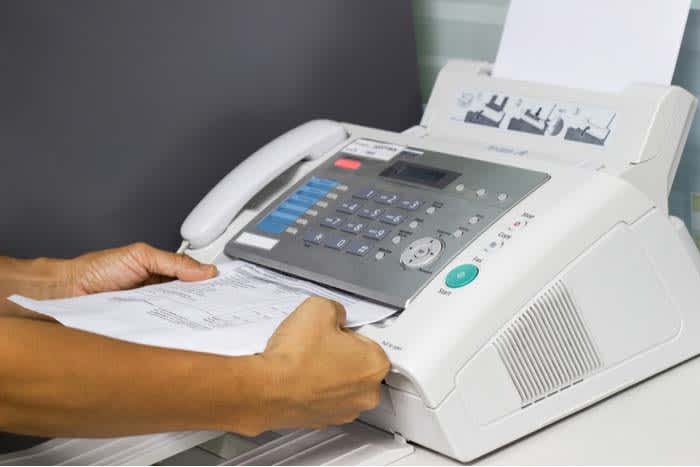
Fax machine

Look, we get it. You’re wondering if faxing even exists in 2019.

The short answer is, as long as there are hard copies of documents, faxing still performs a valuable service.

According to the market research firm, Arizton, the online fax industry is poised to grow to $2.4B by the year 2022.

What to look for in an online fax service

There are a ton of these online fax services out there, but there’s a lot of variation between platforms. As such, it’s important to approach your search after answering the following questions:

  • How many phone numbers will you need to connect?
  • Do you need cloud storage?
  • What about collaboration tools?
  • Do you want to create custom cover sheets?
  • How many faxes do you send every month?
  • Do you want to store inbound and outbound faxes?

Once you figure that out, it’s merely a matter of choosing a service.

MetroFax

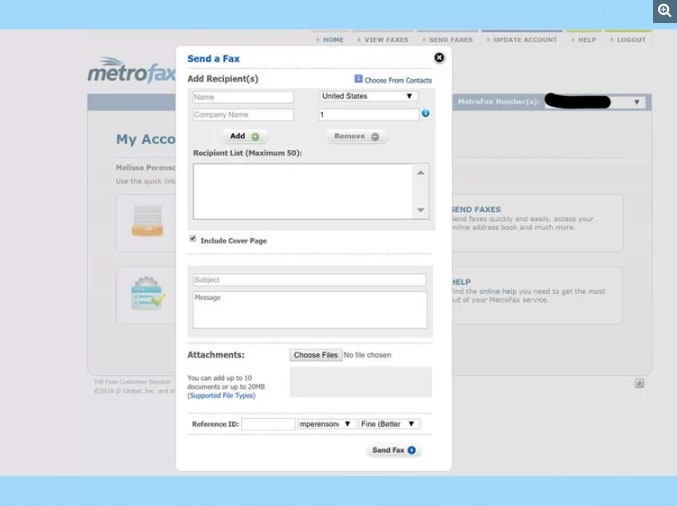
MetroFax interface

Metrofax is an online fax solution that starts at $7.95 per month and comes with a 30-day free trial so you can take it for a spin before committing. The set-up process is easy. You’ll sign up for an account and input your state and area code and select a plan.

The whole faxing experience is pretty straightforward. The platform allows you to send faxes as easily as an email, albeit with a clunkier interface that feels a little Windows 98.

This solution is ideal for those users who just want a fax service along with a storage system for incoming and outgoing faxes. It’s not an e-signing solution or comprehensive cloud storage system for all of your docs.

HelloFax

HelloFax home page

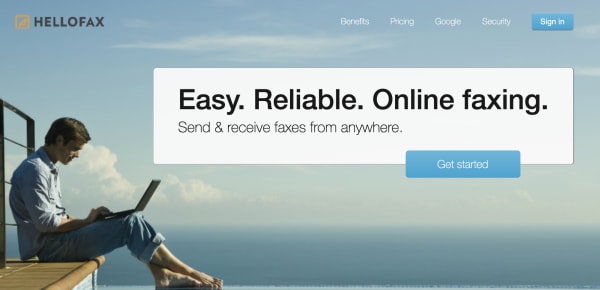
HelloFax is a user-friendly platform that offers e-signing and integrations with other popular cloud-based tools.

What’s nice is, you can use HelloFax for free if you need to send one fax a year or something. Receiving faxes is limited to paid accounts, but the entry-level Home Office plan is only $9.99 per month. You can send and receive 300 pages during that period.

That said, this platform is best reserved for the user who needs to send or receive a fax once in a blue moon (which is probably most of us). There’s no storage system, you can’t customize your cover page, and you just don’t get a ton of bang for your buck, here.

eFax

EFax is an online fax service that supports incoming and outgoing faxes and comes with some premium features. These include third-party storage, electronic signatures, lifetime storage, and a free mobile fax app.

Customers seem to like this service. It’s easy to use, and the mobile app provides a nice convenience for those who need to fax on the go or sign a document quickly from their phone. That said, some people reported that the billing and cancellation processes were less than satisfactory. So, hopefully, if you start using this service, you’ll never want to stop.

SRFax

SR Fax online faxing

SRFax is a great option for medical practices and other organizations that make their money dealing with sensitive data.

This fax service is HIPAA compliant with built-in security and encryption designed to keep data safe. Their key selling point is centered around enterprise and healthcare solutions. The service is pretty affordable even if you’re a lone-wolf freelancer who sends one fax here and there.

The basic plan includes a $3.29 monthly subscription that comes with unlimited storage and 25 pages of faxes per month. The Healthcare Professional Plus plan is a 10,000-page plan for $185 per month with some secured communications tools like PGP encryption for added security.

Nextiva

nextiva efax

Nextiva starts at just $4.95 per month and works with both fax machines and email. That $5 price tag gives you 500 pages a month — which run through a 256-bit SSL encrypted portal, keeping sensitive data private.

Weirdly, the tool requires Flash, and some users have experienced glitching in email faxes.

Adobe Flash Download now ►
7

While the portal looks nice, there are some weird issues with the interface. A reviewer from PCMag reported that clicking the View button at the top of the page leads to an empty fax viewer with no content, while the search button gives you a list with no filtering options.

In all, this is potentially a good option if you’re looking to send a lot of faxes for a low, low price.  However, it may work better through an old school machine.

Wrapping up

It’s difficult to say which fax service is best. We’ve come a long way from having to use clunky old fax machines, but many of these services still have kind of an outdated feel.

Given the fact that there are many cloud-based solutions in the software space across the board, we’re not so sure of the statistic mentioned above.

Best online tools for learning how to draw

Have you always wanted to pick up drawing? These tools can get you started!

Drawing

Kids love drawing and tend to focus on the joy of creation over fretting about their ability to draw a photo-realistic human hand by sight.

As we get older, we often give up on drawing, leaving the creativity to the artists of the world. We come to the conclusion that art skills are something you either have or don’t.

That’s not actually true.

Drawing skills can be learned, at any age, and today, you don’t even have to enroll in your local adult learning center to do so.

Learn to Draw on YouTube

YouTube is the go-to source for learning anything from home improvement tips to putting on makeup. It’s also a great place to learn how to draw for free!

Just like Bob Ross did decades ago, artistic YouTubers walk aspiring creators through video tutorials — and thanks to the power of the internet, you can pause and rewind as needed.

Here are a few channels worth checking out:

8

Circle Line School

The Circle Line School’s channel is all about teaching you how to draw optical illusions, perspective drawings, and mastering the human face.

Proko

Stan Prokopenko is a California-based fine artist who will cover everything you need to know to learn drawing from his free YouTube channel. He goes over everything from what kinds of pencils to buy, how to shade lights and darks, and even draw caricatures of your favorite celebs. Who doesn’t want to draw like Taylor Swift and Obama?

Christopher Hart

If you’re more interested in learning to create your own manga, Christopher Hart’s channel will walk you through the steps to create characters that range from the easy to the more detailed.

Darryl Tank

Okay, this guy is insanely good at pencil drawings that look like photos.

His YouTube tutorials cover slightly more advanced techniques like drawing freckles that don’t look like polka dots or really nailing the texture of a basketball.

He’ll also walk you through things like how to draw a realistic sphere — mastering form and shading, and even provides some tips for left-handed folks so they don’t smear their work.

How to Draw with Matt Busch!

learn to draw online

Okay, we don’t totally love this website, but the art lessons are approachable and ultimately, pretty solid.

Lessons are broken down into 11-step tutorials built around teaching newcomers the fundamentals of drawing.

Udemy

Udemy Art

Udemy has a ton of drawing classes that range from beginner to master draftsperson.

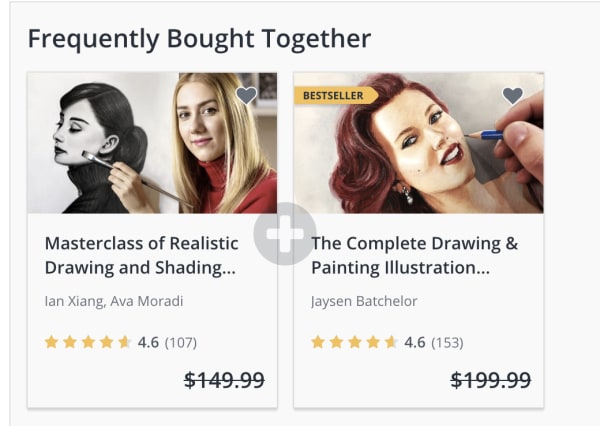
At the time of writing, most classes are on sale for $9.99 a pop — some down from $199, like this one which comes with eight hours of video lessons and 19 downloadable resources. If you miss the deal, it seems like they run these promotions fairly regularly — so keep checking back if a course seems a bit steep.

Or, there’s this master class specifically for learning how to draw human features or another aimed at teaching people how to draw cartoons. The point is, there are plenty of skills you can learn — straight from behind the computer screen.

Ink Drawing Techniques: Brush, Nib, and Pen Style

skillshare ink drawing course

If you’ve always wanted to learn how to make amazing ink drawings, this online class from illustrator and School of Visual Arts instructor Yuko Shimizu is worth signing up for with Skillshare.

Skillshare Download Now ►
9

Shimizu will not only teach you proper inking techniques, but she’ll also walk you through different types of papers, nibs, brushes, and more.

The class is about 90 minutes, broken into 15 mini lessons making it an approachable entry point into the world of pen and ink. It’s perfect for beginners and pros alike.

Artists Network

artists network streaming

Artists Network is a subscription service that allows you to stream 700+ art workshops that cater to artists at every level.

The site has some free content including mini tutorials like this one that walk you through how to draw animals.  The streaming service itself is $16.66 per month.

step by step animal drawing

You can also sign up for digital courses a la carte if you’d like to explore oil pastels or watercolors.

Wrapping up

There’s no shortage of great art content online. We recommend starting with YouTube, it’s free, and there are tons of channels that cater to specific niche skills, as well as just the basics.

Artweaver Download Now ►
7

9 best websites for news

These sites will keep you informed with high-quality journalism.

best news sites

Much of our access to information is left in the hands of algorithms, even if we don’t get all of our news on Facebook. Sometimes, it’s hard to find articles that represent a balanced look at what’s going on in the world.

Google “best news sites,” and you’re already walking into a whole world of bias. Every website has its list of “best news sites,” some based on popularity, others out of a great commitment to quality journalism.

Below, we’ve included a roundup of some of our favorite sites, though they’ve made a list for different reasons. These sites provide a well-researched, unbiased view of current events, so you can (hopefully) piece together your own opinions on what’s going on in the world.

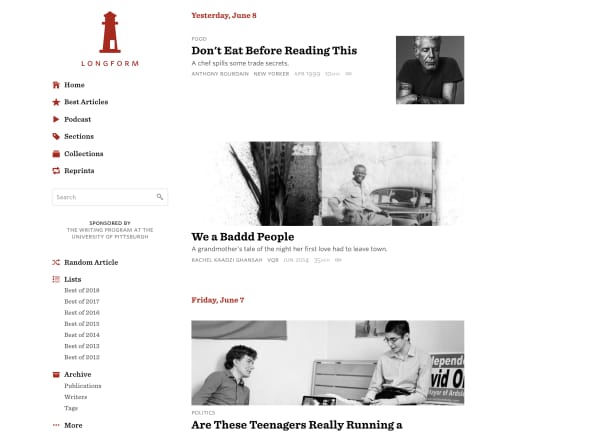
Longform

longform website

Longform is a website that offers a curated selection of the best writing from around the web.

They’ll post a mix of the latest news — long-form pieces from sites like the New York Times, ProPublica, Rolling Stone, the New Yorker. Plus highlights from the country’s local papers and the true crime gem, Texas Monthly.

What’s nice about this roundup is, it’s committed to a blend of current events and older stories — you might find a deep dive on a murder that happened in 1987 posted right after a Rolling Stone profile that ran in the most recent issue.

We recommend Longform for those looking to elevate their “digital loafing” experience and spend a good chunk of time reading.

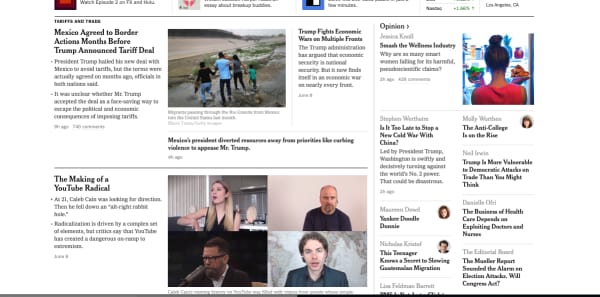
New York Times

nyt home page

The NYT is the gold standard when it comes to online news sites. The Times is known for their quality writing, progressive reporting, and commitment to journalistic ethics.

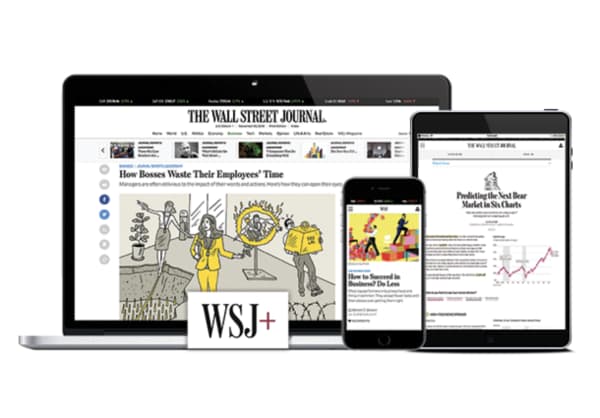
The Wall Street Journal

the wall street journal news site

The WSJ started out as a business publication, branching out into general news content after being purchased by Rupert Murdoch back in 2007.

While the Wall Street Journal is still a top source for business content in 2019, it’s a solid source of fact-based reporting and Pulitzer Prize-winning articles.

That said, the editorial section has long been known for anti-government, anti-tax stances representative of the Republican Party, but they’ve done a decent job keeping their reporting fair and balanced.

The New Yorker

new yorker website

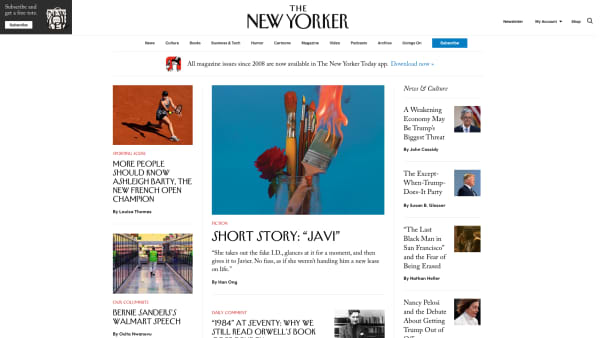
The New Yorker is another paid subscription, and they fall slightly outside of the news-only niche, offering a mix of current events, cultural commentary, short stories, and of course, the cartoons.

Still, it’s of course, one of the best sources of writing on the web and in print — and if you’re concerned about your mounting stack of subscriptions, it’s not a bad deal — you get your first 12 weeks for $12, plus a free tote bag.

Your subscription includes access to the website’s entire archive, plus the weekly issue delivered to your mailbox.

Reddit

reddit r/news

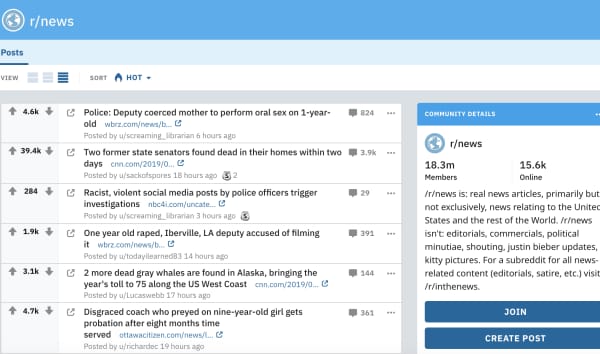
Hopefully, you’ve gotten hip to the fact that Reddit isn’t just a digital home for wayward trolls.

While it might not seem like the go-to news site, the platform allows you to add feeds like r/news to your feed, along with whatever else you like to follow. What we like about Reddit is, you can find articles from all of the big publications, alongside commentary from the average reader. The community aspect of Reddit helps push the best, most engaging stories to the top of your feed.

Medium

medium news

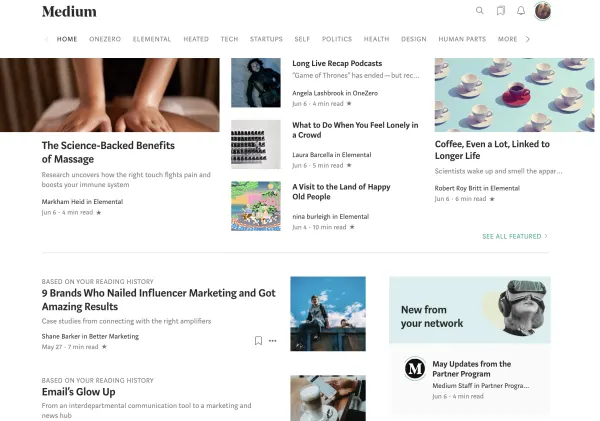
Medium is an interesting one. We’re not necessarily listing it because we’re impressed with its commitment to high-quality journalism, as anyone can post on the platform, though there’s definitely a lot of content there that meets that high standard.

What’s cool about Medium, however, is that it’s easy to find articles from people — from reputable publications, barely established start-ups, and crypto-currency pros — in other words, there are a ton of ideas on Medium that you won’t find everywhere else.

NPR

NPR website

NPR isn’t just for the airwaves; the National Public Radio service is a non-profit organization focused on presenting the facts in a fair, balanced manner.

The NPR site allows you to listen to live radio from your local station or a favorite from another state; you can listen to podcasts, get music recommendations, oh, and read the news.

News stories focus on up-to-the-moment events and give visitors the option to listen to a short news segment or read the article.

Reuters

reuters home page

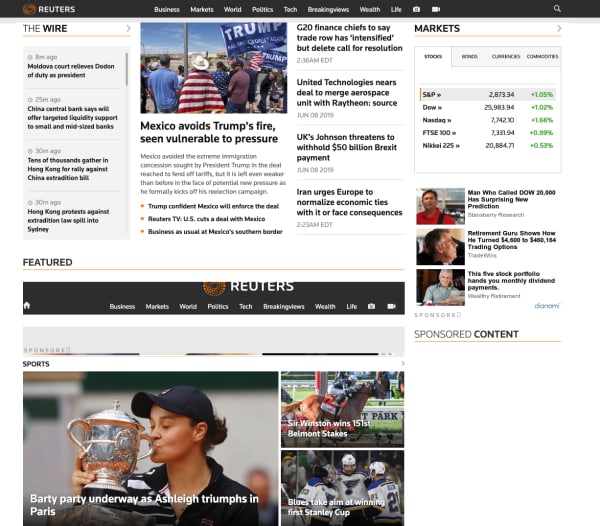
Reuters doesn’t get a lot of attention, but they’re a quality resource for unbiased reporting, the perfect place to keep up on current events without the commentary that you’ll find with many news sources.

The BBC

bbc website

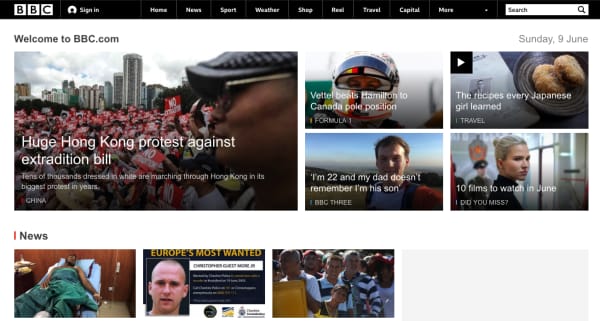
The BBC website, like Reuters, is a reliable source of global news, covering everything from Trump’s latest antics to climate change, fashion, and financial news. A well-rounded source of unbiased reporting that feels a lot like the NPR site, the BBC sticks to fact-based reporting and is guaranteed to give it to you straight.

Cracking the Twitter algorithm in 2019

Here’s how to stand out on Twitter after the recent changes.

Twitter

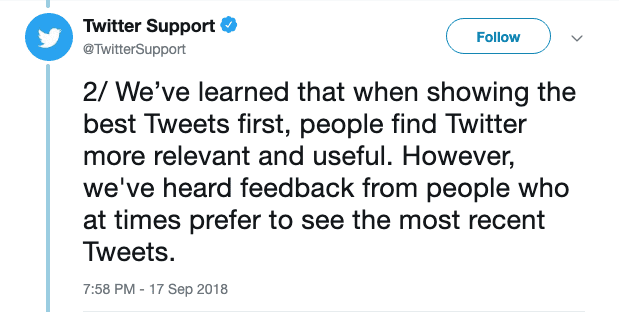
Last September, Twitter announced that users would be able to switch between a Top Tweet view and a chronological Latest Tweets timeline.

So, people now can move between an algorithm-based feed and a chronological timeline. This is something Facebook and Instagram have stayed away from in an effort to be relevant and engaging or whatever.

But just because the algorithm is optional doesn’t mean that everyone is opting out in favor of an old-school chronological feed.

Below, we’ll look at some of the key ranking signals you can expect to find inside your account.

7

What are the ranking signals?

As is the case with Facebook and Instagram, Twitter’s algorithm depends on a handful of ranking signals.

In 2019, the algorithm-based feed consists of the following sections:

Top Tweets

Top tweets are determined by the algorithm. Users will see content from accounts they follow, as well as content from their followers and suggested accounts.

Users also have the option to provide feedback on the content displayed in this section. This allows them to see some types of posts less often.

Latest Tweets

Latest Tweets represent a reverse chronological feed containing tweets from your followers.

ICYMI (In case you missed it)

In case you missed it, this is a compilation of top tweets determined by the algorithm. ICYMI is typically displayed to users who haven’t logged in lately. Frequent users won’t see this content much.

Happening Now

This is a section that appears at the top of your timeline, featuring trending topics and current events.

Trends for You

Another section determined by the algorithm, Trends for You highlights content that Twitter has determined to be relevant or interesting based on past activity.

You’ll have the option to customize this content by going into the Content Preferences section of your account.

As is the case with Facebook and Instagram, Twitter’s algorithm depends on a handful of ranking signals.

Here’s a quick look:

Recency

When was the tweet published? Timing weighs heavily into the Twitter algorithm, even if the user opts out of the algorithmic feed.

Rich media

Rich media refers to posts that contain video, audio, or GIFs, which encourage viewers to engage with the content. In other words, Twitter gives preferences to posts that contain more than a stock photo and a one-liner. That helps explain why this video just exploded:

Engagement

Engagement refers to how many tweets, impressions, replies, and clicks a tweet has received. It also takes into account how often people engage with the author’s account. It also factors the engagement of a tweet relative to other tweets posted by that same user.

Why chronological matters

Clock

Chronological content is one of the few ways that you can access neutral information in the aggregate format of a social media channel.

When you’re looking at something like top posts, that means that the platform’s algorithm is making a judgment call on your behalf. It is deciding what information you’re likely to click on, not which news stories are the most important or what is happening in real time.

We’ve become increasingly critical of what kind of content we see while scrolling mindlessly through social media.

Twitter’s move to allow people to opt out of the whole algorithm thing is actually a big deal.

Twitter feedback

Where Facebook has stated on multiple occasions that the algorithm offers users a better experience, it’s hard to separate that push toward engagement from the value it offers to advertisers.

Switching back to the chronological feed on a desktop is a matter of navigating to your account settings and unchecking the box that says “Show the Best Tweets First.”

change twitter timeline settings

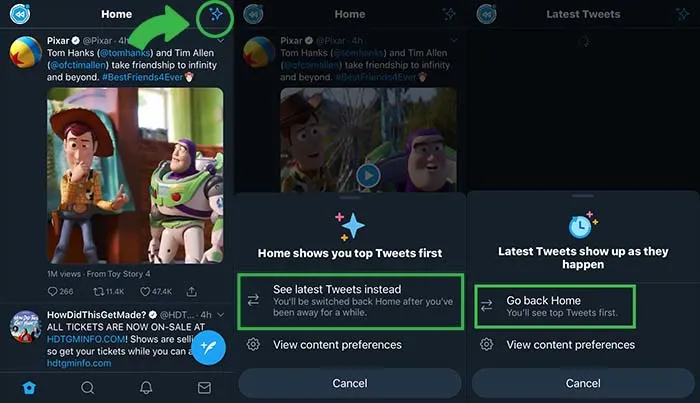
On your phone, click the little star icon and it will open options for you to flip back and forth between “top tweets” and “latest tweets.”

Twitter feed preferences

How to make sure people see your Tweets

Despite having the option to skip the algorithm in favor of an orderly feed, many people are likely going to stick to the curated feed.

With that in mind, here are some tips for making sure that your content gets in front of as many eyeballs as possible.

Use hashtags

The hashtag was actually created on Twitter as a means of helping people find tweets and accounts they might find interesting. To this day, adding a hashtag is one of the best ways to get “discovered.”

Respond to your followers

Because one of the key ranking factors is “engagement,” you’ll likely get more visibility in others’ feeds if you retweet, like, comment, or reply on the platform.

As we’ve seen with Facebook and Instagram, there’s been a real push toward getting people to engage more with others, rather than focusing on collecting more followers.

Add visuals

This draws back to the idea that rich media tweets do better than those without any compelling visual elements. It’s well-documented at this point that social media content depends on visual aids.

Take it a step further and diversify your feed by adding in video clips, live videos, GIFs, and audio.

Don’t be afraid to max out character limits

Yes, the whole concept of Twitter is based on brevity.

This is why there was a bit of controversy when the social media platform doubled the character limit — going from 140 to 280. That said, it seems that the expansion has created an opportunity for more engagement.

According to Twitter research, they found that Japanese users were able to say more with fewer characters, which led to more valuable conversations.

Bottom line

Just because Twitter has the option to toggle between chronological and algorithm based feeds doesn’t mean everyone is opting out of the algorithm.

This means if you want to get the best possible results, you’ll need to play to the algorithm’s rules.

8 best places to buy glasses online

There’s no need to spend hundreds or even thousands of dollars on glasses. These sites have them at fair prices!

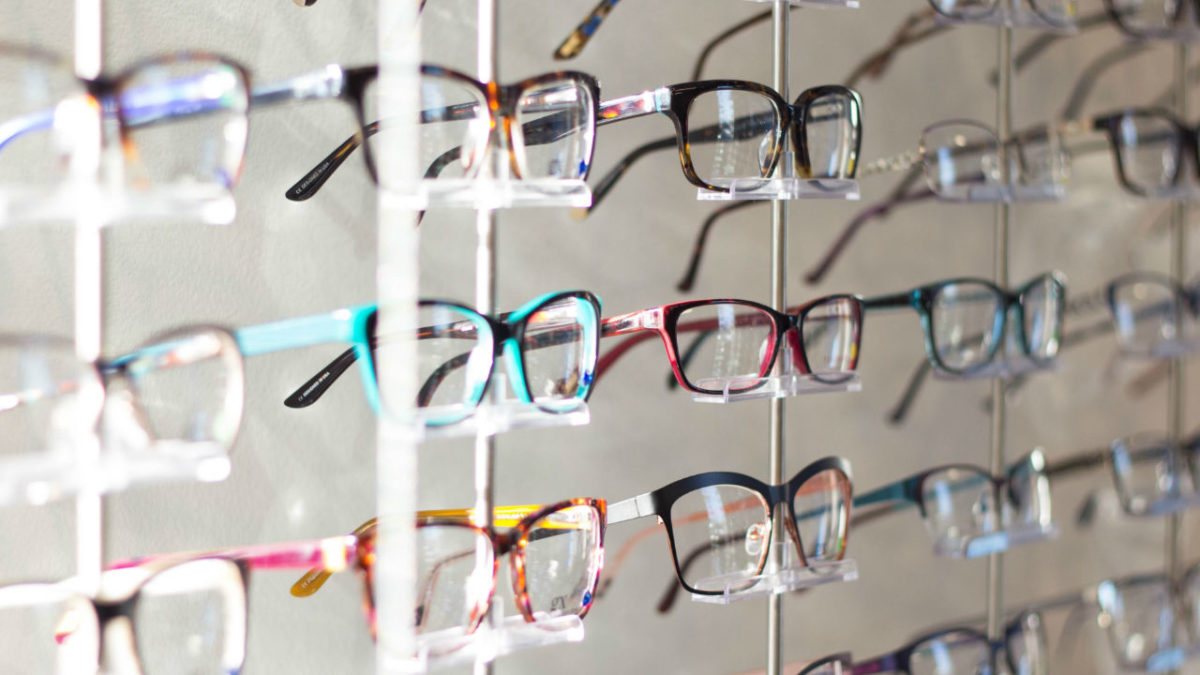
Glasses

The cat’s out of the bag — the glasses game is a total scam.

According to Vox, eyeglasses from your typical brick-and-mortar can come with a markup of nearly 1,000%.

The LA Times says eyewear is a “nearly monopolistic” industry worth a cool $100 billion.

The lion’s share of the glasses market is controlled by one company, Luxottica. They’re responsible for branded frames by everyone from Chanel to Versace to Ray-Ban. Oh, and they run the Sunglass Hut, Sears Optical, Lens Crafters, and more.

Luckily, there are plenty of online options that offer style, convenience, and best of all—aren’t $800.

Here are some of our top picks for going the direct-to-customer route for your next pair of frames and finally leaving Big Glasses behind.

8 excellent places to buy eyeglasses online

Before you buy

wallet

If you plan on ordering online, we recommend getting your eyes checked first. After that, ask your eye doctor for an updated copy of your prescription.

Some sites will ask you to submit a photo of your prescription while others just ask that you type it in manually. In any case, if you’re going to get new glasses, start fresh.

The second thing you’ll need to know is your pupillary distance or PD. Your PD represents, in millimeters, the distance between the center of your two pupils.

Oh, and if your doctor is shady about all this, there’s something called the Eyeglasses Rule (who knew?!). It states that your doctor must provide you with a prescription at the end of an exam.

Basically, the rule prevents your eye doctor from holding your prescription hostage and making you buy glasses from them.

Once you’ve got your prescription and PD in hand, you’re good to start shopping around.

Oh, and before you start freaking out about what happens if you make the wrong choice, most companies let you return frames and lenses that aren’t quite right.

1. Zenni Optical

Zenni Glasses Site

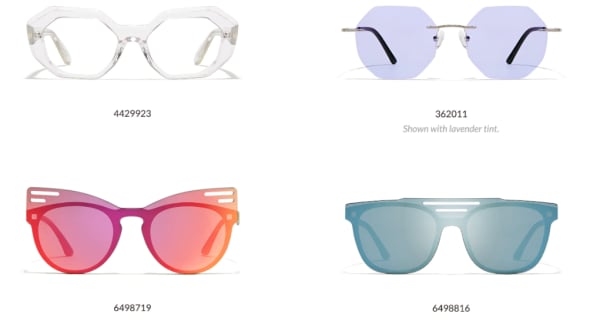
Zenni Optical has a ton of frames, starting at $6.95 a pair. They’ve got everything from prescription lavender sunglasses to a lot of looks that you could also find on the rack at your local supermarket.

That said, they have regular glasses, “cool” glasses, and nondescript glasses, too. We like the price as well as the variety, but if you shop Zenni, be prepared to sort through hundreds of frames before finding “the one.”

Consider it an experience akin to shopping on eBay or hunting for gems at the local Goodwill or TJ Maxx.

2. Warby Parker

warby parker try at home

Warby Parker is the most recognizable name in the online glasses game. The online store has a decent-sized selection of modern, stylish frames, and glasses start at around $95 a pair.

Glasses come in narrow, medium, or wide fit, which is a specification you won’t necessarily find on every website. It can be difficult to gauge the fit by looking at the website.

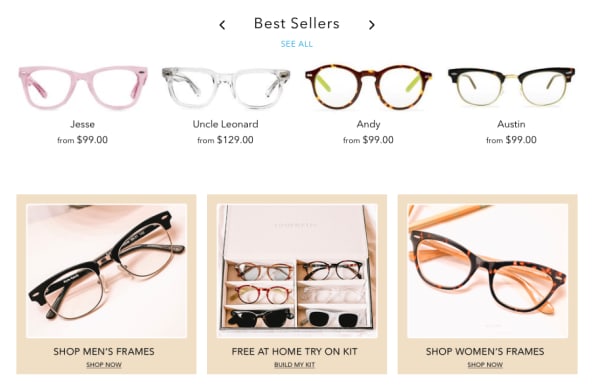
The site allows you to try on five pairs at home, free of charge. All you need to do is pick out your top choices and they’ll mail you a set of prescription-less frames with a pre-paid shipping label for easy returns. From there, you can purchase the pair you liked best.

3. Eye Buy Direct

eye buy direct bogo home page

Eye Buy Direct hits a sweet spot. They offer a ton of BOGOs and discounts. Even when they’re not running some kind of promo, the most expensive pairs are only about $70.

Most frames are comparable in quality to Warby Parker, but cost a lot less and provide more options.

Unlike Zenni, most of the Eye Buy Direct frames are either fashion-forward or sort of neutral. — They’re perfect for the person who, say, accidentally throws their glasses away or leaves them in an Uber.

What we like about Eye Buy Direct is that there are tons of options, they’re cheap, and the quality is pretty decent for the price. That said, the brand doesn’t provide any warranties, nor do they offer a home try-on option.

4. Glasses USA

Glasses USA website

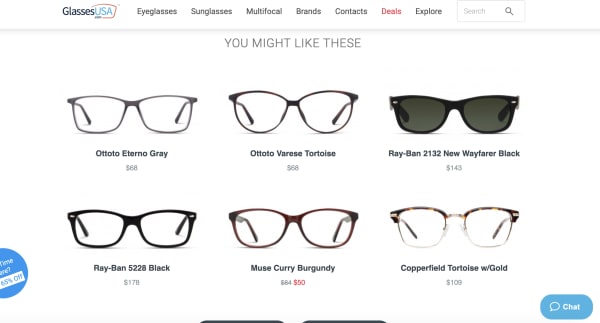
Glasses USA has been around for a while, at least a decade or so as far as we know. They’re not known for being cool or sustainable, but they’ve come a long way in recent years.

The site features name brands like RayBan, Versace, and Hilary Duff (who knew she had a glasses brand?) as well as a wide selection of unbranded frames in a variety of styles and sizes.

Unlike some of the other sites like Warby Parker or David Kind, this site feels more like a Lenscrafters. Like Zenni, there are some gems if you dig through the site.

5. Lookmatic

lookmatic order online

Lookmatic is another D2C glasses company that has been around for a while. It was formerly known as Spex Club.

In any case, the price point and selection is pretty much in line with what you’d find at Warby Parker. The only real difference between the two brands is WP has way more options than Lookmatic, which doesn’t offer a ton of variety.

Still, if you’re a fan of acetate frames, this is a good bet. Glasses start around $100 and you can take advantage of at-home try-on if you’re so inclined.

6. David Kind

David Kind online glasses selection

If Eye Buy Direct is the fast-fashion of eyewear, David Kind is something of an Everlane.  It’s a millennial-friendly online store that caters to buyers that care about sustainability and quality.

David Kind falls on the more expensive side of the online spectrum. There aren’t any $6.95 frames here, but they guarantee a perfect fit and are still cheaper than what you’d find at a specialty glasses shop.

Glasses start at $350 and there’s a real emphasis on quality that you don’t necessarily see on some of these other sites.

If you’re used to paying for Ray-Bans from your local optometrist, the sticker shock won’t hurt so much. Plus, glasses come with a 10-year warranty and they’ll even file a claim with your insurance company for reimbursement.

7. Felix & Iris

glasses felix and iris

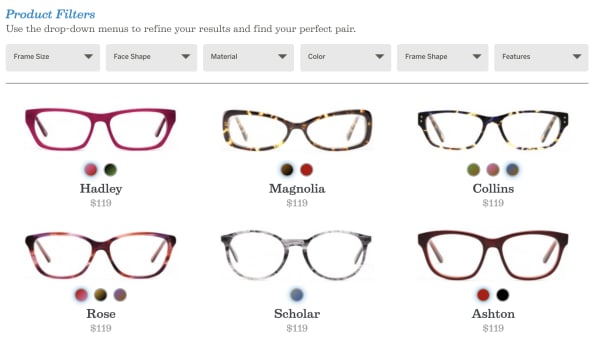
We have to admit, we don’t love the look of the Felix & Iris website, but the glasses are priced fairly and they’ve got a decent selection of frames. While style is subjective, Felix & Iris doesn’t feel quite as hip as its competitors, regardless of price point. Warby Parker, Eye Buy Direct, and David Kind all have them beat in that regard.

Still, it might be worth looking through the site. Frames start at $119 and you may be able to get them reimbursed through your insurance company.

The brand will send you four pairs for at-home try on and it has a 30-day return policy. That said, the warranty isn’t great; it only covers factory defects for up to a year.

8. Fetch Eyewear

Fetch Glasses

Fetch Eyewear is new on our radar, but the Portland-based glasses brand brings stylish frames at a reasonable price. Glasses start at $145 a pair, and the company gives all profits to local pet rescue, the Pixie Project.

Fetch also has the offer to “pick five” frames to try at home and the glasses come with a lifetime warranty.

Wrapping Up

In all, any of these online shops are a solid choice for the glasses-wearer looking for cool glasses at a reasonable price. The best part is, a reasonable price could be $300, $6.95, or somewhere in between.

Is Incognito mode really private?

Incognito mode can prevent a lot of embarrassing situations, but how much can it really protect us?

Incognito

Perhaps we’re collectively wising up to the various ways in which we’re being spied on at any given moment.

According to a 2016 study from the University of Washington, at least 75% of the world’s most popular websites use web tracking tools. Three years later, we’re sure that number has only gone up.

As such, there’s a lot to consider when it comes to privacy and how much we care about whether our browsing activities are genuinely private.

Which brings us to this question; how private is Google’s Incognito mode?

Is Incognito search really private?

Most of today’s mainstream browsers such as Google Chrome, Firefox, and Safari have some private browsing features, but it’s important to understand the difference between real private browsing and incognito.

Chrome’s Incognito isn’t private browsing, and they do mention this when you open a new incognito window.

As the name suggests, you’re really just putting a “disguise” on your online activity so that your browser doesn’t store cookies or password info during your next session.

Google Chrome Download FREE ►
7

Chrome’s privacy issues

Chrome privacy

There’s a reason that Google Chrome is currently the most popular browser in the world. It’s easy to use, and it connects with all of your Google accounts. If you’re like most people, you’re probably using it on the regular.

Just think about how often you have to use Google Docs at work or how many people you know who use Gmail.

With all of its convenience and user-friendliness comes a darker side. Chrome stores a ton of information about you from names, addresses, and passwords to what you do online.

Are there any benefits to using an Incognito tab?

incognito

The idea is, if you’re using your own devices, you don’t have to keep logging into various accounts. Also, Google will help you keep track of calendar reminders, save your parking location, and remember multiple passwords, so you don’t have to.

However, if you’re on a public computer or other people have access to your device, you probably don’t want that information stored publicly. You especially don’t if you’re accessing sensitive content online.

That’s the main reason Google developed Incognito mode, not necessarily to provide a totally anonymous browsing experience.

This includes the websites you’ve visited and the information you may have entered, including passwords.

But while Incognito mode brings some privacy into the fold, it doesn’t provide total anonymity. It certainly doesn’t protect against hackers, government surveillance, or even your employer or school.

That said, here are a handful of benefits associated with Incognito search,

Open multiple Google accounts

Let’s say you’re juggling both work and personal accounts, but want to pull them up on the same device. Open an Incognito tab and log into the secondary account.

Get around (certain) firewalls

 HBR incognito browser

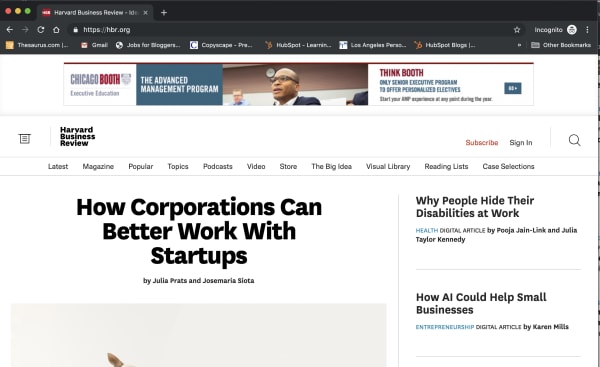
Some sites like the New York Times, the Harvard Business Review, and others have firewalls in place. Apparently, they use cookies to track whether you’ve reached your free article limit.

If you’d like to read an article without shelling out for the full subscription, opening an Incognito tab presents a (somewhat) reliable workaround.

However, it doesn’t work for every paywalled site. The Washington Post and Wall Street Journal, for instance, are onto this particular hack. Also, when you don’t pay for journalism, it has a tendency to die.

Do some benign sleuthing in an Incognito tab

If you’re stalking an ex on social media or scrolling through an acquaintance’s Instagram, or want to see someone’s LinkedIn profile without them knowing, Incognito is the perfect tool.

Sure, you might not be able to see every profile, but you’ll have a layer of protection against accidentally “liking” something.

You can prevent companies from tracking you

One of the key benefits of going incognito is that it prevents websites from tracking your cookies.

This means that you can browse freely without giving your browsing information to the sites you visit. Essentially, this allows you to opt out of remarketing campaigns.

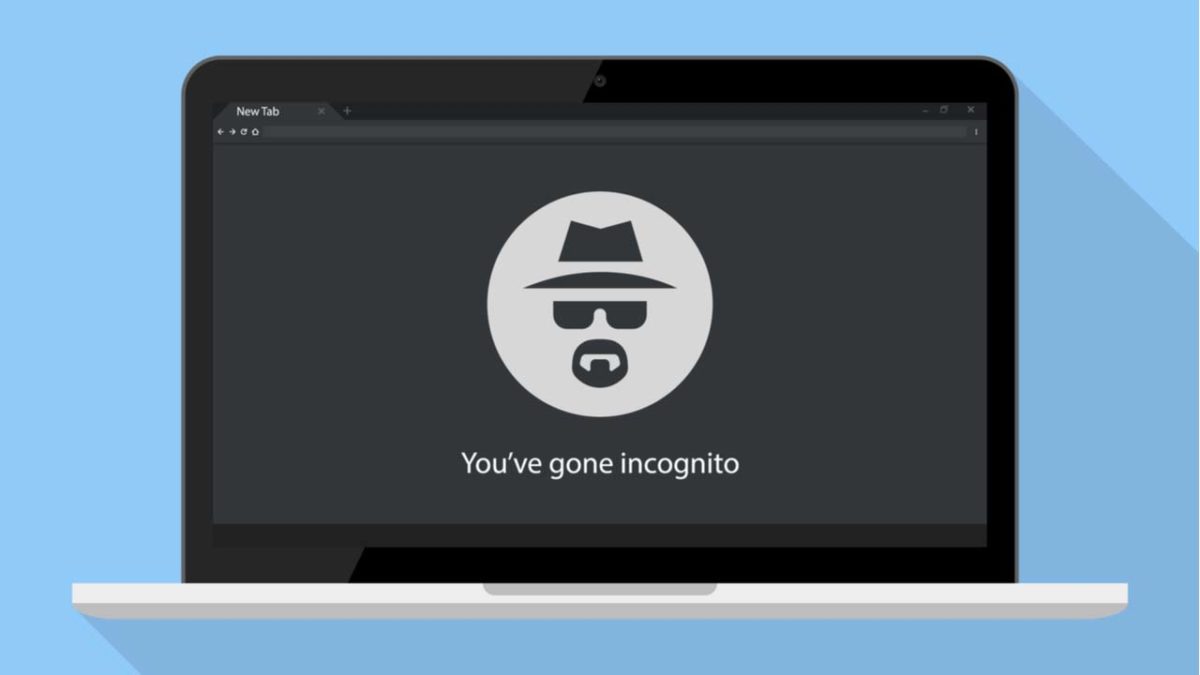
That said, you can’t prevent your own company from monitoring your online activity — whether Chrome is wearing its spy fedora or not.

While your boss will need to install third-party tracking software to do so, you’re better off assuming that any company devices don’t offer much in the way of privacy.

Wrapping up

Incognito does have benefits, but the real downside is the fact that many people misunderstand its purpose.

However, the main thing to remember is that incognito doesn’t equal encrypted. If that’s your aim, you’ll want to make sure to use Tor, Brave, or use a VPN to keep online activity genuinely private.

What’s new with Facebook’s redesign

Facebook tries to reinvent itself. Will it work?

facebook new look

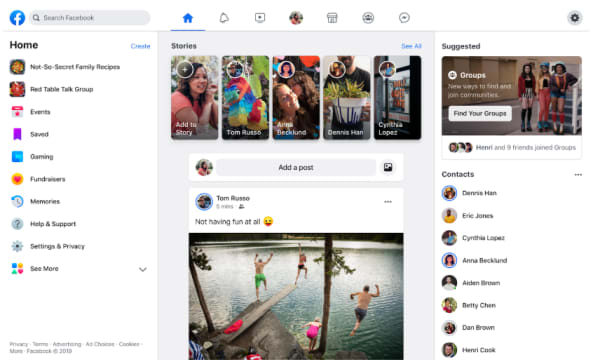
Facebook rolled out a redesign in the wake of its many recent privacy scandals. Today, it feels like Facebook is trying to wipe the slate clean with a minimalist interface and a pivot toward digital community-building.

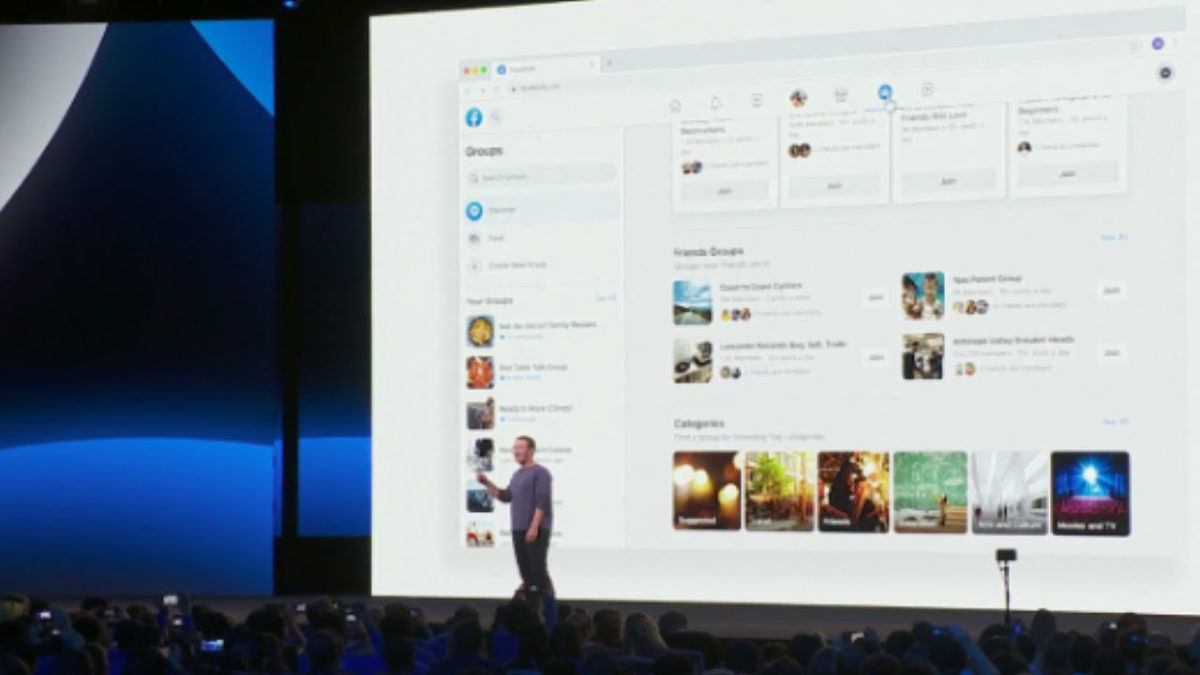
Just last month, Facebook announced that significant changes were coming to the mobile and desktop platforms. They announced the changes would shift away from the news feed and toward the two features people still use: Events and Groups.

Watch the Zuckerberg announcement here, if you’re so inclined:

But, the gist of it is, Facebook is aiming to get more personal. The company is doing so by putting some distance between features like Groups, Messenger, and Events and the increasingly problematic newsfeed.

Here’s what’s changing:

New look, new feel

Facebook redesign

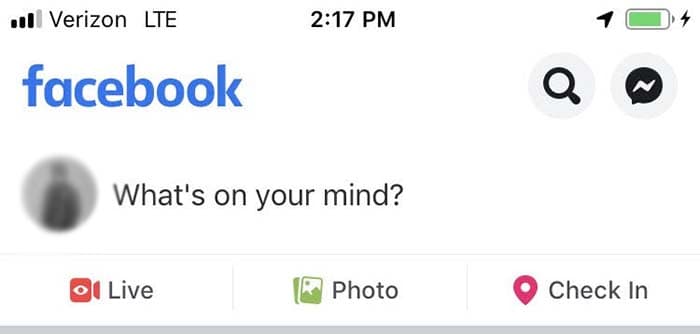
So, before we dive into the real meat of the redesign, Facebook has made some notable aesthetic changes. Instead of the big blue header at the top of the page, the site includes a lot more white space, with light gray icons for accessing your newsfeed, notifications, Messenger, and Facebook Watch.

They’ve also updated the logo, shifting gears from an F within a blue or white square to a brighter, circular icon.

7

It’s all about the groups

suggested groups

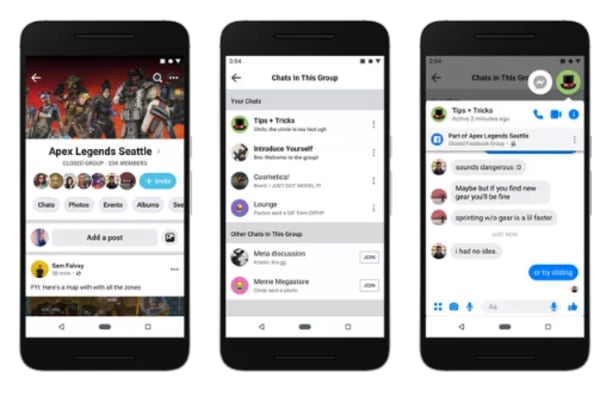
Zuckerberg is all about building communities these days. Groups represent a big part of that shift from a centralized newsfeed to a core focus on groups.

That focus on community, according to Zuckerberg, means building out both public and private groups on the platform. Increasingly, users seek private spaces where they can post content that reflects shared interests in front of an engaged audience.

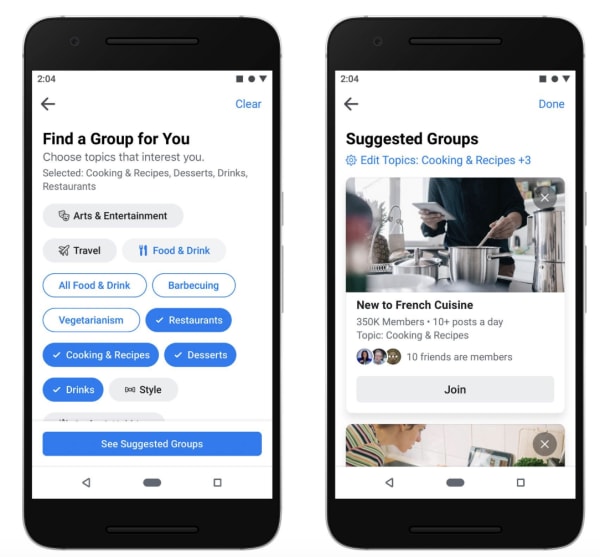
Facebook also plans on helping you expand your online circle by recommending groups based on past interests and interactions. Plus, they’ve improved the feed, making active Groups easier to find — within a personalized feed. Now, you can separate group posts from the regular newsfeed, making it easier to engage with other users.

Meet new friends

new friends on facebook

Remember when we could meet people online? Sure, dating apps are huge, and there are apps like Meetup designed to help you find a book club or a few local folks to go with you to happy hour.

7

But, the days of the chatroom are long gone — perhaps for a good reason (namely, safety).

It’s long been sort of taboo to add someone you don’t know in real life on Facebook. However, part of the redesign involves changing what’s become a digital norm.

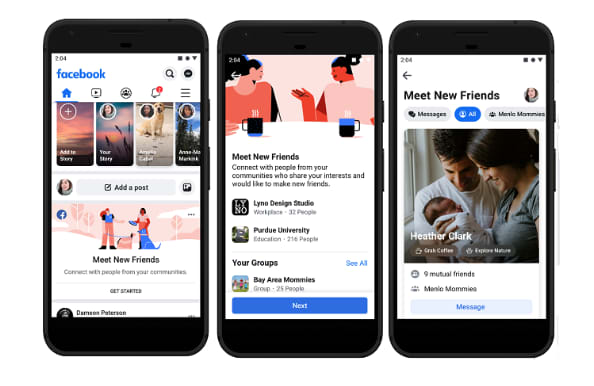
A new feature, Meet New Friends, aims to connect people with strangers who share an interest or connection. The goal is to help them meet up IRL.

Facebook Marketplace got a makeover, too

Facebook marketplace

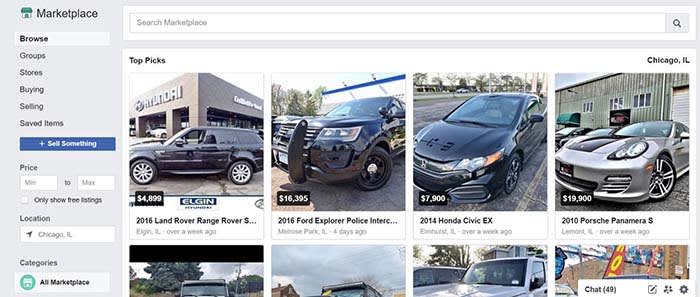
The social network’s e-commerce service, called Marketplace, also got an upgrade.

People selling goods through the platform will now be able to to take payment directly from the platform, including shipping costs.

As it stands, marketplace users have to arrange for payment outside of the platform — though they can do so inside Messenger.

Events

facebook events new look

Another area where Facebook is diving in head-first is its Events page. As is the case with groups, Facebook wants to help you find more things to do near where you live.

The new tab is now next to the Groups tab in the new menu bar layout. It offers a more detailed map view that allows you to see where the events you are interested in are located in relation to one another.

Facebook Watch is front and center

Wait, what is Facebook Watch? Don’t worry; if you’re asking that question, you’re certainly not alone. According to a Diffusion study, 50% of adult Facebook users in the U.S. had never heard about it.

Facebook Watch aims to capitalize on streaming trends — it’s trying to hitch a ride off of the success driving Netflix and YouTube. But, there aren’t any notable “hits” on the platform.

Facebook says that 75 million people now use Watch for at least one minute per day, and not necessarily all at once.

While we get why Facebook insists on making us notice Watch — it’s hard not to feel as though they’re really forcing us to pay attention.

Privacy

Privacy has been Facebook’s Achilles heel going on a few years now.

From Cambridge Analytics to the ongoing debate about the company’s data collection practices, the company has had some difficulties winning back the trust of the public.

To combat this image problem, Zuckerberg has been promoting a message centered around privacy. It runs in stark contrast to its old narrative as this digital public square.

Zuckerberg said, “Privacy gives us the freedom to be ourselves,” pointing to a shift in how we interact online these days.

In the past, the purpose of posting was to reach as many people as possible. Today, Zuckerberg says, we now crave a sense of intimacy online.

Which, in all honesty, is probably true.

Wrapping up

If the recent news about Facebook’s shareholders wanting to hire a chairman to oversee Zuckerberg is proof of anything, it’s that the company wants to change.

These new design changes to Facebook are nice, but we are hoping that the changes to the social media giant go beyond the cosmetic level.

How to scan for hidden cameras at your Airbnb

Worried about spying eyes while staying at your Airbnb? These tips can help you out!

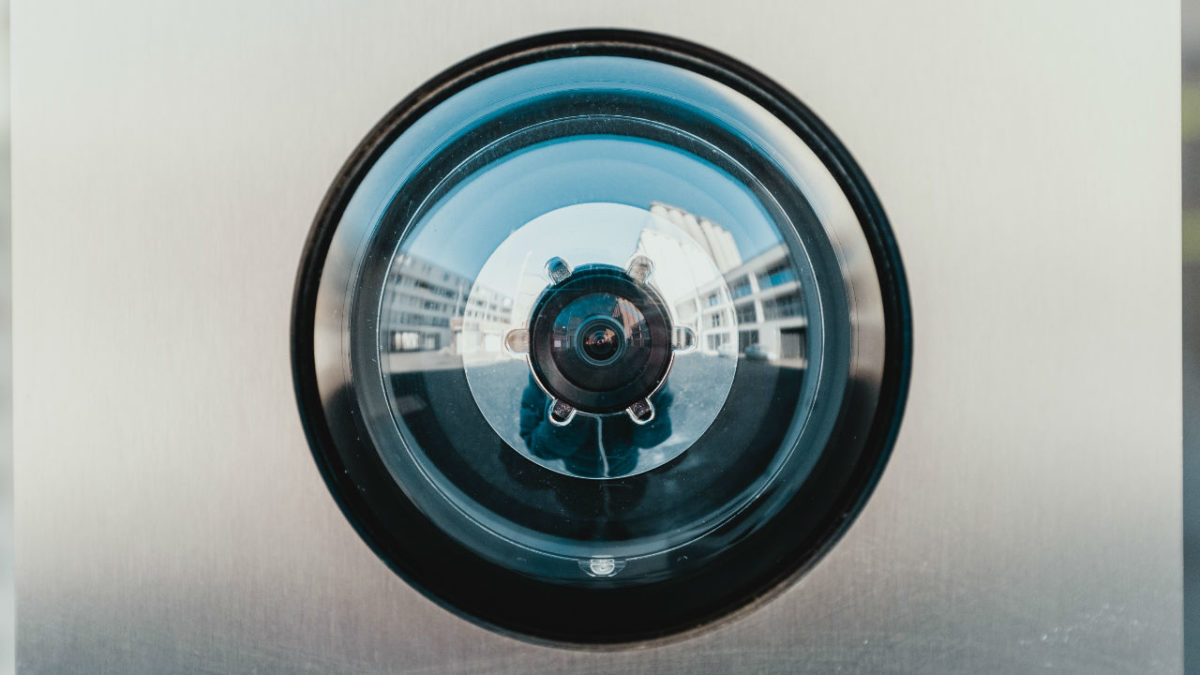
Hidden camera

Airbnb has changed the way we travel, offering the comforts of home and the ability to experience life as the locals do.

In recent months, an increasing number of reports have made headlines involving guests finding hidden cameras in their Airbnb accommodations. And no, that information was not disclosed to guests up front.

Most recently, a New Zealand family made headlines for spotting a hidden camera after noticing the device on the Wi-Fi network.

Creepy, right?

While it’s unlikely that most Airbnb hosts spy on their guests, reports like these do make the case for erring on the side of caution.

7

What does Airbnb allow — camera-wise?

Airbnb

Airbnb’s policy states that if you are a host and you have any type of security camera, active or not, it needs to be indicated in the House Rules section of your profile.

They also require that any recording taking place during a guest’s stay must be disclosed. Should the guest report an active recording, they can cancel the reservation and receive a full refund.

What’s more, Airbnb added an extra layer of disclosure before booking.

As of early last year, guests receive a pop-up before confirming the booking, informing them of any cameras on the premises and where they are located.

Guests must actively opt-in indicating that they understand that they will be filmed during their stay.

Hidden camera

The rule applies to any camera ranging from nanny cams to Wi-Fi cameras like Nest or Dropcam.

9

Violators may be subject to penalties, though the website doesn’t exactly lay out what those penalties are.

Airbnb’s trust and safety rep told The Atlantic that the company does try to filter out hosts who might engage in suspicious behavior. Airbnb runs their information through felony and sex-offender records before they can start hosting guests.

How can you scan for cameras?

There are a few things you can do to check for hidden cameras in your Airbnb rental.

Make a habit of following these few steps before checking for bedbugs to ensure that you’re not being watched during your next vacation:

Look for objects that seem out of place

Bear on shelf

Let’s start out with a low-tech tip taken from old school sleuthing. Scan your Airbnb for anything that seems “off” or out of place. This could be as obvious as a can of soda placed in the middle of the room or something more subtle.

Assuming your hosts are at least somewhat savvy, here are some common places you might find a hidden camera:

  • Smoke detectors
  • Stuffed animals
  • Shelves
  • Power strips
  • Night lights
  • Books or DVDs
  • Computers and their accessories
  • Holes in the wall

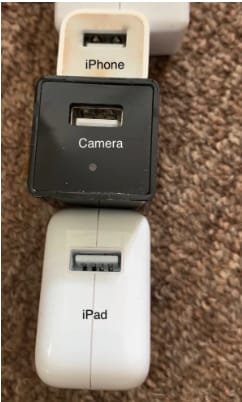
Do a sweep of these “everyday items” to see if anything seems sort of bulky or odd-looking. In this example below, you’ll notice that this USB plug seems a little bit larger than the norm — and what do you know — there’s a hidden camera attached.

Hidden camera in USB Consider the “best” angles for covering the room

Generally speaking, corners are the best place to place a camera, as you’ll get the widest view of the space.

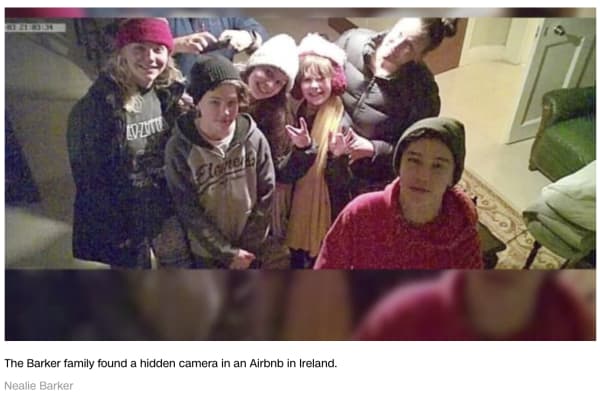
The Barker family, from the aforementioned article, found their Airbnb’s camera in prime position, that wide angled corner.

barker family airbnb camera

You’ll also want to use common sense when scoping out the scene.

If you’re worried that someone is spying on you in the kitchen, chances are they’ll be viewing from above rather than in the baseboard.

If they’re trying to catch you in the living room, you might want to spend time looking at anything stored near the television or pointing at the couch.

Shine a light to pick up the reflection of any hidden lenses

Lenses, being made out of glass, reflect light. Try doing a sweep of the room by shining a flashlight to scan for reflections.

Turn off the lights

Turn off the lights to check for hidden night vision cameras. Most hidden cameras have red or green LED lights that blink or shine in low light conditions, in an effort to supply lighting for better images.

Spot hidden smart devices by scanning for Wi- Fi connections

If you connect to the house Wi-Fi — chances are, the host has provided you with a network name and password. Once you’re in, open the network to see what other devices are connected.

Unfortunately, the camera will not be discoverable if it is not connected to the same network you’ve logged into.

Use a Wi-Fi checking app

Unfortunately, scanning with your eyes and flashlights alone won’t catch every hidden camera.

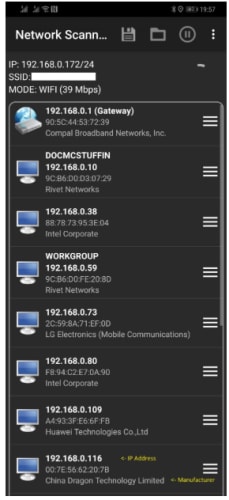
Luckily, there are plenty of apps designed for this express purpose. One example is Network Scanner, which displays IP and MAC addresses, as well as the names of the hosts on the local network.

network scanner find unknown devices

Or, another called Angry IP scanner, which also scans the network for devices, security threats, and more.

Angry IP Scanner Download Free ►
7

Just about every hidden camera the average person can buy relies on wireless technology to stream the footage to a remote location.

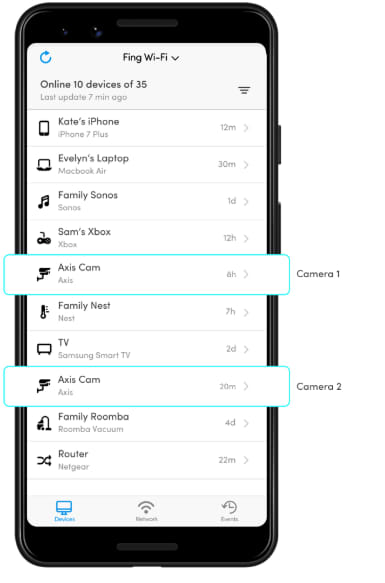
Smartphone users can download an app called Fing (available on iOS and Android) which is designed to help users “control their digital environment.”

While the app is primarily designed to help you troubleshoot network issues and keep your own devices secure, it can also clue you into peeping hosts.

Fing App

What should you do if you find a hidden camera in your Airbnb?

Any undisclosed cameras must be reported to both Airbnb and the host. Make sure you don’t move the devices and take pictures documenting the findings.

In the U.S., it’s fully within your rights to get the police involved, as undisclosed cameras are a criminal offense.

Still, hidden camera laws vary by country. If you’re traveling abroad, read up on local laws to find out if any recourse is available.

Wherever you are, hidden cameras violate the terms of the Airbnb host agreement, so make sure you report all you find.

6 ways to level up your Instagram captions

Become an insta-sensation with these tips and tricks!

Instagram post

Sure, Instagram’s bread and butter is its focus on pretty pictures. It has been the case since 2010 when the app still had a reverse chronological timeline, well before Facebook entered the mix.

Initially, Instagram was designed as a platform for pics and pics alone. However, the founders quickly realized that something was missing… Enter the likes, comments, and yes, captions.

Instagram Download Now ►
7

Compelling captions do a lot for a post. They tell people what your photo is all about, prompt them to take action, and make sharing worthwhile.

Still, it’s hard to come up with the perfect combination of funny and thoughtful. How do you be descriptive but not too long? How many emoji should you use? What about hashtags? How many is too many?

Don’t make yourself crazy over captions. Here are some ways to drum up that coveted follower engagement without driving yourself nuts:

6 ways to level up your Instagram captions

1. Consider who you’re writing to… and why

Thinking before posting

First things first. Let’s talk goals.

Who are your followers? How old are they? If you add a reference will they get it?

Instagram has an inherently lighthearted tone. Think about it, you’ve got your pink walls and latte art, inspirational quotes, sunsets, and self-care. On a general level, you’ll likely see the best results from keeping things light.

Beyond understanding the platform, you do want to be in touch with the audience. Ask yourself what kind of language do they use?

2. Lead with the best stuff

Cool Instagram post

This is the Instagram equivalent of “above the fold.” Captions are cut off after a few lines of text. So, if you want to attract interest, you need to front load the information so that people might happen upon it while scanning through their feed.

Sure, you have 2,200 characters to say your peace. However, if you’re looking to max out your space you’ll want to treat the first part of your caption like a headline. After that, you can then dive into the rest for those care to click.

A note about caption length: The common wisdom is that shorter tends to be better, but it kind of depends on your profile personality. Some users approach their Instagram account as if it were a mini-blog while others go for brevity. They relish that expertly-selected emoji or slick one-liner. It’s all about finding what’s best for you.

3. Ask a question, make a call for action

Call to action

If you are a brand or you just work for one, you know better than to leave a social media post without listing a “next step” for your reader. The next step, otherwise known as your “call-to-action” or CTA for short invites readers to go, “Hey, I will click over to that website” or “check out that shop.”

Again, this brings us back to this idea of setting a goal. Think about what you want your post to accomplish — comments, likes, engagement, or website visits.

If you’re a typical user that just wants more engagement, try asking a question to get more people to comment. It doesn’t need to be complicated. You can ask people what they think about a new look or invite them to comment on a personal experience.

4. Formatting matters here

Yes, formatting counts when it comes to crafting the perfect post. Spaced out sentences are much easier to read than a big old wall of text. That’s blogging 101. However, you might not realize that avoiding the old text wall translates to social, too.

See this post from The Instagram Expert’s account


View this post on Instagram


– WHAT A DIFFERENCE 365 DAYS CAN MAKE IN YOUR BUSINESS (GO AHEAD, DREAM A LITTLE BIT) ⏡⏡ Meet @shannonleestrategy she has been a small business owner, like many of you, for the past 20 yrs. Shannon had been using online marketing for a while but she told me she felt like she was running on 1 cylinder when she wanted so badly to be at full throttle. Can you relate? – Because she knew she was missing something in her business, she joined Marie Forleo’s B-School last year. Shannon wanted to understand the FOUNDATION of what it takes to build a business online today using modern marketing. – After she took her leap into B-School and invested in her business she’s done some pretty tough work and she’s seen impressive results in her biz. ⠀⠀⠀⠀⠀⠀⠀⠀⠀ Including… ⠀⠀⠀⠀⠀⠀⠀⠀⠀ – How to tell stories on social and in her emails that emotionally connected to her ideal clients – She learned how to focus on always leading with giving value to her clients – She rebranded in a way that aligns with her marketing message – She started on Instagram with 300 followers and after going thru B-School and incorporating what she learned from my Instagram tactics in Ready Set Gram she now how 1,044 highly targeted followers -Since B-School & our in person B-School retreat in Boston, Shannon has… ✔️Gained confidence ✔️Made a mindset shift ✔️:Got Laser focused in her niche ✔️Has clear content that attracts her paying customer ✔️Has grown her email list from 0 to 200 ✔️Launched a website that converts to clients. Resulting in 1K views and several leads a week for her strategy and coaching business – She works less hours because of her systems in place and uses automation to work smarter. Her business has increased 800% giving her thousands and thousands of dollars a month to her household. Annnnnd this only took 1 year! 365 days! – Imagine where you could be one year from now if you invested in your business from someone Who has the step-by-step process to do what you need it?

A post shared by Sue B. Zimmerman IG Educator (@theinstagramexpert) on Feb 13, 2019 at 5:45pm PST

It’s crazy long, but she’s done a nice job making this approachable through the power of white space.

5. Include some emoji

Thinking Emoji

Well-crafted emoji captions are a real treat, and they’re more versatile than you think. These days even more serious brands are getting in on the action.

You can use emojis in a few different ways. For example, you can use them at the beginning of a post to catch people’s eye.

Or, make like Starbucks and tie your emoji back to the focal point in your photo.

Another idea is to use the “eyes” or the “finger pointing” emoji to draw the eye toward your link or CTA. It’s a nice visual trick for breaking up space, and it serves a practical purpose.

6. Hashtags

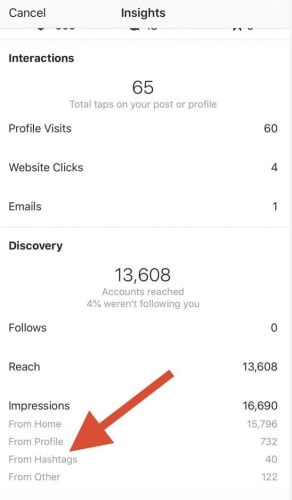
Hashtags exist as a means for classifying photos, but they also help you cast a wider net. They help you reach people who might never come into contact with your page. This Hootsuite report breaks down the stats:


Hashtag analytics

For best results, the goal is to keep your hashtags relevant first. The purpose is to help other users find content that corresponds with their interests. Essentially, save the jokes, memes, and emoji for the body of the caption.

7. Keep captions consistent

Finally, consistency is the backbone of branding whether you’re trying to build a business or turn yourself into an influencer.

In either case, people will remember your account when you deliver a high-end experience day in and day out.

Wrapping up

Instagram can be a great tool for building your own brand or your business’s brand. With these tips, you can turn the ordinary into the extraordinary.