Weird-looking high-tech toothbrush promises a cleaner mouth in 10 seconds

Is this the future of dental hygiene or a goofy-looking fad?

Buying that new smartphone or game console is one thing, but did we really expect to see an upgrade to the toothbrush in our lifetime? Did we even want it? While a new electronic toothbrush likely won’t appear at the top of many Christmas lists, let’s face facts: Everybody brushes their teeth, and we’ve been doing it the same way every day since 1938. Cars and computers have certainly come a long way since then; it’s time some of our more ubiquitous products get a much-needed face-lift.

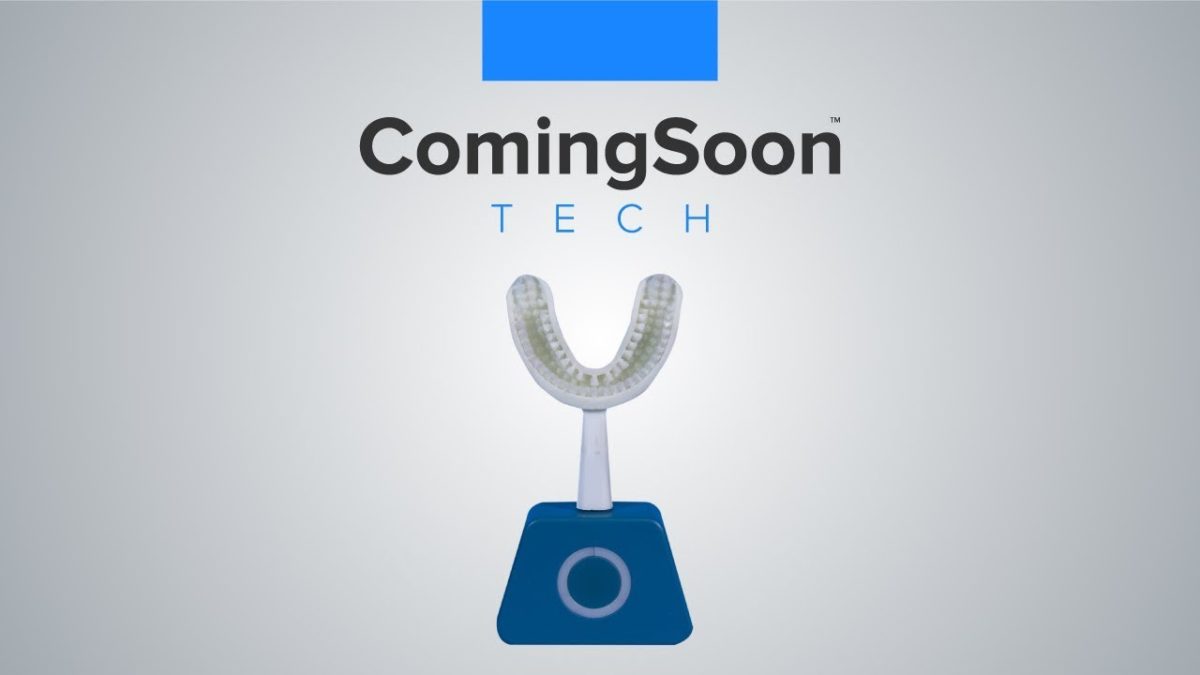
Introducing the new Y-Brush from the French manufacturer FasTeesH:

Why use Y-Brush?

The human mouth houses 32 teeth and has 3 different angles, totaling 96 overall places that require cleaning twice a day. Dentists recommend brushing for 2 minutes minimum per session, which means you’re supposed to brush each tooth for about 4 seconds. Does that happen?

Proper tooth brushing technique
Dentists use a mirror for a reason. You’re probably missing a lot of surface area.

Probably not.

Left to our own devices, many of us are embarrassingly inept at proper brushing technique, or are simply too impatient for good oral hygiene. Even when your brush with the best of intentions, you’re prone to common issues like gum recession, plaque buildup, and excessive wear and tear on your enamel.

The Y-Brush removes an impressive 15% more plaque than a traditional toothbrush and sports rounded hair tips for less aggressive strokes against the gums and teeth, taking care not to aggravate while brushing. But that’s not all – the Y-Brush knocks brushing time down to 10 seconds.

How does the Y-Brush work?

We’ve been brushing our teeth ‘the normal way’ for so long that a device as odd-looking as the Y-Brush probably looks like some bizarre prop from a sci-fi show.
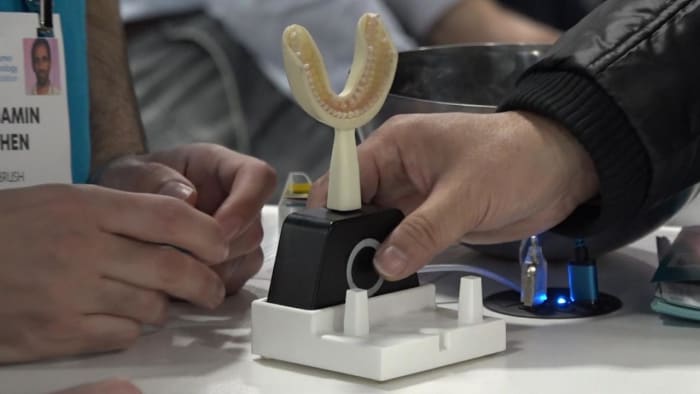
The Y-Brush
The Y-Brush looks like a mouth guard, and you put it in the same way

The process is simple, however: Just put in your toothpaste and bite down on the Y-Brush. Turn it on and make slow chewing motions with your mouth. After five seconds, flip the Y-Brush and repeat with your other jaw, and five seconds later you’re done.
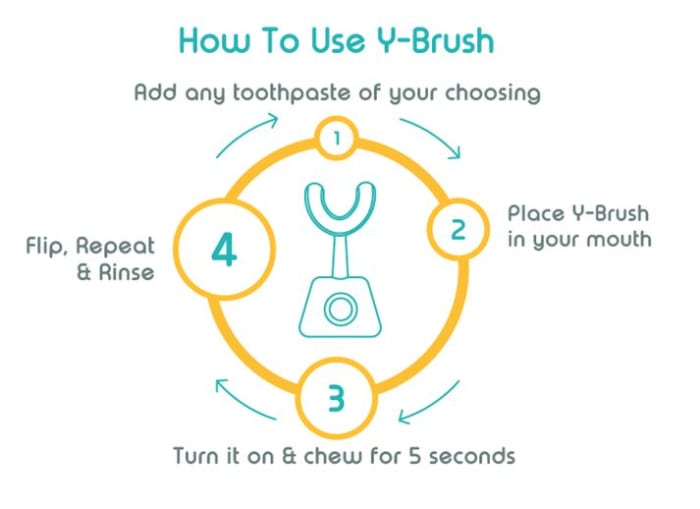
It feels like you’re not spending enough time brushing, but in reality, you’re brushing 400% more. The Y-Brush tackles each tooth for five seconds since the device brushes all the teeth of one jaw simultaneously – four times longer than a manual or even an electric toothbrush during a standard two-minute brushing session.

The reason it’s so efficient is that the bristles are pointed up at a perfect 45-degree angle – the angle recommended by the ADA when you use a standard toothbrush. The motor on the front of the brush tray vibrates to clean your teeth much more reliably (and carefully) than your arm. There are even three different (but equally effective) settings you can choose between if you find the higher ones uncomfortable.
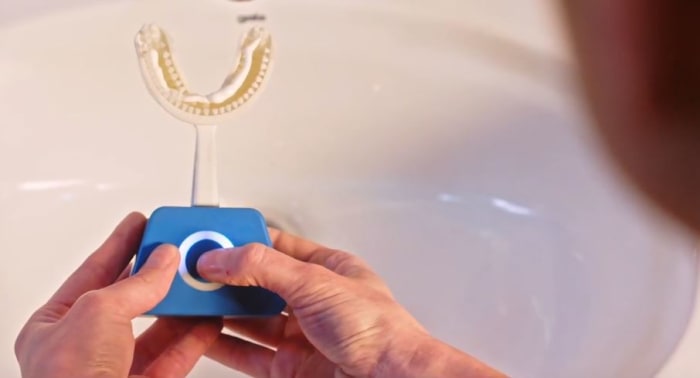
Y-Brush vibration settings
Adjust vibration strength by pressing here.

The brush of the future?

What makes the Y-Brush so promising is that it walks the line between efficiency and convenience. Yes, we care about our dental health, but we care more about our own convenience and ease of living. Since the Y-Brush doesn’t even require any unique toothpaste (you can fill it with any you like!), it’s an improvement in practically every way.

Y-Brush adjusting settings
Cleaning the Y-Brush is as simple as rinsing it – just like with your old toothbrush.

You can plug the device in when you use it (like you would with an electronic toothbrush) or you can even charge it wirelessly via induction. The Y-Brush comes with a charging station so you can bring it with you on the go and use it in a more portable capacity. Since it’s so easy  and fast to use, the product is especially good for kids or people with disabilities.

FasTeesH has been developing the Y-Brush and testing it with professional dentists for three years, and the general consensus is very positive: The device eliminates bacteria responsible for gingivitis, periodontitis, and gum disease, and does it all with efficiency and speed. Unfortunately, the product is on the expensive side, costing around $125. To be fair, however, that’s about as much as a premium electric toothbrush – and the Y-Brush is the better alternative. Plus it comes with the handle, brush, charging station, and a storage pod and toothpaste applicator, so you’ll be taken care of from the start.

Y-Brush package plans
The Y-Brush comes with 4 different purchase plans, and 4 different mouth sizes.

The Y-Brush isn’t available yet, but you can pre-order one right here. Deliveries are expected to happen in April 2019.

Are you going to get one, or is this just an expensive fad? Let us know your thoughts in the comments below, and don’t forget to floss!
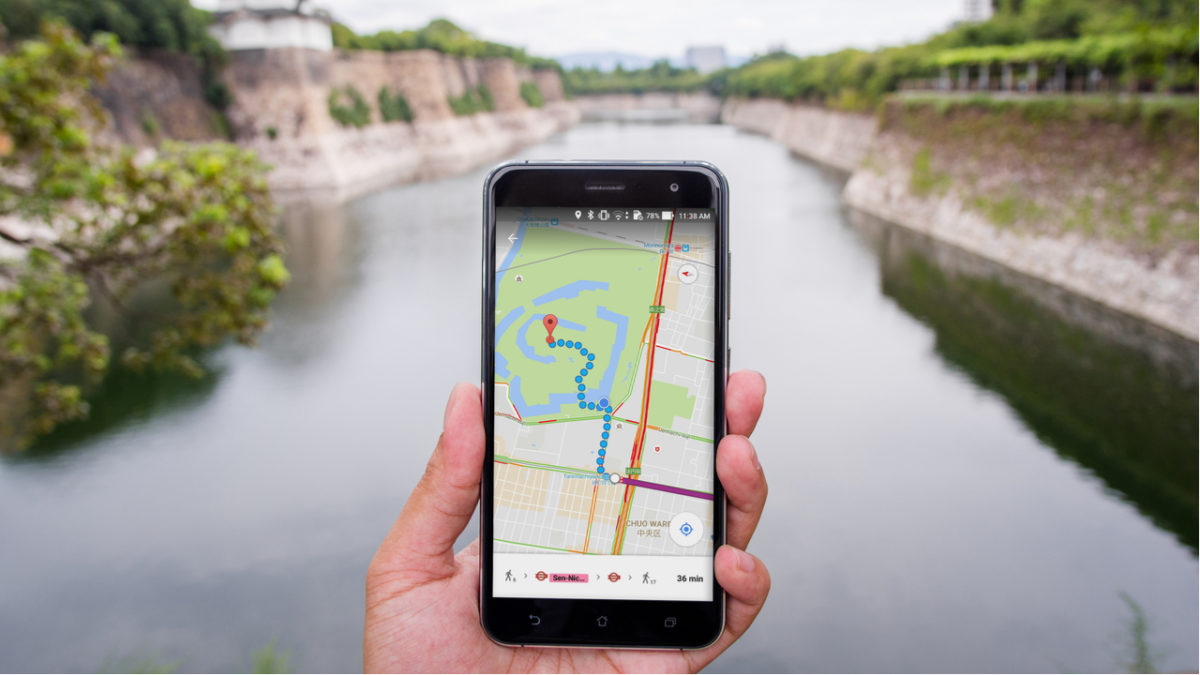
Google Maps gets a privacy boost

Google Maps update could add an “automatically delete location history” feature.

The modern era is dominated by tech giants that make money through harvesting our personal data and selling it to advertisers for profit. Consequently, one of the big issues of this day and age is privacy. It is in the tech giants’ financial interest to encroach on our privacy, which means it is an uphill battle for us, the little guys, to hold on to whatever scraps of privacy we want to keep.

One of the biggest apps out there that draws criticism from privacy advocates is Google Maps. The app takes all your location data sends and it back to Google HQ. If the idea of a tech giant knowing your every move is a little sinister to you, you’ll happy to hear about an update that could be coming to Google Maps very soon.

Google Maps Download Google Maps
7

Google Maps update could add an “automatically delete location history” feature

According to 9to5Google, the code to the recent Google Maps beta version update contains something very interesting indeed. It looks like the internet giant is testing out a feature that will automatically delete a user’s location history. This would mean a user could protect their privacy without having to go into the Google Maps menu and delete their location history every time they’ve been somewhere.

The new beta version of Google Maps is available on the Play Store, but it is still very much in the testing phase. At this point, there is not even a guarantee that the feature will even make its way onto the full version of the app. With the EU recently stepping up efforts to protect user data and showing a propensity for handing out huge fines there is now a financial incentive for Google to think more clearly about the privacy of the users of Google products.

On top of the financial incentive represented by the huge stick the EU is willing to yield, it is becoming more and more clear that the public is more switched on about privacy issues. With Facebook going through privacy scandal after privacy scandal, mobile app developers intent on taking as much of our private data as they can, and the true value of user data becoming more and more apparent everyday internet users are much less likely to feel comfortable handing over our data than we would have been in the past.

It is good news then that Google is testing a feature that will make it much easier to stop the tech giant from automatically recording all of our location data. Unfortunately, however, there is still no word about when all Google Maps users will get access to this feature. If you want to try the feature right now, you can become a Google Maps beta tester.

Google Maps Download Google Maps
7

Top 5 portable chargers

If you’re going to be away from electricity for a while, these great portable chargers will keep your devices topped off.

It’s 2019 and we all live on our smartphones. While battery life has improved tremendously from model to model, nothing lasts forever, and that can be a real problem for people who forget to charge their phones or are away from home for an extended period (which can be an unintended circumstance this time of year when weather is dicey). Seeing a battery level under 20% can be especially scary if you’re relying on your smartphone for GPS or for emergency phone calls.

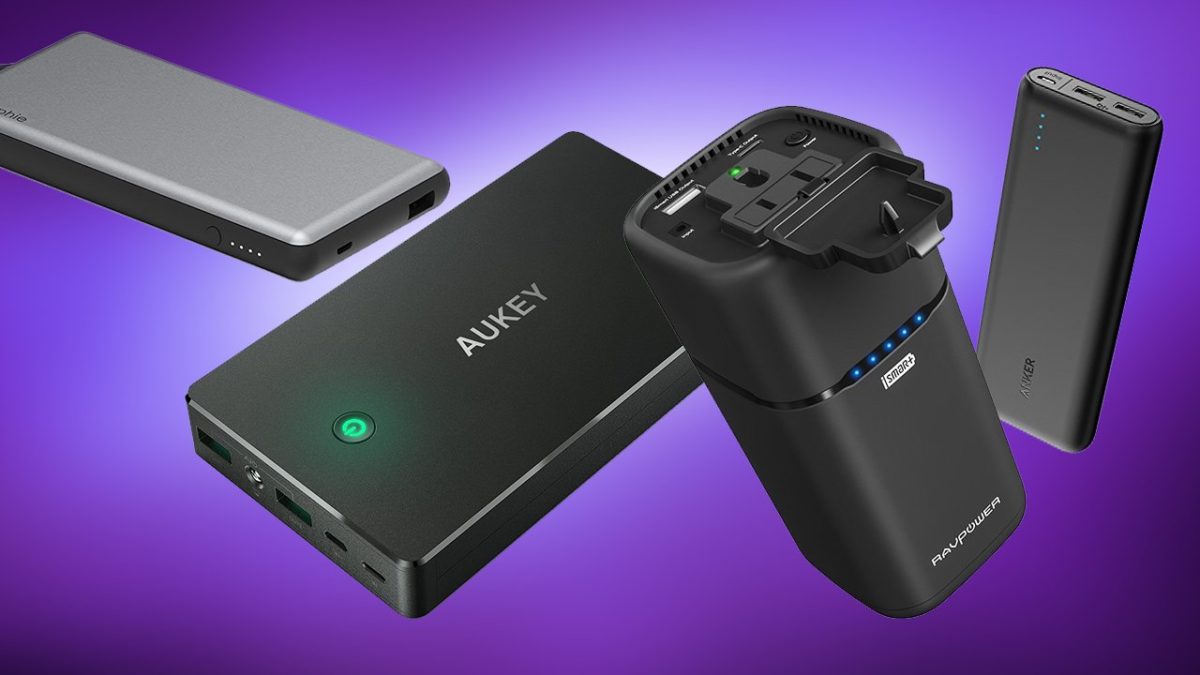
A portable charger can be a literal lifesaver, but there are tons of models to sift through before you find the one that’s right for you. Lucky for you we’ve done the research so you don’t have to! Check out this list of our top five portable chargers.

5 best portable phone chargers

5. AUKEY Power Bank 26500mAh

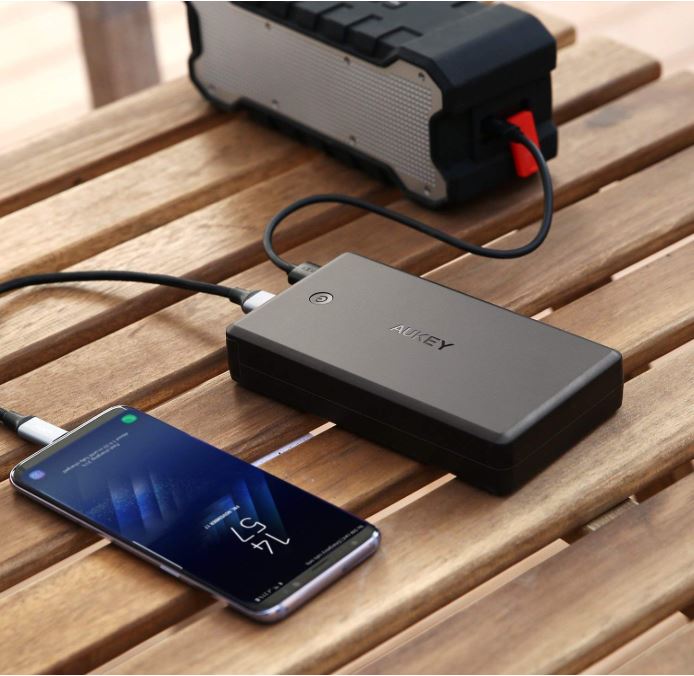
Aukey portable charger charging an iPhone
AUKEY supports lots of different devices, but it is pretty heavy.

This AUKEY Power Bank is a terrific model that’s compatible with a variety of devices, including Nintendo Switch, Android phones, iPhone XS (and XS Max), iPhone 8, and pretty much anything you can fit with a standard USB cable – which conveniently comes in the package. This device is four times faster than your conventional charger, but the increased battery size does make it a little heavy. is a little more expensive as a result. It’s also one of the more costly options on our list.

4. Tzumi – PocketJuice Endurance 8000

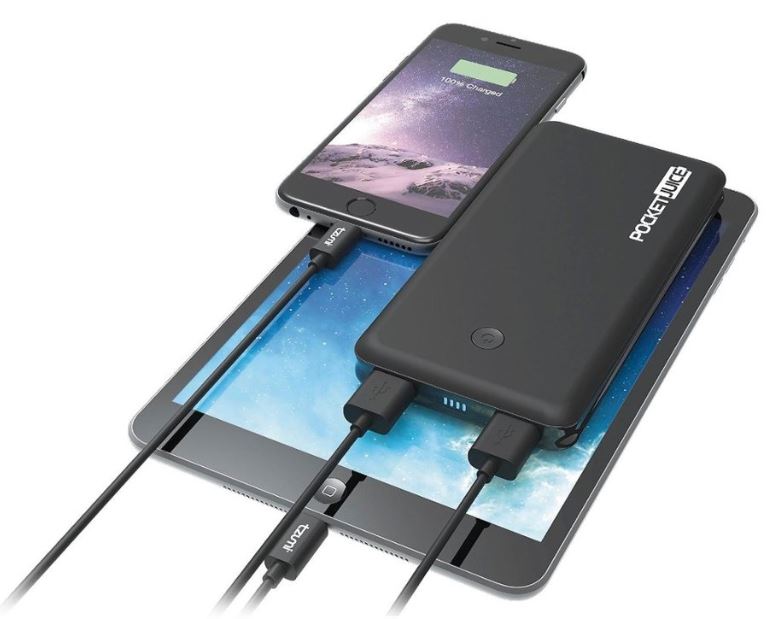
PocketJuice charger charging iPad and iPhone
The multiple ports on the PocketJuice allow for charging two devices at once.

Selling for a third of the price of the AUKEY Power Bank, the Tzumi is also a much lighter option, making it ideal to put in your pocket or toss in your purse before leaving the house. Like the AUKEY, the Tzumi is compatible with practically every USB-powered device, meaning your smartphone can stay connected and ready to work while you’re traveling or on the go. The 8000 mAh lithium-polymer battery pack will even see you through up to around four separate charges for your phone! Its two ports allow for two devices to be charged simultaneously, and the QuikChip technology regulates power discharge in order to keep your device from overcharging or overheating. Built with convenience and safety in mind, the Tzumi is high quality at a low price.

3. Anker PowerCore 10000 Portable Charger

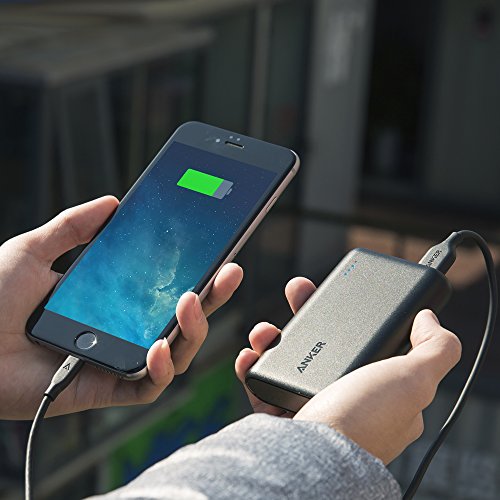
Charging an iPhone with an Anker 10000 portable charger.
The Anker 10000 is about the size of a credit card.

One of the smallest and lightest models on the market, Anker delivers their usual great quality with this more portable device. Featuring a compact design, the Anker PowerCore 10000 is perfect for mobility and its 10,000mAh capacity is enough to charge your smartphone several times over – enough to power two whole phones with battery still to spare. Additionally, the PowerCore 10000 is integrated with a MultiProtect safety system to boost its security and reliability even further. The system boasts a combination of eleven safety features that work together to provide the ultimate protection for your devices and your charger. If you like the Anker brand (which we do) and want a less expensive model that provides peak power and accessibility on the fly, this is an excellent model.

2. Aibocn 8000mAh Portable Charger

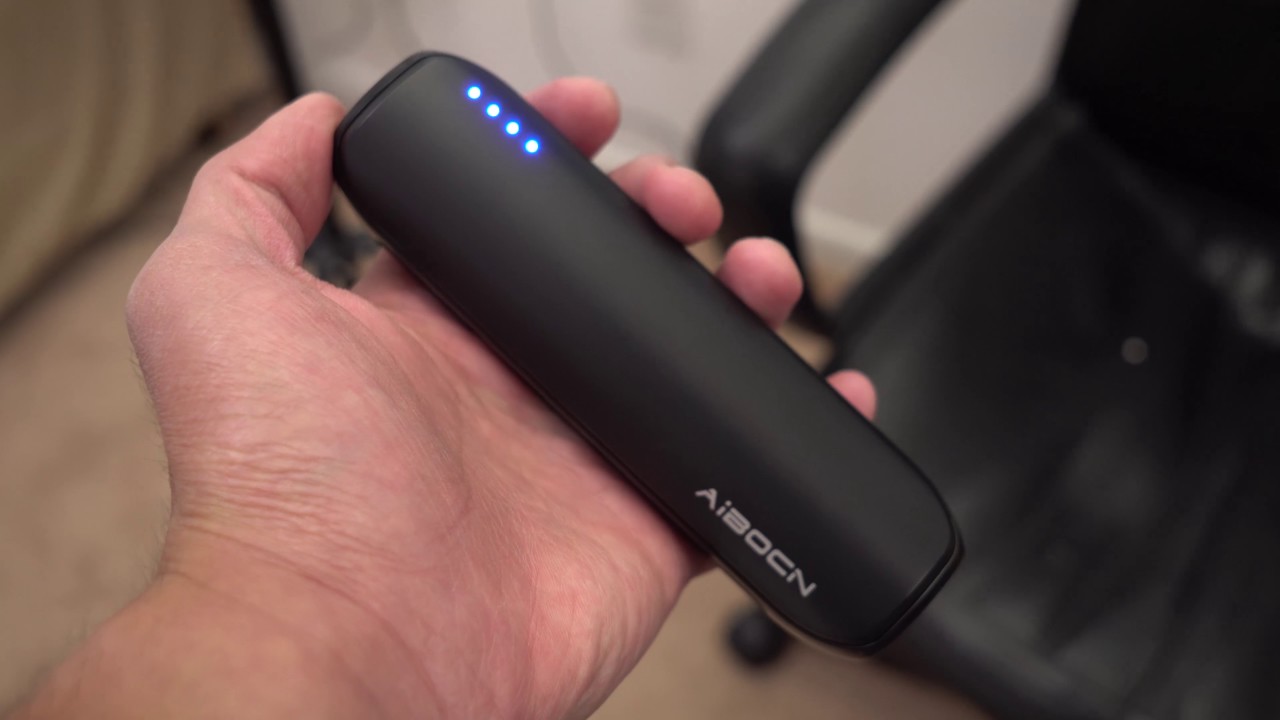
The aibocn portable charger is compact and ready on the go.
The Aibocn offers high-speed charging, portability, and user safety.

If you’re looking for ease of use, flexibility, and fast charging all at the lowest cost possible, the Aibocn is your number one choice. For under $20, the Aibocn 8000mAh gets the job done efficiently and consistently. The Venus power bank supports over three times faster charge speeds (for iPhone) than the normal 1.0A input backup charger, and supports Apple, Google, and Samsung products. Like the Tzumi (but cheaper), the Aibocn will also automatically shut down if a short-circuit or overload output occurs during charging.

1. Anker PowerCore 20,000

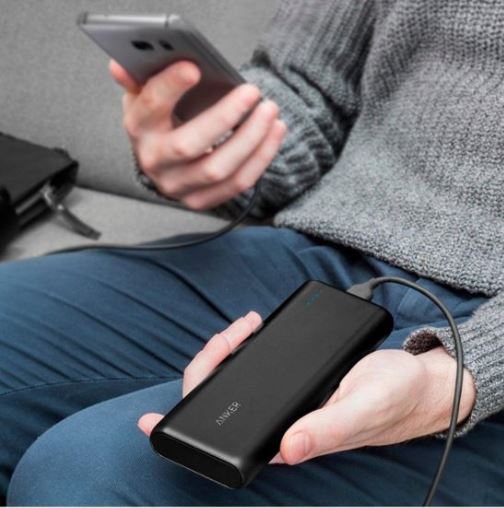
Anker PowerCore 20000 charging smartphone
The Anker PowerCore 20000 is the king of quality, and our number one pick.

It should come as no surprise that Anker holds the highest place on our list, and the PowerCore 20,000 just might be the best they’ve got. To start off, the 20,100mAh battery inside is huge, meaning this will cap out your phone’s battery multiple times before needing a recharge. The charger totally refueled a Galaxy S8 in just 95 minutes, and did the same for an iPhone 8 Plus in 98 minutes. Not only that, but the battery was large enough to do so up to seven times, and the dual-port functionality allows for two devices to be charged at once. While it’s one of the more expensive models, you’re definitely getting the most bang for your buck with the Anker PowerCore 20,000.

So which charger is the best?

While the Anker is our personal favorite, it really comes down to what you’re looking for in your product. Do you favor heavy and pricey but worth its weight in quality? Or maybe something cheap and lightweight that you can use on the fly should you forget to charge your phone the night before. Let us know which charger is your favorite (or if it’s one we didn’t include in our list) and stay tuned for more gear, gadgetry, and great deals!

This article contains affiliate links, which means Softonic may receive some compensation if you choose to make a purchase.

We put Google’s Night Sight camera mode to the test in the Amazon jungle

How does Google’s new Night Sight feature stand up against heart of darkness found in the deepest most remote parts of the Amazon jungle?

How good is Google Night Sight

Google’s Pixel smartphones are known for having some of the best cameras you can find on a phone. The cameras themselves aren’t too special; all of the magic comes from within, via Google’s famous AI. Pixels don’t just snap photos, they build them. When the camera mode is turned on the Pixels are snapping away in the background and then when you hit the shutter release, the phone takes the best data from nine separate images and composites it all into a single photo. In the hands of a good photographer, the results can be stunning. Head over to the Team Pixel Instagram page to see more examples.


View this post on Instagram


Landing #sfo under an insane #sunset over #pacific #california #sanfrancisco #siliconvalley #lifeontravel #teampixel #pixel3xl

A post shared by Francois (@francoisigworld) on Dec 30, 2018 at 5:59pm PST

With software as the main driver behind the Pixel’s camera, it stands to reason that Google will be able to update the Pixel cameras with new software and new features. New software can make old cameras better. This is exactly what happened in the run-up to the launch of the Pixel 3 when Google announced a new camera feature called Night Sight. Details were patchy, but the news was that the cameras on the new Pixel 3 phones would be able to take much better photos in low light situations. Once the Pixel 3 launched, reports came in that the feature was impressive, but also that it would be coming to older Pixel phones too.

As a Pixel 2 owner who was about to spend nearly a week in the heart of the Amazon jungle, I was excited about having the chance to really put this new feature through its paces.

Google Camera Download now
8

I was heading into the largest rainforest on earth near Iquitos in Peru. We had a boat for sailing the Amazon river, and a guide, but no fixed itinerary. The plan was to pitch camp in any safe places we could find and, if necessary, stay with local families in some of the small villages that sat next to the river. We would be far away from any cities or towns with regular power supplies so at night we’d only have small flashlights or the moonlight to guide us. In short, it would be very dark.

How good is Google Night Sight?

It must be said that Night Sight shots are rather impressive. Before heading into the rainforest, I took a few comparison shots in an apartment and the difference between the photos I took using the regular camera mode and the photos I took using the Night Sight mode were profound.

Living room shot taken in the early evening twilight using the regular camera mode on a Google Pixel 2
This is the same shot taken using the new Night Sight mode on the Pixel 2

You can see the clear difference between these two shots. The Night Sight mode gives the shot much more illumination and makes it much easier to make out everything in the picture. You have to really look at the regular camera image to make out the cat on the table and it is also difficult to determine any of the items on the coffee table at the front of the shot. Also, the colors in the Night Sight shot are much more vibrant with the bright poncho draped over the chair really catching your attention. The Night Sight picture is a massive improvement on the image taken by the regular camera mode.

Living room and hammock shot in the early evening twilight using the regular camera mode on a Google Pixel 2
This is the same shot taken using the new Night Sight mode on the Pixel 2

The difference here isn’t as clear as in the first shot, but there is still an improvement from using the Night Sight feature. The more expansive shot of the whole living room gives Night Sight more light to play with, meaning it can process more information than on the more closed shot of a small section of the room.

How to use Google Night Sight in the dark

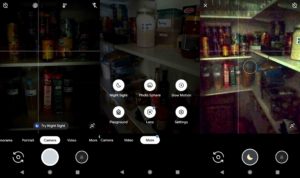
To use Google’s Night Sight feature is easy. In fact, if you open the camera in low-light conditions, the camera will suggest the Night Sight feature to you. To find it yourself, all you have to do is hit more when you open the Google camera app and then click Night Sight, which will be the top-left option in the menu that pops up.

How to use Google night Sight
Just look for the moon!

When Night Sight is active, a little moon will show on the center of the shutter button. You have to tap this and then hold the camera still while it takes in as much light as possible. You’ll see a circle appear on the screen that will turn white to show you how much longer you need to keep the camera still. Once the camera has gathered enough light and information to work its magic, you’ll be able to move the camera again and snap other photos. You’ll have to wait a few moments for the camera to process all the information and create your photo.

The way Night Sight works highlights a key aspect of the feature. It needs light to work. The darker the scene you are trying to capture, the longer it will take the camera to gather enough light. You could end up holding the camera still for quite a few seconds.

Using Night Sight in the Amazon jungle

Having fully familiarized myself with how to use Google Night Sight on my Pixel 2, we headed out into to Amazon rainforest. We spent five days sailing along the river and heading into the jungle at various spots in search of wildlife and to learn about the different types of plants and the medicinal effects many of them can have.

At night we stayed in different places with just a mosquito net to protect us. We slept on a small beach created by a sand embankment, in the house of a village shaman, and out in the rainforest itself. Light was always in short supply, so we had the perfect chance to put Night Sight to the test. You can check out some of the shots below.

For our first night we slept on a small beach on the banks of the Amazon river. We ate jungle boar cooked over an open fire.
We slept under a mosquito net as the fire slowly burned out beside us. The warm glow from the dying embers was the only thing keeping the wildlife from coming to check us out.
After that, we slept in the rainforest itself. I had to build a platform for us to sleep on so that we wouldn’t be bitten by snakes during the night.
Apart from the jungle canopy above us, once again all we had between us and the stars was our mosquito net.
On another night we stayed in the house of a village shaman. He and his family made us very welcome and we loved our time with them. There were no electric lights at night, just oil lamps burning away so we could see each other’s faces.
We were in the village when Peru were playing Costa Rica. We headed over to watch the match at the local shop, which was showing the match on a big screen.

Conclusion

You can see from the shots above that the best photos are the ones that have a direct source of light in them. The flames from the campfire, the lights from the local shop, and the headlamp all illuminate the images and enable Night Sight to put together much sharper images than the more traditional low-light situations of the other three shots.

The other shots include quite a bit of noise and grain, which shows as either distortion of the images or discoloration. This could be used with an artistic flair, the photo taken in the shaman’s house has a ghostly quality about it, but will often lead to shots looking disappointing.

There is room for improvement, however, and a clear path to make it happen. At the moment, you can’t use Night Sight with the phone’s flash, which is disappointing as all of our test shots showed that direct sources of light really help Night Sight work its magic. If you add to this just how terrible the Pixel camera flash is anyway, putting these two camera features together could help Google take its low-light smartphone photography to the next level.

All-in-all, however, Google needs to be applauded for its new Night Sight feature. It marks a clear improvement over the regular camera setting and allows users to capture memories and moments at times when it would normally be impossible. I’m very happy that they added the feature to my Pixel 2 and think that other phone manufacturers need to start working on their own Night Sight feature for their handsets too.

The end of Android? More big news about Google’s new operating system

You’ll be able to use all your Android apps on Google Fuchsia

Is Android being replaced

It was back in 2016 when Google started working on an operating system that many thought could be a replacement for Android. Since then, we’ve learned a few more details about the operating system Google is currently calling Fuchsia.

The OS is being built around Google Assistant control and compatibility, and has been seen running on a Pixelbook. This means it is now clear that Fuchsia won’t just be a straight-up Android replacement. Instead, Google is working on a unifying OS that will work across many different types of devices like Windows 10 is supposed to.

Although there have been plenty of leaks talking about how Google’s Fuchsia OS will work, it remains only a rumor that it will replace Android. As yet, there has been nothing official from saying Android’s days are numbered. Evidence is mounting, however, that Android is on the way out and it was only a few days ago that we were highlighting just how many times Google has removed Android from the name of some of its top products. There is now even more evidence that Fuchsia will be a replacement for Android.

You’ll be able to use all your Android apps on Google Fuchsia

A change has been found in the latest Android Open Source Project that indicates Fuchsia will be able to run Android apps using Android Runtime (ART). According to a report in 9to5Google, Fuchsia will use a special version of ART to ensure that Android users won’t lose all of their apps when they make the switch to Fuchsia. The report says that the new version of ART will be installable on Fuchsia devices, just like a normal app.

What remains unclear, however, is how Fuchsia will use the new version of ART once it is installed. Will users have to open it up to run their back catalog of Android apps or will they be able to keep one consolidated collection of older Android apps and newer Fuchsia apps? We’ll just have to wait for more news on this developing story. Sign up to our regular email newsletter by filling out the form at the bottom of the page to stay up to date on new Google Fuchsia news.

Of course, all of this still doesn’t confirm that Fuchsia will replace Android. All this evidence could simply indicate a new operating system that could work alongside Google’s current mobile OS. Google is yet to confirm that it is working on a single operating system to work across all its platforms from wearables to laptops, but there are clear signs for all to see. It looks like it is only a matter of time before we hear something official on this and when we have more news, we’ll let you know.

Inside Google’s plan to kill the touchscreen

Google’s Project Soli has been approved by the Federal Communications Commission

minority report

Movies and TV shows give us a great way of visualizing how the future might turn out. They are not always on the money timewise (we’re currently living in the year the original “Blade Runner” was set), but they often give us glimpses of technologies that we might see at some point in the future. From the video calls in “Back to the Future 2” to the tablet like devices we’ve seen in hits like “2001: A Space Odyssey” and “Star Trek.” The movies showed us what could be possible and then real life delivered. We might be about to see another futuristic technology from the movies break into real life.

Google’s Project Soli has been approved by the Federal Communications Commission

Google first announced Project Soli four years ago. It was billed as a way to replace touchscreens with hand gesture control. Rather than having to tap away at our screens to control our smart devices, Project Soli should make it possible to simply move our fingers in a certain manner to tell our devices what to do. If you want to see what this could look like, check out the clip below from Minority Report.

Now, four years after Google’s initial announcement, the FCC has given Google the go-ahead to move forward with development of Project Soli. This means it might not be long before we start to see touchless control coming to our smart devices. The team behind Project Soli are looking to a future in which hand gestures rather than touchscreens are the primary method of control.

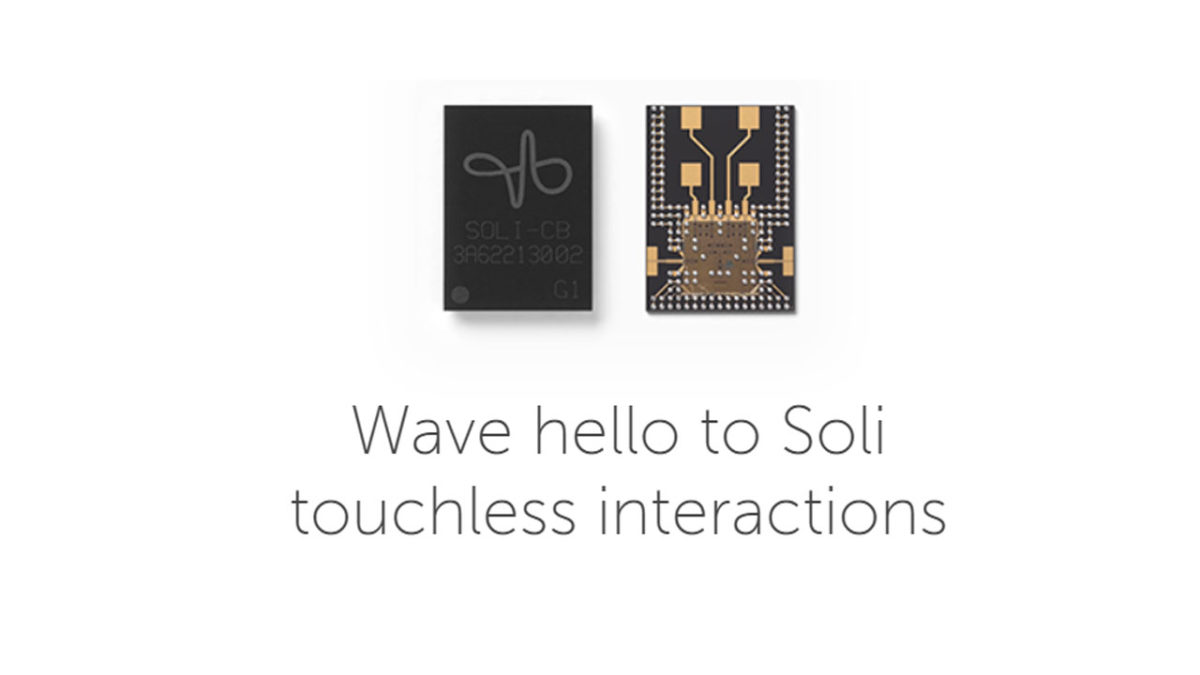
According to the Project Soli website, the technology uses radar-based sensors to detect and track your hand movements. “Soli is a purpose-built interaction sensor that uses radar for motion tracking of the human hand… We’re creating a ubiquitous gesture interaction language that will allow people to control devices with a simple, universal set of gestures.” The Soli chip is not much bigger than a micro sim card and the Soli team claim it can track, “sub-millimeter motion at high speeds with great accuracy.” It will pick up even tiniest of movements.

Image via: Google

To go with the technology, Soli is working on what it calls Virtual Tool Gestures. These are a number of gestures that will feel familiar to users for the tasks they perform. These include pressing a button, turning a dial, and adjusting a slider. Interestingly, these gestures utilize touch to provide feedback to our own brains rather than to the devices.

Image via: Google

We don’t have any information yet about when we can expect to see Soli enabled devices hitting the shops, but the announcement from the FCC tells us that they are coming. If everything on the Project Soli website is to be believed, this is exciting news. The tiny size of the Soli chips, the lack of moving parts, and low energy consumption make them perfect for all smart devices. To find out more information about Project Soli, click here.

Google Chromecasts: The vulnerabilities you need to know about

Hackers have hijacked thousands of Google Chromecasts to highlight security vulnerabilities.

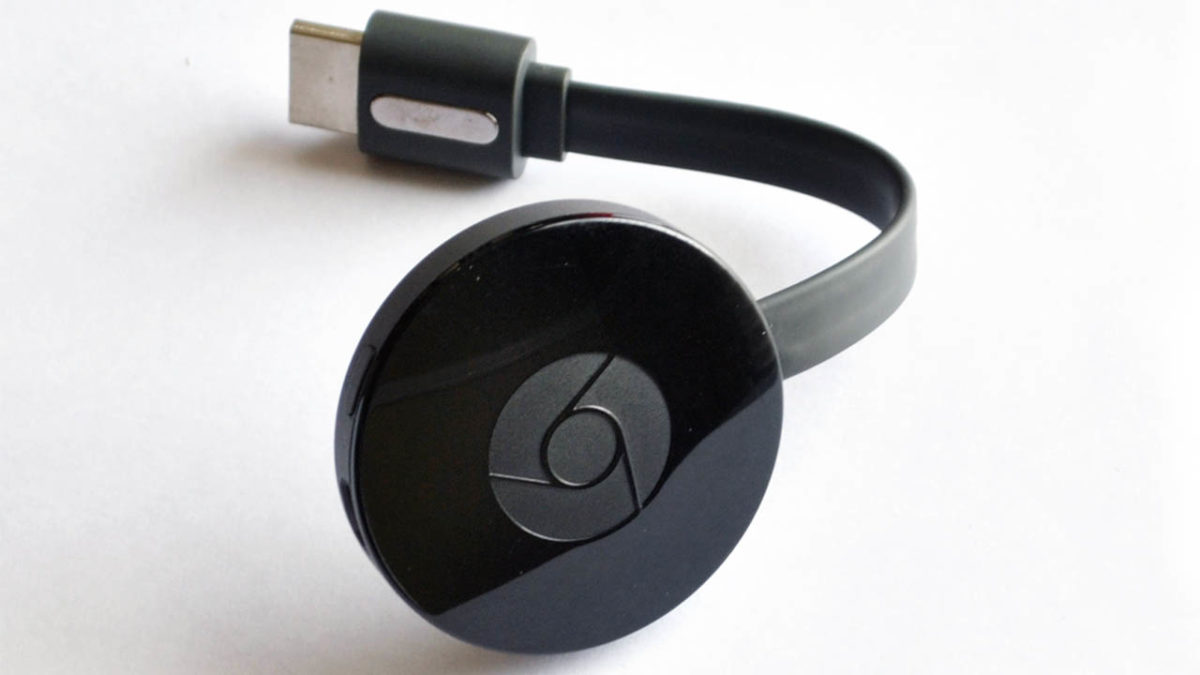
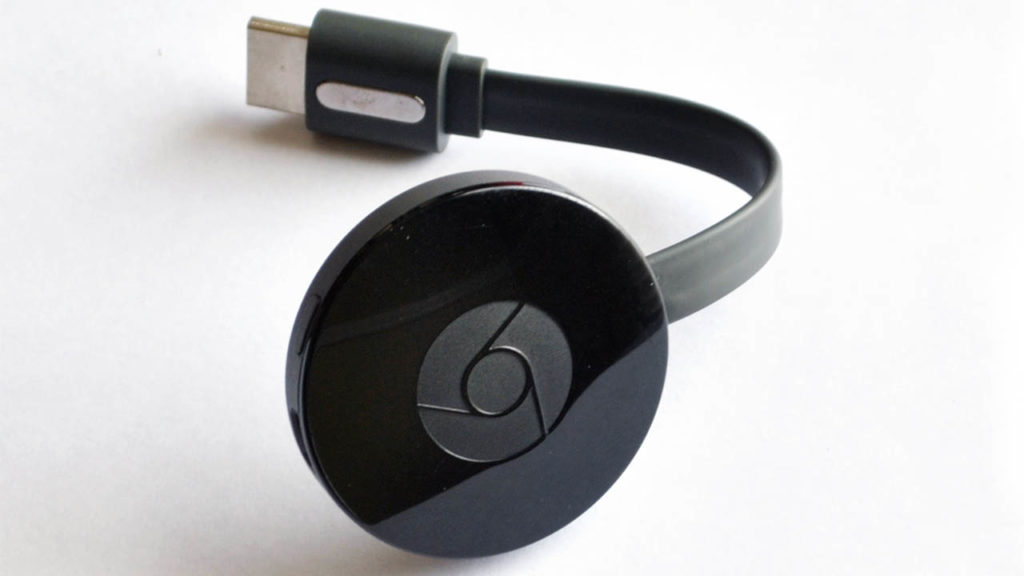
Google Chromecast streaming dongle

Google Chromecasts are interesting little things. Tiny hockey puck-like dongles that enable you to hook up your TVs and stereos to your home Wi-Fi network. This means you can hook them up to your mobile devices, which means you can have the movies or music on your phone playing on your big TV or blasting out your big speakers. They don’t grab the headlines like smart speakers do, but they have proven rather popular and there will be lots of us who received a Chromecast over the holidays.

Just like any device that connect to the internet, Chromecasts are vulnerable to being compromised by malware. As it is important for us to know about all of the vulnerabilities that affect us, a move by hackers known as Hacker, Giraffe, and J3ws3r could be seen as public service. Although others might not see it that way.

Hackers have hijacked thousands of Google Chromecasts to highlight security vulnerabilities

According to a report by TechCrunch, the three hackers figured out how to make Google Chromecasts play any YouTube video they want. They even found a way to play custom-made videos, too. Of course, upon discovering the vulnerability, they immediately exploited it to make sure that users knew about the flaw in their online security efforts.

Thousands of Chromecast owners were shown a pop-up that warned them of their weakness. The message (shown below) highlighted the users’ misconfigured routers as the culprits and warned that other hackers would also be able to exploit the weakness and break in, too. They also asked users to subscribe to and follow YouTube personality PewDiePie’s channels.

Image via: TechCrunch

Google responded to the hack by saying the problem lay elsewhere and was not in the Chromecasts themselves. Speaking to TechCrunch, a Google Spokesperson said, “We have received reports from users who have had an unauthorized video played on their TVs via a Chromecast device… This is not an issue with Chromecast specifically, but is rather the result of router settings that make smart devices, including Chromecast, publicly reachable.”

The bug, known as CastHack, isn’t a new one and has been plaguing these types of devices since 2014. Whereas Google is right in saying that the vulnerability lays outside of its product, it is also true that hackers can use Google products to gain a foothold in users’ homes. With the problem going back four years, Google really should have fixed the bug by now.

Although the idea of playing videos on a screen might not seem like a huge problem on its own, the rapid expansion of the smart home industry, centered around smart speakers, opens up some chilling possibilities. If a hacked Chromecast can be made to say things like, “Turn off the house alarm” or to “Buy something from Amazon,” then all of a sudden, this problem can hit you in the wallet or even put your physical safety in jeopardy.

The next Android update may have a handy new battery saving option

Android Q could be getting a complete OS dark mode

android update

Android updates are always code-named in letters and candies. If not candies, then sweet things for sure. The latest update Pie was known only as P during development, with the Pie moniker only being released closer to the release date. All news about the next Android update then will be about Android Q, at least until Google decides to tell us what sweet treat beginning with the letter Q will take the name of the next version of its mobile operating system.

Android Q could be getting a complete OS dark mode

Android users have been asking for a dark mode since forever and it seems like they might be about to get their wish. Android Police has stumbled onto a report by Googler Lukasz Zyblut on the Chromium bug tracker site that offers good news for anybody who wants their phone a little darker.

In the report, Zyblut says, “Dark mode is an approved Q feature […] The Q team wants to ensure that all preloaded apps support dark mode natively. In order to ship dark mode successfully, we need all UI elements to be ideally themed dark by May 2019.” He also says that the Chrome team should put a setting in the browser that will enable the dark mode and talks about a master setting for the dark mode that will be found under Settings > Display > Dark Mode.

To back up that exciting Android Q news, the report links to a number of internal Google documents. Understandably, these links can’t be accessed without the proper credentials, but their presence seems to add weight to what the report says.

Accessing the page is currently impossible, however, as Google has since locked the whole thing behind a Google login page. You can’t see it unless you work for Google. Fortunately, however, Android Police published a screenshot of the page, which you can see below.

Image via: Android Police

It definitely makes sense for Google to finally be moving forward with an OS-wide dark mode for Android. As well as the aesthetic value, many people prefer having a darker color scheme, recent research by Google has shown that darker colors actually need less battery power to display on OLED screens. The research showed that the darker the colors being displayed, the smaller the power drain; the lighter the colors, the greater the drain.

Implementing a system-wide dark mode would enable users to get more time using their devices between charges. This would be a coup for the operating system as battery size is still one of the biggest issues that affect people’s choice of mobile. It’d also mean Google could conveniently sidestep the fact that its Material Design overhaul across all its major apps is based around a plain white color scheme.

WhatsApp’s new feature could help your smartphone battery last longer

WhatsApp is getting a dark mode.

Battery dark mode update

We’ve been seeing a trend rippling across the tech industry recently. It started out as an aesthetic choice given to users, but recently it has taken on a greater significance, particularly on mobile devices with OLED screens. Dark modes allow users to make the color scheme of their apps much darker so that they produce less screen glare and are easier to use at night. We’ve recently seen Facebook Messenger make the change and now it seems that Facebook owned WhatsApp is joining the party too.

WhatsApp is getting a dark mode

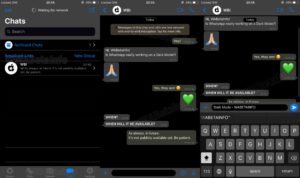
WABetaInfo reports that a dark mode for WhatsApp on Android is currently under development. It was back in October when WABetaInfo released screenshots of the iOS version of the WhatsApp dark mode and now it seems a feature is finally coming to Android phones, too. Many people choose to use dark modes on their apps simply because they like the look better than the normal mode. The black background and grey text is a favorite of some users.

dark mode screenshots
Image via: WABetaInfo – Scereenshots of WhatsApp’s dark mode on iOS

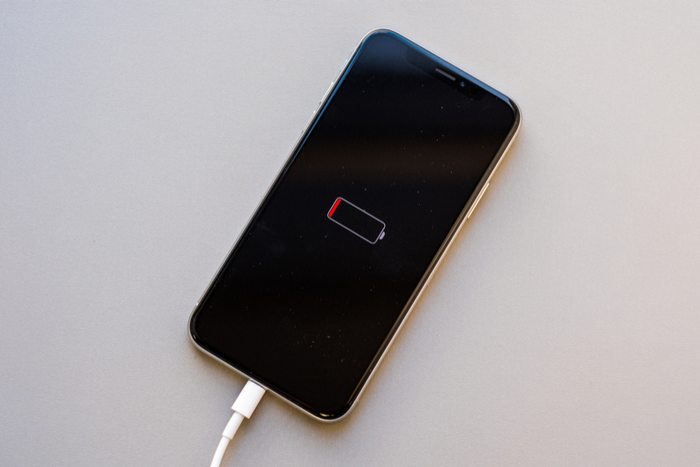
In the last few weeks, however, we’ve seen that dark modes can have an unexpected positive side effect. During an internal investigation, Google discovered that displaying darker colors on an OLED screen uses less power than displaying lighter colors. Displaying black uses the least power while displaying white uses the most power. Google’s findings mean that apps that display predominantly dark colors while you’re using them will use up less battery power. In short, using an app in dark mode will make your battery last longer.

A dark mode coming to WhatsApp then is good news for anybody who wishes their battery would last longer than it does. The bad news, however, is that WABetaInfo only reports that feature is under development and offers no timescale for a release, even for the advanced beta testing version of the app. In fact, there are few details about the dark mode for Android at all. All we have so far is a promise that one “should be available in the future” and a guess that it will likely look a lot like the iOS dark mode shown above.

We’ll just have to wait then until we learn more details about the WhatsApp dark mode for Android and when we can expect to see it. In the meantime, if you are having problems with your smartphone battery life make sure you check out our tutorials below, which will give you plenty of tips for making your battery go the extra mile.

5 smart thermostats to help you control your home’s temperature and cut your energy bill

These smart thermostats will pay for themselves in just a few months.

thermostat

The world saw the first smart thermostat hit the mainstream market in 2011, when Nest released its Learning Thermostat. This innovative tool used Wi-Fi connectivity to program room temperature depending on homeowners’ schedules and the desired temperature inside their homes. Since then, smart thermostats have developed into highly effective tools for conserving both money and energy, generally saving 10 percent or more on energy bills every month for their users.

The technology is regarded as both sophisticated and environmentally friendly. But some smart thermostats have more advanced capabilities than others. Though our list is by no means comprehensive, below we’ve compiled a list of some of the newest and best smart thermostats available for purchase. Just follow our links to snag one from Amazon.

5 smart thermostats to help you control your home’s temperature and cut your energy bill

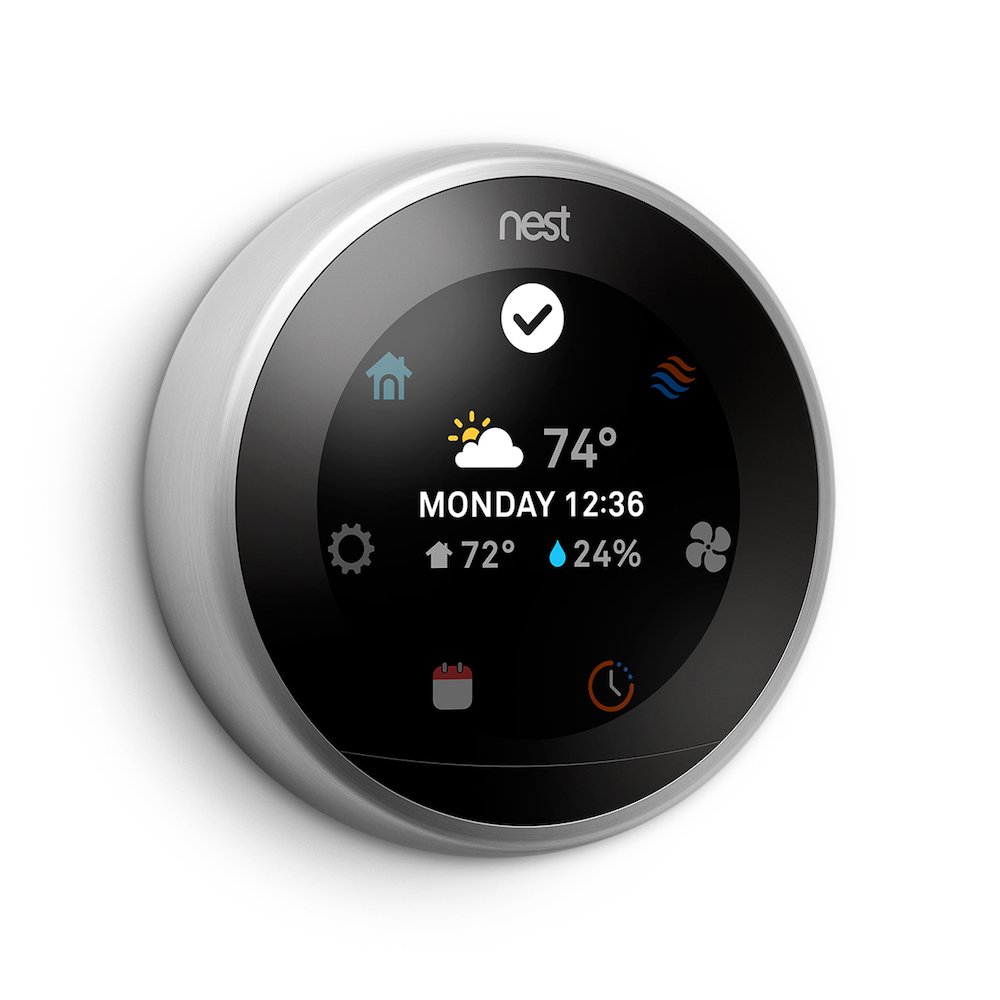
1. Nest Learning Thermostat (3rd generation)

Though competitors have recently been successful in releasing thermostats of equal quality, the Nest Learning Thermostat ranks high due to its easy-to-use interface, easy at-home installation process, and multi-stage compatibility with smart tech like Amazon’s Alexa and Google Assistant. The thermostat also includes geofencing: This feature detects when users’ phones have come within a certain distance of their homes and triggers the thermostat to turn on and begin cooling or warming a room.

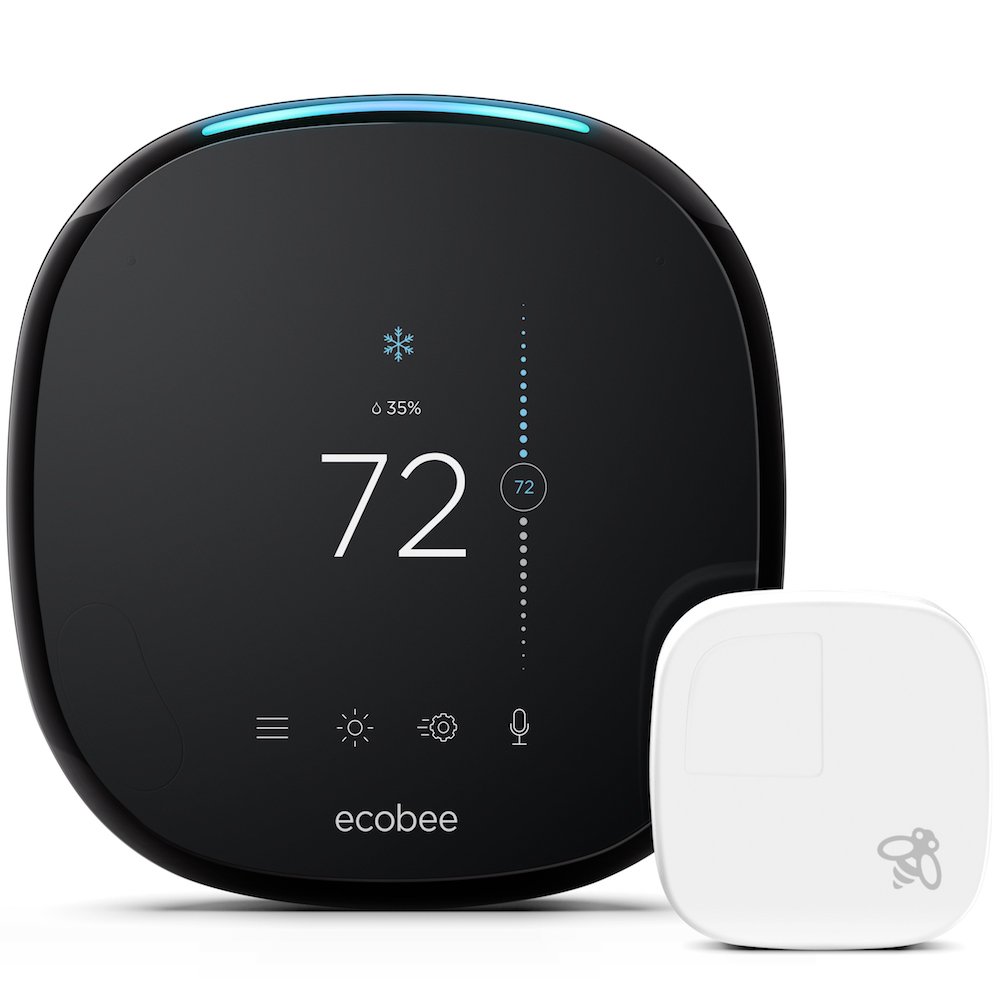
2. Ecobee4 Alexa-enabled thermostat with sensor

The Ecobee has all the same features as the Nest and then some, including a built-in compatibility with Alexa so homeowners can play music, listen to sports, and change the temperature by speaking aloud to the device. The Ecobee also has remote room sensors that can measure the temperature in a room and change it to the regular desired setting. This eliminates the need for a person to signal either nearby or on the app.

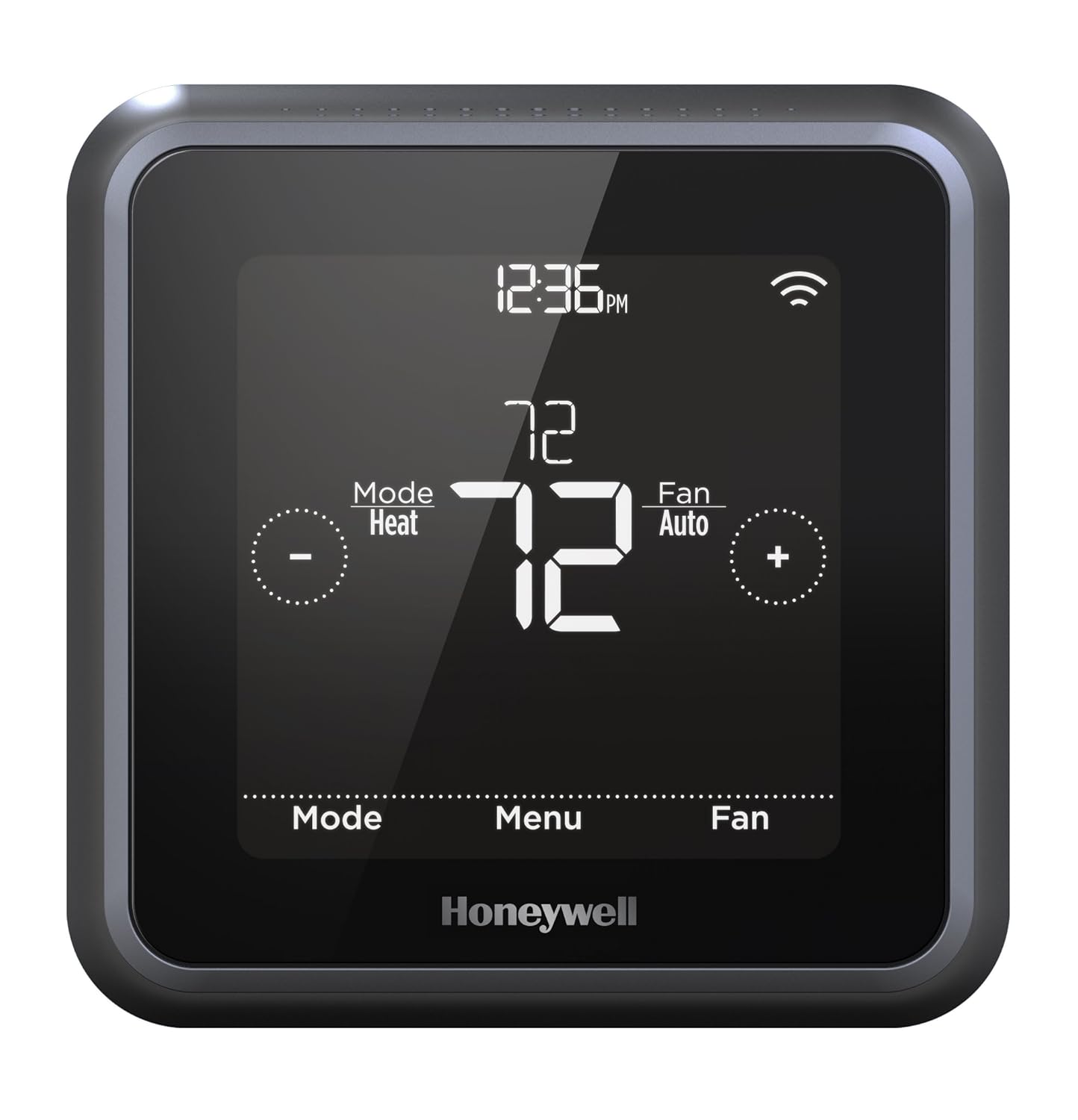
3. Honeywell Lyric T5 Wi-Fi thermostat

While this thermostat does not come with motion sensors, it does have built-in geofencing capabilities and can sync with Amazon Echo, Google Assistant, and Apple HomeKit. Users will also appreciate the sizable touch-screen display and low price.

From: Amazon

4. Lux/Geo Wi-Fi thermostat

Like the Lyric T5, the Lux/Geo thermostat is budget-friendly and includes important features like geofencing, smart speaker compatibility, and numerous scheduling options that can be controlled from a smartphone in a different location.

From: Amazon

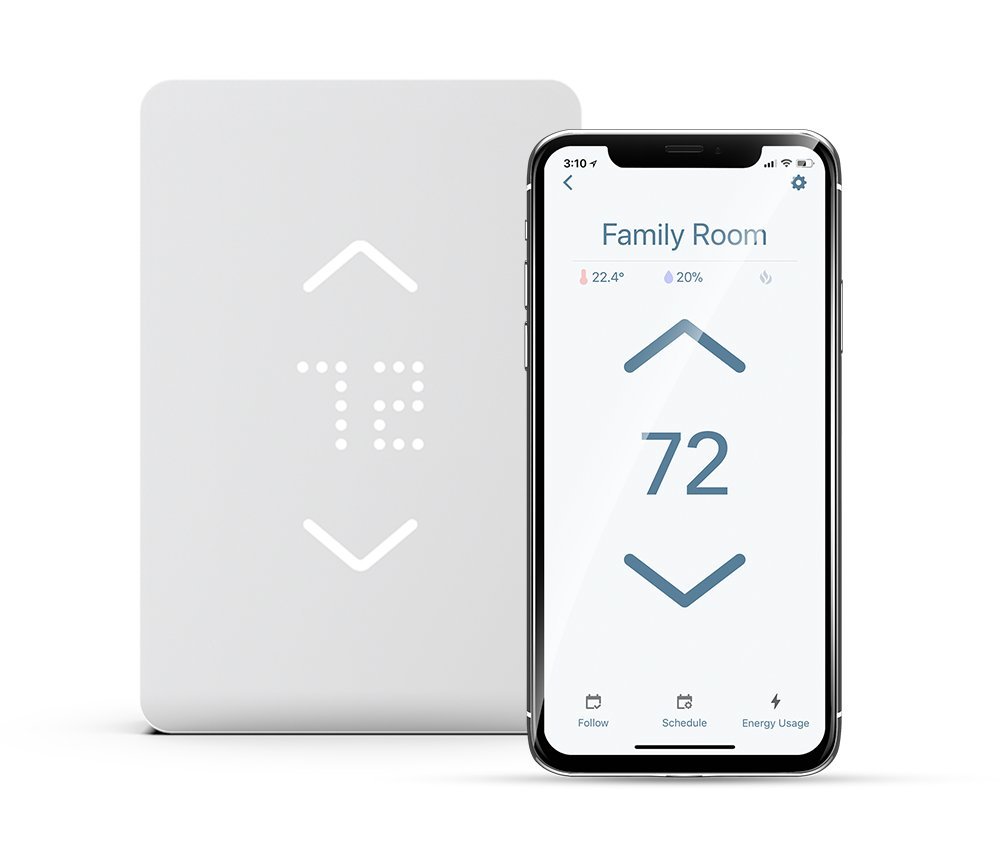
5. Mysa Smart Thermostat

Though the Mysa Smart Thermostat didn’t make it onto many mainstream lists of 2018, the smart thermostat does weigh in as one of the only available HomeKit-compatible line voltage thermostats on the market. That means it can control baseboard heaters and fan-forced heaters. It is also a more affordable option.

If you’re thinking about investing in a smart thermostat, you should get familiar with your home’s wiring as well as the specific features you want in your device. In many cases, components like geofencing and motion sensors drive the price of the thermostat up. You may find that all you need is a simple device that can be controlled from a phone at a distance. Whatever you choose, look forward to saving money on your energy bill and living more comfortably in your own home after purchasing a smart thermostat.