How to stop Facebook from sharing your data

Mark Zuckerberg’s congressional testimony was a joy to watch. Whether it was the naivete of senators’ questions, or the Facebook creator squirming under oath, you can’t deny it was great TV.

Zuckerberg was testifying as part of a scandal involving data analytics firm, Cambridge Analytica. The London-based firm harvested up to 87 million Facebook users’ personal data, and then sold it to politicians to influence voters in U.S. elections.

Although Facebook admitted their error, Zuckerberg’s apology rings false. Facebook’s business model is based on targeted advertising, so it knows how easy it is to use personal data to manipulate and influence people. In other words, Mark should’ve known better. 

So I’m going to step in and do Mark’s job for him. Here’s our list of tips to prevent Facebook from sharing data about you. (You can send my  $1M check in the mail, Mark.)

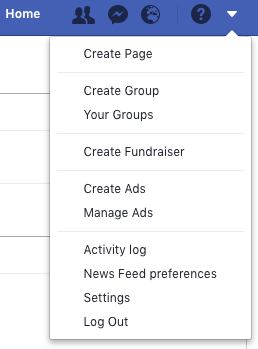
Log out of Facebook when you’re not using it

When you’re logged in but browsing other sites, Facebook can track you, so the safest bet is to log out every time you’ve finished using the app.

Settings Log out

Don’t use Facebook to log into other apps and services

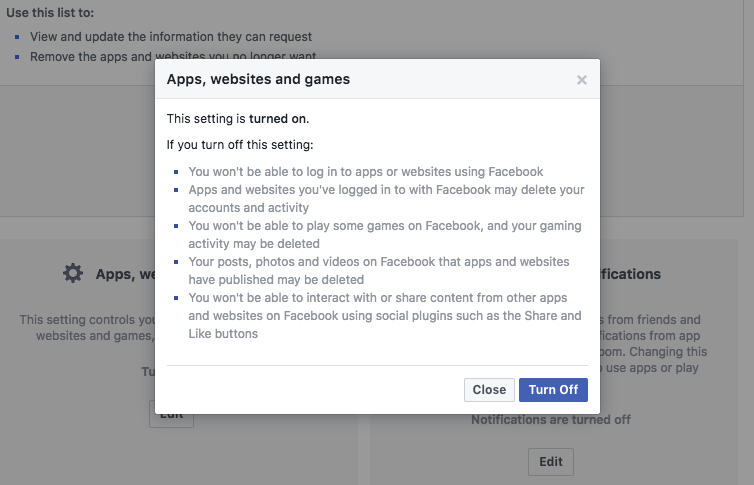
From Facebook Settings, you’ll see an option on the left sidebar for Apps and websites. Click this, and you’ll see all the apps and websites you’ve allowed to use your Facebook data.

You can view and change what you share with these apps and websites individually, but if I were you, I’d remove sharing altogether. To do this, head to Apps, websites and games > edit > Turn off.

This might delete log-ins for apps you sign into using Facebook, so don’t be surprised if you have to start using an email address next time you sign into Spotify, for example. Better that than having your data used against you.
Stop search engines from linking to your profile

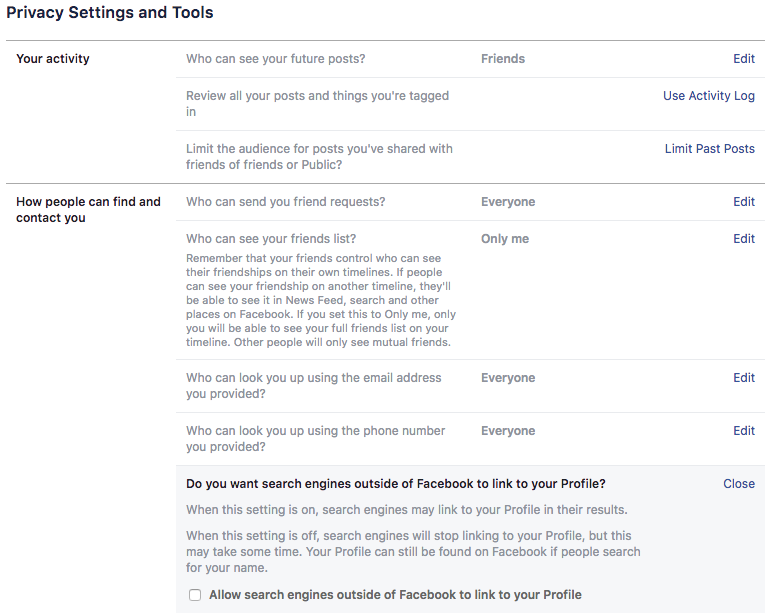
If you don’t want to be found through internet searches, you’d better turn this feature off, too. This allows search engines to link directly to your Facebook profile whenever someone searches for you by name.

Settings > Privacy > Do you want search engines outside of Facebook to link to your profile? > Edit > No
Stop Facebook from recognizing you in photos

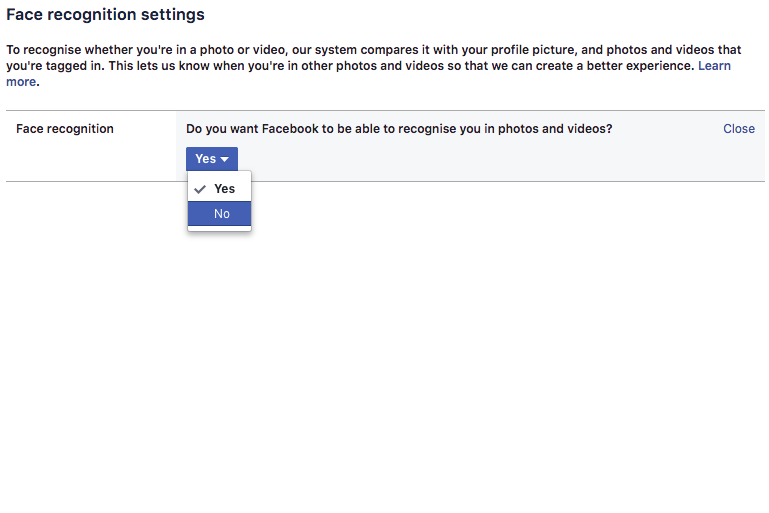
You might find this handy when tagging lots of people in photo albums, but to us, it’s a bit creepy. You wouldn’t tell your boss you were partying all night before work, so why risk Facebook revealing it all with unfortunate tag of you knocking back tequila at the bar?

Settings > Face recognition > Do you want Facebook to be able to recognize you in photos and videos? > Edit > No
Use Mozilla’s Facebook Container extension (or another tracker blocker)

Now Firefox Quantum is here, Chrome has a fight on its hands. It’s blisteringly fast, contains a native screenshot tool, and uses less power (and battery life).

Even better, the Facebook Container extension ring-fences your Facebook activity so nothing gets out. If you’d rather stick with Chrome, you can try tracker blockers like Ghostery or Privacy Badger which do a similar thing.
Don’t share your data for ad purposes

You might be surprised by how much of your information Facebook uses to show you ads. Some people like relevance, but others think it’s manipulation. Either way, you can change the settings to a level you’re comfortable with.

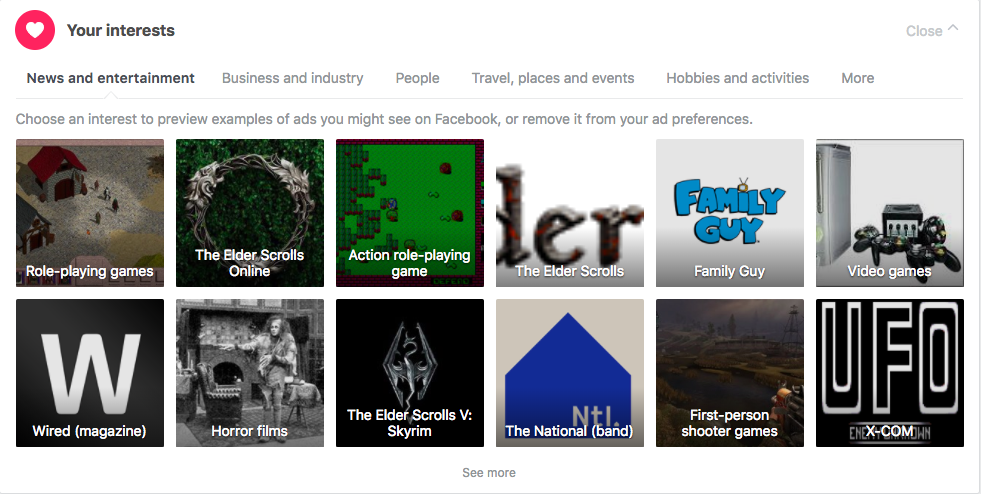
First, remove or change your Facebook interests. You can see an example ad each interest generates, so maybe try that first to see if you’re happy.

Settings > Ads > Your interests
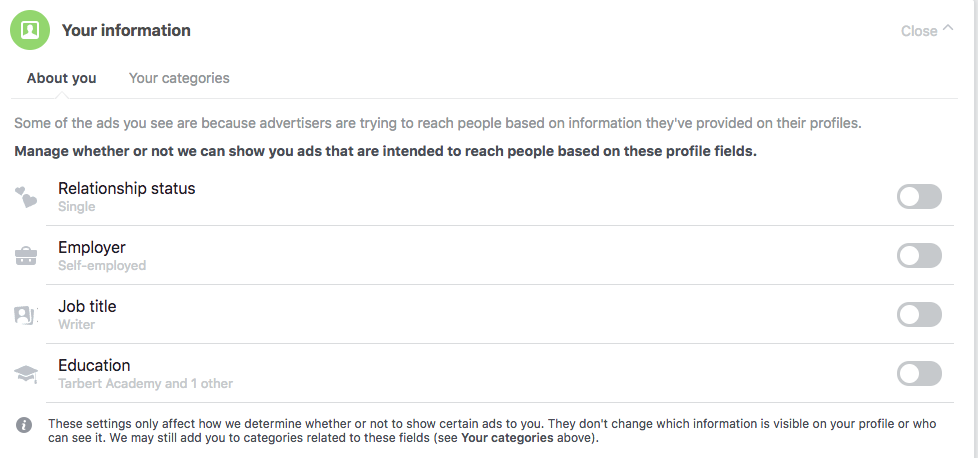
Then review which elements of your Facebook profile you want ads to target.

Settings > Ads > Your information > toggle off or on
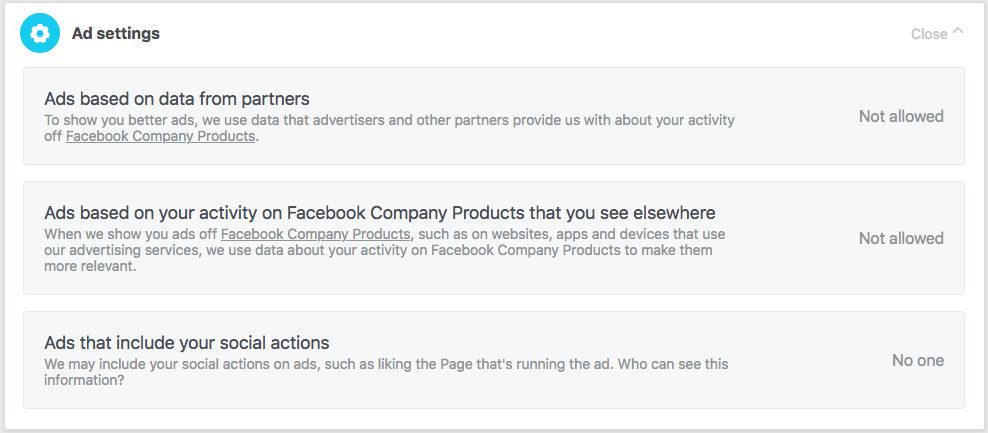
Finally, you can disallow Facebook ads from using data learned about you from other “Facebook Company Products”, such as Messenger, Instagram, and AR Studio.

Settings > Ads > Ad settings > select each section and change to Not allowed or No one
Remember: Facebook isn’t the product, you are the product. Everything you do generates ad revenue. While that’s fine in principle (everyone’s gotta eat – even Mark ” the billionaire” Zuckerberg), taking the steps above will prevent people from using your online behavior to dictate what you think, feel, or do.
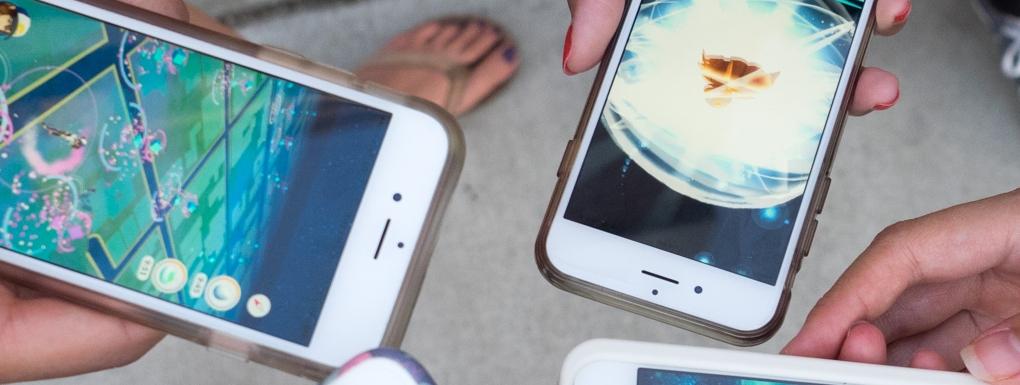
 

Pokémon GO: Trading and Friends are finally here, how will they change things?

It’s a big moment for Niantic. Fire the confetti cannons: trading is here for Pokémon GO, and it promises to revolutionize mobile gameplay.

With this much-awaited update, Pokémon Trainers will be able to start using one of the game’s most iconic features. As you can imagine, it will now be possible to trade Pokémon with friends near you. What better opportunity to steal some regional Pokémon from your globe-trotting cousin when he returns from his trip around the world?

When trading your Pokémon, you’ll also be able to receive Candy and exclusive bonuses that will vary according to the capture distance of the two Pokémon exchanged.

Another important addition to the game is the Friends feature, which lets you connect with all your buddies and participate in Gym and Raid battles together. Specifically, you’ll now be able to send gifts to your friends to make them happy, and especially to increase your friendship level, allowing you to receive a slew of Raid and Gym battle bonuses and rewards for each level you pass.

Pokémon GO Download Free
7

As you can see, these two features may well change our way of playing Pokémon GO, which recently unveiled two new Shinies. To take advantage of Trading and Friends, you’ll have to wait a bit longer, specifically until the Pokémon GO Summer Tour kicks off June 30 at Safari Zone Dortmund in Germany.


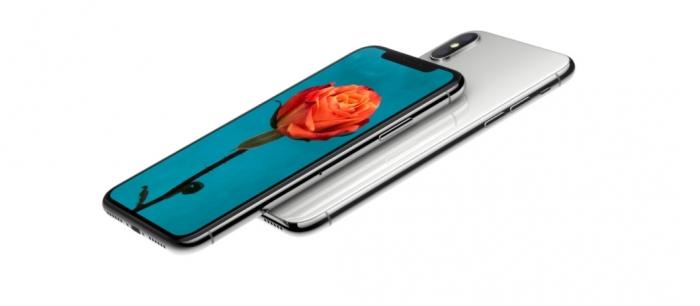
iPhone X 2018: The model with LCD screen will increase production

Today´s news is all about the future iPhone X. According to recent rumors from the Wall Street Journal, Apple is placing all its bets on the LCD model and increasing its production.

The phone is expected to make a comeback, and with good cause: the iPhone X 2018 will be split into three different models. One equipped with an LCD panel, and the other two with OLED technology. However, it´s the first one that most interests us since, according to the Wall Street Journal, Apple has stepped up the pace on the production of these mobile screens, aiming to make it the most accessible model of this 2018 batch.

Such news would suggest that Apple predicts strong sales for the 2018 iPhone 8 with LCD screen. We are also talking about a sales price in the $800 ballpark.

We will undoubtedly see a decline in the price of iPhones with OLED screens, especially for those in 2019, when the technology becomes less expensive. The Cupertino-based company will be able to afford to do so once it no longer depends on Samsung (who recently had one of their phones burn a car).

As a reminder, the production cost of OLED screens for Apple by the Korean giant is around 100 dollars for each iPhone X. It would seem that the American manufacturer would do itself a favor by using LCD screens in the 2018 iPhone X, without mentioning all the users who would be attracted by the model’s more accessible price.


YouTube Music and YouTube Premium launch in 17 countries

Image via: Pexels

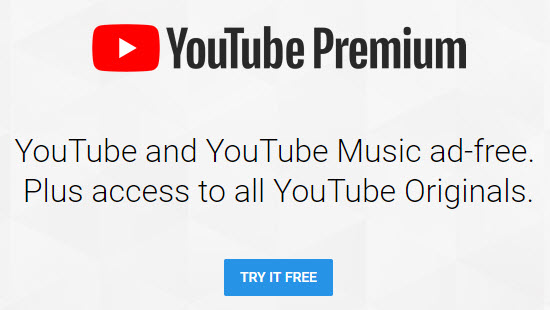
YouTube has finally launched its much talked about new services YouTube Music and YouTube Premium in 17 countries around the world. Users in countries such as U.S., Australia, New Zealand, Mexico, South Korea, Austria, Canada, Finland, France, Germany, Ireland, Italy, Norway, Russia, Spain, and Sweden can now access YouTube’s new paid-for services.

There are two versions of the new YouTube Music. The free version presents us with the popular YouTube music that we like. Theoretically, the recommendations will be greatly improved thanks to improvements to YouTube’s search algorithms. It’ll also offer full albums, singles, remixes, playlists, etc.

YouTube Download Free
8

For $9.99 a month users gain access to the paid version of YouTube Music, offers an ad-free experience and the ability to listen to YouTube in the background, with the app minimized. Paid users will also be able to download tracks for offline listening.

As many YouTube users listen to music on the video platform, it has been trying to crack a paid-for music service for some time now. Let’s see if YouTube Music finally makes the breakthrough and offer some serious competition to the likes of Spotify.

YouTube Go Download YouTube Go
8
YouTube Go is a free, official app from Google that provides a variety of features that make the YouTube more bandwidth-conscious and help avoid buffering while on the go.

For an extra $2 a month users can subscribe to YouTube Premium for $11.99 a month. YouTube Premium offers everything that comes with the paid version of YouTube Music, but also provides a premium service for all YouTube videos. Subscribers to Premium won’t see any ads, will be able to download videos, and will also get access to YouTube Originals.

YouTube Originals is the home of YouTube’s original series and movies. Some of the more prominent YouTubers make many of these, but YouTube is trying to compete with the original content produced by Netflix and HBO with Originals. The video platform offers creators production budgets so that they can create higher quality videos than usual.

What do you think of YouTube’s new services? Will you be signing up?

Facebook Memories puts the best of your Facebook in one place

Memories Home

Posted by Facebook on Monday, June 11, 2018

Facebook has launched Memories, which is a single place on Facebook where all your best moments will go. Anything, including posts and photos with your friends and family, can now be found in memories.

Facebook Access Facebook
7

When launching Memories, Facebook cited research that clearly shows revisiting old memories can have a positive effect on users. Facebook has a long history of adding features for visiting old memories including On This Day, Lookback, and Say Thanks, but Memories is the first place where the social network will consolidate all of your positive memories from your time on the site. In a blog post, Facebook Product Manager, Oren Hod, laid out some examples of what Facebook Memories will include:

“Your Memories page can include several sections:

  • On This Day: The content that you know and love will still be available within this section, showing your past posts and major life events from this date.
  • Friends Made On This Day: This section will include a list of friends you made on this date in the past, including special videos or collages that celebrate your friendversaries.
  • Recaps of Memories: This section will feature seasonal or monthly recaps of memories that have been bundled into a message or short video.
  • Memories You May Have Missed: If you haven’t checked your memories lately, this section will show you the posts that you might have missed from the past week.”

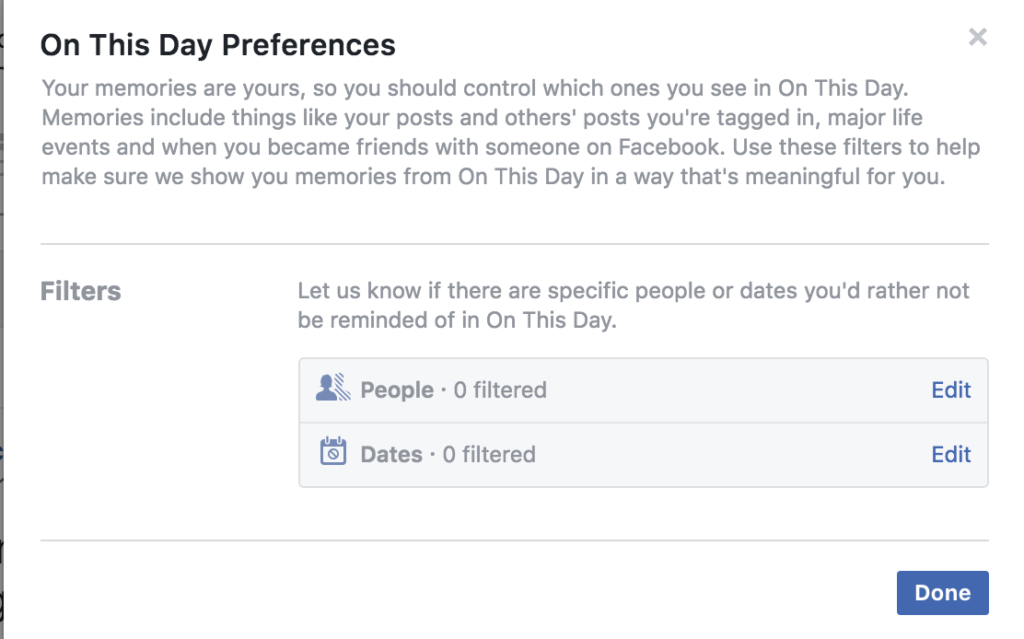
The social network is sensitive to the fact that there are certain memories or people that we might not want to be reminded of. To prevent unwelcome memories popping up, it offers comprehensive controls over people and dates that you don’t want to see.

(function(d,s,id){var js,fjs=d.getElementsByTagName(s)[0];if(d.getElementById(id))return;js=d.createElement(s);js.id=id;js.src=’https://embed.playbuzz.com/sdk.js’;fjs.parentNode.insertBefore(js,fjs);}(document,’script’,’playbuzz-sdk’));

Since the Cambridge Analytica scandal broke, the world has seemingly been doing some soul searching on whether Facebook has made the world a better place. A new home for users’ memories could be one way for the social network to start trying to do some good by its users.

Memories will pop up in your News Feed and your notifications. You’ll also be able to find the Memories tab on the left side of the screen if you’re on desktop, or in the More tab on the bottom right of your screen if you’re on Mobile. Another quick way to get to Memories is by going to facebook.com/memories.

Nvidia’s AI will help you create cool slow-motion videos on your mobile

Nvidia is famous for its graphics cards and gaming optimization software. Recently, however, Nvidia has been pushing into other fields that the huge computational capacity of its products allows. It has begun producing cryptocurrency mining specific processors, but the biggest advancements are coming from its AI development team.

GeForce Experience Download Now
7

At this moment in time, AI can often seem like some lofty ideal for tech giants to play with or boring assistants that only respond to certain queries in a very inhuman manner. Nvidia’s latest development gives AI a cool job to do, and we think you’ll love it. Nvidia’s AI wants to help you create epic slow-motion videos using only your mobile phone

Creating slow-motion movies is all about capturing video at high frame rates.  240 frames-per-second (fps) is usually enough to create a convincing slow motion effect. Recording at such a high frame rate, however, can cause problems as it is an intensive process to record so many frames in a single second continuously. Or as Nvidia put it:

“While it is possible to take 240-frame-per-second videos with a cell phone, recording everything at high frame rates is impractical, as it requires large memories and is power-intensive for mobile devices.”

You’ll rarely be recording footage at a high enough frame rate for slow motion, so if you capture something that would look cool slowed down, it’ll appear jumpy from frame to frame.

Using 11,000 videos of sports and everyday activities shot at 240 fps, the researchers have trained the AI to fill in the missing frames for a video shot at a slower frame rate required for good slow motion. This means, theoretically, the system will be able to take video taken on your smartphone and add the extra frames needed for you to slow the action down. Nvidia also claims that the same system will be able to turn your old blurry smartphone videos into much clearer creations.

Image via: Pexels

There are shortcomings as the system can only fill in seven frames between recorded frames. Also, as the system will only work with types of footage that it has been taught, but this will no doubt improve over time.

What will slow-motion movies you be making once you get your hands on this latest bit of tech?

Gmail notifications to be more useful and less annoying

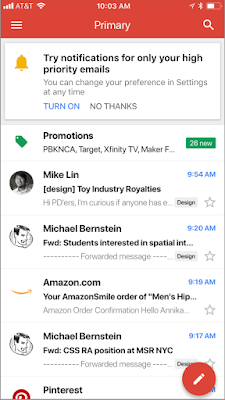
Back at Google’s big I/O conference in May, Google made a small announcement that crept under the radar due to all the other big news. The company said it was going to try and improve Gmail notifications so that you’ll only get the useful ones you need, rather than be bombarded by everything that comes into your email inbox.  Google has now announced that this change is now available on iOS and is coming to Android soon.

Gmail Access now
8

Google claims that these new notifications will use Gmail’s advanced machine learning and artificial intelligence algorithms to learn which emails you may want to read first. If you’re an iOS Gmail user, Google has laid out the following instructions for you to try out the new high priority email notification setting:

“To enable the feature, select “High priority only” from the Notifications drop-down in the settings menu of your Gmail iOS app.”

Image via: Google

For anybody who feels overrun by the constant pings coming from their phone, this will be a great feature. If Google can get this right, there will be a lot of people clicking enable. This will be tricky to get right, however, as if it filters out essential emails it will be impossible to use and next to useless. We’ll be trying this new feature out over the next few days to see how it works, and keeping an eye out for an Android release date.

Let us know your thoughts on the important notification feature for Gmail in the comments below.

It is easier than ever to save Instagram stories without anybody knowing

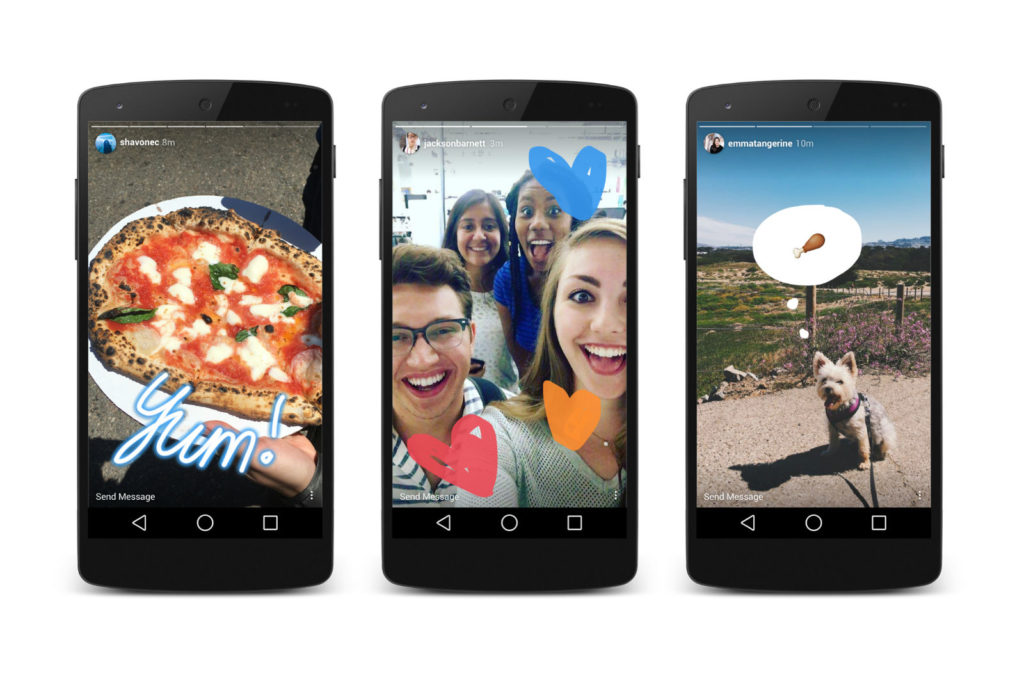
Instagram Stories are the photo-sharing social network’s attempt to muscle into Snapchat territory. Stories allow users to post temporary images and videos of their shenanigans that disappear once they’ve been displayed. They enable people to share more risqué experiences than they’d share on their permanent timeline. To ensure this added level of privacy, in February, Instagram began testing a feature that notified users if their Stories had been screenshotted and who had done it. Instagram has now announced that this feature is no longer active.

This means that all you have to do if you want to screenshot somebody’s Instagram Story secretly is follow your phone’s regular screenshot process.

Instagram hasn’t said why this change has happened or explained whether the feature was popular or not. There are two ways to look at this. You’ll either be happy if you’re the type of person who enjoys capturing those moments that people think shouldn’t be given away permanently. Or, If you enjoy knowing that you can share videos and images on Instagram Stories as a one-time deal, then this news might creep you out, and affect your sharing habits.

Instagram Download Instagram
7

We’d love to hear your thoughts on this development. Are you a sharer or a lurker? Let us know in the comments below.


A Facebook bug exposed the private posts of over 14 million users

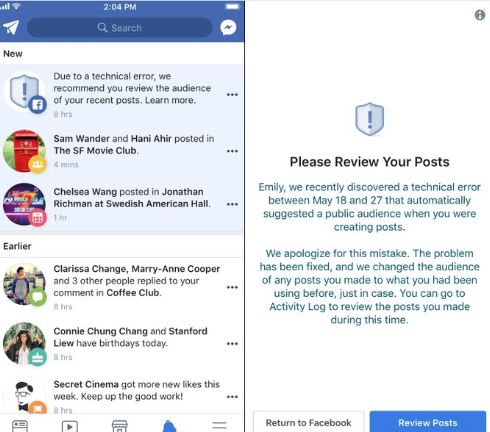
It is one thing after another with Facebook. If the big blue social network isn’t sharing your data deliberately, is sharing it accidentally. This latest error has seen 14 million users affected by a bug that shared people’s private posts. The posts of all those affected by the bug, posted between May 18 and May 24, were set to public by default. All affected posts were then not made private again until May 27.

Normally, when you post on Facebook, the privacy setting is the same as it was the last time you posted something. If you usually only post things so that just your friends can see them, then this will normally be your default setting. You can post away, knowing that only your friends will see what you’re posting. Bugs like this one change that, however, and when they strike your posts are free to be seen by anybody and everybody on Facebook. All of a sudden the world knows you had a bad day last Thursday or that you hated that movie you saw on Saturday.

Facebook Access Facebook
7

Facebook itself disclosed this leak. It added that if you are one of those affected by the bug you’ll be contacted and asked to review your recent posts. Likely to check if you’ve said anything you don’t want shared publicly.

Facebook will send you a link that will take you directly to your posts so you can easily see whether you’ve shared anything you shouldn’t have.

Facebook hasn’t given away much detail about what could have caused the problem in the first place. The social network did, however, state that this disclosure marks the beginning of a more proactive and transparent era on its part. This seems to imply that bugs like this one have occurred before but that we just never heard about them. As we’ve seen in recent weeks, Facebook as a company isn’t very good at effective communication.


What did E3 tell us about the future of Fortnite?

Everybody knew that Fortnite would be announced for the Nintendo Switch at E3, and nobody was disappointed when it was. Fortnite on the Switch is already available as free download from the Nintendo eShop and players have already started playing the world’s most popular game.

Something else that we’ve learned over the last few days is that Fortnite now has over 125 million players. That vast number is even more incredible considering the game has only been out for less than a year. Incredibly, the free-to-play Battle Royale version of Fortnite has only been available since September.

Fortnite’s huge numbers come from the fact that it is a true free-to-play experience. Paid extras, like skins to dress up your avatar and dance moves to emote with don’t give players an unfair advantage. Another factor will be the fact that Fortnite is available on most major platforms including iOS. Fortnite’s release on the Switch means that Android owners are the only people who can’t play Fortnite. Epic Games say they are looking at a summer release for an Android version of Fortnite so we can expect to see Fortnite player numbers swell even further as, according to Google, there are over 2 billion active Android phones in the world.

Fortnite: Battle Royale Play Now
10

Some bad news for Fortnite fans, however, is that Sony has decided to block cross-platform play between PS4 and Switch. This means players won’t be able to continue their Fortnite sessions on the fly, using their Switch, if they began on the PS4. More disturbingly, Fortnite accounts, with Epic Games, linked to the PlayStation Network (PSN) can’t be accessed from the Switch. Players on the Switch won’t have access to any of the skins or emotes they’ve accrued using their PSN-linked Epic accounts. It has been confirmed though that Fortnite cross-platform play will be possible between Xbox One, Nintendo Switch, PC, and Mobile. Quite rightly, Fortnite fans aren’t happy about Sony’s position here.

The last big bit of Fortnite news from the last couple of days comes in the form the first ever Fortnite World Cup. Qualifiers will begin in the Fall, with the big competition taking place towards the end of 2019. There will be no franchises or teams for sale with the action open to anyone, which means you can enter. With a prize pool of $100 million, it could be a good time to start practicing and honing your skills. Epic said:

“What about the specifics? The $100,000,000 will be split between many events at different levels of competition around the globe. Fortnite World Cup play will focus on Solos and Duos, but there’ll be plenty of opportunities to squad-up in competition, too… Rules, Player Code of Conduct, specifics about platforms and Fall 2018 schedule are on the way. If you’re interested in learning more about Fortnite competitive play sign up…”

To sign up for the world cup, go to Epic’s blog by clicking here.

Lots of big Fortnite news then. Some good, some bad, but one thing is clear Fortnite is going to keep getting bigger and bigger for some time yet. Which story do you think is the most exciting? Let us know in the comments below.