Microsoft Windows Defender Antivirus can now run in a sandbox, but what does that actually mean?
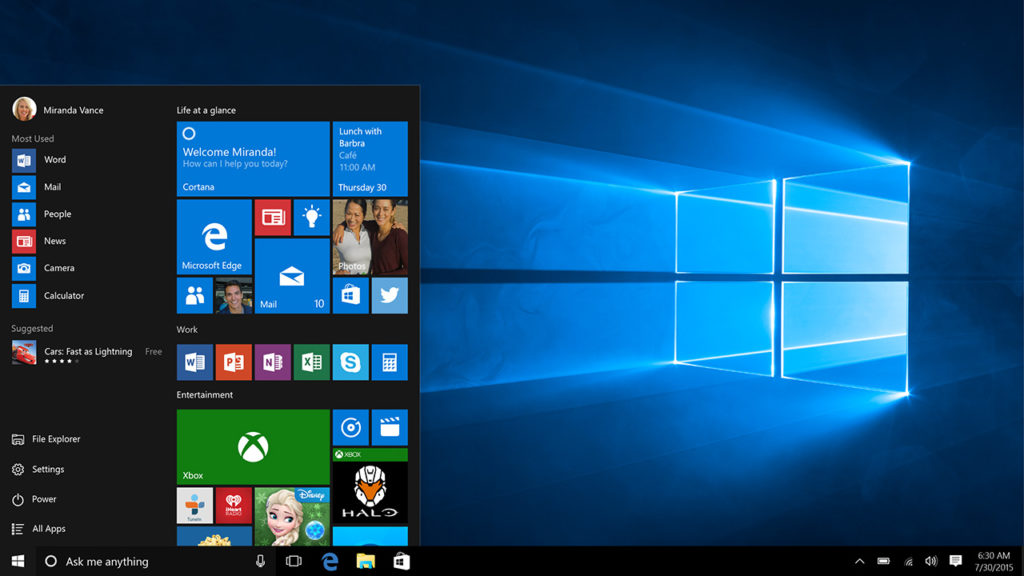
Microsoft has really done an excellent job with the security features it has built into Windows 10. Windows Defender is now so well regarded that some experts say you don’t need a premium antivirus to protect your device, Defender is enough. Over the last few days, this claim has gained even more credibility as Microsoft has announced the introduction of a sandbox mode to Windows Defender Antivirus. Let’s take a look at what this actually means.
A sandbox is a simpler way of saying a restrictive process environment. This means that Windows Defender can run itself separate from the rest of Windows. As antivirus programs often have high levels of permission on devices and access to key systems they themselves can end up being high value targets for hackers and thieves. Running separate from the rest of Windows provides an added layer of security as it means any successful attempt to compromise Windows Defender Antivirus does not put the rest of the system at risk.
Uninstall your antivirus: you don’t need it anymore
According to Microsoft, the addition of a sandbox to Windows Defender comes from consultation with industry experts and wasn’t easy to achieve. “Putting Windows Defender Antivirus in a restrictive process execution environment is a direct result of feedback that we received from the security industry and the research community. It was a complex undertaking: we had to carefully study the implications of such an enhancement on performance and functionality.” Although there have been no reported incidents of malicious code taking advantage of Defender’s high system privileges, Microsoft believed the possibility, as raised by the research community, was enough to warrant action.
The addition of a sandbox sets Windows Defender Antivirus apart from all other free antivirus programs. Microsoft claims Defender is the first complete antivirus solution.
For now, though, this new powerful feature is only available for members of Microsoft’s Insider Program, which is Microsoft’s beta testing community for new Windows 10 features. You may remember that it was members of the Insider Program who Microsoft ignored when they pushed out the recent October 2018 update that ended up deleting user’s files.
With a lot of bad stories relating to Microsoft hitting the news recently, like the recent Windows 10 update scandal, it is good to see Microsoft moving forward positively on a user protection issue. Not only is it good for the company’s image, ultimately, this is great news for all Windows 10 users who now have less of a security headache to deal with. As Windows Defender Antivirus moves towards being the complete antivirus solution some people have been calling it for some time now, users can breathe easier knowing their systems will be safe thanks to Microsoft’s efforts and a bit of a personal common sense.
The Bing search engine is showing up malicious and dangerous ads for search terms like “download chrome”
Microsoft Edge is a good browser. It is miles ahead of the Internet Explorer it replaced and Edge even does well when compared against modern browsers like Google Chrome or Mozilla Firefox. For many users though, this won’t matter. Years of familiarity with their browser of choice means they’re unlikely to change to a browser like Edge, which was quite late to the game. This means that whenever they buy a new PC or laptop, or update their operating system to Windows 10, the default Edge web browser has one task: to download Chrome. This is a problem.
Sometimes even Microsoft needs to use Google Chrome
The Bing search engine is showing up malicious and dangerous ads for search terms like “download chrome”
Be careful if you’re going to use Microsoft Edge to download Google Chrome
The issue arises because we’ve all become accustomed to typing basic phrases into the address bar when we want something rather than typing in complete domain names. Hackers know that we’re like this and they set up traps accordingly. They can set up fake sites on authentic sounding domains like GoogleOnline2018.com and place legitimate sounding download files like ChromeSetup.exe. It all looks and feels fine until your PC falls victim to the malware these fake domains and files contain.
For more tips on avoiding phishing scams like this one check out our infographic below:
How to avoid phishing scams, spot fake website, and detect dodgy emails
This exact scam is what almost tripped up Gabriel Landau. He bought a new laptop and opened up Microsoft Edge so that he could download Google Chrome. Fortunately, he stopped himself from downloading the fake ChromeSetup extension when he noticed that the digital signature was linked to Alpha Criteria Ltd. and not Google.
Brand new Win10 laptop. Attempt to install Chrome. Almost get owned with my very first action. Why is this still happening in 2018, @bing? Please explain. pic.twitter.com/uYJhu7xa9H
The real issue here is that this is a problem that Chrome and Firefox deal with automatically. The fake phishing sites, which show as normal on Edge, show warnings on both the Google and Mozilla browsers. Even worse for Microsoft is that this is not a new problem.
According to a How-to-Geek report, a similar issue on the Bing search engine was reported way back in April. Microsoft removed that ad, but the fact that an almost identical ad appeared over six months later means it hasn’t addressed the underlying issue. This lack of action is putting Bing users who are looking for Google Chrome at risk. Could it be spite?
In the same report, Microsoft responded to say, “Protecting customers from malicious content is a top priority, and we have removed the ads from Bing and banned the associated account. We encourage users to continue to report this type of content so we can take appropriate action.” This almost feels like an abdication of responsibility as it puts the emphasis on users to report false ads rather than on Microsoft itself to filter them out.
This is just one more issue in a long list of problems Microsoft faces at the moment. It is also likely to hit the credibility of Edge that, default search engine aside, is an otherwise capable web browser.
To protect yourself against this particular threat you are going to have to take action that Microsoft isn’t going to like. To download Google Chrome or Mozilla Firefox, click either of the two download buttons below.
If you do want to continue using Microsoft Edge, however, we recommend changing the default search engine from Bing immediately. Google is an obvious choice but there are plenty of other options out there.
Microsoft Bing has been serving up “horrifying” results, and racist tropes and memes when people search for certain words and phrases
Big tech companies are always trying to outdo each other and make our lives easier. We’re not talking much of a difference, however. A few seconds saved here versus a smoother experience there makes all the difference. The tiny things count and have a big impact on where our loyalties end up. You might choose Google over Bing, for example, because it auto-completes your queries as you type them into the search box.
Always thinking about the fine edges can leave these tech companies exposed where it matters, though. It happened to Microsoft recently, with the roll-out of its Windows 10 October 2018 update. The update can only be seen as an evolution of the operating system rather than a revolution. It sprinkles on a few updated features across the whole OS instead of providing a big bang in just one place.
Despite the modest offering, the update has been an unmitigated disaster for Microsoft with some users reporting their files and folders going missing after they’d installed it. Microsoft didn’t take care of the basics and it led to problems. This has led to anti-maccers, like myself, secretly thinking that Apple would never have let anything like that happen. Unfortunately for Microsoft, the Windows 10 October update isn’t the only disaster it has faced recently.
Microsoft Bing has been serving up “horrifying” results, and racist tropes and memes when people search for certain words and phrases
A recent investigation by journalist Chris Hoffman discovered that Microsoft’s search engine Bing often suggests racist and disgusting content for innocent search terms.
Microsoft Bing has been giving shocking, and often disgusting, results to innocent searches
“Search for ‘jews’ on Bing Images and Bing suggests you search for ‘Evil Jew.’ The top results also include a meme that appears to celebrate dead Jewish people… Clicking the suggested search unleashes a torrent of racist, antisemitic content, with more suggested searches like ‘Jewish People Are Evil,’ ‘The Evil Jewish Race,’ and ‘Why Are Jews so Evil.'”
What’s worse is that Hoffman discovered all of this while he had Bing’s SafeSearch option enabled. SafeSearch is supposed to keep adult-themed content out of your search results.
The racism continues across other ethnic groups, but the Bing scandal goes further. The search engine was also found to serve up commonly debunked conspiracy theories and even suggest searches for images of underage children based off an innocent search for a grill. Not a good look at all for a futuristic tech company.
All of this, however, does not mean that Bing is a racist (or worse) search engine or that Microsoft is a racist company. The company has been quick to respond to the findings of Hoffman’s investigation and it was Microsoft itself that described the Bing search results as “horrifying.” In response to Hoffman’s findings Jeff Jones, who is a senior director at Microsoft said, “We take matters of offensive content very seriously and continue to enhance our systems to identify and prevent such content from appearing as a suggested search.” Basically, Microsoft is appalled by the findings of Hoffman’s report and is working to put things right.
In fact, Google has had similar problems in the past, with its search engine auto-completing queries to ask racist questions and serving up sites denying the Holocaust ever took place.
The reason that problems like this can strike search engines is because their algorithms respond to user behavior. This makes it possible for groups to push their own agenda across search engines through a coordinated effort.
We’ve seen fake news spread across networks like Facebook and messaging services like WhatsApp. We’ve also seen culture wars break out across platforms like Twitter and we’re even seeing that seemingly harmless online tools like search engines can be bent to the will of politically minded people.
All of these online platforms are changing our lives for the better in ways that we could never have imagined just a few years ago. They’re also, however, opening up new means of population control and manipulation that the people building them seem completely unprepared to deal with. It is worrying to think how many people could be affected by a supposedly trustworthy source serving up lies and untruths designed to promote a certain political agenda. These are great yet dangerous times we’re living in.
Of course, Bing is not a racist search engine and Microsoft is not a racist organization. If, however, you’re trying to change the world by making it easier for everybody in it to connect with each other, not being racist isn’t enough. You need to actively be anti-racist and work to close off the pathways you’re creating for those who are looking to exploit any means they can to push their particular agenda. If you’re not trying to do that, or you’re not clever enough to do it efficiently enough then, in the end, you’ll be judged as a part of the problem. The likes of Microsoft, Facebook, Google need to know this. They need to try harder.
Over the years we’ve seen many browsers come and go as the main source for internet exploration. While Microsoft and Apple dominate the field of operating systems, their browsers (Edge/Internet Explorer and Safari) tend to fall behind in usage compared to some other programs out there. If you’re struggling to decide between the top performing browsers, here is a simple and easy guide to help you learn the differences between them.
Guide to the best web browsers
Google Chrome
Chrome is widely regarded as one of the best browsers, and for good reason. It performs exceptionally well, and is able to connect the same account across multiple devices. However, its main benefit is its large variety of extensions. This allows for a highly customizable experience, and really can make Chrome perform any function you want for it too.
The downside to using Chrome, however, is its high-RAM usage. For low spec computers, this can cause some performance issues, since Chrome will be using so much of the computer’s process power. It can be especially hard to run Chrome and other intensive programs at the same time on these computers. That makes it less optimal for people who use graphically intensive programs like video games.
10 Chrome extensions that will make your life better
In contrast to Chrome, Mozilla is one of the most RAM-efficient browsers for what it is capable of. While it doesn’t have quite the collection that Chrome does, it still allows for a pretty customizable experience with a competitively large amount of add-ons. Mozilla is also less likely to use your information as a marketing tool. So if that’s something that concerns you about Google, or other big companies, then Firefox is the way to go.
While you may not have heard of Opera before, it’s actually one of the top performing browsers, particularly for businesses. This is because it is able to provide a RAM-efficient and secure browsing experience with a built in ad blocker. It has many of the benefits that top-performing browsers have, while being able to provide the security of being a browser favored by a smaller community (and as such, less malware is prepared for it). The only real downside to this browser is that, it isn’t always able to open every site properly, like Microsoft browsers are able to. Despite this, the browser itself is constantly being developed, and slowly growing as an excellent choice.
Safari is often overlooked as a browser, since being an Apple product makes it less common among fans of Windows or Google. However, Apple is well known for its compatibility between its products, and Safari is no exception to this. If you have other Apple devices, then you can sync your Safari between them, which can really help organize your web browsing. Safari’s biggest benefit, however, is its content blockers. While ad-blockers are popular, Safari is able to block a variety a different content, such as cookies, in order to create a cleaner experience.
Despite this, Safari still lags behind Firefox and Chrome in extension capability. That’s not to say it lacks extensions altogether, but it is less compatible with many add-ons, compared to the other two.
Microsoft Edge & Internet Explorer
While these browsers are independent of each other, they are both owned by Microsoft, and function rather similarly. Microsoft Edge is the newer default program for all Windows computers. While it doesn’t have the extension capability that Chrome or Firefox have, it still runs at a reasonably high speed, and has integration with many Microsoft programs including Cortana. It, unfortunately, is not backward-compatible with other Windows operating systems, and can only be used on newer computers. Despite this, it’s an easy to use browser that is great for simple interactions.
Internet Explorer, on the other hand, is typically better for companies that use old programs that may not function well on other browsers. Consumers of these programs can also find Internet Explorer beneficial, since it’s able to run almost any site at a reasonable speed. Something that other browsers require extensions to do, or are unable to do at all. Despite this benefit, it’s unlikely to find many programs that won’t operate equally well on another browser, so Internet Explorer is typically not recommended compared to other popular browsers.
Based on this, it’s clear that Chrome is the best for customizability on high-end computers, while Firefox is the more RAM efficient choice. Opera is a good middle ground between these two, and perfect for older computers looking for a secure browser. Outside of those three, however, Safari, IE, and Edge each have their own benefits. Being able to open some sites, especially older ones, without needing to worry about functionality, is probably the biggest benefit of the Microsoft browsers, while Safari has a unique content blocker that is incredibly useful. Other than the typical browsers, there are a few more niche browsers that can be useful as well.
Brave
Brave has slowly gained its own following as being one of the fastest and most secure browsers out there. The biggest benefit of Brave is that its built-in adblocker replaces potentially dangerous ads with its own, so that it can bypass most sites that would prevent the use of an adblocker. It also runs faster than almost any other popular browser out there. Of course, this comes at the expense of extension-capabilities that the other browsers are known for.
Brave isn’t the only fast-growing browser. Midori is probably the best option for RAM-efficiency out there, and Tor Browser is perfect if you’re often using incognito mode (since it doesn’t track you the same way other browsers do). They aren’t as popular or customizable as the other browsers, but they are great at what they do, and definitely worth checking out.
Here’s everything we know about Life is Strange 2.
Life is Strange 2
Life is Strange is back. The latest entry in the coming-of-age mystery series has put in strong showings at E3, Gamescom, and PAX West.
Based on everything that’s been revealed so far, it looks to be a big improvement on everything fans have come to love about the series. Get a taste of the game below with the first 20 minutes of gameplay, then read on for everything we know so far about Life is Strange 2.
New Characters
Previous games in the series focused on high school students Max Caulfield and Chloe Price and the mystery surrounding star student Rachel Amber’s mysterious disappearance. The twist was that Max had the supernatural ability to turn back time, which led to some mind-bending time travel moments as the two girls worked to unravel the mystery.
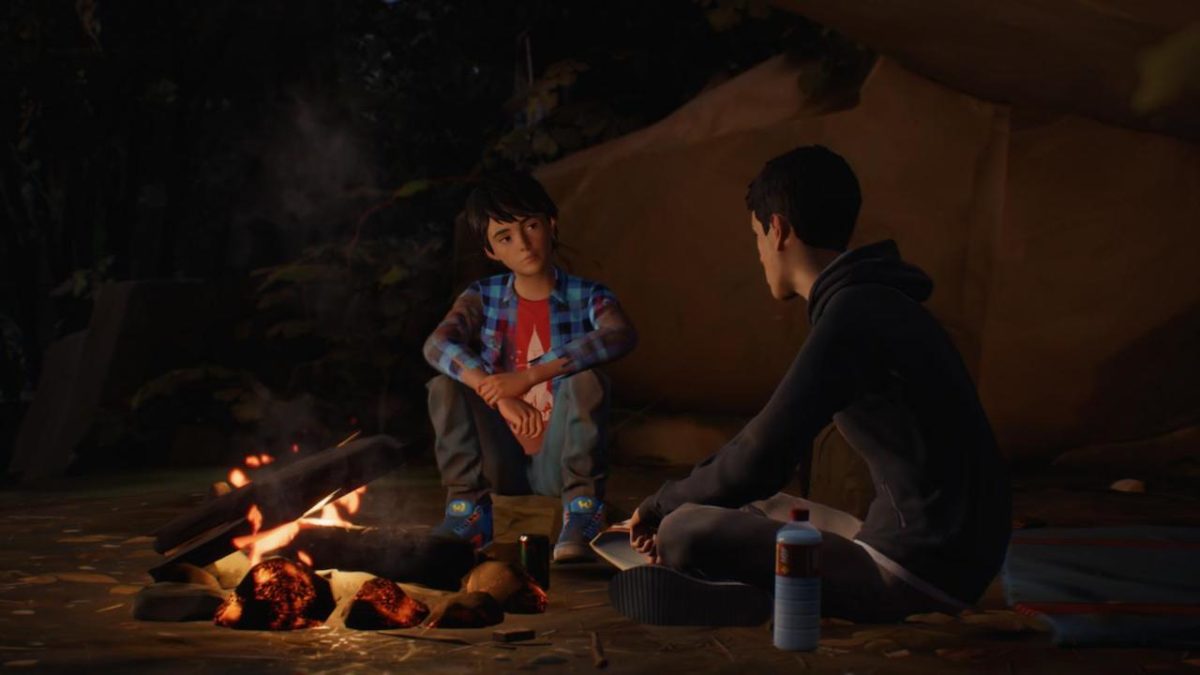
This is the first game in the series to depart from the two characters, instead focusing on Sean and Daniel Diaz. Players will be controlling Sean, a 16-year-old living in Seattle with his dad and younger brother Daniel. In the video above, we see Sean dealing with typical teenage problems: talking to his crush, asking Dad for spending cash, and messing with his brother. His problems are about to get a lot bigger, though.
An unfortunate incident with a cop ends with the cop dead and the two brothers on the run across the United States, heading for their father’s hometown in Mexico. Here’s the mysterious part: we don’t know what kind of powers Sean has… or even if they’re Sean’s powers.
From the trailer above, we can assume that it’s some kind of telekinesis ability that sends both the cop and his squad car flying. It’s hard to tell, though, if it’s Sean that sends out the telekinetic blast or Daniel. If it’s Daniel, it would certainly fit with the theme of the game, which DONTNOD has stated will be focusing on Sean and the protective foster-father figure he has to become for Daniel.
Improved Story
Unlike the past two games, which focused on the singular fictional town of Arcadia Bay, Oregon, this game is structured like a road movie, following the brothers on their journey down the West Coast. The development team has cited both “Into the Wild” and “Of Mice and Men” as inspirations. Like previous games, the story will be episodic, with each episode focusing on a particular location on the brother’s journey. The first episode, “Seattle,” will focus on Sean and Daniel’s day-to-day life in that city and the incident that sets them on their journey.
One of the most criticized elements of the first game was the dialogue, which was littered with cringe-inducing outdated slang and forced meme references that sounded more like an adult trying to be hip than the actual way that teens talk to each other. This was greatly improved in Life is Strange: Before the Storm, and has continued to be improved for Life is Strange 2. The dialogue here is natural and the characters are distinct and feel developed, making the heartbreaking moments hit that much harder.
The Awesome Adventures of Captain SpiritDOWNLOAD NOW
The story of this game is also going to tie into the story of The Awesome Adventures of Captain Spirit. Captain Spirit was a free game released back in June to serve as a sort of teaser trailer for Life is Strange 2, showcasing the improved graphics, gameplay, and dialogue. The game followed Chris, a young boy with a troubled father, as he adopts his superhero alter ego to solve problems around the house. Eventually, Chris discovers his imaginary powers are all too real. DONTNOD has confirmed that Chris will be making an appearance in LiS2, which begs the question: will Max and Chloe be making an appearance too?
Streamlined Gameplay
Gameplay itself has also received an overhaul for the series’ latest entry. Now running on Unreal Engine 4, Life is Strange has received a huge graphical overhaul. Animations are smoother and characters are more detailed; one major criticism of the first entry in the series was that lip movements weren’t well-synced with dialogue, leading to some weird uncanny valley moments. Here, everything flows and movements are much less stilted.
Dialogue trees and object interaction prompts are also more streamlined to make the game environment seem less cluttered. A big part of Life is Strange is exploring and interacting with the incredibly rich and detailed environments. The interaction interface and changes to the dialogue tree allow players to fully explore these environments, easily find hidden details and Easter Eggs, and never get overwhelmed.
As we already know, we’ve yet to see the actual nature of the powers in this game. With Max, a simple button push would allow players to reverse the time stream to a moment of their choosing. How the telekinetic powers in this game will behave is still something of a mystery: whether it’ll players controlling the powers directly, commanding Daniel to use them, or not interacting with the powers at all, as was the case with Chloe in Life is Strange: Before the Storm. It’s a major aspect of the game that has yet to be fully revealed, and it seems that we’ll have to wait until the first episode releases to find out exactly how these powers will fit into the gameplay as a whole.
Like the first two games, Life is Strange 2 seems poised to be a poignant and compelling title, and the improvements that have already been showcased are sure to turn heads. Episode 1 releases today for Microsoft, PS4, and Xbox One.
If you have Windows 7, Microsoft just made a decision that could put your data at risk.
Microsoft famously called Windows 10 a “service” rather than an operating system, and now it seems they’re thinking about their older software in the same way. In a new blog post, Microsoft writes:
“As previously announced, Windows 7 extended support is ending January 14, 2020. While many of you are already well on your way in deploying Windows 10, we understand that everyone is at a different point in the upgrade process.
With that in mind, today we are announcing that we will offer paid Windows 7 Extended Security Updates (ESU) through January 2023. The Windows 7 ESU will be sold on a per-device basis and the price will increase each year. Windows 7 ESUs will be available to all Windows 7 Professional and Windows 7 Enterprise customers in Volume Licensing, with a discount to customers with Windows software assurance, Windows 10 Enterprise or Windows 10 Education subscriptions. In addition, Office 365 ProPlus will be supported on devices with active Windows 7 Extended Security Updates (ESU) through January 2023. This means that customers who purchase the Windows 7 ESU will be able to continue to run Office 365 ProPlus.”
What this means is that starting in January, Windows 7 users will no longer receive security updates or patches, effectively leaving their computers and data vulnerable to hackers and malware unless they pay the monthly fee.
Over 40% of all computers in the world run Windows 7. This potentially leaves huge amounts of data exposed and ripe for exploitation. The fact that Microsoft is willingly exposing their Win7 users to risk despite them making up such a huge portion of computer users worldwide is disappointing, but not entirely surprising.
It should also be noted that being able to pay for your security is an option offered only to Windows 7 Professional users who have Volume Licensing (a.k.a. big businesses that buy the software in bulk for their office). Small businesses and individual users don’t even have the option to buy their security.
For these users, their data is at risk unless they switch to a newer operating system, which Microsoft hopes is Windows 10. Windows 10 is no longer a free upgrade, being offered instead for $139 on Microsoft’s website. Windows 8 is also no longer for sale if for some reason you were thinking about getting that instead.
It will almost certainly be more affordable to just bite the bullet and buy Windows 10 instead of paying the monthly security fee. The exact pricing has so far not been announced, but Microsoft has announced that the price will increase every year. (Hooray.)
Thankfully, Windows 10 is itself a solid operating system. While Microsoft has received criticism for updating the OS automatically, prioritizing their updates over user control, it is a sleek and functional operating system. It is significantly more user-friendly than Windows 8, so longtime Windows 7 users shouldn’t have too hard of a time adjusting if they choose to upgrade.
What’s better: mp3 or wav? jpg or png? Here are some common file formats and what they mean.
If you’re not a graphic designer, you may not fully understand the difference between a .jpg, and a .png file. In fact, there are many file types and file formats that aren’t fully understood by the general public. Here’s a quick and easy guide to understanding some of the most common file formats, and when to use them.
Beginner’s guide to file formats
Lossy vs. Lossless
The main difference between most file types is how they choose to compress information. “Lossy” files remove parts of a file in order to shrink it exponentially, while “Lossless” compress information without removing any.
For example, JPEGs remove unimportant information from an image in order to shrink the file size, while PNGs just compress similar parts of an image. By doing this, JPEGs can achieve much smaller file sizes since they are “Lossy” and discard parts of the actual file. On the other hand, PNGs are still fairly large files but are able to uncompress the image and recreate the original image in its entirety since they are “Lossless” and remove none of the original file.
Image files
Besides simply being lossy or lossless files, most file types have unique ways of compressing images or data. Here are some common image file types and how they work:
JPEG: A common lossy image format that is valued for its ability to create small file sizes. It does this by removing information from an image that it deems unnecessary (an example of this would be the loss of transparency from an image file being converted to JPEG). They are best used in photographs where this information is less necessary, or when you a much smaller file size and are willing to sacrifice some of the information loss
PNG: A common lossless image format that compresses image patterns. By doing this, PNGs are able to be converted back into the original image (something that a lossy format, such as JPEG, can’t always do). PNGs are useful for a variety of graphically intensive functions, such as transparency, and color depth. However, because they still retain much of the original image, they tend to be larger files than some other common image formats.
GIF: Typically an animated lossless group of images. They have a very limited color palette of only 256 colors (compared to other file types having over a million), which makes them better suited for simple images rather than ones with complex colors. GIFs are useful for color-limited logos that require less space than a file as big as PNGs, but have sharp-edged line art that might be removed from using a JPEG. They are also useful for short animations.
Raw image files are camera files that have not been converted to another type yet. As such they are essentially the full original image with no compression.
Sound files
Similar to image files, sound files feature a variety of file types that are primarily based around how compressed they are. Here are some of the more common ones:
MP3: These files are lossy and typically very small. They download and load faster than other file types, and are typically found on computers and internet sound files, such as through iTunes.
WAV: These files are lossless and significantly larger than MP3 files. They are best used when premium quality sound files are necessary, such as on DVDs, radio, or Flash animations.
Like with image files, there is also a raw sound file format known as RAW Audio. This format features no compression. These typically need some level of conversion before certain audio reader programs can use them.
Document files
While other file types are typically defined by their compressed information, document files are valued for other properties. Specifically, what can read them, and how easy they are to edit:
PDF: Adobe System’s document type that is primarily used to deliver fully completed documents. Unlike .docs, PDFs can be opened by anyone, since Adobe’s Acrobat is free. These documents also retain all of their original information when being converted to this format. The downside to them is that they are harder to edit than .docs. As such, they are best used to send completed documents, rather than ones that need to be edited, since they retain the full quality of the document, but are hard to edit themselves.
DOC: Microsoft Word’s document file type. These documents are easier to edit than PDFs, though they may sometimes lose information when files are converted to .doc. Also, these documents are unable to be opened and edited with much more than Microsoft Word, making the program a must for anyone primarily using this document type.
RTF: While PDFs and DOCs typically require specific program types to open them, Rich Text Format files are readable by a large variety of programs. They cannot use macros, which are embedded document tasks that you can create in other common document formats. RTFs are best used for sending documents to recipients who may not use Adobe or Microsoft Word.
Text files are the document version of “RAW Audio” or “Raw image” files. These files feature unformatted text and typically come from text-editor programs such as Microsoft Notepad.
Of course, there are more file formats than just these, but these are the ones you’re most likely to encounter in your everyday life. Other file formats aren’t as common, especially for people who aren’t working in the field of formatting those types of files (e.g. if you’re not a graphic designer, you’re unlikely to see .psd files very often).
It’s time to come back to Minecraft. Here’s a breakdown of all the recent changes that make the game more fun than ever.
There was a point in time where Minecraft was completely inescapable. The game’s iconic blocky graphics and freeform gameplay inspired millions of Let’s Plays, t-shirts, and countless blocky creations. Minecraft became the second best selling game of all time, only behind the Tetris. Nowadays, while the game is still very popular, its ubiquity and core demographic has seemingly been replaced by the massive success of Fortnite.
While you may have quit Minecraft long ago, it’s received constant updates throughout the years. These updates have provided new content that put a fresh spin on the core game without overwhelming new or returning players. Below is our guide for returning players and all of the new content to explore:
There are two main versions of the game: Bedrock Edition and Java Edition
While this may sound confusing, it isn’t. If you’re playing on PC and you’re repurchasing the game, we highly recommend buying the Java version, as it comes with the Bedrock version for free.
Anyway, the differences between the two versions are as follows. The Java version is the original version of Minecraft built for PC which has been continually updated. Most mods have been built for this version, so if you’re a PC player who loves modding the game, go for Java.
The Bedrock edition is the version of the game built for Windows 10, mobile devices, and all current gen consoles (minus the PS4). Crossplay is possible across the Bedrock edition, which means Windows 10, mobile, Xbox One, and Nintendo Switch players can all adventure together.
While the Bedrock and Java editions follow different update paths, the gameplay differences between the two versions are minuscule. If you value crossplay, play the Bedrock edition. If modding is the most important part of the game for you, play the Java edition.
Big content updates are here
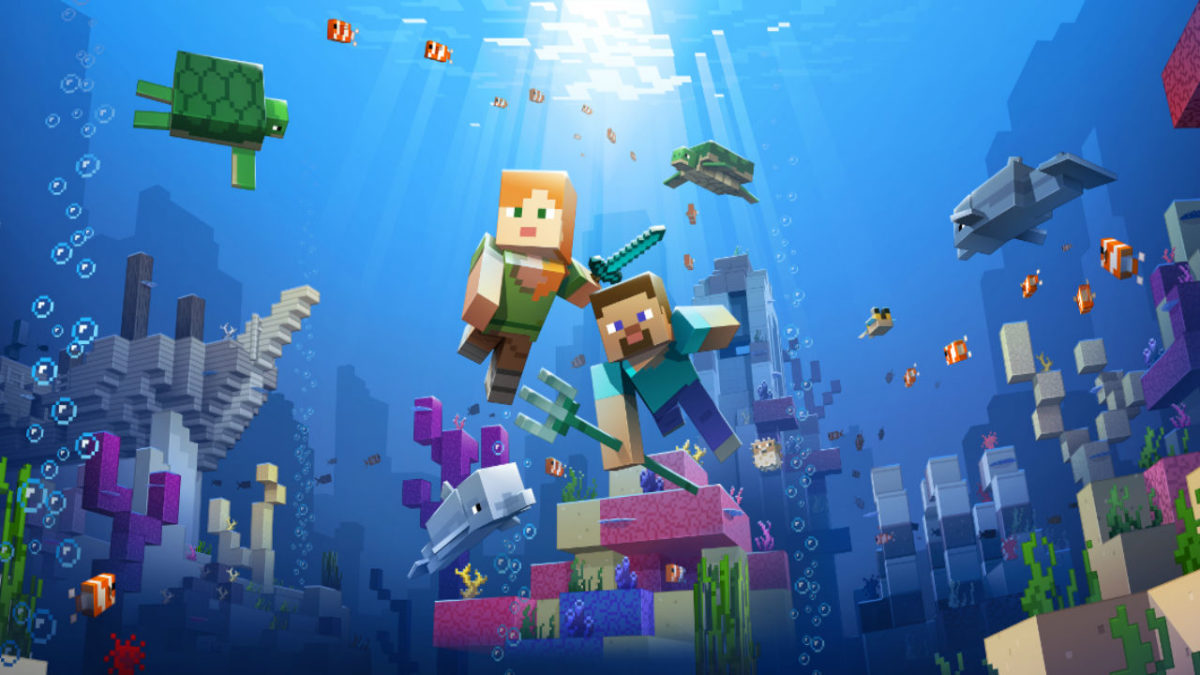
The most recent big content update is the Update Aquatic, which released this summer for both the Java and Bedrock editions. The Update Aquatic adds new ocean biomes, populated with plenty of sea life and sunken treasures. You can befriend dolphins and sea turtles, plunder shipwrecks, and fight aquatic zombies. The update is colorful and jam-packed with content, adding a whole new dimension to the already expansive game.
The Java edition also received the Combat Update. Released in 2016, the update heavily revamped the barebones combat featured in previous versions. Players can now dual-wield, equipping weapons, shields, or tools in their left hand (dominant hand can now be toggled for you left-handed folks).
The combat system has gained new attacks, such as a sweeping sword attack, as well as more depth, including an attribute and strength system. In this update, changes have also been made to the End. The Elder Dragon boss fight can now be restarted, and the End is now populated with outer islands with structures and ships to explore.
More things are coming
For those who want some more visual flair into their game, the Bedrock edition is getting an update called the Super Duper Graphics Pack. Though the pack has been delayed multiple times, Mojang has assured fans that the pack will come. The update will be optional, free, and playable on any device that can play the Bedrock version of the game. The enhancements of the pack can be viewed in the video below:
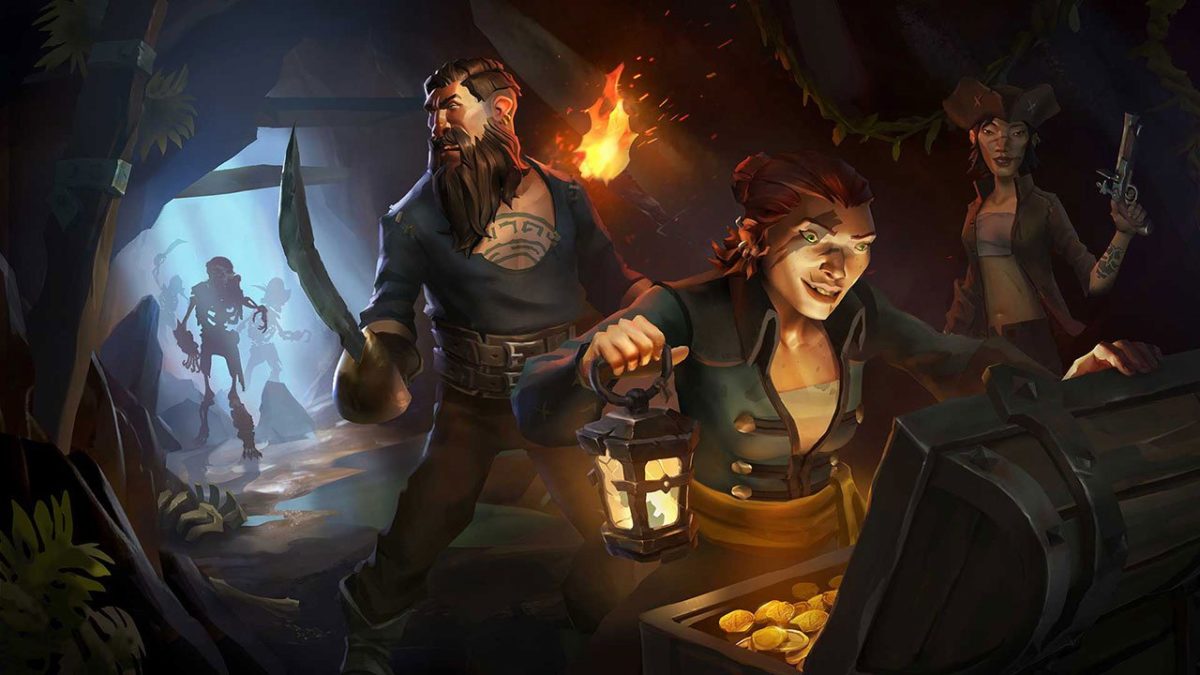
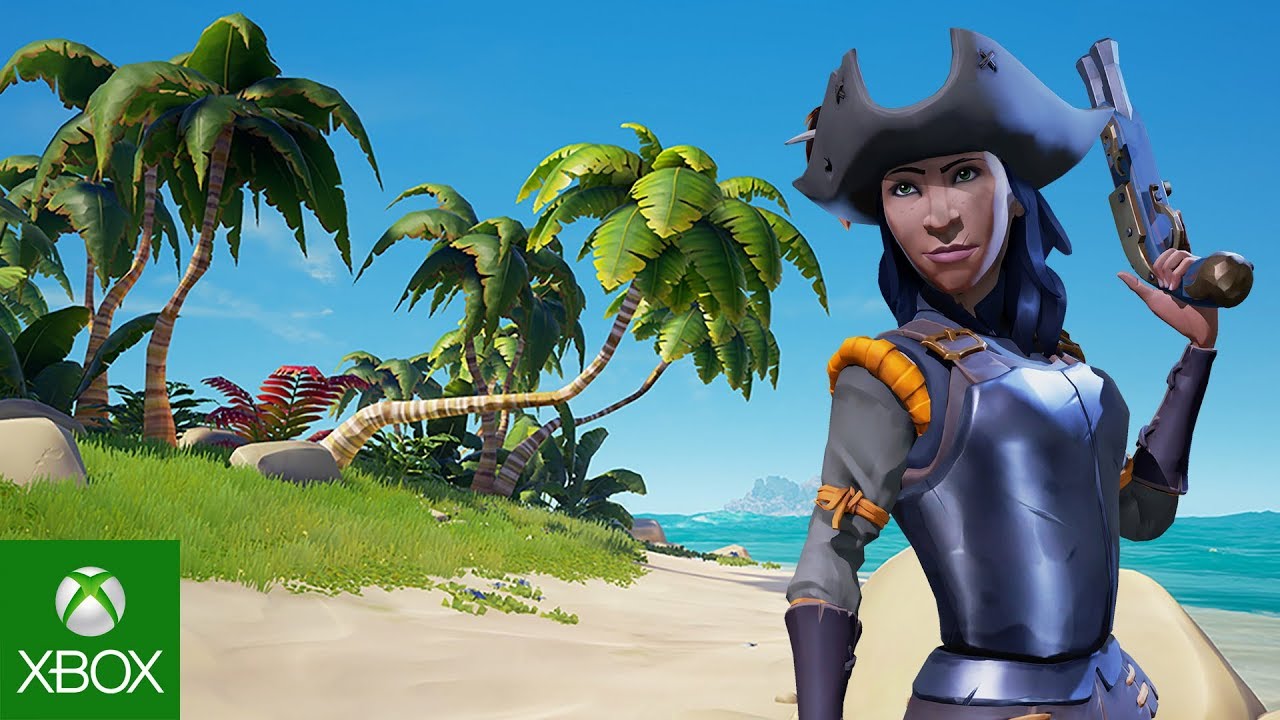
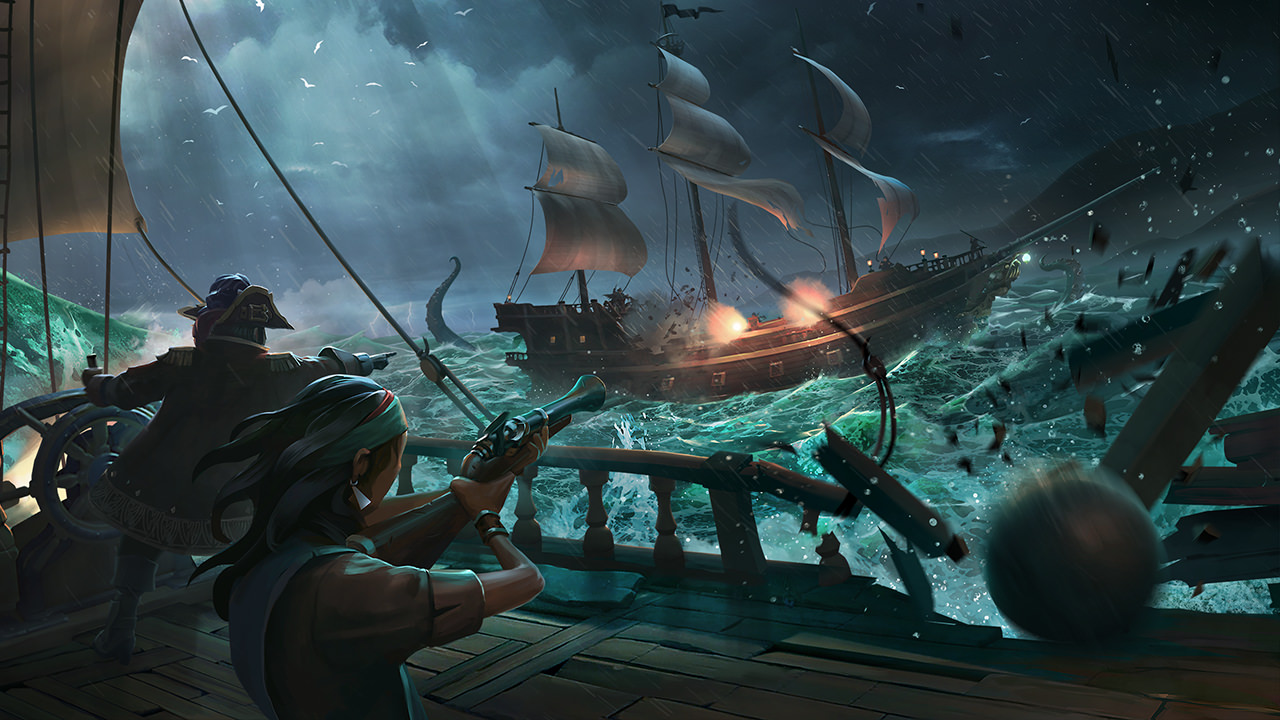
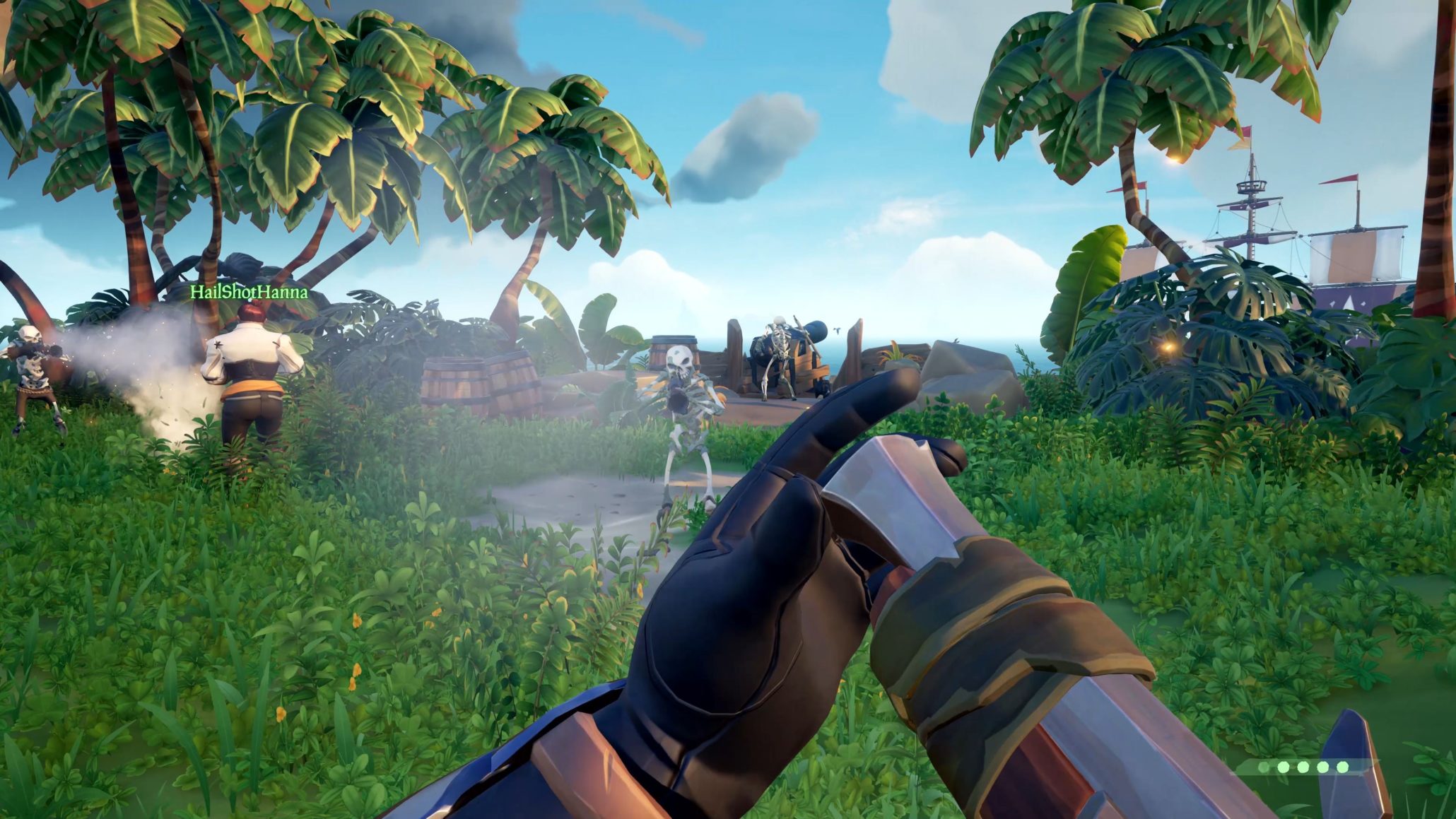
A wise pirate knows the devil’s dance of combat: The swerve and the thrust, the swipe and the parry. An even wiser pirate knows that “he who fights and runs away lives to fight another day.” The wisest pirate of all knows that combat is a job best suited to your lackeys. Your time, meanwhile, is better spent sweeping in with a blunderbuss to pick up the pieces once the dust settles, and hoisting sail to the nearest vendor. There you can sell the remains of your dear departed colleagues and use it for grog money.
Don’t give us that look. This is a game about pirates!!
Truthfully though, combat is an unavoidable pillar of Sea of Thieves’ gameplay, and knowing the ins and outs of a fight is the difference between a plunder and a blunder (guess which one ends with you walking away with the loot). Every player can carry two weapons, so choose wisely. What you bring into the battle is going to play a huge difference in your role. To help you decide, we’ve put together a guide that will hopefully make that choice a little easier.
Pistol
Powerful and versatile, each player begins a match with a pistol and cutlass by default. You’d think that any starting weapons are sub-par when compared to ones you’d pick up later, but in the case of Sea of Thieves, you’d be wrong. The weapons here are a balancing act in this title, and the deciding factor of any PvP is rarely the weapon a player is using, but the angle from which he is attacking. Every weapon has its place, and the pistol is no exception.
** Any upgrades or purchases you make at a vendor are aesthetic onlyand will not have any effect on a weapon’s damage or utility. You’ll just look cooler.
https://www.xbox.com/en-US/games/sea-of-thieves
The pistol outmatches the blunderbuss in terms of accuracy (as you might expect) and it also has a faster reload speed, meaning that you can fire off a second shot before the other guy does. This is important for one big reason:
A single shot from the pistol will deal 53% damage to a human target. That means if you can land two shots, they’re down. See where we’re going with this? You dominate mid-range combat with the pistol. It may not feel like it fires all that quickly, but the fact of the matter is that it’s still firing faster than the other two firearms. Combine that with the two-shot kill and you have a very powerful weapon indeed.
Cutlass
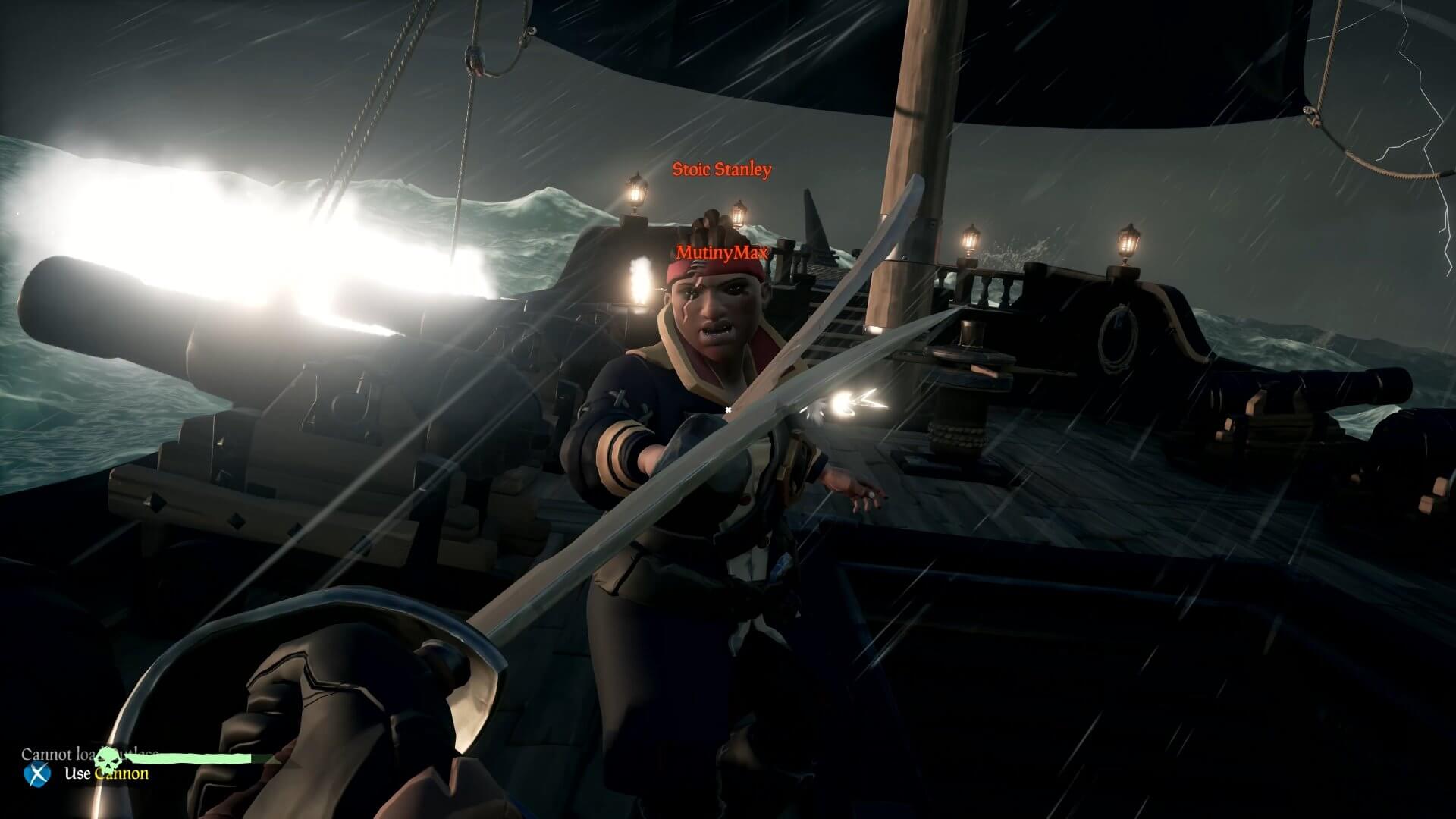
Your other default weapon, the cutlass is the mark of the true buccaneer. Yes, it has less range than any other weapon. Yes, it does the least damage. Yes, it takes three hits to kill even a basic skeleton. We still think it’s the best weapon you can get your hands on in this game.
Hear us out.
At the end of the day, the sword is only as good as the swordsman. Mastering the cutlass will take time, practice, and patience (at least two traits that pirates do not have in abundance). The primary attack is a sword slash that deals a small 20% damage. Logically, landing the three-hit combo will do 60% damage. Now we’re getting somewhere. In addition, hitting another player can slow them, hindering their ability to turn. Unable to adjust their view angle, you should be able to dispatch them far more easily.
The sword’s lunge ability does a mighty 49% damage, and is one of its defining features in Sea of Thieves. The lunge lends a unique balance to the rock-paper-scissors combat for this game. Charging the lunge (primary attack button) will slow your walk speed, BUT if you block you will negate the movement penalty. Jump at the start of your lunge and you can cover still more distance, closing the gap between you and the guy with the pistol or Eye of Reach.
The cutlass is also the only weapon in the game that can block, making it your best defensive option. On top of all that, and this is a no-brainer, the cutlass does not use ammo! We recommend having a cutlass as a backup weapon on most of your adventures. Its defense, mobility, infinite usage, and general classiness make it our top choice.
For more advice on the best ways to use a cutlass, definitely give this video a thorough look:
Eye of Reach
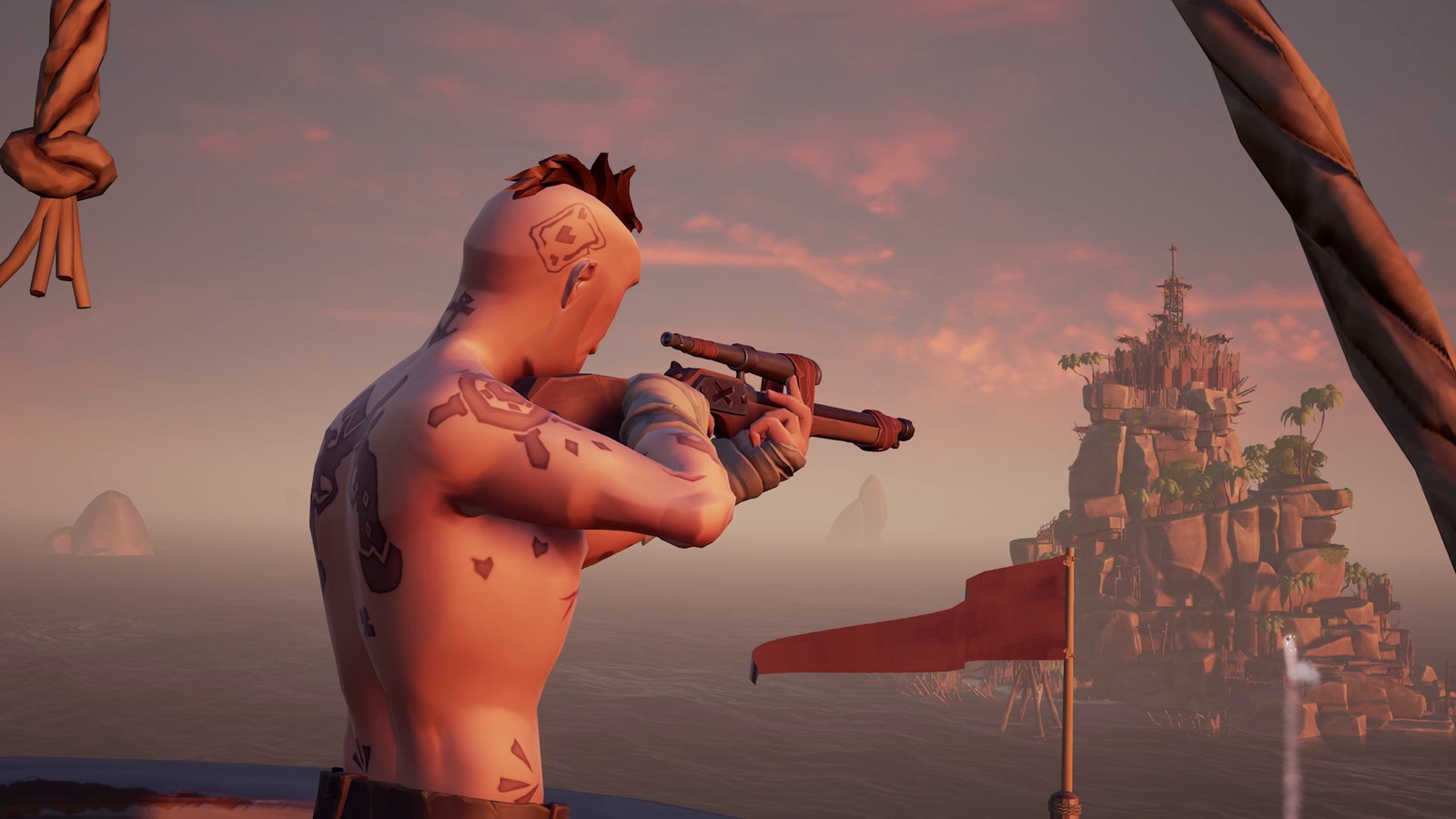
Found in an armory (scattered around the game world), the Eye of Reach is the game’s sniper rifle. With a slow rate of fire and reload time, this weapon favors a high risk/high reward style of gameplay, much like the blunderbuss.
Accurate from extremely far, the Eye of Reach also doubles as a spyglass. We found it unexpectedly useful when scouting new areas or when doing recon on skeleton forts. It is generally advisable to have at least one of your crew hit the seas with this in his hands. It’s invaluable for scouting, backing up the players leading the charge, and for picking off enemies before your ship even reaches the island.
With the Eye of Reach, it’s important to keep several universal factors of Sea of Thieves’ combat in mind:
There is no friendly fire in Sea of Thieves. At least not directly. If you’re the team marksman and you’re watching your teammate’s back, don’t hesitate to pull the trigger, even if you’re you have the shot; you can’t hurt him.
Headshots will not do extra damage. Again don’t hesitate to shoot. If you’re not firing from far away, we advise quickscoping over long careful aiming.
Lastly, damage in or out of water is the same in Sea of Thieves. If the fight lands you in the water (which it often does), remember that that has no bearing on the damage of your gun. Considering the Eye of Reach does a whopping 79% damage in a single shot, you’re nearly unmatched in terms of raw damage, on land or underwater.
The blunderbuss is the go-to weapon for any pirate who’s had enough monkeying around. And no, that’s not a Monkey Island reference. This is a shotgun, tried and true, and should only be used at close quarters. The blunderbuss fires ten shots at once in an unpredictable formation. Each of those shots deals around 15% damage. The more shots that land, the more total damage you’ll do.
It takes a minimum of seven shots to instantly down an enemy, which means that the only chance you have to score that sweet one-hit KO is to fire as close to point-blank range as you can afford to get. Careful when you take your shot; the rate of fire is slow, and you’ll probably be in the thick of the fight if you’re using the blunderbuss like you’re supposed to.
Much like the Eye of Reach, however, we think it’s a good idea for at least one teammate to be using a blunderbuss at all times. It comes in extremely handy when ambushed by a horde of skeletons or when going toe to toe with a ship full of enemy players.
For a side by side comparison of weapon damages in Sea of Thieves, along with more awesome combat strategies, check out the video below.
Step carefully and we’ll see you on the high seas!
Microsoft Windows 10 Updates will be much smaller and will run much faster from February 2019.
Microsoft Windows 10 Updates will be much smaller and will run much faster starting in February 2019
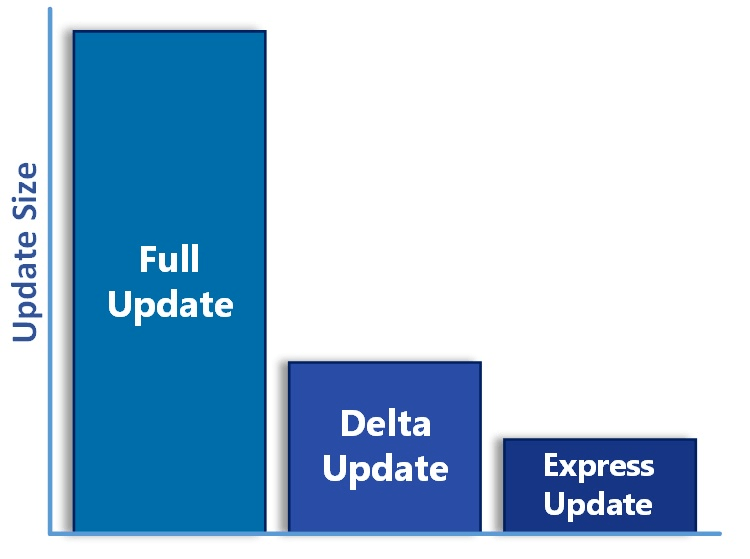
Microsoft announced this week that it will be discontinuing a rather heavy component from its regular updates. Removing Delta Updates will make the Windows 10 update cycle much smoother and faster, and we can expect to see this change from February 2019 onwards.
Windows 10 updates will soon be smaller and quicker
The new system called Express Updates allows Windows to update single files as needed. This is opposed to the Delta Update system, which cumulatively builds patches on top of one another. Every time something changes everything needs to be downloaded and updated again. The result is that updates get larger and larger as the months go by.
Microsoft is killing Delta Updates in February
We can see an example of this after the recent update we got in April 2018. Various patches were coming in at around 100 – 200 MB, but after a while, they ended up at approximately 1.2 GB. With the new Express system, these small patches will only ever be the sum of their individual parts, rather than including all the parts that came before them. Patches will stay at around 100 – 200 MB a month rather than growing each month until Windows 10 gets the next full update.
The result for us as Windows 10 users is that our operating system will receive smaller updates more regularly. The smaller update sizes will mean it won’t take our PCS as long to restart after an update.
Don’t expect Windows 10 full updates to end any time soon, however. We can still expect to get two of them a year. You can find out the details of the upcoming Windows 10 fall update here. This new system will only affect the smaller updates Windows 10 receives in between full updates.