Jurassic World Evolution: a successful consumer management game – our review

I have always dreamt of being John Hammond and going on a crazy spending spree. (“We spared no expense.”)

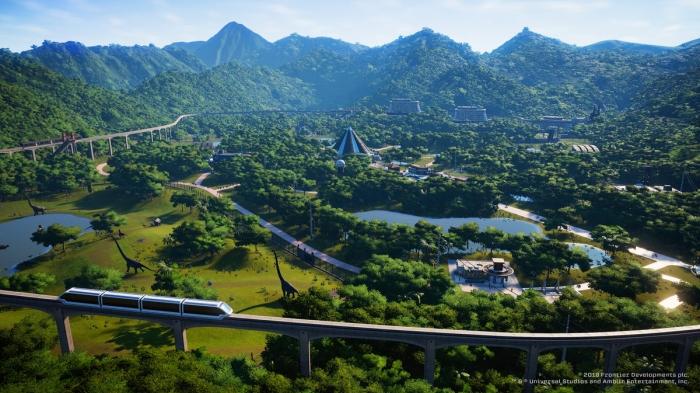
With Jurassic World Evolution, that dream can now come true! The game didn’t have the best of timing, as it had to be released in the middle of the E3 expo, so as to coincide with the premiere of “Jurassic World: Fallen Kingdom.” Nevertheless, with Frontier Developments at the helm, it was inevitable that the game would attract considerable attention, especially after the success of Planet Coaster. The combination of a theme park construction and management game and the “Jurassic Park” universe is the stuff dreams are made of! The only problem is that the latter has a tendency to suffer by comparison.

Jurassic World Evolution Download Now
8

Forget about Planet Coaster

Let’s begin by making one thing clear: don’t expect to find another Planet Coaster in Jurassic World Evolution. If Planet Coaster allowed users to build incredible creations from scratch, Jurassic World Evolution rivals that with the inventive objects available in the game, as well as being much more interactive, and much less orientated towards creation. The same is true on the management side, as the game´s crowd system has been simplified, although that isn’t really important, because by sacrificing these aspects which are so specific to Planet Coaster, JWE has gained something even more invaluable: the gameplay is really easy to grasp.
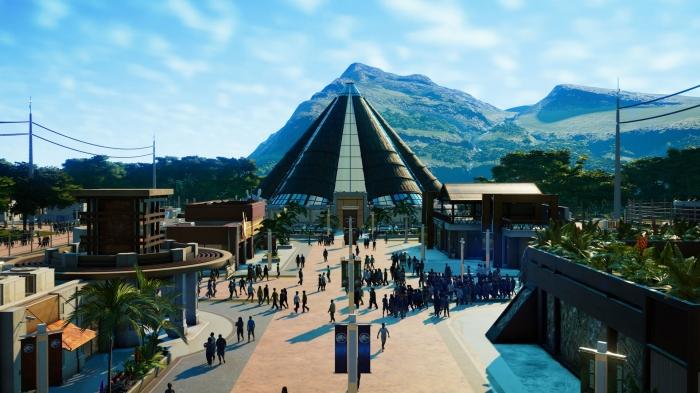
Simple gameplay, yet still full of interesting details

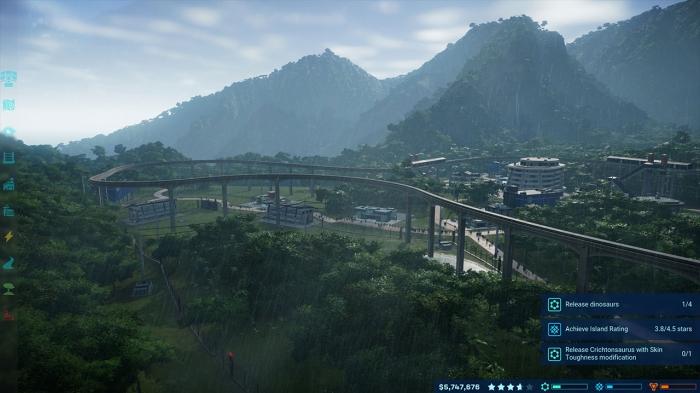
I have spent a lot of time playing Planet Coaster, and I have to admit that starting new games is difficult, as you have to waste lots of time with the learning curve. JWE has the advantage of being fun even in the first few minutes of play, and the game mechanics are really easy to get used to, whether that be for building the park or sending archaeologists abroad to collect and extract the DNA which will be used to create different types of dinosaurs. The more intricate details of the game are equally as easy to pick up, such as making sure our dinosaurs can’t escape by enclosing the arena with electric fencing or the different services on offer to visitors. The terraforming tools remain basic yet effective.

Too easy?

Simple gameplay and easy mechanics doesn´t necessarily mean the game is easy. With 5 different islands to manage, the game becomes increasingly difficult and taking care of the dinosaurs, looking out for storms, tornadoes, power-cuts, or sabotages in the three different game factions makes conquering the gameplay towards the end all the more interesting. Completing missions to gain the loyalty of the three factions offers a small bonus point. The only big criticism I have with JWE is that once you understand how it works, you end up playing each new island using the same strategy that helped you conquer the previous ones. Despite that, the pleasure of seeing your Triceratops, Raptors, T-Rex or Diplodocus leave their enclosure never gets old.

Clever game

It is clear that Jurassic World Evolution has been designed as a consumer management game. Smooth, free of overly complex gameplay elements, offering the possibility to control the Jeep or the staff helicopter by yourself, or undertake many other interactive activities. The game needed to please everyone, staying true to the Jurassic Park license, and the end result not only boasts amazing graphics but also leaves you wanting more, going back to play again and again, even after this first test review was written. It might sound stupid, but when you have to test several different games, you often end up abandoning the one you´re playing to start the other, but I know that this won’t happen with JWE.

 

Did we see the next generation of consoles on show at E3?

For this year’s E3 bingo I went against all of my best instincts and filled in one of my squares with a PS5 teaser. Sony had been on record as saying they’d be having a relatively quiet E3, but I just couldn’t help myself. Predictably, the teaser never came, and a promising line that included Big Super Smash Bros. expo, Fortnite on the Switch, and Fallout 76 being a prequel was blocked off.
We never got an explicit teaser of Sony’s next-generation console, but maybe, just maybe, we were teased by games that we will see on the next versions of PlayStations and Xboxes. We’ve had some breathtaking gameplay action to drool over for games that still don’t have potential release dates. Are these games going to come out on the next generation of consoles from Microsoft and Sony?

Let’s have a look at some of the games we’ve seen at this year’s E3 that might find a home on as yet unconfirmed hardware:

Next-gen console games at this year’s E3?

1. The Last of Us Part 2

The follow up to Naughty Dog’s impressive post-apocalyptic outing will be back, but we don’t know when. The sequel got an 11-minute showcase in a temporary cinema to show off its impressive chops. The demo included a cutscene filled with teenage hormones and some fiercely brutal gameplay action. We’ve been told that the screenshots came from a PS4 Pro, but it seems strange that Sony isn’t shouting from the rooftops about how good the game looks on their current top of the line console. This could well end up being a launch title for the PS5.

2. Halo Infinite

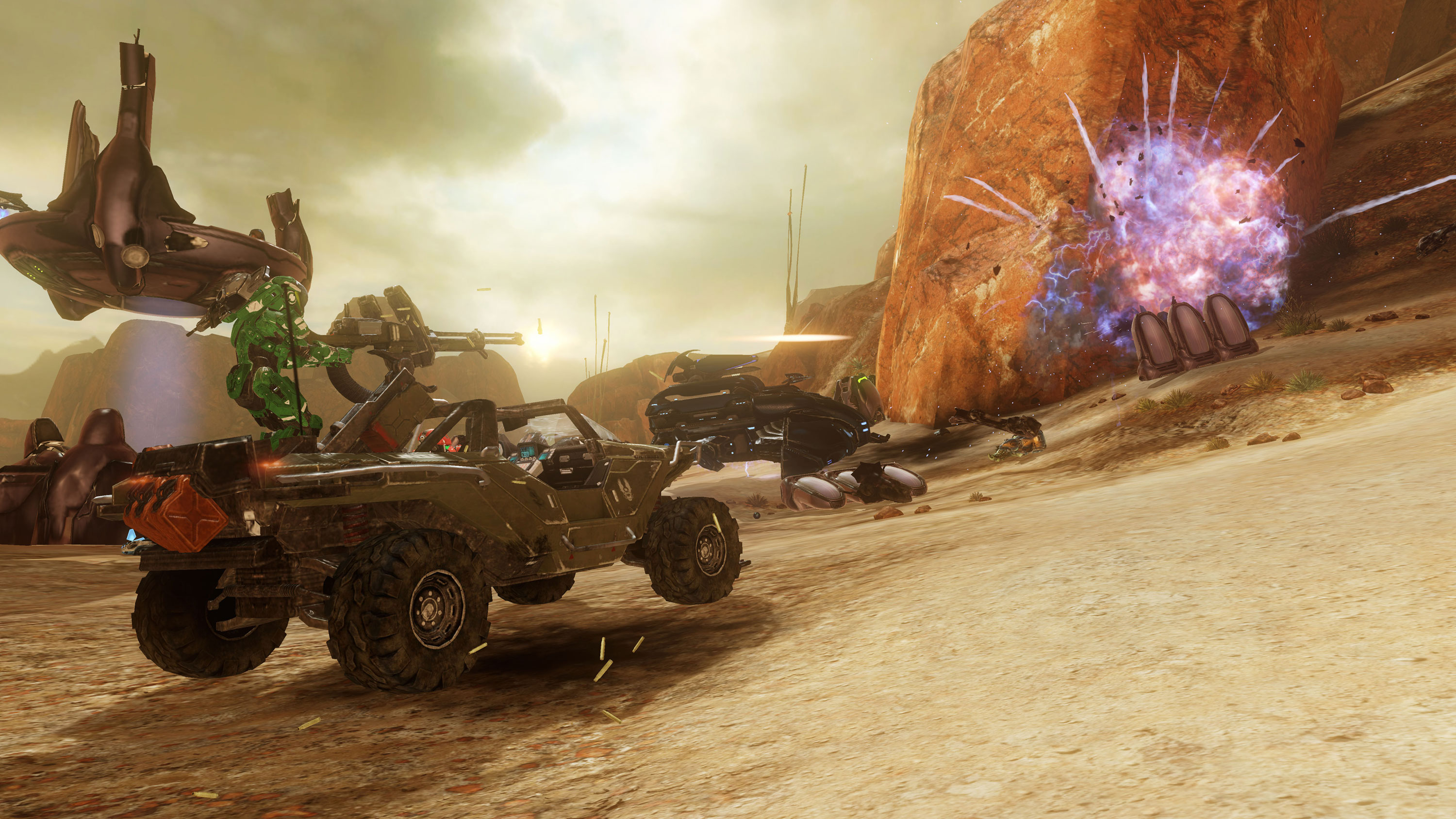
The Halo Infinite showcase that Microsoft used to kick-start its expo that this year’s E3 was more of a technology demonstration than a trailer for a particular game. In an accompanying blog post, entitled “Our Journey Begins,” 343 Industries makes it quite clear that the 6th Halo game chronicling Master Chief’s adventures is still only in early production. Furthermore, the new tech 343 is showcasing with the trailer is the new Slipspace Engine. The Slipspace Engine is allowing 343 to show a huge step up on anything the Halo series has offered before so there is a good chance that it could be a much more powerful Xbox that is running when Master Chief finally pulls his helmet on again.

3. Death Stranding

Death Stranding, from Kojima Productions, is one of those games that keeps showing us more as teaser after teaser comes out, but always offers more questions than it does answers. Hideo Kojima himself wrote a lengthy blog post about the development of Death Stranding, but didn’t mention a release date. This has led a lot of fans speculating about whether Death Stranding will end up being a launch title for the PS5. We wouldn’t be surprised as it looks very very good indeed.

Oh yeah, if you can figure out what the hell is going on it all of the Death Stranding teasers, we’d love to hear your take. Hit us up in the comments.

4. Cyberpunk 2077

CD Projekt RED, the developers behind the amazing Witcher 3, has been promising a futuristic follow-up RPG game for some time now. At E3 we got a whole host of info about Cyberpunk 2077, but no release date. We know that the main protagonist will be V, players will be able to completely customize V to their own tastes, and that the game will be a First Person RPG. We don’t know when it’ll come out but with CD Projekt RED saying stuff like “Our technology is ready to interface with future generations.” It could be a safe bet that we’ll be seeing V take to the mean streets of 2077 on the PS5.

5. Elder Scrolls VI

This one is a given, but we’re excited about it here so we’re adding it anyway. In essence, Bethesda simply announced that they were making a game that they were definitely going to make anyway and added nothing more. The teaser gave away next to nothing and will have fanboys combing over it for years until we get another morsel of information about the latest game in one of the best RPG franchises ever. What Bethesda did say, however, is that they’ll be launching a brand new franchise, Starfield, before they bring us Elder Scrolls VI. The teaser for Starfield had even less to offer than the Elder Scrolls teaser though so we probably won’t be seeing that for a while either.


What did E3 tell us about the future of Fortnite?

Everybody knew that Fortnite would be announced for the Nintendo Switch at E3, and nobody was disappointed when it was. Fortnite on the Switch is already available as free download from the Nintendo eShop and players have already started playing the world’s most popular game.

Something else that we’ve learned over the last few days is that Fortnite now has over 125 million players. That vast number is even more incredible considering the game has only been out for less than a year. Incredibly, the free-to-play Battle Royale version of Fortnite has only been available since September.

Fortnite’s huge numbers come from the fact that it is a true free-to-play experience. Paid extras, like skins to dress up your avatar and dance moves to emote with don’t give players an unfair advantage. Another factor will be the fact that Fortnite is available on most major platforms including iOS. Fortnite’s release on the Switch means that Android owners are the only people who can’t play Fortnite. Epic Games say they are looking at a summer release for an Android version of Fortnite so we can expect to see Fortnite player numbers swell even further as, according to Google, there are over 2 billion active Android phones in the world.

Fortnite: Battle Royale Play Now
10

Some bad news for Fortnite fans, however, is that Sony has decided to block cross-platform play between PS4 and Switch. This means players won’t be able to continue their Fortnite sessions on the fly, using their Switch, if they began on the PS4. More disturbingly, Fortnite accounts, with Epic Games, linked to the PlayStation Network (PSN) can’t be accessed from the Switch. Players on the Switch won’t have access to any of the skins or emotes they’ve accrued using their PSN-linked Epic accounts. It has been confirmed though that Fortnite cross-platform play will be possible between Xbox One, Nintendo Switch, PC, and Mobile. Quite rightly, Fortnite fans aren’t happy about Sony’s position here.

The last big bit of Fortnite news from the last couple of days comes in the form the first ever Fortnite World Cup. Qualifiers will begin in the Fall, with the big competition taking place towards the end of 2019. There will be no franchises or teams for sale with the action open to anyone, which means you can enter. With a prize pool of $100 million, it could be a good time to start practicing and honing your skills. Epic said:

“What about the specifics? The $100,000,000 will be split between many events at different levels of competition around the globe. Fortnite World Cup play will focus on Solos and Duos, but there’ll be plenty of opportunities to squad-up in competition, too… Rules, Player Code of Conduct, specifics about platforms and Fall 2018 schedule are on the way. If you’re interested in learning more about Fortnite competitive play sign up…”

To sign up for the world cup, go to Epic’s blog by clicking here.

Lots of big Fortnite news then. Some good, some bad, but one thing is clear Fortnite is going to keep getting bigger and bigger for some time yet. Which story do you think is the most exciting? Let us know in the comments below.

Xbox at E3: 2018 – Watch the newest game trailers for Halo Infinite, Battlefield V, Gears of War 5, and more

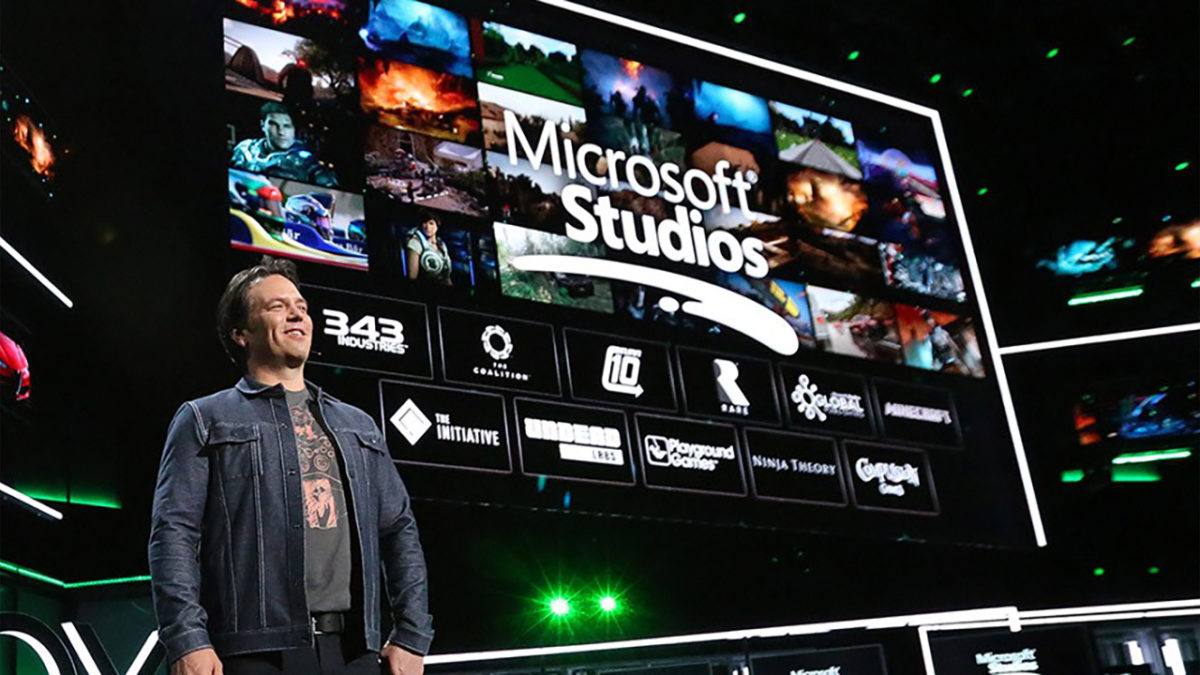
E3 is underway and Xbox got the chance to throw the first punches. The biggest news is probably that a new Xbox is in development. Actually, make that Xboxes, plural. Microsoft says they’re working on multiple consoles. You have our attention, Microsoft.

As to the games announced at E3, we’ve rounded up the trailers for the most anticipated upcoming adventures, so take a look and let us know what you’re most excited for in the comments below!

Want to watch the whole Xbox presentation? Check it out here:


How to download and play Sims 4 multiplayer

The Sims is one of the most fascinating video games out there. It’s almost two decades old and with each new release, it takes another step up. However, despite these updates, the big changes almost always come from user community, which creates excellent mods to get more out of the game. Today, we’re putting on our work boots and teaching you how to download and play Sims 4 multiplayer.

The Sims 4 Download Now
7

Step by step

The first step is simple: download the mod. Do it here, unzip it and drag the folder ts4multiplayer-alpha1 to the location where the mods are.

Once the previous step is done, download Hamachi, the program necessary for creating the virtual network that we’re going to use to play. Open the software and click on “Create a new network.” Add a name and password and write it all down, since you’ll have to send the details to your friend (and they’ll need to follow all the same processes you did).

Hamachi Download Free
7

Let’s go to the server now. Type in the following path: Documents\Electronic Arts\The Sims 4\Mods\ts4multiplayer-alpha1\Scripts\ts4mp\core. If you’re going to make the server, create a .txt file called “server.txt” (without quotation marks). Or, if you’re going to connect to your friend’s account, create a .txt file called “client.txt.” So far, so good, right? Now things get a little more complicated.

Go to Documents\Electronic Arts\The Sims 4\Mods\ts4multiplayer-alpha1\Scripts\ts4mp\configs and look for the file “server_config.py.” You need to open it. Most likely, it won’t let you, so click right and select “open with Notepad.” There, look for two clear sections. The first is called “Host,” where you have to enter a numeric code that appears next to the Hamachi power button (consisting of four series XX.XX.XX.XX). The second is called “Port” and it’s as easy as typing “9999.” Both you and your friend must follow this process, regardless of whether you’re the client or the server.

Don’t quit yet! We’re almost there. If you’re going to act as the server, go to Documents\Electronic Arts\The Sims 4\Mods\ts4multiplayer-alpha1\Scripts\ts4mp\core and look for a file called “multiplayer_server.py.” Open it with Notepad and go to the “self.host” section. There, type in the Hamachi address from the previous point (with the quotation marks this time) and for the “self.port” type in “9999.

Ta-da, now you’re good to g!. Now just create a game with two Sims (if you’re going to act as the server) and send the saved file to your friend (the games are saved in the folder “Saves” within “The Sims 4”). First, load the file acting as the server and then the client. Now each user will have a Sim within that game.

The client may have issues when selecting a character. If this occurs, whoever makes the server just has to enter the following command: add_client_sims.

The process may seem a little tedious, but with some patience, you’ll get it working.

The Sims 4 Download Now
7

How to avoid getting random invites on Xbox One

After telling you how not to get random invites on PlayStation Network and then on Steam, now it’s time to talk about the Microsoft console: Xbox One. With its latest update, this entertainment system from the Redmond boys has changed a little regarding its interface. However, the changes have been for the better, since everything is a little more organized, clear and direct (unlike the previous design, which was a little more chaotic and confusing when installing the console for the first time).

In this quick guide, we’ll teach you how to disable notifications for Xbox One so they don’t bug you while you’re playing. Are you ready? Here we go!

Bye-bye invites

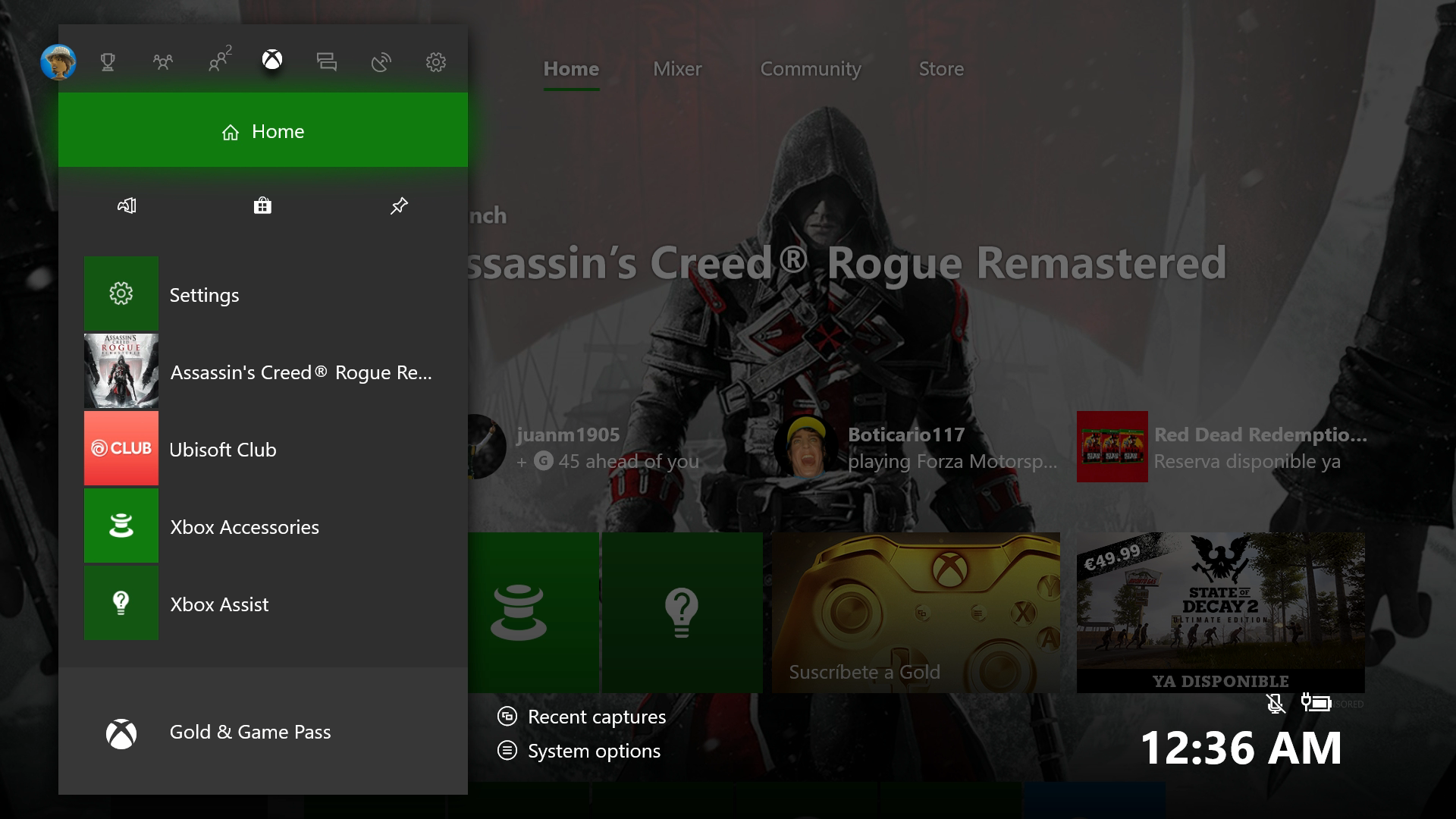
After we’ve turned on the console, the first thing to do is log into our account with username and password. That takes you to the home screen. Next, we’ll click the central command button (on the Xbox) so it opens the task menu, which is now much prettier with the new redesign.

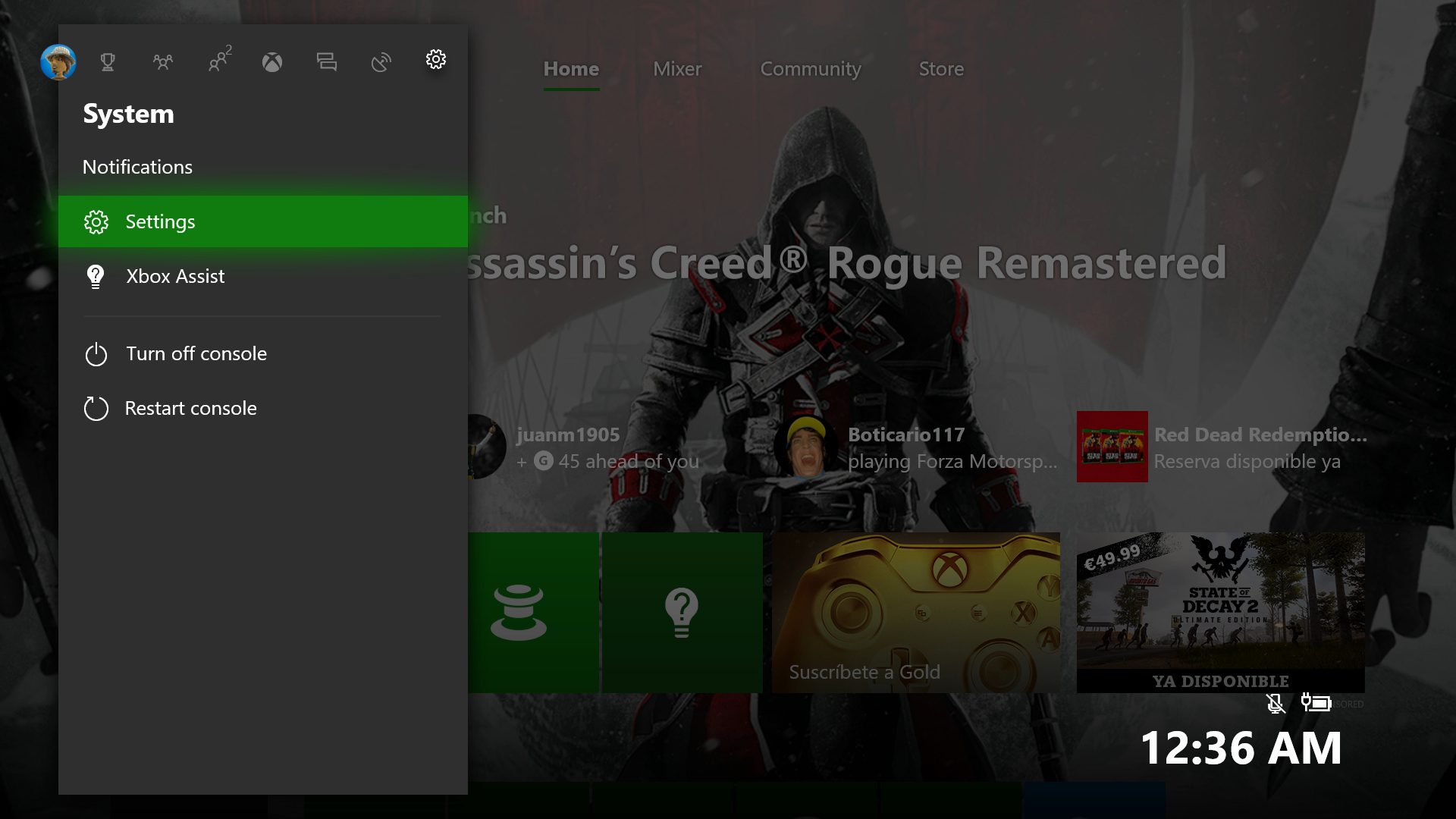
We have to go to the icon to the right of everything in the shape of a gear, called “System,” and within this screen, click on the “Settings” field. (Careful not to click “Turn off console” or “Restart console,” which are just below.)

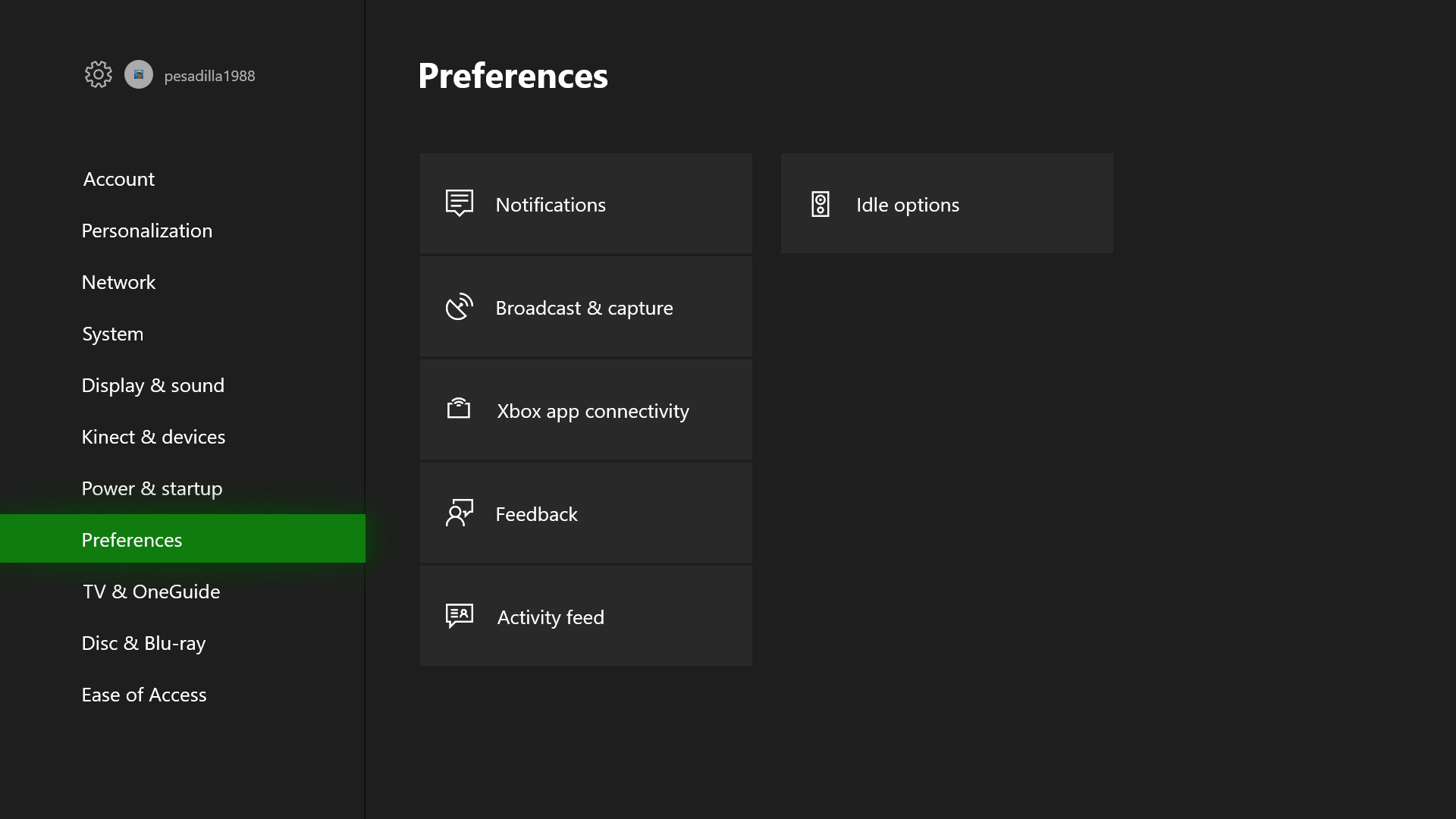
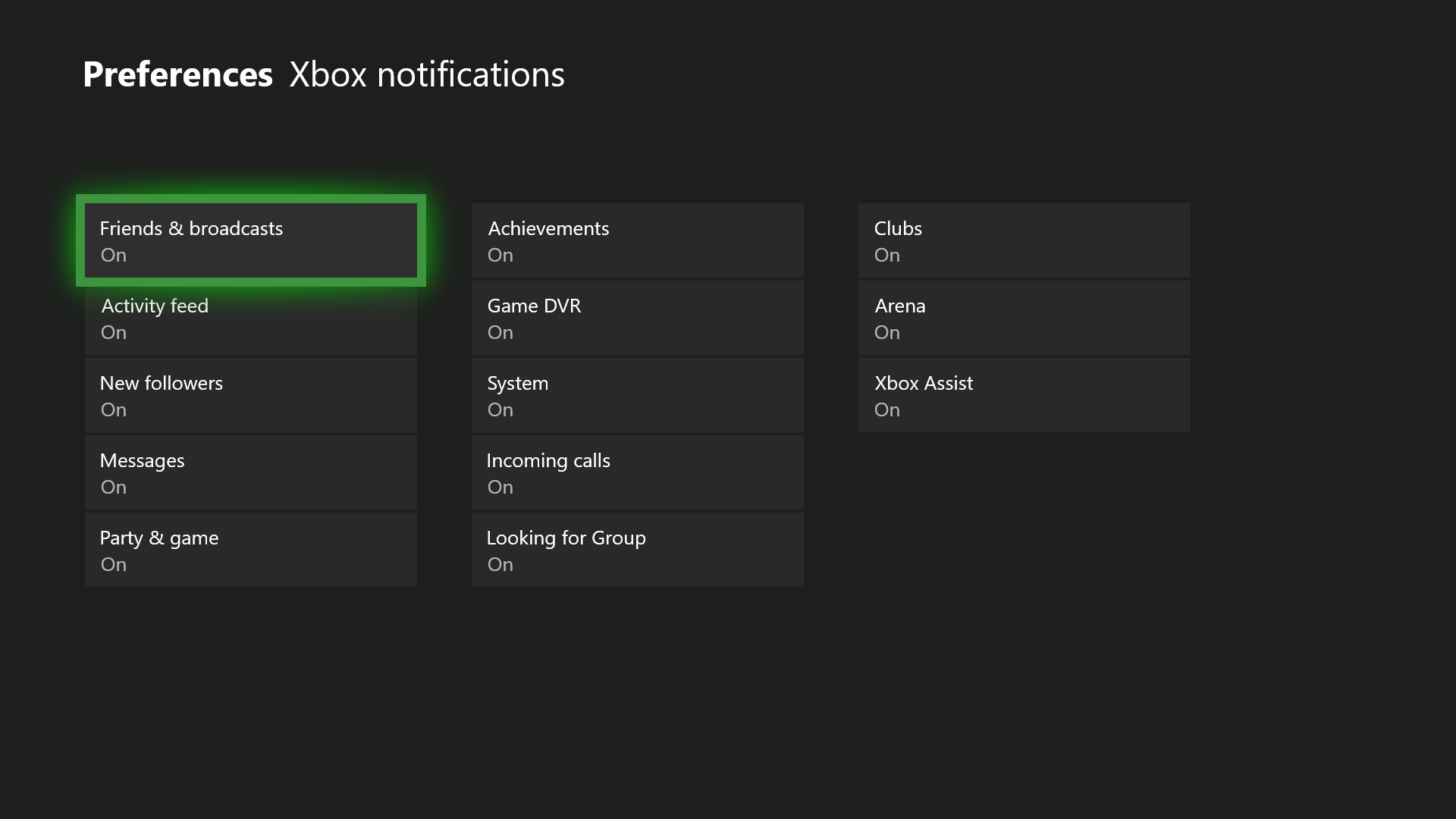
From the options that appear within “Settings,” the one we want is “Preferences.” After selecting that, you’ll see the screen below. Navigate to “Notifications.” Press A to enter it.

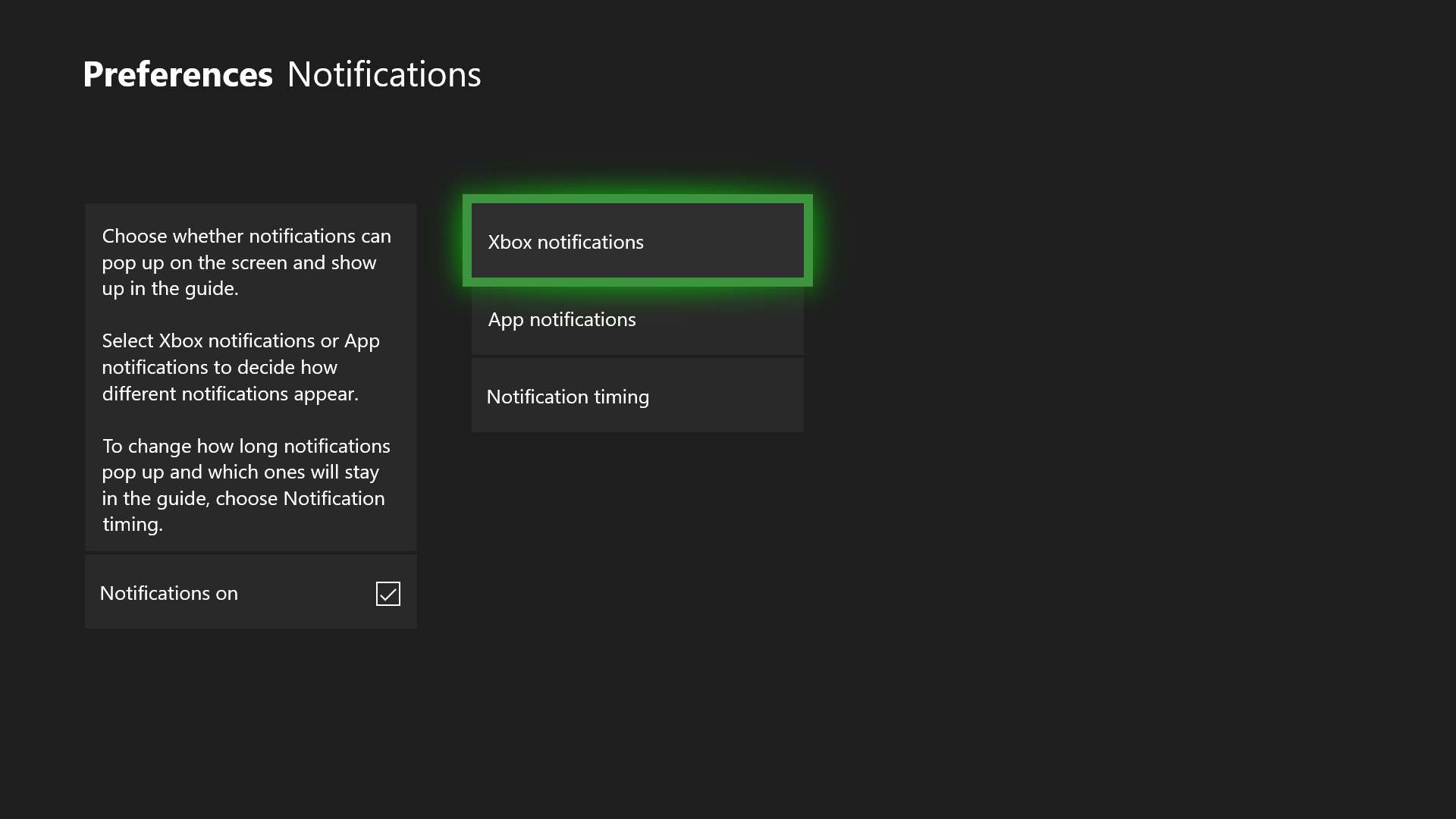
For Xbox, like PlayStation Network, you can manage every invitation you get. However, there’s a twist: the system gives you the chance to disable all notifications by default. In other words, if you don’t want any notifications, uncheck the “Notifications on” box on the screen below and you’ll be all set (a drastic measure, but good for accomplishing our mission).

If you want to personalize invite commands, the option you must select is “Xbox Notifications.” Here you’ll have all the possibilities: “Friends and broadcasts,” “Activity feed,” “New followers,” “Messages,” “Party & game,” “Achievements,” “Game DVR,” “System,” “Incoming calls,” “Looking for Group,” “Clubs,” “Arena” and “Xbox Assist.”

What do we recommend disabling? Well, it depends on what’s useful to you on your Xbox One. For example, if you often use Skype on the console, the “Incoming calls” becomes key, so it’s better to leave it activated. Now, if you don’t regularly pick up calls, then you can remove it. Likewise, the “Xbox Assist” isn’t worth it if you’re a platform expert, and you can turn off “Looking for Group” if you don’t play online.

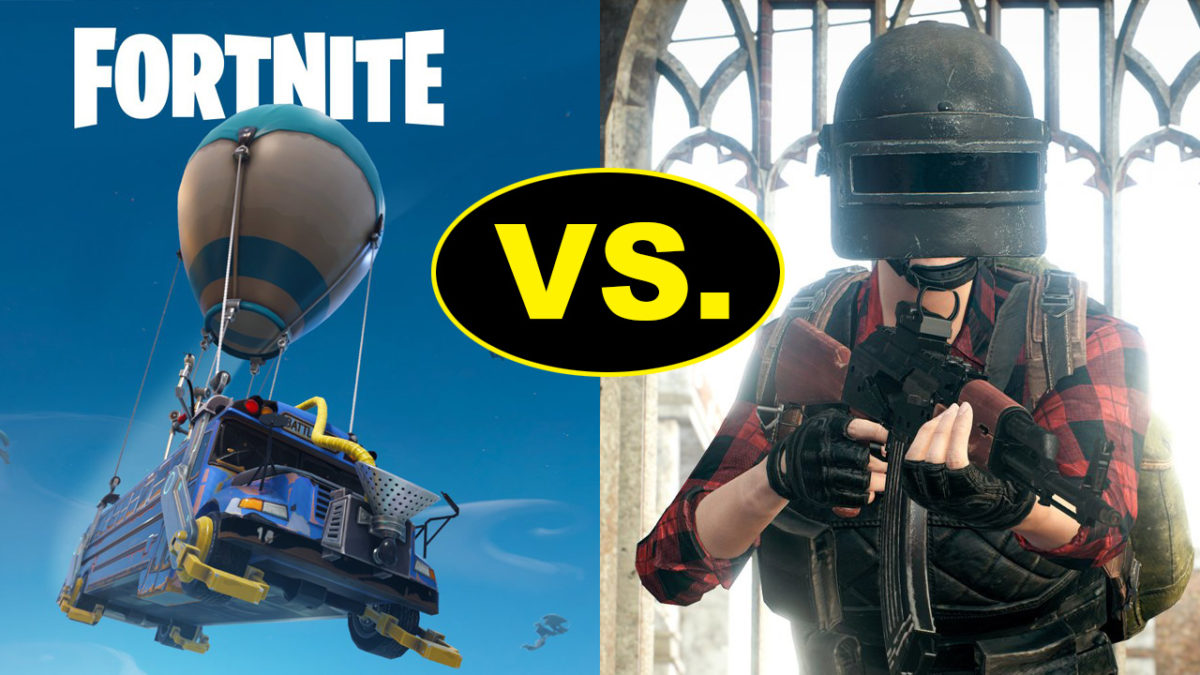
PuBG vs Fortnite: which is better?

If you’re a gamer, you’ll know Battle Royale games have taken the world by storm.

Player Unknown’s Battlegrounds (PUBG), a game based on battle royale mods and developed by South Korean studio Bluehole, has taken the gaming world by storm. It has racked up huge sales numbers, an Xbox One port, and now a well-received mobile version.

With such success, the game was never going to be alone for long. Enter Fortnite, a rival battle royale produced by American studio Epic Games.

Both games offer the high-stakes, white-knuckle survival fix gamers know and love, but each has a slightly different approach. So, which is better? We’ll compare the major features to help you decide which is the one for you.

Playerunknown's Battlegrounds Download Now
9
Fortnite: Battle Royale Download Fortnite: Battle Royale
10

Graphics

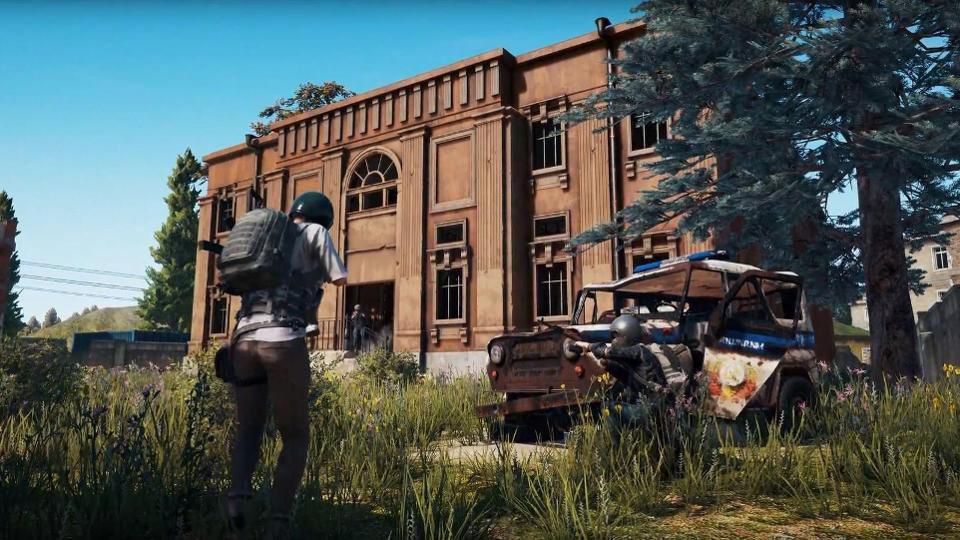
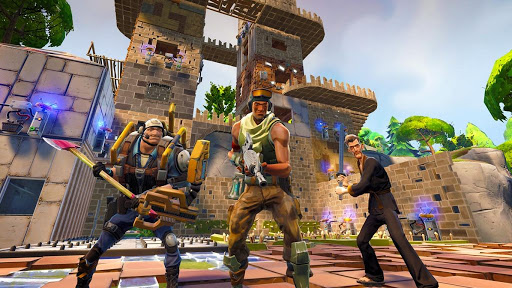
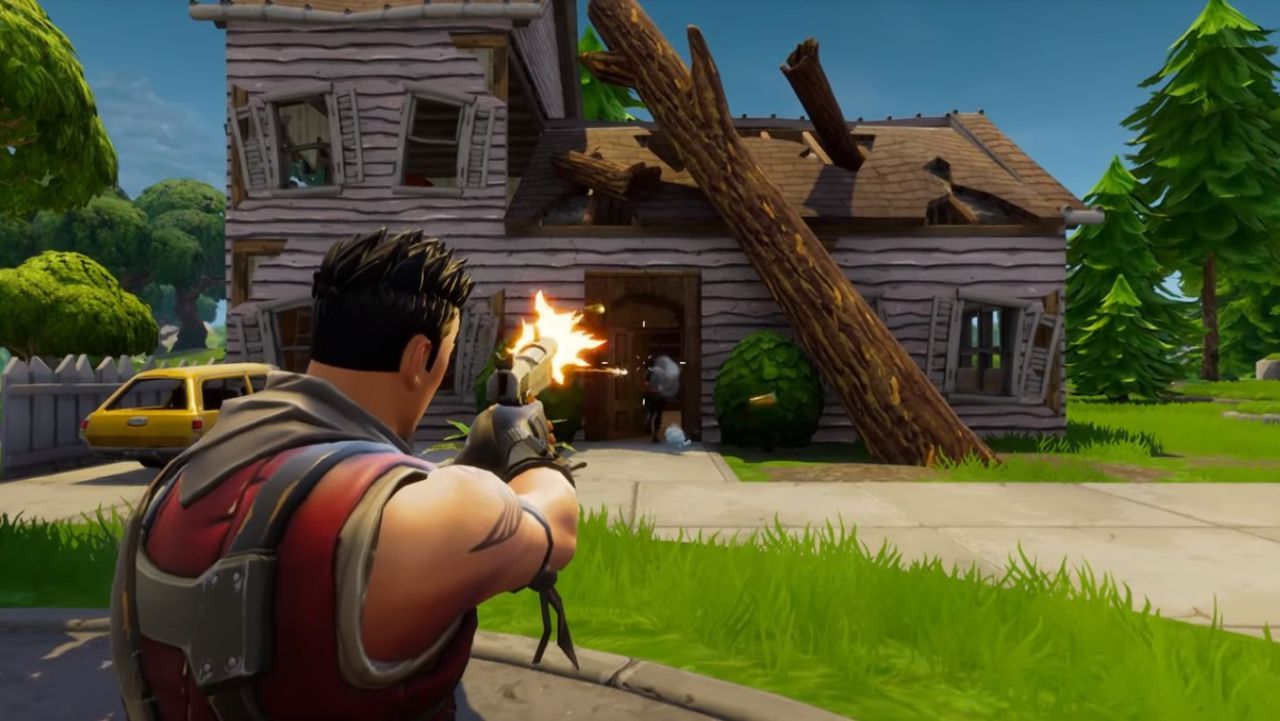
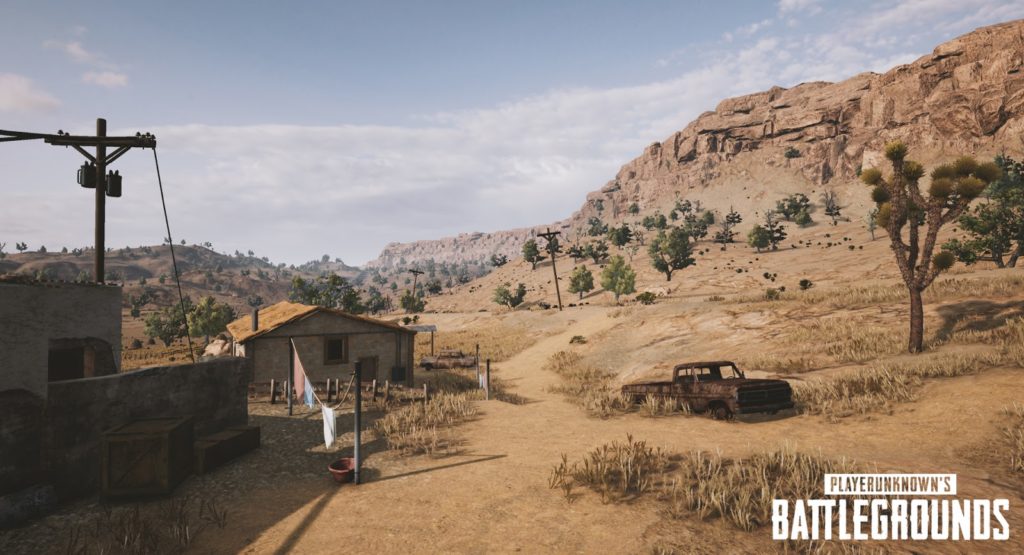
Both games offer a unique graphical style. PUBG is all about gritty, environmental realism, so the color palate is subdued and washed out. Fortnite is the complete opposite, embracing a bubblegum-bright, cartoonish style, with outlandish outfits and weapons.

PUBG environments look like they come straight out of The Walking Dead. 

While Fortnite‘s visual style is more Disney than Day Z.

PUBG has gained notoriety among PC users for bad frame-rates and stuttering, even on high-end machines. There are plenty of guides to getting the most FPS from your rig, but until Bluehole fixes the bugs, you might need to play on lower settings. Not that that’s necessarily a bad thing, if you’re a pro player.

Fortnite seems better optimized graphically, and the minimum specs are much lower than PUBG’s, so a wider variety of rigs will be able to run the game.

Gameplay

Generally speaking, the goals of each game are the same: drop in, loot, kill your enemies, and stay within boundaries that shrink as time passes. Gunplay, though, is significantly different.

PUBG boasts realistic gun handling, and you have to account for things like bullet drop. This makes fights difficult and combat tense, but also more rewarding when you win an engagement. You have to plan your moves carefully, and the game rewards patience.

In Fortnite, the style is much looser. Hit points will fly out of player’s heads as you pummel them with a mini-gun, for example. It’s a lot simpler, and easier to grasp. In general, the weapons are a lot more forgiving than those in PUBG, so Fortnite is kinder to beginners.

Tension

We play games to relax, right? Not in Battle Royale.

Clutching your mouse in a death grip while scanning for the bullet that could end it all… Both games have a very different approach to creating this atmosphere.

Broadly speaking, Fortnite is faster, tighter, and the action takes place in a smaller area. When you hear gunshots, it usually means it’s too late to defend yourself.

PUBG is the opposite. Games are about the silence between engagements, the tension drawing out until you finally have someone in your sights. Then all hell breaks loose.

Late game

The key part of any Battle Royale is the late game, and this is where PUBG and Fortnite differ the most.

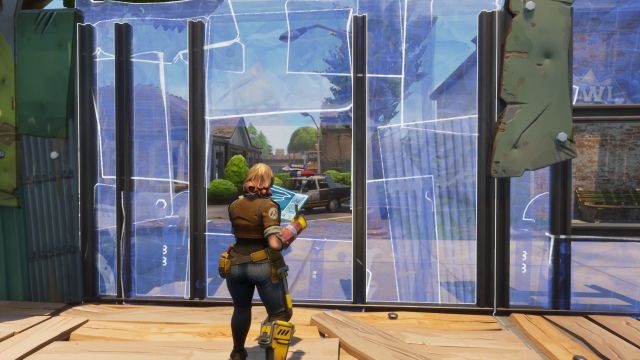
Fortnite introduced a building system, so you can quickly scoot up difficult terrain using stairs and ramps. Late game encourages players to build towers that overlook rapidly shrinking maps. Then you simply pick off your opponents who didn’t plan ahead by collecting building materials as well as weapons.

PUBG’s late game can be a little frustrating. It usually ends with eight players slowly crawling through fields or holing themselves up in one location, waiting for someone else to slip up and reveal themselves. While it’s nail-biting, it can deflate some of the early game excitement.

Map

Not in Kansas anymore, Dorothy…

Another key part is the actual battleground. Currently, Fortnite has only one map, but the developers are continually adding and polishing up locations.

PUBG has two maps, selected randomly when you join a match. The original map has a bleak, Soviet bloc feel, while the second is a desert. The change of scenery definitely helps keeps things fresh.

Price

PUBG has moved out of early access, and costs $29.99 for a digital download key.

Epic chose to make Fortnite completely free. You can purchase outfits and weapon skins from their store, but there’s no pay-to-win advantages to buying an item.

Both PUBG and Fortnite are the leading lights in the newly revitalised Battle Royale genre. However, both will appeal to a slightly different kind of player. 

If you’re looking for something casual that’s easy to learn but hard to master, then Fortnite is for you. 

If you’re a fan of heart-pounding tension, steep learning curves, and big rewards, then PUBG is the way to go.


How to earn free stuff with Microsoft Rewards

There’s a rare thrill in getting something for nothing – especially from a big corporation. You feel like you’ve beaten the system; one that wants to drain every last penny from your wallet in return for those must-have goods.

So when you can legitimately earn free stuff from Microsoft by making some small changes to your online habits, it’s worth trying. You might not earn much, but every little helps, and it’s an opportunity to get a bit more value from your spend.

What is Microsoft Rewards?

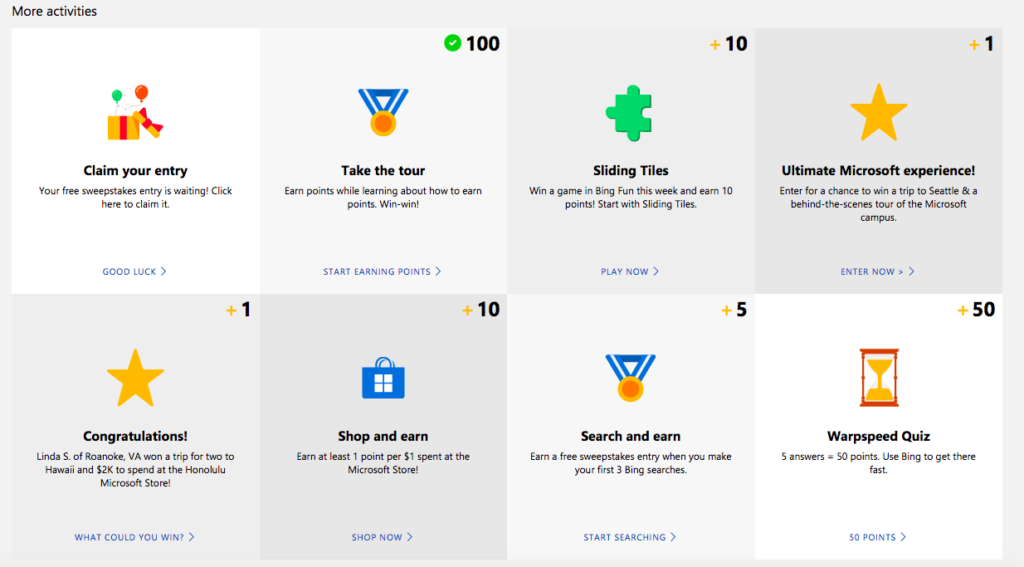
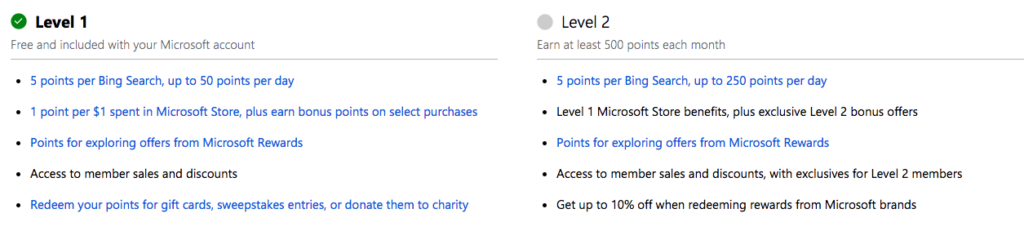
Microsoft Rewards is a lot like any loyalty program. It rewards you with points for using its products and services, such as shopping in the Microsoft Store, using its Edge browser, and searching with Bing. There are also other ways to earn, such as doing quizzes and clicking links, and you get 100 points just for taking the Rewards tour.

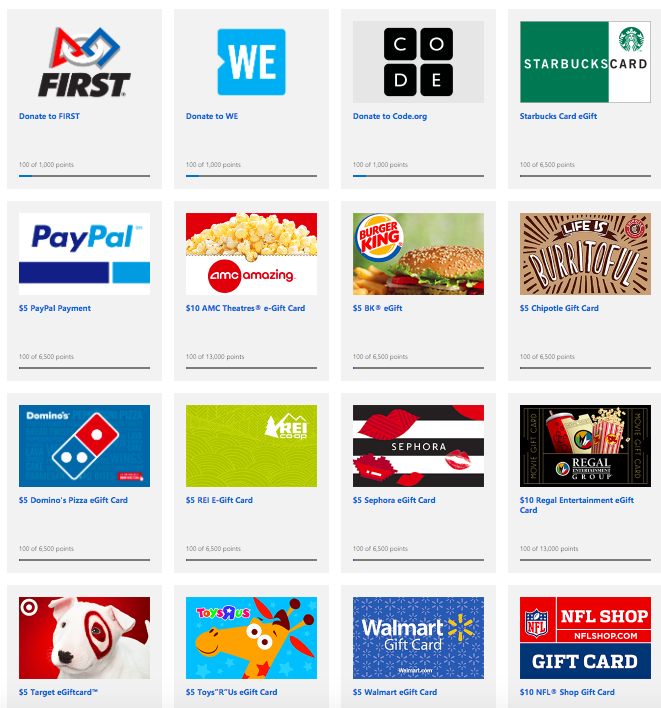
You can then redeem your points for sweepstake entries, gift cards, Xbox game passes, charitable donations, and much more. According to Microsoft, you need around 5,000 points to earn enough for a $5 reward. That sounds like a lot, but it’s actually quite doable when you realize how little you need to do to earn points.

How do you register?

Microsoft Rewards is free to join, but you must have a Microsoft account. So if you don’t have one, sign up now.

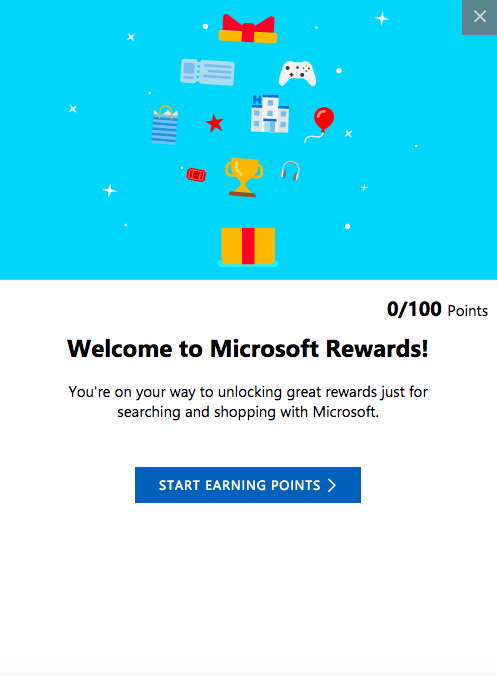
Once signed in, just head over to the Rewards tab. You’ll then get the “tour” as a series of pop-ups (like the one below) that explain how Rewards works, and at the end, you’ll receive 100 points. A nice little start to your pot.

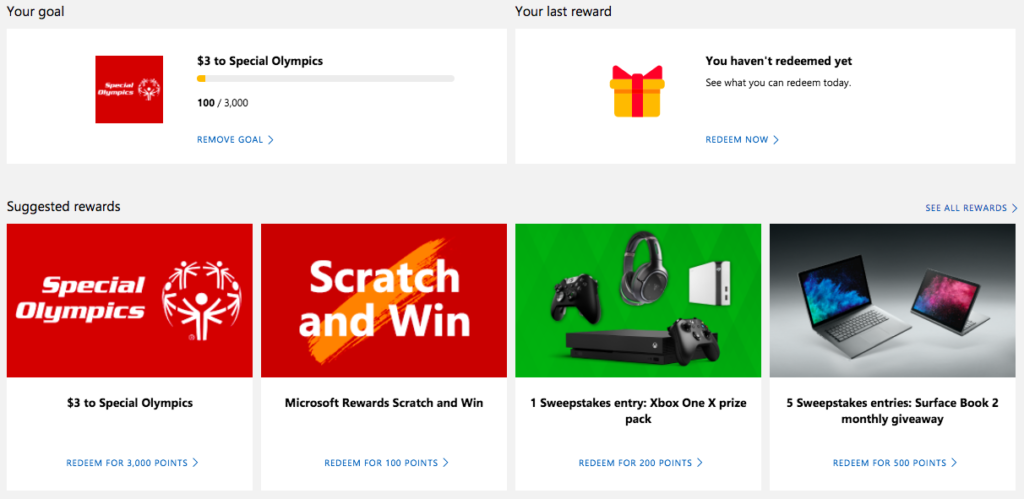
Before you look into earning points, you might want to set a goal first. This helps motivate you to earn points by setting a target for you to hit, which can be anything from a donation to your favorite charity or a shiny new Xbox One.

How do you earn points?

There are lots of ways to earn points. Two of the simplest are to use Microsoft’s Edge browser and Bing search. This might be a bit painful if you’re used to Chrome and Google, but are they also offering you free stuff? No? So, maybe it’s worth the switch.

Aside from using Bing and Edge, you can play games, enter competitions, and shop online to earn points.

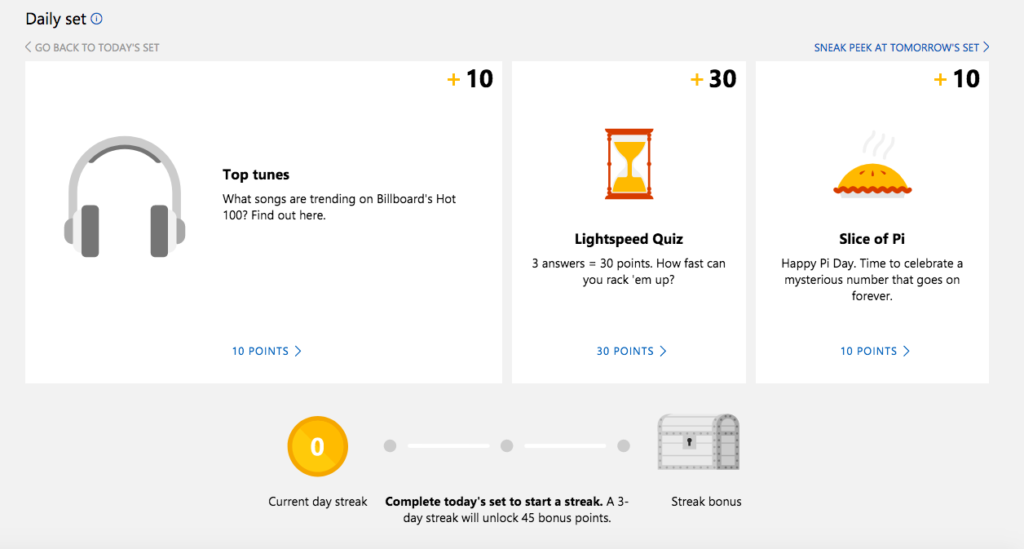
There’s also the Daily Set – three daily tasks that when done every day for a 3-day run, earn you an extra 45 points.

At the top of the “Earn” tab you’ll find your profile and points, so you can keep track of your progress.

Once you’ve gone past 500 points you’ll “level up” and be able to collect even more points for the same activities.

How do you redeem points?

Once you’ve reached your points goal, or earned enough to start swapping points for prizes, head over the “Redeem” tab. Here you’ll find a broad selection of treats to spend your points on, or you can donate the points to charities for an equivalent cash amount. For some charities, Microsoft will even match your donation dollar for dollar. Just click on what you want to redeem your points for and follow the instructions from there.

That sums up Microsoft’s Rewards program. It’s actually a very easy-to-use program – just make sure you’re always logged into your Microsoft account, otherwise your points won’t be registered.

Battlefield is back, and it looks amazing!

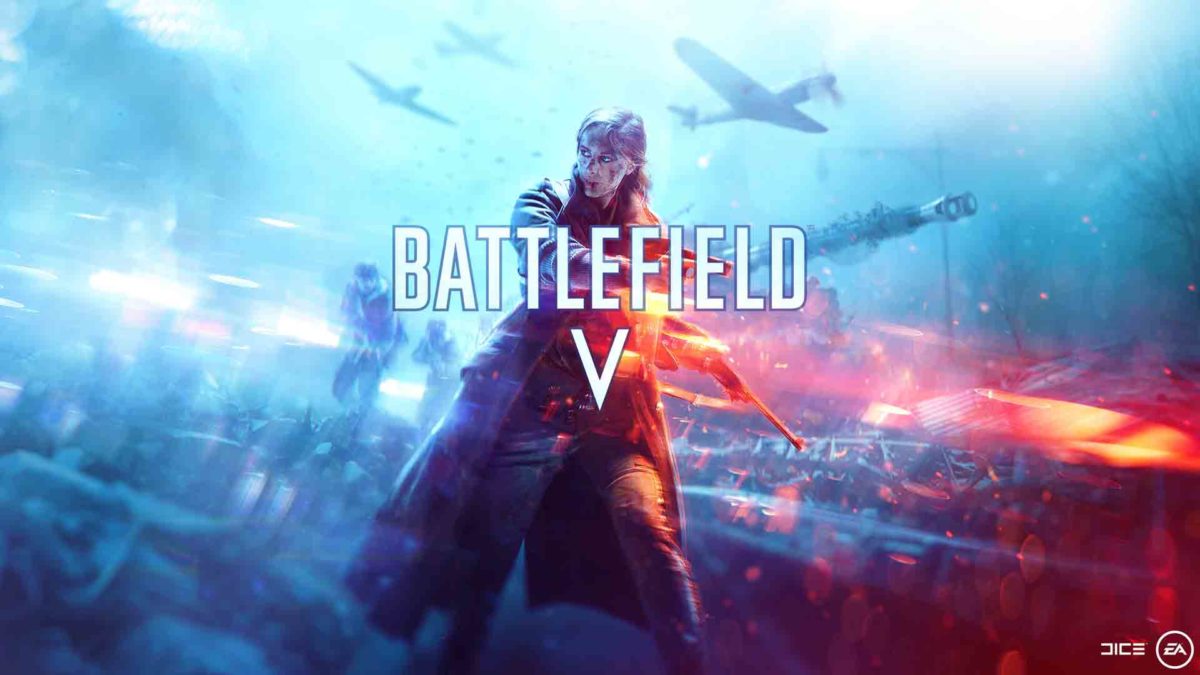
DICE has officially announced that the Second World War will be taking over the r/gaming subreddit on October 11, 2018. That is when Battlefield V, the latest in DICE’s insanely popular First Person shooter series, will see early release with a global launch coming the following week on October 19. As well as the release date and various notes on Battlefield V, which will be set during World War 2, Dice released a heart-pumping trailer. The game looks amazing.

On taking Battlefield back to the Second World War Oskar Gabrielson, General Manager of DICE said:

“Battlefield V is a homecoming for DICE as a studio—a return to the era that came to define the Battlefield franchise. But as nostalgic as we are about World War 2, we wanted to challenge the preconception of the era with an unexpected portrayal of this familiar setting. Our vision with Battlefield V is to let players explore new and untold sides of the conflict that shaped the modern world. The scale of each battle and level of immersion is unlike anything we’ve done before in Battlefield and players are in for an epic journey.”

Battlefield 1’s current outing, Battlefield 1, took the series back to First World War with great success. Incredible visuals, fast-paced action, and a compelling physics engine made Battlefield 1 the darling of the online community. Battlefield V’s trailer seems to indicate that Dice will be able to build upon that success.

The Frostbite engine has been upgraded to make objects much more reactive to your actions. There’ll be much more scope for destroying walls and taking out cover than there was in Battlefield 1. To counter that, the Gas Mask has been replaced by a toolkit, which will give players the ability to build cover to hide behind. In another possible nod to Fortnite, although it could be a response to the social media backlash EA received over paid DLC content for Star Wars Battlefront 2, the developers have made it clear that Battlefield V will not be a pay-to-win experience. All players will be on an even footing.

Fortnite: Battle Royale Play Now
10

As with Battlefield 1, the latest Battlefield title will come complete with an engaging single-player campaign. The trailer makes a lot of one of a female character who will be taking a lead role when the game drops in October. Multiplayer has been expanded with Grand Operations taking players through key events during the war. When the game launches the first multiplayer campaign will focus on the fall of Europe at the beginning of World War II, but DICE wants to take players through the whole of the war Other series stalwarts including mixed vehicle combat remain, but Battlefield V will add vehicle customization to the mix.

Above all else, however, the trailer simply looks fantastic. Seamlessly flipping between cinematic cut scene and gameplay action the engrossing visuals simply do not let up. I had to catch my breath again once the promo had come to an end. You will, too.

Are you excited about Battlefield V? What do you think about the trailer?

Free
World of Tanks

From: Wargaming

7 tips to avoid dying right away in Fortnite Battle Royale

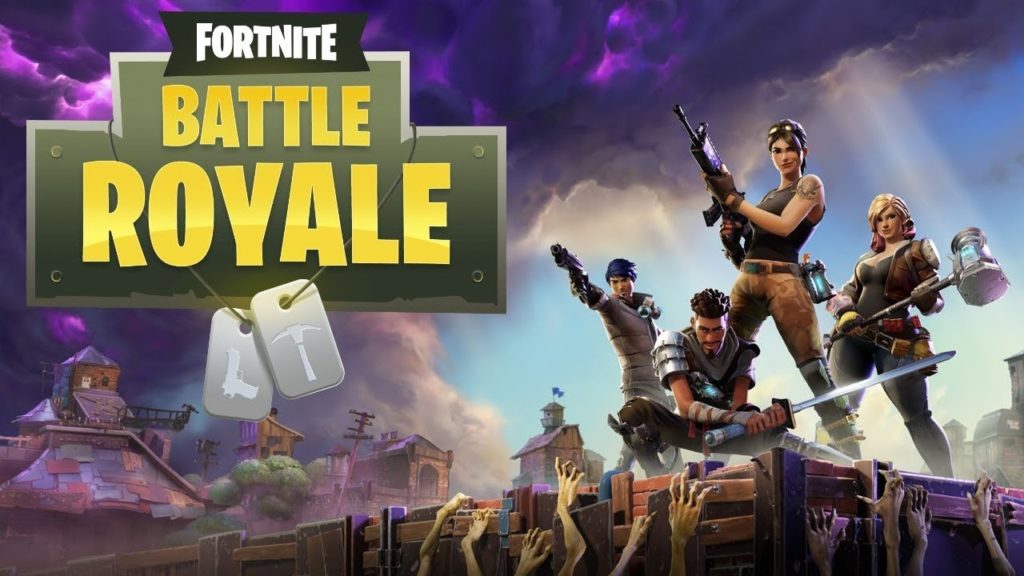
Fortnite: Battle Royale has become the phenomenon of 2018. During 2017, its big rival (PUBG) won the popularity contest. This year, Fortnite is beating all the records. A few weeks ago, Elrubius and other YouTubers got an audience of more than 10 million viewers (among all the channels) while playing the game.

Fortnite: Battle Royale Play Now
10

If you want to join in, here you’ll find seven tips to avoid dying right away on Fortnite.

Choose your landing spot well

This is a basic tip that any expert player will tell you: choose your landing spot well. It’s key that you do this before launching yourself from the Battle Bus, since there could be areas that you can sweep through better than others. Also, and this is key, you shouldn’t forget that there are 99 other players trying to kill you, so watch where they land so you’re not right next to them.

Grab a gun

The second “tip” is also basic: grab a gun. Many users go directly to collect supplies, but our advice is that you start going into buildings to find a gun, rifle, machine gun, etc. It doesn’t matter what kind you get, the important thing is that you have one at the start so you can blow up your enemies.

Build

You made a good landing, scooped up a gun to defend yourself, and now it’s time to construct buildings. Yes, to do this, you need to collect supplies first. Choose the pickaxe and start destroying everything you can. The more materials you have in your inventory, the better. You don’t want to start building a wall and running out of materials midway through.

Learn to build well

Here’s where we get into the advanced stuff. It’s one thing to know how to build a wall (the previous “tip”). It’s another thing to know when to do it.  The best players of Fortnite have shown that they can build elements with frightening speed and in extreme situations. Thanks to these walls, ramps, etc. they are better protected (and covered) against enemies. If you know how to use these materials well, we can assure you’ll be in the top 20 of almost all games.

Watch your surroundings

You could camp out and wait for the enemy. Or you could run for your life. Somewhere in the middle is best, so keep watching your surroundings, but never stop what you’re doing. For example, a good tip is to take advantage of the existing buildings, since they offer materials for building and additional protection. 

Silence

If it’s important to watch your surroundings, remember that all players are doing this. Open fire only when you’re in an extreme situation or when you think the setting is in your favor. It’s usually a common error to see an enemy, shoot without thinking, and later say, “He was very far away, I should have stayed quiet.” Likewise, weapons aren’t the only thing that make noise: building elements does, too. Oh and don’t forget that a player can see you building from a distance.

Don’t forget the storm

Our final tip is the most ridiculous, but perhaps the most important: watch the storm. If you’re within the exclusion area, after a while you know you could die in a matter of seconds. Though it’s hard to believe, it’s unusual to have a game where players don’t die under the cloud.