PuBG vs Fortnite: which is better?

If you’re a gamer, you’ll know Battle Royale games have taken the world by storm.

Player Unknown’s Battlegrounds (PUBG), a game based on battle royale mods and developed by South Korean studio Bluehole, has taken the gaming world by storm. It has racked up huge sales numbers, an Xbox One port, and now a well-received mobile version.

With such success, the game was never going to be alone for long. Enter Fortnite, a rival battle royale produced by American studio Epic Games.

Both games offer the high-stakes, white-knuckle survival fix gamers know and love, but each has a slightly different approach. So, which is better? We’ll compare the major features to help you decide which is the one for you.


Playerunknown's Battlegrounds Download Now
9
Fortnite: Battle Royale Download Fortnite: Battle Royale
10

Graphics

Both games offer a unique graphical style. PUBG is all about gritty, environmental realism, so the color palate is subdued and washed out. Fortnite is the complete opposite, embracing a bubblegum-bright, cartoonish style, with outlandish outfits and weapons.

PUBG environments look like they come straight out of The Walking Dead. 

While Fortnite‘s visual style is more Disney than Day Z.

PUBG has gained notoriety among PC users for bad frame-rates and stuttering, even on high-end machines. There are plenty of guides to getting the most FPS from your rig, but until Bluehole fixes the bugs, you might need to play on lower settings. Not that that’s necessarily a bad thing, if you’re a pro player.

Fortnite seems better optimized graphically, and the minimum specs are much lower than PUBG’s, so a wider variety of rigs will be able to run the game.

Gameplay

Generally speaking, the goals of each game are the same: drop in, loot, kill your enemies, and stay within boundaries that shrink as time passes. Gunplay, though, is significantly different.

PUBG boasts realistic gun handling, and you have to account for things like bullet drop. This makes fights difficult and combat tense, but also more rewarding when you win an engagement. You have to plan your moves carefully, and the game rewards patience.

In Fortnite, the style is much looser. Hit points will fly out of player’s heads as you pummel them with a mini-gun, for example. It’s a lot simpler, and easier to grasp. In general, the weapons are a lot more forgiving than those in PUBG, so Fortnite is kinder to beginners.

Tension

We play games to relax, right? Not in Battle Royale.

Clutching your mouse in a death grip while scanning for the bullet that could end it all… Both games have a very different approach to creating this atmosphere.

Broadly speaking, Fortnite is faster, tighter, and the action takes place in a smaller area. When you hear gunshots, it usually means it’s too late to defend yourself.

PUBG is the opposite. Games are about the silence between engagements, the tension drawing out until you finally have someone in your sights. Then all hell breaks loose.

Late game

The key part of any Battle Royale is the late game, and this is where PUBG and Fortnite differ the most.

Fortnite introduced a building system, so you can quickly scoot up difficult terrain using stairs and ramps. Late game encourages players to build towers that overlook rapidly shrinking maps. Then you simply pick off your opponents who didn’t plan ahead by collecting building materials as well as weapons.

PUBG’s late game can be a little frustrating. It usually ends with eight players slowly crawling through fields or holing themselves up in one location, waiting for someone else to slip up and reveal themselves. While it’s nail-biting, it can deflate some of the early game excitement.
Map

Not in Kansas anymore, Dorothy…

Another key part is the actual battleground. Currently, Fortnite has only one map, but the developers are continually adding and polishing up locations.

PUBG has two maps, selected randomly when you join a match. The original map has a bleak, Soviet bloc feel, while the second is a desert. The change of scenery definitely helps keeps things fresh.

Price

PUBG has moved out of early access, and costs $29.99 for a digital download key.

Epic chose to make Fortnite completely free. You can purchase outfits and weapon skins from their store, but there’s no pay-to-win advantages to buying an item.

Both PUBG and Fortnite are the leading lights in the newly revitalised Battle Royale genre. However, both will appeal to a slightly different kind of player. 

If you’re looking for something casual that’s easy to learn but hard to master, then Fortnite is for you. 

If you’re a fan of heart-pounding tension, steep learning curves, and big rewards, then PUBG is the way to go.

 

How to earn free stuff with Microsoft Rewards

There’s a rare thrill in getting something for nothing – especially from a big corporation. You feel like you’ve beaten the system; one that wants to drain every last penny from your wallet in return for those must-have goods.

So when you can legitimately earn free stuff from Microsoft by making some small changes to your online habits, it’s worth trying. You might not earn much, but every little helps, and it’s an opportunity to get a bit more value from your spend.

What is Microsoft Rewards?

Microsoft Rewards is a lot like any loyalty program. It rewards you with points for using its products and services, such as shopping in the Microsoft Store, using its Edge browser, and searching with Bing. There are also other ways to earn, such as doing quizzes and clicking links, and you get 100 points just for taking the Rewards tour.

You can then redeem your points for sweepstake entries, gift cards, Xbox game passes, charitable donations, and much more. According to Microsoft, you need around 5,000 points to earn enough for a $5 reward. That sounds like a lot, but it’s actually quite doable when you realize how little you need to do to earn points.

How do you register?

Microsoft Rewards is free to join, but you must have a Microsoft account. So if you don’t have one, sign up now.

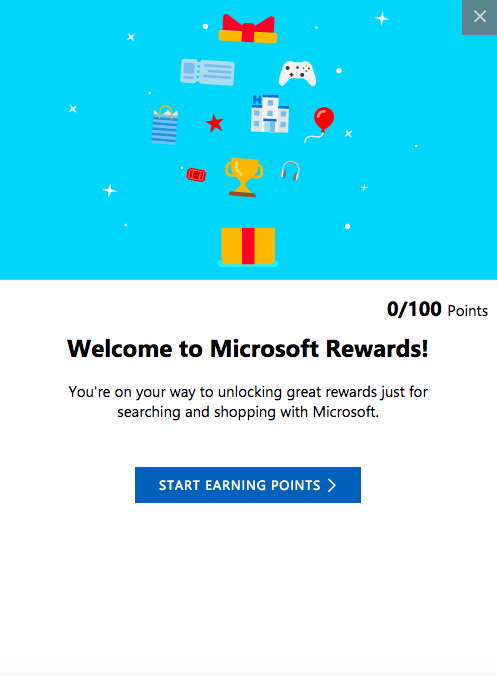
Once signed in, just head over to the Rewards tab. You’ll then get the “tour” as a series of pop-ups (like the one below) that explain how Rewards works, and at the end, you’ll receive 100 points. A nice little start to your pot.

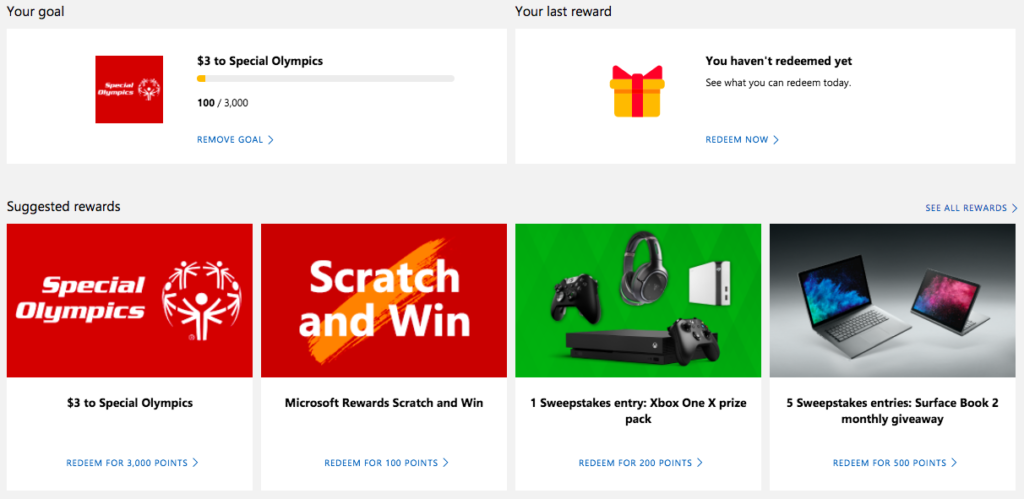
Before you look into earning points, you might want to set a goal first. This helps motivate you to earn points by setting a target for you to hit, which can be anything from a donation to your favorite charity or a shiny new Xbox One.

How do you earn points?

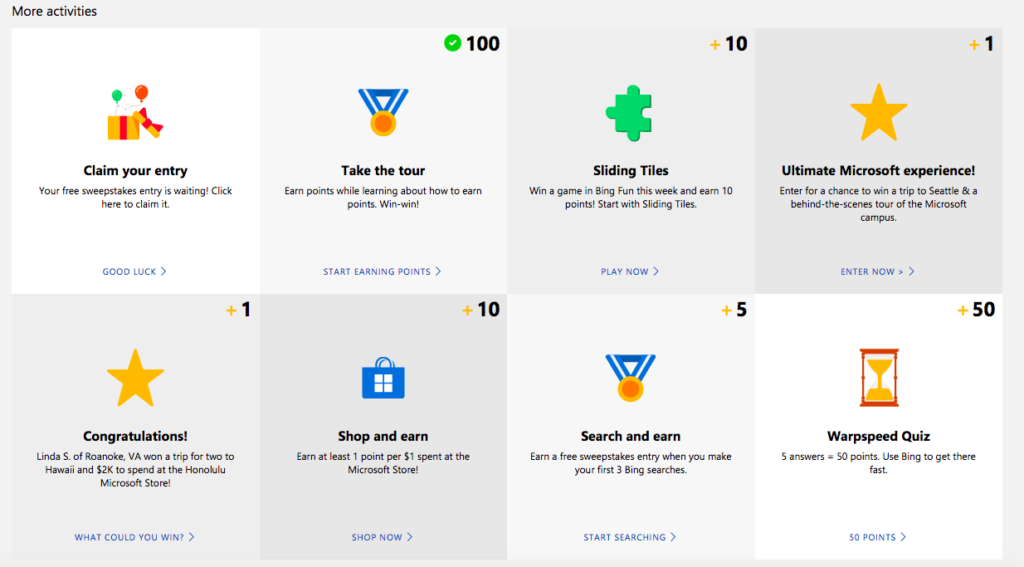
There are lots of ways to earn points. Two of the simplest are to use Microsoft’s Edge browser and Bing search. This might be a bit painful if you’re used to Chrome and Google, but are they also offering you free stuff? No? So, maybe it’s worth the switch.

Aside from using Bing and Edge, you can play games, enter competitions, and shop online to earn points.

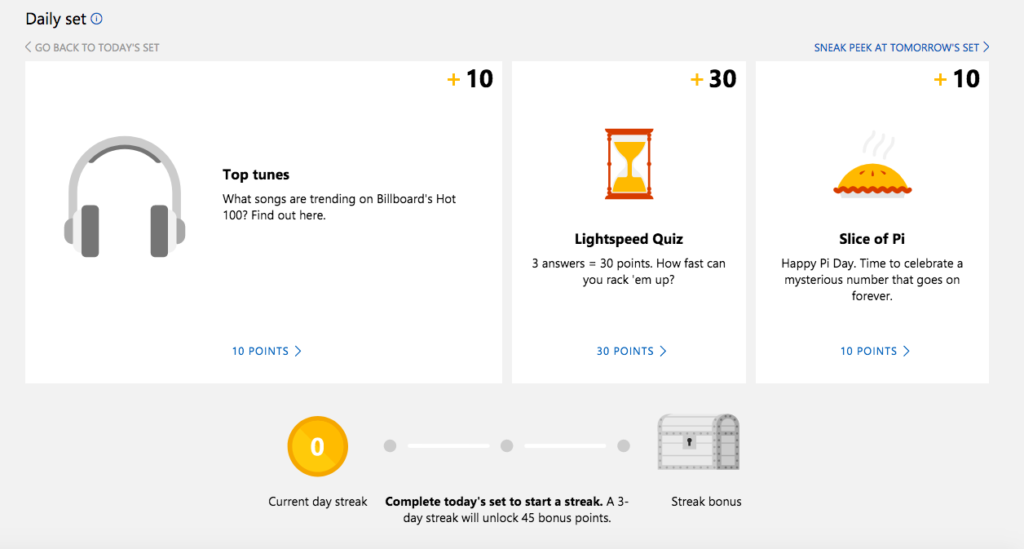
There’s also the Daily Set – three daily tasks that when done every day for a 3-day run, earn you an extra 45 points.

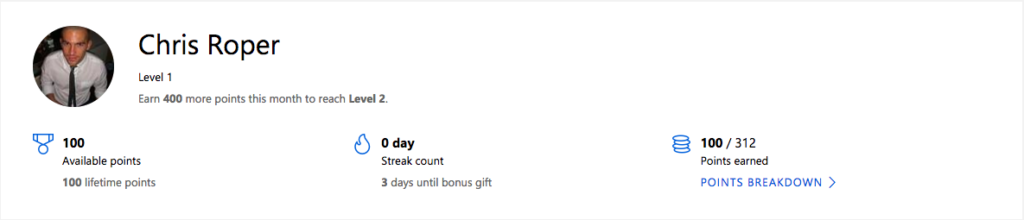
At the top of the “Earn” tab you’ll find your profile and points, so you can keep track of your progress.

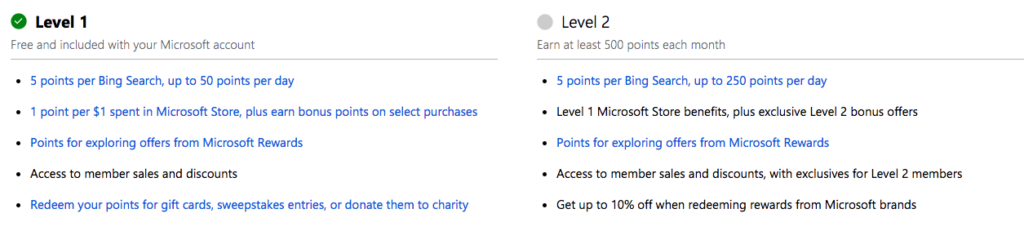
Once you’ve gone past 500 points you’ll “level up” and be able to collect even more points for the same activities.

How do you redeem points?

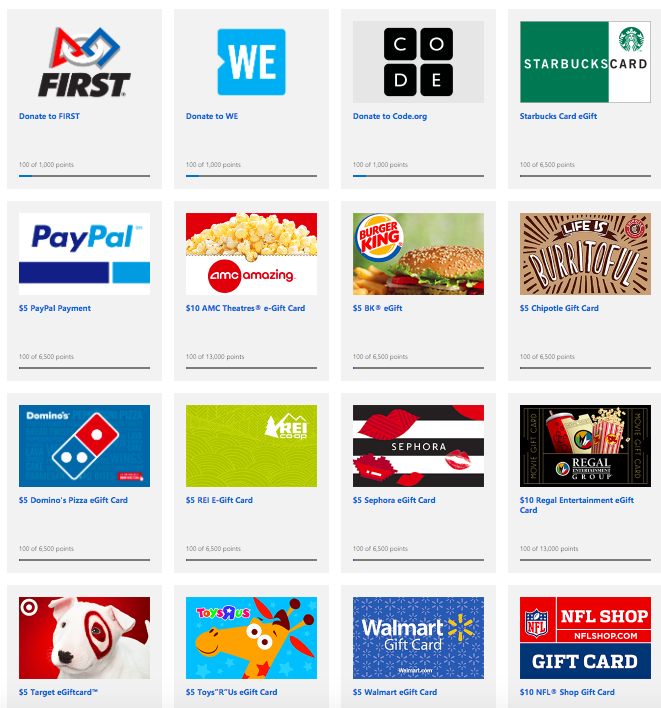
Once you’ve reached your points goal, or earned enough to start swapping points for prizes, head over the “Redeem” tab. Here you’ll find a broad selection of treats to spend your points on, or you can donate the points to charities for an equivalent cash amount. For some charities, Microsoft will even match your donation dollar for dollar. Just click on what you want to redeem your points for and follow the instructions from there.

That sums up Microsoft’s Rewards program. It’s actually a very easy-to-use program – just make sure you’re always logged into your Microsoft account, otherwise your points won’t be registered.

iPhone X vs Samsung S8 vs Google Pixel 2XL

If you’re like me, you can’t imagine living without your smartphone. For better or worse (we still remember you fondly, month-long Nokia 3210 battery), we’ve come to rely on the convenience of having a device in our pockets for work and play.

Back in 2007, Apple was the first company to envision the perfect combination of phone and personal computer, with the release of the iPhone. This device revolutionized our relationship with technology, proving you could carry a very capable computer in your pocket.

Compared to that first smartphone, today’s flagship devices are almost obscenely powerful. So if you’re looking to upgrade to a shiny new iPhone, or the most powerful Android smartphone on the market, we’ve got the scoop on the year’s hottest flagship devices from Apple, Samsung, and Google.

iPhone X

With its edge-to-edge “top-notched” screen and refined design, the new iPhone redefines what a luxury smartphone is.

Just like Apple’s other devices, software and hardware pair perfectly; everything just works. The processor is blazing fast, the camera is excellent as ever, and the battery life – while shorter than competitors – is decent. There are fun features like animojis, too, which uses face-tracking to animate your face on a monkey, pig, or… poop.

Downsides? This phone is expensive. Really, really expensive. At $1000+, every time you drop this phone could put another dent in your savings. It’s hardly something you want to hide away in a big, bulky case, so get insurance.

The other downside is Apple’s continued insistence on proprietary hardware. There’s no headphone jack, and if you want to fast charge, you have to buy a lightning USB-C cable and power brick for another $50.

Bottom line:

Best phone of the year? If you’re turned off by Apple, then no. But if you’re looking for the ultimate high-end smartphone, with a slick user experience to match, the iPhone X is the one for you.

Who it’s for:

Trend-conscious fashionistas, and turtle-neck wearing Chief Technology Officers.

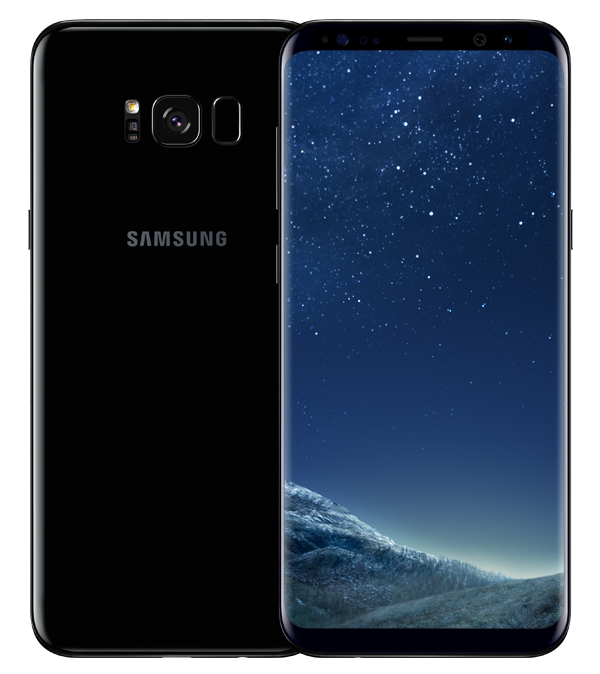
Samsung Galaxy S8

With an incredible edgeless screen, industry-leading hardware, and excellent battery life, the Galaxy S8 is constellations ahead of other smartphones.

Not only blazingly fast, the standout feature is that screen. The 5.8” infinity display is drop-dead gorgeous, with a higher resolution (1440 x 2960 pixels) than any other phone on this list. If that’s not enough, Samsung also offers the Galaxy S8+, which has a gigantic 6.2” screen.

The less good? The fingerprint scanner is located awkwardly next to the rear camera. Bixby, Samsung’s take on a virtual assistant, isn’t quite as slick as Google or Siri.

The bottom line:

When it comes to luxury Android phones, the Samsung S8 clearly leads the pack. Despite the niggles, not only will this phone turn heads, it’s got the brains to match those incredible looks.

Who it’s for:

People who hate being “contained” by screen edges, and Apple-hating hipsters.

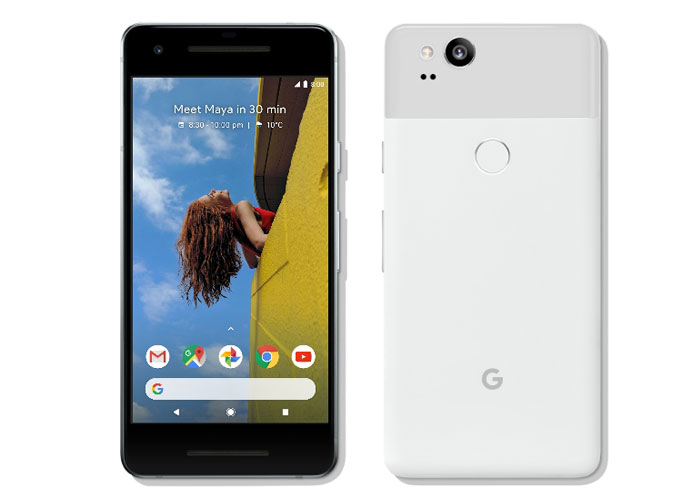
Google Pixel 2XL

Direct from the original creators of Android, comes a smartphone with oodles of power, and a combination of software and hardware that work in perfect harmony. The Google Pixel 2XL is a purebred stallion in a stable full of donkeys.

This phone has the best version of Android, hands down. The bundled Google apps integrate seamlessly, and you get unlimited cloud storage for your photos with Google Photos. Good thing too, because the camera on this device is absolutely stunning. When paired with Google Lens, a unique app that contextualizes what it’s seeing, you can, amongst other things, point your camera at a Wi-Fi network name and password, and your phone will automatically connect.

Google Assistant is back too, and better than ever. Plus, this time, there’s no more shouting at your phone or struggling with gloves; you simply squeeze your phone to activate the helpful AI assistant.

The bad? The design isn’t quite as inspiring as those from Apple and Samsung. The metal and glass feel a bit plasticky in your hand, and the screen doesn’t stand out.

The bottom line:

While it might lack the immediate oomph of the iPhone X or S8, this phone is packed to the brim with great features. Add the game-changing camera, and you have the most well-rounded Android smartphone on the market.

Who it’s for:

Die-hard Android purists, and people who don’t want to have a heart-attack every time they drop their phone.

That completes our round-up. Best of luck finding the device that suits you, and when you do, enjoy that new phone smell. Just don’t drop it. Please.

Why Snapchat’s latest update is making fans angry

When it comes to updates, things go one of two ways. Either everything goes live and users sing your praises, or users hate the changes and will crucify you on social media (hello, automatic U2 album download).

So, when Snapchat released their newest update back in January, like anyone with the best intentions, they were probably hoping for praise. But what they got instead was a bucketload of grief.

Giving their thoughts on the upcoming changes, the company wrote:

“Until now, social media has mixed photos and videos from your friends with content from publishers and creators. While blurring these lines has been an interesting experiment, it has also produced strange side-effects (such as fake news) and made us feel like we have to perform for our friends, rather than just express ourselves.”

Snapchat Download Free
8

After the update was released in January, it became clear users were unhappy. In fact, the update has gone down like a lead balloon tied to a piece of concrete. Users aren’t keeping quiet about their displeasure either. There is currently a Change.org petition with 1,253,605 signatures at the time of writing, asking for Snapchat to rollback the design of the app.

So, to help you through the pain of the update, we’re going to take you through everything that’s changed.

Swipe left – Friends

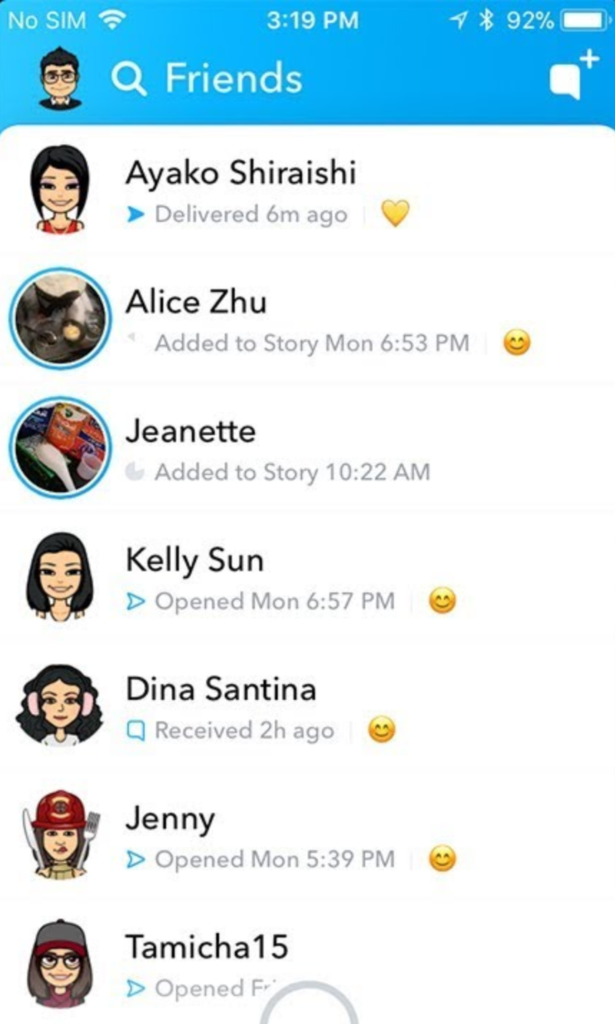
Everything to do with friends is now in one place.

Where stories used to be viewed by swiping right – and more on that later – now friends, messages, and stories are all combined in one place. It’s a bit messy. If a friend posts a story, you’ll see a preview picture. Click on their profile pic to be taken to the story.

You can only see recent contacts’ stories now, so if you haven’t ever messaged someone, you’ll need to make contact with them before you can see their stories.

Swipe right – Discover

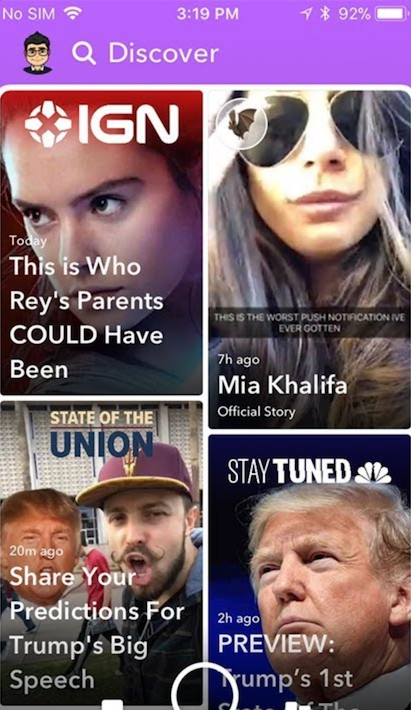
Another big change: swiping right no longer takes you to the stories page. Instead, you’ll see influencer content, paid-for ads, and friends’ stories appearing together in the new Discover feed.

There’s very little information about how Snapchat chooses what to show you, and a lot of people are annoyed about seeing lots of content they have no interest in at all.

If you want to see less from a particular source, long-press on a tile, and select “see less of this”.

Other changes

While the biggest changes are to the Friends and Discover tabs, there are a few other features worth mentioning.

  • No easy way to mass clear conversations. You can’t clear all from settings anymore, and have to long-press on each conversation, then select settings > clear.
  • No easy way to see the number of views on your posted stories, now you have to view these within your profile page.
  • No more animated profile pictures. Instead, Snapchat replaced these with Bitmoji Deluxe.
  • Our Story now makes you disclose your location by default.

Do we think Snapchat will change anything back? They did respond to the Change.org petition on the February 20, telling users:

“In the coming weeks, we are introducing tabs in Friends, and Discover, which will make it easier to find the Stories that you want, when you want them … You’ll be able to sort things like Stories, Group Chats, and Subscriptions, allowing you to further customize your own experience on the app.”

So, clearly, they know that something needs to change, and it’s hard to argue with a petition with over a million signatures and plummeting scores on app stores. But, will those people get what they want? We’ll see.

How to earn money with Instagram

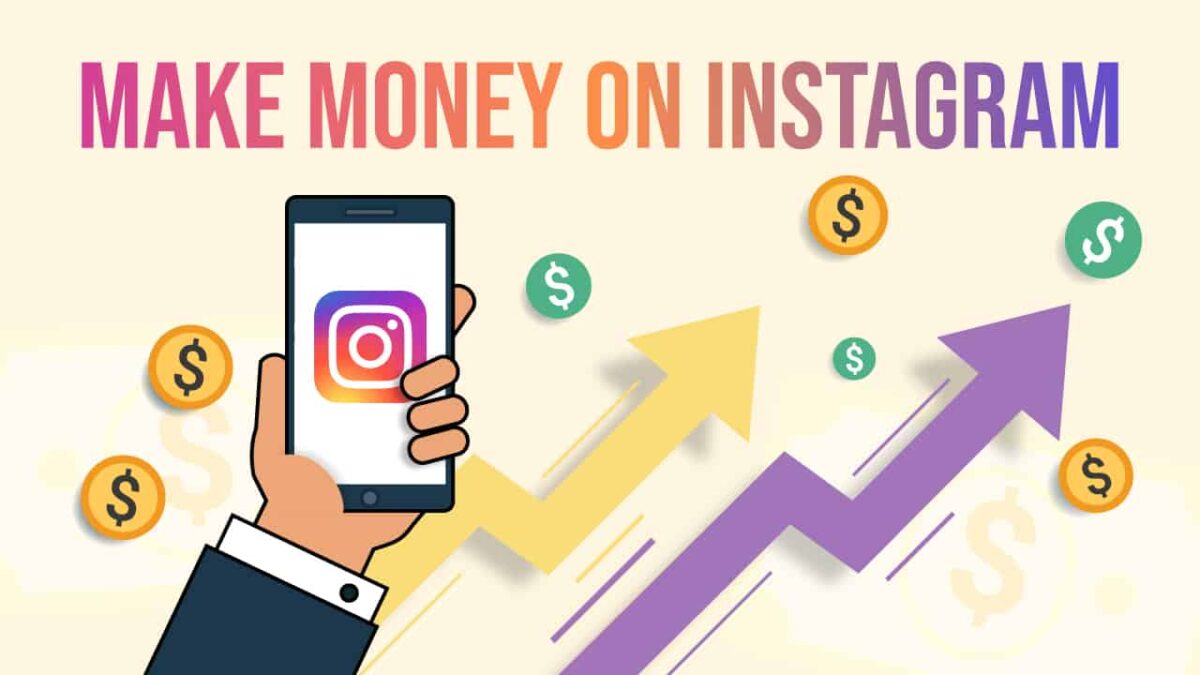
In an increasingly digital world, there are countless ways to earn some cash on the side, and maybe – if you’re lucky – turn a passion or hobby into a full-time job. Anything from blogging to drawing webcomics can earn you a fortune if done right. Even posting on Instagram.

Yep, you read that right. You can earn money just from posting your pictures on Instagram. Seems crazy, but it’s simply a case of finding your niche, and marketing it well.

So, could you earn money from your Instagram posts? While it’s unlikely you’ll reach the dizzying heights of the world’s highest-paid Instagram stars (unless you’re planning on becoming a Hollywood A-lister anytime soon) it’s still possible to monetize your Instagram feed with a bit of planning.

Almost all of the cash that’s earned on Instagram comes from sponsored posts, where brands and businesses pay a user to promote their product in a paid-for post. So, how can you get a slice of that action? Let’s look at some helpful tips on how to earn money from your Instagram posts.

Followers

An obvious point, but you must have a large number of followers to be considered by sponsors. But how large is large? The biggest and highest-paid stars have 1 milion+ followers, but you don’t necessarily need that many to get paid. Recently, we have seen the rise of the micro-influencer, smaller accounts with less than 20k followers, which brings us to our next point.

Engagement

Although followers are important, what’s more important is your followers’ engagement – the number of people who view your posts and click the links. If you’ve only got 20k followers, but your engagement rate is 5 percent, that can be very appealing to businesses and brands. They would pay less to advertise and get a higher rate of return than an account with a million followers but only 1 percent engagement.

Businesses are even more interested if you have a well-defined, dedicated, and unique fan-base. But how do you get these fans?

You’ve got to…

Find your niche

According to figures released by Instagram, the app has over 500 million daily users. Why should any of them check your account? You have to stand out. This means putting some thought into your profile, and what you post on it.

Choose a profile picture that really encapsulates your channel, and make it pop. Write a strong bio, that sums up who you are and what you do. Why not use some emojis on your bio? Pictures tell a thousand words, and a carefully placed airplane emoji has more impact than writing “I fly around the world in airplanes”.

Next, think about your channel’s purpose. Cooking tips? Traveling advice? Yoga instruction? What makes you different from all the other users who post stuff exactly like you? You need something to differentiate you from everyone else, while still being familiar enough for people to latch onto. This can be as simple as an open attitude to travel and health, or as complicated as only posting pictures of floors or doors.

Be consistent

What’s important once you’ve found your niche, is to be consistent. If you only post pictures of doors, don’t suddenly switch it up to cats – your users will wonder what’s going on. Businesses want to give money to reliable accounts that deliver consistent results, and one of the best ways for them to find you is if you’ve become a consistent source of great content.

#hastags #hashtags #hashtags

People either overlook hashtags, or do them badly – #blessed #lit #justsaying – but when used well, hashtags can help grow your fanbase, and connect you with businesses and brands.

Using the five dot trick, you can hide those unsightly #tags from your post, but still include as many as you like. This helps your posts reach the widest possible audience. Remember, mix it up – try adding ten general tags, five to connect with other accounts, five for the location of the picture, and five for the picture itself. Get creative, but try not to go too over the top, #k?

Remember: be patient, and be consistent. If your content is great, and you keep on working to connect with more fans and followers, eventually businesses will begin to reach out to you, and you might be one of the lucky people who get paid just for posting pictures. Good luck!

Do you need a flagship smartphone?

Smartphone envy. It’s a real bummer. Is it your fault? No. The tech giants pumping out new models every year spend millions of dollars convincing you you need one. Their so-called “flagships” are meant to be the best of the best – peerless, perfect, and luxurious – and with a price to match.

But if we disregard the frills, bells, and whistles – animated emojis, for example – just how important is face-tracking? How necessary is a fingerprint reader? How much screen space do you really need? How important are aesthetics for something that spends most of its time hidden in the palm of your hand?

As the race towards bezel-less screens, thin-as-paper bodies, and novel but (mostly) pointless features continues, I can’t help feeling we’re being sold a lie. Let’s face it: technology is cheap. You can buy a smartphone for under $200 that does most of what a $1000 flagship can do, so why waste the extra cash? Wouldn’t you rather take the cheaper phone and go on vacation instead?

Certain things are important, however. A good camera, fast operation, and pretty screen are usually what sets good phones apart from bad ones. So, let’s take a look at these features, and then you can decide if you need to bleed your bank account dry or can simply buy a cheaper brand and pocket the extra cash.

Camera

Where do you view your photos? Online? On your phone? Unless you’re blowing up photos to hang on the wall, the number of megapixels isn’t important. The sub-$200 Honor 7X has 16MP, which is more than enough for printing (and more than iPhone X’s 12MP).

When and where do you take photos? If during the day, or with flash, your camera’s aperture needs to be around f2.2, like in most sub-$200 phones. But for low light shots you need a “brighter” aperture of around f1.8 to avoid “noise” – a kind of grainy effect caused when the sensor’s sensitivity increases to capture more light. The flagships win for low-light photography, but you need to do a lot of it to make the extra spend worthwhile. Or just reduce noise using image processing software.

One other aspect where flagships shine is in Optical Image Stabilisation (OIS). This helps to counter unwanted camera shake that can cause blurry photos (when holding it in your hand, for example). Not all cheaper models have this, but unless you’re shooting in low light or have particularly shaky hands, you’ll still get great photos.

Screen

High Definition screens are the norm nowadays, and the Honor 7X even has an 18:9 edge-to-edge display despite its sub-$200 price. Nevertheless, the brightness, colors, and viewing angles will vary depending on the screen technology, with OLED being the choice of flagships, and LCD being the choice of cheaper phones.

So is OLED better than LCD? Not always. While colors and blacks might be punchier, OLED uses more power than LCD, meaning batteries might not last as long. And as Google quickly discovered with their flagship (the Google Pixel 2), “burn-in” can be a problem.

And as for screen size, you can get any size you want for under $200. Most phones tend towards bigger screens nowadays, and you definitely DON’T need a flagship phone for a five- or six-inch screen.

Most of us are happy to have LCD TV screens at home that are much bigger than our smartphones, so is it worth spending more for OLED? Probably not.

Speed

The speed of your smartphone is determined by three things: processor, RAM, and Operating System (OS). Processors and RAM are cheap as chips nowadays, so you’ll find fast octa-core processors and 2GB+ RAM in most sub-$200 smartphones.

Operating Systems are a bit different. iOS on iPhone and Android on Google work so well because the hardware and software are designed by the same people. There’s no such thing as a sub-$200 iPhone, and outside of Google’s own hardware, Android’s stability varies – probably because other manufacturers like to tinker with it.

But as Android is always improving with each release, performance issues are less common. And it’s not worth spending hundreds more when flagships themselves can suffer performance issues – some of which are intentional (I’m looking at you, Apple).

It’s easy to buy into premium branding and forget that your smartphone is just cheap components assembled into something useful. For some people, that’s okay. There’s nothing wrong with liking nice things, whether that’s the satisfaction of owning a flagship phone, or the extra novelty that makes it more fun. But for everyone else, there’s plenty of choice at a fraction of the cost.

The 5 best YouTube tech channels

YouTube is one of the best sources of high quality, independent reviews and opinion on the latest tech trends. Whether it’s a 3-minute unboxing of a new smartphone, or an hour-long review of a gaming chair, you’ll find all the detail you need at a time that suits you. 

An easy way to stay up-to-date is to subscribe to YouTube tech channels. As these are a mix of professional and amateur videographers, the quality of the videos and content does vary a bit. So, in an effort to separate the great from the not-so-great, we’d like to recommend our favorite Youtube technology channels for you to enjoy.

1. MKBHD

Run by the charismatic Marques Brownlee, this channel is famous for both the quality of its reviews, and for the videos themselves. 

MKBHD mainly focuses on phone and desktop reviews, but he also fights for the social good by exposing things like the truth about Beats by Dre headphones, and the five most overpriced pieces of tech.

Marques’ technique is very professional, with great camera work and super-slick editing. Plus, you never leave one of his videos without having learned something new – the hallmark of a great channel.

2. Unbox Therapy

Ah, life’s simple pleasures. Warm spring days, birds singing in the trees, and peeling screen protectors off your new phone. This channel, as the name suggests, is related to the unboxing and unpacking of brand new consumer electronics, and the first impressions of these shiny new toys.

Again, the camera work is fantastic, the host is charismatic, and there’s always something interesting to watch, like unboxing the most expensive mechanical keyboard in the world.

3. Android Authority

If you’re looking to know everything, and we mean everything, about Google’s mobile operating system, this is the channel for you. They don’t call themselves the authority for nothing.

The channel has a review of just about every Android phone ever, plus a plethora of other useful and interesting videos such as how to install a tablet in your car, visits to Android factories, and a huge number of panic-inducing drop tests.

4. Austin Evans

This channel has a bit of everything: best / worst lists, unboxing, talks about Bitcoin and tech in general, and a huge number of reviews including various phones, tablets, laptops, and even cars. 

Where this channel really shines is the sheer depth of information Austin gives on building your own Gaming PCs. Ranaging from the super budget ($50), through to mid-range ($750), and right up to the ultra-high end ($4,000).

Austin seems like a good guy, and his hair is always perfect. Oh, and he tried a $700 vacuum cleaner once so… there’s that.

5. Softonic

Well, no list would be complete without a bit of self-glorification, would it? Our own channel covers a whole host of the best and most useful information we have on our website, but in easy-to-digest video form. We review the latest apps, provide advice and tutorials, and answer such burning questions as “How can I kill Pou?

That completes our round-up of the best YouTube tech channels. Subscribe to them all and you’ll always have something fun and interesting to watch!

6 of the best Snapchat lenses

Snapchat is one of the biggest social media photo-sharing apps in the world. With over 187 million daily users, the platform offers new, inventive, and wacky ways of seeing the world around you.

Snapchat Download Free
8

Snapchat was one of the first companies to really push the use of Augmented Reality (AR). Back in September 2015, users could vomit rainbows using an AR feature called a Snapchat lens. Then in December 2017, Snapchat released their lens development tool, giving users the ability to create their own reality-warping lenses for the whole community to use.

Over 30,000 lenses were created just six weeks into the release.  Now, Snapchat lenses have been viewed over a billion times, propelling the company’s growth in 2017 by $281 million, an increase of 74 percent over 2016.

With that in mind, we’re here to show you some of the best user-created lenses that are available – so let’s get stuck in at number one…

1. Abstract Shape

Marpi creates interactive installations, crafting digital creations that you can interact with in physical space. This particular lens creates a beautiful, moving shape wherever you point your phone. Unlock the lens here.

2. Flappy Bird

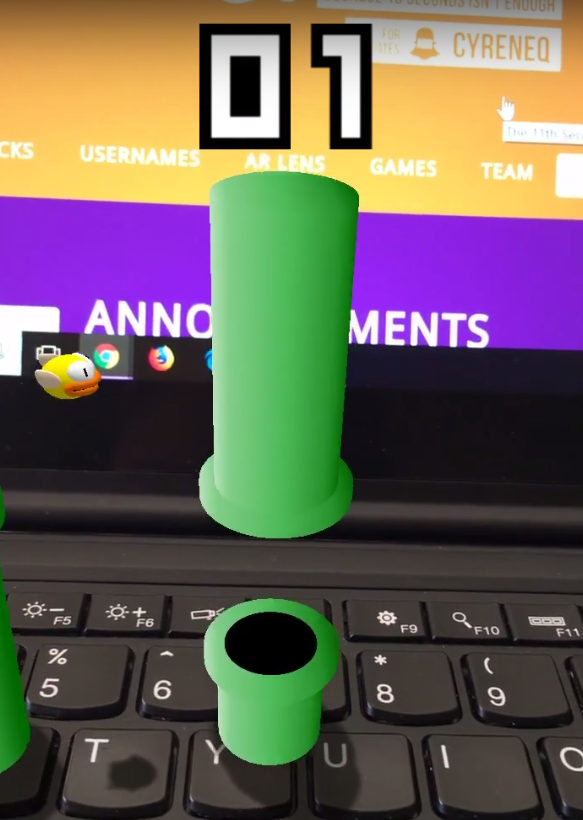
Released back in 2013, the original Flappy Bird was absurdly popular, and is famous for the app’s developer – Vietnamese programmer Dong Nguyen – removing it from the app store due to it being hyper-addictive. If you were one of those saddened by the app’s removal, fear not, there’s a new version that you can overlay on the world, wherever you are. Just try not to play too much, okay? Unlock the lens here.

3. Revive

We all need a bit of help from our friends sometimes. Keep your sleepy friends on their toes in class, using the floating revive icon. Unlock the lens here.

4. The Nest

Who doesn’t love terrifying spiders jumping at you from a dark hole? You don’t? Well, you probably won’t like this lens then. Great for terrifying your friends, but perhaps check if they have a heart condition first. Unlock the lens here.

5. Elevator

A fully functioning elevator, with its own wonderful soundtrack! Just click your phone’s screen to open the doors and reveal… anything you want. Like this loving dog showing his owner what its favourite toy is. Unlock the lens here.

6. Starman

We all watched in awe as Elon Musk achieved his lifelong dream of sending his first car into space (seriously). Now, you can experience what it’s like to be in space with the Starman by entering this incredible AR portal. You can watch a video of someone entering the portal, and unlock the lens here.

There are thousands and thousands of lenses, so dive in, get creative, and – most importantly – have fun!

Which Wi-Fi extender is right for you?

If there’s one thing we’re not a fan of at Softonic, it’s poor Wi-Fi signal. Having grown up in the age of dial-up (yes, I am a dinosaur), it’s easy to forget how amazing it is to work untethered anywhere in your home or office.

Sometimes, though, dropouts or weak signal can really disrupt the flow of whatever you’re doing online. The solution is to buy a Wi-Fi extender, a device that’s designed to deliver a fast, stable connection throughout your home by boosting range and signal strength.

As there are lots to choose from, we’ve put together a list of our favorites to help you decide which one is right for you.  

Best overall value

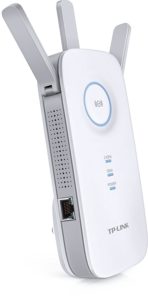
TP-LINK AC1200 Wi-Fi range extender – $62.41

  • Affordable
  • Gigabit ethernet port
  • Better for range than speed

This extender performs very well for the price. With a trio of booster aerials and an ethernet port, this is a super flexible unit that will enhance your home or office Wi-Fi with ease. It performs brilliantly at long range, and the intelligent signal light on the front helps you find the optimal location for the devices in your home.

Most stable connection

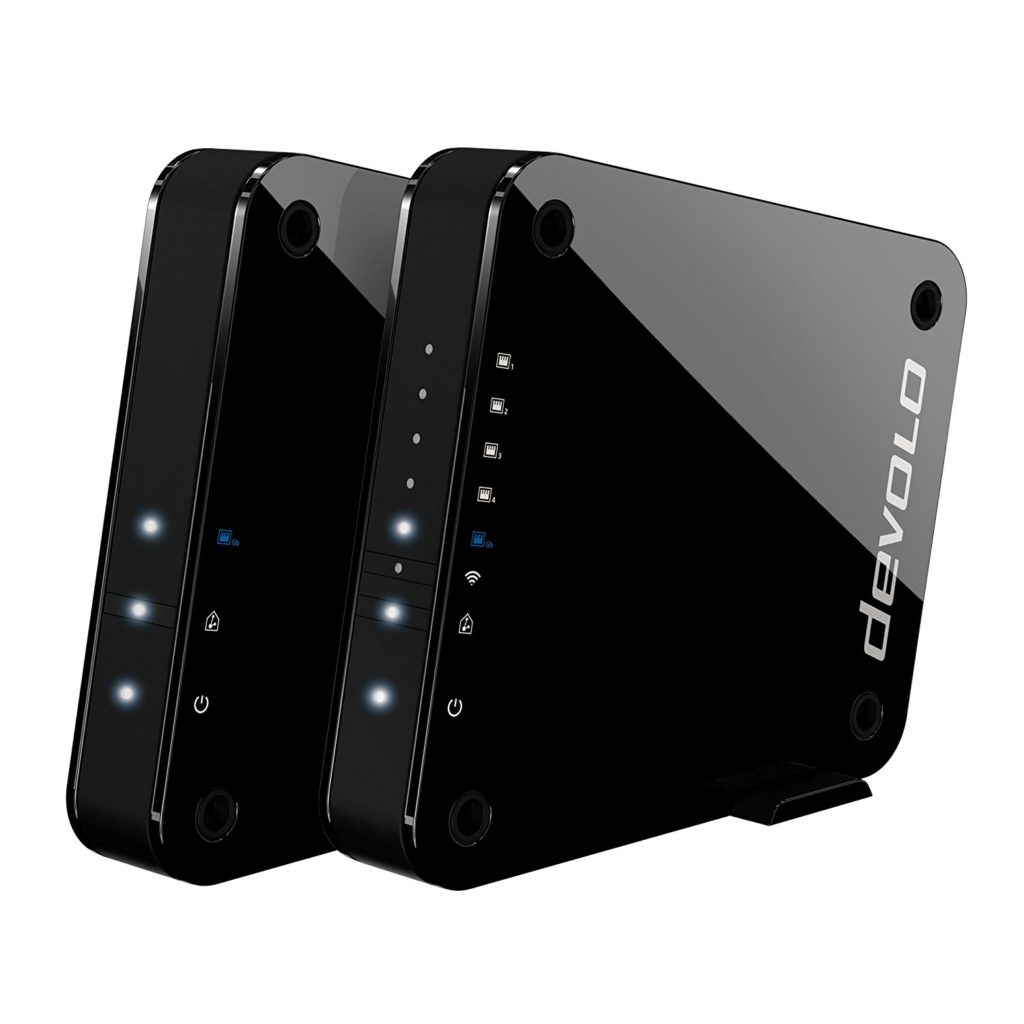
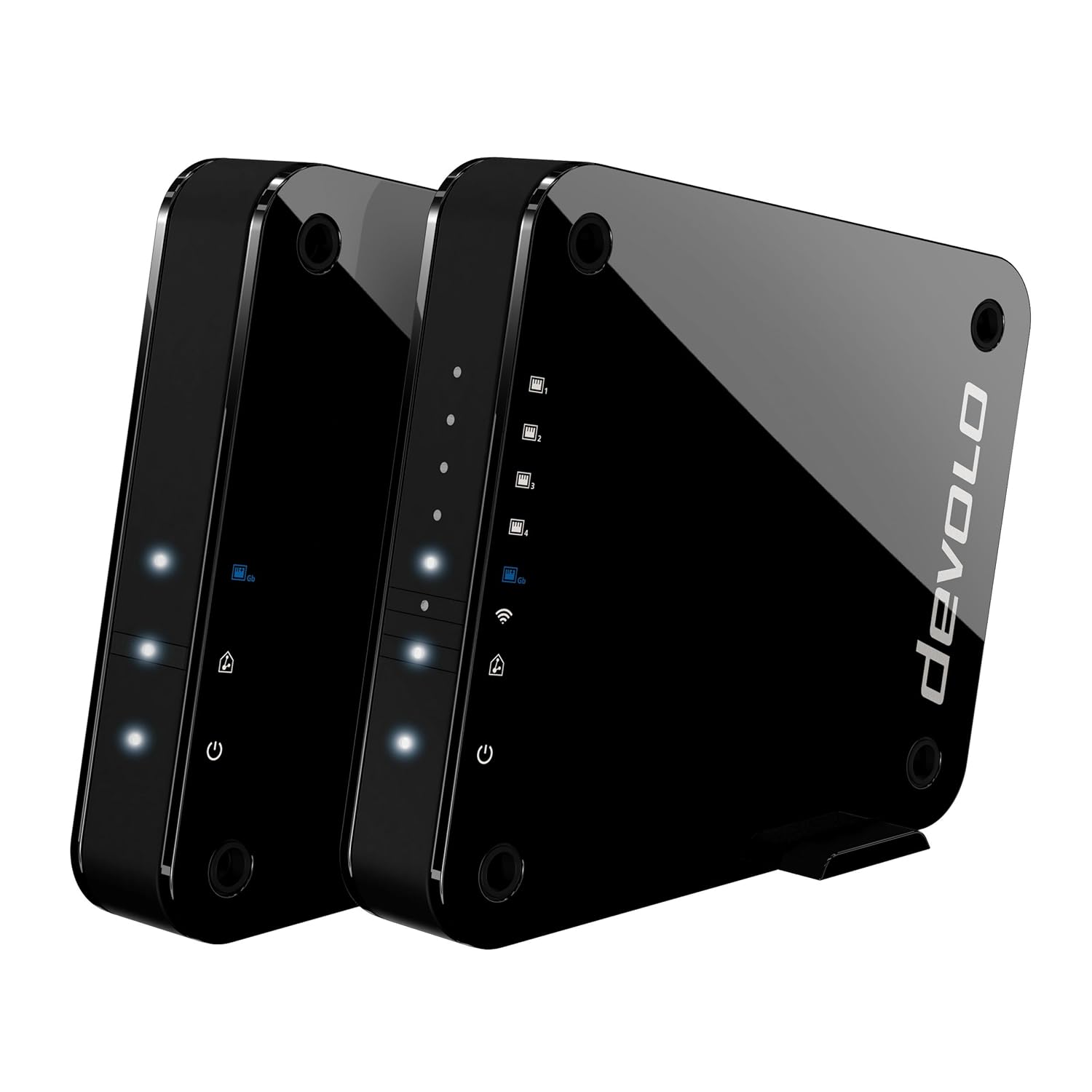
Devolo GigaGate – $724.24

  • Ultra fast
  • Effortless setup
  • Expensive for what it is

Given its high price, the Devolo is a fairly niche extender for those with a lot more cash to spare. The design and performance is exceptional, and it’s one of the fastest extenders on this list. The device is a two-part system with one unit pairing with your router, and the other acting as a satellite. While it’s not cheap, the Devolo really delivers on speed and ease of use.

Best on a budget

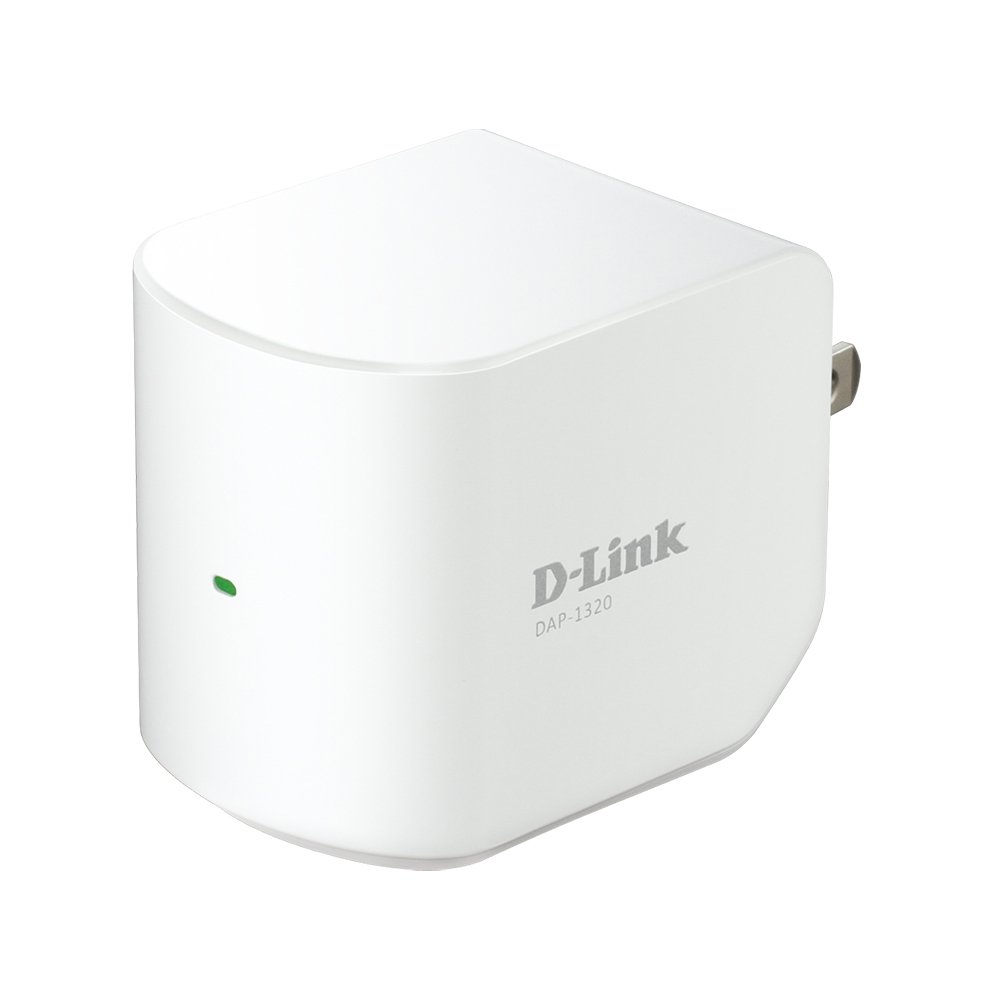
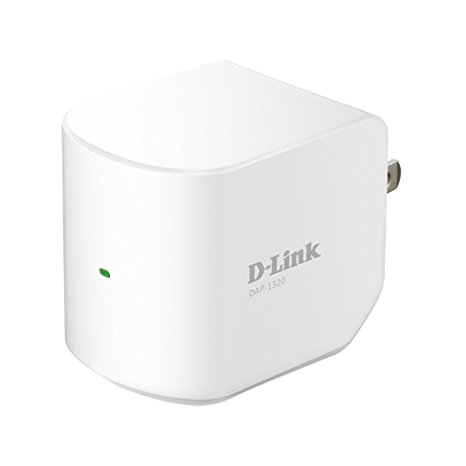
D-Link DAP-1320 – $14.07

  • Excellent 2.4Ghz performance
  • Compact design
  • Doesn’t support 5Ghz

This is the smallest, cheapest extender on our list. It measures just 4.75 x 6.28 x 2.95 inches, so it should fit virtually anywhere in your house. Feature-wise, it’s pretty light. It’s rated at 300Mbps and only uses 2.4Ghz.

However, what it lacks in features, it makes up for in ease of use. Connecting is simplicity itself, simply press the WPS button on the side and it connects automatically. Alternatively, you can connect to the device’s default Wi-Fi signal, before linking it to your router. Performance, while not the fastest, is solid.

Best mesh network

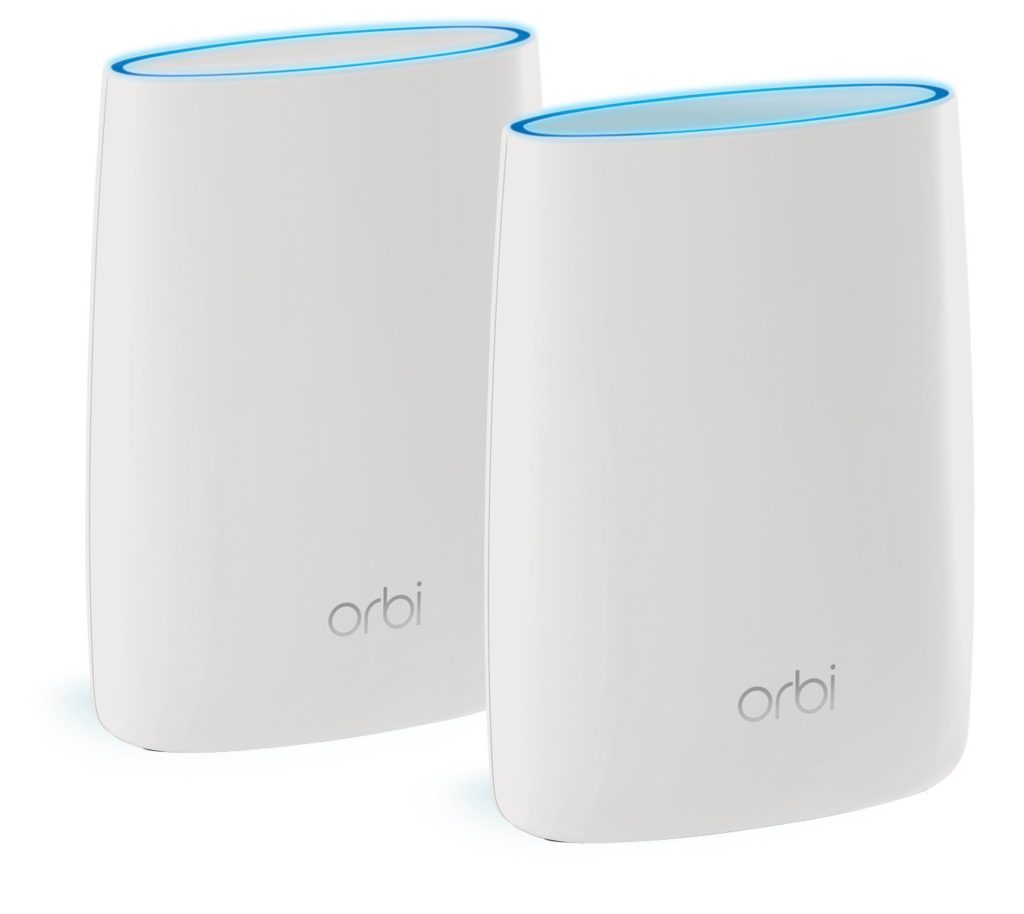
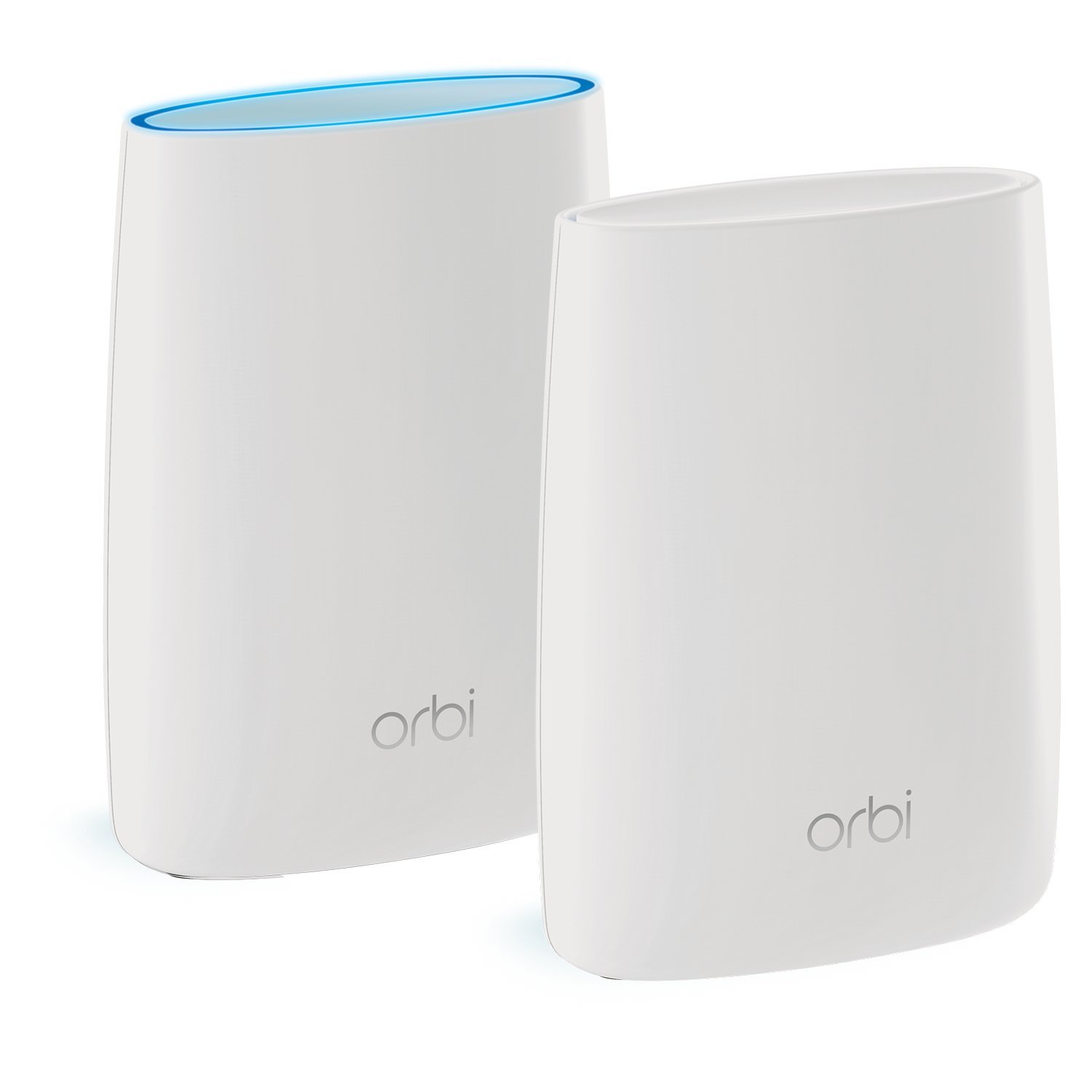
Netgear Orbi – $399.99

  • Blisteringly fast
  • Easy to set up and use
  • Consistent coverage
  • Very expensive
  • Not the fastest at close range

The Orbi is both an extender and router in one. Instead of pairing with your home network, the Orbi expands it. So no fiddling with your router, just turn on the Orbi and you’re good to go.

The Orbi devices also use a 5Ghz backchannel to communicate with each other, so there’s none of the drop-off from router-to-router chatter you get with less advanced products. It might not be the fastest in terms of raw speed, but it’s definitely a worthy upgrade.

We hope you’ve found our suggestions useful, and we wish you a future filled with fast, stable, Wi-Fi.    

4 of the most affordable IoT devices

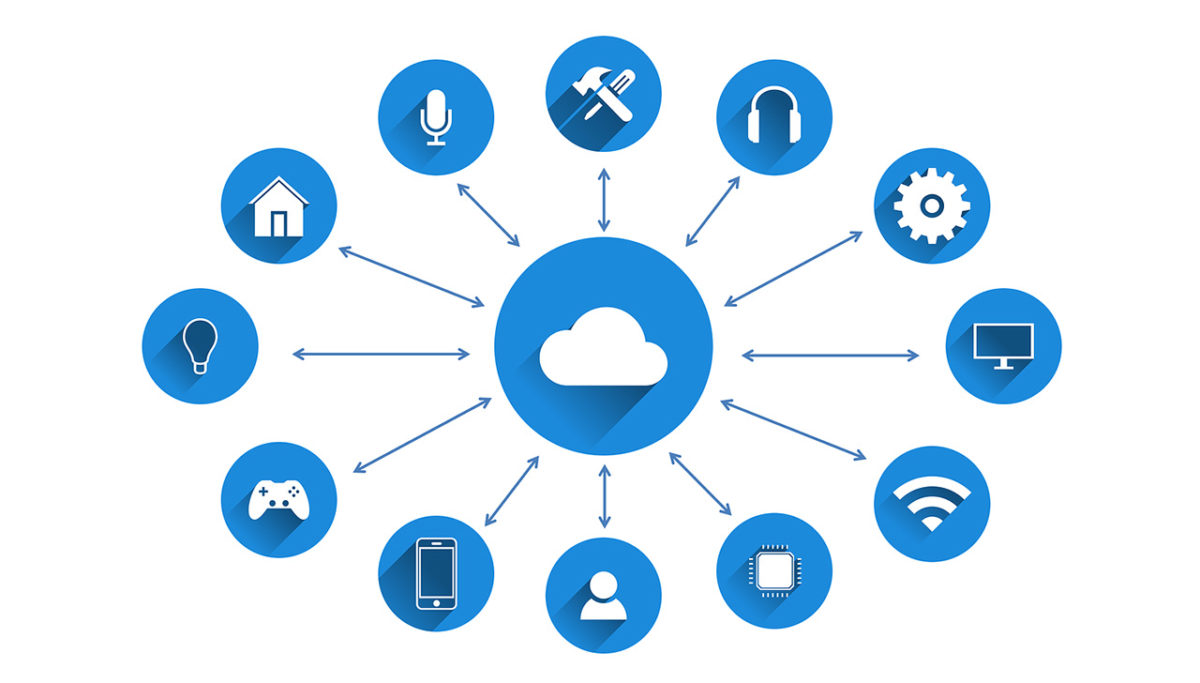
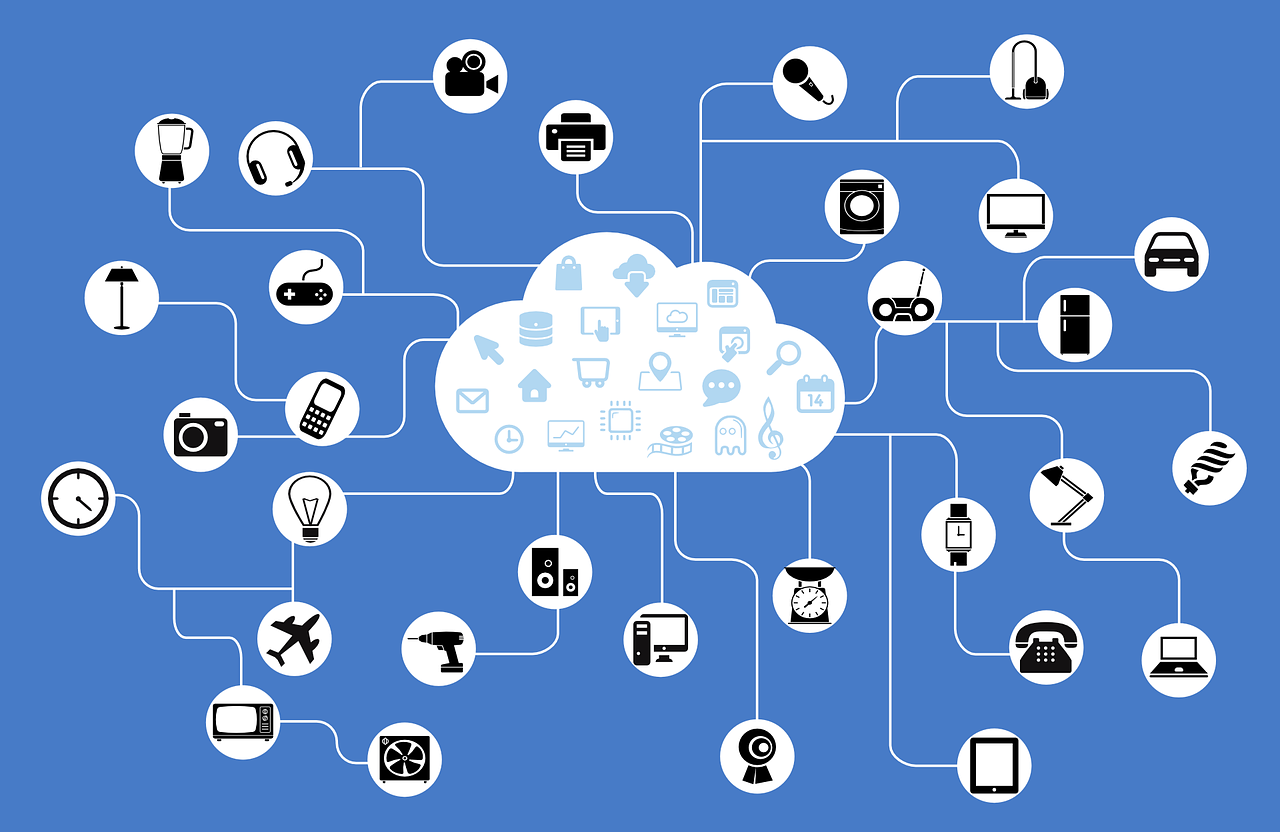
The Internet of Things (IoT) has long promised to bridge the gap between the internet and the physical world. The estimated number of internet-enabled devices increased 31% from 2016 to 8.4 billion in 2017, and experts predict that there will be 30 billion of them by 2020. With an estimated global market value of $7.1 trillion by 2020, IoT looks set to become a big part of our future lives.

While not every device is as useful as it claims to be, manufacturers are scrabbling to release an ever-increasing number of products. You may have noticed one common trend among them all: they’re expensive. This kind of makes sense – we’re not just talking about a normal hairbrush; we’re talking about a smart hairbrush, with Wi-Fi, a microphone, and a gyroscope. No, really.

Fortunately, with the sheer number of devices available, you can find IoT devices that don’t break the bank. Here are four of them.

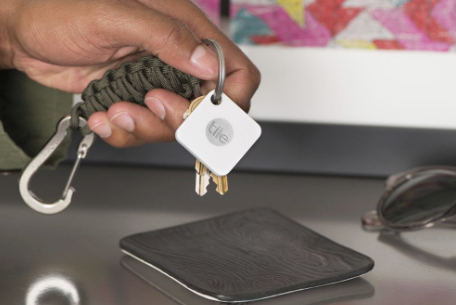
Tile – $26.99


First up is this handy little gadget. The Tile is a tiny Bluetooth tracker that attaches to just about anything. Keys, bags, wallets, or whatever else you can think of. The device is simple and easy to use – just pair it with your phone, open the app, and as long as you’re within 100 feet of the Tile, it’ll play a loud tune until you find it.

It works the other way too. Just click Tile, and it’ll make your phone ring. There are also “Sport” and “Style” versions with waterproofing and double the range of the standard model.
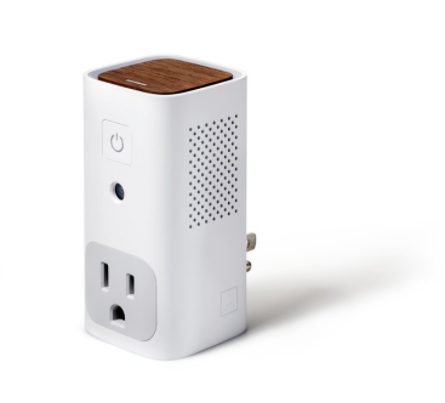
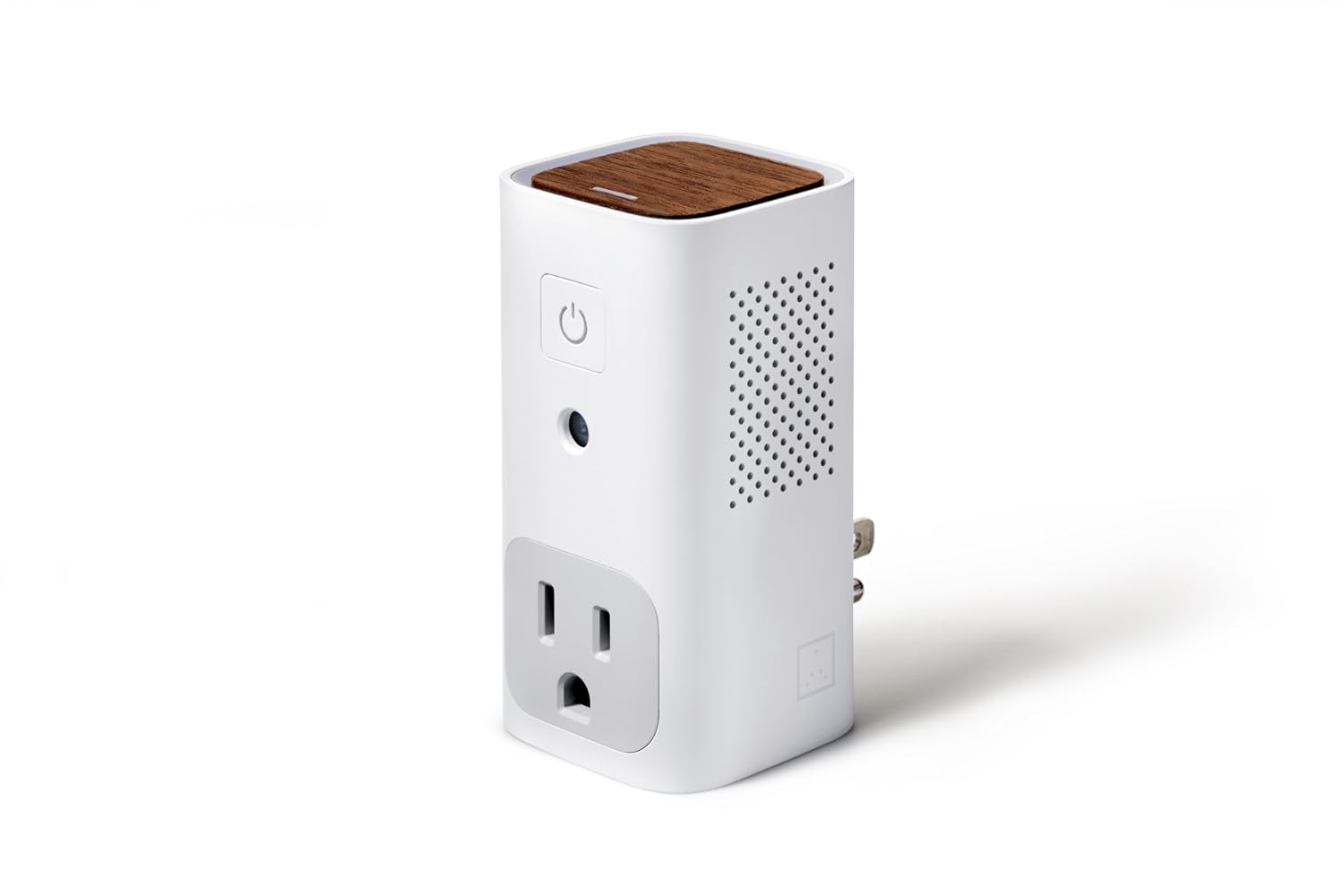
Awair Glow – $99g

The Awair helps you monitor air quality in your home, giving you the temperature, humidity, and CO2 levels and chemical composition. The LED on the top shows you at-a-glance – red, yellow, or green – what the overall quality of air in a room is, and the associated app lets you track exact levels down to the PPM (parts per million) while also logging past data so you can see improvements over time.

Cleverly, the Awair can also trigger non-smart devices such as dehumidifiers or air filters at specific times, or when certain criteria are met within the measured parameters.

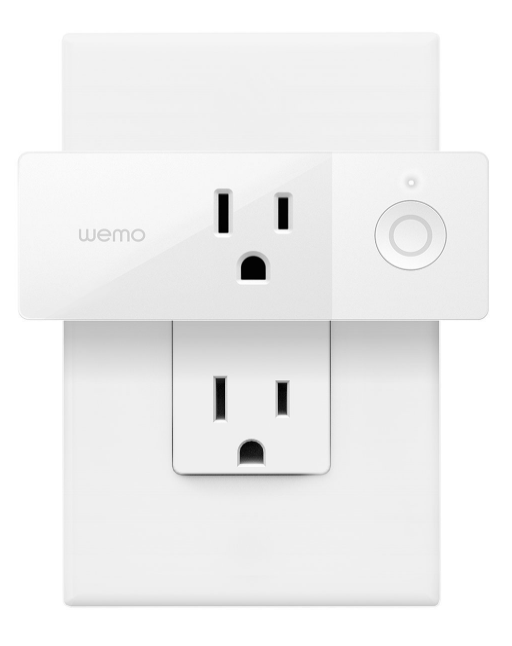
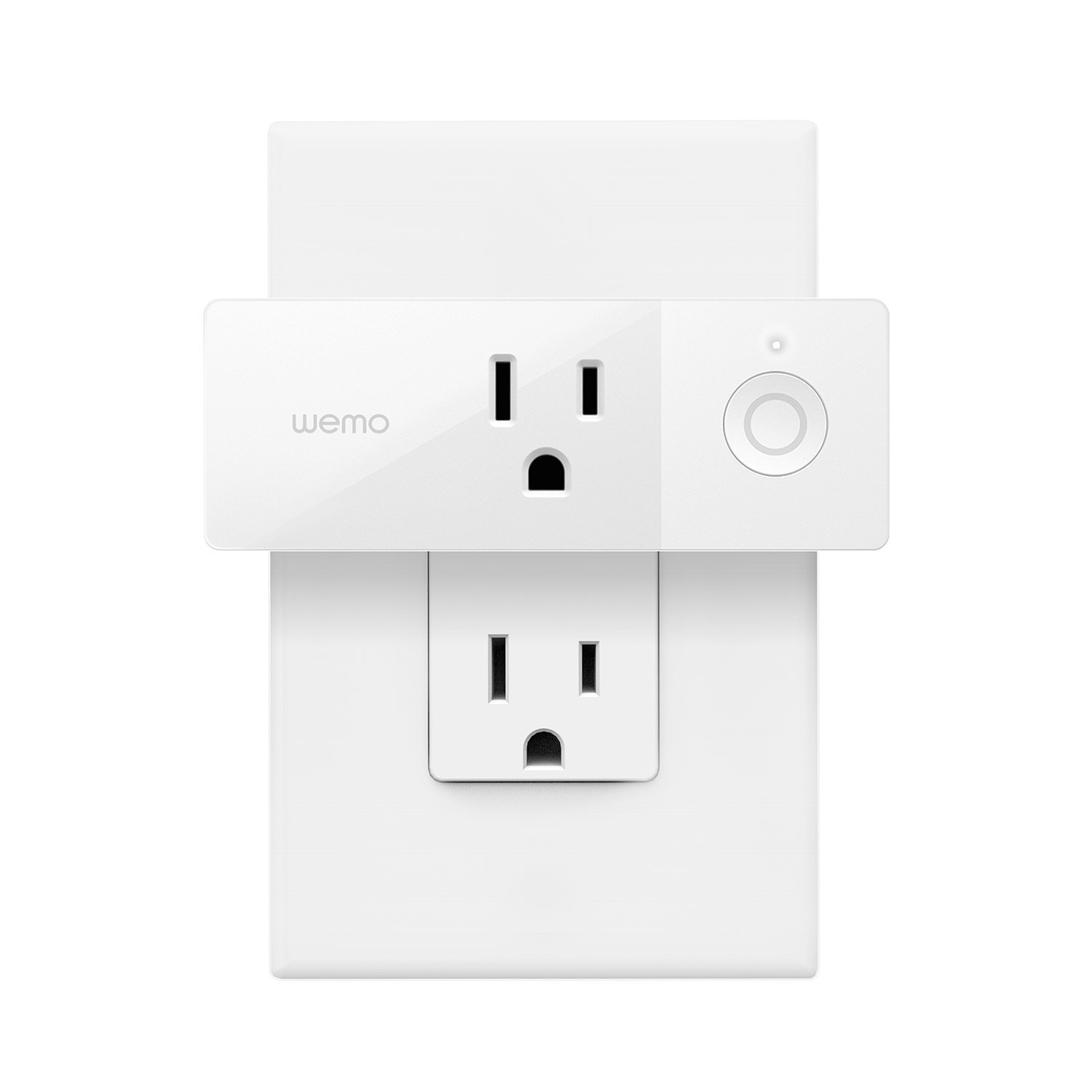
Wemo Mini-Smart Plug – $29.99

This handy plug lets you turn any pluggable device into a smart one. Using your existing home Wi-Fi, you can wirelessly control TV’s, lamps, heaters, fans, and anything else you can plug in, all from the Wemo app. You can also set schedules for devices and control them via your phone, giving you control over your devices even when you’re not at home.

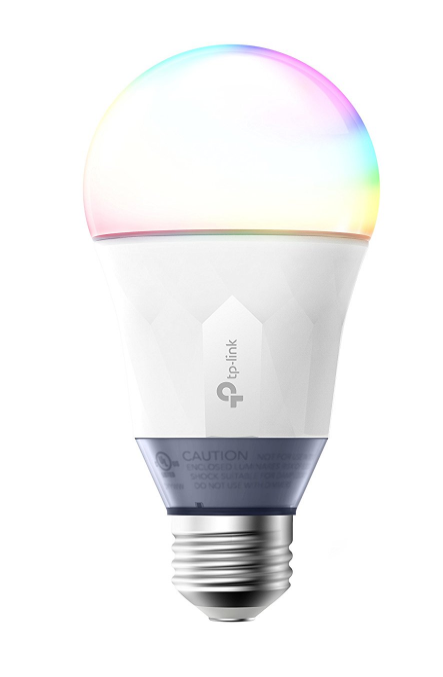
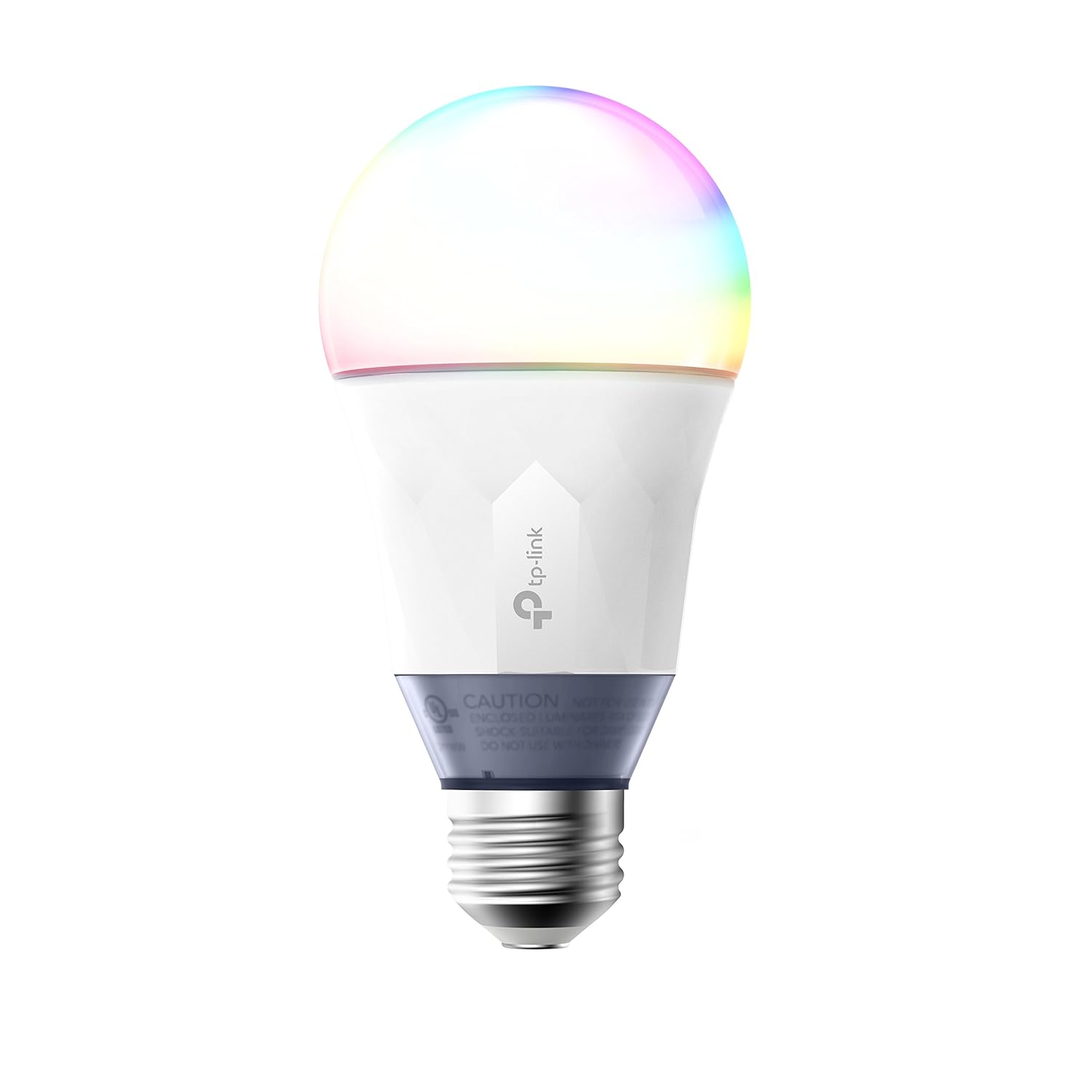
Kas Smart LED Light Bulb – $39.98

Control your lighting from a smartphone with this smart bulb from Kas. Connecting via your home Wi-Fi, you can use the free Kasa app to set colors, brightness, and track energy usage from your smartphone or tablet. The app lets you create schedules or “scenes” that let you set the mood with a swipe. Or just ask Alexa or Google Assistant to dim the lights for you.

So, remember, it doesn’t cost the earth to add a bit of IoT convenience to your home. Hopefully, some of the devices above will fit your budget!