WhatsApp makes a big change: no more annoying photos from your contacts

Soon you’ll have the power to stop photos and videos sent by your WhatsApp contacts from appearing in your phone’s photo gallery. How many times have you opened your gallery to show a photo to a friend, only to find dozens of goofy photos or videos from those idiotic, muted group chats? Never fear. Those uncomfortable moments are at an end.

WhatsApp Messenger Download WhatsApp
8

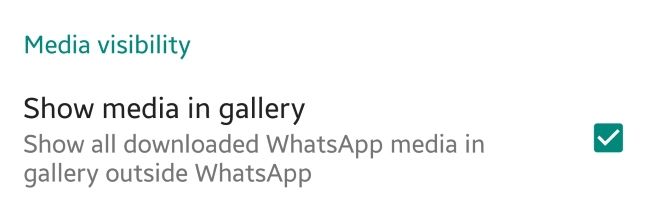
This new feature appears in the latest WhatsApp beta version. This means that soon we’ll have it available in the regular version. Once the update rolls out, just have to go to the settings section of WhatsApp and then to Data and storage. There will be a new option called “Media visibility.” Simply disable “Show media in gallery” and the problem is solved.


What do you think about this new feature? Will you use it? Leave us a comment!

Facebook banned: New national policy aims to limit negative effects of social’ media

The government in Papua New Guinea has decided to ban Facebook for a month. The move comes in a bid to study the effects of social media on the people of the small island nation. In addition to the study, fake users will also be targeted and eliminated from the social platform.

Papua New Guinea’s communication minister, Sam Basil, said:

“The time will allow information to be collected to identify users that hide behind fake accounts, users that upload pornographic images, users that post false and misleading information on Facebook to be filtered and removed.”

With recent scandals like the Cambridge Analytica Facebook data leak still fresh in people’s minds, Basil says that the country is acting with its citizens’ best interests at heart. There are also plans for a local social network being set up on the island, but Basil says the government will wait until the results of this study are known before action is taken.

This isn’t the first time a country has temporarily banned Facebook. Sri Lanka did the same at the beginning of the year to prevent the spread of racial hatred. Banning Facebook is no doubt a controversial option but with the social network getting in trouble in Myanmar recently for helping incite racial violence, it is clear Facebook isn’t doing enough to meet its global responsibilities.

What do you think? How would you feel if Facebook was banned in your country?

Hollywood or home movie? How to get the most out of your smartphone content

Are you making the most of your smartphone?

Photos, videos, music – you name it, chances are your smartphone can do it. Heck, you can even film your own award-winning, critically-acclaimed movie with an iPhone 5S.

Your smartphone empowers you with all the tools you need to be creative, without the need to buy lots of expensive hardware. And while this is great, it’s only as good as the effort you put into it. No point in having a 12MP camera if you’re not going to use it, right?

So what do you do with your smartphone content? Share it on social media and wait for the likes to pour in? Why stop there? Why not take your content further and create ringtones from your favourite music, movies out of your happiest memories, or multimedia gifts for friends and family. Make use of your content in a meaningful way, or your creations will fade as quickly as the latest viral post.

At Softonic, we spend a lot of our time working with and reviewing creative software to help you get more out of your content. One of our favourites is this multimedia suite from AVS4U that includes five simple yet powerful tools to convert, edit, and rework audio and video.

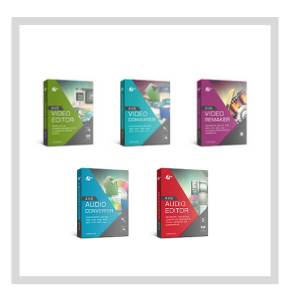
AVS4U’s suite includes the following five programs:

AVS Video Editor

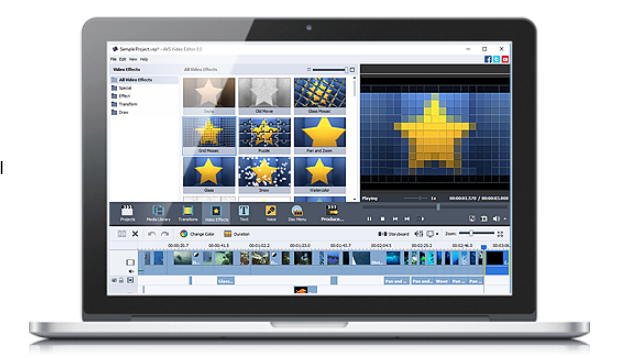
A versatile, feature-packed editor to splice, split, and enhance your smartphone videos. AVS Video Editor takes you through the entire movie-making process, from helping you storyboard your ideas to correcting hand-shake, exposure, and colour. Choose from over 300 effects to really make your video project stand out.

AVS Video Converter

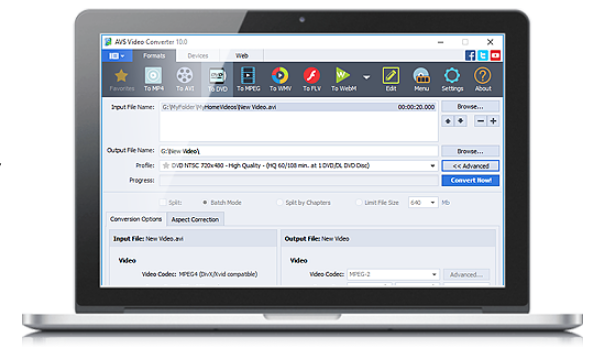
AVS Video Converter does exactly what it says – takes virtually any file format and converts it into another of your choosing.

If you’re creating a wedding video, for example, and want to include guests’ smartphone footage, you might find them in different formats. AVS Video Converter solves this problem by converting video clips into a single format for easy editing and playback.

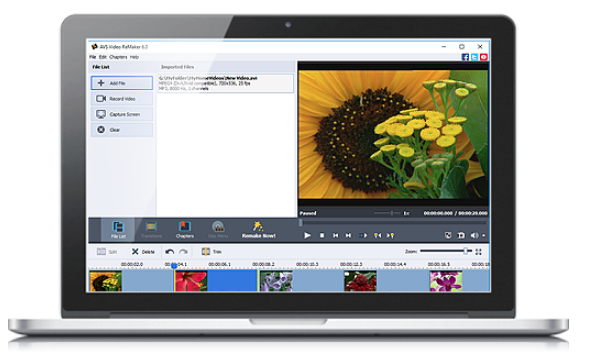
AVS Video Remaker

Imagine your friend sent you a video clip of her dancing at a party. She wants to upload the video to social media, but without the part where she trips over her heels and lands in the punch bowl. With AVS Video Remaker, you can remove the embarrassing moment and send the edited version back to your friend without reconversion. This ensures the original file remains compatible with her social media account.

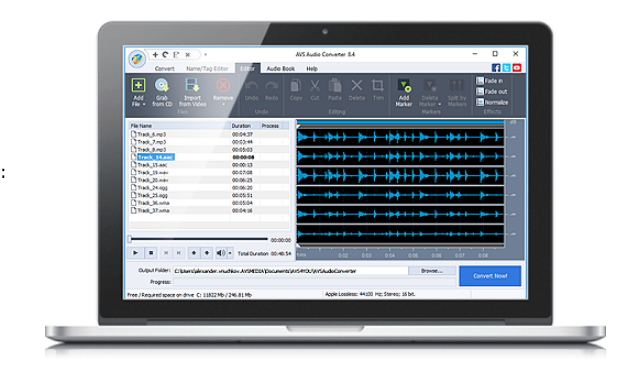
AVS Audio Converter

If your music library is filled with MP3s, FLACs, ALACs, and WAVs, but you’ve got a DJ playlist to create in less than an hour, you need AVS Audio Converter. It’ll take your preselected tracks and convert them to a single, universally-compatible file type and size (of your choosing), ensuring you can blow the roof off the party without fiddling with file types.

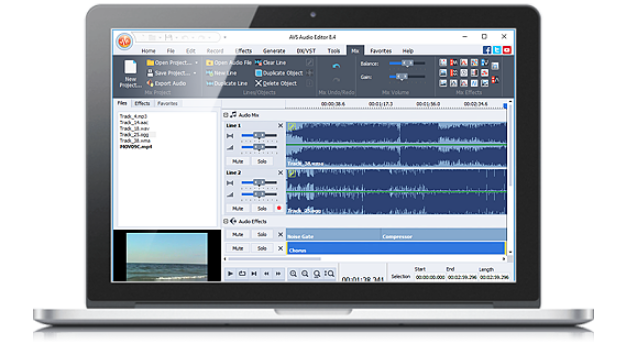
AVS Audio Editor

If you’re feeling creative, take that DJ playlist and add your own sounds, effects, and mix edits with the AVS Audio Editor. You can clean up interference, add echo or delay, cut, splice, and trim – even mix together several tracks at once like DJ Woody. It’ll even make ringtones out of your favourite tracks.

The AVS4U multimedia package costs just $29,50 (Introducing the coupon AVS-Softonic18), down from its original price of $59 (70% off ). That’s for the unlimited version. That’s excellent value for money, but don’t take our word for it – download and try it for yourself. But hurry – the discount ends soon, so avoid disappointment by downloading it today.

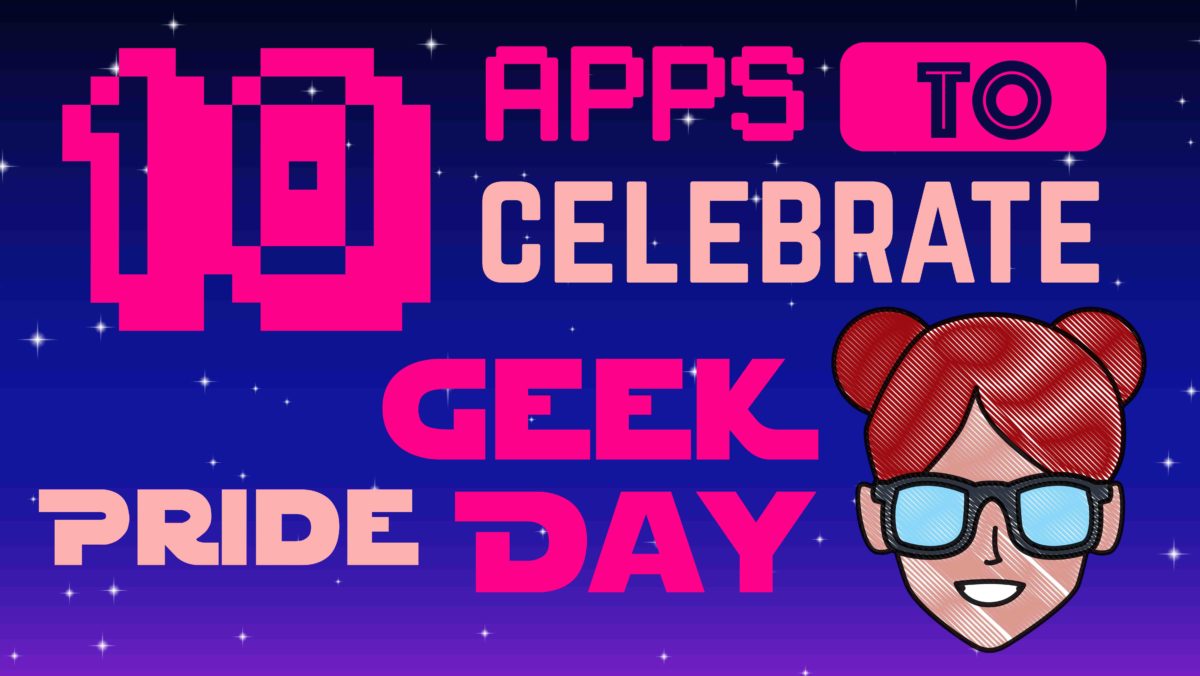
10 apps to celebrate Geek Pride Day

Geeks, unite! Today, May 25, we celebrate geek culture. On this day, fans of sci-fi, fantasy, TV series, comics, video games, etc.… proudly declare their passion for the geek world. To honor your “Yep, I’m a geek!” pride, check out these 10 geeky-as-heck apps for your cell phone.

You’ll find all the download links for the apps at the bottom of the page…

infographics set and Information party Graphics vector

10 best apps for geeks

1. Voice Changer with Effects

Don’t let its generic name and icon fool you: this Voice Changer with Effects falls completely in geek territory. You can take on the voice of Optimus Prime from Transformers, Darth Vader, a zombie, a dragon, an alien… or even a ghost, whatever that means.

Download Now

2. Indiana Jones Whip

When you think of Indiana Jones, his faithful whip quickly comes to mind. This app makes the famous sound of Indy’s whip every time you shake your phone. Warning: the sound doesn’t come with a physical effect so it won’t help you train lions, for example.

Download Now

3. Star Wars Official App

Usually, official apps from big franchises are super boring. The official Star Wars app is a rare exception: it has an Augmented Reality feature, weather predictions for the Star Wars universe, the ability to unlock characters and ships… and you can even fight with a lightsaber or join the Dark Side.

Download Now

4. Stranger Things: The Game

If Stranger Things is an 80s-throwback party, its video game is nothing less. You’ll find references to Mario and Pac-Man throughout an adventure recreated in 16-bits, which was launched between seasons of the series. 100% free from start to finish.

Download Now

5. Gif Maker

Have you ever stumbled on a GIF from your favorite series or movie and thought “I could do something better?” Well, the moment has come to prove it to the world. With this app, you can go wild and easily create lots of GIFs.

Download Now

6. Instant Buttons

On this app, you’ve got popular sounds, plus the geekiest ones around. Just tap their eye-catching buttons and have a listen. And if your favorite sound isn’t available, you can add it yourself.

Download Now

7. SeriesGuide Show Manager

Do you follow TV series as they’re released in the U.S.? This app not only has the TV programming but also uses notifications to tell you when new episodes will appear. This app will free up all that space in your brain that you were using for planning and remembering what was on. Now you’ll have more space for… well… remembering the lyrics to your favorite openings.

Download Now

8. Comic & Meme Creator

Is your dream to make your own superhero comic or manga with “tsundere,” “senpai” and “mecha” characters? Well, with this app you can create stories from its extensive catalog of characters, items and backgrounds, to then share the final result with your friends.

Download Now

9. LINE Webtoon

If you like reading comics and don’t have LINE Webtoon, you’re missing out on a ton of digital comics, many of them from Western artists of all kinds: romance, action, comedy, epic sagas, short strips… All for free.

Download Now

10. Cinema Trivia Quiz

Think you know everything about cinema? The time has come to prove it with this cinema trivia app that is regularly updated to include the latest blockbusters. At the time of writing this article, there were over 1,500 questions awaiting you.

Download Now

The 7 best VPN of 2018

VPNs have become a must-have for browsing the internet: they make you more secure while visiting websites and they get rid of all kinds of restrictions.

Today at Softonic we’re bringing you our top 7 VPNs, a list where you can get to know the best VPNs on the market. All of them have versions for different devices (Windows, Mac, iOS and Android) and in the description of each one, we’ve discussed some of their features.

HMA! Pro VPN

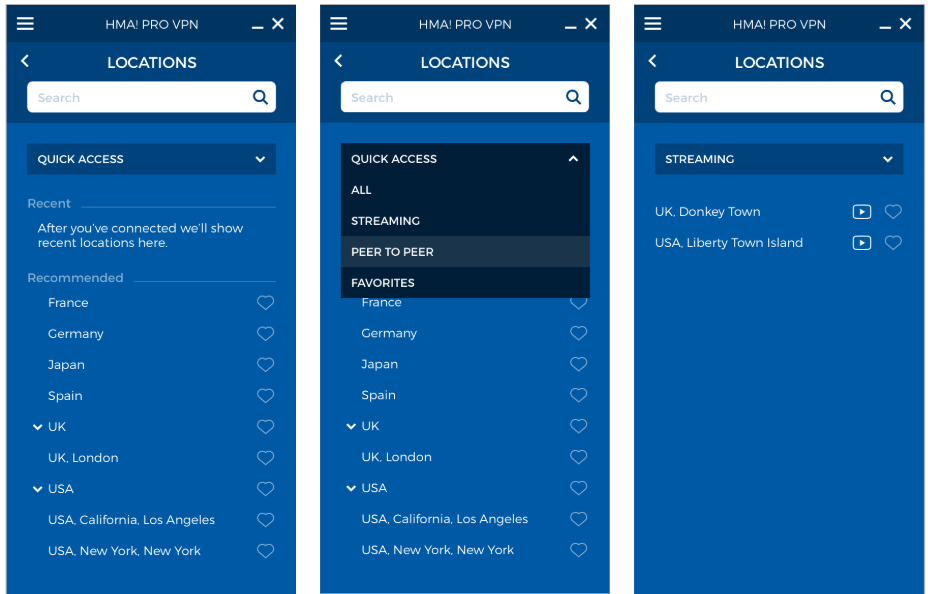
Hide My Ass! Pro VPN is a fantastic VPN app that has earned a good reputation thanks to the myriad of options available: speed, broadband and unlimited server changes; the most secure protocols, compatibility with any service (including Netflix) and up to 5 connections per license.

Also, it boasts of being the VPN service with the highest number of server locations: you can connect to 190 countries.

All this, plus quick and efficient customer service via chat or email and a 30-day guarantee, makes it a highly recommended option if you’re looking for an excellent Premium VPN.

If you buy a monthly plan, Hide My Ass! Pro VPN  will cost you $6.99 a month, which is less than $84 for a full year of protection and security.

HMA! PRO VPN Download
9

VyprVPN

Another highly recommended option is VyprVPN, a service backed by the Swiss company Golden Frog, seasoned experts in the tech world who advocate for an open internet.

Golden Frog is a transparent company that doesn’t work with third parties. All their services are their own, so your privacy and security are completely guaranteed. In addition, since there aren’t any intermediaries, the speed of VyprVPN is very high.

VyprVPN boasts of 73 servers in 64 countries, with a NAT firewall that gives you an extra security layer. Also, it has a Kill Switch, which automatically blocks your connection when it detects that the VPN is disconnected.

Although the price advertised at $6.67 Per/Month when purchasing annual, you are currently running our Annual Special providing new subscribers with a 25% off discount of their first year, bringing VyprVPN down to the low cost of $5 Per/Month!

VyprVPN Download
8

Zenmate VPN

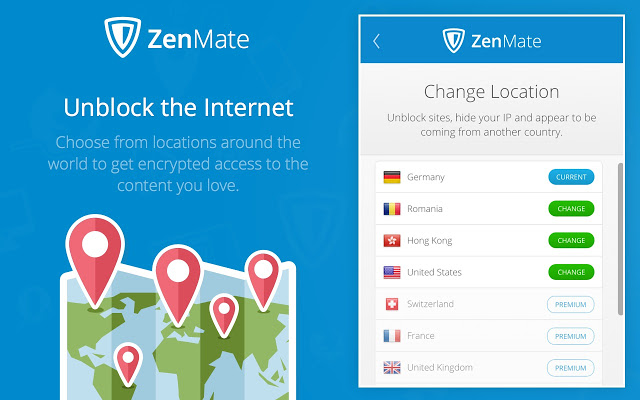
Zenmate is another great option for secure browsing. This VPN doesn’t store any of your data and uses the latest encryption systems.

Just like VyprVPN, it has a Kill Switch (which cuts internet when the VPN is disabled), as well as an option to reconnect to the VPN worry-free when you restart your device.

In addition, it has an adblocker feature, protection against malware and tracking bots, and extensions for the main browsers.

If you get the monthly subscription to Zenmate, it will only cost you $2.80 a month.

Besides the VPN make sure that users can watch Netflix from any geos and they also offer a 30 days money back guarantee

ZenMate VPN Download
8

Hotspot Shield

We’ll continue our list with a veteran VPN: Hotspot Shield. This service, in our lives for a decade, now has 500 million users.

With this app, you’ll access the internet completely securely (besides the VPN, it has an anti-malware shield) for $2.99 a month if you sign up for their biannual plan.

Hotspot Shield Download
8

 Panda VPN

Another security firm that offers its own VPN is Panda. This VPN can work across 5 simultaneous devices.

Panda VPN, on its Premium version, can be yours for $7,44 a month.

Panda VPN Download
8

Avira Phantom VPN

Avira Phantom VPN is from the firm Avira, which also usually appears in the top annual antiviruses. With 36 virtual locations in 25 countries, it’s the perfect VPN for your browsing needs.

The Pro version of Avira Phantom has a price of only $3,70 a month if you go for a multi-device annual plan.

Avira Phantom VPN Pro Download
8

Avast Secureline VPN

The prestigious firm Avast, famous for its antivirus, also has a useful VPN service. Secureline offers you real privacy thanks to its 256-bit protection.

Avast Secureline VPN has 54 locations in 33 countries, so it provides you nearly unlimited access to any internet service.

The best offering of Avast Secureline VPN includes protection for 5 devices at $5.33 a month.
Avast SecureLine VPN Download
8


WhatsApp failure means blocked contacts can send you messages

A serious WhatsApp failure is allowing users to send messages to the users who have blocked them. The avid WhatsApp watchers WABetaInfo posted the bug on their Twitter feed and it has since been confirmed by several of their followers. Users have reported being contacted by blocked users and that their statuses have been visible also.

The error is only affecting users who have downloaded the latest WhatsApp update for iOS. This means if you use WhatsApp on Android you should still be safe.

There has been no official word from WhatsApp yet, regarding the bug, but as the messaging app regularly updates, we can be sure they’ll fix it soon enough. Until the official patch comes out, there is a simple, quick fix. You can do this yourself right now to make sure you won’t be bothered by any of your blocked contacts.

How to stop your blocked contacts messaging you on WhatsApp

If you’ve received a WhatsApp message from somebody you’ve blocked, the solution is simple. All you have to do is unblock that contact and the re-block them again. This should reset their blocked status on the WhatsApp server.

How to scan APK files so you don’t get a virus on your Android device

Google takes the security of its online store very seriously. However, it’s often been blamed for allowing too much harmful content and potentially dangerous apps.

Last year, it launched the Google Play Protect service, a tool that helps provide an extra security layer. Although the problem has improved, the risk still exists. Today, we’re going to take your protection to the next level: we’ll show you how to scan APK files so you don’t get a virus on your Android device.

Preventing before fixing

Every time we install an APK app from outside the Google Play Store, we’re exposing ourselves to risk. You may know the manufacturer, but nobody is free from encountering problems with an app, whether you’ve downloaded it from the Google Play store or another website. Because of this, running a program analysis is a great solution.

Google Chrome Download Free
7

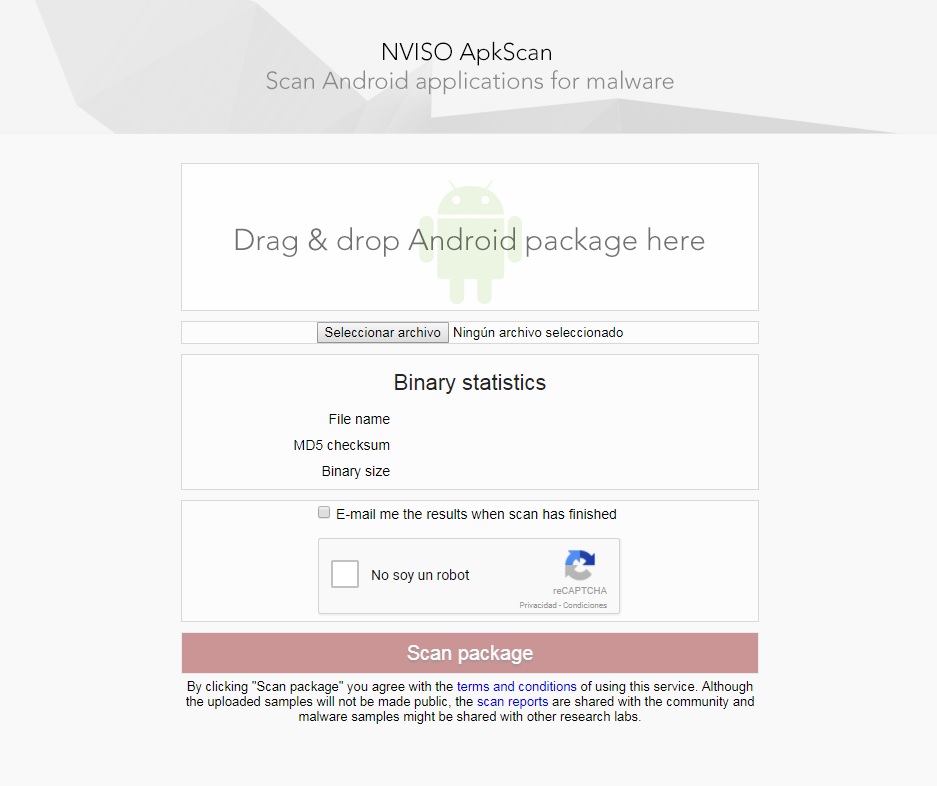
For this, we recommend NVISO ApkScan. This website is becoming a trusted resource in the online community. Why? Because it meets your needs perfectly: making sure there’s no virus in the app you want.

Using it is as simple as dragging the file into the box (or uploading it); the platform takes care of the rest. In addition, you can ask to be sent an email with the data of the analysis. Just check the box that appears above the captcha.

Once you click on the Scan package, be patient, since the analysis usually takes a few minutes. When finished, you have two possible options: one, it’s clean (you can install the app worry-free) or two, it’s infected. If the second happens, the tool will give you extra info.

Google Play Services Download Free
8

You can now mute accounts on Instagram. Here’s how.

Tired of seeing pictures of your old roommate’s dog on Instagram every. single. day? As much as you might love ol’ Scraps, your old roommate should really throttle back on the pictures. Until he gets his act together, you might want to mute him. Starting now, you can.

Instagram Download Instagram
7

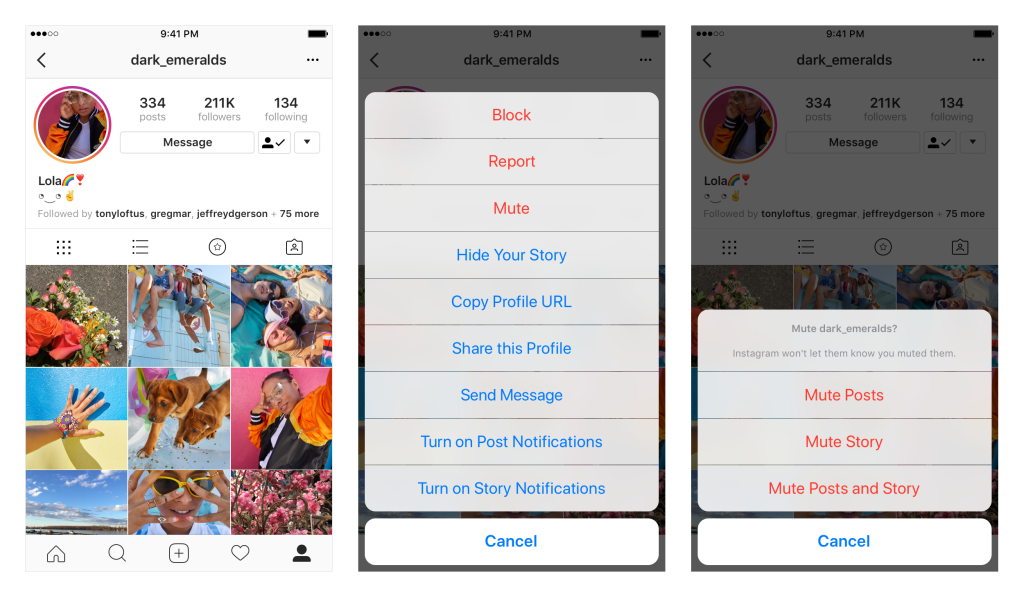
Instagram now allows you to mute accounts. That means you still follow them, but you won’t see their photos in your feed. If you ever want to check in on them, it’s as simple as going to their profile page. You can also unmute the account to return it (and all those dog photos) to your regular Insta-stream.

To mute an account, tap the … menu in the corner of the post. From there, you can choose whether to mute posts, or mute posts and stories from an account. You can also mute posts and stories by pressing and holding on a story in your tray, or from a profile.

So why not just unfollow someone instead? Consider that if you unfollow a private account but want to check in on them later, you’d have to ask permission again, and that could kick off an awkward conversation about why you unfollowed them in the first place. It might be safer just to mute someone and then you always have the option to reconnect down the road without drawing attention to yourself.

Instagram also wants to explain why they stopped sharing posts in chronological order, so if you’re curious about the random algorithm goofiness they’re sending your way, you can read more here.

And if you’re curious what we’re up to, why not follow Softonic on Instagram? We’d be honored.

You might soon be able to share your Facebook posts via WhatsApp

People are reporting on Twitter that the Facebook mobile app now includes a Share to WhatsApp button. This new button allows users to share their Facebook posts with friends on WhatsApp quickly. You can already do this of course, but it currently takes a lot more than simply clicking a button.

This new button appears to be only a test, for now at least, as only some people have reported seeing it. Facebook is yet to announce anything about a share to WhatsApp button, so we can only guess that we’re waiting to gauge public opinion on the matter before they press ahead with a broader release.

You’ll find the Share in WhatsApp button underneath the Write Post button when you click the standard share button on your post.

Facebook (Mobile) Download
8

This button is similar to Facebook’s Send in Messenger button. It is another example of Facebook making it easier for users to communicate across its multiple platforms and slip from one to another with a minimum of effort.

Do you think a Share to WhatsApp button for Facebook is a good idea? Let us know below.

WhatsApp Messenger Download WhatsApp
8

Use your phone too much? There is an app for that.

Have you ever noticed at the airport whenever you have a digital boarding pass the attendant will make you scan it yourself? They never want to touch your phone unless they have gloves on. That is because smartphones are disgusting these days. People are addicted to their smartphones and take them with them everywhere, including the bathroom. We need to do something to tackle smartphone addiction.

Source: Digital Trends

Of course, there is an app for that. There is a smartphone app to help you fight your smartphone addiction. You couldn’t make it up.

Siempo tries to calm everything down. Your smartphone is like a shop window for all those developers who’ve convinced you to download their app. Everything on your screen is designed to catch your eye and draw you in. It is no wonder you are addicted to smartphones when even app icons have been designed to stop you switching off. Siempo counters this by showing you a plain screen with plain app icons.

Another Siempo feature is that you can group notifications. Rather than constantly being buzzed you can ask Siempo only to let you know about app notifications at certain times of the day. This’ll mean your smartphone won’t constantly be trying to grab your attention even when it is in your pocket.

Siempo started out as a smartphone, but lack of interest meant it never made it to market. An app is much cheaper to develop for a wider release, though, so here we are. If you think you use your phone too much, it could be worth checking out.