Boost your Instagram Stories with licensed music

Instagram Stories has been an incredible success for the hippest of all the social networks. Stories has grown a monthly active user base of over 400 million people. People love sharing their Stories on Instagram and the social network has responded by continuously adding more and more features. Stickers, locations, GIFs and more have been added over time and Instagram is adding a really cool new Stories feature. You can now post stickers on to your Instagram Stories that play officially licensed music.

Instagram Download Instagram
7

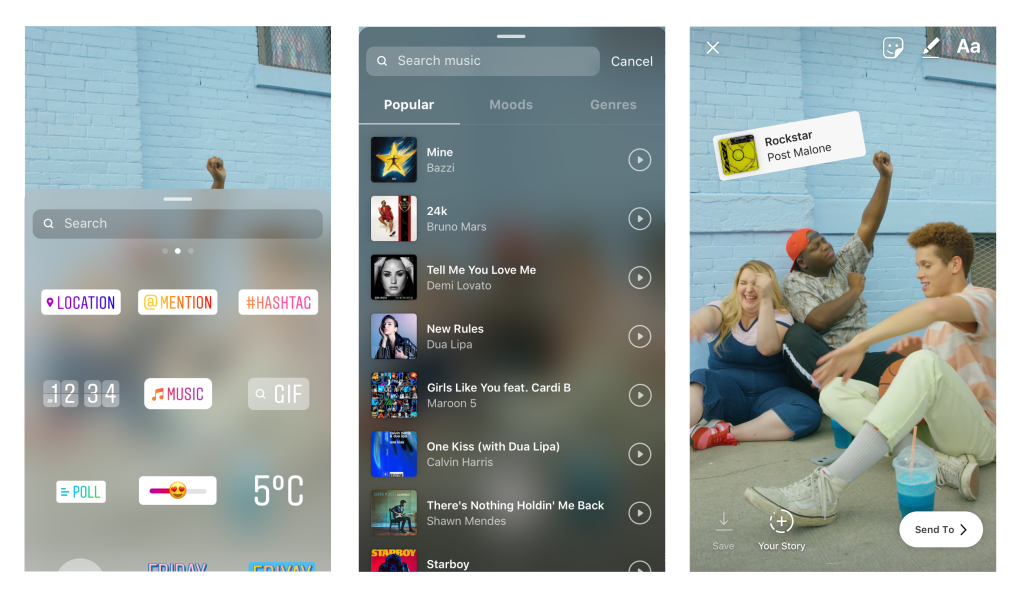
Instagram promises that the biggest songs from the biggest acts are available via the Music sticker and that more and more songs will be added every day. Putting licensed music into your Instagram Stories couldn’t be easier. Let’s walk you through it.

Image via: Instagram

How to add official music to your Instagram Stories

  1. Tap on the Add Sticker button when you’re posting a photo or video to Stories.
  2. Tap on the Music icon.
  3. You can search for your music by genre, mood, what’s popular, or for a specific song.
  4. Tap the song you want. If you want to hear a preview click the play button.
  5. Use the fast-forward and rewind functions to find the exact part of the song that goes with your Story.

When your friends see your story, they’ll hear the part of the song you picked. They’ll also see the music sticker telling them the name of the song and artist.

10
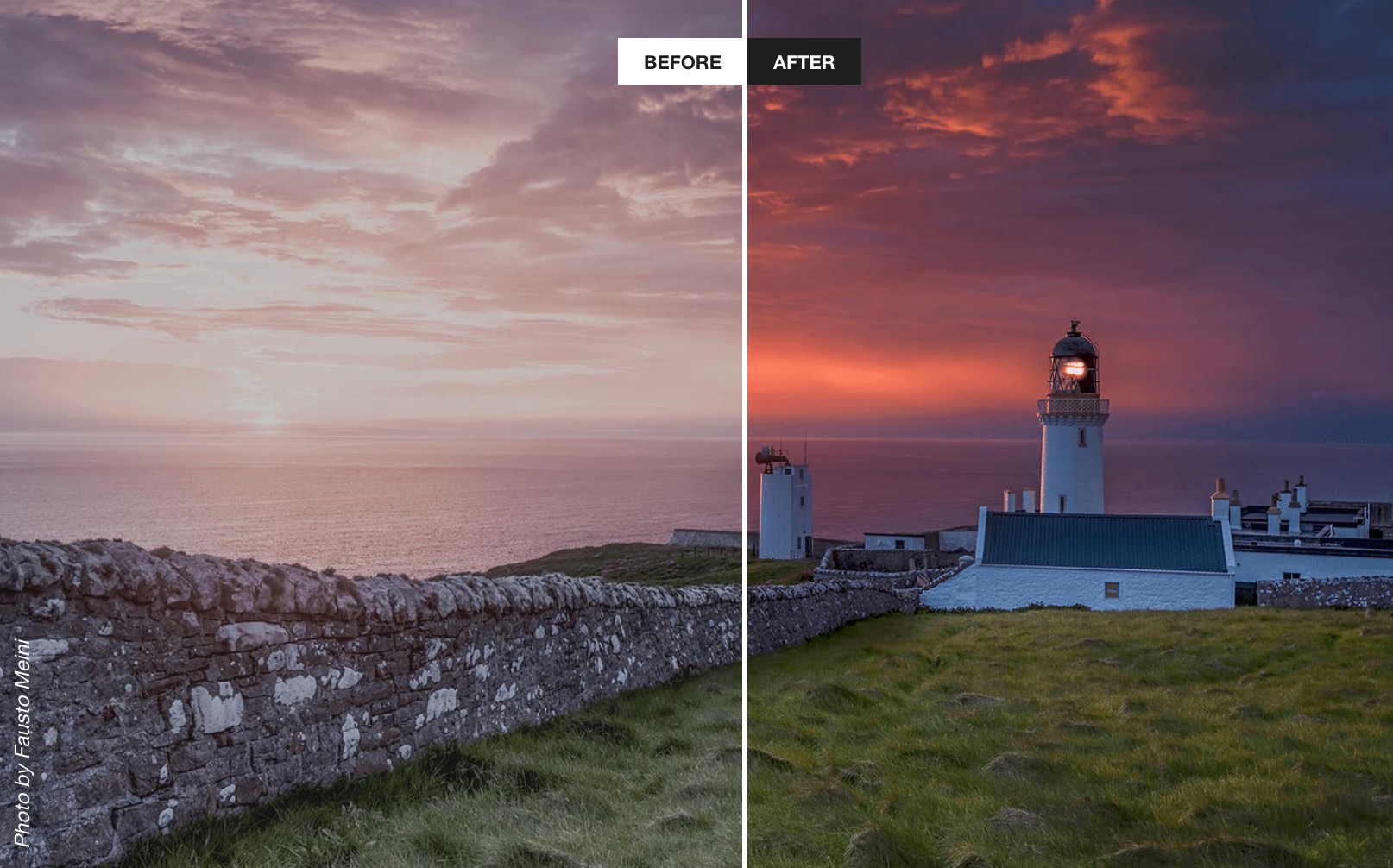
PhotoLemur uses advanced AI algorithms to automatically enhance your images. Using the special discount code SOFTONIC50% you can get PhotoLemur for an extra special low price. Don’t miss this chance to enhance your Instagram experience.

Will you be adding some officially licensed music to your Instagram Stories?


How to create professional music mixes (the easy way)

Music has changed a lot over the years. I remember taping my favourite tracks on the radio as a child, clicking the red button on the tape recorder just before the DJ started talking. Aside from revealing my prehistoric age, it’s an example of how difficult it was to get the music we wanted, when we wanted it. Back then, music came from physical media – records, CDs, and cassettes, if you could afford them, the radio if not.

Now, it’s Spotify, iTunes, and Beatport. All the music you could ever want with just a few taps on your smartphone. It’s incredible, really. A small part of me still misses browsing record stores to buy a new album, and then listening to each track while gazing at the artwork. But enough of my nostalgia. Times have changed, and it’s now easier to listen, share, and create music than ever before.

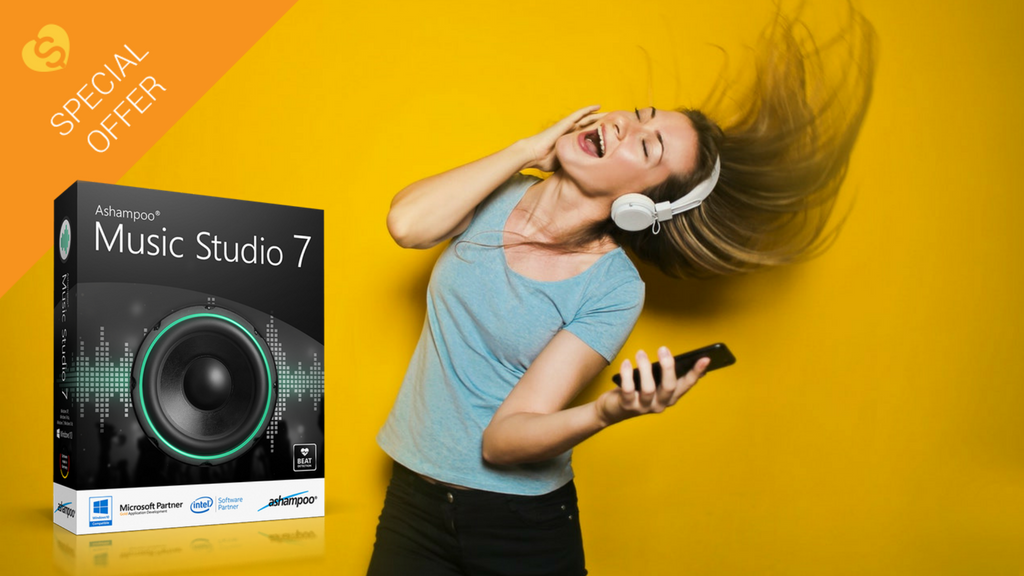
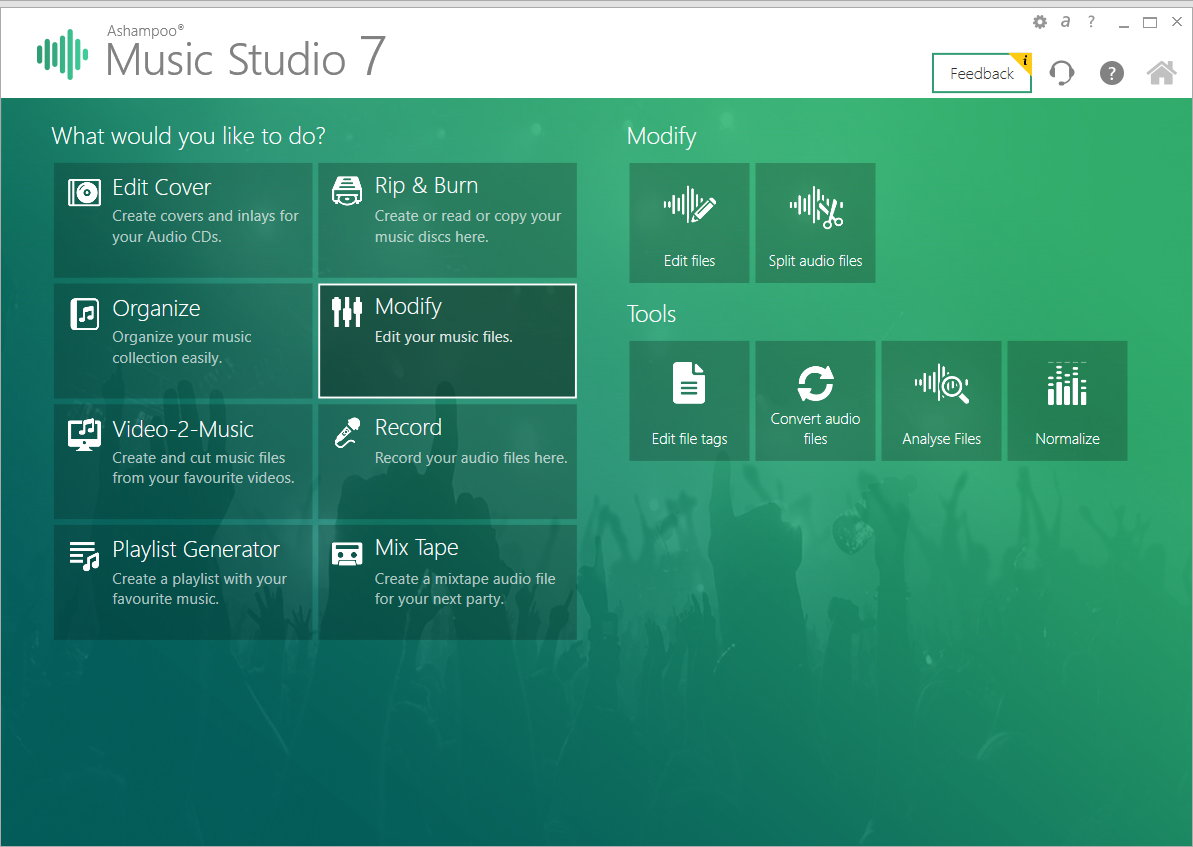
DJs have it particularly good. In the past, you needed to lug around flight cases full of vinyl or CDs. Now all you need is a laptop and a decent piece of music software. Streaming services like Spotify are fine to queue tracks or make simple playlists, but if you want to play at parties, weddings, or other important events, using a virtual studio like Ashampoo Music Studio 7 will make you sound like a pro.

If you’ve ever DJ’d with decks and a mixer, you’ll know how difficult it is to beat match your music. Every track has its own BPM (beats per minute), and if you don’t match them perfectly, your mix will sound like two washing machines having a fight: noisy, industrial, and extremely unpleasant. Music Studio 7 perfectly synchronises BPMs by analysing the speed of each track, and choosing the best moment to start blending them together, so you get the perfect mix, every time.

Creating a playlist is easy; making it your own is tough. The engineers over at Ashampoo understand that if you want to stand out, you need your own style. They’ve included a comprehensive set of editing tools in Music Studio 7 which can turn a mediocre setlist into something really special – including a triple track mixing desk, fader, equaliser, and pause detection for splitting live recordings and then mixing them with other sounds.

When designing your musical journey, you’ll need to work with a range of different files, from MP3s to FLACs, and Ashampoo Music Studio 7 supports them all. You can play, convert, or save in any file system you want, including playlist files, so your mixes can be listened to on any digital platform or device. You can also extract audio from video files, so if you fancy dropping in a sample or two from your favourite movies, you can. Music Studio 7 will even convert them into ringtones for you.

If you plan on publishing your mixes, use Music Studio 7 to create the album covers, and then upload the cover with your mix online. Or if you’re old school, burn your mix with the included burner and print the CD inlay – useful if you’ve got an aunt somewhere in the sticks who loves your techno remix of Jingle Bells (best Christmas gift ever?).

We love Ashampoo Music Studio 7, and at just $19.99 it’s worth buying for the mixing features alone. You might not need to prowl record stores anymore, or heave boxes of vinyl to your latest gig, but you still have to work on your playlists. So get Ashampoo Music Studio 7 today and discover your inner DJ.

Get better internet for 12

The internet is the backbone of society. Never before has it penetrated so widely or so deeply. It’s in virtually everything we do, from shopping to hiring a taxi.

We rely on the internet so much, it’s easy to get frustrated when it’s not working. We often sit at the laptop, fiddling with wifi settings, IP addresses, and DNS servers to boost speeds or fix faulty connections. The problem is, we often make things worse.

When things are going well, we tend to spend our time enjoying the fruits of the world wide web instead of learning how they grow. But when things go wrong, troubleshooting can be an overwhelming, confusing, and intimidating experience.

Although we’re dependent on the internet for almost everything, few of us understand how it works. Forums and YouTube tutorials help with the basics, but can only do so much. Internet connections fail in a thousand different ways, and understanding the root cause and the means to fix it often require specialist knowledge many of us lack.

Nevertheless, when Netflix pixelates or Spotify won’t connect, we don’t want to waste hours on the phone to our ISP (Internet Service Provider). Going through the motions with tech support can be gruelling, especially if you’re unsure of what you’re describing, and more often than not the problem is a simple one. If only you had an expert on hand to analyse and optimise your internet connection, everything would be fine…

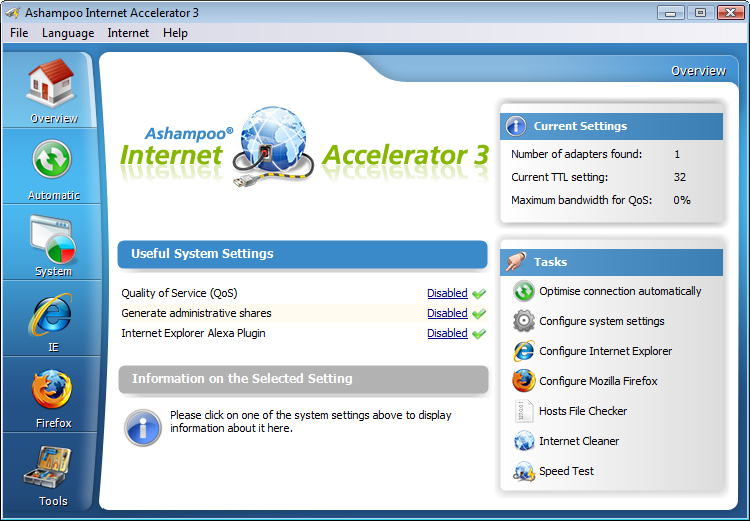
Well, now you can. Ashampoo Internet Accelerator 3 will solve most internet connection problems in a single click. Ashampoo has assessed many of the common internet connectivity issues and programmed Internet Accelerator 3 to identify and fix them automatically, without your help. Not only does this save you time reading technical forum posts or on frustrating calls to IT support, but also prevents misdiagnosis, which can make a simple problem worse.

Internet Accelerator 3 works by analysing your computer’s internet settings. Then, it configures these settings to increase the speed and stability of your connection. It’s all done automatically through a clean, simple user interface, so you can choose just how involved you want to be. Advanced users can view and change the settings themselves.

Aside from fixing common internet problems and boosting performance, Internet Accelerator 3 also speeds up browsers like Internet Explorer and Firefox. It’ll clean up old temporary internet files and cookies, too, freeing up hard drive space for more important content.

Ashampoo Internet Accelerator 3 ensures you’re getting the fastest, stablest connection without opening a help page or dialling a support line. Download it today for just $12 . That’s better internet performance for less than a breakfast.

YouTube Music and YouTube Premium launch in 17 countries

Image via: Pexels

YouTube has finally launched its much talked about new services YouTube Music and YouTube Premium in 17 countries around the world. Users in countries such as U.S., Australia, New Zealand, Mexico, South Korea, Austria, Canada, Finland, France, Germany, Ireland, Italy, Norway, Russia, Spain, and Sweden can now access YouTube’s new paid-for services.

There are two versions of the new YouTube Music. The free version presents us with the popular YouTube music that we like. Theoretically, the recommendations will be greatly improved thanks to improvements to YouTube’s search algorithms. It’ll also offer full albums, singles, remixes, playlists, etc.

YouTube Download Free
8

For $9.99 a month users gain access to the paid version of YouTube Music, offers an ad-free experience and the ability to listen to YouTube in the background, with the app minimized. Paid users will also be able to download tracks for offline listening.

As many YouTube users listen to music on the video platform, it has been trying to crack a paid-for music service for some time now. Let’s see if YouTube Music finally makes the breakthrough and offer some serious competition to the likes of Spotify.

YouTube Go Download YouTube Go
8
YouTube Go is a free, official app from Google that provides a variety of features that make the YouTube more bandwidth-conscious and help avoid buffering while on the go.

For an extra $2 a month users can subscribe to YouTube Premium for $11.99 a month. YouTube Premium offers everything that comes with the paid version of YouTube Music, but also provides a premium service for all YouTube videos. Subscribers to Premium won’t see any ads, will be able to download videos, and will also get access to YouTube Originals.

YouTube Originals is the home of YouTube’s original series and movies. Some of the more prominent YouTubers make many of these, but YouTube is trying to compete with the original content produced by Netflix and HBO with Originals. The video platform offers creators production budgets so that they can create higher quality videos than usual.

What do you think of YouTube’s new services? Will you be signing up?

How to transfer photos from your phone to your PC wirelessly

Back in the day, transferring photos from your cell phone to your PC required cables, drivers and a ton of tedious processes. Over the years, it’s become simplified to the point that now you only have to connect a cable between your PC and your smartphone. End of story, right? Today at Softonic, we’ll take your skills to the next level and teach you how to transfer photos from your phone to your PC wirelessly. 

Windows Photos

Many people got angry when the Image Viewer on Windows was removed in favor of Windows Photos. In reality, this app works better than the previous one. Windows has actually enhanced how we see images within its operating system.

Windows 10 Download Windows 10
8
The latest and greatest version of Microsoft's operating system.

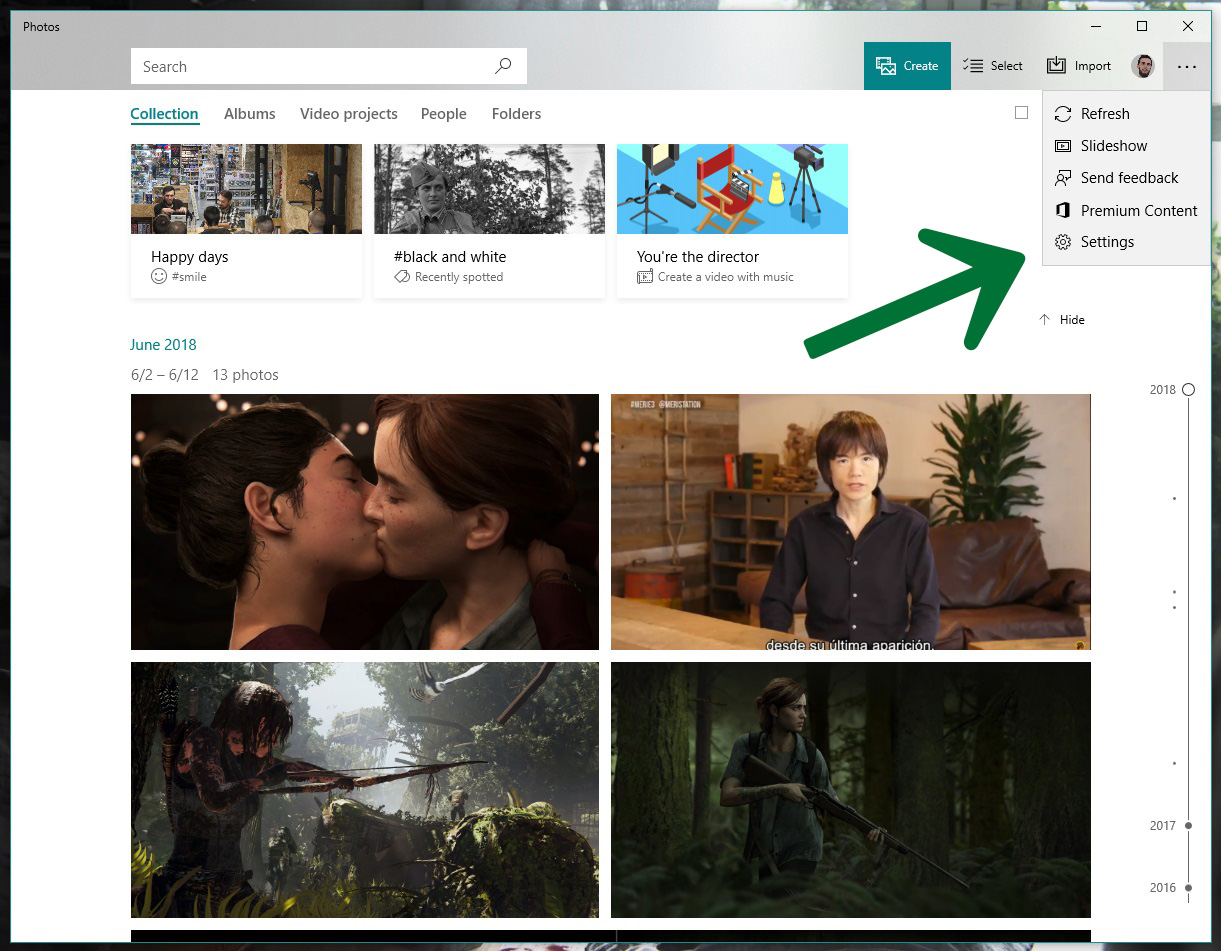
You need Windows 10 to transfer photos wirelessly. If you have it, the next step is to open it, click on the icon with the three dots on the top right and click on “Settings.”

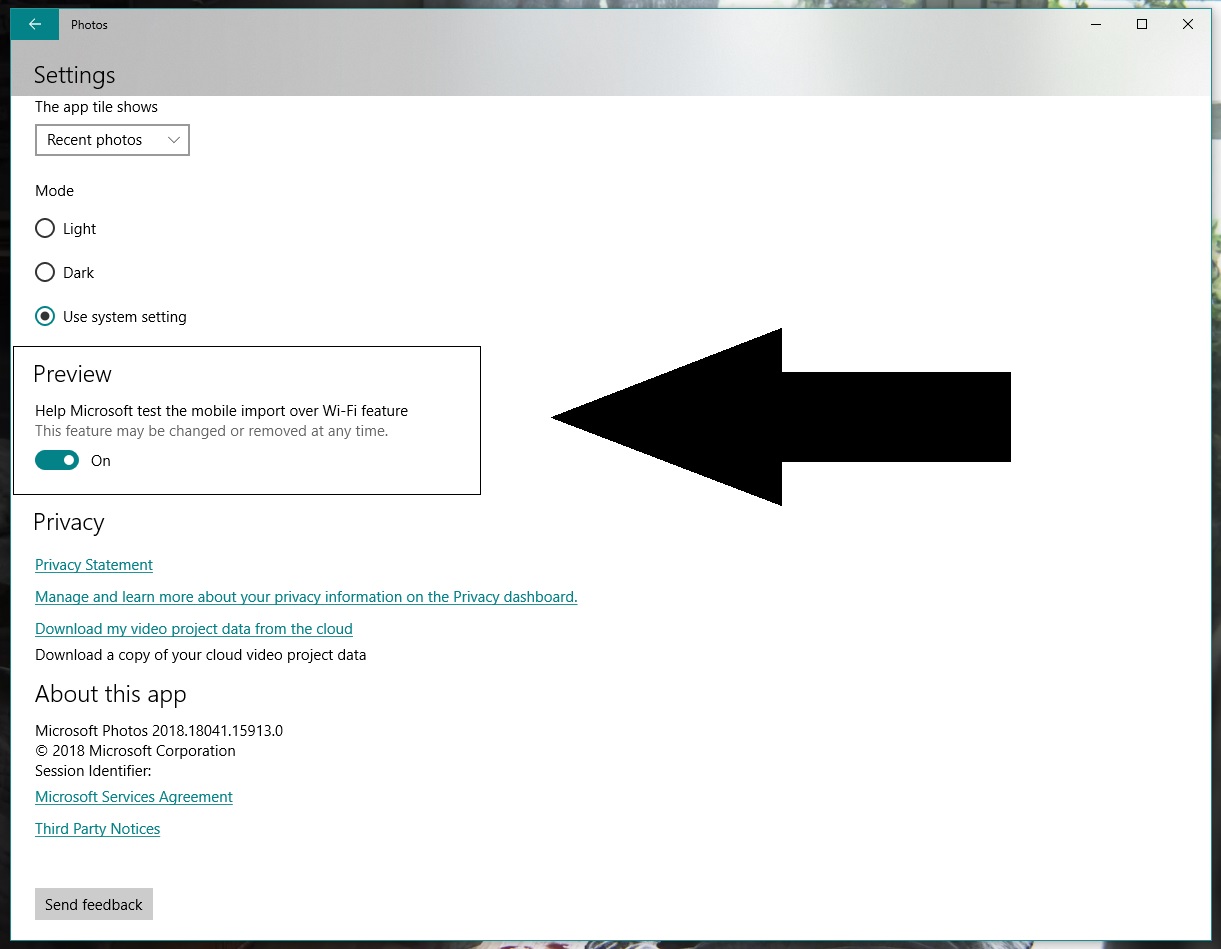
Go to the bottom and look for an option called “Preview: Help Microsoft test the mobile import over Wi-Fi feature.” Generally speaking, this button is disabled, so you should switch it on.

Let’s go to your cell phone now and download the Photos Companion app from the store. It’s available for iOS and Android.

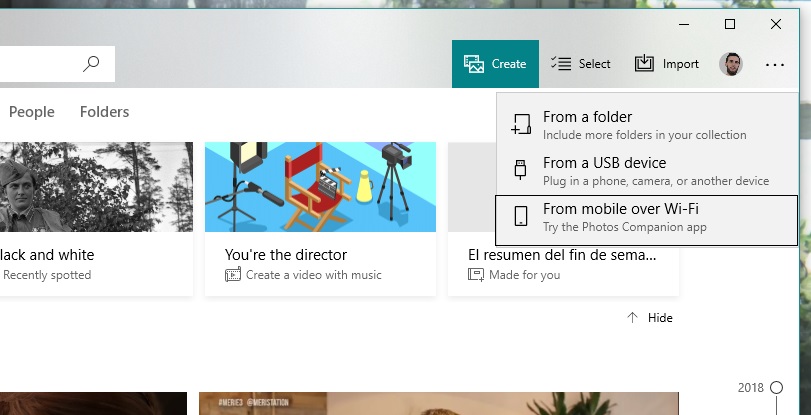
Once installed, the first thing you’ll see is “Send photos.” Do this and the camera will open to scan a QR code. Return to your PC. Once you’re inside Windows Photos, click on “Import” and now you’ll see a field called “Import from mobile over Wi-Fi.” Click on it and you’ll have the QR code it requested.

Finishing up is as easy as selecting the images you want to transfer to your PC, clicking on “Done” and the Wi-Fi connection will do the rest. As usual, the more photos you have, the longer the process will take. Things will also slow down if there are a lot of people connected to the network you’re using.

Remember that this system of transferring photos is already streamlined for the next time you use it, since you only need to directly scan the QR code and click send. Happy transferring!

Why Snapchat’s latest update is making fans angry

When it comes to updates, things go one of two ways. Either everything goes live and users sing your praises, or users hate the changes and will crucify you on social media (hello, automatic U2 album download).

So, when Snapchat released their newest update back in January, like anyone with the best intentions, they were probably hoping for praise. But what they got instead was a bucketload of grief.

Giving their thoughts on the upcoming changes, the company wrote:

“Until now, social media has mixed photos and videos from your friends with content from publishers and creators. While blurring these lines has been an interesting experiment, it has also produced strange side-effects (such as fake news) and made us feel like we have to perform for our friends, rather than just express ourselves.”

Snapchat Download Free
8

After the update was released in January, it became clear users were unhappy. In fact, the update has gone down like a lead balloon tied to a piece of concrete. Users aren’t keeping quiet about their displeasure either. There is currently a Change.org petition with 1,253,605 signatures at the time of writing, asking for Snapchat to rollback the design of the app.

So, to help you through the pain of the update, we’re going to take you through everything that’s changed.

Swipe left – Friends
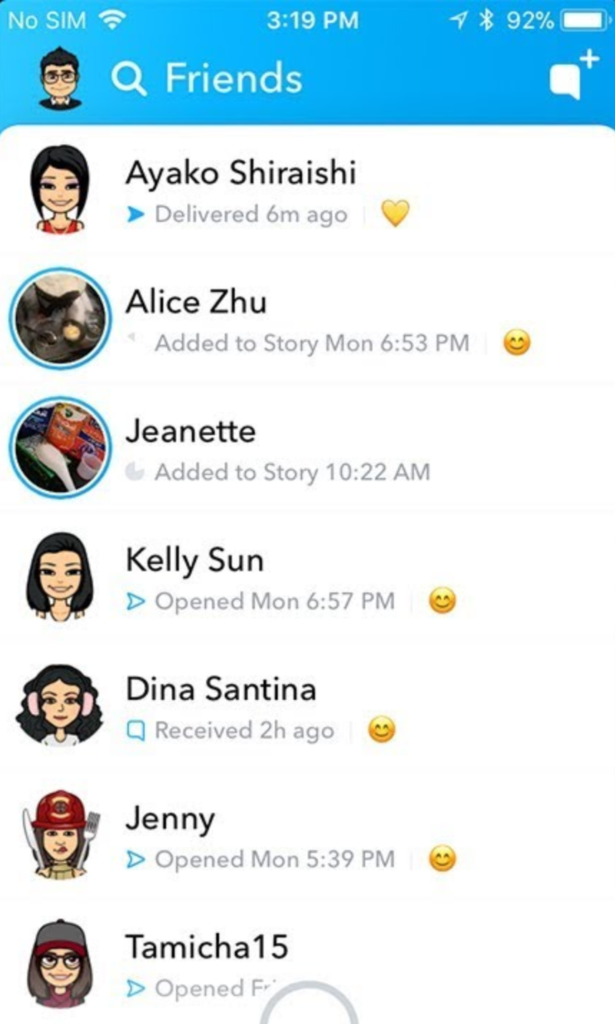
Everything to do with friends is now in one place.

Where stories used to be viewed by swiping right – and more on that later – now friends, messages, and stories are all combined in one place. It’s a bit messy. If a friend posts a story, you’ll see a preview picture. Click on their profile pic to be taken to the story.

You can only see recent contacts’ stories now, so if you haven’t ever messaged someone, you’ll need to make contact with them before you can see their stories.

Swipe right – Discover
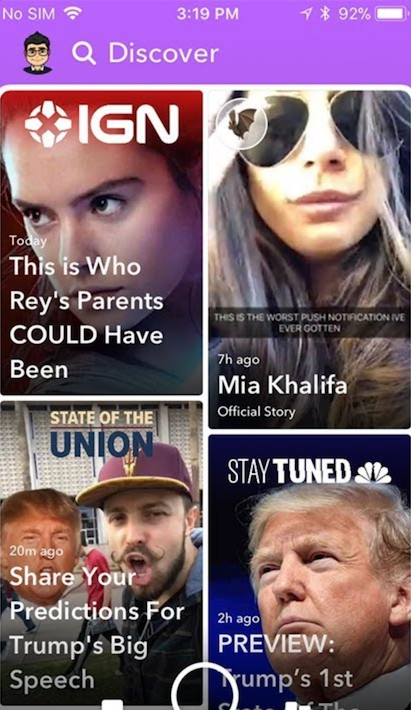
Another big change: swiping right no longer takes you to the stories page. Instead, you’ll see influencer content, paid-for ads, and friends’ stories appearing together in the new Discover feed.

There’s very little information about how Snapchat chooses what to show you, and a lot of people are annoyed about seeing lots of content they have no interest in at all.

If you want to see less from a particular source, long-press on a tile, and select “see less of this”.

Other changes

While the biggest changes are to the Friends and Discover tabs, there are a few other features worth mentioning.

  • No easy way to mass clear conversations. You can’t clear all from settings anymore, and have to long-press on each conversation, then select settings > clear.
  • No easy way to see the number of views on your posted stories, now you have to view these within your profile page.
  • No more animated profile pictures. Instead, Snapchat replaced these with Bitmoji Deluxe.
  • Our Story now makes you disclose your location by default.

Do we think Snapchat will change anything back? They did respond to the Change.org petition on the February 20, telling users:

“In the coming weeks, we are introducing tabs in Friends, and Discover, which will make it easier to find the Stories that you want, when you want them … You’ll be able to sort things like Stories, Group Chats, and Subscriptions, allowing you to further customize your own experience on the app.”

So, clearly, they know that something needs to change, and it’s hard to argue with a petition with over a million signatures and plummeting scores on app stores. But, will those people get what they want? We’ll see.
The 5 best YouTube tech channels

YouTube is one of the best sources of high quality, independent reviews and opinion on the latest tech trends. Whether it’s a 3-minute unboxing of a new smartphone, or an hour-long review of a gaming chair, you’ll find all the detail you need at a time that suits you. 

An easy way to stay up-to-date is to subscribe to YouTube tech channels. As these are a mix of professional and amateur videographers, the quality of the videos and content does vary a bit. So, in an effort to separate the great from the not-so-great, we’d like to recommend our favorite Youtube technology channels for you to enjoy.

1. MKBHD

Run by the charismatic Marques Brownlee, this channel is famous for both the quality of its reviews, and for the videos themselves. 

MKBHD mainly focuses on phone and desktop reviews, but he also fights for the social good by exposing things like the truth about Beats by Dre headphones, and the five most overpriced pieces of tech.

Marques’ technique is very professional, with great camera work and super-slick editing. Plus, you never leave one of his videos without having learned something new – the hallmark of a great channel.

2. Unbox Therapy

Ah, life’s simple pleasures. Warm spring days, birds singing in the trees, and peeling screen protectors off your new phone. This channel, as the name suggests, is related to the unboxing and unpacking of brand new consumer electronics, and the first impressions of these shiny new toys.

Again, the camera work is fantastic, the host is charismatic, and there’s always something interesting to watch, like unboxing the most expensive mechanical keyboard in the world.

3. Android Authority

If you’re looking to know everything, and we mean everything, about Google’s mobile operating system, this is the channel for you. They don’t call themselves the authority for nothing.

The channel has a review of just about every Android phone ever, plus a plethora of other useful and interesting videos such as how to install a tablet in your car, visits to Android factories, and a huge number of panic-inducing drop tests.

4. Austin Evans

This channel has a bit of everything: best / worst lists, unboxing, talks about Bitcoin and tech in general, and a huge number of reviews including various phones, tablets, laptops, and even cars. 

Where this channel really shines is the sheer depth of information Austin gives on building your own Gaming PCs. Ranaging from the super budget ($50), through to mid-range ($750), and right up to the ultra-high end ($4,000).

Austin seems like a good guy, and his hair is always perfect. Oh, and he tried a $700 vacuum cleaner once so… there’s that.

5. Softonic

Well, no list would be complete without a bit of self-glorification, would it? Our own channel covers a whole host of the best and most useful information we have on our website, but in easy-to-digest video form. We review the latest apps, provide advice and tutorials, and answer such burning questions as “How can I kill Pou?“

That completes our round-up of the best YouTube tech channels. Subscribe to them all and you’ll always have something fun and interesting to watch!

Hollywood or home movie? How to get the most out of your smartphone content

Are you making the most of your smartphone?

Photos, videos, music – you name it, chances are your smartphone can do it. Heck, you can even film your own award-winning, critically-acclaimed movie with an iPhone 5S.

Your smartphone empowers you with all the tools you need to be creative, without the need to buy lots of expensive hardware. And while this is great, it’s only as good as the effort you put into it. No point in having a 12MP camera if you’re not going to use it, right?

So what do you do with your smartphone content? Share it on social media and wait for the likes to pour in? Why stop there? Why not take your content further and create ringtones from your favourite music, movies out of your happiest memories, or multimedia gifts for friends and family. Make use of your content in a meaningful way, or your creations will fade as quickly as the latest viral post.

At Softonic, we spend a lot of our time working with and reviewing creative software to help you get more out of your content. One of our favourites is this multimedia suite from AVS4U that includes five simple yet powerful tools to convert, edit, and rework audio and video.

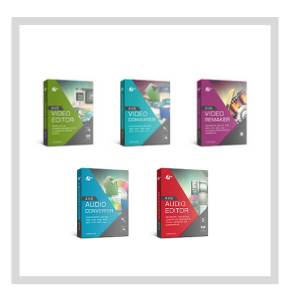
AVS4U’s suite includes the following five programs:

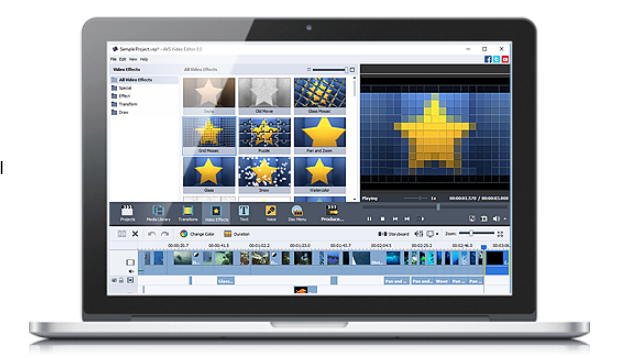
AVS Video Editor

A versatile, feature-packed editor to splice, split, and enhance your smartphone videos. AVS Video Editor takes you through the entire movie-making process, from helping you storyboard your ideas to correcting hand-shake, exposure, and colour. Choose from over 300 effects to really make your video project stand out.

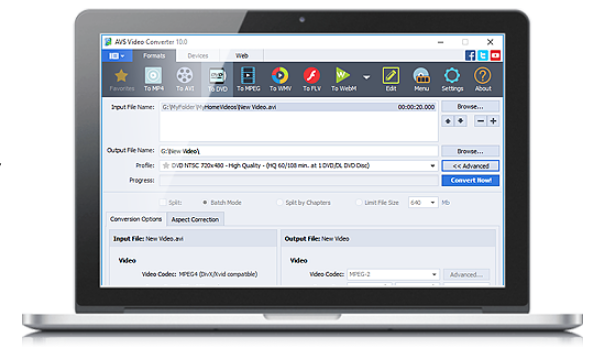
AVS Video Converter

AVS Video Converter does exactly what it says – takes virtually any file format and converts it into another of your choosing.

If you’re creating a wedding video, for example, and want to include guests’ smartphone footage, you might find them in different formats. AVS Video Converter solves this problem by converting video clips into a single format for easy editing and playback.

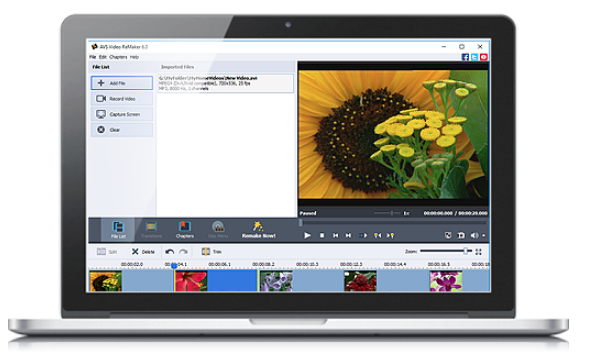
AVS Video Remaker

Imagine your friend sent you a video clip of her dancing at a party. She wants to upload the video to social media, but without the part where she trips over her heels and lands in the punch bowl. With AVS Video Remaker, you can remove the embarrassing moment and send the edited version back to your friend without reconversion. This ensures the original file remains compatible with her social media account.

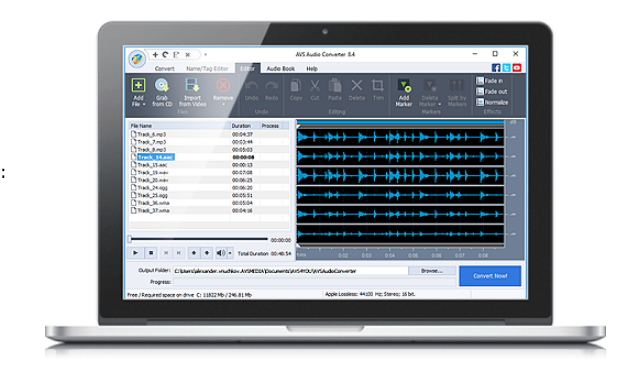
AVS Audio Converter

If your music library is filled with MP3s, FLACs, ALACs, and WAVs, but you’ve got a DJ playlist to create in less than an hour, you need AVS Audio Converter. It’ll take your preselected tracks and convert them to a single, universally-compatible file type and size (of your choosing), ensuring you can blow the roof off the party without fiddling with file types.

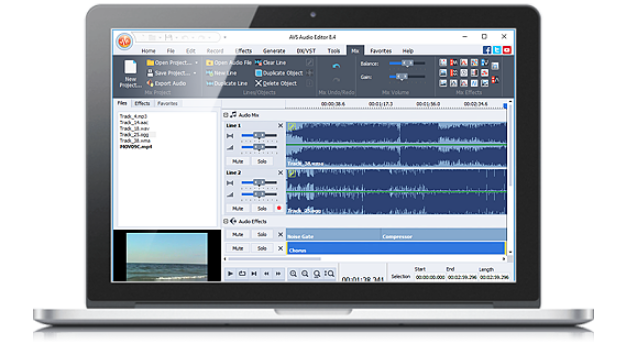
AVS Audio Editor

If you’re feeling creative, take that DJ playlist and add your own sounds, effects, and mix edits with the AVS Audio Editor. You can clean up interference, add echo or delay, cut, splice, and trim – even mix together several tracks at once like DJ Woody. It’ll even make ringtones out of your favourite tracks.

The AVS4U multimedia package costs just $29,50 (Introducing the coupon AVS-Softonic18), down from its original price of $59 (70% off ). That’s for the unlimited version. That’s excellent value for money, but don’t take our word for it – download and try it for yourself. But hurry – the discount ends soon, so avoid disappointment by downloading it today.

How YouTube chat works and what you can do with it

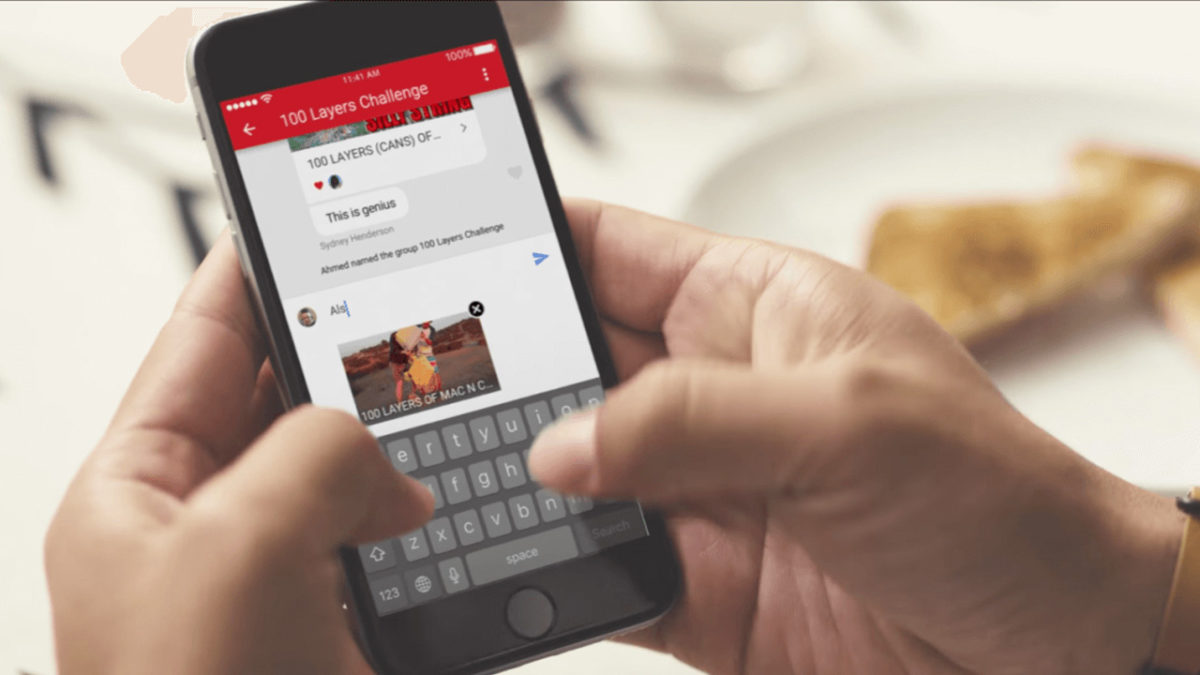
YouTube got non-stop updates in 2017. The video streaming platform knows that industry competition is fierce, so last year it launched a lot of new features, and developed some features that were already available but easy-to-miss. This is where YouTube chat comes in. Although it’s hard to believe, the system has a messaging service like WhatsApp or Facebook Messenger. Today at Softonic, we’ll tell you how YouTube chat works and what you can do with it.

Step by step

YouTube chat isn’t any different from what you see on major messaging services. In other words, you can write messages, send emojis and hold a normal conversation. However, the biggest difference is that everything is focused on YouTube. Instead of attaching videos or images, the icon is of sharing a YouTube clip. It’s a chat designed for browsing on the platform.

YouTube Download Free
8

For whatever reason, Google hid the chat feature in a place you’re unlikely to look. To chat, we’re going to select a video and click “Share.” When the menu opens, select the user you want to send the video to. Do this and the chat will open.

This screen is the main conversation interface, which hides some secrets. If you click on the three dots that appear on the top, the app will display a menu where some options appear, such as “View participants” of the chat, “Add participants,” “Delete chat” and “Mute notifications.” Of course, each name indicates what you can do under each.

In case you want to see the chat you’ve opened previously, all you have to do is click on “Activity” and then “View contacts.” There all your previous conversations will appear, as well as all possible chats of yours.

A big asterisk to this is that you have to have a confirmed name on YouTube or none of this will work. We spent about an hour looking for these options and couldn’t find them in the app, probably because we don’t want to use our real name on the site.

10 apps to celebrate Geek Pride Day

Geeks, unite! Today, May 25, we celebrate geek culture. On this day, fans of sci-fi, fantasy, TV series, comics, video games, etc.… proudly declare their passion for the geek world. To honor your “Yep, I’m a geek!” pride, check out these 10 geeky-as-heck apps for your cell phone.

You’ll find all the download links for the apps at the bottom of the page…

infographics set and Information party Graphics vector

10 best apps for geeks

1. Voice Changer with Effects

Don’t let its generic name and icon fool you: this Voice Changer with Effects falls completely in geek territory. You can take on the voice of Optimus Prime from Transformers, Darth Vader, a zombie, a dragon, an alien… or even a ghost, whatever that means.

Download Now

2. Indiana Jones Whip

When you think of Indiana Jones, his faithful whip quickly comes to mind. This app makes the famous sound of Indy’s whip every time you shake your phone. Warning: the sound doesn’t come with a physical effect so it won’t help you train lions, for example.

Download Now

3. Star Wars Official App

Usually, official apps from big franchises are super boring. The official Star Wars app is a rare exception: it has an Augmented Reality feature, weather predictions for the Star Wars universe, the ability to unlock characters and ships… and you can even fight with a lightsaber or join the Dark Side.

Download Now

4. Stranger Things: The Game

If Stranger Things is an 80s-throwback party, its video game is nothing less. You’ll find references to Mario and Pac-Man throughout an adventure recreated in 16-bits, which was launched between seasons of the series. 100% free from start to finish.

Download Now

5. Gif Maker

Have you ever stumbled on a GIF from your favorite series or movie and thought “I could do something better?” Well, the moment has come to prove it to the world. With this app, you can go wild and easily create lots of GIFs.

Download Now

6. Instant Buttons

On this app, you’ve got popular sounds, plus the geekiest ones around. Just tap their eye-catching buttons and have a listen. And if your favorite sound isn’t available, you can add it yourself.

Download Now

7. SeriesGuide Show Manager

Do you follow TV series as they’re released in the U.S.? This app not only has the TV programming but also uses notifications to tell you when new episodes will appear. This app will free up all that space in your brain that you were using for planning and remembering what was on. Now you’ll have more space for… well… remembering the lyrics to your favorite openings.

Download Now

8. Comic & Meme Creator

Is your dream to make your own superhero comic or manga with “tsundere,” “senpai” and “mecha” characters? Well, with this app you can create stories from its extensive catalog of characters, items and backgrounds, to then share the final result with your friends.

Download Now

9. LINE Webtoon

If you like reading comics and don’t have LINE Webtoon, you’re missing out on a ton of digital comics, many of them from Western artists of all kinds: romance, action, comedy, epic sagas, short strips… All for free.

Download Now

10. Cinema Trivia Quiz

Think you know everything about cinema? The time has come to prove it with this cinema trivia app that is regularly updated to include the latest blockbusters. At the time of writing this article, there were over 1,500 questions awaiting you.

Download Now