Google and Disney want to add some magic to your kid’s story time

Google Home will now add sound effects and musical elements to Disney’s Little Golden Books

It is fair to say that today children live in a different world to the one kids were living in only a few years ago. This is thanks to mobile devices like smartphones, tablets, iPads and Nintendo Switches. There are now so many digital distractions for little ones to deal with, parents can be forgiven for worrying about whether their kids will be able to concentrate on more simple yet rewarding activities. Activities like reading, which will actually aid their development rather than just keep them occupied. Step forward Google Assistant and Disney.

Google Home will now add sound effects and musical elements to Disney’s Little Golden Books

Disney Google Home Little Golden Books

Story time is a magical time for kids, but with more and more vivid experiences available elsewhere, it has become much harder to get young children to focus on the simple task of reading words from a page. To combat this Google and Disney have teamed up.  The biggest name in tech and the biggest name in children’s entertainment have come together to try and turn the simple practice of reading into something that can compete with today’s multiple types of interactive entertainment.

Disney’s Little Golden Books include titles like “Toy Story 3,” “Coco,” “Alice in Wonderland,” “Peter Pan,” and many other classics and favorites. To make these titles more special, Google Home now has a brand-new skill that allows it to add relevant sound effects and music to go along with the story as it is being read aloud. All Google Home users have to do to activate the new skill is say, “Hey Google, let’s read along with Disney.” After that, the Google Home device will listen to the words of the story and know which sound effects and music it needs to play to bring the story to life.

Google Assistant Download now
8

Impressively, the system works on the words of the story alone, meaning should your little one want to skip to his or her favorite part of the story the Google Home will automatically catch up. In a blog post announcing the new skill Google said, “We wanted to reflect the way families actually read, so if you skip ahead in the book, Google Home will recognize that change and adjust to match the story. If you pause (because we all know kids love to chime in during story time), ambient music will play until you begin reading again.”

The Little Golden Books are already available up and down the country in the book sections of Walmart, Target, and Barnes & Noble. To get your hands on a Google Home click the link below.

-> See Black Friday offers from Walmart here <-

30%
Google Home

From: Walmart

$99 $129

YouTube makes it easier to subscribe to channels you love

You can now subscribe to a YouTube channel from a video embedded on another site

youtube

YouTube on desktop recently received an extremely useful new feature. Users can now watch videos while browsing the site for other videos and channels. And if that wasn’t enough, the site just rolled out another great feature.

YouTube Download Free
8

You can now subscribe to a YouTube channel from a video embedded on another site

YouTube is overhauling its embedded video player with new features. The embedded video player is the widget you see on other sites, allowing you to play YouTube videos. This used to be a very basic feature, simply showing a screenshot from the video, the play button, and some other basic information like the title. This new update now adds some other useful info and buttons.

Whenever you find an embedded video on a web page, like the one shown above, you’ll find the channel’s logo in the top right next to the video title. If you move your mouse cursor over the logo, it’ll open up to reveal the name of the channel and the number of subscribers it has. Crucially, hovering over the channel logo will also open up a subscribe button. This means if you find a YouTube video you love embedded on another web page, you’ll be able to subscribe to it right there with a single click.

This small update should offer a real boost to YouTube content creators as it makes it easier for them to connect with potential subscribers. Whereas having their videos embedded on other sites has always been a great way for them to collect video views, until now, embedded videos have shown very little information about who created them. Now, thanks to this latest update, users can not only learn who made the embedded video but also subscribe to their channel without having to leave the web page they’re currently on.

This new feature has been rolling out around the world for at least a couple of weeks now. As well as the channel information and subscribe button the new YouTube embedded video widget offers a couple of other useful features. On the top left of the video player users will find a Share button and a Watch Later button. The Share button will open up the standard YouTube sharing console and the Watch Later button will add the video to the watch later list of whatever Google account the user is logged in on.

Netflix ads: helpful interruption or worst thing ever?

Netflix is testing promos for other Netflix shows that will show up in between TV show episodes

yes, netflix is testing ads

As Netflix continues to conquer the globe, we’ve become blissful binge-watching zombies. That short countdown at the end of each episode doesn’t give us enough time to spring into action and hit stop before the next episode. But who cares? We’re getting the most out of our subscription! Soon, that could all change.

Netflix Download Now
8

Netflix is testing promos for other Netflix shows that will show up in between TV show episodes

Yep, it looks like your monthly subscription isn’t enough for Netflix anymore. The company is testing ads on its platform, but it isn’t all bad. In fact, if you believe the guys in Netflix’s marketing department these ads might actually be good for you.

Netflix is testing for other Netflix shows in the breaks between episodes. According to the bigwigs behind it all, Netflix will be running all sorts of algorithmic magic to ensure that the promos you’ll get will be for shows it thinks you will actually like. (All of this is based on your viewing history.)

The money men say this helps Netflix save money by not having to advertise so much on other networks. It appears Netflix is now big enough to be able to advertise to itself in order to make money.

There are a few other things to consider about Netflix’s ads, too. First off, each ad (or” promo” as Netflix wants us to call them), will only be 30 seconds long. We’re not talking an intrusive ad break here, just a short break from your constant consumption. Also, if Netflix ads get a wider roll-out to all users in their current form, you’ll be able to skip them. Not skip after however many seconds like on some YouTube ads, skippable as soon as they start.

This all means that technically they’re not real ads, they’re optional. In fact, they sound like nothing more than a multimedia version of the “Your Netflix” list that shows on the top of the screen every time you log in, or the recommendations you see after you finish a movie or complete a TV season you’ve watched from start to finish.

At the end of the day, whether these Netflix ads will make you angry or not is up to you. You’ll have the power to skip them if you wish so you’ll only be able to get angry about having to bother to hit skip. The other way of looking at it is that it might give you more of a chance to snap yourself out of the trance-like stupor “Stranger Things”, “Maniac”, or whatever it is you watch on Netflix always manages to ease you into. Having to hit skip might just be what you need to hit stop and then head out into the real world. We’ll just have to wait and see.

YouTube’s latest update could be its best yet

You can now watch a YouTube video on desktop and search for other videos at the same time

youtube

YouTube has been around since forever. It is the most popular video hosting platform by far, but that doesn’t mean it is the best. For a long time, YouTube has been missing a number of features that users have been crying out for. Now, one long-awaited feature is finally coming to YouTube.

YouTube Download Free
8

You can now watch a YouTube video on desktop and search for other videos at the same time

If watching YouTube videos while browsing the rest of the site sounds familiar, it is because it is. The feature has been available on the mobile versions of YouTube for quite some time now. Rather strangely, however, it has taken until now for the common-sense feature to reach YouTube on desktop. The new desktop feature is slightly different to the mobile version.

On a mobile phone, all you have to do to search while watching a video is select the video you want to play and then hit “back.” This will shrink the video down and show it playing in the bottom right of the screen while you get on with searching YouTube for more videos of cats being stupid. The desktop feature is a little more complicated to activate, though.

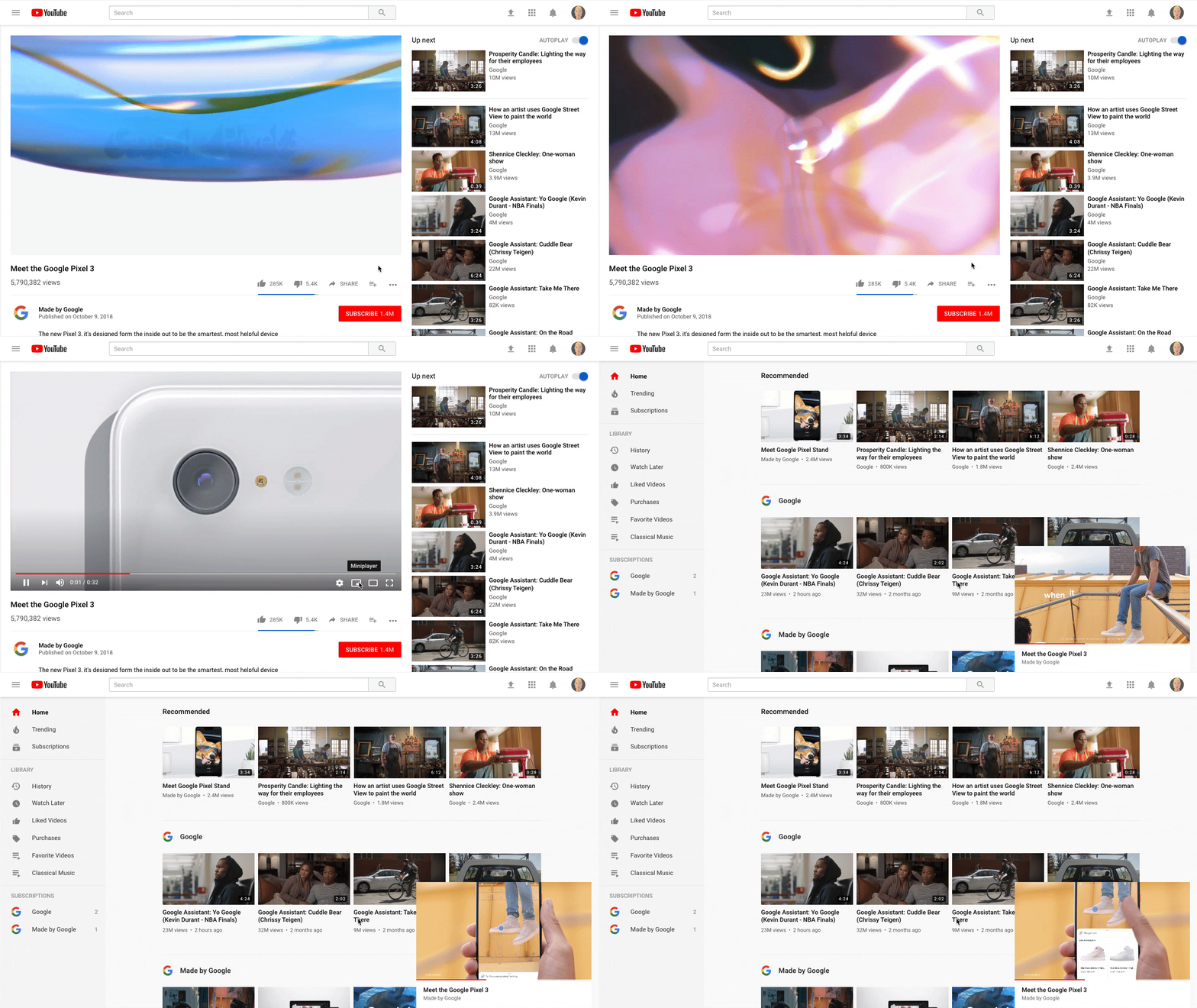
How to watch a YouTube video while searching for more videos

  1. Select the video you want to watch on YouTube and hit play.
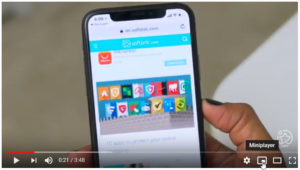
  2. While the video is playing move the mouse over and look for the new Miniplayer icon next to the Settings cog.  YouTube Desktop update video miniplayer
  3. Click the icon to shrink the active YouTube video into the bottom right of the screen.
  4. Continue using the YouTube desktop site as normal while your video plays.

This is the YouTube miniplayerThis is a simple enough update for YouTube, but it is one that users have been crying out for for a long time. Being able to watch videos while searching for new ones makes the whole YouTube experience much more user-friendly. It just leaves the question, why did it take so long for YouTube to add such a helpful feature?

Oh, by the way, if like us you want to be able to listen to music on YouTube while you’re using your phone for something else there is good news and bad news. The good news is that Google has added this very feature to YouTube. The bad news is that it is a part of YouTube’s new Premium service. If you want it, you’ll have to pay a monthly subscription.

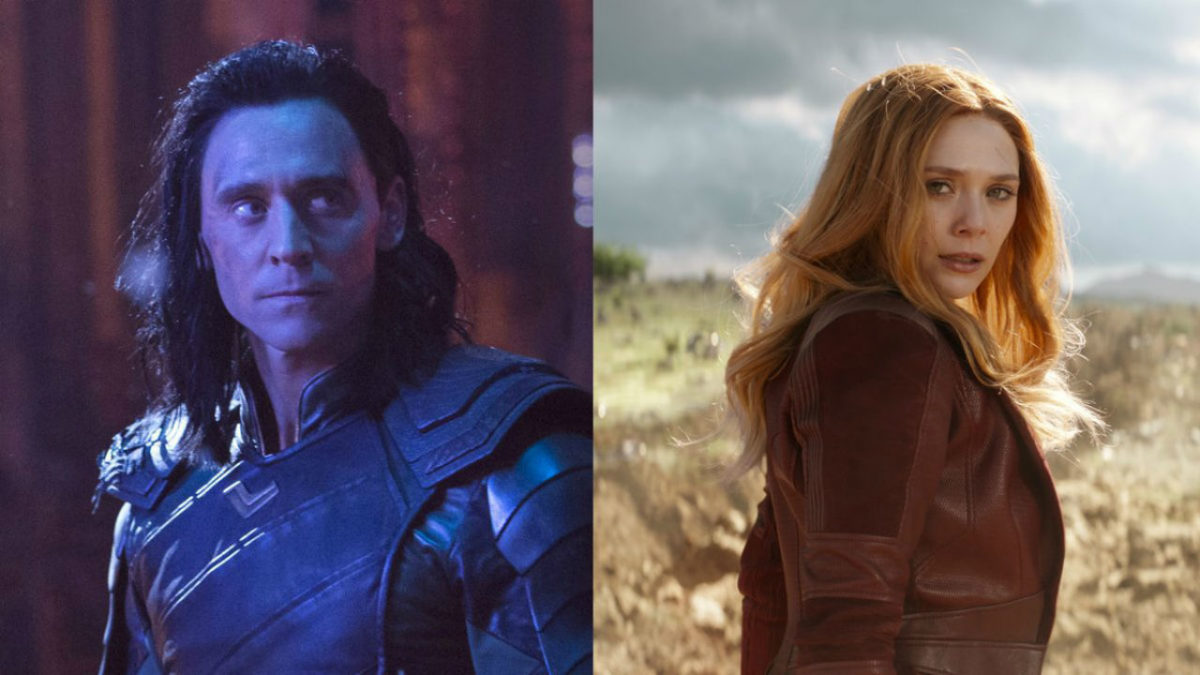
Disney reportedly planning shows for Loki and Scarlet Witch

Could Disney be cooking up some streaming series for two MCU characters?

According to sources at Variety, Disney is planning to jump-start its new streaming service with limited series for a few Marvel Cinematic Universe characters without their own movies.

If you’re one of the three people on earth who hasn’t seen “Avengers: Infinity War,” there are some SPOILERS below:

Loki

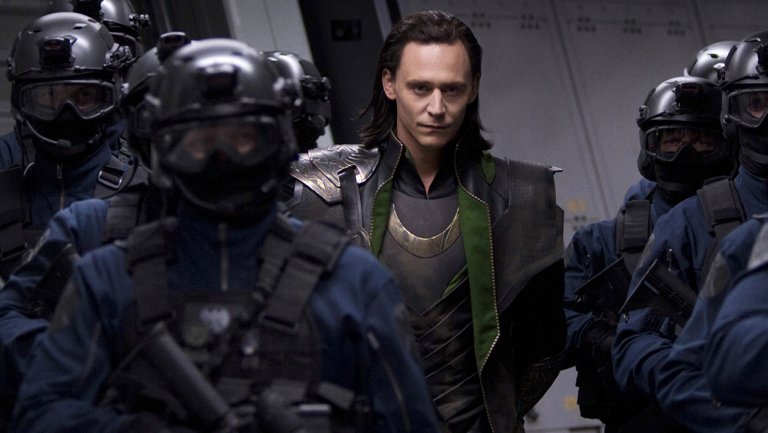
Tom Hiddleston’s Loki has become one of the MCU’s breakout characters. Though the MCU is often criticised for its paper-thin villains, Loki has become a fan favorite due to his ambiguous morality, strained relationship with Thor, and cunning personality.

His shocking death at the hands of Thanos at the beginning of “Infinity War” perfectly foreshadowed the tragic events of the rest of the film. Due to his demise, his miniseries would presumedly be a prequel. Loki’s disdain towards Thor and his non-royal heritage gives his origin story gravitas and weight, lending itself perfectly for a miniseries. It is currently unknown if Chris Hemsworth, Idris Elba, or any other members of the Thor cast will make appearances in the series.

Infinity War spoilers end here, slowpoke. Now join the rest of mankind and go see the movie.

Scarlet Witch

Wanda Maximoff (a.k.a. the Scarlet Witch) has a relatively unexplored backstory in the MCU. In the comics, she is the daughter of mutant freedom fighter/terrorist Magneto and a practitioner of chaos magic, which often sees her encountering characters like Dr. Strange and Dr. Doom.

In the movies, however, Wanda’s powers are the result of experimentation with the Mind Stone. Her pre-powers upbringing in the war-torn country of Sokovia is harsh, with her and her brother Quicksilver protecting each other from a civil war fought with Stark weaponry. It is unclear if the series will be an origin story or a continuation of “Infinity War,” but it is doubtful Disney would continue the story of “Infinity War” in any capacity before the release of Avengers 4, making it much more likely to be an origin story. Wanda’s upbringing and psyche are more tortured than most of the other Avengers, and a miniseries that explores her pain in detail would make for an interesting show.

These shows aren’t the only ones planned for Disney’s streaming service. A continuation of the fan-favorite “Star Wars: The Clone Wars” is in development for the platform, as well as shows based on “High School Musical” and “Monsters Inc.” While consumers are not pleased with every major studio coming out with their own streaming platform, Disney’s massive catalog of movies and TV shows, as well as original content, is sure to sway uneasy viewers.

How to write sheet music for free with MuseScore 2

In a hurry to write down a melody playing in your head? Are you looking to transcribe a rock song for your band to cover? Or maybe you want to hammer out a melody on your MIDI keyboard and have it appear on-screen next to you?

If the answer to any of these is “yes,” then MuseScore was created for you. Not only that – it’s totally free. You can grab it here right now:

MuseScore 2 Download Free
7

So this is like Finale or Sibelius?

Short answer: Yes.

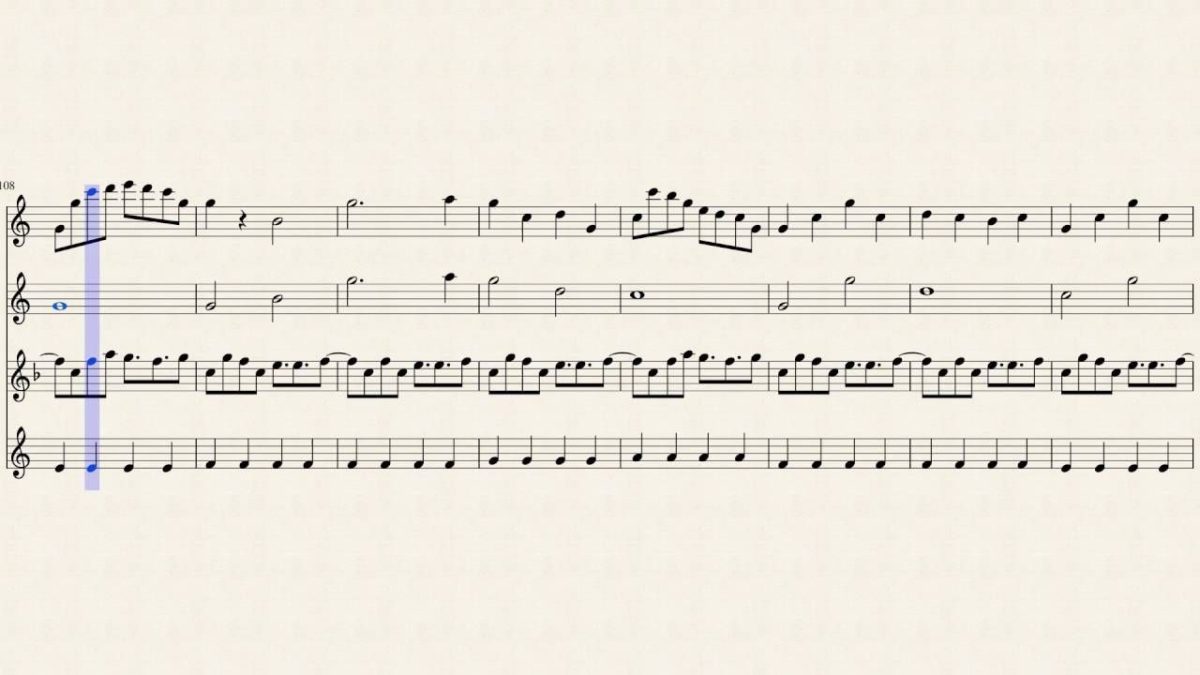
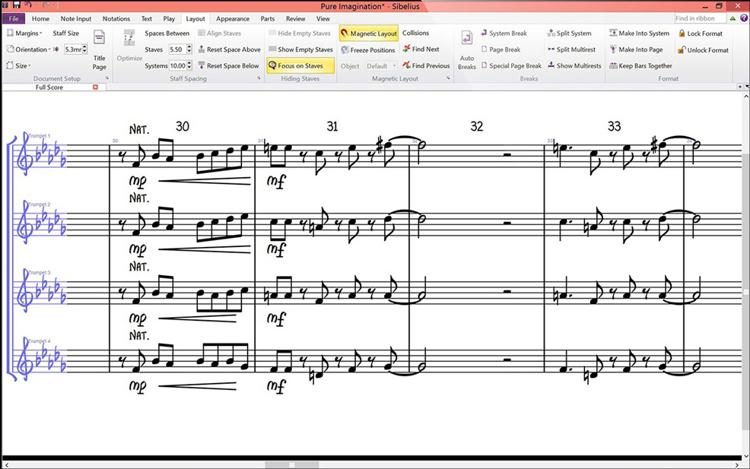
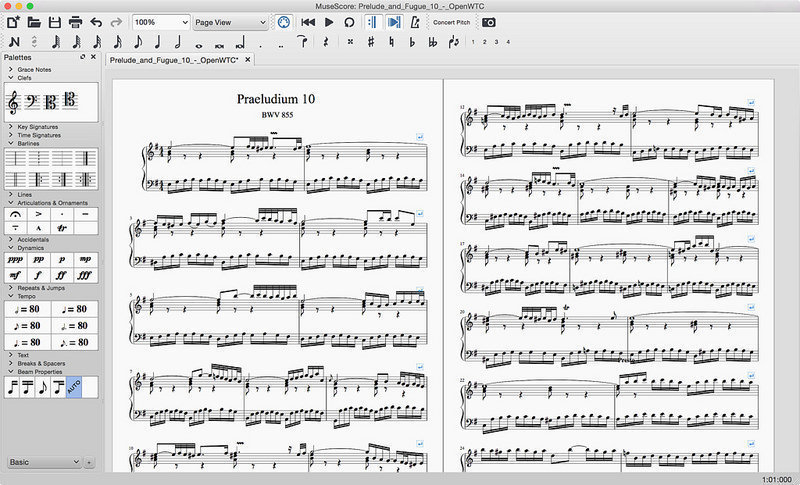
Long answer: MuseScore 2 is a score writer for Windows, Mac, and Linux – just like Finale or Sibelius – the latter of which can cost upwards of $600. Musescore 2 has practically all the bells and whistles of its more famous brothers: It transposes for you; notates for you; beams, splits, and orders measures; balances lines and complex rhythms; and even includes notation for articulations and accents. To the untrained eye, it’s tough to tell which of these two pictures is from the free program:

https://www.sweetwater.com/store/detail/Sib2018-e–avid-sibelius-with-1-year-of-updates-and-support-plan-perpetual-license-download
https://www.macupdate.com/app/mac/32164/musescore

So what’s the drawback?

The only limitation here is how quickly you’ll actually be able to perform these maneuvers. The learning curve for MuseScore is steep compared to learning Sibelius, and is certainly less elegant than Finale. After our first 45 minutes, though, we found the answers to most of our questions had been right in front of our face the whole time.

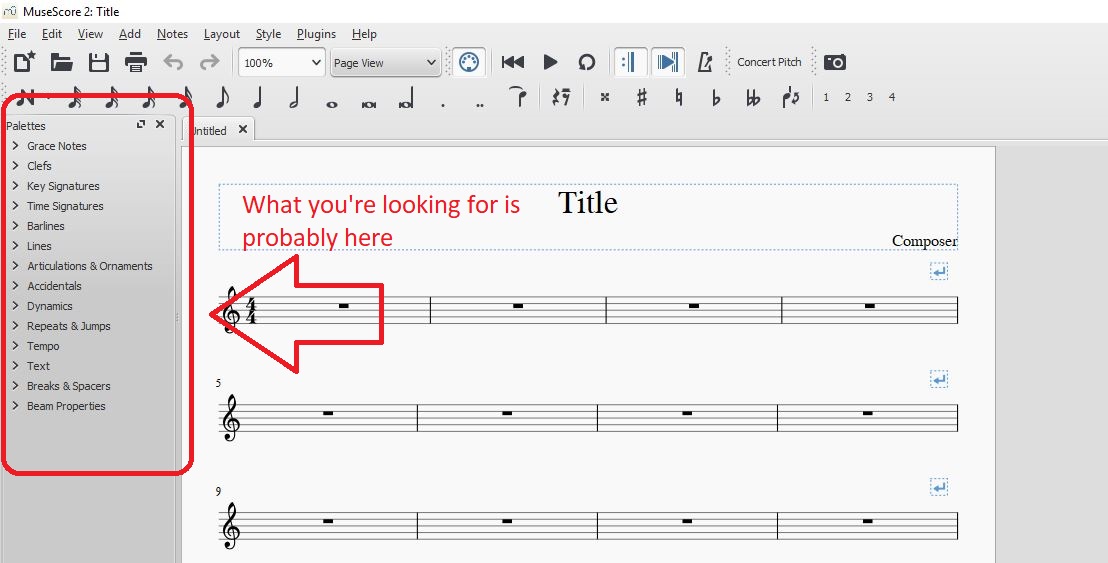
Anything that we didn’t find immediately in the main toolbar was buried under one of the tabs in the ‘palettes’ window on the left:

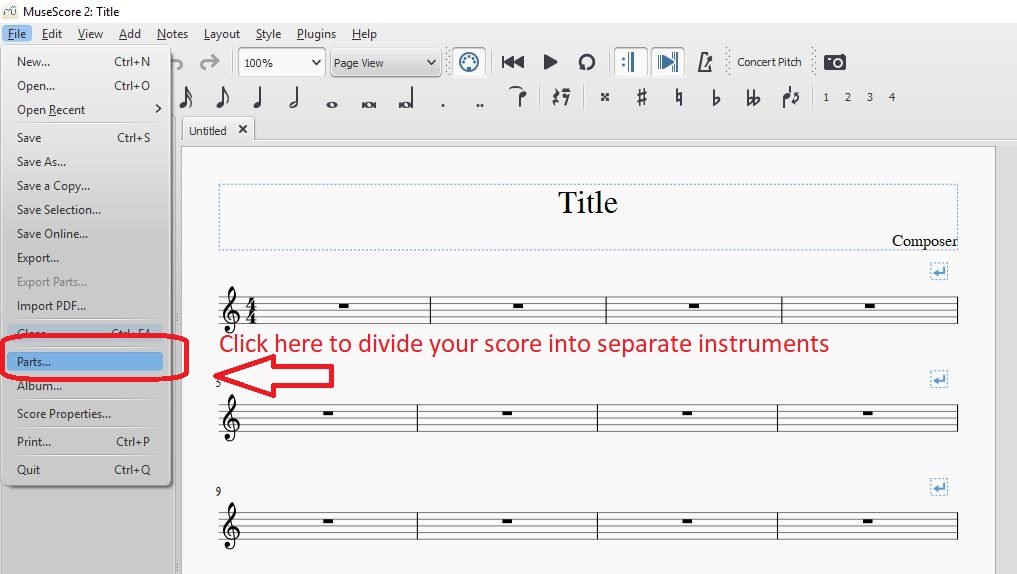
Playback options are as simple as hitting ‘play’ up top, and we were excited to find that upon completing our score, dividing it into separate instruments was as simple as clicking on ‘parts’ in the File drop-down on the top left:

What can I do with this program?

MuseScore 2 boasts a surprising variety of utilities, and really covers all the bases you can think when writing, arranging, or transcribing music. Its features include:

  • Add chords and lyrics to anything you write
  •  Play a MIDI keyboard in real time and see it dictated on screen in MuseScore 2
  •  Add, copy, repeat, or move large selections with the clipboard
  •  Upload your audio to MuseScore.com so others can listen to your work
  •  Reorder score tabs and add/remove brackets for accidentals
  •  Choose to add rhythms first, pitches later (useful if you’re transcribing in a hurry)

If you want to check out MuseScore 2 in action, it’s all here in this video:

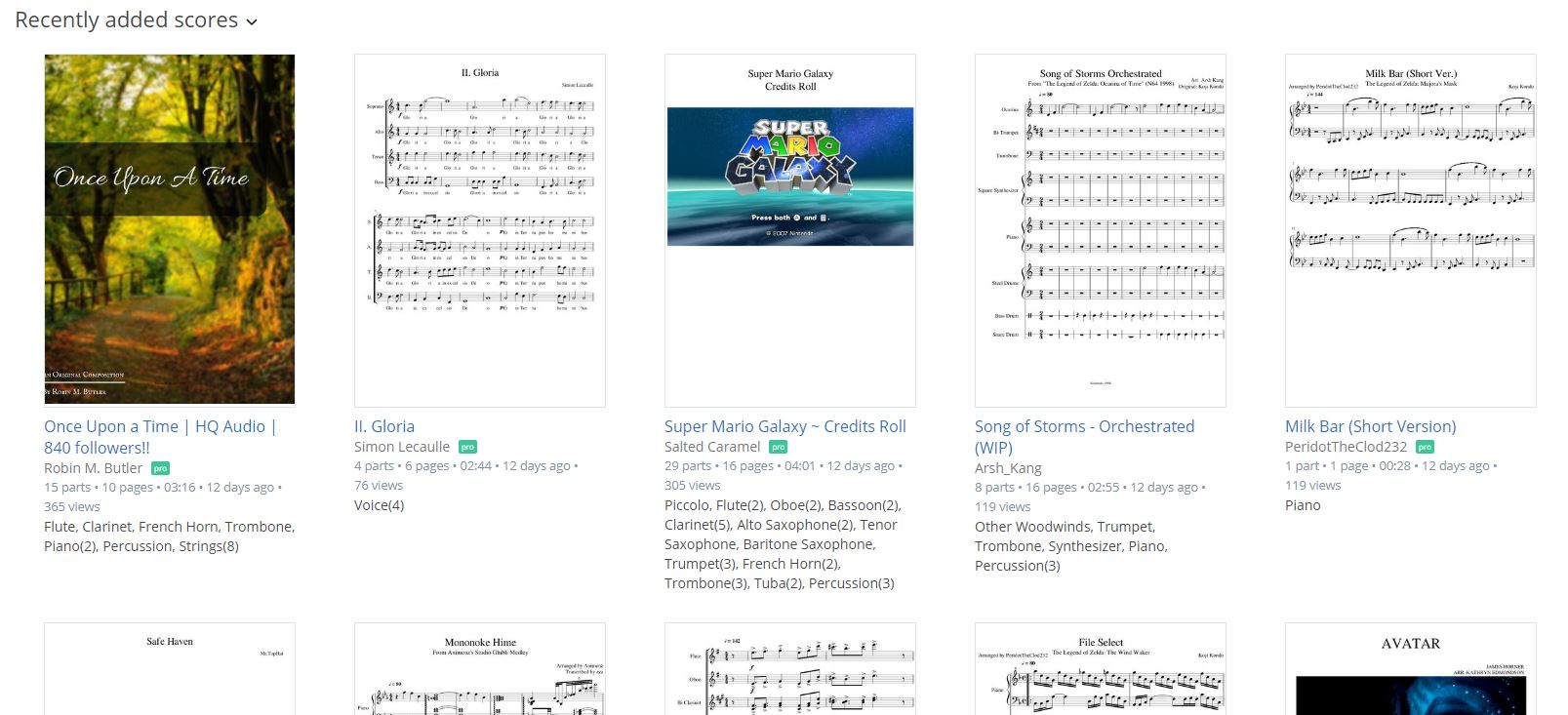
Lastly, since MuseScore 2 is free, it means that musicians around the globe are already using it to transcribe and transpose music. As such, there’s a hefty catalog of free sheet music that’s been uploaded by the MuseScore community.

Definitely check this out because someone else may have already finished what you’re about to start on. Anything from this catalog can be downloaded as a .pdf, too, so you don’t even need MuseScore to access them!

https://musescore.com/hub/video_games?page=7

Give it a whirl. We’re anxious to see what you can add to MuseScore 2‘s growing library!


Why the NRA should be terrified of this version of GTA

Conservative leaders have long attacked Grand Theft Auto for inciting violence and bad behavior in the people that play it. University professor Joseph Delappe is trying to flip that narrative. Delappe is using GTA V to highlight violent gun crime in America. Rather than the violence in society coming from the game, the violence in Delappe’s version of GTA V comes directly from society.

$22.99
GTA V

From: Amazon

What Delappe has done is hack a version of GTA V and is broadcasting it over the internet via a live stream called Elegy. The hack has taken the normally passive NPCs (non-playable characters) and turned them into gun-toting killers. Rather than peacefully going about their day, the NPCs are shooting and killing each other. These aren’t random killings, however. Every murder in the stream represents a real gun homicide in the states.

Be advised the stream below is for mature viewers only

Watch live video from josephdelappe on www.twitch.tv

Every day, Elegy resets and reenacts every gun crime homicide that has happened in 2018. That is a lot of killing reenacted every day, and every day more people will die than the day before. Delappe describes it like this:

“Gun homicide totals since January 1st are revised daily on this website which are then fed directly into the project – starting at 0 each midnight, each day the new total body count since January 1st is reenacted in it’s totality and so on. As of July 4th, 2018 there were 7,293 gun homicides in the United States – by the end of 2018 this number will likely reach close to 15,000.”

In 2015 Janelle Monáe released the powerful song HELL YOU TALMBOUT as a protest against police violence perpetrated against people of color all over America. The song invites everybody to say the name of all the victims up to the time it had been written and invokes a visceral emotional reaction from all but the coldest of listeners. Delappe’s project doesn’t have the names of the victims, but the numbers are stark. The fact they keep increasing day after day hammers home another point that sits perfectly next to Monáe’s humanization of the disturbing statistics we hear about every day on the news.

The project started on July 4 and plans to run until July 4, 2019. Expect a bloodbath.


How to make the best memes (and do it well)

Memes add a certain spice to life. Although they are one of the simplest forms of communication – possibly just a picture and a few words – memes help people laugh about everything from relatable human issues to the age-old slapstick fail. They can be entertainment or healing, satire or sarcasm.

If you’re like us, extensive viewing of memes on sites like iFunny or Reddit’s subreddit r/funny will eventually lead to the desire to create memes yourself. To become…

A Meme Lord.

Having trouble starting your path to Lordship? We’re here to help!

First, choose your tools

When deciding how to make memes, you’ll have to figure out what program to use. This can be difficult because there is a huge range of applications that have the right features. To save time, we’ll discuss the features themselves.

1. Image capture: some memes are simply photos or screenshots that need no explanation to be hilarious:

2. Image editing: as long as you have image capture, you’ll want to be able to crop images and place them together or in a sequence. Many interesting combinations are possible when different pictures are spliced together. Take, for example, the magic of photoshopping:

My wife ran and won her age group in her first 5k this weekend. Here are a couple pictures from the race. from funny

3. Captioning/doodling: this comes in all shapes and sizes. Some applications allow you to put words above or below your picture, place them over the image, or use them as memes themselves. These applications range from Snapchat all the way to professional editing software like Adobe Illustrator.

Doodling in action:

4. The Extras. Gathering images, editing, and making captions will take you a long way. Still, there are tons of other ways to make memes: create gifs and add words. Do silly things with Instagram tools. Create cartoons yourself. While enjoying memes, watch what other users are doing and then experiment with whatever you enjoy!

this guy is the best doctor from funny

NOTE: some programs are made expressly for meme-making purposes. For example: Mematic, which offers captioning and image editing functions. Food for thought!

Mematic download free
7

Now, Choose Your Path

Every journey starts with a single step. In this case, we’d like to suggest two ways to go: using an old meme format or making something new. These are just suggestions to help you get the gears turning.

Use an Old Meme Format

A meme format is a meme type that has been used often. For example the “invisible camo” memes:

As long as you’re using the old joke in a new way, you can both pay homage to the original content while adding to it.

Make Something New

Have a good idea off the top of your head? Make it as soon as possible, or write the idea down for later! Whether or not the idea becomes a one-hit wonder or a popular meme format, you should feel proud of what you made.

Once you’re done, send your meme out!

After Posting

So you’ve released your project into the wild. The next step is: gauge your audience’s reaction and learn from it! If your post went well, what factors came together to reach success? If it went badly, what could have happened? Was your meme posted at a bad time? Is the image quality good? Gather data and prepare better for the next time and never forget: persistence breeds luck.

You’re on your way to becoming a Meme Lord!


This magical new program makes your photos come to life

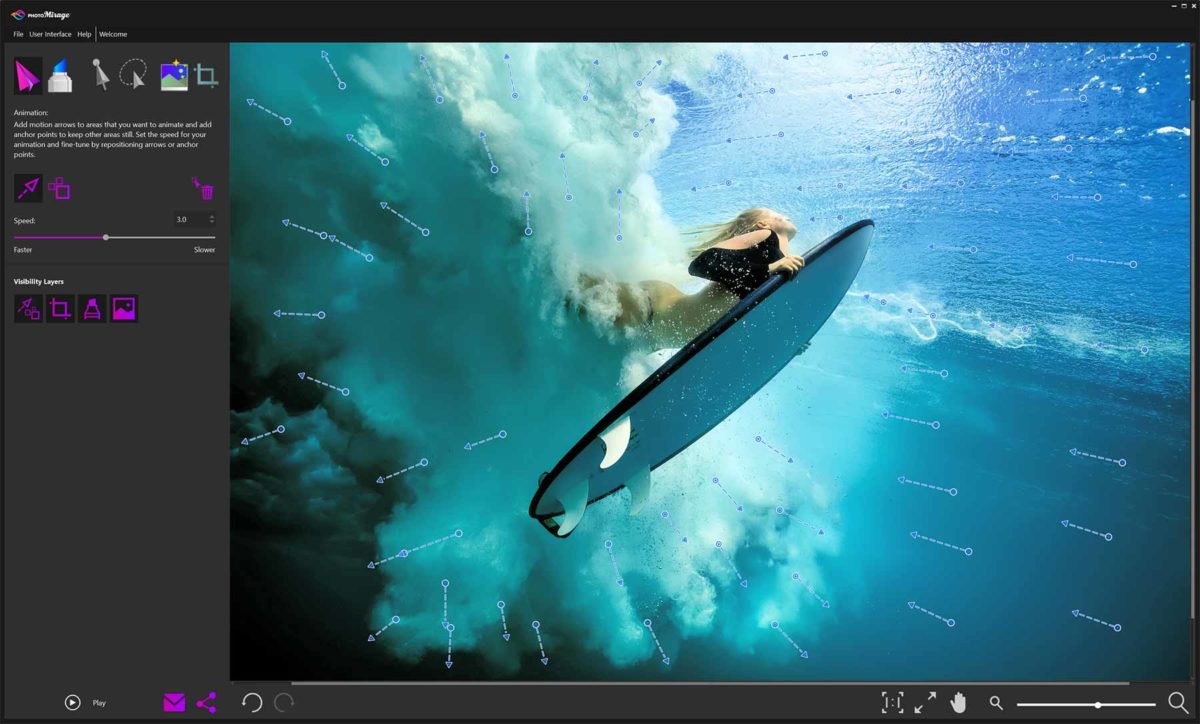
Social media is a tough challenge these days. It can feel like an impossible task to make your photos stand out from the crowd and get those precious likes, comments, and follows. Well, this new program from software company Corel might be able to give your photos the wow factor, that will make them grab people’s attention. PhotoMirage takes your pictures and brings them to life by animating certain elements but keeping others static. It turns your photos into mirages that move, or something very similar to cinemagraphs.

Cinemagraphs take videos and then hold certain parts of the frame still while other regions continue to move. When looped, the result is a still image that has moving parts. PhotoMirage does something similar but makes the whole process much more straightforward by allowing photographers to bring their pictures to life. The program creates a much simpler process than that needed to create a cinemagraph.

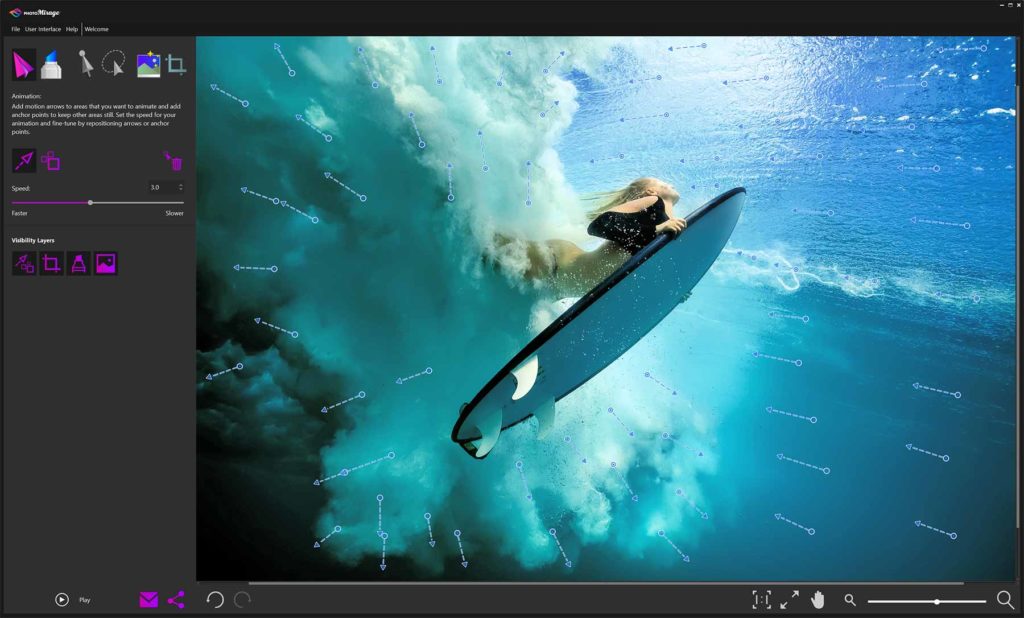
PhotoMirage works with JPEGs, RAW files, TIFFS, and PNG files. To add animation to an image, you add drag-and-drop motion points to the image and then set static points that will be protected from the motion.

It works really well with bodies of water or nature scenes like clouds in sky or fields of wheat. With a bit of imagination, however, nothing is stopping PhotoMirage from bringing all sorts of images to life, like this close-up of somebody’s eye.

Once images have been animated, they can be formatted especially for various social media platforms or saved directly to hard drive.

The program is only available for Windows PCs running Windows 7 or later. It has a one-off cost of $69.95, but if you think you’d like to give it a try, Corel offers a free trial.

10
PhotoLemur uses advanced AI algorithms to automatically enhance your images. Using the special discount code SOFTONIC50% you can get PhotoLemur for an extra special low price. Don’t miss this chance to enhance your social media experience.


Say goodbye to Photoshop: Meet the 5 best online photo editing alternatives

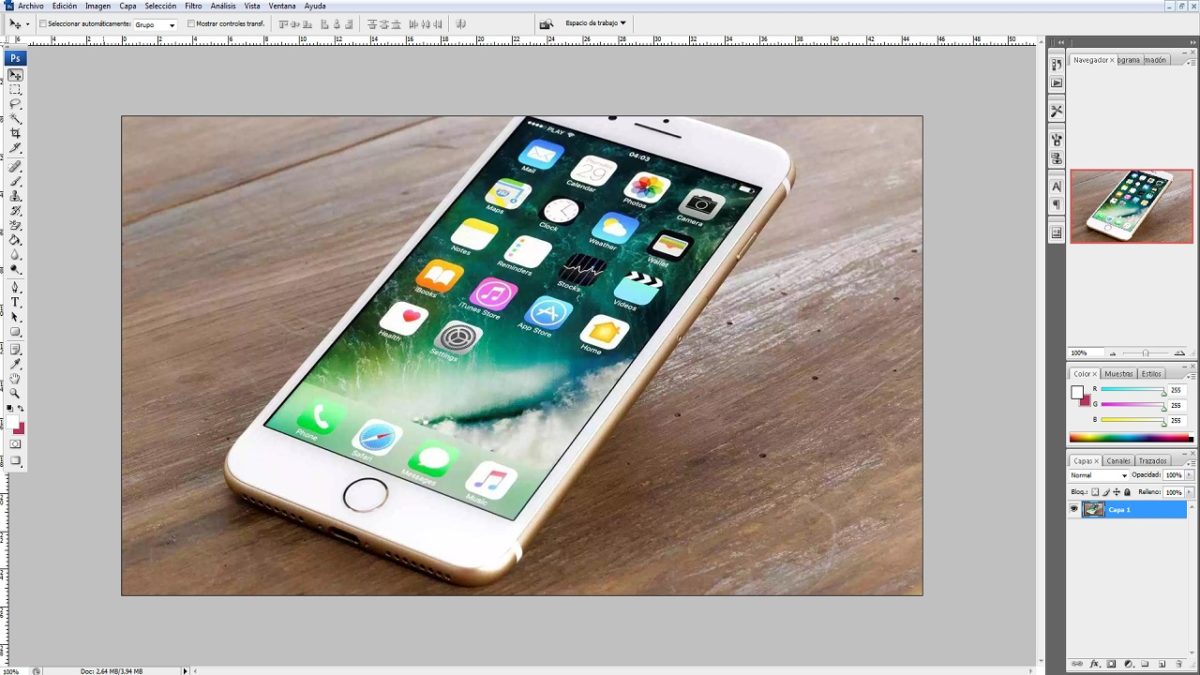
Today at Softonic, we’ll help you say goodbye to Photoshop with these five online photo editors.

Have you ever needed to edit an image quickly and not had a photo editing program handy? It happens to us all the time, so it’s time to look for alternatives to conventional software. Today at Softonic, we’ll help you say goodbye to Photoshop with these five online photo editors.

Adobe Photoshop Download Now
8

Add Text

The name says what it does. With Add Text, we can add text to our images. The platform provides different types of fonts, as well as custom sizes. Above all, this web page is designed for making memes quickly and easily. In fact, it lets you create several text layers to place them wherever you like.

This image manager is fairly basic, though you can use it for a quick job if you need to.

Be Funky

In our opinion, one of the best out there: Be Funky. The editor above is simple, but Be Funky has tons of commands you’re already familiar with if you use Photoshop. For example, you can crop photos, adjust exposure (brightness, shading, etc.), control saturation and all its parameters (colors, tones, etc.), and adjust photo clarity.

Plus, it’s compatible with cell phones, so you can edit the photo from both your PC and your smartphone.

Image Blur

It may be dicey to list Image Blur as a photo editor… but we couldn’t leave this special tool out. With this platform, you can blur any part of your photo. You know what we’re talking about: that blurry section in many images where personal info appears.

In general, this tool is often used by the media, since it’s important to blur sections of an image for privacy reasons.

Portable GIMP Download Free
7

Pic Monkey

The four or five main commands of this photo editor can save your life. Welcome to Pic Monkey, a photo editor for everyday situations. This includes retouching, adding text, changing light settings and a bit more. For our tastes, it’s a step below average, but it’s useful and, of course, free (which is important).

Pixlr

The most comprehensive option on the list: Pixlr. You’ve definitely heard of this one if you like photography, since it’s got (almost) all the tools that Adobe Photoshop does. Paintbrushes, clone stamps, exposure, saturation, cropping, filters, layers, light settings… The possibilities on Pixlr are endless. It’s sure to become your favorite app once you start using it.

The platform has a free option available for everybody, though there’s also a PRO option with enhanced features.

Pixlr Editor Try it free
7