
Changes coming to Apple’s iOS

Apple WWDC shows new features for all Apple devices!

Apple wwdc

Apple had a LOT of news to share with us at today’s WWDC. From killing off iTunes to Minecraft making a surprise appearance, there’s a lot to process.

We took the key takeaways from the WWDC and compiled them for you below. This way, you can save yourself from listening to Tim Cook’s bad jokes and Apple’s constant humblebrags, and go straight to the important stuff.

WWDC key takeaways
WWDC

The new iOS 13 is coming this fall

Dark mode
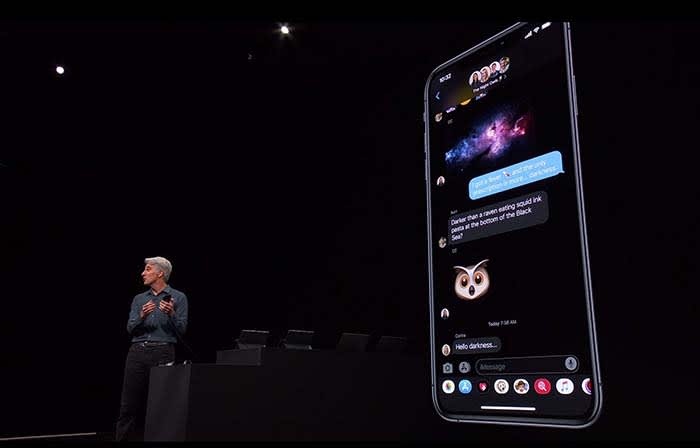
Not gonna lie, Dark Mode on Messages looks clean

Going with the trend, Apple announced that iOS12 will be replaced with iOS13.

The theme of iOS13 is “faster.” Face ID unlocks 30% faster, app downloads are 50% smaller, and updates are 60% smaller. Because of this, apps will launch twice as fast.

Dark mode is coming to iOS. Different apps such as Messages, Safari, and even your home screen will appear darker, giving them a cool sleek new design.
More focus on privacy

You will soon be able to sign in with Apple rather than Facebook or Google to help protect your privacy.

For apps that still require an email address, signing in with Apple can also give apps a fake email address. Apple will forward emails sent from your fake address to your real one. This way, the apps will not have your real email address, and you can disable those fake addresses if you want to stop receiving messages.

While talking about a new cycle-tracking feature for women coming to the Apple Watch, a spokeswoman talked about sharing data with apps. The new takeaway from Apple is that “you control your data, and you control what gets shared with what apps IF you want to share anything at all.”

Basically, Apple is trying to be more transparent about what data users are sharing with apps. The message is that they don’t want you to divulge what you don’t want to share, and what you don’t have to share. 

You can now edit videos

Editing will now include the following new tools:

  • Vibrance
  • White balance
  • Sharpen
  • Definition
  • Vignette
  • Noise reduction

These tools can help edit photos as well as videos. You can even rotate videos and give them filters. 

Other key takeaways from WWDC:

An OS system for all devices!

Every Apple device will have its own OS system. iPhone will be keeping iOS and Mac is keeping MacOS, but iPads will get iPadOS, Apple Watch is getting WatchOS, and AppleTV is getting TVOS.

What’s new with iPad?

The new iPadOS will have all the same features that iOS13 will have.

However, probably one of the wildest features coming to the iPad is the ability to plug in a thumb drive. 

This small little change sparks a slew of questions. The new iPad they showed did not appear much thicker than your typical iPad. That said, we don’t know if a new iPad is coming that is thick enough to receive a normal USB. We also don’t know if a special type of USB must be purchased, or if you have to use an intermediary device to connect a USB to an iPad.

With all Apple devices getting thinner and thinner, we find it hard to believe that that the iPad will break the mold in this regard. However, being able to plug in a USB can potentially save us a lot of headaches.

Apple wants users to be able to use their iPad as if it were a normal desktop computer. Going along with this change, iPads will be able to use split-screen to view multiple apps at once. 
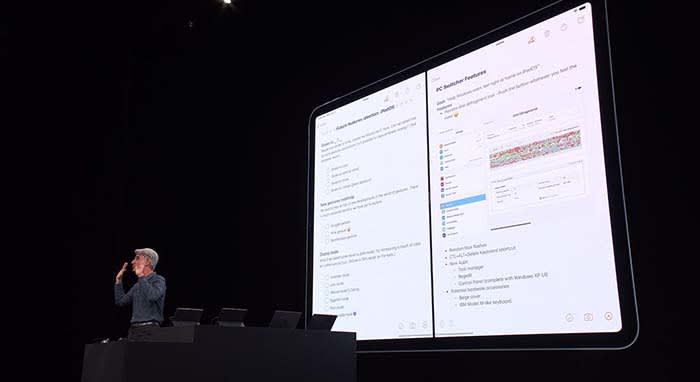
iPad OS

Going along with this theme, when viewing websites through Safari, you will now see the desktop version of the page rather than the mobile version.

Along with new keyboard shortcuts being added, you will be able to use touchscreen commands to copy, paste, and undo by extending or retracting your fingers.

If you need extra space when working on your Mac, a new app called Sidecar will allow you to use your iPad as a second display screen for your Mac.

Apple TV+ is coming this fall with an original show

Apple TV+ will stream video in 4K. Along with featuring music and music-related content like videos, Apple TV+ will also have its own original show called “For All Mankind.”

“For All Mankind” takes place in a reality where the Soviets beat the U.S. in the race to put a man on the moon. It goes into how the U.S. would react to this reality, and how we would try to bounce back.

The show looks… okay, but not good enough to warrant purchasing Apple TV+. We will have to wait and see what other original content might come our way before making a decision. For now, we will just plan on buying Disney+, and be happy with that call.

Airpods

Siri will be able to read your messages to you while you’re listening to your AirPods. You can even respond to her. This works for other messaging apps as well.

During the demonstration, a man was on an exercise bike listening to music when Siri informed him that a friend sent a message. After reading off the friend’s message, the man was able to immediately reply by telling Siri what to say. Throughout the process, the man did not have to stop riding. 

It’s a cool feature, but we can’t help but point out a flaw in their demonstration. Apple also owns Beats by Dre, which is coming out with a wireless headphone of its own, similar to AirPods. These are supposed to be used while working out, not AirPods. Basically, we’re all sorts of confused.

Apple Watch is a proud, independent device that don’t need no iPhone

Apple Watch will soon be able to operate completely independently without needing to be managed through an iPhone app.

The App Store is also coming to Apple Watch. New apps will include, but are not limited to:

  • Audiobooks
  • Voice Memos
  • Calculator
  • Podcasts

Homepod hopes to compete with Alexa

Homepod can now understand who in your house is talking to it and can personalize the request. For example, if your roommate asks it to play a song, HomePod will play a song it knows your roommate will like.
Apple Arcade is coming this fall

With more than 100 titles to choose from, Apple Arcade will be a subscription service like Netflix or Hulu, but for gaming. Gamers will be able to play with both an Xbox One and a PlayStation 4 controller.

Wrapping up

Some of these new features are far more significant than others. When the iPad’s split-screen capabilities were unveiled, the audience members erupted. Why they went bananas for a feature we’ve had on computers for years, we don’t know.

However, the new privacy tools from Apple do deserve praise.

We can’t wait to see how some of these new features and products will unfold for Apple, and we will keep you updated the whole way.

Minecraft Earth gets first look

Minecraft Earth erupts from the ground around you while you play!

Minecraft Earth

During today’s Apple WWDC, we got a surprise visit from Minecraft developers who finally gave us some live gameplay of Minecraft Earth.

While showing off the capabilities of the iPad, developers played the game for audience members. As a world of blocks and wonders arose from the ground around them, we were boarding the hype train.

Minecraft Earth

The two developers fumbled through a game a bit, but putting their awkwardness aside, we were able to see some of the game’s cool features.

Your world pops out of the ground wherever you are. If you want a good look at your what you’re making, you can make it emerge from a coffee table for a tinier view. If you want it to be life-sized, you can make it erupt from the ground on which you’re standing, and put yourself in the world.

Minecraft World

Like we had hoped, you can still build your own fortresses, raise pigs and chickens, and fight skeletons and Creepers. You even get your usual toolbar for crafting and adventuring. We still are craving more details, but this surprise visit definitely hyped us up.

Why extra iTunes playlists appear, and how to fix them

Weird, duplicate iTunes playlists? Here’s how to get rid of them.

itunes

It’s about time someone had a clear answer for this problem!

iTunes users probably know the feeling: you have a playlist (yep). You get a few new songs (uh-huh). You plug your phone into your laptop to update the music library (so true). Then, you unplug your phone and find an annoying duplicate of the playlist! It looks something like this:

Halloween

Well, we’re here to fix the problem. We’re here to discuss…

Why extra iTunes playlists appear, and how to fix them

The tried and tested explanation

Question

We rooted around on the internet for answers. It took many minutes of sorting through theories before we arrived at an Apple discussion thread with a solid answers to the question:

User Jon Milan suggested the duplication happens when iTunes is open and playing a playlist during the syncing routine.

We began testing the idea by changing a “Halloween” playlist and syncing our phone without iTunes running. Nothing happened. We altered the music and synced again, while the playlist was running. To our surprise: “Halloween 1” appeared. So far, theory confirmed!

And it makes sense; having iTunes playing during an update could cause difficulties; instead, the program renames your active playlist and inserts the updated version under the original title. Apple made an understandable decision, we just wish they notified us better when it happens. These duplicates have bothered us for quite some time.

The Fix: shut iTunes off during the sync process. Simple!

Of course, if you already created a playlist by accident, carefully delete all numbered versions (ex: “Dance Party 1”) in the main iTunes playlist. Then, without unplugging your phone, re-sync again, without iTunes running.

The extra playlists will disappear like magic.

If that doesn’t work

Mac

Uh-oh. It’s not over yet.

There are many different settings and versions for iTunes, and all of these can add their own problems or solutions into the mix. If you’re still experiencing issues with playlist doppelgängers, try this on for size:

Switching Phone Playlists

Does your phone still have unwanted playlists that load into your mac whenever you re-sync? We believe removing the playlists and syncing again without unplugging your phone can solve the problem, but if that still doesn’t work…

User Kenichi Watanabe suggested another plan: remove iTunes from your phone entirely, remove the unwanted playlists from your music library on the computer, and then re-sync. Since the extra playlists are gone from your laptop and fully deleted from your phone, it’s highly unlikely they’ll still be around afterward.

And if that still doesn’t do the trick…

Online Playlists

Final Effort!

In another forum, users amergin and swedish_chris suggested the issue may be related to an iTunes update in conjunction with the cloud. Much akin to the first issue discussed, the explanation goes something like this: your Mac has one version of the playlist and your iCloud account has another. When you sync, the extra version appears with a number.

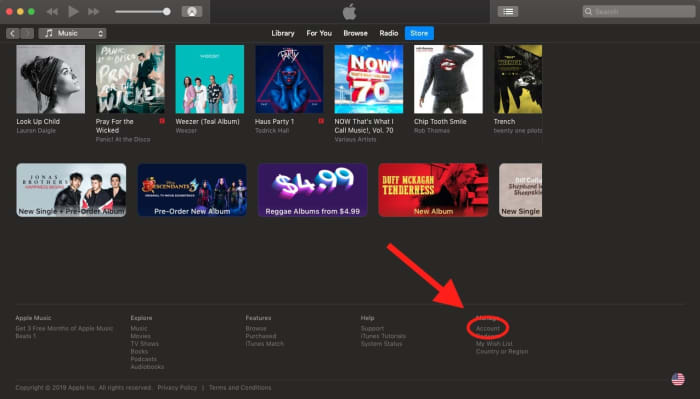
To solve this, go into your iTunes account by visiting “Store” and scrolling down to “Account” at the bottom right:

ItunesAccountFrom here, you can change your settings for iCloud and Family Sharing. Once you turn this off, you should be able to remove the duplicates (just so long as you remember to turn iTunes off during the sync).


Conclusion

We hope you resolved the issue with one of these solutions! While we’re pretty sure the “tried and tested explanation” will help most modern users, there’s no telling if someone running an older installment will have unique problems or if a future update will bring back former problems. If you’re still having trouble or found a new solution, please let us know in the comment section. Thanks for reading!

Best websites for business cards

Need a business card? These are your best options.

BusinessCard2

Business cards can get you a job. They solidify connections. They ensure your last and best impression sticks. They’re important!

To make sure you get the best business cards for you upcoming career mixer, we compiled a few of the best sites for business cards, ranging from the highest quality and most expensive to the bargain brands.

Best websites for business cards!

Moo

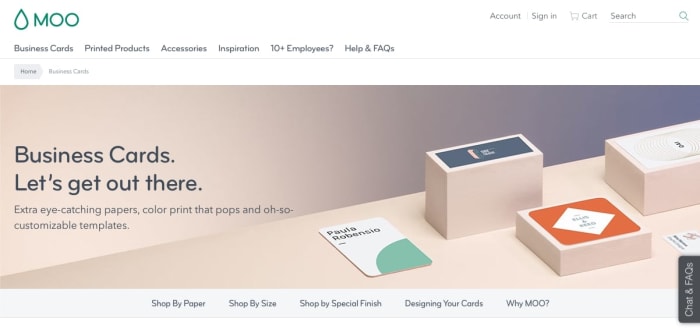
Moo cards are the best! The company runs like Apple when Steve Jobs was around: more expensive, but definitely not just a brand name. These cards are great, they’re delivered promptly, and the service is professional.

If you want the best, go with Moo!

MooHomeWhen you open the website, you’re given the option to choose between a number of card options: if you’re going by paper, you have the choice of original, cotton, super business cards, and luxe business cards.
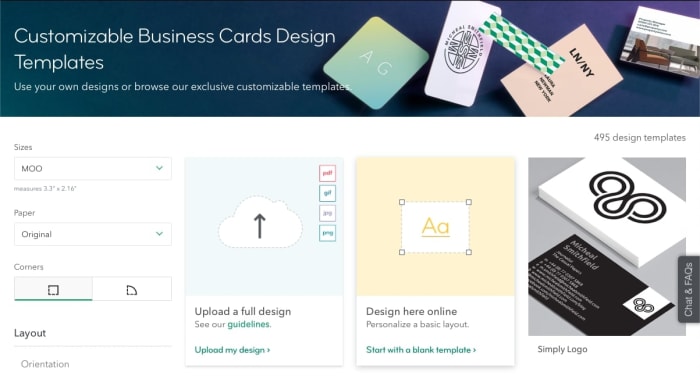
If you proceed with original, you’ll visit the selection environment, where you can discover card templates:

Find cardsFrom there, you enter a card creation environment that looks something like this:
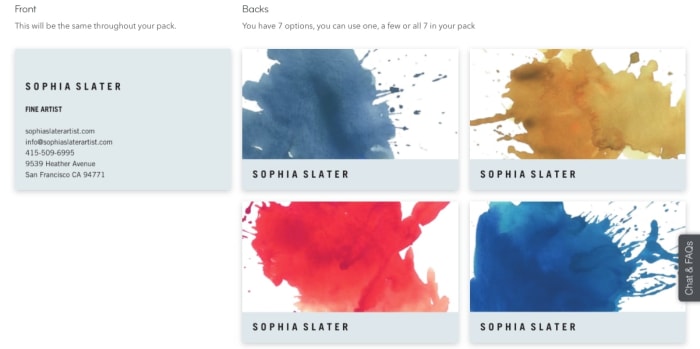
ColorsThe options look professional, you can find a great card with excellent color choices, and the renaming process works like a charm. All cards are automatically a good, quality thickness, 16pt. They are full-color on both sides, with options for Matte or Gloss.

The one downside? They cost $20 per 50 cards.

Picture it this way: rather than go to an all-you-can-eat buffet, why not go to a fancy sit-down restaurant that serves the best food? The answer is, it depends what you’re looking for: if you’re taking your whole family to dinner or going on a fancy date, your priorities may change.

That metaphor probably got out of hand, but you get the point.

Vistaprint

VistaPrintVistaprint specializes in all types of printing. In the realm of business cards, their base offer gives you 500 cards for $20. That’s a ton! However, this cost gets you 14pt cards (thinner), and only one side of print. To get all that, you’ll be paying closer to $45 for 500 cards.
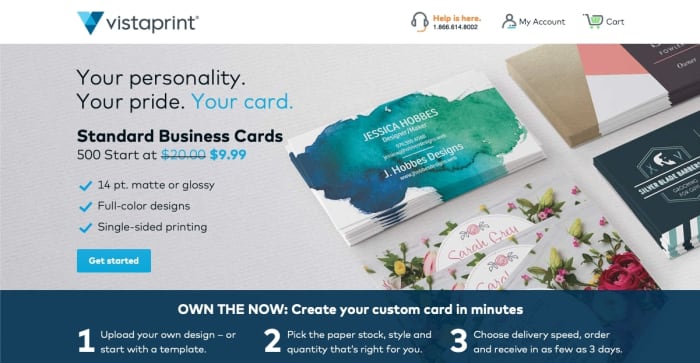
VPHome

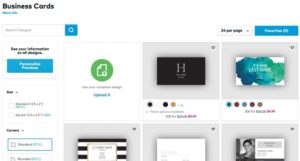
When you jump into the template chooser (because we’ve assumed most people buying business cards didn’t create their own design from scratch), you’ll be greeted by this window:

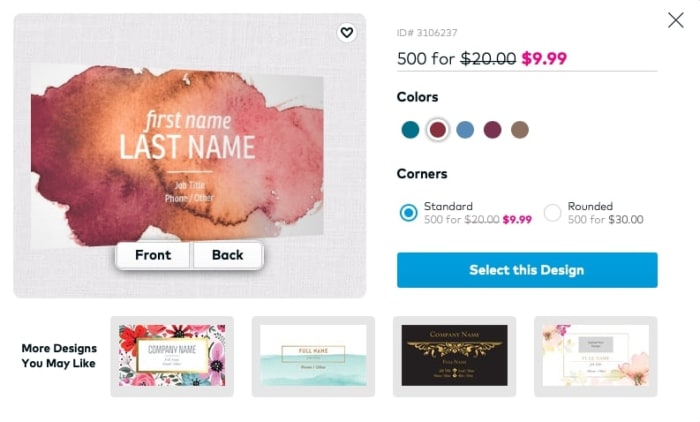
VP1Choose your design and then move on to the reworking portion:
VP2

Here, you can choose your color (which may result in a discount), and begin setting up your card as you wish. When you’re finished putting together the perfect design…

Congratulations, you have a card!

Staples

StaplesYou probably know Staples. They aren’t strictly in the business of business cards, they’re an all-around office specialist: ink cartridges, office chairs, envelopes, planners, folders, printing and more.
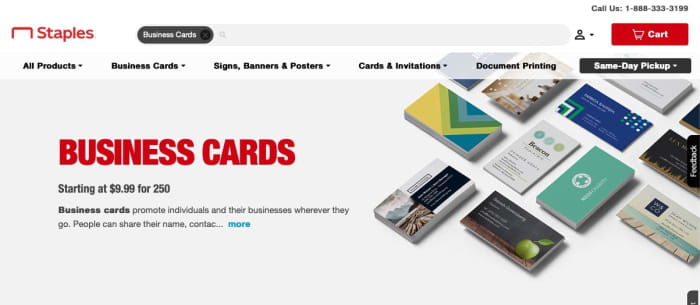
So, why wouldn’t they do business cards?

StaplesHome

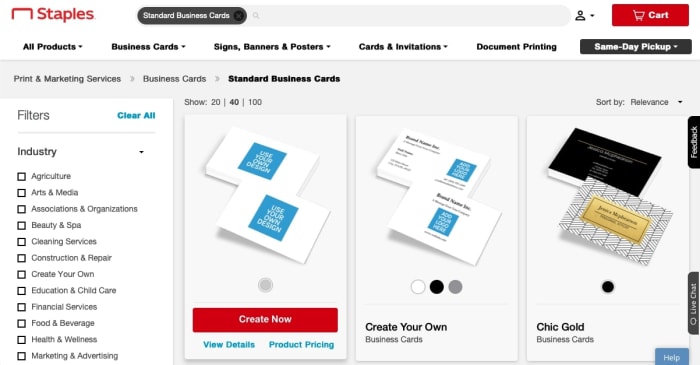
Their template environment will look something like the image below. Straight to the point, no messing around here:

Staples1Their card creator environment also looks rather bland, but that may be perfect for a businessman or woman with a time crisis:
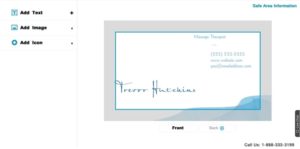
Finally, we arrive at the cost. Staples makes a set of 250 business cards for $9.99! Of course, these base cards are naturally thinner and only have print on one side. To upgrade to fancier options, you’ll be paying around $35 instead.

Another useful thing to note: Staples charges at least $9.95 for shipping. If you want to get your cards for free, you’ll just have to use their same-day pickup system. Which, frankly, may be a very good thing!

Conclusion

Any of these websites can deliver great service, and have a wide range of delivery options and card types. If you go with Moo, you can expect great service, great cards, and a great website, not to mention a reasonable amount of business cards. Staples and VistaPrint have great designs and reasonable prices for the large number of cards they produce. As always, the choice is yours to make.

We hope this helps you find a great business card!

Wattpad lets you publish and read original stories

Share your story with the world and maybe even have it made into a movie with Wattpad!

Wattpad

Every top selling author has to start somewhere, and Wattpad is home to some of the most creative and immersive stories around. Read chapter after chapter of a ton of different story genres, or have your work published for the world to enjoy.

Wattpad DOWNLOAD FREE
8

Wattpad started as a hub for fanfiction, but in the last 10 years has gained increasing popularity due to some of the most popular pieces being adapted into films, like “The Kissing Booth” on Netflix, and the feature film “After.” That’s right, both of those films originated as stories on Wattpad. Ready to get started? Here’s how to work your way around Wattpad.

Reading

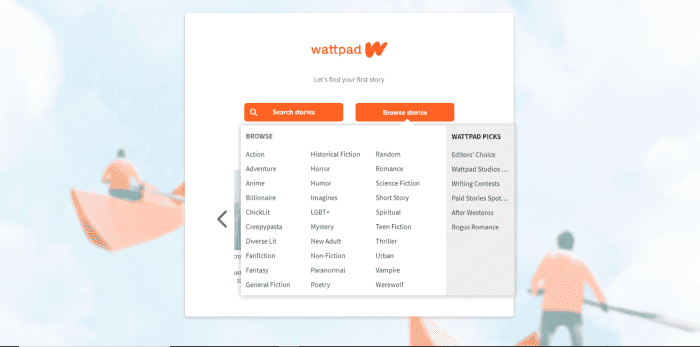
Once you create an account, you can search for a specific story or by genre. After you’ve selected a genre, you’ll see all the stories that fit, but you’ll also be able to narrow your search by selecting more tags.

Wattpad browse

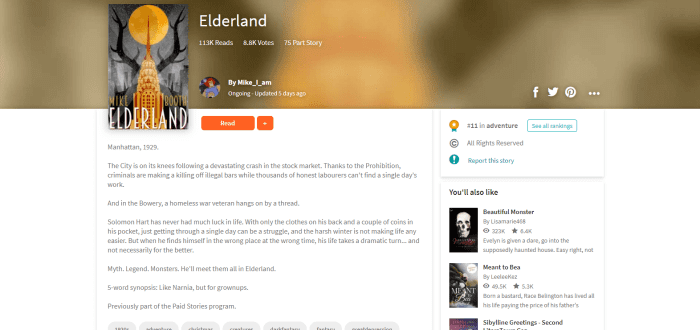
If something looks interesting, you can preview it before reading. On the story’s main page, you can see more information like the author, if it is free or paid, how many times the story has been read and favorited, how many chapters it has, and if the story has been ranked by other readers.

Wattpad preview

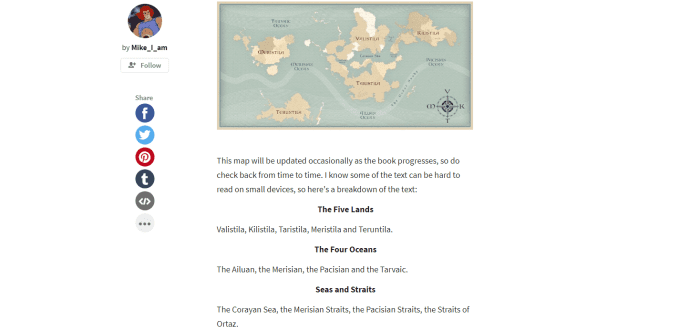
If you’d like to check it out, click read and begin. Free stories jump right into the text, and a lot of authors choose to add photos to help fuel your imagination. If you’re enjoying the chapter, feel free to add a comment at the bottom, where other readers and the author can respond.

Wattpad preview story page

To save the story for reading later, click the plus symbol and add it to your private library or to a list that you can share with others.

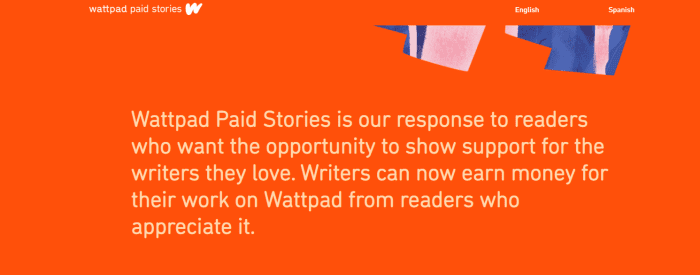
Paid stories are different. Once you click on a paid story, the author will most likely have left an introduction introducing you to Wattpad Paid Stories. Essentially, this is a new feature that Wattpad is testing where stories are selected by Wattpad that will require you to purchase coins in the coin shop to access the rest of the story after you’ve finished the preview chapters. These coins are converted into money that is used to pay writers for their content. At the moment, coin bundles are only able to be purchased through Wattpad’s mobile app and range from nine coins at $0.99 to 230 coins at $7.99.

Wattpad paid stories

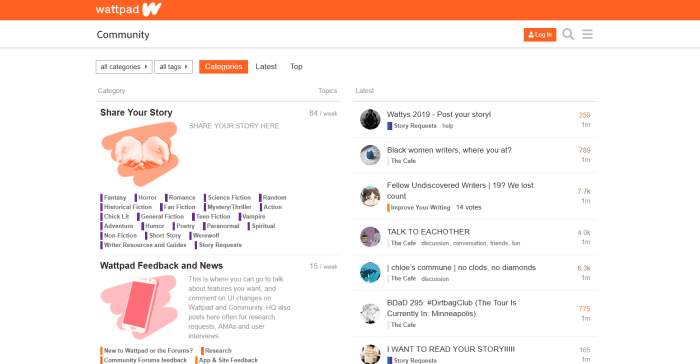
Another cool part of Wattpad is the forum. In the forum, you can chat with other readers about your favorite stories, or if you’re a writer you can get tips on what will make your next chapter a hit.

Wattpad forum page

Writing

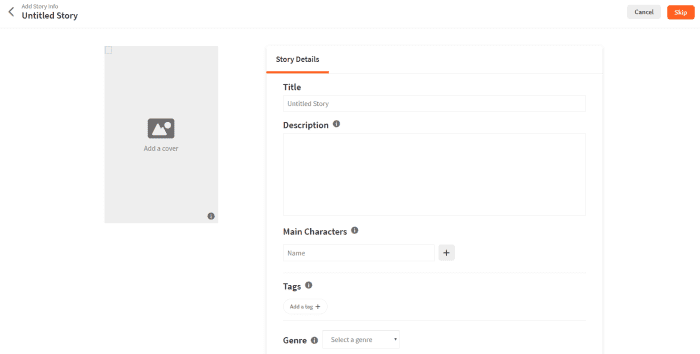
Writing a story on Wattpad is super simple. Click on the ‘write’ tab and then ‘create a new story.’ The first page you’ll create is the title page, where you’ll name your story and add everything that’s necessary to give readers an idea of what it’s about. Upload cover art, add a description, tags, the genre, and more.

Make sure you look over the ‘copyright’ tab – you might want to lock in your story so others can’t edit, change, or repost it somewhere else. Wattpad has a page specifically for outlining what the copyright options do and don’t protect.

Wattpad create story

Once the title page is out of the way, get to writing! You can save each chapter as you go along, and once you’re ready to push the story out of the nest, click ‘publish’ and your story is officially on Wattpad for others to read. You can always go back and edit your story if you would like, so take a deep breath and leap!

Premium

If those ads are really getting on your nerves, upgrade to Wattpad Premium. Not only will the ads go away, but you’ll get a new theme to read stories on, and it’s available on both the desktop website and on mobile. Purchase monthly for $5.99 or pay $59.99 for a year.

With Wattpad, the sky is the limit, and depending on the story – maybe not. There are so many exciting stories to read and write, and thousands of Wattpad users all over the world to connect and share with. Wattpad could be your daily guilty pleasure or it could lead to that big break that you’ve been dreaming about. What are you waiting for?

Facebook: Shake your phone to report bugs

Facebook is rolling out a “shake to report” bugs feature for mobile.

Facebook mobile

Facebook is unveiling a unique way to report bugs on the mobile app. Is it an inquiry? Is it a help bot? Is it a voice command? Nope, Facebook wants you to shake your phone.

When should I shake, shake, shake… shake, shake, shake… shake my phone?

The idea here is that Facebook wants to make it as easy as possible for users to report when the app isn’t working properly.

For example, you can shake your phone to report whenever a video won’t load or your news feed gets stuck. Facebook also hopes you will use it to ask for help if you can’t figure out how to do something.

7

How does it work?

The new action is simple enough. Whenever something doesn’t work or you want to ask for help, all you have to do is give your phone a little shake.

Remember, it’s a phone, not a Shake Weight.

There’s no need to risk throwing or dropping your phone. A gentle, little shake will suffice. When Facebook recognizes your shake, it will open up a pop-up menu where you can file your report.

This new way to report bugs on Facebook is brand-new for Android users, but it has been available on Facebook for iOS for a short while already. Until now, however, iPhone users have had to opt-in and activate the feature themselves. This will soon change.

How do I turn it on and off?

Your phone does not automatically have it enabled. To turn it on, follow these simple steps.

  1. Open your Facebook app
  2. Click the menu in the lower right-hand corner (it’s the three horizontal lines)
  3. Scroll down to “Help & Support”
  4. From there, click on “Report a Problem”
  5. A new window will pop up. Click on the gear in the upper right-hand corner of the window
  6. Turn the option to “Shake to Report” on or off
  7. You’re all set!

Wrapping up

With the general roll-out of the shake to report feature, Facebook will make it the default setting on all smartphones, Android and iOS. The feature is rolling out now to a small number of users globally, but Facebook expects the feature to arrive for everybody within two weeks.

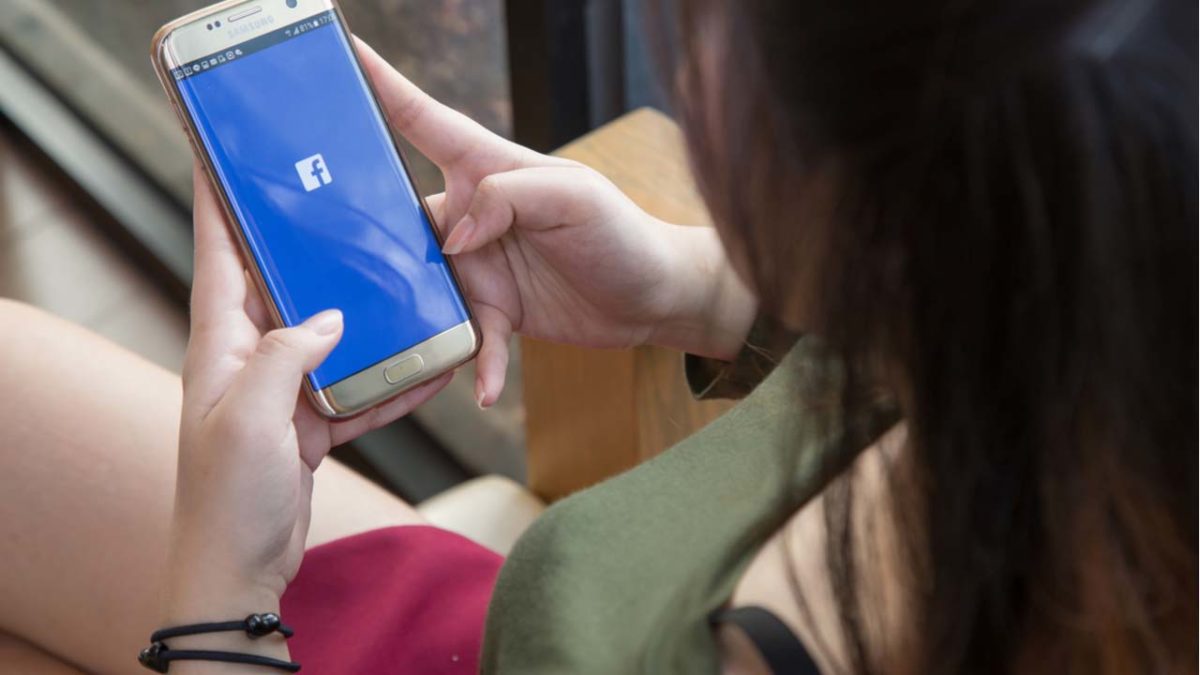
Shaking Facebook on a mobile phone
Just shake your phone to report a bug or ask for help

Once it lands, you’ll be able to shake your phone whenever something isn’t right. Although shake to report is becoming the default action and will be activated on all phones within the next couple of weeks, you’ll still be able to report a bug the old-fashioned way. To do so, all you have to do is go to the Facebook Help & Support menu and report your bug there.

For the rest of us, we will be taking the advice of Metro Station. 

This new feature may sound intriguing to some, but we wouldn’t be surprised to hear about users accidentally flinging their phones at others. If you have a friend who doesn’t know their own strength, you might want to invest in safety goggles.

What’s new with Google’s mobile redesign?

Google’s visual refresh aims to give you more information about where your searches will take you on the web.

Google design

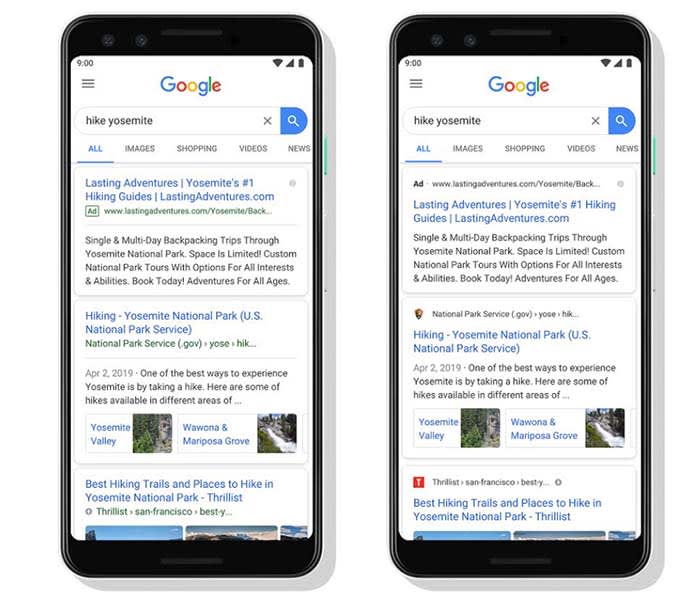
You might not have noticed it but over the last few days, Google has been implementing a redesign for Google search results on mobile. The change isn’t big, which is why you probably missed it, but it does mark an important step for the search giant.

Google mobile redesign
Source: Google

Can you see the change?

It is tiny, but it is there. All search results are still displayed in a separate card, much like they are on the Google app. What’s new is the branding of the site at the top of the card. Each search result now comes with the logo and name of the website hosting the search result displayed clearly at the top. This branding is only small, but it is clear. Also, whenever Google is showing an ad in your search results it will clearly state “Ad” in bold.

Working on transparency

Google’s visual refresh aims to give you more information about where your searches will take you on the web.

According to a Google blog post, the search giant is trying to help you “better understand where the information is coming from and what pages have what you’re looking for.”

With the rise of disreputable information and even the gaming of certain search engines by those with a political agenda, this is an important move by Google.

When it comes down to it, search engines don’t actually offer us much information on the search results they show us. We type in our query and then they serve up the results they think answer it best.

Almost everything we see comes from the sites the search results link to. We basically click based upon headlines and descriptions that come from the sites themselves. The search results teach us very little about the sites writing those headlines and descriptions. This new move from Google is trying to address this by putting the websites’ branding at the top of each result.

small change big difference
It may only be a small change but it icould make a big difference.

As well as giving us more information about where on the web our search results will take us, Google’s mini redesign is also meant to open up new possibilities.

The blog post went on to say, “As we continue to make new content formats and useful actions available… this new design allows us to add more action buttons and helpful previews to search results cards, all while giving you a better sense of the web page’s content with clear attribution back to the source.”

Google has been working hard on implementing new features to search, including buying movie tickets and streaming podcasts. This way users don’t have to leave the results page. This new design allows users to do so by providing more information about how their queries are being processed.

Wrapping up

This is just a small change, but it should have a decent effect on how we use the web. It is more important than ever these days to be able to trust the information the internet serves up. If this redesign from Google helps us do so then, we have to see it as a positive move.

Top 8 free Nintendo Switch games

Try these great free games for your Switch!

The Nintendo Switch has made big strides in the gaming industry by being the first major home console with a portable option. Along with this, it has featured many indie titles that other consoles never would’ve had before. Despite its popularity, many of its free games are unknown, which is a shame, considering how well made many of them are. Here are some of the best available if you’re interested in getting some free games for your Switch:

Top 8 free Nintendo Switch games

8. Dawn of the Breakers

Dawn of the Breakers

Gacha games are usually exclusive to mobile, however, Dawn of the Breakers is unique as not only is it for the Nintendo Switch, it’s not featured on mobile at all. This game is an anime-style brawler with heavy inspiration from Power Rangers.

7. Arena of Valor

The first of a few titles that are both on the Switch as well as iOS and Android, this game is perfect for any fan of the MOBA genre. If you’ve played this game on mobile before, then you will be pleasantly surprised about how much better the controls are on the Switch.

Arena of Valor Free Download ►
7

6. Brawlhalla

Sometimes considered the free version of Super Smash Bros, Brawlhalla is a free-to-play platform fighter, that is just as addictive as its mascot-inspired brother. This game has a good roster of characters to choose from with traditional RPG-style character designs.

Brawlhalla Free Download ►
8

5. Paladins

There aren’t many free console shooters, and Paladins is definitely an impressive title among these few. It is a team-based shooter, similar to Overwatch or Team Fortress 2. Fans of these games will love the colorful cast and gameplay of Paladins.

9

4. Fortnite: Battle Royale

You may not have played Fortnite yet, but you’ve certainly heard of it. This game was one of the fastest growing games of all time, and is still incredibly popular. It’s a battle royale game with 100 players fighting it out to see who comes out alive in the end.

Fortnite: Battle Royale Download Fortnite: Battle Royale ►
10

3. Pokémon Quest

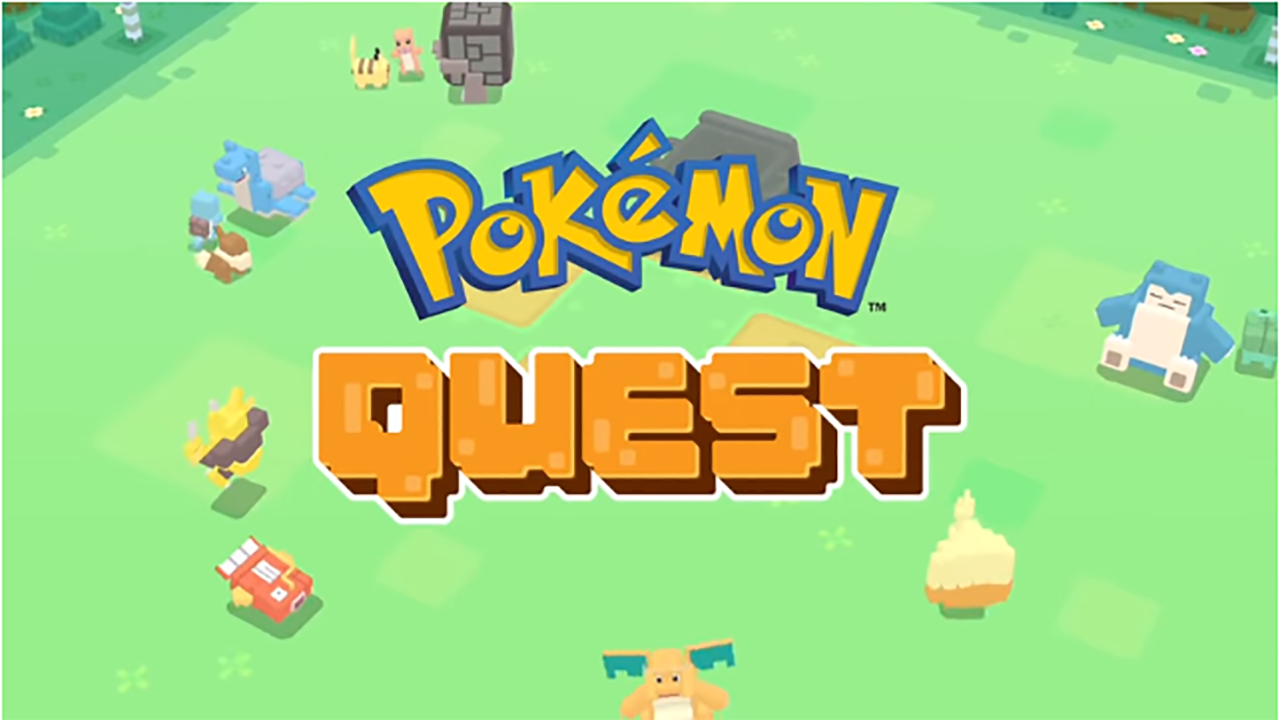
Pokémon has never looked so Minecraft in this cubic Pokémon adventure. This game is incredibly unique, and worth checking out if you’re interested in training something new.

Pokemon Quest Free Download ►
8

2. Galak Z: Variant S

Galak-Z

A unique side-scrolling shooter in space, this game is reminiscent of many classics in its genre. Despite the similarities to these classics, Galak Z also features many RPG elements that make it a unique experience for anyone to play.

1. Fallout Shelter

Another title that is featured on both mobile and the Switch, Fallout Shelter is an addictive city builder based in the post-apocalyptic world of Fallout. This game is excellent for any fan of the genre.

Fallout Shelter Free Download ►
8

While many of these games feature in-game purchases, almost all of them can be played in their entirety for free. This differs from many of the free-to-start games that Nintendo had on the 3DS, and can make it a refreshing change for anyone who was used to that format.