Win an Avast Premium Antivirus license and a multi-device VPN!!

Download and install Avast Free Antivirus on your PC to get a chance to win an Avast Premium Security single-device license and an Avast SecureLine VPN multi-device subscription for 1 year.

We’re very happy to bring you a chance to win a premium subscription to Avast’s award-winning antirust suite. Avast is known for offering industry-leading support and protection against viruses, malware, and all modern threats such as ransomware, spyware, phishing attacks, and even password breaches and hacks.

Incredibly, Avast offers a free version of its antivirus suite that is designed for ease of use. With a single click, Avast Free users can set machine-learning virus protection algorithms to work, scanning for known threats, analyzing system and application behavior for suspicious activity, and keeping you safe from spyware. It has never been easier to protect your PC for free.

Download Avast Free Antivirus now

If you’ve downloaded Avast Free Antivirus, your device is now protected. You can go one further, however, and enter our contest to win an Avast Premium Security single-device subscription for a whole year, plus a 1-year multi-device Avast SecureLine VPN for those who want to enjoy the Internet without intrusive eyes. This means that our contest first winner will be able to protect themselves and up to five of their friends and family for the next twelve months. Do you fancy being a hero? It could be as simple as entering our contest.

Some features that come with the Avast Premium Security suite include ransomware protection, a robust web shield that blocks dangerous downloads and websites, a webcam blocker to prevent hackers breaching your webcam and spying on you in your own home, and an advanced firewall to keep cybercriminals off your computer.

Back to the competition!

To get a chance to win an Avast Premium Security single-device license and an Avast SecureLine VPN multi-device subscription for 1 year:

1. Install Avast Free Antivirus
2. Tag the friend/s to recommend Avast Free Antivirus to!!

Download Avast Free Antivirus here in case you haven’t done it already. The contest ends on February 1st. Winners will be announced on February 3rd. The first winner will receive an Avast Premium Security single-device license for 1 year (real price on the website $69.99) and the Avast SecureLine VPN for up to 5 devices for 1 year (real price on the website $89.99). The second and third winners will receive an Avast Premium Security single-device license for 1 year each.

For Terms and Conditions: Softonic terms and conditions

All the best new features that came to social media in 2019

These are all the major changes that came to social networks in 2019.

Best social media features 2019

It wasn’t long ago that social media didn’t even exist. Then MySpace came along and before too long Facebook changed the world. Now, well the world is chock full of social networks offering us all sorts of different types of connections to people spread out all over the world. As to whether this is a good thing or not, we’re not going to get into and we’re definitely not going to comment on whether the world is a better place now than it was then.

What we’re here for today is to talk about the nuts and bolts of the aforementioned social networks. Each year, social media platforms, mobile apps, and websites get brand-new features and today we’re going to tell you about all the best new social media features that landed in 2019.

New social media features 2019

Google+ gone forever

We’ll start our 2019 list with the opposite of an update. With so many social networks knocking about, not all of them catch on. Google+ was one such social platform that failed miserably. In April 2019, Google put its mistake to bed forever by deleting all Google+ pages and profiles permanently. Although it never really felt like it was here anyway, it’s definitely gone for good now.

Greater control over Facebook notifications

Facebook is like that annoying friend that just won’t quit. You look away and then you hear a ping drawing your attention back again. There’s actually a lot of science behind Facebook notifications that have defined social media marketing strategies around the world. Traditionally certain types of video content have been more likely to register a ping on your Facebook, and Facebook Group messages have been more likely to trigger a push notification. In 2019, however, this changed when Facebook introduced greater controls over your own notifications. You can now clear everything and control what will reach out and try to grab your attention.

The Twitter desktop redesign

2019 saw Twitter completely redesign its desktop social networking interface. The navigation bar is now on the left-hand side of the page and includes Bookmarks, Lists, Messages, Notifications, and the brand-new Explore option, which works like an updated search page showing trends etc. Your profile is also found at the bottom of the navigation bar just above the Tweet button. The Trends for you and Who to follow sidebars are now on the right of the screen giving you easy access to influencers and trending current affairs.

Facebook Dating

Facebook Dating

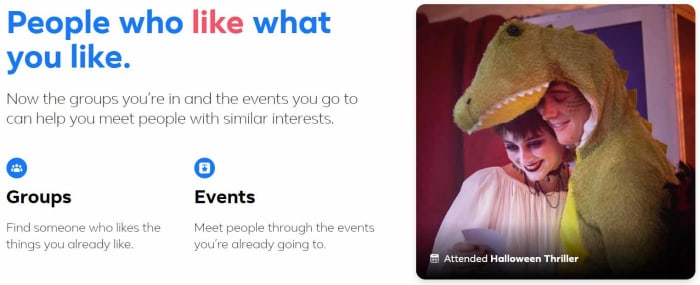
In September 2019, Facebook finally launched Facebook Dating to help you find your soul mate. If you think about who you are as a series of data points with your soul mate matching up more data points than anybody else on the planet, then Facebook Dating is probably the best way for you to find love. Let’s face it, whether you want it to or not, Facebook probably knows more about you than even your own mother so why not put your love life in its hands? If everything else has failed in this regard, try Facebook Dating now.

Snapchat considers bringing in permanent snaps

OK, this isn’t an actual update, but it is so major that we thought we’d add to it our list anyway. In 2019, reports started circulating that Snapchat is considering introducing permanent snaps rather than the here one minute gone the next content that made the social media network what it is today. If Snapchat goes ahead with this change, it will completely change what it means to be a Snapchat user.

Instagram now hides likes

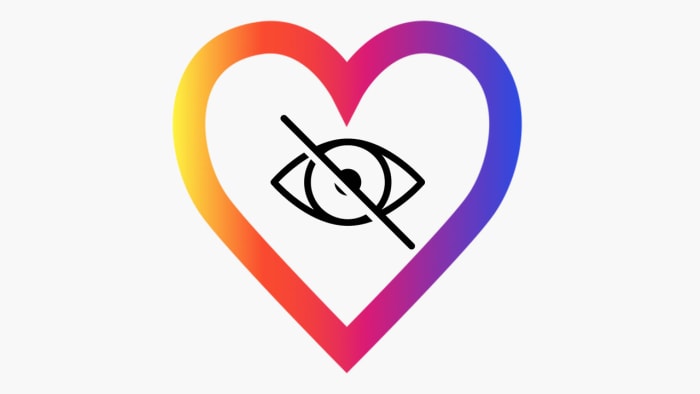
Instagram has been taking a lead on protecting its users with massive pushes against online bullying across the network and also efforts to protect the mental health of Instagram users. The biggest such move Instagram made in 2019 was removing the like counter from Instagram posts. Users can still see how many likes their own posts get, but the rest of the world remains oblivious. Instagram just became a little bit less about comparing yourself to others.

Twitter allows users to hide replies to tweets

A similar move to protect users came from Twitter, which has increasingly attracted criticism for not preventing abuse on the network. Users can now choose to hide replies to their tweets, which cuts out a potential new avenue for incoming abuse. The hope is that by protecting users in this way, Twitter users will feel emboldened to share more across the network.

LinkedIn live streaming

LinkedIn Live Launches Beta

It might not be as fun as Facebook or Tik Tok, but LinkedIn is still a social network. With its primary focus being on fostering professional networks rather than social ones the introduction of live video streaming has added a whole new element to LinkedIn. As well as the obvious marketing capabilities, professional live streaming can now cover events such as training courses and industry seminars.

Why am I seeing this Facebook ad?

Another feature that Facebook has given users better control over is ads. Now, when you see an ad on your news feed you can hit the ellipsis menu icon in the top-right corner of the ad and then select the Why am I seeing this ad? Option to open up a new menu that gives you control over your ad preferences. This new menu allows you to hide ads from that particular advertiser as well as control the influences that are behind the ad choices Facebook shows you. Of course, you can’t stop Facebook showing you ads altogether, but you can try to make the ones you do see a little less annoying.

All the best new features your Android mobile got in 2019

These are all the best new features that came to your Android phone in 2019.

The best new Android features from 2019

Android is the most used operating system on the planet, clocking up more active users than even Windows. That’s not bad considering the first version of Android came out as recently as 2008. The Android you have on your phone today, however, is very different to that first offering we got 12 years ago. Google has tinkered and tweaked its mobile operating system over the years releasing regular updates named after famous candies, with 2018’s Android 9 being called Android Pie.

In 2019 though, this changed. Google decided to ditch the sweet treat monikers for its Android updates and instead opted for a simple name; Android Q became Android 10 when it was released. Today we’re going to look at all the best new features for all Android, including Google Pixel phones and Samsungs, that landed on Android 10 in 2019.

Google App Download Now ►
8

New features for Android 2019

Dark Mode

Android 10 Dark Mode

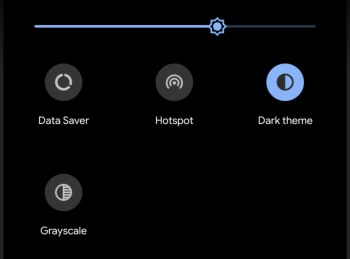
The biggest feature to land on Android phones in 2019 is, without doubt, the Dark Mode. Ever since Google published research showing that devices with OLED screens use less battery power showing darker colors than they do light, the web giant has systematically gone through all its core apps and added a new Dark Mode. In 2019 the feature was brought to the Android OS too meaning all you now need to do to activate a system-wide Dark Mode on your Android device now is drag your finger down from the top of your screen to open the Quick Setting menu, swipe to the left, and then activate the Dark theme option.

Improved new gesture navigation

Google has been working on gesture navigation for Android for quite a while now and a version was included in Android Pie. In 2019 though, Google made it possible to navigate Android using only gestures, removing the ever-present Home and Back buttons from the bottom of the screen. Users don’t have to use this new system, they’re disabled by default, but it isn’t hard to imagine a future were Google forces this change upon us.

Bubbles

Bubble notifications on Android

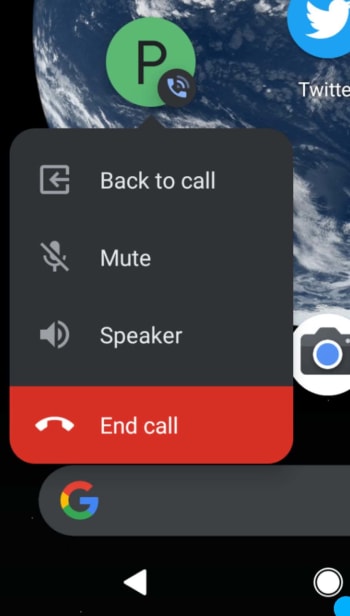
Android 10 introduced a new Bubbles feature that works a bit like the Facebook Messenger Chat Heads feature. Basically, Bubbles are round notification icons that appear on your home screen and can be dragged all over the screen just like you can when you have an active chat on Messenger. At the moment, Bubbles works with the phone app, with the bubble notification opening various available settings relating to in-call options. There is scope for other apps to use Bubbles for notifications too, but Google wants developers to think carefully about the types of notification that will be suitable, so users aren’t overloaded.

Focus mode

Smartphone and social media addiction have made clear some hard truths very clear in recent years. If not used properly, modern technology can have a detrimental effect on your mental health. This was behind Google’s development of Android’s Digital Wellbeing menu, which gives users access to stats relating to how they use their device and apps and, if necessary, set limits. In 2019 Google expanded Digital Wellbeing by adding a Focus Mode, which will turn off notifications for apps you think could be distracting and gray out their icons on your home screen. When you turn Focus Mode off everything goes back to normal.

Increased location and privacy control

Android 10 Privacy location controls

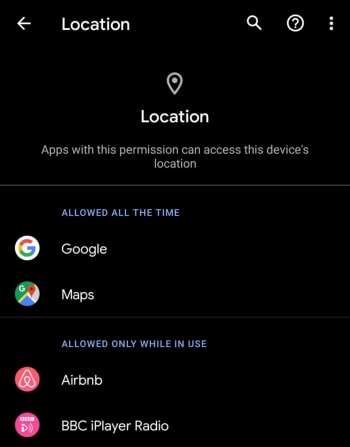
A very welcome addition to Android in 2019 is an improved control panel that allows you to easily control which apps can access your location data and which apps can’t. It is now easier than ever for Android users to stop apps sharing their location data when not in use. It seems mad that it has taken so long for this feature to become available. Now, Android users can find all privacy settings; including location, app permissions, and web and app activity in the one settings menu.

Parental controls

Another boost to the Digital Wellbeing section is Android’s new Parental controls features. These allow parents to link their children’s phones to their own and then keep an eye on screen time, set limits, and add restrictions to Google services like Google Play. This is particularly useful if your children play games or use apps that offer in-app purchases.

A decent Files app

The new Android Files app

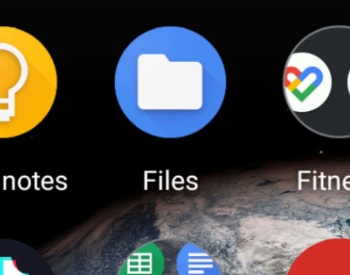
In 2019 Google finally added a half-decent Files app to Android. There is still no Recycle Bin, but there is now a much better user interface, a file search bar, quick access to other apps, and a brand-new Files app icon.

Smart Reply for all messaging apps

Google introduced Smart Reply to Gmail over a year ago and the feature, which prompts short responses to received messages has been relatively well-received by Gmail users. In 2019 Google expanded Smart Reply to work with every messaging app available on Android. Now, when you receive a message, the Android notification tray will prompt you with short replies that could also include emojis. Furthermore, the expanded Android Smart Reply can also prompt actions like opening Google Maps, if, for example, your friend has sent you their address.

Wi-Fi QR codes for sharing your network

Wi Fi QR Code Share Android

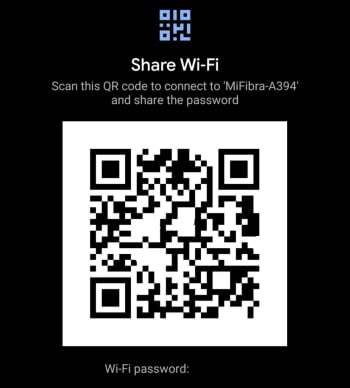
Connecting to Wi-Fi networks can be really annoying but Google has made it easier than ever for anybody who has the latest version of Android. The new feature allows you to click Share on any active Wi-Fi connection you have. You then authenticate yourself using your fingerprint or password and generate a QR code, which others can then scan to gain access to the network.

Undo app removal

If you’ve ever accidentally removed an app from your home screen, this new feature will be useful for you. Thanks to this update you now have a short window of time to undo any app removals. Instead of having to think what app used to be in the space you now have on your Android home screen, you can now simply hit the Undo button, which will appear at the bottom of the screen.

All the best new features your web browser got in 2019

Google Chrome is the most popular major web browser. Here we walk you through all the biggest new features that landed on Google Chrome in 2019.

The best new browser features 2019

Modern browsers like Mozilla Firefox, Microsoft Edge, Safari, Opera, and of course Google Chrome are monster programs that can do amazing things. The days of Internet Explorer are long gone. You only have to consider the fact that Google used its web browser Chrome to develop a whole new operating system that runs Google powered laptops called Chromebooks, and rivals the likes of Windows and MacOS. This incredible feat has been made possible by Google’s policy of continually updating the Chrome browser.

It can be hard to keep up with all these updates, however, as they just keep coming. What use is a shiny new updated feature, if you don’t even know that it’s there. Well, that’s what we’re here for today. We’re going to walk you through all the new features that came to the Google Chrome web browser in 2019.

7

New Chrome features 2019

The Google Chrome web browser received a massive 7 updates in 2019 with the first, Chrome 72, landing in January and the last, Chrome 79, arriving just before the new year in December. Let’s look at all the best new Chrome features that these updates brought with them.

Default Flash blocker

Default Flash blocker

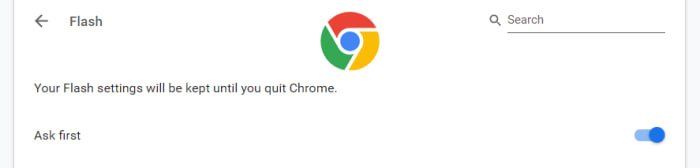
Google has already said that it will remove the Flash plugin from Chrome towards the end of 2020. In 2019, however, Google put the impetus on users to activate Flash in Chrome by making the browser block the plugin by default. You can set the browser to ask you before blocking it, however, on each site you visit. To do so copy and paste chrome://settings/content/flash into the Chrome address bar.

Password checkup tool

Google has integrated a former Chrome plugin directly into the browser, meaning it is now available for all Chrome users. The feature will scan your passwords and then check them against known databases of leaked passwords. Basically, if any of your accounts and passwords have fallen victim to any of the massive data breaches you hear about all the time, Chrome will now tell you. To activate this feature copy and paste chrome://flags/#password-leak-detection into the Chrome address bar.

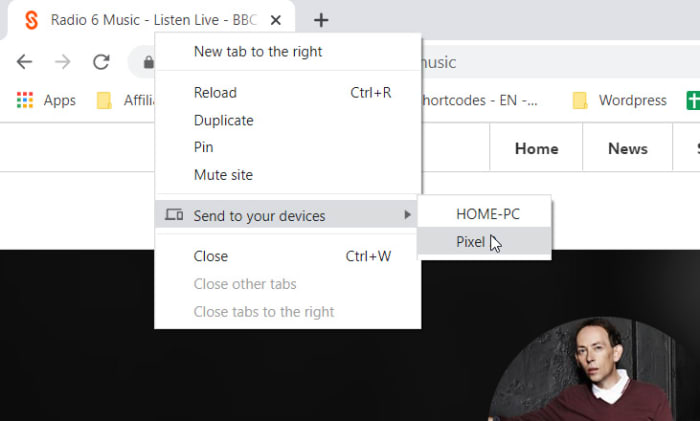
Send tabs to other devices

Send tabs to other devices on Chrome

Chrome 77 introduced an interesting feature that allows users to send tabs to other devices that use the same Google account on Chrome. If you use the same Google account on Chrome across different devices, you can now right-click on any of your open tabs on Chrome for desktop and hit the Send to your devices option to see a list of devices you can share the tab with.

Copy and paste across devices

Another cool Chrome Sync feature that was introduced in 2019 is the clipboard synchronization feature across multiple devices. This new feature means you can copy something on one device and then paste it on another that is using the same Google account for Google Chrome. This feature came with Chrome 79, which means both devices will need to be updated to Chrome 79 before it will work. If you have two devices that qualify, however, you’ll be able to right-click anywhere on the webpage and then select Copy to (your device’s name).

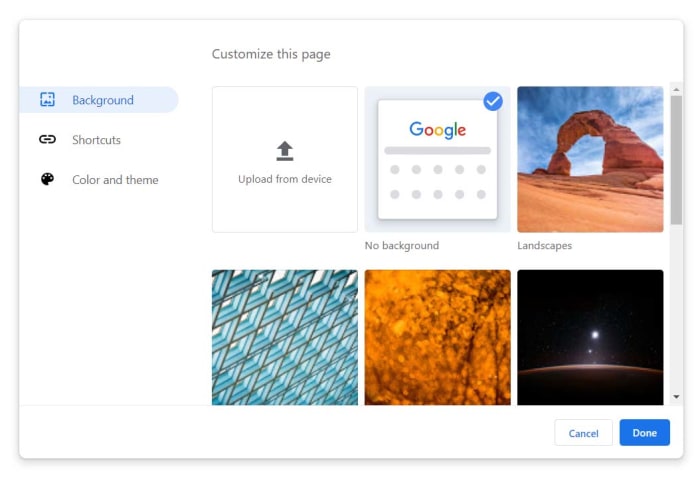
Chrome backgrounds and themes

Chrome backgrounds and themes

Another cool feature that landed with Chrome 77 is the Customize button you’ll find in the bottom-right corner of the Chrome homepage. Clicking this will give you a series of different customization options including BackgroundColors & Themes, and Shortcuts. You can decide on the shortcuts Chrome will show on the homepage, pick from a whole host of interesting background images, and set different themes and color schemes for the browser.

The Dark Mode

Google split the Chrome Dark Mode roll-out over two separate updates with the Mac Dark Mode coming with Chrome 73 and the Windows Dark Mode coming with Chrome 74. Both operating systems now support Chrome’s Dark mode but there are no controls for this on the web browser itself. Instead, Chrome simply copies your system OS color scheme meaning if you’ve set your Mac or Windows system to run in Dark Mode then your Chrome browser will do too. The Chrome support page here shows you how to do so.

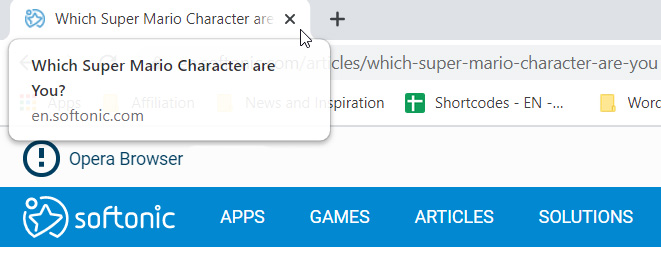
Tab info cards

Tab info cards

A small but useful change is the introduction of tab info cards. All you need to do here is hover your cursor over an open tab and Chrome will show you the name of the site open on the tab, and its URL.

Dodgy site warning

Chrome’s password protection features were updated again when Chrome 79 landed. Chrome now offers real-time protection and will warn you whenever you enter your passwords on sites that are suspected of phishing.

Hardware support for media controls

Hardware media controls

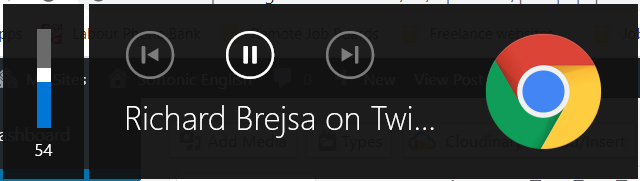
Chrome now supports media control buttons on any hardware you have connected to your device. This means if you have a keyboard with a Play/Pause button, you can now use that button to control playback on any media that is active in Google Chrome. The same goes for other controls and other types of hardware such as headphones etc.

Tab freezing

This updated feature might not sound too exciting, but it will actually make a big difference for laptop users. Basically, Chrome now automatically freezes tabs that you’ve had running in the background for a while. Chrome will no longer load ads or perform other CPU heavy tasks in tabs you’re not using, but will instead pause them and then resume them when you open them again. This is to put less pressure on your device’s CPU and then, accordingly, make your laptop’s battery last longer.

Password manager

Chrome password manager

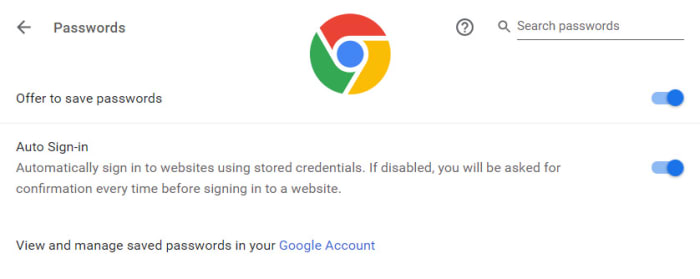
Chrome 75 introduced the built-in password manager to Android and iOS devices meaning Chrome can now generate and store strong and unique passwords for you every time you open a new online account. This is an incredibly useful and essential feature as any time you duplicate a password across different accounts you leave yourself vulnerable to hacking.

All the new Windows 10 features from 2019

These are all the best new features that came to Windows 10 in 2019.

Windows 10 is Microsoft’s flagship operating system and has been for quite some time. Microsoft has decided that rather than release new versions of Windows like back in the days of previous versions like Windows 7; it will stick with Windows 10 and regularly tweak and update it with new features. This means that although it still looks like the same program it was when released, Windows 10 is now quite different and has many new features.

We’ll also be looking at all the best new features for Google’s Android OS and Apple’s iPhone, but today, we’re going to look at all the new feature updates Microsoft added to Windows 10 in 2019. Let’s have a look then at what’s new with the latest updates to Windows 10.

The latest and greatest version of Microsoft's operating system.

New Windows 10 features 2019

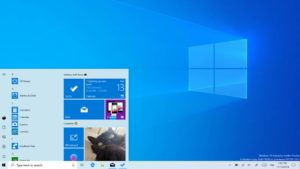
The new Windows 10 Light Desktop Theme

New Light Mode for Windows 10

In a year when it seemed like every single mobile app and its dog were getting dark modes, Microsoft decided to take Windows 10 the other way. With the Windows 10 default theme being dark ,with a black taskbar running along the bottom of the desktop, 2019 saw the introduction of a Windows 10 Light Theme. When activated the taskbar runs a light grey and there is even a much lighter version of the original Windows 10 wallpaper.

Cortana’s split from search

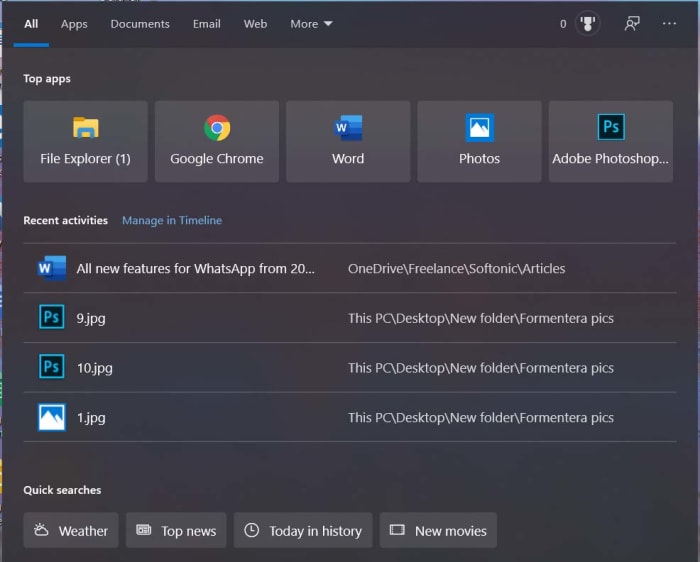
The new and improved search console on Windows 10

The Windows 10 AI digital assistant Cortana has now been separated from the  Windows search box. They now sit next to each other on the taskbar rather than being together. This means Cortana is no longer handling your Windows 10 searches and you can better focus your searches using Windows 10’s improved search interface. The Start menu file explorer can also now search through all files on your PC.

A world without passwords

Another cool new feature Microsoft has added to Windows 10 in 2019 is the ability to create a Microsoft account without an online password. This passwordless security will protect against the types of data breaches and hacks that end up with millions of passwords falling into the hands of nefarious cyber-criminals. You don’t have to but you can now set up an account using your phone number and then use Windows Hello sign-in features like a locally stored PIN, similar to that you use with your credit card, or biometric security credentials like your fingerprint.

The update to Windows Updates

More control over Windows 10 updates

If this sounds a little confusing, it is because Microsoft made a huge mess of the whole Windows 10 update process. So much so, that they’re one of the most hated things about the Microsoft operating system. That’s why in the May 2019 Update, Microsoft updated Windows 10 updates. You now have greater control over Windows 10 updates. You no longer have to update Windows 10 when Microsoft tells you to and can stick with your current version of the OS for up to 18 months. After that Microsoft will no longer provide security updates. It is also possible now to pause updates.

7 GB of reserved disc space

Windows 10 disk space

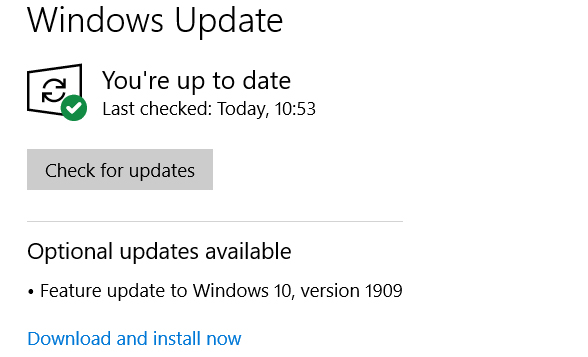
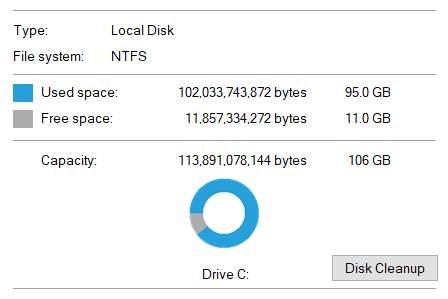
Another update to updates here. To make sure Windows 10 updates run as smoothly as possible, Microsoft now reserves at least 7 GB of space on your system’s hard drive. This will be more of an issue on machines that have smaller SSD hard drives, but there is good news. Microsoft uses the reserved space to write temporary files, which frees up the space normally used for this task. To be fair, this isn’t going to free up the whole 7 GB of space, but it does show you that not all of that space is completely wasted.

Improved Focus Assist

The Windows 10 Focus Assist was first introduced to stop notifications disturbing your game time. The feature has now been extended to all apps being operated in full screen. This covers everything from video players to web browsers and makes quite the difference.

Greater control over Microsoft apps

Uninstall Microsoft apps

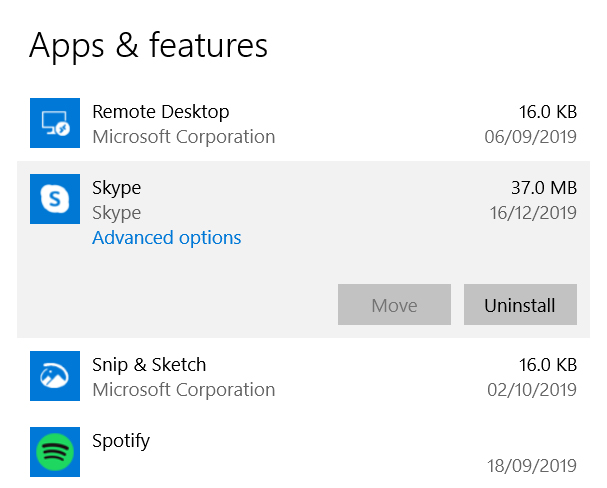
2019 was the year Microsoft gave you greater control over the apps it bundled along with Windows 10. It is now possible to uninstall pre-installed Windows 10 apps like Skype, Solitaire, Paint 3D, Groove Music, Mail, 3D Viewer, and more. These can now be removed from your device altogether. Probably something to think about when you realize your Windows 10 PC just took 7 GB of space from your hard drive for an update you don’t even want.

“Improved” Start Menu

A better start menu for Windows 10

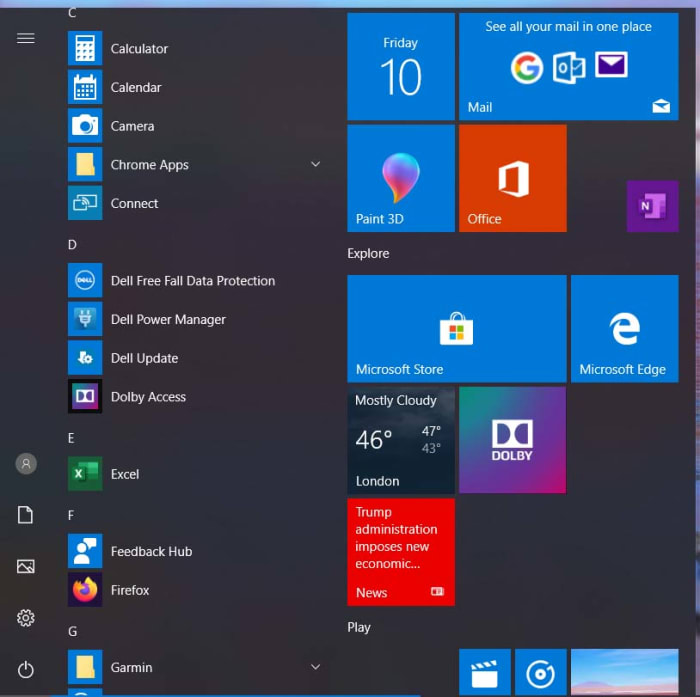
Windows 8 was a huge mess that did away with the traditional Windows layout as it experimented with touchscreen interfaces. One of the big things that set Windows 10 apart from Windows 8 was the return of the Start menu. Unfortunately, however, the Windows 10 Start menu retained much of the Windows 8 aesthetic, opening up a huge menu with different app tiles of varying sizes. In 2019, this was paired back with the Windows 10 Start menu only having one extra column beyond the list of major apps. It still has the Microsoft Store and Store apps, but it is definitely an improvement. If you’re Start menu still looks the same, you can now change it to the new updated setting.

Simpler troubleshooting

Windows 10 troubleshooting

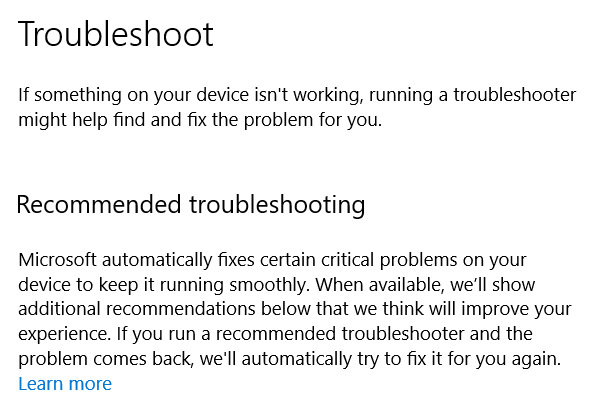
Windows has always done a pretty good job of searching out problems that could be causing your system issues. In 2019 Windows 10 got even better and made it much easier for you to troubleshoot any issues you might be having. Following the update, you no longer have to find the correct troubleshooting tool to search out your issue. The whole process has been centralized now meaning no matter what the problem is, you just go to the Windows 10 Settings page, hit Update & Security, and then hit Troubleshoot.

Wrapping up

So there you have all the biggest and best new features that were added to Windows 10 in 2019. The latest Windows 10 version has come a long way since it was first released for free by Microsoft. 2019 marked a good year for updates as there are plenty of interesting new features that have been added to the OS and Microsoft is finally doing something about the troublesome update process. Roll on 2020.

All the new WhatsApp features from 2019

These are all the biggest features that came to WhatsApp in 2019.

WhatsApp is the biggest smartphone messaging app on the planet with over 1.5 billion active users. Being free no doubt has a lot to do with WhatsApp’s massive popularity but there are a lot of cool features behind WhatsApp’s success too. The Facebook-owned app is constantly updating itself and adding new features that make it better than it used to be.

It can be hard keeping up with WhatsApp updates, however, which is why today we’re going to walk you through all the cool new features the app got in 2019. This is strictly about features that did land on the messaging platform in 2019, so we won’t be talking about features that still on the horizon like the much talked about dark mode or anything else that is still only in the beta version of WhatsApp.

WhatsApp Messenger Download Now ►
8

All WhatsApp updates for Android and iPhone from 2019

Reply Privately

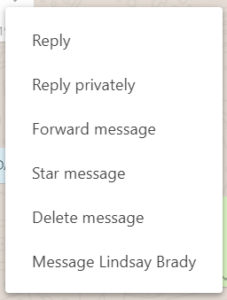
At the beginning of 2019 iPhone WhatsApp users had the new Reply Privately feature added to their app. The new feature is a WhatsApp Group’s feature and allows users to privately respond to a message they received in a group chat. You can use Reply Privately by opening the settings menu for any group chat message and selecting the Reply Privately option. Doing so will open your private chat with the user and start with a quoted reply to the message in the group chat. The feature is now live for Android users too.

Frequently forwarded label

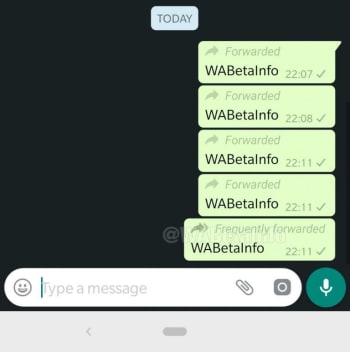
WhatsApp has been battling a fake news problem that has had some terrible repercussions around the world. One such fake news fighting measure introduced in 2019 was an updated Frequently Forwarded label that is now added to messages that have been forwarded more than five times. Another similar measure prevents users from forwarding messages to more than five users at any one time.

Fingerprint authentication

Fingerprint security

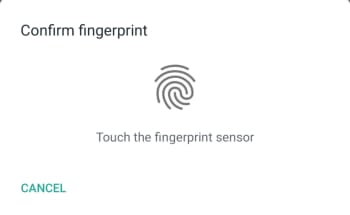
Another WhatsApp feature that came to iPhone first but is now available on Android devices too is fingerprint authentication. Users can now set WhatsApp to lock automatically and then only be opened again using an authorized fingerprint. Apple fans can also use Face ID to unlock their WhatsApp, if their iPhone has the feature.

New Group Privacy Settings

New WhatsApp group privacy settings

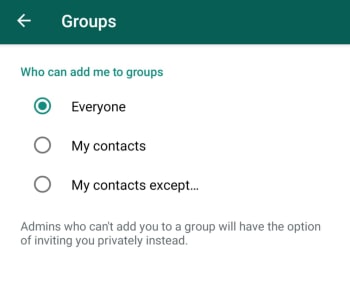
WhatsApp also updated its Group Privacy Settings in 2019. The update is designed to give you more control over the groups you’re added to by allowing you control which of your contacts can add you to a group. To take advantage of this new feature you need to go Account, then Privacy, and then Groups. Here you’ll find the My Contacts Except… below Everyone and My Contacts. Using this new option will allow you to block contacts you have saved on your phone from adding you to new group chats.

Consecutive voice messages

This is a small update, but it is one that makes hands free use much easier. When you receive multiple voice notes consecutively in a single chat WhatsApp will automatically play them one after the other. You won’t have to tap the play button every time one note finishes, and you want to move onto the next one.

Share WhatsApp Status Updates to Facebook Stories

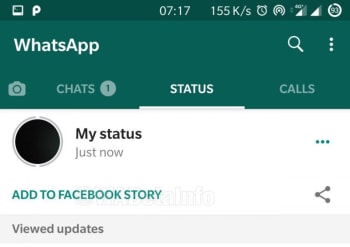
2019 was the year we learned about Facebook’s grand plan to merge Facebook, WhatsApp, and Instagram. Each will remain its own separate app offering its own separate experience, but it’ll be much easier for users of each app to communicate with each other across them. The first major step in this direction, which we saw in 2019 was the ability for users to share their WhatsApp Status Updates to their Facebook Stories. Now, whenever a WhatsApp user posts a Status Update a new button will appear under the Status tab, which gives the option to share the update to Facebook. It really is a brave new world.

Netflix trailer support for iOS

WhatsApp users on iOS have a handy new feature that allows them to watch Netflix trailers from right there in the chat window. When they receive a compatible Netflix link in a WhatsApp message and click on it, the video will start playing in a large thumbnail window like it does whenever you click on a YouTube link. Unfortunately, for Android users, this feature isn’t live on Android and there is no indication that it will roll out any time soon.

Improved Picture-in-Picture (PiP) mode for Android

The official name for the video thumbnail outlined above is WhatsApp’s Picture-in-Picture mode, commonly referred to as PiP. When PiP was first launched on Android it was limited to single chats. If you received a compatible video link in a chat, you could click it and then view the video while you continued chatting away. If you left that chat, however, your PiP video would disappear. In 2019, WhatsApp updated this feature and you can now switch between different chats while continuing to watch your PiP video. The feature also landed on WhatsApp Web and desktop in 2019 too. As always, however, the feature has been live for iOS for quite some time already.

Group Calls on Android

Group Chats on Android now has a new button that makes it very easy to launch a group call. When you click the icon, which is found in the top-right corner of the chat you’ll see a new pop-up window appear, which allows you to choose the participants of the group call. You can then select up to three participants and decide whether it will be a group video call or a group voice call. This feature is also available for iOS users too.

Wrapping up

As we started out by saying, WhatsApp is a constantly evolving messaging app, even if it feels like it never really changes. With the core feature simply being a way to contact your friends and family it can be easy to miss the new updates if you’re happily chatting away in the same way you always have. We’ve outlined above all the biggest changes to come to the main app in 2019 and avoided WhatsApp beta. There were other smaller updates too, but as long as you know about the features we’ve outlined above you’ll be up to speed with all the important features.

New year new iPhone? You need these essential apps for 2020

These are all the essential iPhone apps you need in 2020.

Must have iPhone apps

Is there anything as exciting as getting a brand-new iPhone? Just on looks alone they’re incredible little machines. Beautiful to look at and solid to hold, they’re a marvel of modern desire. Particularly when paired with an Apple Watch. Obviously, however, iPhones are so much more than how good they look. The newer iPhone models are very powerful mobile devices offering a world of possibilities to anybody lucky enough to have one in their pocket. Owning one isn’t enough, however, if you truly want to unlock the iPhone’s true potential. To do that you need the best apps.

This why we’re here today. When you first unpack your iPhone it only comes with basic iOS apps. We’re here today to tell you about the most important new apps you need to download on your iPhone. These are the best iPhone and iPad must have apps on the app store.

Essential iPhone apps 2020

Social media and messaging apps

We’ll start off our list of must-have iPhone apps with all the social media apps that no modern smartphone should be complete without. Of course, you need Facebook, Instagram, and Twitter, which represent the old faithful veteran social networks. Newer to the game, however, but no less influential is Snapchat and the biggest upstart of them all is Tik Tok. Each app offers something different to offer.

7
Instagram Download Now ►
7

Once you’ve got your social networks installed on your iPhone’s home screen, you need to start thinking about messaging apps. Yes, iMessage is a fantastic app but if you’ve any friends who don’t have iPhones themselves, you’re going to have to diversify your messaging capabilities. WhatsApp is the biggest messaging app on the planet with Facebook Messenger not far behind.

WhatsApp Messenger Download Now ►
8

Google Maps

When it comes to GPS navigation, Google is the king of kings. Both Google Maps and Waze, which is also owned by Google are better than the Apple Maps mobile app that comes pre-loaded on your iPhone. Installing Google Maps on your iPhone will give you fantastic navigation capabilities as well as reliable public transport information. In short, you’ll get the best GPS app available.

Google Maps Download Google Maps
7

Google Chrome

Google Chrome

As well as Google Chrome, we’re also going to recommend Mozilla Firefox here and Microsoft Edge. Chrome is by far and away the most used web browser on the planet. It is a fast and reliable browser, which is why it is so popular. Mozilla Firefox is also reliable but is also the perfect web browser for anybody who is worried about their online privacy. Microsoft’s Edge browser is the newest of the three recommendations and offers a decent compromise between what you get with Firefox and what you get with Chrome. If you like the sound of both of them, download Microsoft Edge.

7
9

LastPass

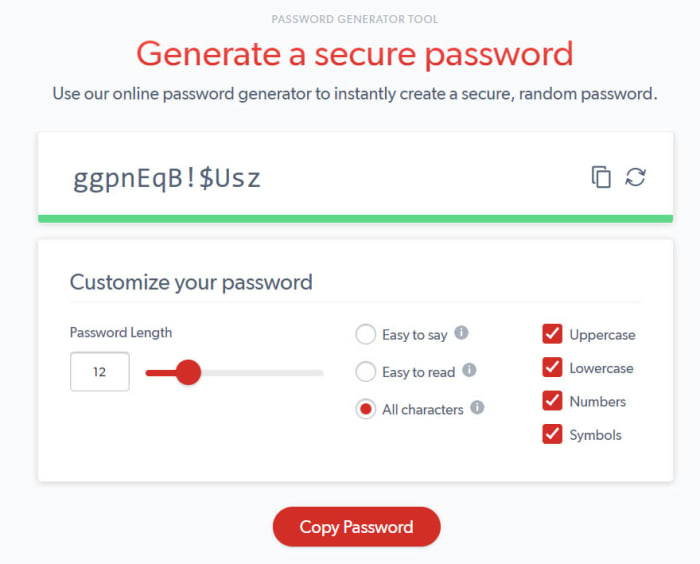
LastPass offers you the best free password manager and as such is a must have app. We have more online accounts than ever before and if you’re to stay secure when browsing the web, every single one of them needs a strong and unique password. In reality, this is an impossible task. You probably can’t come up with so many unique passwords and you definitely can’t remember them all. This is why you need a password manager and with LastPass syncing all your passwords across up to three of your devices, this is the one you should get.

8

Google Photos

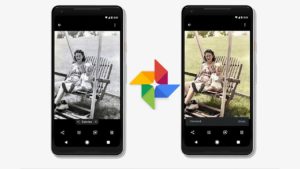
Photos colorize blank and white images

Another Google app makes our list here, but it can’t be denied that Google Photos is the best photo app available today. Photos allows you to back up all of your photos under 16 megapixels to cloud storage and then access them whenever you have an active internet connection. This means you can then free up space on your iPhone by deleting the photos that have been backed up. On top of this Google Photos also uses all sorts of AI bells and whistles to automatically organize your photos, make them easier to find, edit and optimize them, and share them with friends and family.

Google Photos Download Google Photos
7

Snapseed

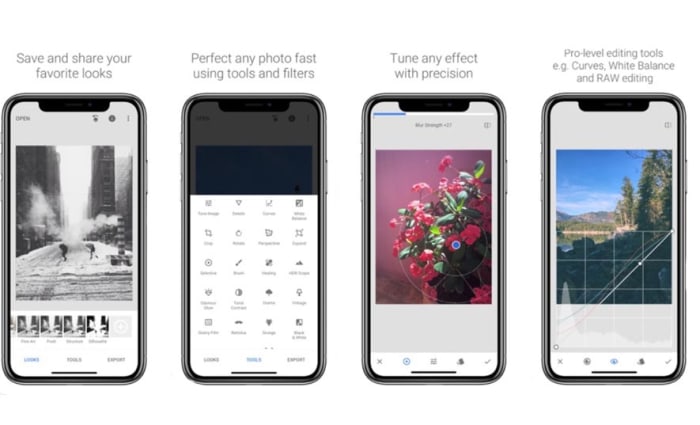
If you’re a keen smartphone photographer, you might want to go beyond the basic edits offered by Google Photos. Snapseed is a fantastic photo editing app that offers extensive features that rival those found on many premium apps. It is easy enough to use for beginners to make impressive edits to their shots and advanced enough for those who are more comfortable playing around with the nuts and bolts of images to get them exactly how they want them. This is the photo editing app you need on your iPhone.

9

Evernote

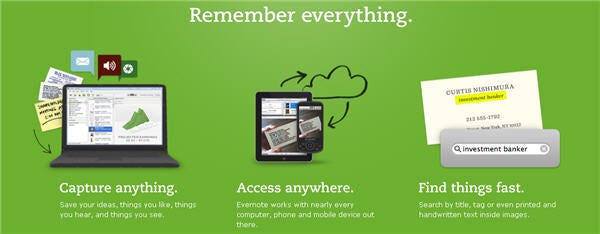
Evernote is a fantastic note taking app that gives you the power to easily create to-do lists and other notes to yourself and then sync them across all of your devices. Evernote can even scan handwritten notes and allows you to add multimedia elements like photos and audio clips to your notes as well as links and web pages. This is a very useful app.

7

Netflix

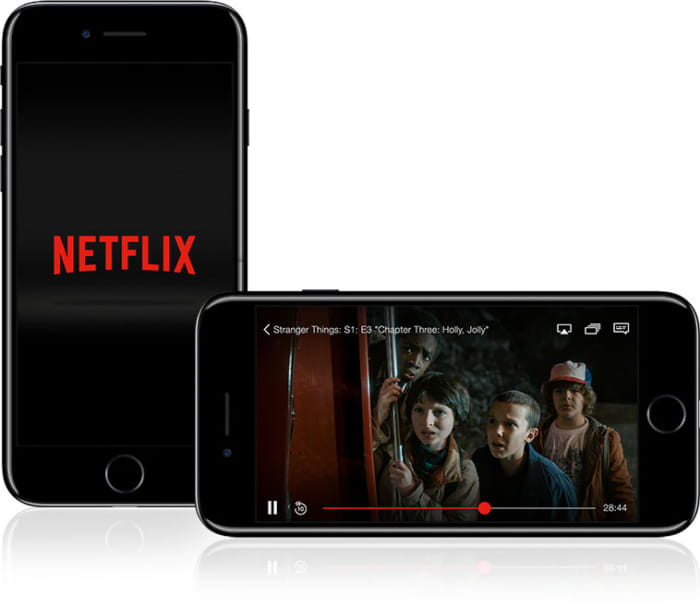
If you have a Netflix subscription, you need the Netflix app. It is as simple as that really. Why would you not download the app, why would you stop yourself from being able to download movies and shows to your phone so that you can then watch them when you’re not connected to Wi-Fi without having to worry about using up all your mobile data.

8

Spotify

This is the same as Netflix. If you have a Spotify subscription, download the app now and get all your favorite tracks and playlists even when you’re offline. Come to think of it, this works the same with Deezer, Apple Music, and Google Play Music. If you’ve a subscription, download the app.

8
Deezer Download now
7
Apple Music Download Now ►
7
Apple Music Download Now ►
7
Google Play Music Download now
8
Wrapping up

So, there you have some of the most essential apps you need to download right now on your Apple iPhone. We could have gone deep on Google apps but tried to limit it to just a few. You could also look at Gmail, Google Drive and all its attached apps like Google Docs, and Google Translate. On top of these, there are plenty more fantastic iPhone apps like Dropbox, Dark Sky, Skype, and Amazon out there for you to download. With this list, however, we just wanted to give a good foundation that you can then build on yourself.

New year new computer? You need these essential apps going into 2020

These are all the essential apps you need to download and install on your new Windows PC.
Must have software for Windows 10

New years are perfect for new beginnings. The new year also comes just after Christmas too. Both these facts mean many of us are going to be starting 2020 with a brand-new Windows PC. Whether a Christmas gift, a January sale bargain, or an attempt to start afresh at the beginning of the new decade doesn’t matter. New computers are exciting for their possibilities, but out the box, they’re kind of grey. They come with basic software only and, as such, can’t actually do that much.

That’s where we come in with today’s guide. Today we’re going to walk you through all the must-have free software for your new Windows PC. If you’re a Mac OS or iOS iphone user come back later and Android smartphone users can check out their essential apps here. Everybody else, however, let’s get started.

Essential programs for a new computer

Your web browser of choice
Fortunately, the Windows 10 operating system comes with an excellent default web browser. Microsoft Edge is miles ahead of the old Internet Explorer, and offers some excellent unique features too like being a PDF reader, and giving you a very good Reader mode that cuts out all the clutter on the web pages you visit and turns the text into something more resembling a page out of a book. Very cool.

7

With web browsers though, it is very much horses for courses with everybody having their own preference. Google Chrome is the most popular by far offering fast load speeds and ton of available plugins, although it is also a RAM hog that can slow your new PC down to a crawl, if you have too many tabs open at any one time. Mozilla Firefox is big for privacy enthusiasts, offering you complete control over your own data. Opera is built with the same code as Chrome but has added different features, which means you can pick and choose the features your web browser has while maintaining the core offering you get from Chrome. Incidentally, Microsoft Edge is also based on the Chrome code now, which is something you might want to consider.

Security

malwarebytes

As soon as you’re connecting to the internet, you need to start thinking about your cyber-security. Windows Defender, which ships with Windows 10 is a decent antivirus program that is user-friendly and does a pretty good job of keeping Windows users safe. You might want to think about backing it up, however, with a powerful secondary antivirus software that can run as a specialized scanner. The free version of Malwarebytes is a great option for this as it is able to search out malware more effectively than Windows Defender. You can then leave Windows Defender to actively protect you in real-time and periodically scan your hard drive using Malwarebytes to make sure nothing has slipped through the cracks.

Malwarebytes Download now ►
8

Once you’ve got your system locked down tight, the only real threat to your cyber-security is you. Secure passwords are both a nightmare to come up with and a nightmare to remember. You need a unique password for each online account you have so it is basically impossible to remember them all. This is why you need a password manager to help you securely lock down all your accounts. Last Pass is the best free option as it will automatically generate secure passwords, store them using strong encryption, and then fill them in for you whenever you log into an account. Last Pass is great too because it’ll sync across three devices.

8

Productivity

LIbreOffice header

PCs are important tools for work as well as being fun for games. What’s great these days is that you can get your hands-on excellent productivity programs for free. Libre Office gives you a completely free alternative to the Microsoft Office suite including free alternative programs for Microsoft Word, Microsoft Excel, Microsoft Access, and more. There is no good reason for you not to download Libre Office on your new PC right now.

LibreOffice Download LibreOffice
7

Bonus appGoogle Drive also gives you access to Google’s free productivity programs including Google Docs and Google Sheets. Importantly, however, Google Drive gives you free access to 15GB of Cloud storage space, which you can then use to sync all of your media files and documents cross-platform to your multiple device or to share them with others.

7

Design

The other productivity aspect you may need your PC to take care of is design. Fortunately, however, there are some excellent free options here too. If you’re a professional graphic designer or a student looking to break into the industry you should download and install GIMP onto your new PC. GIMP is an open-source program that offers complex and advanced design tools and features that rival those found on Adobe Photoshop. If you’re more of an amateur looking for a simpler setup that will still allow you to get quite a lot done, you should download Paint.NET.

8
Paint.NET Download now
8

Bonus app – Screenshots are becoming more and more important in today’s increasingly connected social world. Whether you’re looking to include something you’re looking at in your design work or simply show a friend something funny you’ve seen, Greenshot is an excellent free tool for capturing what’s on your screen at any given moment.

Greenshot Download now
9

Media – Videos, Movies, and TV shows

There are lots of options here for programs to watch movies and TV shows on. The way we listen to music has changed, however, so we’ll come to that in a moment. With video, there are lots of different file types and codecs that you need your media program to be able to read. If a program can’t read all of them, you need to download another one. Fortunately, the indomitable VLC Media Player is all you’ll ever need in this respect. When you have it on your Windows PC, there’ll be no video you can’t watch.

VLC media player download free ►
8

Your music streaming app of choice


In years gone by, this section would have included the likes of Winamp. Now though, most of us listen to music through our streaming subscriptions. Sure, we have subscriptions for movies and TV shows, but the music subscription services are mostly complete meaning there literally all we could ever need. The top apps are Spotify, Deezer, Apple Music, and Google Play Music. Whichever you use, download it now.

8
Deezer Download now
7
Apple Music Download Now ►
7
Google Play Music Download now
8
Wrapping up

If you’ve got this far and you’ve downloaded all the apps we’ve said, your new PC is now a powerful beast that is ready to go. Of course, there are more programs you can download and install like Skype, Dropbox, Steam, CCleaner, and One Drive; but we’ve just started you out here with the essentials.


New year new mobile? You need these essential Android apps going into 2020

These are all the essential apps you need to download on your new Android phone.

Essential android apps

Everybody loves getting a new phone. Smartphones are fun and exciting because more and more they’re becoming powerful beasts with processing power that rivals that found on laptops and huge amounts of RAM that make even the most resource reliant apps work smoothly. When you get a new phone though, it is like a blank slate. Sure, an Android phone can do almost anything but when you take it out of the box, it is limited to whatever basic apps that came with it.

This is why today we’re going to walk you through all the best apps you need to install on your Android device. Check out our list of essential Android apps.
Android must-have apps

Core Features and Social Media

There are a lot of essential apps these days that could be described as offering your new Android phone its core features. Google apps like Gmail and Google Chrome will likely come pre-loaded on your phone offering you an industry-leading email client and web browser. Even Google Maps provides a core mobile function these days. Other core apps, however, include messaging apps, which could be WhatsApp and Facebook Messenger,or Telegram for more private users. Another core feature could be video calls offered by Skype.
WhatsApp Messenger Download Now ►
8

Finally, what is an Android smartphone in today’s modern world without a plethora of social media apps, each offering exclusive access to their own hip networks? You know your new phone needs apps like Facebook, Instagram, Snapchat, Twitter, and Tik Tok.

8
Instagram Download Now ►
7
8
9

LinkedIn

You could say that LinkedIn is just another social network, but you could also say that helping you find and stay in work elevates it above the triviality that we often attach to the other forms of social media. LinkedIn isn’t for fun, which sets it apart from other social networks. Either way, you really should have LinkedIn installed on your Android smartphone.

7

Google Drive

Syncing across multiple devices is important for pretty much every type of file. More than ever these days we start a job on one device and finish it on another. This is made possible by storing our files and folders on the cloud and then accessing them from wherever. The best service you can get for this on your Android phone is Google Drive. As well as the cloud storage, Google Drive also comes with a suite of apps you can download onto your Android phone. These include Google Docs for word processing, Google Sheets for making spreadsheets, Google Keep for note-taking and lists, and Google Photos for storing and viewing every photo you’ve ever taken across all of your devices.

7

MiXplorer

A key app that is often overlooked by Android users is a competent file manager app. A good file manager will allow you to organize your device files and give you greater control of and access to key folders like Downloads and Photos. As Android allows for much greater customization than Apple’s iOS for iPhone, a file explorer allows you greater control and also greater security when playing around with your phone’s OS. We used to love ES File Explorer Pro, but that is no longer available on the Google Play Store. Now, however, we love the MiXplorer file manager, which does everything we’ve already mentioned and also gives Android users another key feature that is missing from their phones; a Recycle Bin for recovering lost files.

MiXplorer Silver File Manager Download now
10

LastPass

We can’t recommend LastPass enough. These days you need a password manager if you’re going to secure all of your online accounts properly and LastPass gives you the best password manager you can get for free. LastPass’s free version will sync your passwords across three devices meaning it’ll secure logins on your desktop/laptop/Mac, mobile, and one other device. This is very important because most free password managers only work on one device, which means you’ll need to switch the passwords between devices manually and this is much less secure.

8

Snapseed

We mentioned Google Photos earlier, which itself comes with rudimentary photo editing capabilities. Snapseed, which is also by Google offers much more, however, and is completely free to download. As well as basic cropping and rotating, Snapseed will also give you the chance to make advanced edits and put all sorts of cool filters and adjustments onto your photos. If you’re serious about your social media presence or just want your photos to look as good as they should, download Snapseed now.

9

Google Podcasts

Podcasts have become an essential part of modern life. They basically allow you to choose all of your favorite radio shows that you can then listen to whenever you want. Android users used to have to download third-party podcast apps like Acast and Castro and, of course, they still can although their free but not really free status can be annoying. Google, however, has now brought out its own podcast app imaginatively called Google Podcasts, which is free and has almost every podcast series you could ever search for.

Google Podcasts Download now
9

Netflix

OK, this one is subjective. Not everybody has a Netflix subscription, but enough people do for us to include it on our list. Downloading the Netflix app will enable you to download movies and shows that you can then watch later when away from your Wi-Fi connection. This means you get your fix without hitting your network mobile data allowance.

8

Spotify

Spotify feature

Again, this is another subjective one. Not everybody has Spotify; you could just as easily have DeezerApple Music, or Google Play Music. Which one you have doesn’t matter as although there are differences between them, they’re not so big. Download whichever app you’re subscribed to and instantly your phone is better than any iPod or MP3 player you’ve ever owned.

8
Deezer Download now
7
Apple Music Download Now ►
7
Google Play Music Download now
8
Wrapping up

With all the best Android apps we’ve outlined today your mobile device is ready to go. You could download these apps and no others, and your phone would still be a powerful machine capable of everything modern life demands of it and you. Obviously from here, there are plenty of other apps you can download too if you’re a big shopper get the Amazon app for example and there are a whole host of alternative apps to the Google options we’ve outlined. These include the Microsoft Android apps including OneDrive and other apps like Evernote and Dropbox. We just wanted to give you and your new phone a solid foundation to build on.

New year, new Nintendo Switch? You need these essential games for 2020

These are all the essential Nintendo Switch games you need to play in 2020.

Must-have games for the Nintendo Switch

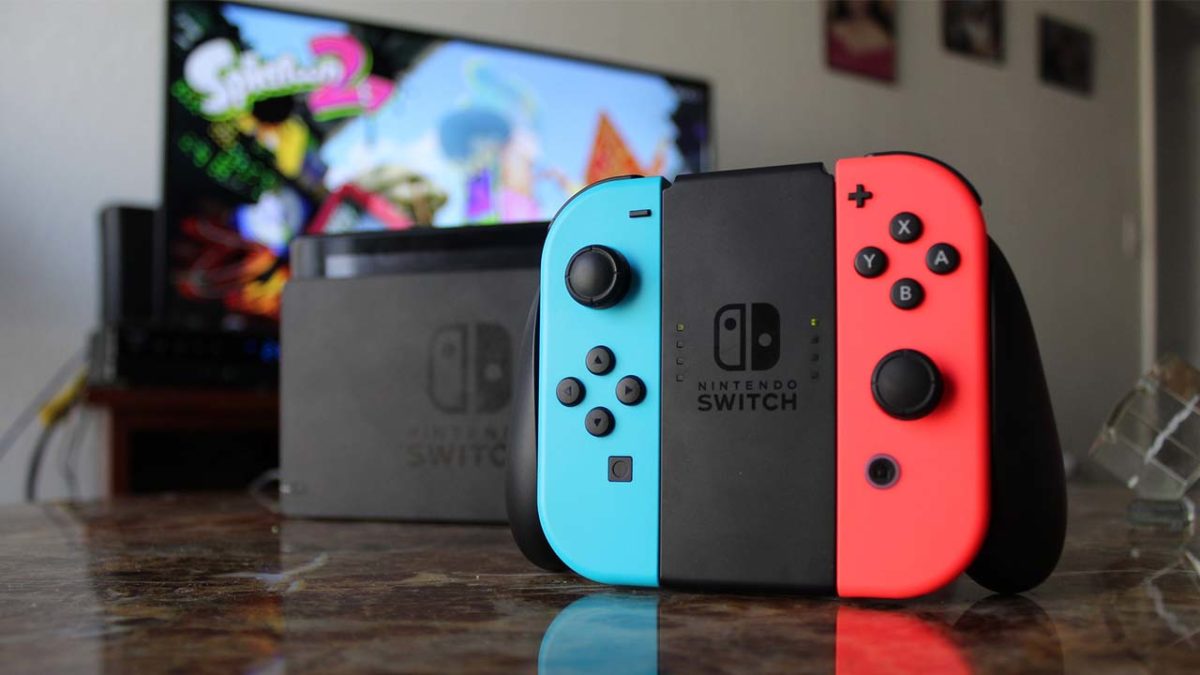
The Nintendo Switch is a marvelous little console. Whether you’re battling away in school or at the office, cooperating with friends and colleagues, or playing at home on your big screen TV doesn’t matter. The games are the same and always lots of fun. This is what makes the Switch so special. It is everything a hardcore gamer could want while also being able to reach out and grab people who wouldn’t normally spend much time playing video games.

What is a games console though, without games to play on it? If you’re lucky enough to have a new Switch, you need to check out our list of essential Nintendo Switch games. Even if you’ve had a Switch for a long time or have the handheld mode Switch Lite, you should check out the games below. These are the best Switch games you need to play.

Best Nintendo Switch games 2020

The Legend of Zelda: Breath of the Wild

Zelda Love Interests Wallpaper

We’re starting with a big one here. There is a fairly convincing argument that Breath of the Wild isn’t just the best game on the Nintendo Switch, the best role-playing game, or the best Zelda game but that it is actually just the best game ever. The open-world RPG really is a joy to behold and offers a truly epic adventure that is just as much fun for somebody who’s never played a Zelda game before as it is for somebody who’s grown up wanting pointy Link-like ears. You should also check out The Legend of Zelda: Link’s Awakening and RPG fans could also try Skyrim or Octopath.

Rocket League

Rocket LEague

Rocket League sees you playing a game resembling soccer in cars that have powerful rockets that fling them all around the playing arena. The premise is simple, yet it is lots of fun to play. It is very impressive that all the physical mechanics that go into making Rocket League as fun as it is are possible on a device as small as the Switch. Team up with a buddy or go to head to head, it doesn’t matter. Rocket League offers addictive action that will draw you in and always leave you wanting to play just one match. This the type of game you pick up and then don’t put down.

Mario Kart 8 Deluxe

Mario Kart has been serving up manic multiplayer racing fun since the days of the Super Nintendo. Back then the SNES’s capabilities were pushed to the max to create the original game that would become a legend. The latest version on the Switch, which is like a bigger and better remastered version of the Wii U Mario Kart game is a worthy successor and offers players a lot to sink their teeth into. Lots of new game modes, characters, tracks, and power ups make this the most complete Mario Kart game yet. Also, the ease with which players can join the Switch consoles and the new online multiplayer options make the latest Mario Kart offering one of the best party games ever. Another fun party game to think about is Super Mario Party.

Super Mario Odyssey

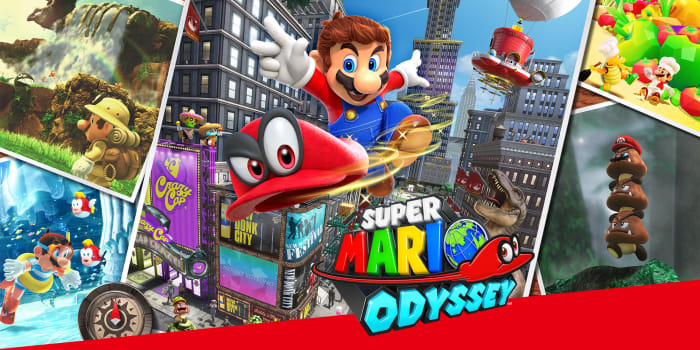
Super Mario Odyssey is a fine addition to what could possibly be the most famous video game franchise of all time. As well as better graphics and a rich game world, Odyssey also brought with it fantastic level design and some key new features to Mario’s platforming action; like viewable maps and the ability to quickly travel between different lands. Above all else though, this game feels like a Mario platformer game even when you’re controlling other characters and using their powers via the innovative Cappy addition to the action. Another Mario game worth your attention is Mario + Rabbids Kingdom Battle.

Pokémon Sword and Shield

5 things Game Freak must add to Pokémon Sword and Shield

Pokémon games have become almost as synonymous with Nintendo as Mario and they’re definitely as popular, if not even more so. When released the latest addition to the series might have been criticized online but it quickly became the fastest selling Switch game ever. The game plays well and offers a really compelling experience for all Pokémon fans. Pokémon fans should also check out Pokémon Let’s Go Eevee.

Luigi’s Mansion 3

Luigi's Mansion 3 on Switch

Luigi’s Mansion 3 is an absolute treat of a game that only came to the Switch towards the end of 2019. With 15 floors of haunted hotel to get through, Luigi’s Mansion 3 plays a lot like the other games in the 19-year-old series yet offers more than enough fresh aspects to make the gameplay stand out on its own. This is still a hunt-and-chase puzzle game but elements like the Luigi clone made of goo brilliantly named Gooigi give a fantastic new multiplayer co-op edge to the series. This game looks like it was as fun to make as it is to play.

Super Smash Bros. Ultimate

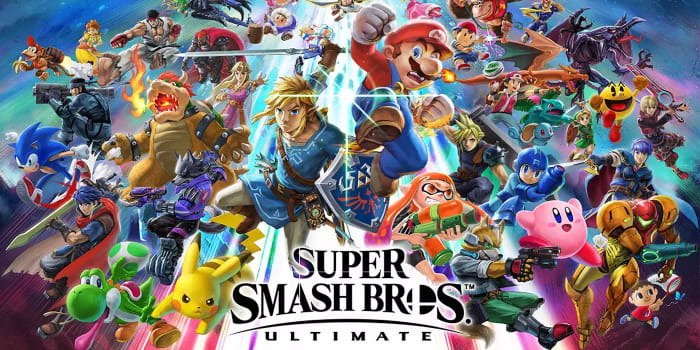
Smash Bros. is another classic Nintendo franchise that got the Switch treatment in style. The Switch version of of the definitive Nintendo fighting game received the Ultimate moniker because it has more characters than any other Smash Bros. game that has come before it. The roster includes the likes of Metroid’s Samus, Pokémon’s Pikachu, and Street Fighter’s Ryu. On top of that, Super Smash Bros. Ultimate also has the best single player campaign of the whole series. To put it simply, you need this game. Another great fighting game worth your attention is Splatoon 2.

Mario Tennis Aces

Mario Tennis Aces

Considering the amount of AAA games that can feel a little compromised on the Switch’s small screen it is a delight to tell you about a game that offers the best in class experience across all consoles including the PS4 and Xbox One. Mario Tennis Aces is the best tennis game you can play on any console even though you play as famous Mario characters rather than famous tennis players. That in itself is worth a look but the gameplay is what will really grab your attention, if you’re a tennis fan.

Tetris 99

Tetris Aces on Switch

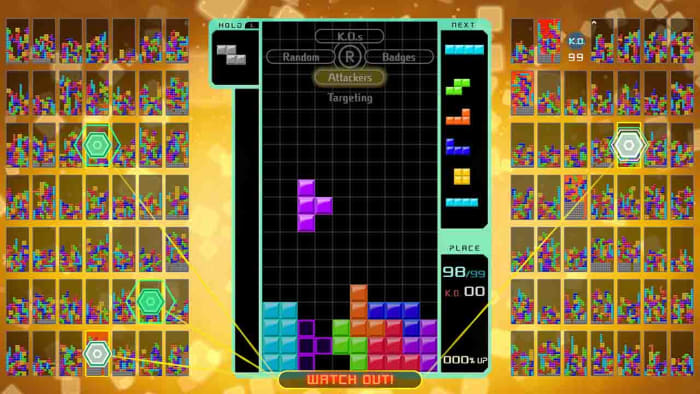
The final game in our list of must-have Nintendo Switch games is possibly the most Nintendo game ever. When Tetris first landed on the Nintendo Gameboy its simple, yet addictive premise took the world by storm. There have been updates and remakes brought out time and again, but none have quite reached the heights of Tetris 99 for the Switch. Tetris 99 is a last man standing battle royale version of the retro classic. Yes, you read that right. You play Tetris in a battle to the death with 99 other players. That alone is why you must have it, that it is so much fun is why you won’t be able to stop playing it.

[sc name=”Starred Link Card” image=”https://articles-img.sftcdn.net/sft/articles/auto-mapping-folder/sites/3/2018/10/nintendo-game-boy-192.jpg” title=”How to get Game Boy games on your iPhone in less than 10 minutes” link=”https://en.softonic.com/articles/how-to-get-game-boy-games-on-your-iphone-in-less-than-10-minutes/” CTA=”Read Now ►”