10 apps to celebrate Geek Pride Day

Geeks, unite! Today, May 25, we celebrate geek culture. On this day, fans of sci-fi, fantasy, TV series, comics, video games, etc.… proudly declare their passion for the geek world. To honor your “Yep, I’m a geek!” pride, check out these 10 geeky-as-heck apps for your cell phone.

You’ll find all the download links for the apps at the bottom of the page…

infographics set and Information party Graphics vector

10 best apps for geeks

1. Voice Changer with Effects

Don’t let its generic name and icon fool you: this Voice Changer with Effects falls completely in geek territory. You can take on the voice of Optimus Prime from Transformers, Darth Vader, a zombie, a dragon, an alien… or even a ghost, whatever that means.

Download Now

2. Indiana Jones Whip

When you think of Indiana Jones, his faithful whip quickly comes to mind. This app makes the famous sound of Indy’s whip every time you shake your phone. Warning: the sound doesn’t come with a physical effect so it won’t help you train lions, for example.

Download Now

3. Star Wars Official App

Usually, official apps from big franchises are super boring. The official Star Wars app is a rare exception: it has an Augmented Reality feature, weather predictions for the Star Wars universe, the ability to unlock characters and ships… and you can even fight with a lightsaber or join the Dark Side.

Download Now

4. Stranger Things: The Game

If Stranger Things is an 80s-throwback party, its video game is nothing less. You’ll find references to Mario and Pac-Man throughout an adventure recreated in 16-bits, which was launched between seasons of the series. 100% free from start to finish.

Download Now

5. Gif Maker

Have you ever stumbled on a GIF from your favorite series or movie and thought “I could do something better?” Well, the moment has come to prove it to the world. With this app, you can go wild and easily create lots of GIFs.

Download Now

6. Instant Buttons

On this app, you’ve got popular sounds, plus the geekiest ones around. Just tap their eye-catching buttons and have a listen. And if your favorite sound isn’t available, you can add it yourself.

Download Now

7. SeriesGuide Show Manager

Do you follow TV series as they’re released in the U.S.? This app not only has the TV programming but also uses notifications to tell you when new episodes will appear. This app will free up all that space in your brain that you were using for planning and remembering what was on. Now you’ll have more space for… well… remembering the lyrics to your favorite openings.

Download Now

8. Comic & Meme Creator

Is your dream to make your own superhero comic or manga with “tsundere,” “senpai” and “mecha” characters? Well, with this app you can create stories from its extensive catalog of characters, items and backgrounds, to then share the final result with your friends.

Download Now

9. LINE Webtoon

If you like reading comics and don’t have LINE Webtoon, you’re missing out on a ton of digital comics, many of them from Western artists of all kinds: romance, action, comedy, epic sagas, short strips… All for free.

Download Now

10. Cinema Trivia Quiz

Think you know everything about cinema? The time has come to prove it with this cinema trivia app that is regularly updated to include the latest blockbusters. At the time of writing this article, there were over 1,500 questions awaiting you.

Download Now

The 7 best VPN of 2018

VPNs have become a must-have for browsing the internet: they make you more secure while visiting websites and they get rid of all kinds of restrictions.

Today at Softonic we’re bringing you our top 7 VPNs, a list where you can get to know the best VPNs on the market. All of them have versions for different devices (Windows, Mac, iOS and Android) and in the description of each one, we’ve discussed some of their features.

HMA! Pro VPN

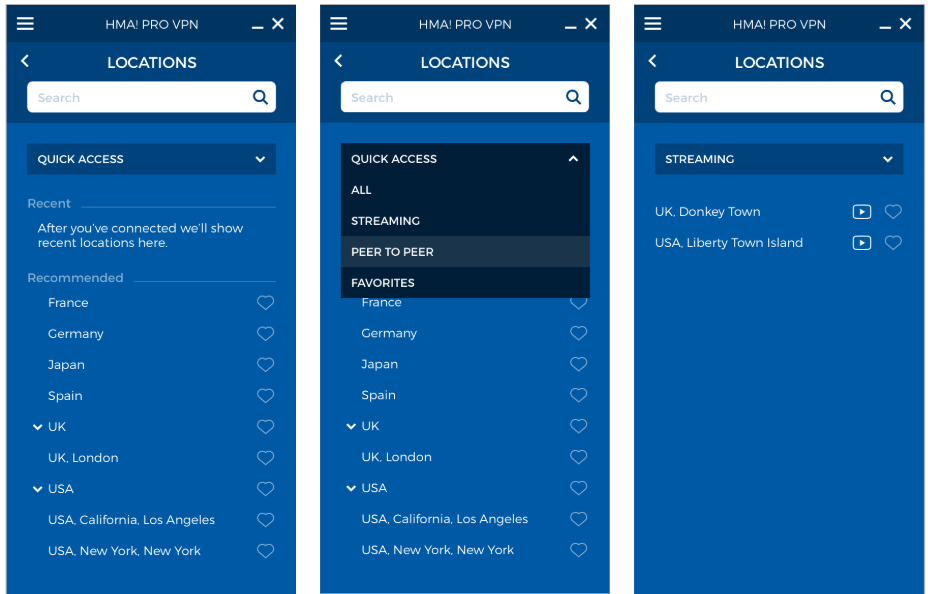
Hide My Ass! Pro VPN is a fantastic VPN app that has earned a good reputation thanks to the myriad of options available: speed, broadband and unlimited server changes; the most secure protocols, compatibility with any service (including Netflix) and up to 5 connections per license.

Also, it boasts of being the VPN service with the highest number of server locations: you can connect to 190 countries.

All this, plus quick and efficient customer service via chat or email and a 30-day guarantee, makes it a highly recommended option if you’re looking for an excellent Premium VPN.

If you buy a monthly plan, Hide My Ass! Pro VPN  will cost you $6.99 a month, which is less than $84 for a full year of protection and security.

HMA! PRO VPN Download
9

VyprVPN

Another highly recommended option is VyprVPN, a service backed by the Swiss company Golden Frog, seasoned experts in the tech world who advocate for an open internet.

Golden Frog is a transparent company that doesn’t work with third parties. All their services are their own, so your privacy and security are completely guaranteed. In addition, since there aren’t any intermediaries, the speed of VyprVPN is very high.

VyprVPN boasts of 73 servers in 64 countries, with a NAT firewall that gives you an extra security layer. Also, it has a Kill Switch, which automatically blocks your connection when it detects that the VPN is disconnected.

Although the price advertised at $6.67 Per/Month when purchasing annual, you are currently running our Annual Special providing new subscribers with a 25% off discount of their first year, bringing VyprVPN down to the low cost of $5 Per/Month!

VyprVPN Download
8

Zenmate VPN

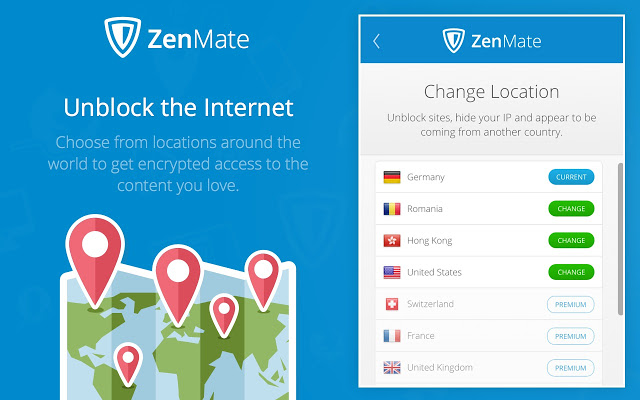
Zenmate is another great option for secure browsing. This VPN doesn’t store any of your data and uses the latest encryption systems.

Just like VyprVPN, it has a Kill Switch (which cuts internet when the VPN is disabled), as well as an option to reconnect to the VPN worry-free when you restart your device.

In addition, it has an adblocker feature, protection against malware and tracking bots, and extensions for the main browsers.

If you get the monthly subscription to Zenmate, it will only cost you $2.80 a month.

Besides the VPN make sure that users can watch Netflix from any geos and they also offer a 30 days money back guarantee

ZenMate VPN Download
8

Hotspot Shield

We’ll continue our list with a veteran VPN: Hotspot Shield. This service, in our lives for a decade, now has 500 million users.

With this app, you’ll access the internet completely securely (besides the VPN, it has an anti-malware shield) for $2.99 a month if you sign up for their biannual plan.

Hotspot Shield Download
8

 Panda VPN

Another security firm that offers its own VPN is Panda. This VPN can work across 5 simultaneous devices.

Panda VPN, on its Premium version, can be yours for $7,44 a month.

Panda VPN Download
8

Avira Phantom VPN

Avira Phantom VPN is from the firm Avira, which also usually appears in the top annual antiviruses. With 36 virtual locations in 25 countries, it’s the perfect VPN for your browsing needs.

The Pro version of Avira Phantom has a price of only $3,70 a month if you go for a multi-device annual plan.

Avira Phantom VPN Pro Download
8

Avast Secureline VPN

The prestigious firm Avast, famous for its antivirus, also has a useful VPN service. Secureline offers you real privacy thanks to its 256-bit protection.

Avast Secureline VPN has 54 locations in 33 countries, so it provides you nearly unlimited access to any internet service.

The best offering of Avast Secureline VPN includes protection for 5 devices at $5.33 a month.

Avast SecureLine VPN Download
8


WhatsApp failure means blocked contacts can send you messages

A serious WhatsApp failure is allowing users to send messages to the users who have blocked them. The avid WhatsApp watchers WABetaInfo posted the bug on their Twitter feed and it has since been confirmed by several of their followers. Users have reported being contacted by blocked users and that their statuses have been visible also.

The error is only affecting users who have downloaded the latest WhatsApp update for iOS. This means if you use WhatsApp on Android you should still be safe.

There has been no official word from WhatsApp yet, regarding the bug, but as the messaging app regularly updates, we can be sure they’ll fix it soon enough. Until the official patch comes out, there is a simple, quick fix. You can do this yourself right now to make sure you won’t be bothered by any of your blocked contacts.

How to stop your blocked contacts messaging you on WhatsApp

If you’ve received a WhatsApp message from somebody you’ve blocked, the solution is simple. All you have to do is unblock that contact and the re-block them again. This should reset their blocked status on the WhatsApp server.

You can now mute accounts on Instagram. Here’s how.

Tired of seeing pictures of your old roommate’s dog on Instagram every. single. day? As much as you might love ol’ Scraps, your old roommate should really throttle back on the pictures. Until he gets his act together, you might want to mute him. Starting now, you can.

Instagram Download Instagram
7

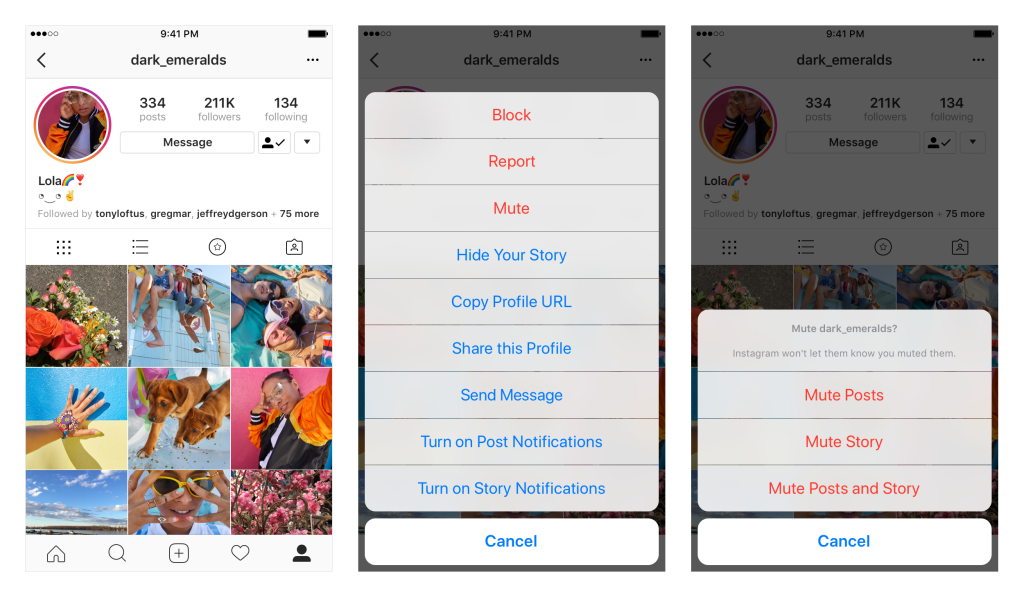
Instagram now allows you to mute accounts. That means you still follow them, but you won’t see their photos in your feed. If you ever want to check in on them, it’s as simple as going to their profile page. You can also unmute the account to return it (and all those dog photos) to your regular Insta-stream.

To mute an account, tap the … menu in the corner of the post. From there, you can choose whether to mute posts, or mute posts and stories from an account. You can also mute posts and stories by pressing and holding on a story in your tray, or from a profile.

So why not just unfollow someone instead? Consider that if you unfollow a private account but want to check in on them later, you’d have to ask permission again, and that could kick off an awkward conversation about why you unfollowed them in the first place. It might be safer just to mute someone and then you always have the option to reconnect down the road without drawing attention to yourself.

Instagram also wants to explain why they stopped sharing posts in chronological order, so if you’re curious about the random algorithm goofiness they’re sending your way, you can read more here.

And if you’re curious what we’re up to, why not follow Softonic on Instagram? We’d be honored.

You might soon be able to share your Facebook posts via WhatsApp

People are reporting on Twitter that the Facebook mobile app now includes a Share to WhatsApp button. This new button allows users to share their Facebook posts with friends on WhatsApp quickly. You can already do this of course, but it currently takes a lot more than simply clicking a button.

This new button appears to be only a test, for now at least, as only some people have reported seeing it. Facebook is yet to announce anything about a share to WhatsApp button, so we can only guess that we’re waiting to gauge public opinion on the matter before they press ahead with a broader release.

You’ll find the Share in WhatsApp button underneath the Write Post button when you click the standard share button on your post.

Facebook (Mobile) Download
8

This button is similar to Facebook’s Send in Messenger button. It is another example of Facebook making it easier for users to communicate across its multiple platforms and slip from one to another with a minimum of effort.

Do you think a Share to WhatsApp button for Facebook is a good idea? Let us know below.

WhatsApp Messenger Download WhatsApp
8

Google Maps on iOS now looks a little friendlier

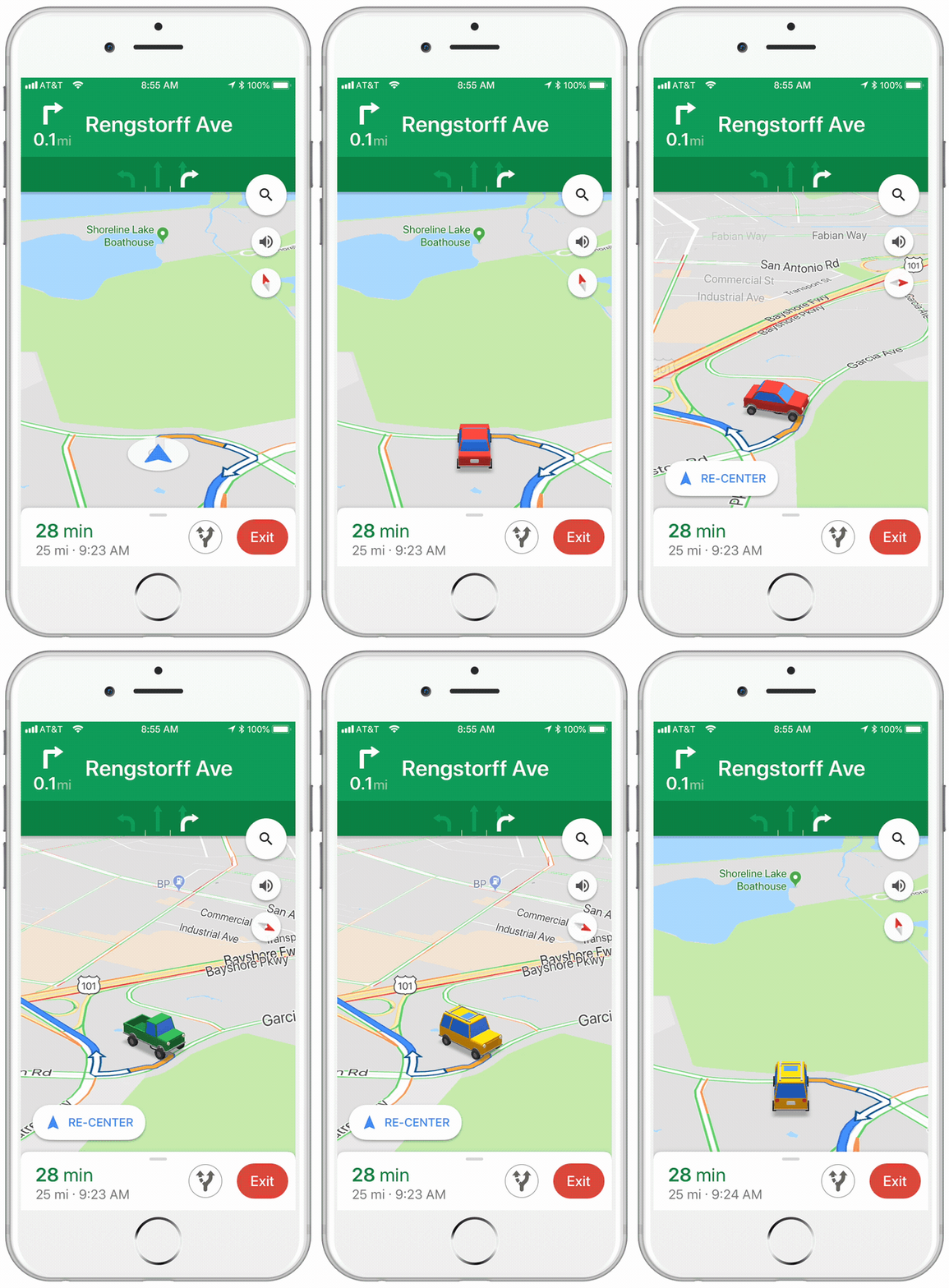
If you have an iPhone, this tiny little update to the iOS version of Google Maps, might just make your next car journey a little cheerier. Instead of the cold blue arrow that usually represents you on the map, when you’re receiving turn by turn directions, you can choose a car instead.

Image via: Google Keyword

The icons are a little cartoony, and there are only three options to choose from, but it makes a welcome change. You can choose from a sedan, a pickup truck, or an SUV.

All you have to do to select your vehicle is tap on the blue arrow, next time you’re in navigation mode.

Google Maps Download Google Maps
7

It wasn’t too long ago that Google allowed to drive around Google Maps as Super Mario in his Go Kart. That change was temporary, however, whereas this new one seems to be a more permanent addition to Google Maps. There is no word from Google about whether this feature will come to the Android version of the app.

Use your phone too much? There is an app for that.

Have you ever noticed at the airport whenever you have a digital boarding pass the attendant will make you scan it yourself? They never want to touch your phone unless they have gloves on. That is because smartphones are disgusting these days. People are addicted to their smartphones and take them with them everywhere, including the bathroom. We need to do something to tackle smartphone addiction.

Source: Digital Trends

Of course, there is an app for that. There is a smartphone app to help you fight your smartphone addiction. You couldn’t make it up.

Siempo tries to calm everything down. Your smartphone is like a shop window for all those developers who’ve convinced you to download their app. Everything on your screen is designed to catch your eye and draw you in. It is no wonder you are addicted to smartphones when even app icons have been designed to stop you switching off. Siempo counters this by showing you a plain screen with plain app icons.

Another Siempo feature is that you can group notifications. Rather than constantly being buzzed you can ask Siempo only to let you know about app notifications at certain times of the day. This’ll mean your smartphone won’t constantly be trying to grab your attention even when it is in your pocket.

Siempo started out as a smartphone, but lack of interest meant it never made it to market. An app is much cheaper to develop for a wider release, though, so here we are. If you think you use your phone too much, it could be worth checking out.

6 Things you didn’t know you could do on Google Maps

We use Google Maps all the time. Whether you’re driving in an unfamiliar area or just trying to find that restaurant that must be around here somewhere, it’s a miracle of modern technology. But Google Maps has lots of great features you may not even know about. It’s time to raise your Google game, friends. Read on and start exploring!

6 Things you didn’t know you could do on Google Maps

Download maps

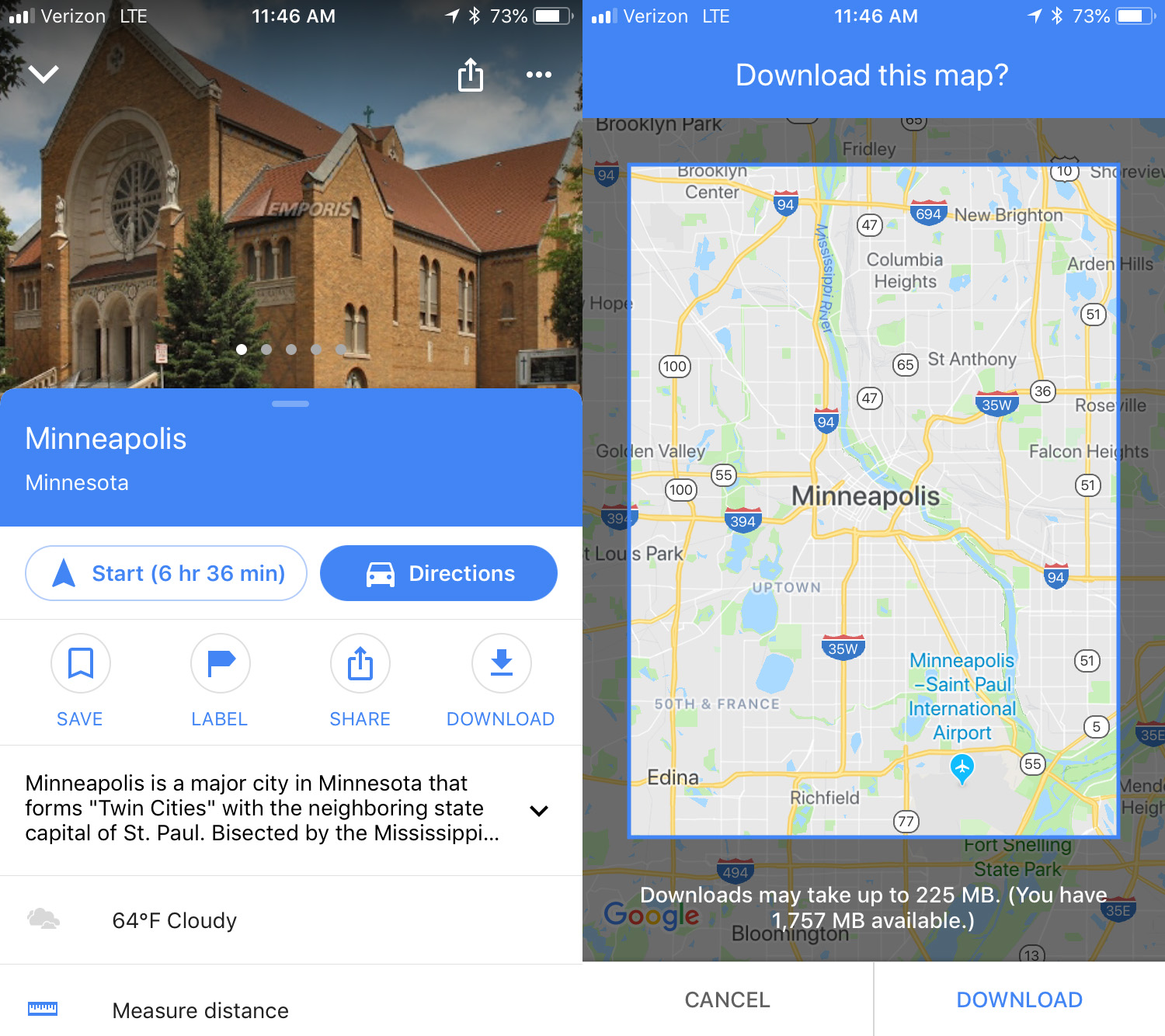
This is an awesome option for travelers: download maps to see them later offline. To do this, search for the location you want, then swipe up and you’ll see a download button. Click that and then you can refine the area you want to save. Click download again to save the map to your device. The larger the map, the more memory it will use. To access the maps offline, click the menu in the upper left corner and select Offline maps. No Wi-Fi? No problem.

Custom maps

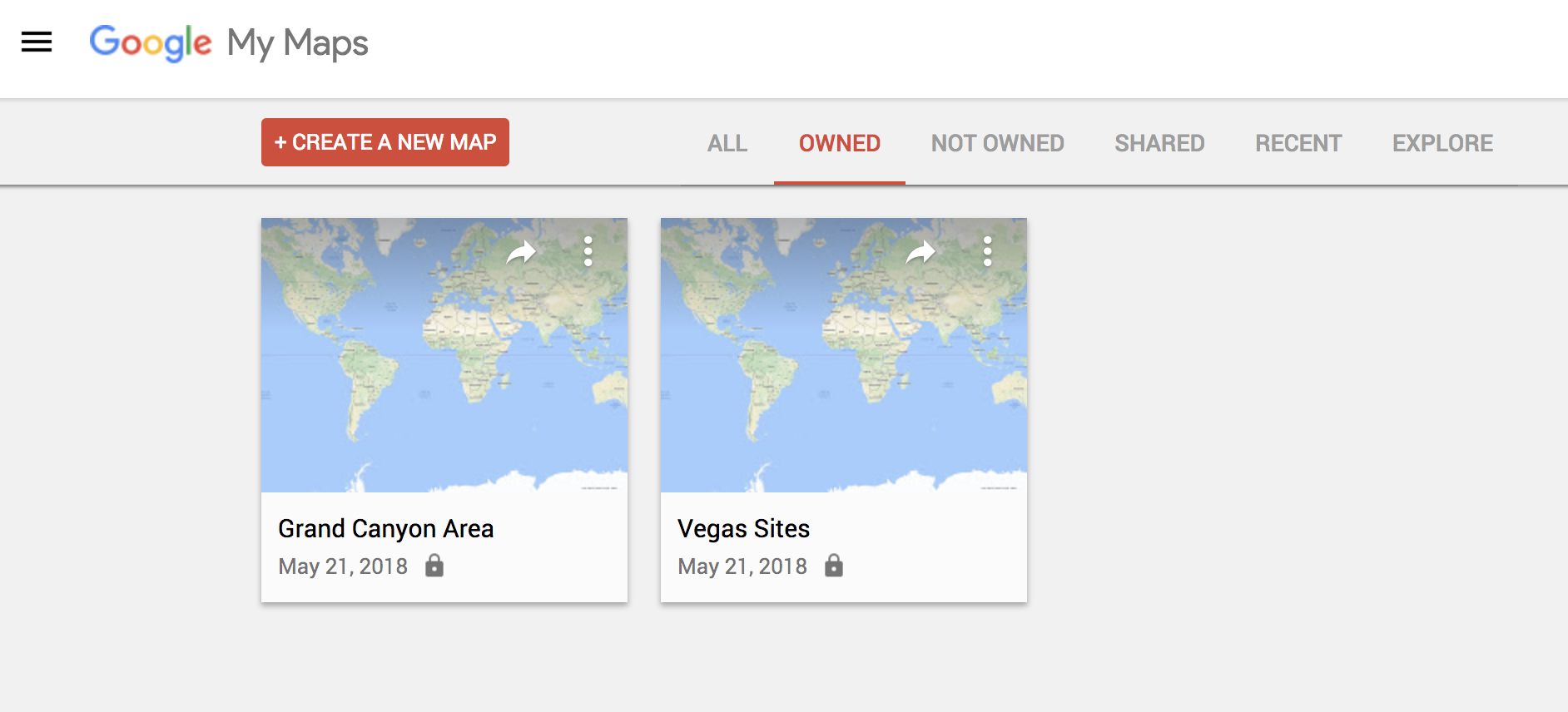
If you’re thinking of going on a trip somewhere and you would like to have a custom map that includes points of interest, Google Maps has a simple feature for this. To make one, you just have to go to this URL from your PC and click on the option that says “Create a new map.” From there, it’s up to you. Everything you save, you can see later from the mobile version by clicking on Your places.

Check traffic

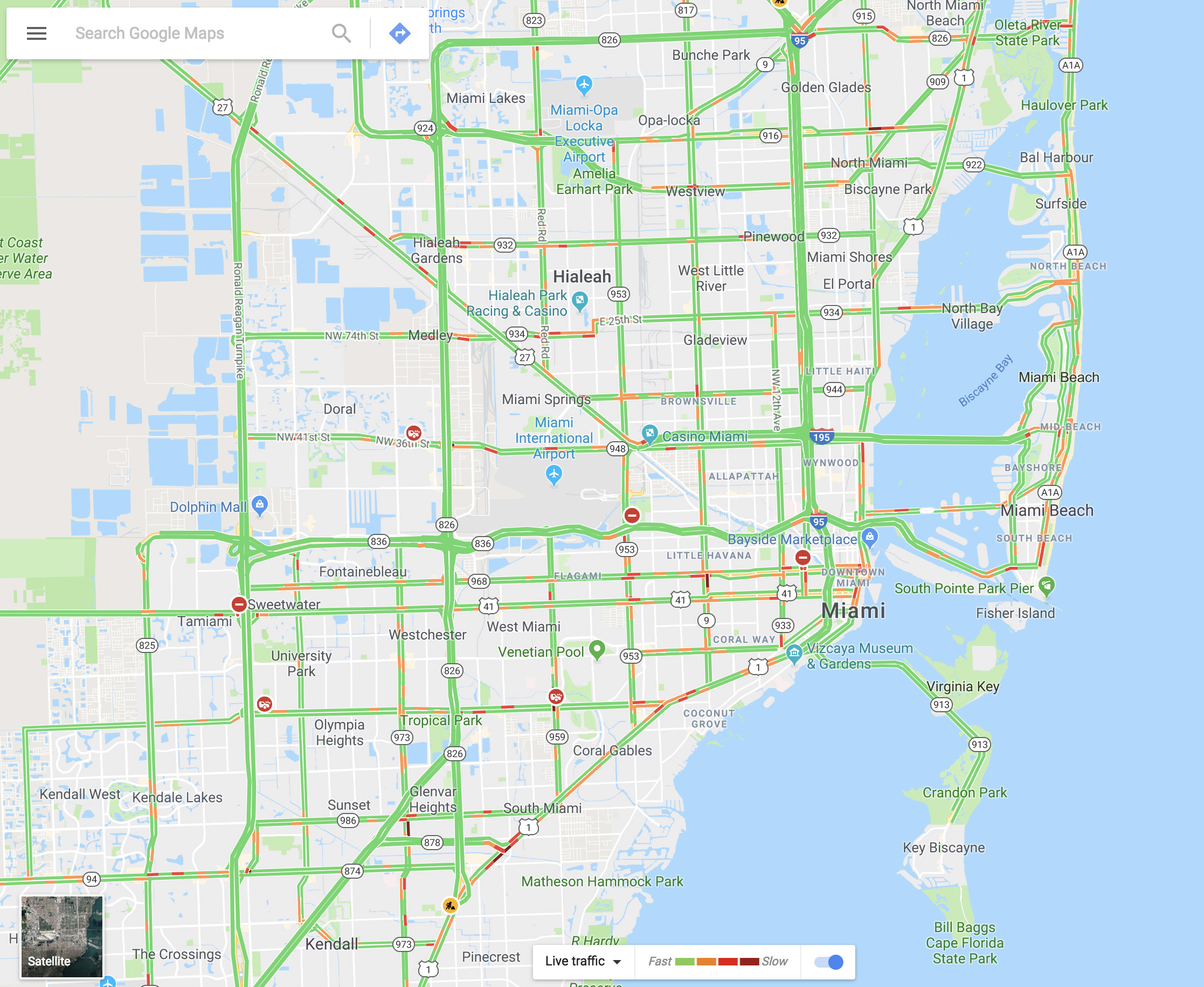
You can see the traffic in your city via Google Maps within seconds. It’s as easy as going to the menu and selecting “Traffic.” The green lines represent streets that have steadily flowing traffic, yellow signals some congestion, and red is gridlock.

Share your real-time location

Almost no one knows about this feature, but it’s really cool. Imagine that you’re meeting a friend at a concert, but you’re not there yet. Google Maps lets you share your location in real time with that person. You move, your friend watches. It’s that simple. Just go to the menu and click on “Location sharing.” Give access to everything it asks and add the amount of time you’ll be sharing your location. Choose a contact and that person can watch your every move.

Google Maps Download Google Maps
7

Avoid tolls

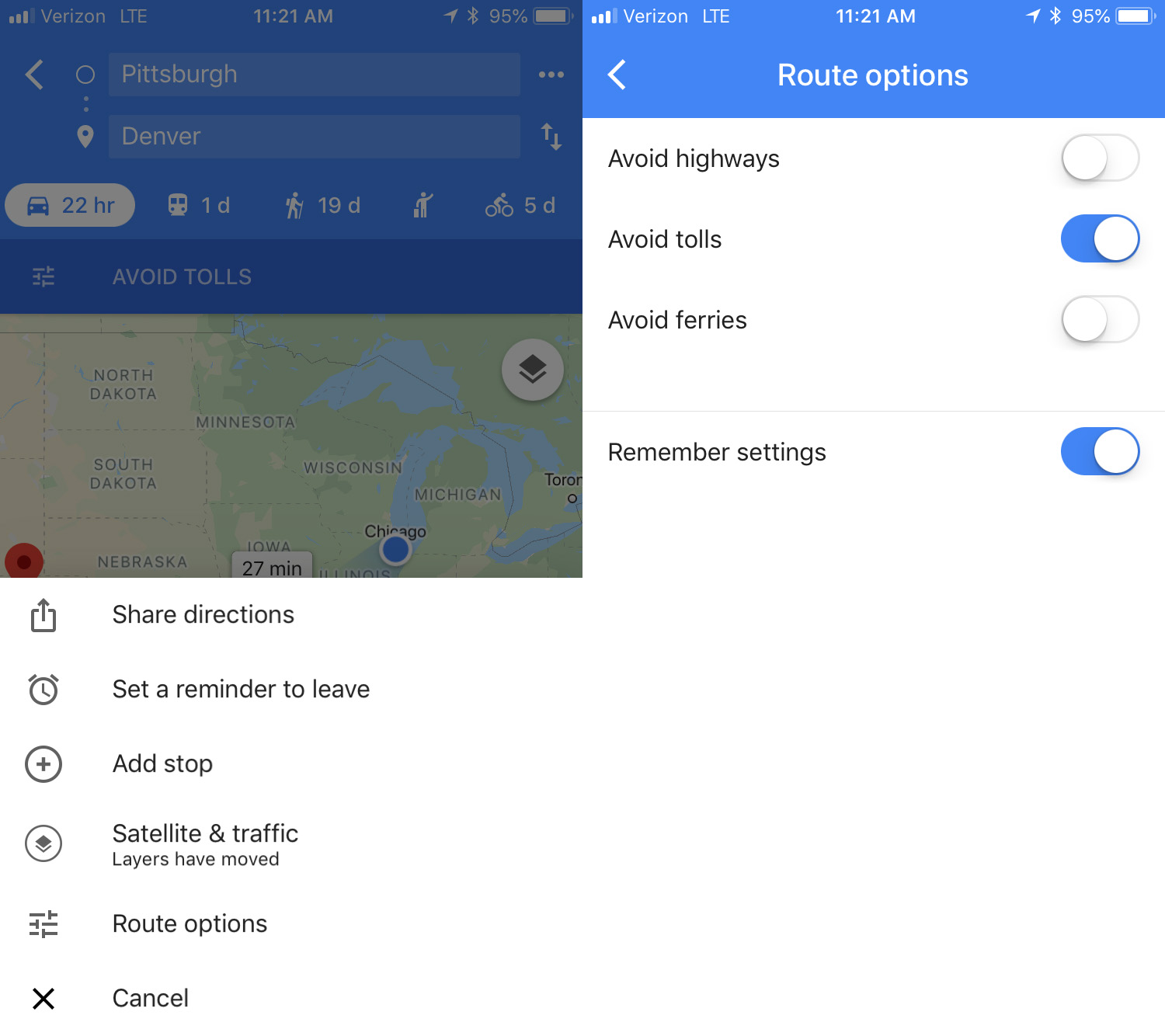
If you want to avoid all possible tolls, Google Maps can help! Just put in your destination and click on “Directions.” On the upper right, click on the three dots, then hit “Route options.” There you’ll see several fields, though the one we want is “Avoid tolls.” Check it and you’re good to go.

Calibrate your compass

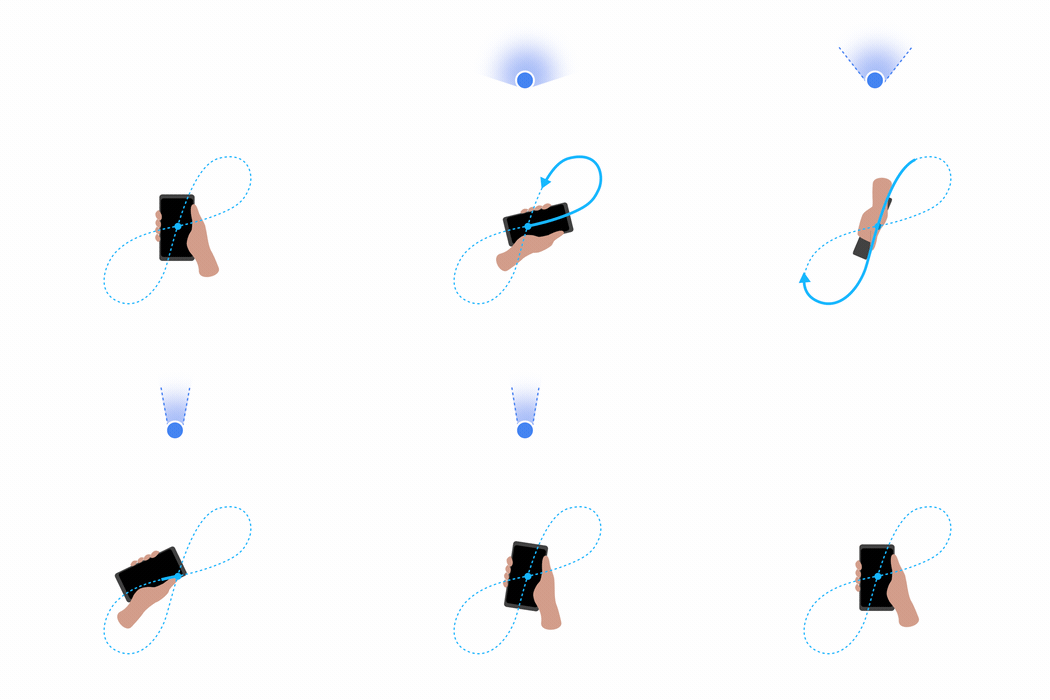
If you want your position to be more accurate you can calibrate your compass on Google Maps. To do this, click on the blue dot indicating your current position and look for the option that says “Calibrate compass.” Once you click there, you have to make a figure 8 (or loop) with your phone. Do it several times and keep checking the status of the calibration. If on screen it says “high” accuracy, you’re all set. (This isn’t an option on iOS – just open your Compass app to calibrate there.)


WhatsApp adds useful new emoji feature

WhatsApp just added a very useful option to the emojis section: now your most-used emojis appear, making it easier to select your go-to images.

This option, called “Top Emoji,” appears when you tap the magnifying glass to search for emojis. Besides showing the little box to put in keywords, now we can see a history of our emojis:. the ones we use most.

WhatsApp Messenger Download WhatsApp
8

This option is similar to what some cell phone keyboards offer, including iOS and Android.

The “Top Emojis” option appears in the beta version of Android 2.18.133. To learn to become a part of the app’s beta program to receive updates before everybody else, click here.

Source: WABetaInfo

Zapdos comes to Pokémon Go: This is how to catch her

The time has come to catch Zapdos. Niantic has added a new series of missions to Pokémon Go. Every set of tasks, upon completion, will give you a chance to capture this legendary Pokémon bird.

Niantic hasn’t given us many details about these missions. All we know is that you’ll have to face electric and flying Pokémon (like Zapdos), including “skill-based challenges that will test your abilities as a Trainer.” You’ll have to complete this batch of missions seven times to get the chance to capture this legendary Pokémon.

If these tasks are like previous ones, there will be a lot of story-driven tasks and activities related to finding and capturing Pokémon.

Zapdos’ appearance coincides with two events. The first started on May 14 and focuses on the fighting type of Pokémon, such as Machop and Makuhita: their encounter rate will go up and users will be rewarded with double experience when they participate in gym and raid battles.

Then, on May 19, we’ll have another event where players can get triple Stardust and the spawn rate of Charmander will go up.

Pokémon GO Download Free
7

Oh and don’t forget that on May 8, Latios and Latias, the legendary Pokémon duo, switched regions. If you haven’t captured the one in your region now, you better get going!

Source: Gamespot