How to Know If My Phone Is Hacked and What to Do

Let’s have a look at some of the things you should look out for to make sure your phone hasn’t been hacked.

Have you ever wondered how to know if your phone is hacked? We are all aware of the many cyber threats surrounding us when we use the internet on our PCs. Think of all the measures we take to protect our computers from hackers, antivirus programs, VPNs, proxies, and more. But when it comes to our mobile devices, we aren’t always as careful.

With so much of our lives contained in our smartphones, these devices have become a crucial part of our daily lives. Think about that one time you forgot your phone at home, how utterly lost you felt without it. We store almost everything on our phones these days, important documents, bank details, health care, IDs, and more. If someone were to hack our phones, they’d have access to all of this information.

A lot of the time, you might not even know that you’re being hacked. This type of attack is much more subtle than a robbery. Once the hacker gets into your devices, they can easily access your apps, files and even use your data without you even knowing. This is why it is critical to know the signs of a hacked phone to protect yourself.

Can iPhone Get Hacked? or Is it Just a Matter of Android?

Although iPhones are usually better protected than Android devices, they can still be hacked. Unfortunately, as technology advances, so do hackers. Using a device that seems safe is no longer a surefire way to protect yourself from hackers. If they want to, hackers will find a way through the protective measures, which is why it is essential to stay one step ahead and not assume your safety just because of your device type.

Is my phone hacked? 8 ways to find out

There are quite a few things to look out for that could indicate your phone has been hacked. On their own, these could be simple issues that should be looked at individually. If you’re experiencing a few of them, however, then you should think about dealing with them as a whole.

1. Your device is a lot hotter than usual

phone is too hot

If your mobile phone has been hacked, there will be lots of unauthorized programs running in the background behind your operating system. These could be things like adware, spyware, trojans, etc. all designed to make money for the hacker in different ways. These will be putting extra pressure on your device’s processor and memory. This will, in turn, cause the processor to heat up much more than normal. If your device is hotter than usual, try to find out why. If you can’t get to the bottom of it, something fishy might be going on.

2. Your battery doesn’t last as long as it should

The same that goes for extra heat will also go for extra power. Even if you’re not feeling the heat, you might still notice that your battery is running down much quicker than it used to. Again, this could be because of unknown programs always running in the background.

3. You seem to be using more data than you usually do

This follows on from the other two. Most malicious programs running in the background will connect to the internet to do whatever it is they’ve been programmed to do. This could something like be transferring your data to a third-party server or showing you ads that wouldn’t normally be there. If you’re not connected to Wi-Fi, this will use mobile data. Check your data usage.

4. Your call message records include calls you didn’t make and messages you didn’t send

If the malware infecting your phone has permission to make calls or send messages then this could end up costing you big. Some hackers will program the malware to call their own premium rate phone lines that can cost many dollars a minute to call. The same goes for SMS messages too. If you notice outgoing phone numbers you don’t know or phone calls you don’t remember, check with your network provider immediately.

5. You’re seeing a lot more pop-up ads than you’re used to
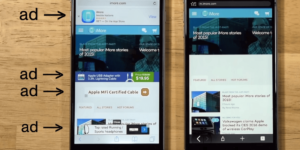
As we’ve just mentioned, one way for hackers to make money is through raising ad-based revenue. They do this by forcing their victims to view more ads than they normally would. If you’re noticing more ads than usual, your phone may have been infected with adware and most likely has been hacked.

6. Your phone has new apps that you didn’t install

Always pay attention to the apps you have on your phone. For one of many reasons, hackers could try to install false apps. If something is there and you don’t remember how it got there, it may have been installed remotely by a malicious third party.
7. Your phone isn’t working as well as it should

As we’ve already mentioned, hackers will try to install their secret programs onto your device. These will try to do a number of things but will run in the background without you knowing about it. It stands to reason then that if your phone is running all sorts of extra little programs and protocols in the background, it won’t be able to perform its normal functions as efficiently.

8. Unusual Background Noises

Another telltale sign that your phone may be hacked is if you hear odd background noise. This can either be while you’re listening to the audio or even while making calls. If you hear strange background noises, you should immediately investigate further as it could mean that your phone has been hacked and someone is listening in on your conversations. 

What to Do If Your Phone Has Been Hacked

If you’ve noticed any of the above signs and you suspect that your phone has been hacked, don’t panic. There are things you can do to get rid of the hacker and keep them from coming back.

Check Your Phone Bill

First, you should check your phone bill for any calls you didn’t make. Make sure to check for any unknown number dialed and the length of the calls. Make notes of anything unfamiliar to you. Also, don’t forget to check your messages as well. You should carefully check all your messages for any traces of messages sent to numbers you don’t know or containing texts you haven’t sent. Once you’ve gathered all this data, contact your service provider and discuss the matter with them. You may even get the chance to claim back your losses.

Change All Account Passwords

If you notice any unfamiliar activity on your device, immediately log out of all accounts and change the password. It is best to use a strong, randomly generated password consisting of letters, characters, and numbers when doing this. It is a good idea not to make up a password yourself if you suspect that you’ve been hacked. This is because the hacker potentially already knows you and might be able to guess the new passwords.

Uninstall Any Malicious/Suspicious Apps

Go through all of your apps and delete any ones that are unfamiliar or that you don’t use often. This may take some time, but it is a crucial step as the hacker might be using malicious apps to gather your data, or worse.

Install an Antivirus App

Make sure to install a good antivirus app. As soon as you’ve installed the antivirus, make sure to run a full scan and remove any threats picked up by the app. Also, if your app has ‘Real-Time Protection, ’ we recommend enabling it. This feature will assist in keeping you safe by flagging suspicious websites, links and phishing attacks in the future.

Worse Case Scenario – Restore Phone to Factory Settings

If you’ve done all the above steps and it still seems like your phone has been hacked, you might have to resort to a factory reset. This will return your phone to how it was when you first took it out of the box. Any apps that you’ve installed will be removed. Any messages, emails, and photos will also be removed. This is why the factory reset is the last option on our list. Make sure to backup anything you want to keep before restoring your phone to factory settings.

Know the Signs of a Hacked Phone

In this day and age, we have to stay one step ahead of hackers. With more and more of our lives taking place online and through our mobile devices, we cannot afford to have our data breached. One way to stay safe is to know the warning signs and act immediately if you suspect anything.
Best free antivirus for mobile 2020

The best mobile antivirus apps

Android is more popular than Windows. It might be hard to believe it, but Android is used more than any other operating system in the world. Now Windows is famous for many things but one of its more infamous claims to fame is how susceptible users are to viruses and malware, just ask an Apple Mac user. This is because the more people use an operating system, the more hackers and cybercriminals will target it. So, with that being the case, you already know that there are plenty of malicious actors out there targeting your Android smartphone.

Today, to help you stay safe when you’re on your phone, we’re going to look at some of the best antivirus apps available on the Google Play Store that you can download and install on your Android device. Even better, all the Android apps we’re talking about today are free.

Best free antivirus for Android phone

AVG Antivirus Free

AVG for Android

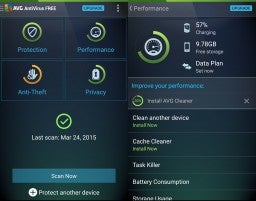
AVG is another strong mobile device version of a fully featured desktop antivirus program. It comes with a call blocker, regular scanner, cache cleaner for getting rid of your junk, and a power saving feature that can make your phone’s battery life last much longer. Another cool feature you’ll get with AVG is a RAM booster, which will hunt out programs that are hogging up your system’s RAM while not actually doing anything. This is excellent, if you’re phone is running slower than usual and your scans have turned nothing up.

AVG Free Download now
8

Sophos Free Antivirus and Security

Sophos is an excellent mobile antivirus app that regularly scores highly with independent testing labs. The app offers an ad-free experience, which is rare for free apps and also has robust anti-malware procedures. Other tools that come with this feature-packed app include an app locker, loss, and anti-theft features, web filtering, malicious site blocking, and call protection and spam blocking. This app is massive and free.

Sophos Download now
8

Bitdefender Antivirus Free

Bitdefender mobile security is a lightweight Android antivirus app, which makes it ideal for anybody using an older phone or a more mid-range model. Bitdefender spares your system resources by not running real-time protection all the time in the background. You’ll have to schedule your scans manually, although all new apps will be scanned when they’re downloaded. It isn’t hard to get it all set up though, so we can recommend Bitdefender for all users.

Bitdefender 2018 Download now
7

Avira Antivirus Security

AVIRA Android hero

The Avira mobile app has some neat features that set it apart from the rest. Apps are rated with a privacy scale, so it is very easy for you to know how they use your data and your phone’s sensors. The free version doesn’t come with malicious site blocking, however, you’ll have to pay for that, but you will get a comprehensive scanner that can not only scan the contents of your phone’s hard drive but also any SD cards you’re using too.

Avira Free Antivirus Download Avira ►
8

Avast Mobile Security

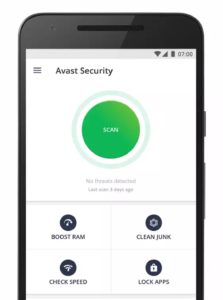
Avast is one of the best names out there when it comes to Antivirus software so you know you’ll get comprehensive protection from its mobile app. Features include monitoring how long you’re spending on each app, a disc cleaning feature that’ll get rid of all your junk files, and a strong scanner that works with a simple tap. Another cool feature is the Avast photo vault, which will give you a secure place to store private photos.

Avast Free Antivirus Download now ►
8

360 Security

Another cool free antivirus app worth your consideration is 360 Security. With this app, you’ll get all the usual features we’ve been through with other apps including an antivirus scanner, anti-theft protection, junk cleaner, and more. You’ll also get a rather handy CPU cooler tool, which will come in very handy whenever you feel your phone heating up, which more phones seem to do much more often these days.

360 Security - Antivirus Download now
8

Kaspersky Internet Security

The free Kaspersky mobile security app gives you access to a strong malware protection tool that’ll sniff out almost all types of malware that get onto your Android phone. It also has a robust blocker for malicious sites and will flag up dodgy links it doesn’t think you should click. Kaspersky runs in the background checking for apps, however, so it could be a little heavy on your phone’s processor and RAM.

Kaspersky Anti-Virus Download Kaspersky
8

Norton Security and Antivirus

Norton for Android

Norton is another big name in antivirus protection and the giant is proud to offer a mobile app that gives a 100% detection rate with its antivirus and anti-malware scanner. All viruses and malware are then safely removed from your mobile. Other cool features include a find my phone type feature, dodgy website blocker, spam filters and call blocking, and a rather cool feature that will use your phone’s selfie camera to snap a picture of anybody trying to access your phone when you’re not there.

Norton Download now
8

DFNDR

DFNDR, like 360 Security, is another mobile antivirus and internet security app that doesn’t have the big-name recognition of the likes of Avast and AVG, but that still packs quite a punch and offers a feature-rich mobile security suite. It comes loaded with anti-hacking, anti-spyware, and anti-phishing features on top of the regular scanning features you’ll find elsewhere. Other cool features include an AppLock, which will secure your private apps behind a passcode or fingerprint, and an assist feature that will keep you updated on how best to use the app and its features. The only downside of DFNDR is that it’ll show you ads, which can be very annoying.

DFNDR Download now
10

Wrapping up

There you have ten of the best free mobile antivirus apps you can download for your Android smartphone. They all offer strong protection against viruses and malware and many come with feature rich toolsets to back up their core functions. When picking the right one for you consider the features you’ll need specifically and also think about whether you’re happy to view ads. Unfortunately, you may have to pay, if you have a specific feature in mind and can’t stand ads. If you’re not so rigid, however, you’ll definitely find what you’re looking for free in this list.

5 Myths and truths about the dark web

This is all you need to know about the dark web and some myths you shouldn’t believe.

Myths about the dark web

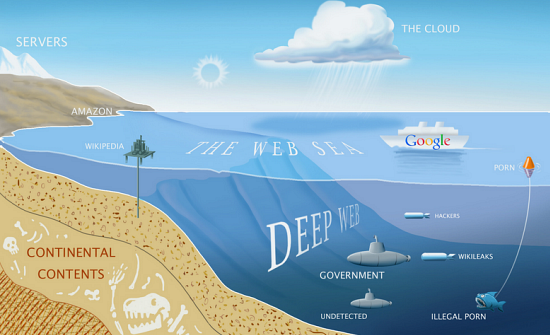
The dark web. As if the name doesn’t say it all already! Imagine an iceberg floating in the ocean. We can see about 10% of the iceberg above the water with 90% hidden below the surface. What we see is the popular image of icebergs that everybody is familiar with but hidden out of sight lies something more, something that is there but that not many people know too much about. This is kind of what the dark web is like when you think about the world wide web instead of icebergs. What we see and what everybody thinks of as the internet is just a small part of the overall web. The dark web is the vast part of the internet that most people don’t see.

What exactly is it though? Well, that is what we’re here for today. As most people don’t know too much about the dark web, rumor and myth can take hold. We’re here today to give you a clearer idea of what the dark web actually is and bust a few common web myths that are swirling around the internet.

What is the dark web?

deepweb

The dark web is the internet that you can’t find through search engines like Google or by clicking on links. The dark web goes beyond things like the BitCoin cryptocurrency and darknet markets like The Silk Road and, in fact, contains around 550 billion documents, which is a lot more than the 1 billion documents that the regular web has. It is very very big. Basically, it is everything that is online but isn’t easy to find. This is fact but it leads into our first common myth about the dark web.

Myth #1 You need special equipment to access the dark web

There is a commonly held misconception that only hackers and people with specialized computer abilities can access the dark web. This isn’t true. You don’t need special server banks or super-powered routers to access the dark web. Not at all. Instead, all you need to access the dark web is a web browser called Tor.

The Tor Project offers a free web browser that allows you to access the dark web. You can’t access the dark web without it, and it works by anonymizing and hiding your browsing activity. Tor, just like 95% of all the content you’ll find on the internet, is free to access.

Myth #2 The dark web is the same thing as the deep web

Both the dark web and the deep web are commonly referred to like each other. In fact, there are technical differences between the two.

The difference between them is how you collect information. The deep web refers to content that is usually locked up behind passwords and held in restricted forums. You can’t access these sites via search engines, but you don’t necessarily need Tor to access them. The Dark Web is all the information that can only be gathered by users who’ve anonymized their traffic using a web browser like the Tor Network.

Myth #3 It is illegal to access the dark web

This is just completely untrue. To the extent that even social media sites like Facebook have a presence on the dark web. In fact, it wasn’t long ago that Wikipedia set up a dark web page called the Hidden Wiki so that people in parts of the world living under government censorship could access the world’s biggest encyclopedia. It is in exactly these parts of the world, however, where it becomes a bit of a grey area.

In countries that like to keep tabs on their citizens and limit what they can see on the internet, the governments usually have laws against encrypting your data. As you need to use Tor browser to access the internet, which anonymizes and encrypts your data, it could be illegal to use Tor browser and therefore accessing the dark web would be illegal, even if there is no explicit law against it.

The other thing you need to consider is that due to its anonymous nature the dark web is filled with illicit information that could be illegal to access.

Myth #4 Only criminals use the dark web

Whereas anonymity does attract a certain kind of cybercriminal and deviant, there are plenty of other people who use the dark web. Sure you can hire a hitman, buy illegal drugs, download child pornography, and do other disgusting illegal activities but there are plenty of normal activities people do on the dark web. Things like socializing, sharing images and movies, and generally using and surfing the web in a similar way to how they browse the regular web.

Like we’ve already mentioned the dark web offers a way for people living under restrictive governments to access controlled information. The dark web also gives journalists and whistleblowers a safe way to communicate without fear of recrimination. They should still be careful, however, because of the final myth we’re going to bust.

Myth #5 You’re completely anonymous when you’re browsing the dark web

If you’re a journalist, whistleblower, or anti-government activist you’re going to have to take some further anonymity precautions than the baseline offered by the Tor browser. Although Tor was built to keep you anonymous and is needed before you can access the dark web it cannot guarantee your privacy on its own. A study concluded that Tor is not “…completely verifiable on the Dark Web.” This shouldn’t come as a complete surprise, however, when you consider just how seriously some governments take their efforts to oppress their people.

The good news, however, is that when combined with another privacy-protecting tool, Tor and the dark web can go a long way to keeping you safe. Using a strong VPN program when accessing the dark web, using Tor, will further enhance your privacy by masking your IP address and encrypting your data even further before communicating with your internet service provider. VPNs can even go so far as to hide the country you’re accessing the dark web from. If you’re busting out government secrets in China, a strong VPN can make it look like your connecting to the internet from the US.

Best password generators 2020

These are all the best password manager programs and online password generators.

The best password generators

Passwords are bit of a nightmare. Weak passwords are useless and we need to make our passwords as complex as possible so that brute force attack won’t break through them by having a computer simply go through all the possible combinations. Furthermore, we need to change them regularly. As we all now have more online accounts than we’ve ever had before the result of having to regularly change complex passwords is one big mess. Let’s face it, we either have lots of accounts with the same password, which is a security nightmare as one data breach will unlock all your accounts or we’re constantly hitting the “I forgot my password button” and resetting.

The other option for avoiding the randomness is writing down all of our passwords so that we don’t forget them, and can keep track of all the changes we make. This, however, is very impractical and also very insecure. You don’t want to carry around a book full of passwords with you everywhere you go and you don’t want people seeing a password you’ve written down.

This is where password managers come in handy. They provide a secure place where you can store all your passwords behind a single master password that you can safely carry with you everywhere you go on your Android mobile phone or iPhone. Furthermore, password managers can instantly generate passwords for you so that you won’t have to spend hours and hours thinking of something that is 8-16 characters long and has lower case and upper-case letters, at least one number etc.

Let’s look at five of the best password managers and password generators available today.

The best random password generators

LastPass

LastPass

LastPass is an excellent password manager that also has a fantastic free version too. For free, LastPass will securely store all of your passwords and let you access them across three of your devices. This means you’ll be able to securely log into your accounts from your PC, mobile, and tablet without having to pay for the premium version.

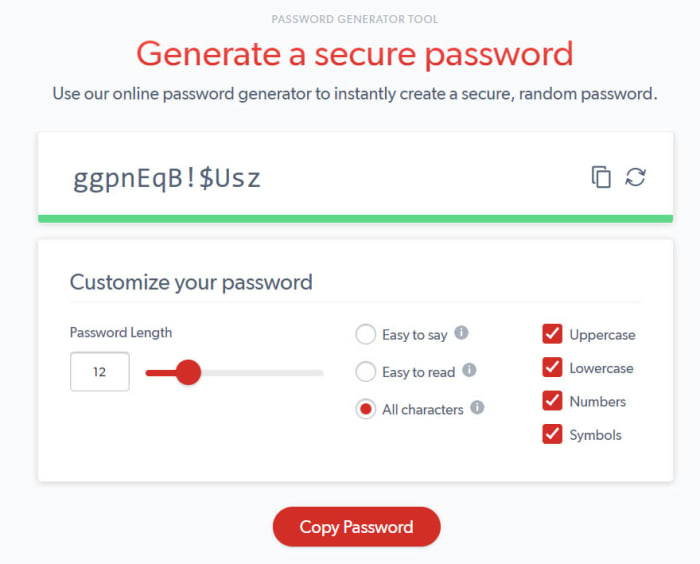
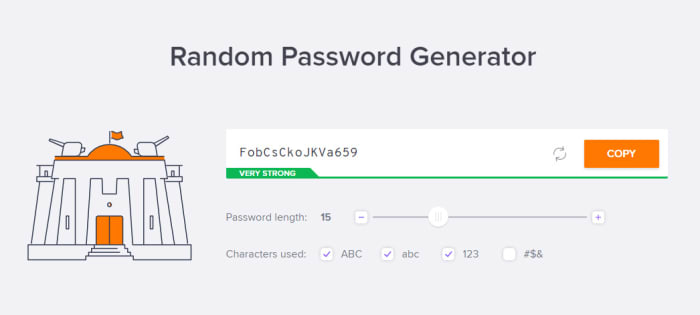
LastPass also offers a great password generator that will automatically come up with secure passwords whenever you sign up to a new account and then prompt you and fill it in every time you try to log in. If, however, you don’t want to install LastPass, you can use the web version the of LastPass password generator every time you need to create a password. It offers a number of customization options including Uppercase and Lowercase Letters, Numbers, and Special Characters. You’ll also be able to set password length and choose whether to have a password that is Easy to say or Easy to read. Once you have your password you can simply hit the copy button and then paste it where you decide to keep it.

8

Avast

Avast password generator

Avast is, of course, famous for its antivirus software and we recently recommended Avast Free Antivirus as the best free antivirus program available today as it offers many features that you’d normally have to pay for. One such feature is the Avast password manager.

Although the free version of Avast’s password manager isn’t as good as the free version of LastPass it does still have a great password manager. Just like with LastPass, Avast also offers a web version of its password generator. It offers all the usual customization options for your password generation and couldn’t be easier to use.

Avast Free Antivirus Download now ►
8

NordPass

Behind NordPass we found the same cybersecurity experts of the complete and successful NordVPN. The big main feature? The XChaCha20 encryption algorithm. It supports two different lengths of keys, with the 256-bit one being the strongest. As a result, it’s one of the safest encryption algorithms. And the best part? You, as an user, don’t need to worry about this settings: NordPass does it for you.

In addition to the XChaCha20 encryption, we have all the advantages that we already expect on a pass manager: two-step authentication, personalized configuration, protection of our bank data, apps for all types of platforms … Oh, and with a completely free option. There’s also a Premium version, which allows to be used up to six simultaneous devices.

NordPass Download now ►
8

Dashlane

Dashlane password generator

Dashlane, like LastPass, is a specialized password manager. It offers extensive features that enable you to coordinate your secure passwords across multiple devices. It is widely regarded as one of the best password managers in the business. Unlike with LastPass, however, you can’t use Dashlane on more than one device for free. You’ll have to pay for multi-device.

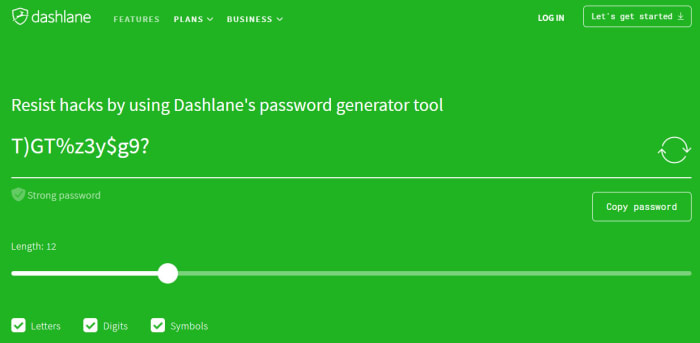
The good thing about Dashlane though, is that its excellent password generator is available for free online. You can easily set the different parameters your good password needs and then Dashlane will make it very clear whether the parameters you’ve entered create a strong password or a weak one. If the generated password is strong the green will shine bright green. If it isn’t, your screen will shine fiery red.

Dashlane Download now
8

1Password

1Password password generator

With a name like 1Password we’re pretty sure that you already know this is another specialized password managing program. With 1Password you’ll get all the automated password features you get with Dashlane and LastPass, rigorous encryption protecting your stored passwords, and a strong password generator that makes it very easy to create new online accounts securely.

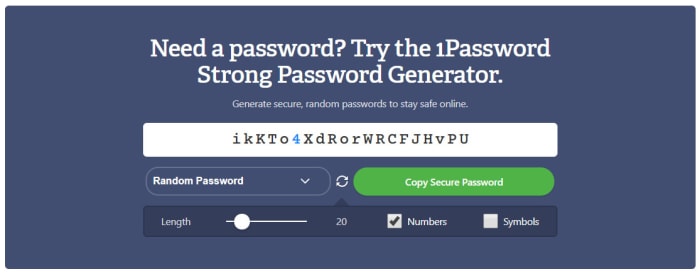
The 1Password password generator is also available online and offers a rather useful feature that sets it apart from the other password generators in this list. As well as giving you control over password length, and numbers and symbols, 1Password also offers users a free PIN generator too. With Windows 10 and other similar programs offering offline PIN login alternatives these days a random PIN generator is very useful as it’ll stop you from falling back on to a random date.

1Password Download 1Password
6

Norton Lifelock

Norton is another famous Antivirus security suite that has recently developed a password manager and password generation feature. This is because having safe and secure passwords is a very important part of your online security toolkit.

The online version of Norton Lifelock is similar to that offered by Dashlane. You select all of the criteria you need your password to have and the tool with then show you whether the resulting password is bad, weak, or strong by showing a red, orange, or green background. As well as this, Norton gives you all the regular password customization options including Numbers, Mixed Case letters, Punctuation marks, and symbols.

Norton Download now
8

Wrapping up

We can’t stress enough just how important it is that you have unique and strong passwords on all of your online accounts. We know, however, that it can be hard coming up with new passwords when you have to change them all the time. Each of the password generators we’ve mentioned will create strong and unique passwords for all of your online accounts. The 1Password PIN generator is also very useful.

All in all, though, we think you’d be much more secure if you installed one of the full password manager programs we’ve featured today. In that respect, we recommend LastPass, which will give you your passwords across multiple devices for free.

8

Best free antivirus 2020 (Desktop)

These are all the best antivirus programs you can download for free

The best antivirus for free on Windows

If you think about all the things you do on your PC and online these days, you quickly see why it is more important than ever to have a strong and reliable antivirus program protecting your interests. Think about it, these days we buy more things online than ever using our credit cards, we click on links every day, we receive hundreds of emails every week, and now we’re even furnishing our homes with smart devices connected to the internet.

Yes, all of these technological advances make life that little bit easier, but they also offer new ways in for hackers and cyber criminals, which only add to all the classic threats we face like trojans and adware. We could click on a dodgy link, open a phishing email, give our credit card details to a fake store’s website, and we’re not even going to get into what hackers could do with that new smart lock you’ve just installed or that always listening smart speaker that sits in your den. Even our Wi-Fi networks are vulnerable to exploitation.

Fortunately, there are plenty of excellent free antivirus programs available these days, that are even better than Windows Defender, and we’re going to run through the best of them now. Hold tight for our list of the best free antivirus software for Microsoft Windows 10.

Free antivirus for Windows 10

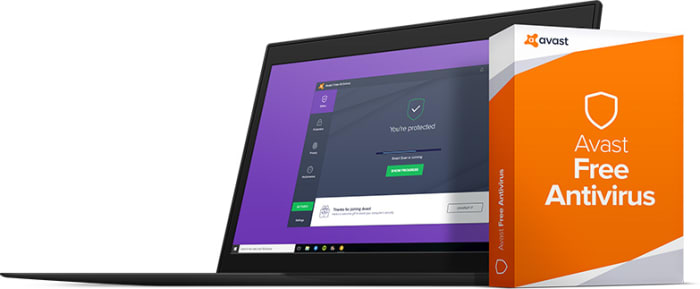
Avast Free Antivirus

Avast Free

All five of the free antivirus programs we’re featuring today offer strong protection. If we had to pick out one, however, Avast might get our best antivirus recommendation. As well as offering antivirus and malware protection features that regularly score highly with independent testing labs, Avast also offers a wide range of extra features that you’d normally have to pay for.

The best of these extra features is the Password Manager. This will create new and extremely secure passwords for all of your online accounts, store them securely, and then automatically fill them in whenever you’re trying to access your accounts. The only limit to this feature, however, is that it can’t be used across multiple devices, which means you won’t be able to log into your accounts via your mobile if you use Avast on your PC. Avast free still remains an excellent choice though, for anybody looking for a strong level of antivirus protection but who don’t want to pay out a lot of cash for it.

Kaspersky Security Cloud Free

cover

Kaspersky has long been respected as one of the strongest antivirus programs on the market and has always scored well across most of the independent antivirus testing labs like AV-Test and AV-Comparatives. Fortunately, Kaspersky began offering a free version of its antivirus total security and malware protection software back in 2017. The cloud-based offering has plenty in its locker too.

You can install it on your PC, but Kaspersky Free also offers support for iOS iPhone and Android users too. Key features include full malware protection, spyware defense, and almost flawless real-time protection from phishing scams. The software will flag dodgy links and block malicious URLs. For a free program, Kaspersky Antivirus offers robust security features and even has some you’d have to pay for elsewhere. Definitely worth a look.

Kaspersky Anti-Virus Download Kaspersky
8

Sophos Home Free

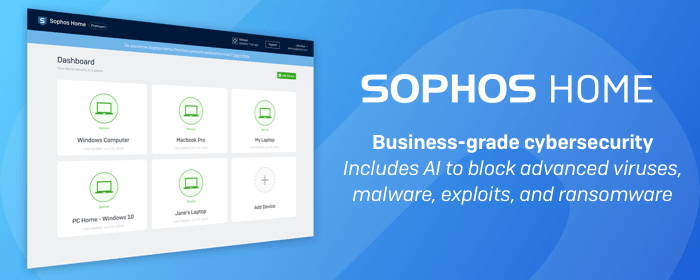
Sophos has long specialized in protecting business computer networks containing hundreds, if not, thousands of computers. Protecting business interests means the Sophos team has long had to ensure the tightest of security measures in its programs. Thankfully, the move into home security software hasn’t resulted in any lower levels of security. The latest version of Sophos Home Premium makes it easy to coordinate security across multiple devices but the free offering has just been boosted with new AI algorithms.

The idea behind Sophos’ AI antivirus features is a neural network that learns from the threats being dealt with on all machines running the program. This means Sophos can preempt malicious behavior rather than having to check dodgy files and programs against known threats.

Other great features that come with Sophos Home Free include strong anti-phishing protection, anti-malware features, and the ability to protect and remotely control security features across three devices, just like the network administrator would do in an office.

Sophos Download now
8


AVG Antivirus Free

AVG Free

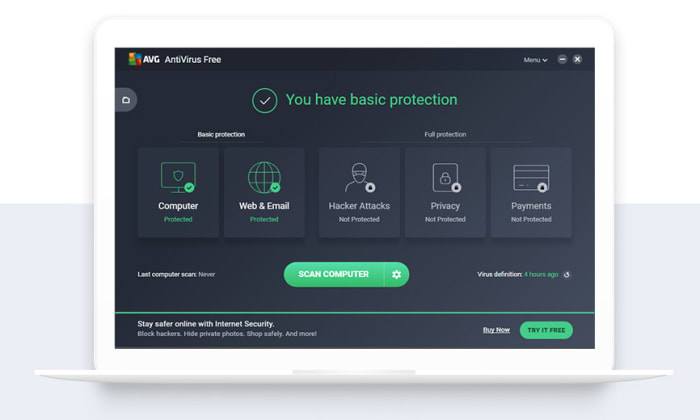
AVG Antivirus is another established and very well-respected antivirus software suite. Furthermore, AVG offers a free version of its antivirus technology that comes packed with plenty of features like malware and antivirus scanner, and robust phishing protection including blocking dodgy URLs and rating websites for you so you know which ones are safe and which ones are not.

AVG offers a wide range of free features for internet security-conscious web users. Recently, however, it has lost a couple of prime features including web browser protection and scan speeds have slowed significantly also. Protection-wise, you can still count on AVG to keep you as safe as any of the other free antivirus offerings we’ve included in our list.

AVG Free Download now
8

Bitdefender Antivirus Free Edition

Bitdefender

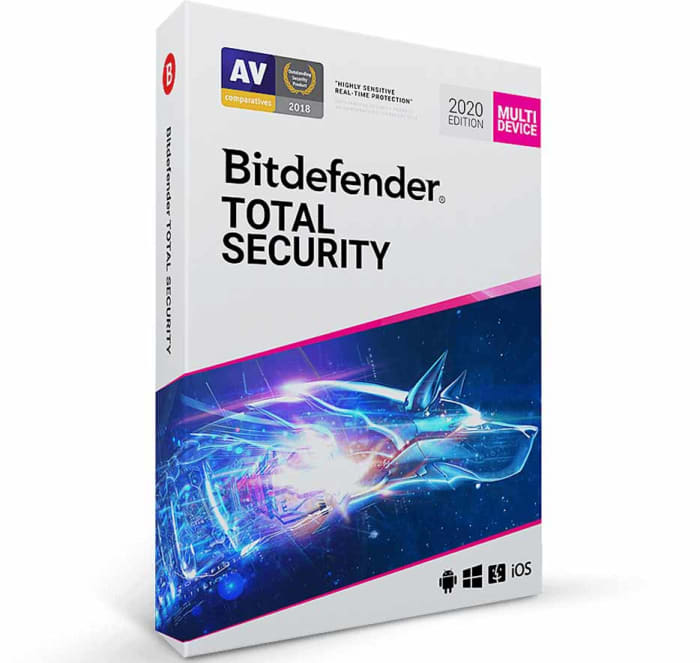
The final antivirus program we’re bringing you today is BitDefender, which brings you a robust offering for free that is really simple to install. There is no need to answer all sorts of questions or hand over lots of details to get your hands on the free version of BitDefender, which is something that sets it apart.

The free version of BitDefender offers the same level of antivirus and malware protection that you get with the paid antivirus version. The difference is that you’ll miss out on some of the premium features like a password manager, ransomware protection, or multi-device support. This means if you’re all your after is a strong scanner and always-on protection, you’ll be happy with what BitDefender Free Edition gives you. If you’re looking for advanced features, however, you’d be better looking at one of the other programs we’ve listed.

Bitdefender 2018 Download now
7

Wrapping up

Today we’ve shown you five antivirus programs that will keep you safe online for free. In truth, it is hard to pick between them as each offers strong enough protection to make it onto our list. We wouldn’t recommend any programs that didn’t offer robust security features. If we had to pick one antivirus solution, however, it’d likely be Avast that tops our list. For free you’ll also get a number of premium features with Avast, that you won’t get with the other programs.

The best Black Friday deals

These are all the best software deals you’ll find this Black Friday.

When Black Friday comes around, we’re inundated with limited-time special offers for all sorts of products like headphones, wearable tech, charging cases, video games, SSD hard drives, smart home devices, and iPads. With so many deals from the likes of Amazon, Walmart, Best Buy, Newegg, and Samsung, however, it can be hard to know where to start. Well, at Softonic, we’re specialists in software so you can trust us to bring you the best Black Friday sale software deals. Let’s get into it then, these are the best Black Friday deals for software and online subscriptions.

Disclosure: Softonic may receive a referral fee if you click or buy any of the products featured here.

The best Black Friday software deals 2019

ExpressVPN

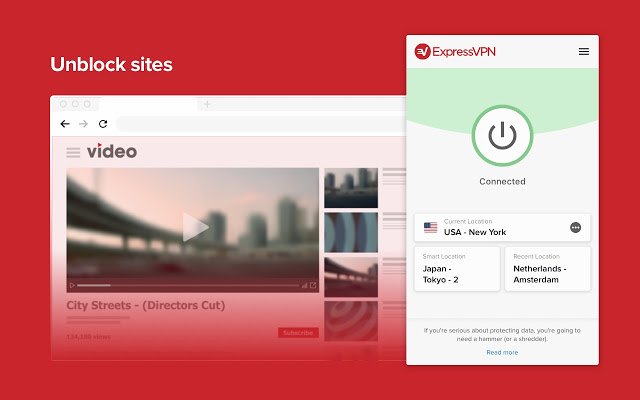
Virtual Private Networks (VPNS) allow you to mask the IP address of your Microsoft PC, Macbook, iPhone, or Android phone and encrypt all of your internet data. They have become essential for anybody who wants to surf the web safely. Add to that the fact that VPNs open up global content that would normally be locked due to your geographic location and you quickly realize that you need a powerful VPN on your machine.

The problem with VPNs, however, is that many of them are not that reliable. This is simply not the case with ExpressVPN though, which is widely regarded as the best VPN in the business. An ExpressVPN subscription will give you reliable access to over 3,000 servers round the world allowing you to protect your data and simulate your location in over 160 locations spread across 94 countries. If that sounds like something you want, act now to get three months free subscription to ExpressVPN.

Express VPN Save $$$ Now
10

Adobe Creative Cloud

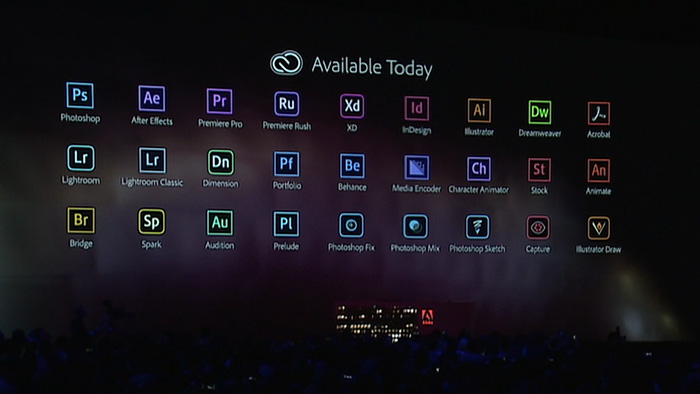
If you’ve never heard of Photoshop, then you must have been living in a cave or something. Photoshop and all the other programs in the Adobe Creative Cloud design suite are the best in their class. No matter your design job, the Adobe Creative Cloud will give you the best tools available to get it done.

Now’s your chance to get yourself a full subscription to the Adobe Creative Cloud package with massive savings of 40% off the normal price for all and 80% for students. Take advantage of early Black Friday savings that could end up saving you hundreds of dollars every year.

iObit

iObit Black Friday deal

Keeping yourself safe online is a tough job these days. Online threats and more advanced types of malware hit the internet all the time. As well as online threats, as software gets more and more complicated we can experience inexplicable slowdowns on our PCs. This is why it is more important than ever to have a robust cybersecurity suite protecting you every time you’re online and to keep your PC working as well as it should.

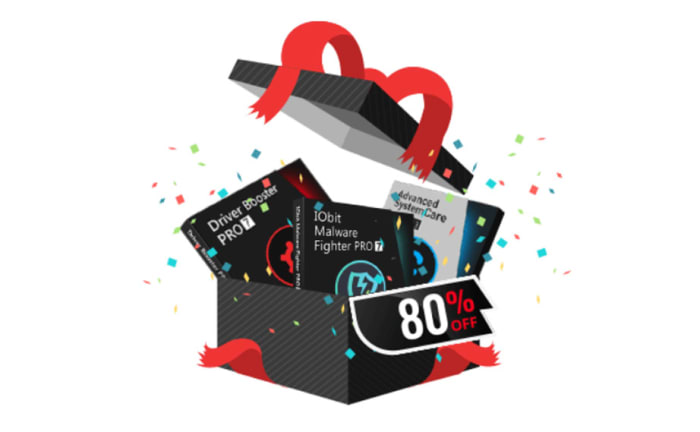
With that being the case, you do not want to miss out on the eye watering  discounts that iOBit is offering on its line of PC optimization and protection software. You can save up to 80% on complete packages of iObit cyber security software. iObit is also giving away $60 worth of software for free with every purchase made. Check out these deals now and save yourself some money.

iObit Special Offer Save Save Save
10

MacPaw CleanMyMac

CleanMyMac black Friday deal

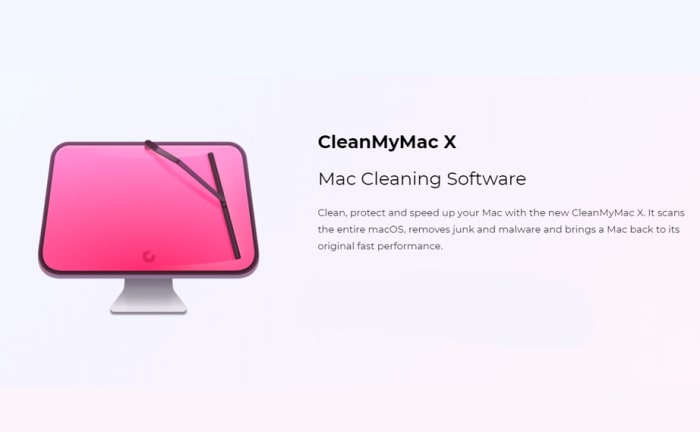
MacPaw’s CleanMyMac optimization suite offers the industry standard that all other Mac cleanup programs try to match. CleanMyMac makes it a quick and simple process to clear up space on your Mac and get your Apple Mac back to its best. With MacPaw’s amazing Black Friday deals, you can save 30% on a CleanMyMac subscription. You need to act fast, however, as MacPaw discounts are rare, and it won’t be Black Friday forever.

CleanMyMac Clean for less
10

CCleaner

CCleaner Professional is a veritable institution in PC optimization. It has been around for years and is well-known for offering a quick, safe, and reliable disk cleaning service. Regularly regarded as the most efficient tool for identifying gigabytes of erroneous files and delivering noticeable boosts to your PC’s performance every time you use it. If your PC needs a boost, act now and save 50% on a CCleaner subscription.

CCleaner Click to Save
10

Sony Vegas

If you’re a video editor you need a feature packed video-editing suite offering full video production capabilities, audio editing, special effects, and more. Sony Vegas has all of these and more. If you’re an Instagram or YouTube video blogger then you should think seriously about this Sony Vegas Black Friday deal. Act now and you could save yourself hundreds of dollars and massively upgrade your video-making capabilities.

Sony Vegas Save $$$
10

Norton Antivirus

Norton Antivirus

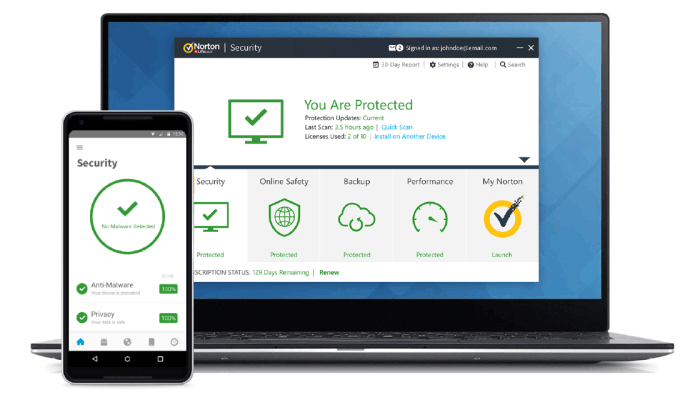
Our final Black Friday deal comes from Norton Antivirus, which is offering savings of up to $60. Protect yourself from threats including ransomware, malware, spyware, and more.  Norton will also protect your identity from potential hacks and  potential online scams and phishing attempts. Act now to save a massive $40 and protect your PC or Mac for an amazingly low $19.99. Protect up to 5 devices with the full Norton package and save a massive $60. Don’t wait to stay safe and save money.

Norton Antivirus Protect and Save
10

Best Chrome VPN extensions

Check out the best free and premium VPN extensions for Google Chrome

Chrome VPN extensions

More and more, VPNs are becoming essential pieces of kit for the modern internet user. Virtual Private Networks encrypt your web traffic and then route it through secure servers dotted all around the world. In this way they can keep all your most private details secret and also give you the ability to mask your geographic location. VPNs keep you safe when surfing the web via public Wi-Fi and can keep you in touch with what is going on at home, even when you’re abroad. VPNs can even help you access restricted parts of the internet when you’re in oppressive countries that censor the web.

You don’t need to install a full VPN program, however, to protect your web usage. You can get decent VPN coverage with a simple browser extension. If you’re using the Google Chrome browser to surf the internet, you can download and install a Chrome VPN that will protect everything you do on your web browser. These are the best VPN extensions for Chrome.

Chrome VPN extensions

NordVPN Chrome extension

NordVPN multi device

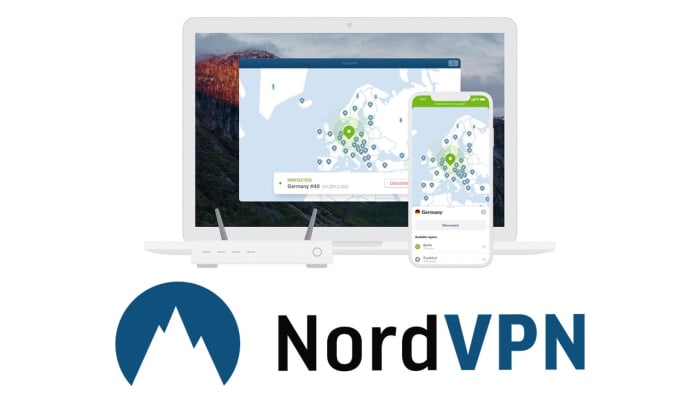
NordVPN is based out of Panama and offers users very strong privacy-protecting credentials. Nord doesn’t log user behavior meaning no personal information is kept from the sites you visit when you’re securely surfing the web via a NordVPN server. Furthermore, NordVPN has almost 5,000 VPN server locations all over the world, meaning you can easily mask your IP address to access content that is limited to the US, UK and Ireland, Australia and more with fast speeds. All this comes at a premium, however, with NordVPN having a number of different payment options with the cheapest requiring a three-year subscription paying for upfront.

NordVPN Download Now
8

Hola VPN extension for Chrome

Hola VPN Chrome extension

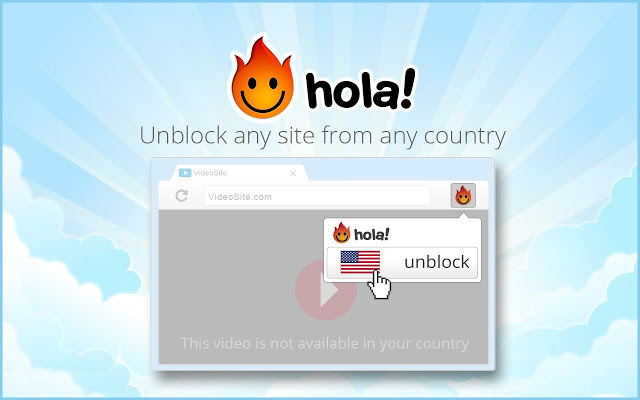
The Hola VPN extension for Chrome is an effective and free Chrome VPN to help anonymize your internet usage. The Hola VPN service is used primarily to unblock geo-restricted content without having to pay for an option like NordVPN. Being free, however, means that Hola logs some of your data and then sells it to third parties. Also, Hola isn’t as reliable as NordVPN so there is a good chance that that movie you wanted to watch on the US Netflix or that TV show on BBC iPlayer might still be out of reach if you’re using this extension.

Hola Unlimited Free VPN Download now
7

ExpressVPN Chrome extension

ExpressVPN Chrome extension

ExpressVPN is another premium option like NordVPN. Again though, the premium option offers solid reliability just like the Nord offering does. In fact, ExpressVPN is regularly voted as the best VPN available today, which makes this one of the best VPN extensions available on the Chrome Web Store. The ExpressVPN Chrome extension is built with simplicity in mind too. One click is all that is needed to start browsing the internet safely and securely through one of over 3,000 servers in 160 locations spread across 94 countries around the world.

ExpressVPN Download now
8

Browsec VPN Chrome extension

Browsec VPN extension

The Browsec VPN Chrome plugin is also available on Android. It offers free and unlimited secure browsing, which means there won’t be a data cap when using the VPN like there often is on free VPN proxy programs. The extension is easy to use and offers fast browsing speeds. This could be why Browsec has accumulated over 8,000,000 users with almost 25,000 of them leaving positive reviews on the Chrome store. It isn’t the most private VPN, however, with its Russian HQ creating several privacy-related issues should the Russian government decides to request information. Browsec also logs user data too.

Browsec VPN Download now
9

CyberGhost VPN Chrome extension

CyberGhost VPN Chrome extension

CyberGhost is another free VPN Chrome extension that offers free one-click access to its secure servers. It does, however, have a paid version too. Like with the other free VPN extensions on this list, CyberGhost doesn’t offer reliable connections as you’d get with NordVPN or ExpressVPN. It also falls short on privacy matters too. Also, the free version could see you having to queue for servers, which are only available in 15 countries. It does offer fast speeds when you do connect, but you can also expect to see plenty of ads for CyberGhost premium and you’ll disconnect every three hours meaning you’ll have to manually reconnect.

CyberGhost Download now
7

PureVPN Chrome extension

PureVPN Chrome extension

PureVPN will offer you reliable connections via its secure servers, which is why we’ve included it in our list. Another good point attached to PureVPN is that the service comes with Live Chat customer support service that should help you deal with any problems you come up against. If you’re in the least bit bothered about privacy, however, it might not be the best VPN plugin for you. There have been quite a few reported data leaks from the PureVPN servers. Another con to consider is that although PureVPN connections may be reliable, they won’t be as fast as the speeds you’ll find on some of the other extensions in our list.

PureVPN Download now
7

DotVPN

DotVPN Chrome extension

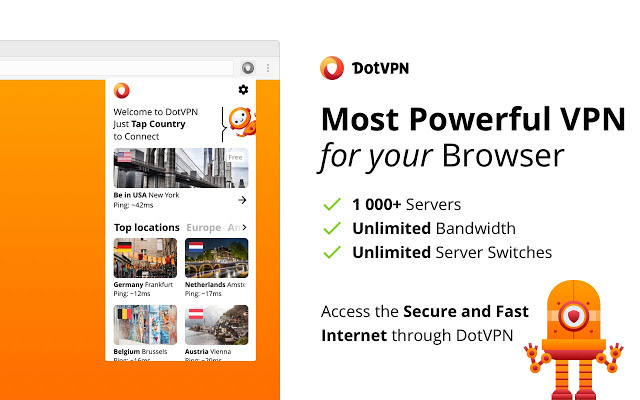
DotVPN offers unlimited bandwidth through over 1,00 servers located in different countries around the world. It offers robust encryption to protect what you’re doing online from prying eyes and is available across a variety of platforms including Windows and Mac, Firefox, Android, and iOS devices like iPhone and iPad. DotVPN offers limited service for free users, which still has unlimited data usage but unfortunately doesn’t support video or audio streaming. If, for example, you want to access Netflix using DotVPN, you’re going to have to pay for a premium subscription, which costs $4.99 a month or $2.99 a month, if you pay for a full year’s subscription at once.

DotVPN Download now
9

Wrapping up

We’ve walked you through some of the best VPN extensions available for Google Chrome. Some offer free services while others ask for a paid subscription. It obviously depends on what you want to use your VPN for, but in our experience, we recommend the paid VPN extensions like NordVPN and ExpressVPN. Whereas free VPNs can work sometimes, they’re not as reliable as the two options we’ve just mentioned and can prove to be quite frustrating. If you add to that the privacy issues that are attached to all the free VPNs we’ve mentioned, we believe the case is there to pay for a strong, reliable, and secure VPN.

How to detect a Wi-Fi thief

These apps can keep Wi-Fi trespassers from slowing down your network.

Protecting Wi-Fi

Your Wi-Fi network at home is sacred. Allowing a friend to access to your Wi-Fi network is now the equivalent of letting them getting something out of your fridge.

When someone hijacks your Wi-Fi and slows it down, it is not only a breach of trust but a breach of privacy. However, we have the solution:

Two key applications

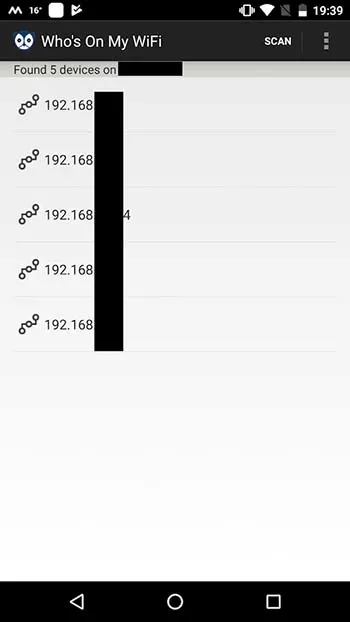
In order to find out if someone is accessing your network, we are going to use some applications: IP Tools Wi-Fi Analyzer and Who’s On My Wi-Fi.

IP Tools Wi-Fi Analyzer allows you to configure everything in the fabric of your internet connection. Likewise, it is also able to show if there are technical difficulties. You will know if there are connection failures as well. It also tells you which devices are currently connected to your network.

IP Tools: WiFi Analyzer Download now ►
9

In the case of Who’s On My Wi-Fi, the functions are more limited than in IP Tools Wi-Fi Analyzer. However, the name says it all. It sees who is on your Wi-Fi connection and takes the appropriate measures. We recommend downloading both applications, but we will use the latter to perform the analysis.

Who Is On My WiFi Download now ►
10

Open Who’s On My Wi-Fi and look for the network to which you are connected. In a matter of seconds, the application shows all the devices that are using your internet connection. From here, you can kick trespassers off your virtual lawn. You need to enter your network information to do so.

Who's on my wifi

Staying protected

Another way to do this is by changing the router password. Once you modify the password, that person cannot connect again.

You pay for your Wi-Fi connection with your hard-earned money, so you should get to decide who is using it. If someone is going to try and sneak into your system, don’t be afraid to virtually go “Gran Torino” on them. 

How to turn on tracking prevention on Microsoft Edge

This is how to block trackers on Microsoft Edge

There ain’t no such thing as a free lunch, or at least so they say.

When we’re browsing free websites on free web browsers it is easy to think that the old adage doesn’t apply to you, when deep down you know that it most certainly does. The common form of payment we make is by seeing advertisements placed on the websites we visit. These subliminal payments are much more valuable to the “free” sites we browse, if they are more relevant to us. The companies make these ads more relevant to us by tracking our web behavior to learn more about who we really are.

Data is the new oil, is another one they say.

Not only is the lunch not free, you’re paying for it with something that is extremely valuable.  This new truth has led to a growing number of people wanting to block trackers when they’re surfing the internet. Recent revelations about Google Chrome showed a shockingly high number of trackers active on the browser.

6
The idea of Microsoft Edge is to be as fast, clean, and lightweight as possible to cope with the demands of different devices, whether it be a PC, tablet or phone.

Trackers are active on all browsers too, and now Microsoft has decided it wants to give Edge users a chance to disable trackers, so they browse the web without paying the heavy fee.

The Edge tracker prevention feature is still in testing, but let’s have a look at how you can activate it.

This is how to block trackers on Microsoft Edge

  1. For now, tracking prevention is only available on preview builds of Microsoft Edge. To use tracking prevention, you’ll need to download and install the Microsoft Edge Insider build version 77.0.203.0 or later.
  2. Open the Microsoft Edge Insider Build.
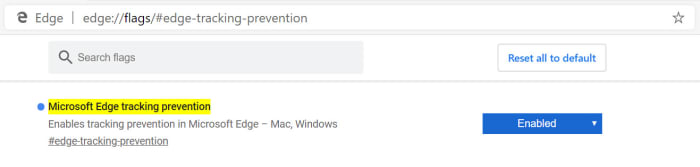
  3. Copy edge://flags#edge-tracking-prevention, paste it into the Microsoft Edge address bar, and hit enter.Microsoft Edge tracker prevention
  4. In the dropdown menu select Enabled and then click Relaunch Now.

Once you’ve followed the above instructions, you’ll tracking prevention enable on a special preview version of Microsoft Edge.

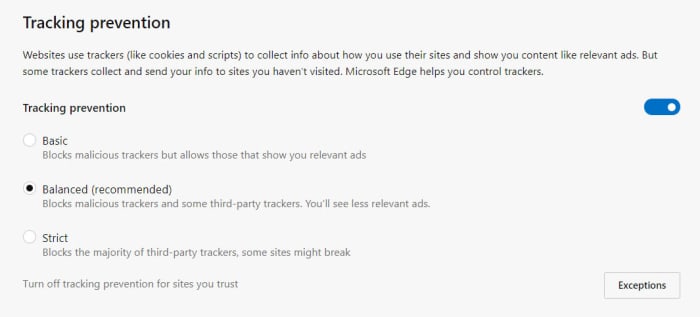
You can then adjust your privacy settings by copying edge://settings/privacy and pasting it into the Edge address bar.

turn off trackingon Microsoft Edge

These preview versions are the first to receive new features as this is where Microsoft test new features before releasing them to the general population. This means that the browser might not be as stable as your regular version of Microsoft Edge.

These Insider builds are not just a good way for developers to test new features. They also offer a great way for you to test out experimental new features without having to mess around with the settings for your main browser.

Whether you want to allow websites to track your online behavior is up to you. Microsoft is testing out this new feature and is committed to bringing it to the full version of Microsoft Edge. If you’re unsure about whether you’d like to use it or not, why not take this opportunity to test out the new feature before it lands on the main app.

Ransomware hackers have found a new type of institution to target

Hundreds of dentist offices all over the US have been hit by ransomware attacks

phishing scams

Of all the types of malware, ransomware is definitely the most Hollywood. We’ve commented before on the showy nature of its name and how it invokes ideas of Hollywood style face-offs between hostage takers and negotiators. Even in real life though, ransomware certainly knows how to grab the headlines. The nature of the threat sees it targeting large institutions rather than private individuals and this has led to some big targets and even bigger ransom payments.

We’ve seen hospital networks targeted, schools, and recently we’ve even had to deal with whole cities being crippled by ransomware attacks, with two cities in Florida being forced to stump up over $1 million in ransom between them. It seems that even moving on to smart devices like Wi-Fi connected cameras isn’t enough either, as ransomware hackers have found a brand-new type of institution to target. If you’re afraid of going to the dentist, look away now.

Hundreds of dentist offices all over the US have been hit by ransomware attacks

According to a report by ZDNet, two Wisconsin-based software providers, The Digital Dental Record and PerCSoft, were recently compromised by a ransomware gang. The gang was able to initiate a REvil (Sodinokibi) ransomware attack across the company’s customers’ systems, which total hundreds of dentists’ offices across the US.

a dentist
Time to be afraid

The breach occurred over last weekend but then only came to light on Monday morning when Dentists up and down the country found that they couldn’t log on to their systems when they returned to work. The ZDNet report goes on to say that the Wisconsin-based companies decided to pay the ransom and have since been sharing a decrypter with all of the effected dentists, which should help them recover their lost files. There is no mention, however, of how large or small the ransom was that they paid.

This isn’t the first time that this particular type of ransomware attack has been launched by a ransomware gang. A recent report listed the REvil (Sodinokibi) attack as one of the most prevalent types of ransomware attack out there. With this attack on nationwide dentist offices being the third time a major service provider has been targeted using this type of attack, it puts it as the fourth most popular type of ransomware attack out there.

Ransomware attacks usually encrypt or steal data from the victim’s database. The data is then held ransom, with the victim having to pay to recover it. As the attack requires a lot of work, it makes sense to target larger organizations rather than individuals. It also applies more pressure as the data that is held ransom usually plays a key role in the running of the victim organization and immediately starts applying financial pressure. This means you’re not likely to be targeted yourself by a ransomware attack, but there is every chance an organization you’re connected to could be.