WhatsApp, Telegram security flaw: how to fix it

Security flaw allowed hackers to alter photos sent on WhatsApp and Telegram.

WhatsApp secuirty

We already know that you can’t believe everything you read online, but now we might not be able to trust everything we see on WhatsApp or Telegram!

Researchers from the software company Symantec discovered a vulnerability in WhatsApp and Telegram. The vulnerability would allow a hacker to change what a person sent you.

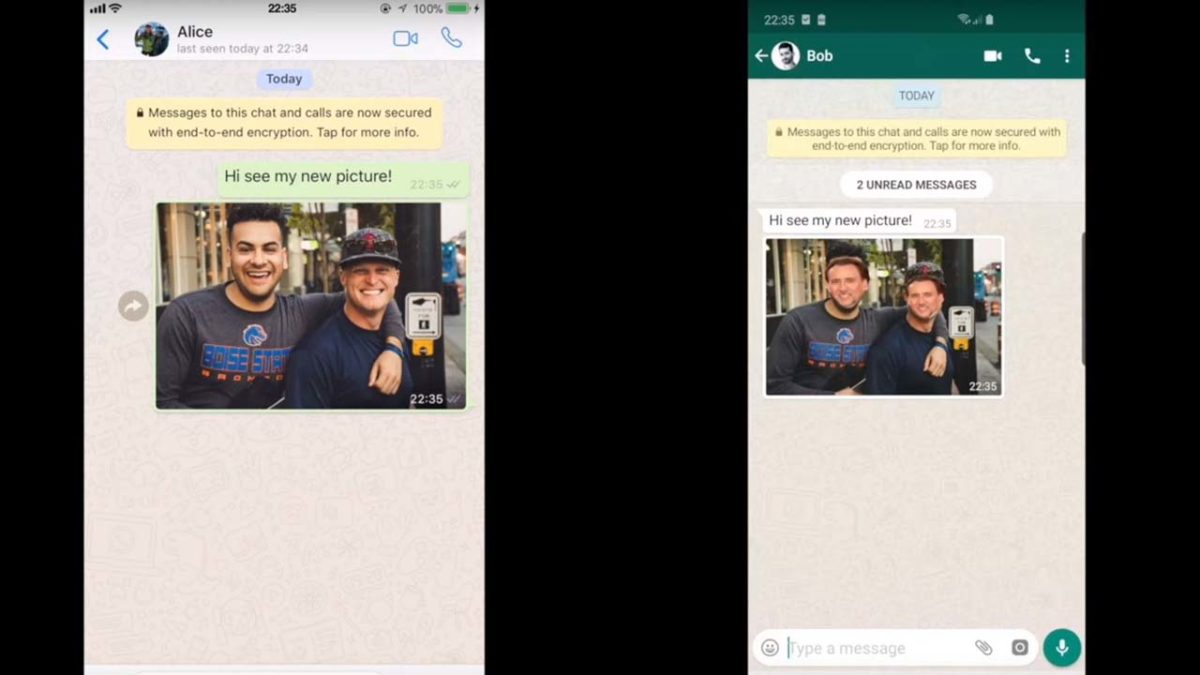
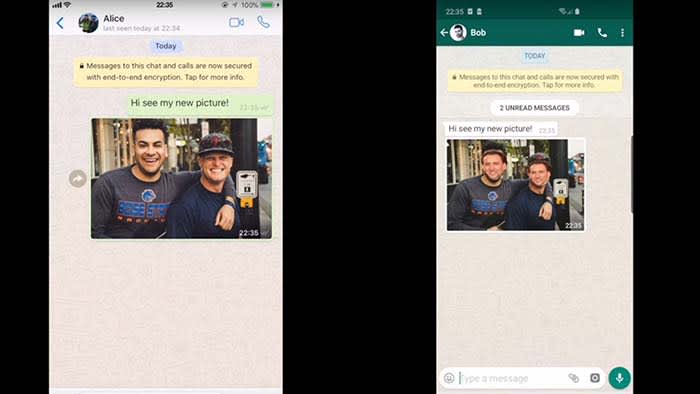
In the above video, the researchers showed that through the vulnerability, they were able to change the faces in a photo to look like Nicolas Cage. As hilarious, and amazing as that is, there is more to fear than a real-life version of his movie “Face/Off.”

Let’s say someone sent you a receipt or an invoice. A hacker could alter the information about the account, routing number, or the amount! Suddenly, rather than reimbursing someone for last night’s dinner, you just got duped into sending a stranger $50. 

How could this happen?

WhatsApp and Telegram both use end-to-end encryption which basically means that messages are kept between those involved. Even the companies themselves cannot read the messages. 

However, this does not mean the app itself is safe from being hacked. This vulnerability could have allowed for a spyware attack that would have compromised WhatsApp and Telegram users.

WhatsApp Messenger Download free ►
8
8

What’s being done about this?

There is one big thing you can do to protect yourself when using WhatsApp and Telegram: become invisible.

The vulnerability comes from how files are stored on the apps, according to Symantec. In order to close that gap, you need to remove your gallery’s visibility. 

In WhatsApp, turn off “Media Visibility” in the settings menu.

In Telegram, toggle off “Save to Gallery” from the settings as well.

Wrapping up

There are many political activists, politicians, and people-of-interest who need to keep their conversations private, so they use apps like WhatsApp and Telegram. Unfortunately, instances like this and like a few months ago when a human rights lawyer was targeted in a WhatsApp virus attack, are showing that they might not be the most secure.

Although this security flaw was caught early, the point remains that this could have been devastating to users. Next time you go to send something important on WhatsApp or Telegram, you might want to rethink it.

Google Assistant: Humans are listening to your recordings

Who’s really listening to you?

Google Assistant

Just when you thought owning a Google Assistant was less risky than owning Alexa, this happens.

A third-party language expert hired by Google leaked audio data recorded with the Google Assistant. 

How did this happen?

Google uses hundreds of human private contractors to review some recorded conversations from Google Assistant.

In this particular case, the issue is the Dutch language. Google may not care what you say, but they do care how you say it. To teach the Assistant to function better, Google may need to rely on humans to convey the nuances of a particular syntax. An algorithm for English may need to behave differently from a Dutch algorithm. Bring in a human to “translate” to the machine, and the results should become better over time.

languages

One of these contractors leaked more than a thousand Google Assistant audio recordings to a Dutch publication.

Why? It involves your privacy.

Your Google Assistant activates when you use the wake word (“OK, Google” and “Hey, Google.”) Conversations with your Google Assistant are supposed to be recorded only after you use the wake word.

However, Google Assistant has been known to mishear things and activate without its wake word being said. When this happens, the conversation is still recorded. Of more than a thousand recordings, the Dutch publication noted that 153 should not have been recorded – the wake words were never spoken. Do the math and that’s a 15% error rate. Not good.

Google Assistant Download now ►
8

This leak, of course, violates Google’s data and security policies. But the whistleblower was drawing attention to an important issue. The problem isn’t that the Assistant was recording the audio – that’s stated in the terms and conditions. The problem is that you cannot completely control when the Assistant records something… and you can’t control if a human will hear it.

VRT NWS says the recordings have included:

  • Bedroom conversations
  • Chats between parents and children
  • Professional phone calls with lots of private information
  • Medical questions
  • Pornographic searches
  • A woman facing physical violence

You can actually hear some of these recordings in the video at the bottom of their article. In some cases, the reporter finds the person who was speaking and plays their recording back to them.

The moral implications are enormous. And security experts say these recordings could be used anywhere. A recording of your own voice could possibly be used against you in court. And if Google or its contractors overhears domestic abuse, should they report it to the police or let the incident go?

This is a modern day “trolley problem.” If Google does nothing, they could be allowing crimes to continue unabated. If Google intervenes, owning an Assistant would be like inviting a police officer to be your roommate. And if Google intervenes selectively, what are its boundaries? And who decides them?

How is Google responding?

Today, Google posted: “Our Security and Privacy Response teams have been activated on this issue, are investigating, and we will take action. We are conducting a full review of our safeguards in this space to prevent misconduct like this from happening again.”

What protection do you have?

As Google points out, “You can turn off storing audio data to your Google account completely, or choose to auto-delete data after every 3 months or 18 months.”

If you’re worried about privacy, it might be best to hold off on buying an Assistant until this issue is solved. (Though it may never be truly safe.)

Not an isolated problem

If you have an Amazon Alexa, this issue is nothing new. Human employees have shared recordings from that device as well.

Remember that any device with a camera or microphone could be exploited to record you. And anything you type into a keyboard could be logged as well. It’s best to use a browser and a search engine that defends your privacy, use a VPN, and think twice before allowing permissions to any app you download.

Google and Facebook make their money by marketing your data, so you may want to consider alternatives whenever possible. But we get it, the convenience is a big draw. Stay safe out there, internet friends.

Instagram’s bot problem is getting worse

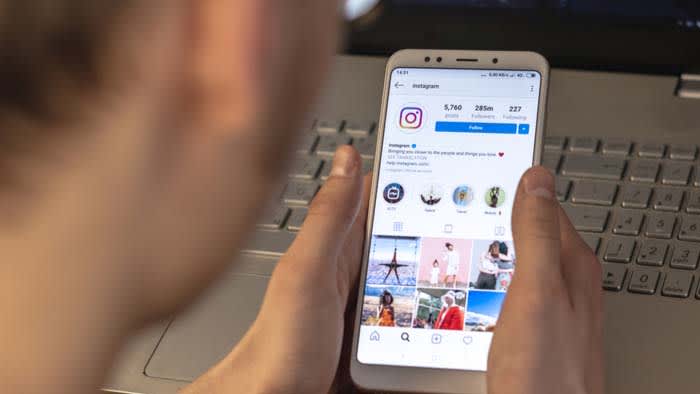
Instagram bots aren’t only annoying, but they also represent a much bigger problem.

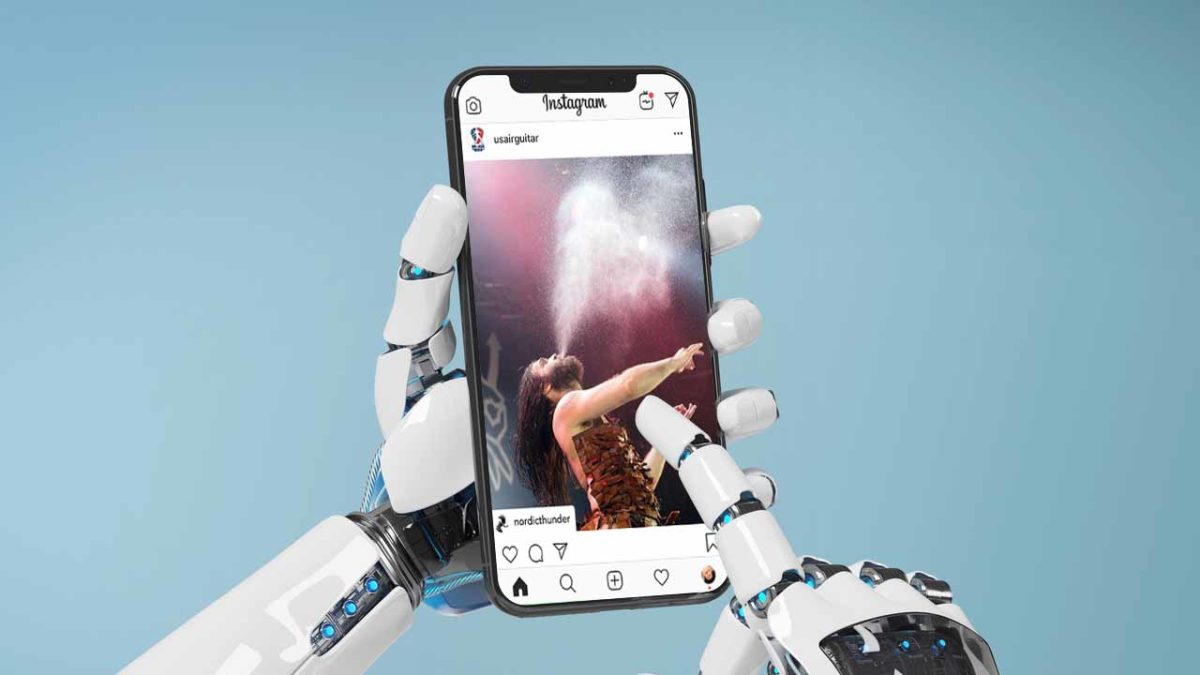
Instagram robot

Late last fall, Instagram announced a crackdown on the fakers, frauds, and robots ruining the space for everyone else.

It seems that Instagram’s harassment problems are on the rise, despite the fact that the social media platform has made a concerted effort to fight back. However, the automated apps people use to increase likes, comments, and follows still have the upper hand.

Facebook has also sued a New Zealand company for selling fake engagement metrics on Instagram after issuing repeated warnings and suspensions on the associated accounts.

Despite their efforts, it seems that 2019 is a great year for bots. Here’s a quick look at what’s going on.

Instagram Download Now ►
7

NSFW bots

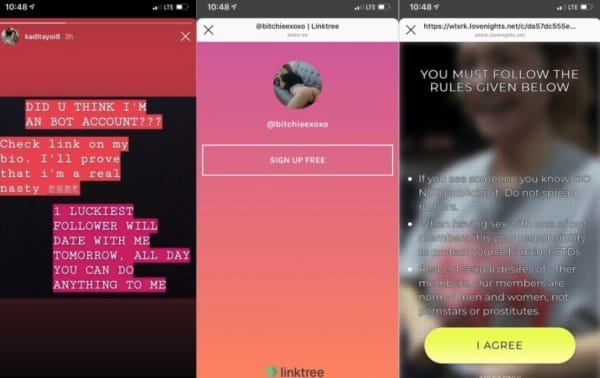
Sure, Instagram has a pretty firm no-nudity stance. Unfortunately, that hasn’t stopped an influx of bots using explicit content to deceive users.

According to Engadget, there’s been a rise in these spammy profiles containing videos of naked or semi-naked women. These profiles are designed to get users to look at their accounts, then sign-up for pornographic subscriptions.

spam bots

Somehow, when these bots comment, they get a ton of likes, which makes them show up in a more prominent location on others’ profiles. These porn-promoter types are more embarrassing than anything, unless you click on them, that is.

Vice wrote a whole piece that dove into the world of NSFW bots and found that many of them are part of these affiliate schemes that rely on intermediary landing pages to collect leads.

It’s the same technique shady marketers have long been using to sell male enhancement products and face creams on Facebook, only to loop them into a monthly subscription scam.

There’s a whole section dedicated to using these fake accounts to generate clicks on Black Hat World. Black Hat World is an SEO forum where people share tips for “cheating” the system.

Black hat forum instagram spam

We’ve all seen these bots, as well as other fake followers. And while most of us simply block them and move on, fake accounts can undermine your security. Bots may be friending you so that they can hit you with a phishing attack via DM.

Follower fakery

Follower counts on Instagram have become a measure of success, a badge signifying popularity, that even those with as few as 1,000 followers have the potential to monetize.

Because brands are capitalizing on the power of leveled-up word-of-mouth, many users have turned toward automation apps. These apps like InstarocketProX and Boostio to help increase follower counts.

These apps often require the user to hand over their account credentials, a monthly fee, and in exchange, they’ll like, comment, and follow on your behalf.

Instagram has started cracking down on this activity. Popular apps like Intagress and Hashtagpirate have been shut down.

Commenting bots deliver embarrassing or inappropriate messages more often than not. An influx of inauthentic likes or follows water down the platform’s value — if you never know if anything is real, what’s the point, right?

Toxic content and misinformation

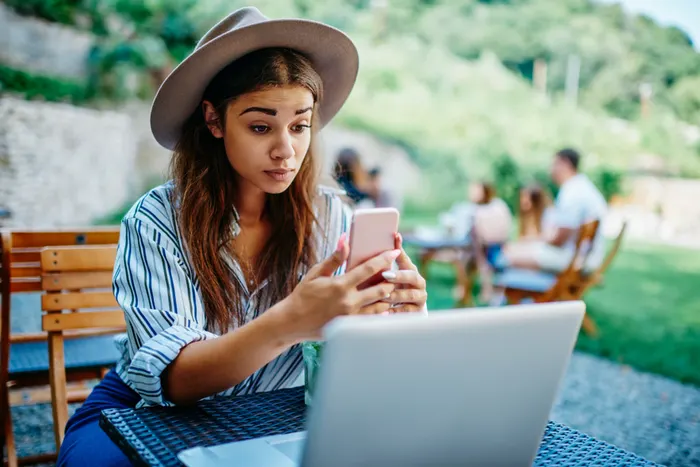
Woman surprised by phone

Toxic content problems exists on Instagram, too. Instagram may well be the new breeding ground for the spread of misinformation, especially for our youngest conspiracy theorists.

The above article looks at the recent influx in far-right influencer content like the American Identity Movement. They are a white supremacist movement that posts “relatable content” on Instagram through the same tactics as your typical fashion and beauty influencers use to connect with fans.

While the posters behind these accounts are not bots themselves, bots are doing a lot of the heavy lifting when it comes to spreading false information.

What’s Instagram doing about this?

Instagram

Between the NSFW spammers and the AI-driven “talent scouts,” Instagram has a few problems to work out. While they might not be on the scale of say, Facebook or YouTube’s, something still needs to be done.

While the platform has done a better job than Facebook, cracking down on harmful content, wrangling all the spammers, trolls, and other bad actors are no small feat.

Instagram’s new policy explicitly bans inauthentic content. This means that they’ll strip accounts with fake followers, likes, and comments using AI-backed moderation tools (bots against bots).

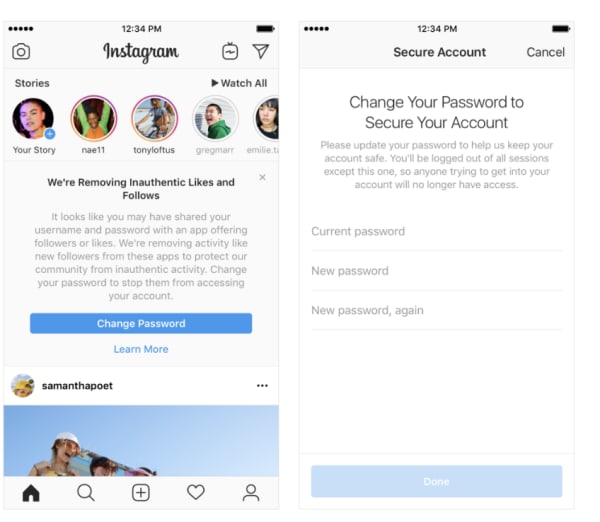
Any accounts found to be using third-party apps to fudge their engagement numbers will see fake likes and followers removed and be prompted to reset their password. Third-party apps often hold the profile owner’s credentials.

Because Instagram has become a major source of income for brands and influencers alike, more accounts will inevitably turn to third-party apps to artificially boost the popularity of posts.

Inauthentic activity warning on Instagram

How to get rid of bot problems on your own

If you use your Instagram account for marketing purposes or you have a sizable following, bots can do some harm to your reputation. On a broader scale, they can inflate marketing costs.

First, check the followers to posts ratio. Accounts with thousands of followers but no content likely aren’t real.

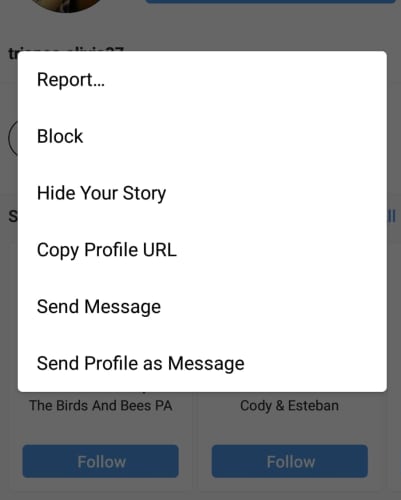
You can block bot accounts by clicking on the profile, then selecting “block from the three-dot drop-down in the right corner of the screen.

how to block instagram botIf the bot is of the malicious or pornographic variety, then you may want to report the account to Instagram for further investigation. If they find that the bot that violates its community guidelines, they’ll let you know.

In the meantime, whatever you do, don’t give your credit card information to those porn bots.

Ransomware scams hold cities hostage

Two cities in Florida have been forced to pay a small fortune to regain access to their files!

a hacker for bitcoin

Ransomware stole all the headlines in 2016 as the particularly nasty malware variant began rearing its ugly head around the world. As if viruses and malware weren’t already bad enough, ransomware added to the misery by holding all the data stored on a particular device hostage. Later, hackers then demanded ransom for its safe return. Yep, 2016 was the year we all had to start worrying about being blackmailed whenever we were on the internet.

Things seemed to quiet down after the original big scores had come and gone, but the threat has always lingered. It was big organizations that were always the most vulnerable. Think hospitals and schools and you’ll have a good idea about what the early victims were like. Unfortunately, ransomware is back in the headlines as it seems another type of major organization is susceptible to ransomware attack: cities.

Florida cities held hostage

It is easy to think of ransomware being some Hollywood type event from something like Netflix’s “Black Mirror.” We do something embarrassing online (or in the episode “Shut Up and Dance,” illegal and morally deplorable) and then the hacker uses that against us to force us to pay money or do something else illegal.

In reality, ransomware is much more benign. There is little worth in targeting individuals with ransomware as A) we don’t have much money and B) most of us don’t have much on our hard drive we’d pay to get back.

Black Mirror ransomware attack
In Black Mirror an individual was targeted by ransomware. This does happen in real life, but it is more usual for large organizations to fall victim to ransomware attacks.

This is why larger systems like schools, hospitals, or now even cities make better targets for ransomware hackers. By blocking access to data on large systems immediately, the hackers put immense pressure on the organization. If a hospital can’t access its admin system, people could die. A school can’t run properly when its systems are down. A city won’t know who is who until it can check its databases.

This final reason is why officials in Lake City, Fla. have just joined officials from Riviera Beach, Florida in handing over a small fortune in Bitcoin to an unknown hacker or group of hackers. They paid $500,000 and $600,000 respectively. The Lake City computer systems were down for two weeks before the officials buckled. While they were down, citizens were unable to make municipal payments online and city employees couldn’t access their email accounts.

If Bitcoin ransoms don’t sound like something taxpayer money should pay for, fear not. According to the Lake City mayor, the city is covered by insurance, which will pay all but $10,000 of the $500,000 ransom.  If you don’t think the city should bow to the will of criminals, you should spare a second to think about Baltimore. Recently, the mayor of Baltimore refused to pay a ransom of around $76,000 and estimates suggest the stance cost the taxpayer around $18 million.

Wrapping up

Ransomware is here now and the cities we live in all have a target on their backs. Welcome to 2019, people. This just got real.

Amazon Alexa keeps conversations forever and shares them

Alexa transcripts with customers are being stored despite users requesting that they be deleted.

Alexa

“Alexa, erode my privacy.”

Recently, Senator Chris Coons (D-Delaware) sent a letter to  Amazon with privacy concerns about the Alexa. Specifically, Coons asked about how long Alexa keeps user data, and how they use it. 

Amazon responded by saying that Amazon kept transcripts of interactions with Alexa, and, in some cases, kept them even after customers “deleted them.” As Coons later tweeted, Amazon was not clear about what is done with these transcripts and who they are being sent to:

Here’s Amazon’s response.

Why does Alexa record conversations in the first place?

Alexa listening

As Amazon said in its letter to Coons, Alexa is constantly evolving and getting smarter. In order to do this, it needs to learn more about human language to better understand us.

As Vice President of Public Policy for Amazon, Brian Huseman wrote to Coons, “Training Alexa with voice recordings and transcripts from a diverse range of customers helps ensure Alexa works well for everyone.”

However, there is already evidence of our conversations being used for malicious purposes. It was recently revealed that Amazon employees are listening in on us through Alexa, and are sharing conversations they find interesting with other employees. 

The idea that Amazon employees could possibly be hearing intimate moments in our homes, and are sharing them is disconcerting.

How do I delete the conversations that Alexa recorded?

Alexa

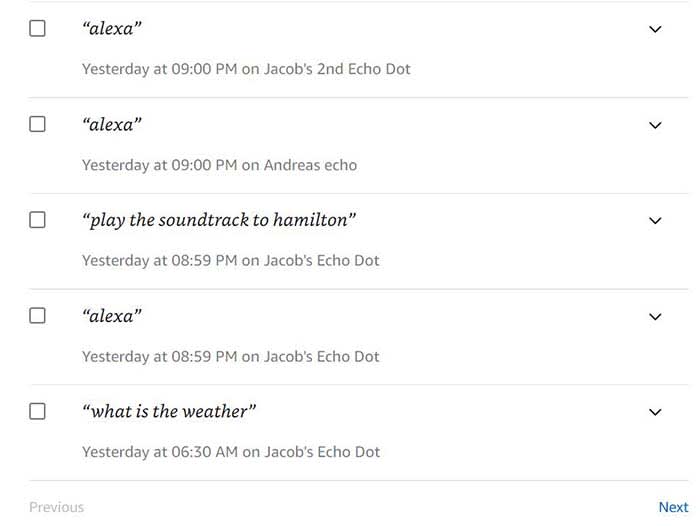
If you want to see what conversations Alexa has recorded, you can either access the Alexa Privacy Settings on your Alexa app or click here to view them on your browser. 

Amazon Alexa Download Free ►
9

From here, you can listen to the recordings, and delete whichever ones you’d like. However, according to the letter from Amazon, not all transcripts will be deleted. For example, the letter said that transcripts that deal with transactions and routines often won’t be deleted even if you manually delete them.  According to the letter, deleting those completely could stop routines from occurring and are required for transactions. As these were just examples, what now begs to be seen is what other conversations is Alexa keeping, and who is she sending them to.

What should you do?

Some of you might be about to use Alexa as a hockey puck and slapshot it as far away from you as possible.

The problem is that Amazon is far from the only company that has serious privacy concerns. Apple products have been known to record us, and don’t even get us started on Facebook.

If these privacy issues concern you, it might be time to ditch Alexa. However, please realize that there are plenty of other things in your life serving as microphones to the outside world.

How to avoid fake businesses and scam companies on Google Maps

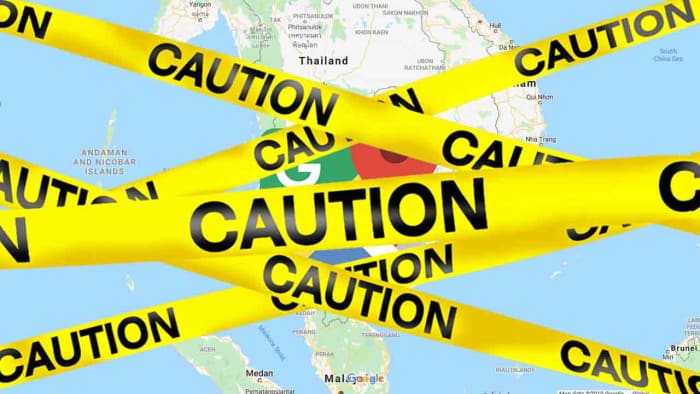
This guide help you spot fake businesses and scam profiles on Google Maps. Follow these steps to stay safe on Google Maps. This is how to avoid false business ads on Google Maps and and avoid Google Maps scams.

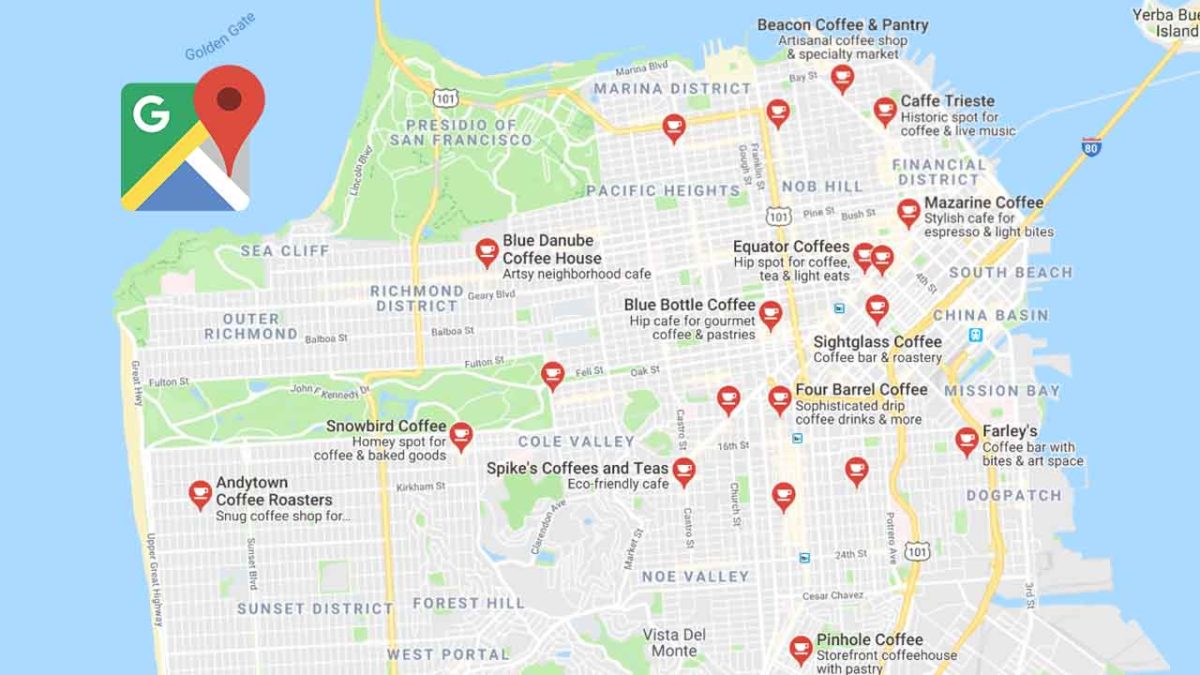
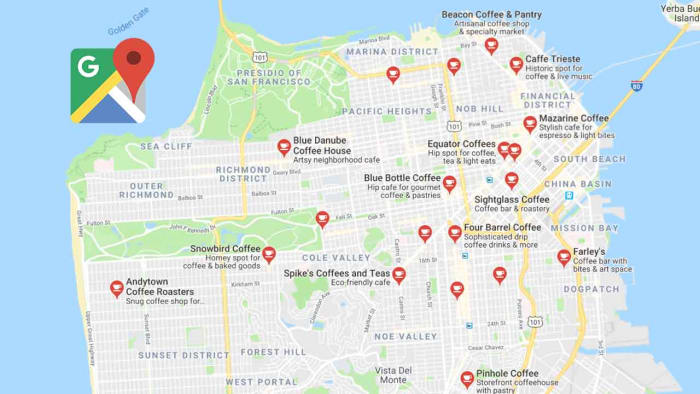
Google Maps with local businesses in San Francisco

These days, there are a lot of Google Maps scams that we need to worry about. The more Google Maps is useful for business, the more we’ll see scammers trying to take advantage of users heading there to find a product or service they need. We have to be careful.

We’ve seen Google Maps banking scams and we’ve seen false competitions offering fake prizes to try and trick us into handing over private and sensitive information. Unfortunately, it doesn’t end there.

A new report from The Wall Street Journal highlights a brand-new trick that we need to look out for. Fake business profiles. We now have to look out for false Google Maps business listings from fake companies. You can read more about this new type of scam here but for now, we want to show you how to stay safe on Google Maps when searching for a local business.

How to find businesses on Google Maps

The two most common ways of finding businesses on Google Maps are via the Google search bar or by searching for them directly on Google Maps.

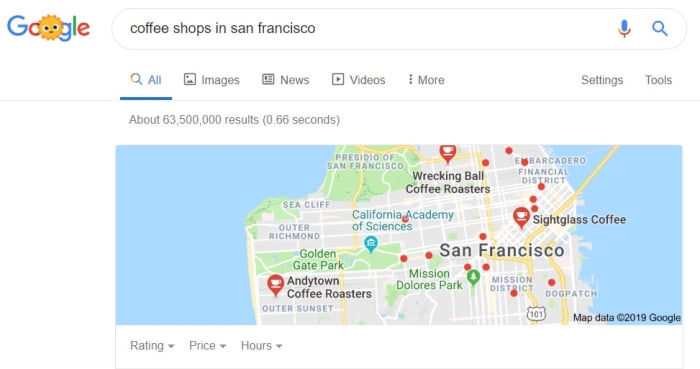
As Google’s search has evolved, results pages have become more and more advanced. Now, when searching for a particular business or type of business you don’t just receive a list of potential matches for your query. Instead, you’re also shown a map widget; clicking this widget will open Google Maps. You can then click on the business profiles of the businesses matching your query. This works both on desktop and on mobile.

Coffee shops in San francisco

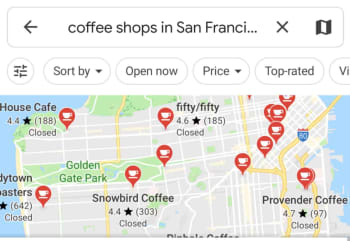
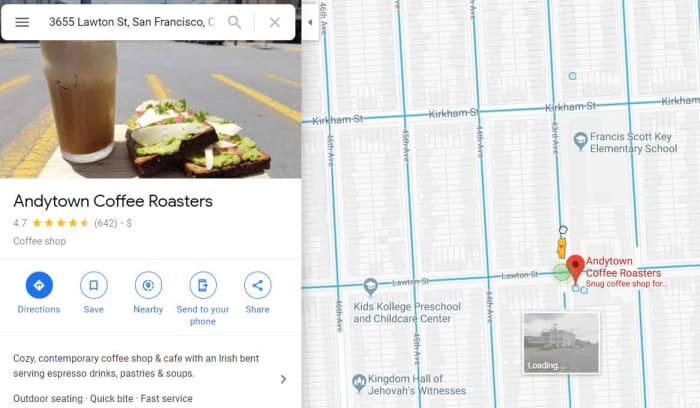
You can cut out the above step altogether by searching directly in Google Maps. Again, this can be done on both mobile and desktop devices and will show you a list of business profiles complete with dots showing their location on your map.

Coffee shops in San Francisco on mobile

A very Google problem

Google claims to have a rigorous vetting process to prevent fake businesses from being verified and finding their way onto Google Maps. Unfortunately, this doesn’t stop them all and quite a few get through. This means that you are your own strongest weapon in the battle to keep yourself safe.

Google Maps’ fake business problem is a little like the Google Play Store’s fake app problem. There are too many submissions for them all to be verified individually and some scams break through the automated defenses. This means we can take a little of what we’ve learned from staying safe on the Google Play Store and use it to help us stay safe when looking for businesses on Google Maps.

How to spot fake businesses on Google Maps

There are a few rules we can follow to try and stay safe on Google Maps and avoid fake business listings. If you’re unsure about a Google Maps business listing, then follow the steps below to make sure you’re dealing with a legitimate business. If you’re still unsure, move on to another listing.

1. Always read the reviews

Google reviews of local business

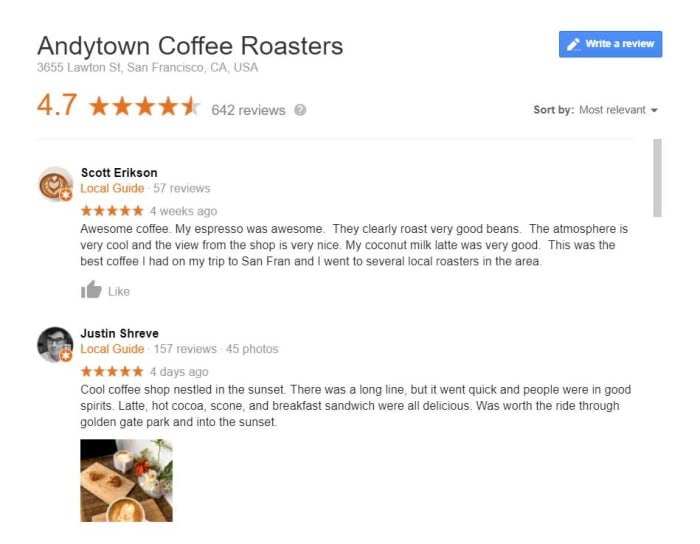
Just like on the Google Play Store, actual reviews from other users are your biggest ally. If the business profile you’re looking at is fake and has scammed other customers out of cash or worse, you can bet that some of those users will have left negative reviews saying so. This means you should try to stick to businesses that already have some positive reviews and make sure you read any negative reviews attached to the profile.

2. Check for a web URL and search the business name elsewhere

Local business research on Google Maps

Unfortunately, reviews can be faked, which means user reviews alone are not an airtight way of keeping yourself safe.

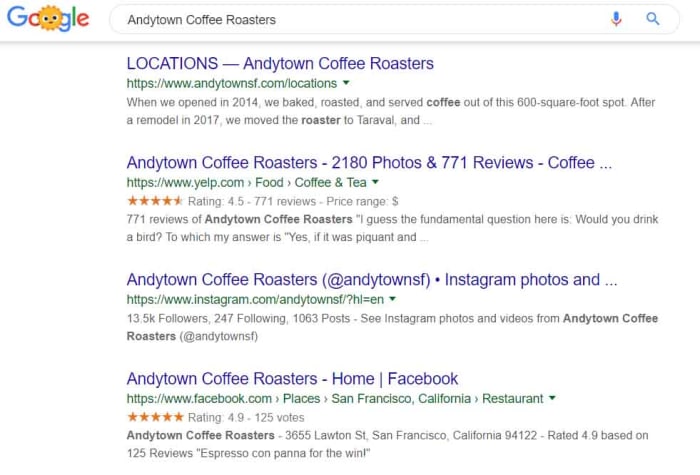
Check the business profile for a web URL and then check it out to see how legit it appears. If there is no URL, and even if there is, have a quick search for the business on Google and see if it is listed elsewhere. Legitimate businesses will usually be listed in a number of different places, including the likes of Yelp and Facebook. These listings should contain more than just a phone number and may even have reviews of their own. Facebook pages should have the date the page was first created and the number of Page likes or followers could give you a good indication of whether the business is real or fake.

There is a wealth of information out there that you can use to verify the businesses on Google Maps.

3. Use Google Street View

Enabling Google Street View on a local business

This is the least secure of all the steps laid out. Use this with caution and with the below caveats in mind.

By taking photos of roads all around the world, Google has given us an excellent tool for verifying many of the businesses we find online. When you see a business listed at a certain address you can open Street View on that address and see if the shop front at that address matches the business name on the profile. There are three things you need to remember when doing this, however.

First, not all businesses will have shop fronts you can use to verify the business profile you’re looking at.

Second, it takes a long time for Google to update Street View, considering how many streets there are around the world. This means the images you’re seeing might not be completely up to date.

Third, and most importantly, you have to think about the nature of this problem in the first place. Yes, a lot of the fake businesses on Google Maps will just be fake companies attached to false addresses, but some will be a little cleverer.

Some scam artists will see a local business that isn’t already listed on Google Maps and post a listing for that business but give their own contact details. This means you may see a business on Street View that matches the name of your profile that is still fake. Fortunately, as there is a legitimate business there, even if it doesn’t have an online presence, it will have a phone number. Search local business directories for the business name and make sure it matches the number listed on the Google Maps business profile before calling.

4. Follow your gut

Man unsure online
If you’re not sure, walk away.

Now that you’ve read through our some safety tips you know what to look out for when you’re looking for businesses on Google Maps. You’ll likely, however, only have followed the above steps, if something didn’t feel right about the business listing you were looking at. You were right to do this a this is the most important step.

Most of the time, scam artists online are relying on us cutting corners and being lazy. We’re not sure about something but we can’t be bothered finding something else. This is how you end up a victim.

If something doesn’t feel right, go through the checks above. If it still doesn’t feel right, walk away. As we said earlier, you are your own strongest line of defense. If you don’t try to keep yourself safe, your more likely to end up in danger.

5. Check back for more tips

Softonic logo

We will add new steps to help you stay safe when looking for local businesses on Google Maps when we learn them.

Above, you have a list of tips to stay safe while searching for businesses on Google Maps. We’ve taken these tips from what we’ve learned about the more established fake app problem on the Google Play Store. This has given us a good starting point, but we’re sure that the scams hitting Google Maps will evolve over time, just like they have on the Google Play Store.  As and when we discover new tips for avoiding fake businesses on Google Maps, we’ll add them to this list.

Also, if you’ve ever had any dealings with fake businesses on Google Maps, let us know in the comments below and we can also add what you’ve learned to the guide. We’re all in this together and until Google can guarantee it is able to filter out all scam companies, we’ll only be able to rely on ourselves to keep us safe.

WhatsApp Privacy: India wants fingerprint ID on every message

The Indian government is pressuring WhatsApp to fingerprint all messages so they can be more easily tracked

End-to-end encryption is a double-edged sword. There is no doubt we all love the fact that we can talk away to our friends and family safe in the knowledge our messages really are private. In a modern world that has seemingly declared war on personal privacy, it really is something to be valued. The flip of that, however, is that some people hide behind that privacy and use the cover to cause problems.

These problems could be the planning of illegal activities or the whipping up of hatred by sending false infromation across the network. One country facing problems due to WhatsApp and its rigorous anonymity has been India, where lies spread across the network have caused lynchings, beatings, and even interfered in the democratic process.

The Indian government is now pushing WhatsApp to make changes so that it can better track who has been sending messages on WhatsApp in India. It is a little worrying, however, to see exactly what the Indian government wants WhatsApp to do.

The Indian government is pressuring WhatsApp to fingerprint all messages so they can be more easily tracked

a fingerprint on the WhatsApp logo

The Economic Times in India is reporting that two officials from Narendra Modi’s right-wing Hindu nationalist BJP government have said that they’re pressuring WhatsApp to add fingerprints to all messages sent, so it’ll be easier to track who has sent what.

The government has been pushing WhatsApp to add more traceability measures to messages ever since the first fake stories of child kidnappings in 2018 led to lynchings. One of the government officials is quoted as saying, “Fingerprinting WhatsApp messages will help find the originator of the message. That is all we want… We don’t want to read the messages but when we see a problematic message, we should be able to go to WhatsApp to help us trace the sender.” The official added that the government believes what it is asking is “technically possible.”

The official also went on to clarify that it will only request the data in limited circumstances, but the worry is that once the technology exists to do so, it could easily be abused.

WhatsApp has not commented on the government’s request, but industry insiders have said that should it go along with the request the messaging app will have to redesign its entire architecture. At the moment, WhatsApp doesn’t store this kind of data, so it’d be a major change if it were to suddenly start harvesting it. Such a change would then most likely affect WhatsApp all over the globe and not just in India.

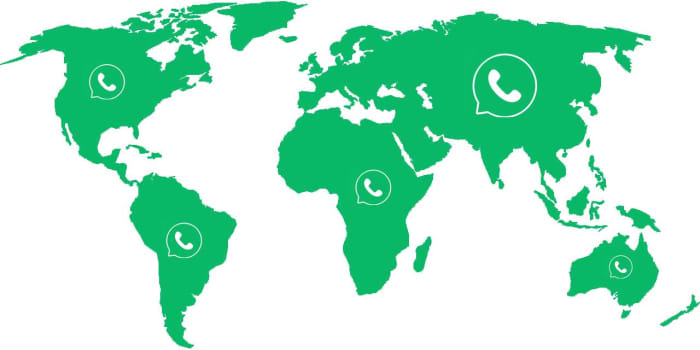
WhatsApp is everywhere
WhatsApp will likely have to make the change everywhere and not just in India

If you’re a privacy advocate, this is something that should be grabbing your attention. The change could have massive privacy implications all around the world. This means we’re at a dangerous juncture here, but that global public opposition to the move could be the biggest thing standing in the way of the Indian government getting what it wants.

The question remains then, how do you feel about your fingerprint being added to every message you send?

Security Report: Google Maps has been invaded by millions of fake businesses

There could be up to 11 million falsely listed businesses operating on Google Maps right now!

scam businesses have been found on Google Maps

Google has been pumping a lot of new features into Google Maps recently. These go beyond boosting the app’s navigation chops and show a clear new strategy from the internet giant. Features like direct messaging to businesses, highlighting favorite dishes at restaurants, and hash-tagged reviews have all helped turn Maps into an interactive business directory. It is now overlaid on accurate maps of wherever you are or will be at any given moment.

This is a clever move by Google as it makes Maps able to take users away from apps like Instagram and WhatsApp’s new WhatsApp Business app. Like all services, however, the success of this new direction for Maps will depend on trust, which means a new report by The Wall Street Journal will be worrying the big wigs down at Google HQ.

Google Maps Download free ►
7

Millions of fake businesses could be on Google Maps right now

According to the WSJ investigation, a new problem has spread across Google Maps. The report claims that false businesses are hijacking the locations and addresses of legitimate businesses on Google Maps. Worryingly, there could be up to 11 million false businesses operating on the app at any given moment.

Picture the scene.

You log onto Google Maps to look for a plumber or an electrician. You find one located near to your house and arrange for them to do the work. They then turn up, do the work unsatisfactorily, and then charge two to three times the market cost for the job.

Plumber

This is exactly what has been happening. The Wall Street Journal even cited the worrying story of a woman living alone who was visited multiple times by a “repairman” demanding payment for a job he hadn’t completed satisfactorily.

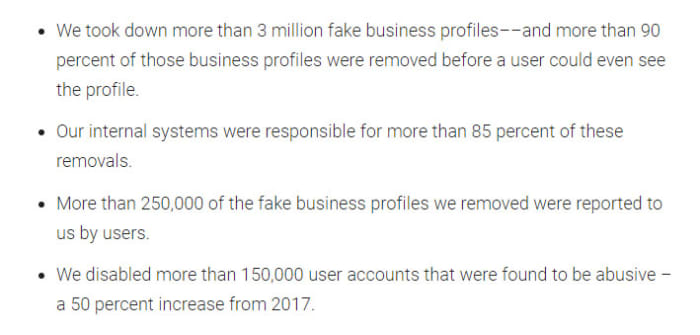
Unsurprisingly, Google has been quick to respond to the report, releasing its own blog post about how it deals with these types of scams. The blog post, however, is filled with less than impressive numbers. They are claiming that last year Maps took down more than  3 million fake business profiles, with more than  90% of them removed before any users saw the profile. Most of these came from Google’s internal systems but 250,000 were reported by Maps users.

Google's claims of protection against business scams in Maps
Google has so far been unable to stop all scam businesses getting through its vetting process.

This is about a quarter of the number of fake businesses, the analysts from The WSJ found. This means there are still millions of fake business profiles active on Google Maps despite Google’s best efforts. Even worse for Google is the fact that its blog post doesn’t even address the damning claim from the WSJ that a Google commissioned an academic study. It found only 0.5% of local businesses looked at were fake was unreliable due to the extremely limited amount of data considered.

How to avoid fake businesses on Google Maps

shrewd salesperson

With Google’s best efforts falling short on this one and fake businesses regularly breaking through onto Google Maps, this reminds us a lot of another Google marketplace: The Google Play Store. The Play Store has time and again been overrun with false apps loaded with malware and developed by scammers.

  • Look for local businesses that have other user reviews
  • Look for a web URL
  • Google the business and look for other sources of information other than the Google Maps listing
  • Trust your gut: if something doesn’t feel right, look elsewhere

The Best 5 (Free) VPNs You Should Use in 2019

Which free VPNs are the best answer for your privacy needs? Let’s find out!

Our team is always looking for things we think our readers will value. If we make a content partnership like the one featured in this article, then we may receive compensation for publishing.

In January 2019, it was reported that as much as 1,769,185,063 records were leaked across multiple data breaches globally. Wouldn’t it be nice to know that you’re protected? Luckily, a VPN can help!

A VPN provides an encrypted connection between your computer and your Internet Service Provider (ISP) by serving as a proxy. The VPN service can also make it difficult for hackers to intercept your internet activity and steal your data.

In addition, a VPN can help you access geo-restricted content as well as blocked websites. For instance, the kind of content that you’ll find on Netflix when you access it from the U.S. is different from the content that you’ll find when accessed from some places in Asia or Africa.

You should check with Netflix’s terms of use before you try this though.

However, many people often have a hard time knowing which one to choose out of the many free VPN services available. In this review, we will provide insights on top 5 free VPNs we think you should try in 2019 in the order of their value propositions.

The Best 5 (Free) VPNs You Should Use in 2019

1. UrbanVPN

Urban VPN

Urban VPN brands itself as the only 100% free, 100% fast, and 100% anonymous VPN service in the world. Founded by Urban Cyber Security in 2018, the Urban VPN team is made up of more than 30 experts with backgrounds that run across cybersecurity, ethical hacking, and network systems.

Many people tend to be skeptical about free VPN services because you may never know what you are unwittingly losing in exchange for the free service. Urban VPN, however, can provide a sustainably free VPN service by setting up its service as a P2P powered VPN in which all users help to unblock the internet by sharing their network resources.

Urban VPN

Despite being a P2P VPN server, Urban VPN protects its users’ identity and data with encryption and DNS/IPv6 leak protection technology. The best part is that Urban VPN doesn’t have a cap on accessible data bandwidth, unlike some other VPNs that can only allow you to browse the web without support for streaming or torrenting.

Many VPN services tend to sacrifice speed on the altar of anonymous encryption. However, Urban VPN is optimized to deliver a fast connection through a large network of fast VPN servers in 81 locations. It is also compatible with Windows, Mac, iOS, and Android operating systems.

Cons: The fact that Urban VPN is based in the U.S. suggests that it might keep user logs. However, the company is upfront about the data logging in its privacy policy.

2. Windscribe

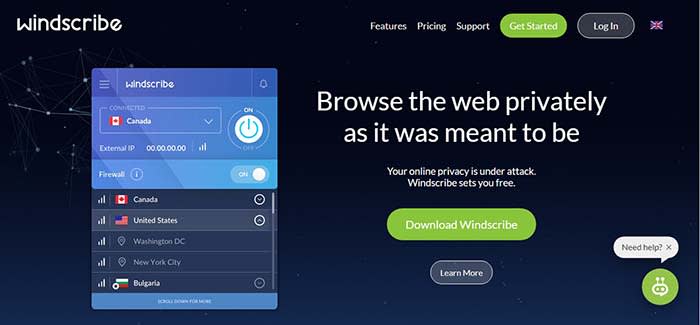
Windscribe offers both free and premium VPN services but its free service seems to be the most generous among other competitors with freemium models. Windscribe provides users with a free VPN service that covers 10 GB of data every month and users can get an extra five GB if they tweet about the service. In addition, to the VPN service, Windscribe also has an inbuilt ad and malware blocker called R.O.B.E.R.T for blocking trackers, malware, clickbait, and specific content types.
Windscribe

Windscribe’s VPN service is available on Windows, MacOS, Linux iOS, and Android. It also has browser extensions for use on Chrome, Opera, and Firefox. We also love the fact that you can set up Windshield on your router and some other devices such as Amazon FireTV and Kodi. Windscribe can also be used on whatever software or devices that can run OpenVPN or IKEv2 protocols

Cons: The 10 GB data cap doesn’t provide much room to stream content. Users of the free version are restricted to only 10 servers out of 50 servers. The VPN also stores some user information while in use.

3. Hide.me

Hide.me offers a decent free VPN service that is not particularly impressive or dismissible. Hide.me also has a freemium model – free users get strong encryption, zero-user logs, and ad-free browsing. Hide.me has a strong 256-bit AES encryption and it goes beyond encrypting your internet traffic data to also providing encryption on your personal files, passwords, and financial information. It features an in-built kill switch that ends your session if you suddenly lose the VPN connection. This way your computer doesn’t automatically reconnect to the internet without the VPN.
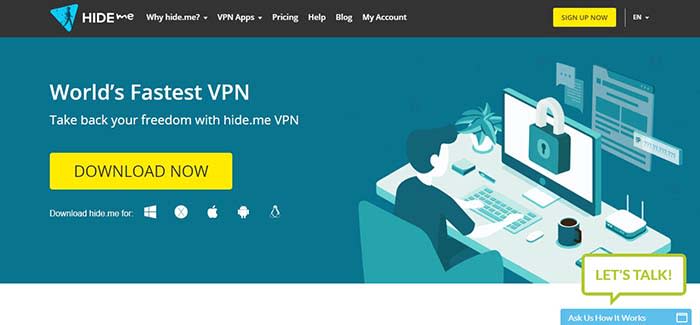
Hide.METhe service is available on virtually all operating systems including Linux, Windows. MacOS, iOS, and Android. Hide.me can be used in-browser with Chrome, Firefox, and on hardware such as Amazon FireTV and routers. It is strong enough to support five simultaneous connections, however, the usage is capped at two GB of data per month.

Cons: The biggest con is the low cap on data use. It will serve the purpose for light browsing, but you won’t be able to do much on YouTube. Furthermore, there’s obviously no Netflix for you. In addition, free users can only access five servers and only one of those servers is in Europe.

4. Proton VPN
ProtonVPN

ProtonVPN provides free and paid users a strong encryption service that will obscure your browsing activity and protect your personal data. ProtonVPN has a proven policy of not keeping user logs and it is compliant with Swiss privacy laws. It also offers unlimited browsing, but it doesn’t support streaming or torrenting.

One key differentiating factor with ProtonVPN is the quality of its customer service. ProtonVPN has a team committed to customer support. ProtonVPN is founded by the team that delivered ProtonMail, the world’s largest encrypted email network.

Cons: Free users can only access server networks in three countries. It doesn’t have a data cap but it seems to suffer from slow connection speeds that can be frustrating. The lack of streaming and torrenting support also makes it unusable to access entertainment content.

5. TunnelBear
Tunnelbear

TunnelBear offers a VPN service with a user-friendly UI/UX and it delivers decent connection speeds to servers in about 22 countries. It delivers a reliable encryption service with AES 256-bit encryption that works on macOS, Windows, iOS, Android, Chrome, and Firefox. Tunnelbear doesn’t keep user data logs and it is committed to independent audits as proof that your data and identity will always be kept private.

TunnelBear has been operational since 2011 after being founded by Ryan Dochuk and Daniel Kaldor. The fact that it is still alive suggests that the team is doing something right.

Tunnel also offers an incredible VPN footprint with more than 350 VPN servers spread out in 22 countries. However, it only provides free users with 500 MB of data per month and it seems that the free plan is designed to be a teaser that encourages you to sign up for one of its Pro plans.

Cons: There’s not much anyone can do with 500 MB of data every month. In addition, TunnelBear doesn’t support streaming and services such as Netflix are also unavailable.

Conclusion

VPNs have become an important element of the modern internet experience because of the security and privacy that they provide. A Gallup study conducted in November 2018 revealed that Americans are more worried about cybercrimes than violent crimes. For instance, 71% of Americans polled were worried that their personal or financial information might be hacked and 67% of the people polled were worried about identity theft. In contrast, only 24% of respondents were worried about being a victim of terrorist attacks.

Safe VPN

In this review, we have established that you can put security and privacy fears to rest by using a free VPN Service.

In our opinion, Urban VPN clearly stands heads and shoulder above the other free VPN services profiled in this review. The fact that it doesn’t have a Pro version eliminates the need to place restrictions on the quality of the free service. Hence it is not surprising that urban VPN doesn’t have bandwidth data caps.

In addition, it doesn’t slow down your network or ruin your browsing experience with ads. Instead, it has an extensive spread with 81 server locations across North America, South America, Asia, Middle East, Europe, Africa, and Oceania.
Android Q is getting one of the iPhone X’s flagship features

Facial authentication has been spotted in an advance beta code of the upcoming Android Q.

Android Q header

iPhone vs Android is a battle as old as the smartphone itself. As they both melt our attention spans to mere seconds, it is hard to imagine eras gone by when we weren’t all gazing at our little black screens 24/7.

It is a battle that has always been fought on a number of fronts with each offering different choices to the user. Exclusivity vs affordability, choice vs reliability, and let’s face it Apple vs everything else. Another key point in the choice between the two has been the latest and most innovative features. Ever since the days of Steve Jobs, Apple has invested heavily into its headline-grabbing events announcing new features that you can only get on iPhones. The last big one of these was the facial ID tech it had squeezed into the iPhone X’s notch. Now, however, it looks like there will soon be one less point of choice in the great smartphone war.

Facial authentication has been spotted in an advance beta code of the upcoming Android Q

Android Q beta 4 rolled out recently, and a very interesting feature was found in the code. It seems that when Android Q officially launches later this year, Android users will, at last, have access to a “face authentication” feature just like iPhone X users do.

Google has been working on facial recognition for a while and Android users are finally going to get their hands on it. A handful of Android users already have facial recognition, but this only comes via added code the smartphone manufacturers have added to the base Android open-source code that Google makes available to everyone. This has meant that not all Android versions of the feature have been as secure as each other, with the Samsung Galaxy S10+ version of the feature famously being fooled by a video of the user’s face. This will now change as the face authentication feature will be a part of the base code that goes to all Android smartphone manufacturers.

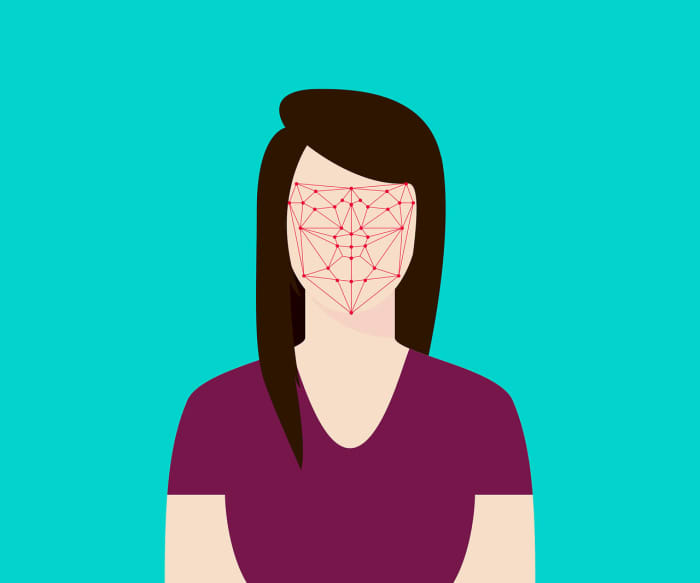
Facial scanning technology
Hopefully the Android Face authentication will have advanced scanning technology and won’t just look at a photo.

Unfortunately, however, this doesn’t mean that it is certain that all Android phones will get the feature once Android Q is released. A report by XDA Developers from January showed that phones will need special facial recognition hardware to take full advantage of the feature. This means some low-end Android phones might not have the required technology. The flip of this is that it indicates the feature won’t just work by scanning a photo taken by the smartphone’s front-facing camera.
There is good news then for security-conscious Android smartphone users. You don’t have to buy an iPhone, if you want to access the latest facial recognition security features.