Translate text instantly with WhatsApp and Google Translate!
Google has launched a brand new feature for the official Google Translate app, which enables users to translate texts from within instant messenger services such as WhatsApp and Facebook Messenger.
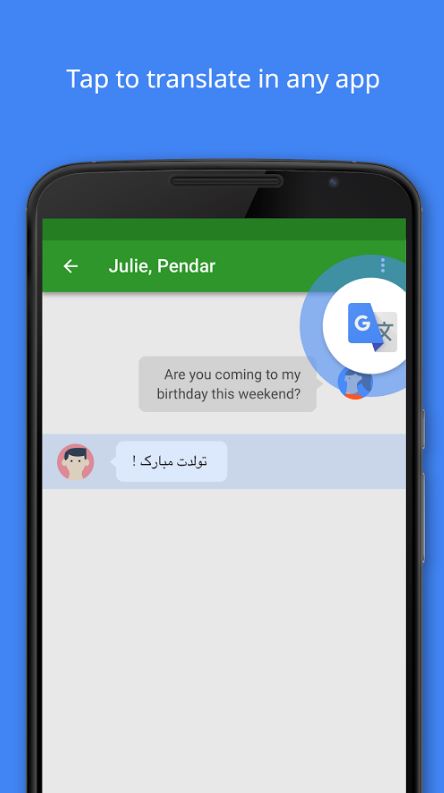
Tap to Translate is about revolutionizing the way you communicate with your friends who speak a language different to your own, and allows you to translate your messages without leaving the app you’re currently using, in record time!
If you’ve received messages in a different language via WhatsApp or any other messenger for that matter before, you’ll know how time-consuming it is to have to copy and paste a message into an external app to translate it (unless of course, you know the language).
With Tap to Translate, all you have to do is simply tap the message you wish to translate to get it in your language, as well as tap your own message to translate it for others to understand! It’s great if you’ve got a WhatsApp group for university or work that’s full of international members who tend to switch between languages during the conversations.
As it works within most apps, you’ll never get lost in translation again!
Check out the official video below to learn how to do it!
WhatsApp announced the new feature in a recent blog post. The new feature will be available on the app on both iOS and Android.
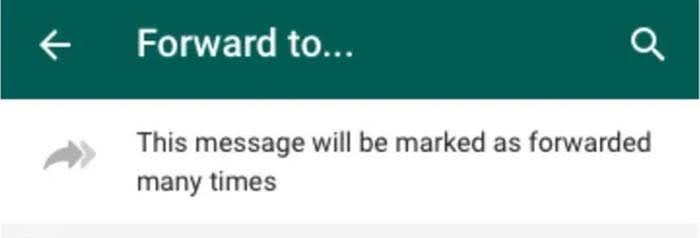
Basically, if you see a message that says it was forwarded multiple times, there’s a chance that it’s a spam message, and you should report the user. Obviously, if a trusted friend sent you an invitation and you see the double arrow, it can probably be trusted. Then again, that person might as well make a group message or a Facebook event.
Since then, WhatsApp developers have promised to do more to stop the spread of misinformation on the app. This new feature is definitely a step in the right direction. Although it still falls on the user to determine whether or not a message is malicious, the double arrow will be a nice warning sign.
Normally, the trick the hackers are trying to pull over us revolves around sending us to fake websites where they can infect our devices with malware and get private data out of us. They also might just bombard us with ads. An old classic.
This final one is exactly the MO of the latest WhatsApp scam that we’ve detected spreading across the network.
“
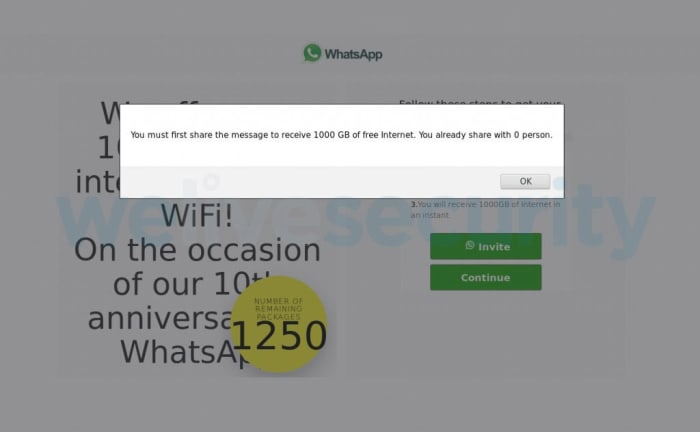
Look out for WhatsApp messages offering you 1000GB of free internet data
As is often the case with phishing scams, this latest WhatsApp scam is offering something that is too good to be true. Limited data plans are common these days, with many people falling short on their allowance before the end of the month. Being offered 1000GB of free internet is such a good offer, our better judgment might fly out the window.
The security team at We Live Security came upon such a message recently and decided to follow it to see where it would lead. The link took them to a URL that was not officially connected to WhatsApp where they were submitted to a particular type of click fraud. The We Live Security blog post describing the scam had this to say about click fraud, “[It is] a highly prevalent monetization scheme that relies on racking up bogus ad clicks that ultimately bring revenues for the operators of any given campaign.”
How to detect fake apps in the Google Play Store in just 3 steps
Basically, the site connected to this scam offers a huge reward to entice you to visit a fake website. The website is filled with questions that you need to answer if you want to collect your reward. Every time you click on the page to answer a question the fake sites generates revenue. Then, you’re asked to share the site with 30 of your friends to qualify for the prize you were first promised. In the end, you’ve spent a lot of time clicking on a fake website, spammed 30 of your friends with the false promise of a massive data allowance boost, and then you finish up with nothing for your trouble.
The researchers at We Live Security didn’t find malware on the site, but they also pointed out that this didn’t mean there wouldn’t be any there in the future. On top of that, they also noted that the website domain connected to the scam is also being used to run multiple other click fraud scams while pretending to be other reputable brands like, “Adidas, Nestlé and Rolex, to name but a few.”
The message from all of this is that if you ever see an offer pop up on WhatsApp or any other of your social channels that appears too good to be true, you should avoid it. Make sure you keep your eyes open for dodgy URLs and if something doesn’t look official, avoid it like the plague.
As we always say when reporting on scams like this, you are your own best line of defense. Stay vigilant and keep an eye out for the warning signs we’ve outlined above, if you want to have the best chance possible of staying safe when online.
This new desktop version of WhatsApp will work even when your phone is off!
There has been a desktop version of WhatsApp since 2015 when the messaging app released WhatsApp web. On its own, WhatsApp web works well as a PC version of the Facebook-owned app. It looks similar to the mobile app and has much the same feature set, although you can’t make voice or video calls from WhatsApp Web. It is so handy that, thanks to this neat Softonic tutorial, I often use WhatsApp Web as my go-to solution for sending files and photos quickly, easily, and securely from my phone to my PC and vice versa.
There is one catch, however, when it comes to WhatsApp Web and that is that it doesn’t work unless you link it to your phone. Once your phone is linked, you’ll be able to use WhatsApp Web as long as your phone is connected to the internet, even if you don’t have it with you. Without that connection though, WhatsApp Web is useless. All you’ll get is a page asking you to link your phone. It has now come out though, that this might be about to change.
New WhatsApp web will work even when your phone is off
The UWP is the Universal Windows platform. When an app is developed for the UWP it will work on Windows 10, Windows Phone, Xbox, and other Microsoft platforms like HoloLens. According to the ever-reliable WhatsApp tipsters over at WABetaInfo, WhatsApp is currently working on a new UWP version of WhatsApp. This means that there might soon be a version of WhatsApp that you can download and install officially on your Xbox.
And yes, in according to my rumor, UWP + the new multi platform system = you can use WhatsApp UWP on your PC if your phone (Android, iOS or Windows Phone) is off. https://t.co/PgNZTnOxlj
The really exciting news about this latest development, however, is relating to the app itself and not just its platforms. The leak says that the new WhatsApp UWP app will work even when the user’s phone is switched off. This means the UWP version of WhatsApp will enjoy its own independent connection to the WhatsApp servers. If you’ve had your phone die, and let’s be honest that has happened to all of us, then you’ll know just how useful this could be. At the moment, whenever your phone has battery or not, you can’t send or receive WhatsApp messages. It is as simple as that.
Wrapping up
This move pushes WhatsApp towards a more internet-focused messaging service that you can use on your phone. There are lots of questions that will need answering as the UWP app moves along the development path, including how many active connections a single account will be able to have at the same time. Scrolling down through all of the Twitter comments celebrating this latest development, however, finds another pressing question that could change WhatsApp fundamentally. When the UWP version of WhatsApp is released, will you even need a phone or phone number to use it?
Has anyone ever told you that you spend way too much time on WhatsApp?
What about Facebook? Twitter? Instagram?
Maybe you just spend too much time fiddling around on your phone in general.
If you think so, we got a secret for you: you’re most likely right. Fear not! There is a cure for your app addiction. We found three different methods for you to try!
Disable each and every one of your notifications to keep you from being disturbed. Obviously, you shouldn’t remove notifications for ALL of your messaging services in case there’s an emergency.
It is proven that when you unlock your phone in response to a notification, you’re likely to open up other apps and waste more time on your phone.
To deactivate notifications in WhatsApp, go to “Settings” and then “Notifications. ” From there, uncheck the corresponding boxes and your phone will stop receiving alerts. This is also a great way to help conserve your data!
Set specific hours
Again, it sounds simple enough, but if you only allow yourself to use apps during certian hours of the day, you will find yourself using them less and less.
If you need to use WhatsApp for work, only using it during business hours can help out. Or, if you use it to talk to your friends and family after work, you can only all yourself to use it after dinner time.
Once you have a set schedule of use for all of your apps, your time management skills will get much sharper.
Are you worried if you are too hooked on your Android? How much time do you invest in Facebook Messenger? What about in Candy Crush? Do not fear: here is Quality Time to help you … or to just confirm that you should divorce your smartphone.
Quality Time helps you see just how much time you’re devoting to using all of your apps. There is also an option to “take a break.” This means that you cannot use any apps while you take a break.
WhatsApp will roll-out its new payment service in India by the end of this year
At an event in New Delhi, WhatsApp’s global head, Will Cathcartannounced that, “to boost digital inclusion in India, we can launch the (Pay) service across the country later this year after meeting regulations.” The long road is finally coming to an end as WhatsApp Pay looks to have been approved for operation by the Reserve Bank of India.
Take an early look at WhatsApp’s brand-new dark mode
After much delay then, WhatsApp Pay is finally ready to roll-out to India’s 400 million WhatsApp users. The plans for WhatsApp Pay go beyond India, however, with Reuters reporting Mark Zuckerberg as saying in a recent Facebook earnings conference call, “It’s a regulatory approval question in India at this point… We’re also working beyond India in a number of other countries and hope to have this rolled out to a large percent of the people who use WhatsApp within the next year.” It looks like WhatsApp Pay won’t only be confined to Indian WhatsApp users.
This one has been a long time brewing then, but it is clear that even though WhatsApp Pay is finally about to launch in India, there are still a lot of future developments to come with as Facebook seems to have some very grand plans for it. As soon as we learn more about a concrete launch date for WhatsApp’s latest service or about the other countries that can expect to see it, we’ll let you know. Make sure you stick with us for all the latest news and rumors about WhatsApp.
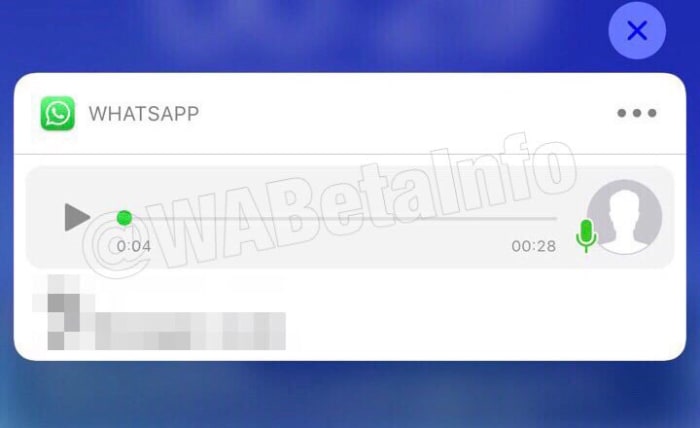
WhatsApp notifications have been spotted in the beta, complete with a play button for incoming voice messages.
Over the last few years, WhatsApp has evolved quite a bit and added more than a few new features that make our everyday messaging experience smoother. Sure, it looks the same as it always has but little tweaks like adding stickers, voice-to-text messaging, and improved voice notes have turned WhatsApp into a messaging beast.
One such update that has really made a difference has been adding the ability to preview received messages in the notifications bar of your phone. Whenever you receive a text message on WhatsApp you can read a preview of it in your system notifications without having to open the app.
Again, it was a small change but in practice, it made a big difference. WhatsApp is now running tests on extending this feature to voice notes as well as text messages.
WhatsApp notifications have been spotted in the beta, complete with a play button for incoming voice messages
WhatsApp voice notes have become one of WhatsApp’s most-loved features and recently we’ve seen them updated. The “Consecutive voice notes” update saw multiple voice notes playing automatically, one after the other, once the user has pressed play on the first message. Voice notes now look set to get another update, although this update will offer something different to consecutive play.
I leave this here.
Yes, it’s a push notification with an incoming voice message, on iOS.
It will be available in future (maybe in a major update with other features?) pic.twitter.com/eSm55GxFuO
A recent tweet from WABetaInfo shows a screenshot of a WhatsApp notification that includes a play button and progress bar for a voice note. The notification is from the iOS version of WhatsApp, which means that soon we could be seeing WhatsApp voice notes we can play directly from the notification get when we receive them.
Unfortunately, beyond this leaked screenshot, information on this new feature is thin. Previews of text messages only run to a certain number of characters before being capped off with an ellipsis.
The screenshots don’t show whether something similar will happen to voice notes over a certain length. Will we only be able listen to snippets from the voice note, if it is over a certain length?
Also, there is no word on whether consecutive voice notes will work from system notifications, although an educated guess would say that this might be a bridge too far.
That’s all there is with this one for now. There is nothing on whether the feature will come to Android, too. And like with all leaks from the beta, there is no guarantee the feature will even land on iOS. This is just a very early leak on a feature that likely still has some development ahead of it before it’ll land on the regular app.
It is an interesting feature, however, which could make our lives easier should it land, and that’s why we thought you’d like to hear about it now. Stick with us for all the latest WhatsApp news and rumors.
TikTok is also testing a new feature to show how many times a video was downloaded and liked. There will also be a new “Discover” tab, but it is unknown as of now what the tab will do.
Being able to quickly share videos on TikTok with our friends on WhatsApp would be one of our new favorite WhatsApp tricks. Once it comes out in the update, we will make sure to test it!
WhatsApp Payments is now closer to a general release in India
The WhatsApp Payments system that will give users a quick, secure, and easy way to send money across the network has been “coming soon” for quite some time now. We first broke the story of the feature landing in the WhatsApp beta in 2017, but news of the feature then went quiet for almost 12 months. It wasn’t until May last year that we heard the feature was finally going to roll out to all WhatsApp users. Again though, we were met with nothing but radio silence on the issue and that has pretty much where we’ve been up to, until now.
WhatsApp Payments is now closer to a general release in India
A new report from Bloomberg says that Facebook is making slow progress towards launching WhatsApp Payments in India, but is about to reach a huge milestone.
According to the report, the long delay has been partly due to government regulations. WhatsApp needs to produce the results of an independent third-party audit that will show that all of the payments data involved in the new feature will be stored in India.
According to an anonymous source, WhatsApp is now preparing to submit this report to the Reserve Bank of India, which is India’s banking regulator. If the report receives approval, then WhatsApp Payments could finally be good to go.
WhatsApp hopes to provide a secure way to send money between users.
The bureaucracy involved in setting up new financial services has caused the huge delays to the Facebook operation. There could be a lesson to learn for the social giant here as it pushes forward with the development of its own cryptocurrency called Libra.
The practical side of WhatsApp Payments has been wrapped up for quite some time now. Since last summer we’ve known that Payments will be backed by partnerships WhatsApp has made some of the leading banks in India including HDFC Bank, ICICI Bank, Axis Bank, and SBI.
The problem WhatsApp faces now, however, is that the long delay means WhatsApp Payments is moving into a crowded marketplace. Amazon Pay and India’s most popular digital payment platform, Paytm, have already complied with the Indian government’s regulations and so have a massive head start over the Facebook-owned messaging service.
WhatsApp will face stiff competition from other digital payment platforms like Amazon Pay
What WhatsApp does have up its sleeve though, is a massive user base in India that is estimated at over 300 million active users. As with most digital services users will go for the payments service they trust and that is the easiest to use. If WhatsApp can establish payments as a simple and secure digital payment option there is a chance it could take off.
Unfortunately, there is no official news regarding a date for the rollout of WhatsApp Payments. The feature seems to be about to pass a very large obstacle, however, that has stood in its way for quite some time so maybe we’ll see it sooner rather than later. We’ve been here before though, so best not to hold your breath on this one.
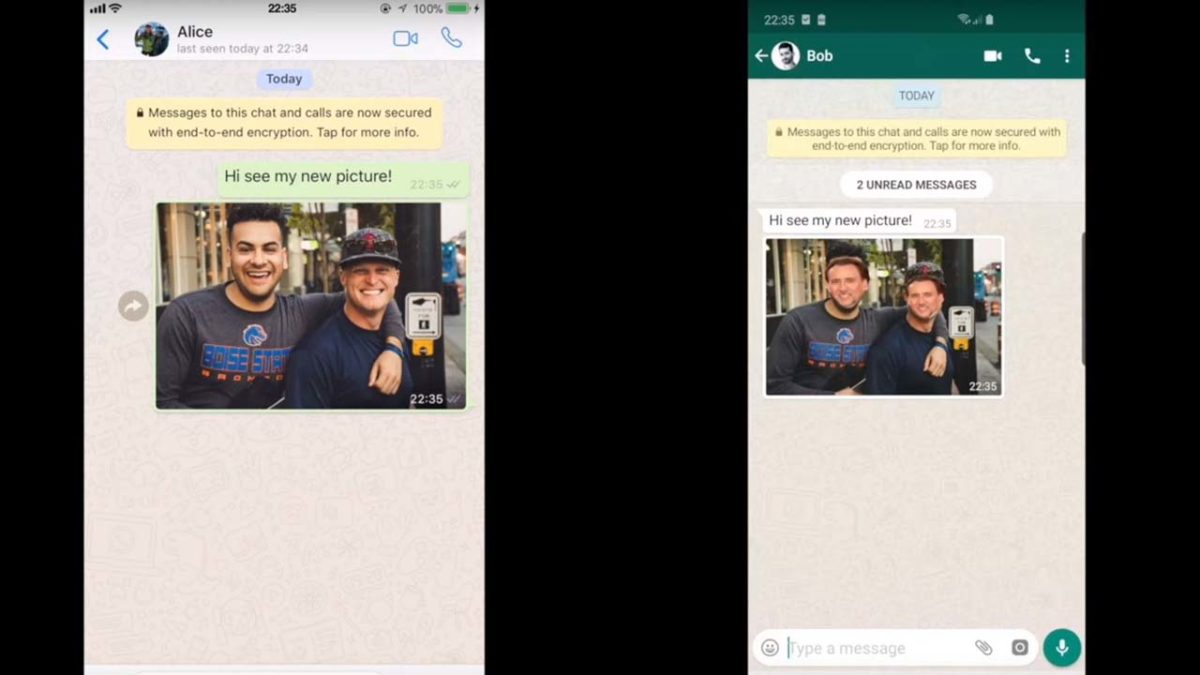
Security flaw allowed hackers to alter photos sent on WhatsApp and Telegram.
We already know that you can’t believe everything you read online, but now we might not be able to trust everything we see on WhatsApp or Telegram!
Researchers from the software company Symantec discovered a vulnerability in WhatsApp and Telegram. The vulnerability would allow a hacker to change what a person sent you.
In the above video, the researchers showed that through the vulnerability, they were able to change the faces in a photo to look like Nicolas Cage. As hilarious, and amazing as that is, there is more to fear than a real-life version of his movie “Face/Off.”
Let’s say someone sent you a receipt or an invoice. A hacker could alter the information about the account, routing number, or the amount! Suddenly, rather than reimbursing someone for last night’s dinner, you just got duped into sending a stranger $50.
How could this happen?
WhatsApp and Telegram both use end-to-end encryption which basically means that messages are kept between those involved. Even the companies themselves cannot read the messages.
However, this does not mean the app itself is safe from being hacked. This vulnerability could have allowed for a spyware attack that would have compromised WhatsApp and Telegram users.
In WhatsApp, turn off “Media Visibility” in the settings menu.
In Telegram, toggle off “Save to Gallery” from the settings as well.
Wrapping up
There are many political activists, politicians, and people-of-interest who need to keep their conversations private, so they use apps like WhatsApp and Telegram. Unfortunately, instances like this and like a few months ago when a human rights lawyer was targeted in a WhatsApp virus attack, are showing that they might not be the most secure.
Although this security flaw was caught early, the point remains that this could have been devastating to users. Next time you go to send something important on WhatsApp or Telegram, you might want to rethink it.












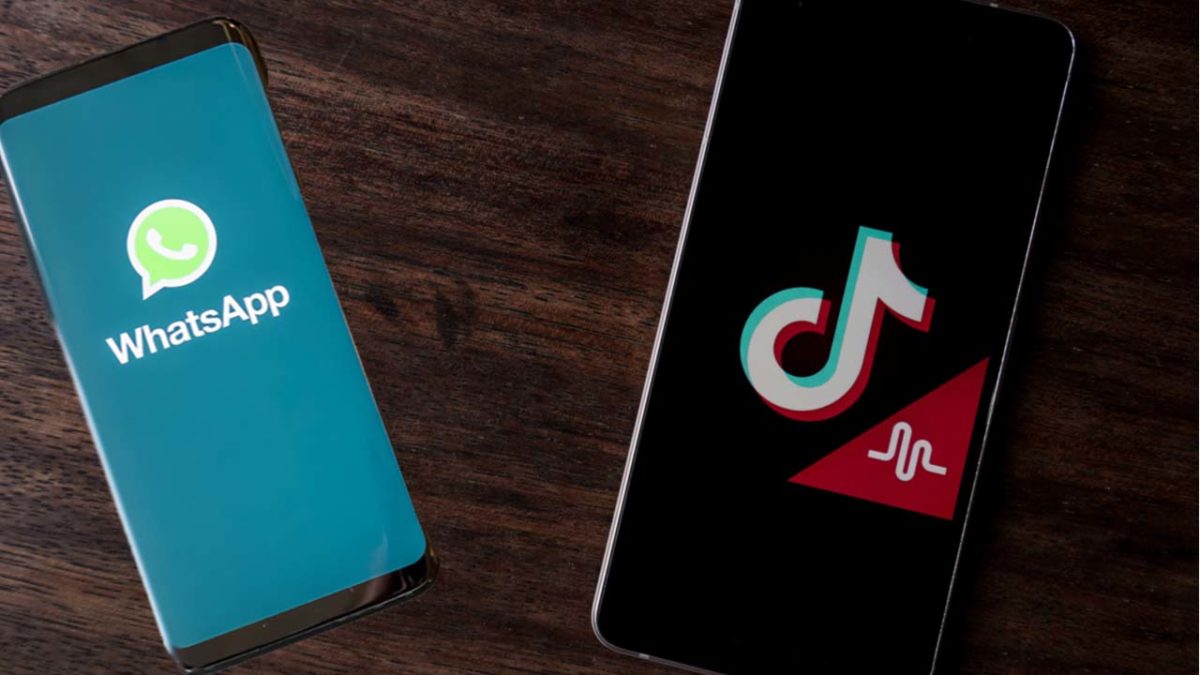
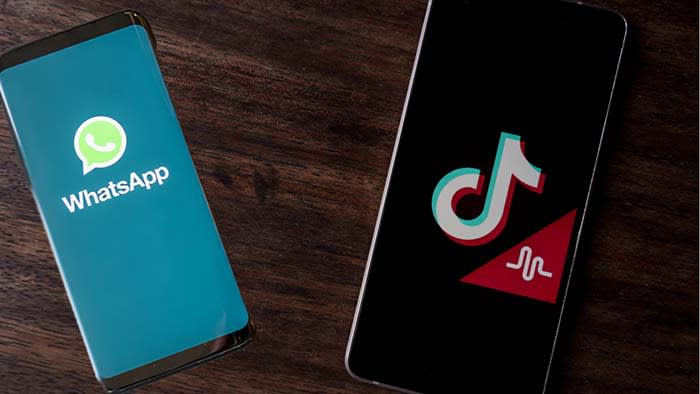 TikTok is testing a new feature for users to quickly send videos to a shortlist of WhatsApp friends.