This WinRAR bug has put half a billion users at risk. Here’s how to know if you’re affected.
WinRAR is one of those programs that almost everybody has. Nobody can remember where the file compression program came from or how they got it, a lot of people don’t even know it does, it is just there on their PC and always has been. Unfortunately, there is bad news for all of us as security experts Check Point have just found a bug that has been sitting in WinRAR for over 19 years.
This WinRAR bug has put half a billion users at risk
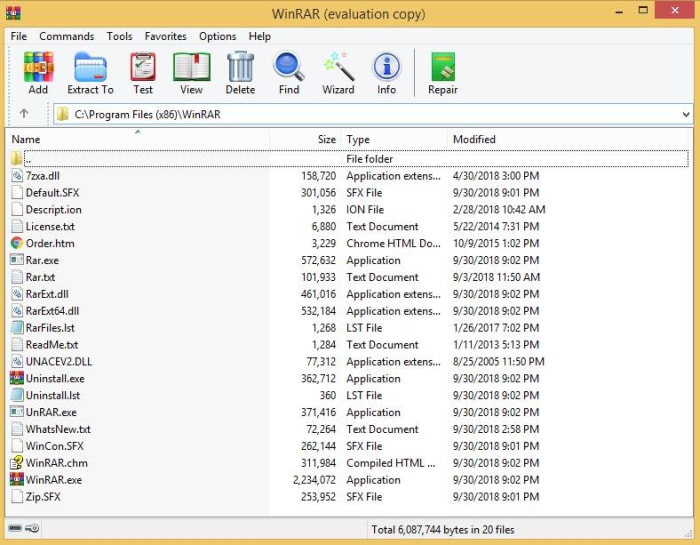
The researchers at Check Point have discovered something rather disturbing. Buried in one of WinRAR’s code libraries is a flaw that could allow hackers to execute a malicious code whenever a “booby-trapped” file is opened with the program. What’s worse about this whole thing is that the code library in question, UNACEV2.dll, hasn’t been used since 2005.
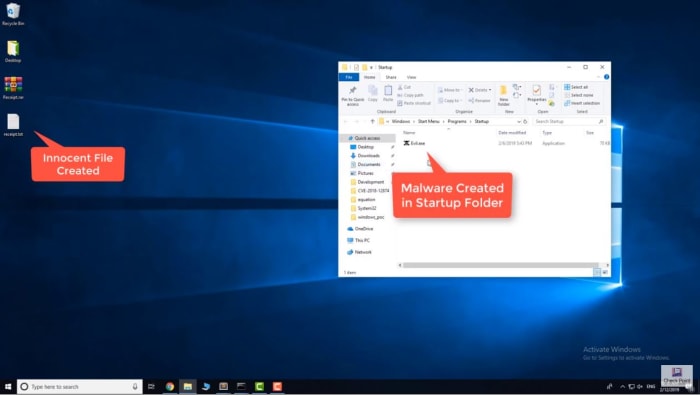
According to Check Point, the bug meant they were able to insert a file into the Windows’ startup folder. This file would then start automatically when Windows was booted and wouldn’t need any sort of administrator’s privileges to do so. Theoretically, this file could be used to grant any third-party full control over the victim’s computer.
The real shocker is just how many people could have been exposed to the vulnerability. Check Point puts the number at somewhere around 500 million. Yes, half a billion people could have had their computer taken over using this newly discovered WinRAR vulnerability. That means you’ve probably been at risk for the last twenty years.
If you think the fact that this bug is so old means you’re in no rush to deal with it, think again. The fact that the vulnerability is now public means there is much more of a chance that hackers will try and exploit it. This doesn’t mean that Check Point has acted irresponsibly by releasing the details, on the contrary, Check Point notified WinRAR about this vulnerability some time ago, and WinRAR has already taken action to fix it.
The WinRAR website says, “Nadav Grossman from Check Point Software Technologies informed us about a security vulnerability in UNACEV2.DLL library. Aforementioned vulnerability makes possible to create files in arbitrary folders inside or outside of destination folder when unpacking ACE archives.” WinRAR has since dropped the UNACEV2.dll code library and no longer supports the ACE archive format, which opened the door to nefarious action. Furthermore, WinRAR has released a patch for the problem, WinRAR version 5.70 beta 1, which you can download here.
We highly recommend that if you have WinRAR installed on your PC, you update it immediately. Stay safe, people.
Google offers some powerful tools inside its various programs. Here’s how to make the most of them.
Maybe you didn’t notice this, but whenever you’re in a Google program like Gmail, Docs, or Sheets, there’s a little sidebar to the right with several applications to integrate the full Google suite of products. If you don’t see it, click the little arrow in the lower right corner of your screen.
Once you’ve clicked it, you may see these three applications on the right side of your screen: Google Calendar, Google Keep, and Tasks.
You can add more apps by clicking the plus button below those three.
The apps available will depend on the program you’re using. Here are the highlights of some of your options.
3 applications you should add to your Google sidebar
With just one tap, you can open a high-quality video call with any of your Google contacts. This is a great addition to your Google sidebar if you need to telecommute for work or if your family and friends live in another city. With Google Duo, you have the ease of being able to video chat any time you want. There’s even a feature called Knock-Knock that lets you see the person who’s calling you before you answer the call.
This is a great application for people who want to keep their thoughts organized. Google Keep should already be pre-installed in your Google sidebar, but if not, it’s a worthwhile add. It lets you easily create lists and notes. You can even add photos and audio clips. Need to make a grocery list? You can quickly open Google Keep and create a list of everything you want to pick up from the store.
With Google Express, you can buy anything you need at the push of a button. With hundreds of brands and stores available to choose from, Google Express is a great way to do your online shopping. Supported brands include Target, Costco, Sephora, and many other favorites. Adding this application to your Google sidebar will let you quickly shop online for groceries, electronics, and more.
Fully immersive video games are closer than you think. Take a look.
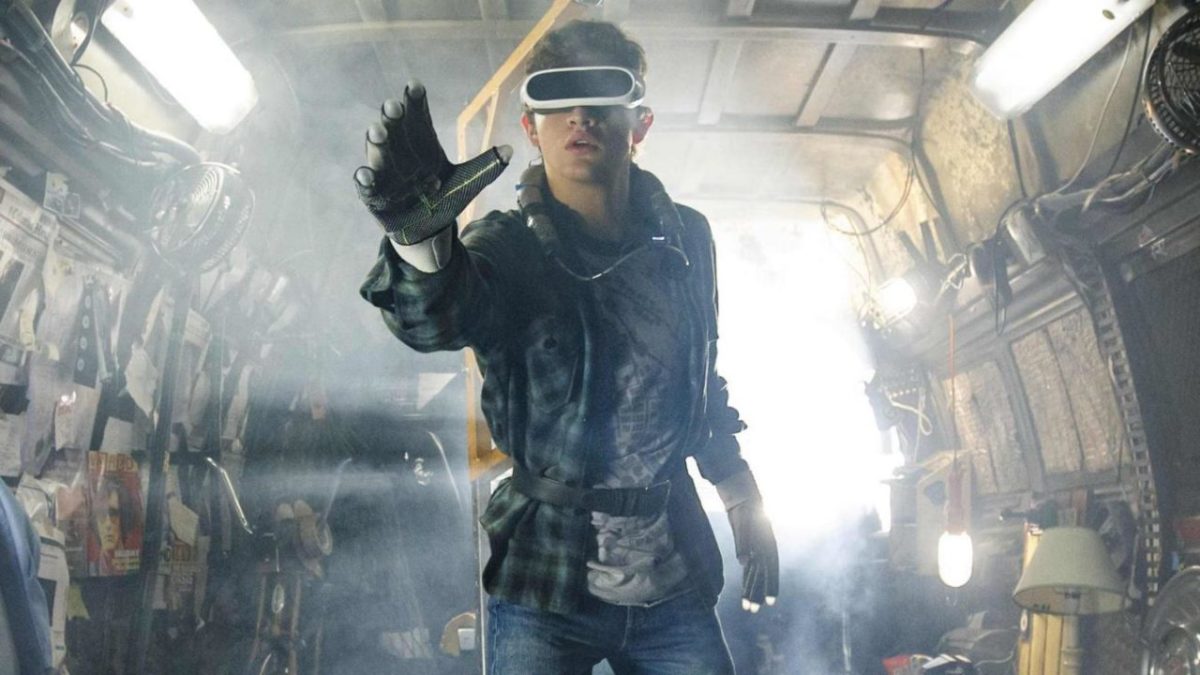
“Ready Player One” started as a novel written by Ernest Cline, and eventually turned into a movie directed by Steven Spielberg! It follows Billy Batson (wait, wrong), Peter Parker (dammit), Donnie Darko (not even close)… we mean WADE WATTS, a boy from America’s decaying future, where the majority of humans escape daily life in a digital world called the Oasis! You can watch “Ready Player One” online now.
“Ready Player One” begins when the Oasis’s reclusive creator dies, then posthumously offers his fortune to whatever player can solve the hunt for his in-game “Easter eggs.” One thing leads to another… and the egg hunt turns into an enormous, pop-culture-loving battle between the common player and a huge corporation seeking to milk the Oasis for cash. It’s a whole thing.
But we aren’t here to talk story, we’re here to talk tech!
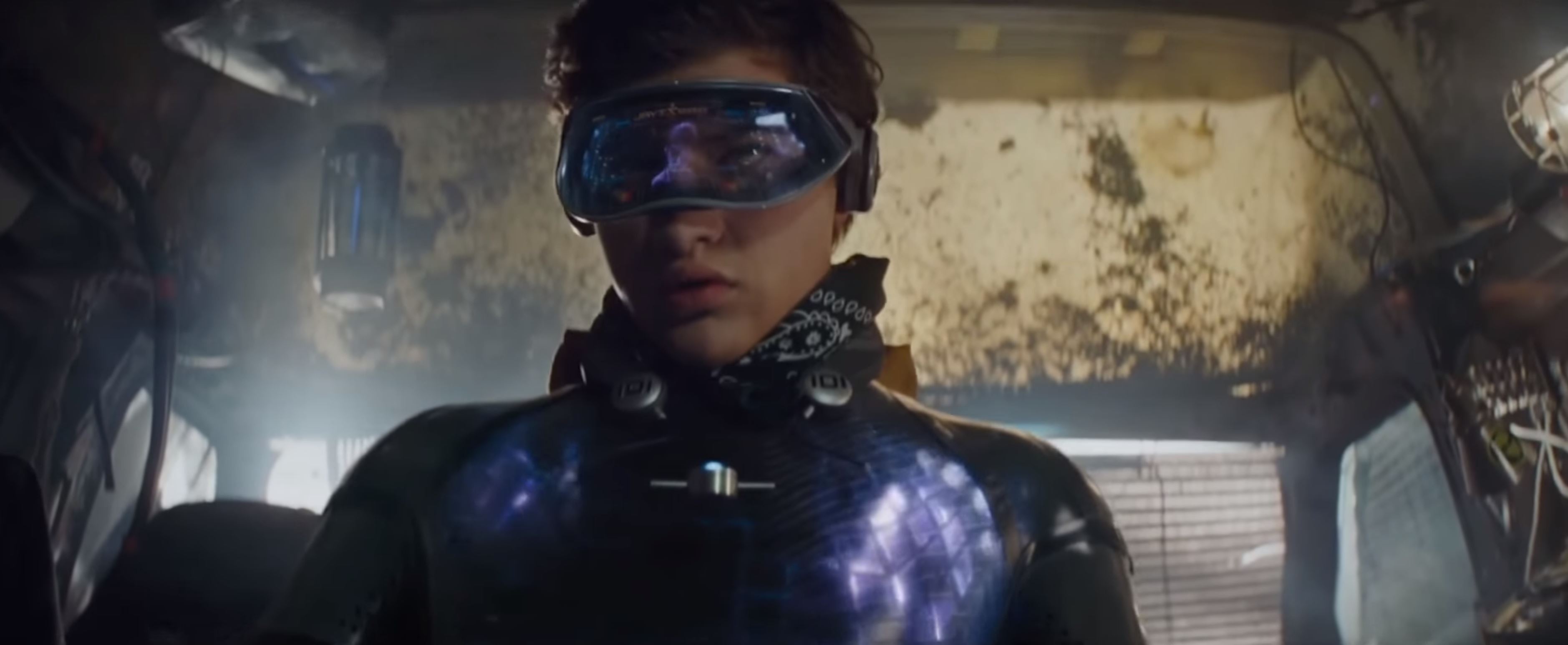
The “Ready Player One” book and movie ground their science fiction in technological reality. Players see the Oasis with Virtual Reality goggles, sense and touch their surroundings with haptic gloves and suits, and control movement with omnidirectional treadmills. Guess what? These devices already exist in primitive form! Which begs the question…
When will video gaming reach Ready Player One status?
Our Methods
To predict the future, one must examine the past.
Since Oasis technology can be broken down into sections (goggles, graphics, haptic gloves, etc.), we created analyses for each! These levels will examine what products are commercially available now. After that, we’ll guess when the technology will become available in the future.
Some are quite far away. Some are close. Some are already here, and will likely surpass “Ready Player One” levels soon enough! To find out which is which… read on!
Level 1: Goggles
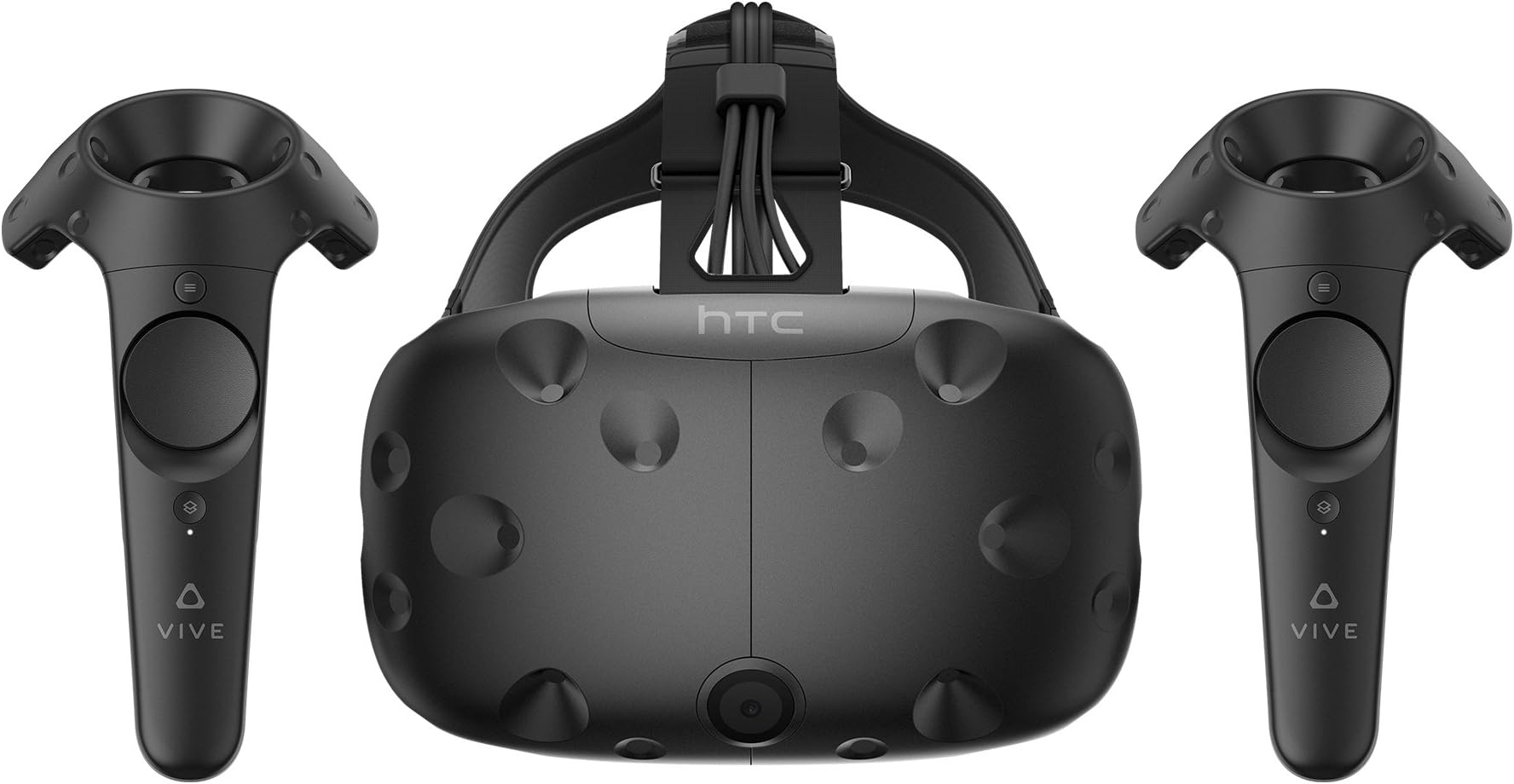
The top-quality goggles in “Ready Player One” can show the Oasis in visually perfect quality. Surprisingly, our current technology is almost there, which makes this level a walk in the park. Head onto Amazon and type in Virtual Reality Headset!
Surprise, surprise; we already have great options available. For example, look at these two top-tier products by HTC Vive and Playstation VR:
These products could conceivably imitate the look of real life. In fact, an NBC article by Devin Coldewey suggested that our eyes already can’t take in the many pixels onmodernphones!
That said, we grudgingly admit a truly perfect screen requires 3D imaging to be complete. But, once again, let’s look at modern tech: the Nintendo 3DS already uses 3D imaging software. If a portable gaming system can figure out the technology, we expect Virtual Reality headsets to fully catch up no later than 2025!
The real question becomes: when will graphics be able to fully take advantage of these goggles?
Level 2: Graphics
Things are getting tough!
The Oasis offers total immersion, which requires true-to life graphics! Not only that, but “Ready Player One” takes place in an MMO (Massively Multiplayer Online) across multiple universes.
To establish a timeline, let’s go back a few decades!
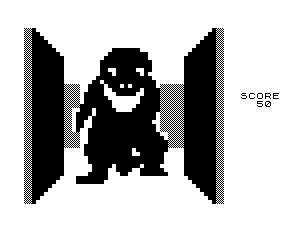
The American Physics Society declaresPong to be the first true video game, created in 1958. In 1982, 24 years later, 3D monster Maze became the first game to break the two-dimensional mold. In 1997, 15 years later, Goldeneye drops into history like a nuclear bomb.
Pong3D Monster MazeGoldeneye
Fast forward 21 years to the present day: 2018. Video games look more realistic than ever! One game, in particular, prompted a rash of Reddit “screenshot photographers” because of its beauty: Horizon Zero Dawn.
Now, will these graphics hold up when seen through VR, where users can lean close with their “own eyes”? The answer is: close, but not yet. Even the newest Spider-Man game, a marvel in many ways, has terrifying Boat People on the fringes of New York City:
However, we believe improved graphics will develop as a result of other improvements: as VR excitement spreads, developers will see the need for all macro graphics to improve and respond accordingly.
Prediction? No later than 2030.
Level 3: Haptic Devices
Haptics are further behind than VR goggles and graphics. In our world, they are in the early stages of development, but in “Ready Player One” they can realistically simulate the touch of another person:
Wade being greeted by “Artemis” in a virtual nightclub.
Luckily, we’re on our way!
Notably, a company called bHaptics decided to be one the first true voyagers into the world of touch-enabled gaming. Their Tactsuit technology can be purchased from their website already. At this time, you can use their vest, sleeves, and face cushion. Check out this 2018 demo!
You may notice the haptics are controlled by “40 vibrotactical motors”. While this represents a great start (and looks freakin’ awesome), the difference between 40 motors and the “Ready Player One” haptic suit is the difference between Goldeneye and 4K Horizon Zero Dawn. We have a ways to go!
Like the haptic suit, omnidirectional treadmills are a more recent invention, without the foundation of goggles or graphics. However, we believe omnidirectional treadmills, which imitate movement over flat ground as the user “runs” are fundamentally simpler than replicating the complexity of touch. Don’t believe us?
Compare this video from “Ready Player One”…
…to this video of the Virtuix Omni, a company pushing gaming treadmill technology into the future.
That’s right: our omnidirectional treadmills already work! We can keep a player in one spot while tracking the movement of their steps. However… the apparent ease of movement in “Ready Player One” hasn’t been reached.
Prediction: 2020. However, we don’t expect them to be available at convenient prices until 2025. Geez, normal treadmills are already costly.
Level 5: Wi-Fi Speeds
Let’s make a small comparison:
When Pokémon Go released, the servers broke under demand from millions of devices. Millions.
According to “Ready Player One,” the majority of earth’s population uses the Oasis almost constantly: for work, school, and recreation. Mind you, this also isn’t a newfangled Augmented Reality game, it’s a true-to-life virtual world with tactile and kinetic capabilities. It’s a whole different beast.
Luckily, there are a number of reasons to believe the day will come when this worldwide connection will be possible. First and foremost, Moore’s Law suggests (on a basic level) that computer processing power doubles every 18 months to 2 years. Computers and servers will exchange process information with much greater speed soon enough.
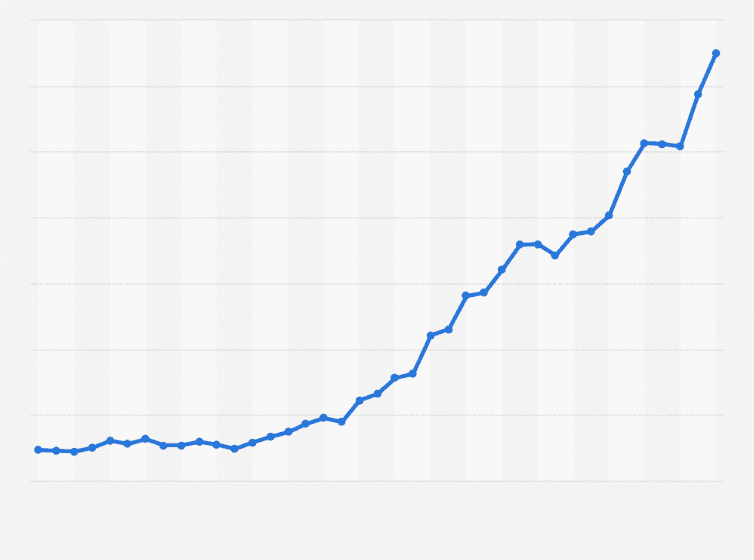
Additionally, a study by Statisa clearly revealed that internet speeds have also been growing exponentially:
No info or legend… might as well be a graph of my awesomeness! Right? Right? …
Together, this indicates our ability to transmit and receive information will grow rapidly in the future, barring unseen complications or diminishing returns. Still, even in the best case scenario, there’s a high bar set. To reiterate, The Oasis constantly services millions (possibly billions) of users with a worldwide MMO environment.
Prediction: 2035.
Final Boss: Mechanics
We’re a long way off. Let’s put that right up front. In fact, we may never reach the level of “Ready Player One,” which characterizes the Oasis as an enormous and advanced environment with no breaks in immersion when using top-of-the-line products.
Where are we now? It’s a tough question. Some would note that great physics have already been made, like the rain in Driveclub or the snow from Horizon Zero Dawn.
A more pessimistic person would note that these games take place in limited environments. What if they included swimming, sitting around a campfire, slurping orange juice in space, and everything in-between? Not only that, but they must coincide with the haptic suit and treadmill!
Some of those issues are discussed by the YouTube channel Gameranx, which discussed a few great points in their video on gaming physics.
It’s true: proper physics aren’t always necessary to have a good time. Very good physics, especially in an immersive environment, are perfectly good enough to confuse gamers. In fact, many VR players still react to jump scares like the first moviegoers, who expected trains to come crashing out of the silver screen.
With this in mind, we still believe physics are nearly impossible to replicate, and will take a while to reach the bar set by “Ready Player One.”
We’ll save the date for 2030 and call it a day.
Conclusion
Human imagination is an interesting thing. At one point, many said we’d never achieve flight. Then again, a number of comic books suggested flying cars would become normal by the year 2000…
Huh. Missed that deadline, didn’t we?
The point is, these developments may come much sooner or much later. Whatever the case, we’re excited for what comes next! Until then, we can watch “Ready Player One” and dream of the future.
The hotly anticipated game turns its back on gaming’s biggest trends.
Cyberpunk 2077 has been garnering plenty of attention lately. After impressive showings during 2018’s convention cycle, teasing the game’s massive world and unique gameplay, Cyberpunk’s developers are turning heads by swearing off two of the most ubiquitous trends in modern gaming.
Cyberpunk 2077 says no to microtransactions, Battle Royale modes
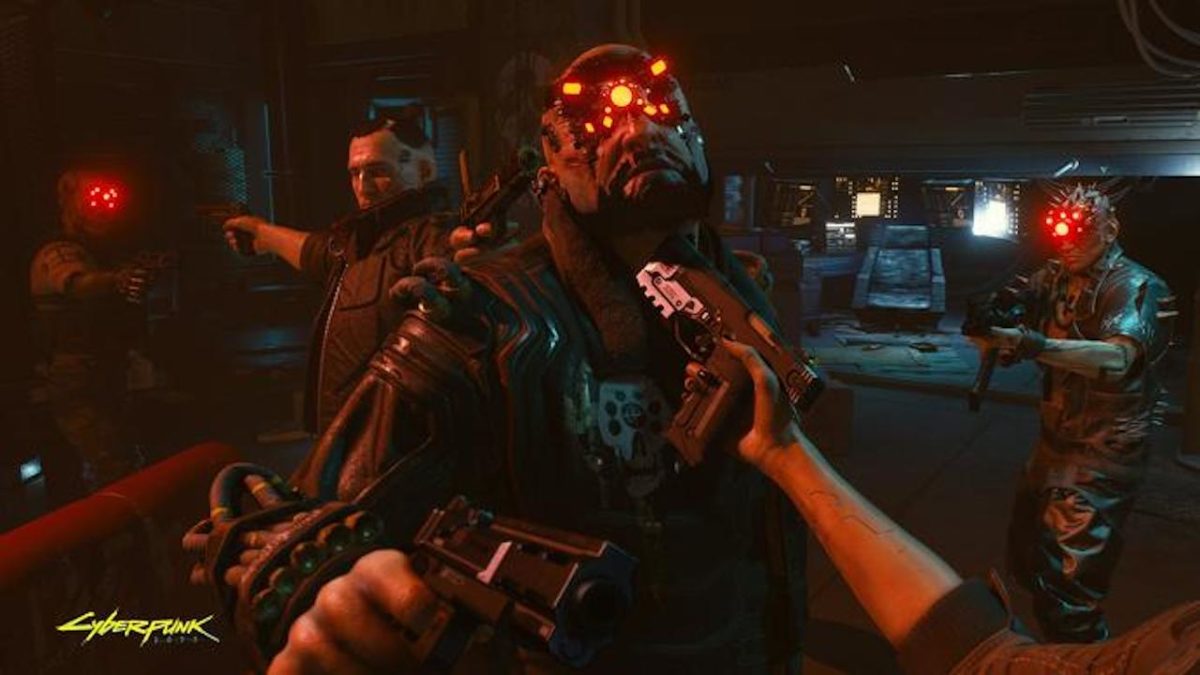
The announcements in question were made in a series of Twitter threads in which developer CD Projekt Red answered questions from the game’s fans. In the threads, devs flatly denied that the game would have microtransactions or a Battle Royale mode of any kind. The lack of a Battle Royale component doesn’t come as a big surprise; it remains to be seen whether the game will have a multiplayer component at all. Check out the threads in question below:
Battle Royale modes have become somewhat omnipresent in modern gaming. Most popular titles released within the last year or so have included some form of the game type, which gained popularity with the rise of giants such as PUBG and Fortnite. With billions of players worldwide, other developers have capitalized on the trend, with Battle Royale modes included in games such as Red Dead Redemption 2, Call of Duty Black Ops 4, and Battlefield V. Some games, such as Call of Duty, have even shifted focus completely, forgoing campaigns entirely in favor of Battle Royale modes. To pass on this trend entirely is a major decision that puts Cyberpunk 2077 in a growing minority.
In addition, the Twitter threads also confirm that Cyberpunk 2077 won’t include microtransactions of any sort. This trend is perhaps even more ubiquitous than Battle Royale modes. Most modern games include microtransactions of some sort, with players able to access in-game stores to buy items, weapons, and other content using real currency. Microtransactions have garnered more than their fair share of controversy and scandal, with many player bases complaining about pay-to-win schemes and locking the best content behind paywalls.
Usually, microtransactions are more prevalent in multiplayer games, but single-player only games aren’t exempt to the trend. Despite multiplayer components remaining under wraps, the decision to forgo microtransactions in single-player modes as well is a huge, head-turning move on the part of CD Projekt Red. As the gaming world continues to become more and more frustrated with the growing ubiquity of microtransactions, this decision could mark the beginning of a shift away from the payment schemes by prominent developers.
In addition to these two major announcements, the Twitter threads also teased some other major components to the game. CD Projekt Red confirmed that several companion characters would be available to act as sidekicks in game, and denied rumors that the game would be exclusive to the Epic Games store. Though an official release date has yet to be confirmed, speculation remains that Cyberpunk 2077 is on track for a 2019 release date, and is being developed for all major consoles. Fans of the game should look for more news to be revealed at the upcoming E3 conference.
Accepting criticism is a key part of advancing your life. Here’s how to do it without losing your cool.
Whoever said feedback was a gift never experienced the racing heartbeat, hurt feelings, and sense of embarrassment that comes with a cryptic, “we should talk.”
If you struggle to deal with feedback gracefully, know that you’re far from alone. None of us like to have our flaws pointed out, but the fact is, others can provide some valuable perspectives on our shortcomings.
Being sensitive to criticism can hold you back. Avoiding confrontation can damage relationships with colleagues and stand in the way of professional growth.
How to handle criticism
What is constructive criticism vs. just plain criticism?
Criticism is a term that refers to an evaluation or judgement — and it could be good or bad.
Constructive criticism is used to help people grow and improve. It’s thoughtful feedback that presents some form of actionable advice.
By contrast, criticism is not constructive if the main point made is “you suck” with no feedback on why that is and how to improve.
Naturally, if you’re dealing with negativity at work in the form of personal attacks, it’s best to shut it down, ignore it, or report your problem to HR or your boss.
If you’ve ever tried to hide your feelings, you know that it’s not easy. Try not to take things personally.
Do not blurt out the first reaction that comes after hearing something critical. Take a breath and process what’s going on here. That initial impulse to be defensive is not going to serve you well.
Right off the bat, your first instinct might be to explain your actions or shut down the conversation.
In this initial moment, take a few seconds to remind yourself that feedback is a powerful tool. This is a chance to improve your skills, better your relationships, and get on the same page with the person giving the feedback.
That less-than-stellar performance review doesn’t reflect on your personality. Instead, it’s an opportunity to learn about your weaknesses.
On the spot, controlling your feelings is a bit more difficult. If you’re feeling overwhelmed, consider asking the person giving the feedback if they have time to chat about it later.
This will allow you to take a walk, listen to music, and calm down a bit. You may also want to write down your stresses, and reflect.
When it comes time to have that hard conversation, approach the situation with an open mind. If a colleague says you were too aggressive in a meeting, consider how your actions made them feel — what did you say or do that rubbed them the wrong way? Do you get excited about sharing your own ideas and cut others’ off mid-sentence? Maybe you’ve been inadvertently dismissive.
Whether you agree or not, your critic might have a point. We have to exist in this world with others, and it makes things easier when we bring up the things we don’t like.
If you can see things from the other person’s point of view, you can better understand why they brought this issue up. So, if you’re blowing past deadlines you don’t consider important, your boss might call you out on your time management skills. Or, assume you don’t take your job seriously. You might think these deadlines are arbitrary, or an extra step.
Let them go over how your actions impact their ability to finish their work. Your boss might say that you need to turn a client proposal early because it allows them to review milestones and assign tasks to others. Then, it’s understandable that operating on your own timeframe can cause your boss to stress.
The point is, when we understand why something is important to someone else, it can inform how we set our priorities.
Best apps and online tools to stay focused and be more productive
You might find yourself in a situation where you receive vague feedback that doesn’t seem to have a clear solution attached.
Often, the person tasked with giving the feedback isn’t stoked about the situation, either. Your manager might not be comfortable with this aspect of their role, and instead, try to deliver news as gently as possible.
In this case, ask questions and get specifics. Sure, it’s counterintuitive to stay in this moment for longer than necessary, but the more details you can dig up, the better.
Ask questions like “do you have any suggestions for how I can improve?” “What would you add or change about X?”
When you make a point of asking for advice, you show that you’re flexible and willing to learn, even when it’s hard.
Responding the right way
Responding is the hardest part for a lot of us.
For one, even the most productive forms of criticism can leave us feeling hurt, humiliated, or downright defensive. And, if you’re prone to tears, then your focus may be on trying to make it out of a situation without crying in front of a boss or colleague.
If you don’t agree with the criticism, take a deep breath and say something like, “from my end, it seems like XX…”. Or, “I’m sorry, I didn’t realize I came across that way, __ is what I really meant.” This gives you a chance to explain your decisions and emphasize the subjective nature of our work and interactions with others.
If the critic has some valid points, try to respond positively. Set aside your ego and make it clear that you hear what they’re saying, and that you’ll use that feedback in the future.
Building on the importance of responding to feedback gracefully, talking about your feelings too much misses the point.
Instead, come up with a game plan for enacting change. Are there tools you can use to become a better time manager? Do you need to work on being a better listener? Responding to emails faster? Whatever it is, come up with some steps for improvement.
That said if someone is being cruel or calling you out in front of a group of colleagues, that crosses a line. It’s perfectly acceptable to say, “hey, next time can you bring this up in private?” Or, “I’d rather not have you CC the whole team about this issue.”
The journaling trend, if you can call it that, also makes it look like you need to know the ins and outs of collaging and journaling fonts.
You’ve seen ‘em:
A journaling app, on the other hand, makes it easy to keep things neat, documented, and even safe from prying eyes.
Paper and pens are all well and good. Those planner journals are all the rage, require a certain command of art supplies and the time to decorate your schedule.
If you’re of the mindset that journaling is a self-improvement tool, then it might be more practical just to go digital already.
However, an app can bring more to the table. While nothing can replace the feeling of fresh pen and ink, we’ve rounded up a few of our favorite apps for keeping track of your thoughts, goals, and to-dos.
Best journal apps for 2019
Day One Journal
Day One Journal is one of the most popular journaling apps out there, for a good reason. The app offers a wide range of features set to take your journaling experience to the next level.
You’ll get all the core journaling features — things like text-based entries, custom reminders, and the ability to insert photos and videos. You can also add metadata to enrich your entries — which will input things like location or weather automatically.
Day One’s reminders feature is pretty cool — for example, instead of a simple email notification, you can set up prompts that ask for your thoughts at the end of the day, the morning, or whenever.
The app is free, but you’ll need to pay $34.99 per year for premium features.
Journey’s real selling point is, the app is a cross-platform journaling app. So, you can create your account, make a list from your computer, then reflect on the day while laying in bed with your phone.
Similar to Day One, this solution allows you to create text-based journal entries, as well as those with photo, video, and geo-location tagging. The app supports multiple images, and you can export to your Google Drive or other formats.
Journey is free on Web, iOS, and Android, $16.99 for Mac and $17.99 for Windows. Premium mobile features may be unlocked for $4.99.
Momento is the journaling app of choice for social media lovers. If you’re already documenting away on Facebook, Instagram, or writing on Medium, this app brings these things together into one place, allowing you to keep a full-on digital archive of your online life.
Momento provides automated journaling. Naturally, this isn’t a great solution for that journaling for mental health reasons or productivity. But it’s perfect for those who want to keep detailed accounts of what was happening in their lives on a daily basis. Still, those who want the traditionally written entry can find that here, too.
Momento is free for users with up to three social feeds. The premium plan is $3.99 and allows you to add multiple photos, more feeds, app integrations, and themes.
Penzu is a journal app with a strong emphasis on privacy. The app allows you to create journal entries with photos and you can sync your content across devices.
This app isn’t the most feature-stocked entry on our list, but it gets the job done. Writing an entry looks a lot like creating a blog post in WordPress or similar. The benefit, though, is the app stores your entries as a journal — so they’re together, rather than saved as separate files.
What’s more, you can set custom reminders, so you stick with your new habit.
Creating an account is free. However, if you want access to all of the features, you’ll need to pay $4.99 per month or $19.99 a year. The pro plan comes with a passcode for journals, unlimited photos, journals, and custom journal covers.
Grid Diary aims to simplify the web app journal. The journal is as easy as filling out a form, and presents you with 8 question prompts that ask you things that may make you evaluate your lifestyle choices. Examples include: “how much money did I spend today?” Or “what sports did I do to improve my health?”
That said, you can customize the prompts yourself if documenting your sports participation isn’t on your list of priorities. This app probably isn’t the one for those who like to free write their heart out, but it is a good choice for someone looking to become more self-aware — without being too flowery or intimidating.
Grid Diary is free, but you can upgrade for $4.99 to unlock pro features. The pro plan includes multiple reminders, customizable formatting, passcode locking, syncing with iCloud and Dropbox, and Evernote integration.
These four apps can make your pregnancy easier, safer, and more fun!
Pregnancy is maybe the biggest game-changer you’ll ever experience. Even for parents who have had children before, every pregnancy is different and comes with its own challenges. No matter the case, you’ll often find yourself looking up new symptoms and safe alternatives to your unique cravings. Instead of searching all over the internet to find your answers, a handy app is usually all you need. Many apps let you track your symptoms and read up on what you can expect in the coming months. Here are some of the best apps for helping you throughout your entire pregnancy:
WebMD is one of the most reputable medical sites on the internet, and their pregnancy advice is top notch. Besides answering any medical questions you may have, this app comes with a variety of tracking tools. You can track baby kicks, contractions, and a large selection of pregnancy symptoms. You can also create checklists with this app for baby preparations.
Pregnancy can be stressful in ways you never expect it to be. Mind the Bump is a great app for helping relieve some of this stress. It walks you through various meditation techniques while giving you advice for dealing with any mental health problems you may be having while pregnant. While most apps focus on helping you with your body through this process, Mind the Bump is all about your feelings and mental space. These areas are often neglected, so having an app remind you to self-care can be a big help.
The use of this app starts before pregnancy even begins. It lets you track your ovulation cycle so you know the perfect times to try and conceive. Once pregnant, the app gives you helpful tips on what is and isn’t healthy. It also gives advice on relieving pregnancy symptoms throughout each trimester as you experience them.
If you’re specifically looking for an ovulation tracker, you may want to check out My Days as an alternative. It tracks both your period and your ovulation cycle, and it lets you create helpful reminders regarding both of these.
Facebook is often the place we turn to when we want to find something relatable. Your Facebook friends are often around your age, so they’ll be sharing memes that you can relate to. However, not all your friends will be getting pregnant when you are, so you may feel alone when you open up Facebook and aren’t able to relate with your peers as much. This app gives you a daily dose of pregnancy memes so you don’t feel alone in this process. The memes also relate to your current stages of pregnancy, as the app tracks how far along you are.
Here’s what you need to know about digitizing your movie collection.
Ripping DVDs to your computer or an external hard drive comes with a clear set of benefits.
You’ll have a backup in case the physical discs become scratched, easy, centralized access to your favorite flicks, the list goes on.
Plus, dealing with discs these days is a pain. They take up space, they skip, and we’ll go out on a limb here — they’re not exactly a beautiful object that adds value in the way that records or hard copies of books do.
But, the legalities of digitizing your collection can be a bit murky. Try googling the title of this article, and you’ll see exactly what we mean.
While you’re most likely going to be fine ripping DVDs here and there, there are some key things you should know about the law.
Ripping copy-protected DVDs is illegal… technically
Laws are kind of all over the place when it comes to ripping DVDs for personal use. See, it’s perfectly legal to rip DVDs that are not copies of copyrighted work. Butchances are, most of the movies you’re planning on digitizing have several layers of copyright protections.
In the U.S., it is still illegal to rip DVDs of copyrighted work for personal use, though there are several groups working to change this law.
Title 17 of the U.S. State Code explicitly states that it is illegal to reproduce a copyrighted work. So, just about anything that comes with a label indicating copyright, which includes basically any movie you can think of.
Most DVDs and Blu-Rays come with encryption attached and breaking that encryption is illegal. If you happen to come across an unencrypted DVD, ripping it for personal use is A-OK.
Where it gets confusing is, CDs have laxer rules regarding ripping for personal use. You can, for example, easily upload your old discs to iTunes and digitize your library with minimal effort — and zero legal repercussions.
Title 17 states that making a copy of an original work without the creator’s consent, is considered copyright infringement. The law doesn’t make any exceptions for personal use — or creating digital backups.
But, it also doesn’t say that you can’t copy the content on your own devices. Confusing, right?
The bottom line here is, you’re likely not going to be fined or jailed for ripping your DVDs for personal use.
The thing about ripping DVDs is, you’re probably not going to get caught.
Government agencies have too much on their plate to care that you’ve digitized your director’s cut “Lord of the Rings” DVDs.
The issue really comes into play if you start redistributing content. So long as your goal isn’t setting up a bootleg DVD stand outside or adding your full movie library to a download site like BitTorrent, you should be in the clear.
Ripping DVDs to an Apple device presents a problem. In the case of Apple, which is a U.S. company, they need to maintain relationships with movie studios. Unfortunately, that means you can’t copy DVDs to your iTunes account like you can with your CDs.
Again, while it’s technically illegal to rip DVDs for personal use, people rarely face consequences. We want to remind you to stay on the right side of the law. Watch this radical PSA for a refresher:
To rip DVDs for your personal use, you’ll want to make sure you use a reputable third-party software. You’ll need an intermediary program to successfully digitize your DVDs. There are several DVD ripping programs out there, but many of them come equipped with spyware and tracking that can put you and your devices at risk.
Free software is often unregulated, though there are some decent options available, usually in the form of a free version of a paid software.
Channel your inner Marty McFly with Fortnite’s new driftboards!
Fortnite players, rejoice! Getting around the map is about to get a lot more extreme. After weeks of teasing the new item, a new Driftboard vehicle has finally been added to Fortnite Battle Royale. Read on to learn how to find the new item and how long it’ll be sticking around.
The Driftboard is the latest addition to the ever-expanding lineup of vehicles in Fortnite, which now range from biplanes to rocket-powered ATVs. The Driftboard has been teased since the start of Season 7, but was only just released as part of the 7.40 content update after a series of delays. You can obtain a Driftboard in-game like any normal item, whether that be in chests or as a floor drop. In the words of Epic, they’re available “all over the map,” so finding one shouldn’t be too difficult.
So, what do you do once you have one? Driftboards are incredibly versatile vehicles, allowing you to use items, fire weapons, and revive teammates without having to get off. You’ll also be able to perform a variety of sweet tricks and catch some extreme air that would make Mark McMorris jealous. Controlling a Driftboard effectively does take a bit of getting used to, but once you do, you’ll have a definite advantage over your opponents on foot. The only thing you can’t do while riding a Driftboard is build, so keep that in mind if you start coming under fire.
Driftboard fans can also check out the new Driftin’ LTM, a large team-based game mode that pits teams of 32 Driftboard-riding players against each other. It’s mayhem in the best way, and playing a few rounds of the mode is a great way to get the hang of the Driftboard’s controls. Catch mode has also been added; like the name implies, players are only able to use throwable items like grenades.
The 7.40 content update has also made a few other gameplay-related changes that players should be on the lookout for. The Infantry Rifle has been added to Creative mode in several variants. This new semi-auto World War II era rifle bridges the gap between assault rifles and sniper rifles, and should make for some interesting gameplay changes. In addition, Balloons, Gliders, and Dual Pistols are all less likely to spawn in Battle Royale modes, so don’t be surprised if you start seeing less of these items.
Epic has made it clear that the Driftboard will only be available in-game for a limited time, but hasn’t specified an exact time frame. It could very well be that the Driftboard will disappear when the snow melts at the start of Season 8, so make sure you get a ride in before then.
Planning on having an Oscars Party? If so, it’s worth having a competition to see which of you can guess the most Oscar winners. According to online betting site Bovada, these are the current odds for the major categories. The lower the number, the more likely it is that nominee will win. We’ve also assembled a master list of where to watch movies online, so be sure to hold your movie marathon before the Academy Awards on February 24!
“Roma” is the current frontrunner, but will the Academy give a statue to a Netflix movie? “Green Book” is facing controversy over its blurred retelling of history. “Bohemian Rhapsody” is facing headwinds because of a scandal involving its director, Bryan Singer. While “Roma” may be a lock for Best Foreign Film, we think “A Star Is Born” could slip through for the win. Although its director (Bradley Cooper) wasn’t nominated, this year could mirror the 2013 Oscars when “Argo” won Best Picture, even though its director (Ben Affleck) wasn’t nominated.
Also, remember that actors make up the biggest share of the voters and “A Star Is Born” features nominees in three of the four acting categories. Only “Vice” can match that and it has two actors who already have Oscars, so the Academy will likely overlook them.
Cuarón is the frontrunner here. The possible drag against him is his previous Oscar in 2013 for “Gravity.” The Academy gets stingy with second statuettes. If you’re looking for an upset, put your money on Spike Lee. The Academy sometimes hands out Oscars as “lifetime achievement awards,” and we’d love to hear his acceptance speech.
Speaking of “lifetime achievement awards,” this is Glenn Close’s seventh nomination and she’s the odds-on favorite. Lady Gaga could provide the upset, but voters are likely to want her to “pay her dues.” Gaga will pick up an Oscar elsewhere in the telecast (stay tuned).
Rami Malek’s transformation into Freddie Mercury will likely land him the prize. If you’re looking for an upset, everyone loves Viggo Mortensen. A win for him could give “Green Book” a little love without necessarily honoring the film as a whole.
As we said, the Academy can be stingy with a second statue, so Ali’s 2017 win for “Moonlight” could rain on his parade here. Richard E. Grant plays the kind of broken down character the Academy loves. But if you’re looking for an upset, Sam Elliott could snag a win as tribute for his long career. This category is often set up to reward the kindly old guy that everyone in Hollywood loves, but the actual Oscar rarely goes that way. Elliott could be the exception.
Regina King leads the way here, and we don’t see much of a threat to her. Amy Adams is beloved and Oscarless, but “Vice” didn’t give her much to do. Be aware that this category frequently throws the biggest curveball of the night.
Best Original Screenplay
The Favourite (Deborah Davis and Tony McNamara) -200
First Reformed (Paul Schrader) +1400
Green Book (Nick Vallelonga & Brian Hayes Currie & Peter Farrelly) +200
“Green Book” probably had this on lockdown until its scandal flared up. “Vice” had its moments, but it’s not particularly noteworthy. “Roma” felt like it had 12 lines of dialogue. So maybe “The Favourite” really is the favorite.
Best Adapted Screenplay
A Star Is Born (Eric Roth, Will Fetters & Bradley Cooper) +2000
The Ballad of Buster Scruggs (Joel Coen & Ethan Coen) +5000
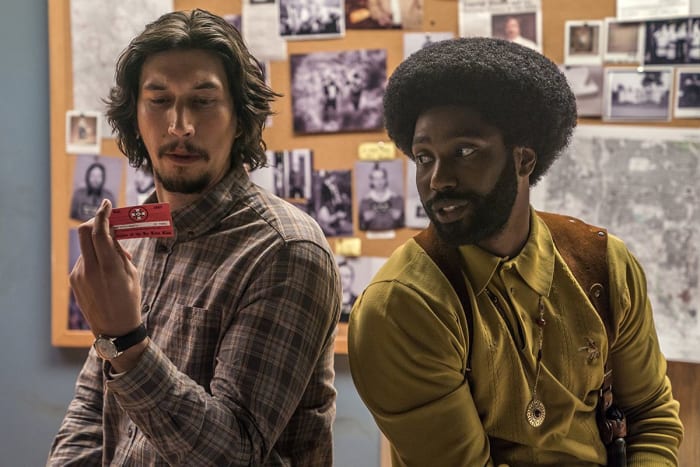
BlacKkKlansman (Charlie Wachtel & David Rabinowitz and Kevin Willmott & Spike Lee) -250
If Beale Street Could Talk (Barry Jenkins) +600
Can You Ever Forgive Me? (Nicole Holofcener and Jeff Whitty) +275
This category feels fairly wide open. Perhaps it’s Spike Lee’s time to shine – he and his co-writers are the favorites for “BlacKkKlansman.”
“Vice” is deservedly the frontrunner here. Christian Bale deserves a ton of credit for the weight gain, but there were moments in that film when we could swear we were looking at news footage from 15 years ago.
This category usually goes to the movie with ye olde wardrobe, so “The Favourite” makes sense here. All of these movies had fantastic costumes, though. Perhaps an opening for “Black Panther” to snag a statue.
“If Beale Street Could Talk” is the favorite here, but there’s a chance voters will go with “Black Panther” and its cacophony of drums.
Best Documentary Feature
Free Solo -200
Hale County This Morning, This Evening +4000
Minding the Gap +1500
Of Fathers and Sons +5000
RBG +130
“Free Solo” will likely win by virtue of the difficulty of filming a man climbing El Capitan without ropes, harnesses, or other safety equipment. “RBG” could sneak in, just as a way for people to let Ruth Bader Ginsburg know they love her.
Best Animated Feature
Incredibles 2 +900
Isle of Dogs +900
Mirai +4000
Ralph Breaks the Internet +2500
Spider-Man: Into the Spider-Verse -1500
We’ve rarely heard praise heaped on an animated film the way it’s been doled out to “Spider-Man: Into the Spider-Verse.” This seems like the likely winner and the odds agree.
Two musicals lead the pack here, but if you want to take a flyer, consider “First Man” since the space shuttle stuff is Oscar bait and Damien Chazelle’s movies are often an auditory joyride. Check out the unexpected sounds they incorporated to the shuttle launch.
As mentioned above, “First Man” and its space shuttle sequences probably give it the edge here. “A Quiet Place” could play spoiler, since sound is so integral to the plot.
Will voters choose the old-timey look of “The Favourite” or the futuristic visions of “Black Panther”? It’s possible that Wakanda feels too computer-generated to earn the Oscar here.
“Infinity War” had a ton of visual effects and a believable animated villain in Thanos. The question is whether voters will honor a comic book movie over something realistic like “First Man,” which somehow feels more “Oscar-worthy.”
“Vice” may deserve it for the audacity of its mid-movie credits sequence alone. The film covers a sprawling time frame, and the editing helps propel it along. That said, “Bohemian Rhapsody” could slip through since the big concert scenes provide the music video jolt that many voters may respond to.
And in case you’re wondering, Bovada puts “Gotti” as the favorite to win Worst Picture at the annual Razzie Awards. “Holmes and Watson” is a close second.




 Once you’ve clicked it, you may see these three applications on the right side of your screen: Google Calendar, Google Keep, and Tasks.