Is this the most dangerous laptop in the world?

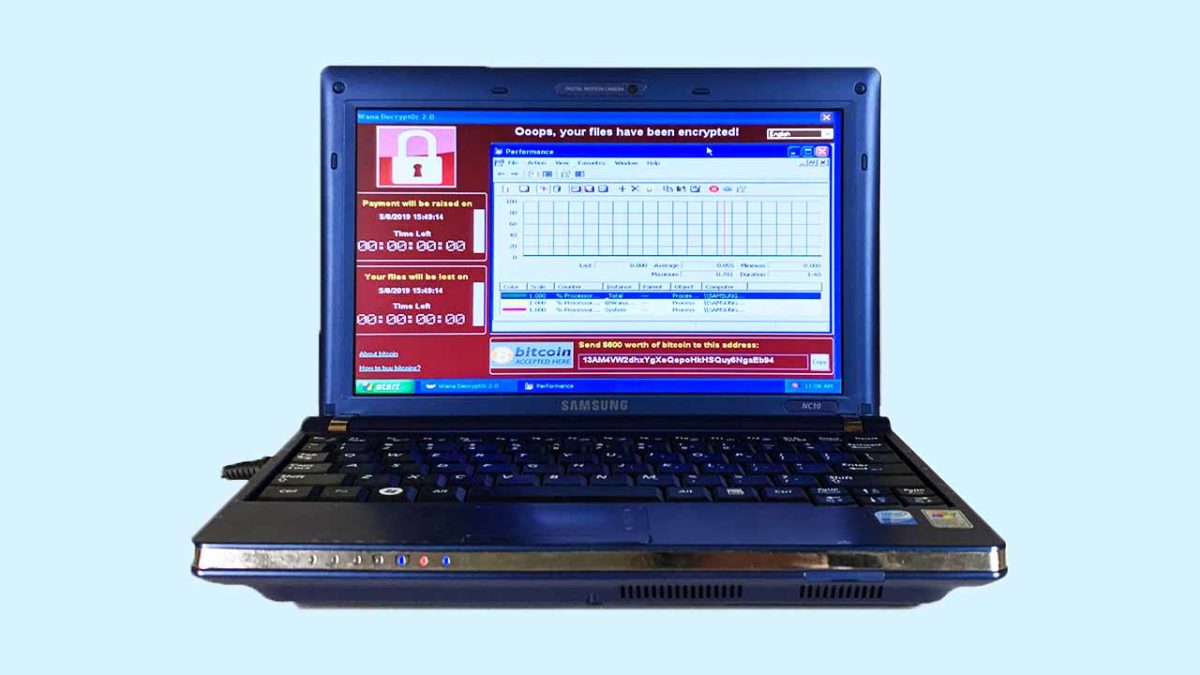
A Chinese internet artist is selling a laptop that contains the six most dangerous pieces of malware in existence.

Viruses and malware are an ever-growing threat in today’s world. We’re constantly trying to keep you ahead of the game when it comes to the latest online threats, so hopefully you’ve stayed safe up to now. The threats are out there though, and the biggest of them have wreaked havoc on a global scale. This is why continued vigilance is always recommended.

We’re not here today, however, to talk about how to stay safe when you’re online. We’re here to talk about six of the biggest threats and, surprisingly, a laptop that is on sale that comes fully loaded with each of them.

A Chinese internet artist is selling a laptop that contains the six most dangerous pieces of malware in existence
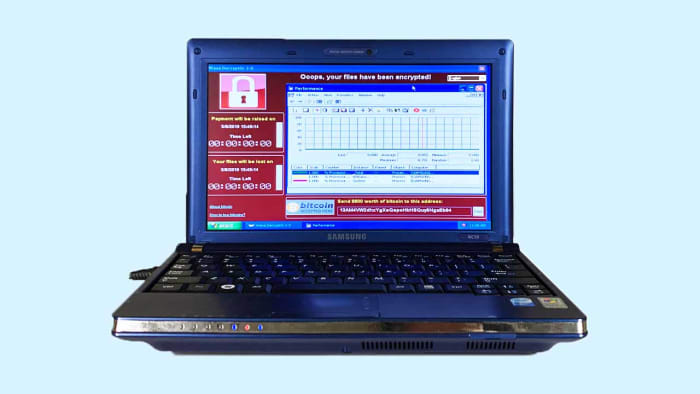
This laptop cotnains six of the most dangerous pieces of malware ever

Guo O Dong has done something interesting, if not a little bewildering. In the name of art, he has taken an old Samsung NC10 notebook, filled it with the six most dangerous pieces of malware out there, and put it up for sale in an online auction. He has imaginatively named his dangerous creation “The Persistence of Chaos.” The real kicker, however, was that the reserve for Dong’s auction was set at over $1,000,000.

The destructive power of the six pieces of malware installed on the machine can’t be underestimated. Between them, it is estimated that they’ve caused more than $95 billion worth of damage worldwide. Guo has published information on each of them on the auction page, the numbers attached to each will blow you away:


ILOVEYOU

The ILOVEYOU virus, distributed via email and file sharing, affected 500,000+ systems and caused $15B in damages total, with $5.5B in damages being caused in the first week.

MyDoom

MyDoom, potentially commissioned by Russian e-mail spammers, was one of the fastest spreading worms. It’s projected that this virus caused $38B in damages.

SoBig

SoBig was a worm and trojan that circulated through emails as viral spam. This piece of malware could copy files, email itself to others, and could damage computer software/hardware. This piece of malware caused $37B in damages and affected hundreds of thousands of PCs.

WannaCry

WannaCry was an extremely virulent ransomware cryptoworm that also set up backdoors on systems. The attack affected 200,000+ computers across 150 countries, and caused the NHS $100M in damages with further totals accumulating close to $4B.

DarkTequila

A sophisticated and evasive piece of malware that targeted users mainly in Latin America, DarkTequila stole bank credentials and corporate data even while offline. DarkTequila costed millions in damages across many users.

BlackEnergy

BlackEnergy 2 uses sophisticated rootkit/process-injection techniques, robust encryption, and a modular architecture known as a “dropper”. BlackEnergy was used in a cyberattack that prompted a large-scale blackout in Ukraine in December 2015.


Scene of a cyber crime
Between them, the malware loaded onto the Samsung laptop have caused over $95 billion worth of criminal damage

For safety reasons, Guo built his laptop in collaboration with privately owned New York-based cybersecurity company, called DeepInstinct. Together they built a laptop that is completely isolated and air-gapped from the internet at large. The auction page also highlights that all the internet capabilities and available ports will be disabled on the machine once bidding has concluded.

The big question relating to all this is why?  Why create a collection of some of the most dangerous internet viruses and malware known to man and then sell it to the highest bidder? This could literally be the plot a second-rate James Bond movie.

To answer the obvious question, Guo cites his laptop as a work of art. He has created a catalog of historical threats, built to remind us that digital threats can have real world consequences. We shouldn’t ignore the online threats that are out there.

This is something we all know too well and so it is heartening to see an internet artist create a piece of art that is designed to instill vigilance in internet users. The big test for Guo will be whether the security credentials built into the laptop by Deep Instinct are strong enough to prevent the threats from breaking out.

Watch live video from PersistenceChaos on www.twitch.tv

Interestingly enough, according to Guo’s auction site for The Persistence of Chaos, where you can watch a livestream of the laptop just sitting there, somebody has bid on the laptop and the huge reserve has been met. It looks like somebody is going to buy the riddled laptop and all the viruses that come with it. As most of us can’t afford to outbid the current bid of $1,200,749, all we can do is hope that the winner is simply going to put the laptop in a museum and doesn’t want to crack it open and spill its nasty contents onto the internet.


Ultimate online privacy guide

Think your information is private? Think again.

online privacy

Your data is valuable. Whether it’s a marketer who wants to target you or an identity thief looking to swoop in and destroy your finances, it’s more important than ever to keep a lid on your identity. If you’re looking to stay safe, these articles should help you stay under the radar.

How to protect your online privacy

How to adjust cursor speed in Windows 10

Make your cursor move faster in 6 simple steps.

mouse speed

There are dozens of ways you can speed up your OS, your computer, and even your browsing. If you’re like so many of us and have a monitor (or multiple monitors) full of busy windows, half-written emails, and spreadsheets waiting to be filled, then one more often-overlooked element is to speed up your actual cursor.

If you think about it, your mouse is how you’re doing all the real work to begin with. Adjust to a faster cursor speed and it can be a huge (and consistent) boost to your productivity. Here’s how you change it in Windows 10 in just 6 easy steps:

How to adjust Windows 10 cursor speed

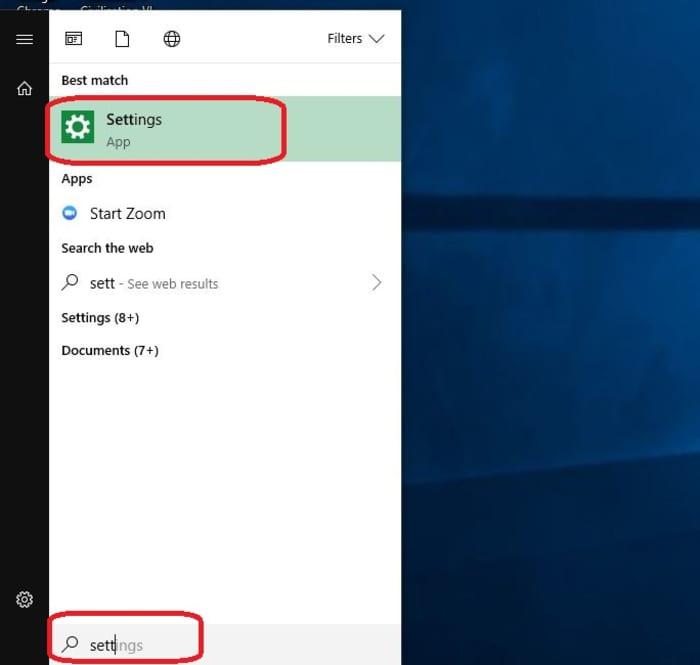
1. Open Settings

First off, open up your Settings menu. Hit the Win key and start typing “Settings” and it’ll pop right up. Alternatively, you can type Win+I.

Open Settings Windows 10

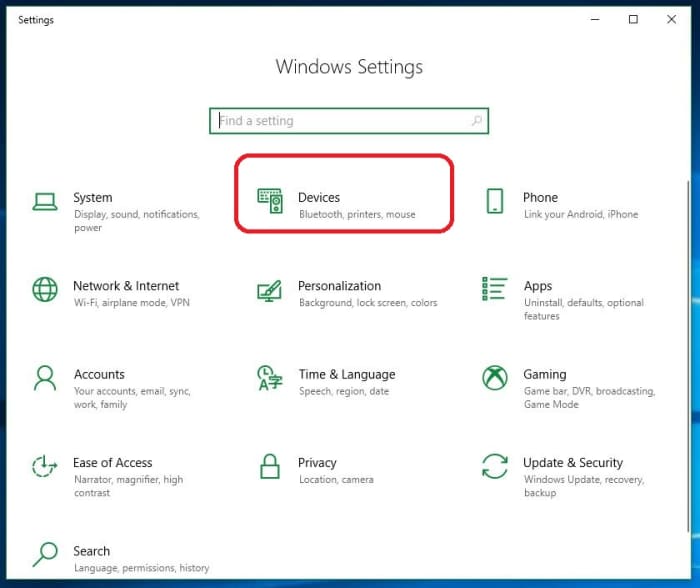
2. Open Devices

Right on the top row of your Settings choices, you’ll see Devices. Click here.

Windows 10 Settings menu

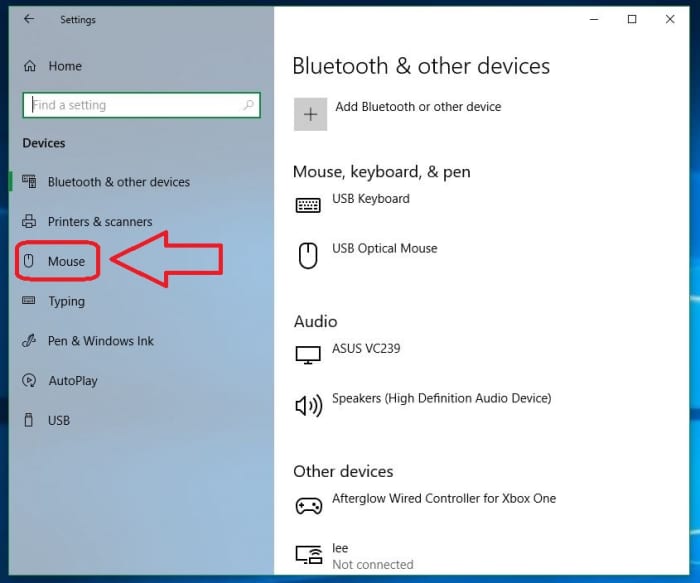
3. Click Mouse

You can tweak all your external devices here, like your keyboard, your monitor, your speakers – even your game controllers and other computers on your network. On the left rail, you’ll see Mouse. Click that and it’ll open a whole page pertaining to Mouse options.

Windows 10 Devices menu

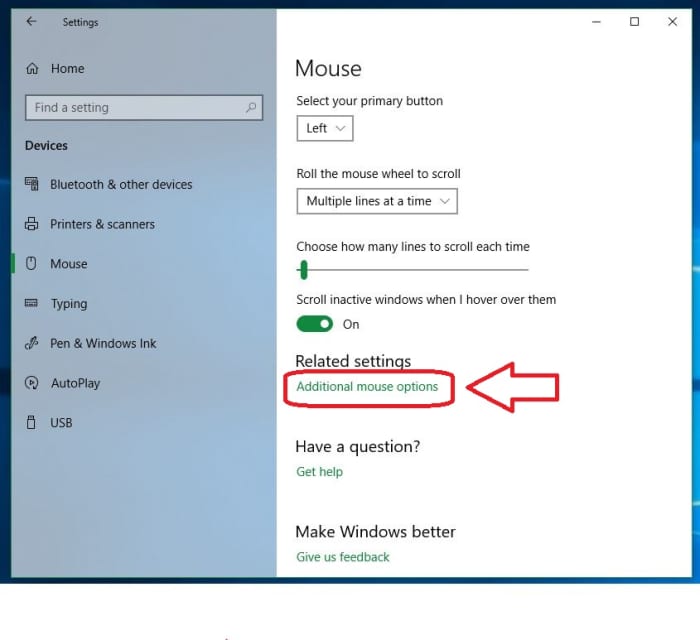
4. Click Additional Mouse Options

On the Mouse page, you can select settings like scroll speed, and which mouse button is primary, but the cursor speed settings are via the “Additional mouse options” link under Related Settings. Click that link and it’ll open a new window.

Windows 10 Mouse Related Settings Additional Options

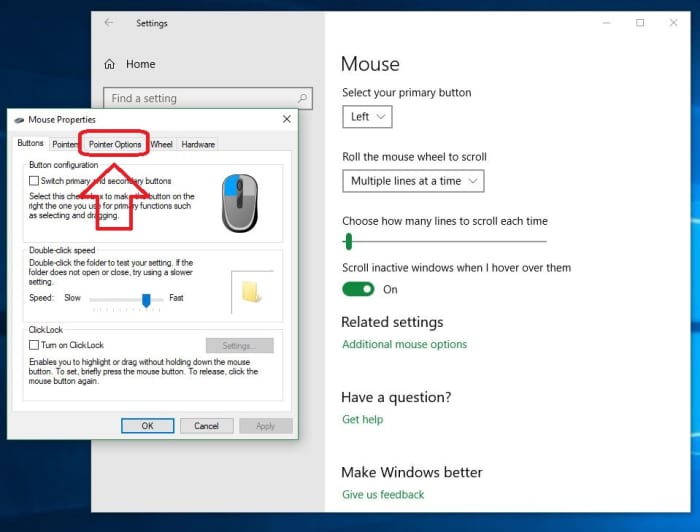
5. Tab over to Pointer Options

This window is useful for a ton of mouse-related adjustments (most notably double-click speed and a neat ClickLock feature), but it’s the Pointer Options tab that has what we want. Open the Pointer Options tab and you’ll see the speed slider right away.

Windows 10 Mouse Properties, open Pointer Options

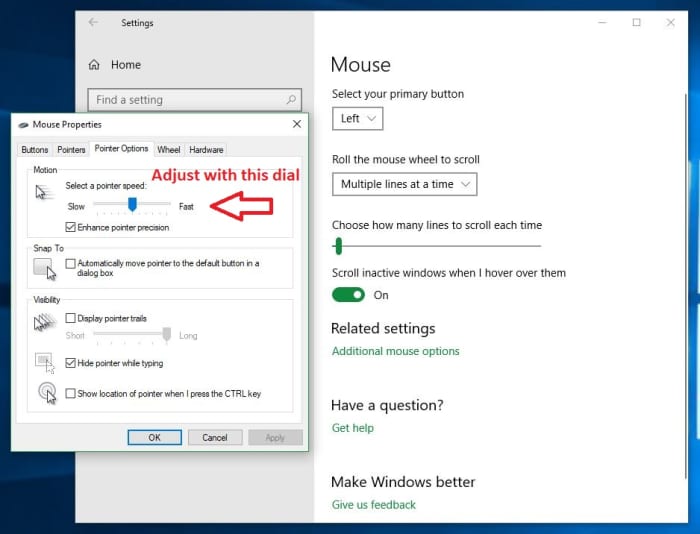
6. Adjust cursor speed

The Motion box up top has a slider that allows you to select how fast you want your cursor to move. More helpful still, you can sample it before you commit. Just turn the dial up or down and move your mouse around until you find your new favorite.

Windows 10 Adjust cursor speed, Pointer Options menu

Once you’re happy with your cursor speed, hit Apply and bam! See how much more efficiently you can work now that you’re not fighting with your mouse. We hope this has helped you become more comfortable with your computer, and stay tuned with Softonic for more helpful tips and tricks.

Google proves two-factor authentication works

Research shows that two-step authentication blocks most attacks!

Google account

Keeping safe online can sometimes feel like a Herculean task. We have a growing number of online accounts and each of them needs a long, complicated, and unique password. If we don’t have them, we’re at risk of exposing multiple accounts should one fall. Add to this the regular data breaches that affect even the biggest companies and it can feel like we must keep on top of it.

Password managers are a great weapon to wield in this online battle. Once you’ve set one up, they’re easy to use and will automatically set strong passwords for each of your accounts and store them securely.

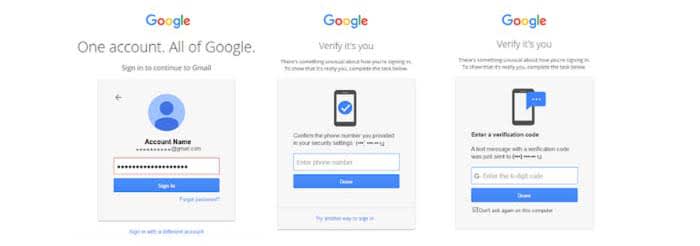
Strong passwords aren’t enough though. These days there is another important tool that we need to use if we’re to make sure we’re as secure online as we should be. This, of course, is two-factor authentication. You have to confirm your identity on one device by proving who you are on another one. There are even physical devices you can buy that only exist to authenticate your identity.

The problem with two-factor authentication is it’s annoying.

Having to scramble around finding your phone or tablet, whenever you want to do something important online, can be very frustrating. The thing is though, two-factor authentication works and new data from Google proves it.

Research shows it works!

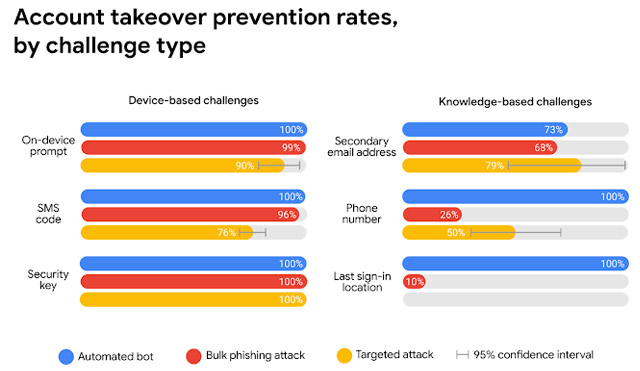
Google teamed up with researchers from New York University and the University of California San Diego. They performed a year-long study looking into various types of cyber-attack and how basic security procedures can block them. The results were striking. The simple act of adding a recovery telephone number blocks every single automated bot attack and 99% of all bulk phishing attempts.

With two-factor authentication, Google was keen to point out the difference between the different types you can use. The first uses a code that is sent by SMS to your nominated recovery phone. You enter it on the site that needs to confirm your identity. In Google’s tests, this type of two-step verification protected against 100% of automated bots, 96% of bulk phishing attacks, and 76% of targeted phishing attacks.

results from Google's study

The other type of two-factor authentication uses an on-device prompt. Rather than receiving a code, you receive a button to press that will prove who you are. This type of verification scored even higher than the SMS code type. It protected against 100% of automated bots, 99% of bulk attacks, and an impressive 90% of targeted attacks.

The message here is clear: If you don’t have two-stage verification enabled on the online accounts that offer it, you need to enable it now. Google pointed out in its report that there are other defenses it uses like last sign-in location if you don’t have 2-stage activated. However, protection rates can fall to as low as 10% for these other methods. It is clear that two-factor authentication is the big boss when it comes to online security. If you don’t have it set up, you should do it now.

How to write in different fonts on social media

Want to impress your friends on social media with mad font skills? Here’s how!

Facebook font

Did you know that you can write on Facebook, Twitter or YouTube using different fonts? All it takes is a simple trick!

When you write on Facebook and Twitter, there is only the default font. The text always looks really boring.

However, writing in another font is possible. To make things better, you don’t need to be a computer whiz to figure it out! Just look at what you can get!

Text converter

Do you want to use these fonts too? Then follow the steps:

How to write in different fonts on social media

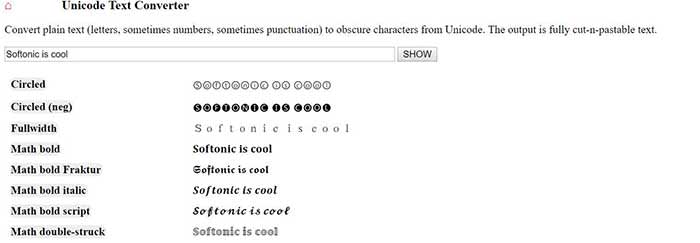
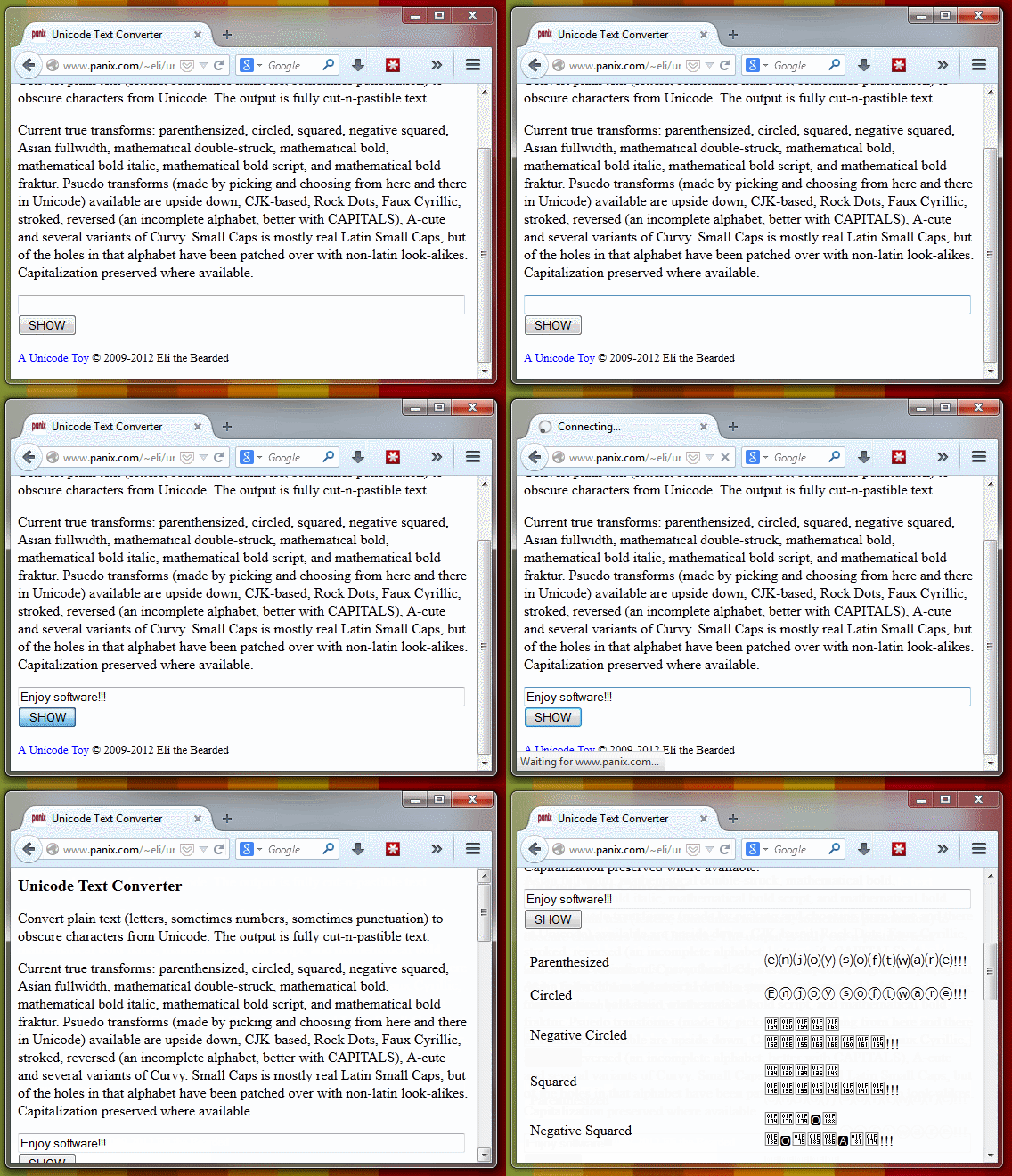
1. Go to Unicode Text Converter

Yeah, we’re sure there might be other methods for changing the font, but why not just go with the easiest?

2. Write the text you want to convert

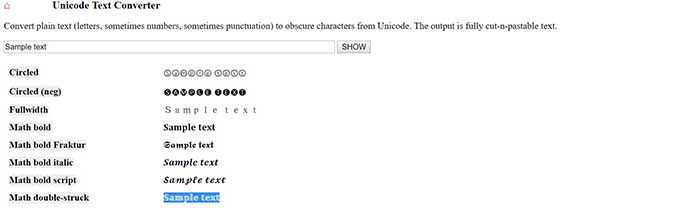
When you’re ready, take the text you want to post on social media, and throw it into the provided space. When you’re done, hit “Show,” and the text will be shown in the newly available fonts.

Text converter

3. Copy the transformed text

Unicode sample text

Once you find your favorite font, copy it.

4. Paste the text and publish

New font in Facebook

Now you just have to go to Facebook, Twitter or any other web page and paste the text. One click on the publish button and … magic!


You can also use BabelPad

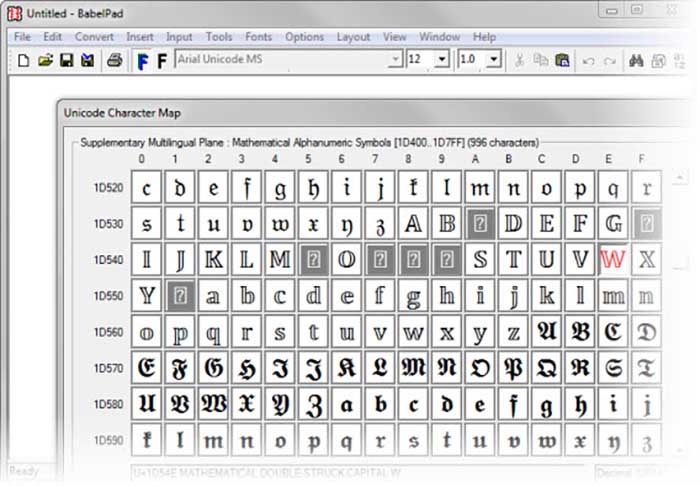
BabelPad is a free alternative to Windows Notepad that has support for the characters you just saw. These characters are not available from the Character Map; that’s why BabelPad can be very useful.

BabelPad Download now ►
7

To access special characters, go to Input> Unicode and then go to Tools> Unicode Character Map. Your list of choices is massive.

BabelPad
With BabelPad you can access hidden Unicode blocks

It is much easier to use the online converter, but it might not last forever. To be fair, Facebook and Twitter might wise up and stop users from using the site. BabelPad will always be there to help you express yourself with different fonts and symbols.

Want to produce music? Here’s how to get started

Are you interested in getting into music production? These tips can get you started!

Rock band

With platforms like Spotify, YouTube, Soundcloud, and Bandcamp, we live in a new golden age of music distribution. The middleman between artist and listener has been all but eliminated, and anyone with the right song at the right time can make it big. If you’re an avid music fan who’s ever considered making your own, now is the best time to do it.

8

It can be daunting jumping into music production. With this guide, we’ll answer all of the most common questions and try to keep things as simple as possible.

Want to produce music? Here’s how to get started

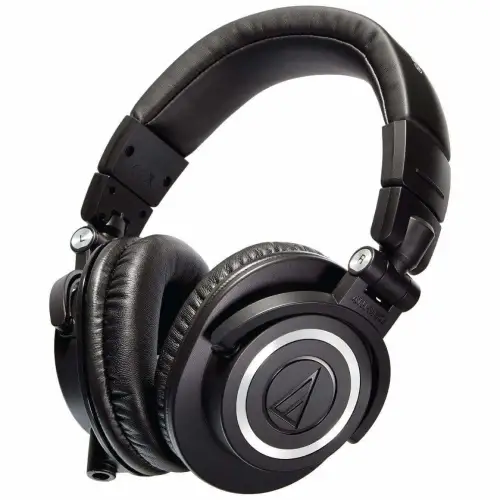
Get a good pair of headphones

headphones

A small but important step to making sure your music has the highest quality possible is to get a good pair of headphones. This will make sure you can hear all of the nuances in your mix. Besides a computer, this will be the only piece of equipment that you truly need.

Choose a DAW that suits you best

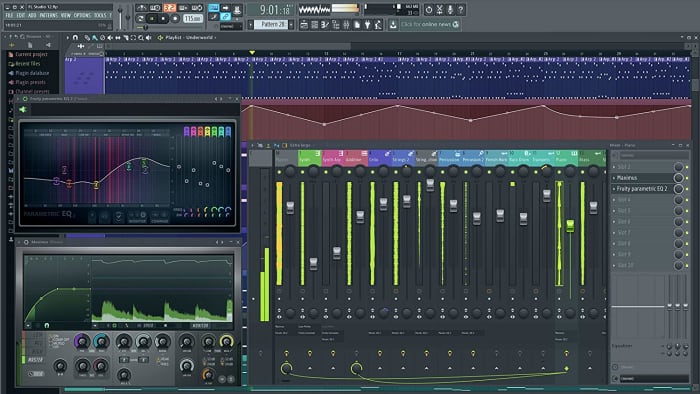
fl studio

Choosing your DAW is the most important first step of music production. DAW stands for Digital Audio Workstation, and they are programs that let you create, manipulate, and rearrange sounds into beautiful music.

Different DAWs have different strengths and weaknesses, price ranges, and ease of use. For Mac users, GarageBand is a basic DAW that’ll get the job done, with its main advantage being that it’s free and easy to use. If you want a more powerful DAW, here are the most popular options:

GarageBand Download Now ►
7

FL Studio

FL Studio is one of the most commonly used DAWs in the world. The program has a ton of depth and thousands of user-made plugins and sample packs that allow you to create any sound you can imagine. FL Studio also contains a piano roll that makes it incredibly simple to arrange the pitch and length of different notes.

It is definitely one of the easier to use DAWs due to its emphasis on visual communication. Notes and patterns are clearly represented by blocks that make it easy to visually sort your music. Out of all of the major DAWs, composing and arranging music in FL Studio is the easiest by far. Depending on which edition you buy, the price of FL Studio ranges from $99 to $899. Popular artists who use FL Studio include Metro Boomin, Soulja Boy, and Martin Garrix.

FL Studio Download Now ►
9

Ableton

Ableton sports a more visually clean interface than FL Studio, showing you as much information as possible in one screen as opposed to many windows. Mixing and automating tracks is easy in Ableton as the program automatically sorts them for you.

If live performances are your thing, Ableton has many features that make it the superior live DAW. This includes live resampling and editing duplicated samples on the fly. Pricing for Ableton depends on the edition and ranges from $99 to $799. Big artists who use Ableton include Flume, Skrillex, and Deadmau5.

7

Personally, we would recommend any total beginner to go with FL Studio. The learning curve for Ableton is much steeper, and FL Studio is designed to be easy to use for complete beginners. As you become more advanced, check out Ableton and its features and decide if a switch is right for you.

(Optional but HIGHLY recommended) Get a MIDI controller

midi controller

If you want to learn how to write a melody, it is essential that you learn a little bit of music theory. This theory can be as basic as learning a few chord progressions and staying within a scale. Also, there are plenty of free online resources that can help you learn these things if you have no musical background.

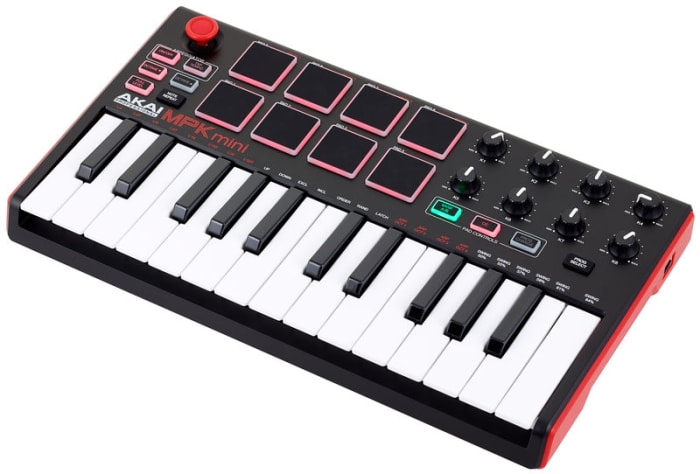
A MIDI controller is basically a piano with a few extra bells and whistles. They don’t produce sound on their own but can be used to produce sound through a DAW. When trying to compose a melody, it is infinitely more intuitive to play around on a piano instead of just staring at a screen.

You can come up with a melody by clicking around and trying different things. However, it’s significantly easier to come up with one while fiddling with something that resembles an actual instrument. You don’t need to already know how to play the piano (though you might learn along the way!) but a MIDI controller will help your workflow when it comes to melodies significantly.

Experiment and learn

home studio practice

Learning music production is just like learning any other instrument: you need to practice, practice, practice. You’re not going to make a new masterpiece every time you sit down at your DAW. However, every time you’re fiddling around with it and making new sounds, you’re actually getting better.

If your first few songs don’t turn out exactly how you want them to, don’t be discouraged! You will learn new things with each song, and you will get better. There are thousands of tutorials on YouTube and beyond, so absorb as much information as you can.

The hardest part of getting into music production is actually getting started and keeping with it, but you’ll be so glad you did.

Where to find a digital farmers’ almanac

Even farming almanacs have made their way to the digital era.

Farmer's Almanac

“Almanac” may seem like an old term, like “atlas.” When you first hear the word, one of the first things that comes to mind is “Back to the Future: Part II.”

However, if the first thought that comes to your mind is incredibly old-looking books like the ones seen above, you’re not wrong! Still, just as we now use updated maps, there are great ways to find a modern farming almanac online.

Before we go on, a quick note: General almanacs are annually published volumes that have information for each day of the year.

The Farmers’ Almanac is also compilations of information organized on a day-to-day basis for the year ahead. However, the facts, tables, and advice are applicable to farming. Also, don’t think you have to own a large plantation to benefit from the information found within. Hobbyist gardeners can put almanacs to good use as well. If nothing else, they make a cool and rustic coffee table book!

So, if you want to find Farmers’ Almanac information online, there are a few ways to do that:

Where to find a digital farming almanac

Websites

Old Farmer’s Almanac

OFA

“The Old Farmers Almanac” is a classic. Founded in 1792, it continues to lead the farming almanac industry. Holding to the words of its creator, Robert B. Thomas: “Our main endeavor is to be useful, but with a pleasant degree of humor.”

Their information focuses on three things: planting guides, cooking recipes, and weather charts for the coming year. You might be surprised to know they have a number of unusual metrics. For example, they use the hardness of apples to tell how cold winter will be. They pride themselves on using tried-and-tested common sense methods to determine the outlook of next year’s weather.

As time went on, the OFA added modern aspects and created a website. The website includes articles, new products and more, in addition to their almanac. Still, you can use their almanac online for the usual reasons or buy a physical copy if you wish!

Interesting note: of all the almanacs here, they also have the best YouTube channel, with over 6,000 subscribers. Quite a count for an almanac!

Farmers’ Almanac

FA2019

“Farmers’ Almanac” attempts to improve on the formula with even more online assets. In addition to their almanac, they have a promotional almanac for businesses, online edition, and E-newsletter for those that want to stay in the know via email.

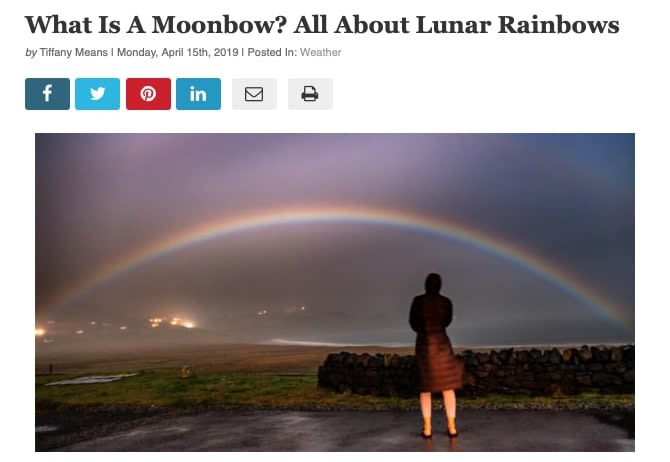
Like “The Old Farmer’s Almanac,” they’ve also begun writing interesting articles that you might just find interesting. A recent publication on lunar rainbows caught our eyes in particular. How cool!

FARainbows

The real question is: which should you choose?  Frankly, they both have great strengths, though we do lean toward the classic “The Old Farmer’s Almanac.” Still, these two venerable businesses have separate viewpoints, different styles, and various design aspects. We suggest visiting each and determining whether one works for you personally. Enjoy!

An App Option

Moon and Garden

Moon and Garden

Moon and Garden is the go-to app for planting cycles on both the Apple and Google Play Store.

Unlike a full farming almanac, you won’t have the full benefit of recipes, advice, and articles for each day of the year.

However, you will have an app that helps you schedule cycles for your organic garden and make plans for its maintenance. Yes, it’s not an almanac, but it can be a wonderfully simple tool for small-time gardeners looking to better organize their time. Give it a shot!

Moon and Garden Download now ►
9

Wrapping up

Once again, there are more reasons than one to try a farming almanac. Whether you pick it up for gardening advice, weather information, recipe suggestions, a bomb-tastic coffee table book, or an interesting source of agricultural articles, you can’t go wrong!

4 best apps for hiking

Ready to hit the trail? Add these great apps to your phone first!

Jump!

Although gyms are nice, nothing beats the fresh air and adventure of going on a hike. 

We may not go hiking too often because we say it’s difficult to find trails. The more reasonable explanation could be general laziness. But you know what makes it easier to be a lazy hiker?

Not knowing how to find trails!

Luckily, there are apps to help you find the best trails so you can get back out and enjoy nature!

Best apps for hiking

AllTrails

AllTrails sounds like Odin’s title “AllFather,” likely because it’s a god amongst hiking apps. (Boom, Avengers reference in a hiking app article. Nowhere is safe from the MCU!)

But seriously, this app has the best aspects of a professionally developed system. It looks good, it’s easy to use, and it compiles a large number of tools without feeling cluttered or unintuitive.

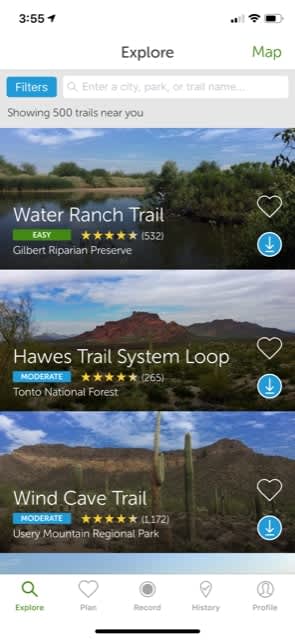
When you open the app, sign-in isn’t required immediately. AllTrails lives up to its ratings by taking you first to the hikes, based off either your current location or whatever search parameters are entered.

Locations

You can check out the ratings, discover the location, and, if you’re logged in, “favorite” a trail for later visits.

Along the bottom of the app, you can see more menu locations:

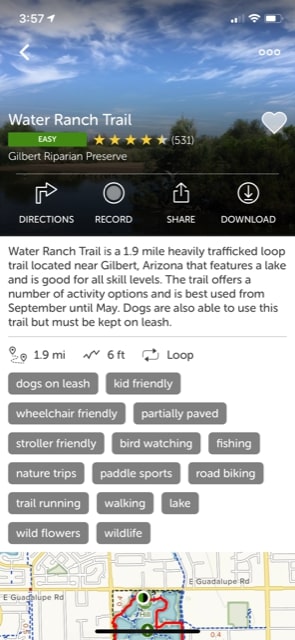
  • Plan: Once AllTrails helps you discover a new place to visit nature, they immediately give you help in setting up a trip, and a route along the trail. They list a number of aspects, the length, and whether it’s a loop, along with more information that may be useful.

Info

  • Record: This function will come up time and time again! Not only are recordings a great way to track your progress and see where you’ve been, but they’re also excellent tools for professional and hobbyist “trail runners.” Those are people that compete to set record times for a given hike, for you newbies.

Record

  • History and Profile: Here, you can watch your old recordings, track your stats, check out your past reviews, look at followers, and change settings. It’s pretty much what you’d expect.
AllTrails Download now ►
9

Gaia GPS

GaiaGPS

Gaia GPS also helps users find trails, with a few extra things that set it apart from other apps.

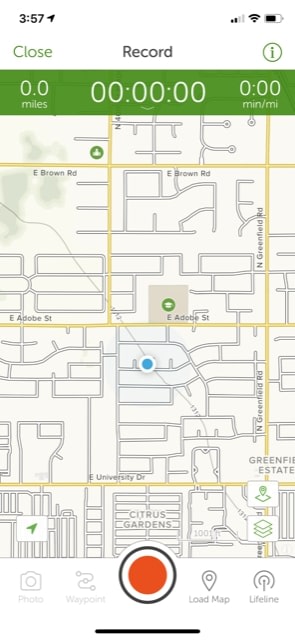
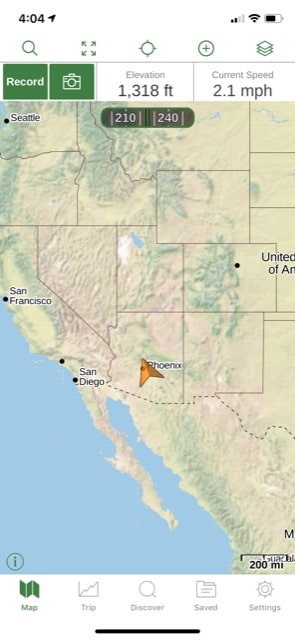
First off, staying true to their Global Positioning System roots, Gaia immediately shows exactly where you are on a world map. It shows your current elevation, speed, direction, and more.

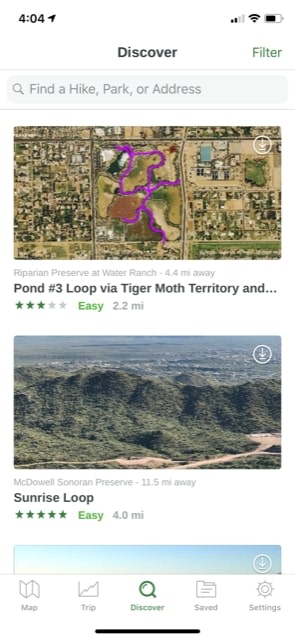
Gaia1So, if you were looking for trails to hike nearby, head to the center menu button, “Discover.” Here, you can find all the information you’re looking for and save the best hikes.

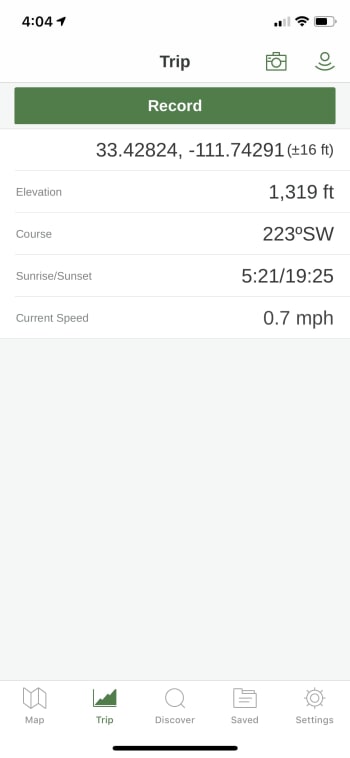
Gaia 2Finally, we’ll also mention the “Trip” function, which allows you to record your journey. This feature also gives you the ability to check elevation, speed, the time of sunrise and sunset, and more.

Gaia3

Pretty cool, right? We didn’t even realize Mesa, Arizona’s elevation was around 1,319 ft. You learn something new every day!

Gaia GPS Download now ►
8

Strava

Strava

While AllTrails and Gaia GPS focus on bringing you the best trails, Strava represents the first of our “health and wellness” hiking apps. They specifically focus on ensuring a healthy workout and provide an environment for relationships with other hikers.

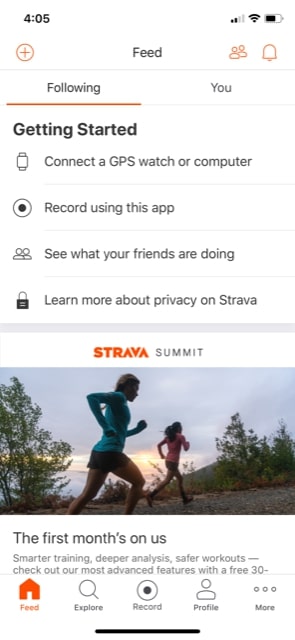
So, what does this app have that’s noteworthy? First and most importantly, the main page is a “Feed,” which will reveal information from your friends and followers, along with your own updates. At this time, we don’t have any connections, so ours looked a little bare:

Strava2

The “Explore” menu on their page has a huge list of challenges! If you’re interested in competing or simply want to join a fun competition, go here and see what’s new.

Strava1

Finally, we feel the need to mention that Strava has impressive health-tracking tools, but many of them require the “Training Pack,” part of their subscription. Keep that in mind.

8

MapMyHike

MMH

And now, Map My Hike by Under Armour!

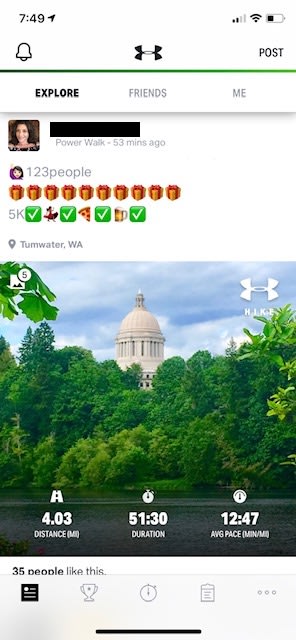
This app has the plainest and simple user-interface. Like Strava, it begins with a feed page. However, you aren’t limited to friends or your own posts, which means you can enjoy voyages anyone has taken!

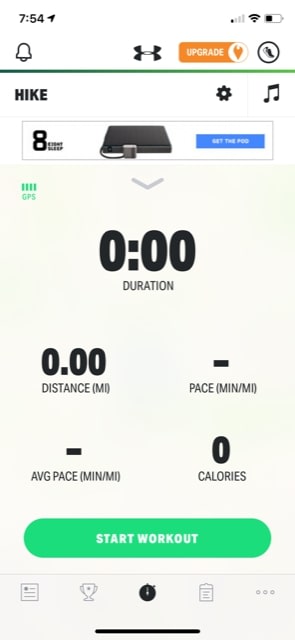
MMH1Aside from the social aspect, MMH’s main focus lies in their tracking app. In the beginning, you’ll see something like the picture below. There are pretty intrusive ads, but those can be removed with a subscription.

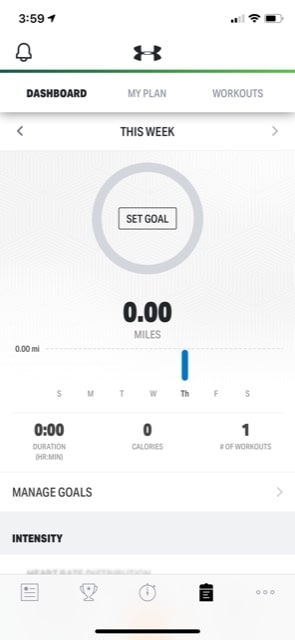
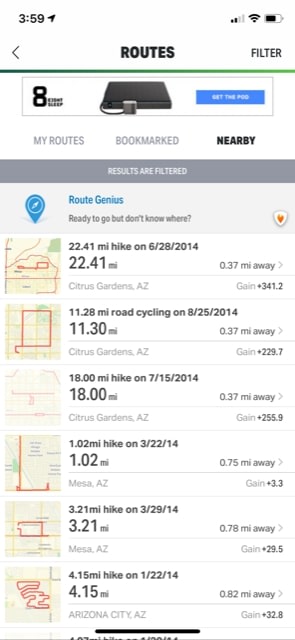
MMH2Once you’ve recorded your first adventure, you can head over to the tracking page. Once again, we appreciate that Map My Hike allows you a bit more freedom here; there are good metrics available without a subscription.

MMH3

Ah, good old zero-mile workouts.

We would recommend Map My Hike in conjunction with one of the better trail discovery apps. However, there is a way to find hikes. Visit the “Settings” menu, and scroll down to “Routes.” Here, you can find user-created paths that may or may not follow an actual trail!

MMH4?!Still, these are definitely more like routes than trails. Does this make Map My Hike more of a path app than a trail app? Maybe. But if it does, we don’t mind too much. If you live in the city and don’t have time to get out in nature, there may be some excellent urban trails found here!

Map My Hike Download now ►
8

The journey of 1,000 miles…

We hope you enjoyed reading about these apps. Whether you’re outside more than inside or are currently one of our fellow couch potatoes looking to leave the house more often, these apps create a welcome sense of adventure along with the spirit of ease and sensibility.

Have a good time with it!

12 best games on PS2

What games made the PlayStation 2 such an incredible console?

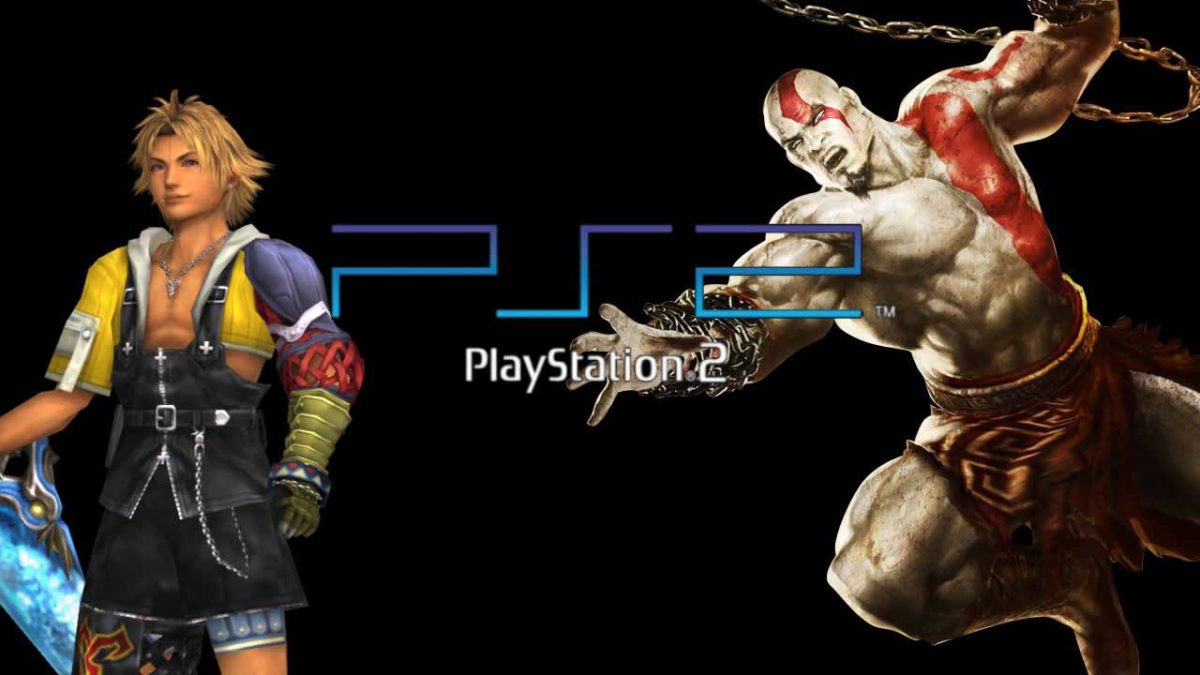
Upon its release in 2000, the PlayStation 2 quickly became one of the best gaming consoles of all time. By 2019, if you prefer PS4 over XB1, it’s probably because of the exclusive titles: Uncharted, Horizon Zero Dawn, or The Last of Us. Even as far back as the PS2 era, the platform was home to many incredible games. Looking back, here are 12 of our top favorites:

Dragon Quest 8: Journey of the Cursed King

Dragon Quest 8: Journey of the Cursed King

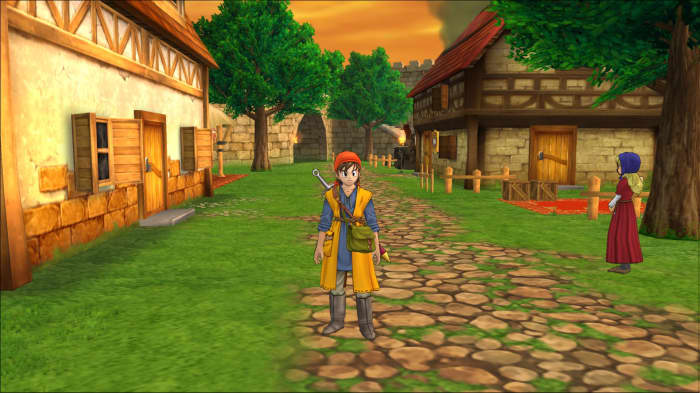
A role-playing video game developed by Level-5 and published by Square Enix, Dragon Quest 8: Journey of the Cursed King is the first in the series to have fully three-dimensional cel-shaded visuals, and a huge game world for the player to explore. The nostalgic, simple gameplay and choice to star fewer characters allowed for players to become genuinely invested in their journey. As far as gameplay is concerned, the randomly-occurring battles are reminiscent of Final Fantasy, and would set the stage for turn-based combat for many titles to come.

DRAGON QUEST VIII Download
8

Okami

Okami

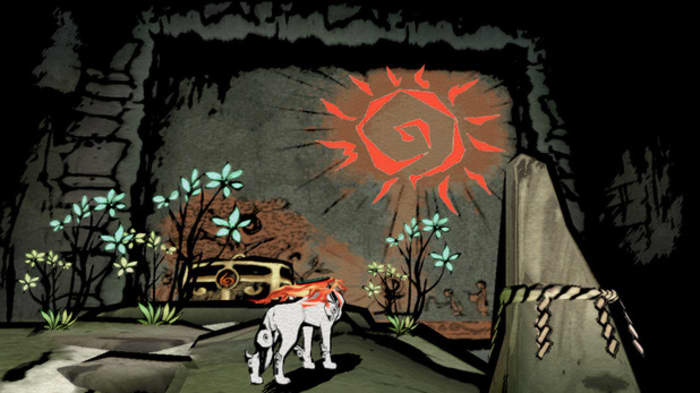
Okami is a true visual delight. A Zelda-inspired adventure game in which you play as the wolf god Amaterasu, you traverse your way through a lush cel-shaded landscape of feudal Japan to save the Earth from the rebirth of wicked gods. You can’t get much more epic than that. Clover Studio created a uniquely picturesque twist on the traditional open world fantasy game, where broad visual strokes accompany memorable puzzles and boss battles. The game’s since been remastered for Xbox One, PS4, and Switch, meaning that even if you don’t currently own a PS2, you can experience the adventure!

Final Fantasy X

Final Fantasy X

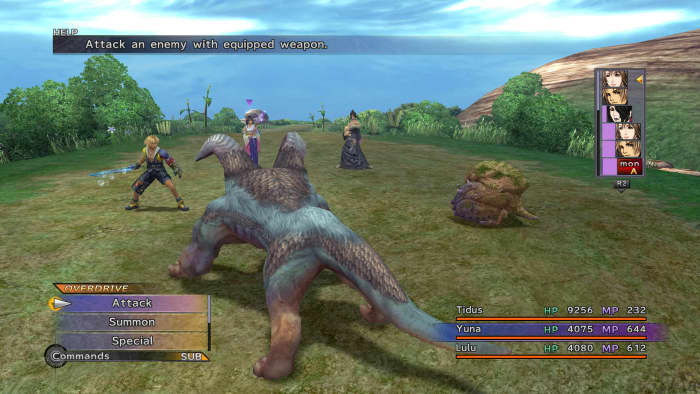
There’s hardly a ‘top games’ list that doesn’t include Final Fantasy somewhere, and Final Fantasy X was one of the real outstanding achievements of the PS2. Even today, the graphics still look good, and the strategic turn-based combat remains fresh and compelling. Final Fantasy X continued the long-standing tradition of combining magic and science, a blend that few other game series (save Arcanum: Of Steamworks and Magick Obscura or perhaps the Bioshock series) have accomplished. Even though we had to put up with Tidus and Wakka, we still look back on this title fondly. If you haven’t tried this one, we promise it’s worth a look.

FINAL FANTASY X/X-2 HD Remaster Download
8

Prince of Persia: The Sands of Time

Prince of Persia: Sands of Time

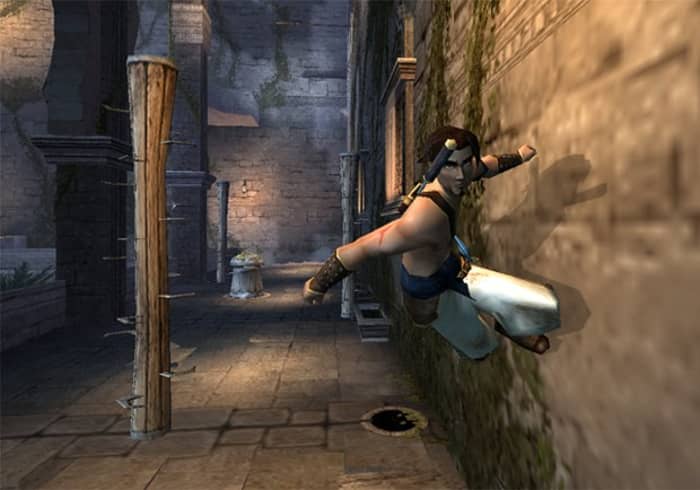
By 2003, Prince of Persia wasn’t on anybody’s mind. You were either repressing Prince of Persia 3D from your mind, or reminiscing the days of the prior two entries in the series. As such, Sands of Time really came out of nowhere. Exploration-based platforming, precise controls, a strong plot, and an innovative rewind function, Jordan Mechner easily proved that he and Ubisoft were a creative force to be reckoned with.

Prince Of Persia The Sands Of Time Download
8

Silent Hill 2

Silent Hill 2

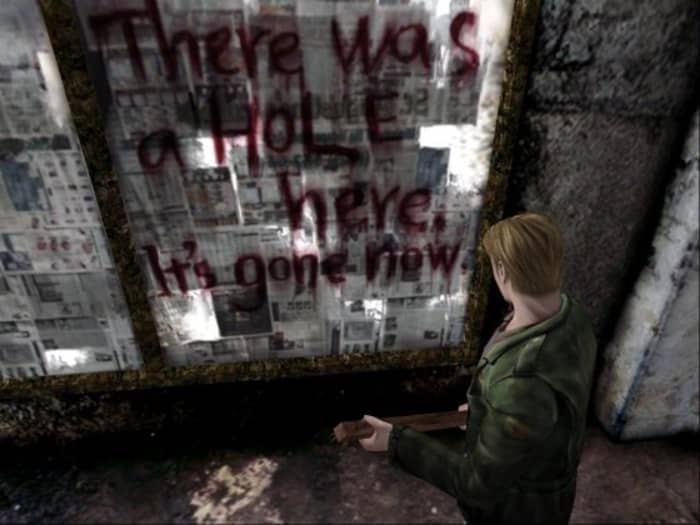
Of the eight games in the Silent Hill series, Silent Hill 2 stands out for being the one that best achieves what it set out to do: thoroughly scar the player with psychological horror and nightmarish imagery. It doesn’t go for the cheap jump scares, but for deeper, more impactful, and more intelligent themes: Mental illness, personal guilt, child abuse, and misogyny. Was that real? Was it all in your head? Either way, you won’t come back the same.

God of War 2

God of War 2

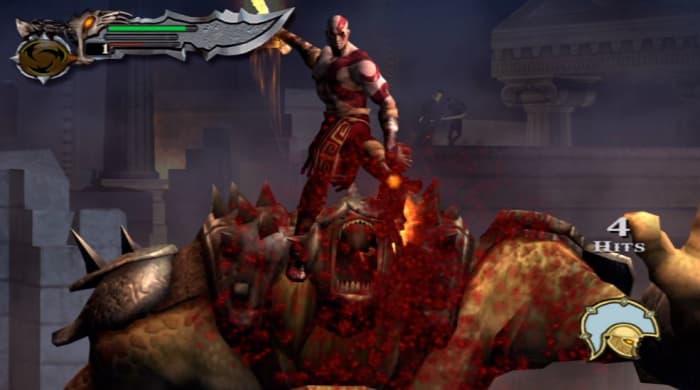
God of War set the stage the now-famous Kratos – the god-killing, testosterone-packed hero who tackles Olympus and raises a son in his spare time. Kratos picks his Blades of Chaos back up in God of War 2, leading the action-adventure genre charge with larger, gorier, fiercer and better-looking visuals – even on the then-aging PS2. If you’re a fan of Greek mythology you’ll love this game. If you love taking to Greek mythology’s best monsters with a sharp blade while soaring on wings that you stole from Icarus, you’ll love it even more.

Shadow of the Colossus

Shadow of the Colossus

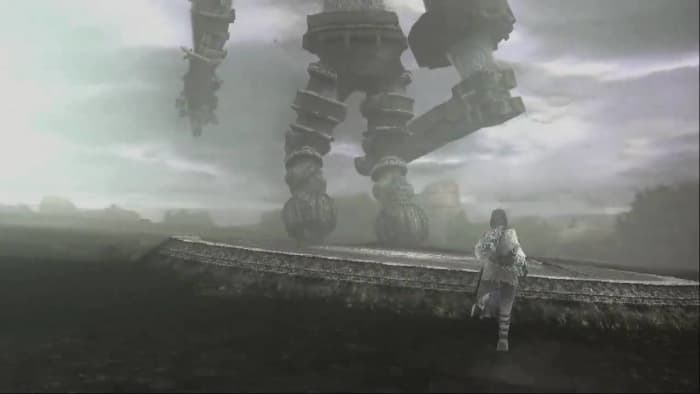
Shadow of the Colossus starts you off in an empty world. There’s little living, there’s little dialogue. You’ve only your trusty sword, a steed, and a task: Destroy 16 colossi to resurrect Mono. In a narrative that’s sparse and tragic, the world does much of the story-telling for you. Travel long distances, watch the plot slowly build around you, and The fights are not just simple button-mashers, either; they’re puzzles to be solved. Shadow of the Colossus has gone down as one of the greatest games to ever grace the PS2, and it’s a title that every gamer should play at least once.

Resident Evil 4

Resident Evil 4

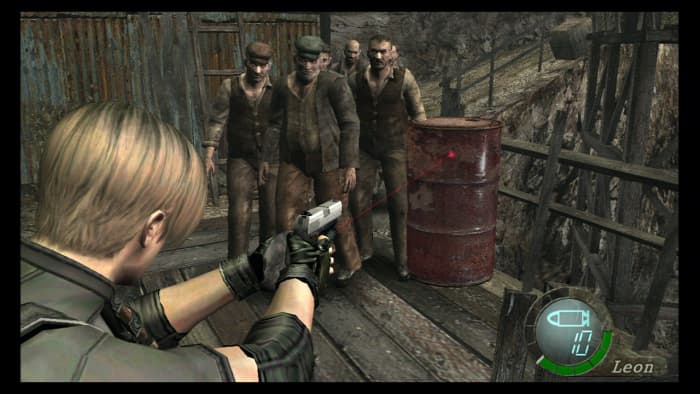
Silent Hill 2’s horror was psychological. Resident Evil 4‘s horror is more what you’d classically expect in a video game: Run-and-gun shooting, creepy cultists, limited ammo, tough bosses, and of course more zombies than you can shake a big chainsaw at. The game isn’t really “scary,” per se, it’s an extremely fun romp through traditional horror set pieces, non-linear maps, and a priority of gameplay over needless jump scares. RE4 was a huge influence for every third-person shooter that followed it, and few have matched it.

Resident Evil 4 Free Download
8

Kingdom Hearts

Kingdom Hearts

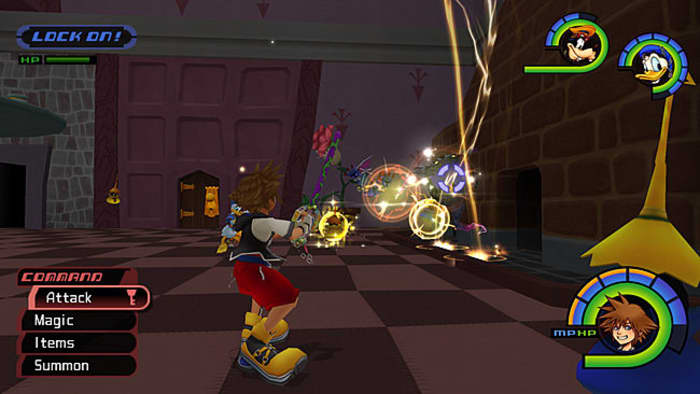
While there are many amazing games for the PS2, Kingdom Hearts is usually the reason you’d buy one in the first place. You can pilot gummi ships to ferry between worlds, each of which is unique and interesting, and if you’re a fan of JRPGs then you should own this game. No exceptions. All that, and we’re not even scratching the surface of why this game is so memorable: They combined Final Fantasy and Disney and somehow made it work, and work well. That’s an achievement … if you can get past the oddball absurdity of embarking on an adventure with Donald Duck and Goofy.

Kingdom Hearts III Download
8

Guitar Hero

Guitar Hero

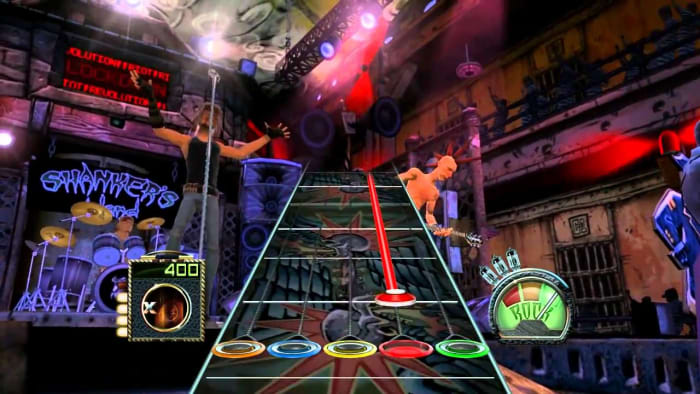
There’s not a gamer out there unfamiliar with Guitar Hero. Heck, there was even a “South Park” episode about it. Guitar Hero was the genre-defining rhythm game that spawned numerous offshoots, such as Rock Band, DJ Hero, and Ultimate Band. With five colored buttons and a potpourri of classic tracks, inviting over a friend or two and working to master a song made you feel like a real rock star.

Guitar Hero Download
7

Metal Gear Solid 3: Snake Eater

Metal Gear Solid 3: Snake Eater

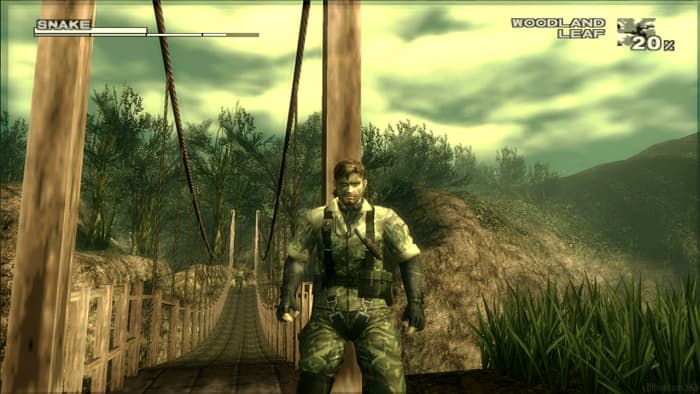
What can be said of Metal Gear Solid 3: Snake Eater? The game is another Hideo Kojima masterpiece (maybe even his best work) that stars Naked Snake (soon to be Big Boss) on the journey that sets him on the path of darkness. You’ll battle the Cobra Unit, sneak through the soldier-infested jungles and mangroves of Russia, destroy super weapons, and finally take on the legendary Boss herself in an emotional showdown that still brings a tear to our eye. The title moves the action from urban environments to the forest, forcing you to use camouflage to hide in plain sight, heal your wounds with a field pack, and hunt animals to survive. There’s content galore, and Konami’s really at the top of their game with this masterpiece. One of the best titles for PS2, and one of the best titles ever.

Grand Theft Auto: San Andreas

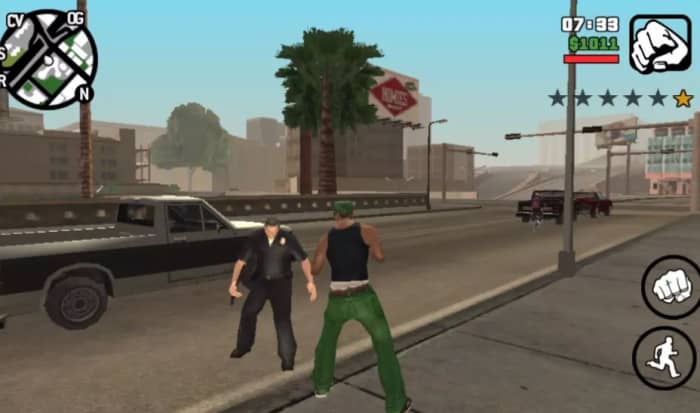
GTA 3 was a huge innovation, and Vice City did all those innovations better, but it was San Andreas that widened the scope to jaw-dropping effect. Carl Johnson starts off as a no-name thug in a petty turf war in Los Santos, but rises through the game as a man with a family, a personality, and a real destiny. By the time you’re busting into Area 51 to steal a jetpack for the CIA you’ll have to take a step back and think how far you’ve come. With a vast area to explore, gang wars to quell, and sports cars to steal for joyriding, San Andreas sold over 27.5 million copies worldwide as of 2011, and remains the best-selling PlayStation 2 game of all time.

Grand Theft Auto: San Andreas Download
9

Agree with our list? Let us know your favorite PS2 game in the comments below, and we’ll see you online!

10 best Wii games

Wii would like to play! Check out the best games that ever graced the Nintendo Wii.

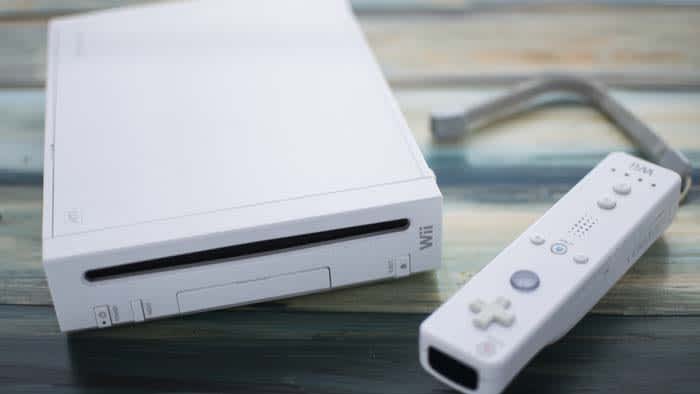
Nintendo Wii

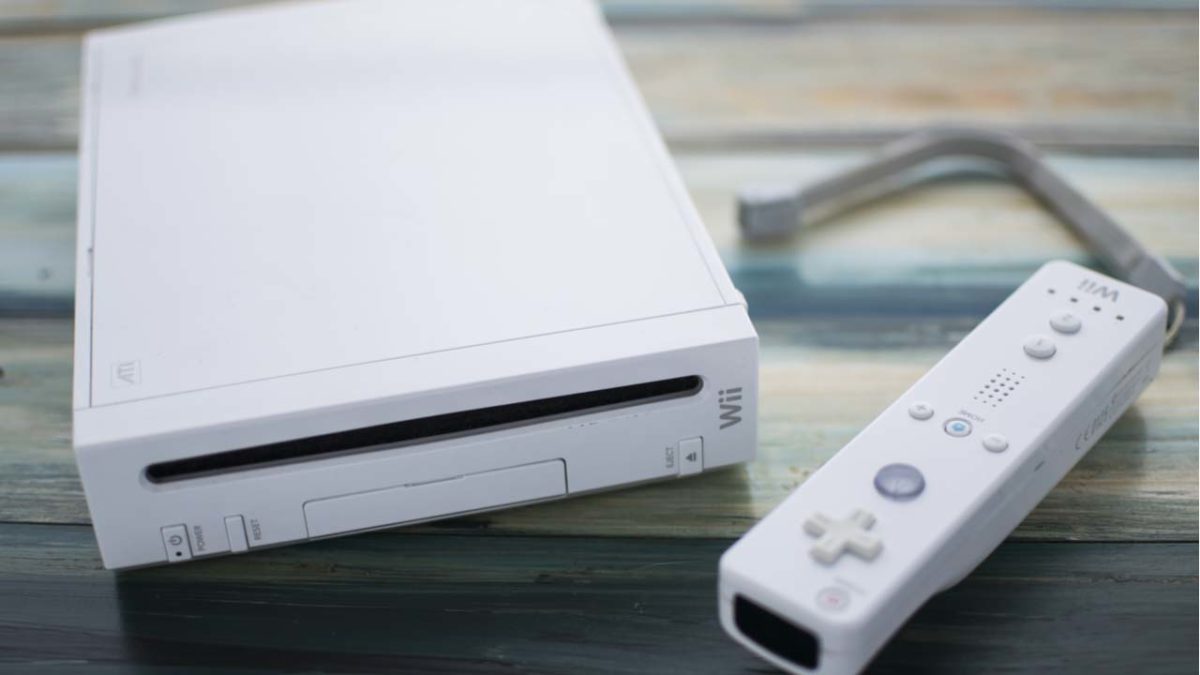
When the Nintendo Wii was first announced, it was quite possibly the most excited the world had ever been for a new console.

The Wii Remote was unlike any controller we had ever seen. Players were no longer going to be maneuvering around with an analog stick, but with motion controls. It truly felt like the wave of the future.

Too bad it really fell flat.

Motion controls have been downplayed a lot since the days of the Wii. The motion controls worked well on maybe a handful of Wii games and were complete garbage on others.

For example: when Donkey Kong Country Returns was released for the Wii, somebody thought it would be a good idea to have players shake the controller in order to get DK to roll. Later on, the game was ported to the Nintendo 3DS and players could use a joystick and buttons. Once we were able to play it that way, it turned out the game was actually a lot of fun. However, it was virtually unplayable on the Wii.

To make matters worse, they were obscenely hard to buy when they first came out. For some reason, Nintendo didn’t supply many consoles to stores making so buyers had to camp out in front of the store before it opened to get one.

Look, the title of this article is “Top 10 Wii games,” so clearly we liked a few of them. When the motion controls worked, games could actually be a lot of fun. However, we’re glad that Nintendo eventually decided to put actual controllers back in our hands.

Top 10 Wii games

10. Kirby’s Epic Yarn

Kirby's epic yarn

Before Yoshi made his way to the world of wool, Kirby’s Epic Yarn spun a pretty great adventure.

Kirby’s Epic Yarn wasn’t supposed to be a Kirby game at first. However, once developers saw how fun the game was and how beautiful it looked, Kirby was added to help boost sales.

Kirby is known for inhaling his enemies and then gaining their powers. However, Kirby has a new array of tools in this classic. Instead, Kirby spins yarn and morphs himself into whatever he needs to be to overcome challenges.

The platformer isn’t very difficult, and the more adept player can probably knock this out in a day or so. However, for those that have played it, they can assure you that you’re in a for a fun Warp Star ride. 

9. Super Smash Bros. Brawl

Brawl

Most fans of Smash agree that Super Smash Bros. Brawl was a huge step down from Super Smash Bros. Melee. The game just isn’t as fast-paced as Melee, and the new mechanics that were added were atrocious. It was the first Smash game to have online matchmaking, but the online side lagged so incredibly bad that almost nobody played it.

You can slip and fall over. Who even thought of that?

However, Brawl did give us an epic story mode with Subspace Emissary. Subspace was absolutely incredible. It felt like an Avengers storyline, but with our favorite Nintendo characters. It was an incredible adventure that we, unfortunately, have not seen since in other Smash games.

Brawl also gave us a bunch of cool characters that are staples in the series now including Ike, Snake, Sonic, Meta Knight, Pokémon Trainer, and Zero Suit Samus.

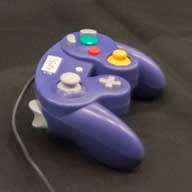
Thankfully, the Wii allowed us to use our old GameCube controllers to play the game, so we weren’t forced to use the Wii Remote. Brawl might just be the worst Smash game, but it’s still a Smash game.

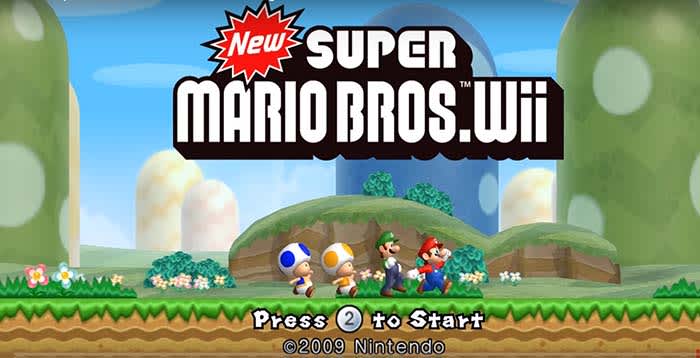
8. New Super Mario Bros. Wii

Super Mario WIi

Much like Kirby’s Epic Yarn, New Super Mario Bros. Wii isn’t going to take you very long to beat. Even if you are casually playing through the game, you can get through the entire main story in just a few hours.

However, those are gonna be some of the most fun hours you’ve had in a while. The game takes Mario back to basics in a classic side-scrolling adventure. No 3D exploration. No maps where you hunt for stars. No bull.

You know what? It really works.

Get up to three other friends with you, and you can turn it this into a party game the likes of which you’ve never seen.

7. The Legend of Zelda: Skyward Sword

Skyward Sword

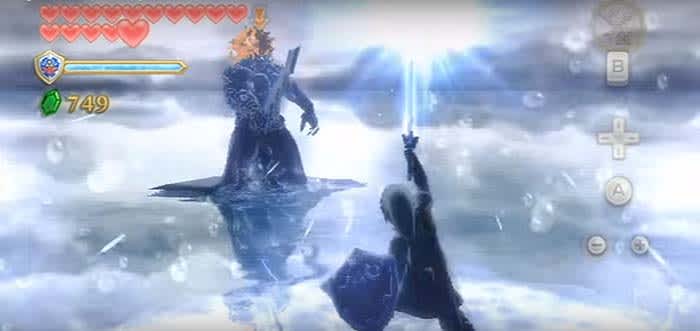
All things considered, The Legend of Zelda: Twilight Princess is a far better game. However, the GameCube version is better than the Wii version. On Wii, The Legend of Zelda: Skyward Sword is much more fun.

Much like Brawl, this is a weak entry in its franchise as a whole, but it’s still a fun game nonetheless. Skyward Sword revolves around Link on his journey to save Princess Zelda from an evil force blah blah blah, it’s the basic story yet again. The game included a crafting portion to make new gear and upgrade existing weapons. In most other games it would work, but it just seems out of place here in Zelda.

Also, you have a new guide named Fi. If you thought Navi was annoying, wait until you get a load of her. Navi at least had personality; Fi feels like a lifeless zombie who takes away from the adventure.

That said, the game still is a lot of fun and has a lot of great Zelda moments. As far as boss battles in Zelda go, this game has some of the best.

If you’re looking for something on par with Ocarina of Timethis ain’t it, chief. However, if you’re looking for a decent entry in the series to eat up a few hours.

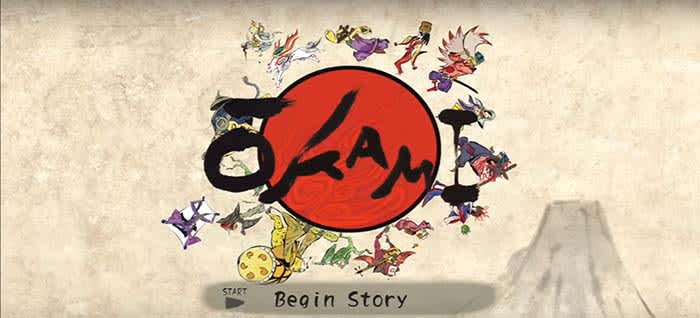
6. Okami

Okami

Okami is one of the most beautiful games ever made.

You play as a wolf as you adventure through a painted tapestry. Your means of travel and attacks all coordinate with brush strokes, which make the game sometimes feel more like you’re painting a picture. 

The art style mixes with Japanese culture to make a truly unique experience that you’ll never forget.
With all the characters that people want to see get added to Smash, Amaterasu from Okami is almost never brought up.

Come on, Sakurai. Make it happen!

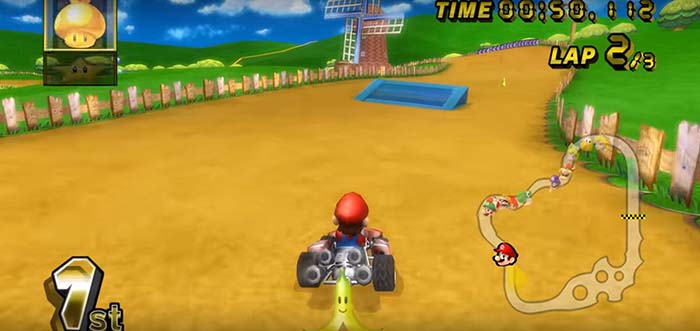
5. Mario Kart Wii

Mario KArt Wii

While we got a below average Smash game and a below average Zelda game, we honestly got one of the best Mario Kart games with Mario Kart Wii. 

Just listen to that music:

The Wii’s motion controls actually worked pretty well for this game. Even if you didn’t like them, the game allowed you to use a slew of other controllers to tickle your fancy.

Like Brawl, this game had online matchmaking, but the lag wasn’t nearly as bad. Sure, it paled in comparison to the online capabilities of the PlayStation 3  and the Xbox 360, but we still got to show some elementary school kids who’s the boss.

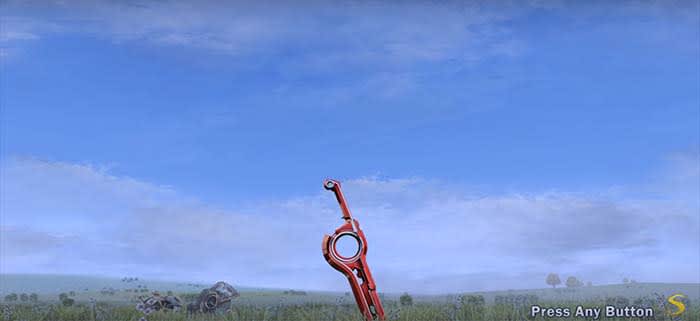
4. Xenoblade Chronicles

Xenoblade

Xenoblade Chronicles flew passed a lot of peoples’ radar. It was also a pretty rare find in the United States. After the game was discovered to be the absolute gem that it is, you’d have to dish out around $100 IF you could somehow find a copy.

Xenoblade Chronicles is considered to be one of the best RPGs of our time. It simply nails every aspect. The combat is fun. The crafting is addictive. The story is epic. The characters are intoxicating.

From start to finish, Xenoblade Chronicles will have you hooked.

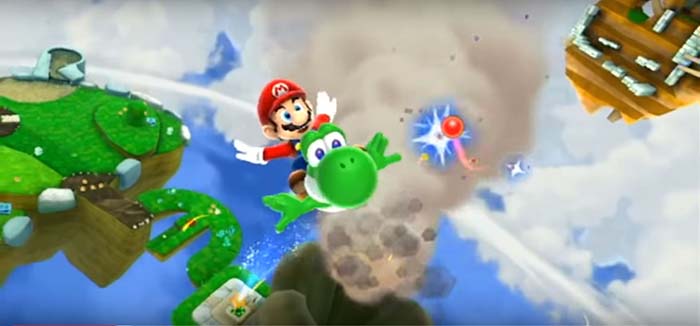
3. Super Mario Galaxy 2

Mario Galaxy 2

To be honest, Super Mario Galaxy 2 does not feel like its own game. It feels like DLC for the first Super Mario Galaxy. 

Guess what? We are totally fine with that!

Super Mario Galaxy 2 brings all the elements that made the first Mario Galaxy great and adds a bunch more awesome mechanics. For instance, you can ride Yoshi in this game!

Sure, blasting through the cosmos is fun, but it’s even more fun on the back of your dino bestie!

With all that being said, it still couldn’t beat its predecessor…

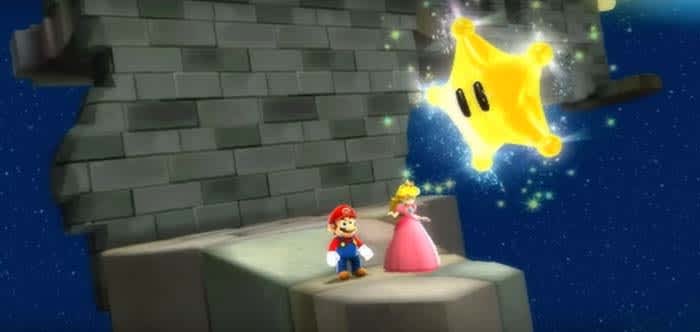
2. Super Mario Galaxy

Mario Galaxy

Super Mario Galaxy was the first Mario game that felt like a true successor to Super Mario 64. Mario didn’t just jump into the next generation of gaming; he launched himself from a star cannon and flew past planets along the way.

The music accompanying the game was extraordinary. Mario moved through the galaxy accompanied by an orchestra every step of the way.

Yeah, Super Mario Galaxy 2 added some more features. However, the developers clearly put their best ideas for bosses and levels into this gem.

As much as we loved this game on the Wii, we have to admit that the title begs for a remake. If Nintendo was able to make Mario work as well as they did on the Switch with Super Mario Odyssey, then they should be able to to do the same with Mario Galaxy.

1. Wii Sports

Wii sports

Hold on, before you go typing an angry comment down below, hear us out.

Wii Sports was the game played most by players and is probably the only Wii game that hasn’t had a suitable replacement made since.

Think about it. All the games on this list are fun, but would you really go through the trouble of hooking up your Wii, Wii Remote, and sensor bar just to play Mario Galaxy? We’re guessing you wouldn’t.

However, if you’re having a group of friends over, wouldn’t it be fun to break out bowling or tennis?

Wii Sports got the motion controls better than any other game on the Switch. It has aged quite well, and, just to cap it all off, it came free with every Nintendo Wii.

Wrapping up

Do you agree with our picks? What ones slipped past our radar, and deserve recognition? Let us know in the comments below!