Is this what the new Windows 10 Start menu will look like?

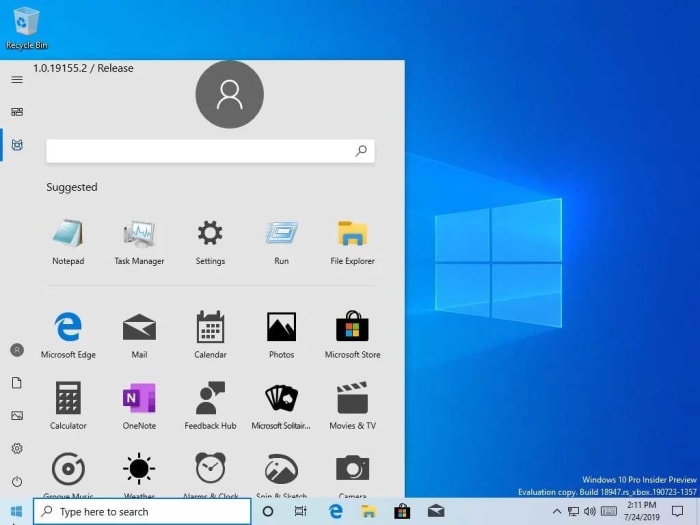
The new Start menu leak shows a much cleaner, simpler interface without live tiles.

a retro Windows Start button

A recent leak of an internal build of Windows 10 has set a few chins wagging as it includes an overhaul of one of the biggest and most used elements of the Microsoft operating system: the Start menu. The leak comes from Microsoft itself, which means there is a good chance that we could be seeing something legitimate that may well end up on a lot of our desktops.

The new Start menu leak shows a much cleaner, simpler interface without live tiles

According to Windows Central, Microsoft wasn’t supposed to leak this new version of the Start menu so soon, and in such an unfinished fashion, but that it was inadvertently added to a recent Windows Insider preview build. From there, it was used by members of Microsoft’s Insider program, some of whom decided to post screenshots on the internet. You can see one of these screenshots below.

Windows Lite start menu
Image via: Windows Central

The big changes to note are that the search bar has been moved from the bottom of the Start menu options to the top and that there is a new “Suggested apps” section. These will likely relate to your most commonly used apps. The more eagle-eyed of you might have noticed the possibility of support for a Dark Mode in the redesign.

The report from Windows Central actually claims that this leaked version of the Start menu will be for the upcoming Windows Lite operating system that Microsoft is currently developing. This means that were as it is highly likely this iteration of the Windows 10 Start menu will make it into a Microsoft operating system, it might not be the full version of Windows 10 that most of us are using now.

New Microsoft Operating system

Microsoft has been working on Windows Lite for quite some time now and we actually reported on leaked internal documentation back in January that showed Microsoft was looking at redesigning the Start menu and doing away with live tiles.

Windows Lite will be a stripped-down version of Windows 10, designed for use on less powerful machines. You could think of it as Microsoft’s alternative to Chrome OS, which offers a speedy experience on limited PCs and laptops. Back in January though, there were no images to illustrate Microsoft’s plans, so it is interesting to see how they’ve developed since then.

It must be stressed, however, that the newly designed Start menu is still in the very early stages of development so there is a very good chance the design could change before we see Windows Lite receive a general release. Also, as yet, there is no way to know whether the new Start menu will be available on the full Windows 10 but as this latest leak has come from a Windows Insider preview build, we can assume that Microsoft is at least toying with the idea.

‘Zombieland: Double-Tap’ trailer: the gang’s all here

Columbus, Tallahassee, and Wichita set off to rescue Little Rock in “Zombieland: Double-Tap!”

Zombieland

We’ve waited 10 years for this trailer, and it was totally worth it!

Sony has released the first trailer for “Zombieland: Double-Tap,” and we are beyond excited.

The movie brings back the four classic characters from the original movie: Columbus, Tallahassee, Wichita, and Little Rock. However, the trailer also gave us a whole bunch of new character to join the fray!

New and old faces

Fans rejoice, Bill Murray is supposed to make another cameo appearance in “Zombieland: Double Tap.” Even better, Dan Aykroyd is supposed to join him. Most fans agree that Murray’s scene from the first film was the best part of the whole movie:

VIDEO IS NSFW

Hopefully, Aykroyd won’t try to hawk any of his crazy Crystal Head Vodka in the flick:

One of the new characters is Tallahassee’s doppelganger played by Luke Wilson. The two share a comedic moment when Wilson’s character springs out of nowhere and tries to steal Tallahassee’s truck. Wilson’s character is also joined by the spitting image of Columbus, another new character played by Thomas Middleditch.

Zoey Deutch is playing a new character named Madison. She’s a little ditzy and seems to get hurt at every turn. She possibly might throw a wrench in Columbus’s and Wichita’s relationship, but we’ll have to wait and see.

Abigail Breslin’s character Little Rock has a new romantic interest in a pot-smoking college kid named Berkeley. The film’s main focus appears to be on Wichita, Columbus, and Tallahassee as they try to track down Little Rock, who ran away with Berkeley.

Rosario Dawson

Finally, Rosario Dawson is joining the fray as a new character named Nevada. She appears to be a gun-toting badass like Tallahassee and a possible love interest for him.

Wrapping up

Weirdly enough, the trailer did not show a lot of zombie-killing action. Most of the time, it just focused on the characters interacting with one another. To be honest, we’re not complaining.

Things like “The Walking Dead” have really made us grow tired of the brain-munching bozos.

It’s nice that the film looks like it is going to focus more on comedy and the characters rather than on zombie-killing. However, we hope there’s a scene at least as cool as this one:

VIDEO IS NSFW

Are you excited for this sequel? Let us know in the comments below! Until then, remember the cardinal rules: check the backseat, buckle your seatbelt, and, of course, double-tap.

Complete Guide to the Eternals

There’s a new group of heroes in town! Get to know the Eternals!

eternals

If your Marvel knowledge is only confined to their most popular characters, then you’ve probably never heard about the Eternals. However, if you’re a fan of the movies, you are probably dying to learn more about them, especially after this years’ San Diego Comic-Con.

This heroic race has been around for more than 40 years, and have gone through loads of changes over time. We decided to gather up all the general information from the comic books about the Eternals that we will be seeing in the Eternals movie. So, if you need to brush up on your Eternals knowledge, we’ve got the guide for you!

Complete guide to the Eternals

Who are the Eternals?

The Eternals were created by the famous Jack Kirby in the 1970s.

Basically, they are ACTUALLY Earth’s mightiest heroes. The Eternals are immortal cosmic beings (basically, they’re aliens) that have godlike powers and abilities. They also fight with their immense cosmic energy that gives them superhuman powers.

Millions of years ago, Celestials (that’s the same species as Star-Lord’s dad) looked at early humanity and created two additional races. They created a disgusting, monstrous race called the Deviants. They also created the advanced Eternals.

We do not know much about the plot for the movie, but we do know several members of the film’s cast. This includes Salma Hayek who plays the leader of the Eternals, Ajak, and Angelina Jolie who will star as Thena.

The members

There are different Eternals depending on where you are in the galaxy. As of now, there are Eternals on Earth, Titan, alternate dimensions, from unknown alien worlds, and Uranos. For this list, we are looking at the Eternals that will appear in the movie, and ones you might have heard about.

Thena

ThenaThe first up for the Eternals is Thena, who will be played by Angelina Jolie.

All of the Eternals are insanely strong, and Thena is no slouch herself. She has superhuman speed and strength along with a bunch of other abilities including:

  • Regeneration
  • Durability
  • Shapeshifting
  • Shooting energy blasts
  • Mind control
  • Telekinesis
  • Telepathy
  • Flight
  • Creating barriers/shields

Aside from her powers, you can typically expect Thena to bring her trusty spear that also shoots energy blasts as well as a bow with elemental arrows.

She is honestly a lot like Wonder Woman. Both she and Wonder Woman were raised in a heavily Greek-influenced world believing in the Greek gods like Zeus, Ares, and Athena (where Thena gets her name).

Also like Wonder Woman, Thena has a soft spot for humans. Along with a desire to protect humanity, Thena fell in love with a human male and had a son with him.

Thena is also super smart. While trying to pursue a somewhat normal life, she became one of the top researchers at Stark Enterprises where she worked for Iron Man. However, Thena is not afraid to get her hands dirty, and will gladly introduce you to the business end of her spear.

Ikaris

IkarisRobb Stark left the world of Westeros and has come to the Marvel Cinematic Universe.

Played by Richard Madden, Ikaris is one of the most powerful members of the Eternals. His powers include:

  • Strength
  • Speed
  • Flight
  • Durability
  • Regeneration
  • Enhanced reflexes
  • Telekinesis
  • Laser vision
  • Psionic abilities
  • Teleportation

Typically, Ikaris is seen as the main focus of the Eternals, but it appears as though he will be taking a backseat while Angelina Jolie takes the spotlight as Thena. A lot of the time, he leads the Eternals, and also played a major role in introducing them to the world.

Kingo

Kingo

Kingo is…. honestly an extremely random member of the Eternals to add to the movie.

He’s been in next to no issues and hasn’t had nearly the same development as other Eternals. Also, he is a Japanese and was raised in the way of the samurai. So it is a bit random that he is being played by Kumail Nanjiani.

He did have a very random character arc where his mind was wiped and he became an extremely popular action movie star.

Although we’ve never seen him use his full Eternal powers in the comics, we can assume he has the same superhuman abilities. He is also an expert swordsman.

We’re expecting the writers are going to give Kingo a massive overhaul. Given the fact that he’s going to be played by Nanjiani, we expect him to fulfill the role of comic relief.

Ajak

Ajak

If you thought Kingo was getting an overhaul, wait until you get a load of Ajak.

Like most other Eternals, Ajak has super strength, speed, durability, healing, the ability to shoot energy blasts, fly, and teleport. He also has the unique ability to communicate with nearby Celestials telepathically.

In the comics, you could say he is fairly standard. He’s not the most powerful or important person in the Eternals, but he isn’t the least powerful or important either.

He was born and raised in the frozen tundra of Siberia.

So, who did Marvel Studios get to play this hardened, Russian, gritty man?

Why, the Mexican-American bombshell Salma Hayek, of course.

VIDEO IS NSFW

Not only that, but Ajak has now been upgraded to the leader of the Eternals according to Marvel Studios president Kevin Feige.

There is absolutely nothing wrong with a female actress taking the role of a normally male character; Marvel is just clearly going in a different direction than the comics with this flick.

Phastos

Phastos

Not a lot is known about Phastos as his history is a bit cloudy. However, he has the same basic abilities as pretty much every Eternal. He also carries around a hammer similar to Thor’s. However, his hammer fires energy blasts rather than lightning.

He is a brilliant inventor and engineer. He’s basically the Donatello of the Eternals. He is being played by Brian Tyree Henry who voiced Jefferson Davis in “Spider-Man: Into the Spider-Verse.”

Sprite

Sprite

Representing one of the youngest Eternals, Sprite is a childlike Eternal who is often too immature for their own good.

Despite being an Eternal, you typically don’t see Sprite using most of the typical Eternal powers like strength, speed, flight, or shooting energy blasts. Instead, Sprite is a master of using psychic powers to erase memories, as well as creating illusions to fool enemies.

Makkari

Makarri

Much like his buddy Phastos, Makkari dabbles in tech, inventing, and machinery with the Eternals. More specifically, he builds high-speed vehicles that the team uses on missions.

Why a race of superhumans with superspeed and flight need vehicles is anybody’s guess, but maybe Makkari just needed something to do. He doesn’t have any abilities that stick out when compared to other members of the Eternals.

He is actually one of the smarter members of the Eternals. He was taught philosophy by Plato while living in Greece and is considered to be a prophet amongst the Eternals.

Thanos

Thanos

That’s right!

Thanos himself was a member of the Eternals in the comics. More specifically, he is an Eternal from Titan. this would explain why he’s so strong that he can even take on the likes of Thor and the Hulk:

It will be interesting to see if the MCU will dive into that plot point once the film comes out in November of 2020.

Who’s Gilgamesh?

Gilgamesh

Although not a member of the Eternal’s team himself, Gilgamesh is no pushover.

Serving as the villain for the movie and in the comics, Gilgamesh is also known as “The Forgotten One.” He is absurdly strong, and his powers have been known to even rival Thanos. He is an Eternal by race but has only joined forces with the team on rare occasions.  

He has all the same powers of most Eternals but is also insanely skilled at hand-to-hand combat. Since he is an Eternal, he is basically immortal. During his life, he devoted himself to learning as many fighting styles as he could. He is considered to be a monster slayer who kills giant, mythical creatures for sport.

Although he is traditionally a villain, he has joined forces with the Eternals, and even the Avengers.

Wrapping up

Although the Black Widow movie is coming first in 2020, we might be looking forward to this movie even more.

As far as what we’re going to see in the movie, we have no idea. We know the cast, and we know that Gilgamesh will be the villain. As far as where the Eternals have been all this time, your guess is as good as ours. However, we expect that Marvel Studios is going to take a LOT of creative liberties with this movie.

With “Guardians of the Galaxy,” Marvel had the opportunity to take one of their less popular properties, make some changes, and ended making one of their biggest hits. We’re guessing that director Chloé Zhao is hoping to accomplish the same with “Eternals.”

Regardless, we are excited to see where Phase 4 is heading, and we can’t wait to see this one!

The 8 best addons for World of Warcraft

Are you looking to get the most out of your WOW experience? Check out these addons!

World of Warcraft

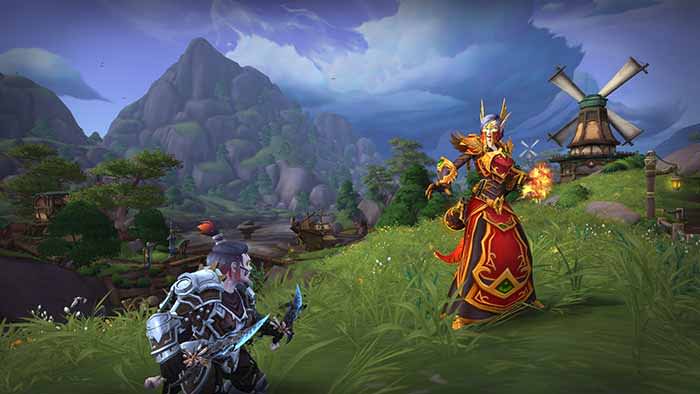
World of Warcraft has been around for a really long time now. While the gameplay, graphics, and story have enhanced over time, the UI has not changed nearly as much. Some things that may seem like they should be obvious menu items are only accessible via addons. Addons in World of Warcraft are essentially mods that give you additional menu options and visuals. Some are small, and mostly used for organizing items or menus, while others will give you more options in combat! Below are some of the best addons for both old and new players. The majority of these can be downloaded through Curse.

World of Warcraft Download now ►
7

Bagnon

One of the best addons for organization. The basic function of Bagnon is to put all your bags into the same window. That already helps with finding items more effectively. In addition, it has functions to help to organize your bank. It also makes item searches and identifying item quality easier.

Bartender4

Another popular add-on for organization. Instead of being used to help with bag functionality, Bartender4 can be used to reorganize your action bars. This is really helpful since the original locations of the action bars are large and fixed. This lets you customize them in a way that helps you the best.

Recount

If you’re ever wondering how well you are doing in an instance or during a fight, Recount is the way to check. It gives you information on how much damage, and healing you and your party are doing at a given time.

Healbot

A stable for any healer. While not every healer uses this, those that do swear by it. It allows you to set spell combinations so that every ability you use is at its optimal effect. Healers have a large range of buffs and healing abilities, and Healbot lets you use the best ones you need when you need to. It’s a great organizing tool for any healer.

Deadly Boss Mods

If you frequently run instances, then Deadly Boss Mods is one of the best addons you can possibly have. In fact, it’s the most downloaded addon for WoW on Curse. Essentially, it alerts you on everything you need to know about a dungeon while you’re in one so that you can keep yourself alive. It’s pretty customizable, and it interacts with other people who have the addon as well, so going in with a party can really help utilize this addon’s full potential.

WeakAuras 2

WeakAuras 2 can be pretty complex and daunting for some players, but it’s another great organizational tool. It reorganizes buffs and status screens in a customizable way, so you can view them how you want to. It is a bit difficult and confusing to start these customizations, but thankfully there are templates that already exist for most of the basic customization options.

Auctioneer

Checking the auction frequently is a great way to make money in WoW. Auctioneer helps players get a better understanding of what items should be selling for. This helps a lot with organizing your thoughts on what you should be selling and the price you should be doing it at. It also helps with general auction organization.

ElvUI

There are addons for ElvUI on Curse, but unlike the other addons on this list, ElvUI itself can have to be downloaded separately. Despite this, it is probably the most useful in terms of UI customization. ElvUI is a complete UI overhaul that allows you to fix many of the basic customization issues that the original WoW UI has. The big drawback to ElvUI is that it is a bit of a time investment when you first download it. It takes a while to get used to, and you’ll have to take the time out to fully customize your UI. This can feel vastly different from other addons that are mostly set immediately once you’ve installed them. If you’re willing to put in that time though, this can be a really effective tool in organizing your menus and having a better visual experience playing WoW. With this addon, you won’t need some of the other ones, such as Bagnon, which ElvUI already has built-in.

Every MCU movie ranked from worst to best

From Iron Man to Endgame, what are the best films the MCU has to offer?

SPOILERS BELOW!

Surpassing even the Star Wars franchise, the MCU is the most profitable film franchise of all time. 

Averaging about $1 billion per film, the MCU has created heroic characters and tyrannical villains mixed with some of the best action and comedy of our time.

However, not every film was a winner. Movies like the first Thor film pale in comparison to later entries like “Captain America: Civil War” where we got to see more action and a larger assortment of characters.

Every MCU movie ranked from worst to best

23. “Iron Man 3”

Iron Man 3

A common theme you will see with this list is that as Captain America got better and better, Iron Man got worse and worse. Robert Downey Jr. is the film’s only saving grace, bringing the same charm and wit to Tony Stark‘s character.

Where the film falls flat is in every other aspect. The action is bland. The story is dumb. The villain is absolutely atrocious:

In the comics, the Mandarin is an all-powerful scientist who uses alien technology to become a supreme overlord. He is the true arch-nemesis of Iron Man. In the movie, he is an actor who fakes being head of a terrorist organization.

Where the film goes from bad to insulting is in its treatment of Ben Kingsley. Kingsley has wanted to play a comic book villain for years. He nearly played Vulture in “Spider-Man 3,” but the director had other plans. The Mandarin seemed like a dream role for the actor, but what resulted was the film of our nightmares.

Hopefully, we will see the Mandarin done right in “Shang-Chi and the Legend of the Ten Rings.”

22. “The Incredible Hulk”

Incredible Hulk

This one was so bad that even Marvel wants you to forget about it.

Hulk is an unstoppable force of destruction who annihilates everything in sight with his bare fists. Somehow, the filmmakers found a way to make that boring. We don’t get to see a lot of Hulk action, and when we do it’s a CG mishmash that looks worse than some video games.

Looking back on the film, Edward Norton didn’t do a terrible job, but his portrayal would not have fit as well in the Avengers like Mark Ruffalo’s. 

21. “Thor: The Dark World”

Thor 2

In the Avengers films, Thor is one of the most entertaining characters to see on the screen. Unfortunately, it took him a few movies before the God of Thunder himself captured the same energy.

In his second feature-length film, Thor finds himself up against the dark elf Malekith. Malekith is played by the Ninth Doctor himself, Christopher Eccleston. Eccleston is a good actor, but Malekith is not an interesting villain. He wants to use the Reality Stone to take over the universe. That sounds interesting, but it just comes off as bland.

Yeesh, talking about the Infinity Stones gets super confusing. Luckily, we have a guide to help you learn more about them:

What truly hurts this film is the humor. The MCU is a bit controversial for how much humor there is, but good lord, is there too much in this movie, and Kat Dennings‘s character is at the forefront.

The film has “The Dark World,” in its title, and yet with the sheer amount of humor, you’d think its the most lighthearted film in the series. The jokes do not land. By the end, you’ll want Thor to bash your head in with Mjolnir.

20. “Captain Marvel”

Captain Marvel

The MCU has immortalized several actors and actresses as their characters. Robert Downey Jr. IS Iron Man. Chris Evans IS Captain America. Scarlett Johannsen IS Black Widow. Brie Larson, on the other hand, isn’t exactly a memorable Captain Marvel.

She is by no means bad, and the issues with her character are just as much the fault of the writing and directing. She’s just boring. The story’s focus is on her trying to figure out her past. The problem is that the movie is a prequel, so we already have a lot of her backstory figured out. The things that surprise her and other characters have no effect on audience members who have seen the rest of the MCU.

When the film is at its best, it still doesn’t come close to other films on this list. The movie builds her up to be this trump card against Thanos, but all it does is make her feel like a plot device rather than a person. When she does unlock her powers and go full badass, the film becomes what it should have been the entire time.

The film also tries to capture some nostalgia, but completely falls flat. Taking place in the ’90s as a prequel to the rest of the MCU, the advertising looked like this was going to take us down memory lane. Instead, we got to see a shot of a Blockbuster video and a nostalgic Stan Lee cameo. Other than that, the nostalgia trip fell short just like the rest of the film.

19. “Thor”

Thor

Coming off two Iron Man films and one Hulk film, we were looking forward to a breath of fresh air as far as scenery goes. Cities are cool and all, but when we heard a Thor movie was coming, we were looking forward to seeing a movie take place in Asgard. To the film’s credit, Asgard looks cool and all, but we just don’t get to see a lot of it as the film mainly takes place in New Mexico. 

New Mexico is fine and dandy for “Breaking Bad,” but for a superhero movie about the mythical God of Thunder, it leaves a lot to be desired. Where the film shines is with its star, Chris Hemsworth. Hemsworth brings life to Thor and absolutely commands the screen. He is funny, charismatic, and badass throughout the film. Also, watching him learn Earth customs is one of the best parts of the movie.

The fish out of water story works in this film, but the story about the God of Thunder learning to become the king of Asgard falls to the wayside. The movie isn’t bad, it just isn’t what we wanted to see.

18. “Ant-Man and the Wasp”

Ant-Man 2

After “Avengers: Infinity War,” audiences were left depressed. “Ant-Man and the Wasp” appears to have been Marvel’s attempt to lighten the mood. In a lot of ways, it does. In other ways, it completely disrupts the pacing.

Like its predecessor, the film is still a lot of fun. Paul Rudd is hilarious as Scott Lang. Some of his scenes in this movie are some of the funniest in the entire MCU:

Where the film falls short is the story. Ant-Man and Wasp are in a race against time against a new villain, Ghost, to rescue Wasp’s mother, Janet Van-Dyne. Ant-Man and the Wasp simply want to rescue her while Ghost wants to use her to cure her disease, which may, in return, kill Janet.

Although it is a breath of fresh air to have a movie without a basic villain who wants to take over the world, Ghost is no Thanos.

17. “Iron Man 2”

Iron Man 2

For a lot of people, “Iron Man 2” might fall lower on the list. To be fair, they’re not wrong.

Tony Stark’s charisma and sarcasm are replaced with him being obnoxious and standoffish:

Where the movie bounces back is with literally every other aspect. The action is a lot of fun. The supporting characters are a lot of fun, and even the villains are fun. Sure, Mickey Rourke’s Whiplash is a far cry from Loki or Thanos. However, Whiplash AND Sam Rockwell’s Justin Hammer make it fun. I mean come on, the scene at the congressional hearing where Tony rips apart Hammer is incredible:

Although the action can be lacking, when it is good, it’s a lot of fun. Watching Iron Man and War Machine mow down drones is an example of when a CG battle can actually look cool. “The Incredible Hulk” should have taken notes.

16. “Avengers: Age of Ultron”

Avengers 2

This movie has a lot of things going for it. The action is incredible. The new characters are a lot of fun to watch. Also, the events it sets in motion define the rest of the MCU up until the end of Phase 3.

Where the film falls apart is in its villain and main story. Ultron certainly looks intimidating, but he’s just annoying. Every line out of his mouth sounds like a fortune cookie or a cringe-worthy Tumblr post:

Loki from the previous Avengers movie was built up in “Thor.” Thanos was built up since the end of Phase One and in various small appearances until “Avengers: Infinity War.” Ultron is born, lives, and dies all in this film. In a series that prides itself on creating characters over multiple films, Ultron’s short life just pales in comparison.

In the “Age of Ultron” comics, Ultron is an unstoppable force that the Avengers are simply unable to defeat on the battlefield. The only way they are able to beat him is by going back in time and stopping his creator, Hank Pym, from making him in the first place. In the film, Ultron ultimately loses to the superpower of teamwork. Yawn.

Fast-forward to the cooler scenes in the movie like Iron Man fighting Hulk or when they all try lifting Mjolnir. Other than that, there’s no need to bother. However, it might be worth looking into whether or not you can lift Thor’s hammer. You know, in case Frost Giants ever invade the Earth.

15. “Doctor Strange”

Doctor Strange

Visually, this movie is on par with movies like “Inception.” The story is cool, and the action is insane:

The story’s weakness is its main character. Benedict Cumberbatch is a great actor and Scott Derrickson is a good director. However, they both just couldn’t quite make a likable protagonist.

Doctor Strange is a jerk throughout the movie. Although he falls on the side of good at the end of the film, he’s selfish and cocky for the first 80%. Characters like Spider-Man and Ant-Man make mistakes in their films, but their motivations are always pure. Strange acts like a god among ants, so it’s hard to relate to him or even root for him sometimes.

However, at the end of the day, this film still looks absolutely spectacular. For goodness sake, just watch this part:

That was bananas.

Scenes like that make this movie still fun to watch on subsequent viewings. Just be prepared to do a lot of eye-rolling whenever Strange opens his mouth.

14.  “Guardians of the Galaxy: Vol. 2”

Guardians of the Galaxy 2

The first Guardians of the Galaxy film is pretty much loved universally. While its sequel is decent, “Guardians of the Galaxy: Vol. 2” just doesn’t capture the same lightning in a bottle as the original.

The original cast is back aside from Groot being several feet shorter. This time, the Guardians are out to stop Star-Lord’s estranged father Ego from destroying the galaxy.

The characters are still a lot of fun, and the story is decent. It just simply doesn’t have near the same level of action or humor that we wanted. Although, this scene is still awesome:

The strongest part of the movie is Yondu and his journey to redemption. The movie goes into much more detail about his father-son relationship with Star-Lord, and the reasoning behind his actions.

Is he cool? Hell yeah, he’s cool.

If you’re looking for more of the same Guardians action you loved in the original, this one won’t disappoint you.

13. “Spider-Man: Far From Home”

Spider-Man: Far From Home“Spider-Man: Far From Home” has a lot of great scenes, but they don’t quite equate to a phenomenal final product.

In the final film in Phase 3, we see a world trying to rebuild itself after the events of “Avengers: Endgame.” People who were killed when Thanos snapped his fingers (they call it “the blip” in the movie) are now trying to find a way to fit back into society. Also, the world looks for the answer for who will become the next Iron Man after Tony Stark’s tragic death.

Peter Parker feels a huge weight on his shoulders as he feels the burden to take over where Stark left off has fallen on him. However, he isn’t done being a kid. He wants to hang out with his friends, go on a vacation, and tell his crush how he feels. When Mysterio (played by Jake Gyllenhaal) enters the fray and appears to be the next great superhero, Spidey sees a way out for him!

With two great end credits scenes, awesome action scenes, great comedy, and a few cool twists, “Spider-Man: Far From Home” has no shortage of great scenes. However, the movie doesn’t exactly do a good job of capping off Phase 3. Although it’s nice to have some lighthearted fun after having our hearts ripped out in Endgame, we would’ve preferred something that gave us a better idea of what to expect in Phase 4. 

12. “Ant-Man”

Ant-Man

At the end of “Age of Ultron,” the MCU formula was getting tired. Every movie was feeling like more of the same, and the franchise was in desperate need of a breath of fresh air.

Never would we have guessed that the change we were looking for was in “Ant-Man.”

In many ways, “Ant-Man” is a lot like most other superhero movies. There is an origin story followed by training to become a hero, and it all culminates into an epic final battle. Where the movie differs is in its execution. The action is unlike anything else in the MCU thus far:

Ant-Man fights unlike anyone else in that he uses the environment to his advantage. Him switching between normal-size and ant-size mid-fight is awesome and adds a whole new dimension to the action.

“Ant-Man” also might be the funniest movie in the entire MCU, and we don’t say that lightly. We could listen to Luis tell a story all day:

11. “Captain America: The First Avenger”

Captain America

First, let’s do introductions:

Now that that’s out of the way, this movie is an absolute jam. It is physically impossible to watch this movie without a smile crossing your face.

This is the movie that cemented Chris Evans in the role of Captain America. He finds a way to capture all of Cap’s motivations while still making him an interesting complex character. He goes from inspiring to heroic to tragic, all in the same film.

The movie also does a great job of capturing America in the 1940s. From the scenery to the wardrobes, to even how people act, it feels like virtual time travel.

The only part of the movie that needs a little work is the action. We don’t get a lot of shield throwing/bashing action. However, what we do get is phenomenal. Basically, we could do this all day.

10. “Iron Man”

Iron Man

The movie that started it all.

“Iron Man” doesn’t have the same luster it had when it was first released, but it is still a great film to watch today:

In this film, Robert Downey Jr. becomes Iron Man the same way Heath Ledger became Joker and Christopher Reeve became Superman. His charm, charisma, and wit perfectly reflect the Tony Stark we know from the comics.

From start to finish, both Downey Jr. and Iron Man rocket across the screen, giving us a non-stop ride with great action and comedy. The only hiccup in the film is the main villain, Obadiah Stane, the Iron Monger. Stane is played by the incredible Jeff Bridges, but his character does not fit in the story as well as he could. Let’s just say, The Dude does not abide with him.

Iron Man was the role Downey Jr. was born to play. He’s been Sherlock Holmes, Charlie Chaplin, and a dude playing a dude disguised as another dude. However, as he says, he is Iron Man.

9. “Spider-Man: Homecoming”

Spider-Man Homecoming

We’ve seen Peter Parker’s origin twice before on the big screen.

We don’t need to see him get bit by a spider again. We don’t need to see him fumble with learning his powers. Also, we don’t need to see Uncle Ben die again.

“Spider-Man: Homecoming” isn’t the origin story we have seen over and over again, and instead replaces it with a coming-of-age tale. Also, he can do a flip!

Spidey is played by Tom Holland, and for the first time on the big screen, he finally looks like a high school kid. It’s definitely a breath of fresh air to see an adolescent play Parker, and not a guy clearly in his late 20s, early 30s.

Along with a great performance from Michael Keaton as Vulture, we get a great movie with phenomenal action. The two play off each other very well as Holland grows more and more into a superhero.

Hopefully, Jake Gyllenhaal will give us just as good a performance in “Spider-Man: Far From Home:”

While also being a great action star, Holland gets lots of sympathy from the audience. At the end of the day, he’s still a kid who is in over his head. When he struggles, you root for him. When he triumphs, you cheer for him.

The story all culminates in a twist-ending that shakes audience members to their core. If you haven’t seen it yet, swing on in for a thrilling experience.

8. “The Avengers”

The Avengers

When “The Avengers” first hit theaters, audience members were calling it the greatest superhero movie ever made.

Let’s dial it back a notch.

“The Avengers” is a phenomenal film on epic proportions, but it is far from perfect. The movie is basically one-liners and action scenes from start to finish.

Although the formula has since been duplicated to mixed results, this was the first time we saw a group of superheroes across multiple films come together.

Although we got better Avengers adventures later on, this is still a noteworthy movie that still holds up.

7. “Thor: Ragnarok”

Thor 3

The first Thor movie didn’t have enough Asgardian lore to keep our interests and the second missed the mark with almost every joke.

“Thor: Ragnarok,” on the other, hand nailed both those areas on the head, with incredible lore and a mythical story to keep our interests.

The film even played classic Led Zeppelin songs over some of the actions scenes to further add to the awesomeness.

Thor goes through character development in this movie different from the previous films. In this movie, Thor fails and has to seek redemption. He has to surpass overwhelming odds that don’t always require swinging a hammer super hard.

Even better, Kat Dennings is nowhere to be found. Instead, we get one of the greatest comedic duos in comic book history:

6. “Guardians of the Galaxy”

Guardians of the Galaxy

“What a bunch of a-holes.”

The Guardians of the Galaxy comics are some of the lesser-known ones from Marvel. Prior to the movies, you’d seldom see a Groot or Starlord cosplay at a convention. However, after the movies, they are now some of the most recognizable characters in the entire Marvel Universe.

What makes the movies so great is the team chemistry. Star-Lord, Groot, Rocket Raccoon, Gamora, and Drax all have their own distinct personalities that play off each other so well.

The action is fun, and the jokes are funny, but it’s how the characters interact with this creative environment that makes the film so great.

We can watch Groot mess around while Rocket yells at him, or Drax struggle with cultural norms all day. This ragtag gang never gets old.

5. “Black Panther”

Black Panther

Wakanda forever!

Securing a Best Picture nomination at the Academy Awards, “Black Panther” deserved all the praise it got.

What makes this film so incredible is Michael B. Jordan’s character Erik Killmonger. Killmonger has this tragic backstory that feeds into his overwhelming hatred for both his cousin T’Challa and Wakanda.

The true star of the movie is Wakanda itself. Wakanda is absolutely stunning. Seeing the African culture mixed into the set design and costume design is truly breathtaking. There isn’t another movie that looks like this, let alone another MCU movie.

Honestly, there’s so much cool stuff that went into making this movie that we made a list talking about it:

There’s a reason why this film won three Oscars. 

4. “Captain America: The Winter Soldier”

Captain America 2

When it comes to the MCU, aside from James Gunn, the director(s) that probably stand out are the Russo brothers.

The four MCU films directed by the Russo brothers are not only great, but they’re also the top four films on this list. 

In the first Captain America movie, Cap was the star-spangled man with the plan who fought for all things America. In the two Cap films directed by the Russo brothers, we see Cap thinking for himself more, and questioning the government that made him. This results in intense and suspenseful action sequences:

“Captain America: The Winter Soldier” was their first movie. The film feels more like a spy film than a superhero flick. Cap and Black Widow work to uncover the secrets of S.H.I.E.L.D.‘s dark past while also on the run from Winter Soldier.

The movie’s main twist before the climax was obvious to fan’s of the comics, but played out well in the film nonetheless.

The action really takes off in the fight sequences between Cap and Winter Soldier:

James Young serves as the fight choreographer for the movie. After this picture, Marvel brought him back to work on the fight choreography in both Guardians of the Galaxy movies and every Avengers film thereafter.

If you are looking for an espionage flick with some of the best hand-to-iron-hand fight scenes, look no further.

3. “Captain America: Civil War”

Captain America 3

Where “Age of Ultron” fell flat, “Captain America: Civil War” felt more like the Avengers sequel we deserved.

The movie had a difficult task ahead of it. Not only did it have to adapt one of the most popular Marvel comic series, but it had to introduce two big superheroes: Spider-Man and Black Panther.

The movie does a great job of showing every character’s motivations as to whose side they take. It also doesn’t dwell on them. The movie also does a good job of changing a major issue from the comic series. It replaces the Superhuman Registration Act with the Sokovia Accords.

In the comics, the act requires all superhumans to register themselves and reveal their secret identity. Cap and a team of other superheroes disagree with the act and refuse to sign, just like in the movie. Here’s where the comics don’t really make sense: There aren’t a lot of superheroes with secret identities in the MCU. 

The only person the act really affects is Spider-Man, and he willingly sides with Iron Man.

Spider-Man Civil War

With Peter Parker abiding by the act, there’s really no need to fight. Yet, the comic series paints Iron Man and his team as the bad guy.

In the movie, the Sokovia Accords require all superhumans to only engage a situation when approved by a United Nations committee. Iron Man carries a lot of guilt from “Age of Ultron,” so he leads the charge for the accords. Cap, on the other hand, questions them as he is still regaining his trust in the government after finding Hydra sleeper agents in S.H.I.E.L.D.

This all culminates into a battle with Cap’s side and Iron Man’s side at the airport. The fight scene speaks for itself:

At the end of the film, the Avengers are more divided than ever, thanks to Baron Zemo. Zemo is essentially what Lex Luthor should have been in “Batman v. Superman: Dawn of Justice.” Even though the heroes know he is manipulating them, they simply do not care; their urge to fight each other is now stronger than their will to forgive.

This is a near-perfect comic book movie, and yet it is only our number 3.

2. “Avengers: Endgame”

Avengers Endgame

This movie missed the top spot by a hair.

“Avengers: Endgame” gave us satisfying conclusions to characters nearly a decade in the making. It wrapped up the Thanos saga with a ribbon, giving us a final battle scene we will be rewatching over and over again.

The only flaw in the film is in how little we can really rewatch the entire movie. The first time you see it, it’s incredible and you are glued to the screen from start to finish. On subsequent viewings, you really feel the three-hour runtime a lot more. Once it comes out on Blu-ray and streaming services, we expect that we’ll mainly just watch the last hour.

Throw one or two more action scenes throughout the film, and this takes the top spot, no questions asked. However, it’s still a tremendous film and a dramatic conclusion for some of our favorite characters.

1. “Avengers: Infinity War”

Avengers Infinity Wars

Few films leave audience members as somber as “Avengers: Infinity War” did. After your first viewing, you are left with a cold sweat and an overwhelming fear for our heroes takes over. However, in an almost masochistic fashion, we can watch this one over and over again.

The film is non-stop action and character development. We see characters meet each other for the first time in memorable scenes that eventually become intense battles.

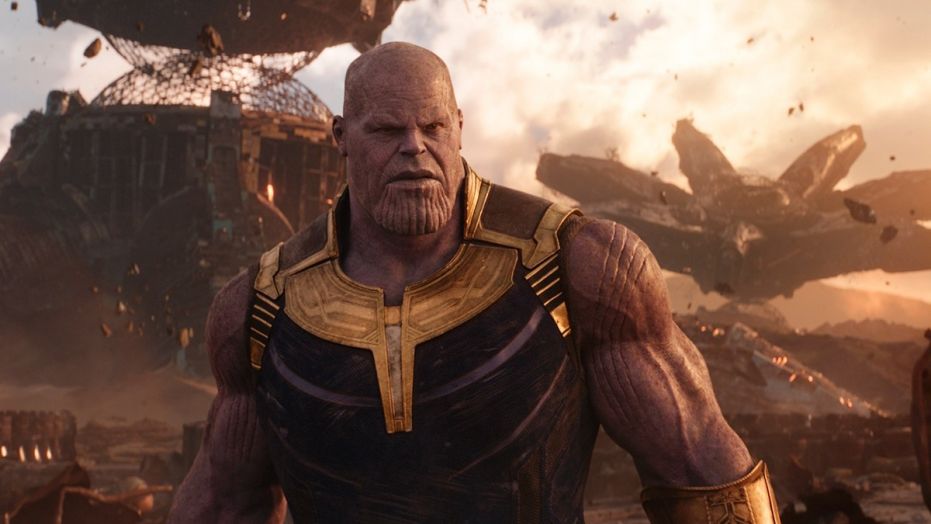
The star of the film is Thanos. The Russo brothers took the Thanos from the comics and without a doubt made him 10 times better.

In the comics, Thanos is motivated by his love for Mistress Death, the literal interpretation of death in the Marvel universe. Thanos wants to wipe out half of all life in the universe with the Infinity Stones in order to court her.

Thanos snap

In the movie, Thanos wants to do the same thing, but because he thinks the universe will run out of resources at its current rate of expansion.

The film has some of the best action in all of the MCU. It has some of the best humor in all of the MCU. However, it has THE best story in the entire MCU.

Tell us what you think!

Do you agree with us? Take our quiz to tell us what you think is the best film in the MCU!

(function(d,s,id){var js,fjs=d.getElementsByTagName(s)[0];if(d.getElementById(id))return;js=d.createElement(s);js.id=id;js.src=’https://embed.playbuzz.com/sdk.js’;fjs.parentNode.insertBefore(js,fjs);}(document,’script’,’playbuzz-sdk’));

 The films of the MCU will undoubtedly survive the test of time and will be shown for generations to come. It’s nice to know that as the years go by, we will always have the adventures of the Avengers to warm our spirits.


10 hidden WhatsApp tricks for desktop

Learn keyboard shortcuts as well as other tricks on WhatsApp for desktop!

WhatsApp is one of the world’s favorite means of communication. Since the events of 2020, much of the world’s population has moved into a new work-from-home normal. The shift in how the world operates has seen an increase in their reliance on communication software like WhatsApp. However, people aren’t just using WhatsApp on their phones anymore.

WhatsApp DOWNLOAD

One of the most convenient ways to use the app is through the WhatsApp Web portal. Apart from letting you communicate while working without having to look at your phone, WhatsApp Web offers many distinct advantages to the conventional mobile app. Below, we will give you five quick tricks to get the most out of your WhatsApp Web usage. 

Opening WhatsApp Web properly

The first WhatsApp Web-associated trick we have for you is how to open the utility. If you think about it, no trick we share with you would be worth anything if you don’t know how to open WhatsApp Web. 

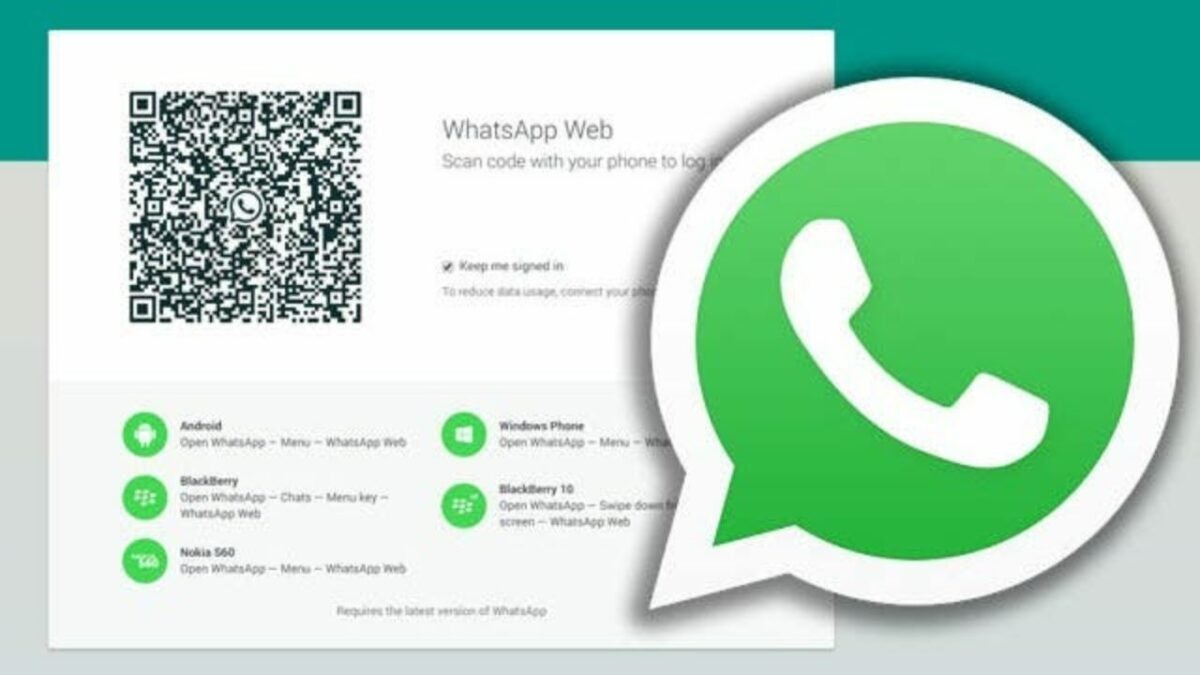
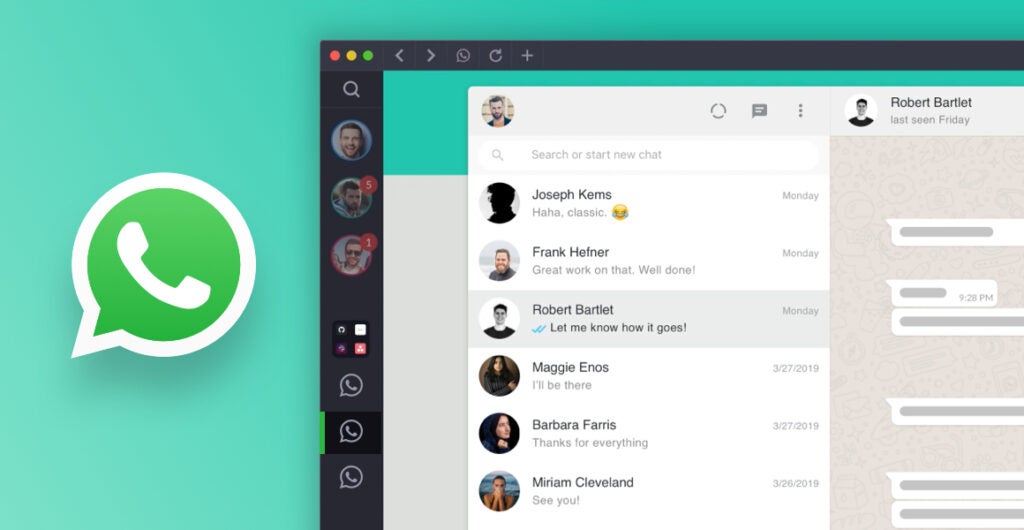
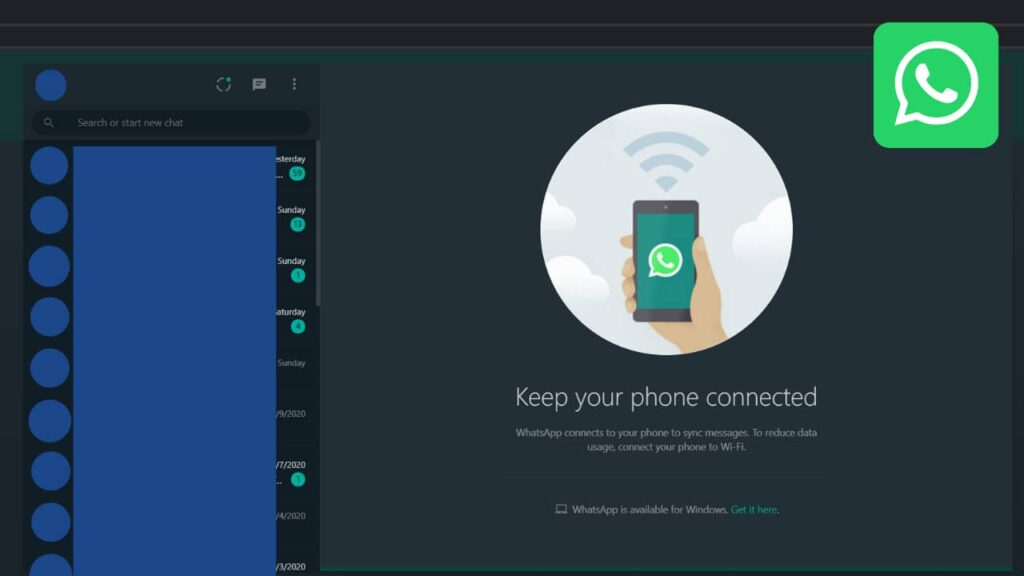
Open your desired browser and head to web.whatsapp.com. This is the official portal for WhatsApp Web. Here, you’ll see a QR code with the WhatsApp logo at its center. 

Get your phone out and open up WhatsApp. Click on the kebab menu at the top right-hand side of the screen and click on Linked devices. Click on the green Link a Device button and then point your camera at the QR code on your computer screen. 

You’ll need to wait a few seconds for WhatsApp Web to initialize, but you’ll now have access to all the functionality of Whatsapp, but from the comfort and superior typing capabilities of your computer. Neat!

Keyboard shortcuts

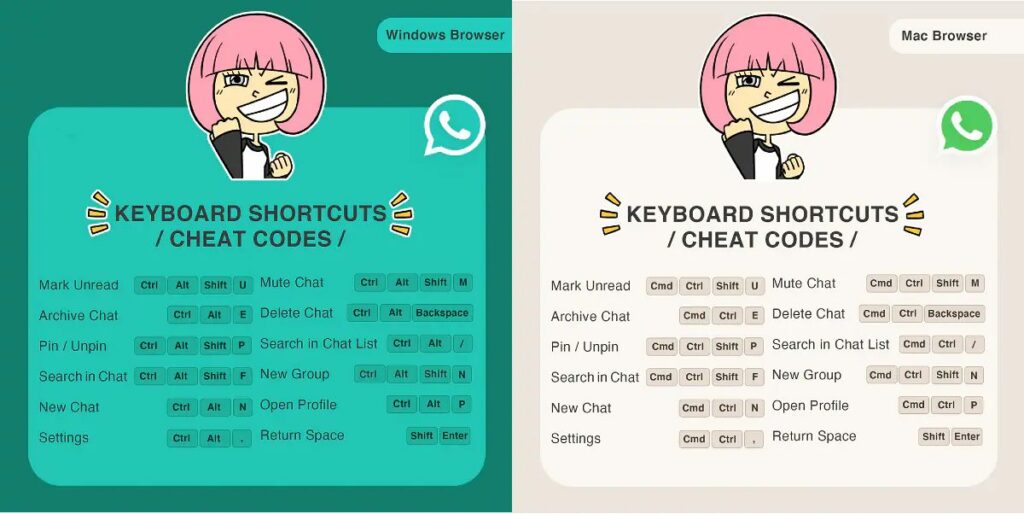
Keyboard shortcuts are the biggest advantage that WhatsApp Web has over its mobile-based counterpart. Claiming mastery over the shortcuts listed below will unleash the typing ninja within you and increase your productivity as you ditch your mouse for keyboard-only control of your WhatsApp Web environment. 

  • Ctrl + Alt + Shift + U: Mark as unread
  • Ctrl + Alt + Shift + M: Mute
  • Ctrl + Alt + E: Archive chat
  • Ctrl + Alt + Backspace: Delete chat
  • Ctrl + Alt + Shift + P: Pin chat
  • Ctrl + Alt + / (forward slash): Search
  • Ctrl + Alt + Shift + F: Search chat
  • Ctrl + Alt + N: New chat
  • Ctrl + Alt + Shift + N: New group
  • Ctrl + Alt + P: Profile and About
  • Ctrl + Alt + , (comma): Settings
5 quick tricks for WhatsApp Web

Multiple WhatsApp accounts from one PC

Many people have multiple mobile devices for work and private use and therefore may have two or more WhatsApp accounts. If this is the case, it’s more than possible to run separate accounts on WhatsApp Web as well. Unfortunately, you can’t just open WhatsApp Web in two different browser tabs. WhatsApp Web isn’t able to open two different profiles in one browser. There is, however, a workaround for this.

You could get around this bug by opening up one standard tab and one incognito tab. WhatsApp will register the two tabs as separate entities and therefore allow the usage of separate accounts. However, WhatsApp will only let you use the service from an incognito tab for an hour before automatically logging you out. 

Another workaround is to use a separate browser altogether. I have Brave installed for this and other reasons. However, most people who use Google Chrome will already have Microsoft Edge installed natively on their PCs. 

5 quick tricks for WhatsApp Web

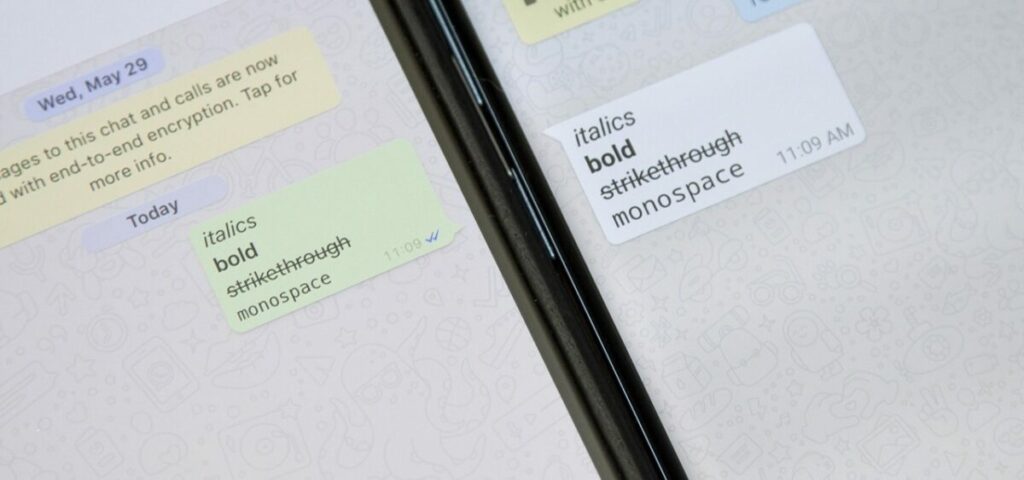
Format WhatsApp messages

Formatting is a means of applying emphasis to various parts of a message. Whether you embolden certain words to draw attention to them or need to italicize quoted content, it’s always handy to know how to add more depth to a text on WhatsApp Web. Here are the four ways in which you can format WhatsApp texts: 

  • Bold: Place an asterisk (*) on either side of your text.
  • Italic: Place an underscore (_) on either side of your text.
  • Strikethrough: Place a tilde (~) on either side of your text.
  • Monospace: Place three backticks (“`) on either side of your text.
5 quick tricks for WhatsApp Web

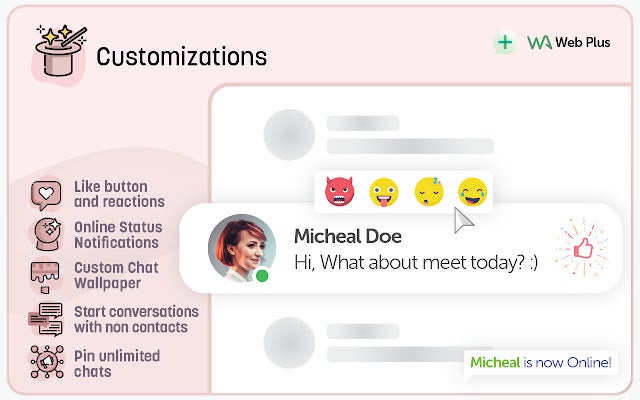
WA Web Plus

This is a fantastic extension for WhatsApp Web that you can pick up from the Chrome Web Store. WA Web Plus brings in so much functionality from the mobile variant of WhatsApp in addition to introducing completely new content and customization options. 

Privacy options

WA Web Plus lets you blur out your private information so that anyone looking over your shoulder can’t see what you don’t want them to be able to. You’re also able to restore deleted messages and lock your WhatsApp screen without locking the rest of your device with this utility. This ensures your privacy like not many other extensions for WhatsApp Web can. 

Customization options

With WA Web Plus you can have the mobile like and reaction buttons on WhatsApp Web as well as the ability to see whether your contacts are online. This utility also gives you the ability to customize your chat screen wallpaper. You can also start conversations with people not on your mobile contact list and you can pin unlimited chats. 

Business tools

The best thing about WA Web Plus is that it adds numerous business tools that you can use to streamline how you use WhatsApp Web in a professional setting. With this utility, you can export contacts, chats, groups, and labels to excel spreadsheets, implement smart auto-replies, and initiate multiple message broadcasting. 

5 quick tricks for WhatsApp Web

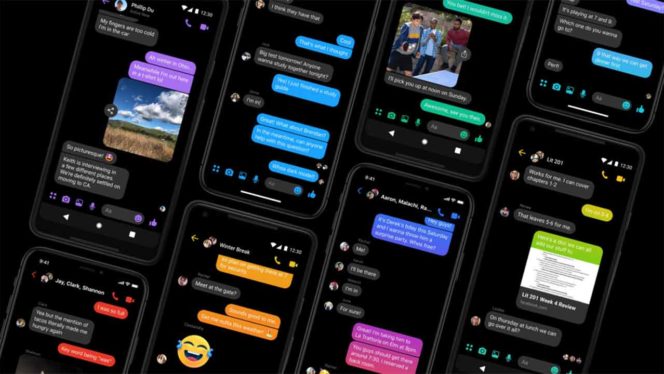
Dark mode for WhatsApp Web

Dark mode is one of the most important innovations to hit WhatsApp in the last few years. This mode means you can use WhatsApp at night or in low light conditions without detrimental effects on your ocular health. Now, you can use dark mode on WhatsApp Web too! Here’s how:

  • Click the kebab menu to open the options list.
  • Click Settings.
  • Click Theme.
  • Select Dark.
  • Click OK.

Here’s a guide on how to activate dark mode for Whatsapp on your phone:

How to activate dark mode in WhatsApp and Messenger READ MORE
5 quick tricks for WhatsApp Web

WhatsApp for work

This featurette is thanks to another useful Google Chrome extension for WhatsApp Web. Cooby gives you access to far superior organizational tools and options than WhatsApp Web natively has, and makes it easier to keep track of important messages and text threads. So many users have already used WhatsApp to launch and operate their businesses.

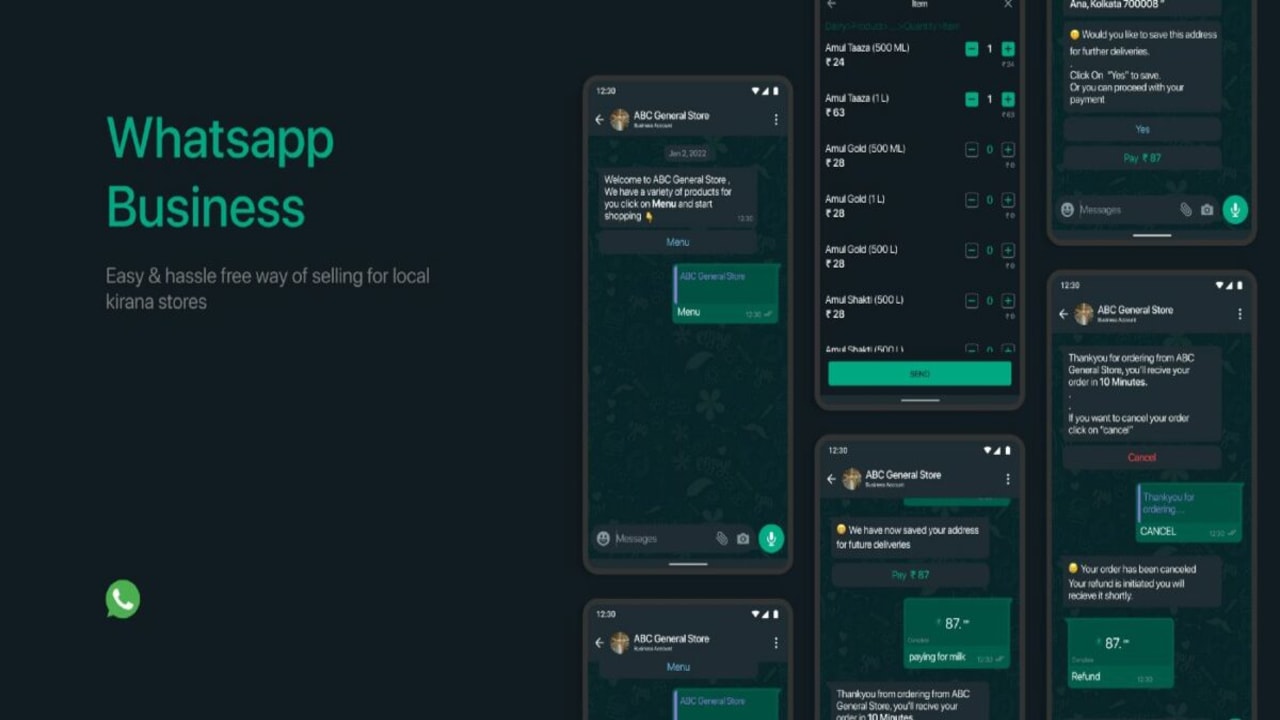
Such is the case with a lot of the local Kirana stores in India. Cooby makes this WhatsApp x Business idea a reality for users who primarily use their desktop or laptop devices for work. 

India’s famous Kirana Stores could see a 21st century Whatsapp-based revamp READ MORE
WhatsApp tricks for desktop

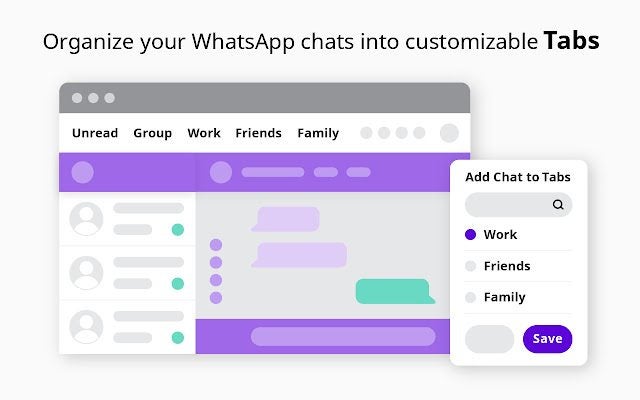
Tabs!

Cooby introduces the ability to sort your chats into tabs, according to your needs. This means you no longer have to undertake those endless scrolling missions while trying to find an important chat thread. 

Productivity boost

Nothing eats away at productivity like an inefficient organizational scheme. If WhatsApp Web is your primary means of doing business, you need an organizational system that keeps you operating at peak functionality without having to dedicate too much time to your busy schedule to keep organized.

Enter Cooby’s Notes, Reminders, Share conversations, and Schedule events features. Take down important chat-or-contact-specific notes, synchronize events with Google Calendar, share conversations with a simple link, and so much more!

Be sure to check out our guide on using WhatsApp to be more productive.

WhatsApp pop-up

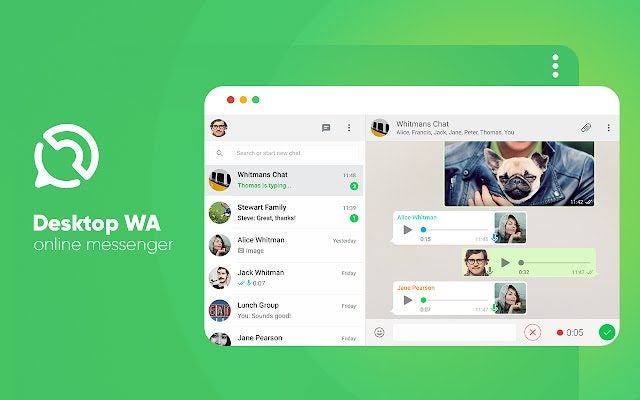
Instead of having WhatsApp Web open permanently in a tab – we know how temperamental Google Chrome can be with too many tabs open – try using WhatsApp Web as a convenient pop-up. Desktop WA is another really cool extension for Chromium-based browsers if you want more flexible WhatsApp Web usage.

This extension opens WhatsApp Web up as a pop-up every time you click on the extension. This means that WhatsApp Web is only open when you need it. As soon as you’ve conducted your WhatsApp-based business, simply click on the extension panel again the pop-up will vanish. No more tab wastage in Google Chrome! 

WhatsApp tricks for desktop

Avoid the dreaded blue-tick-of-death to your snooping habits

Let’s face it, sometimes we want to be able to read messages without having to respond immediately or provide instant acknowledgement to the neurotic texter on the other end of the line. An even more practical example is when you’re communicating with that person that can’t say what they need to say in one message and splits their transmission over 400 messages and give-or-take 3 hours of your life. If you want to read their rant without them knowing that you’ve been reading it the entire time and thus expecting an instant reply, here’s a trick.

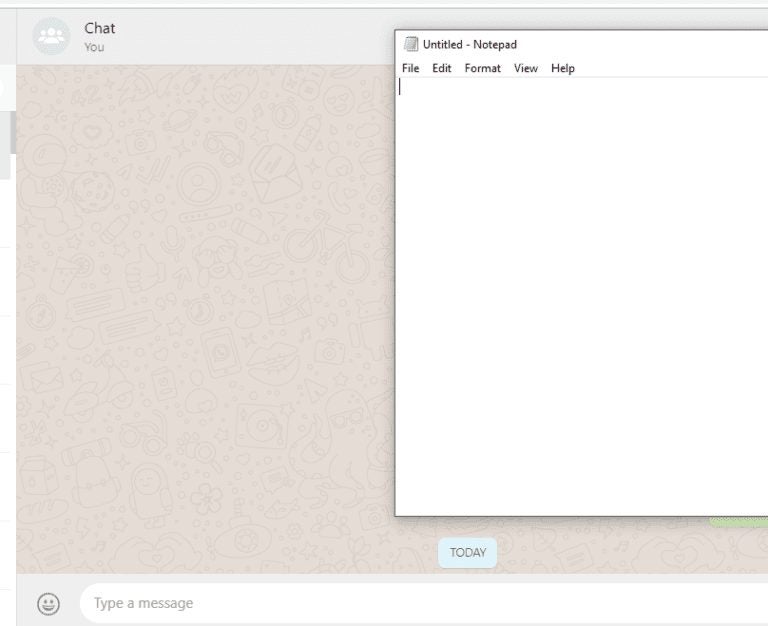
Leave your Whatsapp Web tab open, but drag another tab partially over it. This is to trick your device into thinking you have no interest in what’s going on within the confines of your WhatsApp Web tab, even though your eyes are glued to the screen as if it’s a presidential debate or the Detroit Lions getting thrashed, again. It’s human nature to not be able to look away from a trainwreck, pick your poison. 

You’ll need to have your mouse pointer on the upper tab though. If your pointer is on the WhatsApp Web tab, it’ll register as the active tab and the trick won’t work. Essentially, if the WhatsApp Web tab is obscured and doesn’t register as the tab currently in use, the messages coming through won’t be blue ticked on the other side of the screen, even though you’re reading through them all, popcorn in hand. 

WhatsApp tricks for desktop

Drag & Drop

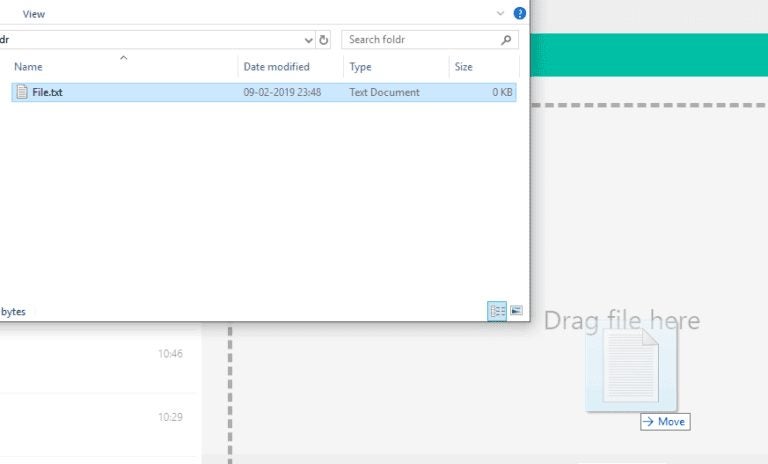
Being able to drag & drop content is one of my favorite functions of any desktop-based utility. WhatsApp Web is no different. The WhatsApp chat interface is as easy to navigate as that of the mobile variant and even looks almost identical, apart from the proportion adjustments to make the app more functional from a bigger landscape-oriented screen. In the same way that you click on the paper clip icon to send an extended selection of content formats in the WhatsApp mobile app, you do the same on WhatsApp Web. 

When you click the paper clip, located on the bottom right-hand side of the screen, you should see a new interface open up. This new interface will resemble your file explorer, and you’ll be able to search for files here. You’ll also see a broken-line frame in the chat interface. When you’ve found the file you want to send, simply click on it and drag it to anywhere within the broken-line frame. When you drop it here, it’ll be sent as an attachment. 

Just bear in mind that WhatsApp has increased the size of file transfers, so you can send larger files now.

WhatsApp becomes a little bit more like Telegram READ MORE
WhatsApp tricks for desktop

Make the most out of Whatsapp Web

The quick tricks we showed you above are bound to turn you into a WhatsApp Web wizard and drastically increase how productively you use the web-based WhatsApp utility.

Make sure you don’t miss out on any of our other handy WhatsApp guides:

5 best apps to get organized

Can’t keep track of all your projects? Try these great apps.

School and work are full swing and daily schedules are filled to the brim. Organization during school can sometimes seem like a monumental task when you’re balancing homework and exams with extracurricular activities.  Also, trying to maintain a healthy relationship with friends and loved ones can sometimes be extra difficult if you’re working full time. 

We at Softonic want to help make your calendar crystal clear and set up to live your best life. Whether you’re going to high school, college, or just want to get a better grip on your time management, here are five free apps to get yourself organized.

5 best apps to get organized

Evernote (iOS, Android)

Evernote is perfect for the digital college student. Take notes directly into the app and have them sync to all of your other devices so you can access them anywhere, because everyone knows you’ll be studying wherever you go, right? The base version of Evernote is free to use, sync your notes, photos, and memos for use anytime and anywhere.

7

Trello (iOS, Android)

The tried and true workhorse for us here at Softonic. Trello keeps us organized and timely with it’s inviting bulletin board-style interface. Trello can be used for personal work or to give structure to a team operation. The app separates projects into specific categories with a simple and easy to use “drag and drop” mechanic. If you have a lot on your plate and identify as a visual worker, get your hands on Trello and make life a little easier.

Google Suite (iOS, Android)

In a world of tech giants, Google is your friend, teacher, and parent. The myriad of apps offered by the monolithic company can help you in every facet for organizing your life. The collection of apps includes Gmail, Google Drive, Google Sites, Calendar, and Hangouts. All serve their respective purpose of keeping your documents, events, and friends in a tidy app that exists strictly for you to benefit from the reduced stress.

Google Hangouts DOWNLOAD FREE ►
10

Egenda (iOS, Android)

Perfect for the busy student. Egenda is a stylish tracker for all things homework. Rifle through your syllabus and add all your homework assignments, essays, quizzes, and exams into Egenda. Crumple that antiquated piece of paper into your backpack. Make sure you set reminders. You don’t want to go through all the trouble of inputting crucial information only to miss the due date!

School Planner (iOS, Android)

Gone are the days of printing out your schedule and worrying where you stashed the folded piece of paper. School Planner lets you track nearly everything in your educational career, except for what you’re planning on having for lunch. Record your lectures, track your grades, visualize your schedule and never miss an assignment again. Make sure to impress everyone at school with your new time management skills with the School Planner app.

myHomework Student Planner download free ►
7

Don’t get stressed out

When we’re unorganized, we can get stressed out. Also, working to get ourselves organized is also very stressful. Make sure that you only take on the workload that you can manage. Also, if you’re feeling overwhelmed by anxiety, it might be time to think about downloading an app to help manage it.

Wrapping up

Make sure that you are taking care of yourslef in all facets of your life. Stay happy, stay healthy, and stay organized!

How to play Words Story

Ready to try Words Story?

Words Story

Words Story is an unusual take on the mobile word game in that it’s part clever word game and part narrative. While the narrative itself isn’t the most compelling, it’s still neat to be given an actual storyline in a free mobile game. The story follows the plight of a crafty but determined prisoner as he attempts to “Shawshank Redemption” his way to freedom.

The game takes place over the course of 200 days of digging, waiting, scheming, and bribing the guards as you dream of sweet freedom beyond the brick walls and steel bars. Get through those 200 days, though, and you’ll reach the liberating embrace of the ocean.

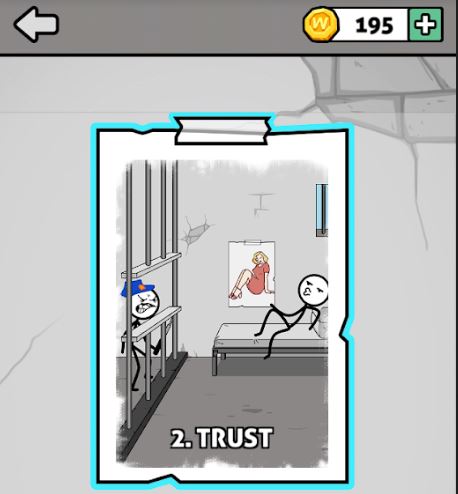
Words Story chapter 2 Trust
The story spans 200 days in prison, divided into multiple ‘chapters.’

How do you play?

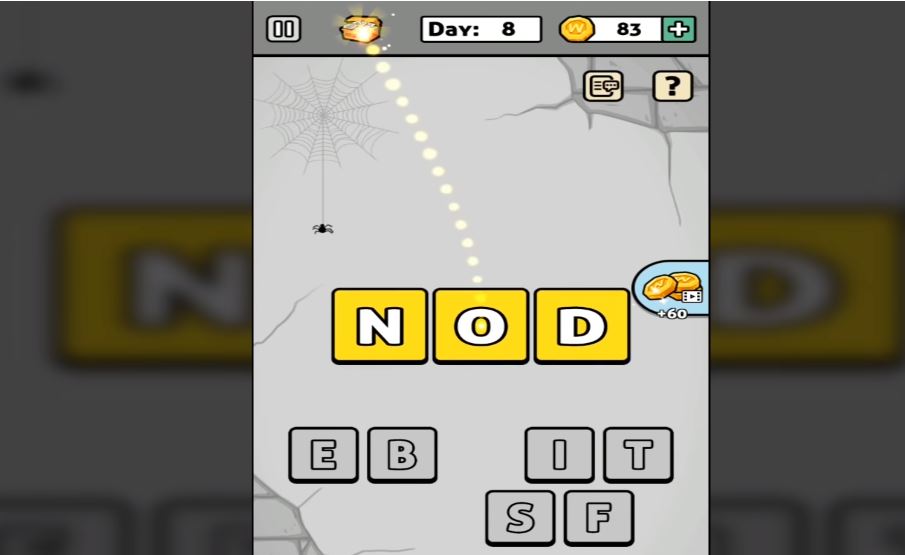
At its core, Words Story is a simple word unscrambling game. Each ‘day’ you’re presented with a new set of letters, the goal is to find the correct word hidden among them. Of course, there will be other words you’ll find that are not the correct one, and should you find them, the game rewards you with extra coins (just click the chest to accept them).

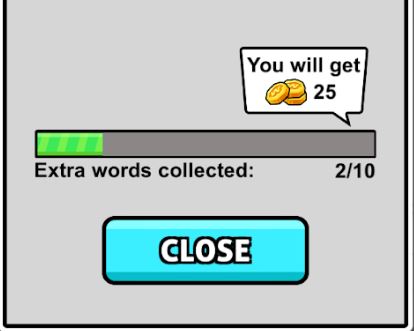
Words Story extra words collected for coins
Find extra hidden words and you’ll get to collect extra coins.

Many of the words you’ll unscramble are irrelevant to the plot, such as “hate,” “cat,” “pink,” or “meat.” The game does try to fit in as many related words as possible, so those should be your first guess. These are words like “map,” “beat,” “dig,” “file,” or “bag.” Typically you’ll get a relevant word every two or three ‘days’ of the game, after which you’ll be rewarded a short cutscene and your overall escape progress.

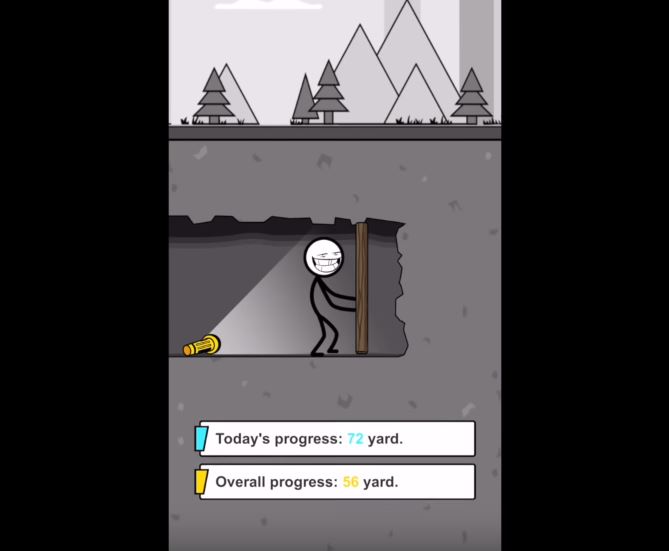
Words Story progress digging to freedom
Dig your way closer to freedom – day by day, inch by inch.

When you’re unscrambling words, there will also be a couple of tools to help you. One trick is to deliberately submit a word that’s not correct. Doing so will eliminate any letters you used for that word that are not in the solution. Also pay attention to the color of the letters after you place them: Blue means correct letter in the correct spot, while yellow means right letter, wrong placement.

Words Story wrong letters earn coins
Find hidden words to earn extra coin and eliminate variables

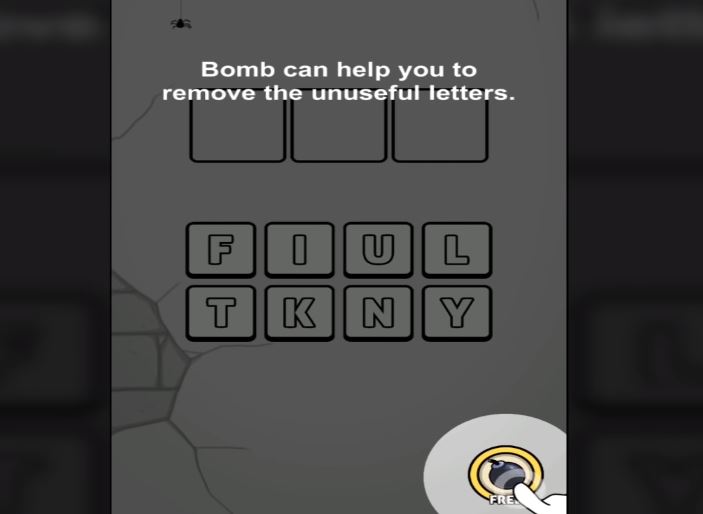
On the bottom left, there’s also an option to re-scramble the letter pool, which can help if you’re having a hard time visualizing the solution. On the bottom right there’s a bomb, which removes several incorrect letters from the pool immediately. You have unlimited uses for the bomb, but it does have a cooldown you have to wait for.

If you’re trying to get the most coins, you probably won’t be using the bomb much; it just eliminates letters you could otherwise use for extra words.

Words Story bomb remove letters
Remove multiple variables at once with a powerful bomb

How difficult is the game?

While typically word games will grow in difficulty by asking for longer words, Words Story does not do this. All the mystery words in the game typically vary between 3-6 letters, the tough part is that there are so many letters to choose from.

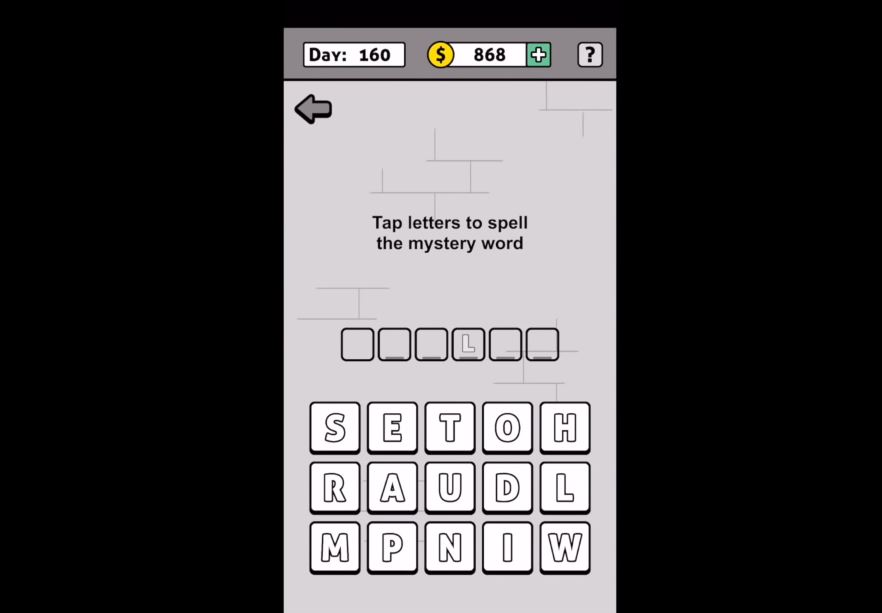
What starts as four possible letters to pick from turns into 15 by day 160. Additionally, since the mystery words are not always relevant to the prison escape story, it can get pretty hard to guess what random word the game wants.

Words Story tap letters to spell mystery word
More and more letters are added as you progress further

That said, the game is not too tough. There’s no time restriction and there’s no punishment for incorrect guesses, which means it’s just a matter of time before you get the right one.

If you find the game too difficult, there are plenty of online walkthroughs to help you out:

Is the game free?

All levels in Words Story are free, as are the hints. You can choose to buy coins, but there’s really no point to doing so; you have nothing in the game to purchase.

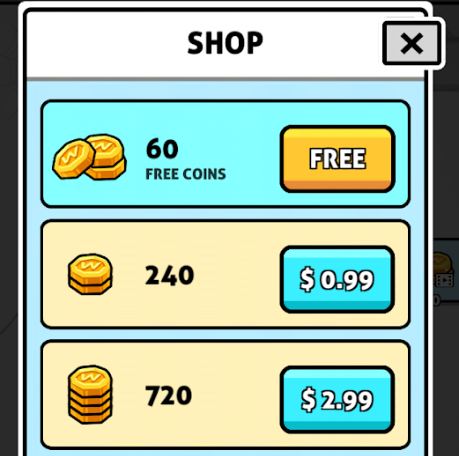
Words Story in-game purchases, coin shop
Words Story has microtransactions, but coins in-game don’t serve any purpose.

Can you remove the ads?

Yes. Ads in this game another way you can earn in-game coins. As we said earlier though, coins in this game don’t actually serve any purpose, so there’s no incentive to watch ads. The good news is that Words Story lacks any online features other than the ads so if they’re bothering you all you need to do is turn off your internet connection or cellular and you’ll no longer be bothered by them.

Words Story Free Download
8

All in all, Words Story is an easy word unscrambling game for all ages that serves to pass the time and test your vocabulary a bit. For a free game, it definitely accomplishes what it sets out to do. Enjoy the game, and if you get stuck check out this video that takes you from day 1 to 200. Until then, feel free to check out Words Story along with Zhou Jiaping’s other work right here.

Mentally control your devices with a brain chip

Would you allow an object in your brain if you could talk to computers?

“Even in a benign AI scenario, we will be left behind,” Elon Musk spoke glumly of our pathetic odds in the wake of an AI apocalypse like something out of “Terminator” or “Avengers: Age of Ultron.” While we’re not enlisting the help of The Vision or Sarah Connor just yet, there is a kernel of truth here: We’re integrating more sophisticated tech into our phones, our appliances, our houses, and our cars – but we’re leaving behind one valuable part of the equation – us.

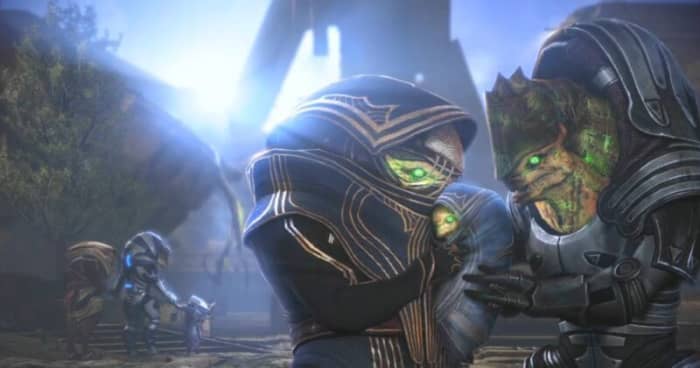
Mass Effect synthesis ending
Integrating AI and organic life? Mass Effect did it first.

Musk’s strategy is not to try and one-up ourselves over tech; in his eyes, that’s a lost cause. But if you can’t beat ’em, Musk advises we join them.

“I think with a machine interface we can go along for the ride and effectively have the option of merging with AI,” he said. He’s proposing a (very ambitious) concept of how to do just that.

The idea

Symbiosis between human and machine has been a sci-fi concept since the days of Doctor Who and Star Trek, and because (or despite?) of its mainstream appeal, we’ve largely dismissed notions of making science fiction into science fact. Elon Musk is heading a new project to insert a computer connection directly into a human brain, creating a true cybernetic future, and have already taken the first steps with chimpanzees.

“The monkey was able to control the computer with his brain, just FYI,” Musk said proudly. The team expects to be ready to move testing to human subjects by next year, and the process is allegedly as safe and painless as Lasik eye surgery.

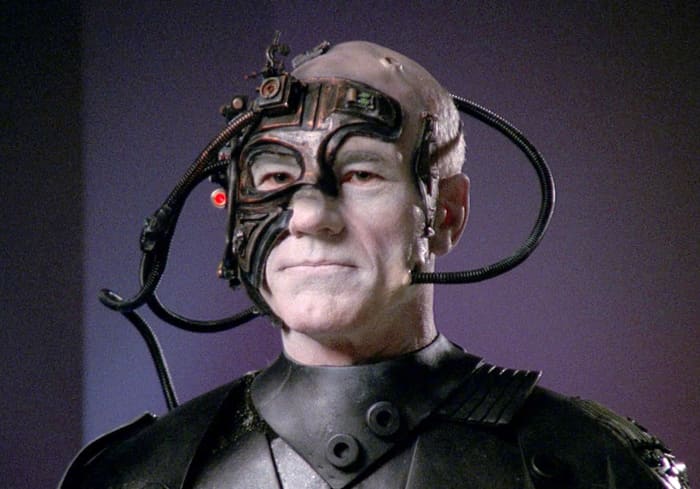
Star Trek Next Generation Picard
Picard rocking an early prototype of Elon Musk’s chip

Why this is new

If you’ve heard of similar tech, that’s because it (sort of) already exists: There are scattered FDA-approved devices that are intended for the disabled. Examples include a deep-brain stimulation device that helps people with Parkinson’s disease control their tremors.

Musk’s new implant chip would be created by Neuralink, his own brain-computer interface start-up. Neuralink is Musk’s own private company that he created back in 2016, and is based out of San Francisco. There’s one major difference that will bring Musk’s project to the forefront: The process.

The process

The chip itself is a thread-like device that’s thinner than a human hair. It’s so thin that the grafting procedure looks almost like sewing. Neuralink has a computer system set up so that during this process the grafting avoids blood vessels on the surface of the brain.

These flexible threads are actually a thin cellophane-like material that insulates the conductive wires which link to a series of tiny electrodes.

“One of the big bottlenecks is that a mechanical drill couples vibration through the skull,” said Max Hodak, Neuralink’s president and one of the company’s founders, “which is unpleasant, whereas a laser drill, you wouldn’t feel.” Since the device itself is so thin, it would far less invasive than our current tech.

Elon Musk brain chip
The new chip would be as subtle as a hearing aid.

Once the procedure is complete, the implant is wirelessly connected to a receiver worn behind the ear. The receiver communicates with a computer or smart device, and voila! You can talk with electronic appliances with your mind.

A whole can of worms

While this is some serious next-gen, cutting-edge thinking, is it really for the best? We’re up to our eyeballs in privacy issues with email, messaging, texting, and phone calls. Do we really want people to access cloud data with a chip in their brain?

Facebook had to wade through red tape just to give us a new camera. This is a thousand times more invasive! If any of this tech comes to fruition, we need to seriously evaluate what it means about our consent and privacy.

Facebook Portal
Remember when we were mad at Zuckerberg about Facebook Portal? Imagine that you control that screen with your mind.

For better or worse, there are some definite roadblocks for Neuralink to tackle in the coming year. Researchers still need proof that the insulation of the neural threads can survive long periods (plastic can deteriorate in the salt solution of the brain’s environment!), and moreover they’re not the only company trying their hand at the puzzle.

Facebook’s been working on a “non-invasive” device that lets you send messages with your mind, and even the Pentagon’s been financing similar research. They’ve already created interfaces that allow for quadriplegics to independently manipulate robotic limbs in order to accomplish tasks like drinking or picking up small items.

On the other hand, Elon Musk is no pushover. We’re talking about a guy who successfully launched and landed heavy rockets and has a lot of financial backing to push his projects to completion. As of July 2019, Neuralink has received $158 million in funding (of which, $100 million came from Musk himself) and is employing a staff of 90+ people.

Do you think this is a crackpot pipe dream, or are we heading towards a future where we can turn on the TV just by thinking it? Let us know if you’d be interested in getting this brain chip, and stick with Softonic for the latest in tech news!

Google tests text messaging from the lock screen for Google Assistant

Google’s A/B test is looking at actually sending messages using only voice commands rather than showing an “Unlock to continue…” prompt

Hey Google, send a text to...

Modern technology poses us with many quandaries, but they usually boil down to having to give something up in order to receive some other sort of benefit. We’ve sacrificed privacy for better connectivity for example. Another little trade-off we’re constantly having to consider is ease of use versus security. The more we rely on technology, the easier it becomes for somebody to hijack our digital personas and take advantage of them.

A good example of this is voice control. When it works, being able to simply tell your phone what to do is a revelation. You can interact with the world without having to get your phone out of your pocket.

It is inherently insecure though, as our voices are easily mimicked. How do we deal with this trade-off? Is there a way to make voice activation more secure or are we just going to have to choose between easier or more secure?

Google Assistant Download now
8

Unfortunately, it looks like there is no magic wand to wave here. Google is working on a new policy feature, but it isn’t a solution to our quandary. Whereas at the moment Google is erring on the side of security, the internet giant is testing voice-to-text messaging that you can send from your lock screen using Google Assistant. This means you might soon be able to send a text message while your phone is in your pocket, but then, so will anybody else who sounds like you.

Google’s A/B test is looking at actually sending messages using only voice commands rather than showing an “Unlock to continue…” prompt

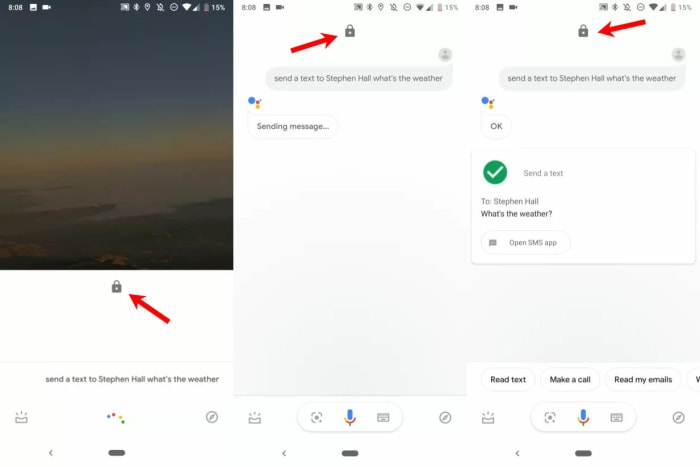
Screenshots of the new Assistant send a text from lockscreen command
Image via: 9 to 5 Google – The Padlock icon shows the phone is locked throughout the whole texting process

The new Google Assistant text from lock screen feature has been spotted by 9 to 5 Google on one of their Pixel 3 devices running Android 9 Pie. The feature works much like the current “send a text” skill. All you have to do is tell Google Assistant to send a text and specify the body of the message and the name of the recipient. The big difference now though, is that Google Assistant will actually send the message instead of prompting you to unlock your phone before doing so.

There aren’t many other reports of this and interestingly, the feature doesn’t seem to be running on devices running the Android Q beta. This indicates that Google is still A/B testing this new feature and will no doubt be collecting data on how it has been working on select devices and how users have been interacting with it.

There is no doubt that this would be a very useful addition to any phone’s set of features. Also, with Assistant being a part of the Google app, should it get through this testing phase all Android phones should get it and not just Pixel devices.

This could see people going back to their regular old SMS apps, especially considering how hard Google has worked on turning into a modern internet messaging machine to rival the likes of WhatsApp and Messenger.  The only thing to consider will be the security trade-off.