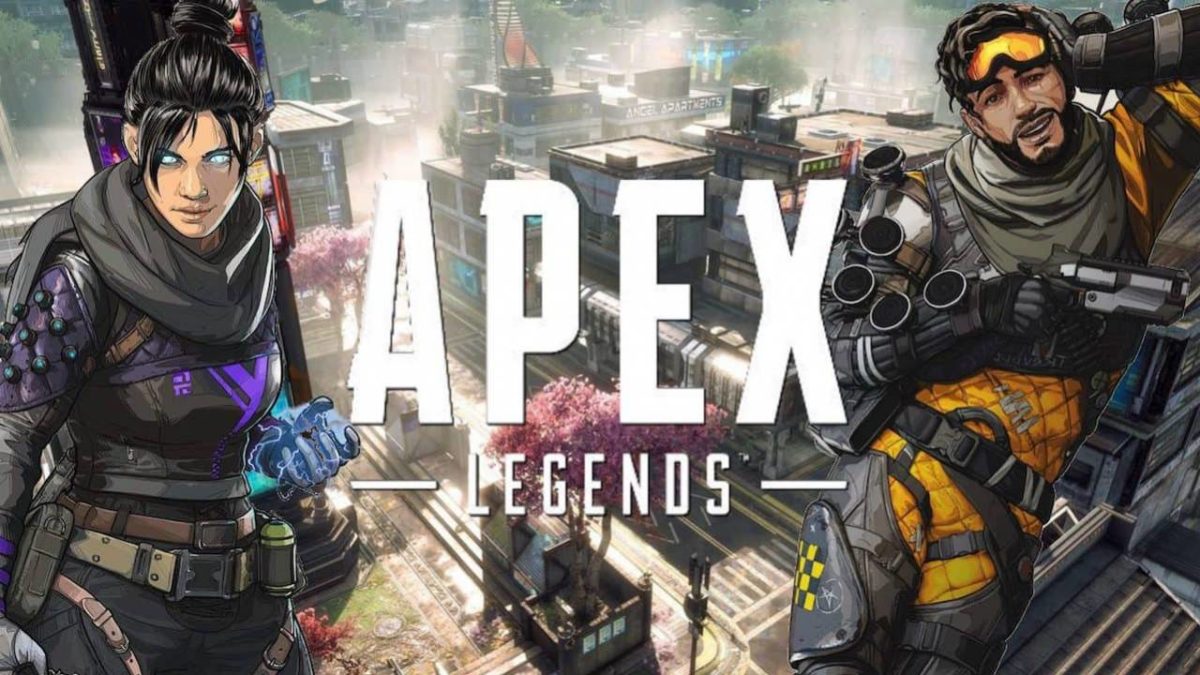
Apex Legends beginner tips

Ready to jump into Apex Legends? Here’s all you need to know.

apex legends

Unless you’ve been living under a rock the past few weeks, you’ll have heard about Apex Legends: Respawn Entertainment’s new battle royale game published by EA. During the company’s development of Titanfall, the sudden success of battle royale games like Fortnite and PUBG, the dev team decided to take the genre into their own hands and the concept of Apex Legends was born. Like Fortnite, Apex Legends is free and can be downloaded with an Origin account literally right now. Get the game here, join the crowd of over 5 million gamers, and see what the buzz is about!

Apex Legends Download FREE ►
9

Apex Legends is a new take on the battle royale genre, so it’s got a lot of familiar elements if you’ve played a game like Fortnite before. It’s a king-of-the-hill, one-versus-many, survive-to-win type deal where the battlefield shrinks as the match goes on, forcing players into an inevitable confrontation for that elusive top spot. Games start with the typical free fall into a vast map filled with varying tiers of loot and gear, and your success is not dependent so much on your killstreaks and aim, but more on your ability to survive and to know when to strike.
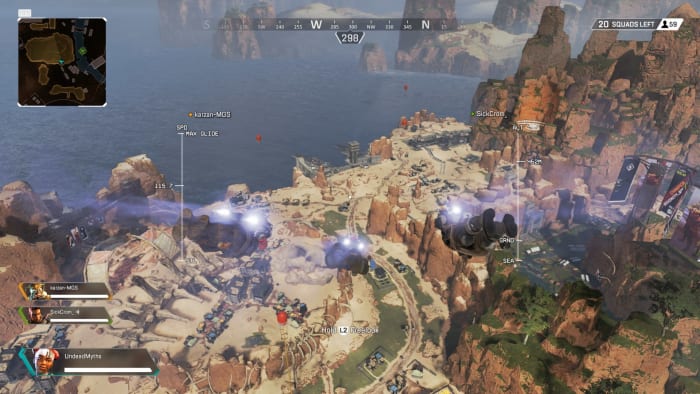
Apex Legends drop
Fortnite players will be familiar with this view

What’s different from Fortnite?

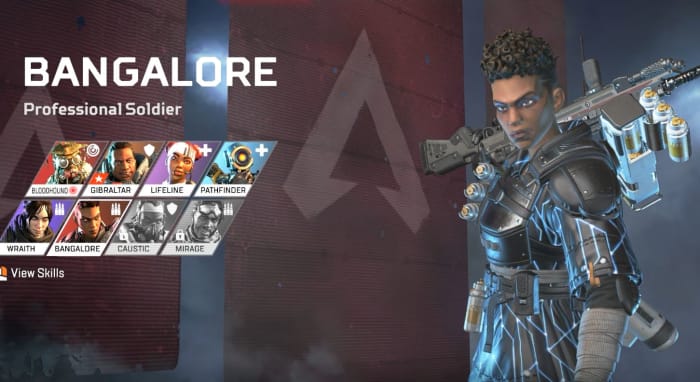
Apex Legends Bangalore
Bangalore uses smoke grenades and airstrikes to root out enemy teams.

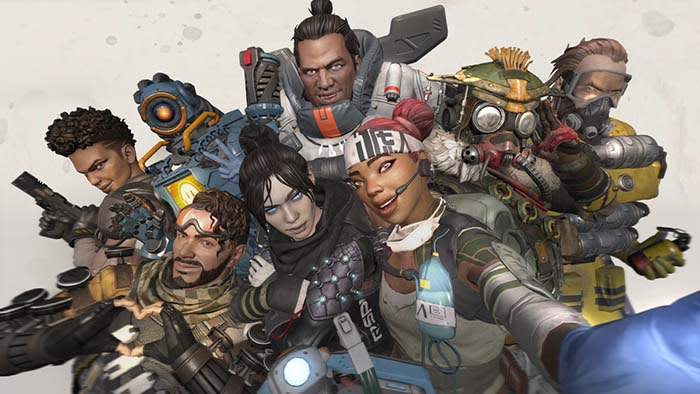
The biggest difference between Apex Legends and Fortnite is that Apex Legends requires you to play on a three-person squad. While Fortnite’s battle royale mode allowed for this as well, Apex Legends endeavors to start you off with a full trio each drop. This is to emphasize the second biggest change from Fortnite: Apex Legends has a class system with eight different playable “legends.”

We’ll get more into their unique skills a little further down. Other broad differences include basic movement, pinging, respawning (which has limitations). Fortnite fans will also immediately notice the building mechanic has been removed entirely from the experience. Will some master builders will be sad to see the element gone, others will be happy to see a more classic FPS experience.

Now that the basic differences are out of the way, let’s dive in.

10 tips to get you started in Apex Legends

1. Know your character, know your team

Like we mentioned before, Apex Legends features eight different classes, each of which is unique and plays very differently than the others. If you play Pathfinder the same way you play Gibraltar you’re going to do poorly against more experienced players. For the patient players, the best way to find your favorite class is to simply play the game a lot. Get the feel for each, then decide which are your favorites.
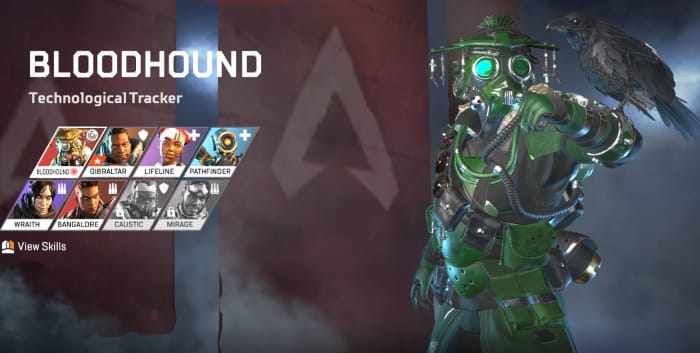
Apex Legends Bloodhound
Bloodhound excels at recon and tracking.

For the less patient, you can get a quick overview of each character’s three abilities (as well as their aesthetic customizations) under the “legends” tab on the main menu. Once you’re familiar with the characters and their abilities, try and think a little more macro as your team chooses their classes: How does your character benefit from theirs? How can you enhance their play style? What items should you prioritize, and which ones are better given to someone else?

Bangalore, for example, can use a sniper rifle, but she’s probably better off with a shotgun or SMG. Save the sniper rifle for Pathfinder and the Ultimate Accelerant for Lifeline.

2. Slide

Movement is huge in Apex Legends, and the difference between a stationary target and one that is moving and sliding is night and day. If you tap “crouch” while sprinting, you’ll begin to baseball slide along the ground. This is a great way to evade gunfire, but more importantly is a way faster way to get around, particularly in more vertical areas of the map.
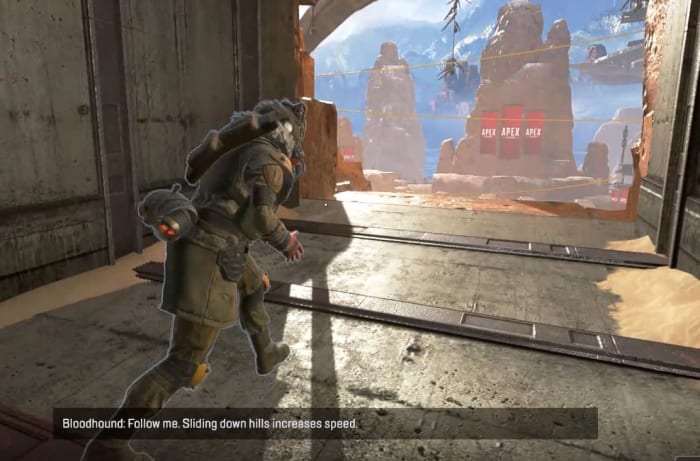
Apex Legends tutorial slide
Experience players spend more time sliding than shooting.

You can also slide way further than you’d think at first glance, which pretty much ensures that Respawn wanted this to be an integral part of the game. Next time you’re in a hurry or are under fire, stop sprinting and start sliding!

3. Holster your guns

An unusually realistic aspect of Apex Legends is that your characters can sprint much faster if their weapons are unequipped. As long as you’re not in a firefight you’re probably better off leaving your gun in its holster. You’ll move significantly faster, and as we said before, you’ll spend way more time moving during a match than you will firing your gun.
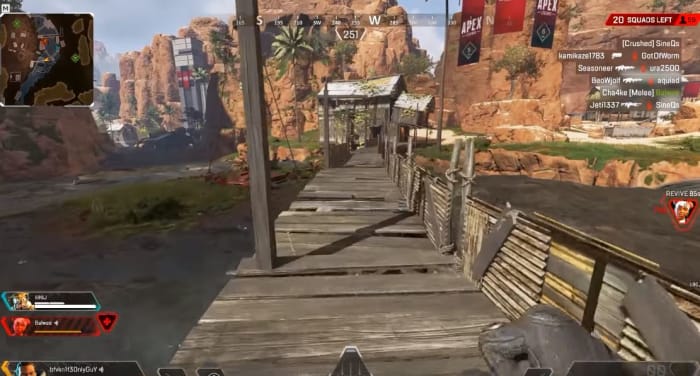
Apex Legends sprint weapon away
If you’re going to be running for a while, holster your weapon.

It’s also worth mentioning that while putting your gun away will increase your speed, all characters move and sprint at the same speed. You wouldn’t think it at first glance, but Caustic and Gibraltar can run every bit as fast as Bangalore or Lifeline.

4. Ping

Since Apex Legends capitalizes on teamwork and communication, the ping system is a huge component to your team’s success and survival. You can ping practically anything in the game – locations, enemies, weapons, armor, supply crates, and drop spots. If there’s something you see that’s worth mentioning, you’re always better safe than sorry. If you see it, ping it. This is especially true if you don’t want it or if you see that your teammate needs it.
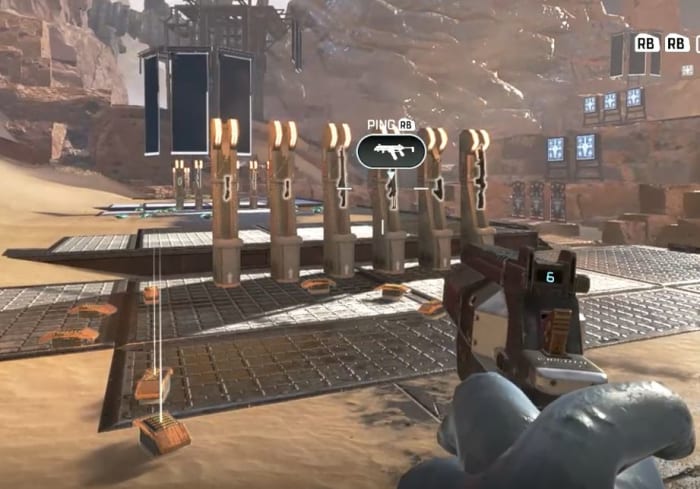
Apex Legends ping tutorial
Ping items, enemies, and locations so your teammates can see them.

You can help yourself out by doing this, too. If you open up your inventory you can ping a bunch of different components, such as shields, health, ammo, or armor – even weapon attachments. This will alert your teammates that you’re actively searching for something. If they see it while scavenging, they might just ping it to let you know it’s up for grabs.
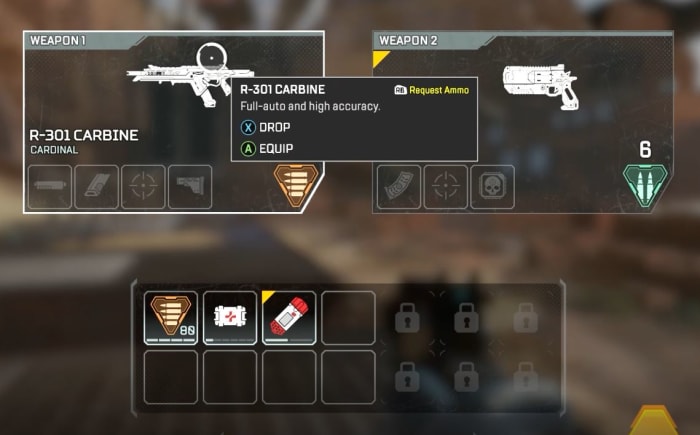
Apex Legends ping inventory
Open your inventory and ping items to tell teammates you’re searching for them.

5. Relocate with balloons

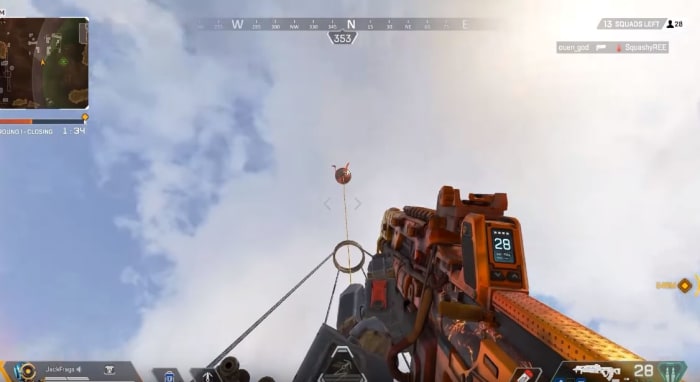
Scattered around the map are big red balloons. At any time you can go up to one, zip up the rope, and propel yourself back into the air, just like you did at the start of the match.
Apex Legends balloon
Activate these to launch yourself back up into the air.

This is handy if you’re trying to relocate quickly, or if you suddenly find yourself outside the ring. Be careful, though; you’re a pretty obvious target to anyone looking up.

6. Break the loot bots

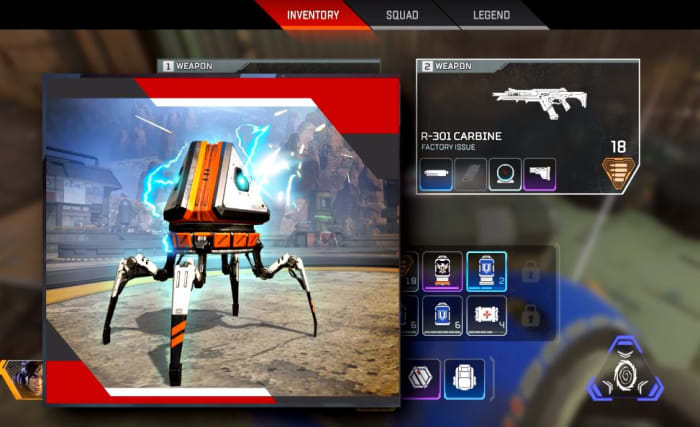
While you’re scrambling for loot, you should also be on the lookout for loot bots. They’re typically found indoors tucked away in corners or behind staircases. Strike them with your melee attack and watch the leveled goodies burst out.
Apex Legends loot boxes
These are the piñatas of Apex Legends

7. Stick with your squad

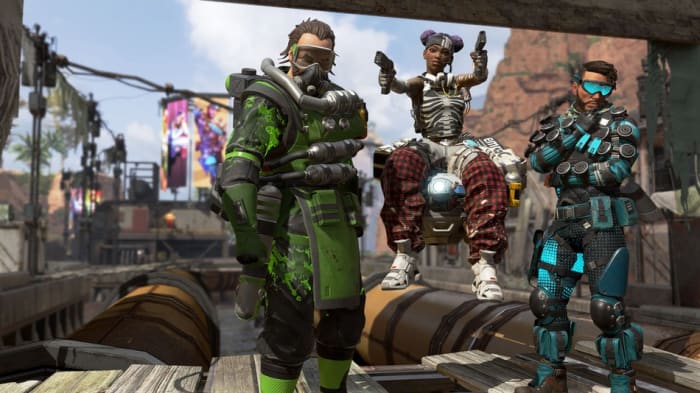
Everything is awesome. Everything is cool when you’re part of a team. Apex Legends is meant to be a team-based battle royale, as opposed to the typical free-for-all. Character abilities work best in conjunction with each other, and pinging objects that are nearby is far more useful than pinging something across the map.
Apex Legends squad
Don’t play the lone wolf in Apex Legends. It means no one has your back.

Let’s also state the obvious: If you get surrounded by three enemy players with higher-tier loot than you, you’re probably going to die. Having teammates available to flank enemies, revive you when you’re downed, or trade supplies with you is a huge help.

8. Mod your weapons

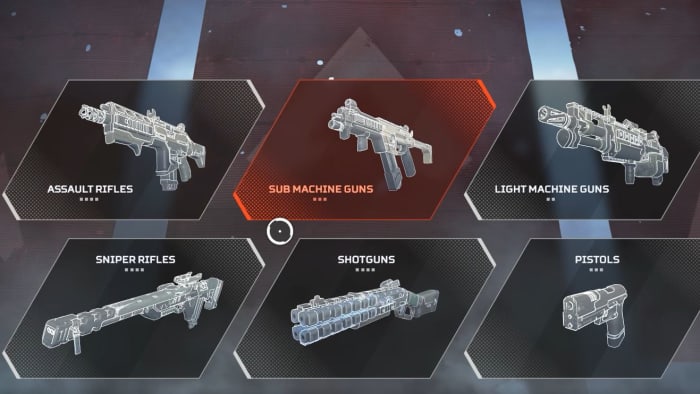
There are dozens of weapons in Apex Legends, and all of them support modifications that you can find lying around the map. Sometimes they’ll alter the way your scope looks, sometimes it’ll extend your clip size, sometimes it will even completely change the way your gun fires. Before you throw away an upgraded gun for one that you just like better, weigh your choice carefully.
Apex Legends weapons
Modifications lying around the map come in different tiers too.

Some attachments like the Selectfire Receiver can even transform a burst-fire gun into a fully automatic weapon, which opens up entirely new possibilities for tactical weapon pairings.
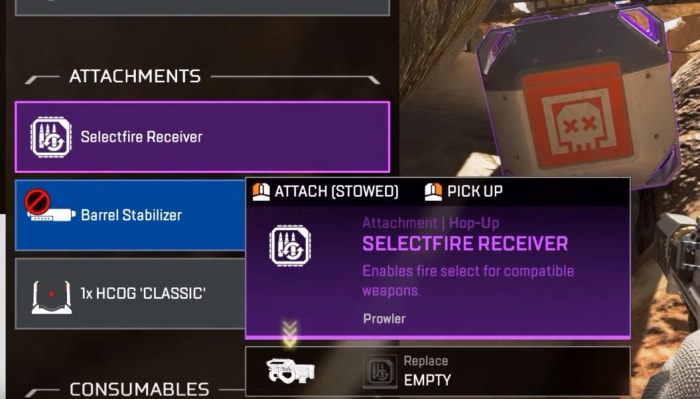
Apex Legends Selectfire Receiver
The Selectfire Receiver allows you to select different firing options

9. Damage is color-coded

By default, Apex Legends has hovering numbers over enemies as you shoot them. These numbers obviously indicate how much damage you’re doing to them, but it actually tells you more: The color of these numbers indicates what tier of armor they have equipped – white, gold, blue, or purple. If the numbers are gold it means you’ve scored a headshot.
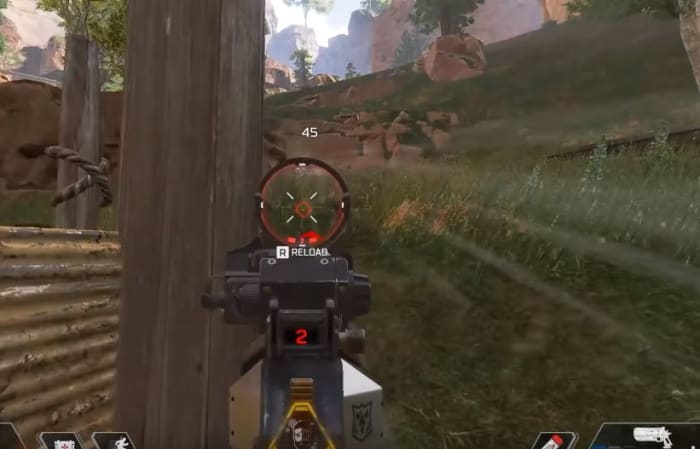
Apex Legends colored fire indicator
Switch ‘stacking’ to ‘floating’ under the Settings menu for a accurate damage output reading.

The higher-tier shields do not offer superior damage negation, by the way; it just means the shield will last longer. If you see purple, go for it.

10. Crates are color-coded, too

Lastly, when you defeat an enemy the color of their crate will match the level of the highest-tier loot they were carrying. If the crate is blue, for example, it means they were running around with that some form or other of gear at that level.
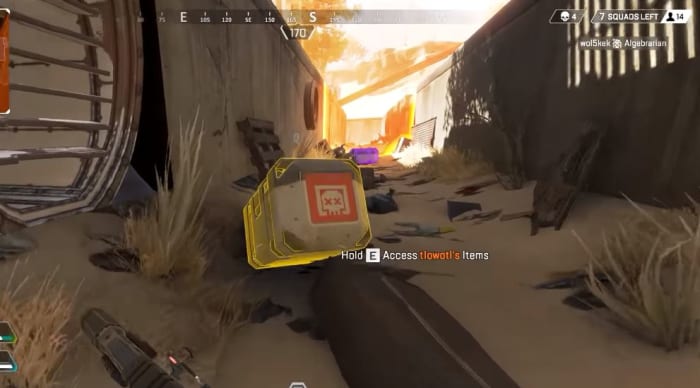
Apex Legends legendary crate
If you see a gold crate it means this player had a legendary item you can take.

If you’re in a hurry, prioritize searching crates that are purple or gold first. You can always ping these crates to return to them later, or so your teammates can find them.

As a final word, don’t be afraid if you end up head-to-head with high-level players. Their banners might show outrageous killstreaks or rare armor, but this actually has no bearing on their combat efficiency; it simply means they’re more experienced players. With the exception of Mirage and Caustic, the only unlockables in Apex Legends are aesthetics for your character, guns, finishers and emotes – none of which have any effect on how much damage your weapons do, or how much health you have on the battlefield.
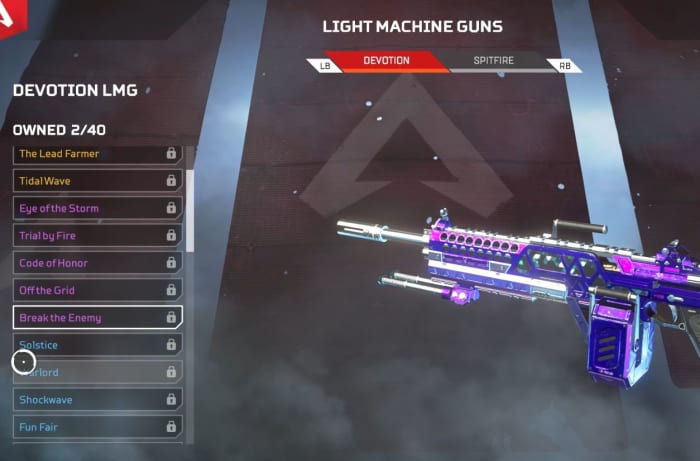
Apex Legends Devotion LMG weapon skin
Weapon skins are nothing more than aesthetic changes.

So there you go! Hopefully, our beginner guide will help ease you into Apex Legends, and let us know in the comments below anything you’ve found helpful in your matches. Stay tuned, and we’ll see you online!


Best geek conventions of New England

The New England area offers tons of fun for geeks. Here are the conventions you should add to your calendar.

Conventions are a great way for like-minded fans to enjoy celebrating their interests together. They can even provide a way for you to meet some of your favorite voice actors and comic book creators. Conventions also typically have showcases for new products, as well as fan artists selling their work. But with so many conventions out there, it can be difficult to choose the right ones to go to. Thankfully, we’ve looked over dozens of northeastern conventions to find you the best eight. Each one of these conventions is well worth checking out.

8 best geek conventions of New England

cosplay

PAX East (MA)

Dates: March 28-31, 2019

Location: Boston Convention and Exhibition Center in Boston

The Penny Arcade Expo is one of the most well-known gaming conventions all over the world. There are multiple different locations for PAX events each year, and the east coast one happens to be in Boston. PAX East features new game announcements, tons of free games to try, and crowds of excited gaming fans wondering its halls. Tickets sell out within days of them going up, so you’ll have to act fast if you want to get a ticket to the best gaming convention of New England.

Anime Boston (MA)

Dates: April 19-21, 2019

Location: Hynes Convention Center in Boston

AB is by far the largest anime convention in New England, and one of the largest in North America. If you’re looking to see big anime announcements, popular Japanese bands, and tons of celebrity guests, then AB is one of the best conventions you can attend. They also have more merch and panels than probably any other con on this list, so be ready to come home with lots of goodies.

PortConMaine (ME)

Dates: June 27-30, 2019

Location: The DoubleTree in Portland, ME

One of the few successful and fantastic general geek conventions, PortCon has a little of everything. From anime to games, there’s nothing you can’t find out of a PortCon experience. They are a four-day convention, which is a little longer than most, and has given them the opportunity to really expand how many panels and events they have. There’s always something to do, somewhere to go, and something to see at this unforgettable con.

PopCult Anime Con (MA)

Dates: August 3-4, 2019

Location: Sheraton Framingham Hotel and Conference Center in Framingham, MA

Despite being a relatively new convention, PopCult Anime Con offers just as much excitement as the decades-old conventions it competes with. Whether you’re a vendor or an attendee, the PopCult staff make sure everyone leaves with a smile. The convention is entirely run by well known members of the New England anime communities, so you know the staff is there to have a good time just like you. Plus, their mascots are adorable. Make sure not to miss out on this delightful convention if you ever have the opportunity to attend.

RetroWorld Expo (CT)

Dates: September 8-9, 2019

Location: Connecticut Convention Center in Hartford, CT

One of the few conventions specifically dedicated to celebrating the past. This is the ideal con for gaming collectors, as RetroWorld features some of the rarest games available. No matter what decade of gaming you’re into, RetroWorld has something unique and exciting for you. The convention is mostly merchandise-based, but their selection is incredibly wide. Some dealers even come with bucket-loads of old and rare retro games that are a wonder to see.

Another Anime Convention (NH)

Dates: September 27-29

Location: 2019 venue is currently unannounced but most likely in Manchester, NH

This convention used to be pretty small, but has grown to become a sizable and popular New England con. A great convention for cosplayers to attend, as your elaborate outfits will not go unnoticed by the attendees or staff. Even though they have grown to become one of the more popular conventions in the area, the community surrounding AAC still resembles that of a smaller convention. This means many of the staff has a high emphasis on being kind, helpful, and approachable compared to other medium-to-large conventions.

Rhode Island Comic Con (RI)

Dates: November 1-3, 2019

Location: Rhode Island Convention Center and Dunkin Donuts Center in Providence, RI

Probably the biggest comic convention on the east coast, Rhode Island Comic Con features some of the most popular and famous guests in comic book history. They also have many up-and-coming comic book artists just starting to make a name for themselves. It is the perfect place to discover comics old and new, and lose yourself in the world of graphic novels.

Carnage 21 (VT)

Dates: November 1-3, 2019

Location: Killington Grand Resort in Killington, Vermont

A tabletop gaming convention in Vermont, Carnage can be a great convention to go to when trying to increase your gaming circle. There aren’t many conventions in the area that focus primarily on roleplay-based games like D&D and LARPs, so Carnage is the perfect place to build new relationships with members of the community. There is also a lot to do at this convention, and it caters heavily to all ages, which can be really refreshing for conventions in this area.

These conventions are typically held at different times in the year, with a few overlaps, so you’ll be able to attend multiple if there are a few that interest you. Each one has their own forums you can look into, and use to plan meetups with like-minded fans. They often have cosplay events that you can prepare for by checking out those forums! Definitely worth looking into if you want a group to meet up with at these conventions.

How to add your own music to Skyrim in 5 easy steps

It’s not hard to switch your Skyrim soundtrack. Here’s how!

skyrim music

Jeremy Soule made some of the best music to ever grace an open-world RPG when he composed the soundtrack for Elder Scrolls V: Skyrim. After nine years and hundreds of in-game hours, however, even the greatest soundtrack can get a little stale. Now there’s a way to add your own tracks to the game – tracks that follow the same rules for trigger events as Soule’s original music.

The best thing about it?

The process is very easy and requires zero coding knowledge. In fact, you don’t even need to use the Creation Kit. Here’s how to do it in 5 easy steps:

The Elder Scrolls V: Skyrim Special Edition Free Download
8

5 easy steps to add your own music to Skyrim

1. Download this mod

No_Aardvarks_Allowed created this Personalized Music mod for Skyrim back in March 2012 and was still treating it with updates four years later. This top-notch work is available both for the original version of Skyrim and for Skyrim: Special Edition which came out in October 2016.

This mod is the crux of the process, so it’s a good thing that, as with all Skyrim mods, it’s 100% free to download. As such, we encourage you to support and sponsor No_Aardvarks_Allowed for his hard work making Skyrim an even more unique experience for you. We also recommend installing Nexus Mod Manager to make the download process as streamlined as possible.

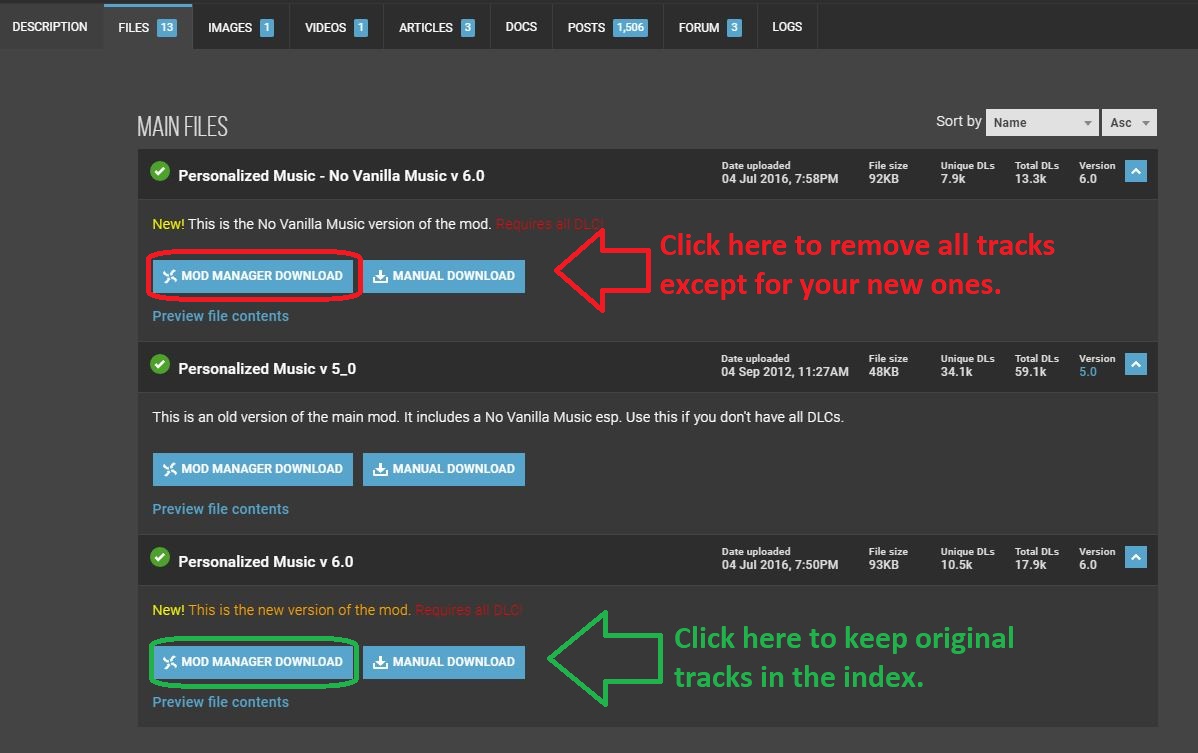
There’s also an option to download this mod while simultaneously removing all the default music from Skyrim. Click the first file on the page if this is your preference.

We like to keep them in; they're great, just a little overused by 2019!
Choose whether you want the original Skyrim tracks to remain in rotation.

2. Download this program to convert your music files

You can use .wav files too, but they're heavier and take more space.
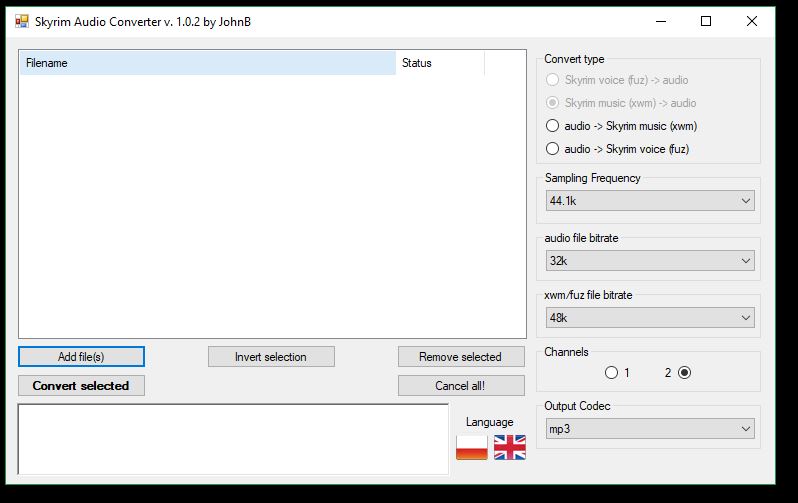
Skyrim Audio Converter makes swapping files to .xwm as easy as possible.

Skyrim only recognizes audio files with a .xwm extension. This handy mod created by JohnBSkyrim is a lightweight package that’s easily installed and easier still to use. Grab it here, unzip the file using your favorite extractor and run the super quick install.

WinRAR Download
8

3. Convert your audio file

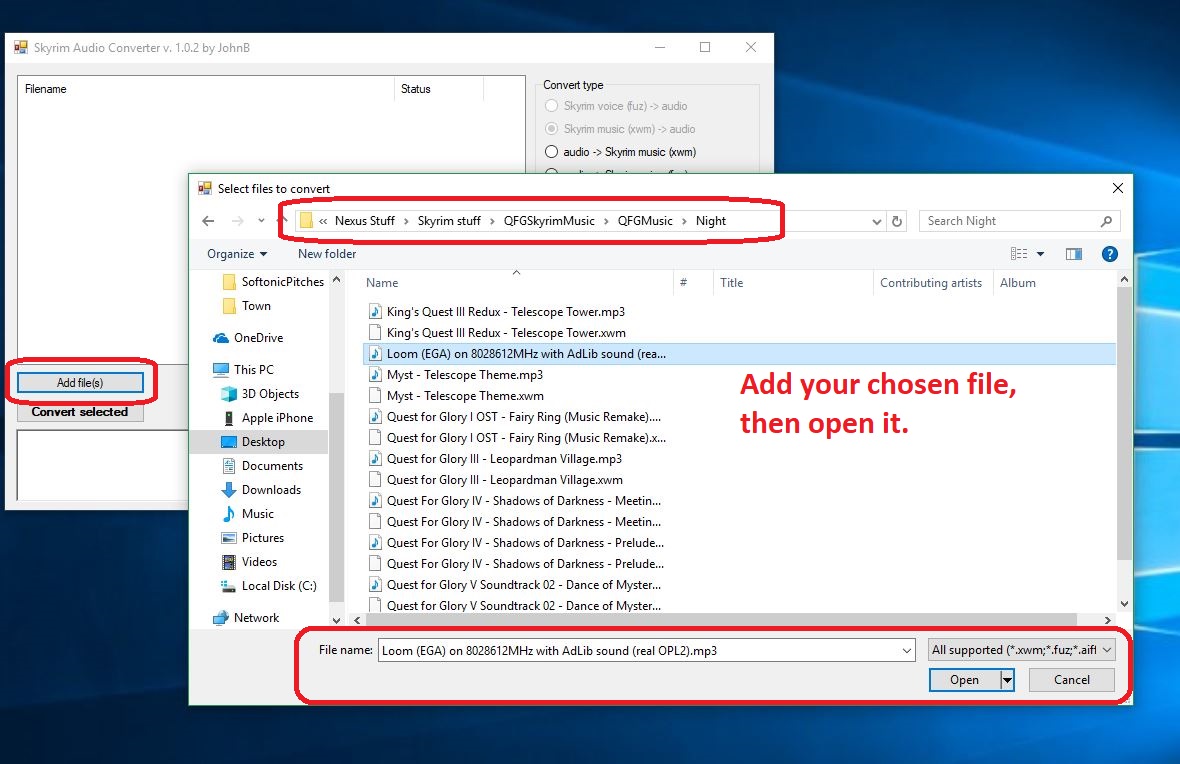
Once you have your audio file (whether it’s .mp3 or .wav doesn’t matter), open the Skyrim Audio Converter program that you just downloaded in the previous step. You might also want to copy the path where your audio track is so that you can easily paste it; Skyrim Audio Converter is going to ask for that path in just a sec. Click ‘Add file‘ and paste in that path. Then select the audio file you want the program to convert.

Then you convert it in the next step.
Click ‘Add file,’ locate it, then open it.

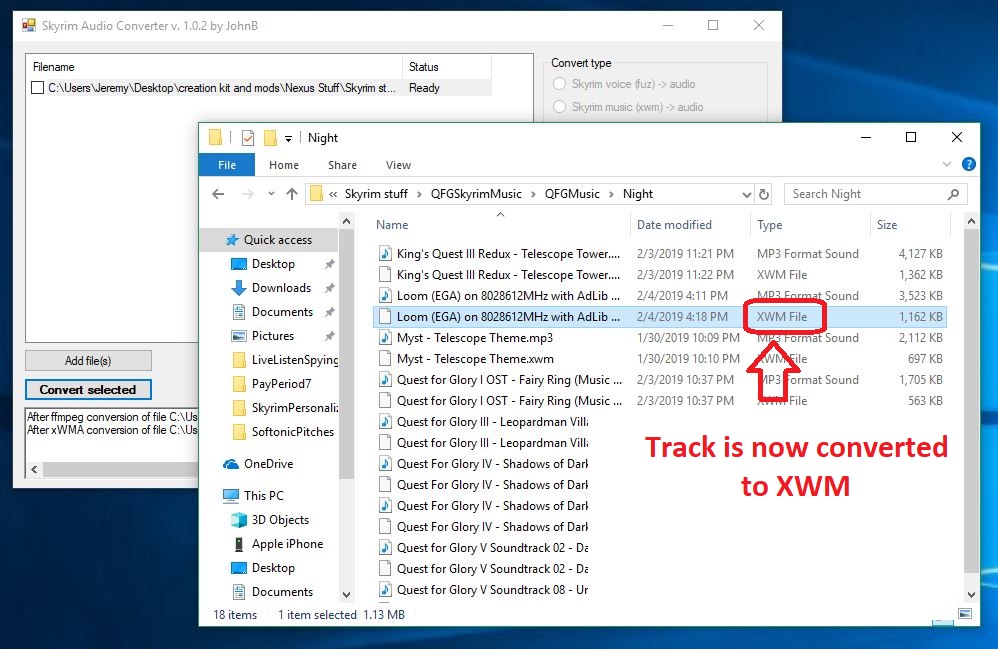
Click ‘Convert selected‘ and the audio file will convert (should take about 2-3 seconds) and magically appear in the same folder where the original audio file, now with a shiny new .xwm extension.

Now on to the fun part!
Now the audio file can be recognized by Skyrim’s engine.

4. Place the .xwm file in your chosen folder

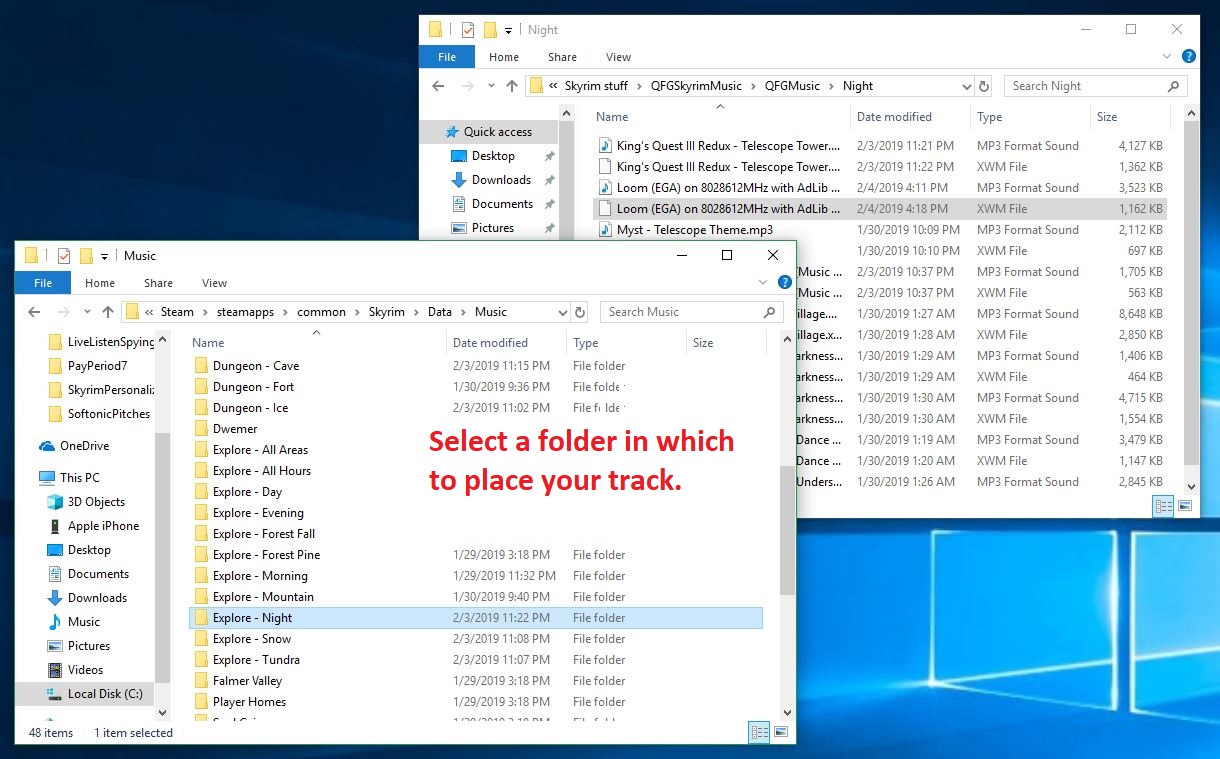
Now all you have to do is put that soundtrack file in the folder of your choice. The options are laid out in front of you right here. Just paste this path into your File Explorer:

For original Skyrim:

C:\Program Files (x86)\Steam\steamapps\common\Skyrim\Data\Music

For Skyrim: SE:

C:\Program Files (x86)\Steam\steamapps\common\Skyrim Special Edition\Data\Music

Want it to play during combat? Maybe in an icy cave? In the Soul Cairn? There’s a folder for pretty much every event trigger, so the choice is yours. Check here for a description of when each folder will play. Simply open the folder and paste your newly-converted audio file right inside. Most folders can hold 20+ tracks so there’s tons of space for you to add as many tracks as you like!

You can also place the same track in multiple folders.
Drop the xwm file into whichever folder you like; each folder is a trigger event in-game.

5. Re-name the audio file

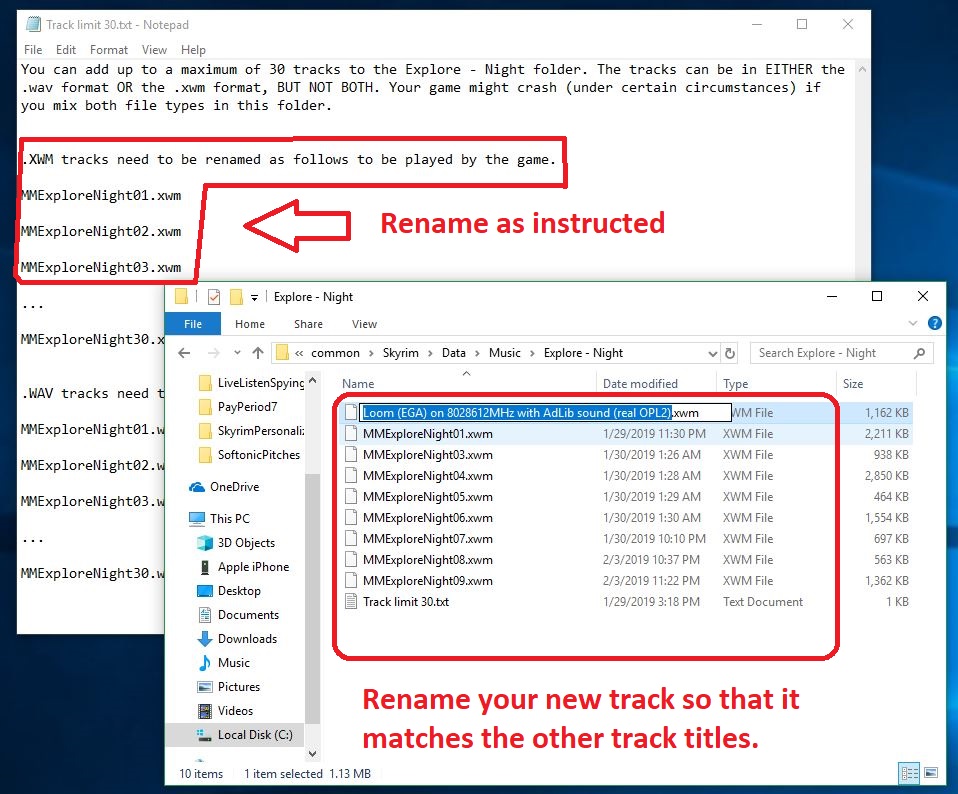
The last step of the process is the easiest. Inside the folder that you chose in the previous step is a .txt file that explains how you need to re-name your new .xwm file so that Skyrim can read it. The names usually start with ‘MM’ and end up being pretty intuitive, such as ‘MMCombatAll03.’

Then you should be all done!
Select the file and press F2 to rename it as the embedded .txt instructs.

After that, boot up the game and test to see if it works! If you’ve followed our above steps carefully, you should now be able to roam the snowy landscape of Skyrim and slay dragons to the beat of your favorite music! Comment below with your favorite choice for custom battle music, and stay tuned for more great Skyrim mods.
RIP Machinima

An early internet video pioneer meets a painful end.

If you were a gamer in the past 10 years, you already know what Machinima was. We say “was” because as of February 1, the company has officially announced that 81 of their employees were laid off and all remaining operations ceased. “A select number of Machinima employees remain with the company, which is now actively providing services to supercharge the combined portfolio of Otter Media,” said Machinima. “Machinima has ceased its remaining operations, which includes layoffs. Russell Arons still remains with Machinima, and is assisting with transitional activities as she explores new opportunities.”

While this may simply sound like another company lay-off to some, for many YouTube fans the news hit pretty hard.

What was Machinima?

Founded in January 2000 by Hugh Hancock, the Los Angeles-based Machinima fused video entertainment with video games before it was cool. Manipulating video game technology to create animations, Machinima created memorable, funny, gaming-themed live-action content, and was a cornerstone of YouTube culture since the website’s earliest days.

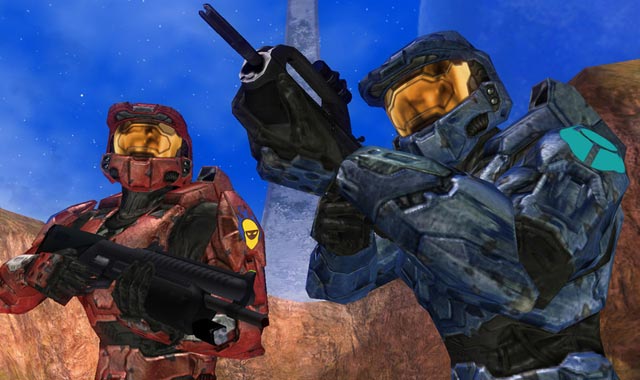
Halo characters, Red vs Blue
Rooster Teeth’s Red vs Blue is a great example of the ‘Machinima’ technique.

Home to some of the most famous web series including Inside Gaming, ETC News, Halo 4: Forward Unto Dawn, Arby n’ the Chief, and Two Best Friends Play, Machinima was to gaming videos as Twitch is to game streaming today. The company was so big in 2012 that it even earned the attention of Google, who invested $35 million into the company in hopes that it would turn its attention toward larger audiences and one day dominate television.

What happened to Machinima?

On January 18, all of the channel’s content was abruptly set to private before being removed days later. The sad news quickly hit social media, with hurt fans and creators sharing the information, donning the melancholy hashtag #RIPMachinima.

Machinima channel deactivated
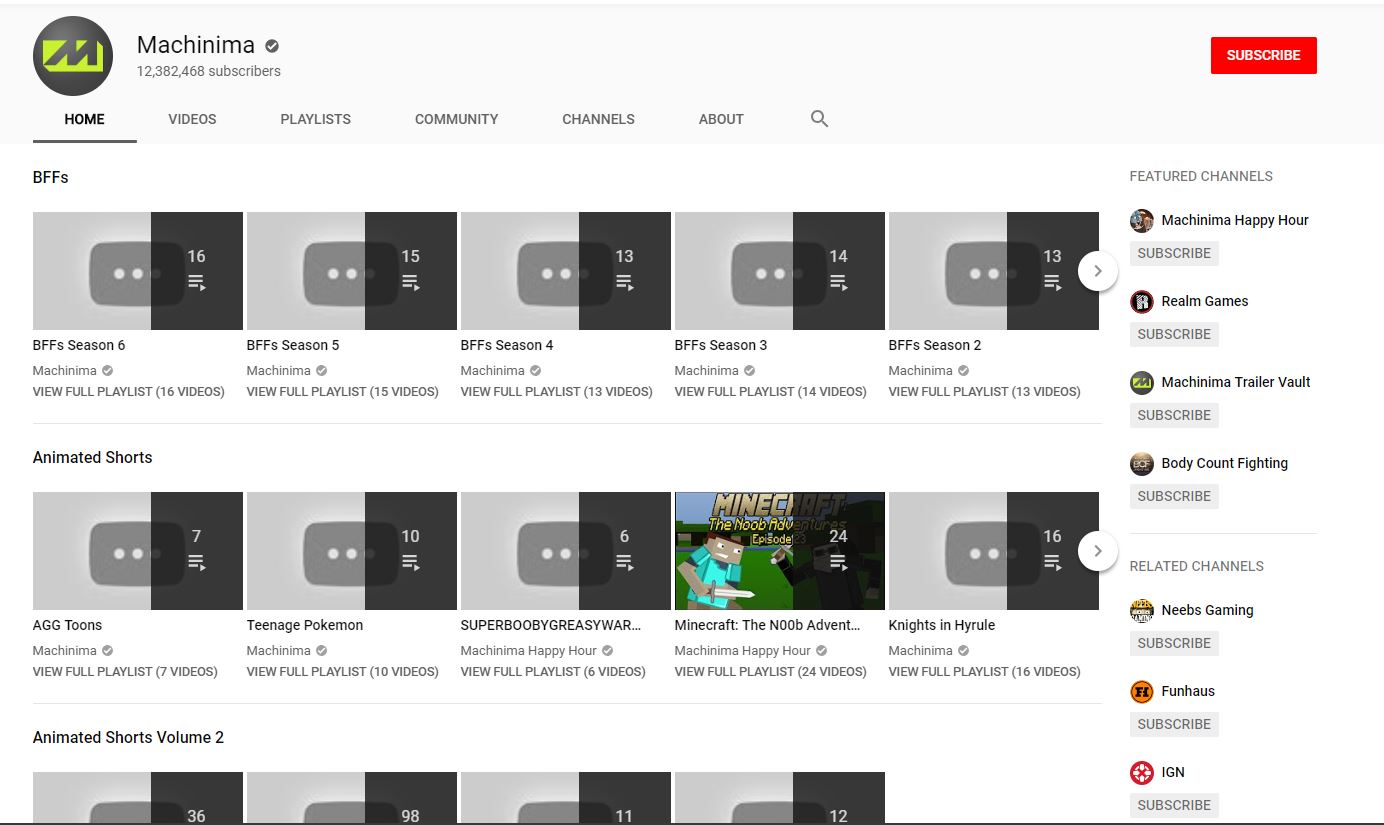
This used to be a hub of gaming fan videos

The news has hit consumers of gaming content hard, but the creators have been hit harder still, suddenly finding all their published work inaccessible by the public.

“Warner, at this point, cannot verify the copyrights to all videos in Machinima’s network, and there are a ton of videos,” said FunhausTeam producer and Inside Gaming’s Lawrence Sonntag in a recent Twitch clip. “It’d cost a lot of money to do it, and this is on videos that aren’t getting any views. So, they cut it loose. That’s that. It’s a business. That’s how it goes, man.”

So now what?

Back in December 2018, AT&T moved Machinima under their Otter Media brand. Otter Media is a is an American digital branding and media company that owns Crunchyroll, VRV, Fullscreen, Gunpowder & Sky, Hello Sunshine, and Rooster Teeth. The restructuring also saw layoffs across Otter Media, with creators either let go or sent letters informing them they were being moved to Fullscreen, yet another media company founded in 2011, owned by – you guessed it – Otter Media.

Here’s the letter they sent:

So technically Fullscreen has acquired Machinima, and they’re working under the big corporate umbrella of Otter Media. The news is disheartening to many Machinima fans, and it feels like the end of an era; one of the old YouTube giants is gone.

Were you a Machinima fan? Let us know in the comments below, and if you had a favorite creator on the channel. Until then, we’ll see you online … but it’s a sadder internet for sure.

Apple rumored to be developing Netflix-like gaming service

Is Apple about to make a huge splash in the gaming industry?

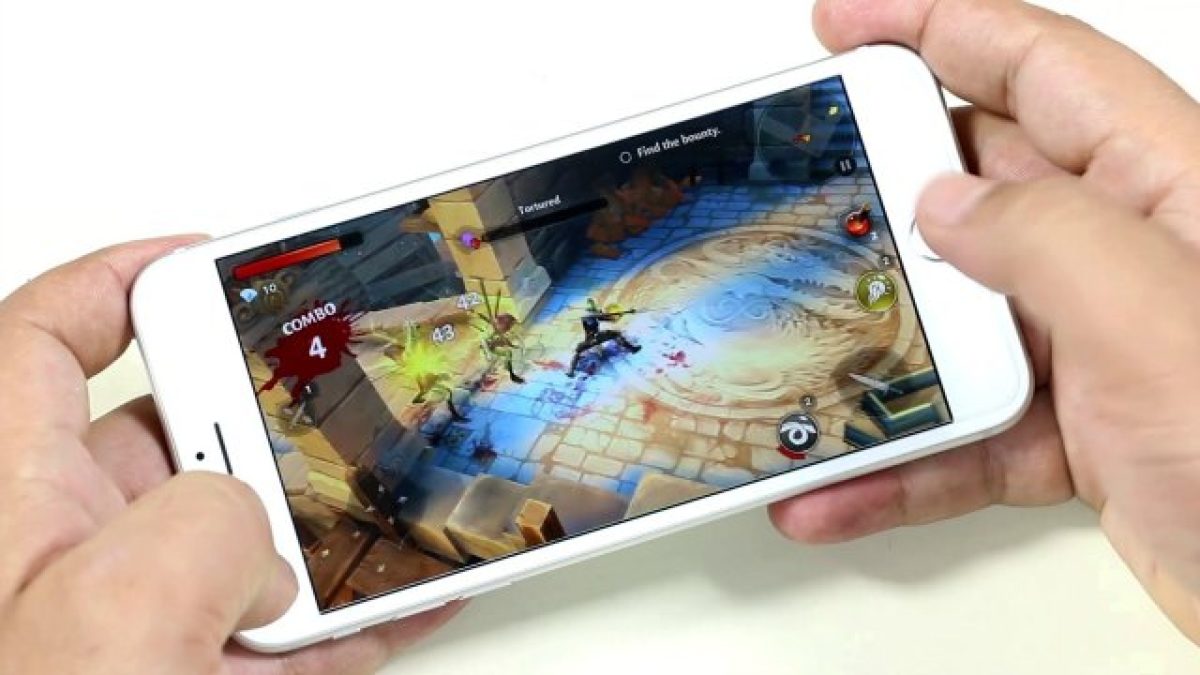
Rumors are swirling that Apple is in the early stages of developing a subscription-based service for games, similar to Netflix’s model for movies and shows. There are few details about the service beyond this, as we don’t know if this service is being developed for mobile devices, home computers, or both.

Making a gaming service is a puzzling move on Apple’s part for multiple reasons. Even though Apple basically created the mobile gaming market with the App Store, they’ve never really gone all in on the gaming industry. Though Apple has placed tight quality control restrictions on the App Store, for the most part, they’ve been content to lay back and get their (sizable) cut from in-app purchases. Additionally, though Macs have received increased support from game developers over the years, the vast majority of PC gamers play on either Windows or Linux. Apple does not seem to mind this as their core Mac audience usually buy their devices for business or creative purposes. With this in mind, it’s relatively safe to assume that Apple’s upcoming gaming subscription service will focus on mobile gaming.

What would an Apple gaming subscription look like?

A subscription for mobile games wouldn’t make much sense, as the most popular mobile games by far are free titles that heavily utilize microtransactions. Why would anyone pay to play free games?

To make the subscription price worth it, Apple would have to offer some sort of premium content. Games could lock special levels, characters, or power-ups behind the subscription service, incentivizing hardcore players into subscribing. This model would make financial sense, as research has shown that mobile games make their money not from casual players, but from “whales.” Whales are hardcore players who pour tons of money into freemium games. Locking content behind a subscription would encourage whales and completionists to make the dip. There’s also the possibility that instead of locking content, the subscription would give a small amount of money to spend in every game included in the service. This would give players a brief glimpse into the premium side of popular games, encouraging them to spend more money after their subscription credits run out.

Another possibility is that Apple could focus on “premium” iOS games rather than free to play ones. These games are often console quality and cost around $10-$20, but don’t feature additional microtransactions. Examples of these games include Civilization VI and XCOM: Enemy Within. Apple could allow subscribers to play these games at no additional cost, which would encourage people to play these games who would have never before considered them due to their price.

By combining these two ideas, it’s possible that Apple could have a success on their hands. The subscription hinges entirely on how it is embraced by whales. If whales don’t see value in paying for a subscription, the service will fail.

9 best YouTube channels for JRPG fans

If you love JRPGs, add these YouTubers to your watch list!

Kingdom Hearts

From Legend of Zelda to Persona, JRPGs span a wide range of genres and storylines that have captivated western audiences for decades. With continued popularity increasing in staple Japanese franchises like Kingdom Hearts and Fire Emblem, a large YouTube community is dedicated to talking about this incredibly diverse genre. While some YouTubers tend to focus on a specific JRPG franchise, many others cover much broader topics. Here are some of the best YouTubers to watch whether you’re a die-hard JRPG fan, or just looking for a new game to try.

Best YouTube channels for JRPG fans

9. Superbutterbuns

While she is primarily a Twitch streamer, her YouTube channel is filled with hilarious commentary and guides. Not only are her guides informative, they are also quite funny. If you’re truly a beginner gamer looking to understand a specific JRPG, then she is the perfect choice to go to for both the entertainment and information. She covers a few games that aren’t JRPGs, however, that seems to be her primary genre.

8. Game Theorists

While certainly not exclusive to JRPGs, the Game Theorists are a popular channel of gamers that will do research into some popular fan theories behind many video games. They take the time to explain each theory, while also giving their personal takes on its legitimacy. Some of their most popular videos cover controversial theories on the Mario and Zelda series. Many of the theories end up relating to Nintendo or Nintendo franchises in some way.

7. Adam Koebel

Adam has one of the higher upload rates of YouTubers in this genre. He also is one of the few gamers who vlogs his experiences, rather than simply showing his gameplay. He is heavily involved in the gamer community, attending many conventions and vlogging his experience at them. He’s a good option to watch if you’re looking for a social YouTuber.

6. The JWittz

Originally popular for his unique and informative Pokémon videos, The JWittz has since broadened his content to include all things Nintendo. He does frequent Let’s Plays of popular games, while also explaining some of the deeper mechanics of the game he’s playing. Unlike most Nintendo-focused channels, however, he is more than exclusively Let’s Plays, and has a lot of “Top 10” videos and news coverage. He has also recently partnered with Facebook, and has been created large amounts of content for his page there.

You also may recognize him from our top 5 Pokémon YouTubers list, as he has been one of the most influential PokéTubers on the web.

5. Chuggaaconroy

Similar to the JWittz, Chuggaaconroy is known for his frequent coverage of Nintendo games. He tends to focus on older games, however, and almost exclusively does Let’s Plays. Some of his older videos have speedruns and other unique concepts that make them entertaining to watch along with his new content. The games he plays are often forgotten and underappreciated, allowing you to discover many hidden games through his content.

4. HappyConsoleGamer

Compared to the many Let’s Players in the JRPG YouTube community, it can be nice to have a channel that is mostly dedicated to reviews instead. HappyConsoleGamer is a great person to watch if you haven’t quite decided on a game yet, and you’re looking for a deep review on how good it’s going to be beforehand. While he doesn’t exclusively review JRPGs, they tend to be his main focus. In particular, he is known for his love of Dragon Quest, which is a fairly undiscussed series, despite its popularity.

3. HCBailly

Not the most popular YouTuber by view-count, but most JRPG fans are familiar with him in some way. HCBailly has been making videos on JRPGs longer than almost any other YouTuber out there. He typically does Let’s Plays, and he covers an incredibly large variety of the genre. He plays both classic JRPGs, as well as modern day ones. If you’re looking for a general Let’s Player to watch, then he is worth checking out, as his commentary is very involved in the subject matter. He’s also great for younger audiences. With a bi-daily upload schedule, you’ll never run out of content to watch with HCBailly.

2. Cendril89

This YouTuber is quite the hidden gem. Despite his low subscriber count, he continues to have a frequent upload schedule and an infectiously positive attitude. He often streams his Let’s Plays on YouTube, which makes his videos longer than most. This can be great for gamers who wish to play along with him in their own copy of the game he is playing. As he usually does blind playthroughs, it can be like having a new experience with an upbeat friend.

1. Lockstin & Gnoggin

His name may not be the most familiar, but his popular content certainly is to many. A recent popular series he did that has become an incredible success is “Every ___ type Pokemon explained.” As with this series, he frequently will give in-depth and researched explanations on some of the more obscure and interesting topics surrounding the genre. He’s also created some interesting videos on the Tales series, a popular franchise that hasn’t been covered by any popular YouTubers until recently.

If you’re looking for our suggestions on some great JRPGs to play yourself, be sure to check out our Softonic Solutions page, where our community lists 18 of the best JRPGs for PC. And if you think something is missing from the list, you can sign up to add your own suggestions as well!

Top 6 female YouTube gamers, new and old

Add some girl power to your YouTube subscriptions.

YouTube is a huge platform that’s growing exponentially by the day, and the largest video genre is gaming. While those who are familiar with the YouTube gaming scene are sure to recognize huge names like Pewdiepie, Markiplier, DanTDM and Jacksepticeye, most times female gamers are left off the ranking lists. We’ll shed a little light on the ladies with our list of a few female YouTube gamers that we enjoy.

YouTube Download Free
8

Top 6 female YouTube gamers

1. iHasCupquake

Subscriber count as of today: 6,558,878

iHasCupquake (Tiffany Herrera) is best known for her earlier Minecraft gameplays but also uploads videos for DIYs and cosplays. She started her YouTube channel in 2010 when she was encouraged to upload by her husband, also a YouTuber, who goes by redb15. Her first videos were of League of Legends and World of Warcraft gameplays, and discussions called “Gamer Talks.”  Outside of gaming, Cupquake also has YouTube channels for her cats and pet product reviews (now inactive), DIYs and Vlogs, and toy reviews.

2. LDShadowLady

Subscriber count as of today: 4,451,248

LDShadowLady (Elizabeth Dwyer) is a YouTuber from the UK who uploads mainly Minecraft and The Sims gameplays. Her Minecraft videos consist of playing a ton of different mods which she uploads in seasons. Her Sims videos are in the form of stories or challenges, like the recently popular 100 Baby Challenge.

3. OneShotGurl

Subscriber count as of today: 518,311

OneShotGurl is known for her Fortnite livestreams and gameplay videos that she makes from them. She streams on Twitch as well and previously held a record for most squad kills made in one round with other streamers FaZe Tfue and FaZe Cloak. Before Fortnite, she played a lot of PlayerUnknown’s Battlegrounds and other AAA titles.

Twitch DOWNLOAD FREE
9

4. Jazzyguns

Subscriber count as of today: 139,924

Jazzyguns is a relatively new YouTube gamer, having posted her first video a year ago. Most of her videos are Let’s Plays and streams of popular titles like Detroit: Become Human, Outlast, and Alien: Isolation. Horror seems to be the genre that she enjoys uploading the most, and her reactions are what really make her videos hilarious to watch. Her gaming content varies as she plays AAA titles and indie games as well. Along with newer games that have just been released, she also includes some that are a few years older like Batman: Arkham Knight.

5. Pokimane

Subscriber count as of today: 3,169,138

Pokimane (Imane Anys) is quite popular in the gaming community, as she uploads on YouTube and streams on Twitch as well. She’s known for her Fortnite and League of Legends streams, but also uploads DIYs, mobile simulator gameplay, and cosplay videos. She’s one of the top Twitch streamers with the most followers, having started in 2012, two years before starting her YouTube channel. Outside of gaming, she also has an ASMR channel.

6. KittyKatGaming/Mortem3r

Subscriber count as of today: KittyKatGaming – 357,733
Mortem3r – 309,951

KittyKatGaming is run by a gamer who goes by Mortem3r, who has a second channel also called Mortem3r. On KittyKatGaming, you can find many different gaming genres, ranging from indie to multiplayer games like Mario Party and The Jackbox Party Pack. A large part of the KKG channel is about interacting with fans, so usually when Mortem3r plays things like Jackbox, she’ll open the game up so subscribers can play as well.

Recently, due to YouTube’s infamous algorithm, KKG hasn’t been receiving as many views and Mortem3r made a video saying that she believes her channel has been shadow banned.

Shadow banning is when a content creator thinks that their channel is being hidden from potential viewers by not showing up when searched, current subscribers have been suddenly unsubscribed, or their videos are not showing up in a subscriber’s feed. Due to this, Mortem3r has decided to move completely over to her Mortem3r channel and continue making all of her KKG content there. The Mortem3r channel currently consists of vlogs, general chatting, and beauty videos.

There you have it! There are thousands of ladies out there who love gaming and contribute to making our favorite games great. More and more advancements in games and gaming hardware are being made every day, and we can’t wait to see more women represented in a male-dominated industry. As displayed in our list, they sure have the talent.

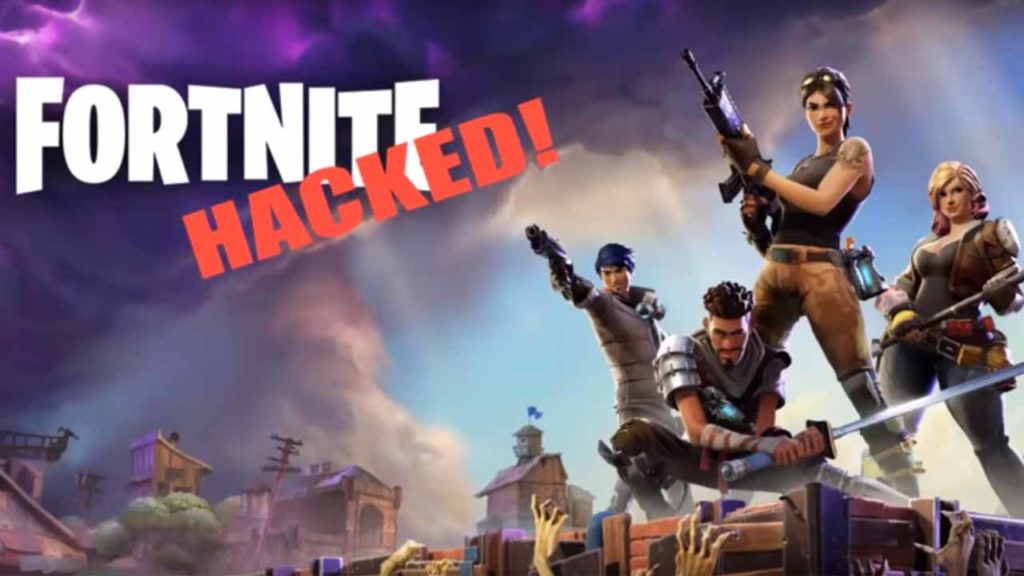
The Fortnite privacy leak we all knew was coming

This Fortnite vulnerability left players open to invasion of privacy.

fortnite data leak

Fortnite is a true global phenomenon. The popular online game is played by over 80 million people and enjoys a reach so wide that it has also creeped into regular popular culture. You’ll see kids on every street wearing Fortnite T-shirts and hoodies, and you’ll also see major sports stars celebrating their wins and goals with celebrations taken directly from the game. Even Netflix pegs Fortnite as their greatest competition.

Fortnite: Battle Royale Download Fortnite: Battle Royale ►
10

As fun as it all is, we have to remember everything that is online is vulnerable to exploitation. Also, anything as popular as Fortnite is likely to me a magnet for attention from all the wrong people. Hackers and cyber-criminals will see Fortnite as a cash cow and target Fortnite players, often young children. This has already started happening.

This Fortnite vulnerability left players vulnerable to invasion of privacy

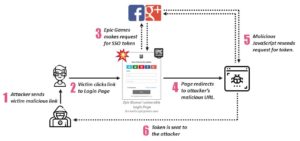
Researchers at Security consultant firm Check Point recently discovered a Fortnite vulnerability that allowed hackers to steal Fortnite’s virtual currency and even read private conversations online. According to Check Point the vulnerability wasn’t too complicated and was easy to exploit. All they had to do was send a malicious link to the Fortnite player over social media. Once clicked, the link would register the player’s Fortnite authentication token allowing access to their account without the need to enter their login details.

Image via: Check Point

The high numbers of young children playing Fortnite makes this vulnerability all the more shocking. Oded Vanuu, who is the head of products vulnerability research at Check Point, said, “Fortnite is one of the most popular games played mainly by kids. These flaws provided the ability for a massive invasion of privacy.” Children are more vulnerable to further exploitation since the malicious link also asks questions relating to their account, including any financial information that might be connected to the account. They’re much less likely to be able to spot something out of the ordinary, meaning they’re more likely to hand over the information.

The key here is that, essentially, the vulnerability relies on unsuspecting users falling for a phishing attack. The malicious link is presented as a legitimate communication from Epic Games and the victims believe it. It is always very important to think carefully when you are contacted and asked to click links or hand over your details. For more information on avoiding these types of scams follow our tutorial on how to detect fake or scam emails, websites, and social media posts. Another key way to protect yourself from these types of scams on Fortnite is to turn on two-factor authentication for your account.

Fortunately, Check Point reported this bug to Epic Games, and it was fixed last month. This doesn’t mean, however, that there aren’t other vulnerabilities out there and that you can now let your guard down. On the contrary, this bug only indicates that it is more important than ever to remain vigilant when you’re doing anything online.

Enhance gameplay by installing mods for Euro Truck Simulator 2

Euro Truck Simulator 2 initially launched in 2012, but there have been plenty of DLC packs since then. What started in the UK has eventually stretched into France, Germany, Poland, and so many other European countries. ETS2 is so well loved by the gaming community that many developers have made mods to improve some game mechanics and add items.

Euro Truck Simulator 2 DOWNLOAD

If you’re like me, you’ve probably never modded a game in your life, as you prefer the original version. However, you may have stumbled upon a mod that looks quite interesting. If it’s your first time, here’s a details guide on how to install mods for Euro Truck Simulator 2 and where you can find them.

What do Euro Truck Simulator 2 mods do to the game?

Like most mods, the ones for ETS2 change the way you play the game or add items not available in the original version. For instance, you’ll find new trucks and vehicle customization parts, or perhaps some skins. Others add local radio stations when you enter a new city or country. There are also improvement mods that upgrade visuals, sound, or movements for more realism.

Where to locate and download mods?

There are a few locations where you can find Euro Truck Simulator 2 mods. The official method that works the best is via the Steam Workshop, which we’ll explain in the step-by-step guide below. 

There are also websites that collect ETS2 mods that you can download and install, such as https://ets2.lt. Softonic also has a few mods you can try out:

How to mod the ultimate trucking game, Euro Truck Simulator 2

Once you’ve found the mod you like, here are the steps to install mods for Euro Truck Simulator 2.

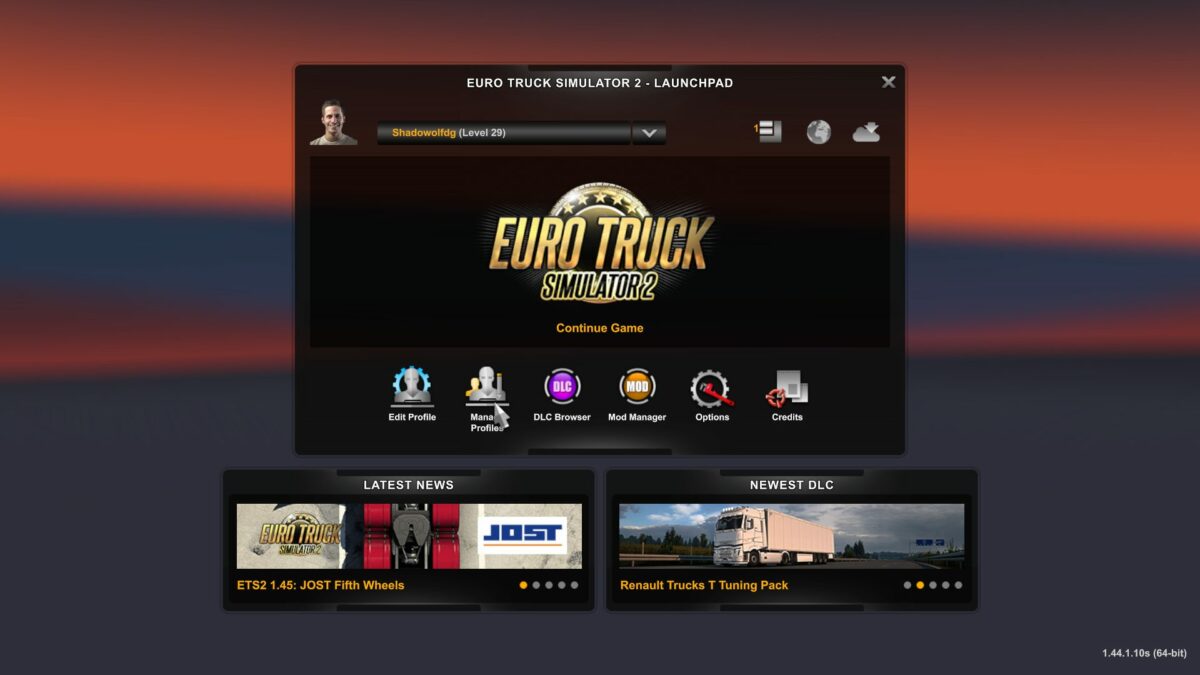
  1. Open ETS2 and Manage Profile

    How to install mods on Euro Truck Simulator 2

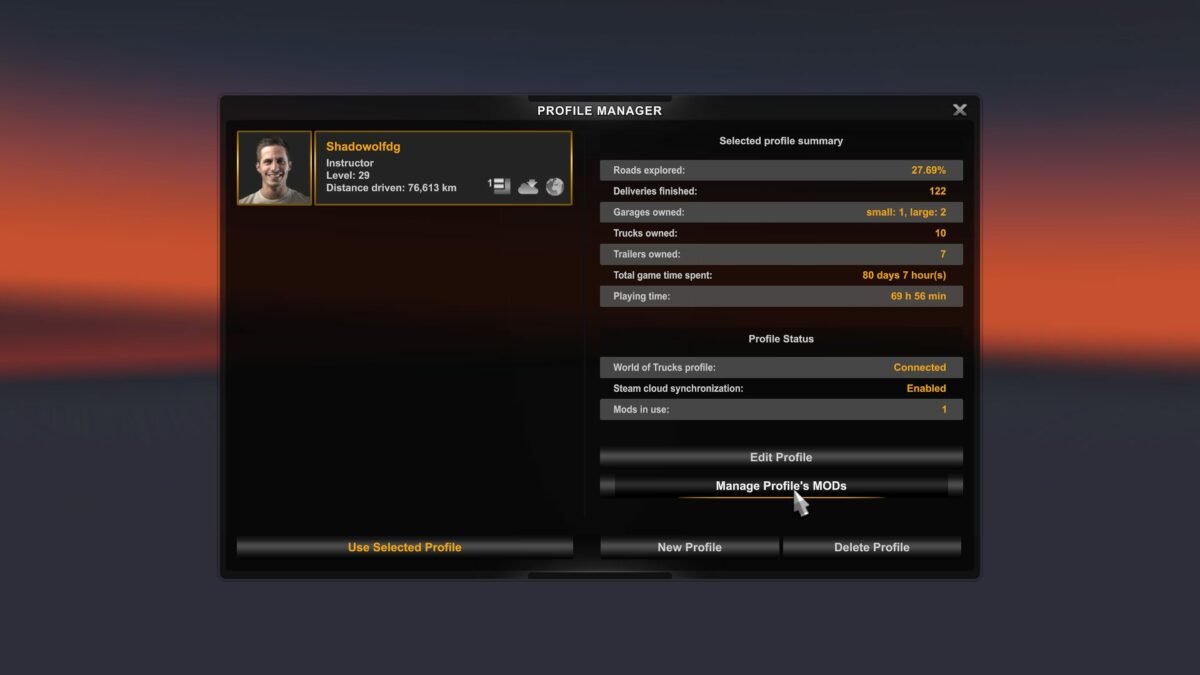
    The first step you’ll need to take is opening Euro Truck Simulator 2 from your Steam platform. Wait for the game to load, and then look at the options underneath your profile. You’ll see Edit Profile and Manage Profile. You’ll need to click on the second one.

  2. Open the Mod Manager

    How to install mods on Euro Truck Simulator 2

    With your profile open, you’ll see a few buttons on the side. The one you’ll aim for is Manage Profile’s MODS. Just above that, you can actually see if you have any mods available at the moment.

  3. Click on Steam Workshop

    How to install mods on Euro Truck Simulator 2

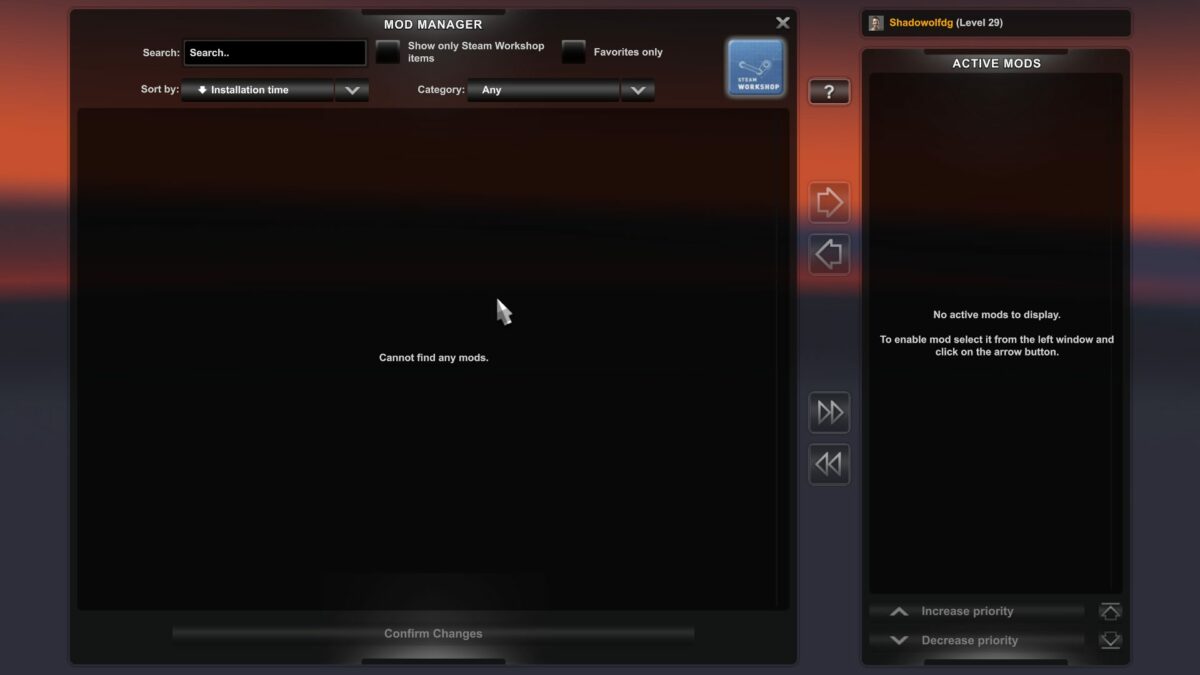
    You’ve now entered the Euro Truck Simulator 2 mod manager. If this is your first time installing a mod, this space should be empty. Take a look at the top right corner of the screen. You’ll see a Steam Workshop logo. Click on it to head directly to the ETS2 mod store.

  4. Subscribe to a mod

    How to install mods on Euro Truck Simulator 2

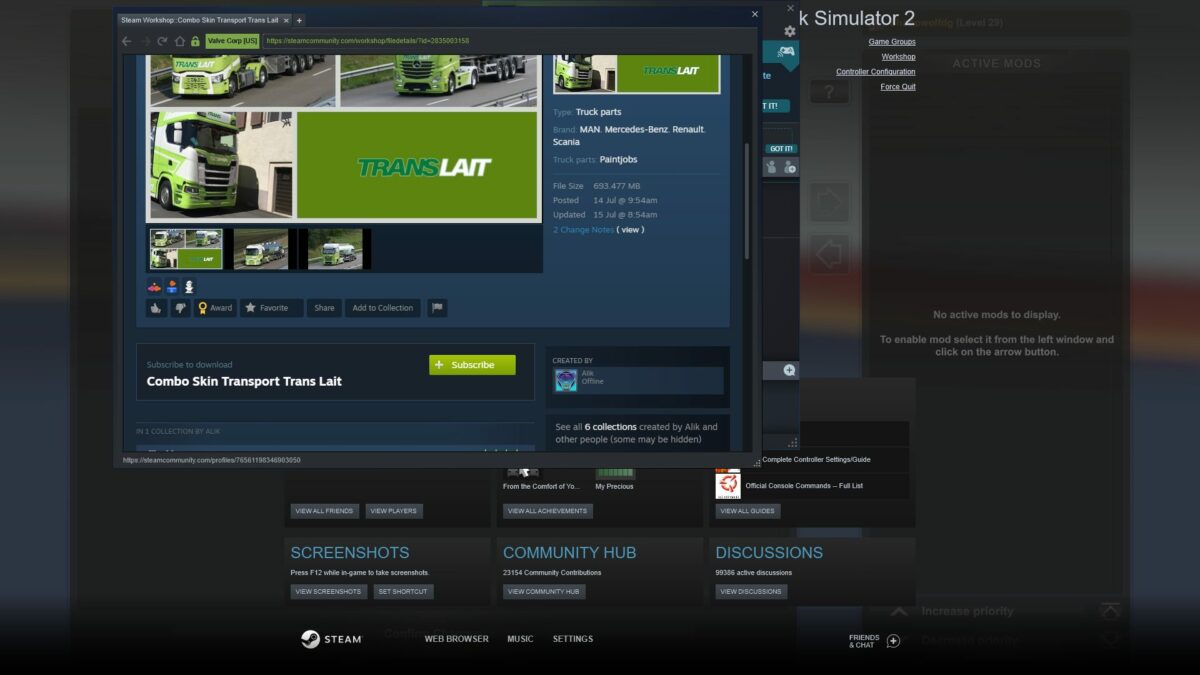
    You’ve landed on the haven for Euro Truck Simulator 3 mods. You’ll see various categories, such as popular or hottest, as well as a few select skins and vehicles. These are recommended mods that work well with ETS2. When you’ve found the one you like, simply click on the Subscribe button. A message will appear telling you the mod has been added.

  5. Activate and confirm changes

    How to install mods on Euro Truck Simulator 2

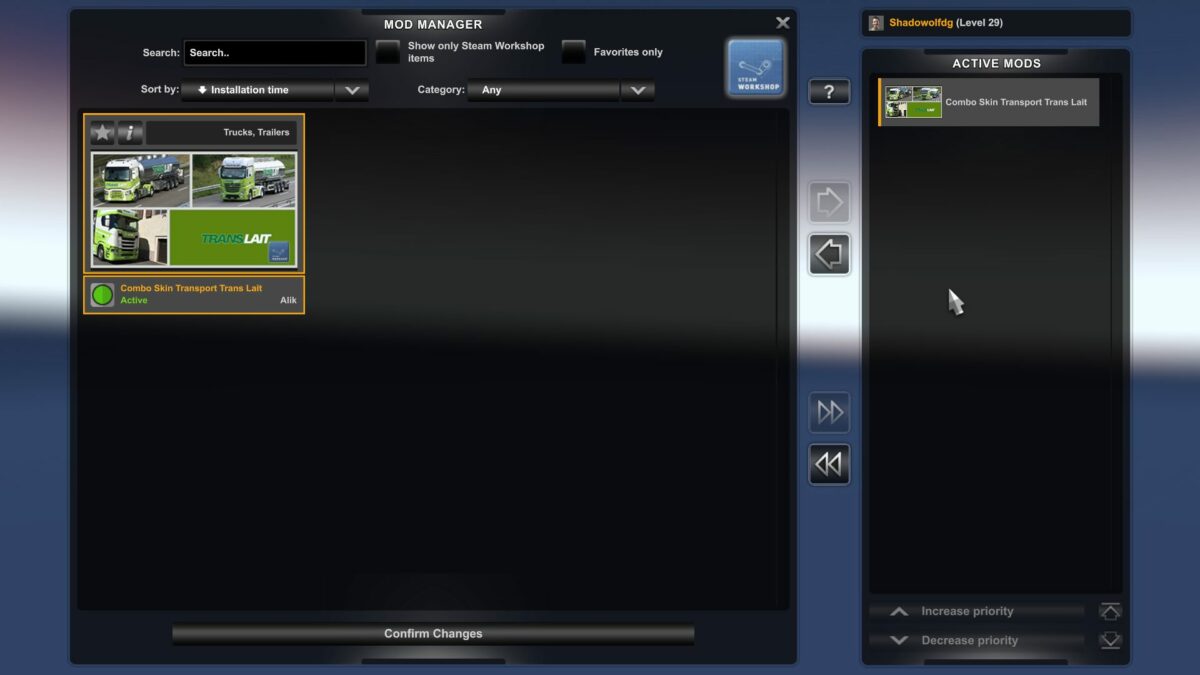
    When you’re done adding all the ETS2 mods you want, head back to the Mod Manager. You’ll need to select them in the window on the left, then click on the arrow in the center. Once done, click on Confirm Changes at the bottom. You can now play with your new mods. If you ever want to remove them, head back to the Mod Manager and deactivate them.

Alternative way to install mods on Euro Truck Simulator 2

The above way is the recommended method for installing mods for Euro Truck Simulator 2. However, you may come across mods not available on the Steam Workshop that you like, such as those mentioned from Softonic. The steps to follow are completely different, and you’ll need to know how to extract files and find folders.

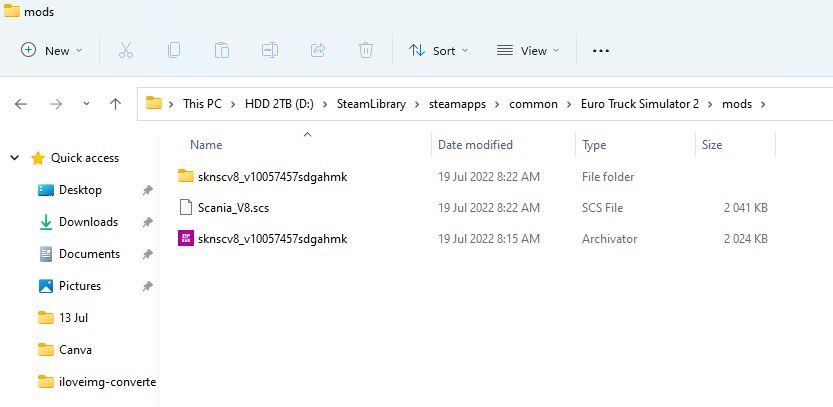
  • Go into Steam, right-click on the game, select Properties, head to Local Files, and click on the file location.
  • Create a mod folder if there isn’t one present.
  • Move the downloaded zip mod folder to your ETS2 mod folder.
  • Extract files to the new mod folder
How to install mods on Euro Truck Simulator 2

Enabling or activating the downloaded mods

You can now open Euro Truck Simulator 2 and head to the Mod Manager as explained in the steps earlier. If you did it right, you’ll see the new downloaded mod available for you to activate. Feel free to select it and enable it.

Why is my ETS2 mod not working?

There may be a chance that the Euro Truck Simulator 2 mod you downloaded and installed isn’t showing. That means the mod isn’t compatible with the latest version of ETS2, or the mod file is faulty. That’s why I prefer the Steam Workshop method, but it’s still worth a try. All that will happen is you’ll delete the mod file that doesn’t work.

Can you play ETS2 with mods online?

Yes, the developer of Euro Truck Simulator 2 permits using mods even in the online mode. Of course, it needs to be compatible with the online version so that it doesn’t cause any issues with the server or network. Some mods are primarily designed for the multiplayer version, especially if you join a convoy or virtual trucking company (VTC).

How to install mods on Euro Truck Simulator 2

Be sure you check the mod manuals

Some ETS2 mods are trickier to install than the ways mentioned above. Sometimes, you’ll find a mod manual you can read within the downloaded folder or on the Steam Workshop. It will guide you in any additional steps you need to take for the mod to work properly. It might even contain details for connecting to a VTC server, which is essential for logging trucking jobs.