
7 healthy habits for remote workers

Working from home? Here’s how to stay happy and productive.

remote worker

For some, working remotely means staking a claim at a local coffee shop. For others, it’s staying home in sweats, rarely emerging during daylight hours.

And then there are the lucky ones, the digital nomads — who somehow fit working in with hitting the beach.

In any case, working from home means you’ll develop your own habits — some good and others bad.

And worst case scenario, you’re looking at a day marred by procrastination, isolation, and our favorite — digital loafing.

Here are some ways to strike a balance. Even if it sounds miserable right now, you’ll thank us down the road.

7 healthy habits for remote workers

1. Don’t forget about your friends

friends

One of the hardest parts of remote work is revealed within the name — it’s isolating at times. We lack the camaraderie of a traditional office plan, occasionally pining for idle chatter about that new lunch spot down the street or how Bob from accounting spent the weekend.

Without the built-in interaction, you’ll find in a traditional office; solo workers must “make their own fun,” so to speak.

While it can be challenging to close the laptop from time to time, giving yourself the space to do something leisurely like grab lunch with a friend, go to a happy hour, or have some people over for a meal can do you a lot of good.

There’s always going to be something you could be doing — whether that’s fine-tuning your website or digging around for new leads.

But, when you start skipping too many events, the invitations may eventually dry up. Friends assume you can’t do anything or feel rejected after too many “nos.”

On the flip side, remote work is a relatively new way of life, and for that reason, many people don’t “get” why you’re not always available.

Explain (nicely) to friends and family that you will not be available during specific working hours, and stick to them. Over time, those people will begin to get the message that your flexibility doesn’t mean you can shirk your responsibilities at any given moment.

2. Invest in good nutrition

Eating well is hands down one of the best things you can do to stay sane, energized, and focused. It’s well documented at this point that nutrition plays a significant role in making sure our brains are operating smoothly.

Additionally, you’ll want to make sure you stock the kitchen with healthy options. Even the most productive workers among us wander into the kitchen out of boredom, especially if you know that it’s packed with sweet and salty treats.

Save the junk food for the odd occasion and don’t keep in the house. Instead, load up on fruits, veggies, and some quick protein sources.

3. Find a productive workspace

It’s critical that you carve out a designated workspace in your home. Now, many people have some constraints—there might not be enough space for a full-on home office. Still, you can always create a workspace in the corner of a room — dedicated just to work.

What we’re getting at is, you need to create a physical distance between your work and your life outside of work.

The reason for this is, having a designated workspace kicks your brain into gear — going into your office each day provides a trigger that says, “get to work” and will, ideally, help you fight distractions.

The second part of this is building in environmental changes. If you work from a home office, spending a few hours working from a coffee shop or the local library can give your creativity a bit of a boost.

4. Stop multitasking. Seriously.

multitasking

Look around in any working environment — the coffee shop, the coworking space, and so on — and chances are you’ll see several folks looking at phones while emailing, writing, or working on some presentation slides.

We like to think we’re skilled at multitasking — it makes us feel like we’re checking off to-do list items like a badass.

But, multitasking also means we remember less and make more mistakes. And, if you’re trying to promote a greater sense of well-being, these little mistakes can be sources of stress and shame down the road.

Think about it, when a client gets back to you with a laundry list of mistakes, it sucks, right?

Practice doing one thing at a time. Set a timer — for say, 20 or 30 minutes at a time. Initially, it may be difficult to do just one thing at a time, but practice makes perfect. Over time, you’ll find that you’ve improved your turnaround time and accuracy.

5. Learn to leverage your mental capacity

When you’re working from home, failing to be productive means that you’re leaving money on the table.

It’s not like the days at the office where, despite those post-lunch slumps, you can still count on money coming in at a predictable interval.

So, when there’s a disconnect between your work and your mental state—focusing becomes this uphill battle. As such, you’ll want to adapt your work habits to your energy levels.

Many people are more detail-oriented in the morning or more creative during the evening.

At first, you might want to start tracking these things. You probably already know whether you’re a morning person or a night owl, but diving deeper into your natural rhythms can help you tap into a productive routine.

6. Take some time to tidy up

clutter

It’s hard not to develop a case of “it’s my office, I’ll do what I want.”

However…

A messy desk or a poorly equipped office will hinder productivity — and clutter the mind. Studies have shown that clutter can contribute to stress, procrastination, and a lack of focus — all killers for an effective day spent working from home.

If your desk is in a state of disrepair, spend just 15 minutes throwing out the La Croix cans, coffee cups, and energy bar wrappers. We promise it will make a world of difference.

Invest in things like calendars, planners, and the pens you like most, but keep the office supplies to a minimum.

7. Take action against Imposter Syndrome

Imposter Syndrome, a term that’s been around since the 1970s, has gotten a lot of play in the media over the past few years. The term refers to a phenomenon, primarily in high achieving women that feel as though they are intellectual phonies.

We bring this up because imposter syndrome can do a number on your motivation. Because you don’t witness colleagues’ activities, you might find yourself comparing yourself to others in similar positions — better credentials, a style you like better than your own, the list goes on.

When you’re off on your own, managing your time with little oversight, you’re also spending a lot of time alone without any feedback—and in some cases, may feel like a fraud.

Keep tabs of your achievements and positive feedback you receive — and check in with your remote connections from time to time.

Wrapping up

Healthy habits mean a lot more than simply eating more vegetables. From a productivity standpoint, your job is to create routines that work for you and stick to them.

Get dressed every day and ditch the Doritos. Make your home office a personalized productivity center — and for God’s sake, drink water.

How you deal with the challenges associated with working from home will set the tone for your success down the road — a productive life with the space for friends, family, and a little alone time, too.
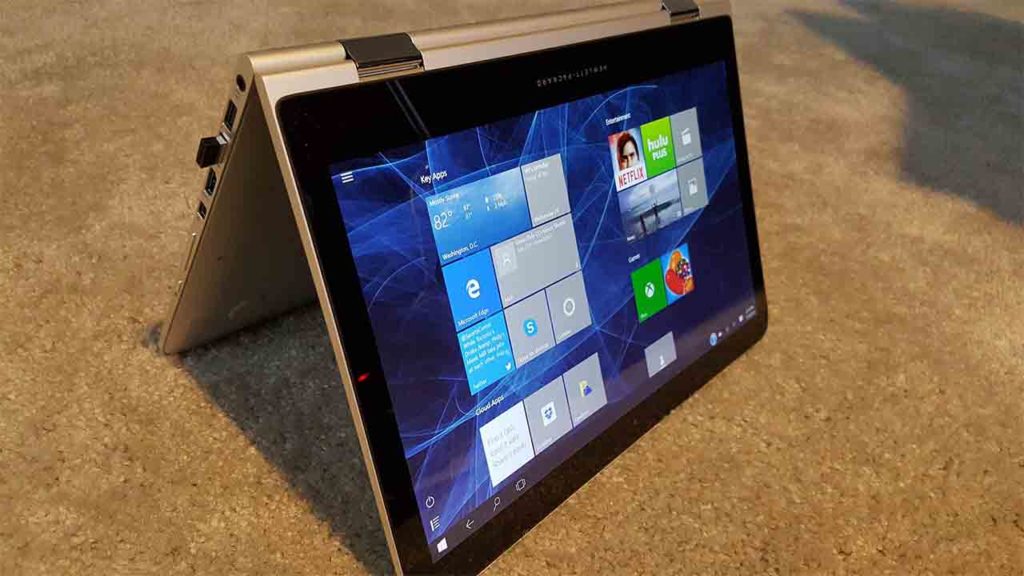
Microsoft gives you a little more control over Windows 10 updates

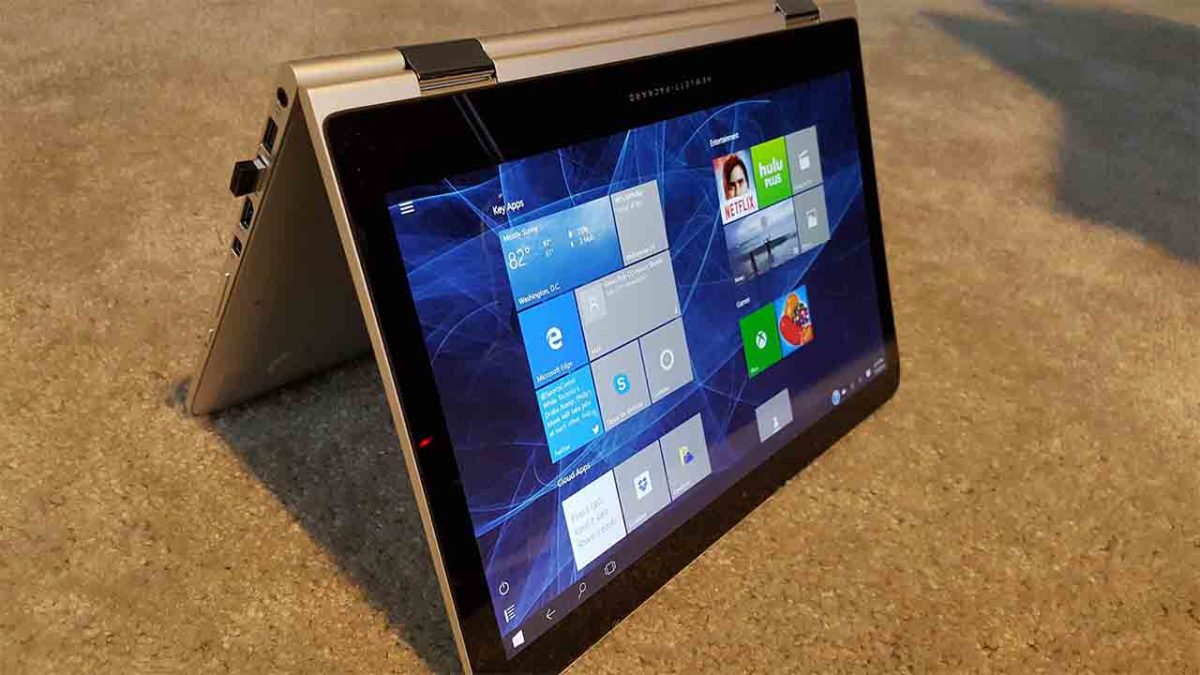
Microsoft to allow users to delay Windows 10 updates for up to 7 days.

windows 10 update control

What can we say about Windows 10 updates? On the one side we have the fact that Microsoft has released an OS that it promises to continually update for free. On the other, however, is the fact that Microsoft forces you to take the updates, often they don’t work, and they can come at inopportune moments and slow our devices down considerably.

Needless to say, the lack of control Microsoft gives users over Windows 10 updates has caused a lot of uproar among Windows 10 users. We’re glad then to be able to bring some good news to all Windows 10 users who’ve felt frustrated by the Windows 10 update process.

Windows 10 Download Windows 10
8
The latest and greatest version of Microsoft's operating system.

Microsoft to allow users to delay Windows 10 updates for up to 7 days

Delaying updates has been possible for Windows 10 Enterprise users for some time now. With IT managers often responsible for networks of multiple machines they need to check whether their systems will be compatible with all of the new features the update will bring and won’t be affected in any negative ways. It makes sense then for Enterprise users to have up to 35 days to delay their system-wide Windows 10 updates.

Thanks to a report by the site Thurrott, we can now report that personal users will soon have access to a limited version of the Enterprise delay feature. Thurrott has been looking at the beta version of the next Windows 10 update, which will likely be released in April of this year. They’ve found a new “Pause for 7 days” option in the Windows update page, which you can find by opening Settings, then hitting Update & Security, and finally clicking Windows Update. Unless you’re a member of the Windows 10 Insider Program you won’t find anything there yet, but that should change in April.

If you select the delay option, Microsoft won’t install any updates for a full week. That might not sound like much time but if you’re worried about how an update will affect your machine, it will give you time to investigate further. This will be easier as there will be Windows 10 users installing the update all over the world and reporting on how it effects their devices. After the seven days, Windows 10 will then update automatically, however, meaning you’ll have to take steps to counteract any issues you think your machine will have when it does so.

Continuously updating your OS is a good thing, as it means your device will always be up to date with the latest security patches. Microsoft’s disastrous 2018 Windows 10 updates would give anybody reason to pause before hitting update. This move allows users to delay updates a little longer, saving them from any bugs that may appear. The update will occur automatically after the delay, but if any serious issues arise during that time, Microsoft might pull the update altogether until they’ve worked out all the bugs, like they did in October.

4 best apps for managing your social media posts

Feeling overwhelmed with too many posts? Try these apps to promote your brand.

If you manage a social media profile, you know how busy you can get. You’re probably frequently responding to comments, scheduling posts, analyzing your audience and engagement statistics, and maintaining a consistent profile or brand message. At times, it can seem like your page requires constant attention.

Thankfully, several companies have released apps with tools that help you reduce the time you spend crafting and honing your social media presence. The best apps offer various options that cater to single influencers, big companies, and everything in between. Take a look at some of these affordable suite-style options and free integration apps below.

4 best apps for managing your social media posts

1. Agorapulse

Agorapulse is widely used by companies that want members of their marketing teams to have access to multiple social media accounts at a time. However, the app also serves a number of influencers and individual social media users with several platforms to manage.

Users can choose between monthly and annually-billed plans, ranging from $49-$299/month and $39-$239/month respectively. The different plans are meant to benefit a range of individuals, small businesses, agencies, and large organizations.

The app allows users to integrate up to 40 profiles and up to 12 individuals at a time, depending on the given plan. Thanks to the dashboard, content queue, detailed calendar, and real-time syncing on both smartphones and computer formats, you’ll have all you need to keep track of every detail of your profiles.

2. Social Report 

Like Agorapulse, Social Report is useful for both individual influencers and bigger companies alike. The app offers integration capabilities for platforms including Instagram, Facebook, Twitter, Google Analytics, Yelp, and TripAdvisor, to name a few.

The app also offers suite features for basic users without significantly upping the price, which comes in at just $49/month. These include direct scheduling, PDF analytic reports, inbox management, and the ability to reuse your best content and bring in more views. There is also an Advanced plan ($99/month) that allows for 50 social media profiles and 10 users, and a Pro plan ($199/month) with over 200 profiles and an unlimited amount of users.

3. Hootsuite

Individual influencers and personal social media managers have often referenced Hootsuite as the No. 1 free integration app available to users worldwide. The app allows users to sync dozens of platforms at once. Functions include monitoring conversations by keyword, hashtag, and location, in addition to scheduling posts, maintaining pre-approved content, and tracking ROI.

The Hootsuite app is available in both desktop and mobile formats, making it perfect for social media users who are often traveling or moving around the office. Plans range from $29-$599/month, with an additional, customizable plan, but you’ll need to request a price for that.

HootSuite Download Free ►
8

4. IFTTT

IFTTT is a wonderful free service that’s a bit different from the others in format. Short for “If This Then That,” the service allows users to create their own conditional statements, called “Applets,” that dictate what exactly they want the app to do for them across multiple social media platforms. The service includes a list of curated collections to find “Applets” for things like moving content between two different social media apps or saving photos, captions, or videos to DropBox folders.

IFTTT Try IFTTT
7

IFTTT also includes a suite of newer apps, such as the Do Button, Do Camera, and Do Note. These three tools are for even readier-made task automation.

Tired of spending too much time managing your social media posts? With one (or more) of these smart apps, syncing and controlling your social media accounts can be easy and within your budget.

4 incredibly useful templates in Google Sheets

These are our favorite Google Sheets templates to be more productive.

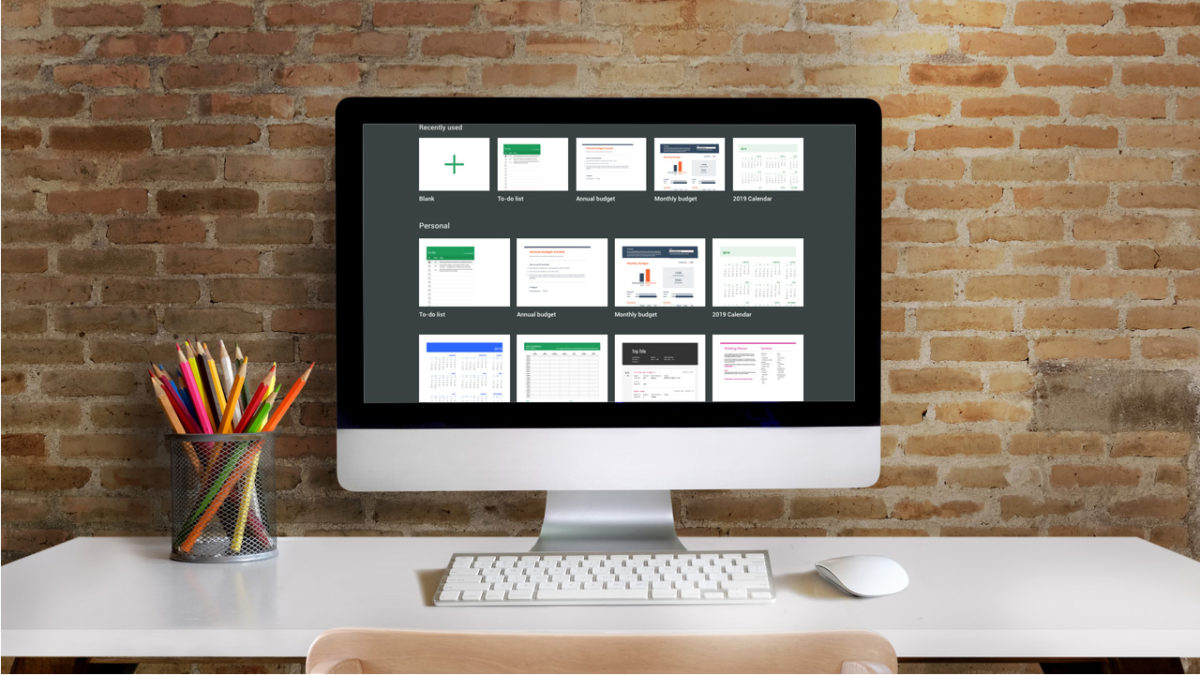
google sheets templates

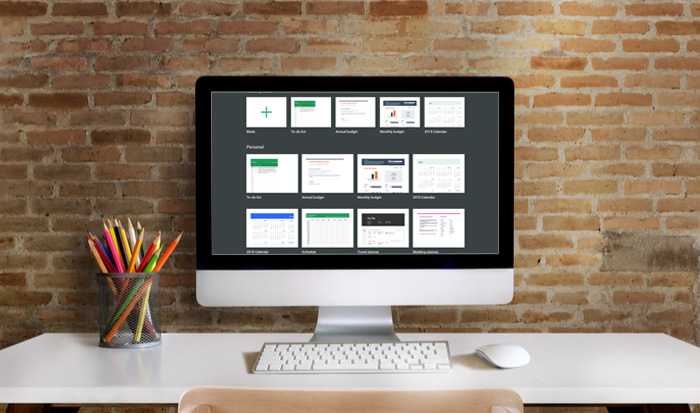
No matter how you use Google Sheets, at home or at work, it’s important for the spreadsheet program to be as efficient and user-friendly as possible. One of the many benefits of the program comes in the form of Google Sheets templates. Below, learn about the different templates available at your fingertips. These four handy tools can boost productivity and make life easier for all G-Suite users.

4 incredibly useful templates in Google Sheets

1. Invoice

If you own a small business or operate as a freelancer, the invoice template is a lifesaver. It’s a completely customizable template that looks way more professional than a run-of-the-mill spreadsheet. That way, you can impress clients without very much backend work.

7

2. Project timeline

Project management can be tough, which is why this template is so thoughtful and useful. The timeline helps you organize and implement different steps of any large-scale project. A lot of users appreciate its visual separation of larger tasks, which makes it easier to delegate (and is a lot less stressful to look at).

3. Employee shift schedule

This is another template that simplifies the lives of business owners. The shift schedule template makes it easy to track who is working what hours, at what rates, and even calculating paychecks.

4. Financial statements

Anyone who’s in charge of reconciling the finances for a business knows what a daunting task it can be. By helping to track business transactions, P&Ls, and assets and liabilities, this template makes the process much easier. It is even broken up into different tabs that automatically summarize certain information, along with a dashboard where you can calculate YTD growth with minimum data-inputting effort. This template significantly helps minimize the chance of human error when calculating important information for any business or organization.

All of these templates make it much more possible to be efficient and productive when using Google Sheets. And let’s face it, that’s the reason most users turn to the program in the first place.

Inside Google’s plan to kill the touchscreen

Google’s Project Soli has been approved by the Federal Communications Commission

minority report

Movies and TV shows give us a great way of visualizing how the future might turn out. They are not always on the money timewise (we’re currently living in the year the original “Blade Runner” was set), but they often give us glimpses of technologies that we might see at some point in the future. From the video calls in “Back to the Future 2” to the tablet like devices we’ve seen in hits like “2001: A Space Odyssey” and “Star Trek.” The movies showed us what could be possible and then real life delivered. We might be about to see another futuristic technology from the movies break into real life.

Google’s Project Soli has been approved by the Federal Communications Commission

Google first announced Project Soli four years ago. It was billed as a way to replace touchscreens with hand gesture control. Rather than having to tap away at our screens to control our smart devices, Project Soli should make it possible to simply move our fingers in a certain manner to tell our devices what to do. If you want to see what this could look like, check out the clip below from Minority Report.

Now, four years after Google’s initial announcement, the FCC has given Google the go-ahead to move forward with development of Project Soli. This means it might not be long before we start to see touchless control coming to our smart devices. The team behind Project Soli are looking to a future in which hand gestures rather than touchscreens are the primary method of control.

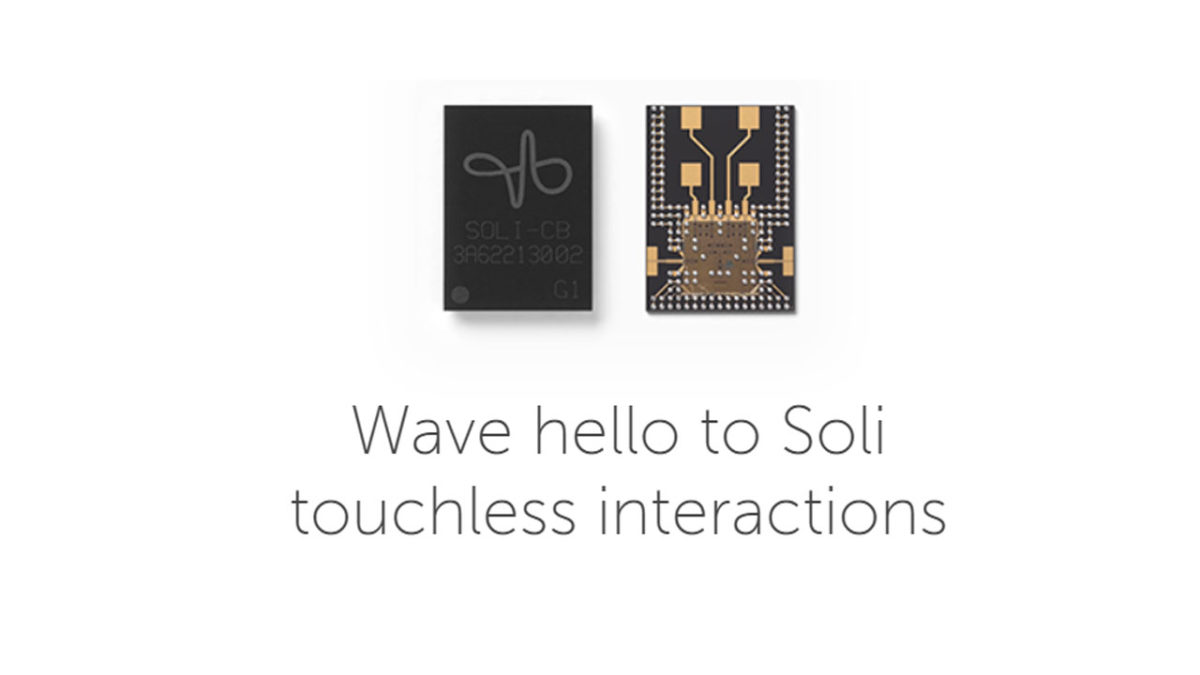
According to the Project Soli website, the technology uses radar-based sensors to detect and track your hand movements. “Soli is a purpose-built interaction sensor that uses radar for motion tracking of the human hand… We’re creating a ubiquitous gesture interaction language that will allow people to control devices with a simple, universal set of gestures.” The Soli chip is not much bigger than a micro sim card and the Soli team claim it can track, “sub-millimeter motion at high speeds with great accuracy.” It will pick up even tiniest of movements.

Image via: Google

To go with the technology, Soli is working on what it calls Virtual Tool Gestures. These are a number of gestures that will feel familiar to users for the tasks they perform. These include pressing a button, turning a dial, and adjusting a slider. Interestingly, these gestures utilize touch to provide feedback to our own brains rather than to the devices.

Image via: Google

We don’t have any information yet about when we can expect to see Soli enabled devices hitting the shops, but the announcement from the FCC tells us that they are coming. If everything on the Project Soli website is to be believed, this is exciting news. The tiny size of the Soli chips, the lack of moving parts, and low energy consumption make them perfect for all smart devices. To find out more information about Project Soli, click here.

Trick yourself into better time management

Do more in less time with these great strategies.

trick yourself into better time management habits

Humans are natural procrastinators—if we have extra time, we’ll milk it to the very last drop, regardless of how it worked out last time.

Yet, procrastination sucks. It makes us feel anxious, lazy, and stressed.

Where sometimes procrastination is harmless, other times, it can hurt our careers, our personal lives, and of course our well-being.

The worst part is, we often do this to ourselves. Deadlines creep up on us over and over,  yet we fail to plan accordingly.

Below, we’ve rounded up some tips for getting a handle on your productivity, and we promise, they’re not too hard.

How to trick yourself into better time management

Break projects into small tasks

Instead of a sprawling to-do list, you should approach your tasks as bite-sized pieces. Staring down a massive project can be overwhelming, to be sure.

So, break it up.

Your to-do list should contain a few steps at a time, which makes it more manageable. Plus, when you check off each task, you’ll see a record of what you’ve already done.

On top of this divide and conquer approach, we recommend including the learning process on your list, as well. We tend to get frustrated when something is hard, which, of course, leads to procrastination.

Instead, build time into your day that accounts for research, ideation, just grasping new concepts. It’ll make things easier, to be sure.

Set time limits for each item

Setting time limits can be an effective way to blow through tasks. We like this approach for getting smaller items done.

Allocate one hour to sending emails, and that’s it. Maybe 20 minutes go toward doing research, and another hour gets spent on revising a colleague’s latest article.

You should also block in time buffers, as you’ll have a little cushion to finish that blog post or invoicing your clients.

Rethink your approach to the things you don’t want to do

Another reason we procrastinate is that we have to do something that sounds plain awful. While this might seem impossible, you’ll need to think about putting together a report, answering those emails, whatever it is, in a fun or interesting way.

Try setting a timer to see how much you can get done within 20 minutes or an hour. Or, change the process of doing a task to something a little different.

Make a plan

to do list

If you’re prone to procrastination, never go to bed without a plan. Before you shut down your computer for the evening, spend 10-15 minutes making a list of what’s on the agenda for the next day. Then, clean up your workspace, so you’re not kicking things off with clutter.

Before you go to work, or wherever you do — write down your three top priorities. These are the things that need to be addressed that day, for sure.

No exceptions.

Work on those high-priority tasks when you’re at your most productive.

And, by the way, those times may depend on the task. If you have to come up with several ideas for a new content strategy, that time might be in the evening. If you’re editing a piece of writing, approaching it first thing in the morning might be your best bet there.

This two-pronged approach is not very much work, but it will help keep you from starting the day off on the wrong foot. You know, like those kinds of days where you can’t settle on where to start, so you start online shopping or surfing the web instead.

Eliminate that fear of failing

The reason many of us put things off is fear. After all, you can’t fail at something that you don’t do.

This is where a lot of perfectionist-types get tripped up. While perfectionists are associated with attention to detail, that tendency can also hold them back, as they may become overly worried something won’t turn out as planned.

Do your best, turn it in, and move on.

Overestimate how long you need to finish a task

Look, we all like to imagine ourselves as someone who can quickly put together a great project in record time. But how often do you start a task you thought was going to be over and done within an hour, only to find it’s taken all day and messed with your other deadlines?

Allow yourself some extra time, so you don’t overextend yourself, and especially if you’re working with clients, add in an extra day or two at the outset of a project. This will prevent you from falling shy of expectations.

The second part of this, is, you should learn to track your time as you move through these tasks. If there’s a disconnect with how long something takes and what you anticipated, it’s time to gather some data.

With these strategies, you’ll set yourself up for a more productive life. And it’s worth checking in every so often to reset your expectations of what you can accomplish in a day. By establishing some good habits, you’ll reap the rewards for years to come.

New sharing features coming to WhatsApp

Support for sharing files to multiple contacts at the same time is coming to WhatsApp

New update to whatsapp how to share

WhatsApp is testing a new feature that will make it easier for you to share files with your friends and family. It started as a Multi Share Text feature, which allows users to share text from another app to more than one contact at the same time. Now, it’s evolved into something bigger.

WhatsApp Messenger Download WhatsApp ►
8

Support for sharing files to multiple contacts at the same time is coming to WhatsApp

The beta version of this new feature has already begun rolling out to members of the WhatsApp beta program. It works exactly like the Multi Share Text feature that came before it. To activate the feature, users need to share something from another app with more than two of their contacts. WhatsApp will do the rest. The feature will even show previews of the file and text to be shared, and will even play previews of the audio files that are being sent to each contact.

This is a simple update for WhatsApp, but it’s one that will offer a lot of functionality to users. Although we are all members of multiple WhatsApp groups these days, we’re not always in groups with the people we want to share things. Often, even if we are, we don’t want to share things with everybody else who is in the group. When the Multi Text and Multi File sharing tools get a wider roll-out to all WhatsApp users, we imagine they’ll be popular.

Unfortunately, we don’t know when this update will come to all WhatsApp users. The guys at WABetaInfo aren’t even sure when it will come to the beta testing version of the app, so we can expect it to be a way off for the rest of us. Fortunately, however, they report that WhatsApp is able to remotely enable the feature, so it could be turned on for beta users at any moment.

If you’d like to become a member of the WhatsApp beta program and gain early access to all the new features coming to the app, we can help you. All you have to do is follow the instructions we’ve laid out in the tutorial above. It isn’t just WhatsApp either. The beta testing phase is an important part of app and software development, so almost all big apps have a beta program. We’ve also laid out clear instructions for signing up to the beta testing phases for some of the most popular apps around. Check it out below.

Remember, stick with Softonic to stay one step ahead.


Is mobile data faster than Wi-Fi where you are?

Mobile download speeds are now faster than Wi-Fi in many countries around the world

is mobile faster than wifi

If you enjoy surfing the web or living an always-online existence, then it is an exciting time to be alive. The dawn of the 5G network is upon us and it won’t be long until we soon have access to mobile internet speeds as yet unheard of. In the run up to 5G networks coming online, wireless coverage mapping company OpenSignal has been looking into download speeds on both Wi-Fi and mobile connections and it has discovered some surprising findings.

Mobile download speeds are now faster than Wi-Fi in many countries around the world

If you’re reading this in the U.S., UK, or Ireland then this will likely come as a surprise to you as Wi-Fi still enjoys much faster download speeds in all three countries. Those fixed networks offer faster and more reliable downloads because of mature networks that have received regular updates. This is why Wi-Fi offers faster downloads in places like Hong Kong, Thailand, Israel, and Russia.

If you’re reading this article in Australia, however, it might not be so surprising. Australians are able download over mobile networks a whopping 13Mbps faster than they can do over Wi-Fi. There is a similar situation to be found in France, Mexico, Turkey, and South Africa.

Interestingly, OpenSignal highlights the fact that anybody can set up a Wi-Fi network as a potential problem that could lead to congestion of the airwaves and slower download speeds. Surprisingly, mobile networks can offer a much more stable download experience due to the heavily licensed nature of their networks.

Is it time to ditch the router?

OpenSignal doesn’t make any direct calls for users to ditch their Wi-Fi router and flee to mobile companies just yet, but the company does highlight some interesting findings. Now, in 63% of the nations studied where 4G is available, mobile networks offer quicker speeds than Wi-Fi. As countries begin to turn on their 5G networks, this number will grow further. It is also highly likely that 5G implementation will happen much quicker than broadband networks can be updated, due to the intense effort required to upgrade cables that often lie underground.

There is more. In a report by the BBC, another company that specializes in measuring internet coverage and download speeds, RootMetrics, highlighted the fact that not everyone will experience the benefits of 5G. Head of Product at RootMetrics, Kevin Halsey, said, “The infrastructure deployed for 5G will likely not extend into remote areas… Wi-Fi will remain an important tool for the provision of fast internet connections for a segment of the populous.” If you’re living in a remote area then, you’ll likely still rely on your broadband connection even after 5G has landed in the big cities and towns.

Whether your mobile or Wi-Fi data connection has a faster download speed all depends then on the country that you’re in and which particular part of the country, too. If you’re in a country like Australia, you might want to look at your Wi-Fi settings because automatically connecting to a Wi-Fi network might be harming your download speeds.

The other big thing to consider here though is your mobile data plan. Broadband subscriptions usually come with unlimited data whereas mobile plans do not. Downloading over your mobile network might rack up huge extra costs. As 5G starts to come online though, we might start to see an evolution in mobile data plans that reflect the superior speeds offered by the mobile networks. Hold on tight. The future could get a bit bumpy.

You’re not going crazy, the Microsoft Office icons really have changed

The new Microsoft Office icons are part of new design philosophy

update microsoft office new icons

Some things never change. They stand forever as bastions of the status quo. Unchanging, undying, and forever representing beacons of reliability. Everything will be alright as long as these epic pillars of stability remain as they have always been, reminding us that the world we live in is built on solid foundations.

In the tech world, Microsoft has been one such pillar and, at its heart, Microsoft Office has for so long provided us with the type of mundane security you can only take from something that is slow and steady while also being completely and totally reliable. Microsoft Office doesn’t bother being sexy, it just gets the job done. You might have noticed, however, that things are changing over at Microsoft Office headquarters. Things are starting to look different and the Microsoft Office icons, have started to look, well, cool.

6

The new Microsoft Office icons are part of new design philosophy

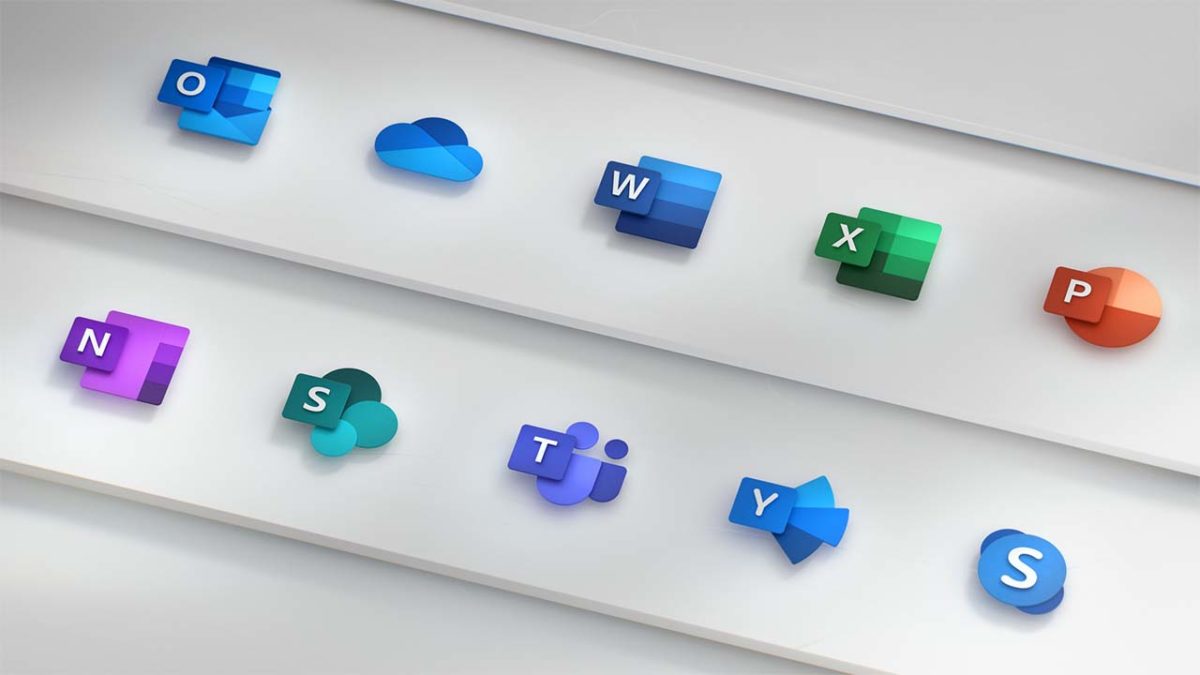
Microsoft does change the Office icons, but the changes are often slow and slight. The last time Microsoft changed the Office icons was over five years ago and the icons pretty much stayed the same, they just looked a little more modern. This time, however, there has been quite a leap from the old to the new and there is good reason for the significant change.

As well as modernizing the look, the new icons are supposed to be much simpler too. This is because Microsoft Office apps now reach out across multiple platforms and Microsoft wants them to be adaptive across each of them. You can use Microsoft Office apps on Windows, Mac, Android, and iOS devices; Microsoft wants the icons to reflect this big change for its core productivity suite. On top of this, the new icons are supposed to represent other key changes to the Office apps including the new AI features and collaborative aspects that have been baked into Microsoft Office.

The icons redesign marks a small part of a complete design overhaul as Microsoft brings the Fluent Design from Windows 10 to the Microsoft Office apps. This change will only bring about small and subtle changes but will modernize the look of apps like Word and Excel while giving Microsoft apps a more consistent look. We’ve also seen Google recently moving to align design aspects across all of its major apps, too.
The big changes in the new Microsoft Office icons show the letter for each app playing a much less significant role. The W in the Microsoft Word app is now much smaller, with the app’s blue color now playing more of a role in making the icon recognizable. Jon Friedman, who is a partner director of design at Microsoft, explained the change in a blog post published on Medium, “Our design solution was to de-couple the letter and the symbol from the icons, essentially creating two panels (one for the letter and one for the symbol) that we can pair or separate… This allows us to maintain familiarity while still emphasizing simplicity when inside the app.”

new microsoft office updated icons
Image via: medium.com

The good thing about all this is that we don’t need to worry. Society is not about to start crumbling around us as we’ve lost the solid foundation of something we could always rely on. Despite the significant change to the Microsoft Office icons, they are still instantly recognizable. If you’re a Microsoft Office 365 subscriber, you may give a quick double take next time your apps update, but you’ll definitely know which app is which.

5 awesome stress-relief apps to use right now

Breathe in, breathe out. Use these apps to silence your stress.

meditation and calm

Everyone faces stress. Whether you’re running late to class, waiting for an interview, or planning a wedding, stress impacts your life in a variety of situations. And while your phone may cause a lot of stress, the right app can help you unwind. Here are five apps that can help you get a handle on your stress, no matter how busy your schedule.

5 awesome stress-relief apps to use right now

Headspace Download Free
8
Headspace provides a vast variety of mindfulness services. In as little as 10 minutes, Headspace meditations improve users’ mood, concentration, and empathy. Headspace's clinically-proven services will provide you with new and improved stress management tools.
8
Is stress taking away your sleep? Try using Calm for stress-related sleep problems. In addition to meditation and relaxing music, Calm features gentle stretching exercises and even sleep stories. The app proves you deserve a healthy sleep schedule alongside your busy daily routine.
MINDBODY Download Now
8
MINDBODY promotes fitness and mindfulness to ease everyday stress. The software also alerts you to health and beauty professionals, such as salons and yoga studios. MINDBODY illustrates how stress relief improves everyone personally, physically, and professionally.
Buddhify Download Now
7
Buddhify relieves stress when you're on the go, even if you only have five minutes. Buddhify lets users customize their stress management techniques alongside prearranged routines. The app also encourages its users to spread mindfulness to others, a feature that extends stress relief beyond the individual. This approach validates the need to not only soothe yourself, but also other people.
6
Aura suits those who enjoy personal freedom in their stress management. You can enjoy a new meditation session each day as well as save older sessions for later use. Aura also allows users to choose the stress relief they feel at the moment. Aura demonstrates that stress relief includes anything from a light pick-me-up to a serious crisis.

People become more efficient and upbeat without excessive stress. As more stress relief apps appear, we all have more opportunities to find the best stress management program to use. Stress relief should serve as not only a useful tool for emergencies, but also as a crucial building block in enhancing daily routines. Try these apps and see how your life can improve with a few new smart routines.