
6 AR apps with more utility than Pokémon Go

From getting fit to honing your art skills, augmented reality is much more than catching Pokémon.

Augmented reality in actionAugmented reality, or AR, sounds like this crazy, futuristic technology. However, the reality is that AR apps are like little projectors that “augment” the real world.

We’ve seen how AR can help you catch Pokémon in Pokémon Go, but the technology goes so much further than catching Pidgey outside the train station.

Pokemon GO ARHere, we’re looking at some other ways that the technology can add a little utility to your life. Below, we’ve compiled our favorite AR apps that do more than help you catch ’em all.

Pokémon GO Download Free ►
7

6 augmented reality apps you should try

Fitness AR
Fitness AR

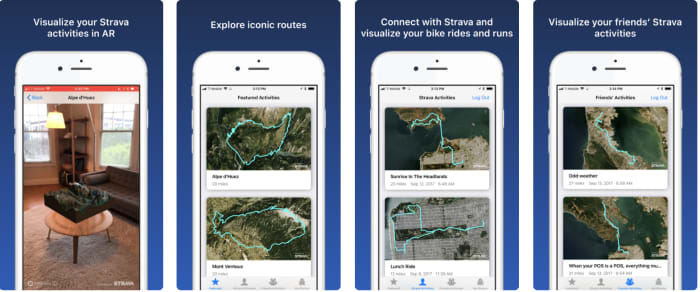
Fitness AR isn’t necessarily a utility you absolutely need, but it’s rad. The app is a solid motivational tool. It is a way to visualize your Strava runs in an AR environment — like a 3D model of your hikes, bike rides, and jogs.

While you definitely don’t need Fitness AR to map out your next run, there’s something satisfying in using a 3D model. It’s like you’re the captain of your very own 3D ship.

Fitness AR Download Now ►
7

Sketch AR

Sketch AR Drawing app

Call it cheating if you like, but a resourceful artist uses the tools they have available. They don’t “take the high road” by free-handing every little detail.

Sketch AR is essentially a tracing app. However, it’s cooler than the lightboxes you might have used in an art class. The app has two core functions. The first is, it’s a digital art lesson of sorts. According to the App Store description, aspiring artists work their way through a series of lessons. In the lessons, you’ll be tracing everything from hands to pandas.

It’s a cool concept, but learning how to draw is less about tracing and trying to remember the movements. It is more about learning how to see — and how to represent spatial relationships. Tracing won’t teach you how to do this.

Where it’s actually useful is in blowing something up so you can transfer it to another surface. For example: let’s say you’ve found an image you’d like to paint — quickly trace it onto the canvas using your phone as a projector. You can also do the same with a small sketch you’d like to turn into a large piece of work.

Sketch AR Download Now ►
7

Ink Hunter

Ink Hunter app

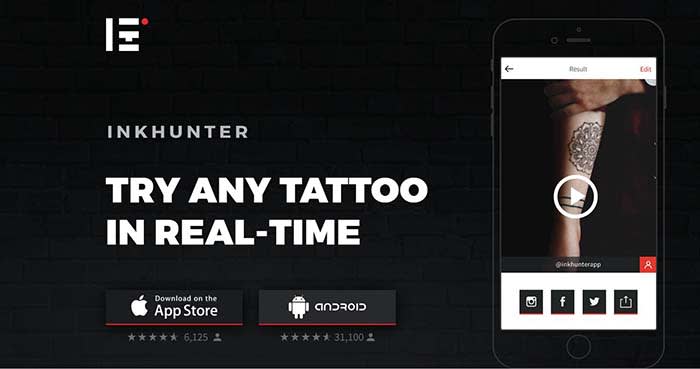
If you’re trying to work out the specifics of your next piece of body art, Ink Hunter is a handy app that will let you try out tattoos on any part of your body. Choose from the app’s library of premade designs or upload your own designs.

In the app, you’ll draw a small dot on your body with a pen, which serves as a target. Later, you can project the designs on your skin. Upload to your camera roll to crowdsource an opinion, or share them with your tattoo artist ahead of the big appointment.

INKHUNTER Download Now ►
8

Mondly

Mondly AR app

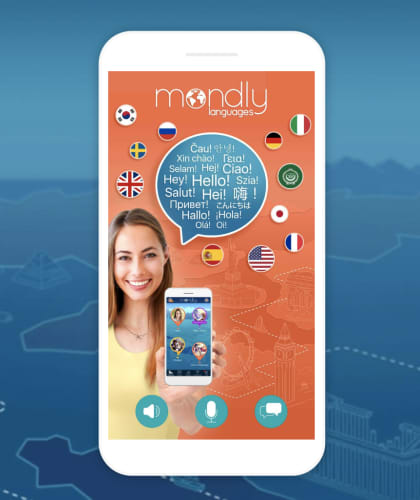
Mondly is a language learning app that teaches you new words and phrases on the go. There’s a VR version of the app compatible with the Oculus. The main app has AR technology built in, no headset needed.

Hit the AR button inside the app, and out pops an animated teacher —powered by chatbot technology. Mondly is available in 33 languages. It ranges from beginner to advanced, with settings for travelers and professionals as well. Language lessons involve dropping objects and animals into your own world. Lessons offer useful phrases for real-life situations.

The app is definitely a step-up from high school foreign language courses. You can learn actual helpful words and phrases rather than asking, “Wo ist der Bibliothek?”

8

Google Translate

Word Lens Google AR

Google Translate might not be the first thing that comes to mind when you think AR experience. However, it’s actually one of the most useful AR applications in the game. The app uses your camera for instant text translation. For example, you can scan a sign in another language and Google lets you know what it means immediately. This way, you can leave the hefty translation dictionaries behind and travel a little lighter. Just be sure to pack a charger.

Google Translate Download now ►
8

GIPHY World

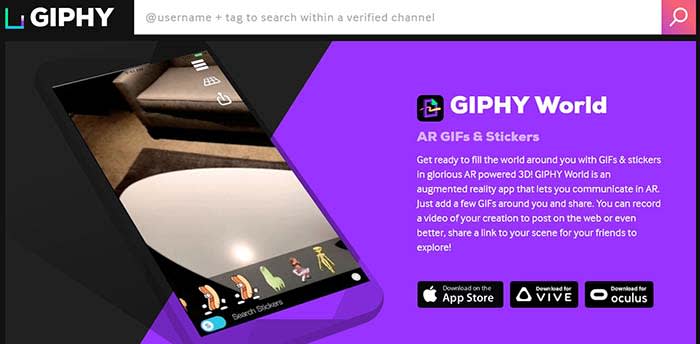
GIPHY WorldYou might be familiar with GIPHY, where you can create memes and GIFs of your own. GIPHY World is similar, except the creative process moves out of the confines of the screen and into the world around you. Choose animated objects from GIPHY’s library and arrange them within your viewfinder. You can then snap some AR pics, shoot a video, and share with your friends.

GIPHY World Download Now ►
7

Wrapping up

Admittedly some of these apps are marginally useful. Chances are we’ll all be okay whether or not we choose to download GIPHY World’s 3D GIF-maker or map-out a 3D diagram of our cycling routes. However, AR still hasn’t quite found its footing.

It goes to show that the technology is more than Pokémon GO and Snapchat filters. There are some cool apps from the experimental to the actually useful. Admittingly, we’re still waiting for the augmented reality app we just can’t live without. In the meantime, there are plenty of apps to capture our interest.

3 reasons to use a VPN besides downloading movies

If you are going to navigate the internet in 2019, you have to have a VPN.

VPN functionVPNs, or virtual private networks, are most often referred to in the context of illegal streaming or dark web stuff.

However, a VPN is actually an essential tool, especially if you use Wi-Fi in a lot of public places.

If you are looking for some VPN options, we have a few options for you:

8
Browsec VPN - Free and Unlimited VPN Download Free ►
9
Betternet Free VPN Download Free ►
8

There are a lot of misconceptions about what a VPN is and why you might use one. Below, we’ll look at three reasons why you really should be using one, whether or not you’re torrenting up a storm.

3 reasons you should be using a VPN

1. Increase security wherever you are

One of the biggest advantages of using a VPN is it increases our online safety. It’s annoying that we have to think about this all the time. But remember, we live in an era where data breaches happen almost as often Facebook gets involved in another scandal.

Brands and ISPs can access our digital whereabouts if we’re not careful. To make matters worse, hackers are getting savvier by the day.

A VPN connects your PC to a private server, which could be located anywhere. Your web traffic passes through the server, rather than your computer. The websites you visit will think you’re visiting from the server’s location.

That little trick makes it difficult for anyone to get a clear sense of your browsing history.

If you’re using public Wi-Fi at the library or a coffee shop, VPNs protect you from hackers trying to steal your credentials.

2. Create some space between you and your service provider

Guy in data centerAs you’ve probably heard by now, the FCC has rolled back some of the net neutrality rules that were in place during the Obama era.

The new rules allow internet service providers (ISPs) to essentially police themselves. So long as ISPs are transparent about their terms of service they can more or less do what they want. One of those things is discriminating based on content. If you’re using a P2P site, your ISP might slow your network connection.

With a VPN, your ISP can’t easily see what content you’re looking at —  allowing information to flow freely, regardless of content.

VPNs and piracy are a match made in heaven. The VPN, of course, offers a safeguard from those Comcast or AT&T letters scolding you for downloading one too many new releases.

3. Bypass geographic restrictions

Geo-blockingIf you travel to other countries, a VPN is a must. It protects you against threats lurking on public Wi-Fi networks, and it also allows you to get around internet access laws that vary by country.

For example: if you were to travel to China, you should be able to access your favorite sites from your country without any issue.

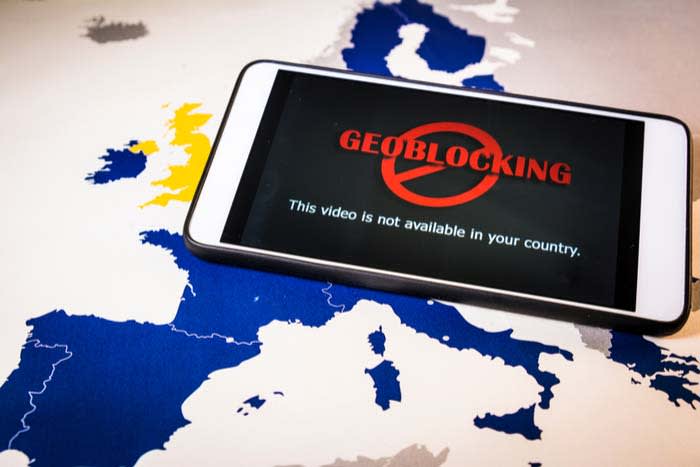
Alternatively, a VPN can open up a whole world of content possibilities by overriding geo-blocking efforts.

You’ll get some more mileage by using your VPN to watch Canadian Netflix or current BBC releases we can’t easily stream elsewhere.

The legality of bypassing geo-blocking efforts isn’t exactly clear. Laws vary by country. Companies like Netflix claim that bypassing geo-restricted content violates their terms of service.

The reason streaming companies care about this issue is that there are some copyright and licensing concerns. The concerns are typically associated with where certain shows and movies are allowed to air.

What VPNs DON’T do

VPNs provide an excellent service to internet users across the globe, but they don’t do everything.

For one, VPNs don’t offer 100% anonymity. They’ll protect you against your run-of-the-mill hacker. However, if someone is out to get you like a malicious attack or a government investigation, it won’t help much.

If you live in a country with strict censorship laws, a VPN might help you log onto some sites like Facebook or Twitter. Unfortunately, accessing the full-breadth of the open web might not be possible.

In this case, users should look toward a service like Tor that allows for private web browsing.

Tor Browser Download Free
10

Conclusion

People are increasingly concerned about their digital footprint and how it might be used against them in the future.

Adding a VPN to your technology stack can give you a layer of protection, along with some unique conveniences.

While VPNs can’t protect you from every internet boogeyman, they do put some space between you and your browsing history. Think of a VPN as one piece of your larger cybersecurity strategy. Just remember that it’s not the complete package.

Best ways to learn web design from home

Whether you might be a beginner or a master, these resources can help you hone your craft.

Web Design

If you’re interested in learning web design, there is a long list of options. You can take the time to go back to school, take classes online, or look toward the online community.

With web design, formal education doesn’t offer immunity against falling behind on industry standards.

Those new to the game don’t have the same benefits as their peers with existing knowledge, but that should not discourage you. Just remember, learning on your own isn’t out of the question.

Here, we’ll look at some of the skills that the modern web designer needs in order to compete. We also can tell you where to level up your know-how.

What aspiring web designers need to know

If you want to pursue a career in web design or development, there are a few components that make up the required skillset:

  • Coding — HTML and CSS are essential, even if you’re planning on sticking to the visual stuff. Knowing how to code makes it easier to make changes during the design process. These days it’s becoming less acceptable to pass off a web design to a developer without code.
  • Design theory — Design theory teaches the basics of design, shape, rhythm, color, typography, balance, and design fundamentals.
  • UX/UI (usability) — Aesthetics aren’t everything. Instead, you need to understand how to design something that works well for users.
  • Photoshop/Illustrator — The Adobe programs have become the backbone of web design. These pieces of software are required knowledge across the industry.

Best ways to learn web design from home

Udemy’s Adobe Illustrator CC MasterClass

Illustrator Master Class

This program aims to teach participants the techniques needed to create logos and graphics in Illustrator. Illustrator is an application that allows you to create typography, logos, icons, and illustrations. With 12 hours of on-demand video, you’ll cover all of your basics from learning your way around the tools to advanced techniques.

Udemy also offers classes that cover the full Adobe Suite, as well as one focused on Photoshop. Courses offered here range from free to a  few hundred bucks. The Illustrator class is currently just $11.99, which is 94% off the normal price.

Gymnasium: Coding for Designers

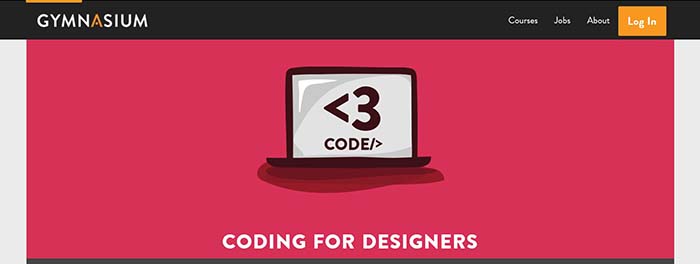
Gymnaisum coding for designersGymnaisum’s Coding for Designers course is a free, self-paced intro for designers that need to learn coding.

Like MIT’s intro, there’s no need to bone up on HTML before enrolling. What’s different about the Gymnasium course is it focuses exclusively on where coding and design intersect. This free class teaches students how to translate graphic design to the web and troubleshoot some common problems. You’ll learn page layout with CSS, receive an intro on typography for the web, and create a website with Twitter Bootstrap.

Career Foundry

Career Foundry

Career Foundry is a paid option, but they’re a reliable source for all things UX/UI/web design. The site offers a few options — a certification in each of the previously mentioned specialties. We recommend looking through the site to see where you might need to learn the most. For those who have some art and design background, a UX certificate can bolster your career, as this area is in high demand.

Career Foundry is one of the more expensive programs in this category. However, they offer a project-based curriculum that allows you to build a portfolio aimed at helping you find a job.

The course spans 10 months and includes a one-on-one mentor there to evaluate your projects daily.

What’s more, if you’re on the fence, take the site’s free UX short course and its free consultation.

General Assembly

General Assembly

Like Career Foundry, General Assembly is not cheap. Still, there’s a reason these boot-camp-style programs have become so popular in recent years. They offer an accelerated program designed to give you skills you can use in the workplace.

General Assembly offers both UX design and visual design — and you’ll have the option to take an accelerated one-week program. You can also spread the lessons across a few months.

The curriculum combines user-interface fundamentals, web layout, and typeface design with research methods and responsive design. It’s a modern approach to web design that covers user-interface and usability tactics, along with graphic design principles.

The UX curriculum covers design in a broader sense. Much of the lessons focus on information architecture, consumer research, and usability testing. There is a unit on visual design as well, but the focus is on a website’s experience as a whole rather than just the aesthetics.

MIT OpenCourseWare: Introduction to Computer Science and Programming

MIT Open Coursework

This class may sound intimidating to those unfamiliar with coding and web development, but don’t let the name scare you. MIT’s free online program teaches beginners the ins and outs of Python, as well as computer programming basics.

While designers don’t need to become experts in coding, getting comfortable with the backend activity will serve you well.  This program isn’t necessarily design-focused. We think that the more information you can gather within the tech space, the better prepared you’ll be for digital transformation.

Udacity: Intro to HTML and CSS

Udacity

This online intro is a self-paced, three-week course designed to teach you the basics of CSS and HTML. It will make things easier for you if you end up working as a designer. In this course, you will learn the fundamentals of web development, how to style a website with CSS, and CSS syntax, units, and selectors.

Final thoughts

This info might be tech-heavy, but the design world is changing. No longer is it enough to have amazing artistic abilities and a knack for fonts; you need to have a strong command of the web from usability to CSS.

While we get that programs like General Assembly and Career Foundry can be pricey, they can be helpful for those looking to learn fast. If you’re just starting out or need to round out your skillset, take a few of these low-cost or free options. Later, you can decide if you need to invest more in your new career path.

Do fitness trackers really work?

Evidence shows that for some individuals, exercising peripherals can help shed extra weight.

Checking FitbitBetween  fitness apps and the Fitbits, sometimes we still don’t see the results we want.


According to sociologist Deborah Lupton, there are something like 160,000 tracking apps circulating the various app stores. These apps cover the full spectrum of personal improvement tools. Apps like RunKeeper, Google Fit, and Apple Health promise a “knowledge is power” approach to managing our health stats.

While it seems like this personal quantification stuff is a trend we’ve been witnessing over the past few years, it’s definitely not new. What we were curious about was whether people stuck with their tracking efforts long term.

And if so, does tracking yield any positive results?

We’ve been documenting ourselves since the dawn of time

Personal observations are super old. People have long been documenting their activities from bodily functions and what they ate to efforts at fitness. This 2010 NYT piece looked at a few people who kept detailed accounts of their lives. While some devices were on the scene in 2010, the process was largely analog.

These days, the connection between data and the body is something the masses can tap into. Where we used to only have analog observations to rely on, we now get to play scientist with state-of-the-art tools.

There are always going to be people obsessed with their stats, but it seems unsustainable for most of us to track, optimize, and monitor ourselves.

The Quantified Self — is knowledge driving self-improvement?

People doing situpsThe Quantified Self movement believes that numbers bring a sense of logic to the table. These numbers underscore the emotions tied to our mistakes and other shortcomings. Fitness trackers give us a sense of accomplishment by sheer virtue of putting them on.

The data available so far doesn’t quite present a clear-cut solution as far as whether obsessive tracking pays off long term.

A 2015 study published by the American Journal of Public Medicine gave pedometers to one group of overweight women and fitness trackers to another. The women who used the trackers increased their activity by an average of 38 minutes a week. 

The pedometer group did not increase their fitness levels at all. So, here, we’re looking at two tools that essentially do the same thing. One cheers you on and sends little motivational alerts when you meet a goal, while the other just counts your steps.

Another study from the Journal of the American Medical Association found that obese people who wore fitness trackers lost less weight over two years. Those who made an effort to eat healthily and exercise without the technology actually fared better.

One problem is inaccurate reporting. Devices are good at tracking steps, but anything more strenuous than walking is hard to quantify. So, looking into the data you collect yourself could present a warped perception of your overall fitness levels.

The JAMA participants might have looked at an app that told them they burned 800 calories when in reality, that number was closer to 400. These skewed numbers can make you think you need to eat more and consequently gain weight.

What’s the point?

Well, okay. Maybe it’s a dumb question. The promise of tracking our bodies presents a means of gaining control over our mortality, our success, our appearance, and how we feel. Which, of course, sounds great.

But, we wonder, how many people know what to do with their “personal analytics?” If you’re considering a fitness tracker, it’s worth asking yourself a few questions.

  • What do you hope to learn?
  • What motivates you?
  • Do you plan on changing habits?

Admittedly, people are drowning in a data deluge. If you’re tracking sleep patterns, calories, steps, and workouts — what are you measuring, specifically?

Fitbit or not, old habits die hard

Lazy guy lounging

Are people using these new insights to improve in any way, or is it just fun to reap those digital rewards?

That’s hard to answer. Many people adopt these new tools in a sincere effort to change. For example, they might download an app like Sleep Cycle to monitor their habits and develop a routine, but the shine wears off quickly.

A report published by the Associated Press found that fitness tracker owners abandon their devices after a few months of use. They say monotony is the reason for abandoning ship, which makes sense.

Users collect all this data, amassing this big, unwieldy set. It’s like tracking a marketing campaign without first setting any goals.

That’s not to say these tools can’t be helpful. However, like watching fitness videos instead of hitting the gym, you need to commit to the routine for a sustained period in order to see results.

Ultimately, JAMA declared fitness trackers “facilitators, not drivers” of behavior change. People get excited about these tools but rarely do they bridge the gap between knowledge and lasting change.

‘Unhackable’ blockchains are getting hacked

Blockchains might not be as air-tight as we once thought.

Blockchaining

High-profile security breaches and issues with privacy are massive concerns for everyone.

Now, we’re seeing more of those security issues are emerging in crypto. That’s surprising since blockchain technology has been presented as the solution to our privacy woes.

Whether blockchain is slated to become the new “backbone” of the internet or the future home for our genetic data remains to be seen. However, we’ll need to remove the rose-colored crypto-glasses if we intend to move more sensitive info onto the blockchain.

As reported in the MIT Technology Review, hackers have stolen nearly $2 billion worth of cryptocurrency since the beginning of 2017. Most of that money has been taken from the exchanges — not from lone-wolf hackers, but organized crime rings.

The belief that blockchaining is unhackable does seem odd. This is because blockchain hacks are one of the main reasons that the general public has even heard about this decentralized technology.

Here’s the thing: blockchains aren’t unhackable

Hackers

Blockchains are powerful platforms. But if we’ve learned anything from looking at high profile breaches, it’s that all technology has weak points.

For some reason, many people have gotten the idea that blockchains were an impenetrable force. Password protectors, VPNs, and even blockchains are not entirely hack-proof.

They’re leaps and bounds ahead of using the web unprotected — but you still need to be careful.

Are blockchain hacks actually on the rise?

There’s been a near-constant stream of attacks going back for at least five years. The most notable example is Mt. Gox, where nearly half a billion dollars in bitcoin was stolen from users and the company.

This year, there’s been the Cryptopia breach, a January attack that wiped out approximately 94% of the company’s holdings. The total amount is unknown, but data analysts estimate the stolen coins could be worth about $16 million total.

There’s also this attack that hit the Ethereum Classic blockchain where hackers made off with $1.1 million.

In the ERC case, Coinbase detected suspicious activity in the form of a 51% attack, a type of attack once thought to be hypothetical. This occurs when a group of miners with more than 50% control blocks new transactions to maintain the majority.

By controlling the computing power, the attacker(s) can monopolize the mining of new blocks. Then, they can prevent other miners from completing blocks while siphoning off their rewards.

Are blockchains safer than actual banks?

Online BankingForbes wrote critically about blockchain in January. The article says that people keep backing blockchain because there’s a case of industry anxiety.

It goes on to say there’s never been anything on this scale in the traditional banking world — a $2 million Bank of America robbery from 20 years ago is the biggest heist listed on Wikipedia. That number pales in comparison to the amounts stolen via hacking.

The point isn’t necessarily that the technology is bad news, but that people should be wary of keeping large sums in blockchain-powered accounts.

7 apps for DIY-ing GIFs and animations

Want to create your own GIFs? Try these tools to do it easily.

GIF

GIFs are a whole lot of fun. They add humor and emotion to text conversations, social media posts, and the comments section of your favorite blog. And while you can easily pull up a GIF for every occasion, you might not have realized just how easy it is to create your own.

Below, we’ll look at some of our favorite apps out there for creating GIFs from your smartphone or computer. 

Best apps for creating GIFs

1. Giphy’s GIF Maker

GIF Maker app mobile web

Giphy is something of the default source of GIFs — they have an endless library of choices that allow you to apply a premade GIF perfect for any situation. 

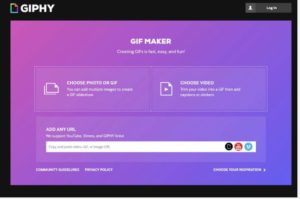
Giphy also offers a platform so you can create and share your own GIF creations, the aptly named, GIF Maker. Start by sourcing clips from Giphy Links, YouTube, or Vimeo — then select the portion you’d like to transform into a GIF. Add captions, and you’re ready to go. From there, your GIFs are uploaded into the Giphy database, and you can share or download your little works of art. Available for Android, iOS, web.

2. GIF Me

GIF Me mobile

If you’re looking for something simple, GIF Me is a straightforward tool that lets you record a short video and share it with your network. GIF Me allows you to import photos and videos from your camera roll, add filters, frames, and text, and customize your content. Additional features include stop motion, time-lapse, and wiggle GIFs. Available for Android and iOS.

Gif Me Camera Download Free
7

3. GIFBrewery

GIF Brewery for Mac

GIFBrewery is a GIF-making app for Mac users. It’s $4.99 for a one-time download, and you can use it from your computer. Its main functionality is turning your videos into GIFs, then editing with texts and images. The tool makes it easy to edit GIFs — and it comes in handy for creating previews for longer videos you can promote on social media. Available for macOS.

GIF Brewery download free
7

4. Giphy Cam

Giphy Cam app

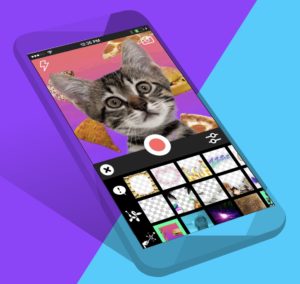
Another app from the Giphy search engine, Giphy Cam is the perfect outlet for making quirky, stylized GIFs. The free app allows users to record videos and add special effects. 

The app comes with a range of filters, stickers, and you can share your handiwork via text or social media. We should also mention, this is definitely the best place to create custom GIFs complete with your favorite bits of internet culture — from cats to pizza and really weird uses of photos. Available for Android and iOS.

GIPHY CAM. The GIF Camera download free
8

5. Gifnote

Gifnote web app

Gifnote’s whole angle is providing the musical recommendations that take your GIFs to the next level. 

It’s not necessarily a GIF maker, but it’s a nice add-on to existing GIFs or your homemade clips. How it works is, the app uses proprietary technology that allows people to pair short music clips with videos, GIFs, and photos. In all, it’s a cool extra touch for spicing up your social channels. Web app only.

6. Pixel Animator

Pixel Animation Android

Pixel Animator differs from the options we’ve included above, in that, most GIF making tools center around the idea of creating GIFs from existing video content.

This free Android app is a much more hands-on experience. You’ll have the option to design sprites from scratch — or make things easier on yourself by starting with an existing photo or drawing. Once you’re happy with your creation, you can export as a GIF and share away. 

It takes some time to learn the ins and outs of the tool — and admittedly, if you’re not great at drawing, your animations might look a bit clunky.

That said, Play store comments seem to be on the same page — most reviewers felt that the app was easy to use and fun. Available for Android.

Pixel Animator: GIF Maker download free
7

7. WhatFix

WhatFix is a free tool that is a bit more practical than something like Pixel Animator. This web-based app stands out as an easy way for content creators to make step-by-step instructions and quick flows that reinforce what you’re trying to say. 

Visit WhatFix’s website, and you’ll quickly see that the product aims to “accelerate product adoption.” 

You’ll type in each step in the process you’d like to explain, and the app records everything, turning into a neat widget that will really give your website a professional look. 

Additionally, the app creates YouTube video flows — so you can create your own tutorial videos in a short amount of time. Web app only.

How to make money selling your personal data

If other companies are making money off your personal data, why can’t you?

Facial recognitionForget the Facebook scandal; consumers are catching onto the fact that countless companies have long been taking their data in exchange for access to a free app. It’s a bum deal.

If you’ve been following any news related to the blockchain space, you’ve maybe come across this concept of selling your personal information to companies, rather than giving it away for free.

When you consider the money made by advertisers and platform companies like Facebook and Amazon, it’s understandable that there has been a recent influx of new apps that aim to put control back in the hands of the people.

The question is, however, is there money to be made by selling personal data? Or will big companies simply say, “Why buy what we can get for free?”

Are there places you can sell data?

Yes, there are a few options out there.

Is it side gig money? Not exactly. We came across a few solutions that allow users to connect various accounts and earn money passively, but it generally amounts to a few cents here and a dollar there.

Digi.me

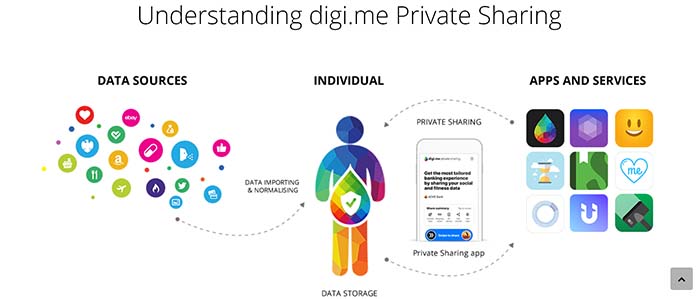
Digi.me appDigi.me is an app that collects your personal data from a cloud-based folder, then organizes your digital footprint in one central hub. This app isn’t actually a means of monetizing your data, but it does help users control who sees what, as well as understand what information is already available.

The site makes it clear that they operate in compliance with GDPR privacy rules, and that the app’s architecture prevents the company from viewing or storing your personal data.

You can watch a video below showing how you can use Digi.me.

10

Datacoup

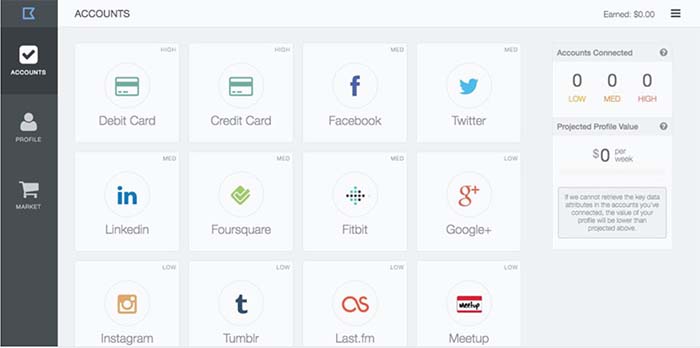
Datacoup siteDatacoup almost reminds us of an app like Acorns or your bank’s “save the change” app. We’ll explain: Datacoup acts as a data broker that allows account holders to control and sell data to companies interested in learning more about your habits.

This subscription-based service allows you to connect your accounts — from debit and credit cards to your LinkedIn page or Meetup account.

Once you’ve connected these accounts, you can view them in your data profile — a dashboard that shows how much money you’ve earned by essentially doing nothing. It’s a few bucks here and there — but it’s very set-it-and-forget-it. Over time, you might amass a little extra cash.

Killi

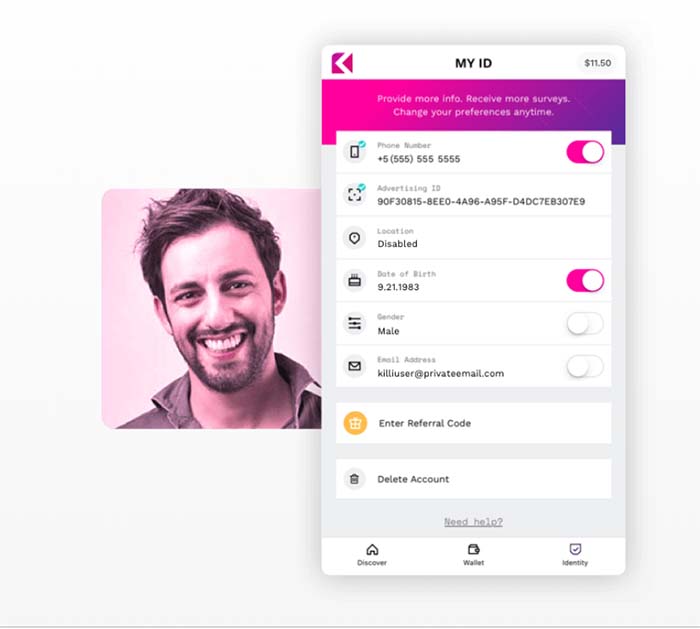
KilliAn app developed by Freckle IoT, Killi is an app that claims to give users the chance to take back control over the use of their personal data.  The Killi site says they believe customer data is worth more than the $30 Facebook suggests.

You’ll create an account and make money based on opting in to share your info with specific brands. The bulk of the activity is answering surveys for between a few cents and a few bucks a pop. Their FAQ section acknowledges that this isn’t much, but points to the first wave of Uber drivers as an example of where things could go in the future.

Google Opinion Rewards

Google Opinion Awards

An app that prompts you to answer questions about businesses you’ve visited based on your location data and demographic information. Answer enough questions and Google will give you credits you can use in the Play store.

Google Opinion Rewards Download Now ►
9

What is your data worth, anyway?

Stacking coins

According to an article from the Financial Times, the average person’s data is worth less than a dollar. But values change based on a variety of factors:

  • You’re gearing up for a significant purchase — an international vacation, a new car, or a house
  • You have a major life event — you’re getting married, expecting a child, or getting a divorce
  • You’re a millionaire
  • You hold loyalty cards
  • You’re interested in fitness, weight loss, travel, finance, or political topics

The FT site offers a calculator, so you can get a sense of how much your data is actually worth.

We tested this with two different people and we were valued in the $1 ballpark on both attempts. It isn’t exactly the downpayment on a Lamborghini we were hoping for, but we’ll take it.

An article from Investopedia looked at how much Facebook stands to make from personal data. Interestingly, those with poor health have more valuable data than their healthy counterparts.

Same goes for the “recently divorced” who — on average, are 10-20% more valuable than those who are single or married.

It’s hard to pin down an accurate number. But Statista reports Facebook had 230 million U.S. users in 2018. Even if everyone has data worth 50 cents or so, that’s still a crazy amount of money.

Economies of scale limit the ability to profit from personal data

Ultimately, the reason our data is such big business for brands and not the other way around boils down to the economy of scale.

Think about it, billions of people use Facebook every day. So, if one person’s search history and online activity are worth a couple of cents, the platform still rakes in serious cash.

The motivation behind these startups is admirable. We should be able to control who has access to our data — and sell it as the valuable resource it is.

For change to happen, people will need to demand transparency in greater numbers. We’ve long taken free tools like Google and Facebook for granted, never second-guessing the permissions we allow them.

Opting out of these platforms means skipping out on convenience and social norms, too. Short of an all-out, global boycott of the big tech companies, it’s hard to envision what it will take for change to happen.

AI is here to debate humans – now what?

Discover why an AI capable of debate could be good for humans.

AI IBMYou may have already heard the news: IBM developed an artificial intelligence program that can form logical, persuasive arguments. You can see the program in action in the video below.

The tech has been in development for a few years. Last year, IBM took it out to debate with real humans, and again, rolled it out for this year’s Consumer Electronics Show.

The show was an opportunity to showcase a new feature called Speech by Crowd, which IBM describes as a cloud-based AI platform used for crowd-sourcing decision support. (Huh?) What that actually means is that the technology aims to understand how people feel about a specific decision — like a proposed policy or a reaction to a speech.

Where this will most likely be applied is in the ever-expanding realm of customer experience — potentially allowing brands to gather richer feedback like customer satisfaction.

Project Debater is a big step toward understanding language

Project Debater’s arguments feel a little cold and formulaic. If you watch any of the videos, you’ll see the calculated, robotic logic at play. What were you expecting?

Here’s a video that goes into great detail as to how the bot works:

We’re one big step closer to robot-human understanding, making this technology a huge milestone.

The Project Debater bot is powered by a mashup of multiple AI principles and algorithms. To start the debate, the robot is given a topic. It scans a database of articles and academic research, sorts through that information to find pieces of text that are both relevant and take on an argumentative tone.

Another algorithm looks for duplicate snippets and eliminates them from its collection of verbal ammunition.

During the debate, a voice recognition system listens to the opponent’s argument — and generates relevant counterpoints.

Where does a debating robot fit into real-world applications?

AI at workA debating robot may not change our day-to-day lives. It’s unlikely that struggling high school debate teams can sneak the bot dressed in jeans and a T-shirt into a competition for a little help.

Project Debater’s greatest strengths are extracting facts from huge amounts of text. It could be useful in classroom settings, or as a way to address the fake news problems we’ve seen on Facebook, Twitter, and WhatsApp.

That said, IBM has not made it clear how the bot determines what information is factual and what is biased.

The way that the robot currently expresses arguments still feels a bit, well, robotic. Noam Slonim, the principal investigator for the project, says scientific research will be the most immediate application.

What’s next for Project Debater?

Some people are worried that Project Debater represents the next step toward the robot apocalypse. We’re not so sure that IBM is the equivalent of Skynet, but time will tell. What’s so neat about IBM’s latest publicity stunt is that it shows advancement in understanding human sentiment.

Yet, IBM still hasn’t figured out the algorithm that powers feelings. Yes, the robot nails the formula the debate — but that lack of passion or emotion means we’re not replaceable yet. Heck, the debating bot even lost its last match on preschool subsidies just a few weeks back.

It’s exciting to see “Miss Debater” offer up her fact-based arguments. If IBM’s version of the truth matches up with basic journalistic ethics, this could be a really amazing asset — a logical counterpoint to our human emotions.

6 LinkedIn mistakes screwing up your job search

A great LinkedIn profile can be the difference between a great career and a lame job. Don’t make these mistakes!

LinkedIn

A LinkedIn profile sometimes seems like this thing we have to have, if only for show.

Many of us are guilty of it ourselves. We sign up for a LinkedIn profile and assume it’s a “set and forget it” solution.

You put up that one photo of yourself looking semi-professional and bam — you’re ready to make some sweet connections with thought leaders and go-getters. But you might be making some mistakes that are wrecking your job prospects. Read on, dear job seeker.

6 LinkedIn mistakes screwing up your job search

1. No picture or unprofessional picture

Oh, man. One of the biggest mistakes you can make is failing to put up a decent picture. Opting out of uploading a photo makes you seem like a weirdo, a faker, or someone who just doesn’t care.

An unprofessional profile pic is just cringe-y. By all means, avoid from including your boyfriend, cat, or baby in your LinkedIn pic — it’s all about you.

Don’t overthink the picture. The biggest thing is, you’re wearing clothing that looks clean — at least somewhat professional — i.e., no superhero shirts or bikini tops.

Employers want to see that you look alert — eyes open, standing up straight — and smiling. Your picture serves as a way to communicate that you look well, normal.

A couple of examples that are LinkedIn-approved:

example profile pic

profile picture for linkedin

Additionally, a profile picture comes in handy when you meet people in person or other corners of the web.

People tend to look you up after that networking event or after you’ve sent an email. A bad pic or no pic makes it harder to find you, and could lead to a missed connection.

2. Your recommendations suck

Recommendations are the easiest way to demonstrate credibility — and allow you to squeeze in a few brags without tooting your own horn.

You don’t need a ton of recommendations to make a positive impression. Quality over quantity cannot be emphasized enough here. Still, recruiters might think something is wrong with you if there aren’t any recommendations at all.

But, this area is all about quality. Someone looking at your profile might see a boring recommendation that says “easy to work with, team player.” But that could be about anyone.

By contrast, something like “Sarah has a real knack for rallying people together and getting them to share ideas. She doesn’t hesitate to help others and always has some out-of-the-box solution on hand.”

If you don’t have any recommendations, offer to trade with a few trusted colleagues (or former colleagues) who can describe in detail what you bring to the table.

It’s uncomfortable to ask people for recommendations. Sometimes you’re lucky enough to receive one without calling in a favor, but mostly, you have to ask nicely.

3. Boring descriptions are getting in the way

LinkedIn is like a dating profile for jobs. You want to put your best self forward, but that “best self” should still resemble who you are when you’re out in the world.

So, get those stale, meaningless buzzwords out of your head. You know, “detail-oriented,” “multitasker” (we all know that’s a lie), “hard worker” — highlight unique areas where you excel.

The experience section should offer more information than just the company you’ve worked for and your job title.

Job titles mean different things at different companies. For instance, a marketing manager at one company might be a generalist with few responsibilities whereas someone with the same title elsewhere might oversee a whole department and have a highly sought-after skill set.

Now, we’re not saying you should spit out every duty related to your job. LinkedIn offers limited space, after all. Instead, focus on a few bullet points that demonstrate your capabilities. Leave “proficient in Microsoft Office” out of the mix.

4. You have a terrible headline

Many people don’t know that you can change your headline with minimal effort. Generally, if you leave it alone, LinkedIn defaults to whatever you have listed as your current position.

Your LinkedIn headline (right under your name) is the lead-in to your brand. It’s less about sharing your job title verbatim, more about giving recruiters the short answer to “what you’re all about.”

We’ve all seen those people in our feeds with weird, vague descriptions  —  either a mishmash of industry jargon or an overly long sentence.

Be specific — tell people exactly what you do. Industry focus, what you’re known for — i.e., Marketing Professional: Social Media Specialist and Content Expert.

LinkedIn good headline examples

5. You’re not using keywords

Keywords aren’t limited to optimizing blog posts. They’re a handy tool for making sure that recruiters can find you — and more importantly — that they’ve got an “in” with the types of jobs you’re looking for.

With keywords, you’re at the mercy of the algorithm — however, you still need to make sure that people can read your profile. Using a bunch of buzzy terms like “design thinking,” “marketing/sales/etc. guru/wizard/sorceress” gives the reader a word salad they didn’t ask for.

What’s more, Google and LinkedIn’s algorithms might punish you if they feel you’re engaging in keyword stuffing — or trying to game the system with too many keywords.

Still, you should use industry terms that correspond with your skills, experience, and location.

LinkedIn published a keyword guide that can help you kickstart the research process if you’re unsure where to begin.

6. You’re lurking around the platform

Sharing a status update might not seem like an important part of your online strategy. But it’s vital for helping you appear engaged and active.

This is where you can share your accomplishments — promotions, published articles, new business ventures. It’s also a great place for users to let their network know that they’re seeking new opportunities as well.

You don’t have to post your status every day, just a few times a month so that people can see you — and keep you top of mind.

The second part of this is — don’t lurk. LinkedIn is great for joining groups relevant to your industry. Participating in these conversations — in an authentic way — allows you to connect with a network of other people in entertainment, finance, startups, and may pave the way for job openings down the road.

The state of AI in advertising

AI is changing the ads you see. Is that a good thing?

AI 700

Don Draper should be worried. As AI becomes more sophisticated, companies are letting computers try their hands at advertising. Lexus, for example, turned to AI to create a script for a commercial. How’d it do? Judge for yourself.

Sure, it was a stunt, but it did reveal that artificial intelligence is a viable technology for advertisers. Marketing and advertising have changed a lot in the past decade or so. The main shift has been in the sheer volume of data that advertisers now have at their fingertips.

We’re now entering a phase where advertisers have better, faster ways to process that data, and put it to work.

Here’s a little more about where we’re at in 2019 — and some thoughts about where we might be in the near term.

Data analysis and algorithmic action

In most cases, data comes from several sources and is kept in silos. Marketers benefit from accessing all data from one location. This allows them to connect the dots and understand the customer experience from all possible angles.

Many companies are now using a form of AI called Natural Language Processing (NLP) to read and understand human language. The most common example is digital assistants like Siri and Alexa — who deliver intelligent responses to human questions.

From an advertising point of view, NLP may be applied to identify customer sentiment on social media or identify which parts of an email campaign were most likely to generate a response. This allows marketers to quickly ID what works and what doesn’t — without having to tag specific actions or feedback manually.

Algorithms are the core of our favorite apps — they help Netflix recommend movies, give Amazon clues to items we might like, and determine the quality of news that shows up in our Facebook feeds.

But advertisers don’t always openly share information about the algorithms they use to target customers. When customers don’t know why algorithms make a decision, there’s a lack of transparency at play because they don’t know what data that algorithm collects or how the platform works.

How AI is changing Google Ads

Last April, Google announced that they would start offering ad suggestions on their ads recommendation page.

The announcement received little attention, but the update actually is a big deal. Google now uses AI to create text-based ads for advertisers, and these ads will automatically go live after 14 days of inactivity.

You can choose to opt out of this feature. Google frames this auto-drafting feature as a way to make advertising easier. Still, this means advertisers lose control over campaigns unless they make sure to take the extra step and opt out.

On the flip side, AI may be able to make smarter decisions about word choice, helping advertisers generate more leads and rack up revenue. It’ll be interesting to see the statistics (man vs. machine) after this practice has been in the mainstream for a while.

Whether we admit it or not, personalized recommendations are manipulating us. The consulting firm McKinsey & Company estimates that algorithms determine 35% of Amazon purchases and 75% of Netflix choices. Research has shown that algorithms can negatively affect us.  They may promote complacency, perpetuate bias, and offer differential pricing based on a variety of unknown factors.

More marketers will experiment with AI

advertising future

This year and beyond, marketers are likely to start experimenting more with AI and automation. The influx in data means more opportunities to tailor advertisements to individual customers.

Adding AI to advertisers’ toolkits means that they’ll be able to create new revenue opportunities by allowing consumers to choose how they interact with a brand.

The main benefit for this group is that they’re entering this new era of data application. The past several years, marketers have had to be smart about which metrics they analyze. Failure to do so meant sifting through a massive dataset from all of these disparate locations, manually, which includes pulling Google Analytics reports, reviewing social media statistics, and setting up alerts to stay on top of brand mentions.

AI promises to free marketers from this information overload and help them identify big-picture action items that allow them to improve customer relations.

Consumers should be aware of the changing landscape, too

Consumers need to learn more about the techniques used to market to them — and they should have the ability to decide whether they want to participate in those campaigns.

Initiatives like Europe’s GDPR are a step in the right direction, requiring companies to explain, in simple terms, why they need to share their data and how that data will be used and stored.

Customers should have a clear understanding of what they give up when they share their data and what they stand to receive in return. Advertisers have long benefitted from gaining an understanding of human behavior. But the fact that they have access to location-based data, transactional data, and search habits along with powerful algorithms arguably puts marketers at a considerable advantage.

With that in mind, we’ll need to think more carefully about the ethical implications. Consumers may be used to all this tracking and targeting, but that doesn’t make it okay.