Jeremy is an avid gamer, writer, musician, and instructor. He has been teaching for over 15 years, with his primary focus on music, and has written all manner of gaming articles, reviews, FAQs, walkthroughs, strategy guides, and even the odd screenplay or two.
He has run the gamut of tech reviews, game guides, lifestyle content, and more. His focus as a writer is to give fair feedback of products, highlighting their strengths and weaknesses in a clear, concise, and entertaining manner.
If you think it’s time to browse the Internet in privacy, it’s time to step up and be Brave. Download and install the Brave browser now.
It’s 2019 and ads are everywhere. Whether you’re watching YouTube or just doing a quick Google search everybody’s trying to watch you work. Incognito mode doesn’t help either. If you think it’s time to browse the Internet in privacy, it’s time to step up and be Brave.
The Brave browser automatically blocks all trackers, pop-ups, cookies, and banners. This not only frees you from irksome advertisements and interruptions, but also saves you time and money. “It’s hard to believe,” says Brave’s co-founder Brendan Eich, “but we’re paying to be bothered by ads.” You’re paying for bandwidth, technically spending money to load not only the content you view, but all the ads that come with it – ads that you never asked to see in the first place.
Brave’s shield requires no set-up and begins working as soon as you open the browser. They’ve recently improved the ad blocker algorithm to keep your browsing even more private. Check out the details here.
Brave rewards content creators
Brave utilizes an advertising platform built on privacy. As long as you’re on Brave you’ll never have to deal with ads again. Choose to turn them back on, though, and you’ll actually be rewarded for viewing them.“The [Basic Attention] Token is derived from, and therefore denominates, user attention,” explains Eich.
As you view pages and tabs, Brave will accurately and privately monitor where you spend your time. It then compiles the time (and attention) you gave these ads, and rewards you with digital tokens, or BATs. “That’s really just focused mental engagement – on an advertisement, on great content, on whatever the user is looking at.” The result is far fewer instances of fraudulent marketing and malvertising.
Adjust the shield
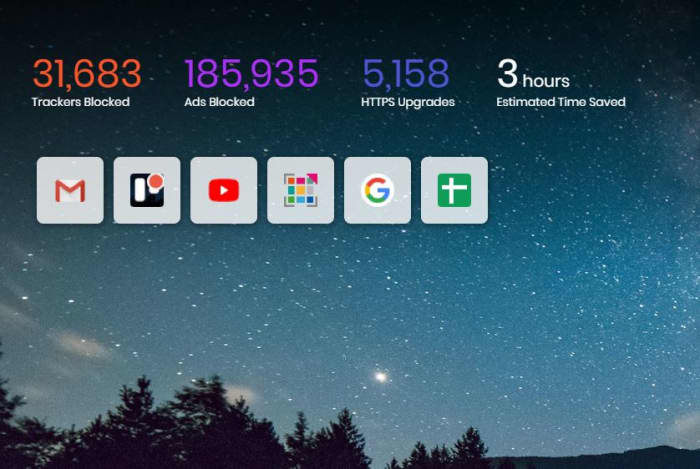
Brave automatically blocks all advertisements and trackers, and even tells you how many it’s succeeded in thwarting every time you open a new tab. Brave even bumps HTTP to HTTPS whenever possible to offer you the highest security possible when you’re online. If you want to personally customize your experience it’s a simple as opening up the Settings menu in-browser. Scroll down to the Shields settings to adjust the level of ads and cookies that make it through. You can even choose to allow or block all fingerprinting.
Brave can save you hours of load times
Right below these options, you can also toggle shields pertaining to social media – Google login buttons, embedded Tweets, and posts from LinkedIn or Facebook. If you’re unsure whether Brave is the right browser for you, we recommend installing it and seeing for yourself. Brave has had over 28 million downloads on Android alone, with over 2 million downloaded every month. The download is 100% free and it’s available for download right here. Give it a try and let us know what you think!
Are you still immersed in the world of Skyrim? Follow these tips to enhance your experience!
Skyrim is not a very friendly place. There’s scheming vampire lords, vicious bears that will maul you to pieces, a civil war raging across the land, werewolves, and of course the looming threat that a dragon could swoop down and barbecue you just because he’s bored. Suffice it to say that combat is a huge cornerstone of Elder Scrolls V, and eight years after the game’s original release, it’s starting to feel a bit stale. If you look around, though, there are actually a number of ways to revitalize battle in Skyrim:
There are plenty of mods to improve Skyrim’s visuals, restore cut content, fix bugs, or make new dungeons, homes, and followers. However, exploring all these new crypts and caves is still going to feel tiresome if your fighting is restricted to what Bethesda offered back in 2011, and one of the largest contributing factors to that lack of spice is that at higher levels you’re likely not changing your style, armor, weapons, or appearances anymore, and your offensive spells cap at a certain damage.
Attack 1: Swing your sword. Attack 2: Swing it harder. There is no third attack.
There is a “best weapon” in Skyrim
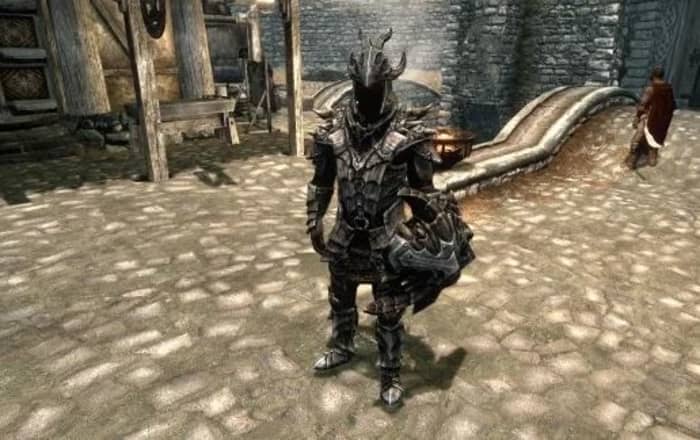
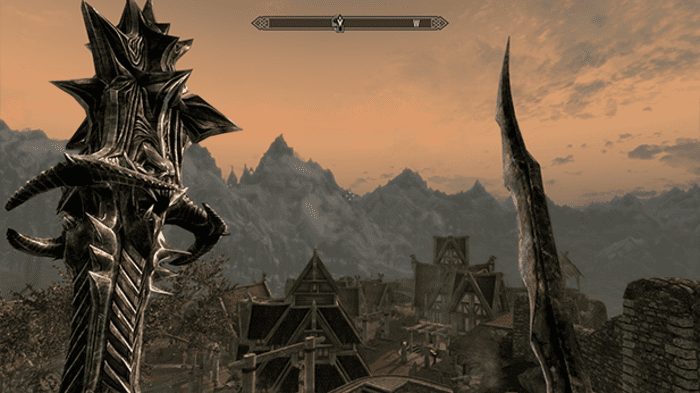
Whether you’re an Orc wielding a greatsword, a Wood Elf aiming with a bow, or a Redguard dual-wielding axes, the problem with late-game martial characters is that once you’ve smithed a set of Daedric armor or forged a Dragonbone dagger you havezero reasons to go back to steel, Elven, or bonemold. That means that in order to maximize your defense score you’ll donning the same weapons and armor. Every time. Why would you not?
This is the best armor. Prepare to never take it off.
The same goes for perks – if you’re a pure mage class, all you’ve really got for combat is the frost, fire, and shock spells of the Destruction tree. Once you buy the most damaging spell (Incinerate, Thunderbolt, or Icy Spear), Dual Casting, and a couple of perks to buff the damage (Augmented Flames, Frost, or Shock) you’ve reached your damage cap and probably won’t be casting the weaker versions of these spells ever again. By your second or third mage playthrough, you’ll probably be tired of them. The same goes for that Orc with a greatsword – you’re probably going to sink the same three points into the stacking Deep Wounds perk.
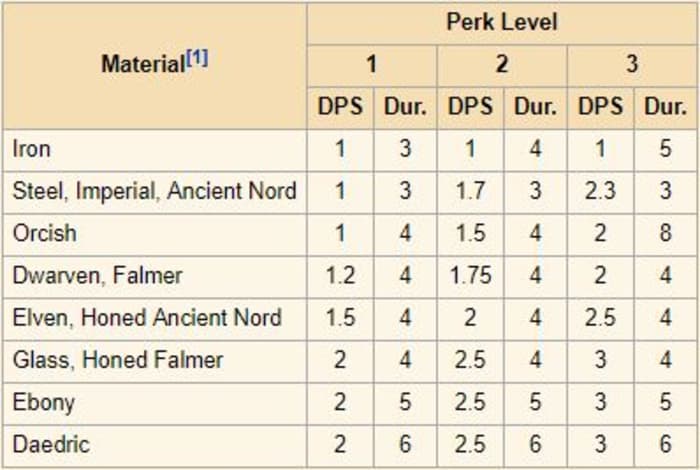
See the stats for ‘bleed damage:’ The best material yields the best results.
1. There is no best weapon in Skyrim
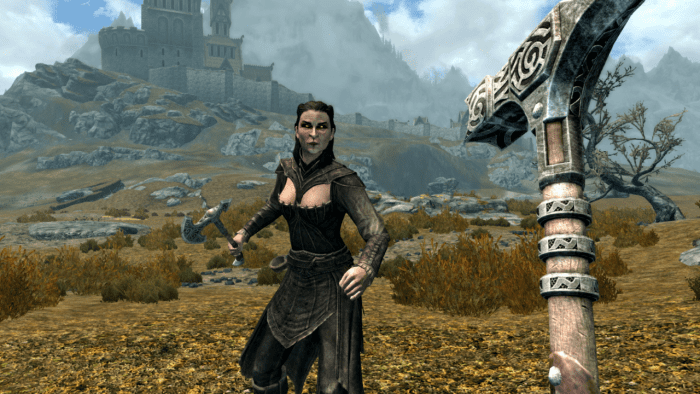
Remember when we said there was the best weapon in Skyrim? Statistically speaking, this is true. Here’s the flip side: Different weapons and spells serve a different purpose. Even if you just play a one-handed specialist there’s still some variation you can get by using different types of one-handed weapons. Don’t just stick with the sword because that’s the most damaging weapon you’ve found. There’s a use for each one:
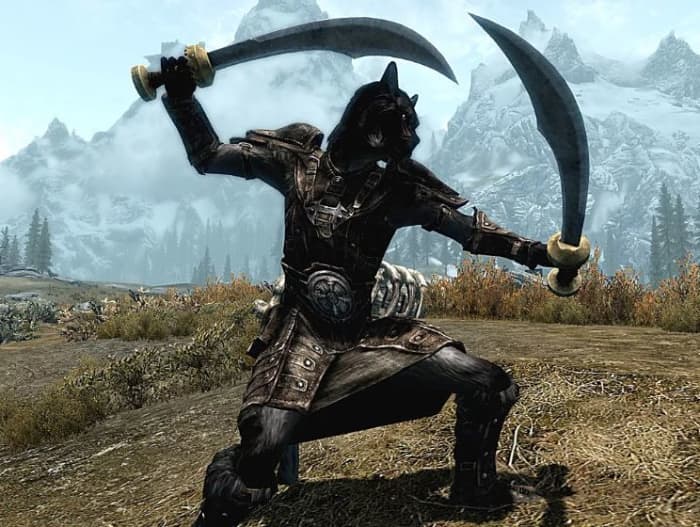
Swords are fast and can deal critical damage, but are weaker than maces and axes.
Sword
Swords have a (10%-20%) chance to deal critical damage to targets, eventually boosting up to +50% crit damage. Since swords also boast a higher swing speed than axes and maces, that means you’re going for multiple fast strikes with the chance that one of them will score a critical.Dual-wielding (or using the dual-wielding exploit with a sword and dagger) doubles your chances even more. Try enchanting your blades with this in mind for a plethora of clever combinations.
Dagger
If faster swings per second make you happy, then daggers are your best bet. While they’ll always deal less damage than a sword, ax, or mace, if you properly smith or enchant it, it can hold its own, particularly if the enchantment does high damage. Appropriately, the dagger is also a great weapon of choice for the rogue classes; get the Assassin’s Blade perk and performing a sneak attack with a dagger will deal 15x the damage!
Ax
Axes are the awkward middle child of the martial weapons family, swinging slower than swords and daggers, and dealing less damage than maces. What’s the draw, then? Axes deal bleed damage, which is likely the most underrated, undervalued damage type in the game. Bleed effects cannot be absorbed or resisted in any way, and every rank of the respective perks will bump the magnitude and duration of bleeding damage dealt by weapons (the material of which is another factor). Bleed does DPS, and the effects stack with other DPS implements in the game, such as poison, fire, or Absorb Health. If you’re good at enchanting or concocting poisons, the ax can be a formidable weapon indeed.
Mace/hammer
Last but not least, you’ve got the blunt weapons – the martial bad boys; the heavy hitters of Skyrim. While they’re slower to hit with, these massive bludgeon tools always deal more damage than any other weapon in an even encounter. Better still, they can ignore 25%-75% of armor, cutting right through whatever damage resistance your enemy has. This makes a warhammer a deadly tool against bandit chiefs, Falmer warmongers, Dwemer automatons, or any armored foe who dares step in your way.
Ride a dragon with this build and feel like the Witch-King.
Don’t limit yourself to one weapon type. Carry one of each. Use maces on armored foes, and use a battle-ax when you have poisons available. Pull out a dagger when it’s time to sneak, and dual-wield swords when you’re banking on a critical strike for massive damage!
2. Switch up your elemental damage
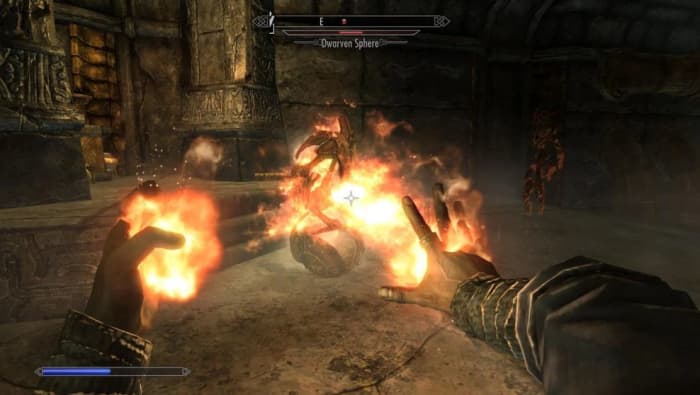
Similarly, mages should opt away from specializing in just one type of offensive spell. Fire, frost, and shock all have their time and place, and switching between them will both make combat more visually exciting and keep you alive longer.
Fire is great, but when is shock smarter?
Fire
Fire is the most commonly used spell type for Skyrim mages and that’s because it’s awesome. Burn an enemy and they’ll take more damage while on fire. What that means, then, is that if you have fire in your left hand and a melee weapon in your right, you’ll do more damage to the target per hit as long as you keep them lit up. This makes it a great choice for when you’re trying to maximize stackable DPS (like the aforementioned poisoned ax). Fire’s also a great choice when you’re fighting through the many, many Draugr crypts.
Frost
Frost is the squishy mage’s best friend. The main reason for this is that frost spells do half their damage value to an opponent’s stamina level. This does two things: First, it means melee opponents can’t keep slamming you with power attacks. Second (and more importantly) it means they are slowed. A slow bandit chief whose stamina bar is depleted is way less scary than one charging at you with a battle-ax – even if he is on fire. Frost spells are best used against humanoid opponents, but using them against Draugr or Dwemer robots should be avoided. As a unique quirk, frost enchantments are 25% stronger on anything made of Stalhrim!
Shock
Resisting shock damage in Skyrim is very rare. As such, you’ll probably do more damage with shock spells than with fire or frost. While frost spells deal half their damage value to an opponent’s stamina pool, shock spells do the same to their magicka, making lightning a great choice when you’re up against enemy spellcasters. It doesn’t matter how powerful a mage’s spell is if they don’t have enough magicka to cast it! It also means they won’t be able to block with wards, or do the ever-so-annoying strategy of running away at the last second to cast a healing spell. Lastly, shock spells are the easiest to hit with, as the blast has no travel time. Enemies will have a much harder time dodging Thunderbolt than Icy Spear.
3. Destruction magic is more than just projectiles
If you’re playing a mage, once you get Dual Casting with Impact, it’s easy to forget that there are any Destruction spells other than Thunderbolt, Icy Spear, and Incinerate. While these will probably still remain the cornerstone of your offense, there are other tools in your Destruction arsenal you may have abandoned: Cloak spells, Wall spells, and Runes.
A build like this will slaughter enemy mages.
Cloak
The biggest thing to remember about Destruction cloak spells is that they still boast the same elemental effects that we brought up earlier. If you’re playing a warrior, try throwing on a Flame Cloak to increase the damage of your hits! Use a Lightning Cloak to deter mages. A Frost Cloak can sap away the stamina of enemy warriors, leaving them vulnerable to attack and stagger.
Wall
Remember back at the start of the game when all you had was a Flames spell? Wall of Fire is like an upgraded version of that spell. You don’t even have to be directly attacking enemies for Wall spells to wreak havoc on crowds of enemies. Use Frost Wall to deplete the stamina gauge of an entire room. Switch to projectiles or physical attacks while they’re all slowed. Mages who throw up a ward can’t block a Wall of Storms under their feet!
Rune
Runes are rarely used in Skyrim since most combat is initiated before you have much time to plan. The trick with runes is to get the Quiet Casting perk under Illusion. Dual Casting in Destruction means that you can lay down a more powerful trap (which can be placed quite far away with the Rune Master perk) that can catch enemies by surprise, all without them even knowing where you are. Lightning Rune can be an especially good method for sabotaging a mage’s magicka before you even engage them in combat.
5 mods that completely overhaul The Elder Scrolls V: Skyrim
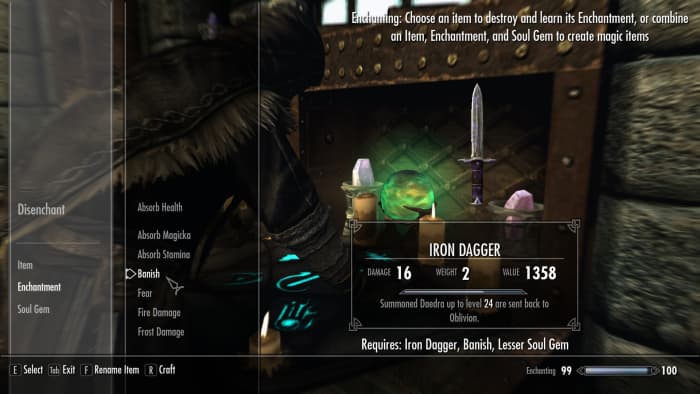
The beauty of Skyrim’s RPG system is that many skill trees work in harmony, benefiting from perks you’ve put into other trees. You can always run a pure thief or warrior, but mixing and matching your talents actually breeds the best results in combat – particularly the more ‘hybrid’ trees like Enchanting or Alchemy. A high skill in Enchanting is essential for virtually any build you can think of, upping the resistances of your armor, augmenting damage, letting you regenerate magicka more quickly, or increasing your thief skills like Pickpocketing or Lockpicking.
Enchanting can add an extra layer of utility to any build
Alchemy is a versatile tool that’s often forgotten. Everyone gulps down health potions when they’re hurt, but what about those typically ignored Frenzy or Aversion potions you can coat your weapons with? Try putting Aversion to Fire on your enchanted fire ax (which does bleed damage), then attacking an enemy with it while barraging them with Flames from your other hand. If you want to get really radical, put away your ultra-damage ebony bow in favor of an old hunting bow that’ll wound instead of kill. Apply a Frenzy potion to the bow and fire a couple of arrows into a group of bandits. Watch them tear each other to pieces!
The last tip we have for shaking up your Skyrim experience is to tackle the quests in a different order. Most players start with the Main Quest and the Companions, but what happens if you join the Dark Brotherhood first? If you have DLC installed, what’s the final fight with Alduin like if you’re already a fully-powered Vampire Lord? Or try and get all the Black Books in the Dragonborn DLC before you start the Thieves’ Guild questline to really shake up what’s in your bag of tricks.
The mods you need to play as a bard in Skyrim (and make it look awesome)
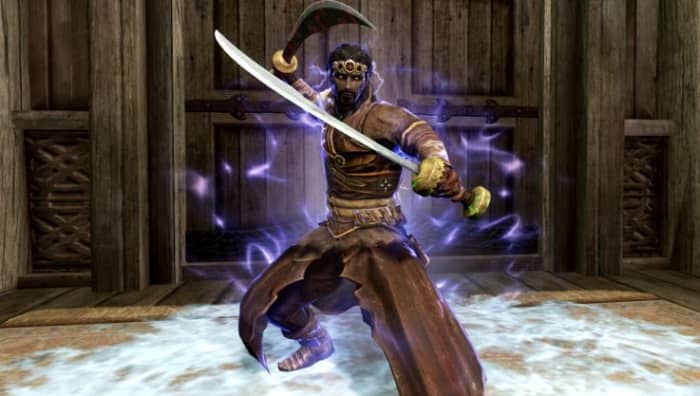
Playing a race other than your usual can also encourage you to try new approaches to old combat scenarios. If you’re used to playing the hardy Nord, try and mix things up by playing a nimble Khajiit, a powerful High Elf, or an expert Redguard pickpocket who dabbles in illusion. It’s an open world. Stop confining yourself to what’s comfortable!
If you don’t want to play Skyrim with mods, then changing your approach to combat is probably the best way to avoid repetitive gameplay. The stories and dungeons of Elder Scrolls V may always stay the same, but its RPG elements are whatever you make of them. You’re in control of the archetype you want to run, so try and approach old stories from wholly new angles.
Let us know in the comments below what kind of build you’re going for in your next Skyrim playthrough, and stay in touch for more Elder Scrolls VI information as it becomes available.
These Civ leaders can help you take over the world!
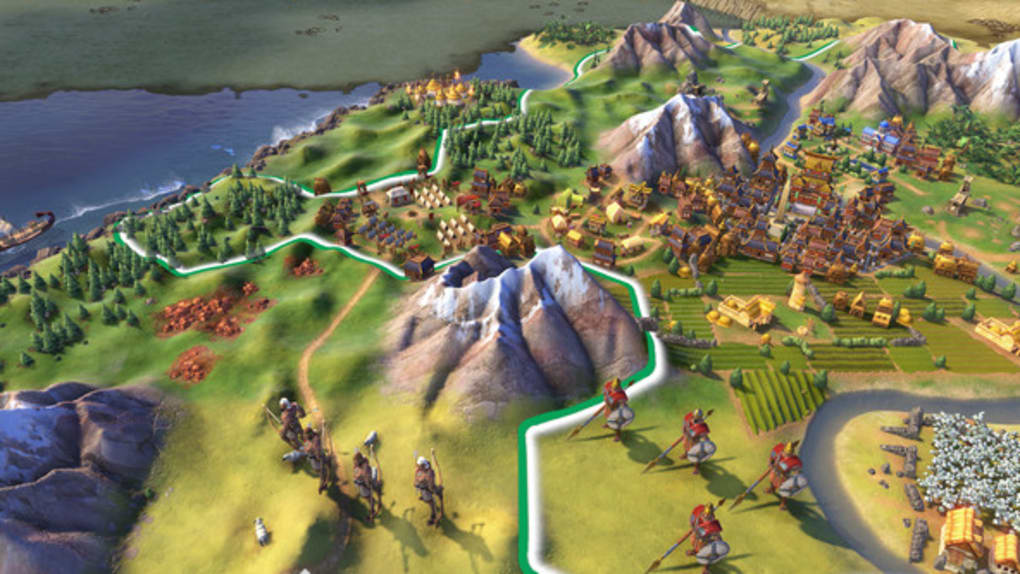
Civilization VI is the latest installment in Sid Meier’s award-winning series. Approachable for newbies but chock full of challenge and strategy for veterans, Civ 6 features dynamic diplomacy, a new “one unit per tile” gameplay, active research, expansive empires, and the Rise and Fall update has added a new loyalty system which completely alters the way combat is implemented.
There are universal tactics and techniques to increase your chances of succeeding in one of the five victory types, but much of what determines the angle at which you approach your success is decided from the very start – which civilization are you going to play as?
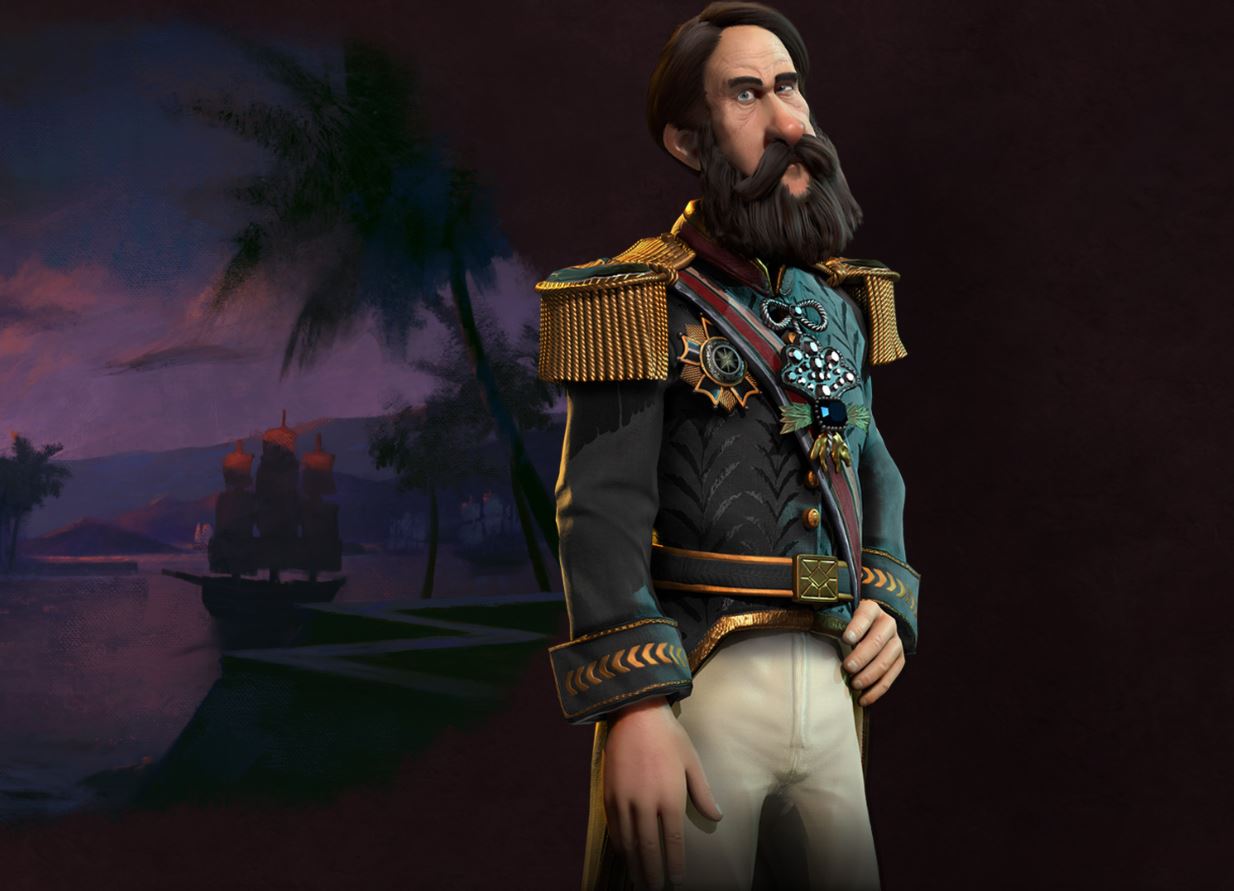
Different civilizations (or sometimes even different leaders within a given civilization) receive specific bonuses, abilities, units, and buildings that encourage a particular style of gameplay. Gilgamesh’s Sumeria, for example, has powerful war carts and he may declare war on anyone who is already at war with their allies and not suffer a warmonger penalty. Pedro II’s Brazil, on the other hand, has 20% Great People points refunded after recruiting a Great Person, making him better suited for a cultural victory.
With well over 30 different civilizationsand leaders to choose from, it’s very difficult to ensure that all are treated fairly and equally, and that all are on an even playing ground. While Civ generally does a good job in making sure that no one is obscenely overpowered, there are undoubtedly some leaders who have an easier time at achieving victory than others. So without further ado, here’s our list of the top 5 leaders in Civilization VI:
Top 5 leaders in Civilization VI
5. Seondeok’s Korea
Introduced in the Rise and Fall DLC, Seondeok is one of the prime candidates for achieving a science victory. The biggest component to her success is her Seowon district, which can only be built after learning the Writing technology. As such, that should be your largest priority right off the bat.
Korea’s science district, the Seowon maximizes its technology boost the further away it is built from other districts. Plan its location carefully in order to maximize its potential and achieve its fullest benefit. This means that your best bet with Korea is to play “wide,” meaning you’ll quickly want to spread and settle new cities and districts upon starting the game, as that will ensure you have enough territory to spread your Seowon far enough apart. Surround them with other tiles like farms or mines, dropping your other districts elsewhere on the map.
As if that wasn’t enough, Seondeok’s Hwarang leader bonus provides her cities a 10% science and culture boost if they have an established Governor. Because of this, you’d be wise to split your focus evenly between technology and culture, as a high culture generation will attract Governors faster, and you’ll want to try and appoint one for each city.
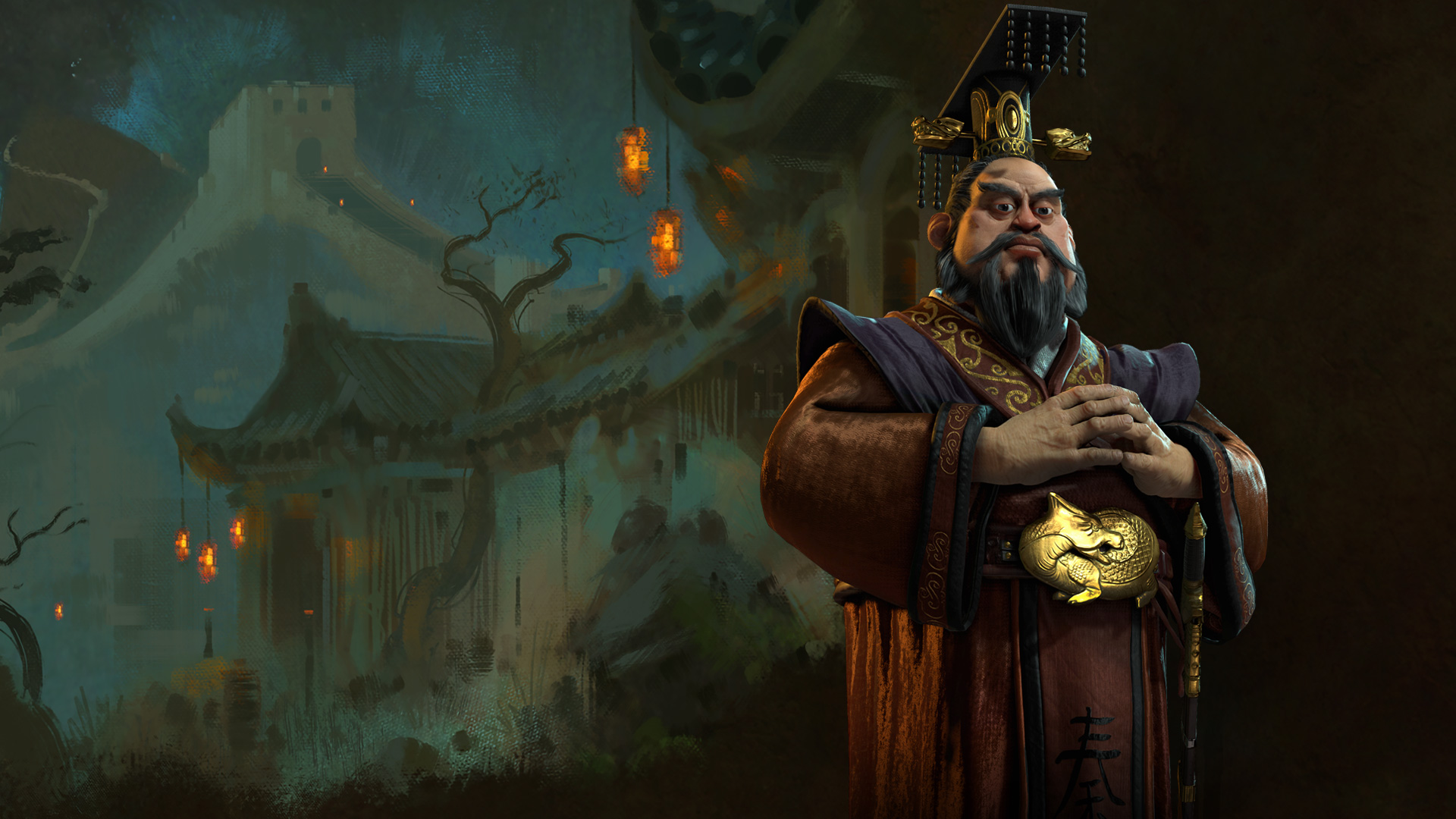
4. Qin Shi Huang’s China
When it comes to culture, you’ll be hard-pressed to find a better civilization than China. Like Egypt, China focuses on constructing wonders quickly and often, but of the two civs, China’s Great Wall and Crouching Tiger Cannon make it the superior for defensive playing (“turtling”).
Additionally, Chinese builders receive an additional use and can boost construction when erecting ancient or classical wonders. This essentially guarantees China first dibs when it comes to building the first wonders in the game, and having a wonder of your choice so early on can serve as a beacon for whatever victory type you like. The game’s early wonders are arguably the most useful, given that they take comparatively longer to build and you’re not bolstering other early-game necessities in order to spend the production on them.
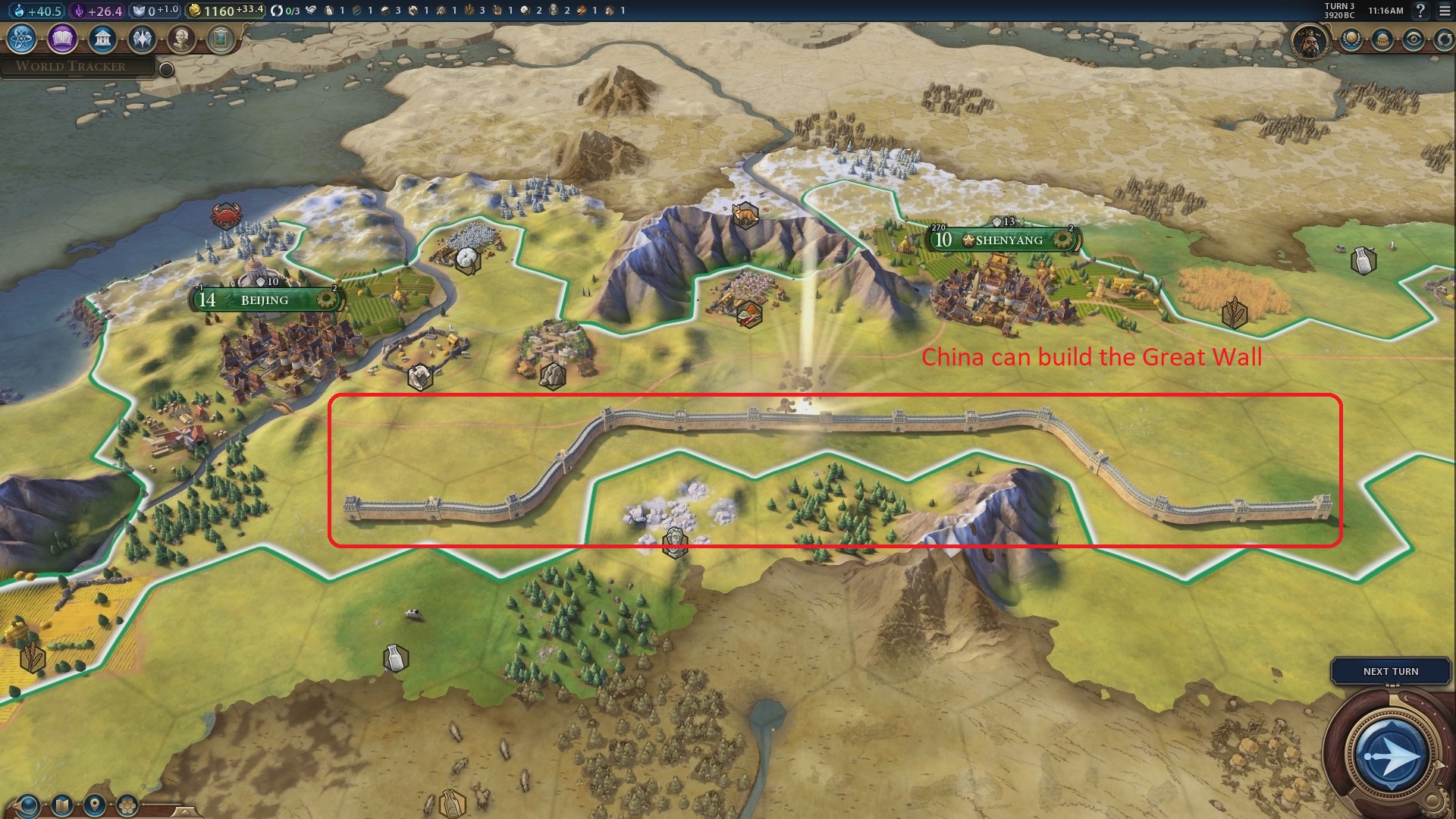
Lastly, China’s Great Wall is one of their coolest features. Unlike its previous civ games where the Great Wall was a wonder, Civ VI has made it a unique tile improvement only usable by the Chinese. Connected segments of the Great Wall will provide Tourism, Gold, and extra defense for all your warriors, meaning that the larger your wall, the more use you’ll be able to get out of it. Combine that with the Crouching Tiger Cannon that does not need specific Resources to produce, and you have a mighty civ indeed.
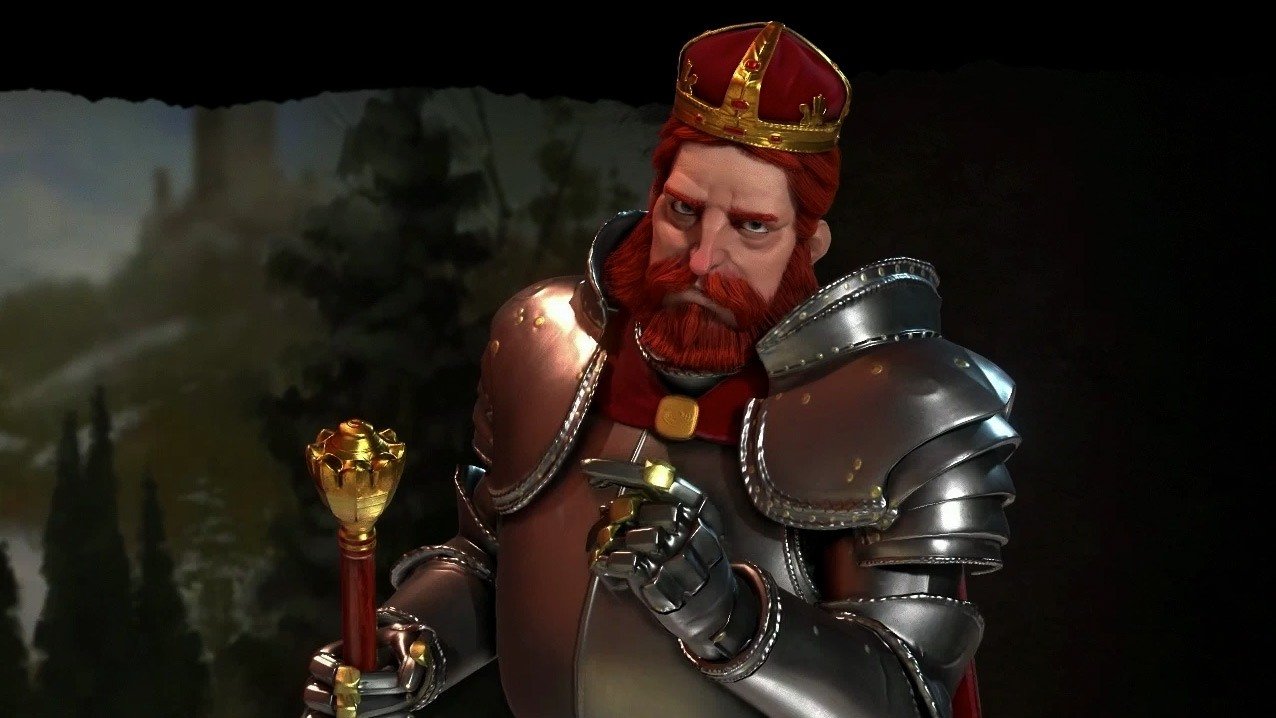
3. Barbarossa’s Germany
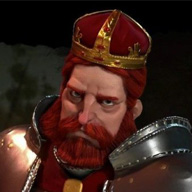
Fast, efficient, and brutal, Germany is a prime candidate for both tech and domination. While his domination may not match the strength of a few of the other civs in the early game, he more than makes up for it later on with his u-boats, naval combat, and extremely high production rates.
Barbarossa’s Hansa district replaces the default Industrial Zone and has a +1 production for each adjacent resource – including the flat +1 bonus of the default industrial zone. The Hansa is also cheaper, costing 50% of industrial zone AND grants an additional +2 production if it’s adjacent to a commercial hub. Lastly, the Hansa will also give two production to any strategic resource tiles next to it. Playing “tall” with Germany (fewer districts and cities, but having them very powerful) is the way to go.
With domination, Germany’s best strategy is to conquer city-states and to do it early on in the match. This both allows for space and new territory all the faster and also ensures that you’re getting the most out of Barbarossa’s Holy Roman Emperor leader bonus, which gives a +7 combat strength bonus whenever attacking city-states. Since this is a flat bonus that won’t increase as you reach the mid-late game, you’ll be getting the most bang for your buck if you make the attack early. Lastly, Germany also receives an additional Military Policy slot, which can dramatically increase his power or versatility in combat with other civs later on.
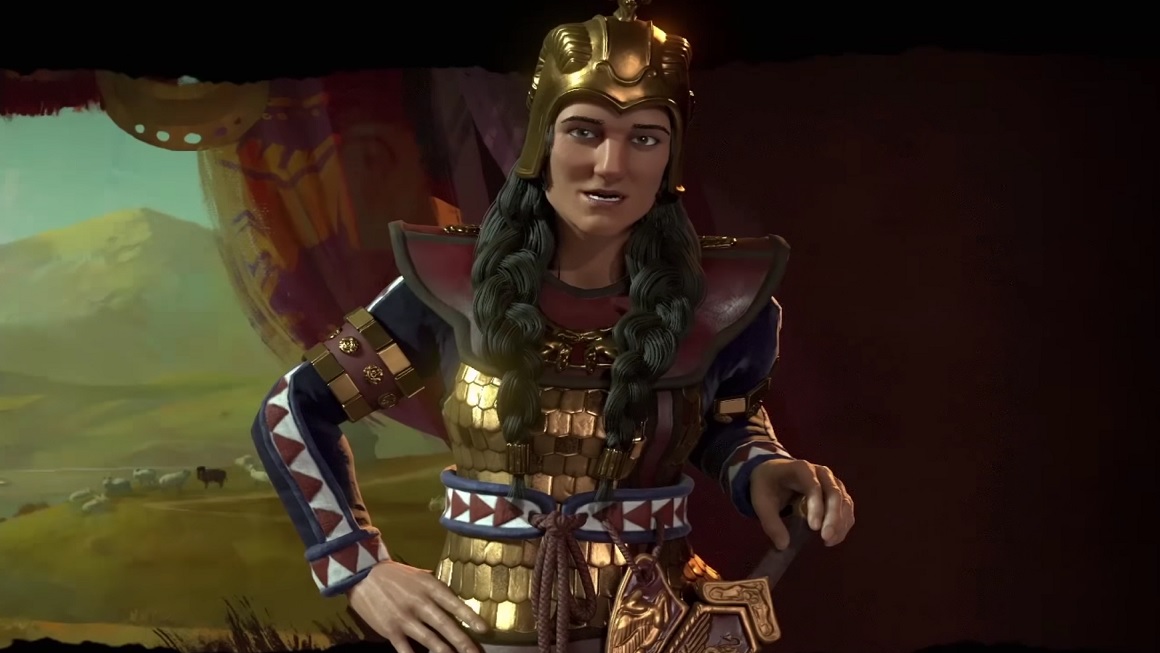
Tomyris is absolutely unmatched when it comes to combat in Civ 6, making a domination victory very easy for Scythia. Killer of Cyrus is one of the strongest leader bonuses in the game, granting all Scythia units the ability to heal 50 points after killing an enemy unit, and additionally providing a +5 combat strength whenever they attack a wounded unit. The combination of those two combat elements means that Tomarys can quickly pull off a victory with one or two units while another civ would take longer and spend more units. It also means Scythia can quickly advance upon other players, drawing closer to their capital before they have time to regroup and make more units.
What makes this combat strength so useful is that it does not pertain to any one specific unit or era, but lasts you from start to finish. Whether you’re attacking with pikes, rifles, or army tanks you’ll always do bonus damage to wounded units and heal after killing them. That said, the best strategy is still to overwhelm with Saka Horse Archers early on in the match, as they are tougher to kill than most and can be produced quickly in great numbers. Half a dozen Saka Archers will probably be all you’ll need until mid-game.
Check out this video to see an in-depth explanation of what makes Tomyris’ Scythia so deadly, as well as an explanation of why it trumps so many other civilizations, particularly when playing online.
The reason we didn’t have Scythia as our number one is because they can get halted in their tracks by Sumeria and especially Mongolia. Genghis Khan can capture defeated horses, adding them to his own numbers, which effectively destroys Scythia right off the bat. If you spawn near Scythia as any other civ, though … Say your prayers.
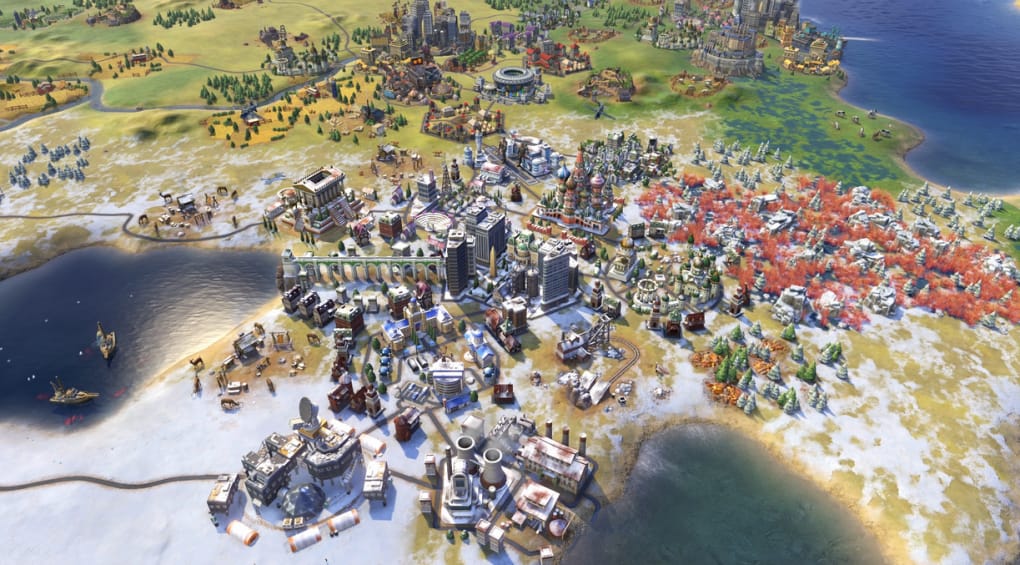
1. Peter’s Russia
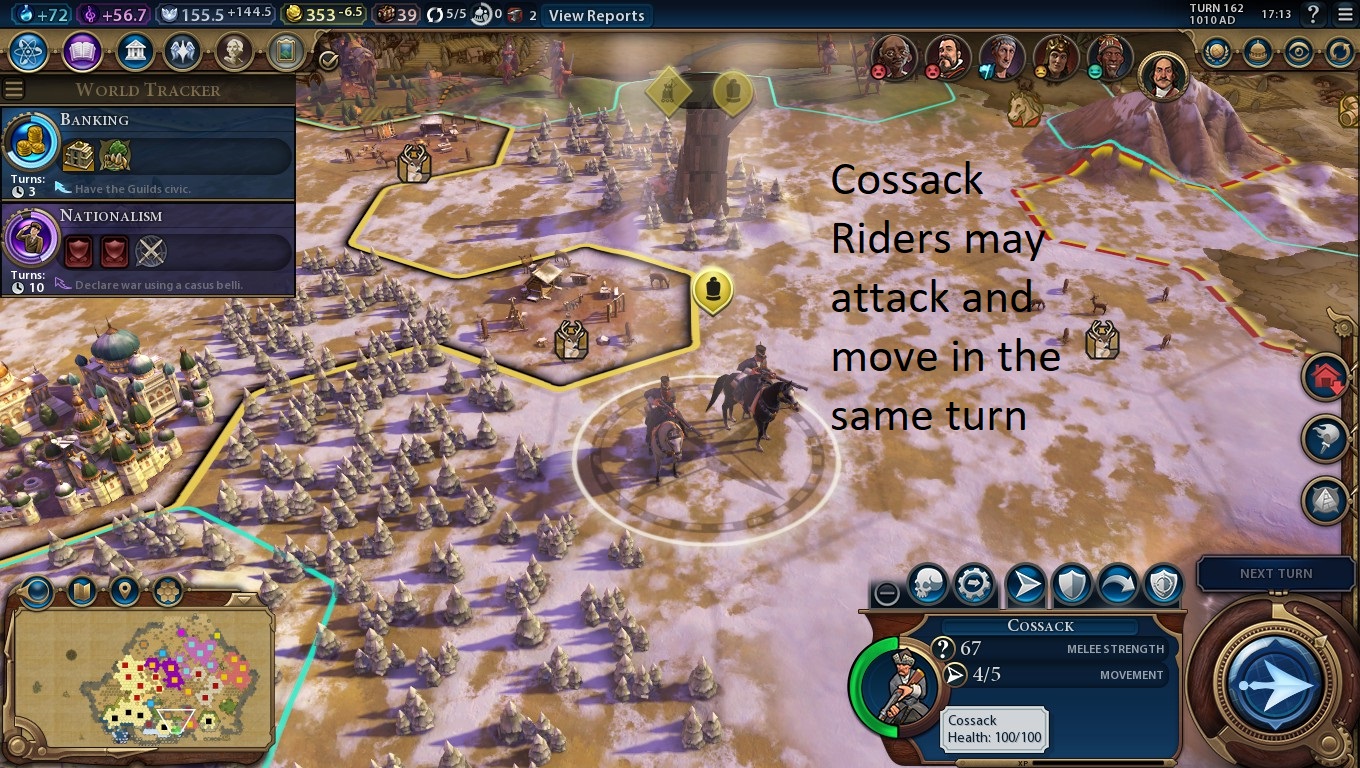
It was a tough call, but our top pick has to go to Peter. While the other civs on our list have their specializations, Russia can pretty much do it all. Their Cossack horsemen are some of the most useful attacking units in the game, their Lavra district is immensely powerful at generating culture and territory, their Mother Russia makes them adept at acquiring faith, and the Grand Embassy bonus they begin the game with affords them a boost to their science too.
Stronger than typical cavalry, Russia’s Cossack horsemen are devastating due to their ability to move after attacking. This makes them excellent at harassing your enemies and helps them to survive longer than other units. Much like Scythia’s Saka Horses, the Cossack’s likelihood of survival means they will cost you less maintenance and gain extra experience. On top of that, their speed allows them to weave in and out of danger, making them especially capable of dispatching slower opponents, even late into the game.
The Russian replacement for the Holy Site is the Lavra, and it’s what brings the entire Civ up to the next level. When you expend a Great Person in a city that has a Lavra in it, it will add an additional tile to Russia’s culture border – no questions, no restrictions. Since culture is what generates more Great People, you’re effectively creating a loop where you expend a Great Person to gain culture, to get you more Great People. Not to mention that when you expend a Great Person you gain a boost or ability.
If you think this sounds too powerful, you’re not the only one!
Lastly, the expanded borders Russia receives upon expending a Great Person will help them more than it would most other civs. If their expanded borders include tundra tiles, which they likely will early in the game given their start bias, the tiles will provide Russia with additional Faith and Production, making them a strong candidate for all things science, military, and religion.
Did we miss your favorite Civ? Let us know if you agree with our list, and which Civ and leader is your favorite!
Concerned about data privacy? Signal is the messaging app you’ve been looking for.
Hesitant to share your personal information over messaging or texting? You’re not paranoid – you’re probably right to be cautious. Privacyis a thingof the past. One of the best tools to keep your conversations private is a free little app called Signal.
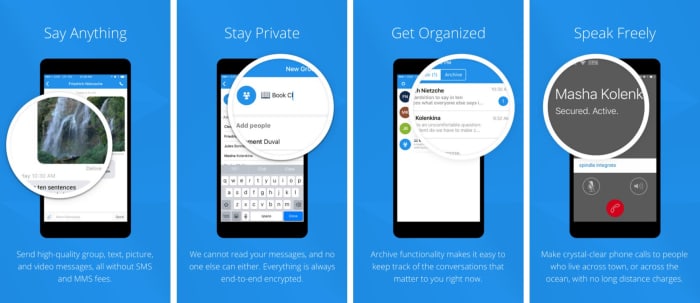
Signal is designed specifically for mobile devices and allows for free, worldwide, encrypted calls for your smartphone. It does so by using ZRTP for secure voice communication.
Signal helps you dodge those pesky SMS fees while communicating, and lets you share media and files as normal, and chat with groups in real-time. It requires no password, uses your existing phone number, and never accesses any of your conversations or stores any of your personal data.
“Long before we knew that it would be called Signal, we knew what we wanted it to be,” said the company on their blog page. “Instead of teaching the rest of the world cryptography, we wanted to see if we could develop cryptography that worked for the rest of the world. We started Signal with the idea that private communication could be simple.”
As far as simplicity goes, using the app couldn’t be any easier: Installation is free, and the download time is quick. Once it’s done, you’re in the clear. The app’s Contact Discovery immediately displays which of your contacts are reachable with Signal, so you can carry on your conversations in private.
Why you need it
“As more and more of our lives happen online, data protection and privacy are critical,” explains the company’s Executive Chairman Brian Acton. “This isn’t just important for select people in select countries. It’s important for people from all walks of life in every part of the world. Everyone deserves to be protected. We created the Signal Foundation in response to this global need. Our plan is to pioneer a new model of technology nonprofit focused on privacy and data protection for everyone, everywhere.”
True to their word, the company has kept Signal free and open source. It’s the only app of its kind, and even goes as far as sending optional push notifications to conserve your battery life and still stay responsive.
“The best way to continue to ensure the universal availability of high-security and low-cost communications services like Signal is to do so through a foundation structure that is free of the inherent limitations of a for-profit company,” says Acton. “We’ve built a service used by millions, and software used by billions.”
Protect your privacy, choose this search engine over Google
The latest versions of Signal are available on Android, iOS, and Desktop. It also has an integrated link preview function and browser extensions for the Desktop client. Get it free today and let us know how it helps you manage your conversations. Stick with Softonic for more tips and tricks to keep your data private and secure!
Fight censors and hackers with Brave’s new Private Tabs with Tor
Can Marvel’s original superteam survive a third reboot?
Marvel shared a ton of news with us at Comic-Con last week: A handful of new TV series, some of the upcoming movies in Phase 4, and a bunch more. One promise that raised some eyebrows was the announcement of another Fantastic Four reboot.
Yes, another one.
We’ve had three movies with these guys in the past 15 years, and they were all pretty … well, they weren’t fantastic.
Guide to Marvel Phase 4: Everything you need to know
One of their more remarkable feats is time and again bringing long-forgotten characters into the glorious spotlight. Who could have foreseen the popularity of Iron Man over a decade ago? The same can even be said of the Avengers. How many people had even heard of the Guardians of the Galaxy before 2014 (seriously, comment below if you had; kudos to you)?
If you told a Marvel fan back in 2005 that the Guardians of the Galaxy would rake in more cash than the Fantastic Four, he’d laugh in your face through his vintage issue of Alpha Flight. That’s because the Fantastic Four weren’t a long-lost offshoot in the overlooked annals of comic book history – they were at the epicenter of the Marvel universe, and had tie-ins to virtually everything involved inside it.
Why the Fantastic Four are so important
These guys have been on more adventures than anyone else in the Marvel Universe!
Historically the Fantastic Four were the group that propelled the Superhero genre into the modern era. It did so by capitalizing on what were, at the time, very atypical angles of narrative: Though they got their start in space, the problems they shared were very down-to-earth.
The four teammates did not get along like the members of the original Justice League; The Thing despised his monstrous appearance and wished he’d never gotten his super powers; and Reed Richards struggled with decidedly non-super problems – overspent budgets, stock market crashes, failures in his personal projects, and struggles to lead his team. Instead of an unapproachable hero figure, Lee and Kirby created a relatable family of misfits:
It was at this point (in 1961) that Stan Lee convinced Martin Goodman to rename the company Marvel, and the team really started finding their own voice. It’s sad to see such a flagship of comic book history fail to meet the mark again and again with a modern audience, and it would be a welcome change if Marvel were to redeem their golden four.
The Fantastic Four might be the most important team in the original Marvel comics
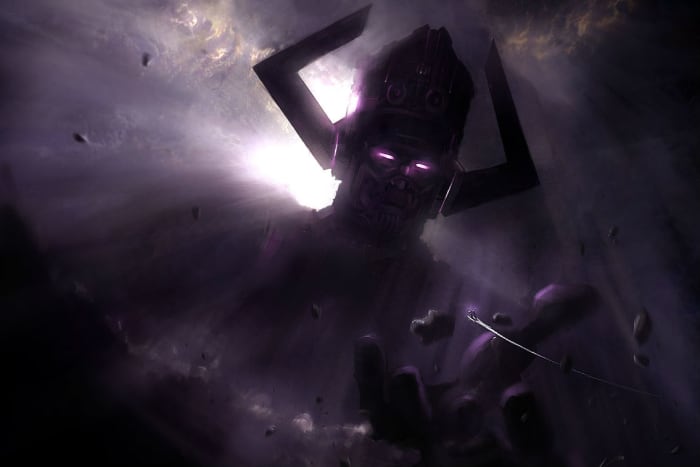
The Fantasic Four are also hugely important to several story arcs and characters that the MCU could tackle soon, most notably Galactus, Silver Surfer, Kang the Conqueror, the Negative Zone, Annihilus, and of course the infamous Doctor Doom. So it’s not just about Marvel’s fab four looking shiny on-screen, it’s about what it could mean for the direction of the cinematic universe on a macro level.
Question: How do you go bigger than Thanos? Answer: Galactus.
That brings us to the big question: The Fantastic Four have been done before and it’s bombed every time. How can they be done better? When asked why the latest Fantastic Four did poorly at the box office, Stan Lee’s response was pretty legendary: “It was probably because I didn’t have a cameo in it,” he joked.
Unfortunately the MCU can’t rely on the same selling point that pushed the Fantastic Four comics to stardom, this notion that superheroes weren’t too dissimilar from us, or that they dealt with everyday problems; the MCU has already covered that in spades, and it wouldn’t make them stand out from characters like Hawkeye, Spider-Man, or Hulk.
So what can make this story work? First off, we’re all dying to see Doctor Doom, but maybe it’s best that we don’t – at least not right away. Spider-Man’s biggest villains are the Green Goblin and Doctor Octopus, and the MCU wisely chose to veer away from them in favor of the less famous, less scary Vulture and Mysterio (both of whom they did really well). Instead they might be better off focusing on the Skrull, Terrax, or Annihilus, the latter two being characters we’ve never seen on film before.
Introduce the Negative Zone early, and bring in Annihilus as their first big villain!
Besides picking the right villain, it’s also important that the film tell the right story. We don’t need another origin story. Please. We didn’t need one for Spider-Man, we didn’t need one for Black Panther, and we don’t need one here.
Instead, focus on the family dynamic that made the team likable to begin with, and then pick a conflict for them to face together. The Negative Zone is an especially powerful plot thread that could have a huge impact on the Marvel Cinematic Universe, and a Fantastic Four reboot is the best chance to introduce it in a big way.
We’re anxious to see how Marvel and Feige plan to handle the Fantastic Four, but tbh we’re still biting our nails; we’ve been burned three times. Let us know in the comments below if you agree with our points, and what you’d like to see the company do with the Fantastic Four!
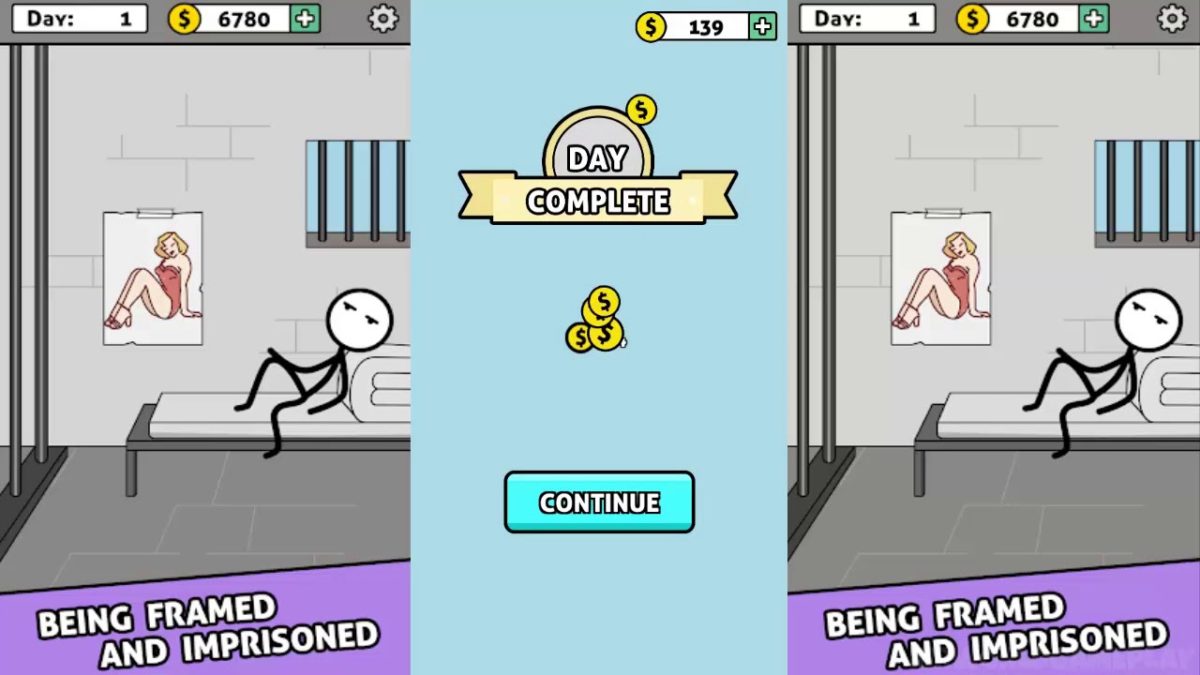
Words Story is an unusual take on the mobile word game in that it’s part clever word game and part narrative. While the narrative itself isn’t the most compelling, it’s still neat to be given an actual storyline in a free mobile game. The story follows the plight of a crafty but determined prisoner as he attempts to “Shawshank Redemption” his way to freedom.
The game takes place over the course of 200 days of digging, waiting, scheming, and bribing the guards as you dream of sweet freedom beyond the brick walls and steel bars. Get through those 200 days, though, and you’ll reach the liberating embrace of the ocean.
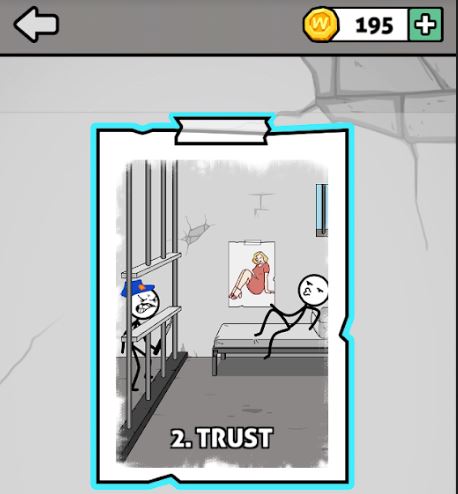
The story spans 200 days in prison, divided into multiple ‘chapters.’
How do you play?
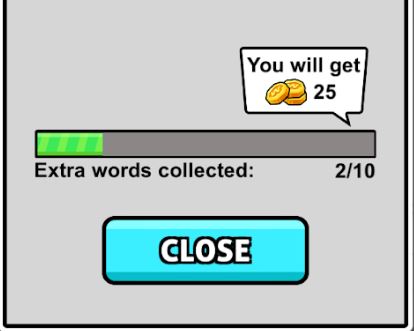
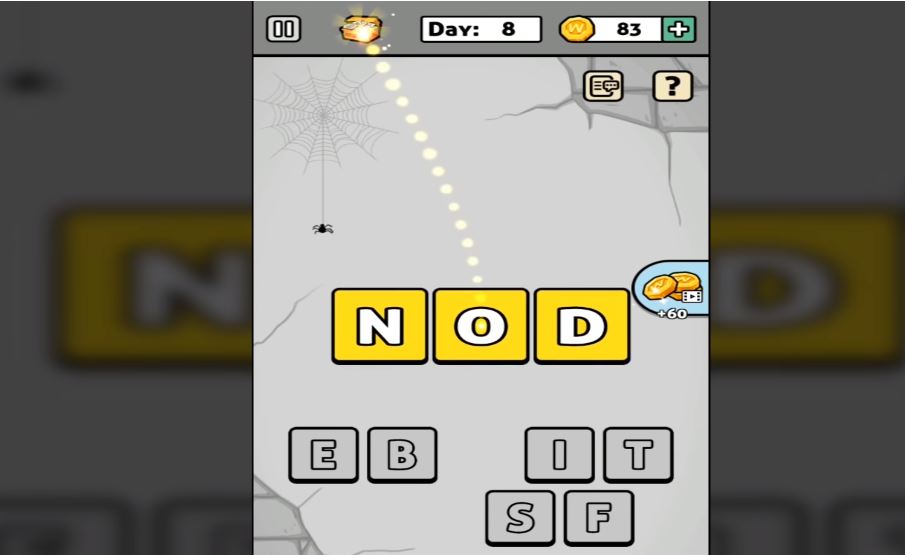
At its core, Words Story is a simple word unscrambling game. Each ‘day’ you’re presented with a new set of letters, the goal is to find the correct word hidden among them. Of course, there will be other words you’ll find that are not the correct one, and should you find them, the game rewards you with extra coins (just click the chest to accept them).
Find extra hidden words and you’ll get to collect extra coins.
Many of the words you’ll unscramble are irrelevant to the plot, such as “hate,” “cat,” “pink,” or “meat.” The game does try to fit in as many related words as possible, so those should be your first guess. These are words like “map,” “beat,” “dig,” “file,” or “bag.” Typically you’ll get a relevant word every two or three ‘days’ of the game, after which you’ll be rewarded a short cutscene and your overall escape progress.
Dig your way closer to freedom – day by day, inch by inch.
When you’re unscrambling words, there will also be a couple of tools to help you. One trick is to deliberately submit a word that’s not correct. Doing so will eliminate any letters you used for that word that are not in the solution. Also pay attention to the color of the letters after you place them: Blue means correct letter in the correct spot, while yellow means right letter, wrong placement.
Find hidden words to earn extra coin and eliminate variables
On the bottom left, there’s also an option to re-scramble the letter pool, which can help if you’re having a hard time visualizing the solution. On the bottom right there’s a bomb, which removes several incorrect letters from the pool immediately. You have unlimited uses for the bomb, but it does have a cooldown you have to wait for.
If you’re trying to get the most coins, you probably won’t be using the bomb much; it just eliminates letters you could otherwise use for extra words.
Remove multiple variables at once with a powerful bomb
How difficult is the game?
While typically word games will grow in difficulty by asking for longer words, Words Story does not do this. All the mystery words in the game typically vary between 3-6 letters, the tough part is that there are so many letters to choose from.
Best free offline mobile games to play on a long plane ride
What starts as four possible letters to pick from turns into 15 by day 160. Additionally, since the mystery words are not always relevant to the prison escape story, it can get pretty hard to guess what random word the game wants.
More and more letters are added as you progress further
That said, the game is not too tough. There’s no time restriction and there’s no punishment for incorrect guesses, which means it’s just a matter of time before you get the right one.
If you find the game too difficult, there are plenty of online walkthroughs to help you out:
Is the game free?
All levels in Words Story are free, as are the hints. You can choose to buy coins, but there’s really no point to doing so; you have nothing in the game to purchase.
Words Story has microtransactions, but coins in-game don’t serve any purpose.
Can you remove the ads?
Yes. Ads in this game another way you can earn in-game coins. As we said earlier though, coins in this game don’t actually serve any purpose, so there’s no incentive to watch ads. The good news is that Words Story lacks any online features other than the ads so if they’re bothering you all you need to do is turn off your internet connection or cellular and you’ll no longer be bothered by them.
All in all, Words Story is an easy word unscrambling game for all ages that serves to pass the time and test your vocabulary a bit. For a free game, it definitely accomplishes what it sets out to do. Enjoy the game, and if you get stuck check out this video that takes you from day 1 to 200. Until then, feel free to check out Words Story along with Zhou Jiaping’s other work right here.
Would you allow an object in your brain if you could talk to computers?
“Even in a benign AI scenario, we will be left behind,” Elon Musk spoke glumly of our pathetic odds in the wake of an AI apocalypse like something out of “Terminator” or “Avengers: Age of Ultron.” While we’re not enlisting the help of The Vision or Sarah Connor just yet, there is a kernel of truth here: We’re integrating more sophisticated tech into our phones, our appliances, our houses, and our cars – but we’re leaving behind one valuable part of the equation – us.
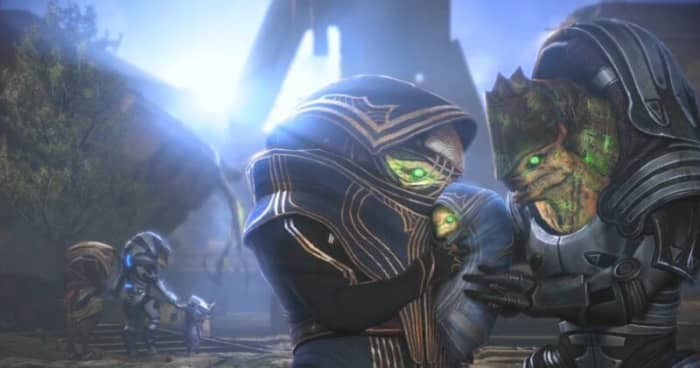
Integrating AI and organic life? Mass Effect did it first.
Musk’s strategy is not to try and one-up ourselves over tech; in his eyes, that’s a lost cause. But if you can’t beat ’em, Musk advises we join them.
“I think with a machine interface we can go along for the ride and effectively have the option of merging with AI,” he said. He’s proposing a (very ambitious) concept of how to do just that.
The idea
Symbiosis between human and machine has been a sci-fi concept since the days of Doctor Who and Star Trek, and because (or despite?) of its mainstream appeal, we’ve largely dismissed notions of making science fiction into science fact. Elon Musk is heading a new project to insert a computer connection directly into a human brain, creating a true cybernetic future, and have already taken the first steps with chimpanzees.
“The monkey was able to control the computer with his brain, just FYI,” Musk said proudly. The team expects to be ready to move testing to human subjects by next year, and the process is allegedly as safe and painless as Lasik eye surgery.
Picard rocking an early prototype of Elon Musk’s chip
Why this is new
If you’ve heard of similar tech, that’s because it (sort of) already exists: There are scattered FDA-approved devices that are intended for the disabled. Examples include a deep-brain stimulation device that helps people with Parkinson’s disease control their tremors.
Musk’s new implant chip would be created by Neuralink, his own brain-computer interface start-up. Neuralink is Musk’s own private company that he created back in 2016, and is based out of San Francisco. There’s one major difference that will bring Musk’s project to the forefront: The process.
The chip itself is a thread-like device that’s thinner than a human hair. It’s so thin that the grafting procedure looks almost like sewing. Neuralink has a computer system set up so that during this process the grafting avoids blood vessels on the surface of the brain.
These flexible threads are actually a thin cellophane-like material that insulates the conductive wires which link to a series of tiny electrodes.
“One of the big bottlenecks is that a mechanical drill couples vibration through the skull,” said Max Hodak, Neuralink’s president and one of the company’s founders, “which is unpleasant, whereas a laser drill, you wouldn’t feel.” Since the device itself is so thin, it would far less invasive than our current tech.
The new chip would be as subtle as a hearing aid.
Once the procedure is complete, the implant is wirelessly connected to a receiver worn behind the ear. The receiver communicates with a computer or smart device, and voila! You can talk with electronic appliances with your mind.
Science confirms the internet is changing our brains
While this is some serious next-gen, cutting-edge thinking, is it really for the best? We’re up to our eyeballs in privacy issues with email, messaging, texting, and phone calls. Do we really want people to access cloud data with a chip in their brain?
Remember when we were mad at Zuckerberg about Facebook Portal? Imagine that you control that screen with your mind.
For better or worse, there are some definite roadblocks for Neuralink to tackle in the coming year. Researchers still need proof that the insulation of the neural threads can survive long periods (plastic can deteriorate in the salt solution of the brain’s environment!), and moreover they’re not the only company trying their hand at the puzzle.
On the other hand, Elon Musk is no pushover. We’re talking about a guy who successfully launched and landed heavy rockets and has a lot of financial backing to push his projects to completion. As of July 2019, Neuralink has received $158 million in funding (of which, $100 million came from Musk himself) and is employing a staff of 90+ people.
Elon Musk’s Secretive Brain Tech Company Debuts a Sophisticated Neural Implant https://t.co/Hn0SE18lkz
Do you think this is a crackpot pipe dream, or are we heading towards a future where we can turn on the TV just by thinking it? Let us know if you’d be interested in getting this brain chip, and stick with Softonic for the latest in tech news!
Like it or not, you’re going to have to change to a version with some problems…
Windows 10 updates are like fast food: There’s waiting involved, there’s miscommunication, there’s trepidation, and you already know going in that there’s going to be issues with it. Oh, and when you open the lid it never looks as good as it did in the picture.
A Windows 10 version wouldn’t be complete without some kind of roadblock, but that’s not the red flag today. It’s that Microsoft has begun pushing its 1803 users on to the troublesome 1903. Starting on November 12, 1803 will no longer be supported, so 1903 will be the only way to go from that point on. This forced update is hitting Pro and Home editions already “to help ensure adequate time for a smooth update process,” the company claimed in a support document.
Why Microsoft is pushing 1903
As for why the company is making such an aggravating decision, they’re presenting the same argument as usual: “Keeping these devices both supported and receiving monthly updates is critical to device security and ecosystem health.” In other words, if you’re not on the latest patch, you’re not receiving the latest protection. It sounds logical until you consider the new problems that 1903 brings with it.
The problem with 1903
There’s a litany of issues with the 1903 build that are still being investigated, such as:
An unresponsive display brightness
Graphic issues with some of its apps and games
A black screen that pops up when you initiate Remote Desktop connection
A literal error message that pops up when you try to start up the Windows Sandbox
The switch to 1903 won’t become mandatory until November, but it’s the principle of it that bothers us: For a hot minute there, we thought Microsoft was listening to its users. Not having to update until your current version isn’t supported anymore? Very cool. But it won’t matter if they start cutting support for older versions earlier! Nice loophole, guys.
Stay tuned with Softonic for more info about 1903 as it’s made available, and learn what steps you can take to keep your OS healthy.
Got a Mac? Need some word processing software? Try these 5 programs.
In 2019, Microsoft Word is as much of a household name as Verizon FiOS, Sony PlayStation, or Colgate toothpaste. Everyone writes with Word, and it’s a staple for practically everyone with a computer.
Unless you use a Mac.
Is it possible to get Microsoft Office on a Mac? It is, but it’s probably not worth it since it’s really the only enticing program in the suite. Office is expensive, and it takes up 2.5 GB of space. Luckily, there is a selection of free and highly accomplished alternative word processing apps for Mac, some of which not only handle Word documents but that you may even find improve on Word itself.
5 free alternatives to Word on Mac
5. Celtx
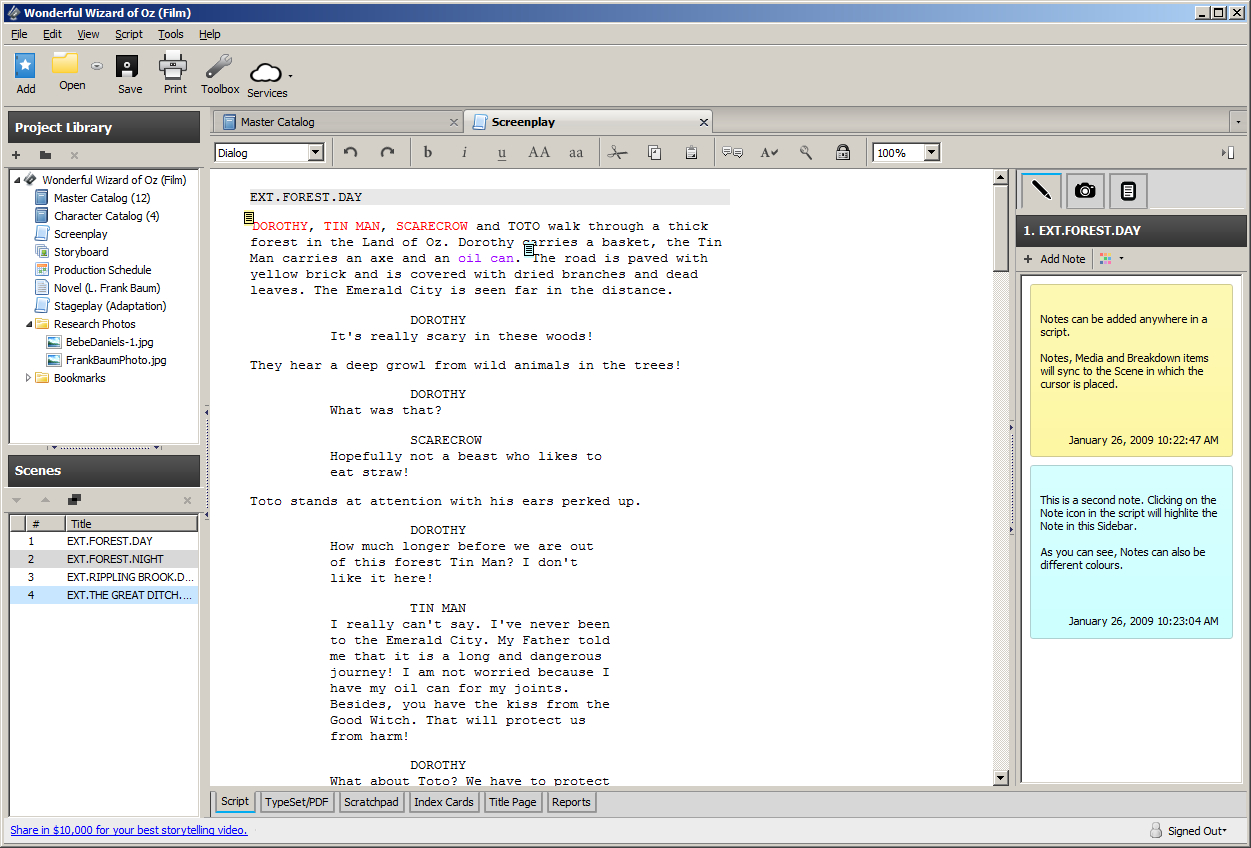
Celtx is primarily geared towards screenwriting and TV production
Celtx is a free writing tool that’s geared mostly towards screenwriting, storyboarding, and organizing call sheets. Making an account is 100% free and all your work is saved on a cloud until you decide to download it (at which point it’s a .pdf). Available on Mac here, Celtx allows you to create properly formatted video scripts and screenplays, stageplays, audioplays, and comics. Not only that, it’ll sync up with your online studio so you can write anywhere, anytime and even share scripts with collaborators.
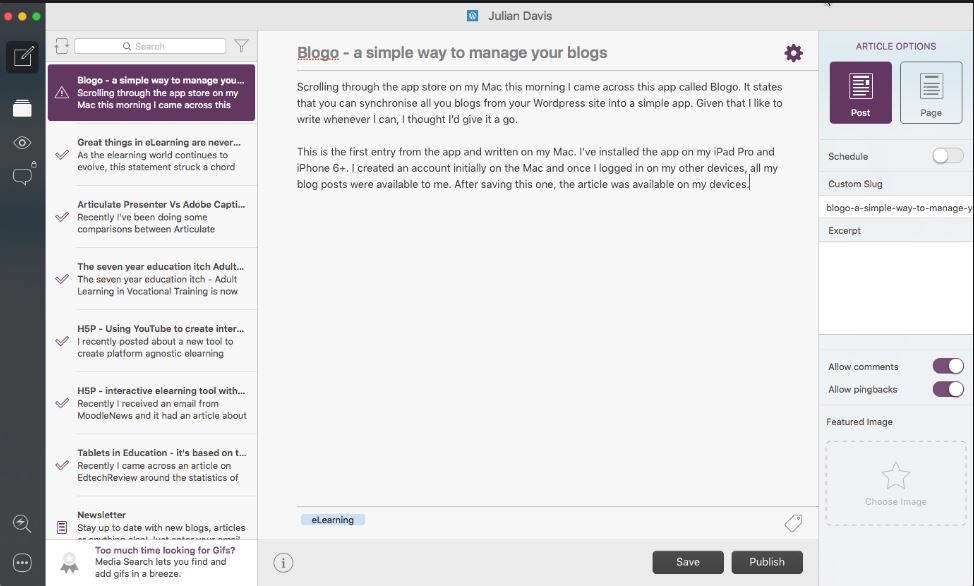
Blogo is a clever app which allows users to blog right from your Mac desktop. It’s simple, distraction-free, and allows you to write even when not connected to the internet. You can use Blogo with self-hosted or WordPress blogs and the platform supports writing, editing, and rich text, but still allows for inline HTML. Blogo has a paid version which includes extra features such as Multiple blog management, integration with Evernote, enhanced social sharing functionality, and comment moderation, but odds are all you’ll really need is the free version.
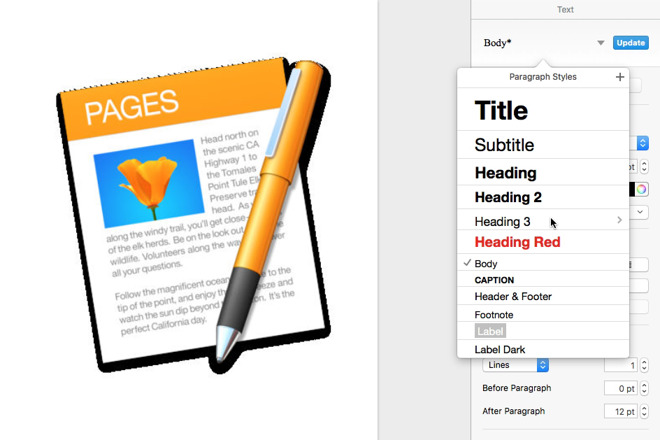
Create documents easily with a strong selection of slick templates
Pages is another free word processor for Mac that lets you create really beautiful documents. On top of that, the more recent versions have improved the typographical tools and are more integrated than ever with iOS and the iCloud. Users are even able to use Apple Pencil to add comments via iPad, or pen in illustrations – something that’s always been wonky on Microsoft Word. As always, Pages does a spectacular job of providing templates for easy document creation, and Placeholders also provide seamless integration with the Photos app for adding images.
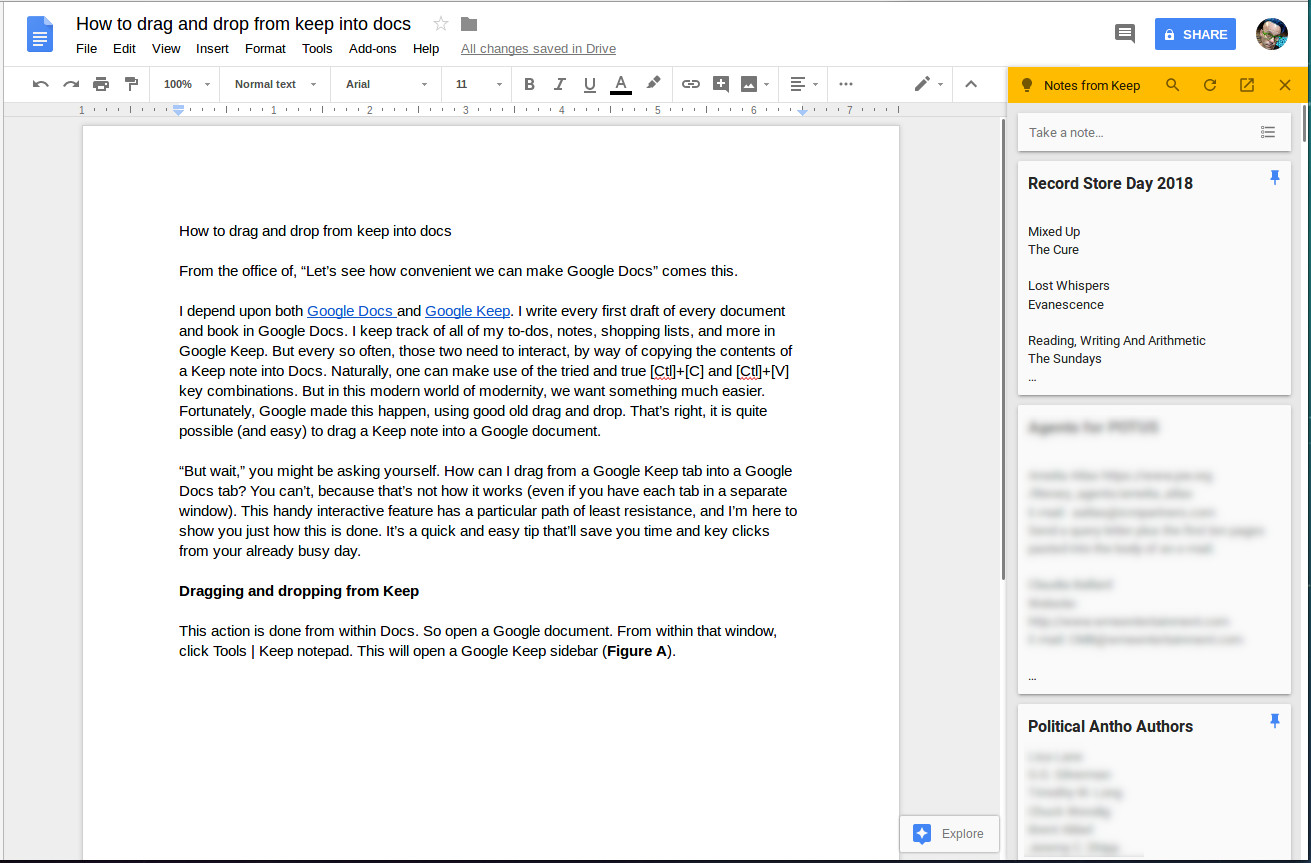
Google Docs are free, accessible on any device, and allow for multiple users at once.
Google Docs are a professional option for virtually anybody in the world. All you need is a computer (Windows and Mac both work equally well) and you’re good to go.
You don’t even need a Google account to be able to access another person’s doc; you’ll simply appear as an anonymous author with a hovering cursor. That’s one of the coolest things about Google Docs – multiple users can work on the same piece at once, meaning that it’s both a collaborative document and a chat at the same time.
You can also add comments, embed media, insert hyperlinks, and alter the settings to allow for other readers to view, comment, or edit.
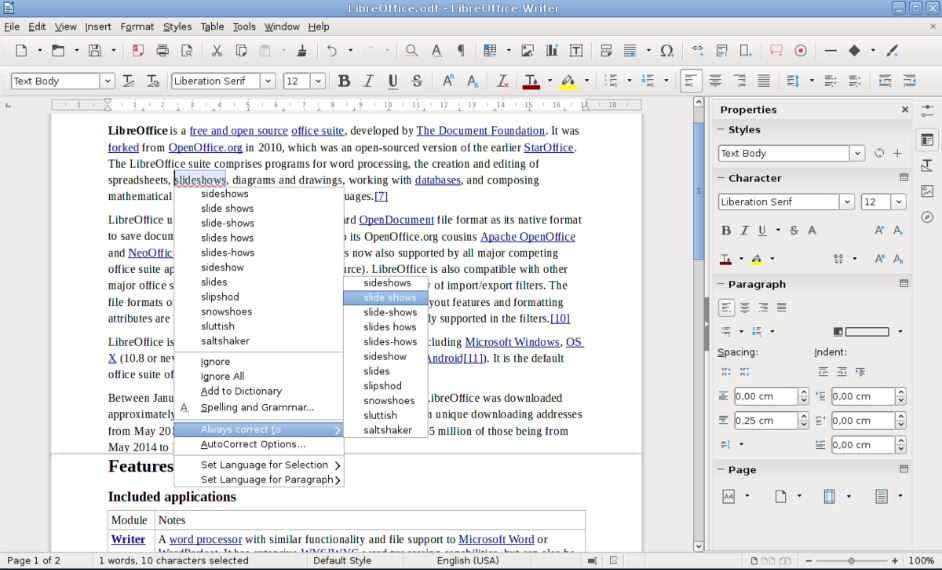
LIbreOffice is pretty much a free version of Word, so it’ll make all your Windows friends jealous.
If you’re trying to mimic the experience of Microsoft Word then your best bet is LibreOffice Writer. It’s a 100% free office suite that looks and feels about as close to Word as you can get, and supports multiple formats, covering all the basics and then some.
Wizards allow for easy set-up of memos, letters, and even mail-merge documents, and the suite comes with a variety of useful tools for formatting and styling.
Agree with our list? Let us know in the comments below, and if you’re looking for more methods to open Word Documents on Mac, check out this simple way to do it.
Make fighting more fun with our list of the best mods for Skyrim.
You can’t travel from Solitude to Markarth without running into some wild Forsworn, and you can consider yourself the luckiest person in Tamriel if you make it from Windhelm to Riften without incurring the wrath of a hungry dragon. Skyrim is in midst of a vicious civil war, the Dark Brotherhood is painting targets on people, and Solstheim is being enslaved by the treacherous Miraak. Suffice it to say, you’re going to be in combat. A lot.
While there are ways to spice up enemy encounters in Skyrim – like trying an unusual build or race, swapping to a different weapon or armor set, or changing the order in which you do the quests – eight years later we’re feeling pretty uninspired to whip out an iron sword and hack at that wounded frostbite spider in Bleak Falls Barrow.
Any way you spin it, the combat starts feeling tiresome and repetitive, particularly once you’re at a high level, completed the quests, have all the perks you want, and no longer have any reason to change your spells or gear.
Fear not; the Skyrim modding community has you covered. There are tons of (free) ways to shake up battles and encounters in Elder Scrolls V with mods, and here are some of our favorites:
1. Combat overhaul
If you don’t like anything about the way combat feels in Skyrim, the most obvious solution is to play a different game get a mod that completely changes it. There are a number of combat overhaul mods, some of which implement new features like being able to parry when dual-wielding, giving enemies access to modded spells, or allowing for the chance that an enemy will be using an upgraded weapon. These 10 mods might be just what you’re looking for:
If you’re looking for a more controlled combat experience that puts you in charge of the ebb and flow of combat, you can also try Wildcat Combat by EnaiSiaion. This mod adds injuries, stagger, and more responsive AI, and lets you tweak the settings on the fly via an in-game mod menu. Take control of combat in Skryim, and let it play the way you want!
2. Harder enemies
One popular aspect of Wildcat Combat is that it makes survival harder all around. Enemies are more reactive, more aggressive, and generally more powerful. Wildcat Combat isn’t the only way to accomplish this (check out Combat Evolved by CrushBoss, Deadly Combat by Borgutt1337, or Duel by LogRaam), and the sentiment is the same: Instead of adding new enemies or more enemies, you’re simply making enemies more threatening and more challenging.
If you’re a fan of tougher games like Dark Souls or Witcher 3 these kinds of mods (plus simply raising the general difficulty in the base Settings menu of the game) are probably what you’re looking for.
Fighting bandits, cave bears, and giants is fun, but we’ve been doing it for eight years. There’s a slew of free monster mods online, and adding some will add some much-needed freshness and excitement to your typical cave-clearing and everyday meanderings.
A lot of these community-made monsters are pretty impressive – some of them are even scary. Some of these mods can replace monster encounters, subbing in things like a wraith or a lich instead of a draugr deathlord, or a minotaur or cyclops instead of another bear. If you’re a fan of Witcher, you’ll love these fantasy-inspired monsters from MihailMods.
New enemies shake up the way you fight
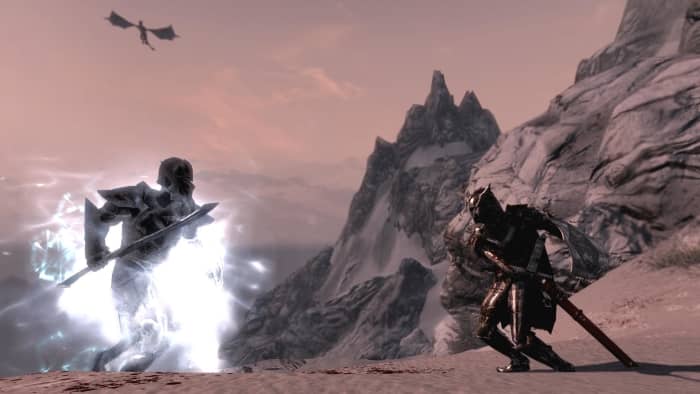
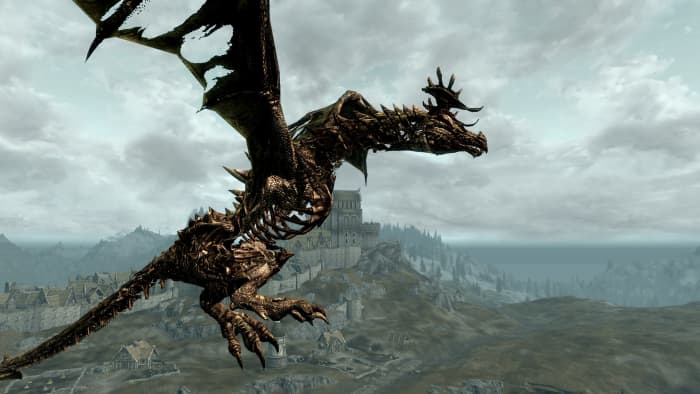
Dragon encounters are the roaming boss fights of Skyrim, but at the end of the day, it’s just a leveled frost or fire dragon 80% of the time. Check out Diverse Dragons by OpusGlass which adds dozens of new dragon types to the mix.
That’s no ordinary dragon!
The mods you need to play as a bard in Skyrim (and make it look awesome)
Combat in Skyrim is comprised of slinging spells and shouts, swinging weapons, and firing arrows. If you want to change that experience, literally change the weapons and spells at your disposal.
There’s some creativity involved when it comes to enchanting in the original Skyrim. We remember putting countless hours into figuring out the best pattern of elemental resistances and buffs into our final set of smithed armor, before cranking up the difficulty and diving back into fights.
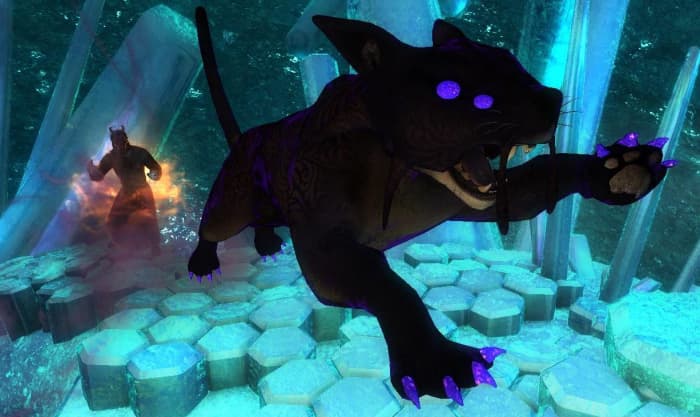
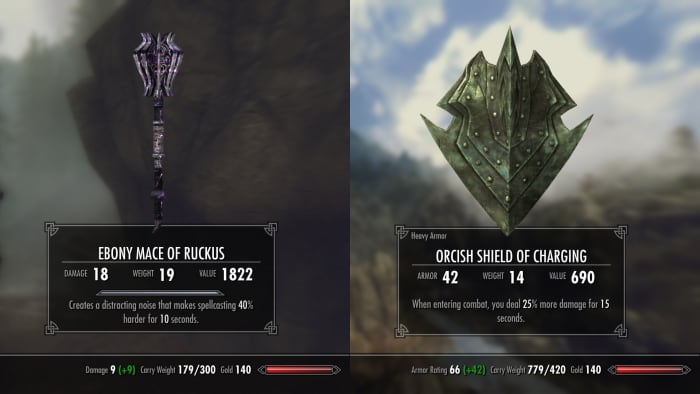
Wintermyst by The Care Taker helps us relive that same enthusiastic sense of wonder we felt when we began crafting and enchanting in our first playthrough years ago. The mod adds over 100 completely new, unique, and clever enchantments that you can put on your weapons, armor, and accessories. Enchant a shield to disarm foes, stagger enemies when you jump, summon spectral predators to aid you in battle – there are tons of combinations you can play with, and entirely new builds you can make thanks to this mod alone.
Radically change your combat approach
6. Perk overhaul
Last but not least you can radically change combat by installing an overhaul to Skyrim’s RPG system. The original skill trees are decent, but a bit sparse when you’re going for multiple runs through the game.
Adding and modifying the perks you can obtain lets you envision and work towards a completely new character than you could back in 2011. Play a zany alchemist or a wayfaring druid with Perkus Maximus, a dimension-walking ranger or a Daedra-worshiping Dwemer hacker with Ordinator, or a necromantic warlord with Path of Sorcery.
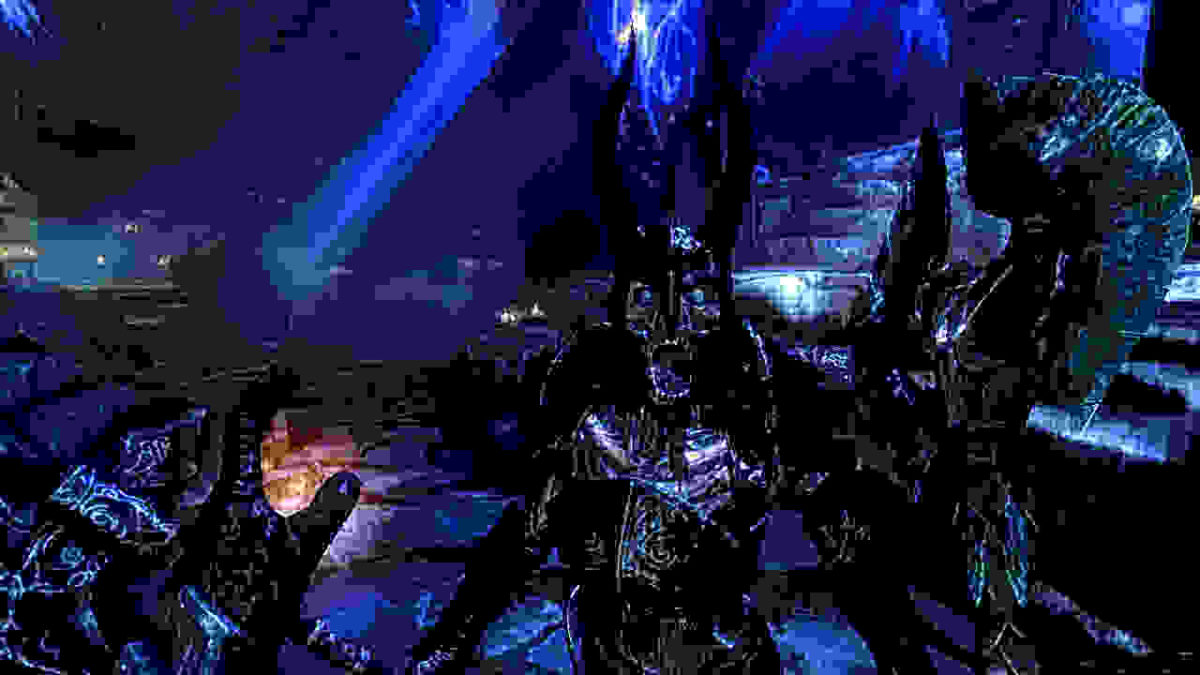
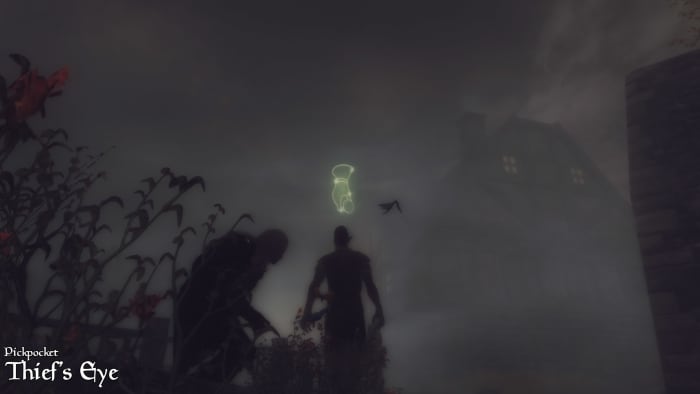
Use the Thief’s Eye to see who’s worth stealing from.
If you’re looking to radically overhaul your Skyrim experience, a perk overhaul is a great place to start; not only will it add lots of new builds for combat – it can also change the game as a whole, encouraging you prioritize new perks, manage your survival differently, or even hold conversations with NPCs differently or start worshiping divines regularly for passive boosts.