
Best side hustle apps for earning some extra cash

What side hustles are out there other than Uber and Lyft?

Movers

People have long embraced the side hustle as a way to earn some extra cash in between jobs or shifts. In the past, that might have been babysitting or dog walking.

These days, there’s an app for that. And by that, we mean everything. There are a lot more options out there than just Uber. It doesn’t matter if your skills lean toward web design or manual labor, someone will pay you.

If you’re looking to earn a little bit of cash to heal your wallet post-holiday season, here is a roundup of a few apps that can help you do just that:

Best side hustle apps for earning some extra cash

Handy
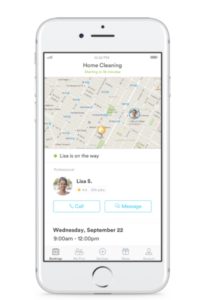
handy service app

At a glance, Handy appears to be one of the more lucrative gig economy apps.

This app provides a solid side gig for professional cleaners and handymen/women. The app claims that you can earn between $22 and $45 per hour, depending on the job. You also get to decide when you’re available.

We should mention that not everyone can sign up. You must have paid experience in cleaning or performing handyman tasks. Still, if you’ve done this type of work in the past and want to earn some cash on the weekend, this could be a good way.

Postmates
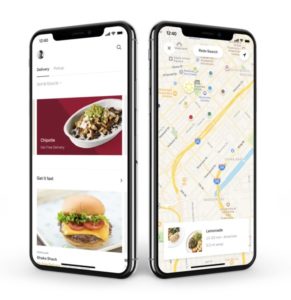
Postmates app interface

Postmates drivers deliver food and other supplies to nearby customers. They can earn up to $25 an hour at their convenience. The only requirement is that you make at least one delivery per every 90 days and that you use your own vehicle.

That said, it’s not necessarily a steady income. You might be able to hit that $25/hr threshold. However, the average reported salary is $10/hr, per Glassdoor. Additionally, all of that driving around will cause wear and tear on your car.

We don’t recommend driving for Postmates full-time, but this gig’s flexibility makes it a good choice for people who want to earn some money during their downtime.

Postmates Download Free ►
8

Instacart

Instacart shopping

Instacart is ideal for those who love shopping for groceries. Sign up through the app to become a driver, shopper, or both. This app sends out assignments and will send you notifications about where you’ll be shopping that day.

Shoppers earn between $10 and $20 per hour and must have their own car. You’ll pay for the groceries through a prepaid Instacart card, then drive them to someone’s house.

Be prepared for a few challenges. In some cases, shoppers must carry heavy bags from down the street if there’s nowhere to park. Other times, you might get sent all over the place — spending more time driving than shopping. This side hustle might work for you, but be prepared to possibly walk bags upon bags of groceries up a flight of stairs.

Instacart Grocery Delivery Download Free ►
8

Amazon Flex

Amazon flex delivery app

Amazon Flex allows you to block off time in your schedule to deliver Amazon packages to customers. You can reportedly earn between $18 and $25 per hour.

As far as earnings go, Amazon’s civilian package delivery service presents some decent side cash. However, it’s not always easy. This Atlantic writer detailed their experience delivering packages in San Francisco and noted that it was a struggle to make deliveries on time and avoid getting a ticket.

City dwellers could find Amazon Flex a bit more trouble than its worth, but those in smaller cities with ample parking might have an easier time. Keep in mind, like other gig economy driving services, you’ll want to weigh auto expenses against earnings to see if the work is worth it.

Get Amazon Flex Download now ►
7

Dolly

dolly moving services gigs

Dolly is an app that allows those with some muscle to earn up to $15 an hour as a mover. Those with a truck or van of their own can make up to $30 an hour.

Dolly allows you to turn on notifications and accept the gigs that work with your schedule. The few “helper” reviews we’ve found online have mostly good things to say about the gig. A couple of people mentioned that there’s a lot of work available in cities where people frequently move around.

Rover.com

rover dog walking app

Rover is a dog walking service that provides dog owners with on-demand walking, boarding, and daycare. While you’ll need to pass a background check to sign up, Rover could be a good choice for those who already work from home. Supplement your income by hanging out with a rotating cast of furry friends. It doesn’t get better than that, right?

That said, it seems that you need to be prepared to send pet owners updates throughout the day. Also, be prepared for a steady amount of dog doo.

Still, the site guarantees that up to $1,000 worth of work is protected each month, and you’ll have access to 24/7 support.

Behance

Behance design gigs

Behance is a gig website for freelance designers, photographers, and other visual arts pros. The site allows you to show off past work to prospective clients, lock down gigs, and find some inspiration.

While it can be difficult to get views on your work, it will be subject to professional review. At the very least, you’ll get feedback for your work.

Starting a side business on your own is one of those ideas better in theory than practice. Apps provide a convenient way to sidestep the funding and marketing part of the equation and let you get right down to business.

Wrapping Up

That said, we don’t entirely recommend using these apps if you’re looking for something more substantial. Instacart recently changed their policy, and it has impacted shopper take-home pay significantly.

If you’re looking into gig work as a freelancer — you may be better off looking for direct clients or applying for remote contract work.

In any case, if you’ve got some skills, dust em off once in a while, and maybe you can pocket some cash.
These robocall blocking apps are selling your data

Several robocall blocking apps are selling your data as soon as you hit the download button

robocall

If there is one thing that every person regardless of race, religion, or political stance can get behind, it’s that we all hate robocalls.

This hatred has gotten so apparent that even the FCC has taken action to stop them. However, many of us have still taken matters into our own hands by downloading apps to block robocalls.

Unfortunately, according to an article from TechCrunch, some of these apps are compromising our privacy as soon as we download them. The robocall apps Hiya, TrapCall, and Truecaller all were selling user data to third-party analytics companies. 

How serious is this?

Apps stealing your data is nothing new, but that doesn’t mean that it’s not an issue. Hiya and Truecaller were selling information about your phone such as the model and software, which is in direct violation of Apple’s App Store guidelines. 

Although these three apps were the ones called out most in the TechCrunch article, they are not the only offenders. Many robocall blocking apps immediately send some data to Facebook as soon as you hit the download button.

Robocall blocking apps are nice, but you are still running a risk no matter which one you download. Basically, if it sounds too good to be true, it probably is.

I have one of those apps! What should I do?

Fear not! There are plenty of robocall blocking apps that you can download that won’t sell your data. Again, you just have to ask yourself if it is worth the risk.

RoboKiller - Block Spam Calls & Identify Callers Download Now ►
8

If you’re done with these apps altogether and want to make sure you are protected, there are some things you can do. First, you should uninstall the app in question. Once it is uninstalled, use an app like PhoneClean to make sure all traces of it are gone.

PhoneClean Download now ►
7

The next thing you should do is run a virus scan. Even if the app is gone, there is always a chance that something is happening in the background to send data to third-parties.

Avast Free Antivirus Download now ►
8

Once you’re done running a virus scan, restart your phone. If the scan found something, restarting your device can make sure that everything malicious caught by the virus scan is gone.

Wrapping up

Look, we all hate robocalls. If we get one more fake call telling us about a car warranty we don’t have, then we might just throw our phone out the window. However, this doesn’t mean that we should pursue a method of blocking robocalls that can potentially do more harm than good.

As stated before, the FCC is working on a way to block robocalls for good. It is probably in your best interest to wait until that plan is unveiled before you go seeking your own solutions.

8 best apps for parents of babies and toddlers

Your phone can help you be a better parent. Here’s how.

new parent

Congratulations/condolences! You’re a new parent! Becoming a parent can be one of the most difficult transitions in your life. But with new technology, this process can be much easier than it was a few decades ago. Your phone is an incredible resource of information and cataloging that you may not even be fully aware of. With these apps, you’ll be able to put all your parenting anxiety away. (You can bookmark this until naptime. We won’t blame you.)

8 best apps for new parents

Reading Eggs

Eggs

Reading Eggs has learning tools for kids from ages 2 to 13.

When it comes to teaching your kids how to read, Reading Eggs does an egg-cellent job!

Kids have a blast playing games, singing songs, and earning rewards, all while improving their reading skills. 

The creators of Reading Eggs used solid scientific research to make a proven, working formula for teaching children how to read. With more than 2,000 online books for your kids to read, they will have plenty to keep them occupied. 

There is a version for teachers as well as one for parents. If you’re a parent, you can take advantage of a four-week trial to see how just how well Reading Eggs works. If Reading Eggs sounds like something you want to try with your kids, crack open this link to get started! 

Along with the Reading Eggs app, there are also workbooks that you can purchase if you want to reduce your child’s screen time, but still want them to work on their reading. 

Reading Eggs Download now ►
10

Peanut

New parents can sometimes struggle to make friends, or keep those who aren’t parents themselves. This app can help you meet other parents who are looking to spend time with similar families. The main purpose is to retrain your individuality, so you don’t just turn into “blank’s mom.” Their YouTube Channel does a great job of expressing the experience of using the app.

SitterCity

This app can help you find a sitter no matter where you may be. It can really be a lifesaver for last-minute sitter needs. Sitters fill out detailed profiles on their availability and references, making them easy to contact and sort through. It can really decrease the time and effort that goes into meeting with multiple sitters to choose the right one. 
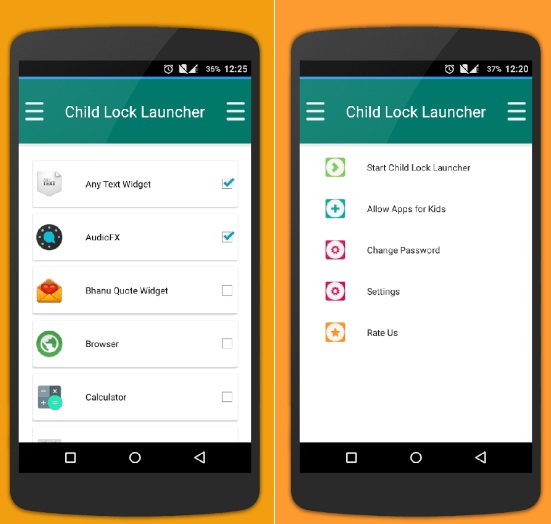
Child Lock

Child Lock

When a child is old enough to start using your devices, it may be difficult to keep them from accessing apps that you’d prefer them not to use. (“Tyler! I’ve told you a million times, ‘Black Mirror’ is only a Mommy and Daddy show.”)

Thankfully this app lets you customize your phone with locks to prevent your child from accessing anything you deem inappropriate. The customizability comes in deciding what you want to be locked and for how long. It has options for virtually everything on your phone, allowing you to pick and choose exactly what your child has access to.

BabyCenter

When you’re expecting, it can be overwhelming to try and find all the information you need leading up to the birth of your child. This app gives you real expert advice on all the questions you are wondering about when you have your first child. From what’s okay to what’s not, you’ll be able to find out a plethora of important information much quicker than continually looking it up online.

BabyCenter - Pregnancy Tracker Free Download
7

PBS Kids Video


Keeping your child entertained is the hardest thing to do when you can’t constantly be in the same room as them. This gets especially hard once they become a toddler and have a better understanding of the world around them. Thankfully, there are some fantastic shows out there to keep kids entertained and learning. No station is better at this than PBS Kids. They even have their own app so you have the station with you at all times. This app is more for your child than for the actual parent.

PBS Kids Video Free Download
10

Baby and Child First Aid

When something seems off about your child, it may be your first instinct to go straight to the hospital and find out what’s wrong. Alternatively, you may not realize something is more serious than it seems. This app helps you figure out what you need to do when something is off with your child, and whether it’s the right time to go to the hospital or to figure it out at home. While the app is owned by the British Red Cross, the advice is universal and worth using even outside of the UK.

Baby Connect

The ultimate baby tracker. This app keeps track of everything, from medical records to new achievements. It is the perfect app for recording your child’s first moments in life and keeping the schedule on track. For more information on this app, be sure to check out our in-depth article on how to use it.

Baby Connect Download Now ►
8

For some babies and young children, white noise won’t cut it for helping them sleep. Thankfully, our Softonic Solutions community offers their list of the best apps for helping your child fall asleep

Softonic is always looking for products we think our readers will value. When you buy through links on our site, we may earn an affiliate commission.

iPhones can be hacked just by receiving a text

This bug can allow hackers access to all of your personal data just by receiving an iMessage!

iPhone

We’ve all had close calls when it comes to getting our phones hacked.

Sometimes we click on a malicious link while browsing the internet. Sometimes we download a shady app that is sending data in the background. All of these things typically boil down to our own human error whether it be from lack of knowledge, or taking a chance on a shady app. However, it was recently discovered that an iPhone can be hacked simply by receiving an iMessage. This has brought more attention to a  relatively new type of hacking tool known as “interaction-less” bugs.

Should I be worried?

At the Black Hat Security Conference this week, a Google Project Zero researcher showed that there are “interaction-less” bugs in iMessage that hackers can exploit to gain control. Once hackers gain control, they will be able to access your personal data on your phone.

You can click here to see the researcher’s full slideshow presentation. 

The bugs were found by looking for flaws while reverse engineering iMessage. The researcher, Natalie Silvanovich, did not find any similar bugs in Android phones. However, throughout the years, she and her team have found similar bugs in apps like WhatsApp and FaceTime. 

What should I do?

The best thing you can do is to make sure you are updating your phone whenever you can. According to Silvanovich, Apple has already patched six of these bugs in updates. 

You should also run regular virus scans on your phone to make sure that you are virus-free. We highly recommend using Malwarebytes since it is both free and efficient.

Malwarebytes Download now ►
8

You can also block texts from unknown numbers so that you won’t hear from them again. To do this, follow these steps:

1. Go to the Messages app

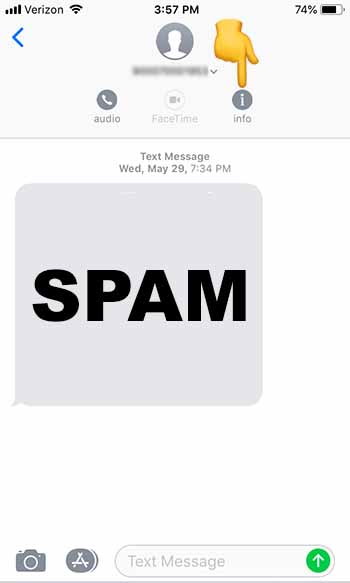
2. Tap on the spam message you received to open it

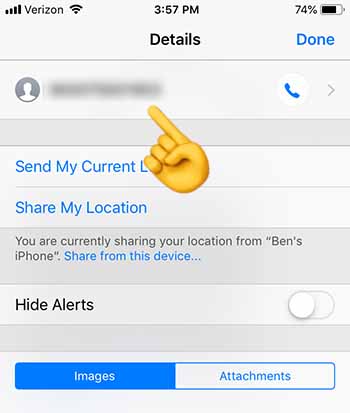
3. Tap at the top of your phone until the “Info” button appears.” Tap “Info”

Click info

4. Tap on the number at the top of the screen

Click number

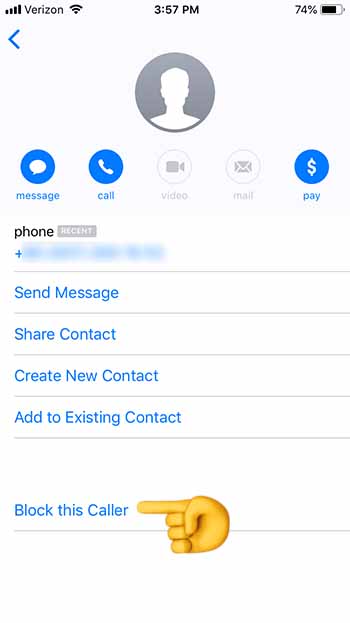
5. Scroll down to the bottom, and tap “Block this Caller”

Block this Caller

6. You should stop receiving texts from this number altogether

If you do receive a shady text from an unknown number, you should block the caller, and then run Malwarebytes. Once you’re done, check and make sure that your phone is up to date.

Wrapping up

Although there is virtually no chance that your up-to-date iPhone will be hacked through this method, the question now remains: “How did Apple leave this vulnerability in the first place?” If you’re spending hundreds of dollars on an iPhone, you should rest assured that it won’t be easy for a hacker to access your personal data. Just recognize that your security depends on your vigilence.

Siri is listening in on your private conversations

Siri has recorded drug deals, doctor visits, and even sexual activity!

Siri

It’s looking like Siri is one bad apple.

People working for Apple have heard users talking about confidential medical info, buying drugs, and even having sex, according to an article from The Guardian.

How are they hearing this? They’re doing it through Siri! 

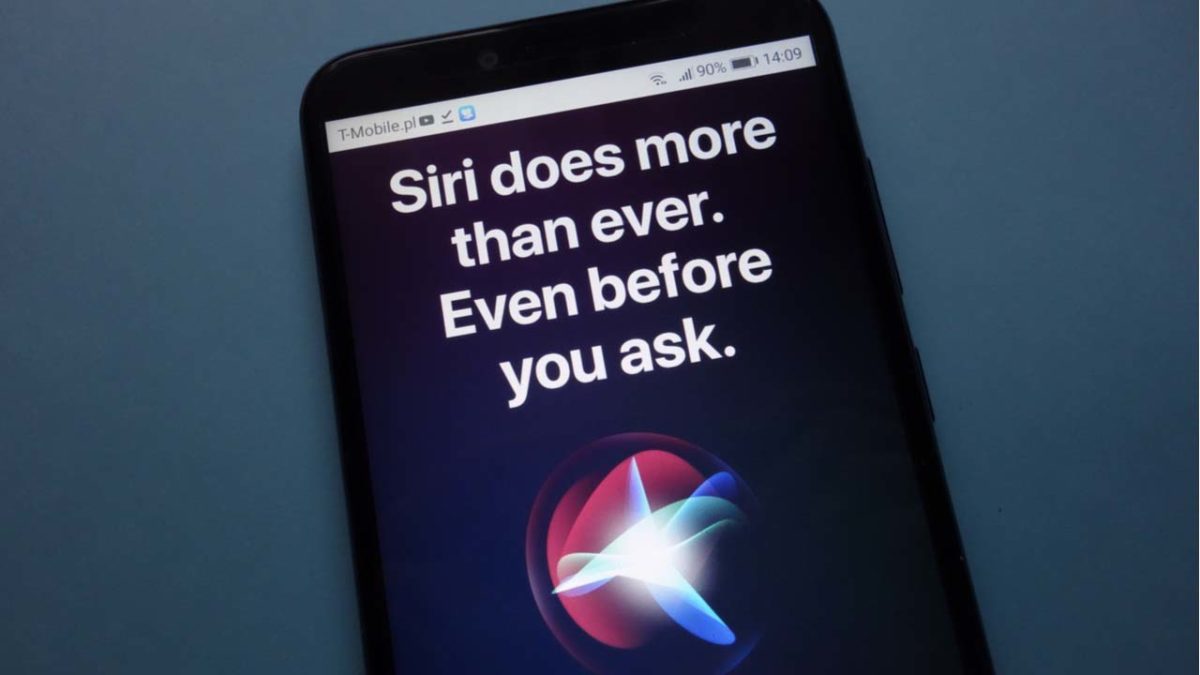
Contractors hired by Apple are paid to listen to user recordings. Their job is to grade the responses that Siri is giving to determine if it is functioning properly. The problem is that Siri sometimes picks up on something inappropriate, and has been known to wake and record unintentionally. 

These contractors are working to improve Siri’s human understanding so that it only wakes when it is supposed to wake up. They’re also working to make sure Siri actually says something of value when you ask it a question.

When you hear about issues like this, the first thing that comes to mind is probably all of the issues with Amazon’s Alexa listening in on users. Unfortunately, Siri is just as guilty as Alexa.

Should I be worried?

This information came from a whistleblower who worked for one of these contracting firms. They chose to remain anonymous but came forward as they thought the lack of disclosure from Apple was so egregious.

In a statement to the Guardian, Apple said that the recordings are not tied to a user’s Apple ID.  However, according to the whistleblower, the recordings typically come with location information, contact information, and app data.

What should I do if I have an iPhone?

We’re not going to act like there aren’t also security issues or concerns with Android.

There’s no need to throw your iPhone in the nearest blender. However, you might want to disable Siri from listening in on you. On your iPhone, go to Settings and choose “Siri & Search.” From here, if you tell Siri to stop listening and if you remove the option to “Press Home for Siri,” you’ll get the option to turn it off altogether. 

At Apple’s recent WWDC, the company gave users tons of information in a huge privacy push that they are making. It looks like the company really needs to put more effort into how Siri works, and what she listens to without your knowledge.

How to play Words Story

Ready to try Words Story?

Words Story

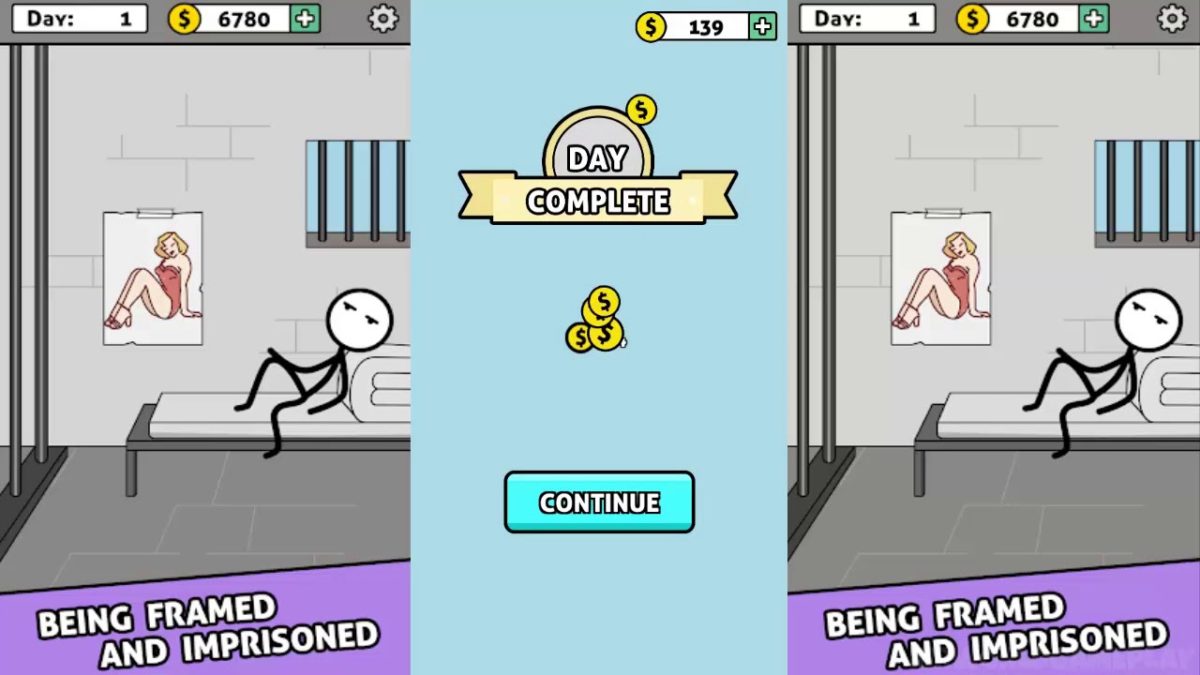
Words Story is an unusual take on the mobile word game in that it’s part clever word game and part narrative. While the narrative itself isn’t the most compelling, it’s still neat to be given an actual storyline in a free mobile game. The story follows the plight of a crafty but determined prisoner as he attempts to “Shawshank Redemption” his way to freedom.

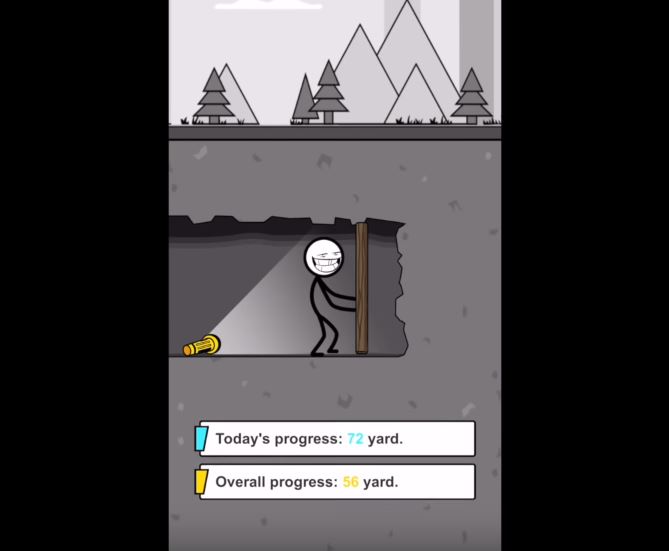
The game takes place over the course of 200 days of digging, waiting, scheming, and bribing the guards as you dream of sweet freedom beyond the brick walls and steel bars. Get through those 200 days, though, and you’ll reach the liberating embrace of the ocean.

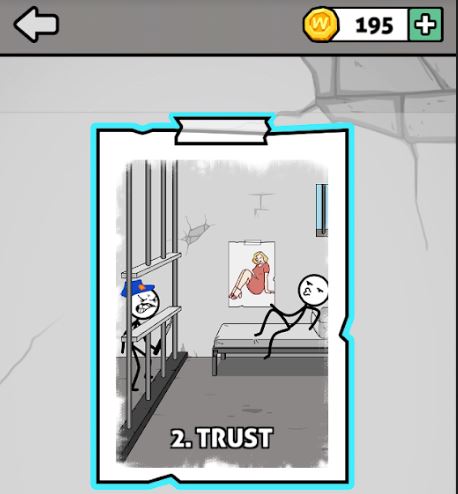
Words Story chapter 2 Trust
The story spans 200 days in prison, divided into multiple ‘chapters.’

How do you play?

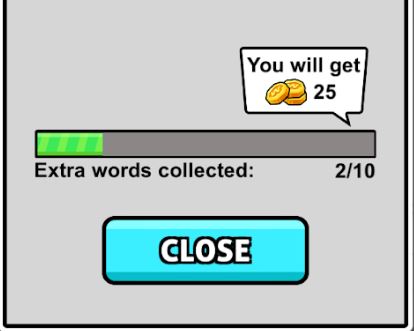
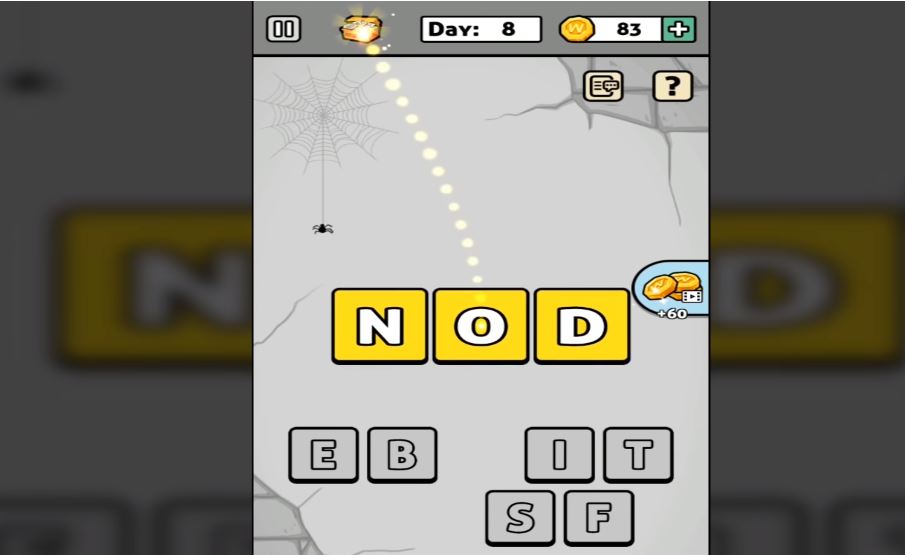
At its core, Words Story is a simple word unscrambling game. Each ‘day’ you’re presented with a new set of letters, the goal is to find the correct word hidden among them. Of course, there will be other words you’ll find that are not the correct one, and should you find them, the game rewards you with extra coins (just click the chest to accept them).

Words Story extra words collected for coins
Find extra hidden words and you’ll get to collect extra coins.

Many of the words you’ll unscramble are irrelevant to the plot, such as “hate,” “cat,” “pink,” or “meat.” The game does try to fit in as many related words as possible, so those should be your first guess. These are words like “map,” “beat,” “dig,” “file,” or “bag.” Typically you’ll get a relevant word every two or three ‘days’ of the game, after which you’ll be rewarded a short cutscene and your overall escape progress.

Words Story progress digging to freedom
Dig your way closer to freedom – day by day, inch by inch.

When you’re unscrambling words, there will also be a couple of tools to help you. One trick is to deliberately submit a word that’s not correct. Doing so will eliminate any letters you used for that word that are not in the solution. Also pay attention to the color of the letters after you place them: Blue means correct letter in the correct spot, while yellow means right letter, wrong placement.

Words Story wrong letters earn coins
Find hidden words to earn extra coin and eliminate variables

On the bottom left, there’s also an option to re-scramble the letter pool, which can help if you’re having a hard time visualizing the solution. On the bottom right there’s a bomb, which removes several incorrect letters from the pool immediately. You have unlimited uses for the bomb, but it does have a cooldown you have to wait for.

If you’re trying to get the most coins, you probably won’t be using the bomb much; it just eliminates letters you could otherwise use for extra words.

Words Story bomb remove letters
Remove multiple variables at once with a powerful bomb

How difficult is the game?

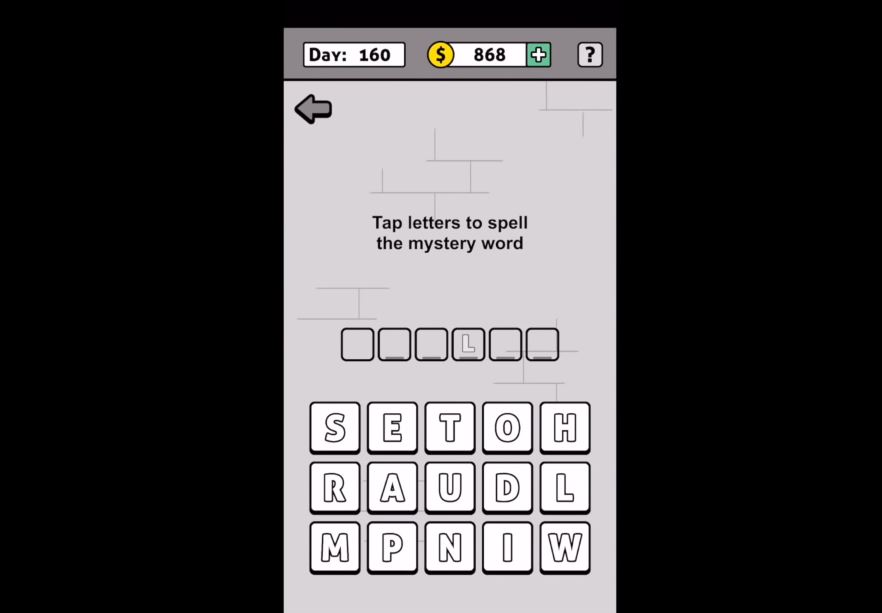
While typically word games will grow in difficulty by asking for longer words, Words Story does not do this. All the mystery words in the game typically vary between 3-6 letters, the tough part is that there are so many letters to choose from.

What starts as four possible letters to pick from turns into 15 by day 160. Additionally, since the mystery words are not always relevant to the prison escape story, it can get pretty hard to guess what random word the game wants.

Words Story tap letters to spell mystery word
More and more letters are added as you progress further

That said, the game is not too tough. There’s no time restriction and there’s no punishment for incorrect guesses, which means it’s just a matter of time before you get the right one.

If you find the game too difficult, there are plenty of online walkthroughs to help you out:

Is the game free?

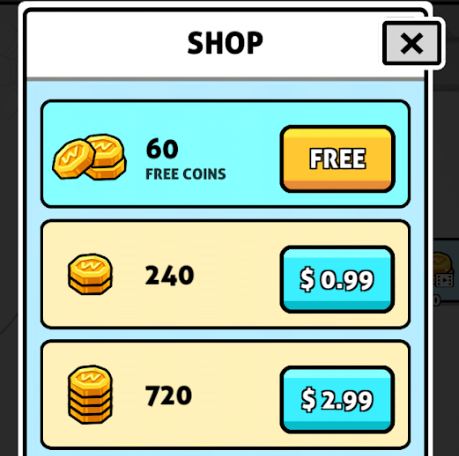
All levels in Words Story are free, as are the hints. You can choose to buy coins, but there’s really no point to doing so; you have nothing in the game to purchase.

Words Story in-game purchases, coin shop
Words Story has microtransactions, but coins in-game don’t serve any purpose.

Can you remove the ads?

Yes. Ads in this game another way you can earn in-game coins. As we said earlier though, coins in this game don’t actually serve any purpose, so there’s no incentive to watch ads. The good news is that Words Story lacks any online features other than the ads so if they’re bothering you all you need to do is turn off your internet connection or cellular and you’ll no longer be bothered by them.

Words Story Free Download
8

All in all, Words Story is an easy word unscrambling game for all ages that serves to pass the time and test your vocabulary a bit. For a free game, it definitely accomplishes what it sets out to do. Enjoy the game, and if you get stuck check out this video that takes you from day 1 to 200. Until then, feel free to check out Words Story along with Zhou Jiaping’s other work right here.

Complete guide to fast charging

How does fast charging work?

Charging

Experts say that in the last 100 years we have had more technological advances than in the whole history of humanity. However, that entire history has led up to this moment: fast charging.

What is fast charging

The “what” always comes first. To put it simply, fast charging is a new technology that current mobile phones have to charge your battery quickly.

The manufacturers of smartphones realized that as you add more active apps on your phone, it’s going to run out of battery more quickly.

If they knew how to drain a battery quickly, they should figure out how to charge one quickly as well!

According to the studies carried out, the fast charger is capable of charging up to 30% of the smartphone in just 5 minutes. The times may vary, but it will always be faster than the usual method.

Everything you need to know about fast charging

How does it work?

Fast charging uses basic principles of physics and chemistry to fulfill its purpose.

Fast charging uses more voltage and amperage, – thanks to precisely better battery technology – to streamline the process. To give an example, it is as if you were filling a pool with a fire hose instead of a conventional one.

phone battery

Are all models fast charging?

Now comes one of those key questions: do all devices on the market have a fast charge? The answer is “no.” In general, the models launched during 2017 or earlier do not include this technology, but those that have been sold during 2018 do.

Does it affect the battery?

There is some concern for whether or not fast charging will deteriorate your battery. However, this does not happen. The hardware adapts to the requirements requested thanks to the software it uses. It’s that simple

Wrapping up

Normally, fast charging is not linear, but only affects a percentage between 1 and 80%. The idea is that the user can have the phone out of low power as soon as possible. Hopefully, this article was insightful for you in your ever-growing fight against your phone’s battery.

How to easily put an iPhone app in a folder

Sick of apps flailing across the screen when you try to stick them in a folder? Here are a few tips to make it easier!

Apps

Let’s be honest, sometimes it’s really hard – infuriating, even – to get Apple apps to land in a folder on your phone. Try as you might, the folder you’re aiming for keeps juking away from the program you want to move: it slides onto the next page, goes up a line, moves aside, and falls back. Every. Time.

Yeah, this gets us all super frustrated.

If you’re tired of this issue and want to get your app to its destination a little quicker, we’ve got a few suggestions for you; tricks that will make it far easier to work with, and save time (every time).

How to easily put an iPhone app in a folder

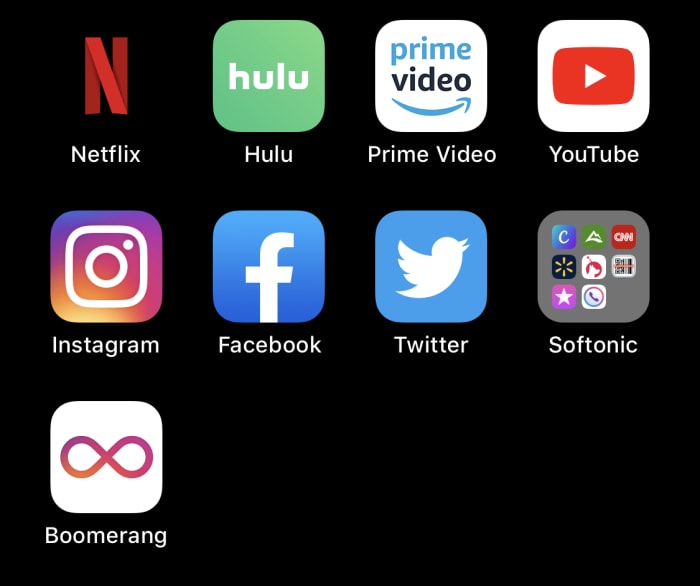
How editing works

If you’re wondering how to work with iPhone apps in general, here’s the quick rundown on how to get started:

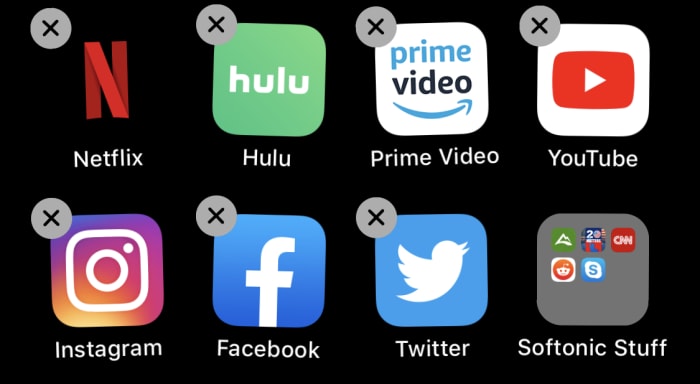
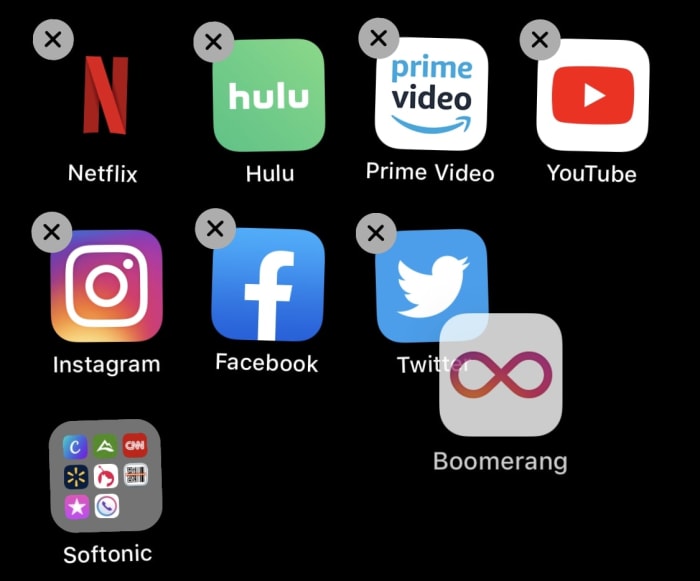
To begin moving/deleting apps, hold your finger down on any app for a few seconds. Soon enough, gray “x”s will appear beside your apps and they’ll begin wobbling:

Wobble

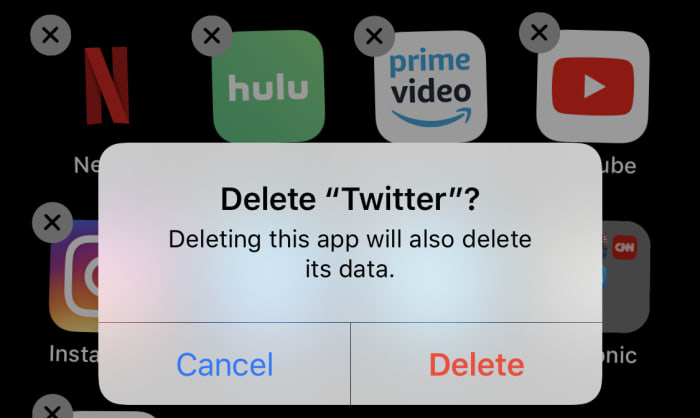
Now, you can tap any gray “x” to delete an app, simple as that:

Delete

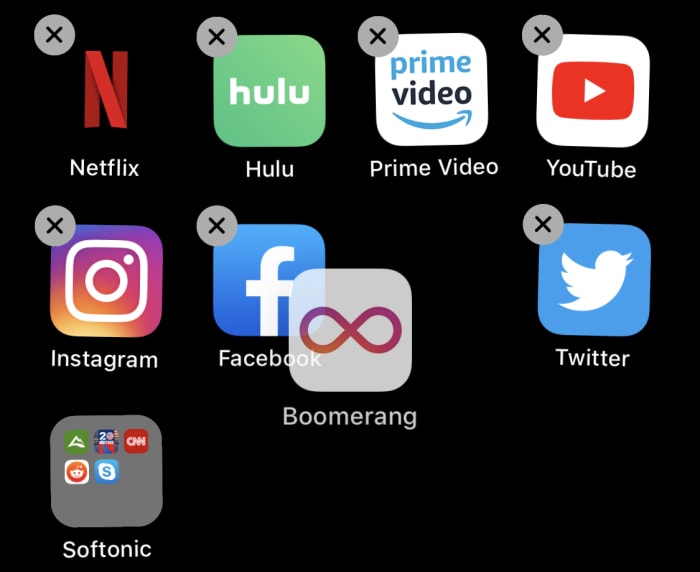
You can also move apps by holding onto them (we’re sliding Boomerang around). If you put it over another app, you’ll create a folder. If you put your app over an existing folder, it’ll join the stack:

Moving

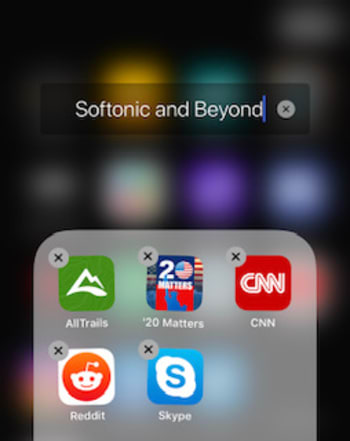
And finally you can rename their folders while this mode is activated:

Rename

To end the app editing mode, click the home button. On newer iPhones, this requires swiping up at the bottom of the screen. Congratulations: you’re now briefed on how to use the app editing mode!

Now, let’s get back to the main event: issues with folders.

Method 1: Move other apps first

As we’ve said: while in editing mode, you may often find it hard to put apps into folders. One of the main issues can be the location of the folders themselves:

FolderEdge

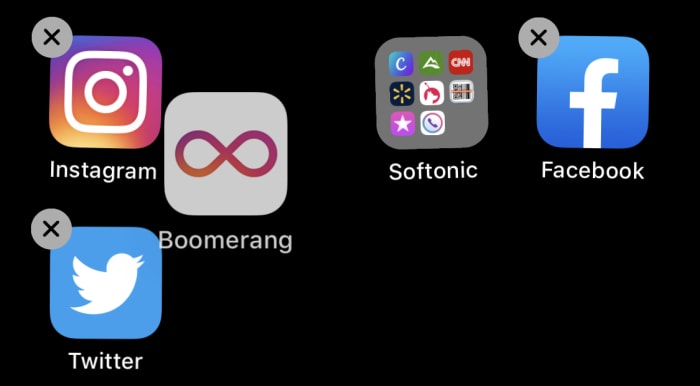
When a folder lies at the edge of its row, you may continually displace it down a level while fruitlessly trying to get your app to land inside. This problem will be multiplied greatly if you have it located at the bottom of the entire page. In this situation, the folder can jump back and forth erratically:

Erratic!

To make things easier, go into the app editing mode and move it to the center of its row, preferably second from left. Now that it can’t jump very far, it shouldn’t be too difficult to land the app after some trial and error, even if the folder eludes you for a while:

Centered

Of course, if you want to make things even faster…

Method 2: The angle of approach

Modern technology occasionally plays by interesting rules. Apple folders, for example, measure their spacial relationship with the app you’re moving to judge whether they should accept the incoming program or move away and make space.

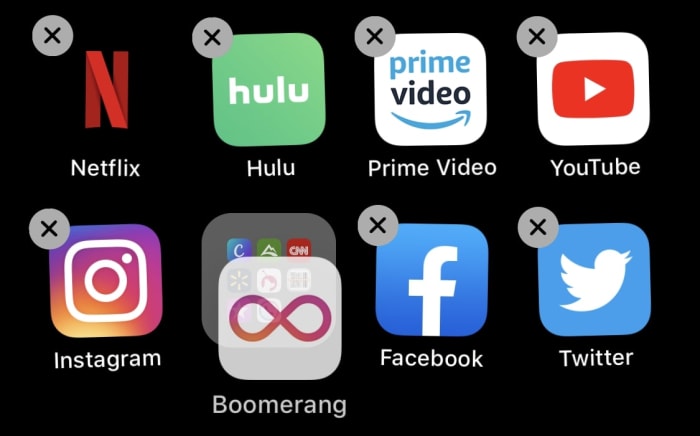
Here’s the secret: it will always move away if your app comes from the side.

Instead, bring your app on top of the folder by approaching directly above or below; this greatly increases the odds that your app will be absorbed!

DownDone!

If you can use this method alone, we recommend it: you’ll save a lot of time when organizing your iPhone’s pages. Of course, if more help is needed, use both methods in conjunction to ensure painless efficiency.

Conclusion

These concepts are simple, which could be part of the problem: Apple probably assumed a small detail such as this wouldn’t be worth a footnote. However, modern users often have multiple pages of apps to personalize, which means little issues like this can become far more annoying than expected. But now? You now have a quick guide to fix it!

Pokémon GO meets Stranger Things in new game from Netflix

Netflix and Next Games team up to bring location-based RPG to iOS and Android.

Stranger Things AR game Netflix

The cultural phenomenon that was “Game of Thrones” came crashing down around us recently as its eighth and final season bombed hard. We needn’t have worried, as HBO quickly followed it up with “Chernobyl,” which has already established itself as one of the preeminent cultural achievements of recent times.

You can always count on HBO, but it isn’t like we haven’t had truly entertaining masterpieces coming from elsewhere recently. Netflix has recently been spoiling us with great movies and TV shows. The first season of “Stranger Things” was heralded as a genuine masterpiece. On our phones, we’ve recently been bowled over by AR games that spill into the real world with Pokémon GO bringing cities around the world to a grinding halt just three summers ago.

We’ve certainly been spoiled, it has to be said, but it looks as though things are about to get even better as we have a truly epic combination on the horizon. In 2020 we’ll see a new “Stranger Things” video game land on our mobiles that will play like Pokémon GO.

Netflix and Next Games team up to bring location-based RPG to iOS and Android

Next Games is a game developer based in Finland, famous for games for “The Walking Dead.” In their Walking Dead game, Next overlays the zombie apocalypse onto the real world using your smartphone camera. Players can also call in help from famous characters from the show and even team up with real-world friends in the battle against the dead.

Next Games has now announced it is working with Netflix on something similar for “Stranger Things.” Next Games CEO, Teemu Huuhtanen, had this to say in a recent press release, “We are huge fans of Stranger Things and thrilled to work together with Netflix to bring our shared vision of Stranger Things into life in a mobile game format. Our core focus will be to deliver on Stranger Things’ rich and intense themes like friendship and supernatural adventure, and translate these into snack-sized entertainment on your mobile device.” He also pointed towards a global release that should come to all Netflix users around the world.

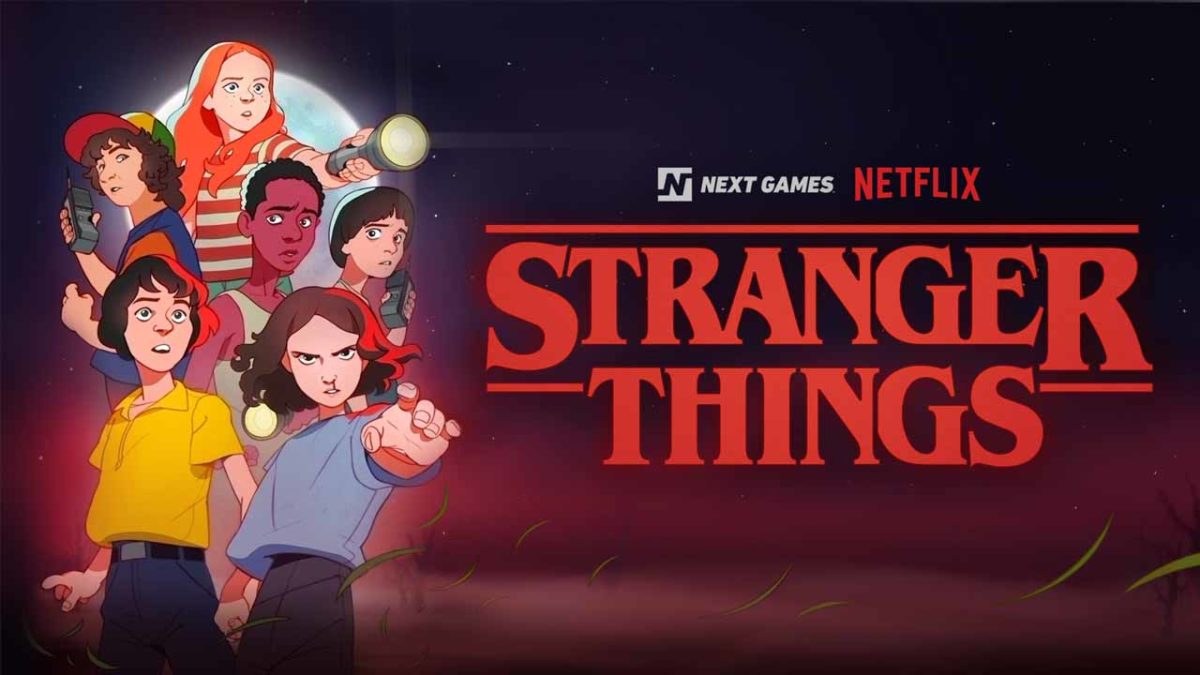
There is no trailer for the game yet, but there are a few snippets of information out there about how the game will look, feel, and play. We’re told that the Stranger Things universe will be presented in the style of an 80s Saturday morning cartoon show, like in the image shown at the top of the page. Also, we know that Next Games will use Google Maps integration and GPS data to allow players to explore The Upside Down realm that is hidden all around them.

That’s all the news we have on the game so far, but that is enough to have us hooked already,  but as soon as we hear more news, we’ll let you know.

Android Q is getting one of the iPhone X’s flagship features

Facial authentication has been spotted in an advance beta code of the upcoming Android Q.

Android Q header

iPhone vs Android is a battle as old as the smartphone itself. As they both melt our attention spans to mere seconds, it is hard to imagine eras gone by when we weren’t all gazing at our little black screens 24/7.

It is a battle that has always been fought on a number of fronts with each offering different choices to the user. Exclusivity vs affordability, choice vs reliability, and let’s face it Apple vs everything else. Another key point in the choice between the two has been the latest and most innovative features. Ever since the days of Steve Jobs, Apple has invested heavily into its headline-grabbing events announcing new features that you can only get on iPhones. The last big one of these was the facial ID tech it had squeezed into the iPhone X’s notch. Now, however, it looks like there will soon be one less point of choice in the great smartphone war.

Facial authentication has been spotted in an advance beta code of the upcoming Android Q

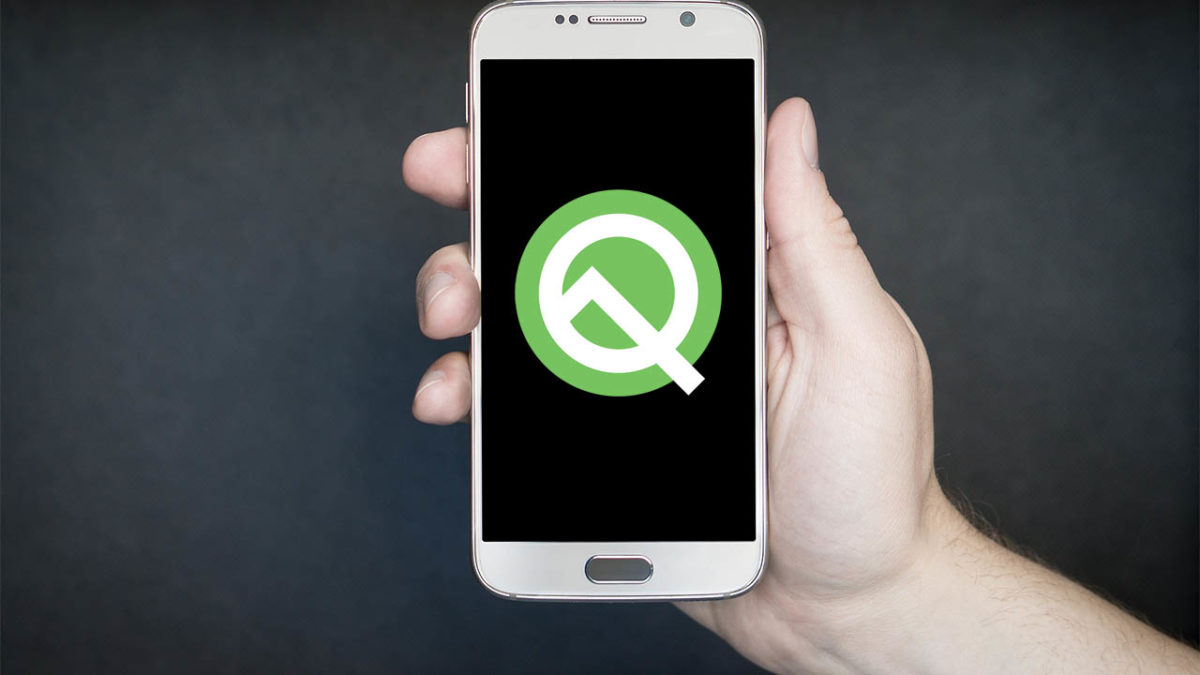
Android Q beta 4 rolled out recently, and a very interesting feature was found in the code. It seems that when Android Q officially launches later this year, Android users will, at last, have access to a “face authentication” feature just like iPhone X users do.

Google has been working on facial recognition for a while and Android users are finally going to get their hands on it. A handful of Android users already have facial recognition, but this only comes via added code the smartphone manufacturers have added to the base Android open-source code that Google makes available to everyone. This has meant that not all Android versions of the feature have been as secure as each other, with the Samsung Galaxy S10+ version of the feature famously being fooled by a video of the user’s face. This will now change as the face authentication feature will be a part of the base code that goes to all Android smartphone manufacturers.

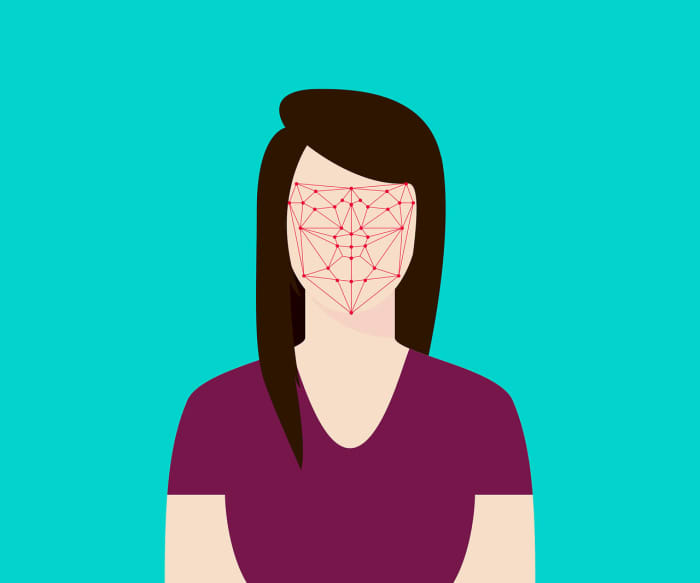
Facial scanning technology
Hopefully the Android Face authentication will have advanced scanning technology and won’t just look at a photo.

Unfortunately, however, this doesn’t mean that it is certain that all Android phones will get the feature once Android Q is released. A report by XDA Developers from January showed that phones will need special facial recognition hardware to take full advantage of the feature. This means some low-end Android phones might not have the required technology. The flip of this is that it indicates the feature won’t just work by scanning a photo taken by the smartphone’s front-facing camera.

There is good news then for security-conscious Android smartphone users. You don’t have to buy an iPhone, if you want to access the latest facial recognition security features.