Screen sharing is very useful for video calling. For example, let’s say you are on a Skype call with your boss, and they need to show you a chart or graph, but they aren’t near a computer. They can share their screen with you so you can see it for yourself, while you continue your work discussion with them.
Or, let’s say you are on the phone with your significant other, and they need to talk you through a recipe. They can share their screen with you to show you the recipe, while they help explain it to you over the phone. Better yet, it can help you explain to your non-tech savvy parents how to work their smartphone.
Regardless of how you use it, we are glad screen sharing is here.
Skype has another new feature in beta for mobile users: the ability to hide call controls. Tap your phone once to hide call controls, and double tap the screen to hide everything except the call itself.
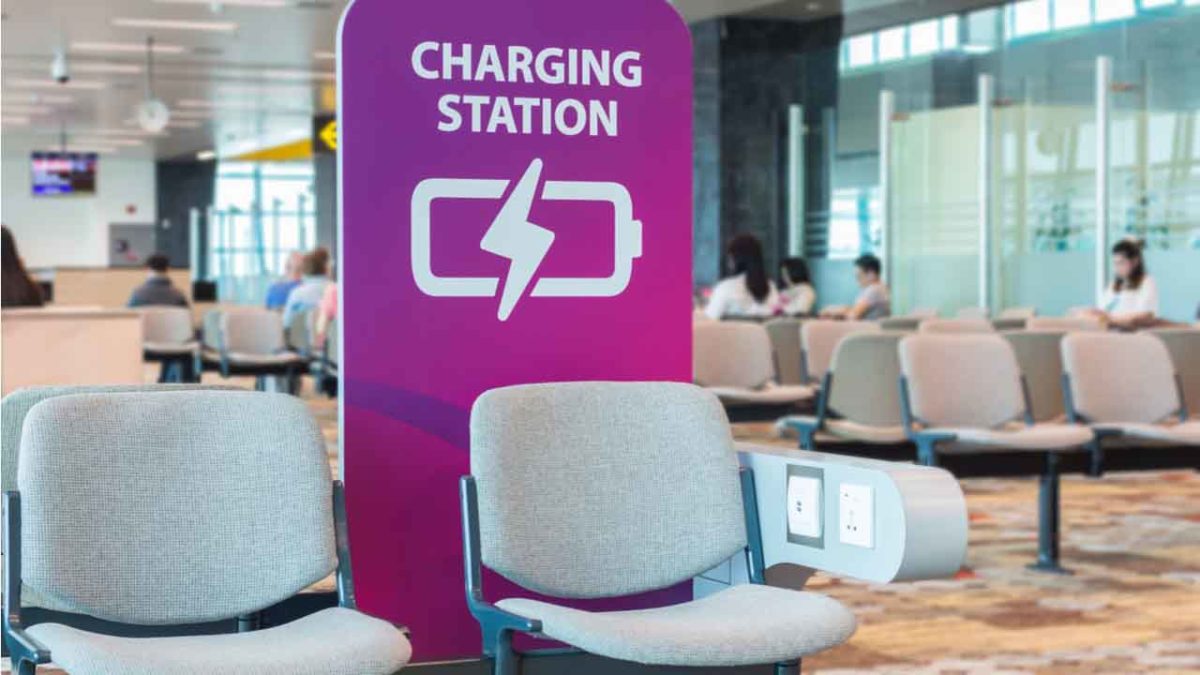
Think twice before charging your device in public.
By 2019, you probably know it’s not safe to hop on the internet without a safety net in place: Anti-malware protection, a firewall, a solid VPN, and a secure password manager. We create quintillions of bytes of data every day, and it’s easy to make an innocent mistake that puts it at risk. Now that innocent mistake can include plugging your phone into a charger at an airport.
It’s no secret that public Wi-Fi can be sketchy at best, and while it’s convenient to charge your phone at the nearest port, it’s not necessarily safe. Free public phone chargers can be used to secretly install malware on your device, malware that can eat up your data in a process called “juice jacking.”
What’s juice jacking?
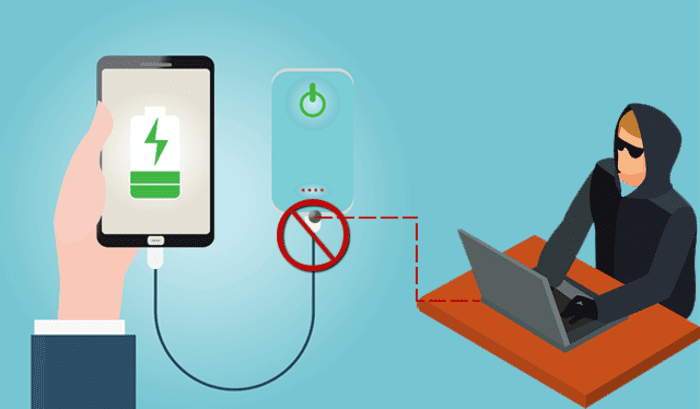
It sounds like tinfoil hat propaganda, but in reality, it’s an underrated but serious security threat. ‘Juice jacking’ was coined back in 2011, and refers to a hack attempt that uses public charging terminals to install malware on your device. It does so covertly via USB charging port, and it copies your phone’s data, pictures, and email into someone else’s hands.
Hackers can use public USB charging terminals to copy your personal data
“All they really need to do is load malware on the USB port,” explains IBM cybersecurity expert Charles Henderson. It’s unlikely you’ll even know it’s happened until it’s too late. “There’s really no way to tell,” says Henderson. “You really have to be extremely technologically savvy to detect such an attack.”
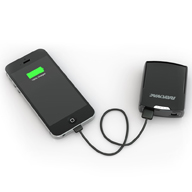
The best thing you can do is avoid airport charging terminals altogether. These days it’s not too hard to get your hands on a cheap, reliable portable charger. It’s a safe, convenient way to keep your phone charged and ready to go without putting your data at risk with a public outlet.
It should also be noted juice jacking can’t be done unless it’s via USB, so as long as you opt for an electrical outlet instead you’ll be safe.
3. Turn off your phone first
Lastly, if you’re in a situation where you’ve got no choice but to charge with a public USB port, completely powering off the device beforehand will prevent the download and transfer of your data.
Luckily, preventing your phone from being juice jacked is pretty easy. Just remember that any time you use public charging stations or Wi-Fi, your online activity could be at risk. Follow these easy steps, and stay informed!
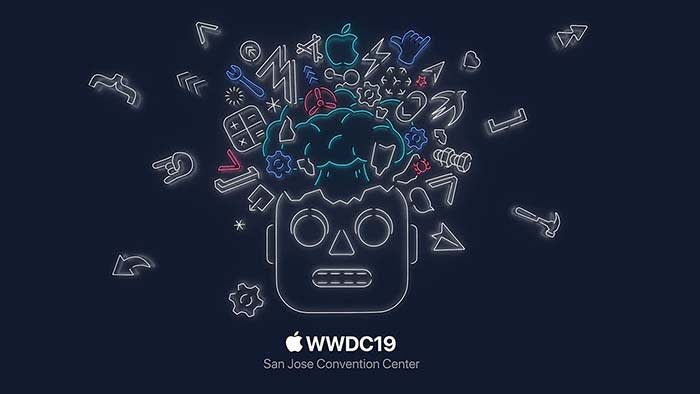
We took the key takeaways from the WWDC and compiled them for you below. This way, you can save yourself from listening to Tim Cook’s bad jokes and Apple’s constant humblebrags, and go straight to the important stuff.
WWDC key takeaways
The new iOS 13 is coming this fall
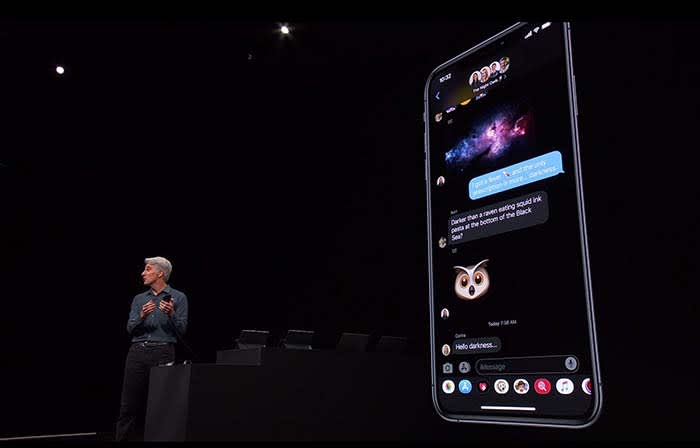
Not gonna lie, Dark Mode on Messages looks clean
Going with the trend, Apple announced that iOS12 will be replaced with iOS13.
The theme of iOS13 is “faster.” Face ID unlocks 30% faster, app downloads are 50% smaller, and updates are 60% smaller. Because of this, apps will launch twice as fast.
Dark mode is coming to iOS. Different apps such as Messages, Safari, and even your home screen will appear darker, giving them a cool sleek new design.
Google Calendar and Keep apps get the dark mode treatment
You will soon be able to sign in with Apple rather than Facebook or Google to help protect your privacy.
For apps that still require an email address, signing in with Apple can also give apps a fake email address. Apple will forward emails sent from your fake address to your real one. This way, the apps will not have your real email address, and you can disable those fake addresses if you want to stop receiving messages.
Your iPhone is probably packed with thousands of trackers sending private data
While talking about a new cycle-tracking feature for women coming to the Apple Watch, a spokeswoman talked about sharing data with apps. The new takeaway from Apple is that “you control your data, and you control what gets shared with what apps IF you want to share anything at all.”
Basically, Apple is trying to be more transparent about what data users are sharing with apps. The message is that they don’t want you to divulge what you don’t want to share, and what you don’t have to share.
Facebook steals information about your menstrual cycles, home buying, more
These tools can help edit photos as well as videos. You can even rotate videos and give them filters.
Other key takeaways from WWDC:
An OS system for all devices!
Every Apple device will have its own OS system. iPhone will be keeping iOS and Mac is keeping MacOS, but iPads will get iPadOS, Apple Watch is getting WatchOS, and AppleTV is getting TVOS.
What’s new with iPad?
The new iPadOS will have all the same features that iOS13 will have.
However, probably one of the wildest features coming to the iPad is the ability to plug in a thumb drive.
This small little change sparks a slew of questions. The new iPad they showed did not appear much thicker than your typical iPad. That said, we don’t know if a new iPad is coming that is thick enough to receive a normal USB. We also don’t know if a special type of USB must be purchased, or if you have to use an intermediary device to connect a USB to an iPad.
With all Apple devices getting thinner and thinner, we find it hard to believe that that the iPad will break the mold in this regard. However, being able to plug in a USB can potentially save us a lot of headaches.
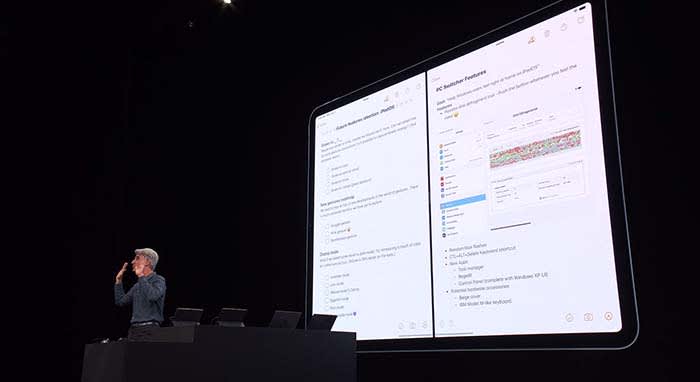
Apple wants users to be able to use their iPad as if it were a normal desktop computer. Going along with this change, iPads will be able to use split-screen to view multiple apps at once.
Going along with this theme, when viewing websites through Safari, you will now see the desktop version of the page rather than the mobile version.
Along with new keyboard shortcuts being added, you will be able to use touchscreen commands to copy, paste, and undo by extending or retracting your fingers.
If you need extra space when working on your Mac, a new app called Sidecar will allow you to use your iPad as a second display screen for your Mac.
Apple TV+ is coming this fall with an original show
Apple TV+ will stream video in 4K. Along with featuring music and music-related content like videos, Apple TV+ will also have its own original show called “For All Mankind.”
“For All Mankind” takes place in a reality where the Soviets beat the U.S. in the race to put a man on the moon. It goes into how the U.S. would react to this reality, and how we would try to bounce back.
The show looks… okay, but not good enough to warrant purchasing Apple TV+. We will have to wait and see what other original content might come our way before making a decision. For now, we will just plan on buying Disney+, and be happy with that call.
Siri will be able to read your messages to you while you’re listening to your AirPods. You can even respond to her. This works for other messaging apps as well.
During the demonstration, a man was on an exercise bike listening to music when Siri informed him that a friend sent a message. After reading off the friend’s message, the man was able to immediately reply by telling Siri what to say. Throughout the process, the man did not have to stop riding.
It’s a cool feature, but we can’t help but point out a flaw in their demonstration. Apple also owns Beats by Dre, which is coming out with a wireless headphone of its own, similar to AirPods. These are supposed to be used while working out, not AirPods. Basically, we’re all sorts of confused.
Apple Watch is a proud, independent device that don’t need no iPhone
Apple Watch will soon be able to operate completely independently without needing to be managed through an iPhone app.
The App Store is also coming to Apple Watch. New apps will include, but are not limited to:
Audiobooks
Voice Memos
Calculator
Podcasts
Homepod hopes to compete with Alexa
Homepod can now understand who in your house is talking to it and can personalize the request. For example, if your roommate asks it to play a song, HomePod will play a song it knows your roommate will like.
With more than 100 titles to choose from, Apple Arcade will be a subscription service like Netflix or Hulu, but for gaming. Gamers will be able to play with both an Xbox One and a PlayStation 4 controller.
Wrapping up
Some of these new features are far more significant than others. When the iPad’s split-screen capabilities were unveiled, the audience members erupted. Why they went bananas for a feature we’ve had on computers for years, we don’t know.
However, the new privacy tools from Apple do deserve praise.
We can’t wait to see how some of these new features and products will unfold for Apple, and we will keep you updated the whole way.
Weird, duplicate iTunes playlists? Here’s how to get rid of them.
It’s about time someone had a clear answer for this problem!
iTunes users probably know the feeling: you have a playlist (yep). You get a few new songs (uh-huh). You plug your phone into your laptop to update the music library (so true). Then, you unplug your phone and find an annoying duplicate of the playlist! It looks something like this:
Well, we’re here to fix the problem. We’re here to discuss…
Why extra iTunes playlists appear, and how to fix them
The tried and tested explanation
We rooted around on the internet for answers. It took many minutes of sorting through theories before we arrived at an Apple discussion thread with a solid answers to the question:
User Jon Milan suggested the duplication happens when iTunes is open and playing a playlist during the syncing routine.
We began testing the idea by changing a “Halloween” playlist and syncing our phone without iTunes running. Nothing happened. We altered the music and synced again, while the playlist was running. To our surprise: “Halloween 1” appeared. So far, theory confirmed!
And it makes sense; having iTunes playing during an update could cause difficulties; instead, the program renames your active playlist and inserts the updated version under the original title. Apple made an understandable decision, we just wish they notified us better when it happens. These duplicates have bothered us for quite some time.
The Fix: shut iTunes off during the sync process. Simple!
Of course, if you already created a playlist by accident, carefully delete all numbered versions (ex: “Dance Party 1”) in the main iTunes playlist. Then, without unplugging your phone, re-sync again, without iTunes running.
There are many different settings and versions for iTunes, and all of these can add their own problems or solutions into the mix. If you’re still experiencing issues with playlist doppelgängers, try this on for size:
Switching Phone Playlists
Does your phone still have unwanted playlists that load into your mac whenever you re-sync? We believe removing the playlists and syncing again without unplugging your phone can solve the problem, but if that still doesn’t work…
User Kenichi Watanabe suggested another plan: remove iTunes from your phone entirely, remove the unwanted playlists from your music library on the computer, and then re-sync. Since the extra playlists are gone from your laptop and fully deleted from your phone, it’s highly unlikely they’ll still be around afterward.
And if that still doesn’t do the trick…
Online Playlists
Final Effort!
In another forum, users amergin and swedish_chris suggested the issue may be related to an iTunes update in conjunction with the cloud. Much akin to the first issue discussed, the explanation goes something like this: your Mac has one version of the playlist and your iCloud account has another. When you sync, the extra version appears with a number.
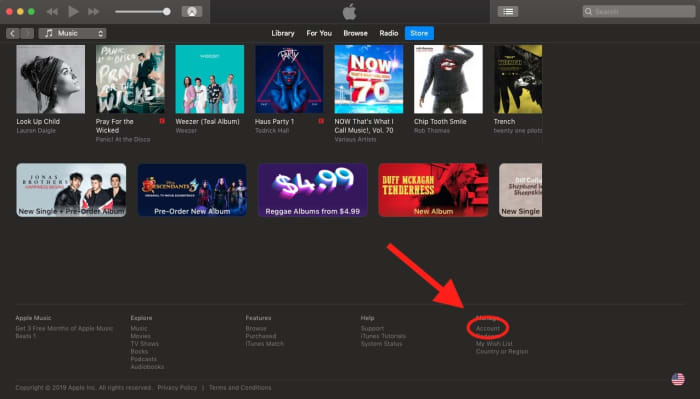
To solve this, go into your iTunes account by visiting “Store” and scrolling down to “Account” at the bottom right:
From here, you can change your settings for iCloud and Family Sharing. Once you turn this off, you should be able to remove the duplicates (just so long as you remember to turn iTunes off during the sync).
Conclusion
We hope you resolved the issue with one of these solutions! While we’re pretty sure the “tried and tested explanation” will help most modern users, there’s no telling if someone running an older installment will have unique problems or if a future update will bring back former problems. If you’re still having trouble or found a new solution, please let us know in the comment section. Thanks for reading!
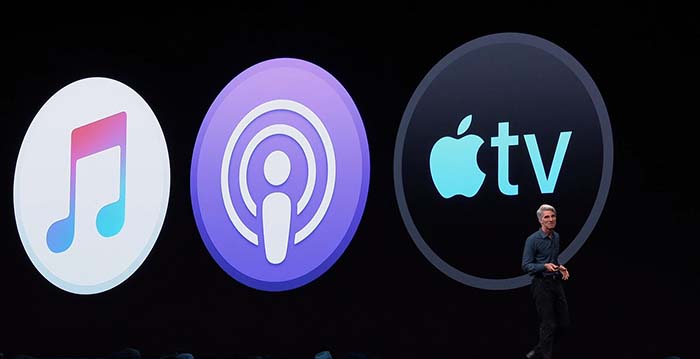
After being the go-to Music app for years, iTunes has been divided into a new app trinity: Apple Music, Apple Podcast, and Apple TV.
If you used iTunes to sync your music to your iPhone, do not worry. You can still sync your music to your iPhone through Apple Music.
In case you want to find a podcast but you don’t remember the name of it, Apple Podcast has a feature that allows you to find podcasts based its content.
Apple TV has 4K HDR playback support, and also features your channel subscriptions similar to Prime Video.
Apple Music is expected to have a feature that allows users to buy digital songs. However, Apple is rumored to stop having users download mp3s altogether in favor of a music subscription product.
Wrapping up
iTunes was a landmark product for Apple for years. It helped drive the sales for nearly half a billion iPods. The departure of iTunes signifies the end of an era, and that Apple is ready to jump into the next generation of music.
This data included email addresses, phone numbers, and location data.
In the story, the writer, Geoffrey Palmer, conducts an experiment to see how much data his iPhone is sending while he sleeps. It turns out that even though he isn’t actively using his phone, apps are sending data to entities like marketing companies and research firms in the background.
Over the course of a month, these trackers would have guzzled 1.5 gigabytes of data.
Believe it or not, a lot of apps do have legitimate reasons for sending your data. For example, GrubHub needs to know where you are if you want food delivered.
According to an article from 9to5Mac, many credit card and banking apps regularly use data to send signals to help detect fraudulent activity. In cases like these, you absolutely need these apps to send data.
Finally, many free apps are only free because of ads. In order to show you these ads, these apps need to send and receive data. If there are no ads, there are no free apps.
Alternatively, there are instances where apps are problematically sending your data.
Facebook steals information about your menstrual cycles, home buying, more
Although there are legitimate reasons as to why an app would send personal information, Palmer did raise a good point.
“The problem is, the more places personal data flies, the harder it becomes to hold companies accountable for bad behavior — including inevitable breaches,” Palmer wrote.
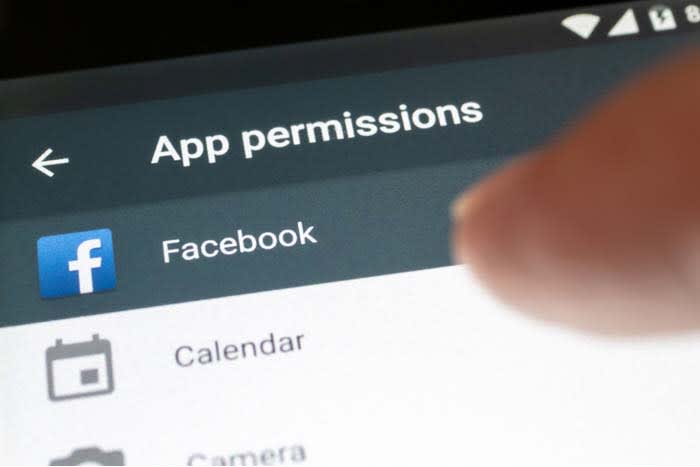
If you’ve ever downloaded a new app on your iPhone, you’ve probably seen the message asking for your permission to allow the app to access your data.
This is routine for apps you download on iPhone as Apple wants/needs to be transparent. However, the transparency stops here as it often doesn’t tell you what the app is doing in the background.
Most apps don’t tell you what companies are collecting your data and how they are keeping it safe. This opens the door for concern as you have no idea whether or not the data that has already been collected is safe.
Palmer suggests that Apple should be more accountable about what apps are doing with your personal data.
“Apple could require apps to label when they’re using third-party trackers,” Palmer wrote. “If I opened the DoorDash app and saw nine tracker notices, it might make me think twice about using it.”
If you’re concerned about what apps are doing in the background, we would recommend downloading Datally. Unfortunately, that’s only available for Android phones.
Through Datally, you can disable apps that run in the background, and you can whitelist apps that you want to have unrestricted access.
As to whether or not you should be worried about your phone sending data, the answer is kinda.
Apps send data in the background all the time. Heck, it seems like we write a story about Facebook acting irresponsibly with personal data once a week. Oh look, there’s another one!
Leaked docs: Zuckerberg leveraged Facebook user data
There are plenty of reasons why you should throw your phone out the window and go off the grid altogether. However, if you pay close attention to what you are downloading and the permissions you give it, you can keep your data safe. Use common sense and best practices to protect your privacy, and you can keep yourself protected.
Find the best app to help you manage your time and boost your productivity.
There are a lot of factors in the mix when it comes to your productivity. There are external factors — the emails, notifications, and whether your colleagues are being especially chatty today. Also, there are things like whether your pants are comfortable or whether there’s a fresh cup of coffee to keep you company.
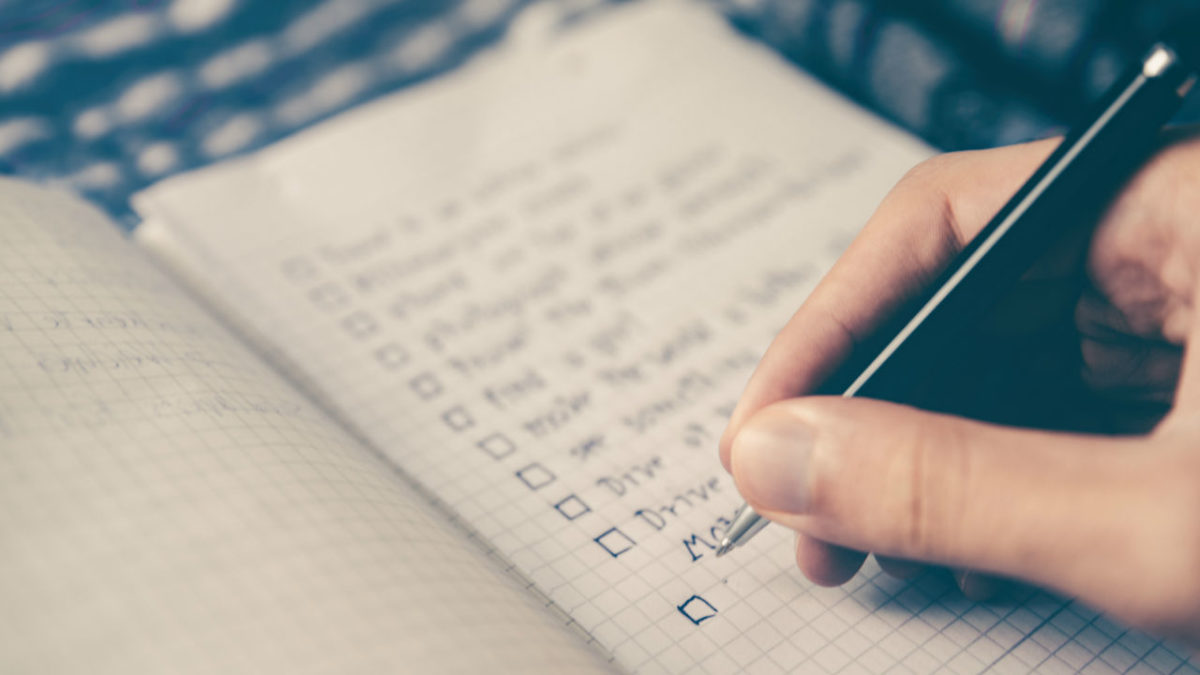
Sometimes you have trouble focusing or want to manage your output. Experts, bloggers, and productivity hackers alike recommend implementing some kind of schedule for “getting things done.”
The most popular approach is the Pomodoro Technique, which breaks your time into a series of 25-minute chunks. But, we were curious, are there other approaches to blocking off time?
Over and over, the app 30/30 came up — but it turns out, it’s been discontinued.
What is 30/30?
The 30/30 app was an iPhone app made by Binary Hammer. Weirdly, it still comes up a lot when you search for the best time-tracking apps, despite being discontinued a few years back. There is an app on the Play Store with a similar name, but it does not have the same functions.
The underlying concept was, you’d assign yourself a set of to-dos to work on in 30-second increments. The idea was that you can plan out your entire day, and can customize intervals ahead of time.
This means you’re not resetting a timer over and over, which is the basic premise behind the Pomodoro technique.
How is 30/30 different than the Pomodoro technique?
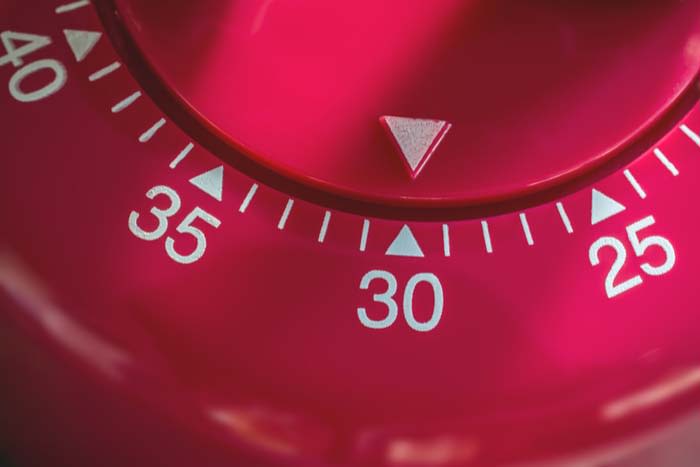
Well, classic Pomodoro is done with a simple egg timer.
Today, there are several options out there like TomatoOne which lets you customize your intervals. However, most don’t allow you to plan out your day and sort of “flow” through different tasks.
Some people like the simplicity and use the popular method to stay on task, not so much track their progress.
If that’s you, TomatoOne is a basic app you can download for your desktop or smartphone.
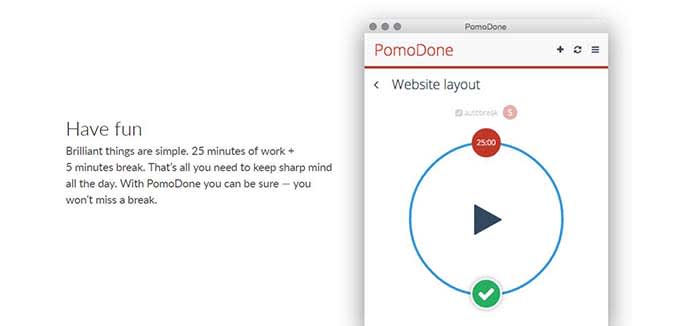
PomoDone is a productivity app built for Todoist users. The idea is that you can connect the two accounts and track the time spent on your to-do items.
What’s cool about PomoDone is that it allows you to drag your to-dos into the app and assign them by category. You can categorize your errands, emails, or work projects.
What’s more, you can also break out of the Pomodoro 25-minute cycle and assign time limits based on what you’ll need for each task.
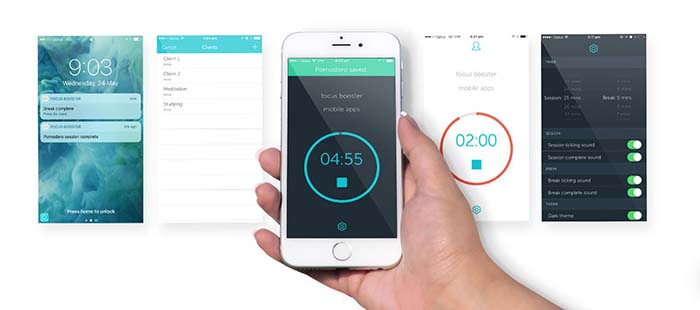
PomoDone and the Pomodoro technique can work for anyone with a to-do list and the willingness to track their output. However, Focus Booster is built for freelancers.
It comes with the standard timer app fare but allows you to break up your time-tracking by client or project. You can adjust the length of your sessions and turn your data into timesheets.
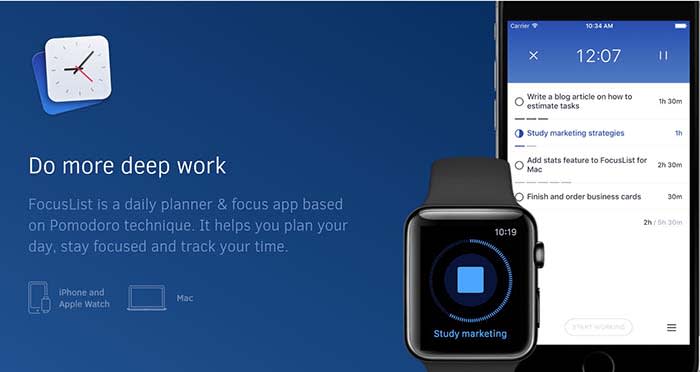
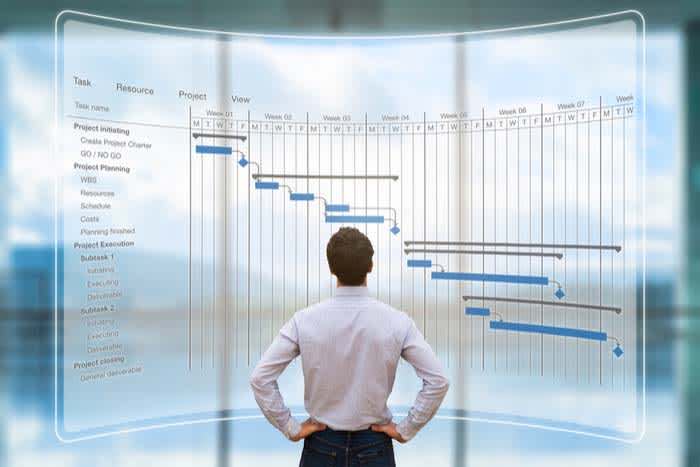
Focus List is another solid option for helping you plan your day, track your time, and review your progress. This app is something of a natural successor to 30/30, as you’ll “time box” your day. After using the app, you’ll start to understand how long it takes you to get things done.
The 60-60-30 technique is simple. You spend 60 minutes on one activity, then work for another 60 minutes followed by a 30-minute break.
Like Pomodoro, the hard part is getting used to staying on one task for an entire 60-minute block.
You’re supposed to take a 10-minute break between the two-hour-long chunks, which does make things slightly easier.
What we liked about 60-60-30 is that it allows time for more sustained blocks of focus than the 25 minutes Pomodoro blocks. Whether that’s invigorating or exhausting depends on how your brain is wired.
Working on a timer-system does come with some key benefits.
Short breaks can help you refill your creativity reserves and stay more productive throughout the day.
As you get used to working in a series of sprints, blocking out distractions will become second nature.
Over the long term, you’ll start to get better at managing your time. For instance, you’ll start to get a sense of how many sessions it takes to write an article, put together a report, or get through your inbox.
Behavioral neuroscience professor from McGill University Daniel Levitin told Quartz that there’s no one workflow that suits every “neural style.”
For example, some people are able to focus for hours on end. Others depend on short bursts and are followed by short breaks to sustain energy throughout the day.
Levitin acknowledges that it’s a trial-and-error process, and it might take a while to find your ideal workflow.
Even Mr. Pomodoro himself, Francisco Cirillo, says it takes between seven and 20 days to master the system.
Find what works for you. The best method for your friend or coworker may not be what works best for you. Try a few different options, and stick with what fits you and your lifestyle.
Adults use cashless apps all the time, but are we ready to let kids use them?
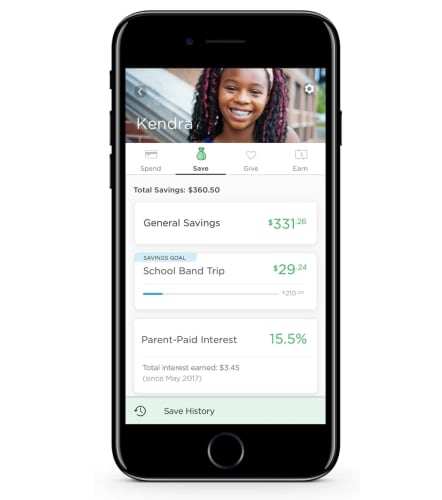
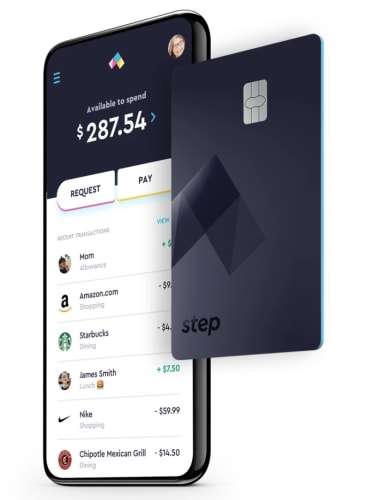
In January, TechCrunch posted an article on Step, the cashless app targeting kids and their parents. The app is the latest in a long line of cashless apps that aim to usher the youngest generations into an increasingly cashless society.
Step’s founders say that today’s teens are still largely burdened by cash transactions. They say that their goal is to be a teen’s first bank account and spending card.
The benefit of this solution is that Step doesn’t charge overdraft fees. Also, parents can put in controls against unauthorized spending.
Step is competing against a handful of apps targeting teens. All of them aim to teach financial responsibility and give kids access to digital payments.
Here, we’ll look at whether cashless apps for kids are a logical solution for allowance and summer job earnings. However, there still may be value in doing things the analog way.
Cashless apps for kids and teens are becoming popular enough that the New York Times ran a piece highlighting the trend.
Parents themselves aren’t dealing in physical cash for the most part. Who wants to mess around with cash and coins, anyway? The parents profiled in the NYT said that using apps made it easy to transfer money to kids — for allowance or unexpected emergencies. Additionally, apps can present savings in a visual way, whereas with cash, it can feel like an abstract concept.
However, a Prudential survey found that the opposite was true. The findings showed that contactless payments didn’t help kids develop the mental math skills associated with handling cash.
On the other hand, financial apps may be a good tool for teaching kids how they’ll likely use their own cash when they grow up. Our concept of money has changed dramatically in the past decade or so. It’s to the point that one wonders whether we’ll see physical cash at all in the coming decades.
In other parts of the world, there’s been a greater push toward a cashless society. For example, in France, it is now illegal to pay for anything over €1,000 in cash. Singapore and India are moving toward cashless societies, too. There’s also China’s mass adoption of tools like WePay and AliPay.
The whole point of apps targeting kids and teens is that they are supposed to help them navigate the financial landscape. At the same time, they’re meant to allow parents to set limits.
Greenlight and Current, are teen-centered debit cards that parents to set chores, transfer money, and keep a watchful eye on their kids’ spending habits.
Parents also have the ability to block certain types of transactions or limit the amount of money their teen can pull out of an ATM. Basically, parents could block teens from buying airfare or bus tickets without their permission.
Assuming the parents are involved, kids are protected from things like overspending or unauthorized charges. Still, one parent from the NYT article mentioned that their child racked up a number of unexpected autopayments by signing up for free trial subscriptions. This is a lesson we’ve all learned at one point or another.
However, with the rise in digital transactions, parents also need to teach kids how to protect their accounts.
Ultimately, these apps appear to present more advantages than negatives. Concerns like bad credit, impulse purchases, and poor savings habits are completely valid. However, establishing financial savvy comes down to educating kids about these things they’ll soon be dealing with in the “real world.”
There’s also the idea that it’s getting harder to ignore that kids do need access to digital payments. Sticking to cash alone is as unrealistic as trying to prevent them from using YouTube or Instagram.
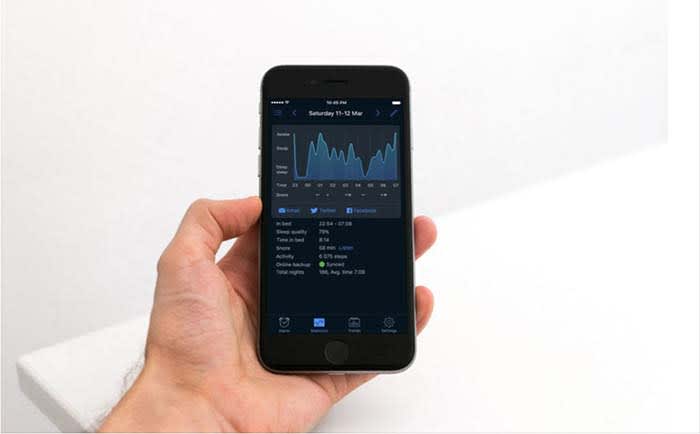
Sleep tracking apps have a significant blind spot when it comes to providing accurate insights into your sleep habits.
Here is a look at what sleep apps can and can’t do, according to science.
Sleep apps don’t analyze your sleep
Admittedly, we’ve long been confused as to how sleep apps are supposed to work.
Smartphones can lie right next to you when you hit the sack, but they don’t hook up to your brain or anything. So how can they tell if you’re catching some shallow snoozes or deep in the throes of REM?
The answer is this process called actigraphy. It’s a motion-tracking technology that analyzes each phase of sleep based on what your muscles are up to as you snooze.
How sleep apps work sounds complicated, but it’s pretty simple. Your movements directly correspond with each sleep phase. Your Fitbit or phone analyzes how much you move. Stillness indicates REM, while restlessness indicates light sleep.
Tricks, Tips and Super Effective Apps for Getting a Good Night’s Sleep
When muscles are inhibited, you don’t get up or jump out of bed while sleeping. However, when you toss and turn, your muscles are uninhibited. Apps can also record snoring, which may be a sign of sleep apnea. The apps might be able to help you identify when in your sleep cycle you are waking up.
The benefit of understanding the sleep cycle is that we feel more refreshed if we wake up during light sleep than deep sleep. Understanding when to set your alarm can leave you feeling more refreshed throughout the day.
Still, doctors don’t agree on whether sleep apps are worthwhile. Columbia University’s Dr. Carl Bazil says, “I think they’re garbage.”
Bazil told Inverse in an interview that the writer’s sleep data didn’t make sense — stating that one app showed the REM cycle starting way too early.
So, what are sleep trackers good for?
Now that the bad news is out of the way, it’s worth pointing out that sleep trackers aren’t complete junk science. Doctors say that sleep apps offer a handful of benefits. It’s just important to note that mobile apps don’t paint a complete picture of your sleep habits and health.
It’s kind of like a sleep diary
Another benefit of these apps is, they function as a digital sleep diary. Some doctors recommend that patients keep a sleep diary. They function as a way to help patients keep track of things like when they went to bed, what they ate, whether they experienced nightmares or restlessness, and more.
Like fitness trackers, people get bored with tracking their personal data after a few short months. It’s an extra job to do, and it’s hard to identify how actually to leverage that data for a better experience.
You can use them to spot trends
If something changes in your life, a sleep app may be able to help you understand how these changes are affecting your sleep.
Stress can make you more restless in your sleep, so if you’re feeling tired throughout the day, check out your data. Wearing a Fitbit or Jawbone at night can reveal whether you’re tossing and turning more than usual.
You can also learn how alcohol affects your sleep. Many of us live in denial, believing that alcohol makes us fall asleep more easily. In reality, it makes us wake up more often and get a lower quality of sleep. While we do fall asleep faster when under the influence, the effects of alcohol don’t last all throughout the night. As they wear off, quality of sleep diminishes.
Which apps are your best options?
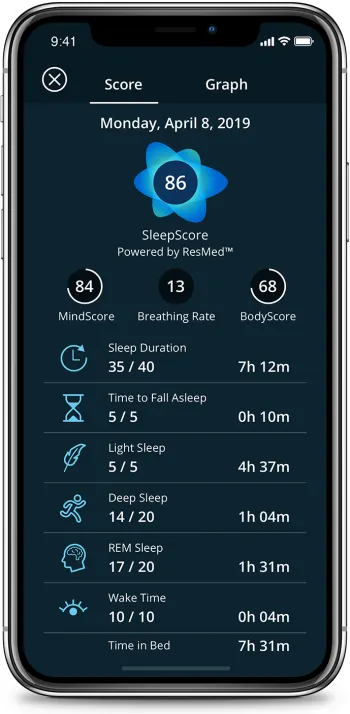
SleepScore
SleepScore provides more detailed sleep data than most of the competing applications. It comes with a smart alarm that aims to wake you up at the perfect time, preventing groggy mornings.
For $50 a year, SleepScore records sleep data long term and helps you create an improvement plan. The free version tracks sleep, but only for seven days at a time.
SleepScore has partnered with a company called SlumberType, which offers DNA-based sleep insights. But the use of DNA to analyze health/wellness might also be junk science, so it’s important to take their recommendations with a giant grain of salt.
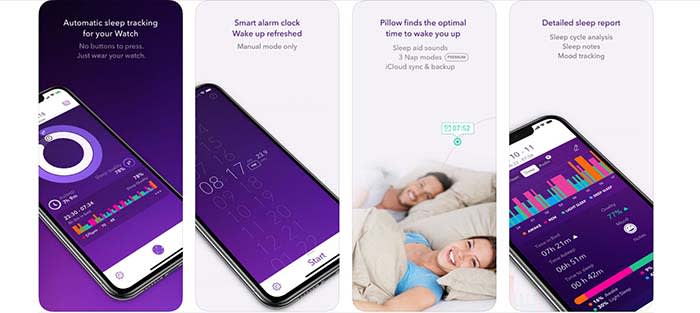
Sleep Cycle is a favorite among Apple and Android fans alike. It tracks sleep habits and wakes you up at the optimal time. The smart alarm won’t surprise you. Instead, you’ll select a 30-minute window for your wakeup call. What’s more, Sleep Cycle integrates with Apple Health so that you can analyze sleep habits, as well as your heart rate.
Pillow gives data nuts access to everything they might want to know about their sleep habits. It’s similar to Apple’s built-in sleep tracker, but it comes with a few extra features. For example, you can use the tool to time power naps, recovery naps, and full cycle naps. For the record, who knew there were multiple kinds of naps?
Additionally, Pillow gives you a look at your REM cycles, heart rate, and how long it takes to fall asleep. Maybe it’s not everything you need to know, but it’s useful nonetheless.
Sleep apps leave something to be desired when it comes to analyzing and optimizing sleep. As a result, innovators are thinking up some clever ways to close the knowledge gap.
There’s Dreem, a headband that measures brain activity. It’s $500 and designed by Yves Behar. The headband tracks sleeping patterns and conducts an initial assessment. Then, users have the option to enroll in a Sleep Restructuring Program. Here, an app will recommend steps toward better sleep. Also, your friends will all be jealous of your awesome new headband!
There’s Dreamlight’s massive sleep mask that uses your 23andMe results to recommend adjustments to your sleep habits. It then projects infrared light to calm the user into a meditative state. This one kinda makes you look like Cyclops from X-Men.
Try some sleep hygiene tips before investing in expensive headgear
Yeah, yeah. They elicit some groans, but science sides with the boring stuff in this case.
If you’re struggling with sleep, maybe give some of the analog methods a try first. They are free, after all. At the end of the day, don’t we all just want to sleep better?
Zuckerberg says he’s planning to do more to protect our privacy, but does he have our best interest at heart?
Social networking CEO Mark Zuckerberg revealed his vision to rebrand Facebook as a privacy-focused platform. His plan is to focus on promoting private interactions, encrypted messaging, and security.
Zuckerberg acknowledges that Facebook’s reputation has suffered in recent years. Between fake news and data breaches, the social network isn’t exactly known for protecting consumer information.
As such, it should come as no surprise that a recent blog announcement was met with a heavy dose of skepticism.
The moment Mark Zuckerberg tries to make a joke about privacy and nobody laughs: pic.twitter.com/izt7kIhjLz
Zuckerberg’s aim here is to create “more living room” than “public square.” Facebook’s whole business model depends on harvesting vast quantities of data.
In any case, here’s a little more about the proposed privacy pivot, and whether it’s valid.
So, what’s the Facebook privacy plan?
According to the post, Facebook plans to develop the new security features the same way that it developed WhatsApp. It will first focus on making super private messaging, then building the rest of the platform’s features on top of that encrypted backdrop.
Zuckerberg says that the privacy-focused platform will center around the following components:
Private interactions
Reducing permanence
Safety
Interoperability
Encryption
Secure data storage
This builds on the plan to weave Messenger, WhatsApp, and Instagram messaging into a cross-platform messaging system. Long-term, the plan calls for all apps to be encrypted, so only the sender and recipient can see message content. WhatsApp already has this feature, but Instagram and Facebook do not.
Zuckerberg says that most of the communication we do takes place behind closed doors. As such, it makes sense to apply the same privilege to social media conversations.
In the New York Times, Zeynep Tufecki wrote an op-ed response to Zuckerberg’s manifesto. Dr. Tufecki raises some important points — will Facebook stop scraping data about our finances or health? Will it stop creating shadow profiles? What will the FB business model look like moving forward?
After all, Facebook makes the big bucks by charging advertisers to target audiences using FB’s data. Given the latest revelations about the health tracking apps sharing sensitive health information with the platform, it’s evident that there’s still a lot that needs to be done to protect consumer identities.
WhatsApp problems could plague FB, too
Interestingly, Zuckerberg highlights encryption and private messaging as these tools for positive change.
On the consumer side, it makes perfect sense. No one loves the idea that Zuckerberg’s team could pull up their latest text thread.
But, if you look at what’s happened in countries like India and Brazil with WhatsApp, it’s clear that there’s significant potential for misuse.
As a quick refresher, WhatsApp was reportedly used to spread mass propaganda in Brazil. If users don’t share that information outside the platform, Facebook can’t see what’s happening inside the app. They also can’t track where that misinformation is coming from.
It’s possible Facebook has their own best interests in mind by incorporating end-to-end encryption. It might help them avoid future legislation for nefarious activity that happens on the platform. They could plead ignorance, as they can’t see where harmful content comes from.
Still, internet privacy highlights a trade-off between individual security and the ability to stop harmful content and regulate abuse.
Facebook probably doesn’t have our best interests in mind
Based on his blog entries, Zuckerberg is making an effort to do better. The truth is, the platform won’t stop leaking. Yet, recently news broke that another data breach left more than 540 million accounts exposed.
But other factors pushing Facebook toward private messaging stand to be big money savers for the platform long-term. Marketing expert Jay Baer predicts that more private messaging means more ad space. This means more money for Facebook.
In the memo, Zuckerberg writes, “We have an opportunity to set out where we stand, to decide how we value our private communications, and who gets to decide how long and where data should be stored.”
Here’s the thing: even if Facebook can’t read our chat threads anymore, there’s no guarantee they won’t collect other types of data.




 From here, you can change your settings for iCloud and Family Sharing. Once you turn this off, you should be able to remove the duplicates (just so long as you remember to turn iTunes off during the sync).