
9 best websites for news

These sites will keep you informed with high-quality journalism.

best news sites

Much of our access to information is left in the hands of algorithms, even if we don’t get all of our news on Facebook. Sometimes, it’s hard to find articles that represent a balanced look at what’s going on in the world.

Google “best news sites,” and you’re already walking into a whole world of bias. Every website has its list of “best news sites,” some based on popularity, others out of a great commitment to quality journalism.

Below, we’ve included a roundup of some of our favorite sites, though they’ve made a list for different reasons. These sites provide a well-researched, unbiased view of current events, so you can (hopefully) piece together your own opinions on what’s going on in the world.

Longform

longform website

Longform is a website that offers a curated selection of the best writing from around the web.

They’ll post a mix of the latest news — long-form pieces from sites like the New York Times, ProPublica, Rolling Stone, the New Yorker. Plus highlights from the country’s local papers and the true crime gem, Texas Monthly.

What’s nice about this roundup is, it’s committed to a blend of current events and older stories — you might find a deep dive on a murder that happened in 1987 posted right after a Rolling Stone profile that ran in the most recent issue.

We recommend Longform for those looking to elevate their “digital loafing” experience and spend a good chunk of time reading.
New York Times

nyt home page

The NYT is the gold standard when it comes to online news sites. The Times is known for their quality writing, progressive reporting, and commitment to journalistic ethics.

The Wall Street Journal
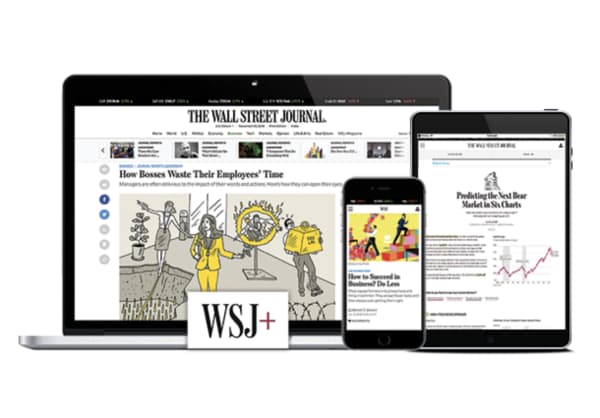
the wall street journal news site

The WSJ started out as a business publication, branching out into general news content after being purchased by Rupert Murdoch back in 2007.

While the Wall Street Journal is still a top source for business content in 2019, it’s a solid source of fact-based reporting and Pulitzer Prize-winning articles.

That said, the editorial section has long been known for anti-government, anti-tax stances representative of the Republican Party, but they’ve done a decent job keeping their reporting fair and balanced.

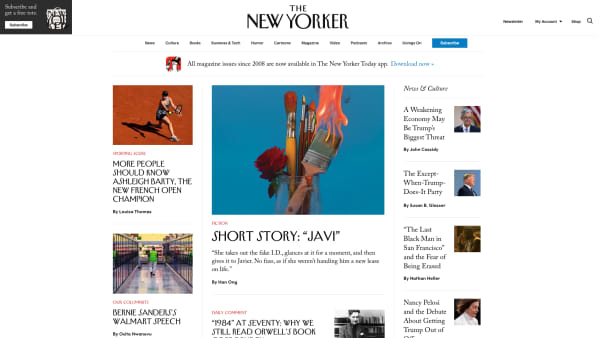
The New Yorker

new yorker website

The New Yorker is another paid subscription, and they fall slightly outside of the news-only niche, offering a mix of current events, cultural commentary, short stories, and of course, the cartoons.

Still, it’s of course, one of the best sources of writing on the web and in print — and if you’re concerned about your mounting stack of subscriptions, it’s not a bad deal — you get your first 12 weeks for $12, plus a free tote bag.

Your subscription includes access to the website’s entire archive, plus the weekly issue delivered to your mailbox.
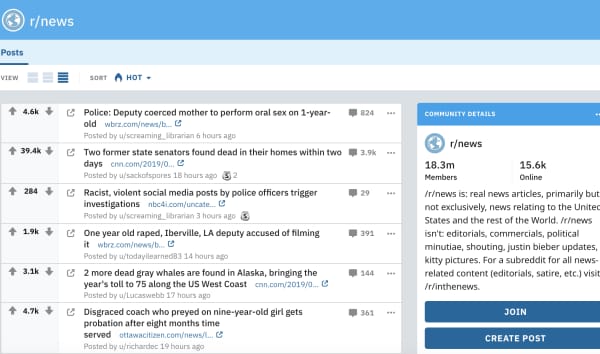
Reddit

reddit r/news

Hopefully, you’ve gotten hip to the fact that Reddit isn’t just a digital home for wayward trolls.

While it might not seem like the go-to news site, the platform allows you to add feeds like r/news to your feed, along with whatever else you like to follow. What we like about Reddit is, you can find articles from all of the big publications, alongside commentary from the average reader. The community aspect of Reddit helps push the best, most engaging stories to the top of your feed.

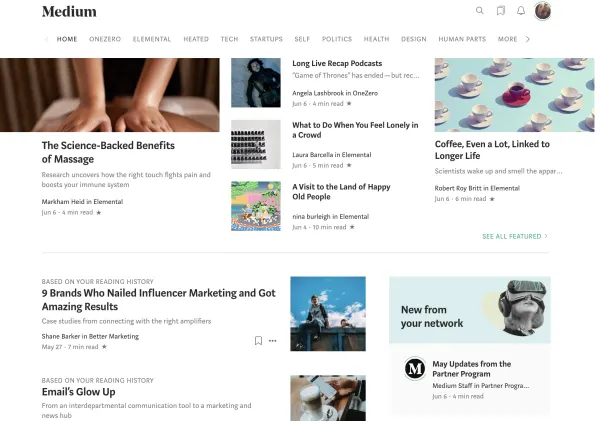
Medium

medium news

Medium is an interesting one. We’re not necessarily listing it because we’re impressed with its commitment to high-quality journalism, as anyone can post on the platform, though there’s definitely a lot of content there that meets that high standard.

What’s cool about Medium, however, is that it’s easy to find articles from people — from reputable publications, barely established start-ups, and crypto-currency pros — in other words, there are a ton of ideas on Medium that you won’t find everywhere else.
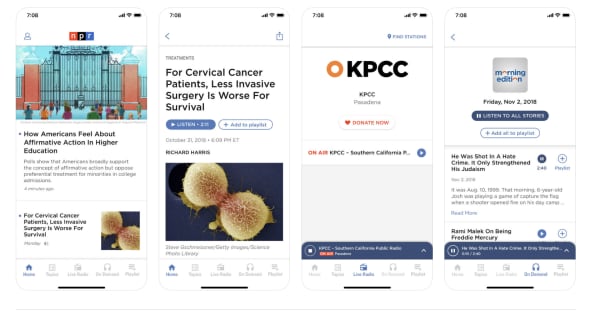
NPR

NPR website

NPR isn’t just for the airwaves; the National Public Radio service is a non-profit organization focused on presenting the facts in a fair, balanced manner.

The NPR site allows you to listen to live radio from your local station or a favorite from another state; you can listen to podcasts, get music recommendations, oh, and read the news.

News stories focus on up-to-the-moment events and give visitors the option to listen to a short news segment or read the article.

Reuters
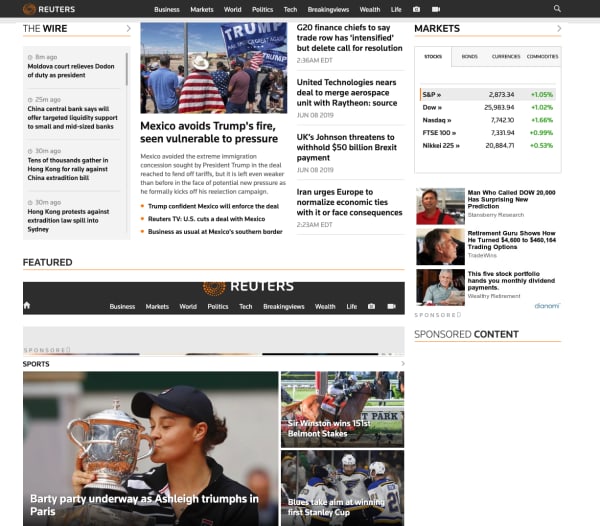
reuters home page

Reuters doesn’t get a lot of attention, but they’re a quality resource for unbiased reporting, the perfect place to keep up on current events without the commentary that you’ll find with many news sources.

The BBC
bbc website

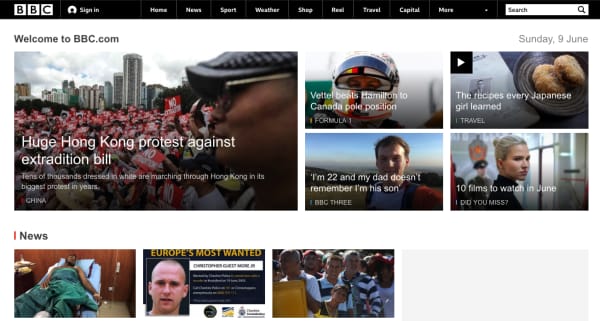
The BBC website, like Reuters, is a reliable source of global news, covering everything from Trump’s latest antics to climate change, fashion, and financial news. A well-rounded source of unbiased reporting that feels a lot like the NPR site, the BBC sticks to fact-based reporting and is guaranteed to give it to you straight.

Keanu Reeves is in Cyberpunk 2077! This is not a drill!

Keanu Reeves has made the already promising Cyberpunk 2077 even more promising!

Keanu cyberpunk

God help anyone if they hurt his dog…

After proving time and time again that he is one of the greatest action movie stars of our time, Keanu Reeves is finally bringing his talents back to the world of video games.

Audience members finally got to see the next trailer for Cyberpunk 2077. They were shocked to see a man with a robotic arm walk onto the screen, drop the f-bomb, and then take off his shades revealing that Reeves was part of the project.

It has been about 14 years since we last got to see Reeves in a video game. He’s certainly come a long way since he was crouching around cubicles.

Cyberpunk 2077 takes place in the futuristic city of Night City. There, you play as a criminal with enhanced cybernetic abilities. The city is as stunning as it is dangerous. At one moment you can be enjoying the stellar nightlife, and at the next, you’ll be part of a massive shootout.

Maybe the only thing in the trailer more enticing than Reeves was the release date. Cyberpunk 2077 is coming out on April 16, 2020.

We do not know for certain what role Reeves will be playing in the game, but we have a few clues. Given his tactical vest, we assume he was some sort of military background. He also knows the main character, so we are guessing he will give us most of the tutorial missions and main story missions.

Since Reeves appeared onstage, Twitter has been abuzz with fans going wild for Reeves.

Cyberpunk 2077 doesn’t look like a game as much as it looks like an experience. The massive open world looks absolutely captivating, and the multilayered story promises different possibilities on multiple playthroughs.

We are beyond excited to get ahold of this game. We were psyched for Cyberpunk 2077 before we even knew Reeves was going to be in it. Now that we know that he is, we are ecstatic.

I mean c’mon. If you wanted someone to guide you along your journey, wouldn’t YOU want it to be John Wick/Neo/Theodore Logan?

Cracking the Twitter algorithm in 2019

Here’s how to stand out on Twitter after the recent changes.

Twitter

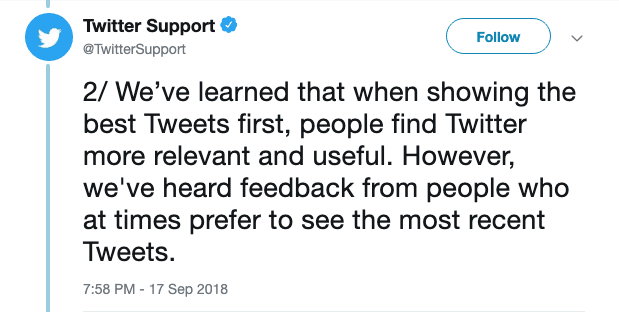
Last September, Twitter announced that users would be able to switch between a Top Tweet view and a chronological Latest Tweets timeline.

So, people now can move between an algorithm-based feed and a chronological timeline. This is something Facebook and Instagram have stayed away from in an effort to be relevant and engaging or whatever.

But just because the algorithm is optional doesn’t mean that everyone is opting out in favor of an old-school chronological feed.

Below, we’ll look at some of the key ranking signals you can expect to find inside your account.

7

What are the ranking signals?

As is the case with Facebook and Instagram, Twitter’s algorithm depends on a handful of ranking signals.

In 2019, the algorithm-based feed consists of the following sections:

Top Tweets

Top tweets are determined by the algorithm. Users will see content from accounts they follow, as well as content from their followers and suggested accounts.

Users also have the option to provide feedback on the content displayed in this section. This allows them to see some types of posts less often.

Latest Tweets

Latest Tweets represent a reverse chronological feed containing tweets from your followers.

ICYMI (In case you missed it)

In case you missed it, this is a compilation of top tweets determined by the algorithm. ICYMI is typically displayed to users who haven’t logged in lately. Frequent users won’t see this content much.

Happening Now

This is a section that appears at the top of your timeline, featuring trending topics and current events.

Trends for You

Another section determined by the algorithm, Trends for You highlights content that Twitter has determined to be relevant or interesting based on past activity.

You’ll have the option to customize this content by going into the Content Preferences section of your account.

As is the case with Facebook and Instagram, Twitter’s algorithm depends on a handful of ranking signals.

Here’s a quick look:

Recency

When was the tweet published? Timing weighs heavily into the Twitter algorithm, even if the user opts out of the algorithmic feed.

Rich media

Rich media refers to posts that contain video, audio, or GIFs, which encourage viewers to engage with the content. In other words, Twitter gives preferences to posts that contain more than a stock photo and a one-liner. That helps explain why this video just exploded:

Engagement

Engagement refers to how many tweets, impressions, replies, and clicks a tweet has received. It also takes into account how often people engage with the author’s account. It also factors the engagement of a tweet relative to other tweets posted by that same user.

Why chronological matters

Clock

Chronological content is one of the few ways that you can access neutral information in the aggregate format of a social media channel.

When you’re looking at something like top posts, that means that the platform’s algorithm is making a judgment call on your behalf. It is deciding what information you’re likely to click on, not which news stories are the most important or what is happening in real time.

We’ve become increasingly critical of what kind of content we see while scrolling mindlessly through social media.

Twitter’s move to allow people to opt out of the whole algorithm thing is actually a big deal.

Twitter feedback

Where Facebook has stated on multiple occasions that the algorithm offers users a better experience, it’s hard to separate that push toward engagement from the value it offers to advertisers.

Switching back to the chronological feed on a desktop is a matter of navigating to your account settings and unchecking the box that says “Show the Best Tweets First.”

change twitter timeline settings

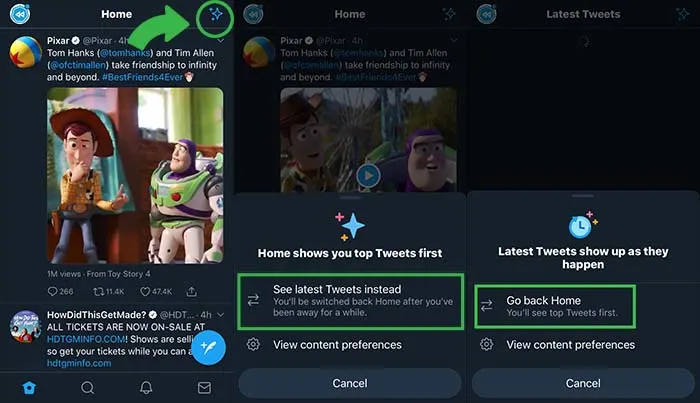
On your phone, click the little star icon and it will open options for you to flip back and forth between “top tweets” and “latest tweets.”

Twitter feed preferences

How to make sure people see your Tweets

Despite having the option to skip the algorithm in favor of an orderly feed, many people are likely going to stick to the curated feed.

With that in mind, here are some tips for making sure that your content gets in front of as many eyeballs as possible.

Use hashtags

The hashtag was actually created on Twitter as a means of helping people find tweets and accounts they might find interesting. To this day, adding a hashtag is one of the best ways to get “discovered.”

Respond to your followers

Because one of the key ranking factors is “engagement,” you’ll likely get more visibility in others’ feeds if you retweet, like, comment, or reply on the platform.

As we’ve seen with Facebook and Instagram, there’s been a real push toward getting people to engage more with others, rather than focusing on collecting more followers.

Add visuals

This draws back to the idea that rich media tweets do better than those without any compelling visual elements. It’s well-documented at this point that social media content depends on visual aids.

Take it a step further and diversify your feed by adding in video clips, live videos, GIFs, and audio.

Don’t be afraid to max out character limits

Yes, the whole concept of Twitter is based on brevity.

This is why there was a bit of controversy when the social media platform doubled the character limit — going from 140 to 280. That said, it seems that the expansion has created an opportunity for more engagement.

According to Twitter research, they found that Japanese users were able to say more with fewer characters, which led to more valuable conversations.

Bottom line

Just because Twitter has the option to toggle between chronological and algorithm based feeds doesn’t mean everyone is opting out of the algorithm.

This means if you want to get the best possible results, you’ll need to play to the algorithm’s rules.

How Call of Duty: Modern Warfare will revitalize the franchise

A beloved franchise looks to get new life with Modern Warfare.

Modern Warfare

There was a time when Call of Duty was one of the most inescapable franchises in the world. Peaking in popularity with the Modern Warfare series, especially Modern Warfare 2, Call of Duty was seen as the gaming industry’s signature AAA franchise. While it was eventually dethroned as the most popular AAA franchise, Call of Duty, especially the Modern Warfare subseries, is seen as a defining game series of the Xbox 360/PS3 generation.

After the Modern Warfare subseries ended with Modern Warfare 3 in 2011, the series took a number of creative risks to varying results. From going to the close and distant future to introducing classes with special abilities, to even going back the CoD’s WWII roots, the series never quite managed to recapture that Modern Warfare fervor.

Fans seemed to dislike Call of Duty: Infinite Warfare in particular, as its trailer is one of the most disliked YouTube videos in history. When the original Modern Warfare designers left Infinity Ward to form Reflex (which went on to make Titanfall and Apex Legends), it seemed all hope of a new Modern Warfare was lost.

Now, it seems our prayers have been answered.

Modern Warfare is finally back with a brand new reboot. As the first new game in the series in nearly a decade, Call of Duty: Modern Warfare has plenty of expectations to shoulder. Based on all of the news we’ve seen so far, they’re headed in the right direction.

According to prerelease material, the series is placing a greater emphasis on morally gray politically-relevant conflicts this time, aiming to showcase the horrors of the modern world and the powers that be. While specific details have been scarce, it has been reported that certain campaign scenes have been so emotionally powerful that playtesters have cried while viewing them.

The focus on tragedy and morally unsound conflict brings up memories of Modern Warfare 2’s infamous “No Russian” mission, which had the player take part in a terrorist attack on an airport. The series has mostly failed to recapture this sense of realistic shock, so it’ll be interesting to see if they can truly shock the world again. The developers have classified the story as a reboot of the Modern Warfare franchise, and staple character Captain Price returns.

Gameplay-wise things are shaking up as well. The release trailer has shown us that leaning out of cover has been added to the series, and developers have described the gameplay as more methodical than previous games. For the first time in years, the CoD series is getting a brand new engine, allowing for tweaked gameplay and more photorealistic visuals.

And of course, what would Call of Duty be without multiplayer? Infinity Ward has already announced two major improvements for the series moving forward. First, similar to Fortnite, Modern Warfare will be cross-compatible among gaming platforms, including console to PC. Additionally, Infinity Ward has said that the game will not feature a season pass, meaning that all downloadable content will be free moving forward. This is a huge step forward for the Call of Duty series, which has been criticized for years for its overpriced map packs that fragment the player base. Both additions cast Modern Warfare as the series’ most consumer-friendly game yet.

While details are still scarce, we’re still incredibly excited for Modern Warfare from what we’ve heard. What do you think?

Phone companies could block robocalls, but there’s a catch

The FCC is making phone companies give us an option to block robocalls, but it might not be free.

Robocall

Nothing can spoil the moment quite as much as a robocall. Whether they interrupt you at work or bother you on date night, they’re a real nuisance.

Fortunately, the FCC is making the effort to combat robocalls. However, you might have to pay to make it happen.

According to a press release from the FCC, robocalls account for about 60% of their yearly complaints. In 2016 alone, there were about 2.4 billion robocalls per month. That number has risen to about 5 billion per month in 2019, according to research from YouMail. 

The FCC’s plan

FCC Chairman Ajit Pai announced in a video that he is making blocking robocalls one of his top priorities. In order to meet that goal, the FCC has ruled that phone companies must offer a default option to block robocalls.

Phone companies currently have the technologies to help block robocalls, but you have to call them and ask yourself.

The FCC is also looking to have phone companies improve caller ID . The FCC has a new policy for phone companies called “safe harbor.” Essentially, this means that if phone companies don’t block calls that don’t have proper caller ID verification, they can face legal trouble.

Pai said that he is optimistic that the changes will be implemented by the end of the year.

It could cost you

According to FCC commissioner Jessica Rosenworcel, phone companies will have the ability to charge customers for blocking robocalls.

“There is nothing in our decision today that prevents carriers from
charging consumers for this blocking technology to stop robocalls,” Rosenworcel said in a statement.

Although Rosenworcel is strongly pushing for this to be free across all phone companies, there is still a chance that it will be.

However, Pai said in a statement that he does expect phone companies will offer the service for free. 

Basically, handling robocalls costs phone companies money. Blocking them in the first place does not.

He also said that “based on public input” the FCC will determine if a rule to make blocking free would be appropriate.

Protecting elderly people

The FCC is currently pushing phone companies to offer a service that will allow users to block calls that do not come from a list they provide to the phone company. 

According to Pai, the feature would be an optimal tool to help prevent elderly people from being scammed by robocallers, as they are often the target. Again, phone companies could potentially charge customers for this service.

Another option with iOS

Apple revealed at the WWDC that the new iOS 13 will automatically send robocalls to voicemail. Using Siri technology, your phone will look at your contacts, Mail, and Messages apps when a number calls you. If your phone doesn’t recognize the contact from one of those spots, the call will go to voicemail. Users will be able to access this feature in their settings under “Silence Unknown Callers.”

Wrapping up

If phone companies do not charge us for blocking these robocalls, this is a giant leap forward. If they do charge us, that would be an unfortunate development.

We’re optimistic, but we still think you should play it safe and download a free app to block robocalls.

How to watch the 2019 Women’s World Cup online

The Women’s World Cup is here! Here’s how you can watch it!

FifaIf you’re like us, you cannot wait to watch the FIFA Women’s World Cup. However, if you live in the U.S. where soccer is nowhere near as popular as it is in countries where they call it football, you may be struggling to figure out where to watch it.

You might be lucky and have a sports bar nearby that will be streaming every game. However, you might also live in a place where a baseball game would take precedence over a soccer game.

Luckily, we’ve got you covered with services that are here to help.

How to watch the 2019 Women’s World Cup online

fuboTV

FuboTV

If you’re looking to just watch the end of the Women’s World Cup and nothing else, you can do so for free with fuboTV. 

Depending on your plan, fuboTV offers between 99 and 167 channels as well as access to more than 100 events streamed in 4K. 

The service offers a one-week free trial, so you can watch it, and then ditch the service. If you don’t, you’ll be stuck paying the monthly subscription fee, which starts at about $55 per month.

If you’d like, you can really take advantage of the free trial period and add premium channels such as Showtime, which you can also watch unto your trial is over.

To subscribe, either download the app or visit their website. You will need to create an account by entering your email address. You also need to enter your credit card information after choosing a plan. However,  you will not be charged unless you watch beyond your free trial.

7

Hulu + Live TV

Hulu + Live TV

Unfortunately, you can’t watch the Women’s World Cup with just a normal Hulu subscription. If you could, this would be a pretty short article. However, you can still watch it through Hulu, you’ll just need to shell out a few more bucks.

For about $45 per month, you can sign up for Hulu + Live TV and watch the Women’s World Cup to your heart’s content. You can also get a one-week free trial, just like with fuboTV.

Before you start your free trial, you should check to make sure that one of the channels showing the Women’s World Cup (FOX, FS1, or FS2) are available in your zip code. You can check on the Hulu website. Finally, you need to make sure that your device supports Hulu before you go with this option.

Also, like with fuboTV, you need to create an account with an email address as well as enter credit card information. Again, you won’t be charged until you exceed your free trial.

If you already have Hulu, upgrading your current package probably sounds better than buying a separate service altogether just to watch the Women’s World Cup.

Hulu Plus Download Free ►
7

Sling TV

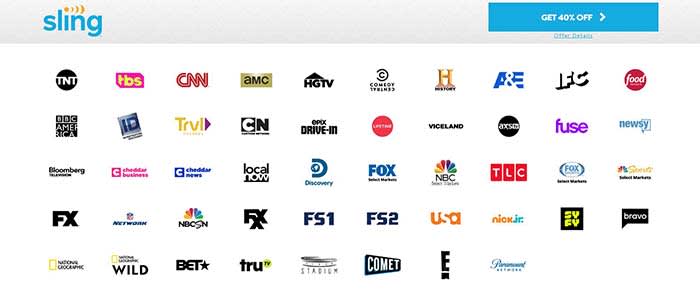
Sling TVIf you don’t want to miss a single game, then Sling TV might be your best option. Currently, the service has a deal for you to get your first month for 40% off. 

Sure, it does stink that there isn’t a free trial. However, since those free trials were only for a week, you wouldn’t have been able to watch every game for free anyway as the Women’s World Cup is about a month long.

When you purchase your subscription, make sure that you choose a plan that includes Sling Blue. Sling Blue is the only package that has FOX, FS1, or FS2 (it actually has all three). With the discount, Sling Blue on its own costs $15, making it the cheapest option thus far.

Sling TV Download now ►

9

PlayStation Vue

Vue has always been one of our favorite ways to stream live TV. You can build a package that includes 85 channels. You can have up to 10 different DVR profiles. You can watch on your smart TV, computer, phone, or tablet. And there’s a free 5-day trial. After the trial ends, you can still watch all the games on their most basic package for $44.99/month. If you have an Apple TV or a PS4, you can watch multiple channels at the same time.

PlayStation Vue Mobile Download Free ►
9

FOX Sports Go

Fox Sports Go

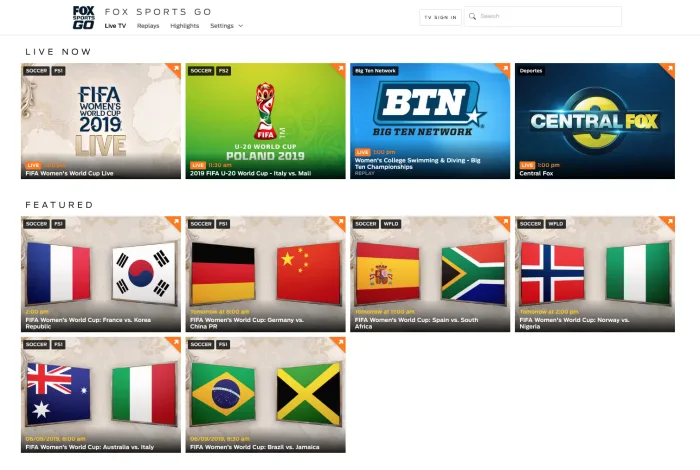
If you have a subscription to a cable or streaming service, you can also log into the FOX Sports Go website and watch the games there.

FOX Sports GO Download Free ►
8

Watch for free

If you don’t feel like paying to watch the games, you can see all the highlights on the FOX Sports Twitter account. No, you won’t be able to watch the entire game, but you can see every goal after it happens. If you want to watch the games live and in their entirety, then this isn’t for you.

Some of the games will be broadcast on your local FOX affiliate, so if you have an antenna, you can get those games for free.

Wrapping up

For all practical purposes, Sling TV seems like the best choice. It’s the cheapest option you have for watching every game during the Women’s World Cup. No matter what option you choose, we hope you enjoy watching the 2019 FIFA Women’s World Cup!


8 best places to buy glasses online

There’s no need to spend hundreds or even thousands of dollars on glasses. These sites have them at fair prices!

Glasses

The cat’s out of the bag — the glasses game is a total scam.

According to Vox, eyeglasses from your typical brick-and-mortar can come with a markup of nearly 1,000%.

The LA Times says eyewear is a “nearly monopolistic” industry worth a cool $100 billion.

The lion’s share of the glasses market is controlled by one company, Luxottica. They’re responsible for branded frames by everyone from Chanel to Versace to Ray-Ban. Oh, and they run the Sunglass Hut, Sears Optical, Lens Crafters, and more.

Luckily, there are plenty of online options that offer style, convenience, and best of all—aren’t $800.

Here are some of our top picks for going the direct-to-customer route for your next pair of frames and finally leaving Big Glasses behind.

8 excellent places to buy eyeglasses online

Before you buy

wallet

If you plan on ordering online, we recommend getting your eyes checked first. After that, ask your eye doctor for an updated copy of your prescription.

Some sites will ask you to submit a photo of your prescription while others just ask that you type it in manually. In any case, if you’re going to get new glasses, start fresh.

The second thing you’ll need to know is your pupillary distance or PD. Your PD represents, in millimeters, the distance between the center of your two pupils.

Oh, and if your doctor is shady about all this, there’s something called the Eyeglasses Rule (who knew?!). It states that your doctor must provide you with a prescription at the end of an exam.

Basically, the rule prevents your eye doctor from holding your prescription hostage and making you buy glasses from them.

Once you’ve got your prescription and PD in hand, you’re good to start shopping around.

Oh, and before you start freaking out about what happens if you make the wrong choice, most companies let you return frames and lenses that aren’t quite right.

1. Zenni Optical

Zenni Glasses Site

Zenni Optical has a ton of frames, starting at $6.95 a pair. They’ve got everything from prescription lavender sunglasses to a lot of looks that you could also find on the rack at your local supermarket.

That said, they have regular glasses, “cool” glasses, and nondescript glasses, too. We like the price as well as the variety, but if you shop Zenni, be prepared to sort through hundreds of frames before finding “the one.”

Consider it an experience akin to shopping on eBay or hunting for gems at the local Goodwill or TJ Maxx.

2. Warby Parker

warby parker try at home

Warby Parker is the most recognizable name in the online glasses game. The online store has a decent-sized selection of modern, stylish frames, and glasses start at around $95 a pair.

Glasses come in narrow, medium, or wide fit, which is a specification you won’t necessarily find on every website. It can be difficult to gauge the fit by looking at the website.

The site allows you to try on five pairs at home, free of charge. All you need to do is pick out your top choices and they’ll mail you a set of prescription-less frames with a pre-paid shipping label for easy returns. From there, you can purchase the pair you liked best.

3. Eye Buy Direct

eye buy direct bogo home page

Eye Buy Direct hits a sweet spot. They offer a ton of BOGOs and discounts. Even when they’re not running some kind of promo, the most expensive pairs are only about $70.

Most frames are comparable in quality to Warby Parker, but cost a lot less and provide more options.

Unlike Zenni, most of the Eye Buy Direct frames are either fashion-forward or sort of neutral. — They’re perfect for the person who, say, accidentally throws their glasses away or leaves them in an Uber.

What we like about Eye Buy Direct is that there are tons of options, they’re cheap, and the quality is pretty decent for the price. That said, the brand doesn’t provide any warranties, nor do they offer a home try-on option.

4. Glasses USA

Glasses USA website

Glasses USA has been around for a while, at least a decade or so as far as we know. They’re not known for being cool or sustainable, but they’ve come a long way in recent years.

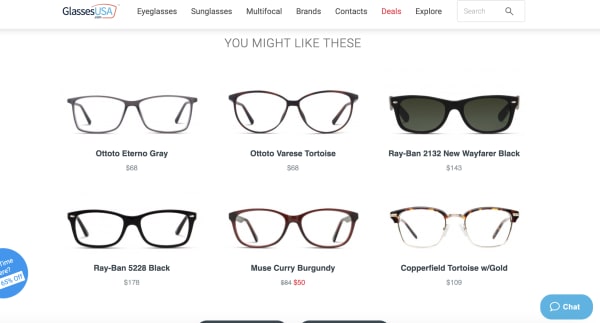
The site features name brands like RayBan, Versace, and Hilary Duff (who knew she had a glasses brand?) as well as a wide selection of unbranded frames in a variety of styles and sizes.

Unlike some of the other sites like Warby Parker or David Kind, this site feels more like a Lenscrafters. Like Zenni, there are some gems if you dig through the site.

5. Lookmatic

lookmatic order online

Lookmatic is another D2C glasses company that has been around for a while. It was formerly known as Spex Club.

In any case, the price point and selection is pretty much in line with what you’d find at Warby Parker. The only real difference between the two brands is WP has way more options than Lookmatic, which doesn’t offer a ton of variety.

Still, if you’re a fan of acetate frames, this is a good bet. Glasses start around $100 and you can take advantage of at-home try-on if you’re so inclined.

6. David Kind

David Kind online glasses selection

If Eye Buy Direct is the fast-fashion of eyewear, David Kind is something of an Everlane.  It’s a millennial-friendly online store that caters to buyers that care about sustainability and quality.

David Kind falls on the more expensive side of the online spectrum. There aren’t any $6.95 frames here, but they guarantee a perfect fit and are still cheaper than what you’d find at a specialty glasses shop.

Glasses start at $350 and there’s a real emphasis on quality that you don’t necessarily see on some of these other sites.

If you’re used to paying for Ray-Bans from your local optometrist, the sticker shock won’t hurt so much. Plus, glasses come with a 10-year warranty and they’ll even file a claim with your insurance company for reimbursement.

7. Felix & Iris

glasses felix and iris

We have to admit, we don’t love the look of the Felix & Iris website, but the glasses are priced fairly and they’ve got a decent selection of frames. While style is subjective, Felix & Iris doesn’t feel quite as hip as its competitors, regardless of price point. Warby Parker, Eye Buy Direct, and David Kind all have them beat in that regard.

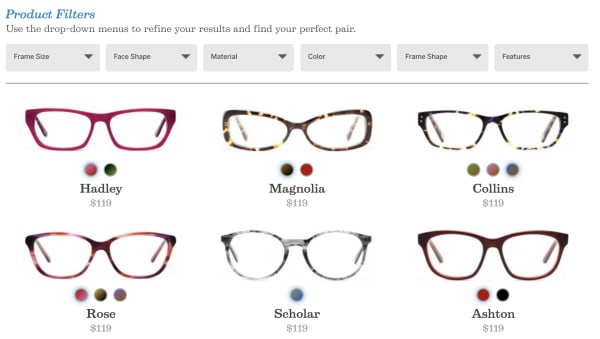
Still, it might be worth looking through the site. Frames start at $119 and you may be able to get them reimbursed through your insurance company.

The brand will send you four pairs for at-home try on and it has a 30-day return policy. That said, the warranty isn’t great; it only covers factory defects for up to a year.

8. Fetch Eyewear

Fetch Glasses

Fetch Eyewear is new on our radar, but the Portland-based glasses brand brings stylish frames at a reasonable price. Glasses start at $145 a pair, and the company gives all profits to local pet rescue, the Pixie Project.

Fetch also has the offer to “pick five” frames to try at home and the glasses come with a lifetime warranty.

Wrapping Up

In all, any of these online shops are a solid choice for the glasses-wearer looking for cool glasses at a reasonable price. The best part is, a reasonable price could be $300, $6.95, or somewhere in between.

Skype screen sharing now available for iOS, Android

Screen sharing for Skype is here!

Skype

Skype has officially released screen sharing for mobile devices.

Skype offered screen sharing for beta testers for a while, but now it is available for all users across iOS and Android.

Screen sharing is very useful for video calling. For example, let’s say you are on a Skype call with your boss, and they need to show you a chart or graph, but they aren’t near a computer. They can share their screen with you so you can see it for yourself, while you continue your work discussion with them.

Or, let’s say you are on the phone with your significant other, and they need to talk you through a recipe. They can share their screen with you to show you the recipe, while they help explain it to you over the phone. Better yet, it can help you explain to your non-tech savvy parents how to work their smartphone.

Regardless of how you use it, we are glad screen sharing is here.

Skype has another new feature in beta for mobile users: the ability to hide call controls. Tap your phone once to hide call controls, and double tap the screen to hide everything except the call itself.

Is Incognito mode really private?

Incognito mode can prevent a lot of embarrassing situations, but how much can it really protect us?

Incognito

Perhaps we’re collectively wising up to the various ways in which we’re being spied on at any given moment.

According to a 2016 study from the University of Washington, at least 75% of the world’s most popular websites use web tracking tools. Three years later, we’re sure that number has only gone up.

As such, there’s a lot to consider when it comes to privacy and how much we care about whether our browsing activities are genuinely private.

Which brings us to this question; how private is Google’s Incognito mode?

Is Incognito search really private?

Most of today’s mainstream browsers such as Google Chrome, Firefox, and Safari have some private browsing features, but it’s important to understand the difference between real private browsing and incognito.

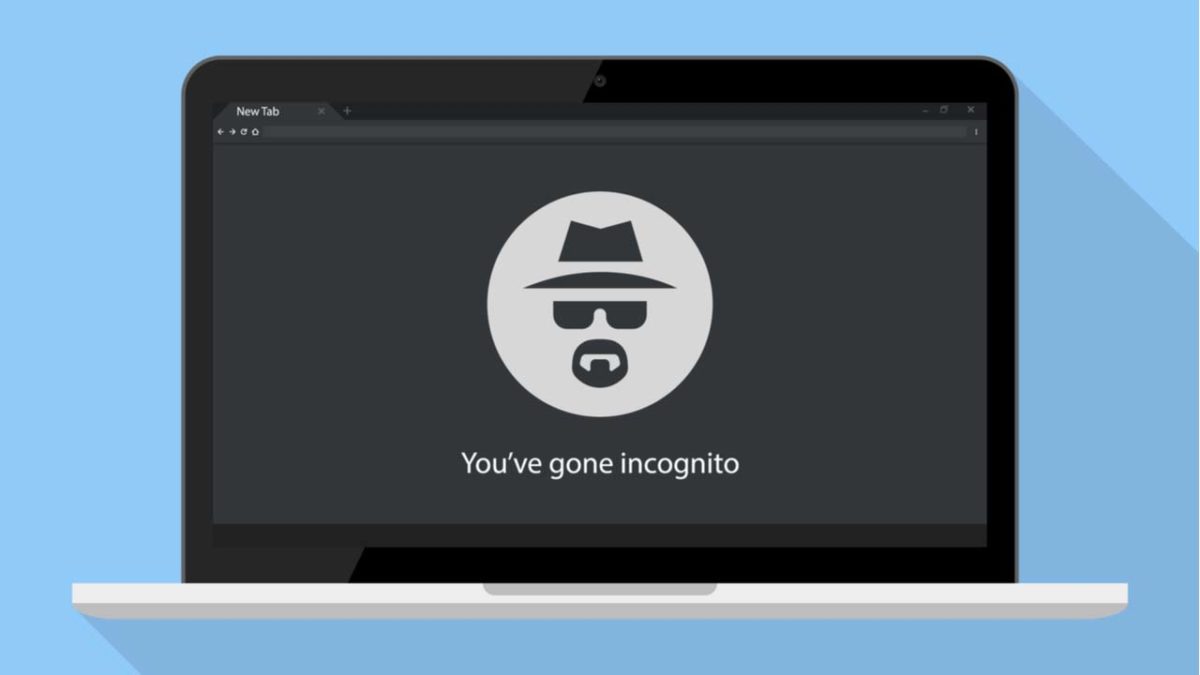
Chrome’s Incognito isn’t private browsing, and they do mention this when you open a new incognito window.

As the name suggests, you’re really just putting a “disguise” on your online activity so that your browser doesn’t store cookies or password info during your next session.

Google Chrome Download FREE ►
7

Chrome’s privacy issues

Chrome privacy

There’s a reason that Google Chrome is currently the most popular browser in the world. It’s easy to use, and it connects with all of your Google accounts. If you’re like most people, you’re probably using it on the regular.

Just think about how often you have to use Google Docs at work or how many people you know who use Gmail.

With all of its convenience and user-friendliness comes a darker side. Chrome stores a ton of information about you from names, addresses, and passwords to what you do online.

Are there any benefits to using an Incognito tab?

incognito

The idea is, if you’re using your own devices, you don’t have to keep logging into various accounts. Also, Google will help you keep track of calendar reminders, save your parking location, and remember multiple passwords, so you don’t have to.

However, if you’re on a public computer or other people have access to your device, you probably don’t want that information stored publicly. You especially don’t if you’re accessing sensitive content online.

That’s the main reason Google developed Incognito mode, not necessarily to provide a totally anonymous browsing experience.

This includes the websites you’ve visited and the information you may have entered, including passwords.

But while Incognito mode brings some privacy into the fold, it doesn’t provide total anonymity. It certainly doesn’t protect against hackers, government surveillance, or even your employer or school.

That said, here are a handful of benefits associated with Incognito search,

Open multiple Google accounts

Let’s say you’re juggling both work and personal accounts, but want to pull them up on the same device. Open an Incognito tab and log into the secondary account.

Get around (certain) firewalls

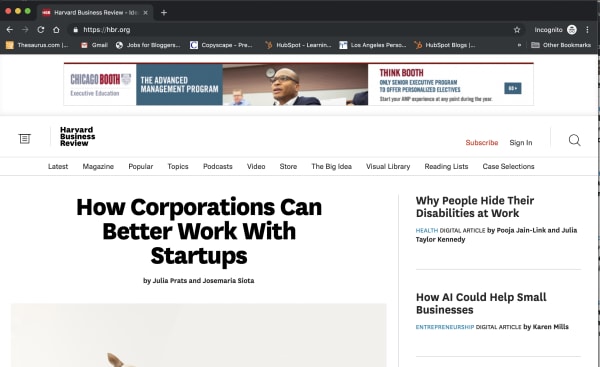
 HBR incognito browser

Some sites like the New York Times, the Harvard Business Review, and others have firewalls in place. Apparently, they use cookies to track whether you’ve reached your free article limit.

If you’d like to read an article without shelling out for the full subscription, opening an Incognito tab presents a (somewhat) reliable workaround.

However, it doesn’t work for every paywalled site. The Washington Post and Wall Street Journal, for instance, are onto this particular hack. Also, when you don’t pay for journalism, it has a tendency to die.

Do some benign sleuthing in an Incognito tab

If you’re stalking an ex on social media or scrolling through an acquaintance’s Instagram, or want to see someone’s LinkedIn profile without them knowing, Incognito is the perfect tool.

Sure, you might not be able to see every profile, but you’ll have a layer of protection against accidentally “liking” something.

You can prevent companies from tracking you

One of the key benefits of going incognito is that it prevents websites from tracking your cookies.

This means that you can browse freely without giving your browsing information to the sites you visit. Essentially, this allows you to opt out of remarketing campaigns.

That said, you can’t prevent your own company from monitoring your online activity — whether Chrome is wearing its spy fedora or not.

While your boss will need to install third-party tracking software to do so, you’re better off assuming that any company devices don’t offer much in the way of privacy.

Wrapping up

Incognito does have benefits, but the real downside is the fact that many people misunderstand its purpose.

However, the main thing to remember is that incognito doesn’t equal encrypted. If that’s your aim, you’ll want to make sure to use Tor, Brave, or use a VPN to keep online activity genuinely private.

Google Stadia game service launches this year – here’s what you need to know

The Google Stadia’s Founder’s Edition touts a $129 pricetag.

Stadia

If you’ve been looking forward to Google Stadia, this new info might sour your expectations, but we still have our hopes up!

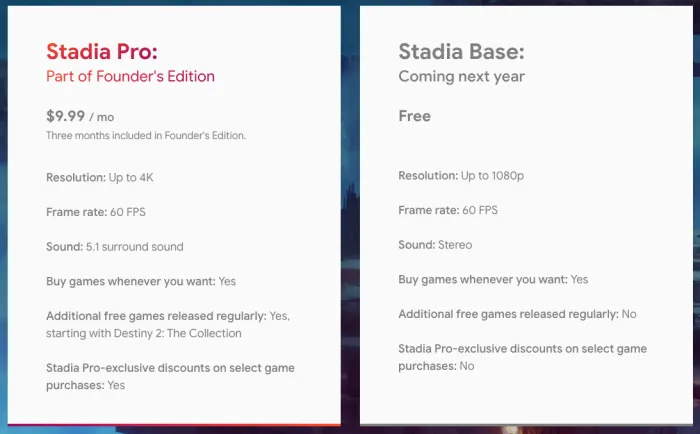
In order to play Stadia this year, you’ll need to purchase the Founder’s Edition bundle for $129.  On top of that, you’ll pay $9.99/month after the first three months. The monthly subscription to Stadia Pro allows you to play games in 4K and in 5.1 surround sound. The subscription also includes additional “free” games on a regular basis. On top of that, you will still have to pay separately for other games you may want. (There’s other pricing available, but we’ll get to that in a minute.)

That $129 bundle includes an exclusive game controller, a Chromecast Ultra, a copy of Destiny 2, a free three-month subscription, and a buddy pass that gives a friend a free three-month subscription as well. You have to have a Chromecast Ultra in order to play on a TV. If you purchase one outside of this deal, it costs about $60.

A $129 price tag may sound steep, but it’s a far cry from the minimum $300 you’ll pay for a new PlayStation 4.  

When the service is released in November, launch games will include Tomb Raider games, Doom, The Division 2, Dragon Ball Xenoverse 2, Assassin’s Creed: Odyssey, and Destiny 2. Early rumors suggest there will be 31 games available when the service debuts.

New games that have not yet been confirmed to be launch titles include Baldur’s Gate 3 and Ghost Recon: Breakpoint. 

Stadia Pro vs Stadia Base

Stadia comparison

Again, the free version (Stadia Base) will not be available until 2020. The biggest difference between the services is the quality. In the free version, you play in 1080p rather than 4K and your game will be in stereo rather than 5.1 surround sound.

You also won’t have access to free games distributed to pro members, and you will not have access to pro deals and discounts.

A mixed bag

Monthly fee

Getting a system and a game for $129 is unheard of by today’s standard. When Microsoft released the Xbox One, it cost $500 at launch. The PlayStation 4 wasn’t much better, costing $400 at launch.

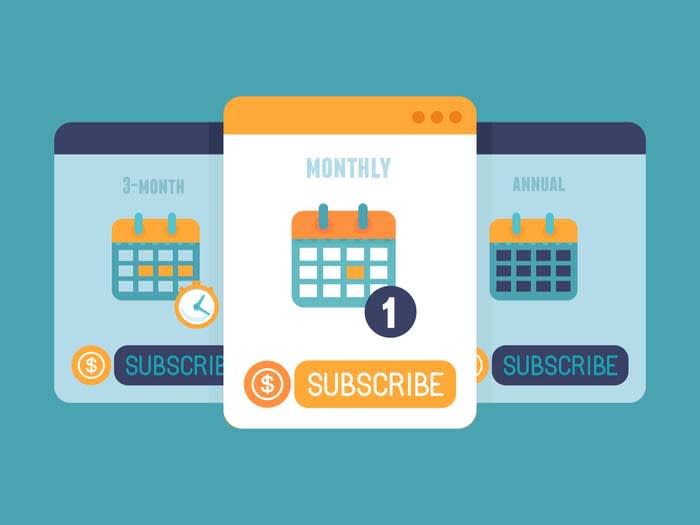
However, the subscription service really seems like a raw deal. Paying a subscription every month really adds up. At $9.99 per month, the service essentially costs an additional $120 per year.

If the price doesn’t change, and the Stadia has a lifespan like the PS4  (six years), then that’s an additional $720. When you add the initial $129 for the controller and other goodies, it’s not far from the same price as the Xbox One and the PS4 combined. 

To be fair, both Xbox and PlayStation have subscription services. Depending on your plan, playing Xbox or PlayStation online costs about anywhere between $4 and $9.99 per month. However, that’s just for online play, not for playing the games you already purchased on the system you already purchased.

Why would I want to buy Google Stadia?

Google Stadia

The important thing to point out is that you do not have to pay the subscription fee in order to use Stadia. If that extra $9.99 a month is a sticking point, you don’t have to pay it. After all, playing games in 1080p is still decent.

Putting the price aside, there are some cool features about the Stadia worth mentioning.

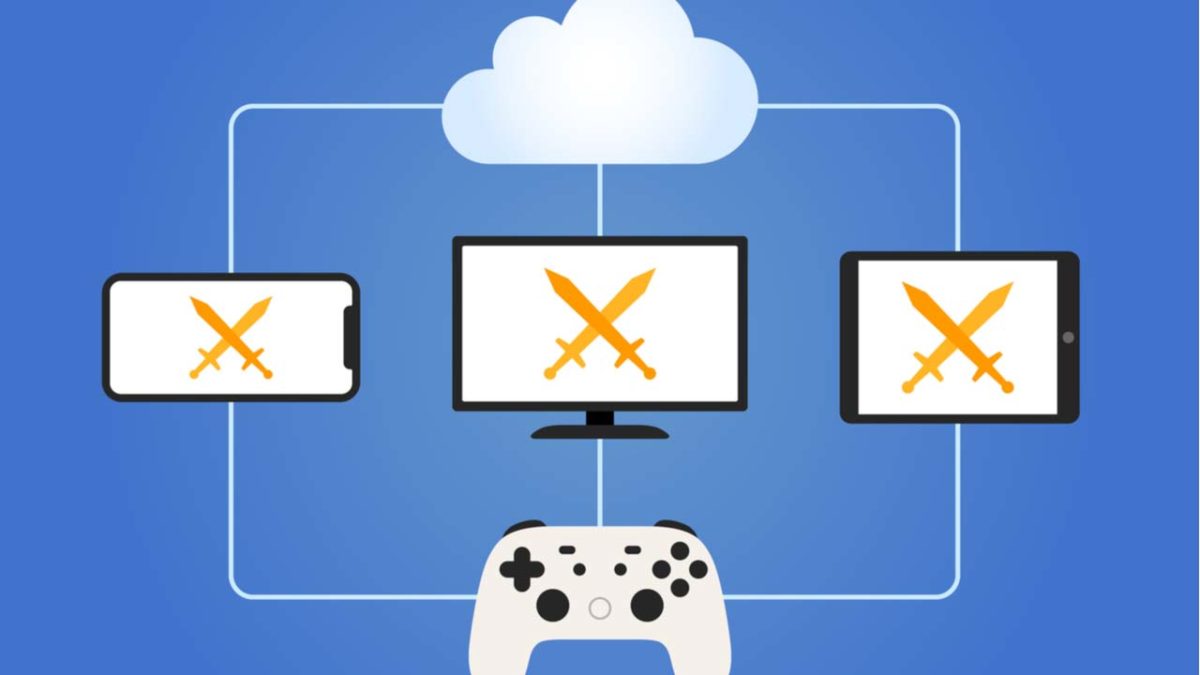
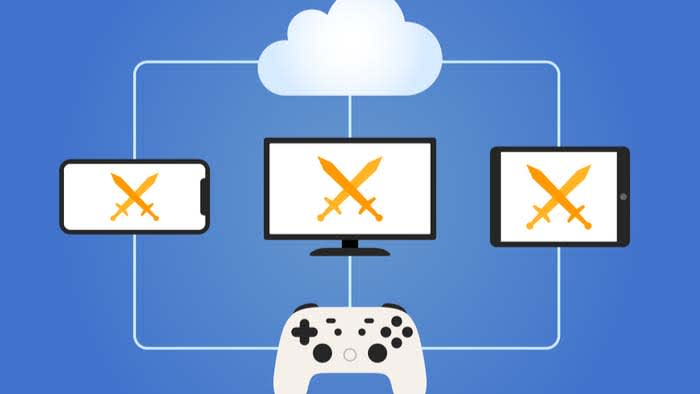
First off, you will be able to play across all your screens: TV, smartphone, computers, and tablet. You also don’t have to download or update the games you want to play.

Unfortunately, the only phones you will be able to play games from are the Pixel 3 and Pixel 3a. However, you will be able to purchase games and build your Stadia profile on any Android or iPhones with access to the Stadia app.

The games you buy are streamed from the cloud and will play immediately at 60 fps. Supposedly, you will also be able to click a button and start playing a game in a matter of seconds.

If you want to play with something other than the Stadia controller, you can use a USB controller. However, you must use the Stadia controller and a Chromecast Ultra when playing on a TV. If you want to buy another Stadia controller, it will cost about $70. You can add it in checkout when buying your bundle.

Finally, you do not need a physical console with the Google Stadia. Instead, you are paying for a service, so you don’t have to worry about a cumbersome giant console with wires getting tangled.

Wrapping up

We’d recommend waiting it out for a while to see how the Stadia performs at launch before buying one. However, some of these features do seem too good to pass up. You also have to wonder about how your data cap might hold up when streaming so much 4K 60fps 5.1 content.

When we buy games, we want to play them as soon as possible. We don’t like waiting around for hours on end for a game to download. The Stadia is giving us the opportunity to jump right into the action. At $129 for the service, how do you beat that?