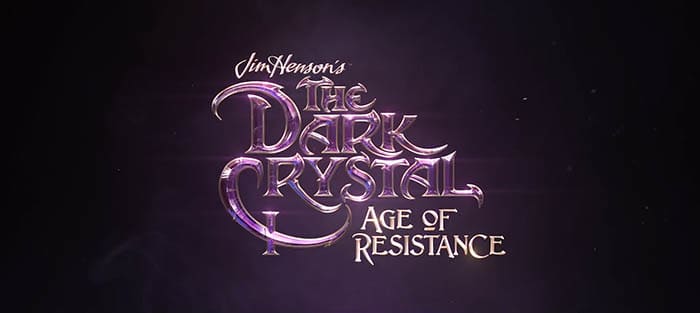
Watch: Netflix teaser trailer for ‘The Dark Crystal: Age of Resistance’

The fantasy series looks incredible.

Dark Crystal NetflixNetflix just dropped their teaser trailer for the upcoming series “The Dark Crystal: Age of Resistance.” Fans of the 1982 fantasy film are sure to get a kick out of this. Take a look:

This thing looks incredible. The 10-episode series takes place before the original film, and it looks like a natural extension of that world. They’re using physical puppets! While it looks like computers are jumping in for some graphic elements, the practical effects are incredible. There’s something tactile and wonderful about real puppets.

And the voice talent is really top notch: Taron Egerton, Nathalie Emmanuel, Caitriona Balfe, Helena Bonham Carter, Natalie Dormer, Harvey Fierstein, Mark Hamill, Jason Isaacs, Eddie Izzard, Toby Jones, Keegan-Michael Key, Gugu Mbatha-Raw, Simon Pegg, Andy Samberg, Mark Strong, and Alicia Vikander.

The 1982 original was a really dark, weird film. Along with “Labyrinth,” it was part of Jim Henson’s later, experimental phase when he grew beyond the Muppets to try something more adult. It earned just $41 million at the box office, but has grown in stature over the decades.

Dark Crystal Netflix

The Dark Crystal: Age of Resistance arrives on Netflix on August 30.


New Harry Potter stories coming next month

J.K. Rowling will release four new short stories about Harry Potter’s time at Hogwarts.

Harry Potter books

Author J.K. Rowling will be releasing four brand new Harry Potter short stories starting on June 27. The stories will be available to listen to worldwide through Pottermore.

Pottermore Download Free ►
7

These will not be full-length books dealing with Harry’s adventures after the events of “Harry Potter and the Deathly Hallows.” Instead, the stories will be short tales about magical lessons taught to Harry and his friends during their time at Hogwarts.

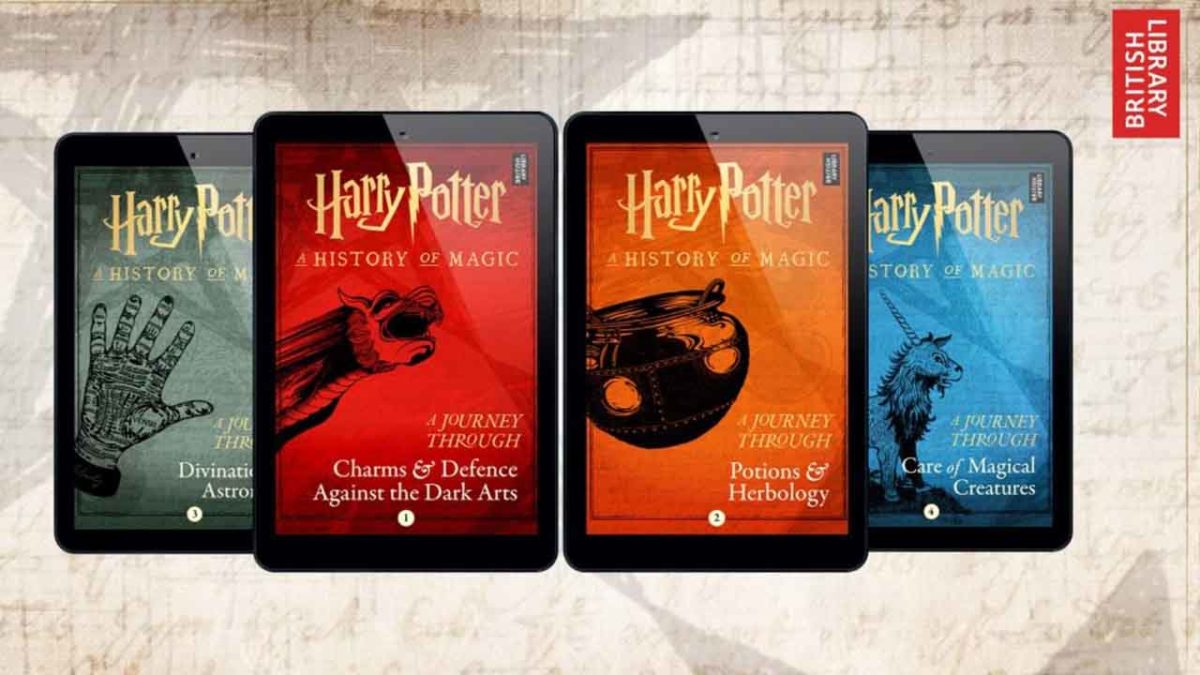
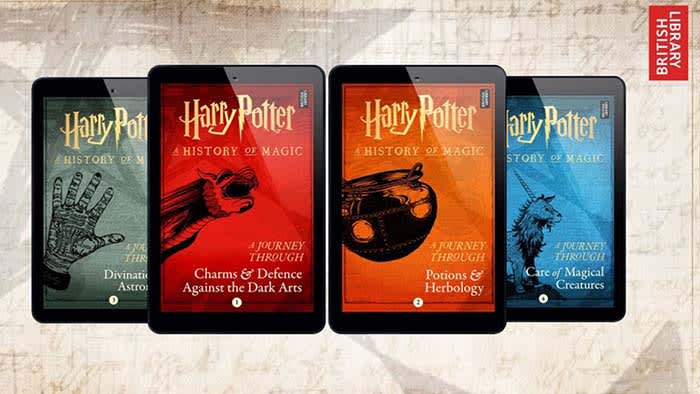
The books will cover potions and herbology, care of magical creatures, charms and defense against the dark arts, and divination astronomy.

The book about charms and defense against the dark arts and the one about potions and herbology will be released on June 27. The other two will be released soon after, according to the Pottermore website. 

The short stories will also consist of notes, manuscript pages, and sketches. They are available for preorder on Amazon and cost $2.99 each.

Amazon Shopping Download Free ►
8

Each book will have illustrations by London-based artist Rohan Daniel Eason.

We do not have full details about what the books will entail, but we can make a few guesses. These are just guesses, but they’re educated guesses. Honestly, we just hope Rowling doesn’t give us more stories on wizard bathroom practices.

The book about caring for magical creatures will more than likely feature the wonderful gamekeeper Hagrid. 

The book about defense against the dark arts might really throw us for a loop. It seems like the students of Hogwarts have a new defense against the dark arts professor in every book. Given his popularity, we expect that Remus Lupin will make his way back to the story.

As for the book on potions, we better get to read more about Professor Snape. 

Even though we aren’t getting a continuation of the story, we’ll never complain about getting more Harry Potter stories.

How ‘Spider-Man 2’ presented the perfect protagonist

Here’s how 2004’s Spider-Man film surpassed other superhero films.

It’s hard to believe that it’s been 15 years since Sam Raimi’s Spider-Man trilogy. We’ve since had Sony and Andrew Garfield take a crack at it with two “Amazing Spider-Man” films, and now Tom Holland is playing the character in the Marvel Cinematic Universe. We’re just weeks away from “Spider-Man: Far From Home,” the final chapter of Marvel’s Phase Three.

While visual effects have come a long way since “Spider-Man 2,” good storytelling has no expiration date. The heart of a superhero story is in creating a good protagonist, and YouTuber Filmento makes a great case for how “Spider-Man 2” did just that. Check out his analysis:

Do you agree with his points? Let us know in the comments below whether you think the MCU’s take on Spider-Man hit home in the same way. Stay tuned, and we’ll see you in theaters on July 1!

How Brave eliminates common browser problems

Brave brings you fast, private browsing without many of the drawbacks of other browsers.

Brave

The internet has evolved into an essential component of our daily lives, and its use in American homes has increased by 400% in the past 20 years. According to the USC Annenberg Center for the Digital Future the number of hours we spend on the internet every week has risen from 9.4 (the statistic back in 2000) to 23.6. Overall internet penetration has increased from 67% to 92%. That’s all time that you’re spending on a specific internet browser, whether it’s Firefox, Chrome, Safari, Opera, or what have you. No matter your choice, it’s helpful to know the good, the bad, and the ugly of every choice out there. Not all browsers are created equally, so we’ve compiled a list of each one’s strengths and weaknesses:

Is it time for you to make a switch? Check out the stats below and decide for yourself!

1. Google Chrome
Google ChromePros:

With the monolithic Google behind its creation, it’s no surprise that Chrome is fast, efficient, and user-friendly. It’s got pretty much anything you’d need to make the most of the web, like quick answers in your address bar, one-click translations, and a wide variety of extensions and customization options.

Chrome will also automatically protect you from security issues like scamming and phishing, making it pretty safe to browse with, too. Just as Google is the most popular search engine, Google’s Chrome is currently the most popular browser. Chrome’s popularity has led to a surplus of extensions and websites catered to the browser, making it a highly customizable experience to boot.

Google Chrome Download now ►
7

Cons:

As powerful and popular as Chrome is, the browser is not without fault. In order for it to achieve its impressive speeds, Chrome needs to take extra resources from your PC:

Chrome splits every tab, plugin, and extension into its own process – that’s how it manages crashes so competently. The downside is that means it’s far more taxing on RAM since it’s duplicating tasks for each tab. Chrome is one of the ‘heaviest’ browsers and can get swarmed by bloatware, making it less than ideal for machines with limited RAM. There’s also the mounting suspicion of tying your data to Google, and if privacy is your concern you should likely look elsewhere.

2. Mozilla Firefox
FirefoxPros:

One of the earliest browsers out of the gate, Firefox brings to mind two things: Privacy and speed. While other browsers that capitalize on privacy do so at the cost of loading speed and/or heavier use on system resources, Firefox manages to succeed on both fronts, achieving a browsing experience that gives Chrome a run for its money.

Mozilla is a non-profit organization, meaning it’s got far less interest in mining and selling your data than, say, Google Chrome. Firefox also updates on the regular to bolster user privacy and ad-blocking. Its combined speed and safety put it at the top of TechRadar’s web browser ranking as recently as September 2018, claiming that Firefox has “retaken its crown” in recent months, and is now deserving of another look from avid Chrome users.

Mozilla Firefox Download Now ►
7

Cons:

Firefox is fast, but it’s not always faster than Chrome. This is mostly apparent on pages with tons of images or videos, at which point you’ll probably want to simply install an add-on or extension to either speed it up or block them. This brings us to Firefox’s second weakness: If you start installing extra plug-ins to customize your experience to the same extent as Chrome, Firefox will start to lag noticeably behind the competition.

Lastly, Firefox doesn’t have built-in support for Flash. Flash is notoriously dangerous, so this isn’t so much of an issue in 2018 when the internet is largely abandoning the platform. Even so, just like Apple got a negative response for removing the aux jack, we feel it’s necessary to mention any upgrades that leave old tech in the dust.

3. Microsoft Edge
Microsoft EdgePros:

Microsoft Edge the default browser for Windows 10. As such, it does a decent job of keeping in line with the speed, intuitive UI, and ‘clean’ aesthetic of many facets of Windows 10. Edge holds its own by modern web standards, and additionally offers a few capabilities you won’t get in other browsers: Webpage markup, integrated Cortana features, and a clean-cut reading mode.

Recent updates have also included a Tab Preview, Set Aside, ebook reading, and a handful of nifty extensions. Edge also no longer uses the infamous ActiveX, browser helper objects, or VBScript support that made Explorer slow as dirt. Edge is easily a significant improvement over Internet Explorer in terms of speed, accessibility, and compatibility. It also weighs substantially less than Chrome, meaning you’ll have a less bloated browser experience, albeit a more bare-bones one.

Cons:

Edge has struggled to achieve market share, mindshare, and positive reviews. The first three months of 2018, Microsoft Edge pulled a less-than-impressive 8% of the 1.2 billion visits to government websites from consumer and business PCs and Macs. This figure isn’t wholly reliable for another reason that Edge gets a lot of flak: The browser is not even available on any Windows OS older than 10, or if you’re using a Mac.

The real head-scratcher is why Microsoft feels the need to support multiple browsers for different Windows Operating Systems when they could just work to make Edge backward compatible. Doing so would certainly help give it some much-needed traction. For more reasons why you might find Edge disappointing, check out this article.

4. Opera
Opera browserPros:

Opera is as underrated as it is high-quality, and it’s certainly both of those things. Opera is a Chromium-based software, which means it’ll feel similar to Google Chrome when it comes to facets like rendering, and was the flagship for popular modern browser features such as private browsing and pop-up blocking. Opera also offers a free VPN that will replace your IP address with a new one, making it more difficult for ads to track your location and harass you.

Opera pushes a focus on privacy and like Edge offers a simple, intuitive layout, and has built-in messenger services like WhatsApp, Telegram, and Messenger, making it altogether a quick, smart, intuitive browser that go toe-to-toe with the competition.

Cons:

Opera doesn’t offer as many plug-ins as other browsers and it’s also lacking in parental controls (if such a thing matters to you). Occasionally the browser will also have issues playing videos or have trouble keeping pace with other browsers like Firefox.  Moreover, there’s no shining reason why a person would switch to Opera. It performs everything a browser should, but doesn’t really excel in anything either. For speed, people go to Chrome. For customization,they go to Firefox. With Opera, there’s little pull to use it when compared to the competition; most people have a strong reason for using one browser or another and being caught in the middle isn’t helping its case.

5. Safari
SafariPros:

Safari’s got the home field advantage with the Apple crowd. It’s the default browser for all the company’s products, mobile or otherwise, and Safari has become intertwined with the Apple experience. Apple does a solid job with security, and Safari is no exception. Browsing with Safari is a ‘better safe than sorry’ experience and can be further optimized quite easily to bump your protection even higher. Safari uses default pop-up blocking, which is always a huge plus.

If you’re an Apple user, Safari is still an excellent browser, even 15 years after its release. It’s already preloaded on all Apple products, so it’s at your disposal immediately and seamlessly works in tandem with all software produced by the company.

6

Cons:

If you’re not an Apple user, then Safari is useless to you. Microsoft products want as little to do with the competition as possible, so if you’re in with Microsoft you may never even use Safari. Besides the enhanced security options, there also isn’t a ton you can do to customize Safari, meaning that you’ll get a good, safe experience but not necessarily and adjustable one.

Why we like Brave
BraveIf you haven’t heard of Brave before, it’s likely because its first stable release just landed for iOS back in early August. The platform is now available on iOS, Android, macOS, Windows, and Linux. Who created it? Brian Bondy and Brendan Eich, who you’ll remember as the inventor of JavaScript and the co-founder of Mozilla (makers of Firefox).

Much like Firefox prioritizes user privacy, Brave automatically blocks any third party trackers, shutting down anything that might worsen your browsing experience such as third party cookies, pop-ups, and ads. None of that even makes it past the first line of defense. From that point forward, the rest is up to the user.

Brave is fast (up to eight times faster than the mobile competition), offers extensions that you’re familiar with, shields you from third party trackers, and because Brave blocks excessive third party requests, you’re actually saving money on your data plan. But then we get to the age-old dilemma of publishers and advertisers not generating revenue due to blocked ads.

Brave has an answer for that too:

How Brave solves the ad problem
Basic Attention TokenWith Brave, users can always select an ad-free browsing experience. However, Brave introduces a new private advertising platform that users can opt-in to and receive rewards for their attention. Users who elect to view ads earn Brave’s Basic Attention Tokens (BATs) which can then be used to support publishers and content creators, distributing your monetized attention how you see fit. You’ll then benefit from better ad-matching, and your data remains private.

Thirty percent of the ‘revenue’ gained from watching the ads goes to Brave, while the other 70% goes directly to the user. Should you choose to browse with Brave Rewards, your data stays private and you’ll still benefit from more accurate ad-matching and reception of Basic Attention Tokens. If this sounds like a feature you’d be interested in, you’ll be happy to know over 33,000 content creators and publishers are already registered receive tips and contributions from their users.

Softonic is proud to partner with Brave. When you download from us, we may earn a commission.

Best online tools to help battle addictions and vices

The battle to overcome addiction is not a sprint, it’s a marathon. These apps can help you along the journey.

Addiction

Anyone struggling with addiction should know that recovery gets far easier with a good community. While personal strength and determination may work for a select few, the rest of us need buddies, time, and a good plan.

There are apps that can help you along your journey.

We should mention two things first: while addiction can be considered bad, we aren’t saying the things that cause it always are. Alcohol can be fine if you drink responsibly. We aren’t trying to make moral assertions.

Second: if you think fighting addiction with an app sounds odd, remember nothing that makes a positive difference should be considered weird!

Top accountability apps

Screen Accountability

The following two apps allow others to monitor your browser history, at your level of comfort. While intended to keep you from watching pornography, they can be used to monitor other sites as well.

accountable2you

Accountable 2 You

It’s your account, you are in charge.

Accountable2You doesn’t set restrictions on internet usage, it notifies your chosen supporters of your site views. You may be wondering, “How does it know what to send?” The answer depends on how you design the experience.

You decide who you want to notify, when to notify them, and what devices are attached to your account. You can schedule weekly reports to your supporters, and decide if serious risks will result in immediate messages. If a malicious site doesn’t trigger the warning for some reason, you can add specific URLs and keywords to the list of banned sites.

To reduce restrictions or delete A2U, you must provide a reason, which gets sent to the members of your group. This way, you can’t just delete the app and relapse without letting your supporters know.

A monthly subscription costs $7 for each individual and $12 for a family. However, an individual plan already accepts six devices.

Covenant eyes

Covenant Eyes

CovenantEyes works much the same way as Accountable2You, with a few more features. Most importantly, CovenantEyes promotes more discussion than Accountable2You, which centers on notifications. The added ability to have a conversation can help build community faster.

Not only that, but the app also provides the option to block certain websites that are a severe issue, which could be extremely useful.

The service costs $12-16 per month.

Phone Apps

Sober Time

Sober

Although the title says “Sober,” this isn’t simply an app for those struggling against a controlled substance. Enter any type of addiction and record the year, day, and hour you stopped. From there, the app keeps track of how long you’ve been “sober!”

Earn “awards” for every stage completed, from minutes, to days, to the first year. If your addiction costs money, track how much you’ve saved by going clean. Finally, edit relapses and add notes for later!

Sometimes easy is more effective.

Sober Time Download Free ►
9

HabitShare

Share

HabitShare works more like a checklist than an accountability app. You can add things you want to remember, set daily notifications, and maintain those good habits.

So, if it’s just a checklist, why did we include it? The reason is that HabitShare allows you to add friends and have them support you!

It may not be made for accountability purposes. Sometimes a mallet can do a hammer’s job just as well, right? And if you’re trying to increase your productivity at the same time, this app might be perfect.

Habitshare Download Now ►
8

Fortify

Fortify

Fortify, like Sober Grid below, works akin to a social media program, along with many aspects of the other apps.

You can read and respond to posts created by your buddies. Visit the “training” page for resources on your journey to recovery. Create a post, join a discussion, and rate how your day went. Track your progress with daily metrics, and a growing count of how long you’ve been clean.

We recommend Fortify if you want all the features! Thanks to their well-designed user interface, you can pick and choose what functions to use or avoid with relative ease.

9

Brainbuddy

BrainBuddy

BrainBuddy creates an experience for the user. Not only does it track your progress, but the app also uses information you provide to help you understand you. It determines what starts the temptation process, where you’re most at risk, and what times you’re likely to give into temptation.

Whereas many other apps allow you to create an experience, BrainBuddy itself becomes a companion that offers daily exercises meant to renovate your habits and foster a better self!

The downside? It requires a $13 monthly payment to use. Still, this makes its large number of faithful users even more impressive!

BrainBuddy Download Now ►
8

Sober Grid

Sober Grid

Sober Grid focuses specifically on alcoholics and connects users with each other based on their location. You can enter groups and immediately be placed with other like-minded users. For example, the “100 Day Challenge” team is ready to accept newcomers!

Unlike Fortify, this app sticks close to its guns. It looks to friends for mutual encouragement with a few other bells and whistles. There are “Quests” to choose from and inspirational material provided, but nothing to get in the way of establishing real connections with real people.

If you need a support group, consider finding it here!

Sober Grid Download Now ►
9

Wrapping up

If you are battling an addiction, find the treatment that works best for you. Whether it is attending meetings, or attending a rehabilitation center, learn how to best control your urges, and get on the path to recovery.

How to design a good RPG

What separates the great RPGs from nightmare time-sucks?

There’s a common mistake among gamers that if you’ve played one RPG, you’ve played them all. The genre has been around since the earliest days of gaming, yet many gamers picture RPGs as monotonous, grindy slogs where fantasy characters take turns hitting each other. While there are several RPGs that can fall under this description, the last several years have brought us many RPGs with unique, fresh ideas that expand upon the classics of the genre. Games like Undertale, LISA, and the Souls series have shown that the genre isn’t getting stale. But what exactly makes a good RPG? And why is designing one so difficult?

Here are some of the most essential components of a good RPG:

Create an engaging battle system

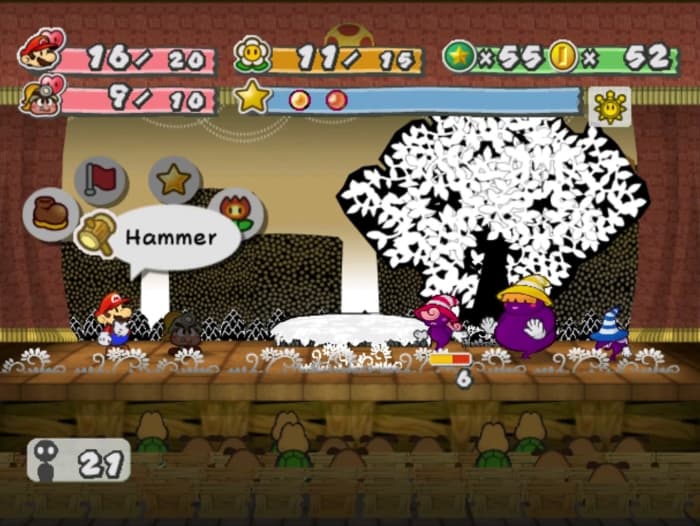
paper mario battle system

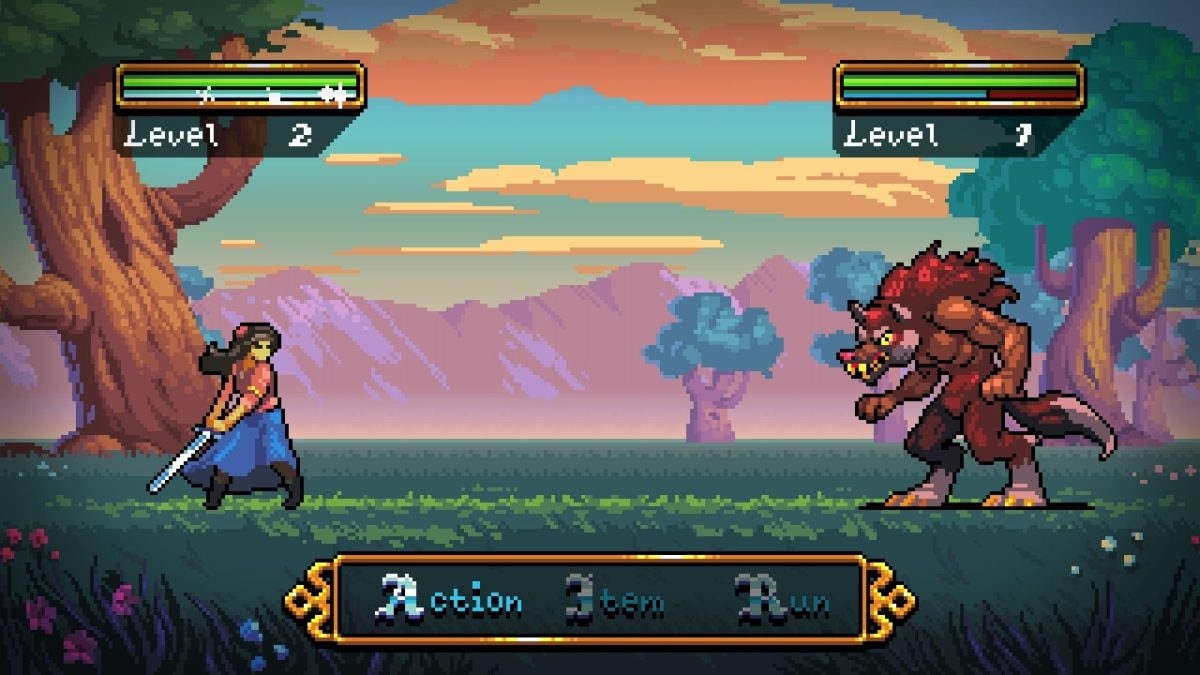
A common criticism of  RPGs is the monotony of turn-based combat. Battles could be seen as timewasters where the combatant with the better stats keeps clicking the same button until they win. That isn’t to say that turn-based combat has no place in 2019, but there must be either a hook or some sort of rhythm to the combat.

An excellent example of a hook is the “action command” system found in the various Mario RPG series. In the action command system, the player can press buttons at the right time to change certain attacks. For example, pressing A as soon as Mario’s jump attack hits an enemy in Paper Mario causes him to jump again, adding extra damage.

On the flipside, pressing different buttons with the proper timing while the enemy is attacking in the Mario & Luigi series causes the pair to either jump over attacks (avoiding damage) or hammer the enemy for a counterattack. The action command system adds a sense of liveliness to battles, forcing the player to constantly pay attention and engaging them with reflexive gameplay.

How Persona 5 mastered turn-based combat

It’s also entirely possible to create engaging turn-based combat without including any action elements. Persona 5 is widely considered to be one of the best modern RPGs, and its turn-based combat system remains engaging for hundreds of hours even without any hooks or gimmicks. At first glance, the game features a typical attack/guard/item/magic combat system. So how does P5’s combat remain fresh?

In Persona 5, how you start a fight is just as important as the fight itself. In the overworld, there are three ways a fight can start: you can sneak up on an enemy and ambush them to give your party a free turn, the enemy can ambush you to give themselves a free full turn or you encounter each other at the same time. Having one free turn makes all the difference in the world due to the game’s “One More” system.

All combatants, both enemies and party members, have specific elemental weaknesses, and getting hit by an attack of that element will cause that combatant to fall down. When a combatant knocks another down, they are allowed a free turn (One More). If the player’s party manages to knock down all of the enemies, they are able to hold the enemies hostage, beginning a sequence where the player can either deal massive damage with an All-Out Attack, demand money, or convince the enemy to join them. Choosing any of these options usually ends up ending the battle, allowing players to quickly dispose of enemies whose weaknesses they already know. While this system may sound like it makes combat easy, the players are also vulnerable to being knocked down and comboed to death, making momentum and speed essential to victory.

This system simultaneously allows regular enemy encounters to be quick and breezy while allowing boss battles to be drawn out, epic affairs. Boss and miniboss enemies typically have few weaknesses, forcing the player to balance dealing damage and surviving rather than ending the battle as quickly as possible, massively overhauling the way they approach combat. This sense of versatility and momentum is what allows Persona 5’s combat to be the most dynamic turn-based combat system ever created.

An engaging turn-based RPG must either feature some sort of engaging hook or a sense of rhythm that eliminates the feeling of “taking turns whacking each other”.

Make quests seamless with the game world

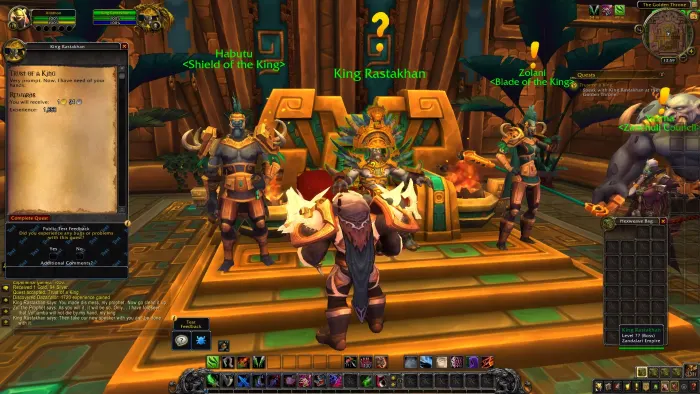
wow quest design

There’s a reason badly designed RPGs feel like a full-time job. The quests you’re given feel like arbitrary tasks (ex: Kill 10 enemies! Find 10 blue gems!) rather than rewarding, story-worthy adventures. These quests offer all of the tedium of actual work without the sense of productivity and accomplishment.

To avoid “checklist quests” and “fetch quests,” quests must feel like a natural extension of the game’s world.  Finding quests should not involve a collection of NPCs hanging around a hub with exclamation marks over their heads, dolling out quests to anyone who talks to them. Conversations with NPCs should seamlessly and naturally segue into quests, leading to the feeling of helping real people with real problems. Here’s an example of this done correctly in the Skyrim quest A Night to Remember:

If the player stops to relax at one of Skyrim’s many taverns, there’s a chance they can run into a man named Sam Guevenne. If spoken to, the friendly man challenges the player to a drinking contest. After getting sufficiently sloshed, the player blacks out and wakes up in Markarth’s holy temple. What follows plays out like a fantasy version of “The Hangover,” and has the player return stolen goats to giants, undo their marriage to a Hargrave, and even encounter a god of mischief.

This quest is brilliant for a few reasons. For one, when the player talks to Sam, there’s no indication that a quest is starting at all, what happens is a natural consequence of the actions of the player and an NPC. Additionally, the player slowly unravels a story throughout the quest. The story is expansive enough to be a tale worth telling without overtaking the urgency of the main questline. Lastly, the quest adds some flavor to the world of Skyrim, giving some insight as to how the people of the world live their lives and react to specific situations. Quests like these create water cooler moments far above the typical fetch and checkmark quests that invade many RPGs.

Respect the player’s time

tired gamer rpgs respect player time

In today’s loot box and grind-heavy gaming landscape, gamers are having their time wasted more than ever. Unfortunately, RPGs are the guiltiest of all genres for this. When adult gamers sit down to play a game, they are placing faith in the game to entertain and engage them for their few moments of free leisure time that day. They’re not in high school anymore, and they can’t stay up till 3 a.m. playing games anymore. If you want to make a successful RPG in 2019, you need to respect the player’s time. This rule takes precedence over everything else, including creating a unique battle system or interesting quests. Here are a series of tips that prevent you from wasting the player’s time:

  • For the love of all that is holy, do NOT include unskippable cutscenes that repeat every time the player loses a battle or sequence. There’s no faster way to make a player completely disregard or flat out hate a cutscene than to force them to watch it repeatedly. Anybody who’s played Kingdom Hearts has had “THERE’S NO WAY YOU’RE TAKING KAIRI’S HEART!” permanently burned into their brain against their will.
  • For regular enemy encounters, keep battles short. Make attacks do enough damage to end the battle in a few turns, whether that be either win or lose.
  • Keep attack animations short. For long RPGs, the player will inevitably see the same attacks hundreds of times, and seeing Sephiroth destroy the solar system for the nth time is not nearly as amusing as it was the first time.
  • DO NOT include random encounters. These discourage the player from exploring the world at their own pace and turn battles into a chore because the player is not expecting or desiring to fight at the moment. How many Pokemon players complained about the endless Zubats that badger them in caves? Keeping enemies visible on the overworld, which allows the player to choose whether to engage or avoid them, lessens player frustration considerably.
  • If the player is significantly stronger than an enemy, the resulting battle should be extremely quick. Having to waste time taking down weak enemies does not lead to a sense of accomplishment, it’s just a waste of time (again, think Zubats). Earthbound solves this problem by simply having the player obliterate any enemy significantly below the player’s level by touching them, granting them a small amount of experience and saving them time.
  • Make travel quick and seamless. This can be as simple as giving the player a run option and replacing random encounters with on-screen enemies. Fast travel options to previously visited locations are also appreciated.
  • We can’t believe we even need to say this, but keep backtracking to a minimum. If the player completes a dungeon, allow them to exit immediately instead of pointlessly retracing their steps through a bunch of completed puzzles.
  • Most importantly of all, minimize excessive grinding. The best RPGs are paced well enough that the player will be at the right level to be challenged but not obliterated by every major roadblock they encounter. Pumping up a boss’s stats just to force the player to grind is the dictionary definition of wasting a player’s time.

What RPGs do you think follow these rules? Which break these rules the worst? Let us know!

Best programs to create your indie game

Want to make the next Undertale? These programs can help you!

Game Design

Over the past decade, indie games have really taken off as viable alternatives to AAA blockbuster games. They are often smaller projects that focus on finely tuned, specific gameplay mechanics. This has led to excellent games such as Superhot, Hotline Miami, and Celeste.

7

Games like Undertale and Braid have shown that some of the most beautiful, gut-wrenching stories in gaming can come out of small indie teams. Platforms like Steam, the Nintendo eShop, and the App Store/Google Play Store have been filled with hundreds of excellent indie titles. These games feature innovative mechanics and creative storytelling.

Undertale Download now ►
8

We live in a golden age of indie gaming, and if you’re feeling inspired to create your own, here are a few programs that can help get you started:

Best programs to make indie games

Unity

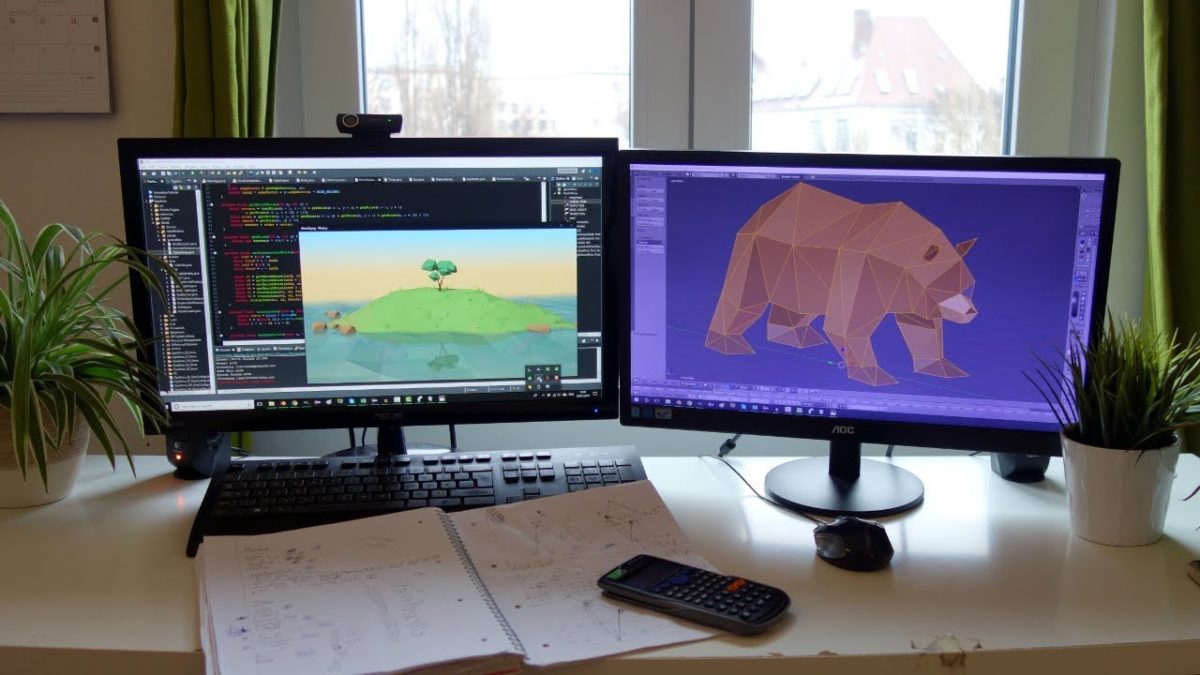
unity indie game development

Nearly every indie game dev will tell you that the best program to make indie games on is Unity. An industry staple for years, Unity is one of the most feature-complete and widely used game development programs out there.

Unity offers both free and premium versions, with the free version being feature-complete. There is support for iOS, Android, Windows, Xbox One, PlayStation 4, Nintendo Switch, and more. You should have no problem porting your game to your platform(s) of choice.

Unity uses Javascript or C# for scripting instead of a proprietary language, allowing programmers to transfer over their skills in those common languages. The incredible robustness of Unity allows for users to create both 3D and 2D games, with plenty of powerful tools for both kinds of games. You can preview your games within the editor, which saves enormous amounts of time and headaches. This is because you don’t need to compile and run the game every time you want to test something.

Perhaps the greatest strength of Unity is the huge online community surrounding it. There is an expansive asset store that allows artistically-challenged developers to create games with pre-made assets. Also, there are thousands of online tutorials, videos, and forum posts made by community members that cover pretty much any topic that could possibly pop up.

The number of games made using Unity nowadays would be too much to list, and the software isn’t going anywhere any time soon.

Game Maker Studio 2

game maker studio 2 indie dev

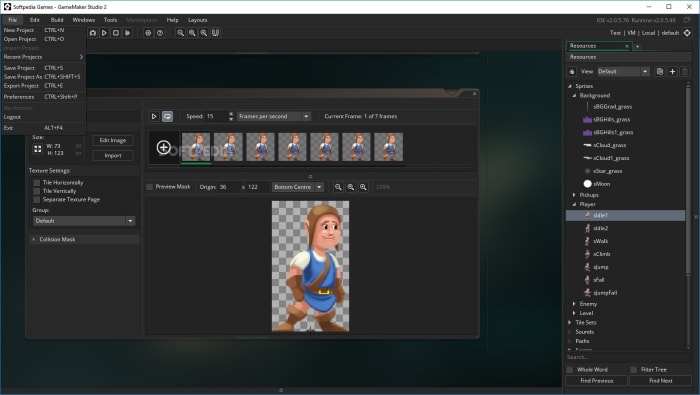
Made for 2D game development, Game Maker Studio 2 is both powerful and easy to use. Like Unity, there is a feature-complete free version, though you must pay to publish your game on different platforms.

Game Maker Studio 2 is unique in that you do not need any coding experience to make your game. Though you can code traditionally in GMS2 (using the program’s proprietary language), the program also includes a drag and drop feature. This feature helps you visualize and simplify coding without sacrificing any of the depth. This drag and drop system makes Game Maker Studio 2 the program of choice for programming beginners, as it allows users to learn as they go along. Like Unity, GMS2 has an asset store that has premade game engines, features, and artistic assets.

The ease of use and versatility of Game Maker Studio 2 is unmatched when it comes to 2D games. Some of the most popular indie games ever, like Hotline Miami and Undertale, were made using the software.

Game Maker Studio 2 Download now ►
9

RPG Maker MV

rpgmaker indie game dev

RPG Maker MV is, predictably, a software that allows you to create RPG’s. Ever wanted to make an epic JRPG like Final Fantasy, Dragon Quest, or Earthbound? MV lets you do it with ease.

Dragon Quest VIII Download now ►
8

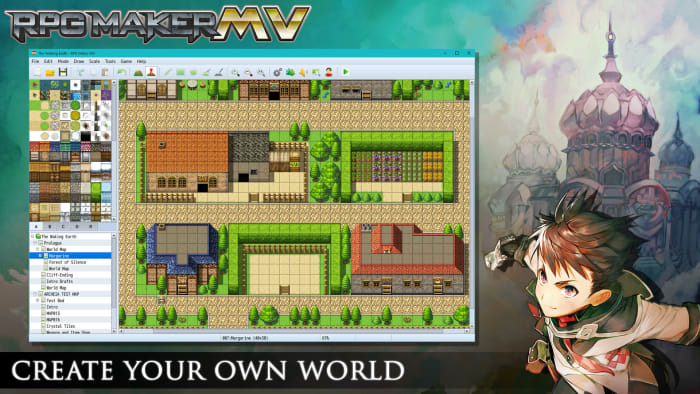
Like Game Maker Studio 2, it doesn’t require any coding knowledge. MV uses a tile-based interface that allows users to draw locations and tilesets directly into the game world. Users can create turn-based battles that harken back to the golden age of JRPGs.

While the editor may look simple, there are hundreds of fan-made scripts available that you can add to enhance your game. Want to add a Paper Mario-style Action Command system? You can do that. Want to add a Fire Emblem style tactical map? You can do that too. You can even make your game an overhead action RPG like The Legend of Zelda: A Link to the Past. For a program designed to make JRPGs, RPG Maker MV is surprisingly versatile.

The program is available on Steam for the hefty price of $80, though sales are frequent. Fortunately, you can download a free demo directly from the RPG Maker website, or from us:

RPG Maker MV Download now ►
7

Design a great one!

Have you used any of these programs? Any important ones we forgot to list? Let us know!

Why Fortnite fans should be playing Team Rumble

Here’s why you should give Fortnite’s Team Rumble mode a try.

fortnite team rumble

If you haven’t heard, Fortnite re-released one of its greatest innovations: Team Rumble!

New to Fortnite and want to get into the thick of things quickly, and stay in there? Try team rumble. Are you Fortnite enthusiast who can’t seem to catch up with the new skills and thrills? Try team rumble. Are you a Fortnite veteran that’s looking for a good arena to battle the noobs? Try team rumble! Hey, the beginners need steel to sharpen them, right?

But anyway, the point stands: there are too many reasons for players to head into team rumble. Let’s get into them!

Why Fortnite fans should be playing Team Rumble

The Pros

It’s, like, really fun, yo!

YES, FORTNITE

If we’re going to mention the reasons to play team rumble, why wouldn’t we start off with the first?

It’s a ton of fun.

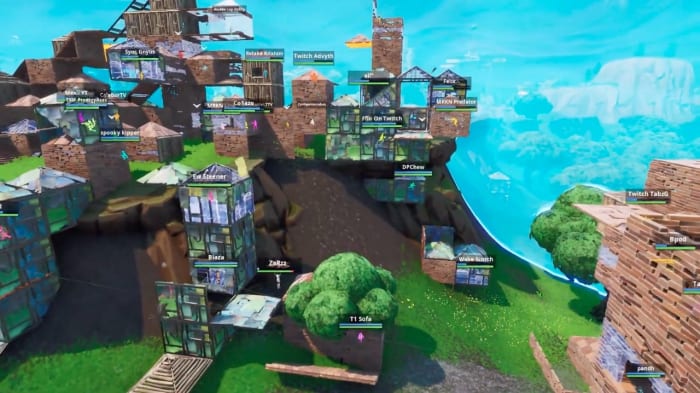
Whereas vanilla Fortnite Battle Royale turns into a sweaty fight for the finish line, Team Rumble places two large teams against each other in an ongoing battle to reach 150 kills together. Basically…it’s a game for points! Think Call of Duty’s team deathmatch or Halo’s team slayer.

Now, this probably means team rumble technically shouldn’t fit into the Battle Royale category, but we’re not going to complain. We love the rumble game type as a fresh escape from the stress of normal Battle Royales.

Of course, there are more reasons aside from fun…

Getting in the fight, staying there

FortniteFun

It’s been said many times and many ways: fighting experience improves Fortnite skills!

When the game first released, this required enormous load times to get into a game and land on the battlefield, after which a good chunk of time your time was spent collecting loot, after which you entered a relatively short battle where you either crushed a noob in no time flat or died because someone knew how to build better.

Things have changed.

Team rumble’s system allows you to respawn immediately after being killed. Better yet: you keep all build materials, weapons, equipment, and ammunition held before death. There are literally no penalties other than giving the other team a point and the time taken for respawning. The moment that’s over, you’re fighting again!

Now, you might be saying: “Hey Trev, we can already do that in creative with our friends. What makes rumble so much better?” Well…

Team rumble more accurately simulates the feel of a real game: you’re on the battlefield, running from the storm with a limited number of materials, fighting a randomized roster of other players with varying skills and techniques. Nothing else comes so close to Fortnite BR while providing the excellent practice environment expected of Creative mode.

Don’t believe us? Give it a try! You can join the central battle in a rumble match and enter the most chaotic of build battle ever. You can stay on the fringes and engage in a sniper battle with more chances to shoot enemies than ever before. Play to your own style, engage, and experiment!

Materials

Materials

Gathering materials can get really old!

Players who aren’t beating others on the reg (and who can be expected to do that with a normal work schedule, when playing for reasonable hours in the afternoon after work or school) will find themselves essentially gathering materials for others. Fortnite rumble plays by a different status quo:You keep your entire inventory after dying.

Also, you gather more materials with every strike. Where you would’ve taken 30 wood from trees before, expect numbers in the mid-40s. With a little bit of work in the beginning, you can have full materials in every section!

Chests hold more healing items than ever. You’re never at a loss for bandages, shield pots, slurp juices, and more! And hey, even if you run out, you can always die and come back in at full health, minus your shields.

How to describe it properly? Rumble is a crescendo: most Fortnite games begin with a slog, followed by short battles in-between. But thanks to the equipment system, every game of team rumble feels like “Avengers: Endgame;” a nonstop battle gets more and more epic.

The Con

Lost Prestige

Prestige

Let’s be honest, wins in any team game (even squads, to some degree) aren’t really considered wins: if you can’t solo, it doesn’t count, right?

But here’s the thing: if you’re playing Fortnite or any other game for prestige…why? Why are you doing that? These games are called games because they’re intended to be fun, competitive, and enjoyable for the players. Don’t feel any pressure to get solo wins to increase your gamer cred!

Now…if you’ve made video game playing into your job (hello, streamers), we’d like to note that even some of the best streamers warm up with a game of team rumble. Give yourself a small break, mix it up, have a good time!

Conclusion

We hope you enjoyed reading and decided to give team rumble a try! We default to a rumble game before Battle Royale matches now, and hope that rumble never leaves the roster. If you’re looking for good practice, a good time, or a good break from the stress, you know where to go!

Oh, and here’s our little parting gift: a video from Fortnite Rumble’s Past, a heartwarming 60-kill game from Tyson Burns, AKA Burnsie.

Yeah, that’s a lot of kills.

Goodreads is the best app to find and recommend great books

Find great books and recommendations with Goodreads!

Reading

Gather around, literature lovers! It’s time to learn about a great app to help you find new books to add to your collection. If you don’t already know about Goodreads, you’re in for a treat. With Goodreads, you can find new books and catalog them as you finish them. Add friends by email or social media account so you can see what everyone else is reading too!

Goodreads Download free ►
8

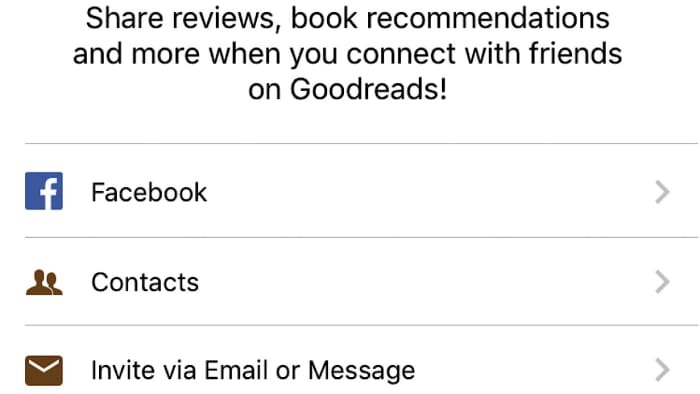
After you sign up, you’re prompted to find other friends who have the app. You can sign into your Facebook account, see who signed up from your phone contacts, or invite people that don’t have Goodreads yet by email or text.

Goodreads social media

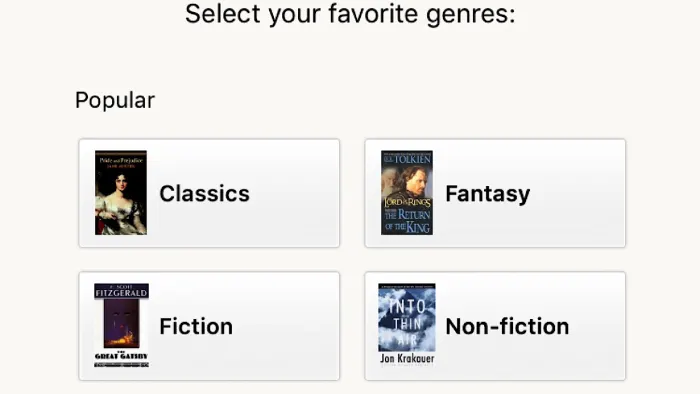
Next, select your favorite genres. By doing so, the app will have a ballpark idea of what you like and it will add recommendations accordingly. Every single genre you can think of is included.

Do you love the Lord of the Rings and Harry Potter series? Add fantasy. Is Fifty Shades of Grey your thing? Romance is what you’re looking for. How about Manga? That’s here to choose from, too. It’s alphabetized, which is convenient if you’re looking for something specific. You can choose as many as you want.

Goodreads genres

Based on what you chose, you’ll be shown books which fall into those categories. If you’ve read any of them, rate them on a scale of one to five stars to narrow down your recommendations. If you don’t want to do this or don’t recognize any of the books, don’t worry, you can skip this step. Recommendations only really start to appear after you’ve rated 20, but you’ll have plenty of chances to rate more as you use the app.

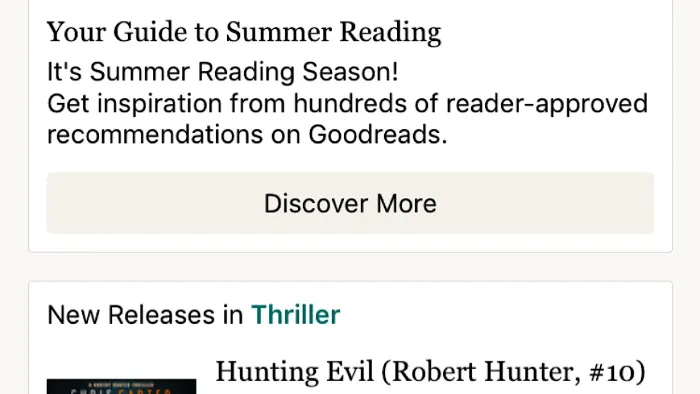
Once all of that is out of the way, Goodreads takes you through a tutorial of how to use the app. On the home page, you’ll see new releases in the genres that you selected earlier, options to set reading goals, and opportunities to join reading challenges. At the top of the page, you can search for something specific by typing the title of the book, the author, or the ISBN number.

Goodreads main page

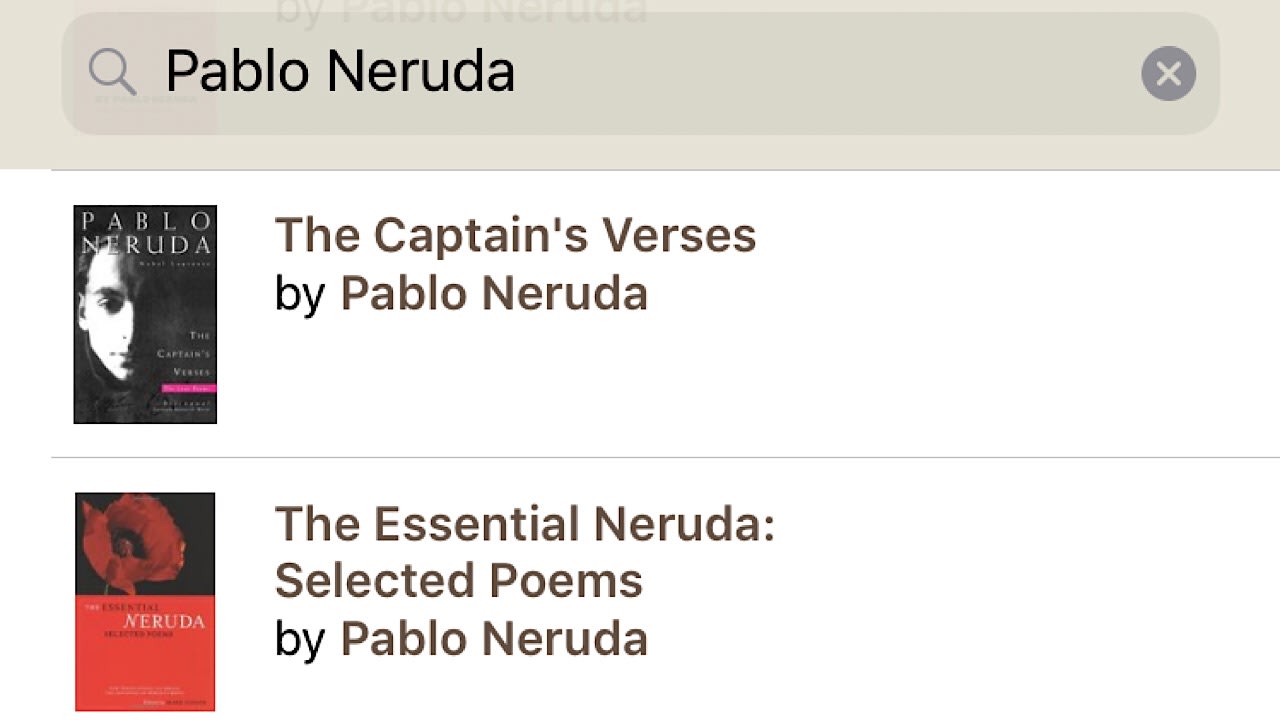
Let’s say you really love the poetry of Pablo Neruda and want to see if you’ve missed any of his collections. Type in his name and a few published works will appear. Cut down on results by selecting ‘author’, and you’ll see everything in Goodreads’ catalog by Neruda.

Goodreads search bar

After making a selection, you be taken to the book’s main page and you can see a ton of information like a short description, an author biography, and ratings and reviews from other users who have read the book.

Goodreads book profile

Goodreads book profile 2

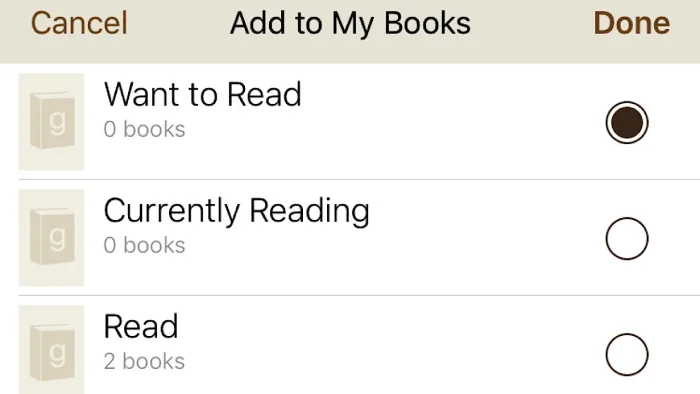
You can save this book to your shelves to refer back to later, or just to keep track of all of the books that you read. There are three shelves that you can choose from in the beginning, ‘want to read’, ‘currently reading’, and ‘read’.

Goodreads shelves

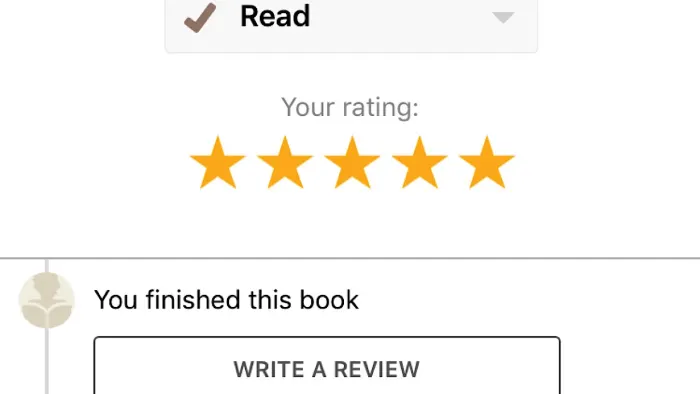
If you have not yet read it, tap ‘want to read’, ‘done’, and you’re all set for the next time you’re at the library or a book store. Once you’ve finished the book, tap on the ‘my books’ tab at the bottom of the screen and then your ‘want to read’ shelf. Move the book to the ‘read’ shelf, and then rate it. You can also write a review of your own, and if you loved the book, you can see other books like it at the bottom of the page.

Goodreads book rating

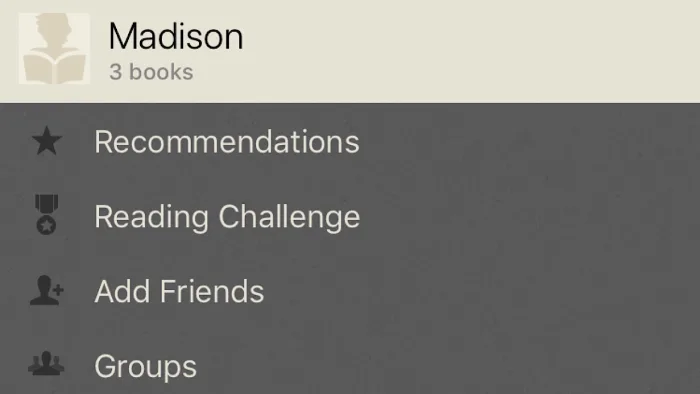
In the ‘more’ tab, you can find your profile and edit your privacy settings so that your shelves can only be viewed by you or people that you’ve accepted as friends. Keep track of reading challenges, groups that you’ve joined, send messages to friends and view their shelves, and view the books voted best of the previous year by other Goodreads users.

Goodreads user profile

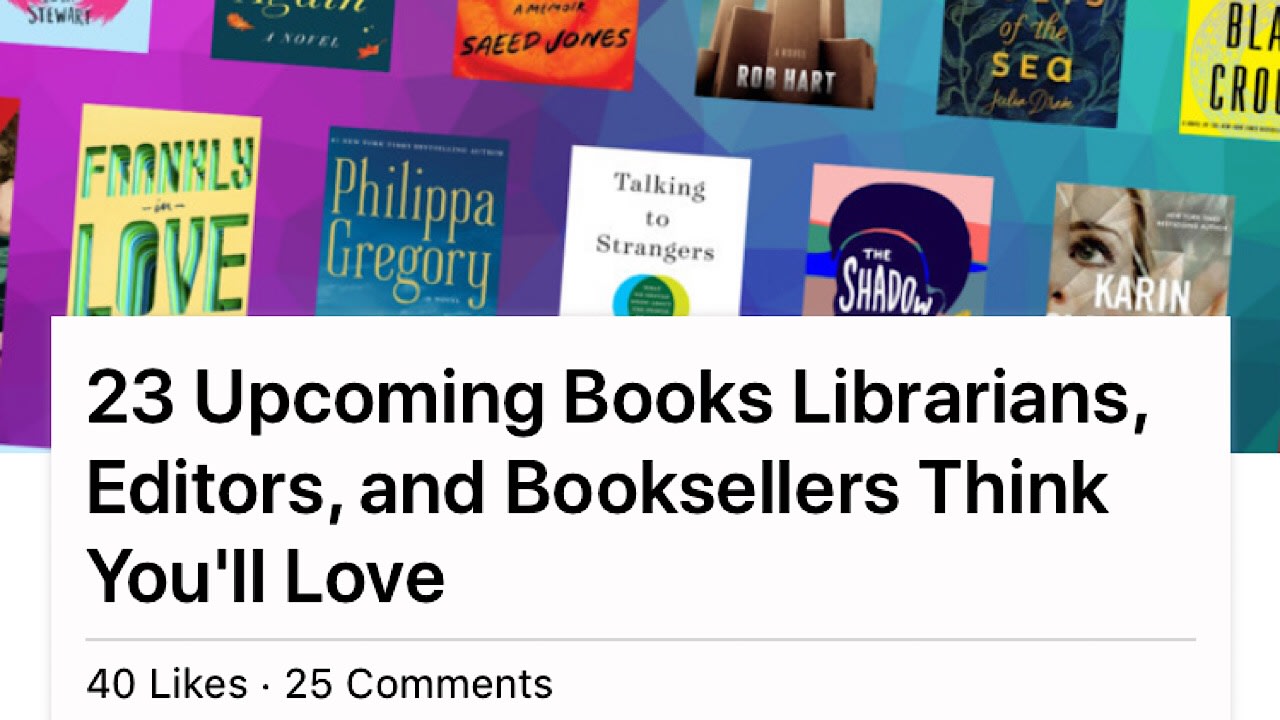
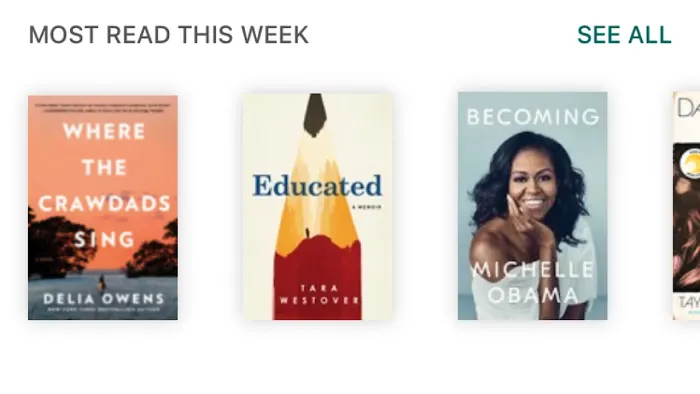
If you’re looking for recommendations, tap on the ‘search’ tab. You can explore by genre, look at featured lists, popular books that people are reading, and new releases. Remember to add books that you think you’ll like to your shelves!

Goodreads search page

Goodreads most read

Goodreads is truly a reader’s best friend. Whether you’re into biographies or comic books, the app has everything you need to find new and amazing books to dive into and to keep track of your library no matter the size. Goodreads is available on iOS, Android, and PC.

What’s your book of the summer for this year? Let us know!

Foreign language keyboard shortcuts for Windows 10

Need to write in a foreign language or type a currency symbol? Here’s how!

keyboard

Whether it’s coding a game or writing a blog, firing off a quick tweet or writing a college essay, our professional and personal typing is usually done on a standard keyboard. It gets the job done, but unless you have a special product with extra bells and whistles you’re not going to have easy access to certain characters like currency, math symbols, fractions, or copyright or trademark symbols.

This is especially frustrating when you’re trying to type in a foreign language – one that uses tildes, umlauts, accents, or circumflexes. There are no keys for that, so short of remapping your entire keyboard what can you do? On Windows 10, there are actually built-in shortcut commands for all kinds of characters – you just have to know how to input them. Here’s how to do it in three super easy steps:

How to input foreign characters

1. Switch on Num Lock

You may not need to do this step on Windows 7, 8, or Vista, but on Windows 10, you’ll need to use the number pad on the right of the keyboard. If you have it disengaged, hit Num Lock in order to do the next steps.

2. Click where you need your character to go.

Simply click where in your document you need that accented letter or special symbol.

3. Alt+type the code

Holding down the Alt key, punch in any of the following four-digit codes. Let go of the Alt button and your chosen character will appear right where you want! Make sure that when you do this you’re using the number pad, and not the numbers at the top of the keyboard. The numerical keys at the top of your keyboard will not work. Here’s a list of some common symbols:

Accented Letters

À 0192

È 0200

Ì 0204

Ò 0210

Ù  0217

à 0224

è 0232

ì 0236

ò 0242

ù 0249

Á 0193

É 0201

Í 0205

Ó 0211

Ú 0218

Ý 0221

á 0225

é 0233

í 0237

ó 0243

ú 0250

ý 0253

 0194

Ê 0202

Î 0206

Ô 0212

Û 0219

â 0226

ê 0234

î 0238

ô 0244

û 0251

à 0195

Ñ 0209

Õ 0213

ã 0227

ñ 0241

õ 0245

Ä 0196

Ë 0203

Ï 0207

Ö 0214

Ü  0220

Ÿ 0159

ä 0228

ë 0235

ï 0239

ö 0246

ü 0252

ÿ 0255

Other foreign characters

¡ 0161

¿ 0191

Ç, ç 0199, 0231

Œ,œ 0140,0156

ß 0223

º, ª 0186, 0170

Ø,ø 0216, 0248

Å,å 0197, 0229

Æ, æ 0198, 0230

Þ, þ 0222, 0254

Ð, ð 0208, 0240

« » 0171, 0187

‹ › 0139, 0155

Š š 0138, 0154

Ž ž 0142, 0158

Currency

¢ 0162

£ 0163

0128

¥ 0165

ƒ 0131

¤ 0164

Math

÷ 0247

° 0176

¬ 0172

± 0177

µ 0181

0137

¼ 0188

½ 0189

¾ 0190

Copyright and miscellaneous

© 0169

® 0174

0153

0149

§ 0167

0134

0135

0150

0151

0182

So for example, if you want to type ‘naïve’ you would type “n-a-alt+0239-v-e.” To type ’25¢’ you’d type “2-5-alt+0162.”

Bookmark this page so that you’ll always have access to our handy list, and stay tuned for more helpful tips, tricks, and shortcuts!